




Art class gallery displays serve as essential recognition platforms where student creativity receives the visibility and celebration it deserves. Every semester, art programs across the country produce hundreds of exceptional student artworks—paintings, drawings, sculptures, photography, and digital creations—that represent months of skill development, creative exploration, and artistic risk-taking. Traditional display approaches, however, severely limit how many pieces receive recognition, restrict viewing audiences to school hours only, and offer temporary visibility before artwork disappears into storage or returns home to sit in closets and attics.
The challenge art teachers face is familiar: limited hallway bulletin board space forces difficult choices about which students’ work gets displayed while equally deserving pieces go unrecognized, temporary exhibitions run for only a few weeks before rotation, three-dimensional work presents mounting and security challenges, and no effective method exists for preserving exhibition records or enabling portfolio access years later. These constraints mean the vast majority of quality student artwork never receives meaningful public recognition despite the educational and motivational value such visibility provides.
This comprehensive guide explores modern digital solutions transforming art class gallery displays by eliminating physical space limitations, creating interactive viewing experiences that engage visitors far beyond passive hallway glances, maintaining permanent accessibility for portfolio development and alumni connections, and providing professional presentation quality that honors the sophistication of student artistic achievements.
Understanding how schools effectively implement digital art gallery displays helps educational institutions create sustainable recognition programs celebrating all students rather than space-limited selections, supporting college portfolio development, demonstrating program quality to communities and administrators, and building the culture of creative excellence that attracts artistically talented students while inspiring continued skill development across all ability levels.

Digital gallery platforms provide schools with unlimited exhibition capacity celebrating student creativity year-round through interactive displays
The Evolution From Traditional to Digital Art Gallery Displays
Art educators have long recognized that displaying student work provides significant educational and motivational value, but traditional approaches face inherent limitations that digital solutions specifically address.
Traditional Art Display Limitations
Physical gallery spaces in schools operate under substantial constraints that reduce recognition opportunities and educational impact:
Space Restrictions Creating Recognition Scarcity
Traditional hallway bulletin boards accommodate perhaps 10-15 pieces maximum, forcing art teachers to select only a fraction of deserving work for display. In programs serving 100-200 students per semester across multiple courses, this means 85-90% of quality artwork never receives public recognition. Gallery spaces in dedicated art rooms offer slightly more capacity but still limit simultaneous exhibitions to 30-50 pieces at most, creating bottlenecks when programs produce hundreds of completed works annually.
The selection pressure this creates proves particularly challenging for inclusive art education philosophies valuing diverse forms of excellence. When only “the best” work fits available space, many students producing quality work appropriate to their skill level never experience the validation and motivation that recognition provides. Teachers face uncomfortable choices about whether to rotate displays frequently, giving many students brief visibility, or maintain displays longer, providing sustained recognition for fewer individuals.
Temporal Limitations Reducing Recognition Impact
Physical exhibitions typically run 2-4 weeks before teachers need to rotate displays for new work or simply clear space for other uses. This brief visibility window means artwork receiving months of creative effort gets only days or weeks of acknowledgment before disappearing. Installation and dismantling consume valuable instructional time as teachers mount and remove work repeatedly throughout academic years.
End-of-year timing creates particular challenges when final projects—often representing students’ most sophisticated work—receive minimal recognition before summer closings. Senior portfolios and capstone projects may get no meaningful exhibition opportunity at all when spring schedules fill with other events and activities.
Accessibility Constraints Limiting Audience Reach
Traditional displays operate only during school hours, restricting viewing to students, staff, and occasional daytime visitors. Working parents, community members, and extended family rarely see displayed work. No remote access exists for college admissions counselors reviewing applicant portfolios, alumni revisiting their student work years later, or distant relatives interested in student achievement.
The passive nature of physical displays also limits engagement. Viewers glance at wall-mounted artwork but rarely receive information about creative processes, artist intentions, technical approaches, or developmental context that would deepen appreciation and educational value.

Many schools combine traditional display elements with digital technology to expand recognition capacity and reach
How Digital Art Gallery Displays Transform Student Recognition
Interactive digital platforms address traditional limitations while creating entirely new exhibition possibilities that were impossible through physical approaches alone.
Unlimited Exhibition Capacity
Digital galleries eliminate space constraints completely. Schools implementing comprehensive platforms showcase 400-600% more student work annually compared to hallway bulletin boards. Every student across all courses can have multiple pieces displayed simultaneously. Complete portfolios become possible rather than single representative works. Different media types—photography, digital art, video projects, traditional media documentation—all coexist in searchable, browsable collections.
This capacity transformation fundamentally democratizes recognition. Rather than selecting only exceptional pieces for limited space, teachers can celebrate work across all skill levels and course sequences. Beginner drawings sit alongside advanced oil paintings. Experimental failures that taught important lessons receive recognition equal to polished masterworks. The full diversity of creative exploration becomes visible.
Enhanced Viewing Experiences Through Interactivity
Digital platforms provide engagement impossible with traditional displays. High-resolution images enable zoom capabilities revealing brushwork details, technique elements, and craftsmanship invisible in hallway viewing. Artist statements accompany each piece, sharing creative inspiration, process descriptions, and artistic intent. Process documentation shows preliminary sketches, work-in-progress photos, and technique demonstrations that transform viewing from passive observation to educational exploration.
According to implementations at schools nationwide, visitors spend 6-12 minutes exploring digital art galleries with rich contextual information compared to 30-90 seconds viewing traditional hallway displays. This extended engagement creates meaningful opportunities for peer learning, technique analysis, and deeper appreciation of artistic decision-making.
Professional Presentation Quality
Digital displays provide presentation sophistication matching the quality of student work. Proper lighting conditions replace harsh fluorescent hallways. Color accuracy maintains artistic intent. Multiple images show dimensional work from various angles. Video documentation captures performance art, installation pieces, and other time-based work that physical displays cannot accommodate.
This professional quality signals to students that their creative work receives institutional respect and recognition comparable to academic honors and athletic achievements. The presentation itself becomes educational, modeling portfolio standards students will encounter in collegiate art programs and professional creative careers.
Permanent Accessibility and Portfolio Development
Unlike temporary exhibitions dismantled after brief runs, digital galleries maintain indefinite accessibility. Students reference displayed work for college applications years after creation. Alumni revisit their artistic development decades later. Teachers track longitudinal skill progression across student cohorts and academic years.
This permanence transforms galleries from temporary recognition into lasting documentation of creative achievement. The educational value extends far beyond initial display, supporting portfolio development, career preparation, and institutional memory preservation.
Solutions like Rocket Alumni Solutions provide purpose-built platforms specifically designed for educational recognition including art gallery features integrated with broader student achievement celebration—enabling schools to recognize creativity alongside athletic, academic, and community accomplishments through unified systems.
Essential Features of Effective Digital Art Gallery Displays
Schools selecting digital gallery platforms should prioritize specific capabilities ensuring systems genuinely serve educational needs rather than simply digitizing inadequate traditional approaches.
Intuitive Content Management for Art Teachers
Art educators need systems they can manage independently without ongoing IT department dependency or technical expertise requirements.
Web-Based Administrative Interfaces
Effective platforms operate entirely through standard web browsers accessible from any internet-connected device without special software installation. Template-based submission forms ensure consistent presentation across all artwork while streamlining the upload process. Drag-and-drop media handling simplifies adding images, videos, and supporting documentation. Visual content editors show exactly how galleries appear to viewers without requiring technical preview steps.
Student submission portals allow direct artwork upload with teacher approval workflows, dramatically reducing administrative burden. Rather than teachers photographing, uploading, and describing all student work, students can submit their own pieces with artist statements and process documentation, leaving teachers to review and approve submissions rather than creating all content personally.
Schools implementing platforms genuinely designed for educator management report 60-80% reductions in content administration time compared to technical systems requiring IT involvement for routine updates. This sustainability difference determines whether digital galleries become vibrant, regularly updated resources or abandoned technologies consuming more time than they save.
Flexible Content Organization
Digital galleries require sophisticated organizational capabilities supporting diverse viewing approaches. Multiple simultaneous exhibitions run concurrently—AP Art portfolios, beginning drawing, photography showcase, sculpture documentation—each maintaining distinct identity while sharing underlying infrastructure. Hierarchical categories organize by course level, medium, theme, student grade, or custom classifications matching how individual programs structure curricula.
Featured content controls highlight exceptional work in prominent positions. Timed publishing schedules exhibition launches and closings coordinating with academic calendars. Archive management maintains accessibility to past exhibitions while prioritizing current work. Search and filtering enable visitors to explore by artist name, medium, course, year, or theme.
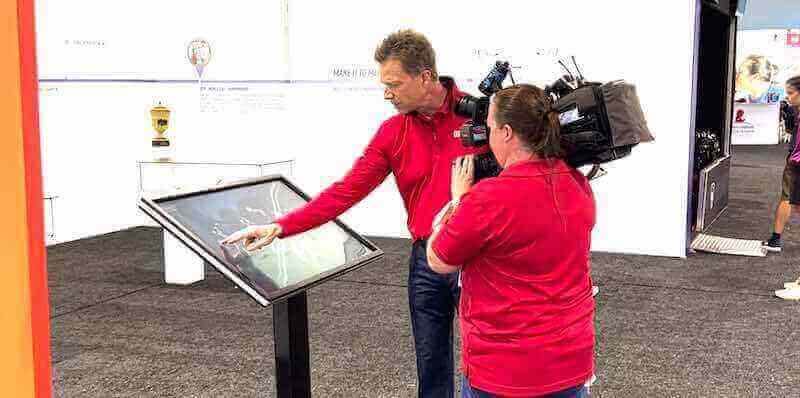
Interactive features and intuitive navigation determine whether digital galleries create engaging experiences or frustrating interfaces
High-Quality Visual Presentation Standards
Artwork deserves presentation quality matching the creative effort invested in its production.
Image Quality and Display Specifications
Professional art display requires technical standards maintaining visual fidelity. High-resolution support displays artwork at sufficient resolution for detail examination without pixelation or blur. Color accuracy maintains fidelity to original work through proper color space handling and display calibration. Zoom functionality enables viewers to examine technique details, brushwork, and craftsmanship at levels impossible in physical viewing.
Multiple image support shows detail shots, alternate views, or work-in-progress documentation alongside finished pieces, creating comprehensive documentation rather than single snapshots. Various aspect ratios accommodate artwork dimensions from square formats through panoramic compositions without forcing crops or distortions.
Mobile optimization ensures quality viewing experiences across smartphones, tablets, and desktop displays. The difference between purpose-built art display platforms and generic photo galleries becomes apparent through presentation quality—professional systems maintain artwork integrity while consumer platforms compress images sacrificing detail and color accuracy.
Multimedia Integration
Contemporary student creativity extends beyond static two-dimensional images. Video hosting accommodates animation projects, performance art documentation, or creative process demonstrations. Audio integration enables artist interviews, ambient soundscapes for installations, or musical compositions accompanying visual work. Three-dimensional viewing for sculpture, ceramics, and other dimensional work requires multiple perspectives that single photographs cannot provide.
Interactive elements support student work including digital interactivity or web-based components. Document embedding allows artist statements, research papers, or contextual materials to accompany visual work. Schools implementing multimedia-capable platforms showcase 40-60% more diverse student work compared to image-only systems that cannot accommodate video, audio, or interactive projects.
Interactive Features Supporting Education and Engagement
Effective digital art galleries go beyond simply displaying images to create engaging educational experiences.
Detailed Artwork Information and Context
Each piece should support comprehensive documentation including complete project descriptions and learning objectives, artist statements explaining creative intent and process, technical specifications and materials used, recognition and awards received, teacher commentary and critique, and connections to art history, movements, or cultural traditions.
This rich contextual information transforms passive viewing into active learning. Students explore classmates’ work understanding not just what they see but why artistic decisions were made, what techniques were employed, and what creative problems were solved. The educational dimension helps viewers appreciate artwork while providing students with articulation practice essential for portfolio presentations and college admissions.
Navigation and Discovery Tools
Visitors need multiple approaches to explore gallery content accommodating different interests and browsing preferences. Chronological browsing shows recent additions and exhibition timelines. Categorical organization groups by medium, course, theme, or skill level. Advanced search functionality finds specific artists, keywords, or content types.
Featured exhibitions highlight curated collections or special showcases. Related content suggestions connect similar works, same artists, or shared themes. Random discovery surfaces unexpected works encouraging serendipitous exploration. These diverse pathways ensure both targeted searching and casual browsing create satisfying experiences.
Recognition strategies used for academic programs provide frameworks schools can adapt for creative achievement documentation, ensuring art receives institutional attention comparable to other forms of excellence.
Experience Layout Blueprint for Art Gallery Touchscreen Displays
Designing effective gallery experiences requires thoughtful interface planning that balances visual appeal with functional navigation.
Primary Navigation Zones
Hero Display Section
The main viewing area occupies 60-70% of screen real estate, presenting featured artwork in high resolution with appropriate aspect ratio maintenance. Full-screen image viewing with zoom controls enables detailed examination. Navigation controls remain accessible but unobtrusive during viewing.
Content Information Panel
A collapsible sidebar or overlay provides comprehensive artwork information without obscuring visual content. Artist name, title, medium, dimensions, and creation date appear prominently. Expandable sections reveal artist statements, process documentation, technical notes, and related work links. Touch-friendly interface elements accommodate various hand sizes and dexterity levels.
Gallery Navigation Controls
Persistent navigation enables seamless browsing through collections. Previous and next artwork controls support linear exploration. Category and filter menus enable targeted searching. Home button returns to main gallery entrance. Breadcrumb trails show current location within hierarchical gallery organization.
Featured Collections and Exhibitions
Curated galleries receive prominent placement showcasing current exhibitions, award-winning work, senior portfolios, thematic collections, or course-specific showcases. Visual thumbnails with brief descriptions invite exploration while conveying organizational structure.
Accessibility and Universal Design Considerations
Digital art galleries must serve diverse audiences including various age ranges, technical comfort levels, physical abilities, and visual capabilities.
ADA WCAG 2.1 AA Compliance
Text size maintains readable minimums with user-adjustable scaling. Color contrast ratios meet accessibility standards between text and backgrounds. Alternative text descriptions provide artwork information for screen readers. Keyboard navigation supports users unable to operate touchscreens. Interface timing allows adequate reading and interaction time without automatic transitions forcing rushed engagement.
Multilingual Support When Appropriate
Schools serving multilingual communities benefit from interface and content translation capabilities. Artist statements can appear in multiple languages supporting English language learners and community members. This inclusivity ensures all families can engage with student creative achievement regardless of language background.
Design approaches used in campus directory displays demonstrate effective wayfinding and navigation patterns applicable to art gallery interfaces.
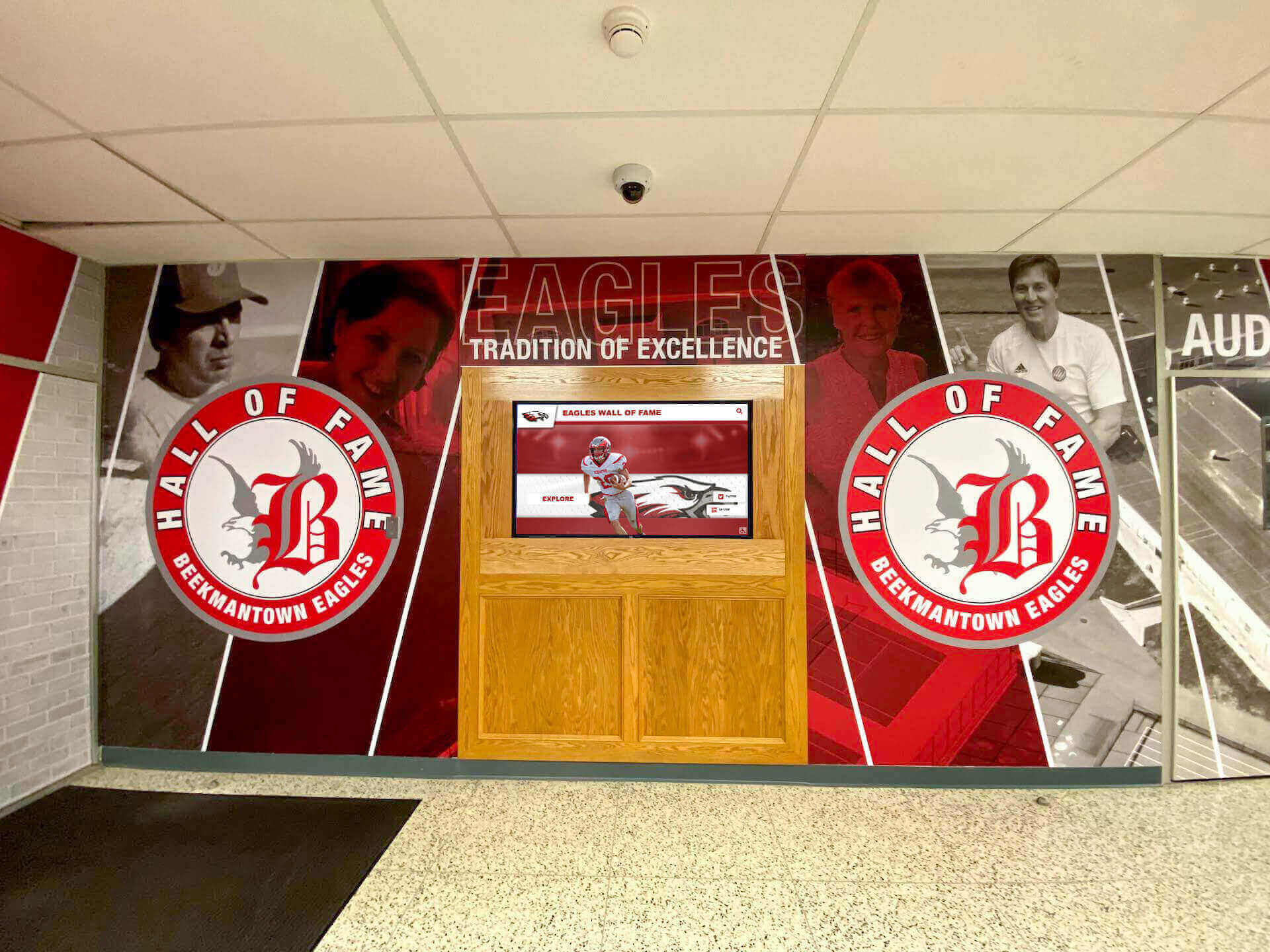
Permanent displays signal institutional commitment to celebrating student creative achievement
Strategic Placement and Installation Considerations
Location dramatically impacts gallery visibility, engagement levels, and community awareness of arts program quality.
High-Traffic Campus Locations
Main Entrance and Lobby Installations
Central locations where students, staff, visitors, and families pass daily create maximum exposure. Prominent placement signals institutional commitment to arts education while providing opportunities for spontaneous engagement. Large-format touchscreen displays in school lobbies establish immediate visual presence while accommodating individual and group viewing.
Arts Wing and Classroom Hallways
Displays near art rooms create dedicated recognition spaces where students immersed in creative coursework encounter inspiration and examples. These locations work particularly well for detailed, discipline-specific content including technique demonstrations, process documentation, and advanced portfolio work that engages specialist audiences developing artistic skills.
Library and Media Center Locations
Academic spaces provide appropriate context for creative achievement while offering comfortable exploration environments. Students conducting research or studying may discover art galleries and spend extended time exploring collections. The quiet, focused atmosphere supports contemplative viewing and deep engagement with artwork and contextual information.
Community and Family Access Points
Cafeterias, commons areas, and parent pickup zones reach family members who may not venture into academic wings during brief campus visits. These social gathering spaces work well for photography and visually striking work that attracts attention and prompts conversation.
Technical Infrastructure Requirements
Successful installations require adequate technical foundations supporting reliable operation and quality viewing experiences.
Display Hardware Specifications
Commercial-grade touchscreen displays rated for continuous operation in high-traffic environments provide reliability consumer equipment cannot match. Screen sizes of 55-75 inches enable comfortable viewing for multiple simultaneous users. High-brightness displays maintain visibility under various lighting conditions including bright hallways and sun-exposed areas. Protective enclosures prevent damage in high-traffic student environments.
Network and Connectivity
Reliable high-speed internet supports media-rich content streaming and real-time updates. Wired ethernet connections provide superior reliability compared to wireless alternatives. Adequate bandwidth accommodates multiple simultaneous users browsing high-resolution imagery and video content. Network security measures protect student information while enabling appropriate public access.
Mounting and Physical Installation
Professional mounting ensures display security, appropriate viewing height, and protection from accidental damage. Cable management conceals wiring maintaining clean installation aesthetics. Accessibility considerations include placement accommodating wheelchair users and various viewer heights. Adequate clearance prevents congestion when multiple viewers engage simultaneously.
Schools implementing digital storytelling for athletic programs demonstrate installation approaches applicable across diverse recognition contexts.
Content Strategy and Gallery Management Best Practices
Effective digital galleries require thoughtful content strategy beyond simply uploading artwork images.
Developing Submission Workflows
Student Submission Procedures
Clear processes enable sustainable gallery management while teaching students professional portfolio skills. Photography standards specify image requirements including resolution minimums, file formats, lighting quality, and background approaches for documenting traditional media. Artist statement templates guide students in articulating creative intent, process decisions, and technical approaches. Metadata collection gathers course information, creation dates, materials, dimensions, and other contextual details.
Students submit work through dedicated portals using provided credentials. Teachers receive notifications of pending submissions and review content before publication. Approval workflows enable quality control without creating bottlenecks. Batch approval capabilities streamline processing when reviewing entire class assignments simultaneously.
Teacher Curation and Featured Content
Curated exhibitions provide entry points for casual browsers and showcase program highlights. Thematic collections group work around subjects, techniques, or concepts creating coherent viewing experiences. Course-specific galleries organize by class level showcasing curriculum progression. Temporal exhibitions document specific projects, semesters, or academic years. Award and recognition galleries celebrate competition results, scholarships, and external acknowledgment.
Featured rotation schedules ensure homepage content remains fresh while providing all students opportunities for prominent placement over time. Diversity in featured content reflects program breadth across media, styles, ability levels, and course sequences.
Building Substantial Initial Content
Launching galleries before accumulating sufficient content creates poor first impressions suggesting neglected programs. Successful implementations include substantial initial collections demonstrating established, vibrant programs.
Historical Content Integration
Scanning and documenting exceptional work from recent previous years provides depth and context. Alumni artwork from 2-3 prior years demonstrates program continuity and tradition. Historical pieces can include instructor permission notes explaining their selection and significance. This historical dimension honors past students while providing current students with examples and inspiration.
Diverse Representation Across Programs
Initial galleries should represent all courses and media types rather than only advanced students or specific disciplines. Beginning drawing, intermediate painting, photography, sculpture, digital art, and other offerings all deserve representation. Showcasing diverse excellence definitions—technical mastery, creative risk-taking, conceptual sophistication, improvement trajectories—creates inclusive recognition valuing varied artistic strengths.
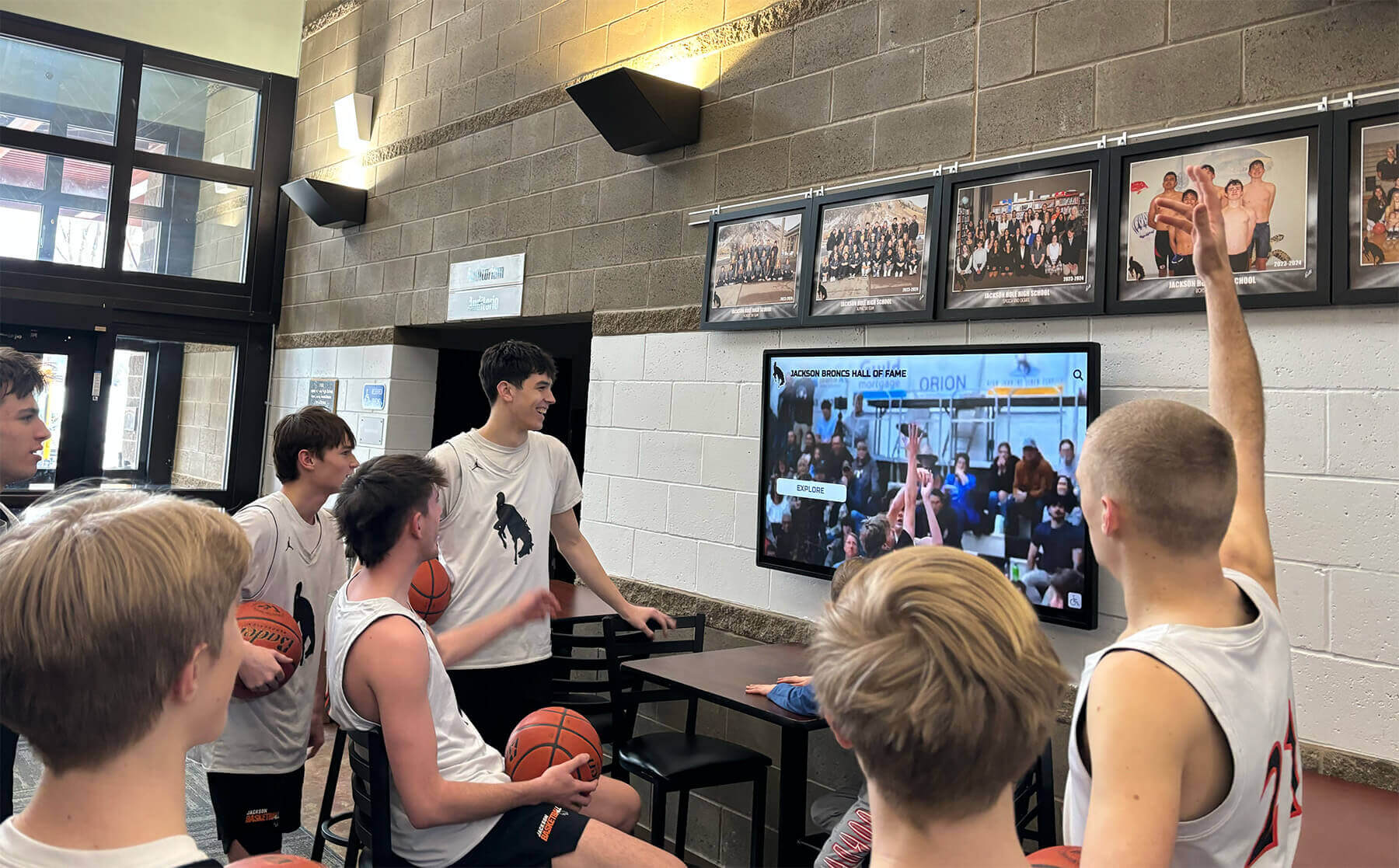
Interactive digital displays create engaging experiences that draw student and community attention to creative achievements
Maintaining Engagement Through Ongoing Updates
Initial launch excitement requires sustained momentum preventing galleries from becoming stale, neglected resources.
Regular Content Addition Schedules
Monthly updates maintain visitor interest through fresh work appearing consistently. Project completion timelines inform update schedules—major projects receive prompt recognition while ongoing coursework appears in regular rotation. End-of-semester exhibitions showcase culminating projects and portfolio work. Annual academic retrospectives document full-year programs before archiving for alumni access.
Artist Spotlight Features
Individual student profiles highlighting creative journeys, artistic development, and diverse body of work create personal connections with viewers. Q&A formats explore inspiration sources, favorite techniques, artistic influences, and future creative goals. Process documentation shows multiple project stages revealing how finished pieces evolved from initial concepts. These features humanize galleries while providing students valuable experience articulating their creative practice.
Community Engagement Opportunities
Alumni submission invitations maintain long-term connections inviting graduated students to share current creative work, professional achievements, or reflections on how high school art education influenced their paths. Faculty work displays honor teacher creativity while modeling active artistic practice. Community partnership exhibitions connect students with local artists, galleries, or cultural institutions. Family art nights use galleries as conversation starters during school events.
Strategies used for museum exhibition kiosks provide frameworks for creating engaging cultural displays applicable to educational art galleries.
Integration With Comprehensive Recognition Programs
Art galleries gain additional value when integrated with broader student achievement recognition systems celebrating diverse forms of excellence.
Unified Digital Recognition Platforms
Purpose-built recognition systems enable schools to celebrate all student accomplishments through integrated platforms rather than maintaining separate systems for athletics, academics, arts, and community service.
Multi-Category Recognition Architecture
Comprehensive platforms accommodate creative arts including visual art, music, theatre, and creative writing; athletic accomplishments celebrating sports achievements and team success; academic honors recognizing honor roll, scholarships, and competition results; community service highlighting volunteer work and civic engagement; and special achievements documenting unique accomplishments not fitting standard categories.
This unified approach provides consistent student experiences across recognition types while streamlining administrative workflows. Teachers learn one system serving multiple purposes. Shared media libraries reuse content across contexts. Integrated student profiles connect all individual achievements in comprehensive records. Unified analytics provide complete engagement metrics.
Portfolio Development Support
Digital recognition naturally supports college application portfolio development. Students compile displayed work for external submission simultaneously building institutional galleries. Project descriptions written for gallery display serve college application essays with minimal modification. Recognition systems generate URLs students reference in resumes and applications. Analytics showing project views provide engagement metrics demonstrating audience reach.
High-resolution download capabilities enable students to obtain exhibition-quality images for external use. Portfolio collection features allow students to curate personal selections from broader galleries. PDF generation creates formatted portfolio documents suitable for printing or email submission.
Alumni Engagement Through Creative Achievement Archives
Permanent archives extend gallery value beyond current student recognition serving multiple long-term purposes.
Post-Graduation Portfolio Access
Alumni can revisit their student work years or decades after graduation, sharing creative achievements with children, grandchildren, or professional colleagues. This access maintains emotional connections to schools while providing concrete documentation of artistic development during formative educational years.
Professional achievement tracking celebrates alumni creative careers and post-graduation success. Galleries can feature alumni working in art, design, architecture, advertising, film, photography, or other creative industries. These success stories inspire current students while demonstrating to communities that arts education predicts professional outcomes across many domains.
Mentorship and Connection Opportunities
Current students exploring galleries discover alumni working in fields matching their interests and aspirations. Contact information or professional profiles facilitate mentorship connections linking students with graduated artists. Guest speaker invitations bring successful alumni back to share career journeys, portfolio advice, and industry insights. These connections provide authentic career pathway information more valuable than generic guidance.
Schools implementing alumni engagement strategies report that accessible recognition archives strengthen long-term institutional relationships and community connections.
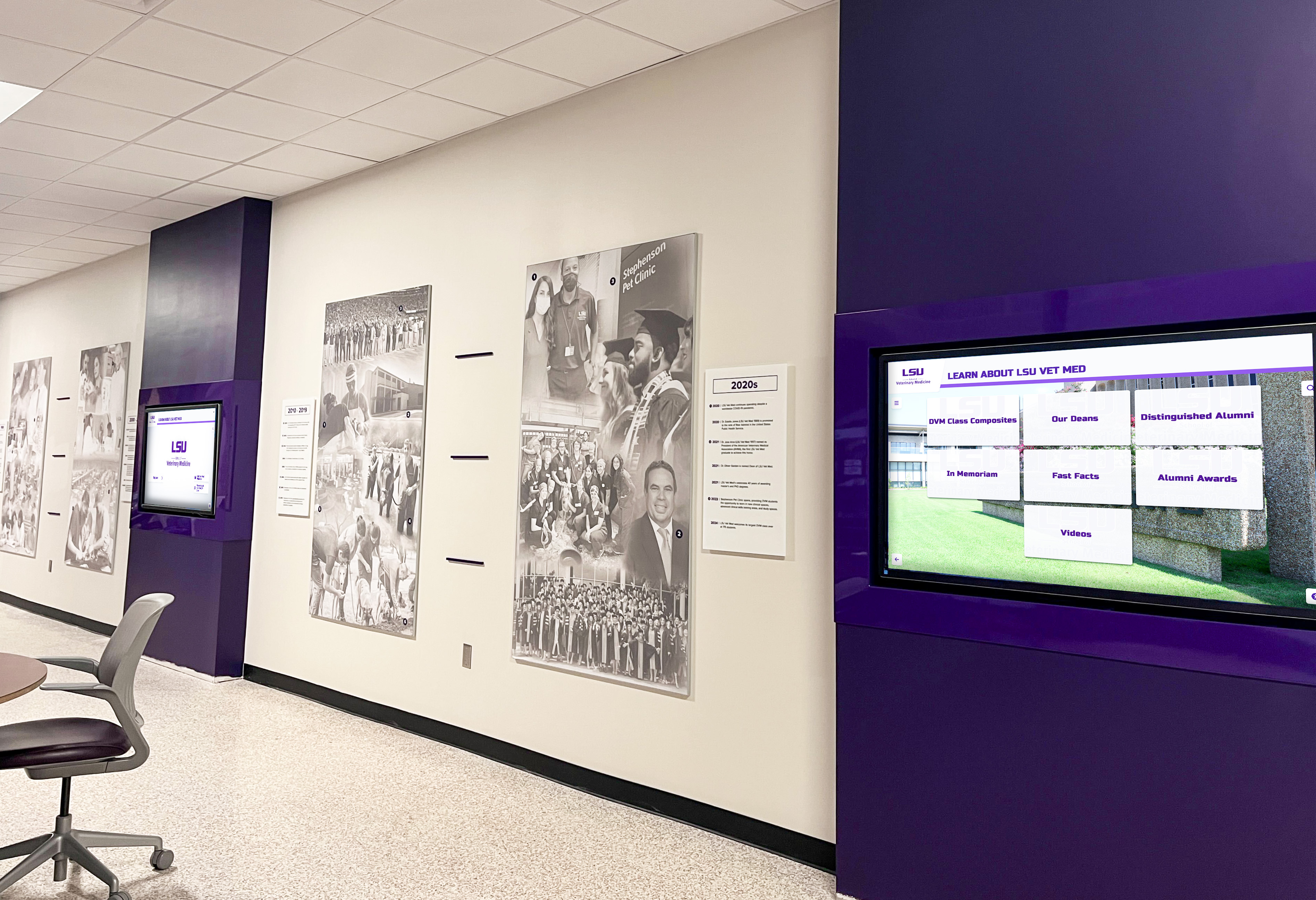
Integrated recognition systems enable institutions to celebrate diverse achievements through unified platforms
Measuring Success and Demonstrating Program Value
Regular assessment ensures art gallery displays deliver educational value while providing evidence supporting program funding and expansion.
Quantitative Success Indicators
Participation and Inclusion Metrics
Percentage of art students with work displayed measures recognition breadth across programs. Demographic distribution ensures all student populations receive proportional recognition. Media type representation confirms diverse artistic approaches receive equal visibility. Submission rates track what portion of students actively contribute work. Featured student rotation frequency documents that prominence opportunities reach varied individuals over time.
Engagement and Viewing Analytics
Unique visitor counts understand how many individuals explore galleries. Session duration indicates engagement depth and interest level. Most-viewed artwork reveals which pieces resonate most strongly with audiences. Search query patterns show how visitors attempt to find specific content. Traffic sources identify how people discover galleries—school website, social media, direct links, or word-of-mouth.
Web-based gallery traffic complements physical touchscreen interaction metrics providing complete engagement pictures. Schools report that 65-75% of digital gallery viewing occurs on mobile devices, emphasizing the importance of remote access extending beyond on-campus displays.
Program Impact Indicators
Elective course enrollment trends following gallery implementation reveal whether recognition influences program participation. Advanced course retention rates show if galleries motivate continued artistic study. Competition entry increases suggest galleries inspire students to pursue external recognition. College application portfolio quality improvements demonstrate practical value for student outcomes. Scholarship award correlations connect recognition to tangible benefits.
Qualitative Assessment Approaches
Stakeholder Feedback Collection
Student surveys explore recognition awareness, motivational impact, and portfolio development value. Parent responses assess ability to access and share children’s work remotely. Teacher evaluation considers administrative burden, educational value, and curriculum integration. Administrator perspectives address community engagement, program visibility, and resource justification. Visitor comments from community members provide external validation.
Systematic feedback through surveys, focus groups, or comment systems provides qualitative insights complementing quantitative analytics. Regular collection creates time-series data revealing trends rather than one-time snapshots.
Cultural and Educational Outcomes
Observable changes in student creative risk-taking suggest galleries encourage experimentation when all work receives recognition rather than only “safe” pieces. Cross-program collaboration and peer learning increase as students explore diverse artistic approaches. Student conversations reference displayed work indicating galleries become part of school culture. Family visits specifically to view student projects demonstrate galleries strengthen family-school connections.
These qualitative indicators reveal gallery impacts extending beyond viewership statistics to cultural transformation and educational enhancement.
Supporting Arts Advocacy and Program Development
Digital galleries serve strategic purposes beyond individual student recognition, providing evidence supporting program funding, expansion, and community awareness.
Demonstrating Program Quality
Curriculum Justification
Comprehensive galleries provide concrete evidence of student learning and achievement visible to administrators, school boards, and community members. The breadth of displayed work demonstrates curriculum coverage across techniques, media, and artistic concepts. Progression from beginner to advanced work shows skill development across course sequences. Competition results and external recognition validate program quality through independent evaluation.
This visual documentation proves particularly valuable during budget discussions when programs compete for limited resources. Rather than abstract descriptions of curriculum value, galleries provide immediate, accessible evidence of robust creative education producing measurable student growth.
Recruitment and Retention Tools
Prospective students and families evaluating schools assess program quality through visible achievements. Impressive galleries attract artistically talented students to programs while reassuring parents that creative education receives institutional support and recognition comparable to athletics and academics. Current student galleries appear more authentic and relevant than promotional materials featuring isolated examples.
Alumni engagement facilitated through accessible archives demonstrates long-term program impact extending decades beyond graduation. This continuity creates traditions and legacies that strengthen program identity and community connection.
Grant Applications and Fundraising Support
Foundation and Arts Organization Funding
Many foundations and arts organizations provide grants supporting arts education. Digital galleries strengthen applications by documenting program quality, student outcomes, and community engagement. Grant reviewers can explore galleries directly rather than relying solely on written descriptions and selected photographs. The comprehensive nature of digital documentation demonstrates serious institutional commitment rather than superficial program gestures.
Specific grant opportunities often require evidence of inclusive practices serving diverse student populations, integration with academic curriculum, and community partnerships. Digital galleries naturally document these elements through their content breadth and organizational structure.
Donor Engagement and Recognition
Individuals and businesses supporting arts programs appreciate visible evidence demonstrating donation impact. Galleries showcase achievements their contributions enabled. Donor recognition within gallery interfaces honors financial supporters while documenting funding sources. Corporate sponsors gain positive community visibility through association with student creative achievement.
Recognition approaches used in nonprofit donor programs provide frameworks schools can adapt for arts program fundraising contexts.
Common Implementation Challenges and Solutions
Schools implementing digital art galleries encounter predictable obstacles that planning and appropriate platform selection help avoid or resolve.
Student Privacy and Permission Management
Displaying student work publicly requires careful attention to privacy considerations and consent requirements.
FERPA Compliance and Parental Permission
Schools must obtain appropriate approvals before displaying student work and names publicly. Parental permission for minors having their work displayed requires clear explanation of how information will be used. Student consent respects ownership rights and personal preferences about sharing creative work. Opt-out mechanisms allow students or families to decline participation when preferred.
Platforms designed for educational contexts include permission management features streamlining consent documentation. Digital systems can enforce permission requirements preventing unauthorized display more effectively than physical exhibitions where posted work bypasses systematic approval verification.
Balancing Visibility With Protection
Public accessibility maximizing community viewing must balance with protecting sensitive information. Student last names may appear abbreviated or omitted. Graduation years indicate general timeframes without revealing current grade levels for younger students. Contact information remains restricted to authenticated school community members. Search engine visibility settings control what information gets indexed by external search engines.
These technical controls enable appropriate recognition while respecting privacy requirements in ways physical displays cannot easily accommodate.
Ensuring Sustainable Management Workload
Initial enthusiasm for digital galleries can fade when ongoing management proves burdensome beyond what busy art teachers can sustain.
Streamlined Submission Workflows
Student-initiated submissions rather than teacher-generated content dramatically reduce administrative burden. Clear submission requirements and templates ensure consistent information without extensive teacher editing. Batch approval capabilities enable efficient review when processing entire class assignments. Scheduled publishing automates content appearance at specific dates without requiring manual intervention.
Schools report that once initial setup completes, maintaining digital art galleries requires 15-30 minutes per week—far less than physical display rotation and significantly more comprehensive in student work showcased.
Building Student Management Involvement
Advanced students can assume gallery management responsibilities as learning opportunities. Journalism students write exhibition descriptions and artist profiles. Photography students document three-dimensional work. Digital media students design interface themes and promotional graphics. Leadership students develop recognition program promotion. This integration maximizes educational value while distributing workload across interested students gaining valuable experience.
Conclusion: Creating Professional Art Gallery Experiences
Art class gallery displays transformed through digital technology provide schools with comprehensive recognition platforms celebrating all students rather than space-limited selections, creating professional presentation quality honoring artistic sophistication, supporting portfolio development with lasting accessibility, and demonstrating program excellence to communities and administrators. The traditional constraints forcing difficult choices about whose work receives recognition—physical space limitations, temporal exhibition windows, geographic audience restrictions—dissolve with purpose-built digital platforms specifically designed for educational art recognition.
Schools implementing digital art galleries expand recognition capacity 400-600% compared to hallway bulletin boards while creating interactive viewing experiences generating 6-12 minutes of engagement versus 30-90 seconds for physical displays. The professional presentation quality, comprehensive contextual information, and permanent accessibility transform galleries from temporary acknowledgment into lasting documentation supporting student outcomes from college admissions through professional creative careers.
Effective implementations combine purpose-built recognition platforms designed for educational contexts with thoughtful content strategy planning exhibition structure and submission workflows, prominent campus placement maximizing visibility and community awareness, integration with comprehensive recognition celebrating diverse achievements, and regular assessment demonstrating value while informing continuous improvement.
For schools evaluating digital art gallery solutions, platforms like Rocket Alumni Solutions provide capabilities specifically designed for educational recognition rather than generic photo galleries requiring extensive customization. The differences manifest through intuitive content management enabling non-technical staff to maintain galleries sustainably, educational features supporting portfolio development and creative learning, administrative workflows accommodating school structures and approval processes, and integration capabilities connecting with comprehensive programs celebrating all student achievements.
Every art class produces numerous exceptional works deserving recognition extending beyond brief hallway display. Digital gallery solutions ensure all students experience the validation and motivation that professional exhibition provides while building the culture of creative excellence attracting artistically talented individuals and supporting the sophisticated skill development preparing students for collegiate arts programs and creative professional careers.
Transform Your Art Class Gallery Display
Discover how purpose-built digital recognition platforms create professional art gallery experiences showcasing unlimited student work, supporting portfolio development, and celebrating creative achievement across your entire arts program.
Explore Gallery SolutionsAdditional resources on school individual artist galleries and digital art showcase programs provide complementary perspectives supporting comprehensive art recognition program development that celebrates student creativity while demonstrating program quality to communities, families, and institutional stakeholders.































