




Interactive digital displays are revolutionizing how assisted living facilities manage visitor experiences, enhance resident engagement, and streamline daily operations. As senior care communities embrace technology to improve both operational efficiency and quality of life for residents, touchscreen kiosks have emerged as essential tools that serve multiple critical functions—from visitor check-in and wayfinding to activity calendars and family communication platforms.
Unlike traditional static signage and paper-based visitor logs that offer limited functionality and create administrative burdens, modern interactive displays provide dynamic, multi-functional solutions that adapt to the unique needs of senior living environments. These systems combine visitor management capabilities with resident engagement features, creating digital hubs that benefit staff, residents, families, and visitors alike while maintaining the security and compliance standards essential in healthcare settings.
This comprehensive guide explores how assisted living facilities can implement interactive visitor digital displays to transform operations, enhance resident experiences, and create welcoming environments for families and guests. You’ll discover the core technologies driving these systems, understand implementation strategies tailored to senior care contexts, learn about successful deployment approaches, and gain practical frameworks for selecting and launching digital display solutions that address the specific challenges facing assisted living communities.
The transition from traditional visitor management and static signage to interactive digital displays represents more than technological upgrade—it fundamentally transforms how assisted living facilities operate, creating safer environments, improving communication between staff and families, and providing residents with engaging digital tools that combat isolation while respecting the unique needs of senior populations.

Interactive kiosks create welcoming first impressions while streamlining visitor management processes
Understanding Digital Display Technology for Assisted Living Facilities
Before exploring specific applications and benefits, understanding what interactive digital displays are and how they function helps senior care administrators make informed decisions about implementing these transformative systems.
What Are Assisted Living Visitor Digital Displays?
Assisted living visitor digital displays consist of touchscreen kiosks—typically ranging from 32 to 55 inches diagonal—strategically positioned in facility lobbies, common areas, dining rooms, and activity centers. These interactive systems run specialized software designed specifically for senior care environments rather than generic digital signage focused solely on announcements and advertising.
Visitors, residents, family members, and staff interact with displays by tapping intuitive touchscreen interfaces to check in, locate residents, view activity schedules, access menus and announcements, share photos and messages with residents, and navigate facility resources. The experience mirrors smartphone and tablet interfaces increasingly familiar to families and visitors, requiring minimal instructions while accommodating the accessibility needs of older adults who may be less technologically comfortable.
Key Components of Assisted Living Digital Display Systems
Modern installations combine several integrated elements creating comprehensive solutions. Commercial-grade touchscreen displays rated for continuous 12-24 hour daily operation provide the hardware foundation. Behind the scenes, cloud-based content management systems enable administrators to update calendars, menus, announcements, and resident information remotely from any internet-connected device without technical expertise. Specialized software designed for senior care contexts includes visitor management features, resident engagement tools, compliance tracking capabilities, and accessibility accommodations. Web-based and mobile extensions enable families to stay connected with loved ones beyond physical visits.
This integrated approach ensures digital displays serve as comprehensive facility management tools rather than isolated screens with limited functionality.
How Assisted Living Displays Differ from Generic Digital Signage
Many facilities already deploy basic digital signage for announcements, menus, and general information display. However, interactive visitor displays designed specifically for senior care serve fundamentally different purposes requiring specialized capabilities that generic signage systems cannot provide effectively.
Traditional Digital Signage
Traditional digital signage excels at broadcasting rotating content to passive viewers. Screens display announcements that change every few seconds, require no viewer interaction beyond looking, present identical information to all viewers, and prioritize flexible content scheduling rather than specialized functionality. These systems work well for basic communication but cannot handle visitor check-in, wayfinding, or interactive resident engagement features essential in senior care settings.

Purpose-built interactive displays enable active engagement rather than passive viewing
Interactive Assisted Living Displays
Purpose-built systems enable active exploration and multiple functional applications. Visitors control what information they access and which features they use, with systems supporting visitor sign-in and management, wayfinding and resident location assistance, activity calendars and event registration, meal menus and dining schedules, photo sharing and messaging between families and residents, and emergency notifications and facility announcements.
The difference matters significantly because facilities attempting to adapt generic signage for interactive assisted living applications typically create frustrating user experiences that fail to address operational needs or adequately serve residents and families. Specialized platforms designed specifically for senior care contexts deliver far superior results compared to generic systems repurposed for healthcare applications.
The Challenge of Traditional Visitor Management in Assisted Living
Understanding why traditional approaches increasingly fail to meet modern expectations helps facilities appreciate the value digital display technology delivers across security, operational efficiency, and resident experience dimensions.
Security and Compliance Limitations
Assisted living facilities face stringent security requirements protecting vulnerable resident populations while maintaining regulatory compliance. Traditional paper-based visitor logs create multiple challenges that digital systems address systematically.
Inadequate Visitor Tracking
Paper sign-in sheets provide minimal information—typically just names and arrival times—without verification, photo documentation, or systematic tracking of who enters facilities and when. This limited documentation creates liability concerns and offers insufficient detail during security incidents or compliance audits. Handwriting legibility issues further complicate record-keeping, making it difficult to identify specific visitors from written logs.
HIPAA Compliance Risks
Healthcare facilities must protect resident privacy under HIPAA regulations, but traditional visitor logs often display visible resident information to anyone approaching the sign-in desk. Paper logs showing which residents received visitors and when creates privacy violations, while informal verbal wayfinding assistance may inadvertently disclose protected health information to unauthorized individuals.
Emergency Response Challenges
During emergencies requiring evacuation or lockdown, facilities need immediate accurate information about who is present in the building. Paper logs require manual review, making real-time occupancy tracking impossible during critical situations when minutes matter. Digital systems provide instant reports showing exactly who checked in, when they arrived, and whether they checked out—essential information for emergency responders and facility administrators during crisis situations.

Purpose-built kiosks combine security features with user-friendly interfaces
Operational Inefficiencies with Manual Processes
Traditional visitor management creates administrative burdens consuming staff time that could be better spent on direct resident care and engagement.
Reception Desk Bottlenecks
Manual visitor check-in requires staff attention for each arrival—verifying identification, recording information, providing directions, and potentially contacting residents or staff members. During peak visiting hours or when multiple visitors arrive simultaneously, reception becomes overwhelmed while visitors wait for assistance. This staffing requirement means facilities must maintain dedicated reception coverage, even when staff shortages strain resources.
Limited Wayfinding Support
Assisted living facilities often feature complex layouts with multiple wings, floors, and resident areas. New visitors struggle to navigate independently, requiring staff escort or detailed verbal directions. This wayfinding assistance consumes staff time while visitors may still become confused navigating complex buildings, creating frustration and delays.
Disconnected Communication Systems
Traditional facilities rely on multiple disconnected systems—paper visitor logs, separate activity calendars, printed menus, physical bulletin boards for announcements, and informal verbal communication—creating information silos that make comprehensive facility management difficult. When updates occur, staff must manually update multiple locations, leading to inconsistencies when information changes but not all locations receive timely updates.
Resident Isolation and Family Connection Challenges
Beyond operational concerns, traditional approaches often fail to adequately address resident isolation and facilitate family connection—critical factors influencing quality of life in senior care settings.
Limited Visitor Engagement Tools
When families visit, traditional facilities offer few tools beyond in-room visits for maintaining connection and sharing experiences. Common areas provide social spaces but lack interactive elements facilitating meaningful family engagement, photo sharing, and connection to outside communities. This limits the quality of visit experiences while doing little to combat the isolation many residents experience between family visits.
Infrequent Communication Between Visits
Families who cannot visit frequently often struggle to stay connected with loved ones between in-person visits. Phone calls provide some connection but may be difficult for residents with hearing impairments or cognitive challenges. The absence of visual communication tools and photo sharing capabilities means residents may feel disconnected from grandchildren’s activities, family celebrations, and daily life happening beyond facility walls.
Minimal Activity Visibility and Participation
Residents and families may be unaware of available activities, events, and programs because information appears only on printed calendars or hallway bulletin boards easy to miss. This limited visibility reduces activity participation rates, leaving residents less engaged than they might be with more prominent, accessible activity promotion.
Core Benefits of Interactive Digital Displays for Assisted Living
Digital display technology delivers multiple interconnected benefits that strengthen facilities across security, operations, resident experience, and family engagement dimensions.
Enhanced Security and Visitor Management
The most immediate operational benefit involves transforming visitor check-in from manual, paper-based processes to streamlined, secure digital systems.
Automated Visitor Registration
Modern digital displays enable visitors to check in independently using touchscreen interfaces that guide them through required steps. Systems can scan driver’s licenses or QR codes for rapid data capture, verify visitor identity through photo capture and comparison, screen for health questions or temperature checks when required, print temporary visitor badges with photos and visit information, and automatically notify staff or residents about visitor arrivals.
This automation reduces reception desk workload while improving data accuracy and completeness compared to handwritten paper logs. Systems like those offered by solutions like Rocket Alumni Solutions provide intuitive interfaces designed for users of all technological comfort levels, ensuring smooth check-in experiences without creating confusion or requiring extensive staff assistance.
Real-Time Occupancy Tracking
Digital systems maintain current records showing exactly who is present in facilities at any given moment. This capability proves invaluable during emergencies requiring immediate occupancy information, security incidents necessitating review of who accessed facilities during specific timeframes, compliance audits requiring detailed visitor documentation, and family inquiries about whether specific visitors have arrived.
Cloud-based systems ensure visitor data remains accessible even during power outages or local network failures, with mobile device access enabling administrators to review occupancy information from any location when emergencies require off-site coordination.
Compliance Documentation and Reporting
Healthcare facilities face numerous regulatory requirements demanding comprehensive documentation. Digital visitor management systems automatically generate reports showing visitor traffic patterns by time of day and day of week, average visit duration, most frequent visitors, contractor and vendor access tracking, and health screening compliance records.
This automated documentation reduces administrative burden while providing comprehensive audit trails demonstrating regulatory compliance—particularly important during state inspections or incident investigations requiring detailed visitor records.

Intuitive interfaces accommodate users with varying technological experience levels
Improved Wayfinding and Facility Navigation
Complex assisted living facilities benefit significantly from digital wayfinding capabilities helping visitors locate residents and navigate buildings independently.
Interactive Building Maps and Directions
Touchscreen displays can present interactive floor plans showing visitor current location, destination location with highlighted route, elevator and stairway locations, restroom facilities and common areas, and dining rooms and activity spaces. Visitors simply search for resident names or room numbers, receiving clear visual directions reducing confusion and eliminating the need for staff escort or detailed verbal instructions.
For facilities with multiple buildings or campuses, comprehensive wayfinding includes outdoor navigation between structures, parking information and shuttle schedules, and visitor amenities like cafes, gift shops, and outdoor spaces. These tools create welcoming experiences for first-time visitors while reducing the anxiety families often feel when navigating unfamiliar healthcare facilities.
Multilingual Support for Diverse Communities
Many assisted living facilities serve diverse populations with families speaking multiple languages. Digital displays can offer interface options in Spanish, Chinese, Vietnamese, Korean, and other languages common in local communities. This multilingual support ensures all families receive equal access to visitor services regardless of English proficiency, demonstrating cultural competence and inclusive service philosophies that strengthen family relationships and community reputation.
Operational Efficiency and Staff Time Savings
While digital displays require initial technology investment, they deliver significant operational efficiency and staff time advantages compared to manual processes requiring ongoing staff involvement for routine tasks.
Reduced Reception Workload
Self-service check-in dramatically reduces reception desk workload, enabling facilities to redirect staff time toward higher-value activities including direct resident care and engagement, family consultation and care planning discussions, activity program development and facilitation, and quality improvement initiatives. Some facilities report 60-70% reduction in reception desk transactions after implementing digital check-in systems, allowing staff redeployment to areas where human expertise and compassion matter most.
Streamlined Communication
Digital displays provide centralized platforms for facility-wide communication replacing multiple disconnected systems. Administrators can update activity calendars instantly across all displays, change meal menus and dining information facility-wide, distribute urgent announcements during emergencies, and schedule content in advance for holidays and special events.
This centralized management eliminates the time-consuming process of updating multiple physical bulletin boards, printing and posting announcements, and coordinating verbal communication across staff shifts—ensuring consistent, current information reaches residents, families, and staff reliably.
Data-Driven Facility Management
Analytics from digital systems provide insights impossible to gather from traditional approaches. Administrators can identify peak visiting hours to optimize staffing levels, understand which activities generate most interest for better program planning, track visitor patterns revealing opportunities to improve family engagement, and measure how effectively communication reaches intended audiences.
These insights enable continuous improvement based on actual data rather than assumptions, strengthening operations while demonstrating measurable returns on technology investments to ownership and board members.
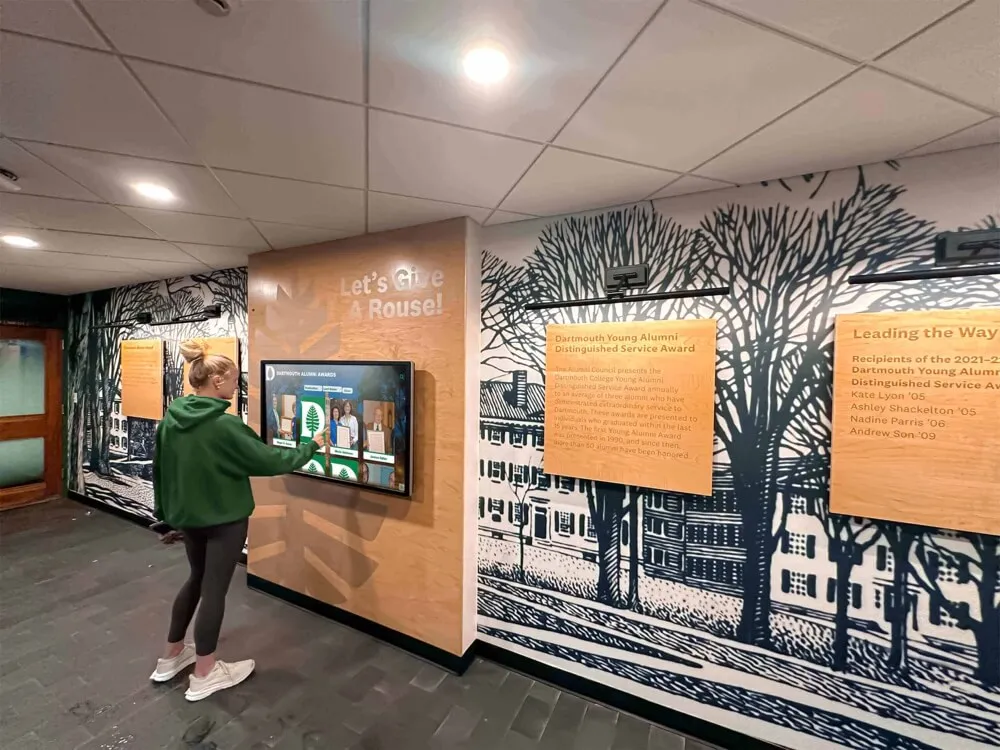
Common area installations serve multiple functions throughout each day
Resident Engagement Through Interactive Digital Displays
Beyond visitor management, digital displays create opportunities for resident engagement, entertainment, and connection that improve quality of life in assisted living environments.
Activity Calendars and Program Promotion
Comprehensive activity programs represent core components of quality assisted living care, but effectiveness depends on resident awareness and participation. Digital displays make programming highly visible through prominent placement in lobbies and common areas.
Interactive Event Calendars
Touchscreen calendars enable residents and families to browse upcoming activities by viewing daily schedules with times, locations, and descriptions, filtering by activity type—fitness, arts, social events, educational programs, searching for specific programs of interest, and reviewing past activities with photos from previous events. This interactive exploration helps residents discover programs they might not have noticed on traditional printed calendars, increasing participation rates while helping families understand the rich programming available.
For facilities implementing comprehensive activity promotion strategies, approaches similar to those used in community showcase projects demonstrate how digital platforms increase engagement by making opportunities highly visible and easily accessible.
Event Registration and RSVP
Advanced systems enable residents to register for activities directly through touchscreen interfaces, with systems tracking capacity limits and managing waitlists automatically. This capability particularly benefits activities with limited seating or off-site outings requiring transportation coordination, where accurate headcounts prove essential for planning.
Photo Sharing and Family Connection
Combating social isolation represents a critical challenge in senior care. Digital displays facilitate family connection through visual communication tools that work effectively even for residents with hearing impairments or cognitive challenges.
Family Photo Upload and Display
Many digital display systems include photo sharing features enabling families to upload pictures through mobile apps or web portals, with content appearing on lobby and common area displays for resident viewing. Grandchildren’s school events and achievements, family celebrations and gatherings, vacation photos and travel experiences, and pet updates and photos provide regular visual connection between visits, helping residents feel included in ongoing family life rather than isolated from activities happening beyond facility walls.
This visual connection proves particularly valuable for residents with dementia or Alzheimer’s disease, where photo-based communication often works more effectively than verbal exchanges, triggering positive memories and emotional responses even when verbal comprehension declines.
Video Messaging and Communication
Beyond static photos, some systems support short video messages from family members, creating richer emotional connections. Grandchildren can record messages directly to grandparents, families can share special announcements and celebrations, and distant relatives can maintain connection despite geographic separation. These asynchronous messages work well for families in different time zones or with scheduling constraints making real-time video calls difficult to coordinate.
Entertainment and Information Access
Digital displays can provide entertainment and information access during downtime in common areas, offering engaging content beyond television and traditional media.
News, Weather, and Current Events
Curated news feeds, weather forecasts, and current event information help residents maintain connection with outside communities and stay informed about world events. Content can be tailored to resident interests, featuring local news and community events, national headlines and major stories, weather forecasts and seasonal information, and sports scores and game highlights for popular teams.
This information access helps residents remain oriented and engaged with the world beyond facility walls—an important factor in cognitive health and general wellbeing.
Historical Content and Memory Prompts
For memory care units and facilities serving residents with dementia, digital displays can rotate historical photos, music, and content from eras residents remember clearly. Images from the 1940s-1960s, music from residents’ young adult years, historical events and cultural touchstones from formative decades, and local community history and landmarks provide comforting familiarity and memory prompts that support cognitive engagement and positive emotional experiences.
Similar approaches used in educational settings to honor school history demonstrate how historical content creates powerful connections and strengthens community identity—principles equally applicable in senior care contexts.

Responsive touchscreens enable intuitive interaction for users of all ages
Implementation Strategies for Assisted Living Digital Displays
Successful deployment requires thoughtful planning across technology selection, content development, physical installation, and staff training.
Planning and Needs Assessment
Before purchasing digital display technology, facilities should carefully assess specific needs and goals to ensure solutions address actual operational challenges rather than implementing technology without clear purpose.
Identifying Primary Objectives
Key planning questions include what operational challenges require solutions—visitor management, wayfinding, communication, resident engagement—and what current gaps and limitations exist that digital displays should address. Facilities should determine primary users and stakeholders including visitors, residents, families, and staff, identify available budgets for initial investment and ongoing operation, and assess existing infrastructure including network connectivity, electrical access, and physical space availability.
Successful implementations typically prioritize 2-3 core objectives rather than attempting to address every possible use case simultaneously. Starting focused enables thorough execution of essential functions, building credibility and demonstrating value before expanding to additional capabilities.
Stakeholder Involvement
Planning committees should include representatives from multiple facility areas to ensure comprehensive perspective: administrators responsible for operations and compliance, nursing leadership representing direct care staff needs, activities directors who manage resident programming, family council representatives providing family perspectives, IT staff who will support technical implementation, and maintenance personnel responsible for physical installation and ongoing upkeep.
This inclusive approach builds organizational support while ensuring solutions meet actual stakeholder needs rather than imposing technology without adequate input from those who will use systems daily.
Technology Selection and Vendor Evaluation
Not all digital display solutions deliver equal results for assisted living applications. Facilities should evaluate systems specifically designed for senior care rather than generic kiosks built for retail or hospitality contexts.
Critical Evaluation Criteria
Purpose-built assisted living platforms should offer visitor management features including check-in, badge printing, and health screening, intuitive interfaces designed for users with varying technological comfort including seniors and non-English speakers, HIPAA-compliant data handling protecting resident privacy, cloud-based content management enabling remote updates without on-site technical expertise, accessibility features including large buttons, clear fonts, adjustable contrast, and audio options, comprehensive support including training, technical assistance, and ongoing platform development, and analytics capabilities tracking usage and demonstrating program value.
Solutions like Rocket Alumni Solutions provide platforms specifically designed for community recognition and engagement contexts that translate effectively to senior care applications, combining sophisticated functionality with user-friendly interfaces accessible to non-technical administrators and diverse user populations.
Vendor Due Diligence
Facilities should request demonstrations with actual senior care content rather than generic examples, speak with reference facilities about implementation experiences and ongoing satisfaction, pilot systems in high-traffic locations before broader deployment, verify total cost of ownership including initial investment and recurring annual fees, understand support response times and availability during emergencies, and confirm data security practices and HIPAA compliance documentation.
This thorough evaluation prevents costly mistakes where facilities purchase systems that look impressive in sales presentations but prove difficult to manage or inadequate for actual operational needs once deployed.
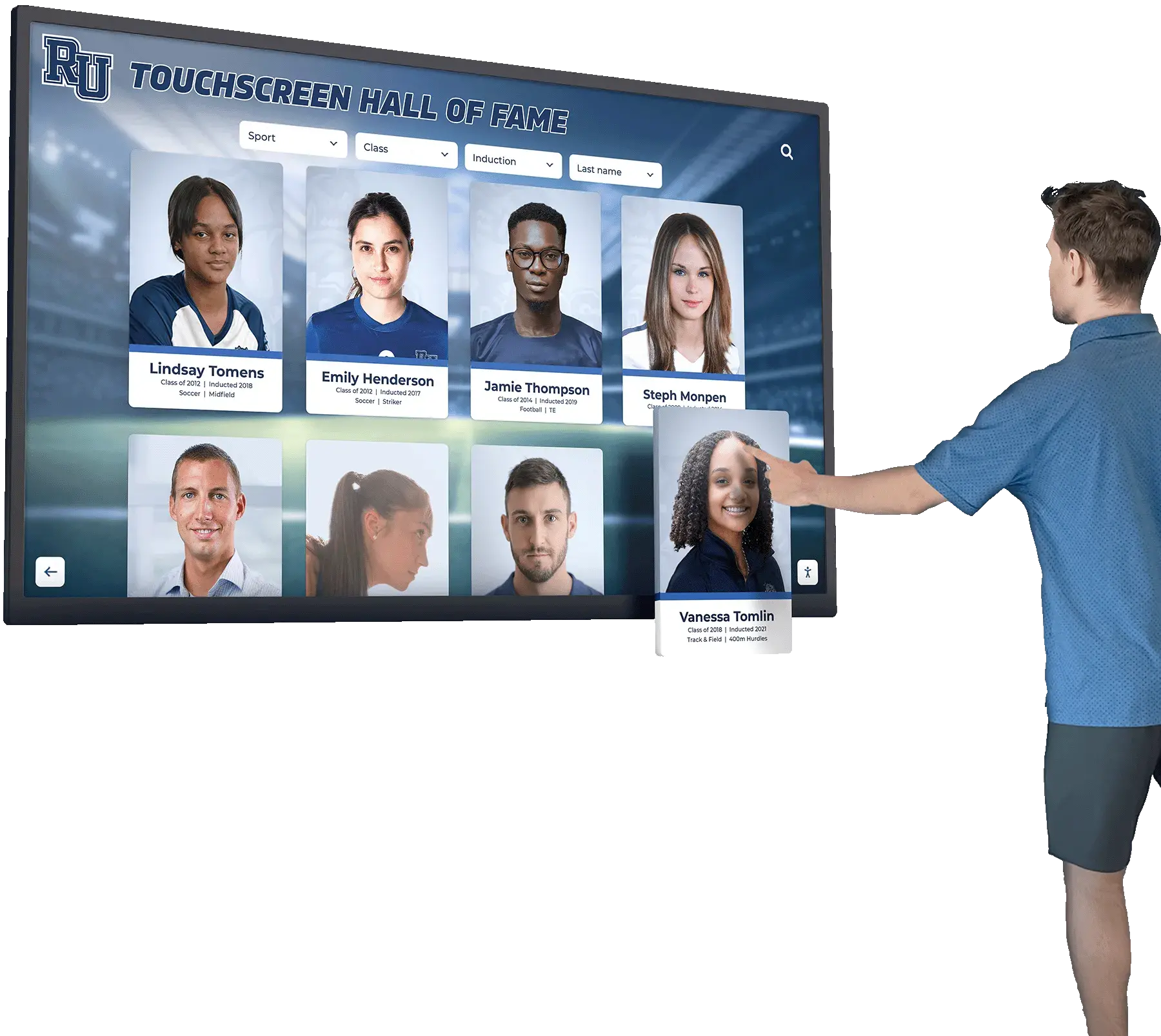
Lobby installations create welcoming first impressions while serving functional purposes
Content Development and Management
Digital display value depends on quality content and effective ongoing management. Facilities should develop systematic content strategies and clear management responsibilities.
Initial Content Creation
Implementation projects should begin with core content essential for launch: facility maps and wayfinding information, current activity calendars covering at least 2-4 weeks, meal menus for current week, important announcements and facility policies, and basic welcome messages and facility information for visitors.
This foundational content enables functional deployment while more extensive content develops over subsequent weeks and months. Starting with achievable content scope prevents launch delays while demonstrating immediate value to stakeholders.
Ongoing Content Management
Facilities must establish clear processes for routine content updates: activity directors update calendars weekly or as programs change, dietary services update menus and special meal announcements, administration posts facility-wide announcements and policy updates, family services manage photo sharing and message moderation, and designated administrators perform periodic content reviews ensuring information remains current and accurate.
Clear role assignment prevents gaps where everyone assumes someone else will handle updates, while scheduled review cycles catch outdated content before it creates confusion or frustration.
Physical Installation and Location Selection
Digital display effectiveness depends significantly on strategic placement in locations where residents, families, and visitors naturally encounter systems throughout each day.
Optimal Installation Locations
Primary locations typically include main entrance lobbies welcoming all visitors immediately upon arrival, reception areas where check-in naturally occurs, dining room entrances where residents pass multiple times daily, activity rooms and common areas where programs occur, elevator lobbies capturing traffic throughout facilities, and memory care unit common areas serving specialized populations.
Many facilities find that multiple smaller displays distributed throughout buildings work more effectively than single large installations in only main lobbies, ensuring content reaches residents who may not regularly visit primary gathering spaces.
Accessibility and Compliance Considerations
Physical installations must accommodate diverse user needs: mounting height must enable wheelchair access and comfortable viewing from various positions, lighting should minimize screen glare without creating excessively dark spaces, ambient noise levels in placement locations should allow audio features to function effectively, and physical clearance must provide adequate space for multiple simultaneous users without blocking traffic flow.
Professional installation ensures proper mounting supporting display weight safely, adequate electrical power and network connectivity for reliable operation, clean cable management maintaining professional appearance, and compliance with relevant accessibility standards including ADA requirements.
For facilities exploring comprehensive approaches to creating welcoming, engaging environments, resources on design touch screen experiences provide valuable frameworks for creating interfaces that genuinely engage diverse user populations rather than creating frustrating experiences that discourage use.
Accessibility Considerations for Senior Populations
Digital displays serving assisted living facilities must accommodate the specific needs and capabilities of older adult populations.
Physical Interface Design
Touchscreen interfaces for senior care contexts require thoughtful design addressing age-related physical changes.
Vision Accommodations
As vision changes with age, digital interfaces must offer large, clear fonts with high contrast between text and backgrounds, adjustable text size options enabling users to increase font as needed, simplified color schemes avoiding subtle distinctions difficult to perceive, minimized glare through anti-reflective screen coatings, and adequate button spacing preventing accidental selections when motor control precision declines.
These accommodations ensure displays remain accessible to residents and senior visitors rather than creating frustrating experiences requiring staff assistance for basic interaction.
Motor Control and Dexterity
Age-related changes in fine motor control and hand steadiness require interfaces with large touch targets minimizing precision requirements, generous spacing between interactive elements preventing accidental selections, extended touch duration options accommodating slower interaction speeds, and minimal multi-step interactions reducing cognitive load and interaction complexity.
Systems designed for general populations often assume young adult motor control capabilities that many seniors no longer possess, making specialized senior-optimized interfaces essential for effective assisted living applications.
Cognitive Accessibility Features
Beyond physical interface considerations, systems must accommodate varying cognitive capabilities across diverse senior populations.
Simplified Navigation Structures
Complex menu hierarchies and navigation structures create confusion for users with cognitive impairments. Effective interfaces offer limited options per screen preventing overwhelming choice overload, clear visual hierarchy directing attention to primary functions, consistent navigation patterns that work identically throughout systems, and simple back or home buttons enabling recovery when users become disoriented.
The goal involves creating interfaces seniors can use confidently without staff assistance while maintaining sophisticated functionality for families and visitors who may desire more complex features.
Audio Options and Voice Commands
For residents with vision impairments or those who simply prefer audio interaction, voice command options and text-to-speech features significantly improve accessibility. Systems can offer voice-activated search and navigation, audio reading of on-screen text and menus, adjustable audio volume accommodating hearing differences, and clear, professionally recorded audio rather than synthesized voices difficult to understand.
While not all seniors require audio support, providing options ensures systems work effectively across the full range of resident capabilities present in most assisted living communities.
Similar accessibility principles used in creating interactive directories for businesses apply equally in senior care contexts, where diverse user populations require thoughtful design ensuring universal access rather than systems optimized for young, technologically sophisticated users alone.

Clear visual layouts and intuitive organization improve accessibility
Data Security and Privacy Compliance
Healthcare facilities must protect resident privacy and maintain data security meeting HIPAA requirements and industry best practices.
HIPAA Compliance Requirements
Assisted living digital displays handling any resident information must comply with Health Insurance Portability and Accountability Act (HIPAA) regulations protecting patient privacy.
Protected Health Information Safeguards
Systems must implement access controls ensuring only authorized users access resident records, data encryption protecting information during transmission and storage, audit logging tracking who accessed what information when, automatic session timeouts preventing unauthorized access when displays remain idle, and secure visitor data handling protecting personal information collected during check-in.
Vendors should provide clear HIPAA compliance documentation including Business Associate Agreements (BAA) required when third-party services handle protected health information, security practices and certification details, data breach notification procedures, and regular security audits and updates.
Privacy Best Practices
Beyond minimum HIPAA compliance, facilities should implement privacy best practices protecting resident dignity and family concerns.
Visitor Information Protection
While visitor check-in generates valuable data, facilities must protect visitor privacy by limiting information displayed on public screens to only essential details, storing visitor data securely with access restricted to authorized staff, establishing clear data retention policies deleting unnecessary historical records, and providing transparent privacy notices explaining what information is collected and how it’s used.
Families increasingly expect healthcare providers to demonstrate serious commitment to privacy protection, making robust security practices important for operational compliance and for maintaining family trust and confidence.
Photo and Content Moderation
Photo sharing features require clear policies about appropriate content and usage permissions. Facilities should obtain written permission from families before displaying resident photos, establish content guidelines preventing inappropriate material, implement moderation processes reviewing submitted content before public display, and provide simple mechanisms for families to request content removal if preferences change.
These policies protect resident dignity while enabling beneficial family connection features that significantly enhance quality of life when implemented thoughtfully.
Measuring Success and Demonstrating Value
Understanding how digital displays impact operations and resident experiences helps facilities demonstrate value, justify investment, and continuously improve implementation.
Operational Metrics and Analytics
Quality digital display platforms provide comprehensive analytics tracking usage patterns and operational impacts.
Visitor Management Metrics
Valuable data includes total visitor volume by day, week, and month, peak visiting hours and traffic patterns, average visitor check-in time and process efficiency, health screening completion rates and results, and contractor and vendor access tracking for compliance documentation.
These metrics demonstrate operational efficiency gains while providing insights for staffing optimization, identifying periods requiring additional reception support versus times when staff can focus on other responsibilities.
Content Engagement Analytics
Systems should track which content generates most interaction including activity calendar views and event inquiries, wayfinding and directory searches, photo gallery access and viewing, and information resource utilization. This engagement data reveals what content matters most to users, informing ongoing content development priorities and demonstrating active system utilization to stakeholders questioning whether technology investments deliver meaningful returns.
Resident and Family Satisfaction
Beyond quantitative analytics, facilities should gather qualitative feedback through resident satisfaction surveys about communication and activity awareness, family feedback during care planning meetings and family council sessions, visitor surveys about check-in experience and wayfinding effectiveness, staff observations about operational impacts and time savings, and response to specific initiatives like photo sharing programs or event promotion campaigns.
This qualitative feedback often reveals impacts metrics cannot fully capture—families expressing appreciation for photo sharing capabilities keeping distant relatives connected, residents discovering activities they now attend regularly after noticing them promoted on digital displays, and visitors commenting on welcoming, professional first impressions created by streamlined check-in processes.
Return on Investment Analysis
Demonstrating financial value helps justify ongoing investment and potential expansion. ROI analysis should consider staff time savings from reduced reception desk workload and manual communication processes, reduced printing costs for calendars, menus, and announcements, improved family satisfaction potentially reducing turnover and vacancy rates, enhanced facility reputation attracting prospective residents during competitive selection processes, and compliance benefits through automated documentation and audit trail generation.
While some benefits prove difficult to quantify precisely, comprehensive analysis typically demonstrates positive returns within 2-3 years for most installations—particularly for larger facilities where operational efficiency gains create meaningful staff cost savings.
Approaches used to measure impact in educational settings, such as those evaluating student engagement strategies, provide useful frameworks for assessing how digital technologies affect community engagement in various institutional contexts including senior care facilities.
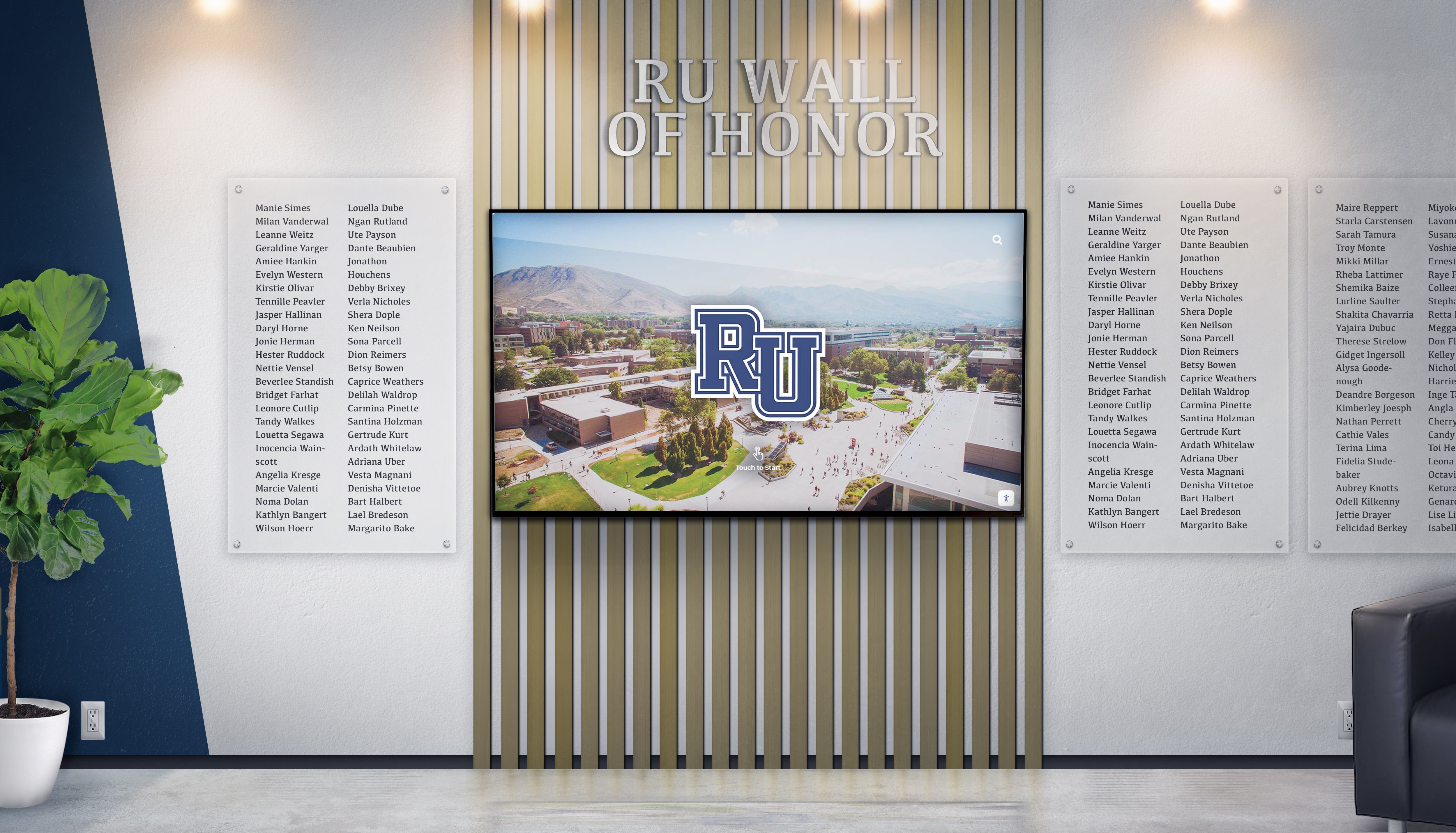
Professional installations complement facility aesthetics while delivering functional value
Overcoming Common Implementation Challenges
While digital display technology delivers significant benefits, facilities should anticipate and proactively address common implementation challenges.
Budget Constraints and Funding Strategies
Digital display systems require initial capital investment typically ranging from $5,000-12,000 per display depending on screen size, mounting approach, software platform, and installation complexity. Facilities facing budget constraints can pursue several funding strategies:
Phased Implementation Approaches
Rather than attempting comprehensive deployment immediately, facilities can start with single displays in highest-impact locations like main lobbies, prove value through measurable operational improvements and stakeholder satisfaction, expand strategically to additional locations as budgets allow, and include ongoing expansion in multi-year capital plans.
This phased approach reduces initial investment while building organizational experience and confidence before broader deployment.
Alternative Funding Sources
Beyond operating budgets, facilities might explore family foundation grants focusing on quality of life and senior care innovation, auxiliary organization fundraising where family councils or volunteer groups fund specific projects, corporate philanthropy from technology companies or local businesses, memorial giving programs where donors fund displays honoring deceased community members, and operational cost savings reinvestment where documented staff time savings fund technology offsetting manual process costs.
Creative funding approaches often succeed when facilities clearly articulate how investments directly improve resident experience and operational quality—outcomes that resonate with donors and funding organizations.
Staff Training and Change Management
Introducing new technology sometimes faces resistance from staff comfortable with traditional approaches or concerned about technical complexity.
Comprehensive Training Programs
Successful implementations include structured training covering basic system operation and content updates, troubleshooting common issues and when to escalate to technical support, best practices for assisting residents and visitors with system use, and privacy and compliance responsibilities when handling visitor data.
Training should use multiple formats including hands-on practice sessions, written quick-reference guides, short video tutorials accessible when needed, and ongoing refresher sessions as staff turnover occurs or system updates introduce new features.
Building Organizational Support
Change management strategies include demonstrating how displays enhance rather than replace valued human interaction, involving staff in planning ensuring their operational needs drive implementation, celebrating early wins highlighting positive impacts and time savings, gathering and acting on staff feedback during initial deployment, and recognizing staff champions who effectively adopt and promote new systems.
Technology succeeds when staff view systems as helpful tools rather than burdensome impositions, making change management as important as technical implementation for long-term success.
Technical Support and Maintenance
Facilities without significant in-house technical expertise sometimes worry about supporting digital technology long-term. These concerns can be addressed by selecting platforms with comprehensive vendor support including technical assistance, prioritizing cloud-based systems requiring minimal local IT infrastructure, choosing commercial-grade hardware with extended warranties and support contracts, establishing clear vendor relationships with response time guarantees, and training multiple staff members on basic operation preventing single-person dependencies.
Quality vendors understand that healthcare facilities need reliable, low-maintenance solutions rather than complex systems requiring constant technical intervention. Proper vendor selection ensures digital displays enhance facility operations without creating ongoing technical burdens for already-stretched staff resources.
For facilities evaluating software platforms, resources on touchscreen kiosk software buying guides provide comprehensive frameworks for selecting solutions that balance functionality with manageability and ongoing support quality.
Future Trends in Assisted Living Digital Technology
Digital display technology continues evolving with emerging capabilities that will further enhance senior care facility operations and resident experiences.
Artificial Intelligence and Personalization
Future systems will leverage artificial intelligence for personalized content recommendations based on individual resident interests and preferences, automated activity suggestions matching resident capabilities and historical participation patterns, natural language search enabling conversational interfaces particularly valuable for seniors less comfortable with traditional menu navigation, and predictive analytics identifying residents at risk for social isolation who might benefit from targeted engagement interventions.
These AI capabilities will make digital displays even more powerful tools supporting individualized care approaches while reducing administrative burden through automation of routine tasks currently requiring manual effort.
Enhanced Health Monitoring Integration
As remote health monitoring technology becomes more prevalent in senior care, digital displays may increasingly integrate with health data systems to display medication reminders and adherence tracking, wellness metrics and activity goals, appointment schedules and transportation coordination, and fall detection alerts and emergency response status.
This integration could transform displays from primarily administrative and engagement tools into comprehensive care coordination platforms supporting clinical teams alongside operational functions.
Advanced Communication Features
Future platforms will likely emphasize richer communication capabilities including live video calling integrated directly into common area displays, virtual family participation in facility events and activities, augmented reality experiences connecting residents with distant family members and communities, and collaborative content creation where residents and families jointly develop memory books and life story documentation.
These advanced features will further combat social isolation while strengthening family partnerships in care—outcomes increasingly recognized as essential for resident wellbeing and quality of life.
Similar evolution patterns observed in educational technology, such as those transforming alumni engagement through interactive displays, suggest that senior care technology will continue emphasizing connection, engagement, and community building as core value propositions rather than focusing solely on operational efficiency.
Conclusion: Transforming Assisted Living Through Interactive Digital Displays
Interactive digital display technology represents a fundamental advancement in how assisted living facilities manage visitor experiences, engage residents, support families, and operate efficiently. By streamlining visitor management through self-service check-in and automated compliance documentation, improving wayfinding through interactive maps and intuitive navigation, enhancing communication through centralized, dynamic content platforms, and combating isolation through photo sharing and family connection tools, digital displays deliver comprehensive solutions addressing operational challenges that traditional approaches cannot solve effectively.
Transform Your Assisted Living Facility Experience
Discover how purpose-built interactive display platforms deliver superior results for senior care operations and resident engagement. Rocket Alumni Solutions offers comprehensive systems adaptable to assisted living contexts that strengthen community connection while improving operational efficiency.
Explore Interactive Display SolutionsThe most successful assisted living digital display implementations start with clear operational objectives and resident experience goals, select purpose-built platforms designed for senior care contexts rather than generic kiosks, develop thoughtful content strategies serving both operational and engagement needs, position displays strategically in high-traffic locations where diverse user groups naturally encounter systems, and maintain ongoing commitment to accessibility ensuring technology serves all residents regardless of age-related physical or cognitive changes.
Whether implementing visitor management systems that enhance security while reducing staff workload, activity promotion displays that increase resident program participation, family connection platforms that combat social isolation through visual communication, or comprehensive solutions addressing multiple operational needs simultaneously, interactive digital display technology provides proven solutions that strengthen senior care facilities across operational efficiency, compliance, and most importantly, resident quality of life dimensions.
Assisted living facilities investing in thoughtfully implemented digital displays demonstrate commitment to innovation while maintaining the human connection and compassionate care that define quality senior living. These systems serve as tools enhancing—not replacing—the personal relationships between staff, residents, and families that remain at the heart of meaningful senior care, creating operational capacity for staff to spend more time on direct resident engagement while technology handles routine administrative tasks.
Ready to explore digital display options for your assisted living facility? Learn more about interactive touchscreen building directories and wayfinding, discover comprehensive approaches to creating engaging interactive experiences, and explore corporate recognition programs that demonstrate how digital platforms strengthen community connection across diverse organizational contexts including senior care facilities embracing modern technology solutions.































