



Selecting touchscreen software represents one of the most consequential decisions organizations face when implementing interactive displays for schools, museums, corporate facilities, or public spaces. The fundamental choice between web-based and native app architectures determines not just initial implementation complexity and cost, but ongoing maintenance requirements, future scalability, cross-platform accessibility, and ultimately whether your interactive displays deliver exceptional user experiences or become sources of frustration.
The landscape has evolved dramatically in 2025, with progressive web applications narrowing traditional performance gaps while native solutions continue leveraging direct hardware access for superior responsiveness. Yet many organizations approach this decision without understanding critical differences between architectures—resulting in expensive mistakes requiring complete system replacement when initial selections prove inadequate for actual requirements.
This comprehensive guide explores web-based and native touchscreen software architectures through practical lenses relevant to educational institutions and organizations implementing recognition displays, information kiosks, wayfinding systems, and interactive exhibits. You’ll discover concrete performance comparisons, total cost analysis beyond initial licensing fees, accessibility implications across diverse user populations, and frameworks for matching software architecture to your specific requirements, technical capabilities, and long-term objectives.
Organizations that systematically evaluate software architecture decisions before deployment report satisfaction rates exceeding 85 percent with their interactive display implementations, compared to under 40 percent among those who select platforms based primarily on feature lists without understanding underlying technical architectures. The difference lies in recognizing that web-based and native approaches serve fundamentally different needs—neither universally superior, but each optimized for distinct use cases and organizational contexts.

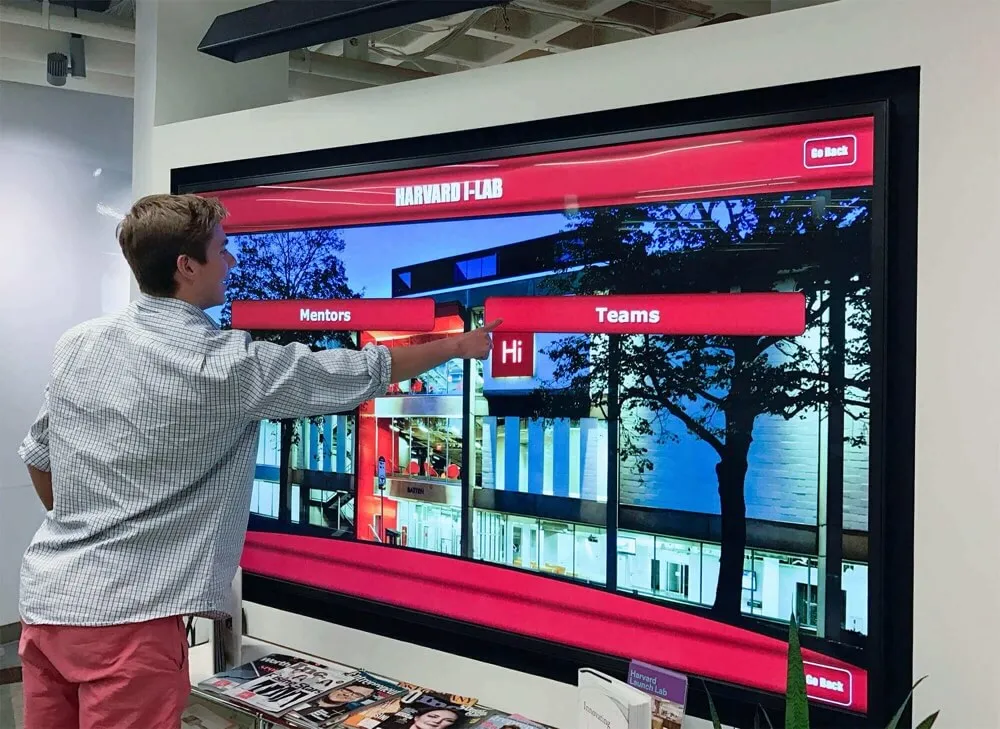
Modern touchscreen software spans web-based and native architectures, each delivering distinct advantages for different organizational needs and deployment contexts
Understanding Software Architecture: Web-Based vs Native Applications
Before comparing specific capabilities and tradeoffs, understanding fundamental architectural differences between web-based and native touchscreen software provides essential context for informed decision-making.
What Web-Based Touchscreen Software Actually Means
Web-based touchscreen software delivers interactive experiences through standard web browsers using HTML5, CSS, JavaScript, and modern web APIs. Rather than installing dedicated applications, organizations simply configure kiosk browsers to display specific URLs—whether public websites, password-protected portals, or completely custom web applications.
Core Web-Based Characteristics
Web-based touchscreen solutions run within browser engines—typically Chrome, Firefox, Safari, or specialized kiosk browsers built on these foundations. All content, logic, and user interface elements exist as web resources downloaded and rendered by browsers, with application code executing within browser sandboxes rather than directly on operating systems.
This architecture inherently provides platform independence—the same web application displays identically on Windows PCs, Mac computers, Linux systems, iPads, Android tablets, and smartphones without requiring separate development for each platform. Organizations can update content centrally, with changes immediately available across all displays worldwide without touching individual devices.
Modern web technologies enable sophisticated interactivity far beyond static webpages. Progressive Web Apps (PWAs) support offline operation through service workers, access device features like cameras and geolocation, send push notifications, and provide smartphone-like experiences despite running in browsers. For many organizations implementing interactive touchscreen software, web-based architectures deliver all required functionality without native application complexity.
Browser Engine Performance Evolution
Early web-based interactive displays suffered from noticeable performance limitations compared to native applications—sluggish animations, delayed touch responses, and unreliable gesture recognition created inferior user experiences. However, modern browser engines have evolved dramatically, leveraging hardware-accelerated graphics, optimized JavaScript execution, and sophisticated touch handling rivaling native implementations.
According to comparative analysis from 2024-2025, contemporary web-based touchscreen applications built with modern frameworks like React, Vue, or Angular deliver response times under 100 milliseconds for typical interactions—meeting the threshold for feeling instantaneous. For common interactive display use cases including recognition browsing, information kiosks, and wayfinding systems, well-implemented web solutions match native application responsiveness while delivering significant architectural advantages.
What Native Touchscreen Applications Provide
Native applications represent compiled software built specifically for target operating systems—Windows, macOS, iOS, Android, or Linux. Rather than executing within browser constraints, native code runs directly on operating systems with full access to hardware resources, system APIs, and platform-specific capabilities.
Native Architecture Advantages
Native applications compile to machine code optimized for specific processor architectures, enabling maximum execution performance and efficient resource utilization. Direct operating system integration provides unrestricted access to all device capabilities including advanced gesture recognition, multi-touch processing, hardware-accelerated graphics rendering, and specialized peripherals like fingerprint readers or barcode scanners.
For demanding applications requiring maximum performance—complex 3D visualizations, real-time video processing, advanced augmented reality experiences, or sophisticated multi-user interactions on large-format displays—native development often proves necessary. Professional interactive exhibit companies emphasize that for large-scale multi-touch installations serving multiple simultaneous users, native touchscreen software delivers superior performance compared to browser-based alternatives.
Platform-Specific Development Requirements
Native applications demand separate development for each target platform. Windows applications won’t run on macOS. iOS apps require complete rewrites for Android. This platform specificity multiplies development costs, extends implementation timelines, and complicates maintenance when organizations deploy mixed hardware environments.
Cross-platform development frameworks like Flutter, React Native, and Xamarin attempt bridging this gap by enabling single codebases targeting multiple platforms. However, these frameworks introduce their own complexities and limitations compared to truly native development while still requiring platform-specific testing and often platform-specific customization for optimal user experiences.
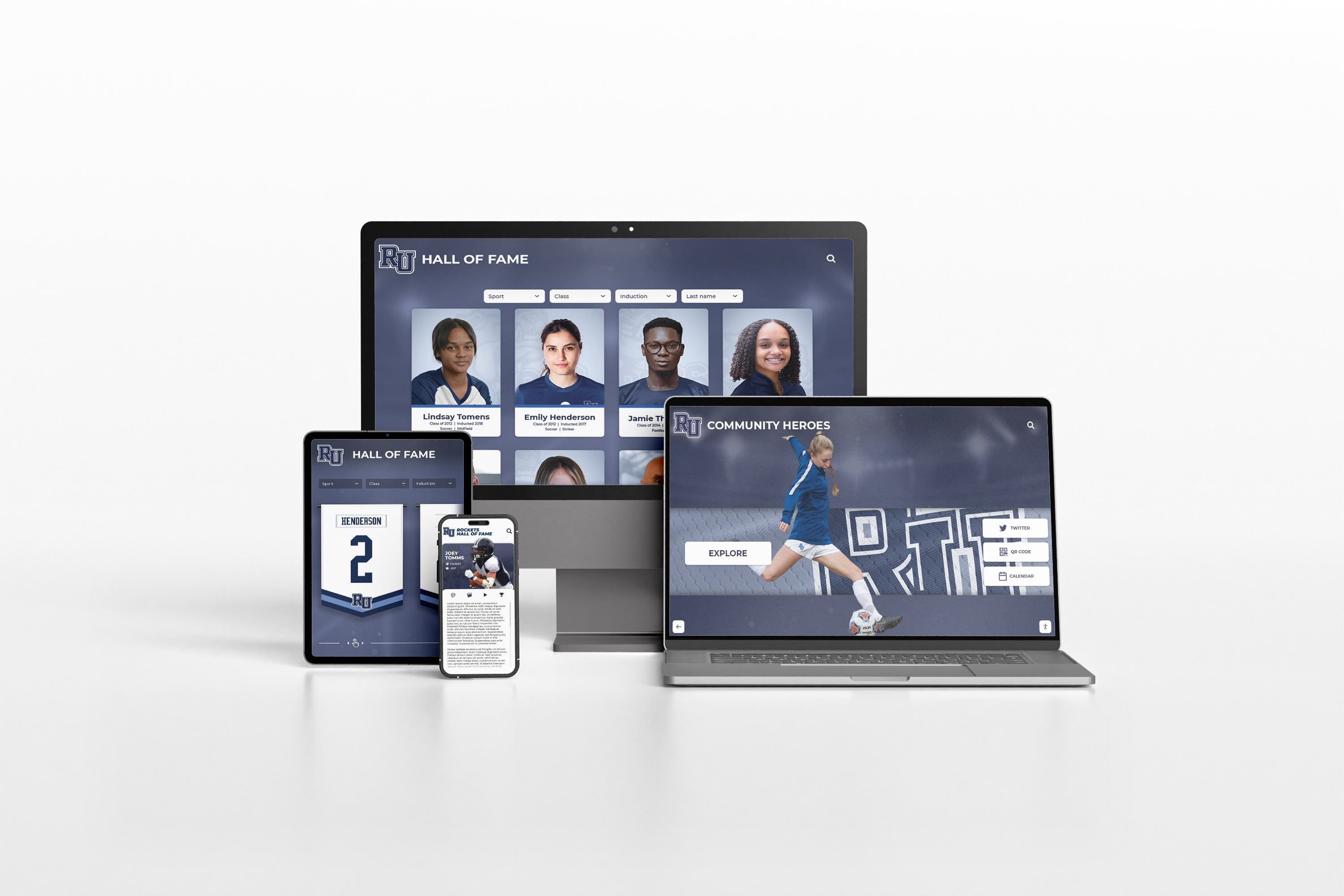
Web-based architectures inherently support multi-device access, displaying identical content across desktops, tablets, and smartphones without separate development
Performance Comparison: Speed, Responsiveness, and User Experience
Performance directly impacts user engagement and satisfaction—sluggish interfaces frustrate users regardless of content quality. Understanding real-world performance differences between web-based and native touchscreen software helps organizations set appropriate expectations and make informed architectural decisions.
Touch Response Time and Interaction Fluidity
Touch response time—the delay between user touch and visible feedback—fundamentally determines whether interfaces feel natural or frustrating. Research consistently demonstrates that users perceive delays exceeding 100 milliseconds as sluggish, with satisfaction declining dramatically beyond 200 milliseconds.
Native Application Performance
Native applications typically achieve touch response times of 16-50 milliseconds through direct event handling without browser intermediation. This direct processing enables fluid gesture recognition, smooth scrolling, and immediate visual feedback creating smartphone-quality experiences users expect from professional interactive displays.
For applications demanding maximum touch precision—detailed map exploration with continuous pan-and-zoom, multi-user simultaneous interaction on large displays, or complex gesture-driven interfaces—native performance advantages remain meaningful despite web technology improvements.
Modern Web Application Performance
Well-optimized web applications achieve 50-100 millisecond touch response times—meeting the threshold for feeling instantaneous to most users. Modern browser engines include sophisticated touch event handling, hardware-accelerated rendering, and optimized JavaScript execution narrowing traditional performance gaps.
However, web performance proves more variable than native applications depending on browser versions, device capabilities, and implementation quality. Poorly optimized web code can create noticeable lag, while native applications maintain consistent performance through direct platform integration. Organizations implementing touchscreen software for educational institutions must ensure web solutions receive proper performance optimization to avoid disappointing user experiences.
Graphics Performance and Visual Complexity
Visual richness—high-resolution images, smooth animations, video playback, and complex layouts—enhances engagement but demands significant processing resources affecting performance differently across architectures.
Native Graphics Capabilities
Native applications access platform graphics APIs directly—Metal on iOS/macOS, DirectX on Windows, Vulkan on Android—enabling maximum GPU utilization for hardware-accelerated rendering. This direct access supports complex visual effects, 60+ frame-per-second animations, high-resolution video playback, and sophisticated 3D graphics with minimal performance compromise.
For museum exhibits requiring augmented reality overlays, schools implementing digital art gallery displays with extensive image collections, or organizations creating visually elaborate recognition experiences, native graphics performance provides tangible advantages.
Web Graphics Evolution
Modern web standards including WebGL, Canvas API, and CSS3 animations enable sophisticated graphics within browsers. Well-implemented web applications achieve 60 frames-per-second animations and display high-resolution imagery with quality matching native applications for typical interactive display use cases.
Video performance particularly improved in recent years, with hardware-accelerated video decoding in modern browsers enabling smooth high-definition playback. However, cutting-edge capabilities like advanced 3D rendering or augmented reality remain more mature in native development ecosystems compared to emerging web standards.
Offline Operation and Reliability
Network connectivity proves unreliable in many institutional environments. Interactive displays in school hallways, museum galleries, or public facilities often face intermittent connectivity or complete network unavailability, making offline capability essential for reliable operation.
Native Offline Advantages
Native applications typically store all required code and content locally, operating completely independently of network connectivity. Updates require explicit installations, but existing functionality remains available regardless of network conditions—critical for public-facing displays expected to operate continuously without technical intervention.
This independence ensures consistent reliability and eliminates network performance variables affecting responsiveness. Users experience identical performance whether internet connectivity provides gigabit speeds or proves completely unavailable.
Web Progressive Web App Capabilities
Traditional web applications required active internet connections, rendering them unusable during outages. However, Progressive Web App (PWA) technologies including service workers and local storage enable sophisticated offline operation for web-based touchscreen software.
Well-implemented PWAs cache essential resources locally, enabling full functionality during connectivity interruptions. Organizations deploying school history software using web architectures can achieve reliable offline operation through proper PWA implementation while maintaining web architecture advantages for updates and cross-platform compatibility.

Reliable offline operation ensures touchscreen kiosks remain functional regardless of network connectivity issues common in institutional environments
Development, Deployment, and Maintenance Considerations
Beyond runtime performance, software architecture dramatically affects development timelines, deployment complexity, ongoing maintenance requirements, and long-term operational sustainability.
Initial Development Complexity and Cost
Development resources represent major touchscreen implementation expenses. Architecture choices significantly impact development costs, available talent pools, and time-to-deployment.
Web Development Advantages
Web developers represent the largest software development talent pool globally, with HTML, CSS, and JavaScript skills widespread compared to specialized native development expertise. This abundance creates competitive markets with reasonable rates—typical web development costs range $75-150 per hour compared to $100-200+ for native mobile development.
Web development also enables rapid prototyping and iteration. Changes to HTML/CSS produce immediately visible results without compilation steps. Modern development frameworks provide component libraries and templates accelerating implementation. And single codebases serve all platforms simultaneously rather than requiring platform-specific development.
For organizations with existing websites, web-based touchscreen displays can leverage established design systems, content management infrastructure, and organizational web development expertise. Schools implementing digital hall of fame touchscreen systems often extend existing website architectures to touchscreen displays, maximizing existing investments rather than building completely separate native applications.
Native Development Investment
Native application development demands specialized expertise for each target platform—Swift/Objective-C for iOS, Kotlin/Java for Android, C#/.NET for Windows. These specialized skills command premium rates and prove less widely available than web development talent.
Development timelines extend significantly when supporting multiple platforms. Each platform requires separate implementation, testing, and ongoing maintenance. Organizations deploying mixed hardware environments face multiplied development costs supporting diverse platforms simultaneously.
However, for applications requiring maximum performance, accessing specialized hardware capabilities, or delivering extremely polished platform-specific experiences, native development investment proves worthwhile despite higher costs.
Deployment and Update Workflows
How organizations deploy initial installations and distribute updates significantly impacts operational efficiency and costs over multi-year system lifespans.
Web-Based Deployment Simplicity
Web-based touchscreen displays require minimal device-specific configuration—organizations simply point kiosk browsers to appropriate URLs. New display installations take minutes rather than hours, with no software installation beyond configuring kiosk browser settings.
Updates prove even simpler. Organizations modify web application code centrally, with changes immediately available to all displays worldwide upon browser refresh. No individual device visits, no coordinated deployment windows, no version synchronization challenges. This centralized update model proves particularly valuable for multi-location deployments where visiting individual displays proves logistically challenging.
Solutions like Rocket Alumni Solutions leverage web architectures enabling schools to update recognition content from any internet-connected device, with changes instantly appearing on physical touchscreen installations throughout campuses and on web portals accessible worldwide. This operational simplicity empowers non-technical administrators to maintain current content without IT department involvement.
Native Application Distribution
Native applications require installation on individual devices through direct installation, mobile device management (MDM) systems, or enterprise app stores. Initial deployments prove more complex than web solutions, particularly for organizations lacking IT infrastructure for centralized application distribution.
Updates compound these challenges. Each application version requires distribution to all installations, coordinated deployment to avoid version inconsistencies, and potential manual intervention if automatic update mechanisms fail. For organizations with dozens or hundreds of touchscreen installations, native application maintenance proves substantially more resource-intensive than web-based alternatives.
Long-Term Maintenance and Platform Evolution
Software systems require ongoing maintenance as operating systems evolve, security vulnerabilities emerge, and organizational requirements change. Architecture choices significantly impact long-term operational sustainability.
Web Platform Stability
Web standards evolve gradually with strong backward compatibility commitments ensuring existing web applications continue functioning as browsers update. Organizations implementing web-based touchscreen displays in 2025 can reasonably expect continued operation through 2030+ without major rewrites, though periodic updates to leverage improved features prove advisable.
Modern web frameworks including React, Vue, and Angular provide stable foundations with active communities, extensive documentation, and long-term support commitments reducing maintenance risks compared to proprietary native frameworks that may lose vendor support.
Native Platform Update Challenges
Operating system vendors frequently introduce breaking changes requiring application updates. iOS updates annually often necessitate application maintenance. Android fragmentation across manufacturer customizations creates testing complexity. Windows evolves continuously through feature updates demanding ongoing compatibility verification.
Organizations deploying native touchscreen applications must budget for ongoing maintenance addressing platform evolution—typically 15-20 percent of initial development costs annually. Smaller organizations or those with limited technical resources often find this ongoing commitment unsustainable, leading to orphaned applications running on outdated platforms creating security and compatibility risks.
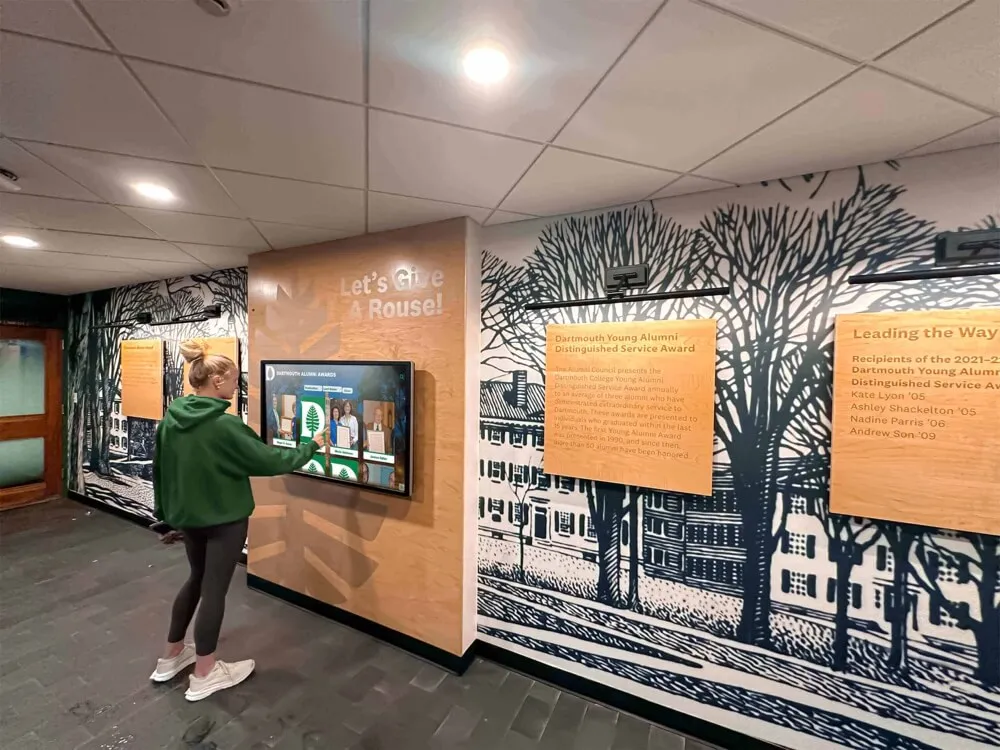
Web-based architectures enable simple content management and instant updates across all displays without requiring individual device access or IT intervention
Accessibility and Cross-Platform Reach
Inclusive design requires ensuring interactive displays serve diverse user populations across various devices and platforms. Software architecture fundamentally impacts accessibility capabilities and cross-platform availability.
Multi-Device and Multi-Platform Access
Modern users expect information accessibility across devices they personally own—smartphones, tablets, laptops—beyond physical touchscreen installations. Architecture choices determine whether content remains locked to specific devices or extends naturally across platforms.
Web-Based Universal Access
Web architectures inherently provide universal accessibility. The same content serving physical touchscreen kiosks remains accessible through any web browser on any device without additional development. Alumni can revisit their recognition from smartphones. Prospective families can explore school achievements during home research. Community members can access information remotely during planning before physical visits.
This universal accessibility dramatically multiplies touchscreen investment value. Rather than reaching only those physically present at installations during facility hours, web-based recognition and information systems serve unlimited audiences worldwide at any time. Organizations implementing alumni recognition programs particularly benefit from web architectures extending recognition reach far beyond campus boundaries.
Responsive design techniques ensure web applications automatically adapt to different screen sizes and interaction methods—touch on kiosks and tablets, mouse on desktops, keyboard navigation for accessibility—without requiring separate implementations for each context.
Native Platform Limitations
Native applications run only on specific platforms for which they’re developed. Windows kiosk software won’t operate on iPads. iOS applications won’t run on Android tablets. Supporting diverse device types demands separate development for each platform, multiplying costs while fragmenting user experiences across platform-specific interfaces.
Organizations prioritizing comprehensive accessibility across all user devices typically find web architectures more practical than attempting to develop, maintain, and synchronize native applications across multiple platforms.
Accessibility for Users with Disabilities
Federal accessibility requirements including Americans with Disabilities Act (ADA) compliance and Web Content Accessibility Guidelines (WCAG) mandate ensuring interactive displays serve users with diverse abilities. Software architecture significantly impacts accessibility implementation and compliance.
Web Accessibility Standards and Tools
Web platforms include mature accessibility standards, testing tools, and development frameworks supporting users with disabilities. Screen reader support, keyboard navigation, ARIA attributes, and semantic HTML provide foundations for accessible web applications serving users with visual, motor, or cognitive disabilities.
Extensive tooling including automated accessibility scanners, browser extensions for manual testing, and screen reader simulators help developers identify and address accessibility issues during development. Additionally, web accessibility expertise proves more widely available than native accessibility specialists, facilitating compliance without specialized expertise.
Organizations implementing touchscreen displays in educational institutions or public facilities face legal accessibility requirements. Web architectures provide clearer paths to compliance compared to native development where accessibility capabilities vary across platforms requiring platform-specific implementation knowledge.
Native Accessibility Capabilities
Native platforms include accessibility frameworks—VoiceOver on iOS, TalkBack on Android, Narrator on Windows—providing screen reader support and assistive technology integration. However, accessibility implementation requires platform-specific development with different APIs, testing procedures, and best practices for each operating system.
This platform-specific accessibility knowledge proves less widely available than web accessibility expertise, potentially complicating compliance efforts. Organizations with accessibility requirements often find web architectures more practical for ensuring compliance across diverse platforms and assistive technologies.

Accessible touchscreen implementations serve diverse user populations including those using assistive technologies, with web platforms providing mature accessibility standards and testing tools
Cost Analysis: Total Cost of Ownership
Initial software licensing or development costs represent only portions of total expenses organizations incur over five-year typical touchscreen system lifespans. Comprehensive cost analysis reveals how architecture choices impact long-term financial sustainability.
Initial Implementation Costs
Upfront expenses include software licensing or development, hardware procurement, installation, and initial content creation establishing operational touchscreen systems.
Web-Based Initial Investment
Web-based solutions span from completely free open-source platforms through affordable subscription services to custom development investments:
- Platform subscription services: $10-50 per display monthly for commercial cloud platforms
- Custom web development: $15,000-75,000 depending on complexity and features
- Open-source platforms: Free software with implementation and customization labor
Many web-based solutions require no upfront licensing fees, with organizations paying only for development or subscribing to cloud-hosted platforms. This lower initial cost barrier proves particularly attractive for educational institutions and non-profits with limited capital budgets.
For organizations with existing websites, extending web presence to touchscreen displays leverages existing content management systems, design assets, and development frameworks—reducing incremental costs compared to building completely separate native applications.
Native Development Investment
Native touchscreen applications demand substantial upfront development investment:
- Single-platform native development: $40,000-150,000 depending on complexity
- Multi-platform native development: $80,000-300,000+ supporting multiple operating systems
- Native kiosk software licensing: $500-2,500 per display for commercial solutions
These higher initial costs reflect specialized development expertise requirements, longer development timelines, and platform-specific implementation necessities. For organizations requiring native performance for sophisticated use cases, these investments prove worthwhile. However, many educational institutions and organizations implementing interactive board systems for student achievements find web-based solutions deliver required functionality at dramatically lower upfront costs.
Ongoing Operational Expenses
Multi-year operational costs often exceed initial implementation expenses. Architecture choices significantly impact ongoing maintenance, updates, support, and infrastructure costs.
Web Platform Operating Costs
Web-based touchscreen systems incur:
- Hosting and infrastructure: $50-500 monthly depending on traffic and storage
- Platform subscriptions: $120-600 annually per display for commercial services
- Content updates: Internal staff time or $500-2,000 annually for external assistance
- Maintenance and updates: Minimal for cloud platforms, $2,000-8,000 annually for custom applications
- Support and troubleshooting: Typically minimal given centralized architecture
Total annual operating costs commonly range $2,000-10,000 for typical web-based multi-display installations. Cloud-based solutions require minimal technical maintenance, with platform vendors handling infrastructure, security updates, and feature improvements automatically.
Native Application Maintenance
Native touchscreen applications require ongoing investment including:
- Platform compatibility updates: $5,000-15,000 annually addressing OS updates
- Security patches: $1,000-3,000 annually for vulnerability remediation
- Feature enhancements: $3,000-10,000 annually for improvements
- Support and troubleshooting: Higher given distributed installations requiring individual attention
- MDM or distribution infrastructure: $500-2,000 annually for multi-device management
Annual maintenance commonly totals 15-20 percent of initial development costs. Organizations initially investing $100,000 in native development should budget $15,000-20,000 annually for ongoing maintenance—expenses frequently underestimated during initial planning leading to underfunded projects struggling with sustainability.
Cost-Benefit Analysis Over Five Years
Evaluating total five-year costs reveals how initial savings or investments translate to long-term value:
Web-Based Five-Year Total
- Initial development: $25,000 (custom implementation)
- Annual operating costs: $5,000 × 5 years = $25,000
- Five-year total: $50,000
Native Five-Year Total
- Initial development: $100,000 (multi-platform)
- Annual maintenance: $18,000 × 5 years = $90,000
- Five-year total: $190,000
This representative comparison demonstrates web architectures often delivering 60-70 percent cost savings over multi-year horizons despite potentially comparable initial investments. For budget-constrained educational institutions and non-profits, these long-term cost differences frequently determine project viability.
Organizations implementing digital recognition displays must evaluate total cost of ownership rather than focusing exclusively on initial expenses when comparing web-based and native alternatives.

Multi-display installations benefit particularly from web architectures enabling centralized content management and updates without per-device maintenance costs
Use Case Analysis: When to Choose Web-Based vs Native
Neither web-based nor native architecture proves universally superior—each excels for specific use cases matching their architectural strengths to particular requirements. Understanding which scenarios favor each approach enables informed decisions.
Ideal Web-Based Software Scenarios
Web architectures deliver optimal results for common institutional interactive display applications prioritizing accessibility, ease of maintenance, and cross-platform reach over maximum performance.
Recognition and Hall of Fame Displays
Digital recognition systems celebrating achievements and honoring contributors represent ideal web-based applications. These systems prioritize comprehensive content organization, powerful search and filtering, intuitive browsing experiences, and universal accessibility over real-time performance or complex graphics.
Web-based recognition platforms enable administrators to manage honoree profiles through familiar web interfaces, update content from any device without visiting physical installations, extend recognition accessibility to alumni worldwide through integrated web portals, and ensure consistent experiences across physical touchscreens and personal devices.
Organizations implementing digital hall of fame displays consistently report that web architectures provide all required capabilities while delivering operational simplicity and multi-device accessibility impossible with native applications at comparable costs.
Information Kiosks and Wayfinding
Self-service information systems helping visitors navigate facilities, access schedules, locate services, or research institutional information benefit from web-based implementation. These applications require frequent content updates reflecting current information, straightforward administrative interfaces enabling non-technical staff to maintain accuracy, and often integration with existing organizational websites and content management systems.
Web architectures enable seamless integration with campus maps, event calendars, directory databases, and scheduling systems—leveraging existing web infrastructure rather than rebuilding functionality in separate native applications. Updates happen centrally with immediate distribution to all kiosks without coordination or deployment windows.
Educational and Historical Exhibits
Museums, visitor centers, and educational institutions creating interpretive exhibits exploring collections, history, or educational topics find web architectures particularly suitable. These applications emphasize rich content presentation through images, text, and video rather than advanced interactivity demanding maximum performance.
Web-based exhibits extend physical installations to virtual audiences through online access, enable content reuse across physical and digital channels, and support rapid iteration based on visitor feedback without complex deployment processes. Organizations implementing school historical timeline displays leverage web technologies to create comprehensive historical narratives accessible both at physical installations and through home research.
Native Application Optimal Use Cases
Specific scenarios demand native application performance, hardware integration, or capabilities exceeding current web technology maturity—justifying additional development complexity and costs.
High-Performance Multi-User Interactive Exhibits
Large-format touchscreen installations serving multiple simultaneous users require native performance and multi-touch capabilities. Professional museum exhibits where 4-6 people interact concurrently, elaborate corporate installations showcasing products through complex 3D visualizations, or advanced educational exhibits incorporating augmented reality experiences demand native application optimization.
These sophisticated applications push hardware capabilities requiring maximum performance, efficient resource management, and advanced gesture recognition exceeding typical web browser optimization. Native development proves necessary when interactive complexity demands every available performance advantage.
Specialized Hardware Integration
Applications requiring deep integration with specialized peripherals—fingerprint readers, barcode scanners, RFID readers, custom sensors, or proprietary devices—often necessitate native development for reliable hardware communication.
While web platforms increasingly support device APIs, native applications maintain superior hardware compatibility particularly for specialized or custom peripherals common in industrial, healthcare, or security applications. Organizations with specialized hardware requirements should carefully evaluate whether web device APIs provide sufficient capabilities or native development proves necessary.
Offline-Critical Environments
Installations in remote locations lacking reliable internet connectivity—outdoor kiosks, wilderness visitor centers, mobile installations without guaranteed network access—may require native applications ensuring reliable offline operation.
While Progressive Web Apps support offline functionality, native applications provide simpler and more reliable offline operation without requiring sophisticated service worker implementation and testing. For truly network-independent requirements, native applications offer straightforward offline guarantees.
Premium Brand Experience Requirements
Organizations prioritizing absolutely flawless performance, platform-specific design excellence, and premium user experiences matching flagship consumer applications sometimes justify native development investments delivering maximum polish.
Luxury brands, high-end retail environments, exclusive private facilities, or flagship institutional installations where interactive displays represent primary brand touchpoints may demand native development creating exceptional experiences reflecting brand positioning—despite dramatically higher costs compared to web alternatives delivering 90 percent comparable experiences at 30 percent costs.

Commercial installations balance performance requirements, maintenance realities, and budget constraints when selecting between web-based and native touchscreen software architectures
Hybrid Approaches and Emerging Solutions
Beyond pure web-based or native architectures, hybrid approaches and emerging technologies attempt combining advantages from both paradigms while minimizing respective limitations.
Progressive Web Apps: Bridge Between Architectures
Progressive Web Apps (PWAs) represent evolved web applications incorporating native-like capabilities while maintaining web architecture advantages. PWAs leverage modern web APIs providing offline operation, home screen installation, push notifications, and device feature access previously requiring native development.
PWA Capabilities for Touchscreen Displays
Well-implemented PWAs deliver:
- Offline functionality through service workers caching resources locally
- Smartphone-like experiences with full-screen display and gesture recognition
- Hardware access including cameras, geolocation, and device sensors
- Push notifications for content updates or administrative alerts
- Responsive performance approaching native application responsiveness
For many touchscreen applications, PWAs provide optimal architecture combining web development advantages with capabilities previously requiring native applications. Organizations implementing interactive touchscreen software increasingly adopt PWA architectures achieving native-like experiences while maintaining cross-platform compatibility and simplified maintenance.
Cross-Platform Native Frameworks
Cross-platform development frameworks including Flutter, React Native, and Xamarin attempt enabling native application development from single codebases targeting multiple platforms simultaneously—reducing the platform-specific development burden native applications traditionally impose.
Cross-Platform Framework Tradeoffs
These frameworks deliver:
- Reduced development costs compared to separate native platform implementations
- Shared codebase simplifying maintenance and updates
- Near-native performance through platform compilation
- Platform-specific customization when required for optimal experiences
However, cross-platform frameworks introduce their own complexities including framework-specific learning curves, occasional platform-specific customization requirements, and framework update dependencies creating maintenance obligations. These solutions work well for organizations requiring native performance across multiple platforms but lacking budgets for completely separate platform implementations.
Hybrid Webview Applications
Hybrid applications embed web content within native application shells, combining web development for interface and content with native wrappers providing device capabilities and platform integration. Platforms like Cordova/PhoneGap, Ionic, and Capacitor enable this hybrid approach.
Hybrid Architecture Benefits and Limitations
Hybrid applications provide middle ground combining web development advantages with selective native capabilities when required. Organizations can develop using familiar web technologies while accessing device features or platform APIs demanding native integration.
According to development analysis, modern webview technology enables hybrid apps to perform comparably to native apps while requiring substantially less development investment. However, hybrid applications inherit some limitations from both architectures—native application distribution complexity combined with web performance constraints for demanding use cases.
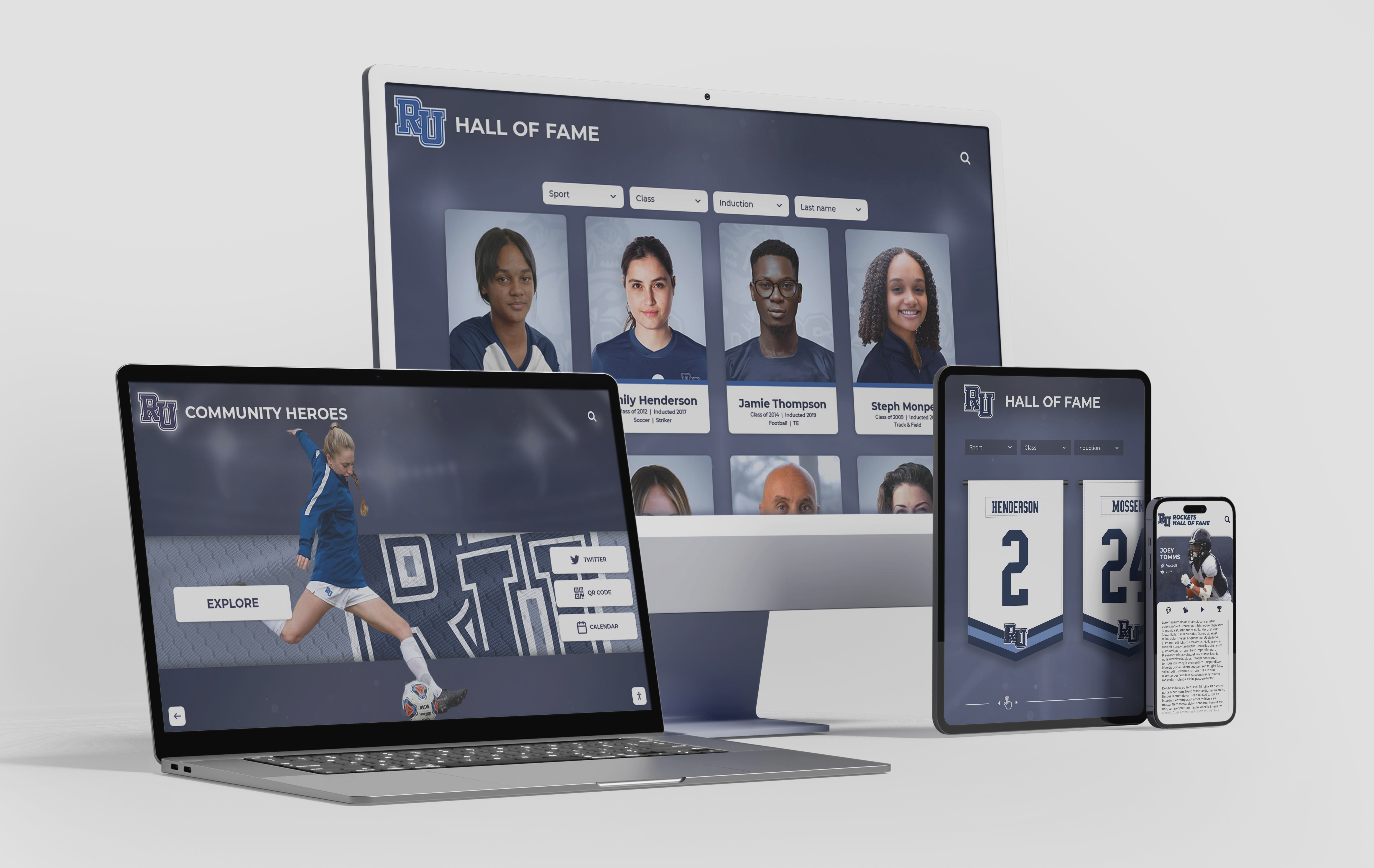
Modern web technologies enable consistent cross-platform experiences from single codebases, dramatically reducing development and maintenance costs compared to platform-specific native applications
Security and Data Privacy Considerations
Interactive touchscreen installations handling visitor interactions, institutional information, or recognition data must address security and privacy implications varying between web-based and native architectures.
Web Application Security Landscape
Web-based touchscreen software benefits from mature security models including browser sandboxing limiting potential damage from compromised applications, automatic security updates through browser updates without organizational intervention, and standardized security protocols for data transmission and authentication.
However, web applications face unique vulnerabilities including cross-site scripting (XSS) attacks, cross-site request forgery (CSRF), and potential exposure to browser vulnerabilities. Reputable platforms implement security best practices including input validation, output encoding, HTTPS encryption, and regular security auditing.
Organizations implementing web-based touchscreen solutions should verify platforms undergo regular security testing, maintain current security patches, and follow industry security standards protecting both organizational data and visitor privacy.
Native Application Security Model
Native applications operate outside browser sandboxes with broader system access creating both capabilities and risks. Properly implemented native applications can provide strong security through operating system integration and restricted permissions. However, vulnerabilities in native code potentially expose deeper system access compared to sandboxed web applications.
Native application security demands platform-specific expertise implementing security best practices varying across operating systems. Organizations lacking specialized security knowledge may find web platforms with vendor-managed security more practical than attempting to implement and maintain native application security independently.
Privacy Regulations and Compliance
Interactive touchscreens collecting visitor information—even basic analytics tracking usage patterns—must comply with privacy regulations including GDPR in Europe and various state privacy laws in the United States. Architecture choices impact compliance implementation complexity.
Web platforms commonly provide built-in privacy controls, cookie consent management, and analytics configurations supporting compliance requirements. Native applications require custom privacy framework implementation with platform-specific approaches to data collection, storage, and consent management.
Organizations implementing digital donor recognition walls or other systems potentially collecting personal information must ensure selected platforms support required privacy protections and compliance frameworks regardless of architectural approach.
Decision Framework: Selecting the Right Architecture
Systematic evaluation frameworks help organizations match software architecture to specific requirements, capabilities, and contexts rather than defaulting to popular solutions potentially unsuited to actual needs.
Requirements Assessment Questions
Begin architecture selection by honestly answering key questions revealing which approach better aligns with organizational realities:
Performance and Complexity
- Does your application require absolute maximum performance and responsiveness?
- Will your touchscreen serve multiple simultaneous users requiring sophisticated multi-touch recognition?
- Do you need complex 3D graphics, advanced augmented reality, or demanding visual effects?
- Does your application integrate specialized hardware beyond standard touchscreen displays?
Accessibility and Reach
- Should your content remain accessible beyond physical touchscreen installations?
- Will visitors want to continue exploration on personal devices after initial touchscreen discovery?
- Does your organization prioritize universal accessibility across all device types and platforms?
- Do you need consistent experiences across Windows PCs, Mac computers, iPads, and Android tablets?
Development and Maintenance
- What technical expertise exists within your organization or available contractors?
- What budget constraints affect initial development and ongoing maintenance?
- Who will maintain content updates—technical developers or non-technical administrators?
- How frequently will content require updates, and who will perform those updates?
Operational Context
- Do your installations have reliable internet connectivity or operate offline frequently?
- How many displays will you deploy, and where are they located?
- What existing systems should touchscreen displays integrate with?
- What timeline constraints affect implementation?
Honest assessment typically reveals clear architecture preferences. Organizations prioritizing cross-platform accessibility, simplified maintenance, and budget efficiency commonly find web-based solutions optimal. Those requiring maximum performance, specialized hardware integration, or network-independent operation may need native applications despite additional complexity and costs.
Pilot Testing and Phased Deployment
Rather than committing entire budgets to architectural decisions made without hands-on experience, consider pilot implementations testing architectural approaches with actual use cases before broad deployment.
Pilot Project Strategy
Implement small-scale prototypes using both web-based and native approaches for direct comparison. Deploy pilot touchscreen installations in representative locations measuring actual usage patterns, gathering user feedback on performance and experience quality, evaluating administrative ease for content management, and assessing maintenance requirements under real operational conditions.
Many organizations discover that theoretical architecture preferences don’t match practical realities. Web solutions sometimes prove faster to market with acceptable performance for actual use cases. Alternatively, native applications occasionally demonstrate performance advantages justifying additional investment for premium experiences aligning with organizational brand priorities.
Consulting with Experienced Vendors
Organizations lacking internal touchscreen expertise benefit from consulting experienced vendors who understand architecture implications across diverse implementation scenarios. Reputable vendors help organizations identify appropriate architectures based on specific requirements rather than promoting proprietary solutions regardless of suitability.
Solutions like Rocket Alumni Solutions specialize in web-based recognition platforms optimized for educational institutions and organizations celebrating achievements. This architectural specialization enables streamlined implementation, simplified content management, and multi-device accessibility perfectly suited to recognition applications—without attempting to position web architecture as universally optimal for all possible touchscreen use cases.
When consulting vendors, ask about their architectural approach, why they believe it suits your requirements, what alternatives they considered, and what limitations their platform acknowledges compared to alternative architectures. Honest discussion of tradeoffs indicates vendors prioritizing appropriate solutions over simply closing sales.

Thorough evaluation including hands-on testing and vendor consultation ensures architectural decisions align with actual requirements rather than assumptions about optimal solutions
Implementation Best Practices Across Architectures
Regardless of architectural choice, certain implementation best practices ensure successful touchscreen deployments delivering value throughout multi-year operational lifespans.
Content Strategy and Preparation
Compelling content ultimately determines whether touchscreen investments deliver engagement regardless of architectural sophistication or performance capabilities. Organizations must invest in systematic content development creating depth justifying interactive exploration.
Initial Content Development
Start with achievable scope demonstrating value quickly rather than attempting comprehensive historical coverage before launching. Schools implementing recognition displays might initially populate recent 5-10 years of honorees before gradually expanding historical content. This phased approach enables learning from initial implementations, gathering user feedback on engaging content types, and refining approaches before investing massive effort in comprehensive development.
Establish content standards ensuring consistency including photography requirements for image quality and composition, biographical narrative templates maintaining voice and style, required metadata enabling filtering and categorization, and quality review processes maintaining accuracy and appropriateness.
Sustainable Content Workflows
Assign clear content ownership with designated staff responsible for ongoing updates. Recognition displays require regular additions as new honorees join halls of fame. Information kiosks need current event schedules and accurate facility information. And all interactive systems benefit from periodic content refresh maintaining visual interest.
Cloud-based content management empowers subject matter experts to maintain content for their respective areas without IT department involvement. Athletic directors manage sports recognition. Academic affairs oversees honor rolls. Student activities maintains club information. This distributed management ensures content currency without overwhelming single individuals.
Hardware Selection and Installation
Software capabilities prove worthless without appropriate hardware delivering reliable performance and comfortable user experiences. Hardware selection significantly impacts satisfaction regardless of software quality.
Commercial-Grade Display Requirements
Consumer tablets and displays prove inadequate for public installations expected to operate reliably under continuous use. Commercial-grade touchscreen displays designed for 16-24 hour daily operation provide critical durability including higher touch cycle ratings (millions vs. thousands of touches), thermal management for continuous operation, industrial-grade components resisting environmental factors, and typically three-year+ manufacturer warranties versus one-year consumer standards.
Organizations implementing types of screens for digital signage must balance initial hardware costs against total lifecycle expenses—cheaper consumer hardware typically requires replacement within 1-2 years while commercial displays reliably operate 5-7 years, yielding lower long-term costs despite higher initial investments.
Strategic Placement Considerations
Display location dramatically impacts usage and value. High-traffic areas with natural dwell opportunities generate far more engagement than installations in hallways where people rush past without pausing.
Consider main entrance lobbies greeting all visitors immediately upon arrival, gathering spaces where people naturally pause near elevator lobbies or seating areas, destination locations placing specialized content near relevant areas like athletic recognition in fieldhouses, and event spaces where displays generate conversation during receptions, open houses, or ceremonies.
Training and Change Management
Even intuitive software benefits from proper training ensuring staff understand full capabilities, follow established standards, and can troubleshoot common issues independently. Additionally, introducing new recognition or communication approaches sometimes faces resistance from stakeholders comfortable with traditional methods.
Role-Specific Training Programs
Provide targeted training addressing what different staff members need to accomplish. Content managers require comprehensive platform training covering routine tasks. Administrators need overview training understanding platform capabilities and limitations. And IT support staff benefit from technical training covering infrastructure, troubleshooting, and advanced configuration.
Hands-on practice with realistic scenarios proves far more effective than passive demonstrations. Have athletic directors actually create sample athlete profiles. Ask communications staff to build announcement playlists. Encourage alumni coordinators to search for and update specific individuals. This active practice builds confidence and reveals questions requiring additional instruction.
Building Organizational Support
Introducing interactive recognition displays sometimes faces concerns from stakeholders valuing traditional plaques or questioning technology replacing valued traditions. Build support by demonstrating how digital platforms enhance rather than replace traditional elements, involving stakeholders in planning ensuring their priorities shape implementation, celebrating early wins highlighting positive impacts and engagement, and maintaining traditional recognition elements alongside digital displays during transitions when appropriate.
Change management matters as much as technology selection—successful organizations treat interactive touchscreen implementation as cultural initiatives requiring communication, training, and stakeholder engagement rather than purely technical deployments.
The Future of Touchscreen Software: Emerging Trends
Touchscreen technology and software capabilities continue evolving rapidly, with several emerging trends reshaping what organizations can create and how users engage with interactive displays.
Web Technology Maturation
Web platforms continue narrowing traditional performance gaps with native applications through ongoing standards evolution and browser optimization. WebAssembly enables near-native code execution within browsers for performance-critical algorithms. WebGPU provides advanced graphics capabilities rivaling native APIs. And Progressive Web App features increasingly blur distinctions between web and native applications for common use cases.
This continuing maturation suggests web-based approaches will serve expanding ranges of applications previously requiring native development. Organizations implementing touchscreen displays in 2025 can confidently select web architectures for broader use cases than historical limitations would have suggested.
Artificial Intelligence Integration
AI-powered features increasingly enhance interactive touchscreen experiences through personalized content recommendations, intelligent search understanding natural language queries, automated content organization reducing manual tagging work, and conversational interfaces supplementing traditional navigation.
Both web-based and native platforms increasingly integrate AI capabilities, though implementation approaches differ. Cloud-based AI services prove equally accessible to web and native applications, while edge AI processing on local devices may favor native applications with direct hardware access for maximum performance.
Organizations implementing school recognition programs can leverage AI features helping visitors discover relevant content through intelligent recommendations and natural language search regardless of underlying software architecture.
Multi-Modal Interaction
Beyond touch input, emerging interfaces accept voice commands, gesture recognition, and even gaze tracking creating flexible interaction modalities matching user preferences and contexts. While these advanced capabilities develop more maturely in native ecosystems with deeper hardware integration, web platforms increasingly support multi-modal input through evolving device APIs.
The future likely involves hybrid interaction where users seamlessly transition between touch, voice, and gesture as contexts dictate—speaking searches while hands remain occupied, using touch for precise selection, and employing gestures for spatial navigation. Both web and native architectures will support these multi-modal experiences, though implementation maturity may vary.
Conclusion: Making Informed Software Architecture Decisions
Selecting between web-based and native touchscreen software architectures represents consequential decisions determining not just initial implementation complexity and cost, but ongoing maintenance requirements, future scalability, cross-platform accessibility, and ultimately whether interactive displays deliver exceptional value throughout multi-year operational lifespans.
Neither architecture proves universally superior—each excels for specific scenarios matching architectural strengths to particular requirements. Web-based solutions deliver optimal results for recognition displays, information kiosks, wayfinding systems, and educational exhibits prioritizing accessibility, simplified maintenance, cross-platform reach, and budget efficiency. Native applications prove necessary for high-performance multi-user exhibits, specialized hardware integration, or premium experiences demanding absolute maximum polish regardless of additional investment.
Discover Purpose-Built Recognition Software
While both web-based and native approaches serve important touchscreen applications, celebrating achievements and preserving heritage requires specialized recognition platforms. Discover how purpose-built web-based solutions deliver superior engagement, simplified management, unlimited capacity, and universal accessibility for honoring every deserving individual.
Explore Recognition SolutionsSuccess requires systematic evaluation honestly assessing organizational requirements, technical capabilities, budget realities, and long-term maintenance capacities. Organizations should prioritize:
Total cost analysis evaluating five-year ownership costs rather than focusing exclusively on initial investments. Web architectures commonly deliver 60-70 percent cost savings over multi-year horizons through simplified maintenance and centralized updates compared to native applications requiring ongoing platform compatibility updates.
Accessibility priorities understanding whether content should remain locked to physical installations or extend naturally to personal devices worldwide. Web-based recognition platforms enable alumni to revisit achievements from anywhere while native applications serve only those physically present at kiosk locations.
Realistic capability assessment honestly evaluating whether applications truly require maximum native performance or whether modern web technologies deliver sufficient capabilities at dramatically lower costs and complexity. Many organizations overestimate performance requirements, selecting native architectures for applications where web solutions would prove entirely adequate.
Maintenance sustainability ensuring selected architectures match organizational technical capabilities and available resources for ongoing operation. Web platforms with vendor-managed infrastructure require minimal technical maintenance while native applications demand continuous development resources many institutions cannot sustain long-term.
Organizations should consider pilot implementations testing architectural approaches with actual use cases before committing entire budgets. Hands-on experience reveals practical realities that theoretical evaluation cannot anticipate, enabling informed decisions based on actual operational experience rather than vendor marketing claims or assumptions about optimal solutions.
For schools and organizations specifically implementing recognition programs, athletic halls of fame, alumni displays, or achievement celebration systems, web-based architectures consistently deliver optimal results. These applications prioritize comprehensive content organization, powerful search and discovery, intuitive administration by non-technical staff, and universal accessibility extending recognition reach far beyond campus boundaries—requirements perfectly aligned with web architecture strengths.
Solutions like Rocket Alumni Solutions demonstrate how purpose-built web-based platforms optimized for recognition applications deliver exceptional results through specialized features, proven reliability, and operational simplicity specifically designed for educational institutions and organizations honoring contributors. This architectural specialization enables streamlined implementation impossible with general-purpose native or web platforms attempting to serve all possible touchscreen applications.
Ready to implement touchscreen displays for your school, museum, corporate facility, or organization? Whether exploring web-based solutions, evaluating native applications, or seeking recognition-specific platforms, understanding architectural implications, total costs, and long-term maintenance requirements ensures successful outcomes delivering exceptional value across the multi-year operational horizons these systems serve. The technology enabling transformative interactive experiences exists today—organizations need only commitment to systematic evaluation matching capabilities to requirements for creating lasting engagement that celebrates achievement, shares information, and serves diverse communities effectively.
Sources:































