




Planning a custom championship banner sounds straightforward until you sit down to order one. What sport year format should you use—just the year, or the full season span? Do you list individual player names, only the coach, or neither? How wide does the banner need to be for the rafter spacing in your gymnasium? And once you’ve decided on those details, how do you make sure the same championship information looks consistent ten years from now on your school website or a touchscreen in your athletic hallway?
Custom championship banners carry a school’s athletic legacy in a single piece of fabric. When they’re well planned, they create a visual tradition that builds from year to year—clean typography, consistent colors, matching data fields, and a look that holds up as the row of banners grows. When they’re poorly planned, you end up with a mismatched collection that reflects the decisions of a dozen different administrators who each made slightly different choices.
This guide covers every planning decision that matters: design choices that scale across sports, which data fields to standardize before you order, and how to carry that same championship information into digital archives and interactive displays so your school’s achievements are accessible far beyond the gymnasium walls.
Schools that plan their custom championship banner programs thoughtfully discover something important: the decisions you make for the physical banner are exactly the decisions you’ll make again when building a digital record board, trophy case website, or touchscreen hall of fame. Getting those standards right the first time saves enormous effort later and ensures every platform tells the same consistent story about your program’s excellence.

Athletic hallways that combine murals with structured records displays create cohesive recognition environments where every achievement is clearly documented
Why Custom Championship Banner Planning Requires a System
Most athletic departments order championship banners one at a time—right after a team wins. That reactive approach works for a single season, but it creates long-term problems when banner number fifteen looks completely different from banner number three hanging beside it.
The Case for a Banner Standards Document
Before ordering anything, athletic directors benefit enormously from creating a one-page banner standards document that defines:
- Exact dimensions for each display location in your facility
- Color values (Pantone, CMYK, or hex) pulled from your school’s official brand guide
- Typography hierarchy—which font for the sport name, which for the year, which for any subtitle text
- The exact set of data fields every banner will include
- How future staff will order replacements without guessing at past decisions
This document becomes the foundation not only for physical banners but for any digital recognition system you implement later. Schools that establish these standards early find that building comprehensive digital recognition programs requires far less effort because the data architecture already exists.
Common Problems That Emerge Without Planning
Inconsistent season year formats. One banner says “2019,” the next says “2018–19,” and a third says “Winter 2020.” Visitors reading across the row can’t tell at a glance how many championships your program has won or when they occurred.
Missing data fields discovered after installation. A banner celebrating a state championship doesn’t include the final score. A decade later, no one on staff can verify it, and the digital archive has a gap. Including the right fields from the start eliminates these gaps permanently.
Design drift over time. When each banner is ordered by whoever happens to be in the athletic director role that year, visual consistency erodes. Fonts change, proportions shift, and the message sent to recruits and visitors shifts from “this program has a championship tradition” to “this program has been around for a while.”
Space planning failures. Schools hang five banners and then realize the gymnasium rafters or the wall space they allocated can’t accommodate a growing collection. Digital alternatives become necessary anyway—but they’re much easier to implement when the underlying data is already structured.
What Good Planning Looks Like
A well-planned custom championship banner program defines a template that works for every sport your school fields. The template specifies exactly what appears on the banner and in what order. It answers questions like:
- Do we include the sport name or is it implied by the color scheme?
- Is the championship level (conference, district, regional, state) included on the banner?
- Do we list player names on championship banners or reserve that for a separate recognition format?
- What happens when a team wins multiple championships in a single year?
- How do we handle co-championship seasons?
Connecting to Broader Recognition Programs
Championship banner planning doesn’t exist in isolation. The same information on your banners should feed into your school’s broader athletic recognition programs including record boards, hall of fame inductions, and digital archives.
When your banner standards align with your digital data standards, updating a touchscreen display when a new championship banner goes up takes minutes rather than days. The two systems reinforce each other rather than working at cross purposes.
Design Choices for Custom Championship Banners
Design decisions for a custom championship banner fall into three categories: structural (size and shape), visual (colors and typography), and content (what information appears and how it’s organized).
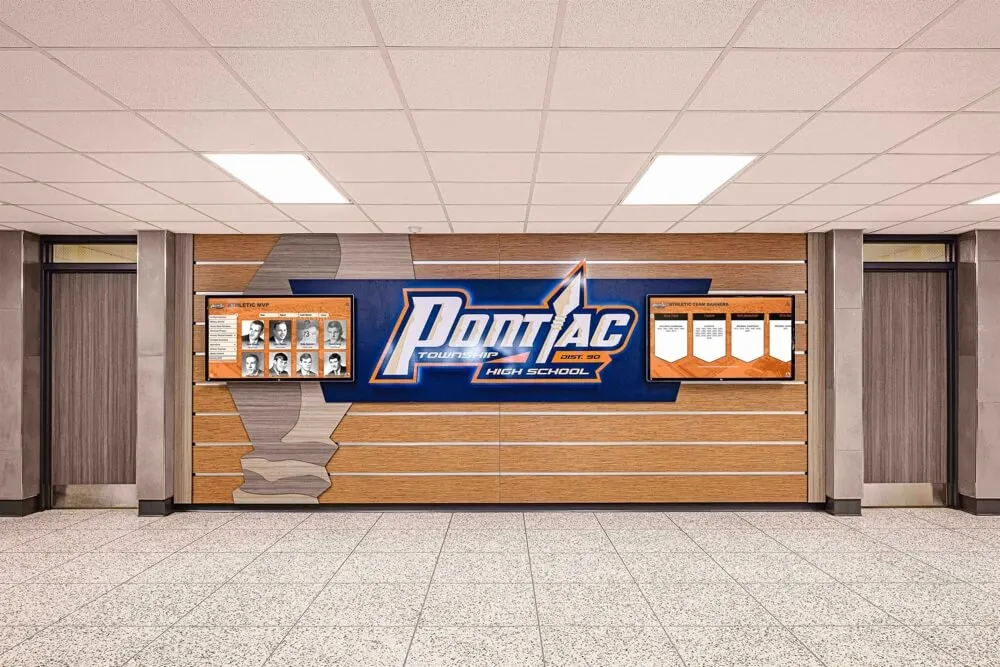
Structured athletic displays with consistent sizing and design language create a unified recognition environment that communicates program excellence
Structural Design Choices
Standard sizing versus location-specific sizing
Many schools choose a standard banner size—often 20" × 60" or 24" × 72"—for every championship banner in the gymnasium. This creates visual consistency and makes ordering replacements straightforward. However, some facilities have architectural constraints that require custom dimensions for specific locations.
If your school has multiple display locations (gymnasium, fieldhouse, weight room lobby, athletic hallway), define a standard size for each location rather than ordering custom dimensions for every individual banner. This reduces future ordering complexity significantly.
Orientation: vertical versus horizontal
Most gymnasium banners hang vertically because they need to be readable from a distance and vertical orientation works better when suspended from rafters. Horizontal banners work better on walls where width is available. Define your orientation standards by location and don’t mix them in the same display area.
Material selection and longevity
For gymnasium ceiling installations, knitted polyester fabric with direct dye sublimation printing is the industry standard. It’s lightweight, doesn’t stretch or fade significantly under fluorescent lighting, and holds colors accurately over long periods. For wall-mounted banners in high-traffic areas, consider heavier vinyl or canvas materials that withstand physical contact.
Whatever material you select, document it in your standards guide. When you order a replacement banner twenty years from now, you want the new one to match the originals in weight, sheen, and color reproduction.
Visual Design Choices
School colors and the role of sport-specific colors
The most durable championship banner programs use school colors as the primary visual foundation with minimal sport-specific variation. This creates visual cohesion as the collection grows—a row of twenty banners in your school’s navy and gold reads as a unified achievement gallery.
Some schools use subtle sport-specific elements (a sport silhouette, a small accent color) while maintaining the overall school color palette. This approach lets viewers quickly identify which sport each banner represents without sacrificing the unified visual impression.
Typography hierarchy
A custom championship banner typically carries three to five lines of text. Establishing a clear typographic hierarchy—which text is largest, which is smallest—ensures each banner communicates the right priorities at a glance.
A common effective hierarchy:
- Sport name — largest, most prominent
- Championship level and year — second largest
- Record or score — medium weight
- Coach name — smallest supporting text
Using your school’s official fonts (or carefully selected alternatives that match your brand) keeps banners visually aligned with your website, letterhead, and other school communications.
Logo placement and usage
Your school logo or mascot graphic should appear on every banner in a consistent position and at a consistent relative size. Placing it in the same corner or centering it at the top creates visual rhythm across a collection. Varying the logo size or position from banner to banner creates a disorganized impression.
Check with your school’s athletic association about any restrictions on logos when championships were won under a specific association’s jurisdiction—some state athletic associations have guidelines about how their marks can appear on recognition materials.
Layout and Information Hierarchy
How information is arranged on the banner determines whether it reads clearly from thirty feet away in a gymnasium. Test your layout design at actual viewing distances before finalizing. The most common mistake is making supporting text (conference name, season record) too large relative to the primary achievement information (sport, championship level, year).
For schools implementing digital displays alongside physical banners, establishing the information hierarchy on the physical banner also helps determine which fields deserve prominent placement in a digital record and which belong in supporting detail sections.
Data Fields: What Every Custom Championship Banner Should Capture
This is the section most schools skip, and it’s the one that creates the most regret. The data fields on your banner—and in the records that support it—determine whether your championship history can be reliably archived, verified, and displayed accurately for decades.
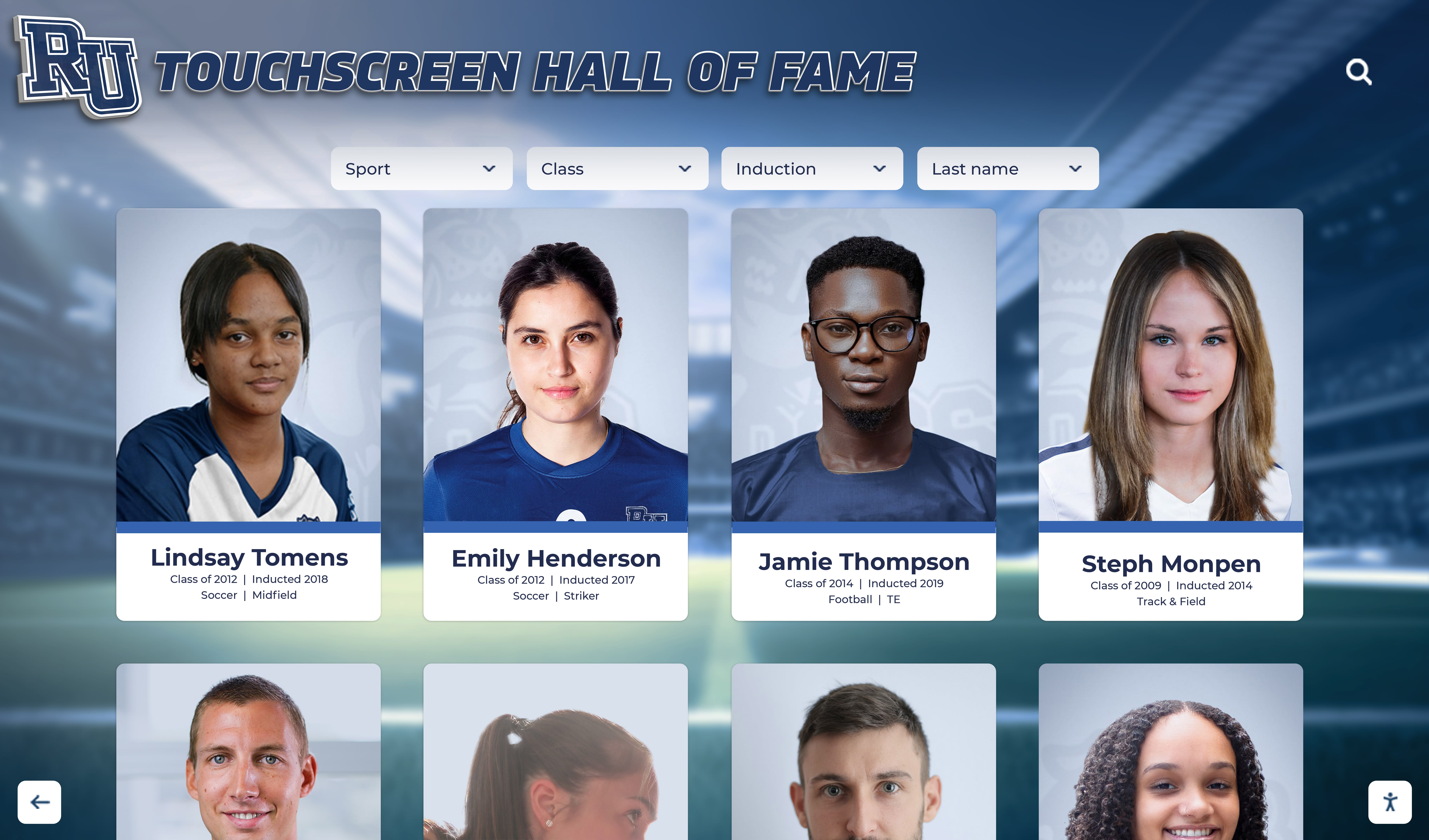
Structured digital displays depend on well-organized underlying data—the same fields that make a championship banner clear also power effective digital recognition
Required Fields for Every Championship Banner
Sport Include the full sport name, not an abbreviation. “Boys Basketball” rather than “BBB.” “Girls Cross Country” rather than “XC.” This seems obvious but creates problems when records are entered by different staff members over years using different shorthand conventions.
Championship level “State Championship,” “Regional Championship,” “District Championship,” “Conference Championship,” and “League Championship” all describe different achievement levels. Define exactly which championship levels earn a banner in your program and use consistent terminology for each.
Season year Choose one format and use it forever. The most common options:
- Single year (end year of the season): “2024”
- Academic year range: “2023–24”
- Full years: “2023–2024”
Single end-year is the most compact and cleanest on a banner. Academic year range avoids ambiguity for winter sports where the season spans two calendar years. Choose one and document it.
Final record or score (for team sports) For tournament-culminating championships, include the final game score: “Championship: 42–38.” For season-based championships like cross country or swimming, include the season record or the winning margin at the championship meet. This field adds authenticity and specificity that makes the banner more meaningful than a simple assertion of championship status.
Coach name Including the head coach’s name creates a historical record connecting achievement to leadership. It also honors coaches who may not otherwise be formally recognized on the physical display. For schools building comprehensive athletic recognition programs, this field is essential—hall of fame nominations for coaches are far easier to research when championship records consistently document who led each program.
Optional Fields Worth Standardizing
Roster names Including roster names on championship banners is common for some schools, particularly for smaller programs or particularly significant championships. If you choose to include names, establish a consistent format: last name only, first and last name, or first initial and last name. Define how you handle long rosters—do you include all players, only starters, or players who appeared in the championship game?
If you don’t include names on the banner itself, consider maintaining a supplemental roster record tied to each championship that can appear in digital archives.
Season record (wins–losses) The overall season record provides context for the championship. A 28–0 undefeated state championship tells a different story than a 14–12 team that peaked at the right moment. Both are legitimate, but the distinction is historically meaningful.
Classification or division For sports with multiple competitive classifications (Class 1A through 6A in many state systems), documenting the classification on the banner ensures the achievement is understood accurately. A school that moves from Class 3A to Class 5A over time should have banners that clearly reflect which classification each championship was won in.
Key individual awards Some championship banners note that a team member won tournament MVP, all-tournament honors, or similar individual recognition at the championship event. This information is often lost from institutional records within a few years if not documented at the time of the championship.
Maintaining a Championship Data Registry
Beyond what fits on the banner itself, every school should maintain a structured championship data registry—a spreadsheet or database that captures every field related to each championship, including fields that don’t appear on the banner.
A complete championship registry entry might include:
| Field | Example Value |
|---|---|
| Sport | Girls Soccer |
| Season Year | 2023 |
| Championship Level | State Championship |
| Classification | Class 4A |
| Final Score | 2–1 (OT) |
| Season Record | 24–2–1 |
| Head Coach | Jane Smith |
| Assistant Coaches | Alex Johnson, Maria Torres |
| Full Roster | [linked roster document] |
| Tournament Location | Springfield Sports Complex |
| Championship Date | November 4, 2023 |
| Key Awards | Tournament MVP: #10 Sarah Chen |
| Banner Ordered | Yes — 20"×60", installed Nov 2024 |
| Digital Archive Updated | Yes |
| Photo Archive | [linked folder] |
This registry serves as the source of truth for every downstream display—banners, record boards, the school website, and any interactive digital displays. Schools that maintain this kind of structured record rarely face the situation of discovering a championship banner hanging in the gym with no corresponding documentation in any school system.
Digital Archives: Extending Championship Data Beyond the Banner
Physical championship banners accomplish powerful things in the spaces where athletes train and compete. But they have real limitations: they can’t be searched, they can’t be accessed remotely, they can’t display photos or video from championship moments, and they don’t scale well when a successful program accumulates decades of championships.
Digital archives extend championship information beyond those physical constraints without replacing the tradition and visual impact that makes banners so compelling.
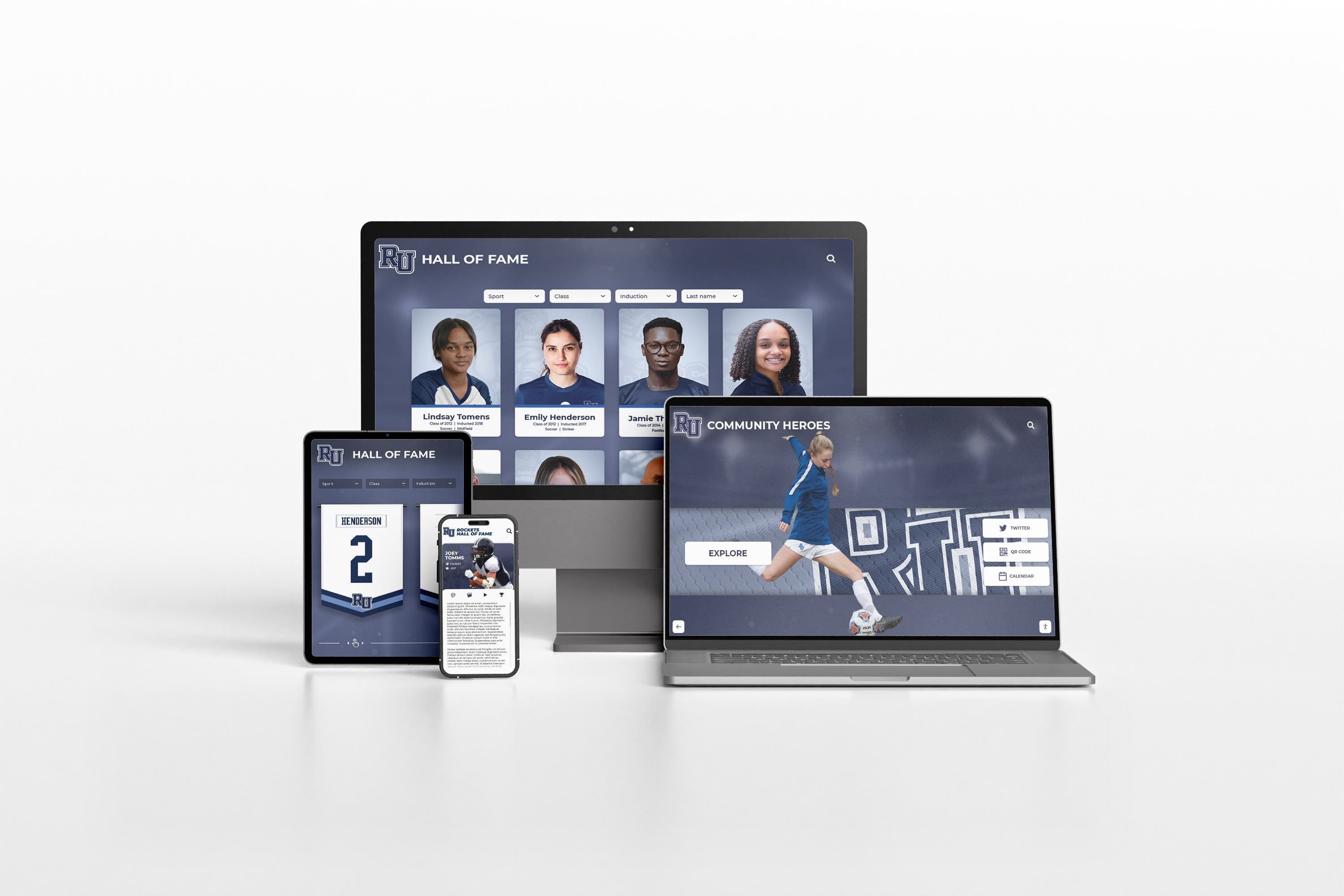
Web-based recognition platforms extend championship archives beyond physical displays, making achievements accessible to alumni and community members anywhere
Why Championship Archives Matter Beyond the Gymnasium
Alumni who graduated before your school’s most recent championships want to know about those victories. Parents researching athletic programs want to understand championship history before their student chooses a school. Athletes who participated in past championships want their contributions to be findable and verifiable years later.
A digital archive bridges the gap between the physical banner hanging thirty feet overhead and the searchable, browsable record that communities increasingly expect. Schools that have invested in yearbook scanning and historical digitization understand this principle well—physical records have limited reach, while digital records serve communities indefinitely.
When to Preserve Championship Information on a Website
A school website or dedicated athletic history page should reflect every championship represented by a physical banner—and often more. Fields worth including in a web-based championship record include everything in your data registry plus:
Championship photos and media The championship banner represents the achievement; the digital archive can show it. Game-winning moments, team celebrations, trophy presentations, and team photos from championship day are the kind of content that makes an archive genuinely engaging rather than a simple list of accomplishments.
Contextual narrative A short paragraph about each championship season—the team’s journey through the season, key wins, adversity overcome—adds meaning to the statistical record. This content doesn’t belong on a banner, but it belongs in a digital archive where space isn’t constrained.
Cross-references to related recognition Championship seasons often produce individual award winners, hall of fame inductees, and scholarship athletes. A digital championship archive can link these connections, helping visitors understand how a championship season shaped individual athletic careers and the program’s long-term trajectory.
For schools considering a National Honor Society or academic recognition component, the same data field discipline—standardized fields, consistent naming conventions, structured records—applies directly. The athletic championship model translates naturally to academic achievement archives.
Touchscreen Displays and Championship Data
Interactive touchscreen displays in athletic hallways, gymnasiums, and lobbies represent the most engaging way to present championship archives to the people who spend time in your facilities. When a visiting team walks through your hallway, when recruits take a facility tour, when alumni return for a reunion—a touchscreen presenting your complete championship history with photos and context creates an impression that banners alone cannot match.
The connection between physical banners and touchscreen displays is direct: every field in your championship data registry becomes content available for the touchscreen. The season record that didn’t fit on the banner can appear in the touchscreen profile. The roster names that would have made the banner too busy can be fully displayed on screen. The championship photos can cycle through a gallery.
Schools implementing interactive recognition displays discover that the quality of the digital experience depends almost entirely on the quality of the underlying data. Schools that maintained rigorous championship records—even simple spreadsheets with consistent fields—can populate a touchscreen display in days. Schools that relied on memory and informal records spend months trying to reconstruct championship history before launch.
Data consistency between physical and digital
One of the most common quality problems in school digital archives is inconsistency between what the banner says and what the digital record says. This happens when the person who ordered the banner and the person who entered the digital record used different data—different year formats, different championship terminology, different coach names.
The solution is simple: use your championship data registry as the single source of truth for both. When a banner is ordered, pull the data directly from the registry. When the digital archive is updated, pull from the same registry. The banner and the display always tell the same story because they came from the same source.
Planning for a Digital Trophy Case
A digital trophy case is the natural evolution of a well-maintained championship data registry. When you’ve been standardizing your data fields across years of championships, building a digital display becomes a matter of design and presentation rather than data archaeology.
The most effective planning approach:
Establish your data registry now, even if a digital display is years away. The cost of maintaining structured records is low; the cost of reconstructing them retroactively is high.
Design your banner data fields with digital display in mind. Every field you standardize for the banner is a field you can display digitally without data cleanup.
Capture photos at the time of each championship. Photo archives are almost always harder to reconstruct than textual records. A simple policy of designating one person responsible for archiving championship photos immediately after each win prevents the gaps that plague most historical archives.
Plan your classification and sport naming conventions for consistency. If your digital display groups championships by sport, using “Girls Basketball” on some records and “Womens Basketball” on others creates display problems that require manual data correction.
Bringing It Together: A Pre-Order Checklist for Custom Championship Banners
Before ordering your next custom championship banner, work through these planning decisions:
Design standards
- Dimensions confirmed for the installation location
- School color values (Pantone/CMYK/hex) documented
- Typography specified (font family, sizes, weights)
- Logo version and placement defined
- Orientation (vertical/horizontal) confirmed
Data fields on the banner
- Sport name in full (not abbreviated)
- Championship level with consistent terminology
- Season year in your standard format
- Final score or season record
- Head coach name
- Any additional fields your standards document specifies
Registry update
- All banner data fields entered in championship registry
- Extended fields captured (full roster, photos, contextual notes)
- Venue, date, and classification documented
Digital archive update
- Website or digital record updated with championship information
- Photos uploaded to archive with consistent naming conventions
- Touchscreen display updated if applicable
- Cross-references to related individual awards added

Interactive touchscreen displays let visitors explore the complete story behind each championship—context and depth that physical banners alone cannot provide
Working with Display Platforms That Understand School Recognition
The data planning work described in this guide pays the largest dividends when your school uses a recognition platform built specifically for educational institutions. Generic digital signage tools can display championship information, but they weren’t designed for the structured, searchable, sport-organized architecture that makes championship archives genuinely useful.
Purpose-built platforms understand concepts like sport categories, championship levels, season years, coaching records, and the relationship between team championships and individual athlete recognition. They provide templates that match the visual language of your physical banner program while extending the information depth that digital formats allow.
For schools exploring what a complete recognition ecosystem looks like—custom championship banners connected to a digital record board, an interactive touchscreen hall of fame, and a publicly accessible athletic history archive—working with a dedicated athletic recognition partner makes the integration between physical and digital recognition seamless rather than a continuous manual effort.
Ready to Connect Your Championship Banners to a Complete Digital Archive?
Rocket Alumni Solutions builds touchscreen halls of fame, digital trophy cases, and interactive athletic record systems that turn your championship data into engaging recognition experiences. See how schools are creating recognition environments where physical banners and digital archives work together seamlessly.
Schedule a demoFrequently Asked Questions About Custom Championship Banner Planning
How many data fields should actually appear on a custom championship banner?
Most effective championship banners display three to five lines of text. The sport name, championship level and year, and coach name represent the essential minimum. Adding a season record or final score adds meaningful context without overcrowding. Resist the temptation to include everything your data registry holds—the banner’s job is immediate visual communication, not comprehensive documentation. Save the extended data for your digital archive.
What happens when a school changes its mascot or colors?
New championships get new banners in the current identity. Old banners representing championships won under a prior identity generally stay as-is—they’re historical artifacts. Your data registry should note the school identity at the time of each championship. When building a digital archive, display historical championships with appropriate context about when they were won rather than retrofitting current branding onto past achievements.
Should we retroactively update old championship banners for consistency?
Not usually. Replacing existing banners to match new standards is expensive and destroys historical artifacts. A more practical approach: document what each existing banner says (even if it doesn’t match your new standards), enter that information accurately into your registry, and start applying new standards to future orders. Your digital archive can note format variations without letting them undermine the integrity of the historical record.
How do we handle championships in sports we no longer offer?
Banners for discontinued sports should stay on display as part of your school’s complete athletic history. In your digital archive, include the sport with accurate historical context. The championship was earned; it remains part of your program’s story regardless of whether that sport is currently offered.
Can the same championship data used for a banner work directly in a touchscreen display?
Yes—this is the core benefit of data standardization. When your championship registry uses consistent field names and values, a touchscreen platform built for school recognition can import or sync that data with minimal manual work. The design translation (banner layout versus touchscreen card versus record board row) happens at the display layer; the underlying data remains the same structured record your staff maintains in one place.































