



Educational institutions and organizations implementing digital recognition displays face a common tension: they want distinctive, on-brand experiences that reflect their unique culture—yet they also need visual consistency, accessibility compliance, and long-term maintainability. Many assume this requires choosing between rigid templates that guarantee consistency but sacrifice creativity, or fully custom solutions that offer freedom but risk fragmentation, technical debt, and eventual degradation.
This tradeoff, however, represents a false choice. Modern recognition platforms can deliver both controlled creative freedom and systematic design governance through intelligent architecture that expands possibilities rather than constraining them. The challenge involves not whether to permit customization, but how to structure customization so it enhances rather than erodes overall experience quality.
This guide explores how solutions like Rocket Alumni Solutions address this design challenge through expandable component libraries, platform-grade custom modules, AI-assisted quality control, and design system governance—demonstrating that organizations can achieve truly unique visual identities without fragmenting experiences or accumulating technical debt that degrades over time.
The distinction between template limitations and creative ceilings matters more than most decision-makers recognize. Schools often purchase digital signage solutions assuming template constraints prevent visual fragmentation—only to discover two years later that their displays feel generic, indistinguishable from dozens of other institutions, and impossible to evolve as brand standards mature or new content types emerge without expensive redesign projects or vendor lock-in.

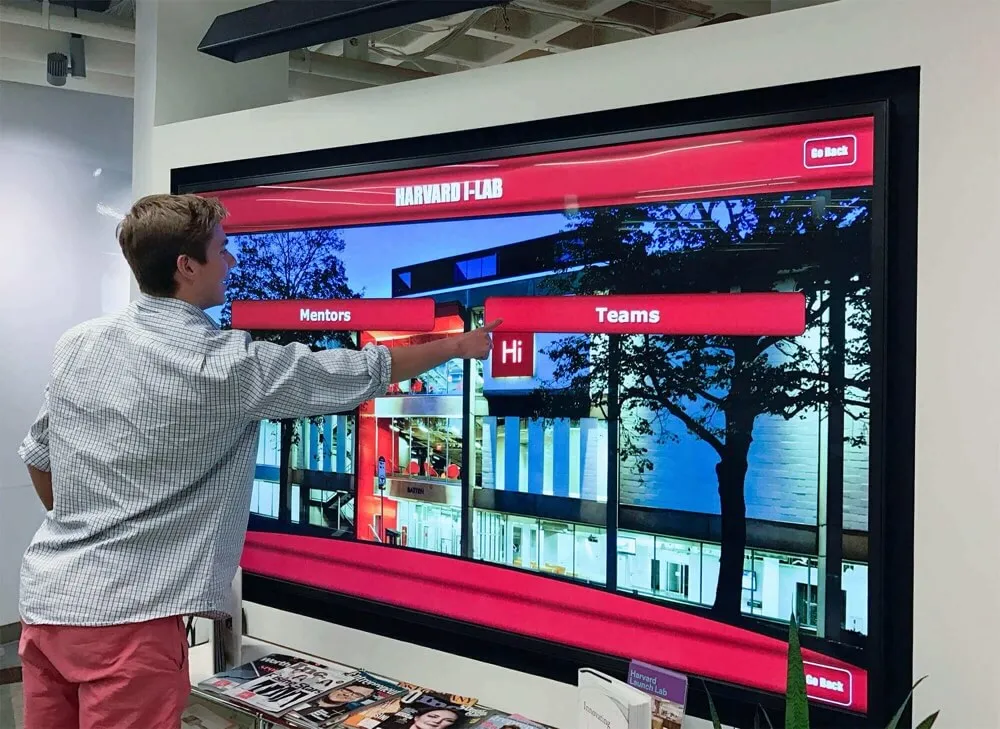
Custom layouts integrate institutional identity while maintaining platform reliability and consistent user experience patterns
The Real Problem: Static Templates vs. Sustainable Customization
Before examining solutions, understanding the core challenge helps clarify what effective design systems must accomplish.
Why Traditional Template Systems Feel Limiting
Most digital signage and recognition platforms provide fixed template libraries—perhaps 10-20 layout options covering common use cases. These templates deliver predictable results: users select a layout, populate content slots, and receive professionally designed output requiring minimal design expertise.
However, this approach creates several problems for institutions with strong brand identities or unique content requirements:
Generic Visual Identity
When hundreds of schools use identical templates, visual distinction disappears. A hall of fame display in Maine looks identical to one in Arizona despite radically different institutional cultures, mascots, and brand standards. This sameness undermines the uniqueness recognition should celebrate—reducing powerful brand moments to generic digital appliances.
Content Constraint
Templates optimize for anticipated content types and quantities. When actual content doesn’t match template assumptions—perhaps profiles need additional media types, or achievement categories require different information densities—organizations face uncomfortable compromises. They either force-fit content into inappropriate structures, or they abandon valuable content that templates cannot accommodate.
Inflexible Evolution
Institutional needs evolve. New recognition categories emerge. Brand standards update. Content strategies mature. Static template systems resist this evolution, requiring organizations to either compromise emerging needs or undertake expensive custom development projects that may or may not integrate smoothly with existing platforms.
The Hidden Costs of Fully Custom Solutions
The obvious alternative involves custom development: hire designers and developers to create bespoke systems perfectly matching institutional requirements. This approach eliminates template constraints while delivering complete creative control.
Yet fully custom solutions introduce different problems with longer-term consequences:
Ongoing Maintenance Burden
Custom systems require ongoing maintenance as device ecosystems evolve, accessibility standards mature, and security vulnerabilities emerge. Organizations must budget for continuous development retainers or accept gradual degradation as custom code falls behind current standards.
Responsiveness Across Devices
Modern touchscreen experiences must function across various screen sizes, orientations, and aspect ratios. Custom solutions must explicitly address responsive design challenges, often requiring significant development investment ensuring layouts adapt gracefully rather than breaking when displayed on different hardware.
Accessibility Compliance
Meeting WCAG 2.1 AA accessibility standards requires systematic attention to contrast ratios, touch target sizing, keyboard navigation, screen reader compatibility, and numerous technical requirements. Custom development must explicitly implement these standards rather than inheriting them from tested platform components—a significant ongoing cost as standards evolve.
Feature Parity Over Time
Platform features expand continuously: new search capabilities, social sharing options, analytics dashboards, content management workflows, and integration points. Custom solutions must independently implement these features or gradually fall behind platform-grade capabilities competitors inherit automatically.
Quality Assurance and Testing
Every custom component requires comprehensive testing across devices, browsers, user scenarios, and edge cases. This testing represents substantial ongoing cost most organizations underestimate when evaluating custom development proposals.
Organizations implementing custom solutions often discover that initial development costs represent only 30-40 percent of total lifecycle expenses. The remaining 60-70 percent funds maintenance, enhancement, testing, and eventual rebuilding as technology foundations evolve.
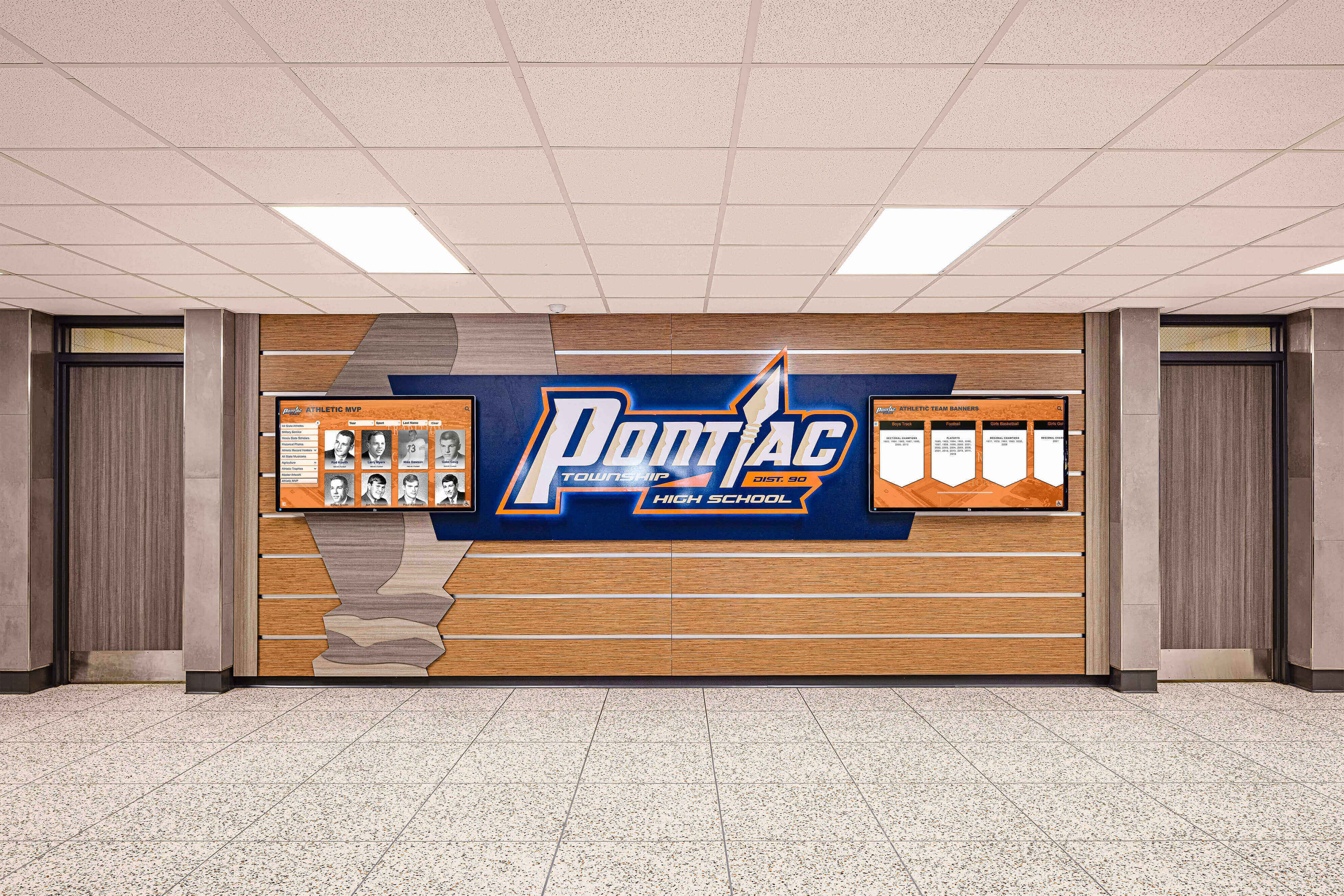
Effective customization integrates seamlessly into institutional environments while maintaining consistent design language
Rocket’s Approach: Expandable Library Architecture
Rather than forcing choice between templates and custom development, modern recognition platforms expand component libraries to accommodate diverse institutional needs while maintaining platform-grade reliability.
Templates as Quality Framework, Not Creative Ceiling
The key conceptual shift involves reframing what templates mean. Rather than viewing templates as fixed design constraints limiting creativity, effective platforms treat templates as quality frameworks ensuring baseline standards while remaining fully customizable.
How Library Expansion Works
When schools require layouts outside existing library offerings, solutions like Rocket Alumni Solutions routinely take custom requests—for all customers, not just premium tiers—build requested layouts to platform standards, and add completed modules to the shared library benefiting the entire customer base.
This approach delivers several advantages over traditional template limitations:
Free Custom Development
Schools receive genuinely custom layouts matching specific requirements without paying custom development premiums. Rather than purchasing either generic templates or expensive bespoke solutions, institutions describe their needs and receive purpose-built layouts as standard service included in platform subscriptions.
Rapid Turnaround
Because new layouts integrate into existing platforms rather than requiring ground-up development, turnaround times typically range from days to approximately one week—dramatically faster than traditional custom development timelines measured in weeks or months.
Shared Benefit Model
New layouts added to shared libraries become available to all customers. This creates network effects where each custom request expands possibilities for everyone—meaning libraries grow richer over time rather than remaining static. Schools implementing later benefit from accumulated customization investments previous users funded through their requests.
Platform-Grade Reliability
Custom layouts built by platform vendors inherit all platform capabilities and guarantees rather than representing isolated custom code requiring separate maintenance. New layouts automatically gain updates, security patches, accessibility improvements, and feature additions that benefit core platform code.
Consider practical scenarios demonstrating library expansion value:
A school needs an achievement wall displaying both individual accomplishments and team championships in integrated layouts emphasizing school colors and incorporating video highlights. Rather than selecting from existing templates inadequately serving these requirements, they describe their vision to their Rocket representative. Within a week, a custom layout appears in their content management system—built to their specifications, fully branded, responsive across devices, and ADA compliant. Subsequently, other schools discover this layout in their template library and adapt it to their own branding, creating efficiency for future users while ensuring the original school’s needs receive comprehensive attention.
This expandable library model transforms the template paradigm from constraint into collaborative asset that grows more capable addressing diverse needs over time.

Customized display networks maintain visual coherence through shared design systems while accommodating diverse content requirements
Custom Does Not Mean Brittle: Platform Guarantees
A critical concern with customization involves long-term reliability. Organizations reasonably worry that custom layouts may introduce fragility—breaking when platform features update, failing accessibility testing, or requiring special maintenance separate from core platform support.
Effective custom layout architecture prevents these problems by ensuring custom layouts become first-class platform components rather than bolt-on modifications.
Responsive Design Inheritance
All Rocket-built custom layouts automatically function across screen sizes and orientations without requiring device-specific development. This responsiveness doesn’t happen accidentally—it inherits from platform foundations ensuring consistent behavior regardless of layout specificity:
- Touchscreen kiosks in portrait or landscape orientation
- Large-format wall-mounted displays
- Web browsers on desktop and mobile devices
- Tablets used for mobile demonstrations
- Future display formats not yet specified
Organizations deploying custom layouts confidently install them across diverse hardware knowing layouts adapt appropriately without modification.
Accessibility Alignment
Custom layouts maintain WCAG 2.1 AA compliance as baseline requirement rather than optional consideration:
- Contrast ratios meeting minimum 4.5:1 for normal text, 3:1 for large elements
- Touch targets sized at minimum 44 x 44 pixels with adequate spacing
- Keyboard navigation supporting non-touch interaction
- Screen reader compatibility when assistive technologies enable
- Text scaling without horizontal scrolling
- Video captioning support
These accessibility features don’t require separate specification or testing for each custom layout—they represent platform requirements all layouts must satisfy before release. Schools receive custom designs meeting accessibility standards automatically rather than wondering whether custom development adequately addressed compliance.
Guidance on digital touchscreen accessibility standards provides comprehensive frameworks for understanding how effective platforms ensure accessibility across all layouts and content types.
Consistent Interaction Patterns
Custom visual appearance doesn’t alter fundamental interaction patterns users expect from touchscreen experiences. Regardless of custom layout specificity:
- Swipe gestures scroll content vertically and horizontally
- Tap interactions activate buttons and links
- Pinch gestures zoom images when appropriate
- Long-press interactions reveal additional options
- Back and home buttons provide consistent navigation
This interaction consistency means users approaching any school’s custom-designed displays immediately understand how to interact without learning institution-specific gesture vocabularies or navigation paradigms that differ from expectations smartphone usage created.
Feature Compatibility
Custom layouts integrate with full platform feature sets rather than representing capability-limited alternatives:
- Search functionality filters content across all layouts
- Social sharing enables profile distribution regardless of visual design
- Analytics track engagement patterns consistently
- Content management workflows function identically
- Integration points with existing systems maintain compatibility
Schools selecting or requesting custom layouts never sacrifice platform capabilities in exchange for visual distinction—they receive both simultaneously.
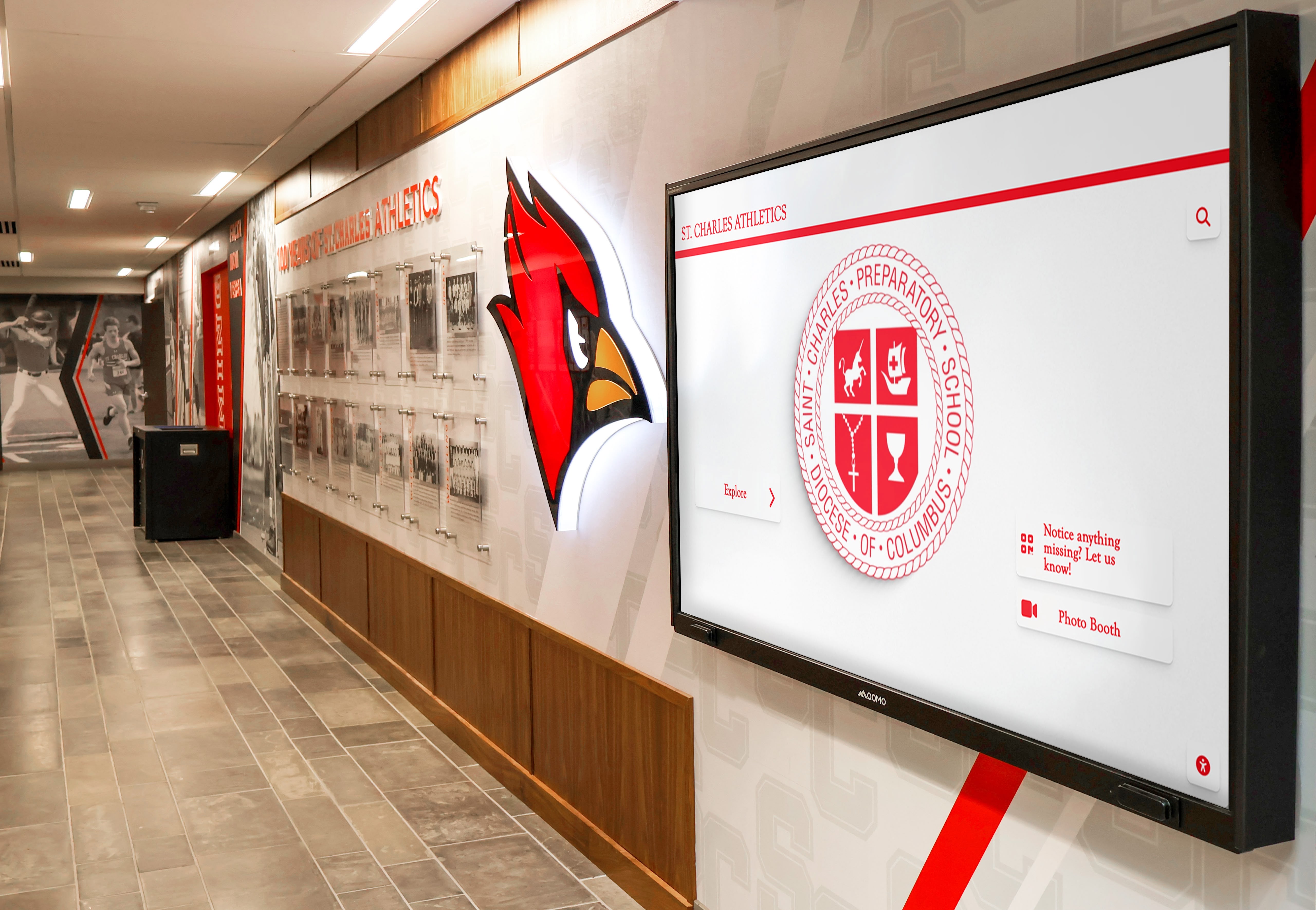
Custom institutional branding integrates deeply into display design while maintaining consistent user experience and accessibility standards
Design System Governance: Preventing Fragmentation Through Structure
Allowing extensive customization without systematic governance creates fragmentation risk—the exact problem design systems aim to prevent. Effective recognition platforms balance creative freedom with structural consistency through design system principles ensuring cohesion despite visual variety.
What Design Systems Control
Design systems don’t prevent creativity—they establish boundaries ensuring customization enhances rather than erodes overall experience quality. Rocket’s design system enforces consistency in several critical dimensions while leaving creative expression unconstrained within these frameworks:
Typography Hierarchy and Scaling
Design systems establish type size scales, weight hierarchies, and line height standards ensuring readability and visual hierarchy remain consistent regardless of custom font choices:
- Heading levels maintain proportional relationships
- Body text sizes optimize for comfortable reading distances
- Minimum text sizes prevent accessibility problems
- Line height and letter spacing ensure legibility
- Type colors satisfy contrast requirements
Schools customize font families reflecting brand identity while inheriting these systematic sizing and hierarchy rules preventing legibility problems.
Spacing and Layout Grid Systems
Consistent spacing creates visual rhythm and alignment even when layouts differ substantially. Design system spacing scales define:
- Minimum margins and padding for content areas
- Grid column structures enabling consistent alignment
- Component spacing preventing visual density problems
- Touch target clearances preventing interaction errors
- Whitespace ratios ensuring breathing room
These spacing rules allow diverse layouts while preventing common amateur design problems where inconsistent spacing creates visual chaos.
Component Behavior and State Management
Interactive elements behave consistently regardless of visual customization:
- Button hover and active states provide identical feedback patterns
- Form inputs indicate focus consistently
- Loading states communicate progress uniformly
- Error messages appear in consistent locations with standard treatments
- Success confirmations follow consistent patterns
This behavioral consistency means users developing mental models from one institution’s displays immediately understand how to interact with differently designed displays at other institutions—even though visual appearance varies substantially.
Color Usage and Contrast Standards
While schools customize color palettes matching brand guidelines, design systems enforce contrast requirements:
- Text-on-background contrast meets accessibility minimums
- Interactive element colors distinguish clearly from non-interactive content
- Color cannot serve as only means of conveying information
- Brand colors map to semantic purposes (primary, secondary, accent)
- Dark mode alternatives maintain equivalent contrast
This governance ensures distinctive color palettes enhance rather than compromise usability.
Navigation Logic and Information Architecture
While visual presentation customizes extensively, navigation patterns maintain consistency:
- Primary navigation occupies predictable screen locations
- Home and back buttons appear in standard positions
- Search functionality presents in consistent formats
- Filtering options follow standard patterns
- Breadcrumb navigation communicates location consistently
Users navigating custom-designed displays never hunt for basic navigation functionality because design system governance positions these elements predictably.
Resources on touchscreen user experience design demonstrate how effective design systems balance creative freedom with systematic consistency ensuring professional results regardless of customization depth.

Environmental integration positions displays as permanent architectural features reflecting institutional identity comprehensively
Design by Governance, Not Committee
A key distinction separates design system governance from the problematic “design by committee” that produces mediocre compromises. Design systems establish expert-defined rules codifying best practices, while committee design attempts consensus on subjective preferences often lacking design expertise.
Expert-Defined Standards vs. Consensus Decisions
Design system governance derives from research-backed principles around accessibility, usability, visual hierarchy, and interaction design. These standards represent expert conclusions about what makes interfaces effective rather than averaging subjective preferences from stakeholder committees.
When design systems enforce minimum contrast ratios, they reflect accessibility research demonstrating readability requirements—not committee opinions about aesthetic preferences. When spacing scales maintain specific proportions, they apply principles of visual rhythm and hierarchy proven through user testing—not compromises between stakeholder preferences.
This foundation in evidence-based practice means design governance improves results rather than homogenizing them toward bland consensus.
Controlled Flexibility vs. Unlimited Freedom
Effective design systems define clear boundaries within which creativity operates freely. Rather than approving every decision case-by-case, systems establish guardrails and permit freedom within those constraints.
Schools selecting custom layouts never negotiate whether touch targets meet minimum sizes, whether contrast ratios satisfy standards, or whether navigation follows consistent patterns—design systems handle these decisions systematically. Creative energy focuses on brand expression, visual distinction, and storytelling approaches where subjective preferences legitimately vary and customization adds value.
This controlled flexibility prevents fragmentation while enabling meaningful distinction—schools achieve unique visual identities without each reinventing interaction patterns, accessibility implementation, or responsive design strategies.
Preventing Experience Drift
Without systematic governance, experiences fragment over time as different administrators make independent decisions about how displays should function, appear, or organize content. Initial design quality gradually erodes through accumulating small compromises that individually seem reasonable but collectively create inconsistent, confusing experiences.
Design system governance prevents this drift by making consistency automatic rather than requiring ongoing discipline. Since custom layouts inherit system rules automatically, they remain cohesive with broader platform experiences even as visual customization creates surface-level distinction.
Organizations implementing interactive digital recognition benefit from systematic governance that maintains quality consistently without requiring administrators to possess design expertise or remember complex guidelines when making content updates.
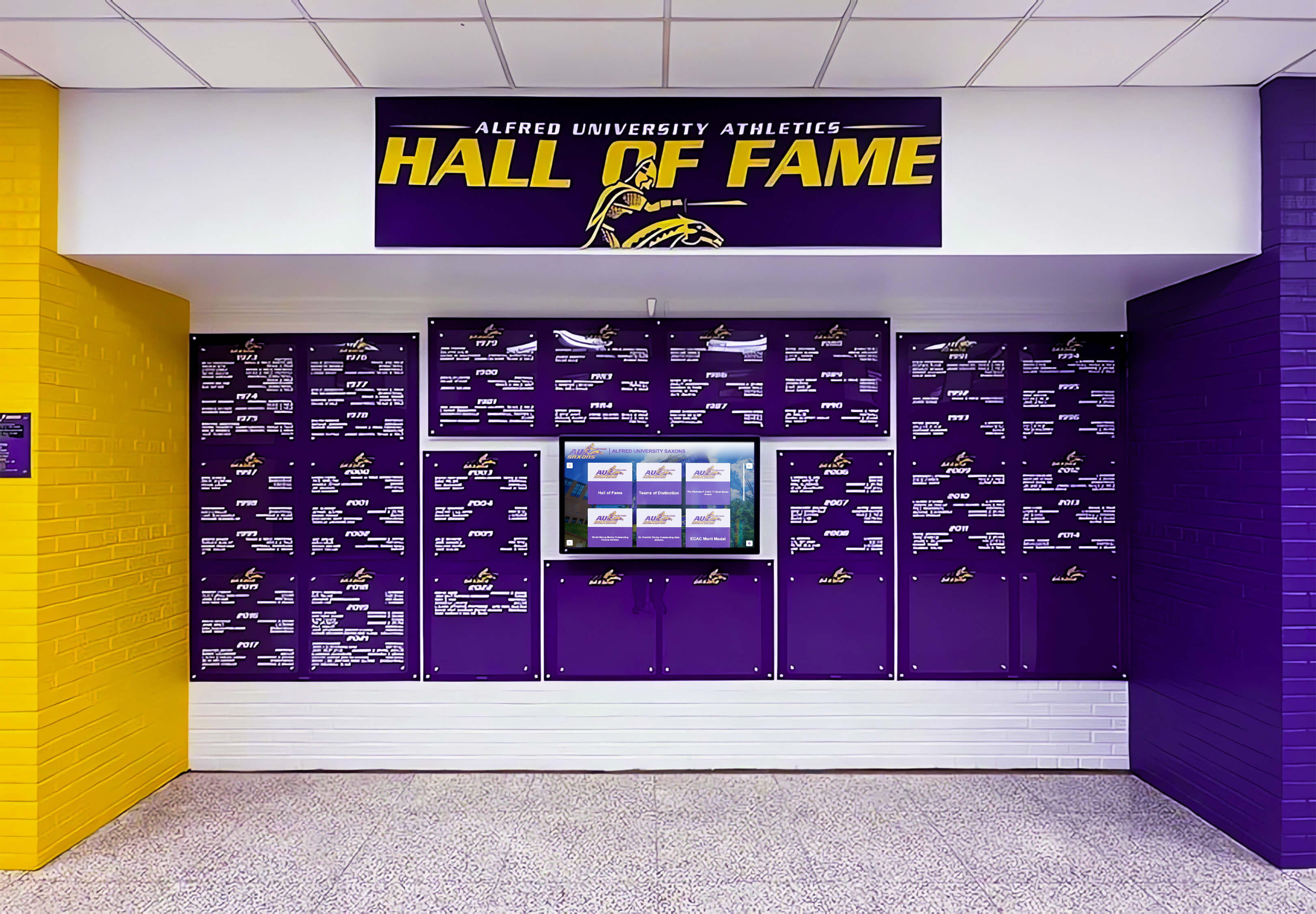
Strong institutional color schemes integrate comprehensively while maintaining readability and interaction consistency
AI-Assisted Quality Control: Catching Common Failures Automatically
Even with design system governance, content management by non-designers risks introducing quality problems—awkward cropping, poor contrast combinations, visual density issues, or off-brand variations. Modern platforms augment design systems with AI-assisted quality control catching common failure modes before they reach public displays.
What AI Design Agents Monitor
Quality control systems watch for specific problems that commonly emerge when administrators without design training manage content:
Contrast and Readability Issues
AI agents automatically evaluate text-on-background combinations, flagging insufficient contrast before content publishes:
- Text colors against background images that reduce legibility
- Low-contrast color combinations that meet technical minimums but prove difficult in practice
- Problematic overlay transparencies that compromise text readability
- Color combinations that particularly challenge colorblind users
Rather than requiring administrators to manually check contrast ratios or understand accessibility guidelines, systems flag problems automatically and often suggest corrections.
Image Quality and Aspect Ratio Problems
Automated checks prevent common image mistakes:
- Awkward cropping cutting off faces or important content
- Stretched or distorted images from incorrect aspect ratios
- Resolution too low for display sizes causing pixelation
- File sizes too large slowing loading unnecessarily
- Inappropriate image formats reducing quality or compatibility
These automated checks catch problems that non-designers often overlook—preserving professional appearance even when content management distributes across staff without visual design expertise.
Spacing and Density Issues
AI agents monitor visual density and spacing, identifying:
- Pages too dense with insufficient whitespace
- Inconsistent spacing creating visual chaos
- Elements too close together risking interaction errors
- Headers too similar to body text sizes losing hierarchy
- Excessively sparse layouts wasting screen real estate
These density evaluations help administrators find appropriate information balance—comprehensive without overwhelming, clear without being sparse.
Brand Alignment Checks
When schools define brand standards (color palettes, font families, logo usage), AI monitoring ensures content adheres:
- Off-brand color usage outside defined palettes
- Incorrect logo versions or aspect ratios
- Typography choices outside approved font families
- Brand color combinations that violate guidelines
- Trademark usage inconsistent with standards
This automated brand governance helps maintain visual consistency even when multiple administrators manage content independently across departments.
How Quality Control Assists Without Restricting
The key to effective AI assistance involves helping administrators improve content quality without creating frustrating restrictions that prevent publishing or bog workflows in approval bottlenecks.
Suggestions vs. Hard Blocks
Most quality issues trigger suggestions rather than preventing publication. Systems might flag that an image has awkward cropping while still allowing publication if administrators accept the warning—recognizing that context sometimes justifies choices AI cannot evaluate fully.
However, certain problems—particularly accessibility violations like insufficient contrast—can trigger hard blocks preventing publication until corrections address minimum standards. This ensures compliance while permitting creative judgment on subjective quality dimensions.
Automatic Corrections When Possible
Where practical, systems automatically correct common problems:
- Resizing images to appropriate dimensions
- Compressing oversized files to acceptable sizes
- Adjusting brightness or contrast to improve legibility
- Cropping to standard aspect ratios intelligently
- Converting file formats to optimal choices
Automated correction reduces administrator burden while improving consistency—systems handle technical optimization automatically rather than requiring expertise from content managers.
Learning from Feedback
AI assistance improves over time as systems learn from administrator feedback. When administrators consistently override certain warnings, systems adjust sensitivity recognizing those patterns represent deliberate choices rather than mistakes. This adaptive learning prevents AI assistance from becoming annoying friction rather than helpful guidance.
Organizations benefit from quality control that feels helpful rather than intrusive—catching genuine problems while respecting legitimate creative decisions AI cannot fully evaluate.
Discussion of digital signage content best practices demonstrates how effective content management balances creative freedom with systematic quality assurance ensuring professional results.

Intuitive card-based interfaces enable natural content exploration while maintaining consistent interaction patterns
Moving Fast While Staying On-Brand: The Real Value Proposition
The combination of expandable libraries, platform guarantees, design system governance, and AI quality control delivers a specific value proposition: organizations can move quickly creating distinctive experiences while maintaining museum-quality results and staying consistently on-brand.
Speed Without Sacrifice
Traditional approaches force tradeoffs between speed and quality. Quick implementations use generic templates accepting visual sameness. High-quality custom work requires extended timelines and substantial budgets. Effective platforms eliminate this tradeoff:
Rapid Custom Layout Delivery
When schools request custom layouts outside existing libraries, turnaround typically occurs within approximately one week—dramatically faster than custom development while avoiding generic template constraints. This rapid delivery enables schools to launch distinctive recognition quickly rather than waiting months for custom development or accepting generic alternatives.
Immediate Content Updates
Cloud-based content management enables updates from anywhere without technical dependencies or approval bottlenecks. Administrators add new inductees, update achievements, or refresh featured content within minutes rather than waiting for IT support or vendor assistance.
Fast Iteration Based on Feedback
When displays launch and users provide feedback about navigation preferences, content organization, or feature priorities, schools adapt quickly. Rather than requiring vendor change requests and development cycles, administrators adjust content and layouts through standard interfaces—enabling rapid improvement based on real usage patterns.
This speed matters particularly for time-sensitive recognition events where induction ceremonies, championship celebrations, or donor acknowledgments require immediate visibility.
Quality at Scale
Speed often compromises quality—rushed work produces substandard results. Platform-based customization maintains quality systematically:
Consistent Professional Appearance
Design system governance ensures every custom layout, every content update, and every new recognition entry maintains professional appearance meeting baseline quality standards. Organizations never worry that distributed content management will gradually erode visual quality as different administrators make independent decisions—systems prevent quality drift automatically.
Accessibility Compliance by Default
Rather than accessibility requiring special attention or expert review, platform standards ensure compliance automatically. Schools focus on content and storytelling knowing that touch targets, contrast ratios, keyboard navigation, and screen reader compatibility receive systematic attention regardless of customization depth.
Responsive Performance
Custom layouts function reliably across display sizes, orientations, and future hardware without requiring testing or modification. This forward compatibility means schools invest confidently knowing custom layouts will continue functioning as technology evolves rather than requiring rebuilds when display hardware eventually refreshes.
Museum-Quality Results
The combination of professional design templates, systematic governance, and AI quality assistance helps organizations achieve museum-quality polish even when content management distributes across staff without design expertise. The result elevates institutional perception—visitors encounter professional, sophisticated recognition displays rather than amateur-appearing digital signage.
Resources on creating compelling digital recognition experiences demonstrate how effective platforms balance creative distinction with systematic quality ensuring consistently excellent results.

Accessible, intuitive interfaces encourage independent exploration by diverse users regardless of technical familiarity
The Alternative: Building Your Own Freedom
Understanding platform-provided customization value requires examining the alternative: building and maintaining fully custom recognition systems delivering complete creative control.
What Custom Ownership Entails
Organizations choosing custom development own complete creative freedom—and complete responsibility for implementation, maintenance, and evolution:
Responsive Design Across Devices
Custom systems must explicitly address responsive design challenges ensuring layouts adapt appropriately to:
- Different screen sizes from tablets through large-format displays
- Portrait and landscape orientations
- Various aspect ratios as hardware evolves
- Browser differences affecting rendering
- Touch target sizing appropriate for different display sizes
Platform solutions handle responsiveness systematically. Custom solutions must design, implement, and test responsive behavior explicitly for each layout variation—representing substantial development investment.
Accessibility Compliance
Meeting WCAG 2.1 AA standards requires systematic implementation across numerous technical requirements:
- Semantic HTML supporting screen readers
- Keyboard navigation enabling non-touch interaction
- ARIA labels providing context for assistive technologies
- Color contrast meeting minimum ratios
- Focus indicators showing keyboard position
- Skip links enabling efficient navigation
- Alternative text for images and media
- Captions for video content
Custom development must implement these requirements deliberately rather than inheriting them from tested platform components. As accessibility standards evolve, custom solutions must update implementations maintaining compliance—an ongoing technical burden.
Feature Parity Over Time
Platform features expand continuously. Organizations investing in custom development must decide which features to implement independently:
- Advanced search and filtering capabilities
- Social sharing integrations
- Analytics dashboards tracking engagement
- Content management workflows
- Multi-user permissions and approval flows
- Mobile web access beyond physical displays
- API integrations with existing systems
- Security updates and vulnerability patches
Each feature represents independent development investment. Schools must budget either for comprehensive feature development matching platform capabilities, or accept that custom solutions will lack features platform users receive automatically.
Ongoing Quality Assurance
Every custom component requires testing across devices, browsers, interaction scenarios, and edge cases:
- Functional testing ensuring features work correctly
- Usability testing validating intuitive interaction
- Accessibility testing verifying standards compliance
- Performance testing ensuring responsive operation
- Security testing preventing vulnerabilities
- Regression testing when changes occur
- Cross-browser testing ensuring compatibility
This comprehensive testing represents substantial ongoing cost that platforms amortize across entire customer bases while custom solutions bear individually.
Detailed analysis of digital recognition implementation approaches demonstrates total cost of ownership differences between platform and custom approaches.
The Risk of Experience Drift
Beyond initial implementation costs, custom systems face gradual quality erosion as technology ecosystems evolve and design standards mature:
Technology Obsolescence
Frameworks and libraries powering custom development eventually become outdated. Security vulnerabilities emerge requiring patches. Browser capabilities evolve requiring code updates. Touch interaction standards mature requiring implementation changes.
Without ongoing development investment, custom solutions gradually fall behind current standards—eventually requiring complete rebuilds rather than incremental updates. Platform solutions handle technology evolution systematically, ensuring all customers benefit from continuous modernization rather than facing periodic rebuild decisions.
Design Standards Evolution
Visual design, interaction patterns, and user expectations evolve continuously. What felt modern and sophisticated five years ago now appears dated. Custom solutions frozen at implementation eventually feel obsolete even if technically functional.
Platform solutions evolve visual design systematically, ensuring all implementations benefit from contemporary standards. Custom solutions require deliberate redesign investment maintaining modern appearance and interaction patterns—or accept gradual drift toward feeling outdated compared to current expectations.
Feature Gaps Widening
As platforms add features responding to customer needs, custom solutions must independently implement equivalent capabilities or accept widening feature gaps. This creates compounding disadvantages where feature differences between custom and platform solutions grow larger over time rather than remaining static.
Schools initially accepting modest feature differences often discover gaps becoming substantial problems three to five years later when platform capabilities advance significantly while custom solutions remain largely unchanged.
When Custom Makes Sense
Despite these challenges, fully custom development makes sense in specific scenarios:
Unique Requirements Platforms Cannot Address
When organizational requirements truly differ fundamentally from what platform architectures accommodate, custom development may prove necessary. However, most schools discover their needs fall within ranges expandable library architectures support—making platform customization more practical than ground-up custom development.
Substantial Technical Capacity
Large universities with dedicated development teams, designers, and quality assurance staff can sustainably maintain custom solutions treating recognition displays as ongoing application development rather than purchased platform services. Smaller schools typically lack capacity for sustainable custom system ownership.
Integration Requirements
When recognition must integrate deeply with existing campus systems—student information systems, CRM platforms, payment processors, or authentication systems—custom development may enable tighter integration than platform approaches. However, modern platforms increasingly provide integration APIs reducing this distinction.
For most educational institutions and organizations, expandable platform architectures deliver better value combining meaningful customization freedom with systematic quality assurance, ongoing maintenance, and continuous evolution that custom ownership struggles to match.
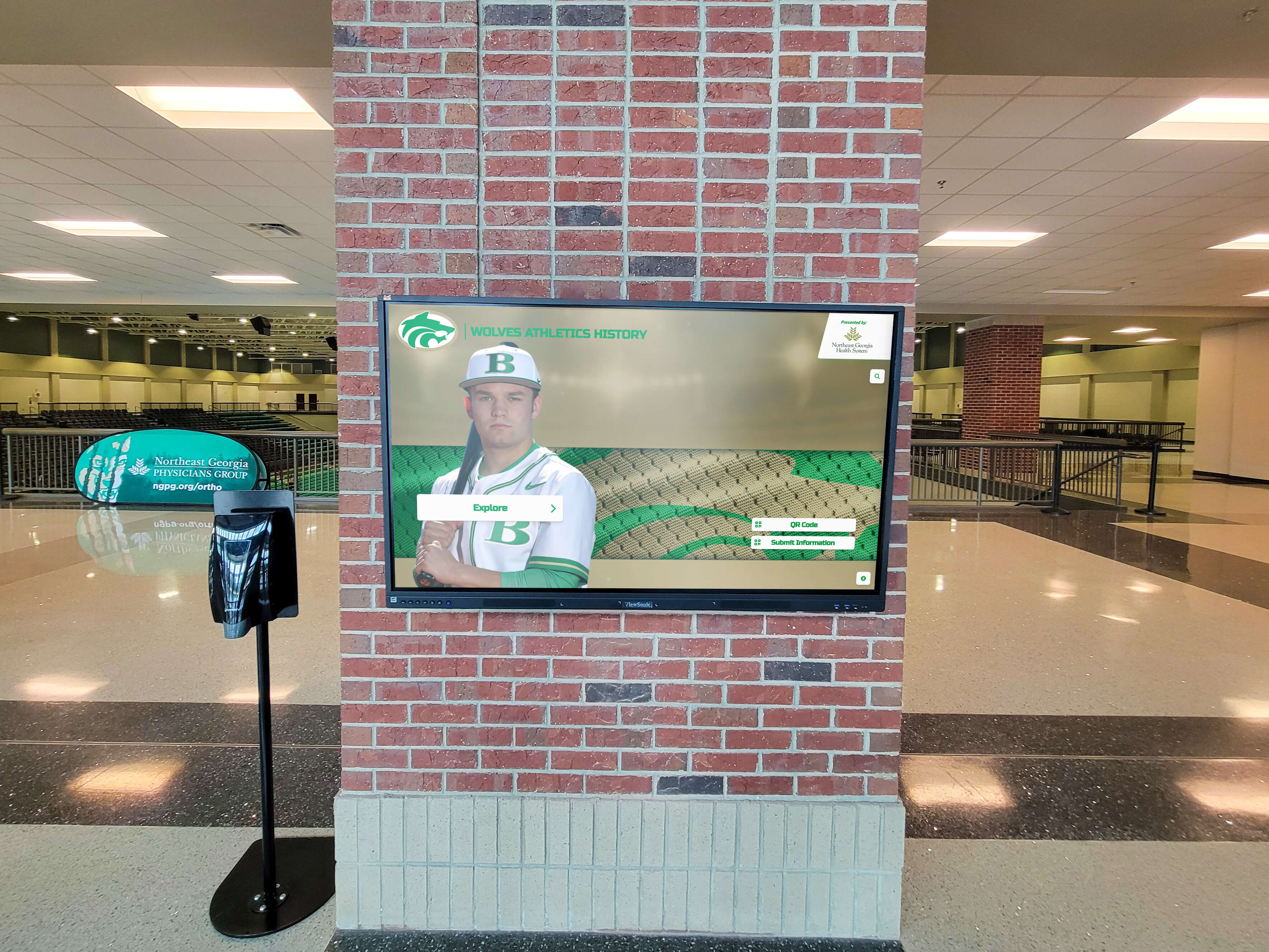
Large-format installations deliver visual impact through custom content presentation while maintaining technical reliability
Rocket’s Better Bargain: Custom Outcomes with Platform-Grade Reliability
Understanding both platform and custom approaches clarifies the value proposition effective recognition platforms deliver: custom outcomes with platform-grade reliability and governance.
What “Platform-Grade” Means
Platform-grade implementation means custom layouts receive the same quality assurance, ongoing maintenance, security updates, feature additions, and support that core platform code receives:
Shared Maintenance Burden
Rather than organizations individually maintaining their custom layouts, platform vendors maintain all layouts in shared libraries. Security updates, accessibility improvements, performance optimizations, and feature additions apply systematically across all layouts rather than requiring independent implementation for each custom variation.
This shared maintenance dramatically reduces total cost of ownership compared to individually maintained custom solutions—organizations pay subscription fees covering ongoing maintenance rather than separately budgeting development retainers.
Continuous Quality Improvement
Platform vendors continuously improve design system foundations, interaction patterns, accessibility implementation, and visual polish. These improvements automatically benefit all layouts including custom variations—organizations receive ongoing quality enhancement without additional investment or decision-making.
Custom solutions require deliberate decisions to invest in quality improvements. Platform approaches make improvement continuous and automatic, raising quality systematically rather than requiring periodic assessment and investment decisions.
Future-Proofing Through Evolution
As display technology evolves, interaction patterns mature, and accessibility standards advance, platform solutions adapt systematically ensuring all implementations remain current. Organizations avoid technical obsolescence decisions and rebuild projects—platforms handle evolution transparently through normal maintenance cycles.
Support and Troubleshooting
When organizations encounter problems or questions, platform vendors support all layouts equally whether standard or custom. Support teams understand layout architecture and can efficiently troubleshoot issues. Custom solutions often leave organizations dependent on original developers—creating vendor lock-in and support challenges when original development teams become unavailable.
The Governance Advantage
Beyond technical reliability, platform-provided customization delivers governance benefits custom development struggles to match:
Systematic Brand Consistency
Design system governance ensures customization enhances brand expression rather than fragmenting visual identity across displays, departments, or time periods. Organizations maintain distinctive appearance without accumulating inconsistencies that degrade professional perception.
Accessibility Assurance
Rather than hoping custom developers adequately addressed accessibility, platform governance makes compliance automatic and ongoing. Organizations confidently serve diverse user populations knowing accessibility receives systematic attention rather than representing checkbox item that may or may not receive adequate implementation.
Quality Control at Scale
When content management distributes across multiple administrators or departments, AI-assisted quality control maintains consistency without creating bottlenecks. Organizations scale recognition programs confidently knowing that quality remains high regardless of who manages content or how extensively recognition expands.
Reduced Expertise Requirements
Platform governance means administrators managing content don’t need design expertise, accessibility knowledge, or technical skills. Systems guide them toward quality outcomes automatically—dramatically reducing expertise requirements compared to custom solutions where content managers must understand numerous technical and design considerations to maintain results.
Comprehensive guides to implementing digital recognition effectively demonstrate how platform approaches remove expertise barriers that make custom solutions challenging for smaller organizations to sustain long-term.

Professional installations integrate seamlessly into institutional environments through thoughtful design and reliable hardware
Implementation Strategy: Achieving Distinctive Recognition
Understanding customization capabilities helps, but practical implementation requires strategic approaches ensuring recognition achieves both visual distinction and operational sustainability.
Defining Visual Identity Requirements
Before selecting or requesting layouts, clarify what makes recognition distinctively on-brand:
Brand Standards Documentation
Compile existing brand guidelines covering:
- Color palettes with specific hex codes
- Typography standards including approved font families
- Logo variations and usage requirements
- Graphic elements like patterns or textures
- Photography style and treatment
- Voice and messaging tone
Comprehensive brand documentation enables designers to create custom layouts authentically reflecting institutional identity rather than guessing at brand characteristics.
Recognition Context and Environment
Consider physical installation environments influencing design appropriateness:
- Architectural styles and material palettes
- Lighting conditions affecting visibility
- Viewing distances determining sizing
- Traffic patterns influencing orientation
- Surrounding visual context requiring harmony
- Cultural and historical considerations
Effective custom layouts integrate into environments rather than appearing as disconnected digital appliances—requiring thoughtful environmental analysis informing design approaches.
Content Requirements and Priorities
Understand what content types recognition must accommodate:
- Profile formats and information density
- Multimedia types including photos, videos, documents
- Achievement categories requiring distinct treatments
- Relationship types connecting individuals or groups
- Archive depth spanning decades or recent years
- Update frequency influencing content management workflows
Layout appropriateness depends partly on content characteristics—designs that work beautifully for image-heavy athletic recognition may poorly serve text-intensive academic achievement or detailed donor profiles.
Balancing Distinction with Usability
Creative distinction shouldn’t compromise intuitive interaction:
Prioritize Navigation Clarity
However custom visual presentation becomes, maintain:
- Clear primary navigation visible immediately
- Obvious home and back buttons enabling escape
- Predictable search functionality positioning
- Standard filtering and sorting patterns
- Familiar interaction gestures users expect
Users tolerate learning curves for frequently used personal applications. Public touchscreens demanding instant comprehension must prioritize immediate usability over creative navigation experiments that require learning.
Test with Representative Users
Before finalizing custom layouts, test with users representing actual audiences:
- Students or members interacting independently
- Elderly alumni or community members
- Visitors unfamiliar with institution
- Users with accessibility needs
- Groups exploring collaboratively
Observation reveals problems designers overlook—often leading to refinements significantly improving usability without compromising visual distinction.
Iterate Based on Analytics
After launch, monitor engagement analytics identifying:
- Which navigation paths users follow successfully
- Where users abandon or struggle
- What content generates sustained engagement
- How interaction patterns differ across user segments
- Whether search and filtering adequately serve needs
Use these insights to refine layouts continuously rather than treating launch as completion—effective recognition evolves based on real usage patterns.
Resources on optimizing digital recognition engagement provide frameworks for measuring and improving touchscreen effectiveness over time.
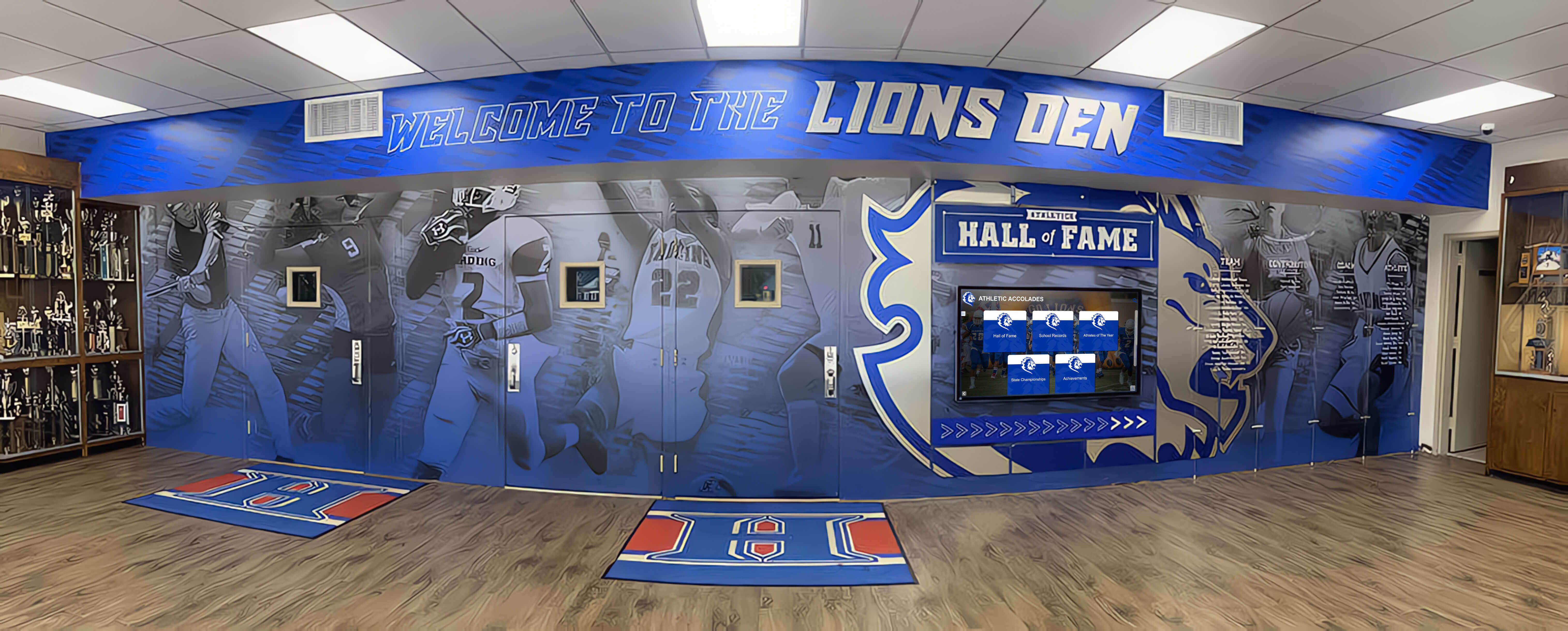
Comprehensive recognition environments blend traditional trophy displays with modern interactive technology
Common Questions About Customization and Governance
Organizations evaluating recognition platforms frequently ask about customization capabilities, limitations, and governance implications.
How much customization is too much?
Effective customization enhances brand expression and accommodates legitimate content differences without reinventing fundamental interaction patterns or compromising usability. Good guidelines include:
- Customize visual presentation extensively—colors, typography, imagery, layout arrangements
- Maintain standard interaction patterns—gestures, navigation logic, search functionality
- Preserve accessibility standards—contrast, sizing, keyboard navigation
- Keep cognitive load manageable—clear hierarchy, obvious affordances, minimal required learning
When customization requires users to learn institution-specific interaction patterns significantly different from smartphone expectations, it likely exceeds appropriate boundaries.
Can we change custom layouts after launch?
Yes, with appropriate planning. Cloud-based platforms enable layout updates without physical display access—administrators select different layouts or request modifications through content management systems rather than requiring technical deployments.
However, significant layout changes may require content reformatting when moving between substantially different structures. Establishing clear visual identity requirements before initial launch minimizes need for major layout changes later.
What happens as brand standards evolve?
Healthy brands evolve—refreshing color palettes, updating typography, modernizing logos. Platform-based recognition adapts to brand evolution through:
- Content management system updates applying new colors across all content
- Template modifications incorporating updated typography
- Logo asset replacement updating branding systematically
- Layout refinements reflecting contemporary design standards
These updates occur through standard content management workflows rather than requiring custom development—enabling brands to evolve without technical friction.
How do multi-display networks maintain consistency?
Organizations often deploy multiple displays across locations—athletic recognition in gyms, academic achievement in libraries, donor recognition in administrative buildings. Maintaining consistency across networks involves:
- Shared design systems ensuring visual coherence
- Coordinated brand standards applying consistently
- Similar layout structures enabling familiarity
- Consistent navigation patterns preventing confusion
- Unified content management preventing fragmentation
Even when individual displays serve different content types or audiences, systematic governance maintains family resemblance creating cohesive experiences.
What if we outgrow our custom layout?
As recognition programs mature, initial layouts may require evolution accommodating expanded content types, different organization schemes, or changed priorities. Platform architectures handle evolution through:
- Library additions creating new layout options
- Hybrid approaches combining layout elements
- Progressive enhancement adding capabilities to existing structures
- Migration paths moving content between layouts
Rather than requiring complete rebuilds, platforms enable incremental evolution—organizations refine recognition systematically rather than facing periodic revolution.
Detailed exploration of recognition program evolution strategies demonstrates how effective platforms support growth and change over time without technical friction.

Responsive touch interfaces provide immediate feedback confirming interaction through clear visual state changes
Making the Strategic Choice: Freedom vs. Framework
The fundamental question organizations face involves which approach to customization delivers better long-term value: complete creative freedom through custom development, or controlled flexibility through platform customization with systematic governance.
When Platform Customization Delivers More Value
For most educational institutions and organizations, platform-based customization offers superior value because:
Dramatically Lower Total Cost of Ownership
Shared maintenance, continuous improvement, automatic updates, and included support deliver substantially lower lifecycle costs compared to custom development requiring independent maintenance, testing, feature development, and eventual rebuilding.
Reduced Expertise Requirements
Platform governance means organizations can achieve excellent results without maintaining design, development, and accessibility expertise internally or through vendors—dramatically reducing both cost and coordination complexity.
Future-Proofing Through Continuous Evolution
Rather than facing periodic decisions about whether to invest in updates or accept gradual obsolescence, platform evolution happens automatically through normal maintenance—keeping implementations current without requiring ongoing investment decisions.
Faster Time to Value
Custom layout delivery within approximately one week rather than months enables faster launches with distinctive results—organizations recognize achievement promptly rather than waiting through extended development cycles.
Lower Risk of Failure
Platform implementations build on proven foundations tested across hundreds of installations. Custom development faces higher risks of technical problems, usability issues, or accessibility failures that may not surface until after substantial investment.
When Custom Development Makes Sense
Fully custom approaches deliver value when:
Truly Unique Requirements
Organizational needs fundamentally differ from what platform architectures accommodate. However, most schools find their requirements fall within ranges expandable library models support—genuine uniqueness proves rarer than initially assumed.
Substantial Technical Capacity
Large institutions with dedicated development teams can sustainably maintain custom solutions as ongoing application development. Smaller organizations typically lack sustainable maintenance capacity making platform approaches more practical.
Deep System Integration Needs
Recognition requiring deep integration with existing campus systems may benefit from custom development enabling tighter coupling than platform approaches. However, modern platforms increasingly provide integration capabilities reducing this distinction.
Strategic Technology Investment
Some institutions view custom development as strategic investment building internal capabilities beyond immediate recognition needs. This broader value proposition may justify custom approaches even when platform alternatives deliver more cost-effective recognition.
For institutions without these specific circumstances, platform-based customization typically delivers better value balancing creative freedom with sustainable maintenance, systematic quality, and continuous evolution.
Conclusion: Templates as Quality Framework, Not Creative Ceiling
The tension between creative freedom and visual consistency represents a false choice when platform architectures properly balance customization flexibility with systematic governance. Rather than accepting generic templates or bearing complete maintenance burden of fully custom solutions, modern recognition platforms deliver third approaches: expandable libraries providing meaningful customization within quality frameworks ensuring consistency, accessibility, and long-term sustainability.
Rocket Alumni Solutions demonstrates this approach through free custom layout development for all customers, rapid turnaround typically within one week, platform-grade reliability inheriting all guarantees, design system governance preventing fragmentation, and AI quality control maintaining excellence.
Organizations achieve genuinely distinctive recognition reflecting unique institutional identity without accepting technical debt, maintenance burdens, or quality risks that custom development creates. The result delivers more effective recognition than generic templates enable while avoiding costs and complexities custom development entails.
This better bargain—custom outcomes with platform-grade reliability—represents fundamental advantage of well-architected recognition platforms over both static template systems and fully custom approaches. Schools can move quickly creating museum-quality distinctive experiences while staying consistently on-brand with confidence.
Ready to explore custom recognition layouts for your institution? Book a demo to discover how expandable library architecture delivers creative freedom without fragmentation, explore interactive display design best practices, understand design system implementation, and learn how digital recognition transforms institutional culture through customization approaches that balance creative distinction with sustainable implementation.































