



Walk through the lobby of any competitive high school athletic program and you immediately sense whether that program takes pride in its identity. The best facilities don’t just have trophies in a case — they have living walls of information: upcoming game times, opponent details, live scores, and the kind of real-time context that tells every student, parent, and recruit that athletics matter here. At the center of that environment is a well-designed athletic schedule display that does the heavy lifting of communication so coaches and administrators don’t have to.
Yet most schools still rely on printed schedules taped to bulletin boards, static PDFs buried on a website, or social media posts that get buried in feeds. The gap between what schools want — visible, real-time, brand-consistent schedule communication — and what they have is exactly where a thoughtfully designed digital display system closes the distance.
This guide walks athletic directors and facilities managers through concrete layout concepts, content module strategies, brand integration frameworks, and accessibility requirements for building athletic schedule displays that genuinely serve school lobbies and gym entrances.
A digital schedule display is more than a scoreboard or a poster replacement. It’s a commitment signal — a visible declaration that your athletic program operates with professionalism, communicates proactively, and treats community members as people worth informing. Done well, it becomes a daily touchpoint that builds program identity and drives attendance.

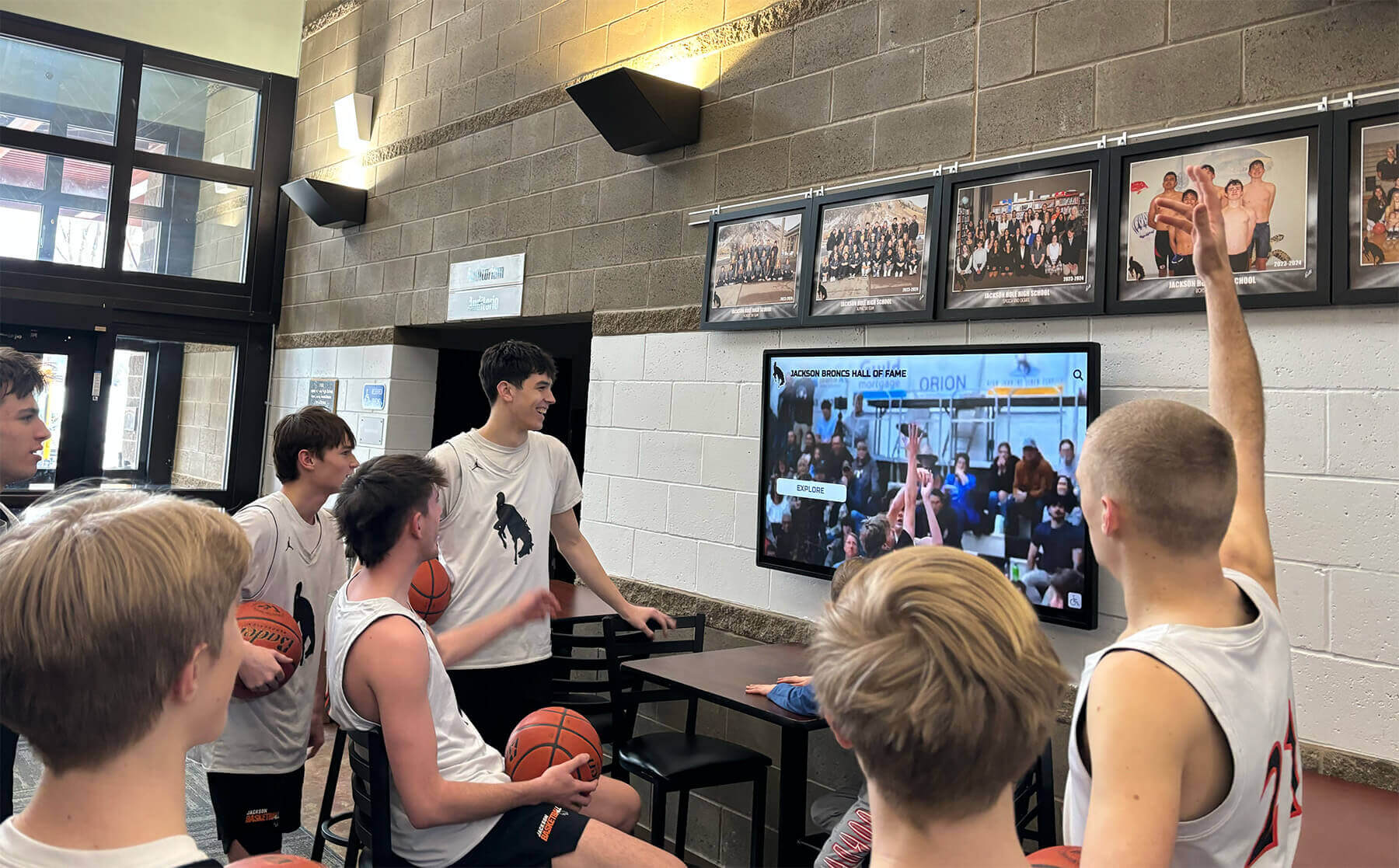
A well-positioned lobby display draws student-athletes to current schedule and highlight content before they even reach the locker room
Why a Dedicated Athletic Schedule Display Belongs in Every Lobby and Gym Entrance
School lobbies and gym entrances see consistent high-traffic moments: morning arrival, after-school activity transitions, parent pickup, and game nights. These are exactly the windows when families and students are mentally open to schedule information.
Printed schedules go stale after the first reschedule. Athletic websites require someone to actively seek them out. But a screen positioned at eye level in a high-traffic entry communicates passively — no hunting required.
A purpose-built touch wall for high schools extends that communication value by allowing visitors to drill into sport-specific schedules, roster pages, and historical results — turning a static display into a self-service information hub that serves parents researching programs, recruits exploring the facility, and students checking tonight’s tip-off time with equal efficiency.
The Case for Real-Time Over Static
Static displays — printed calendars, standard-definition TVs running a PowerPoint loop — fail in predictable ways. Schedules change. Weather postponements happen Tuesday afternoon. Opponent details get updated. A real-time connected system pushes those changes automatically, eliminating the administrative friction of printing, posting, and removing outdated schedules.
Real-time athletic schedule displays also unlock content that static systems can’t touch: live scores from away games, updated standings as conference play progresses, weather alerts for outdoor sports, and social media feeds celebrating team achievements. The digital boards connecting photos, videos, and recognition that high-performing programs use aren’t separate from schedule communication — they’re the same ecosystem, fed from the same content management platform.
Layout Blueprint: Designing the Lobby Athletic Schedule Display
A lobby display lives in a space where viewers pause briefly — 10 to 30 seconds of casual dwell time. The layout should frontload the most urgently useful information and layer depth for those who want more.
Zone Map for a Lobby Single-Screen Configuration
The table below describes a practical zone layout for a 55–75 inch landscape display positioned in a school lobby:
| Zone | Position | Content | Priority |
|---|---|---|---|
| Hero banner | Top 20% | School name, mascot, athletic department branding | Instant brand recognition |
| Today / This Week | Left 50%, middle band | Tonight’s game time, opponent, location, sport icon | Highest utility |
| Upcoming Schedule | Right 50%, middle band | Next 5–7 events across all sports | Secondary utility |
| Live Scores / Standings | Lower 30% | In-season live scores, conference standings ticker | Real-time engagement |
| QR Code Strip | Bottom right | Links to full schedule website or athletic app | Deep-dive access |
This zoning keeps the display readable at a 10-foot viewing distance while layering more detail for visitors who walk closer. The hero banner anchors brand identity regardless of which content zones are in focus.
Gym Entrance Display: A Different Viewing Context
Gym entrances present a narrower dwell-time window — visitors pass through in motion. Effective gym entrance displays prioritize a single dominant message and minimal visual complexity.
A portrait-oriented display at gym entrance doors performs well with a three-zone stack:
Top third: Tonight’s game details — sport, opponent, time, home or away indicator in large, bold typography. No one passing through a gym entrance should have to squint to find tip-off time.
Middle third: Season record and current standing — a single line of context that gives the game meaning. “9-2, 2nd in Conference” communicates program momentum in half a second.
Bottom third: Sponsor acknowledgment or booster club recognition — a monetizable zone that helps offset display infrastructure costs while acknowledging the people who fund program excellence.
For facilities teams undertaking a broader space transformation, the strategies in this high school gym makeover guide address how signage, murals, and digital displays work together as an integrated visual environment rather than independent additions.
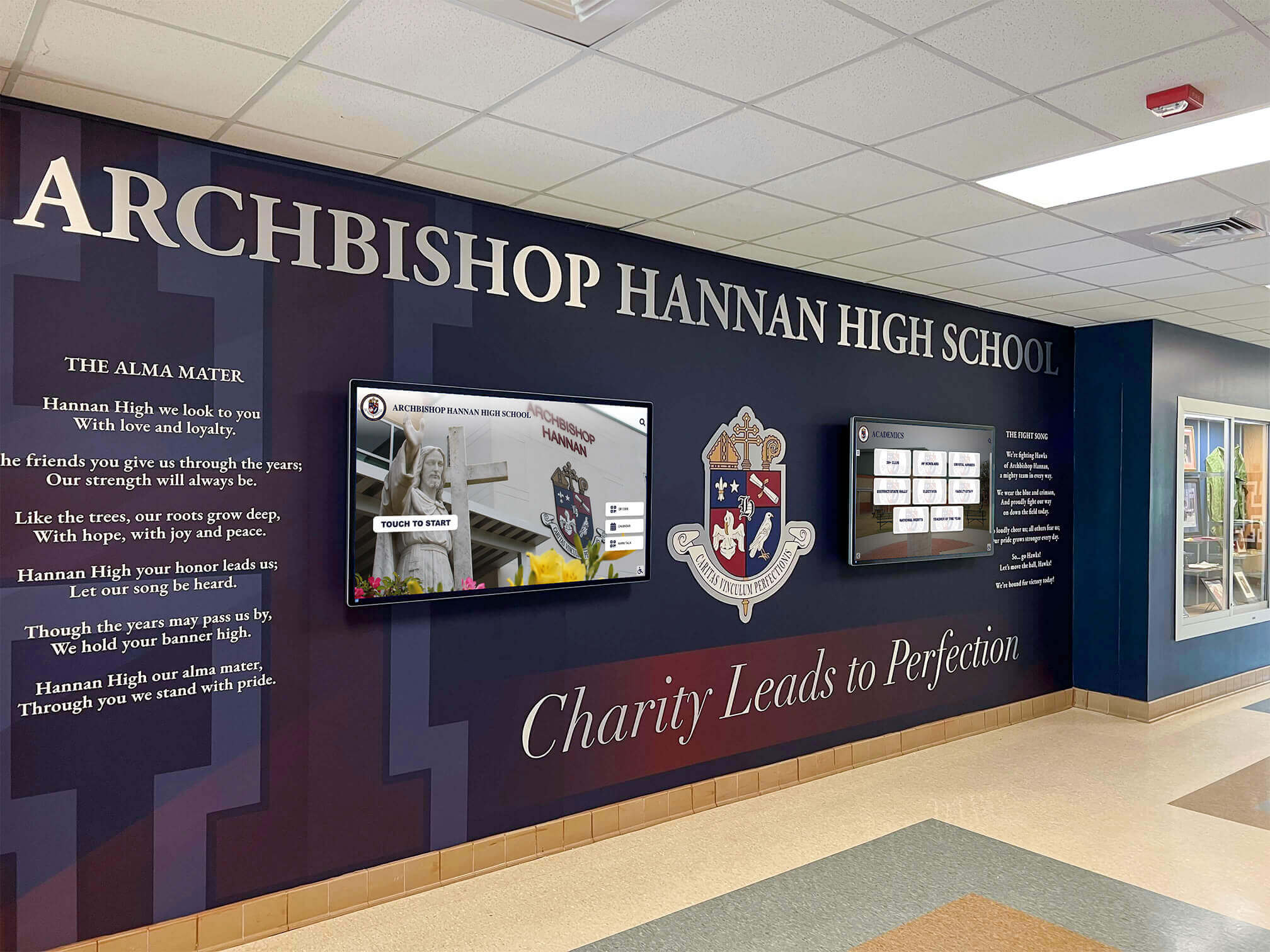
Integrated mural and digital screen environments like this turn lobby entrances into immersive program identity statements
Content Modules: What Your Athletic Schedule Display Should Show
Beyond the core schedule, a well-configured display platform supports a rotating suite of content modules that keep the screen fresh and relevant across the full athletic calendar.
Schedule and Fixture Data
The foundational module. Effective schedule displays pull from a central calendar system so changes propagate automatically. Key data fields per fixture include:
- Sport and gender (Varsity Football, JV Girls Soccer)
- Date and tip-off/kickoff/start time
- Home or away indicator, with venue address for away games
- Opponent name and mascot
- Broadcast or livestream link where available
Season Records and Standings
Program momentum is best communicated through context. A display showing “Boys Basketball: 14–3, 1st in Regional” tells a more compelling story than just listing fixtures. Update standings weekly during in-season windows to keep the information credible.
Athlete Recognition Modules
Rotating spotlight cards featuring current season leaders — top scorer, longest win streak, academic all-conference honorees — transform schedule displays into recognition platforms. This dual function makes the display valuable beyond game night logistics. The student athlete high honors recognition profiles approach connects well here: pairing schedule context with individual achievement recognition makes the display a space athletes actively want to be featured on.
Booster and Sponsor Panels
A dedicated content zone for booster club sponsors, local business partners, and athletic foundation supporters creates revenue opportunity while crediting the community investment that makes programs possible. Rotating sponsor panels with logo, tagline, and acknowledgment message typically occupy 10–15% of screen real estate on schedule-primary displays.

Positioning an athletic display near trophy cases creates a complementary zone where historical achievement and live schedule information reinforce each other
Experience Layout: Multi-Screen Athletic Lobby Configuration
For athletic facilities operating multiple sports simultaneously — which describes virtually every high school in-season — a multi-screen layout distributes schedule information by sport family rather than crowding everything into a single display.
Recommended Multi-Screen Zone Architecture
┌──────────────────────────────────────────────────────┐
│           SCHOOL BRAND / MASCOT / SEASON BANNER       │
├────────────────┬────────────────┬────────────────────┤
│  FALL SPORTS   │  WINTER SPORTS │   SPRING SPORTS    │
│  Schedule +    │  Schedule +    │   Schedule +       │
│  Records       │  Records       │   Records          │
├────────────────┴────────────────┴────────────────────┤
│         LIVE SCORES  |  STANDINGS  |  QR ACCESS      │
└──────────────────────────────────────────────────────┘
This architecture gives each sport family its own visual territory, preventing the cluttered feel of a single screen trying to carry football, basketball, and track simultaneously. The shared bottom bar — live scores, standings ticker, QR code — provides real-time utility regardless of which seasonal panel is most relevant.
For facilities undertaking this level of display planning, the digital school tour and interactive campus experience framework is worth studying. It treats lobby and hallway displays as the first chapter of a broader campus narrative — not as isolated screens but as wayfinding nodes that orient visitors to the athletic program’s scope and character.
Touchscreen Upgrade: From Passive Display to Interactive Experience
A passive display broadcasts schedule information. An interactive touchscreen allows visitors to navigate it on their own terms — drilling into sport-specific schedules, viewing individual athlete profiles, exploring historical records, or accessing wayfinding information about facility locations.
The upgrade path matters. Most programs start with a passive display running scheduled content on a loop, then add interactivity once staff are comfortable managing content. The touchscreen kiosk software buying guide breaks down what to evaluate when selecting a platform: content management interfaces, hardware compatibility, remote management capability, and integration with existing athletic software.
Interactivity transforms the display from a broadcast tool into a self-service information hub. Visitors can tap through to individual sport pages, view senior athlete spotlights, find parking information for game night, and access the school’s full athletic record board — all from the same physical kiosk.

Interactive hallway kiosks allow students and visitors to self-navigate to the sport-specific information most relevant to them
Club Sports and Non-Varsity Programs
One frequently overlooked opportunity: club sports and junior varsity programs whose schedules often receive no visible display presence. Including club sport schedules on the same display system — even as a secondary tab or scrolling module — communicates an inclusive athletic program culture. The touchscreen software guide for club sports awards and facilities addresses exactly this use case for programs wanting to extend digital visibility beyond varsity sports.
Brand Integration Checklist
Every athletic schedule display should pass this checklist before deployment:
School Identity
- School name and mascot graphic appear in the persistent header zone
- Official school color palette governs background, typography, and accent colors
- Athletic department logo mark appears at approved size and clear space
Typography
- Primary typeface matches school brand standards or complements official fonts
- Game time and opponent name render at minimum 36pt equivalent at intended viewing distance
- All-caps treatment reserved for headers; mixed case used for body information
Motion and Animation
- Transitions between content modules use school-branded motion (slide, fade, scale)
- Looping hero banner uses school-color background with mascot animation if available
- Motion design avoids strobing patterns that could trigger photosensitivity
Photography and Video
- Action photography features current-season athletes, not stock imagery
- Video loops authorized for use and reviewed for quality before display deployment
- Social media gallery integration filtered to school’s official accounts only
Sponsor Zones
- Sponsor logos display at minimum contracted size with appropriate isolation
- Sponsor panel rotation timing is configurable and logged for compliance reporting
- Booster club contact information displayed for new sponsor inquiries
Schools that treat digital displays as extensions of their broader athletic brand — rather than standalone screens — produce environments with a polished coherence that impresses recruits and parents alike. This same brand thinking applies when teams want to design inspiring athletic training spaces that reinforce program identity across the full facility footprint.
Accessibility and ADA Compliance Considerations
Athletic schedule displays in public school facilities must meet accessibility requirements under ADA guidelines and, for digital content, WCAG 2.1 AA standards. Compliance isn’t just a legal obligation — it ensures displays serve community members with visual, hearing, or mobility differences.
Visual Accessibility
- Minimum 4.5:1 contrast ratio between text and background for normal-weight typography
- 3:1 contrast ratio for large text (18pt+ or 14pt bold+)
- Font sizes of at least 18pt for body-level schedule information at standard viewing distances
- Avoid relying on color alone to communicate information (e.g., use “Home” text, not just a green dot)
Motion and Audio
- No auto-playing video with audio in lobbies unless volume controls are accessible
- Animation transitions should be pausable for users who cannot process rapid motion
Physical Placement
- Interactive touchscreen controls positioned with primary interaction zones between 15 and 48 inches above finished floor (ADA reach range)
- Display viewing surface at minimum 60 inches from any protruding obstacle when wall-mounted
- Glare reduction coating on exterior-facing or window-adjacent screens to serve visitors with low vision
Alternative Access
- QR code linking to accessible web version of the schedule for users who cannot interact with the physical display
- Screen reader-compatible web version of all schedule content
These considerations don’t constrain design — they sharpen it. Displays built to WCAG 2.1 AA standards are typically more legible and usable for everyone, not just visitors with disabilities.
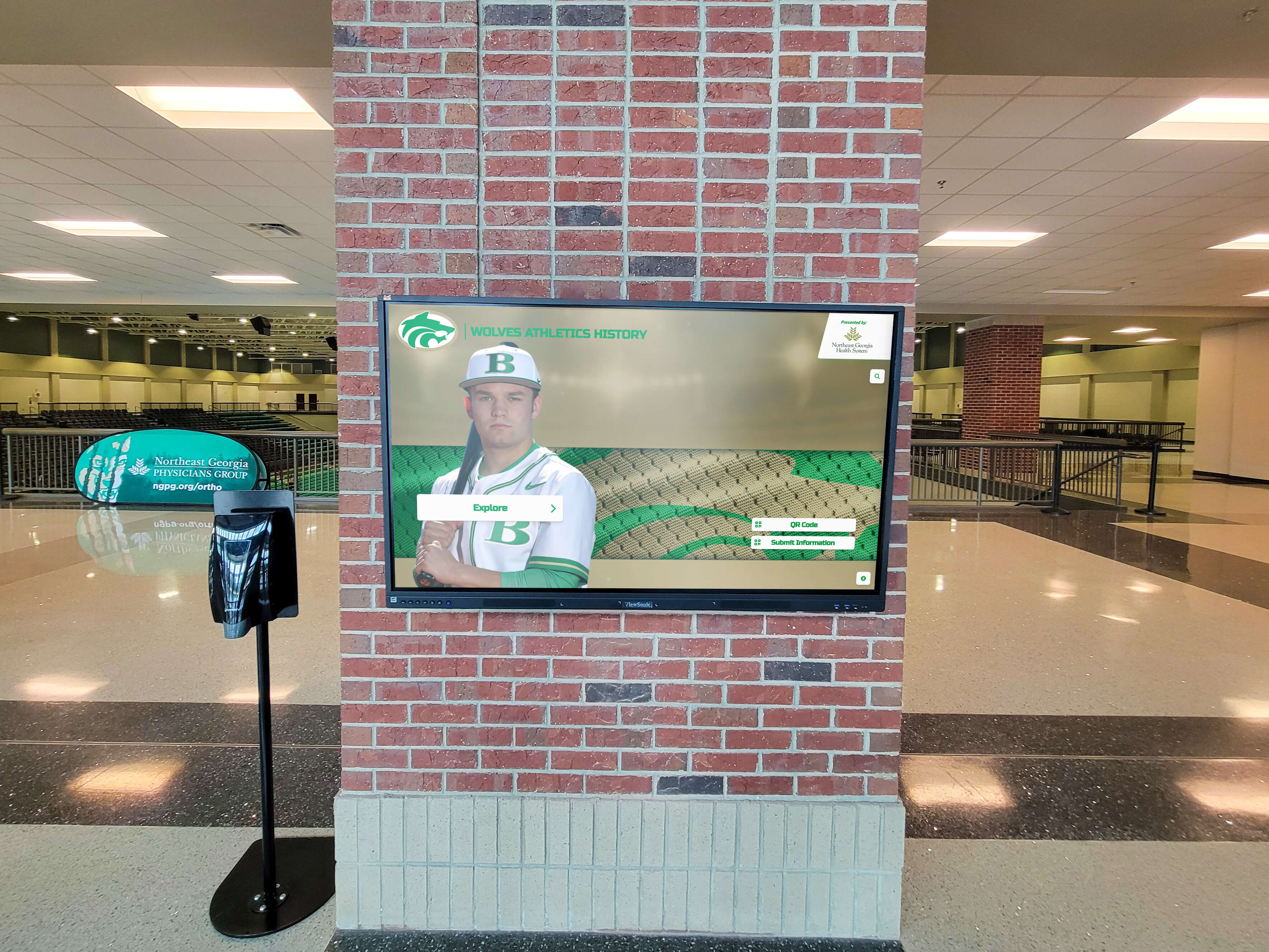
Large-format displays at lobby entry points create powerful first impressions while delivering schedule information at a glance
Hardware Placement and Installation Considerations
The best content strategy fails with poor physical placement. Athletic schedule displays require intentional siting decisions before any hardware is ordered.
Lobby Placement Principles
Sightline from entry: The display should be visible within three seconds of entering the lobby. Visitors shouldn’t have to scan to find it. Position opposite or perpendicular to primary entry doors, not recessed into a side corridor.
Competing visual noise: Lobbies with trophy cases, murals, and bulletin boards are visually complex. Give the display adequate surrounding clearance — at minimum 18 inches of neutral wall space on each side — to prevent it from competing with adjacent content.
Height: Center of the display at approximately 60 inches AFF for landscape orientation. Portrait displays in narrow corridors may mount higher to protect the interactive zone from foot traffic.
Lighting: Ambient lobby lighting that hits the screen surface creates glare. Anti-glare panel coatings and careful positioning relative to skylights and windows dramatically affect daytime readability. The new school building touchscreen display installation timing guide covers how to coordinate with construction timelines when integrating displays into a building project — relevant for schools undergoing renovations or new athletic facility construction.
Gym Entrance Hardware Decisions
Gym entrances present unique conditions: higher foot traffic during game events, potential for physical contact, exposure to humidity from adjacent locker rooms and pool facilities, and variable lighting from gymnasium interior brightness spill.
Enclosure rating: Select displays with commercial-grade anti-vandal glass and protective enclosures for high-traffic doorway locations. Consumer-grade panels are not designed for gym entrance conditions.
Humidity tolerance: Locker room proximity increases ambient moisture. Specify displays rated for 10–90% non-condensing humidity, or install in sealed enclosures with appropriate ventilation.
Brightness: Gym entrances adjacent to high-ambient-light gymnasiums benefit from 500–700 nit displays. Standard office displays at 250 nits wash out in bright gym environments.
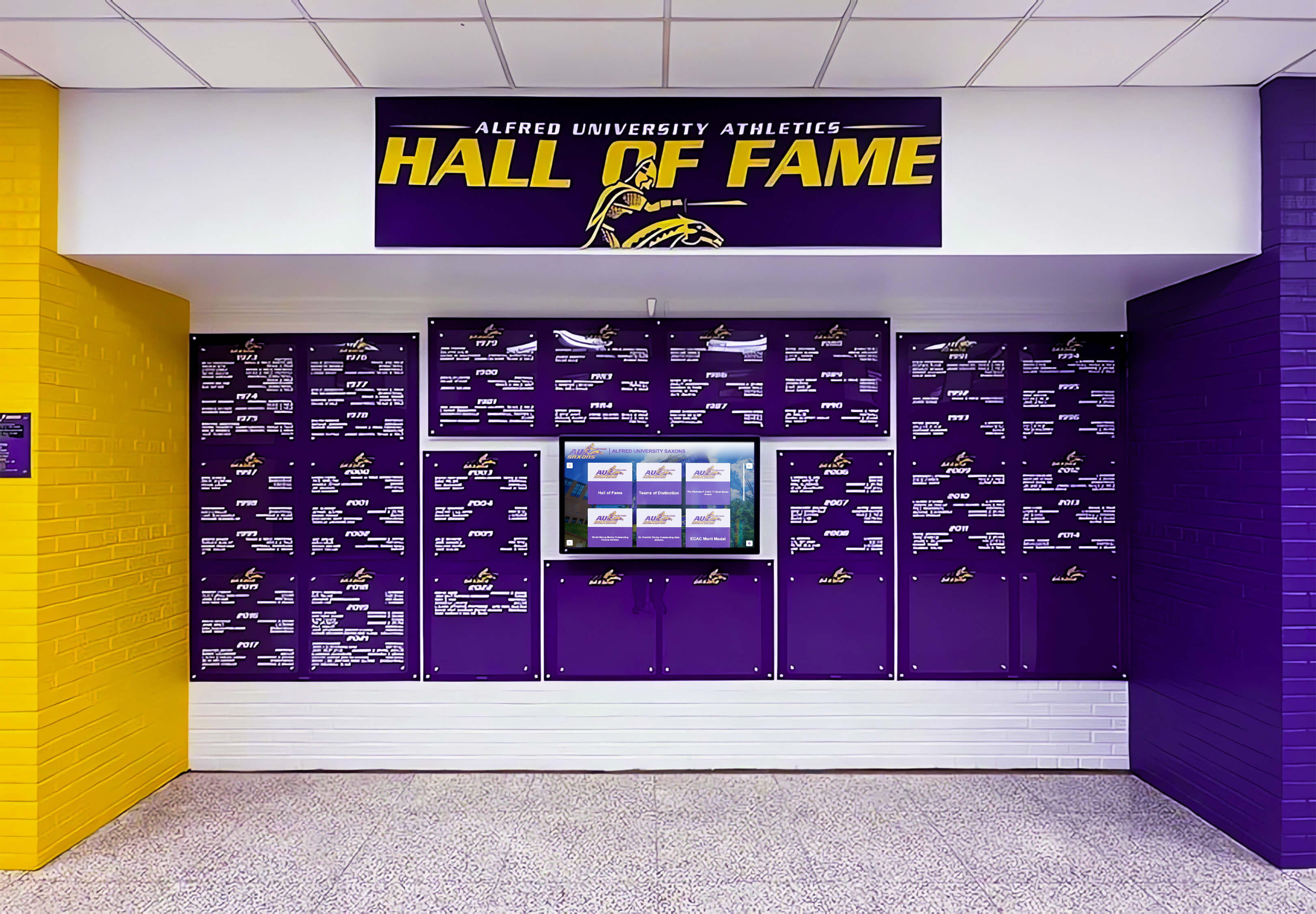
School color integration in display design — like Alfred University's purple and yellow system — reinforces athletic program identity at every viewing moment
Activation Plan: From Installation to Daily Operation
Hardware installed and software configured is only the start. Sustainable display programs require clear operational ownership, content refresh schedules, and performance evaluation practices.
Content Ownership and Refresh Cadence
Assign a named content owner — typically the athletic director or athletic administrative assistant — who controls the content management system. Establish a weekly content review practice: every Monday, verify current-week schedule accuracy, update records after weekend results, and swap out athlete spotlight cards.
Game-day content updates — lineup announcements, weather alerts, tip-off time changes — require same-day turnaround capability. Ensure the CMS is mobile-accessible so the content owner can push updates from the sideline or press box when schedules change.
Measuring Display Effectiveness
Simple observation reveals whether placement and content are working. Track informal signals: Are parents and visitors visibly stopping to read the display? Are students pointing to it to show each other upcoming games? Is the QR code being scanned?
More formal evaluation can compare pre-display and post-display game attendance, parent survey responses about communication quality, and staff report of schedule-question frequency (which should decrease as the display becomes a trusted information source).
How Rocket Alumni Solutions Extends the Athletic Display Ecosystem
A schedule display answers “what’s happening this week.” A recognition display answers “why this program matters.” Schools that deploy both create an athletic identity environment greater than the sum of its parts.
Rocket Alumni Solutions builds interactive touchscreen walls of fame, digital athletic hall of fame systems, donor recognition walls, and record boards that pair naturally with schedule displays in lobby and gym entrance environments. Where a schedule display surfaces what’s current, a Rocket-powered recognition display surfaces what’s historic — championship banners, career statistical leaders, hall of fame inductees, and the institutional memory that gives current schedules their weight and significance.
The combination tells a complete program story: this is where we’ve been, this is where we are now, this is what’s at stake this Friday night.
Build an Athletic Display Environment That Inspires
Rocket Alumni Solutions helps athletic directors and facilities managers design touchscreen displays that combine real-time schedule communication with lasting recognition — creating lobby and gym entrance environments that motivate athletes, impress recruits, and engage your entire community.
Request a Custom Display ConsultationThe professional sports model — where programs like the San Jose Sharks leverage interactive touchscreen hall of fame systems to connect fans with franchise history — translates directly to the high school and collegiate level. Schools that invest in complete athletic display ecosystems, not just single-purpose schedule screens, create facilities that communicate program ambition through every square foot of lobby and entrance space.
And when displays serve both schedule communication and lasting recognition functions, the academic all-American award digital display potential of the platform expands further — celebrating scholar-athletes alongside athletic achievers in the same physical environment where the schedule announces tonight’s competition.
Conclusion: What a Great Athletic Schedule Display Actually Communicates
An athletic schedule display in the right place, with the right content, and the right design sends a message that no printed calendar ever could: this program is organized, this community is informed, and this facility is worth showing up for.
The most effective lobby and gym entrance displays treat schedule information as the entry point of a much larger communication ecosystem — one that connects current results to historical achievement, today’s lineup to the hall of fame inductees in the case nearby, and this week’s schedule to the season-long narrative that makes each game meaningful.
Athletic directors and facilities managers who invest in purposeful display design — thoughtful zone architecture, real-time data integration, ADA-compliant accessibility, and school brand integrity — create facilities that compete at the level their programs deserve.
Ready to build an athletic display environment that makes that statement from the moment visitors walk through the door? Rocket Alumni Solutions partners with schools and athletic programs to design and deploy touchscreen display systems that bring schedules, recognition, and program identity together in one compelling environment.































