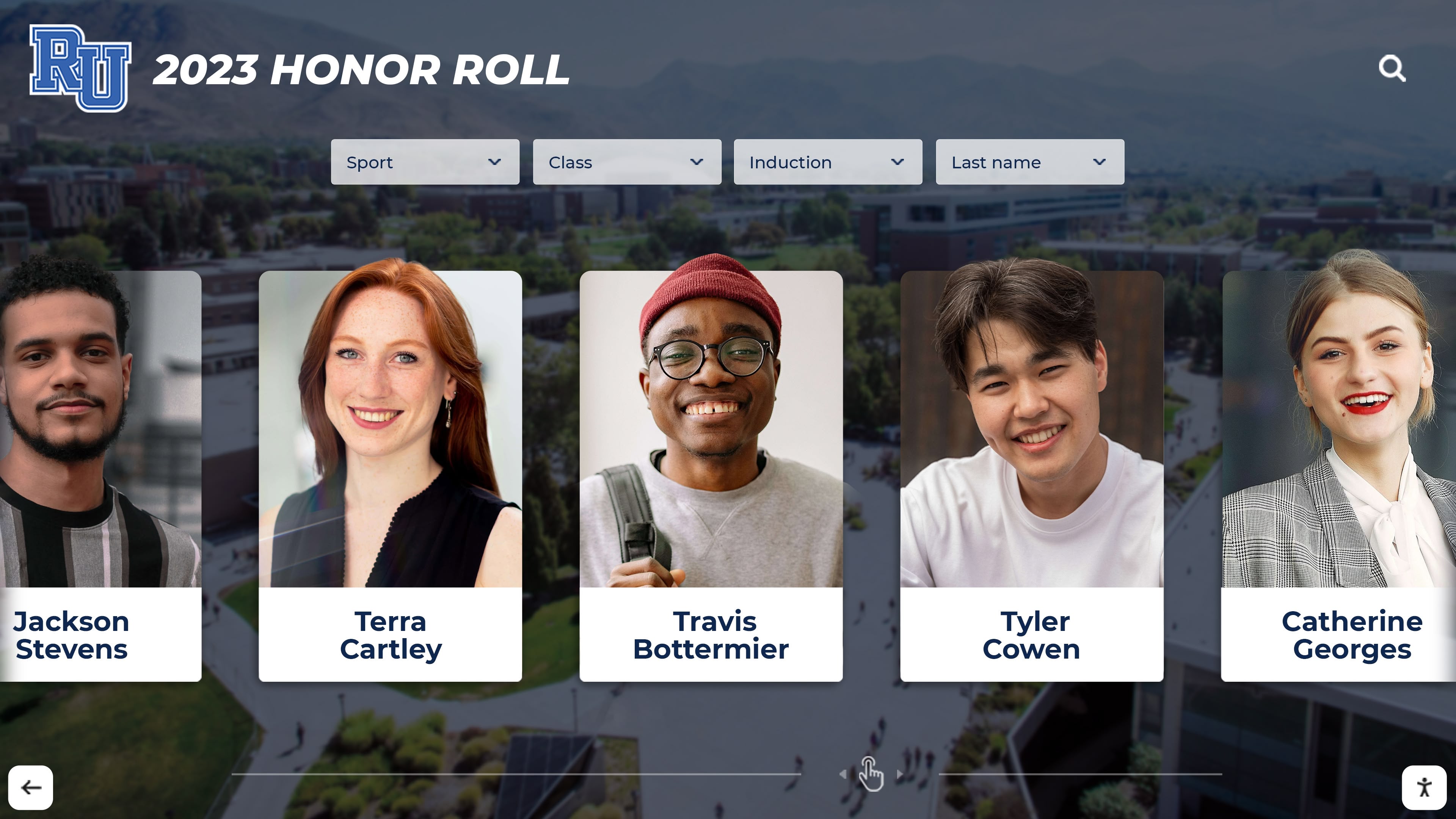




Walking through school hallways, many alumni stop to find their graduating class among rows of framed composite photos. These traditional displays have served institutions well for decades, preserving memories and celebrating each senior class. But managing physical composites presents ongoing challenges: limited space, fading photos, storage costs, and the simple fact that visitors can only view one year at a time.
Schools, universities, and organizations now face a practical question: how do we provide the same nostalgic experience of browsing class composites while making decades of photos accessible, searchable, and engaging? Digital interactive displays address this challenge by transforming the traditional flip-through composite experience into a dynamic touchscreen system where visitors can instantly access any graduating class, search for specific individuals, and explore detailed information that static frames could never accommodate.
This guide explores how interactive class composite displays work, the essential features that make them effective, implementation considerations, and how organizations successfully preserve their heritage while creating new opportunities for connection and engagement.
Understanding Digital Class Composite Systems
Digital class composite displays replace or supplement physical composite boards with interactive touchscreen kiosks that house your entire archive of graduating classes. Rather than dedicating extensive wall space to dozens of framed composites, a single touchscreen display can provide access to every class in your institution’s history.
Core Components of Interactive Class Composite Displays
Digital Archive Infrastructure The foundation of any digital composite system is a well-organized digital archive. This includes high-resolution scans of existing physical composites, digitized individual portraits, and associated metadata such as names, graduation years, activities, and accomplishments. The quality of your archive directly impacts the visitor experience.
Touchscreen Interface The interface design determines how easily visitors can navigate your class archive. Effective systems offer multiple browsing options: by graduation year, alphabetically by name, by involvement in specific activities or organizations, or through search functionality. The screen size typically ranges from 43 to 65 inches, providing ample space for displaying multiple portraits simultaneously while maintaining readability.
Content Management System Behind every interactive display is a content management platform that allows administrators to upload new classes, update individual records, add supplementary materials like reunion photos or career updates, and modify the display interface. Cloud-based systems offer the flexibility to manage content remotely and push updates to multiple displays across different locations.

Modern touchscreen interfaces allow intuitive browsing through class composites and individual profiles
Features That Transform Class Composite Displays
The distinction between digitizing composites and creating an interactive experience lies in the features that extend beyond simple photo galleries. These capabilities determine whether your system merely replicates physical composites or creates something more valuable.
Year-by-Year Navigation
The primary navigation method allows visitors to browse classes chronologically. Effective implementations display thumbnail views of entire class composites, allowing users to see the full graduating class at a glance before selecting individuals for detailed information. This mirrors the traditional experience of scanning a physical composite while adding the ability to instantly jump between decades.
Some institutions organize classes by decade with visual timelines, helping visitors orient themselves within the school’s history. For organizations with multiple programs or campuses, filtering options let users narrow their search to specific schools or departments within a given year.
Individual Profile Pages
When visitors select a classmate from a composite, the system displays detailed profile pages that can include:
- High-resolution individual portraits
- Graduation year and any honors or distinctions
- Activities, clubs, and sports participation
- Academic programs or areas of study
- Current career information (if provided)
- Contact preferences for alumni connections
- Reunion attendance history
- Personal messages or reflections
The depth of information available on profile pages distinguishes digital composites from their physical counterparts. While traditional composites show only names and faces, digital systems can preserve extensive details about each individual’s student experience and subsequent achievements.
Search and Filter Capabilities
Search functionality transforms how visitors interact with class composites. Rather than remembering which year someone graduated, users can simply search by name. Advanced search features might include:
- Name search with phonetic matching
- Filter by participation in specific sports, clubs, or activities
- Search by current profession or career field
- Filter by residence location (if alumni database is integrated)
- Search within specific date ranges
- Combined filters to find classmates who shared multiple experiences
These capabilities prove particularly valuable during reunions when alumni want to reconnect with specific individuals or identify classmates who participated in the same activities.

Touchscreen kiosks integrate seamlessly into existing hallway displays and common areas
Multimedia Integration
Digital systems accommodate content types impossible with physical composites:
Video Messages Classes can record reunion videos, messages to current students, or reflections on their time at the institution. These clips add personality and dimension to the composite experience.
Photo Galleries Beyond formal portraits, systems can include candid photos from school events, reunion gatherings, or historical moments. This contextualizes each graduating class within the broader school culture of their era.
Historical Documentation Each class exists within a specific historical moment. Digital composites can include contextual information about significant events during that graduation year, major school achievements, or changes to campus facilities.
Social Media Connections When appropriate and with permission, profiles can link to professional networks or social media, facilitating connections between alumni.
Implementation Considerations for Class Composite Displays
Successfully deploying an interactive class composite system requires careful planning around several key areas. Organizations that address these considerations upfront create more effective and sustainable implementations.
Digitization Process
The starting point for any digital composite system is converting your existing physical archives into digital format. This process involves several steps:
Assessment and Inventory Begin by cataloging all existing class composites, identifying gaps in your collection, and determining the condition of existing materials. Some composites may require restoration or professional photography before digitization.
Scanning and Photography For older composites, high-resolution scanning preserves the entire composite layout. However, many institutions achieve better results by rephotographing individual portraits from the composite, which allows for consistent sizing, color correction, and superior image quality.
Resolution matters significantly. Individual portraits should be scanned or photographed at sufficient resolution to display clearly on large touchscreens. Minimum resolution of 300 DPI ensures portraits remain sharp when displayed at sizes ranging from thumbnails to full-screen views.
Data Entry and Verification Converting names and associated information into digital form requires careful attention to accuracy. Many institutions involve alumni in verification processes, particularly for older classes where institutional records may be incomplete. This verification phase also provides an opportunity to collect additional information for individual profiles.
Ongoing Digitization Plan for annually adding new graduating classes to your digital archive. Establish workflows that integrate with existing yearbook production, student information systems, or photography services to ensure new classes are added promptly after graduation.

Multiple digital displays can showcase different aspects of institutional history throughout campus
Privacy and Consent Considerations
Class composites involve personal information, requiring thoughtful privacy policies:
Information Display Policies Establish clear guidelines about what information appears on public displays versus what requires alumni login or permission. Basic information like names, graduation years, and school activities typically appears acceptable, while contact information, current residence, or professional details may require consent.
Opt-Out Mechanisms Provide clear processes for individuals who prefer limited visibility. Some alumni may want only basic information displayed, while others enthusiastically embrace detailed profiles with current contact information.
Data Security If your system includes features that allow alumni to update their own information or message other classmates, implement appropriate security measures to protect personal data and prevent unauthorized access.
Compliance Requirements Educational institutions must consider FERPA regulations and similar privacy laws when displaying student information. While composite photos generally fall within acceptable use, consultation with legal counsel ensures compliance, particularly for systems that integrate with alumni databases or allow data collection.
Hardware Selection and Placement
The physical installation significantly impacts system effectiveness:
Screen Size and Resolution Displays should be large enough to show multiple portraits simultaneously while maintaining clarity. Common implementations use 49 to 65-inch touchscreens with 4K resolution. Larger screens support group viewing, particularly during reunions or special events.
Touchscreen Technology Capacitive touchscreens provide the most responsive experience, similar to smartphone interactions. Ensure the technology supports multi-touch gestures like pinch-to-zoom, which enhances the browsing experience for detailed portrait viewing.
Enclosure Design Professional kiosk enclosures protect hardware while presenting an attractive, permanent installation. Enclosures should complement your institution’s aesthetic, with options for custom finishes, integrated branding, and coordinated design with existing wall wraps or display elements.
Location Strategy Prime locations include main entrances, alumni gathering areas, development offices, and spaces near traditional trophy cases or interactive display installations. Consider traffic patterns during normal operations, special events, and reunion weekends when selecting placement.
Multiple Display Strategy Larger institutions might deploy multiple displays: one in the main building housing all classes, another in the athletic complex focused on student-athlete recognition, and additional displays in alumni centers or development offices. Solutions like Rocket Alumni Solutions allow centralized content management for multiple displays, ensuring consistency while allowing location-specific customization.
Creating Engaging Experiences Beyond Basic Composites
While replicating physical composites digitally serves an important preservation function, the most successful implementations extend the concept to create richer experiences.
Reunion and Event Integration
Interactive class composite displays become focal points during reunion weekends:
Reunion Registration and Check-In Systems can display which classmates have registered for reunions, helping attendees identify who will be present before events begin. This anticipation increases engagement and conversation starters.
Memory Collection Stations During reunions, displays can serve as stations where alumni record video messages, submit updated photos, or share memories. These contributions become part of the permanent class record, enriching the experience for future viewers.
Reunion Photo Integration After reunion events, photos from the gathering can be added to the class’s digital composite, creating a visual timeline that extends from graduation photos through subsequent reunion milestones. This ongoing narrative demonstrates that class identity extends beyond the graduation year.
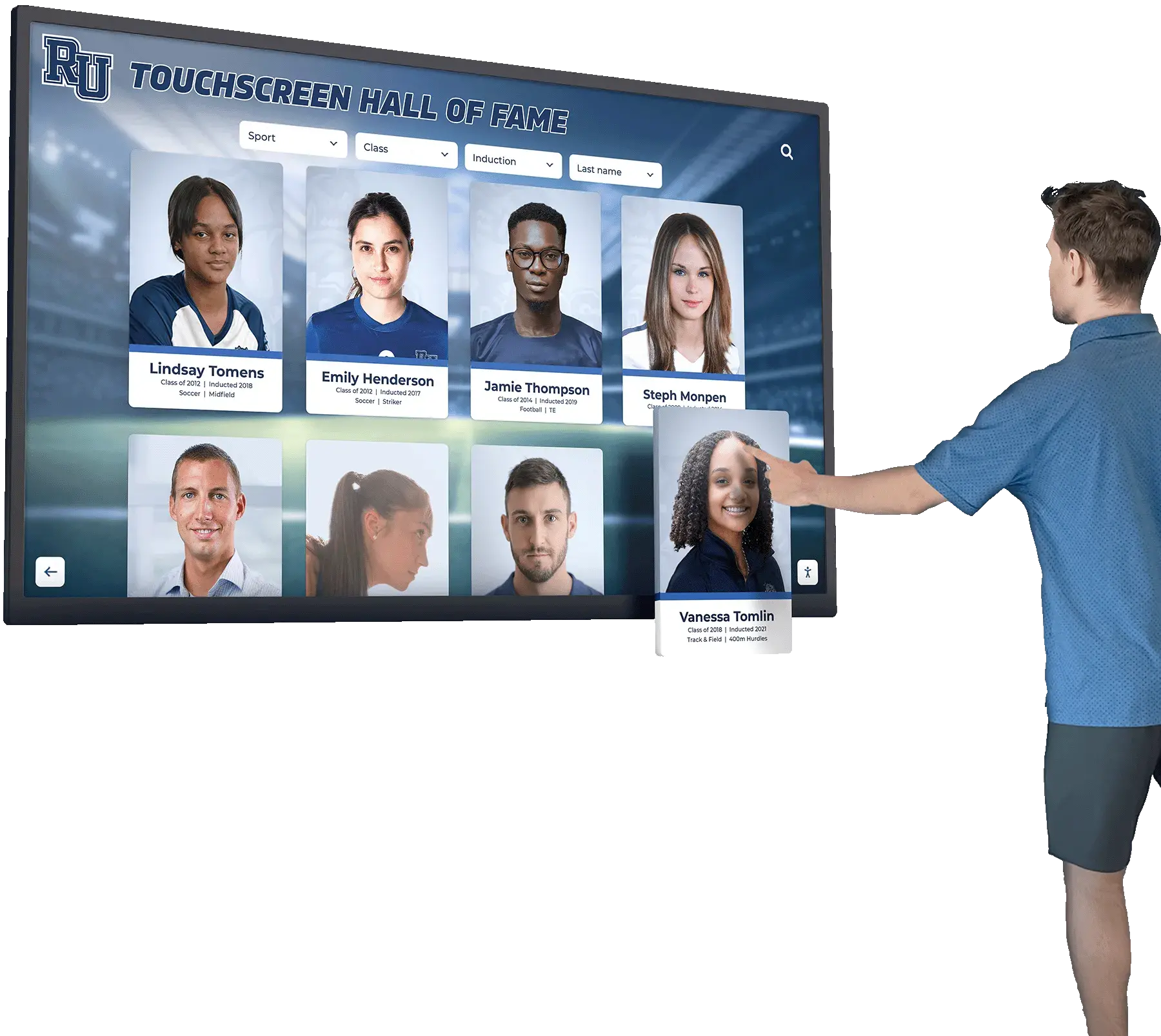
Interactive displays encourage engagement and exploration during alumni events and everyday campus visits
Career Pathway Showcases
Class composites can inspire current students by highlighting diverse career paths:
Professional Achievement Highlights When alumni provide career information, the system can feature distinguished professionals within each field. Students interested in specific careers can explore which alumni pursued those paths, creating mentorship opportunities and demonstrating real-world applications of their education.
Industry Clustering Search and filter features let students find alumni working in specific industries or geographic regions, supporting career exploration and recognition programs.
Decade-to-Decade Career Evolution Digital archives allow analysis of how career patterns have evolved. Comparing classes from different decades reveals shifts in popular career paths, emerging industries, and changing economic landscapes.
Integration with Broader Recognition Systems
Class composites rarely exist in isolation. The most effective implementations integrate with other recognition programs:
Athletic Recognition Student-athletes appear both in class composites and athletic recognition displays. Integrated systems allow seamless transitions between these contexts, so visitors can view athletes within their graduating class or within their sport’s historical record. Schools using comprehensive platforms can connect class composites with digital trophy cases and athletic hall of fame content.
Academic Achievement Programs Students recognized through honor roll programs, National Honor Society membership, or academic awards can have these achievements reflected in both contemporary recognition displays and their permanent class composite profiles.
Donor Recognition Alumni who become significant donors often appreciate having their philanthropic support acknowledged alongside their student composite records. This connection reinforces how alumni continue contributing to institutional mission long after graduation.
Content Management and Long-Term Sustainability
The ongoing value of digital class composite systems depends on sustainable content management practices:
Update Workflows
Annual Class Addition Establish clear processes for adding each new graduating class. This typically involves coordinating with yearbook production, student affairs, or photography services to ensure consistent portrait quality and complete information collection.
Alumni Information Updates Provide mechanisms for alumni to update their own information, submit recent photos, or add career achievements. Self-service portals reduce administrative burden while keeping content current and relevant.
Reunion Content Integration After reunion events, workflows should support adding new photos, videos, and memories to existing class records. Timely updates maintain momentum and encourage continued engagement.
Content Quality Standards
Consistent standards ensure professional presentation:
Image Specifications Define resolution requirements, aspect ratios, color profiles, and file formats for all photos. Consistent specifications prevent technical issues and ensure visual coherence across all classes.
Information Completeness Determine minimum information requirements for individual profiles. While some details may be optional, establishing standards for basic information ensures consistent user experience.
Review and Approval Processes Implement workflows for reviewing user-submitted content before publication. This protects against inappropriate content while maintaining archive quality.
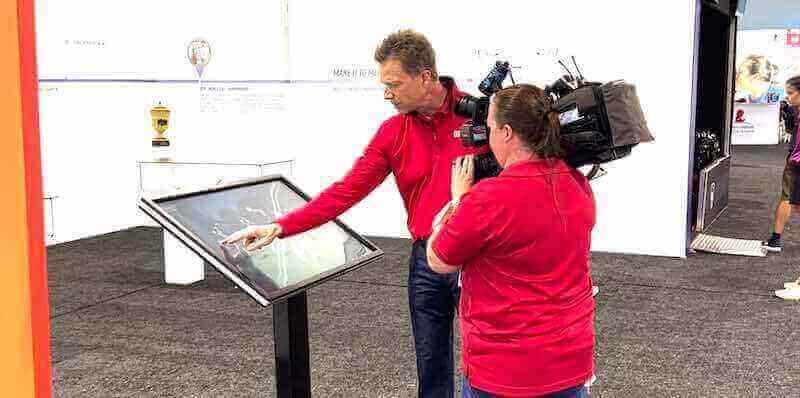
Professional touchscreen systems attract attention and encourage interaction at events and public spaces
Technology Sustainability
Plan for long-term technical viability:
Platform Selection Choose systems with clear upgrade paths and vendor stability. Cloud-based platforms typically provide better long-term sustainability than proprietary hardware-dependent solutions. Solutions like Rocket Alumni Solutions offer cloud-based content management with regular platform updates that don’t require hardware replacement.
Hardware Refresh Cycles Touchscreen displays typically provide 5-7 years of service. Budget for eventual hardware refreshes while ensuring your content management system allows hardware updates without data migration challenges.
Data Backup and Archival Maintain regular backups of your digital archive. While cloud platforms typically include redundancy, institutional backup policies ensure archive preservation regardless of vendor continuity.
Common Implementation Challenges and Solutions
Organizations implementing digital class composite systems frequently encounter similar challenges. Understanding these issues and their solutions helps avoid common pitfalls.
Incomplete Historical Records
Challenge: Many institutions discover gaps in their composite archives, with missing years, incomplete information, or poor-quality photos from older classes.
Solution: Launch systematic recovery efforts involving alumni outreach, historical society partnerships, and digital restoration services. Many schools turn gaps into engagement opportunities, publicly acknowledging missing years and inviting alumni to contribute missing materials. This outreach often yields unexpected treasures from personal collections.
Varying Photo Quality Across Decades
Challenge: Photos span multiple decades with vastly different quality levels, from faded black-and-white prints to modern high-resolution digital images.
Solution: Establish quality standards that balance consistency with historical authenticity. Professional photo restoration services can significantly improve older images without sacrificing their historical character. Clear communication about image quality variations helps set appropriate expectations while maintaining the archival value of historical materials.
Alumni Privacy Concerns
Challenge: Some alumni object to their photos or information appearing in public displays without explicit consent.
Solution: Implement tiered information policies with clear opt-out processes. Basic information (name, graduation year, formal portrait) typically aligns with traditional composite practices, while additional details require permission. Proactive communication about privacy policies and easy opt-out mechanisms address most concerns before they escalate.
Content Management Resource Requirements
Challenge: Organizations underestimate the ongoing effort required to maintain current, accurate information across potentially thousands of individual profiles.
Solution: Establish realistic workflows that prioritize high-value updates while accepting that some information may remain static. Self-service tools that allow alumni to update their own profiles dramatically reduce administrative burden. Focus administrative resources on critical tasks like annual class additions, reunion support, and quality assurance rather than manually updating every profile.
Technical Support and User Assistance
Challenge: Visitors, particularly older alumni unfamiliar with touchscreen interfaces, may struggle with navigation or require assistance.
Solution: Design interfaces with intuitive navigation requiring minimal instruction. Include prominent help buttons, brief tutorial videos that play during idle periods, and clear instructions at the beginning of each interaction. For displays in staffed areas, brief training for nearby personnel helps them assist visitors when needed. The most successful systems require no assistance for basic functions while offering advanced features for users who want deeper exploration.
Measuring Success and Impact
Evaluating your digital class composite implementation helps demonstrate value and guide refinement:
Usage Analytics
Modern systems track interaction patterns:
- Number of sessions and average session duration
- Most frequently viewed classes and time periods
- Search queries and navigation patterns
- Peak usage times and seasonal patterns
- Feature utilization rates
These metrics reveal how visitors interact with the system, which classes generate the most interest, and whether specific features like video content or search functions see regular use. Analytics help justify the investment while identifying opportunities for enhancement.
Alumni Engagement Metrics
Beyond technical usage statistics, monitor engagement indicators:
- Alumni information update frequency
- Reunion photo and memory submission rates
- Percentage of alumni with complete vs. minimal profiles
- Connections or messages facilitated through the system
- Social media sharing of composite content
These metrics demonstrate whether the system achieves its goal of maintaining alumni connection and engagement rather than simply serving as a digital archive.
Institutional Benefits
Consider broader organizational impacts:
Development and Fundraising Development offices often report that interactive displays remind alumni of positive institutional experiences, supporting cultivation conversations. The ability to quickly show donors their own class composites or recognize their gifts within the display context supports relationship building.
Admissions and Recruitment Prospective students and families appreciate seeing decades of institutional history, demonstrating stability and tradition. The technology itself signals institutional investment in innovation and student experience.
Campus Culture Current students browsing class composites develop connection to institutional history and tradition. Understanding that they will eventually join this archive of school legacy can strengthen sense of belonging and institutional pride.
Platform Options and Selection Criteria
Organizations considering digital class composite systems face choices ranging from custom development to comprehensive recognition platforms:
Standalone Class Composite Systems
Some vendors offer systems focused specifically on digitizing and displaying class composites. These solutions typically provide:
- Specialized interfaces designed for composite browsing
- Portrait upload and management tools
- Year-by-year organization
- Basic search functionality
- Standalone touchscreen hardware or display integration
These dedicated systems work well for organizations focused exclusively on preserving class composites without broader recognition program needs.
Comprehensive Recognition Platforms
Platforms like Rocket Alumni Solutions offer class composite functionality as part of broader recognition systems that also support athletic halls of fame, academic achievement programs, donor recognition, and historical archives. This integrated approach provides:
- Unified content management across all recognition programs
- Cross-linking between different recognition contexts
- Consistent user experience across various display types
- Centralized administration for multiple displays and recognition categories
- Cloud-based platform with regular updates and feature additions
Comprehensive platforms suit institutions with multiple recognition needs beyond class composites, allowing cohesive implementation across various programs while maintaining distinct experiences for each recognition type.
Custom Development
Some organizations pursue custom software development, particularly those with unique requirements or existing technical infrastructure. Custom approaches offer maximum flexibility but require:
- Significant development investment
- Ongoing technical maintenance and support
- Careful planning for long-term sustainability
- Internal technical expertise or vendor relationships for updates and troubleshooting
Custom development makes sense primarily for large institutions with substantial technical resources and specific requirements that existing platforms cannot accommodate.
Selection Criteria
When evaluating options, consider:
Content Management Flexibility: How easily can you add new classes, update information, or restructure content organization? Can alumni update their own information?
Integration Capabilities: Does the system integrate with existing alumni databases, student information systems, or other campus technology? Can it connect with digital signage networks or campus communication systems?
Scalability: Will the platform accommodate your growth over time? Can it handle expanding class sizes, increasing multimedia content, or additional display locations?
User Experience: Does the interface design support intuitive navigation by visitors of all ages and technical comfort levels? Can users accomplish common tasks without instruction?
Support and Training: What level of ongoing support does the vendor provide? Are training resources available for administrators? How quickly do they respond to technical issues?
Total Cost of Ownership: Beyond initial implementation, consider ongoing costs including content management support, platform updates, hardware maintenance, and potential future expansion.
Future Trends in Digital Class Composite Technology
The field continues advancing with emerging technologies that will shape future implementations:
Artificial Intelligence and Facial Recognition
AI technologies increasingly enable powerful search capabilities. Facial recognition could allow visitors to find specific individuals without knowing names or graduation years, simply by showing the system a photo. While privacy concerns require careful policy development, the technology offers intriguing possibilities for reconnecting alumni who remember faces but not names.
Augmented Reality Extensions
Mobile apps with AR capabilities could extend digital composite experiences beyond fixed displays. Visitors could point their smartphones at physical spaces to see virtual composites overlaid on walls, essentially unlimited by physical display constraints. This technology could let schools maintain traditional composite displays while providing digital access layers visible only through AR applications.
Enhanced Social Connectivity
Future systems may better facilitate alumni connections, allowing classmates to schedule meetups, coordinate reunions, or maintain ongoing communication directly through composite platforms. Integration with professional networking platforms could support career mentorship while respecting privacy preferences.
Predictive Analytics and Personalization
As systems accumulate more data about alumni interactions and engagement patterns, analytics could provide insights into which types of content drive the most engagement, optimal times for alumni outreach, or which classmates are most likely to attend upcoming reunions. Personalized experiences could highlight relevant connections or suggest alumni to reconnect with based on shared interests or career paths.
Taking the Next Step
Traditional class composites represent institutional heritage, preserving memories and celebrating each graduating class. Digital interactive displays honor this tradition while removing the limitations of physical space, static presentation, and limited information. The question for most institutions isn’t whether digital composites offer value, but rather how to implement systems that serve current needs while remaining flexible for future evolution.
Successful implementations begin with clear understanding of your goals: Are you primarily focused on preserving and displaying existing composites? Do you want to create active alumni engagement tools? Will the system integrate with broader recognition programs? Understanding these priorities guides appropriate platform selection and implementation planning.
The organizations that benefit most from digital class composites are those that view them not as technology projects but as extensions of institutional mission. When approached as tools for building community, maintaining traditions, and connecting generations, digital composites become far more than electronic picture frames. They become dynamic platforms that help institutions celebrate their heritage while building bridges between past, present, and future.
Ready to Transform Your Class Composites?
Rocket Alumni Solutions offers comprehensive digital recognition platforms that bring your class composites to life. From digitization services to cloud-based content management and touchscreen displays, we provide everything you need to preserve your institutional heritage while creating engaging interactive experiences.
Talk to our teamWhether you’re exploring options for your first digital composite display or looking to enhance existing systems, the technology now exists to create experiences that honor tradition while embracing innovation. The composites that once lined your hallways can now reach every alumni gathering, every reunion, and every prospective student tour, telling your institutional story more completely than ever before.































