



School AV and IT budgets have never been more closely scrutinized—and digital signage purchasing decisions sit directly in that crosshairs. A hallway screen that cycles lunch menus is a very different investment than a lobby touchscreen recognizing every alumni athlete since 1975, yet both fall under the same “digital signage for schools” umbrella. Choosing the wrong platform for the wrong use case wastes money, frustrates staff, and leaves communities underwhelmed.
This 2026 buyer’s guide cuts through the noise. Whether you’re an athletics director replacing a plaque wall, a principal modernizing the main lobby, or an IT coordinator standardizing displays campus-wide, you’ll find clear guidance on hardware categories, software platforms, leading providers, real-world pricing, and a step-by-step implementation checklist.

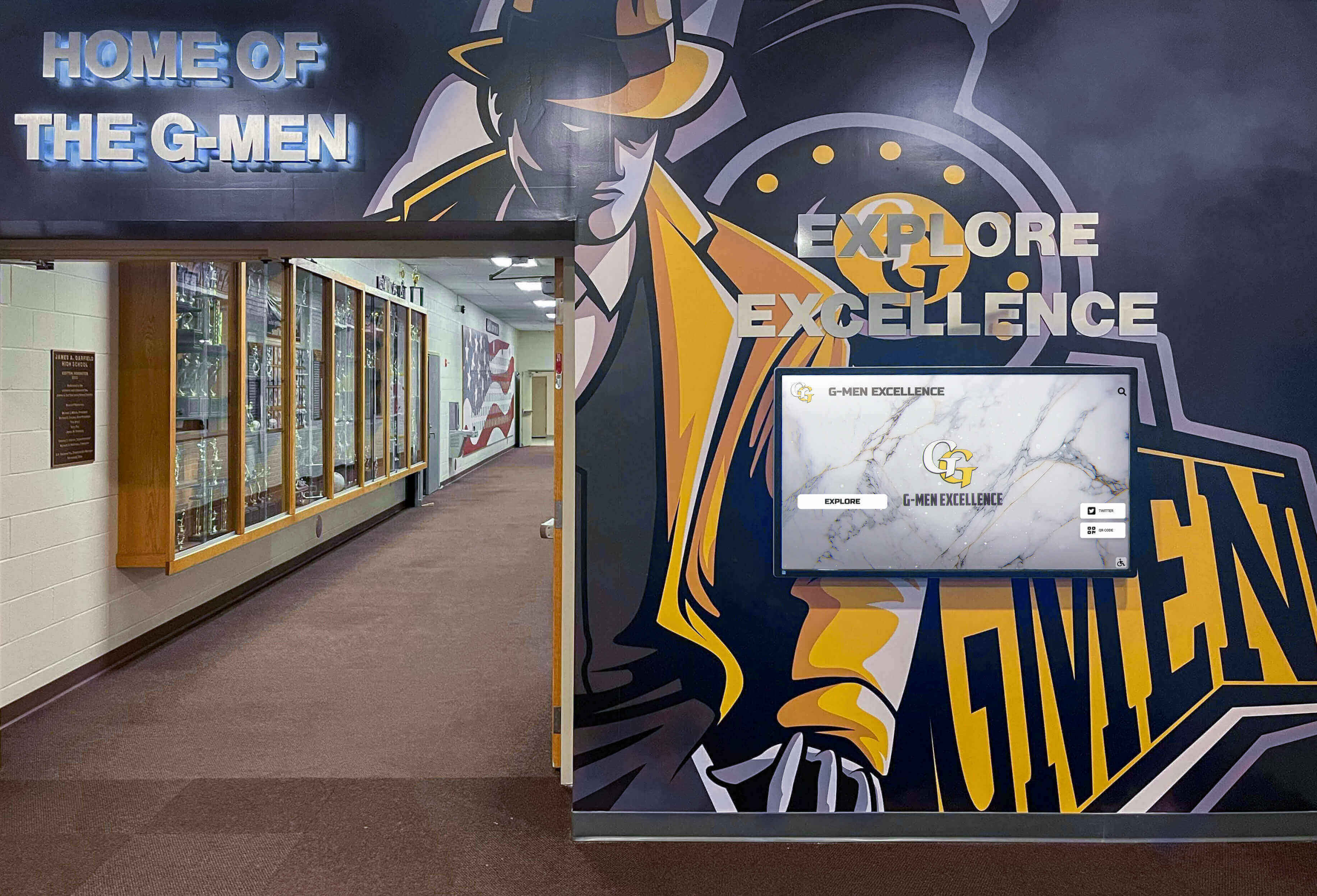
Modern schools integrate digital displays directly into hallway murals and trophy areas—serving recognition, history, and community pride simultaneously
What “Digital Signage for Schools” Actually Covers
The term spans five functionally different use cases, each with distinct hardware, software, and content requirements:
| Use Case | Primary Goal | Typical Location |
|---|---|---|
| Recognition Walls & Halls of Fame | Celebrate athletes, alumni, donors, and academic achievers | Lobby, gymnasium entrance, trophy corridor |
| Announcement Screens | Communicate schedules, events, lunch menus, alerts | Cafeteria, hallways, main office |
| Interactive Kiosks | Enable self-guided exploration of content | Lobby entrance, admissions area |
| Wayfinding Directories | Help visitors navigate facilities | Main entrance, building junctions |
| Athletic Record Boards | Display real-time or season stats and records | Gymnasium, weight room, fieldhouse |
Buying the right solution starts by identifying which use case—or combination—you actually need. A generic announcement platform excels at rotating cafeteria menus but fails completely when you need searchable profiles of 500 student-athletes spanning four decades. Conversely, a purpose-built recognition platform isn’t designed to push daily schedule changes across 30 hallway screens.
Types of Digital Signage Hardware
Commercial vs. Consumer Grade Displays
This distinction matters more than most purchasing guides acknowledge. Consumer televisions are engineered for 4–6 hours of daily residential viewing. Schools routinely operate displays 10–14 hours per day, sometimes more during events. The differences compound over time:
Commercial-grade panels (LG Commercial, Samsung MagicInfo, NEC, Sharp/NEC) offer:
- Continuous operation ratings (16–24 hours/day)
- Enhanced thermal management preventing component degradation
- Anti-glare coatings for bright lobby environments
- 3–5 year commercial warranties
- Lockable input panels preventing student tampering
Consumer televisions cost 30–50% less upfront but face accelerated wear under institutional usage, typically showing performance degradation within 2–3 years of continuous operation. When replacement costs and IT labor are factored in, total cost of ownership usually favors commercial hardware for permanently installed displays.
For temporary or low-use deployments (e.g., a conference room display used a few hours per week), consumer panels can be appropriate.
Touch vs. Non-Touch Displays
Not every school display needs touch capability, and interactive displays carry a meaningful price premium. Use this framework:
- Non-touch commercial displays ($800–$2,500 depending on size): ideal for announcement screens, cafeteria menus, and hallway information loops where visitors passively view scheduled content
- Capacitive touchscreens ($2,000–$6,000+): essential for recognition kiosks, hall of fame displays, and any application requiring visitors to search, browse, or self-navigate content
Capacitive touch technology—the same used in smartphones—delivers intuitive responsiveness familiar to all age groups. Older resistive touch panels require more pressure and feel less reliable in high-traffic educational environments.
Screen Sizing Guidelines
| Installation Location | Recommended Size | Notes |
|---|---|---|
| Narrow hallway | 43–50" | Close viewing (2–4 ft), portrait or landscape |
| Main lobby, standard | 55–65" | Versatile, manageable cost |
| Flagship lobby or gymnasium | 70–86" | Maximum visual impact |
| Multi-screen recognition wall | 55–65" per panel | Coordinate with architectural surround |
4K resolution (3840×2160) has become standard for commercial displays and is strongly preferred—the difference in text clarity and photo sharpness is immediately visible, particularly for recognition content featuring athlete portraits and biographical text.
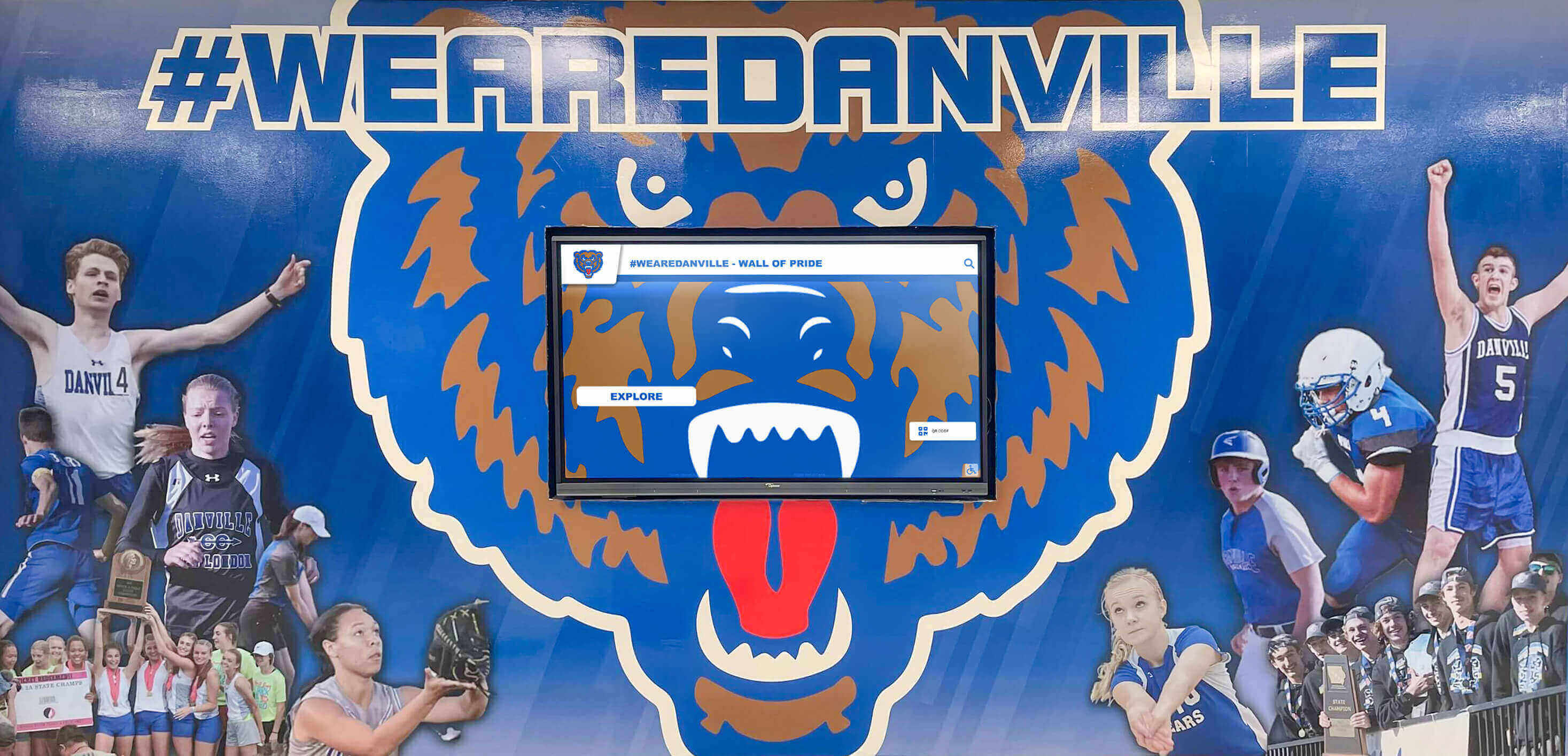
Integrated displays blend seamlessly with athletic murals, extending branding into the digital layer while keeping the physical space cohesive
Understanding Digital Signage Software Categories
Hardware is the easy part. Software is where most schools make costly mistakes by choosing platforms mismatched to their actual use case.
Category 1: General-Purpose Digital Signage Platforms
Platforms like Rise Vision, ScreenCloud, and Yodeck were built primarily for broadcast signage—pushing scheduled content loops to screens across a network. They excel at:
- Rotating announcements, event calendars, and news feeds
- Cafeteria menus and daily bulletin replacements
- Multi-screen content scheduling from a central dashboard
- Social media feed integrations
- Low per-screen subscription pricing ($10–$25/screen/month)
Where they fall short for schools: These platforms lack native structures for individual profiles, searchable databases, or recognition-specific workflows. Forcing hall of fame content into a slideshow template means no search capability, no biographical depth, and no browsable database—just a rotating slideshow that most visitors ignore after the first viewing.
If your primary need is cafeteria announcements, schedule boards, or emergency notifications across many screens, general-purpose platforms are cost-effective and well-supported.
Category 2: Purpose-Built School Recognition Platforms
These platforms are architecturally designed for celebrating people—athletes, alumni, donors, and academic achievers. They organize content around individual profiles with rich multimedia support, enable search and filtering across large datasets, and present interactive experiences visitors actively explore rather than passively watch.
Key capabilities that distinguish purpose-built platforms:
- Profile-based content architecture: Each athlete, alumnus, or donor has a dedicated profile with photos, video, biographical text, statistics, and achievements
- Searchable databases: Visitors find specific individuals instantly rather than waiting through rotation loops
- Recognition workflows: Annual inductee class management, coach profiles, championship archives, donor levels
- Multi-screen flexibility: Same content served across kiosks, recognition walls, web portals, and mobile
- Brand customization: School colors, mascots, and typography applied systematically across all content
Rocket Alumni Solutions is the leading purpose-built platform in this category for K–12 schools and universities. Its touchscreen software powers walls of fame, athletic halls of fame, donor recognition displays, and interactive kiosks across hundreds of institutions. The platform combines custom-designed display aesthetics with cloud-based content management, enabling non-technical staff to add inductees, update records, and manage recognition content without vendor dependencies.
Category 3: Hybrid Approaches
Some institutions deploy both categories—general-purpose platforms for operational announcement screens throughout the building, and a purpose-built recognition platform for the lobby touchscreen and athletics hall. This two-platform approach serves different audiences: building occupants receive daily operational updates across many screens, while visitors and alumni engage with deep recognition content at dedicated installations.
The additional cost and management complexity is often justified when recognition is a strategic priority—admissions, advancement, and alumni engagement all benefit measurably from strong recognition infrastructure.
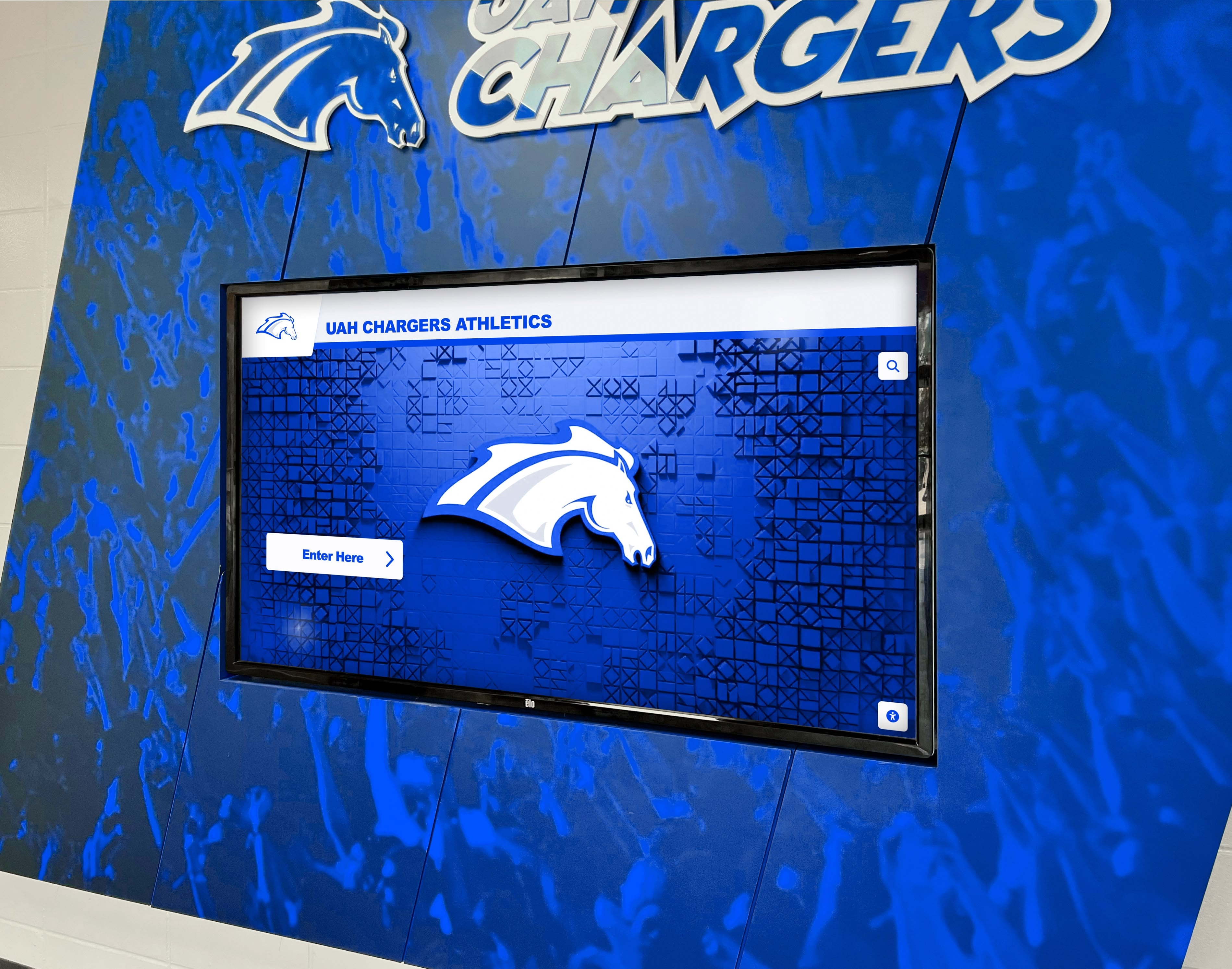
Purpose-built recognition displays create immersive branded environments rather than generic screensaver-style content loops
Top Digital Signage Providers for Schools: 2026 Comparison
Rocket Alumni Solutions — Best for Recognition, Halls of Fame, and Interactive Kiosks
Best for: Athletic halls of fame, alumni recognition walls, donor displays, interactive lobby kiosks, and any application requiring searchable individual profiles with multimedia depth.
Rocket Alumni Solutions builds custom-designed touchscreen experiences purpose-built for educational institutions. Schools receive a fully branded display—incorporating school colors, mascot, and typography—alongside cloud-based software enabling non-technical staff to manage inductees, team histories, records, and donor recognition independently.
The platform extends recognition beyond physical screens through web portals accessible from any device, enabling alumni to engage with recognition content from anywhere. This web-plus-kiosk architecture makes Rocket particularly effective for advancement and alumni engagement programs where reach beyond campus walls matters.
Key differentiators:
- Custom design for every installation (not template-based)
- Unlimited recognition capacity with no profile limits
- Search and filter across all content by name, year, sport, or category
- Multi-screen management from a single content system
- Web portal extending kiosk content to alumni, donors, and prospective families online
Learn how Rocket Alumni Solutions approaches design consistency and creative freedom for schools navigating complex brand requirements across multiple display contexts.
Pricing: Custom based on scope. Contact for consultation and design mock-up.
Rise Vision — Best for Budget-Conscious Multi-Screen Announcement Networks
Best for: Schools needing affordable content scheduling across many hallway or classroom displays with minimal budget.
Rise Vision offers a free tier for non-profits and educational institutions covering basic template-based content, with paid tiers adding more templates, users, and support. It’s a strong choice for districts managing announcement screens across multiple buildings on limited technology budgets.
The platform’s strength is breadth—supporting many screens from a central dashboard with straightforward scheduling. Its limitation for recognition applications is the same as other general-purpose platforms: no profile management, no search, and no interactive capability beyond basic template rotation.
Pricing: Free tier available; paid plans vary by screen count.
ScreenCloud — Best for App-Based Content Flexibility
Best for: Schools wanting app ecosystem flexibility to mix announcement content, social media feeds, Google Slides, and third-party data sources.
ScreenCloud’s app marketplace approach lets IT teams mix content from dozens of sources—news feeds, weather apps, Google Slides, social media integrations—across screen networks. This flexibility serves schools managing diverse content types across varied departments.
Like other general-purpose platforms, ScreenCloud lacks native recognition capabilities. Schools attempting to use it for hall of fame or profile-based content will find themselves building workarounds that don’t scale cleanly.
Pricing: Per-screen subscription; typically $20–$25/screen/month.
Yodeck — Best for Raspberry Pi-Based Low-Cost Deployments
Best for: IT teams comfortable with Raspberry Pi hardware seeking the lowest possible per-screen operating cost.
Yodeck pairs with Raspberry Pi media players to deliver functional digital signage at very low hardware cost. The platform handles scheduling and content management through a cloud interface. One screen is perpetually free; additional screens run approximately $8/screen/month.
The trade-off is reliability—Raspberry Pi hardware, while capable, isn’t commercial-grade, and the platform’s features are more limited than competitors at higher price points. For low-criticality announcement screens in budget-constrained environments, Yodeck offers genuine value.
Pricing: One screen free; ~$8/screen/month beyond that.
Summary Comparison
| Provider | Best Use Case | Touch Support | Recognition Profiles | Price Range |
|---|---|---|---|---|
| Rocket Alumni Solutions | Recognition walls, halls of fame, kiosks | Yes | Full profile management | Custom |
| Rise Vision | Announcement screens, cafeteria boards | Limited | None | Free–paid tiers |
| ScreenCloud | Multi-source content, app integrations | Limited | None | ~$20–25/screen/mo |
| Yodeck | Budget multi-screen announcements | Limited | None | ~$8/screen/mo |
For schools where recognition, athletic heritage, and alumni engagement are strategic priorities, Rocket Alumni Solutions operates in a different category from the general-purpose providers. The comparison isn’t “which is cheaper”—it’s “which is built for this specific job.”

Multi-screen recognition installations create corridor-length experiences that visitors engage with across multiple stopping points
Strategic Placement: Where to Install School Digital Signage
Placement determines whether a display gets used or ignored. Even excellent content fails in low-traffic or poorly-positioned locations.
Tier 1: Highest-Impact Locations
Main entrance lobby — Every visitor, prospective family, alumnus, and vendor enters here. Recognition and welcome content in the lobby makes immediate institutional impressions during admissions tours and community events. Creating welcoming school lobby spaces with interactive displays increases the time visitors spend exploring institutional excellence.
Athletic facility entrance — Gyms, fieldhouses, and natatoriums draw students, families, and fans for competitions. Recognition displays at these entries celebrate program history at the moment community pride is highest. Schools have successfully used touchscreen admissions tours in athletic buildings to impress prospective student-athletes and their families.
Trophy corridor or recognition hallway — Dedicated recognition spaces become destination features when digital displays supplement or replace traditional trophy cases. These installations work best with purpose-built platforms enabling deep browsing of program history.
Tier 2: High-Value Secondary Locations
Cafeteria and common areas — Students encounter these spaces daily, making them ideal for announcement screens and academic recognition displays. Academic student-of-the-month digital displays positioned in common areas reach every student regardless of program participation.
Alumni and development reception — Cultivation and stewardship visits benefit enormously from recognition displays showing donor impact and program history. Alumni welcome area designs can incorporate touchscreen elements that turn waiting areas into engagement opportunities.
Main hallway intersections — High-transit corridors capture students during class transitions—ideal for brief, high-impact announcement content and featured recognition rotating throughout the school day.
Placement Mistakes to Avoid
- Direct sunlight: Screen washout renders content unreadable and accelerates hardware wear
- Narrow alcoves: Touch displays need clear approach space—at least 3 feet of standing room in front
- Isolated dead-end corridors: Low traffic means low engagement regardless of content quality
- Competing with existing permanent signage: Mounting a digital display next to a large painted mural or trophy case creates visual competition rather than complementary impact
Budget Planning for School Digital Signage
Costs vary significantly based on use case, hardware tier, and whether you need interactive capability. Here are realistic ranges for 2026:
Single Announcement Screen (Non-Interactive)
- Hardware: $800–$2,000 (43–65" commercial display + media player)
- Installation: $200–$600 (mounting, electrical, cabling)
- Software: $0–$300/year (Rise Vision free tier to basic paid)
- Total first year: $1,000–$2,900 per screen
Interactive Lobby Kiosk (Recognition/Hall of Fame)
- Hardware: $2,500–$6,000 (65–75" commercial touchscreen)
- Kiosk enclosure (optional): $1,500–$4,000 (custom branded surround)
- Installation: $500–$1,500 (mounting, electrical, network)
- Software: Custom (purpose-built platforms like Rocket are priced per project scope)
- Content development: $1,000–$5,000+ depending on volume of historical content to digitize
- Total first year: $6,000–$18,000+ for a fully realized flagship installation
Multi-Screen Recognition Wall (2–4 displays)
- Hardware: $5,000–$15,000 (multiple commercial displays with coordination)
- Design and installation: $3,000–$8,000 (architectural integration, custom framing)
- Software: Included in purpose-built platform scope
- Total: $10,000–$25,000+ for professionally designed multi-screen environments
Budget Guidance
Request complete 5-year cost of ownership projections rather than just upfront hardware prices. Software licensing, content maintenance, and eventual hardware refresh represent the majority of total investment for installations expected to serve schools for a decade or longer.
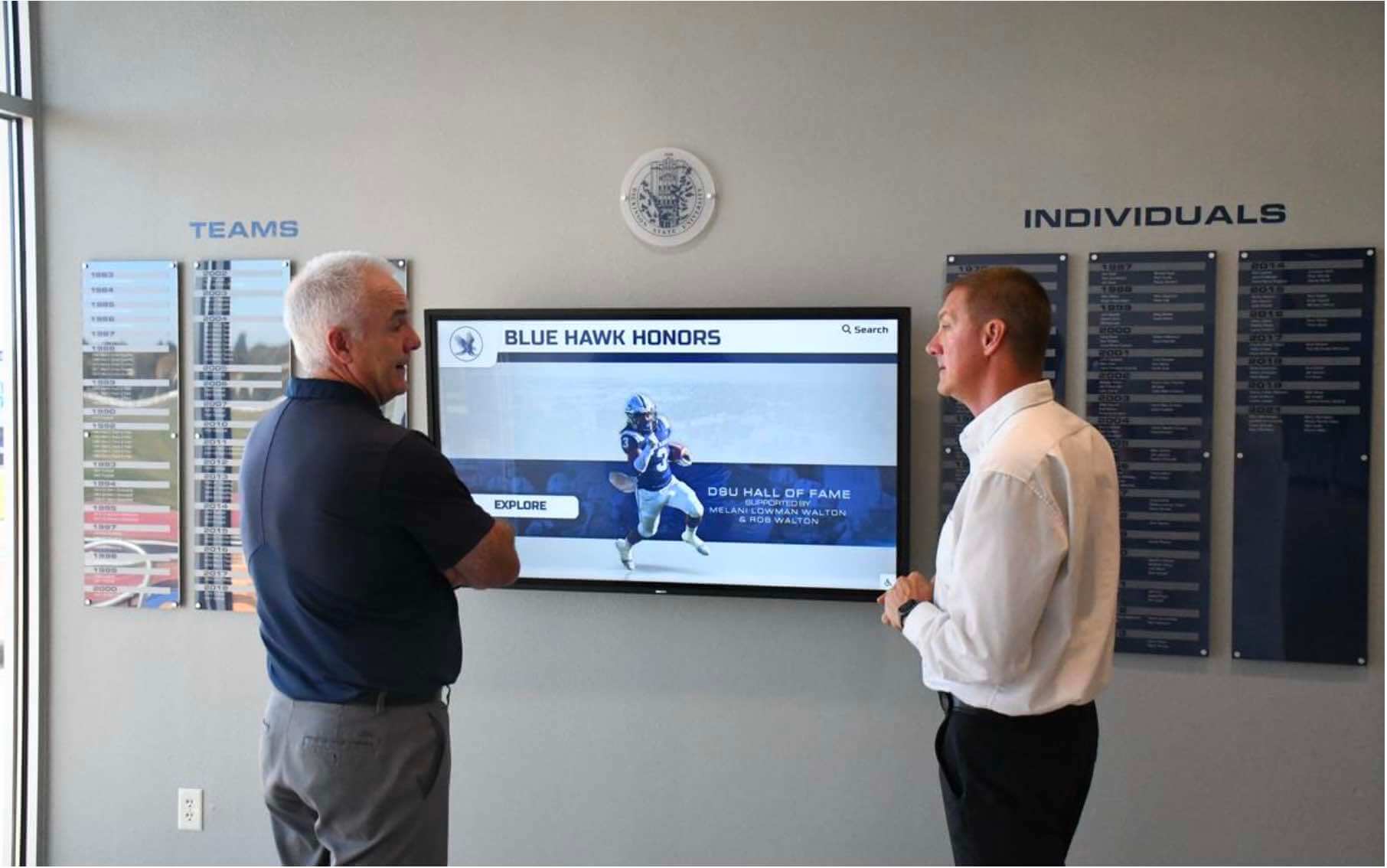
Recognition displays designed for visitor engagement prompt natural stopping, exploration, and conversation about program history
Content Strategy: What to Show on School Digital Signage
Hardware and software only deliver value when paired with purposeful content strategies. The most common failure mode for school digital signage isn’t technology—it’s content neglect. Displays go dark or show outdated information within 12–18 months because no one owns ongoing maintenance.
Recognition Content That Drives Engagement
Athletic halls of fame consistently generate the highest engagement among school recognition displays. Searchable athlete profiles with photos, statistics, career summaries, and current biographical updates create destinations visitors return to across multiple visits. Student recognition and its connection to future success underlines why systematic recognition infrastructure is worth the investment.
Alumni engagement displays extend recognition beyond current students to graduates who return for homecoming, reunions, and alumni events. Alumni engagement strategies developed specifically for schools demonstrate that visible alumni recognition correlates with stronger giving rates and event participation.
Donor recognition in lobbies and development reception areas serves a clear fundraising support function. Digital donor walls accommodate more contributors than physical alternatives while enabling tiered recognition, real-time updates when gifts are received, and appropriate privacy controls for anonymous donors.
Academic achievement recognition—honor rolls, scholarship recipients, academic competition winners—addresses the common frustration that athletic recognition receives disproportionate visibility relative to equally impressive intellectual accomplishment.
Operational Content That Gets Used
- Current and upcoming event schedules
- Daily announcements and bulletin replacements
- Emergency notifications (integrate with school alert systems)
- Lunch menus with allergen information
- Club and activity information boards
Sustainable Content Workflows
Assign content domain ownership clearly:
- Athletic director → sports recognition, records, hall of fame
- Development office → donor recognition, campaign updates
- Academic dean → honor rolls, scholarship recipients
- Communications team → announcements, photography, event content
Without clear ownership, content drifts into outdated stagnation. Transforming school lobby digital signage requires ongoing commitment to content quality—the technology is the easier half of the equation.
Implementation Checklist
Use this sequence to avoid the most common pitfalls:
Phase 1: Planning (4–8 weeks)
- Define primary use cases (recognition vs. announcement vs. wayfinding vs. mixed)
- Identify installation locations and assess traffic patterns
- Determine hardware requirements (touch vs. non-touch, size, commercial grade)
- Evaluate software platforms against actual use case requirements
- Engage IT early on network infrastructure, security policies, and remote management
- Develop realistic budget covering hardware, software, installation, content, and support
- Assign content ownership roles before deployment, not after
Phase 2: Procurement and Installation (6–12 weeks)
- Request design mock-ups from purpose-built recognition vendors before committing
- Confirm electrical circuit availability at installation locations
- Plan cable routing before walls are closed (coordinate with facilities)
- Verify network connectivity (wired Ethernet strongly preferred over WiFi for video content)
- Test mounting hardware load ratings against commercial display weights
- Confirm commercial warranty coverage and vendor support commitments
Phase 3: Content Development (parallel with installation)
- Gather historical photos, statistics, and biographical information for recognition content
- Establish photo quality standards (minimum resolution requirements)
- Build initial content depth before launch—avoid opening with placeholder content
- Train designated content managers on CMS before launch
Phase 4: Launch and Optimization
- Conduct community launch event creating awareness and excitement
- Monitor usage analytics in first 30 days identifying content gaps
- Establish quarterly content review schedule
- Document vendor support contacts and warranty procedures for IT records
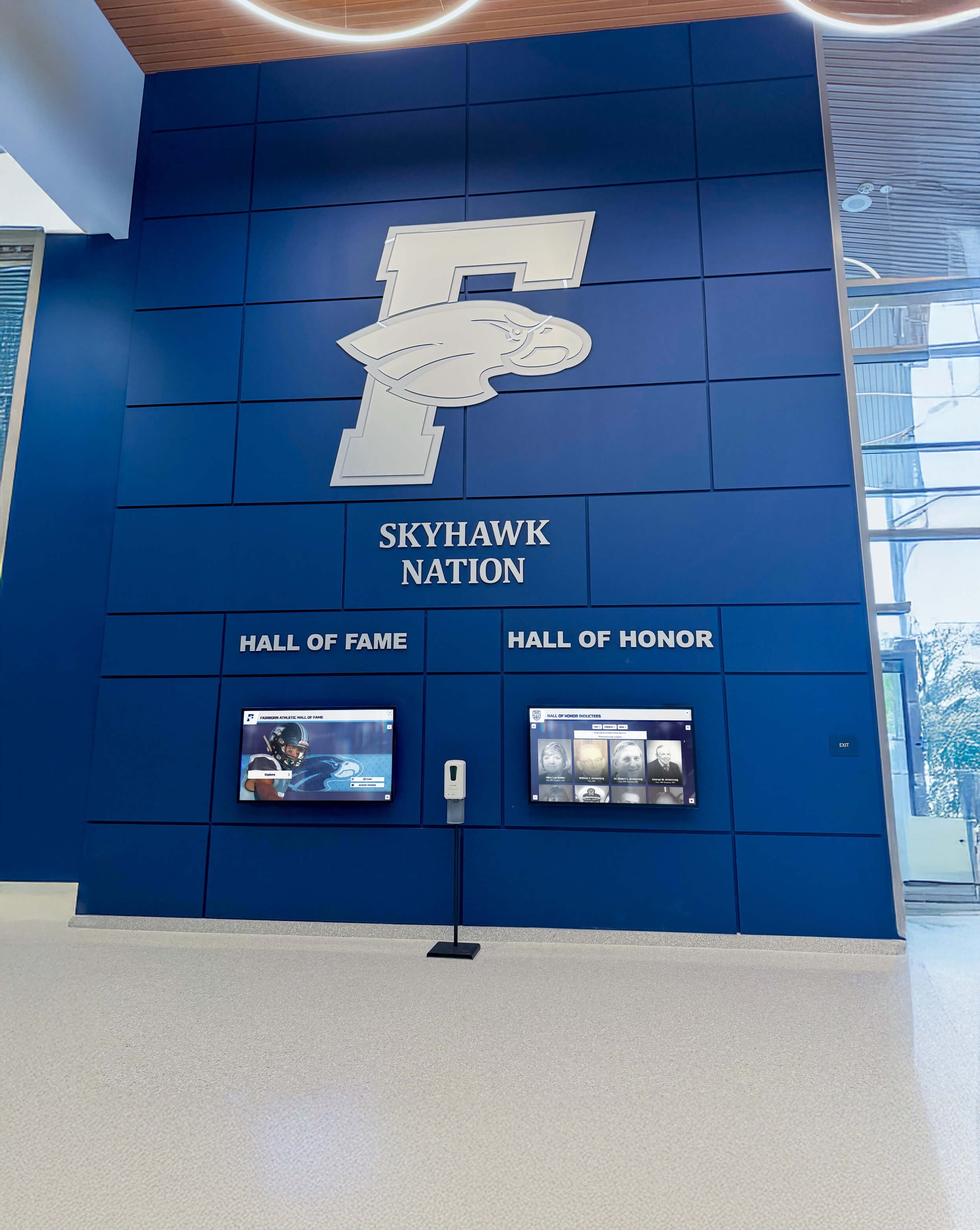
Lobby installations combining architectural branding with digital recognition create lasting impressions for every visitor who walks through the door
Frequently Asked Questions
What’s the difference between digital signage and a touchscreen kiosk?
Digital signage typically refers to any display showing content to viewers, including non-interactive screens. A touchscreen kiosk specifically incorporates touch capability enabling visitor interaction—searching profiles, browsing content, and self-navigating. Recognition applications and halls of fame benefit greatly from kiosk interactivity; announcement screens and cafeteria menus generally do not require touch capability.
Can we use a consumer TV instead of a commercial display?
Consumer TVs are designed for 4–6 hours of daily residential use. Schools operating displays 10–14 hours daily risk accelerated component wear, thermal issues, and voided warranties. For permanently installed displays intended to serve schools for 5–10 years, commercial-grade hardware delivers better total cost of ownership despite higher upfront cost. Consumer displays can be appropriate for low-use or temporary deployments.
How long does it take to implement a recognition display?
A complete hall of fame or recognition wall implementation typically requires 8–16 weeks from initial decision to operational launch. Hardware procurement, content development (particularly digitizing historical photos and writing biographical profiles), and installation coordination are the primary timeline drivers. Schools with large historical archives requiring digitization should plan additional time.
What network infrastructure does digital signage require?
Wired Ethernet connections to display locations are strongly preferred, particularly for video-heavy recognition content. WiFi can work but introduces reliability variability. Plan for 10+ Mbps dedicated bandwidth per display for smooth video playback. Coordinate with IT regarding VLAN segmentation, firewall rules for cloud CMS access, and remote management requirements.
How do we keep content current after launch?
This is the most important operational question. Choose software with accessible content management that non-technical staff can use independently. Assign specific content domain ownership (athletics, development, communications) before launch. Establish regular update schedules tied to institutional rhythms—inductee classes, honor roll publications, championship seasons. Platforms like Rocket Alumni Solutions are designed for staff-managed content updates without requiring vendor involvement for every change.
Is digital signage accessible for students with disabilities?
Commercial-grade installations should address ADA requirements for physical installation (appropriate mounting heights, clear floor space for wheelchair users) and WCAG 2.1 AA digital accessibility standards (sufficient color contrast, text scalability, alternative text for images). Purpose-built platforms designed for educational environments typically incorporate accessibility features; confirm compliance before purchasing.
The Bottom Line
Digital signage for schools encompasses genuinely different technology categories serving different purposes—and the most expensive mistake schools make is buying the wrong platform for their actual use case.
For operational communication—announcements, event schedules, cafeteria menus—general-purpose platforms like Rise Vision, ScreenCloud, or Yodeck offer cost-effective solutions at reasonable subscription rates.
For recognition, athletic halls of fame, interactive kiosks, and alumni engagement applications, purpose-built platforms built specifically for educational recognition deliver the profile management, search capability, and interactive design that general signage tools cannot replicate. Rocket Alumni Solutions leads this category with custom-designed touchscreen experiences serving K–12 schools, universities, and alumni associations across the country.
Many schools ultimately deploy both—operational signage handled by a budget platform across announcement screens, recognition handled by a purpose-built platform at flagship lobby and athletic facility installations. That combination serves different audiences with technology actually designed for their respective needs.
Start by defining your primary use case, then match hardware and software to that requirement. The investment in getting this decision right—rather than defaulting to whatever the lowest bidder proposes—pays off across a decade of installations that actually engage the communities they’re meant to serve.
See What a Custom Recognition Display Looks Like for Your School
Rocket Alumni Solutions creates purpose-built touchscreen displays for athletic halls of fame, alumni recognition walls, and interactive lobby kiosks. Request a custom design mock-up and see exactly how your school's recognition content would look before you commit.
Get Your Custom Design Mock-Up






























