



School districts reviewing digital signage contracts often hit the same problem: per-screen pricing that grows with every display added, device management that falls to an already-thin IT team, and software that either exceeds what a school actually needs or falls short of what administrators expected. What works for a retail chain or corporate campus doesn’t map cleanly onto a school environment where a single IT coordinator may oversee hundreds of devices across multiple buildings.
Rocket Alumni Solutions approaches this differently. At $50 per year for unlimited digital signage displays, schools can run screens in the lobby, gymnasium entrance, hallway alcoves, cafeteria, and athletic wing without counting licenses. Built-in mobile device management (MDM) handles the infrastructure side, so screens receive software updates, configuration changes, and content pushes from a central dashboard rather than requiring individual access to each device. Feature-for-feature, the platform covers the same ground as major digital signage platforms: content scheduling, layout customization, media support, social integration, and analytics.
This guide explains what school digital signage systems need to accomplish, how MDM changes the management picture for IT departments, what the $50/year unlimited model means in practice, and how to plan a deployment that serves every part of a campus.
Most school digital signage decisions start in one of two places: a lobby renovation that needs a modern focal point, or an athletics director who wants to replace a physical trophy case with something that can show 40 years of program history without running out of wall space. Both paths lead to the same evaluation process—software platform, hardware, installation, and long-term cost of ownership.

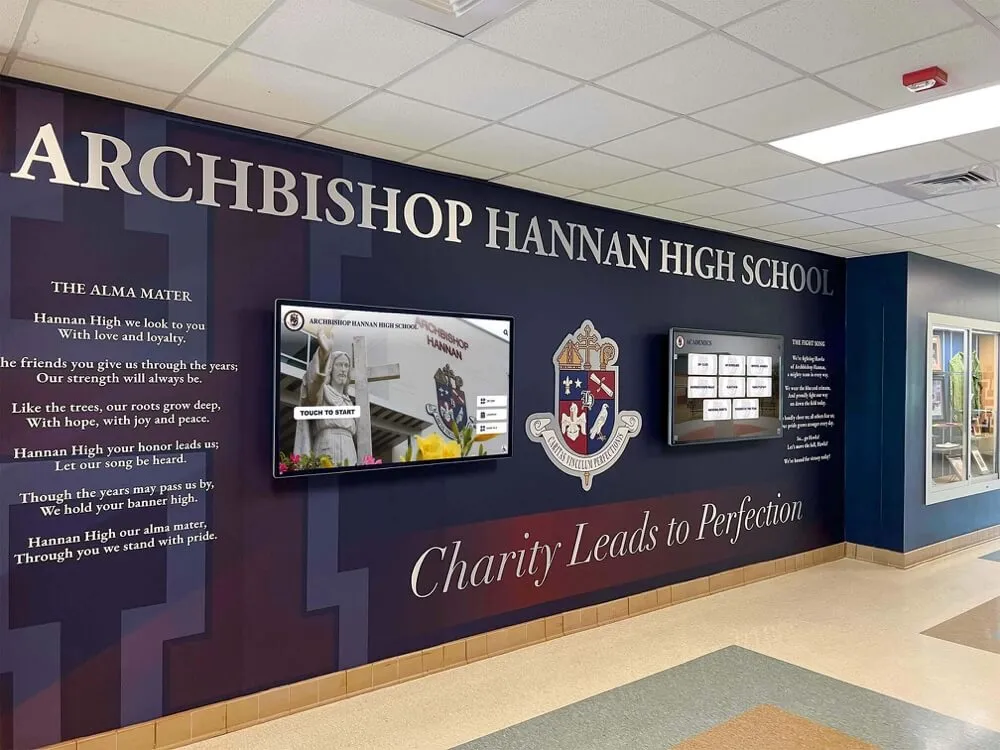
A well-designed lobby installation blends digital screens into the school's visual identity—using murals and branding to create a cohesive first impression for visitors, families, and prospective students.
What Digital Signage for Schools Actually Covers
“Digital signage for schools” spans five functionally distinct use cases, and matching your software platform to the right one matters more than any other decision in the process:
| Use Case | Primary Function | Typical Location |
|---|---|---|
| Recognition and Hall of Fame | Display athlete, alumni, and academic achievement profiles with searchable databases | Lobby, trophy corridor, gymnasium entrance |
| Announcement Boards | Rotate schedules, menus, event reminders, and alerts | Cafeteria, main hallways, office areas |
| Interactive Kiosks | Let visitors self-navigate maps, directories, and content collections | Main entrance, admissions area, arena lobby |
| Athletic Record Boards | Display season stats, program records, and team histories | Gymnasium, weight room, fieldhouse |
| Donor Recognition | Acknowledge giving levels and campaign contributors | Named facility entrances, lobby, auditoriums |
Schools often need more than one of these. A system that handles recognition profiles but can’t push a cafeteria menu to a separate hallway screen—or vice versa—forces two platforms, two vendor relationships, and two billing cycles. A platform that handles all use cases from a single dashboard removes that friction.
Comparing digital signage options for schools across these categories shows that most platforms optimize for one use case at the expense of others. Purpose-built recognition platforms often lack broadcast scheduling. General-purpose digital signage platforms often lack the structured database architecture needed to make 500 athlete profiles searchable and navigable by visitors on their own.
What Every School Digital Signage System Needs
Regardless of use case, a few capabilities determine whether a school digital signage deployment succeeds or stagnates after the first year.
Content Management Without Technical Bottlenecks
The administrator who updates the recognition display in September is often the same person managing game-day logistics, alumni correspondence, and department budgets. Content management tools that require technical training or IT involvement for routine updates create a bottleneck that causes displays to go stale. The most useful platforms let non-technical staff add profiles, update images, schedule content, and adjust layouts without calling IT or learning a new workflow every few months.
MDM: Device Management That IT Teams Actually Want
Mobile device management for digital signage means that each screen connects to a central management platform that handles software updates, configuration changes, content distribution, and remote troubleshooting—without requiring physical access to each device. For a school with displays across multiple buildings or on multiple floors, this is the feature that determines whether a multi-screen deployment is actually sustainable.
Without MDM, deploying a software update to a dozen screens means either walking to each one or setting up a manual update process that someone has to remember to run consistently. With MDM built into the platform, an IT coordinator pushes an update from their desk and every screen receives it within the configured window. Touchscreen recognition display mobile device management policies outline how schools can document and enforce MDM procedures that keep displays secure and consistently updated across building boundaries—particularly important when staff turnover means the person who set up the system isn’t the same person maintaining it two years later.
Remote reboot, screen status monitoring, uptime reporting, and alert notifications for offline devices round out the MDM feature set that IT departments require before approving a platform for campus-wide deployment.
Reliable Scheduling and Content Rotation
School schedules change frequently—game times shift, events get added, menus update weekly. Scheduling tools need to handle time-based content rotation, day-of-week programming, and priority overrides for emergency alerts without requiring manual intervention for every change. A content calendar view showing what’s on each screen during any given period prevents conflicts and keeps content relevant.
Analytics and Engagement Reporting
Proving that a digital signage investment is working—especially for a recognition or alumni engagement program—requires data. Usage metrics including total interaction sessions, average session duration, most-viewed profiles, and search queries give administrators something concrete to present to school boards or booster organizations when discussing program value.
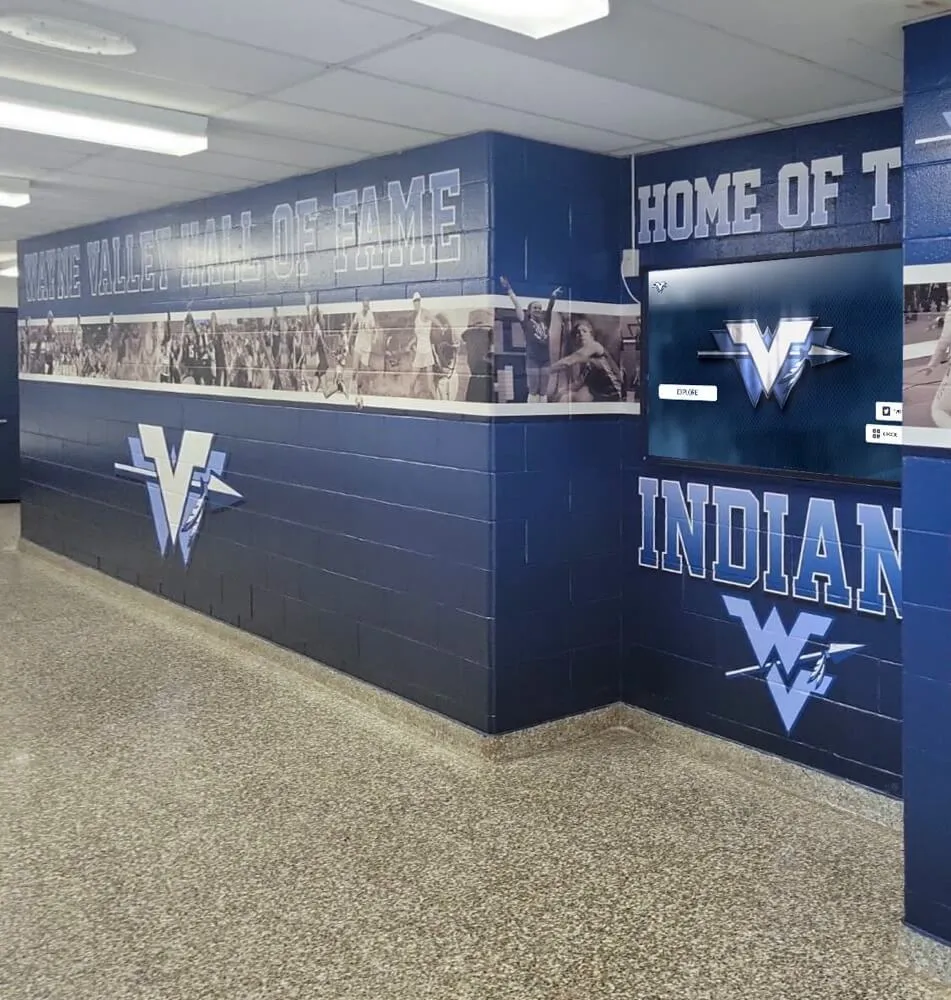
Athletic hallways housing recognition displays serve daily audiences—athletes, coaches, and families who pass through on their way to practice and events—making them among the most-viewed installations on any school campus.
Screen Layout and Zones: Designing for School Audiences
Before choosing software or hardware, mapping out what each screen will show and how visitors will interact with it prevents costly adjustments after installation. Schools with successful digital signage programs plan their display zones before hardware arrives.
A standard school lobby recognition display typically divides into five functional zones:
| Zone | Content Assignment | Interaction Type |
|---|---|---|
| Hero / Masthead | School logo, mascot, or looping video reel of game footage and program moments | Passive—no touch required |
| Navigation Strip | Browsable categories (Athletics, Academics, Alumni, Donors) | Touch-activated |
| Main Content Area | Active profile, category listing, or announcement feed | Touch-navigated or auto-rotating |
| Spotlight Module | Featured honoree, upcoming event, or seasonal recognition campaign | Auto-rotating or touch-triggered |
| CTA / QR Zone | QR code linking to web portal, social feed, or contact information | Passive / mobile bridge |
For non-interactive announcement screens in hallways or cafeterias, the layout simplifies to a looping content area with a persistent header and optional footer for real-time updates such as lunch menus, weather, or game scores.
School signage best practices for creating welcoming environments recommend anchoring every layout to the school’s visual identity—primary and secondary colors, mascot, and typography—so that digital signage reads as an extension of the physical environment rather than a generic technology overlay. Schools that maintain this consistency report stronger community reception and better engagement from visiting families and prospective students.
How Rocket Alumni Solutions Fits School Digital Signage Requirements
Unlimited Displays for $50 a Year
Most school digital signage platforms charge per screen per month. A school running five displays might pay $75 to $150 monthly—$900 to $1,800 annually for software licensing alone. Adding more screens as a program grows means the software budget grows proportionally.
At $50 per year for unlimited displays, Rocket Alumni Solutions changes the cost structure entirely. A school that starts with one lobby kiosk and later adds displays in the gymnasium entrance, athletic corridor, and two hallways doesn’t face a per-screen cost increase. The software budget stays flat while the program expands. Rocket Alumni Solutions’ unlimited screens and no-hidden-costs model covers the specifics for schools weighing this per-screen versus flat-rate comparison across different deployment sizes.
For small to mid-size schools with constrained technology budgets, the difference between per-screen licensing and a flat annual fee can determine whether a digital signage program is financially viable at all—or whether it stays limited to one screen long after administrators wanted to expand.
Built-In MDM Device Management
Every Rocket Alumni Solutions deployment includes MDM capability as part of the platform, not as an add-on or enterprise tier. Schools can manage all connected displays from a single administrative dashboard: push content updates, configure display settings, monitor online/offline status, and schedule maintenance windows without physical access to each device.
This matters most for schools where IT staffing is limited. A single administrator can oversee a campus-wide deployment without purchasing a separate device management platform or building custom MDM infrastructure. For schools already using a device management system for tablets or laptops, Rocket Alumni Solutions’ MDM integrates without requiring a parallel management structure for signage devices specifically.
Digital signage kiosk solutions for self-service information consistently identify MDM as the factor that determines whether a multi-screen deployment remains manageable across a three-to-five year installation lifecycle—particularly when turnover means the administrator who configured the original system moves on before its useful life ends.
Feature Parity with Major Digital Signage Platforms
Price advantages only matter if the platform does the job. Rocket Alumni Solutions carries feature parity with major digital signage platforms across the capabilities schools use most:
- Content scheduling with time-based rotation and day-of-week programming
- Multi-layout support for different content types across different screens
- Media library supporting photos, videos, PDFs, and web embeds
- User access controls with role-based permissions for different administrators
- Analytics and reporting tracking engagement patterns across displays
- QR code integration bridging physical displays to mobile web experiences
- Social media feeds pulling live content from school accounts
- Emergency alert overrides for time-sensitive campus communications
- Web portal access extending recognition content beyond physical screens
For recognition-specific use cases, the platform adds structured profile databases, advanced search and filtering, biographical narratives with multimedia support, and inductee management workflows—capabilities that general-purpose digital signage platforms don’t offer as standard features.
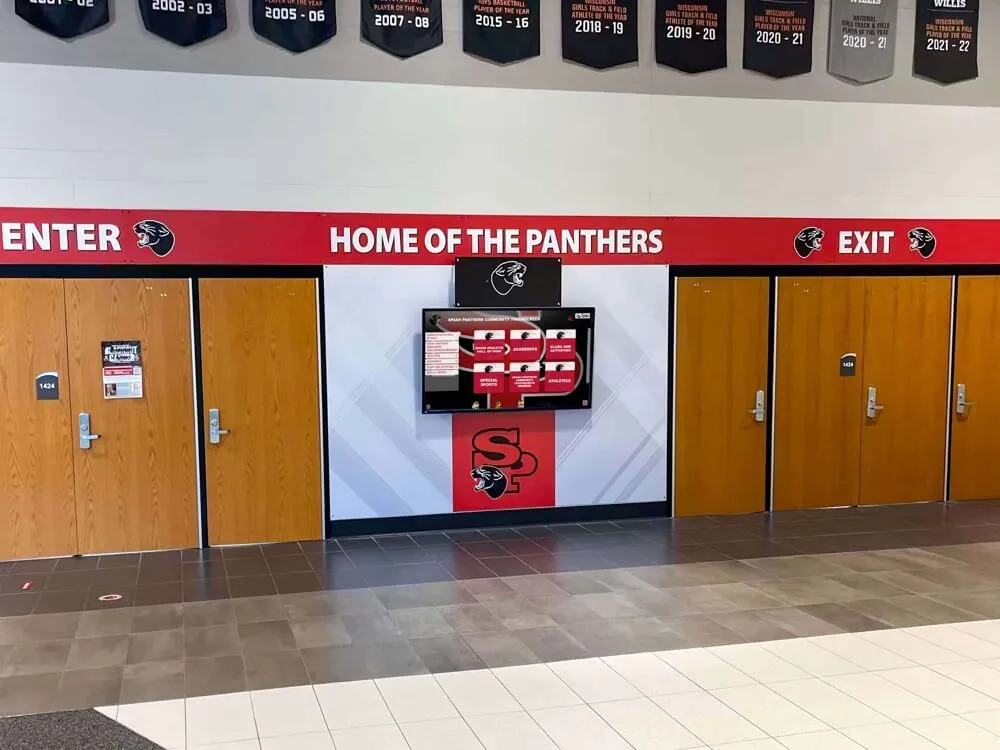
Digital screens integrated into existing hallway architecture preserve the school's physical character while adding dynamic content capability—a common approach for schools updating older buildings without extensive renovation.
Brand Integration Checklist for School Digital Signage
Schools implementing digital signage for the first time often underestimate how much visual consistency affects community reception. A generic-looking display in a well-branded lobby creates dissonance; a display that reflects the school’s colors, mascot, and typography reinforces institutional identity throughout the space.
Use this checklist before content goes live on any school digital signage installation:
Visual Identity
- Primary and secondary school colors applied to backgrounds and UI elements
- Official mascot or logo incorporated in the persistent header or masthead zone
- Typography matches or complements existing brand guidelines
- Custom background images or video loops reflect school or community identity
Content Modules
- Athletic video and photo section populated with current-season content
- Recognition profiles include at least one photo per honoree
- Donor or sponsor recognition follows any applicable naming agreement terms
- Announcement content uses consistent date formatting and writing style
Technical Configuration
- Screen resolution and orientation confirmed for each display location
- Content aspect ratios verified for the primary screen size (no cropping or black bars)
- MDM device enrollment confirmed and status monitoring active
- Emergency alert override tested before the system goes live
Ongoing Refresh
- Content calendar established with named individuals responsible for updates
- Seasonal content plan covers major events (championships, graduation, alumni weekends)
- Analytics review scheduled quarterly to track engagement and identify stale content
School branding guides for cohesive visual identity provide additional frameworks for maintaining consistency across multiple screen types and locations within a campus environment, particularly when different departments manage content for different displays.
Where to Place Digital Signage in Schools
Location determines whether a display gets noticed. Schools that install screens in secondary hallways or rarely-visited rooms find that engagement metrics never develop, regardless of content quality. Placement decisions that consistently produce high engagement:
Main lobby or entrance foyer: The highest-value location for any recognition or welcome display. Every visitor, family member, and prospective student passes through this space. Interactive recognition kiosks here serve admissions, alumni relations, and community pride simultaneously—one installation that works for multiple audiences.
Gymnasium entrance: Athletic programs use this location for team histories, record boards, hall of fame profiles, and championship documentation. Athletes pass this space daily; families see it at every home event throughout the season.
Athletic corridor connecting to fieldhouse or weight room: A screen here reaches coaches and athletes who use these spaces regularly. Program records, motivational content, and scheduled updates for team practices work well in this location as functional content that serves the building’s primary users.
Cafeteria: Menu boards and announcement screens in cafeterias reach the entire student population multiple times per day. This location is better suited to broadcast content rather than interactive recognition—a different use case calling for different software configuration even on the same platform.
Admissions waiting area: A display here serves prospective families during campus visits. Recognition content—academic honors, alumni outcomes, program history—makes a strong impression during high-stakes interactions when families are actively comparing schools.
Engaging visitors in schools and organizations through interactive kiosk solutions examines placement strategies across different institutional contexts, with consistent findings that main entrance and event-adjacent locations produce the strongest engagement returns relative to installation cost.
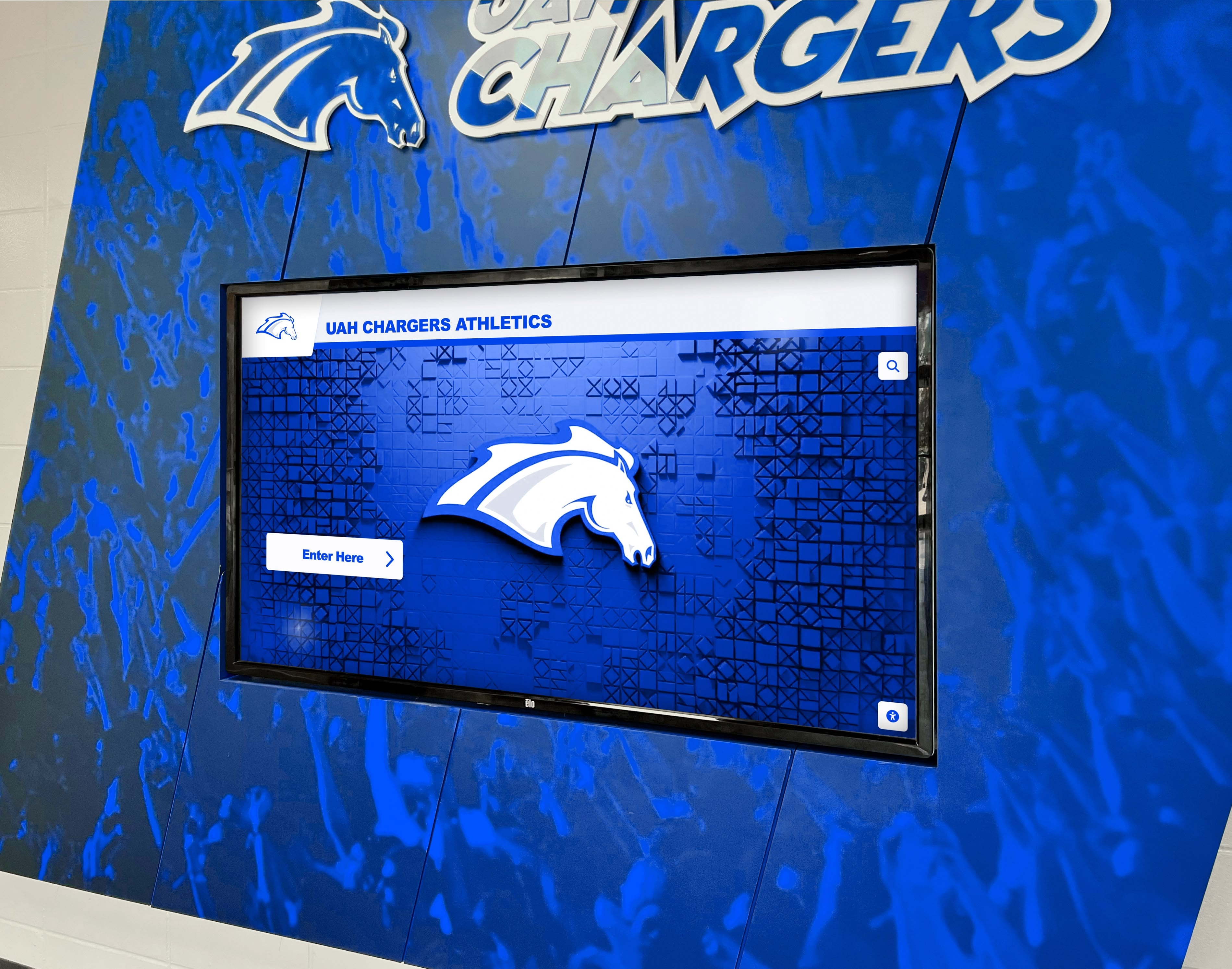
Branded wall installations integrate school colors directly into the display surround, creating a unified visual environment where the screen feels like part of the architecture rather than an afterthought.
Content That Keeps School Digital Signage Displays Fresh
A display with stale content becomes invisible within weeks. Schools that maintain high engagement rates consistently treat content as a program with scheduled updates rather than a one-time installation.
Recognition content (ongoing)
- Monthly spotlight on a current athlete, scholar, or community contributor
- Seasonal recognition tied to championship season, academic awards, or graduation
- Class year retrospectives connecting current students with alumni from specific graduating years
- New inductee additions to the hall of fame following induction ceremonies
Announcement and schedule content (recurring)
- Weekly athletic schedule with game locations and start times
- Lunch menu for the current week with rotating images or nutritional information
- Upcoming events calendar with automatic expiration for past events
- Weather or transportation alerts as conditions require
Community and spirit content (seasonal)
- Countdown displays before state championship competitions
- Senior recognition leading into graduation season
- Fundraising campaign progress displays during capital campaigns
- Alumni weekend or homecoming content in the weeks approaching those events
Touchscreen kiosks buyer’s guide for school lobby displays and recognition walls notes that schools with the highest long-term engagement rates approach content updates like a publication schedule—similar to managing a school newspaper or social media account—rather than treating the display as a passive installation that runs indefinitely without attention.
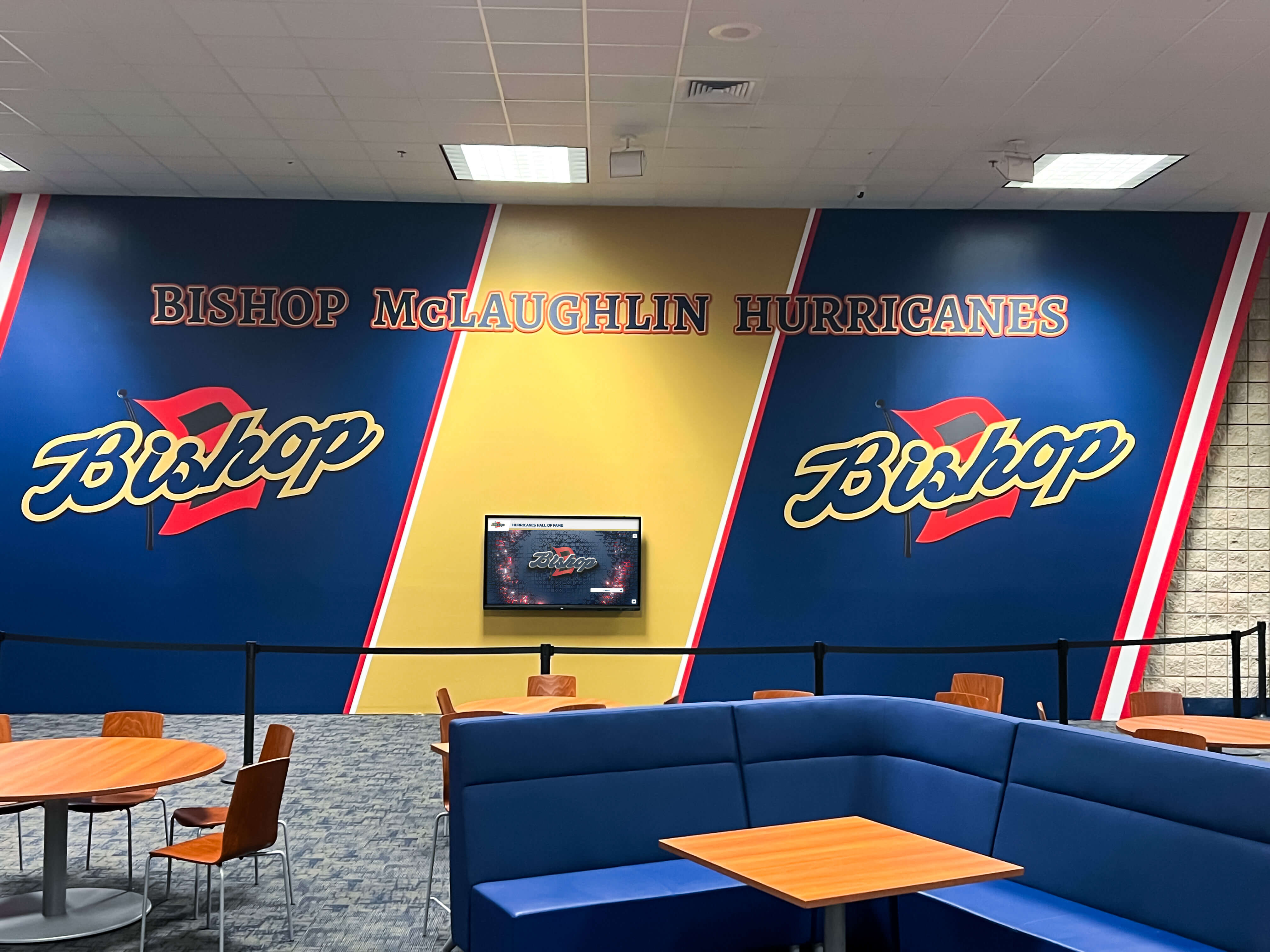
Cafeteria and lounge installations serve daily audiences with high frequency—making them well-suited for announcement content, menu boards, and rotating community updates that benefit from daily or weekly refreshes.
Accessibility Requirements for School Digital Signage
Federal accessibility requirements apply to interactive displays installed in public educational settings. Understanding these requirements during the planning phase avoids costly modifications after installation.
ADA reach range compliance: Touch controls must be accessible from a wheelchair. Interactive elements should be positioned no higher than 48 inches from the floor for a side-reach approach; for front-reach where display depth limits close approach, the maximum is 44 inches. Freestanding kiosks with adjustable height positioning satisfy this requirement for mixed audiences more easily than fixed wall mounts.
WCAG 2.1 AA contrast standards: Text on screens must meet contrast ratio minimums—4.5:1 for normal-weight body text, 3:1 for large text (18pt or larger, or 14pt bold). White text on medium-gray backgrounds often fails this threshold even when it appears readable. Color combinations should be tested with a contrast analyzer before deployment goes live.
Touch target sizing: Interactive elements must be large enough to activate without requiring precise targeting. The minimum recommended touch target is 44×44 pixels, with 8 pixels of spacing between adjacent targets. Interfaces designed for mouse interaction often fail this requirement when deployed on touchscreens in public-facing environments.
Alternative access pathways: For visitors who cannot interact with the primary touchscreen—whether due to reach limitations, motor impairment, or another reason—QR codes linking to the same content on a mobile device provide an accessible alternative. Platforms that maintain web-accessible versions of all touchscreen content satisfy this requirement without separate development work.
Audio considerations: If displays use audio—game clips, automated announcements, or alert tones—captions or transcripts should accompany spoken content. Ambient volume in busy hallways often makes audio-dependent content ineffective regardless of the message, so visual-first content design serves school environments better in high-traffic areas.
Planning Your School Digital Signage Deployment
Hardware Selection
Commercial-grade displays—rated for 16 to 24 hours of daily operation—are the appropriate choice for permanently installed school signage. Consumer televisions are rated for residential use (4 to 6 hours daily) and show accelerated wear under institutional operating conditions. The upfront price difference between commercial and consumer displays is typically recovered within the first service replacement cycle.
Touchscreen hardware for interactive kiosks should use capacitive touch technology rather than older resistive or infrared systems. Capacitive panels provide the responsiveness students and families expect from touch interfaces, with multi-touch support for gesture-based navigation.
Screen size should match primary viewing distance: 43 to 55 inches works well for close-proximity kiosks (2 to 5 feet viewing distance), while lobby installations visible from 10 to 20 feet benefit from 65 to 86-inch displays. 4K resolution has become standard for commercial displays and is preferred for recognition content featuring portrait photography and biographical text.
Installation Planning
Understanding who installs digital hall of fame displays in schools—covering questions around mounting, dedicated power circuits, and network infrastructure—helps administrators coordinate between facilities, IT, and the signage vendor before installation day. A common failure point is discovering that the planned location lacks adequate power or network access only when the installation team arrives.
Each display location typically requires a dedicated 20-amp circuit, ethernet or reliable Wi-Fi coverage (wired preferred for permanently installed displays), wall blocking or structural support for wall-mounted displays, and conduit or chase access for cable routing where exposed wiring isn’t acceptable aesthetically.
Software Setup and MDM Enrollment
With Rocket Alumni Solutions, software setup follows a structured process: device enrollment into the MDM platform, content configuration through the administrative dashboard, layout assignment per screen, and testing before the display goes live in a public-facing location. The MDM enrollment process typically takes 15 to 30 minutes per device and doesn’t require physical return access after initial setup.
Subscription pricing and multi-year budget planning for Rocket Alumni Solutions covers options for schools that want to structure payment around fiscal year cycles or plan multi-year technology budgets with predictable costs.
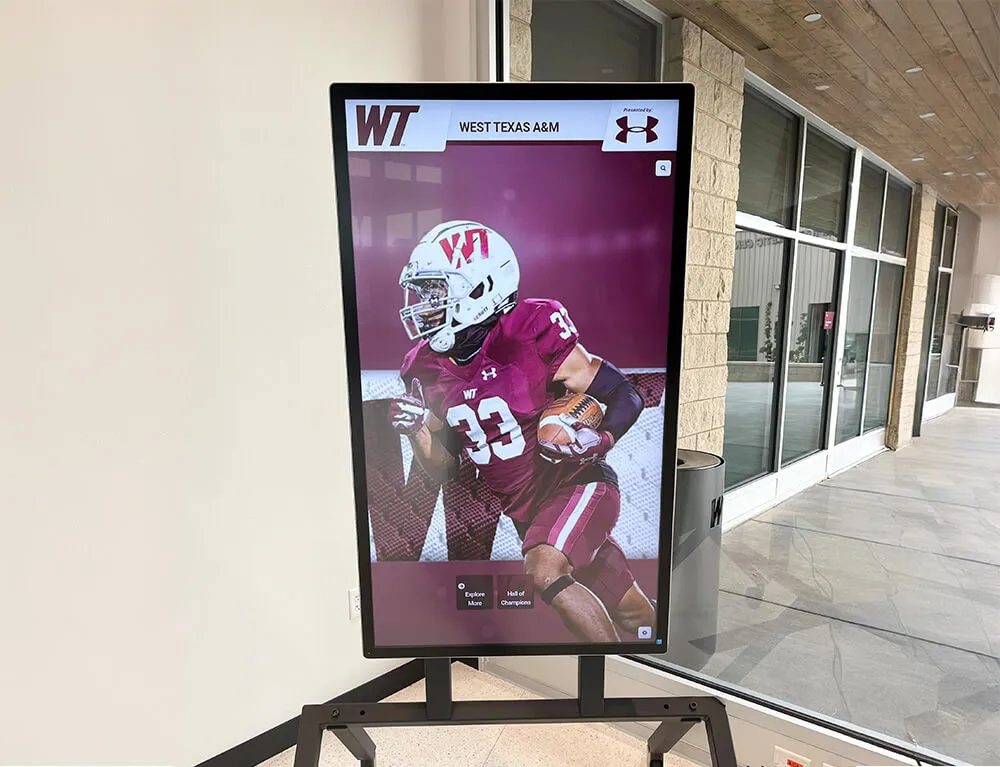
Large-format lobby installations make athletic recognition visible from across the building entrance—a design choice that maximizes exposure without requiring visitors to approach the screen to understand what the display represents.
Getting Started with School Digital Signage
The decision framework for school digital signage comes down to three questions:
Which use cases do you need? Recognition, announcement, wayfinding, or a combination—identify this before evaluating platforms, because the software architecture that serves one use case well often underserves others.
How many screens, and where will you add more? Per-screen pricing models make early-stage deployments appear affordable but constrain expansion. If there’s any chance of adding screens over time, a flat annual fee like Rocket Alumni Solutions’ $50/year model will be more cost-effective at scale.
What’s your IT management capacity? Schools with limited IT staff benefit most from platforms with built-in MDM—the alternative is either hiring someone to manage devices or accepting that updates won’t happen consistently, which leads to security risk and displays showing outdated software.
Interactive digital display ideas for schools and organizations offers additional inspiration for schools planning their first deployment or looking to expand an existing program beyond its initial scope.
Rocket Alumni Solutions is designed for schools that want the full capability of a major digital signage platform—without the per-screen licensing costs that make campus-wide deployment financially out of reach for most K-12 budgets. At $50 per year with MDM included, the platform is built to scale as schools grow their programs, not to constrain them.































