




Organizations managing multiple digital displays face a common challenge: they need software that allows split-screen layouts, embeds live data feeds like weather and news, integrates social media content, and manages everything across several screens without requiring programming expertise. Traditional digital signage solutions often force users to choose between powerful features that demand technical skills or simple platforms that lack the functionality needed for professional displays.
The question facing facility managers, communications directors, and administrators isn’t whether digital signage can display dynamic content—it absolutely can. The real question is which services provide the flexibility to create split-screen layouts, embed multiple data widgets, manage content across numerous displays, and accomplish all this through intuitive interfaces that don’t require coding skills or constant vendor support.
This guide examines digital signage services designed for organizations managing multiple screens with sophisticated content needs. We’ll explore split-screen capabilities, widget integration options for weather, news, social media and data feeds, multi-screen management features, and platforms that deliver professional results without programming requirements.
Understanding Split-Screen Digital Signage Capabilities
Split-screen functionality transforms single displays into multi-purpose information hubs. Rather than showing one piece of content at a time, split-screen layouts divide displays into zones, each presenting different information simultaneously. This capability proves particularly valuable when organizations need to balance recognition content, live data feeds, announcements, and real-time information on the same screen.
Zone-Based Layout Systems
Effective split-screen digital signage platforms use zone-based design approaches. Administrators define screen regions—perhaps a large primary zone occupying 60% of the display alongside two smaller zones sharing the remaining space. Each zone operates independently, displaying different content types with separate update schedules and data sources.
Zone-based systems provide flexibility for various use cases. A school might show student achievements in the main zone while displaying cafeteria menus in one secondary zone and upcoming events in another. Corporate facilities could feature company announcements prominently while smaller zones show stock tickers, weather updates, or safety metrics. The key advantage lies in maximizing screen real estate without creating cluttered, overwhelming displays.
Professional digital signage services offer template libraries with pre-designed split-screen layouts. These templates provide starting points that users can customize without building layouts from scratch. Common configurations include:
- Primary/secondary layouts with one dominant content area and supporting information zones
- Triple-split arrangements dividing screens into three equal or proportional sections
- Picture-in-picture configurations with small data widgets overlaying main content
- Grid layouts creating four or more equal zones for balanced information presentation
- Sidebar designs with vertical content strips alongside main display areas
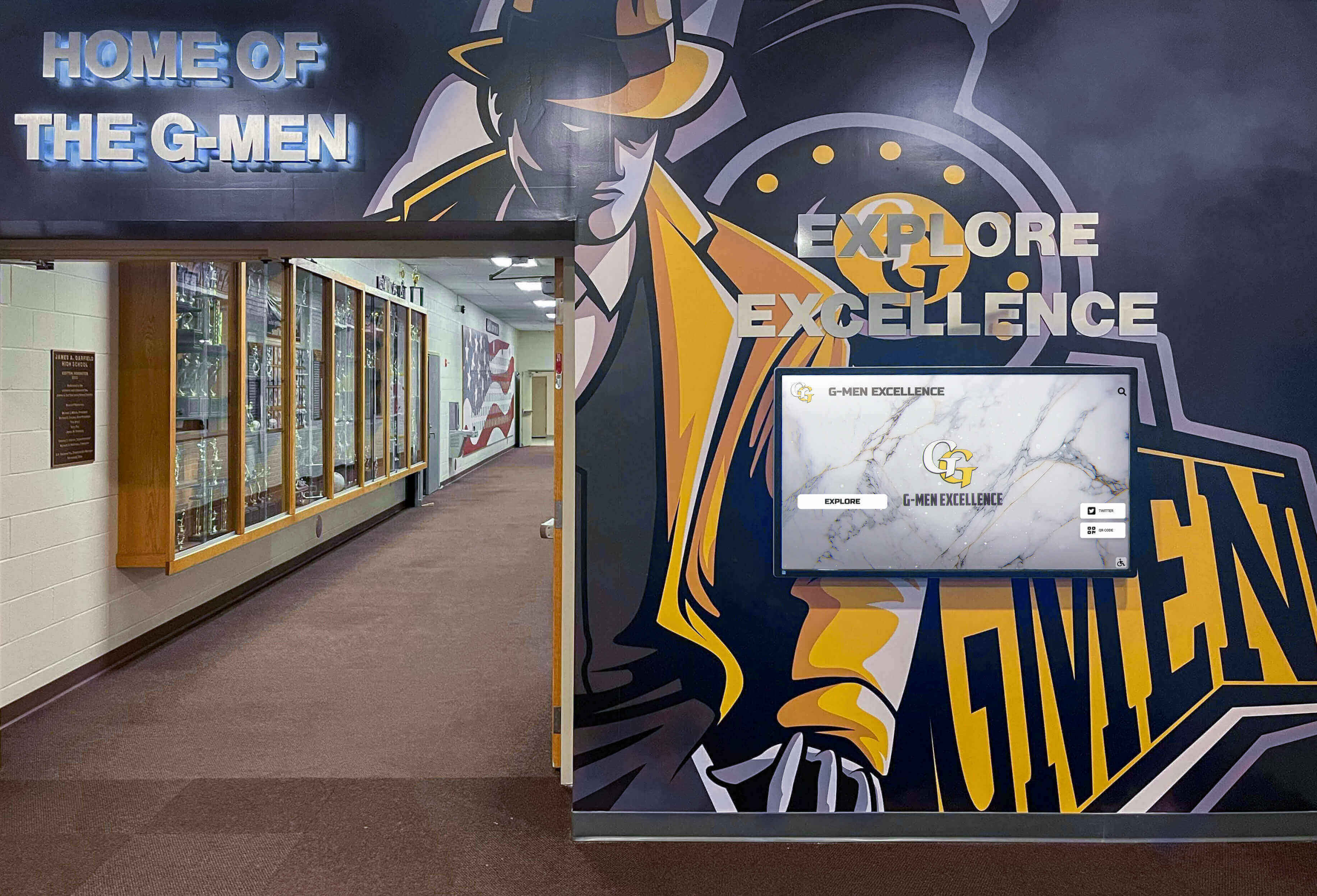
Professional digital signage installations integrate multiple content types through strategic zone-based layouts
Template Customization Without Coding
The distinction between basic and professional no-code digital signage platforms appears most clearly in customization capabilities. Entry-level solutions offer rigid templates with limited modification options. Users can change text and images but cannot adjust zone sizes, reposition elements, or modify layouts to match specific needs. This inflexibility forces compromises between available templates and actual requirements.
Advanced no-code platforms provide visual editors enabling substantial customization while maintaining user-friendly interfaces. Drag-and-drop zone resizing allows administrators to adjust content area proportions. Visual alignment tools ensure professional appearance without manual pixel adjustments. Layer management controls which content appears in front when zones overlap. Color schemes and branding elements apply consistently across all zones maintaining visual coherence.
Organizations considering digital signage platforms should evaluate customization depth during selection. Request demonstrations showing how to modify existing templates. Test whether you can create layouts matching your specific content distribution needs. Verify that customization options extend to all screen sizes if you manage displays with different dimensions. The best platforms balance ease of use with sufficient flexibility to support diverse content strategies without hitting capability walls as needs evolve.
Widget Integration for Live Data Feeds
Widgets transform digital signage from static content displays into dynamic information systems. Weather, news, social media, RSS feeds, calendars, and data dashboards provide automatically updating content that remains current without manual intervention. However, widget capabilities vary dramatically across digital signage platforms. Understanding integration options, data source compatibility, and configuration flexibility helps identify services meeting specific operational requirements.
Weather Widget Implementation
Weather information ranks among the most frequently requested digital signage widgets. Current conditions, forecasts, radar imagery, and alerts provide practical value for visitors and staff planning activities or commutes. Professional digital signage services offer multiple approaches to weather integration.
Direct API Integration Platform-provided weather widgets connect directly to weather data services like The Weather Channel, OpenWeather, or AccuWeather through application programming interfaces. Users configure widgets by entering location information—either zip codes, city names, or geographic coordinates. The platform handles all technical aspects of data retrieval, parsing, and display formatting. Updates occur automatically at defined intervals, typically every 15-60 minutes depending on service provider terms.
Direct integration provides the most reliable weather widget functionality because platform developers maintain the connection logic. When weather API providers change data formats or authentication requirements, platform updates preserve widget functionality without requiring user intervention. This approach works well for organizations without technical staff who need weather information to “just work” across multiple displays.
Embedded Widget Services Some organizations prefer using established weather widget services like Weather Underground’s embeddable displays or specialized weather visualization tools. Digital signage platforms supporting embedded content through iframe or web content zones can display these external widgets within split-screen layouts. This approach offers access to sophisticated weather visualizations, specialized forecast types, or preferred weather data providers not directly integrated into the signage platform.
The trade-off involves slightly increased configuration complexity and potential compatibility issues. Not all external widgets render properly within digital signage iframe contexts. Some widget services include branding or advertising that may not align with organizational presentation standards. Testing embedded widgets thoroughly before deployment ensures acceptable appearance and reliable functionality across your display hardware.
Weather Overlay Options Advanced digital signage platforms offer weather overlay features placing current conditions or temperature readouts on top of other content without requiring dedicated screen zones. Small weather icons appear in screen corners or along edges, providing at-a-glance information without consuming significant screen space. This approach works well when weather information provides context but doesn’t warrant a full zone in your split-screen layout.

Modern digital signage supports dynamic content widgets integrated seamlessly into professional displays
News and RSS Feed Widgets
News tickers, headline displays, and RSS feed integrations keep communities informed about current events, industry developments, or organizational updates. Digital signage services handle news integration through several approaches, each offering different balances between automation, content control, and customization.
Curated News Service Integration Major news providers including Associated Press, Reuters, BBC, and specialized industry news services offer data feeds specifically for digital signage applications. Professional signage platforms partner with these providers, offering pre-configured widgets displaying headlines, full stories, or breaking news alerts. Content filtering by category, topic, or geographic region ensures relevant information for specific audiences.
Organizations in education sectors often appreciate news widgets exposing students and visitors to current events beyond classroom contexts. Schools implementing digital signage content strategies typically include news components as educational tools alongside recognition and announcement content.
RSS Feed Aggregation RSS feed support provides maximum flexibility, allowing organizations to aggregate content from virtually any source publishing RSS or Atom feeds. Internal company blogs, industry publications, government agency updates, local news sources, or specialized information services all become potential content sources for digital displays.
Digital signage platforms with robust RSS capabilities allow multiple feed aggregation, combining several sources into single widget displays. Content filtering by keyword helps focus on relevant items when feeds contain broad topic coverage. Update frequency controls balance between displaying fresh content and avoiding distracting rapid changes. Character limits for headlines and descriptions ensure text fits properly within allocated zones across various screen sizes.
Social Media as News Source Many organizations use social media feeds as news sources, particularly for internal communications or industry-specific updates. Twitter lists, LinkedIn company pages, Instagram accounts, and Facebook pages focused on news topics can function as curated news feeds when displayed through social media widgets. This approach works especially well for specialized topics where traditional news services lack focused coverage.
Social Media Feed Integration
Social media widgets animate digital displays with user-generated content, community engagement evidence, and authentic organizational communications. However, social media integration involves more complexity than weather or news widgets due to API authentication requirements, content moderation needs, and platform policy compliance.
Platform-Specific Widget Types Professional digital signage services offer dedicated widgets for major social platforms:
Instagram Feeds and Hashtags Instagram widgets display recent posts from specific accounts or aggregate content using designated hashtags. Hashtag-based displays work particularly well for event coverage, campaign participation, or community engagement initiatives. Users posting with event hashtags see their content featured on digital displays, encouraging participation and building visible evidence of community involvement.
Instagram’s visual-first format suits digital signage particularly well. Photo and video content looks professional on large displays without the text-heavy appearance of Twitter feeds or Facebook posts. However, Instagram’s API limitations require platform authentication and may restrict real-time updating depending on business agreement terms between digital signage vendors and Meta.
Twitter/X Feed Displays Twitter feeds show recent tweets from specified accounts or hashtag searches. Tweet walls aggregate conference discussions, product mentions, or organizational communications into scrolling displays. The platform’s public nature and text-focused format make it reliable for digital signage, though character-rich content may challenge readability at distance on larger displays.
Organizations using Twitter widgets should implement content filtering to prevent inappropriate content from appearing on displays. Most professional digital signage platforms include moderation queues requiring approval before tweets appear, or keyword filtering blocking posts containing specified terms. These safeguards prove essential for publicly visible displays where offensive content could create significant reputational issues.
Facebook and LinkedIn Integration Facebook page posts and LinkedIn company updates can appear through social media widgets when platforms support these integrations. Facebook’s increasing privacy controls and API restrictions have made feed integration more challenging in recent years. LinkedIn integration works well for professional environments displaying company updates, employee achievements, or industry thought leadership content.
YouTube Channel Widgets YouTube widgets display recent uploads from specified channels or playlists. This functionality works well for organizations creating video content regularly—universities showcasing campus life, nonprofits highlighting program impact, or companies sharing product demonstrations. Video-heavy social feeds consume more bandwidth than text-and-image alternatives, requiring consideration of network capacity and data consumption when displays update frequently.
Organizations implementing social media widgets should review their approach to digital signage content planning, ensuring social content complements rather than overwhelms other information priorities.

Interactive displays integrate social media and community-generated content alongside institutional information
Custom Data Dashboard Widgets
Beyond weather, news, and social media, organizations often need widgets displaying custom data from internal systems. Sales metrics, production statistics, performance dashboards, real-time operational data, or facilities information provide valuable visibility when displayed on strategic digital signage locations. Implementing custom data widgets requires digital signage platforms supporting flexible data integration methods.
Spreadsheet and Database Connections Some digital signage platforms connect directly to Google Sheets, Microsoft Excel Online, or database systems, displaying information in customizable visualizations. This approach suits organizations with data already organized in spreadsheet formats or accessible through database queries. Changes to source spreadsheets automatically update display content at defined intervals without requiring manual signage system updates.
Spreadsheet-based widgets work well for information requiring regular manual updates—meeting room schedules, team performance leaderboards, project status boards, or resource availability displays. Database connections support real-time operational dashboards when data updates continuously through automated systems rather than manual entry.
API and Web Service Integration Advanced digital signage platforms support custom API integrations allowing connection to virtually any web-accessible data source. Internal business systems, IoT sensor networks, building management systems, or third-party services can all feed data to digital displays when platforms offer API widget capabilities. This flexibility enables sophisticated use cases like occupancy counting, energy consumption visualization, or equipment status monitoring.
API integration typically requires some technical expertise during initial configuration. IT staff or developers set up authentication, define data endpoints, and map returned data to display fields. Once configured, widgets update automatically without ongoing technical involvement. Organizations without internal technical resources can often engage digital signage vendors or integration specialists for initial API widget setup, after which non-technical staff manage content through standard platform interfaces.
Multi-Screen Content Management
Organizations managing multiple digital displays face distinct challenges beyond single-screen content creation. Screens in different locations serve different audiences with varying information needs. Some displays require identical content for consistency while others need unique material reflecting local context. Content may need synchronization across locations for coordinated campaigns or independent management reflecting departmental autonomy. Professional digital signage services address these multi-screen scenarios through hierarchical content management, role-based access, and flexible publishing workflows.
Centralized vs. Distributed Management Models
Digital signage platforms approach multi-screen management through different operational philosophies. Understanding these models helps match platform capabilities to organizational structure and content workflow preferences.
Centralized Control Structures Centralized management gives single teams or individuals authority over all displays across an organization. A central communications office, marketing department, or IT team controls what appears on every screen. Content creators publish material to specific displays or display groups from one administrative interface. This model ensures brand consistency, message coordination, and quality control through consolidated oversight.
Centralized approaches suit organizations prioritizing consistent messaging, professional content standards, and efficient resource use. Corporate environments, retail chains, healthcare systems, and other entities with strong brand requirements often prefer centralized control. The limitation appears when local teams need display autonomy for location-specific information or feel disempowered by distant decision-makers controlling their local screens.
Distributed Ownership Models Distributed management assigns screen control to local teams, departments, or facility managers. The high school athletic department manages displays in the gymnasium, the cafeteria staff controls dining area screens, and the main office administers entrance displays. Each team operates independently, creating content meeting their specific audience needs without requiring approval from central authorities.
Distributed models empower local content creators and ensure relevant information appears on location-specific displays. However, this approach can create visual inconsistency, quality variations, and administrative overhead maintaining numerous independent content creators. Organizations adopting distributed models often implement template systems and brand guidelines establishing quality standards while preserving local autonomy.
Hybrid Management Approaches Most organizations benefit from hybrid models combining centralized control of shared content with distributed management of local information. Platform features supporting hybrid models include:
Content Inheritance and Overrides Displays inherit base content from organizational or regional levels while allowing local additions or replacements in designated zones. A university might push emergency alerts and institutional branding to all displays centrally while permitting academic departments to customize content within allocated screen areas. Inheritance structures ensure important information reaches all locations while preserving local relevance and ownership.
Role-Based Access Control Granular permission systems define who can edit content for which displays or display groups. Regional managers access displays within their territories. Department heads manage screens in their facilities. The central communications team maintains override authority for organization-wide messaging. Role-based access implements organizational hierarchy within content management workflows, supporting appropriate autonomy while maintaining necessary oversight.
Approval Workflows Some organizations require content review before publication, particularly for publicly-visible displays. Approval workflows route submitted content to designated reviewers who authorize or reject publication. This quality control mechanism allows distributed content creation while ensuring standards compliance. Workflow efficiency depends on clear approval criteria, reasonable turnaround expectations, and straightforward reviewer interfaces enabling quick content assessment.

Multi-screen installations benefit from management systems supporting both coordinated campaigns and location-specific content
Display Grouping and Targeting
Managing dozens or hundreds of displays individually becomes impractical at scale. Display grouping functionality enables efficient content distribution to multiple screens simultaneously while maintaining flexibility for targeted messaging when appropriate.
Geographic and Facility-Based Groups Organizing displays by location represents the most common grouping approach. Building-level groups contain all displays within specific facilities. Floor or wing groups enable more granular targeting within large buildings. Campus or regional groups support multi-site organizations managing screens across distributed locations.
Geographic grouping aligns with how organizations think about their facilities and audiences. Content relevant to building occupants publishes to building groups. Campus-wide announcements reach all screens across an institution. Emergency alerts target affected geographic areas without manual display-by-display selection.
Functional and Departmental Groups Function-based grouping organizes displays by purpose regardless of location. All entrance displays form one group showing welcome messages and wayfinding information. Conference room displays near meeting spaces show room schedules and availability. Cafeteria screens across multiple locations share menu information. This grouping approach suits content types that span locations but serve consistent purposes.
Departmental groups reflect organizational structure. The facilities department manages displays in maintenance areas. Human resources controls screens in employee service centers. Student affairs publishes to displays in student-focused spaces. Functional grouping often combines with geographic grouping through multi-dimensional tagging allowing content targeting by multiple criteria simultaneously.
Audience and Content-Type Groups Advanced grouping strategies organize displays by intended audience or content categories. Public-facing displays receiving visitor-appropriate content form one group while internal screens showing employee information constitute another. Recognition displays featuring achievements, donor walls, or hall of fame content group separately from informational displays showing news, weather, and announcements.
Content-type grouping enables specialized management workflows. Recognition content teams publish to recognition displays without accessing announcement screens. Communications teams manage informational displays independently from specialized content like donor recognition. This separation of concerns improves security, simplifies training, and prevents accidental content misapplication.
Organizations implementing sophisticated digital recognition programs often benefit from platforms specializing in people-focused content alongside general signage capabilities. Solutions like Rocket Alumni Solutions provide purpose-built recognition management integrated with broader digital signage networks, ensuring excellence in athletic achievement displays, academic recognition programs, and donor acknowledgment while supporting general informational content needs.
Scheduling and Dayparting Features
Content relevance often depends on timing. Morning announcements differ from afternoon reminders. Cafeteria menus should appear during meal times but not overnight. Event information becomes irrelevant after events conclude. Scheduling features allow content to appear and disappear automatically based on time, date, or external triggers.
Time-Based Content Scheduling Basic scheduling defines when content publishes and expires. An event announcement appears two weeks before the event date and automatically removes at event conclusion. Holiday messages display during appropriate celebration periods. Promotional campaigns run for defined duration before automatically ending.
Advanced scheduling supports dayparting—showing different content during different time periods. Morning content highlighting daily schedules gives way to lunch menus at midday, then afternoon announcements, and finally overnight content like photo galleries or low-brightness displays. Dayparting maximizes content relevance while minimizing manual content switching requiring daily attention.
Calendar Integration Digital signage platforms with calendar connectivity automatically display schedule information from institutional calendar systems. Room booking displays show current reservations and upcoming availability by pulling data from scheduling software. Event calendars automatically populate upcoming event widgets without manual entry. This integration eliminates duplicate data entry while ensuring display content accuracy matches canonical schedule systems.
Conditional and Trigger-Based Display Sophisticated platforms support conditional content display based on external data or system states. Weather-triggered content shows safety messages when severe weather alerts activate. Occupancy-based displays change content when spaces exceed capacity thresholds. Emergency content overrides normal programming when alert systems activate. These capabilities transform digital signage from scheduled content displays into responsive information systems reacting to real-time conditions.
Platform Selection Criteria for Multi-Screen Widget-Based Digital Signage
Organizations evaluating digital signage services for widget-rich multi-screen deployments face numerous platform options with varying capabilities, pricing models, and operational requirements. Systematic evaluation across key criteria helps identify solutions matching specific needs while avoiding costly mismatches between platform capabilities and organizational requirements.
Core Platform Capabilities Assessment
No-Code Content Creation Verify that content creation truly requires no programming. Request demonstrations showing how non-technical staff create split-screen layouts, configure widgets, and publish content. Test whether modifying templates requires code editing or works through visual interfaces. Evaluate if specialized content types require vendor services or remain accessible to internal staff.
Some platforms advertise “no-code” capabilities while limiting advanced features to customers purchasing professional services. Others provide comprehensive visual editors but require training investment before staff achieve proficiency. Understanding the practical reality of day-to-day content management helps set realistic expectations about internal resource requirements.
Widget Library and Extensibility Catalog available pre-built widgets including weather, news, social media, RSS, calendars, countdowns, and data displays. Verify that specific data sources you plan to use are supported. Test whether widget appearance is customizable or locked to vendor-designed templates. Evaluate whether you can add custom widgets or data connections as needs evolve.
Widget ecosystem depth often correlates with platform maturity and user base size. Established platforms supporting thousands of customers have developed extensive widget libraries responding to common requests. Newer platforms may offer fewer pre-built options but potentially more flexibility for custom development.
Multi-Screen Management Features Assess display grouping capabilities, publishing workflow options, role-based access controls, and scheduling features. Verify that the platform supports your organizational structure whether centralized, distributed, or hybrid management models. Test content targeting to ensure you can publish to specific displays or groups efficiently.
Request demonstrations showing realistic multi-screen scenarios matching your deployment scale. A platform managing 10 displays efficiently may struggle with 100+ screen deployments. Hierarchical grouping, bulk operations, and search capabilities become essential at larger scales.

Professional installations integrate interactive capabilities with broadcast content supporting diverse engagement models
Technical Infrastructure Requirements
Hardware Compatibility Confirm that the platform supports your existing display hardware or verify compatibility with hardware you plan to purchase. Some digital signage services require proprietary media players. Others support commercial off-the-shelf devices including Amazon Fire TV, Chrome boxes, or Windows PCs. Hardware flexibility can significantly impact total cost of ownership and long-term flexibility.
Evaluate whether you can mix different hardware types within single deployments. Organizations often have varied display contexts—some requiring touch interaction while others use broadcast-only configurations. Platforms supporting mixed hardware types provide deployment flexibility without forcing hardware standardization where it doesn’t make operational sense.
Network and Bandwidth Requirements Understand data consumption patterns, particularly for widget-heavy content with frequent updates. Platforms pulling high-resolution images, videos, or streaming data consume significant bandwidth. Organizations with limited internet capacity at remote locations should verify that platforms support content caching, selective update scheduling, or bandwidth-friendly operation modes.
Cloud-based platforms require reliable internet connectivity for content updates and administration. Understand behavior during connectivity interruptions—do displays continue showing cached content or go blank? How do connectivity issues affect administrative access and scheduling systems?
Security and Compliance Considerations Evaluate platform security features including data encryption, access authentication, permission management, and audit logging. Organizations in regulated industries should verify compliance with relevant standards like FERPA for educational institutions, HIPAA for healthcare environments, or SOC 2 for organizations with strict security requirements.
Review vendor security practices including how frequently they apply security patches, whether they notify customers of vulnerabilities, and their track record responding to security issues. Cloud-based platforms concentrating data in vendor-managed systems require particular attention to vendor security capabilities and practices.
Support, Training, and Long-Term Viability
Vendor Support Quality Investigate support availability, response time commitments, and expertise levels. Organizations managing business-critical displays need responsive support when issues arise. Verify whether support requires expensive premium service contracts or comes standard with platform subscriptions.
Test support quality during evaluation by submitting questions through vendor support channels. Assess response speed, answer quality, and whether support staff demonstrate genuine platform expertise or merely read from scripts. Support quality often proves more important than feature checklists when real-world issues disrupt display operations.
Training Resources and Documentation Review available training materials including documentation, video tutorials, webinars, and certification programs. Comprehensive training resources reduce onboarding time for new staff and provide references when questions arise. Platforms with active user communities offer additional support through forums, user groups, and shared best practices.
Consider whether vendor offers training as part of platform purchase or charges separately for training services. Calculate training costs when comparing platform pricing to ensure accurate total cost of ownership understanding.
Vendor Stability and Platform Longevity Research vendor history, financial stability, customer base size, and market presence. Established vendors with large customer bases provide greater confidence in long-term platform availability and continued development investment. Newer vendors may offer innovative features but carry higher risk of acquisition, pivot, or closure leaving customers stranded on unsupported platforms.
Evaluate platform update frequency, new feature development pace, and vendor responsiveness to customer feedback. Active development indicates healthy platforms adapting to evolving needs. Stagnant platforms may work adequately today but struggle meeting future requirements as technologies and expectations evolve.
Implementation Best Practices for Widget-Rich Multi-Screen Deployments
Successfully deploying digital signage services across multiple screens with sophisticated widget content requires more than platform selection. Implementation planning, content strategy development, training programs, and ongoing management approaches significantly impact whether deployments deliver expected value or become underutilized technology investments.
Phased Deployment Strategies
Organizations managing multiple screens benefit from phased deployment approaches rather than attempting full-scale launches across all displays simultaneously. Phased strategies allow learning, refinement, and resource optimization before expanding deployments across entire facilities or organizations.
Pilot Display Selection Begin with pilot displays in high-visibility, high-traffic locations where success will be noticed and usage can be readily observed. These locations provide valuable feedback about content effectiveness, technical performance, and user interaction patterns. Avoid starting with challenging locations featuring difficult technical environments, low foot traffic, or unclear content strategies where early struggles might undermine confidence in broader deployments.
Select pilot locations representing diverse use cases within your eventual full deployment. If your final network will include entrance displays, conference room screens, and cafeteria signage, include examples of each in pilot phases. This diversity reveals whether your selected platform handles varied content types and use cases adequately before full commitment.
Content Strategy Development Define clear content strategies for each display type before deployment. Entrance displays might prioritize wayfinding information and welcome messages alongside weather widgets. Conference room screens focus on room schedules with organizational news feeds. Recognition displays emphasize achievements and accomplishments with minimal widget distraction.
Avoid content strategies attempting to show everything everywhere. Split-screen capabilities enable multi-purpose displays but shouldn’t become invitations to clutter screens with excessive information. Effective strategies prioritize primary purposes while using widgets to provide supporting context rather than competing focal points.
Organizations developing content strategies for recognition-heavy deployments should explore specialized platforms designed for celebrating people and achievements. Interactive touchscreen solutions purpose-built for recognition deliver superior results compared to forcing recognition content into general signage frameworks designed for announcements and information display.
Gradual Feature Adoption Don’t activate every widget and feature immediately. Begin with core functionality—perhaps basic announcements and weather widgets—ensuring those work reliably before adding news feeds, social media integration, and custom data connections. Gradual feature adoption prevents overwhelming content teams while building confidence through early successes.
This staged approach also reveals which features deliver meaningful value versus those that sounded appealing during platform selection but don’t resonate with actual usage patterns. Analytics from pilot phases guide feature adoption decisions for full deployment, focusing resources on high-value capabilities rather than implementing everything possible regardless of actual benefit.

Successful deployments balance broadcast content widgets with interactive elements supporting diverse engagement modes
Content Governance and Quality Standards
Multi-screen deployments require governance structures preventing content inconsistency, quality degradation, and brand dilution as management responsibility distributes across teams. Clear standards, defined processes, and enforcement mechanisms ensure professional presentation across all displays.
Visual Brand Guidelines Establish comprehensive visual standards covering color usage, typography, logo placement, image quality requirements, and layout principles. These guidelines maintain visual consistency across content created by various teams. Template systems built following brand guidelines provide starting points ensuring compliance while allowing creativity within established parameters.
Brand guidelines should address widget integration specifically. Define acceptable widget placements within split-screen layouts, establish widget sizing standards ensuring readability, and specify widget styling ensuring visual harmony with organizational branding. Widgets from third-party services may include branding or styling that conflicts with organizational identity—guidelines should address how to handle these situations.
Content Review and Approval Processes Implement appropriate review mechanisms based on risk assessment. Displays in public-facing locations receiving external visitors warrant more stringent review than internal screens showing employee information. Recognition content featuring names and achievements needs accuracy verification. Social media widgets require moderation preventing inappropriate content from appearing.
Balance review thoroughness against agility. Overly burdensome approval processes discourage content creation and delay time-sensitive information. Focus review efforts on high-risk content while allowing experienced creators to publish routine material directly. Use post-publication review for lower-risk content—monitoring what appears rather than approving everything beforehand.
Update Cadence and Content Freshness Define expectations for content updates across different display types and content categories. Weather widgets update automatically, but feature content, recognition profiles, and promotional material require regular refreshes maintaining relevance and preventing stale displays that audiences learn to ignore.
Create content calendars establishing update rhythms for various content types. Recognition displays might feature rotating achievements on weekly cycles. Promotional content changes monthly. Event information updates as schedules finalize. Regular update schedules create accountability while ensuring displays remain dynamic and engaging.
Training and Capability Development
Platform capabilities only deliver value when staff members know how to use them effectively. Comprehensive training programs, ongoing support resources, and continuous capability development ensure organizations maximize platform value rather than underutilizing expensive software due to capability gaps.
Role-Based Training Programs Develop training appropriate for different user roles. System administrators need comprehensive platform knowledge including technical configuration, user management, and troubleshooting. Content creators need focused training on layout creation, widget configuration, and publishing workflows. Occasional users need basic familiarity with common tasks without comprehensive platform expertise.
Role-specific training improves efficiency by avoiding information overload while ensuring each user group possesses necessary capabilities. Administrators overwhelmed by advanced features they’ll rarely use and content creators confused by administrative functions beyond their responsibilities both indicate training misalignment with actual role requirements.
Ongoing Support and Resources Establish internal support structures helping staff members when questions arise. Designate platform champions who develop deep expertise and assist colleagues with routine issues before escalating to vendor support. Create internal documentation libraries capturing institutional-specific procedures, standards, and best practices supplementing vendor-provided general documentation.
Regular refresher training and capability development sessions introduce new features, share advanced techniques, and reinforce best practices. Staff turnover inevitably creates knowledge gaps—ongoing training programs ensure new team members achieve proficiency without relying solely on overtaxed colleagues for individual mentoring.
Measuring Success and Continuous Improvement
Digital signage deployments represent significant investments warranting evaluation of effectiveness and value delivery. Systematic measurement approaches identify what works well, reveal improvement opportunities, and demonstrate tangible benefits justifying continued investment in platform subscriptions, content development, and program evolution.
Usage and Engagement Analytics
Modern digital signage platforms provide analytics revealing how audiences interact with displays. Usage data, engagement patterns, and content performance metrics inform content strategy refinement and demonstrate program impact.
View and Interaction Metrics Track basic usage statistics including total views, unique viewers when displays support detection technology, session duration for interactive displays, and touch interactions with specific content elements. These fundamental metrics reveal whether displays attract attention or blend into backgrounds being ignored by intended audiences.
Compare metrics across locations, content types, and time periods identifying high-performing displays and content approaches. Screens generating sustained engagement indicate successful placement and content strategies. Low-engagement displays warrant investigation—perhaps locations lack foot traffic, content misaligns with audience interests, or physical placement makes screens difficult to see or interact with comfortably.
Content Performance Analysis Identify which content generates most engagement. Do weather widgets attract attention? Does recognition content generate longer viewing sessions than announcements? Are social media widgets ignored or actively explored? Content performance insights guide resource allocation focusing effort on high-impact content types while reconsidering or eliminating consistently low-performing categories.
Time-based analysis reveals content effectiveness patterns. Morning announcements may engage strongly at day start but become irrelevant by afternoon. Event promotions might show engagement spikes as event dates approach. Understanding temporal patterns enables optimized scheduling maximizing relevance and impact.
Widget Effectiveness Evaluation Assess whether specific widgets deliver anticipated value. Weather information proves genuinely useful or becomes background decoration? Social media feeds generate interest or confuse audiences with out-of-context posts? News widgets provide valuable information or distract from primary content purposes?
Organizations implementing comprehensive digital signage strategies benefit from periodic widget audits examining whether each data feed justifies screen space allocation and management overhead. Eliminating ineffective widgets simplifies displays while focusing attention on genuinely valuable content.
Stakeholder Feedback and Satisfaction
Quantitative analytics provide important insights but miss qualitative dimensions of audience experience and stakeholder satisfaction. Regular feedback collection through surveys, interviews, and observational research complements analytics with deeper understanding of user perceptions and needs.
Audience Satisfaction Surveys Periodically survey audience members about display effectiveness, content relevance, and experience quality. Simple questions about information value, navigation ease, and content interest provide actionable feedback guiding improvement efforts. Survey timing matters—capturing feedback shortly after display interactions yields more specific, useful responses than general retrospective surveys long after exposure.
Stakeholder Perception Research Interview or survey internal stakeholders including content creators, department representatives, and program sponsors about their experiences with the digital signage system. Understand pain points in content creation workflows, identify unmet needs, and gather suggestions for program enhancements. Stakeholder satisfaction affects long-term program sustainability—dissatisfied internal users become obstacles rather than advocates.
Observational Studies Directly observe how people interact with displays in natural contexts. Do they stop and engage or hurry past? Can they find information they seek or do they struggle with navigation? Do they understand how to interact with touchscreens or do they hesitate uncertainly? Observational research reveals usability issues and engagement barriers that analytics and surveys miss.
Program Evolution and Enhancement
Use measurement insights to continuously improve digital signage effectiveness rather than maintaining static programs that become less relevant as needs and expectations evolve. Systematic improvement processes transform digital signage from technology installations into dynamic programs delivering increasing value over time.
Regular Content Strategy Reviews Quarterly or biannual content strategy reviews assess whether current approaches remain aligned with organizational goals and audience needs. Changes in institutional priorities, audience demographics, or competitive landscapes may warrant content strategy adjustments. Regular review cycles ensure strategies evolve proactively rather than becoming outdated and ineffective.
Technology Capability Assessment Periodically evaluate whether current platform capabilities meet evolving needs or whether limitations constrain desired functionality. Platform vendors continuously develop new features—review release notes and roadmaps understanding how new capabilities might enhance your implementation. Consider whether platform limitations increasingly frustrate users or whether migration to alternative solutions would deliver significant value.
Organizations discovering that general digital signage platforms inadequately support recognition and celebration content should evaluate purpose-built alternatives. Specialized recognition platforms like Rocket Alumni Solutions deliver superior experiences for donor recognition, athletic celebrations, and academic achievement displays compared to forcing people-focused content into announcement-oriented frameworks.
Expansion and Optimization Planning Successful pilot implementations naturally lead to expansion questions—should we add more displays? Deploy to additional locations? Implement advanced features we initially deferred? Use measurement data and feedback to inform expansion decisions ensuring new deployments build on proven success patterns rather than replicating problematic approaches.
Conclusion: Empowering Organizations Through Capable Digital Signage Services
Digital signage services supporting split-screen layouts, embedded data widgets, and multi-screen management without programming requirements empower organizations to create sophisticated visual communication networks serving diverse audiences across multiple locations. The technology challenges that once required dedicated IT teams or expensive vendor services have largely dissolved—modern platforms put powerful capabilities directly in the hands of communications professionals, facility managers, and administrators without technical backgrounds.
The key to successful implementations lies not in selecting platforms with the most features but rather in matching platform capabilities to specific organizational needs. Split-screen layouts, weather and news widgets, social media integration, and multi-screen management represent means to ends—the real questions involve what you want to communicate, who needs the information, and how digital displays fit within broader organizational communication strategies.
Organizations managing multiple screens benefit from platforms providing appropriate management structures matching organizational models. Centralized control suits environments prioritizing consistency and efficiency. Distributed ownership empowers local teams while requiring stronger governance frameworks. Hybrid approaches balance both needs through careful platform selection and thoughtful implementation planning.
Widget-rich content strategies transform displays from simple announcement boards into dynamic information hubs providing continuously updated weather, news, social media, and data feeds alongside organizational messaging and recognition content. However, capability alone doesn’t ensure effectiveness—thoughtful content strategies, visual design principles, and update disciplines determine whether sophisticated features deliver value or create cluttered, overwhelming displays that audiences learn to ignore.
Ready to Transform Your Digital Signage Strategy?
Rocket Alumni Solutions specializes in creating engaging digital recognition displays that celebrate achievements while providing flexible content management across multiple screens. Our purpose-built platform eliminates programming requirements while delivering professional results that generic digital signage struggles to match. Whether you're launching new installations or enhancing existing displays, we provide the tools and expertise to maximize impact without technical complexity.
Book a demoThe distinction between adequate and excellent digital signage increasingly appears in details—how intuitively platforms support real-world workflows, how well content management scales across growing display networks, how effectively platforms balance capability with usability enabling non-technical users to achieve professional results. Organizations investing time in platform evaluation, implementation planning, content strategy development, and continuous improvement create digital signage programs delivering sustained value long after initial deployment excitement fades.
Whether your primary needs involve recognition and celebration of achievements, operational information display, wayfinding and visitor services, or comprehensive communication across diverse functions, digital signage platforms now provide accessible tools making sophisticated multi-screen deployments realistic for organizations of all sizes and technical sophistication levels. The question isn’t whether technology can support your vision—it almost certainly can. The more relevant questions involve whether specific platforms align with how your organization works, whether their approach to content management matches your preferred workflows, and whether their capabilities grow with evolving needs rather than becoming constraints requiring workarounds or eventual migration to alternatives better suited to your actual requirements.































