




Local nonprofits face a common challenge: how to effectively communicate with visitors, highlight community partnerships, recognize veterans and supporters, and promote upcoming events—all within limited budgets and staff resources. Traditional bulletin boards and printed posters require constant updating, quickly become outdated, and fail to create the engaging, professional presence today’s nonprofits need to build community trust and inspire support.
Digital wall mount displays offer nonprofits a practical solution for dynamic communication and recognition. These systems combine the visual impact of professional digital signage with the flexibility to update content instantly, showcase multiple messages in rotation, and create compelling experiences that honor supporters while keeping the community informed about programs, partnerships, and events.
This guide provides specific information about digital wall mount display options for local nonprofits, including realistic pricing considerations, essential features for community-focused organizations, and creative implementation ideas for highlighting partnerships, veterans, and event calendars. Whether you’re a small community organization or an established nonprofit seeking to modernize your communication approach, you’ll discover practical solutions that fit nonprofit budgets while delivering meaningful impact.
For many nonprofits, the decision to invest in digital displays centers on finding solutions that balance affordability with functionality. Unlike schools or corporations with substantial technology budgets, community-focused organizations need displays that work reliably, update easily without technical expertise, and justify their cost through improved communication effectiveness and donor engagement.
Understanding Digital Wall Mount Display Options for Nonprofits
Digital wall mount displays for nonprofits come in several formats, each suited to different organizational needs, spaces, and budgets. Understanding these options helps you select the right solution for your specific requirements.
Commercial-Grade Digital Displays
The foundation of most digital wall mount systems is a commercial-grade display designed for continuous operation in public spaces. Unlike consumer televisions, these displays are built to run 12-16 hours daily without overheating or premature failure.
Display Technology: Commercial displays use LED or LCD panel technology optimized for brightness and longevity. For nonprofit applications in lobbies or common areas with normal lighting, displays with 300-400 nits brightness typically suffice. If your display will compete with bright windows or outdoor light, consider 500+ nits brightness for better visibility.
Screen Size Considerations: Size selection depends on viewing distance and content type. For nonprofit applications, common sizes include:
- 43-50 inches: Suitable for smaller spaces, hallways, or offices where viewers stand 6-10 feet away
- 55-65 inches: Ideal for lobbies or community rooms where viewers may be 10-15 feet away
- 70+ inches: Appropriate for large gathering spaces, event halls, or areas requiring visibility from 20+ feet
Most nonprofits find 55-inch displays offer the best balance between visibility, space requirements, and cost. This size effectively displays multiple content types—from individual portraits and names to event calendars and sponsor logos—without dominating smaller nonprofit facilities.

Professional touchscreen kiosks create welcoming recognition experiences for nonprofit visitors and community members
Touchscreen vs. Display-Only Systems
Nonprofits must decide whether interactive touchscreen capability makes sense for their application and budget.
Display-Only Systems: These systems show rotating content without visitor interaction. Content changes automatically on scheduled timelines—perhaps rotating through partnership logos, upcoming events, and veteran recognition every 15-30 seconds. Display-only systems cost less initially and require no special consideration for user interaction, making them suitable for high-traffic areas where visitors won’t stop to interact.
Touchscreen Interactive Systems: Interactive displays allow visitors to explore content at their own pace. For recognition applications—like browsing veteran profiles, learning about community partners, or discovering detailed event information—touchscreen capability transforms passive viewing into engaging experiences. Visitors can search for specific names, filter events by category, or explore partnership histories in depth.
For nonprofits focusing primarily on recognition (veterans, donors, community partners), interactive touchscreen capability provides significant value. Visitors appreciate the ability to find themselves or loved ones, read full biographies rather than brief captions, and spend meaningful time with content rather than catching glimpses during timed rotations.
Content Management Approaches
How you manage and update content significantly impacts long-term satisfaction with digital displays.
Digital Signage Software: Generic digital signage platforms offer basic content management—uploading images, creating text slides, and scheduling content rotation. These systems work well for straightforward applications but may feel limiting when managing complex recognition content with photos, names, biographical details, and multiple categories.
Many digital signage platforms charge monthly subscription fees ($20-$100+ per display per month) and require ongoing technical management to create attractive content layouts. Staff members without design experience often struggle to create professional-looking recognition content using these general-purpose tools.
Purpose-Built Recognition Platforms: Specialized platforms designed specifically for recognition and community engagement offer advantages for nonprofit applications. These systems understand the unique requirements of recognition content—managing individual profiles with photos and biographies, organizing people by categories (veterans, board members, donors, partners), and creating consistent, professional layouts without design expertise.
Solutions like Rocket Alumni Solutions provide nonprofit-specific features including donor level management, memorial recognition capabilities, event integration, and community partnership showcases. Purpose-built platforms typically include content templates optimized for recognition applications, reducing the technical burden on nonprofit staff.
The choice between generic digital signage and purpose-built recognition platforms depends on your primary use case. If your display will show mostly promotional content, announcements, and event calendars, general digital signage may suffice. If recognition—honoring veterans, celebrating donors, or highlighting community partners—forms your primary purpose, purpose-built platforms deliver better results with less ongoing effort.
Digital Display Pricing for Nonprofit Budgets
Understanding realistic pricing helps nonprofits budget appropriately and evaluate vendor proposals accurately. Digital display investments include several components beyond the display itself.
Hardware Costs: What to Expect
Commercial Display: Professional-grade displays appropriate for nonprofit applications typically cost:
- 43-50 inch displays: $500-$900
- 55-inch displays: $700-$1,200
- 65-inch displays: $1,200-$2,000
- Touchscreen capability adds: $400-$800 to any size
These prices reflect commercial-grade equipment designed for continuous operation. Consumer televisions cost less but lack the durability for daily public use and typically fail within 12-18 months when used as digital signage.
Mounting Hardware: Professional wall mounts range from $75-$300 depending on size and adjustability requirements. For nonprofit applications, mid-range tilting mounts ($150-$200) usually provide adequate functionality without unnecessary premium features.
Media Player or Computer: The device that powers your display content typically costs:
- Basic media players (for display-only systems): $150-$400
- Mini PCs or Windows devices (for touchscreen interactivity): $400-$800
- High-performance options (for complex content): $800-$1,500
For most nonprofit applications, mid-range options ($400-$600) provide reliable performance without overspending on unnecessary processing power.
Installation and Infrastructure: Professional installation typically adds $500-$1,500 depending on location complexity, electrical work requirements, and whether data networking needs to be established. Many nonprofits reduce these costs by having volunteers or board members with construction experience handle installation, though professional work ensures clean, code-compliant results.
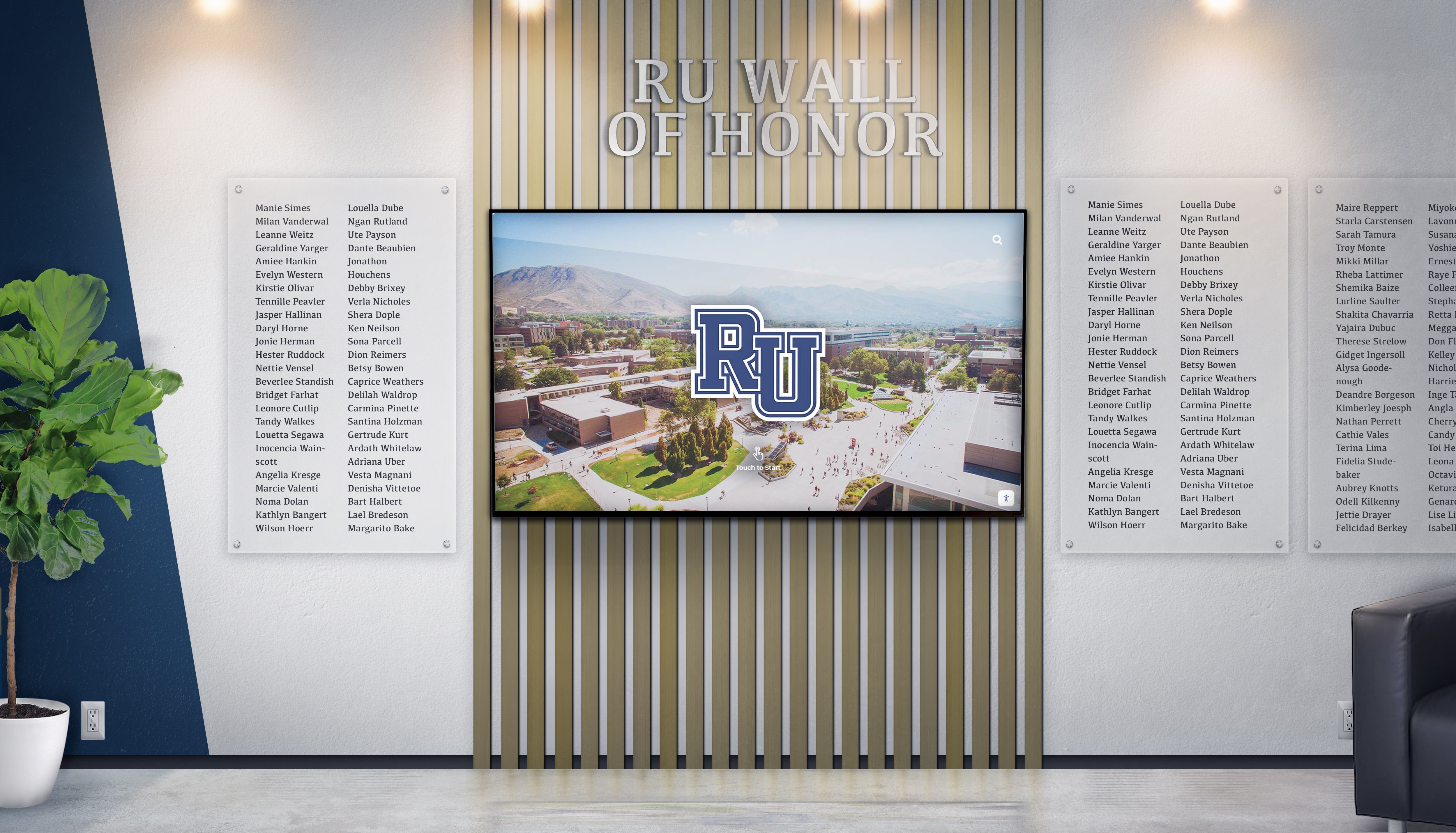
Wall-mounted digital displays integrate seamlessly into nonprofit facilities while maintaining professional aesthetics
Software and Content Management Costs
Beyond hardware, ongoing software costs represent an important budget consideration.
Digital Signage Subscriptions: Generic digital signage platforms typically charge $20-$100 per display monthly ($240-$1,200 annually). Enterprise plans with advanced features, multiple displays, or priority support cost more. Over a typical 5-7 year display lifespan, these subscription costs total $1,200-$8,400—often exceeding hardware costs.
Recognition Platform Subscriptions: Purpose-built recognition platforms like Rocket Alumni Solutions typically structure pricing around organizational size and feature requirements rather than per-display licensing. This approach benefits nonprofits deploying multiple displays or planning future expansion. Annual subscription costs for nonprofit-focused recognition platforms generally range from $2,000-$6,000 annually depending on features, support level, and content management requirements.
While purpose-built platforms may appear more expensive than basic digital signage, the included features—professional content templates, simplified profile management, recognition-specific tools, and dedicated support—reduce the hidden costs of staff time spent managing content and troubleshooting issues.
Content Development: Initial content creation represents a one-time investment. Nonprofits should budget for:
- Photography services: $500-$1,500 for professional portraits of board members, veterans, or key community partners
- Content writing: $1,000-$3,000 for biographical profiles and organizational messaging (though many nonprofits handle this internally)
- Design work: $500-$2,000 for custom graphics, logos, and visual elements (if not included in platform subscription)
Purpose-built recognition platforms often include content development assistance or templates that reduce these initial costs significantly.
Total Investment Examples
To provide realistic expectations, here are typical investment scenarios for nonprofit digital wall mount displays:
Basic Display-Only System (Event Calendar & Announcements)
- 55-inch commercial display: $900
- Wall mount: $150
- Basic media player: $250
- Professional installation: $800
- Digital signage software (annual): $500
- Initial Investment: $2,100
- Ongoing Annual Cost: $500
Mid-Range Interactive Recognition System
- 55-inch commercial touchscreen: $1,600
- Wall mount: $175
- Mid-range mini PC: $600
- Professional installation: $1,000
- Recognition platform (annual): $3,500
- Initial content development: $1,200
- Initial Investment: $5,075
- Ongoing Annual Cost: $3,500
Premium Recognition & Communication System
- 65-inch commercial touchscreen: $2,200
- Professional enclosure/kiosk: $1,200
- High-performance computer: $900
- Professional installation: $1,500
- Recognition platform (annual): $5,000
- Professional content development: $3,000
- Initial Investment: $8,800
- Ongoing Annual Cost: $5,000
These scenarios reflect realistic market pricing for quality equipment and services. Nonprofits should be wary of proposals significantly below these ranges, as they often involve consumer-grade equipment unsuitable for continuous public operation or hidden costs revealed after commitment.
Essential Features for Nonprofit Digital Displays
Effective nonprofit displays require specific capabilities that address common organizational needs and constraints.
Content Organization for Multiple Purposes
Nonprofits typically want displays that serve several purposes simultaneously—recognizing veterans, highlighting community partners, promoting upcoming events, and acknowledging donors. Effective systems organize these different content types clearly without creating visual confusion.
Category-Based Organization: Look for systems that let you create distinct content sections:
- Veterans recognition with searchable profiles
- Community partnership showcase with organization details
- Event calendar with filtering by program type
- Donor recognition organized by giving level
- Historical timeline showing organizational milestones
Quality platforms allow visitors to navigate between these categories intuitively, exploring content areas most relevant to their interests without wading through unrelated material.
Search and Filter Capabilities: For recognition applications, search functionality proves essential. Veterans searching for their own names or family members looking for loved ones shouldn’t need to browse alphabetically through entire rosters. Effective search includes:
- Name search with partial match support
- Filter by service branch or era (for veteran recognition)
- Filter by partnership type or program area
- Date range filters for historical content
- Multiple simultaneous filters to narrow results
These capabilities transform static name lists into engaging experiences where visitors discover personal connections and explore content meaningful to them.

Interactive displays encourage community members to explore partnerships, veteran recognition, and organizational history
Easy Content Management Without Technical Expertise
Nonprofit staff often manage digital displays as one small part of diverse responsibilities. Systems requiring specialized technical knowledge, design software proficiency, or constant troubleshooting create frustration and result in outdated content.
Intuitive Administrative Interfaces: Quality platforms provide straightforward content management through web-based interfaces accessible from any computer. Key features include:
- Simple profile creation with standard forms (name, photo, biography, dates, categories)
- Drag-and-drop photo uploading
- Template-based layouts maintaining visual consistency automatically
- Bulk import capabilities for adding multiple profiles efficiently
- Preview functions showing exactly how content appears on displays before publishing
Staff members comfortable with basic website navigation or social media management should be able to manage content without frustration or extensive training.
Pre-Built Content Templates: Rather than designing layouts from scratch, look for systems offering professional templates optimized for recognition content. Templates should automatically format:
- Individual profile pages with photos, names, and biographical text
- Category overview screens showing multiple people in grid or list layouts
- Timeline visualizations for historical content
- Event calendar layouts with dates, times, locations, and descriptions
- Partnership showcase screens with logos and organizational information
Templates ensure consistent, professional presentation even when different staff members manage content over time.
Donor and Sponsor Recognition Integration
Many nonprofits fund digital displays partly or entirely through donor or sponsor support. Systems should accommodate recognition of this support appropriately.
Sponsor Recognition Features: Look for capabilities including:
- Customizable sponsor logos appearing on home screens or between content sections
- Dedicated sponsor recognition screens showing supporter levels
- “Made possible by” attribution for specific content sections
- Rotating sponsor recognition that gives visibility to multiple supporters fairly
Effective sponsor integration acknowledges support visibly without overwhelming primary content or making displays feel overly commercial.
Donor Recognition Tiers: For nonprofits incorporating donor recognition into displays, systems should manage:
- Multiple giving levels with appropriate visibility differentiation
- Privacy controls for anonymous donors or those requesting limited information
- Memorial and tribute gift designations
- Cumulative giving recognition showing sustained support over time
Purpose-built platforms understand the nuances of donor recognition—like managing memorial gifts sensitively or ensuring major donors receive appropriate prominence—while generic digital signage treats all content identically.
Creative Implementation Ideas for Nonprofit Displays
Digital displays offer nonprofits numerous creative opportunities beyond simple name lists and event calendars. These ideas demonstrate how organizations can maximize display impact while addressing common communication needs.
Community Partnership Showcase
Many nonprofits collaborate with local businesses, government agencies, service organizations, and other community partners. Digital displays provide excellent platforms for highlighting these relationships publicly.
Partnership Profiles: Create detailed partner profiles including:
- Organization name and logo
- Description of partnership and collaborative programs
- Contact information for community members interested in learning more
- Photos showing partnership activities and outcomes
- Duration of partnership highlighting sustained relationships
- Quotes from partner representatives about collaboration value
This content serves multiple purposes—publicly recognizing partner contributions, educating the community about collaborative programs, and demonstrating organizational capacity through strong partnerships.
Partnership Impact Stories: Rather than simply listing partner names, showcase specific outcomes partnerships enable:
- “Through our partnership with [Local Food Bank], we distributed 15,000 meals to families in need last year”
- “Thanks to [Business Sponsor], 45 veterans received job training and placement services”
- “Our collaboration with [Community College] provided 120 students with scholarship support”
Impact-focused content demonstrates partnership value concretely while educating supporters about program reach and effectiveness.
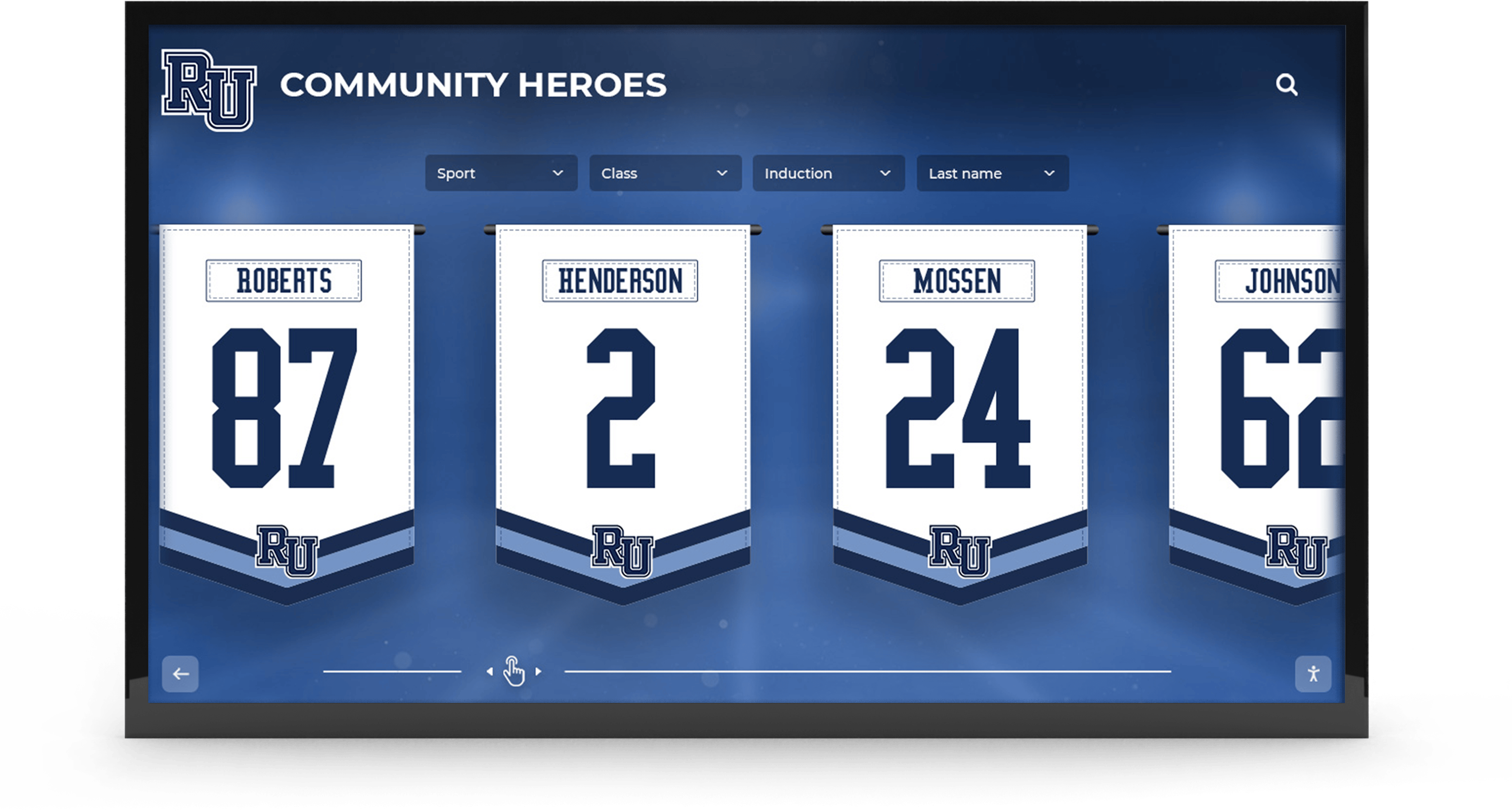
Community recognition displays celebrate local partnerships and supporters who make nonprofit programs possible
Veteran Recognition Wall of Honor
For nonprofits serving veterans or communities with strong military traditions, dedicated veteran recognition creates powerful tribute while connecting current service members with their local veteran community.
Service Branch Organization: Organize veteran profiles by military branch (Army, Navy, Air Force, Marines, Coast Guard, Space Force) making it easy for veterans to find fellow service members from their branch. Include branch insignia and colors for visual recognition.
Era and Conflict Categories: Many veterans identify strongly with their service era. Create filters for:
- World War II
- Korean War
- Vietnam War
- Cold War
- Gulf War
- Operations in Iraq and Afghanistan
- Peacetime service
This organization helps veterans find others who served during the same periods, facilitating connections and shared experiences.
Comprehensive Service Details: Veteran profiles should include:
- Name, rank, and service dates
- Branch and unit assignments
- Decorations, awards, and commendations
- Service locations and deployments
- Photos in uniform when available
- Brief service summary or personal reflection
- Continuing community involvement
This detailed recognition demonstrates genuine respect for military service while preserving local veteran history for future generations.
Memorial Recognition: Many veteran recognition programs include those who have passed. Handle memorial content with appropriate dignity through:
- Clear indication of dates of birth and passing
- “In Memoriam” or “Honoring Our Fallen Heroes” section designation
- Option for families to contribute photos and memories
- Annual memorial day or veterans day tributes highlighting fallen service members
Thoughtful memorial recognition provides comfort to families while educating younger community members about the ultimate sacrifices made by veterans.
Dynamic Event and Program Calendar
Nonprofits host numerous events—fundraisers, community programs, volunteer opportunities, educational sessions, and social gatherings. Digital displays keep the community informed about upcoming opportunities for engagement.
Calendar View Options: Provide multiple calendar perspectives:
- Week view showing detailed daily schedules
- Month view for overview planning
- List view showing next 10-15 upcoming events chronologically
- Category-filtered views (only fundraising events, only volunteer opportunities, etc.)
Different views serve different visitor needs—regular participants planning involvement versus casual visitors curious about general programming.
Event Detail Screens: When visitors select specific events, show comprehensive information:
- Event name, date, time, and location
- Detailed description of activities and purpose
- Registration requirements or RSVP information
- Photos from previous similar events
- Featured speakers or special guests
- Sponsor or partner acknowledgment for supported events
- QR codes linking to online registration or additional information
Rich event detail helps visitors determine whether events match their interests while building anticipation for upcoming programming.
Community Partnership Integration: Link events to community partners when appropriate:
- “Annual Health Fair hosted in partnership with [Hospital Name]”
- “Youth mentoring program supported by [Business Sponsor]”
- “Educational workshop presented by [Community College]”
This integration demonstrates collaborative community relationships while recognizing partner contributions to specific programs.

Touchscreen displays enable visitors to explore individual profiles, read detailed biographies, and discover community connections
Board Member and Volunteer Recognition
The people who dedicate time, expertise, and leadership to nonprofits deserve visible recognition. Digital displays provide platforms for celebrating this commitment while helping visitors understand organizational governance.
Board of Directors Showcase: Create comprehensive board member profiles including:
- Professional headshots
- Name and board position (President, Vice President, Treasurer, etc.)
- Professional background and expertise
- Reason for nonprofit involvement and passion for mission
- Years of service and prior board positions
- Other community involvement
- Contact information (when appropriate)
Visible board recognition serves multiple purposes—honoring volunteer leadership time, demonstrating organizational credibility through accomplished board members, and helping community members understand who guides the organization.
Volunteer Spotlights: Feature volunteers who provide exceptional service through:
- “Volunteer of the Month” rotating recognition
- Milestone celebration (5 years, 10 years, 500 hours, 1000 hours of service)
- Program-specific volunteer features highlighting contributions to particular initiatives
- Team or group volunteer recognition for collective efforts
Public volunteer recognition demonstrates organizational appreciation while inspiring others to get involved. Many nonprofits report increased volunteer inquiries after implementing visible volunteer recognition.
Staff Introduction: While paid staff differ from volunteers, introducing team members helps visitors understand who supports daily operations and provides a welcoming face to the organization:
- Staff names, titles, and photos
- Brief background and expertise
- Areas of responsibility
- How community members can contact them
- Personal connection to organizational mission
Humanizing the organization through staff introduction builds trust and makes nonprofits feel more accessible to community members seeking assistance or information.
Donor Recognition and Giving Society Displays
Financial supporters make nonprofit missions possible. Appropriate recognition honors this generosity while encouraging continued and increased giving.
Giving Level Tiers: Organize donors by contribution levels with appropriate visibility differences:
- Founding donors or legacy society (highest giving levels)
- Major gift society ($10,000+, $25,000+, $50,000+ as appropriate to organization)
- Sustaining supporter circle (annual recurring donors)
- Community partner level (mid-range contributions)
- Friends and supporters (all additional donors)
Visible tier differentiation ensures major donors receive appropriate recognition prominence while honoring all supporters regardless of capacity.
Memorial and Tribute Giving: Many gifts honor loved ones. Handle this recognition sensitively:
- “In Memory of” designation clearly marked
- “In Honor of” for living tributes
- Brief information about the honored person when families provide it
- Donor names as “Gift from the [Family Name]” or “Donated by [Individual Name]”
- Dates when appropriate for context
Memorial recognition often inspires additional giving as community members observe meaningful ways to honor loved ones while supporting community needs.
Campaign-Specific Recognition: Capital campaigns, endowment drives, or major initiatives deserve dedicated recognition:
- Campaign name, goal, and funds raised
- Timeline showing campaign duration and completion date
- Impact description explaining what campaign achieved
- Donor recognition organized by giving level within the campaign
- Photos showing completed projects or programs campaign funded
Campaign-specific recognition demonstrates successful completion of major initiatives while celebrating the collective community support that made achievement possible. This builds confidence in organizational capacity and encourages participation in future campaigns.
For nonprofits implementing comprehensive recognition programs, consider exploring donor wall ideas that complement digital displays with traditional elements.

Professional touchscreen kiosks create inviting experiences that encourage community exploration and engagement
Technical Considerations and Setup Requirements
Successfully implementing digital displays requires addressing several technical considerations during planning and installation.
Physical Space and Viewing Considerations
Mounting Location: Select wall locations with:
- High visibility from primary traffic paths
- Adequate viewing distance for display size (generally 1.5-2x the diagonal screen measurement)
- Minimal direct sunlight or bright windows causing screen glare
- Stable wall structure supporting display weight (typically 40-80 pounds including mount)
- Comfortable viewing height (center of screen 55-65 inches from floor)
For touchscreen displays, ensure the installation height allows comfortable interaction for users of varying heights, including wheelchair users. ADA guidelines recommend interactive elements be positioned 15-48 inches above floor level.
Electrical Requirements: Commercial displays require standard 110V electrical outlets, but placement considerations include:
- Outlet positioned behind or near display to hide power cables
- Dedicated circuit preventing display from being accidentally unplugged
- Surge protection to guard against power fluctuations damaging equipment
- Consider whether existing outlets meet these requirements or if electrical work is needed
Many nonprofits reduce installation costs by positioning displays near existing outlets, though running new electrical to optimal display locations often proves worthwhile for long-term satisfaction.
Network Connectivity: Digital displays need internet connectivity to receive content updates. Options include:
- Hardwired ethernet connection (most reliable)
- WiFi connectivity (convenient but ensure signal strength is adequate)
- Cellular data connections (for locations without traditional internet)
Content-heavy applications—particularly those with video content or frequent profile photo updates—benefit from hardwired connections avoiding bandwidth limitations and connection instability common with WiFi.
Content Organization and Workflow
Establishing Content Categories: Before launching displays, define content organization:
- What recognition categories will you feature? (veterans, donors, volunteers, board members, partners)
- How will events be categorized? (by program type, target audience, date ranges)
- What information fields will appear in profiles? (establishing consistency)
- Who approves content before publication? (avoiding inappropriate or inaccurate information)
Clear organizational structure prevents displays from becoming disorganized collections of unrelated content and ensures new staff members understand content management expectations.
Creating Update Workflows: Sustainable displays require systematic content management:
- Who is responsible for adding new profiles or updating event information?
- How often will content be reviewed for currency and accuracy?
- What process do community members follow to submit information for inclusion?
- How are photo quality standards maintained?
- Who handles technical issues or content questions?
Documenting these workflows prevents displays from becoming outdated when staff members change or organizational attention shifts to other priorities.
Photo and Multimedia Standards: Establish quality expectations:
- Minimum photo resolution (typically 1920x1080 pixels for full-screen images, 800x800 for profile photos)
- Acceptable file formats (JPEG for photos, MP4 for video)
- File size limits (important for systems with bandwidth constraints)
- Content appropriateness standards (particularly for user-submitted content)
- Copyright and permission requirements (ensuring legal right to use images)
Clear standards prevent technical issues like pixelated photos or incompatible file formats while protecting organizations from copyright violations.
Privacy and Consent Considerations
Personal Information Policies: Nonprofits displaying personal information should establish clear policies:
- What information appears publicly? (typically name, photo, general biographical details)
- What requires explicit consent? (contact information, detailed personal stories, family details)
- How do individuals opt out of recognition? (process and timeline)
- How long is information retained? (particularly for memorial recognition)
- How is information updated or corrected?
Many nonprofits include consent language in donation forms, volunteer applications, or membership materials, securing permission proactively rather than seeking it retroactively.
Veteran and Military Information: Military service information deserves special attention:
- Confirm accuracy of ranks, units, and awards (errors cause distress and undermine credibility)
- Respect classification and operational security for recent deployments
- Handle service-related injuries or PTSD sensitively
- Obtain veteran or family permission for detailed personal stories
Military communities particularly value accuracy and respect in recognition, so extra diligence in verification proves worthwhile.
Youth Protection: Nonprofits serving minors should be especially cautious about public display of information:
- Many youth-serving organizations display only first names and program participation
- Photos showing identifiable youth should require guardian consent
- Avoid information that could identify youth locations or routines
- Follow established organizational child protection policies
These precautions protect vulnerable populations while still allowing appropriate program promotion and participant recognition.
For nonprofits implementing comprehensive digital recognition systems, explore interactive touchscreen solutions used effectively in community settings.

Multiple coordinated displays throughout facilities create comprehensive communication systems for larger nonprofit organizations
Selecting the Right Platform for Your Nonprofit
With numerous digital display options available, nonprofits benefit from systematic evaluation focusing on features most relevant to community-focused organizations.
Key Platform Evaluation Criteria
Ease of Content Management: Request demonstrations showing how you would:
- Add a new veteran profile with photo and biography
- Update an upcoming event’s date and location
- Remove a community partner who ended their relationship
- Reorganize content categories or change display layouts
- Bulk import 50 profiles from a spreadsheet
Platforms that make these common tasks straightforward reduce long-term frustration while ensuring displays stay current despite staff time limitations.
Recognition-Specific Features: If recognition forms your primary purpose, evaluate:
- Support for multiple recognition categories managed separately
- Memorial and tribute designation capabilities
- Privacy controls for individuals requesting limited visibility
- Giving level or service tier differentiation
- Search and filter functionality enabling visitors to find specific individuals
- Timeline or historical content presentation tools
Purpose-built recognition platforms offer these features natively, while generic digital signage requires creative workarounds often producing less satisfying results.
Customization and Branding: Your display should feel like an extension of your organization:
- Can you easily incorporate organizational logos and branding?
- Are color schemes customizable to match organizational identity?
- Do layouts feel professional rather than generic?
- Can you create custom content sections for unique organizational needs?
Strong platforms balance professional templates ensuring quality presentation with customization options reflecting organizational character.
Support and Training: Nonprofit staff juggle numerous responsibilities, so quality support proves essential:
- What training is included with platform purchase?
- How quickly does technical support respond to questions or issues?
- Are there self-service resources (knowledge bases, video tutorials) for common tasks?
- Can staff contact actual humans rather than only automated systems?
- Does pricing include ongoing support or is it an additional cost?
Platforms with strong nonprofit customer bases often provide more relevant support than general commercial platforms lacking nonprofit-sector experience.
Total Cost of Ownership: Compare complete costs over expected 5-7 year equipment lifespan:
- Initial hardware costs
- Platform subscription fees (monthly or annual)
- Content development assistance or templates (included or additional)
- Training costs
- Technical support fees
- Future expansion costs (adding displays, features, content capacity)
The lowest initial price rarely represents the best long-term value when ongoing costs and hidden fees accumulate over time.
Rocket Alumni Solutions for Nonprofit Recognition
For nonprofits where recognition forms a primary display purpose, purpose-built platforms like Rocket Alumni Solutions offer advantages over generic digital signage.
Recognition-First Design: The platform understands nonprofit recognition needs inherently:
- Manage veterans, donors, volunteers, board members, and community partners in separate but integrated categories
- Memorial and tribute recognition with appropriate sensitivity
- Donor level management with visibility differentiation
- Event integration connecting recognition with ongoing programming
- Community partnership showcases highlighting collaborative relationships
These capabilities exist natively rather than requiring creative adaptation of generic signage tools.
Simplified Content Management: Nonprofit staff without technical backgrounds can manage content easily:
- Web-based administration accessible from any computer
- Profile templates ensuring consistent presentation automatically
- Bulk import tools for adding multiple profiles efficiently
- Drag-and-drop photo management
- Preview functions showing exactly how content will appear before publishing
The system focuses on recognition content needs rather than offering overwhelming feature sets designed for different applications.
Nonprofit Budget Consideration: While purpose-built platforms involve higher subscription costs than basic digital signage, total value comparison should consider:
- Included professional content templates (saving design costs)
- Recognition-specific features (avoiding expensive customization)
- Reduced staff time managing content (operational efficiency)
- Technical support with nonprofit experience (relevant assistance)
- Scalability supporting future growth (avoiding platform changes)
Many nonprofits find that purpose-built recognition platforms cost less overall than attempting to force generic tools to meet recognition needs effectively.
Community Engagement Features: Beyond static recognition, modern platforms support ongoing engagement:
- QR code integration allowing visitors to access extended content on mobile devices
- Social media sharing enabling community members to share recognition
- Event integration connecting recognition with participation opportunities
- Mobile-responsive websites extending recognition beyond physical displays
- Analytics showing which content generates most community interest
These features help nonprofits understand community engagement and maximize recognition program impact.
Nonprofits should explore digital signage content ideas for additional creative implementation concepts.
Common Implementation Challenges and Solutions
Nonprofits implementing digital displays encounter predictable challenges. Understanding these issues and practical solutions helps avoid frustration.
Challenge: Limited Technical Expertise on Staff
Many nonprofits lack dedicated IT staff or technical experts managing digital systems.
Solution: Select platforms emphasizing simplicity over feature complexity. During vendor evaluation, have actual staff members who will manage the system attempt common tasks:
- Adding a profile with photo and text
- Editing existing information
- Publishing updates to live displays
If staff members struggle during demonstrations with vendor guidance present, they’ll struggle more managing the system independently. Prioritize intuitive interfaces over impressive feature lists you’ll never use.
Consider platforms offering phone support rather than only email tickets, enabling staff to get quick answers without waiting days for responses during urgent situations.
Challenge: Gathering Content from Community Members
Collecting photos, biographical information, and accurate details from veterans, donors, or community partners often proves surprisingly difficult.
Solution: Create simple submission processes:
- Online forms collecting information in standardized format
- Clear guidance about photo quality and acceptable content
- Explicit permission language securing consent for public display
- Reasonable deadlines creating urgency without seeming rushed
Many nonprofits find that personal outreach—phone calls or in-person requests—generates better response than email alone, particularly for older community members less comfortable with online forms.
Start small rather than attempting comprehensive launches requiring hundreds of profiles immediately. Begin with a core group (perhaps board members or major donors), launch the display, and expand gradually as you gather additional content. Visible recognition often motivates others to participate who initially ignored requests.
Challenge: Keeping Content Current
Displays quickly become outdated when event calendars show past dates or community partnership information remains static for months.
Solution: Assign specific responsibility for content freshness:
- Weekly event calendar review and update
- Quarterly review of partnership information
- Annual review of all profile content
- Documented process for community members requesting updates
Build display management into job descriptions rather than treating it as additional work done when time permits. Even 30 minutes weekly maintains fresh, relevant content preventing displays from feeling abandoned.
For time-constrained staff, prioritize content updates by visibility and change frequency. Event calendars need frequent attention; historical content about organizational founding needs minimal updates. Focus limited time where impact matters most.
Challenge: Justifying Investment to Board or Donors
Some boards question whether digital displays represent appropriate use of limited nonprofit resources.
Solution: Present displays as strategic communication and donor stewardship investments rather than technology purchases:
Donor Retention Impact: Visible recognition improves donor retention, which dramatically affects fundraising economics. Even modest retention improvements—from 45% to 55% annual retention—compound significantly over 5-10 years. Frame displays as donor stewardship tools with measurable ROI rather than purely aesthetic improvements.
Volunteer Recruitment: Public recognition of volunteer contributions inspires additional community members to get involved. Many nonprofits report volunteer inquiry increases after launching visible recognition programs.
Community Awareness: Dynamic event calendars and program information keep the community informed about opportunities for engagement, potentially increasing program participation and community impact.
Partnership Development: Visible recognition of community partners strengthens existing relationships while demonstrating to prospective partners that collaboration receives genuine appreciation.
Propose modest pilot programs if boards remain hesitant. Single display implementation provides proof of concept without major commitment, and success builds confidence supporting expansion.
Consider funding displays through sponsorships or donor campaigns rather than general operating funds. Community members often enthusiastically support visible, tangible projects like recognition displays over less concrete needs.
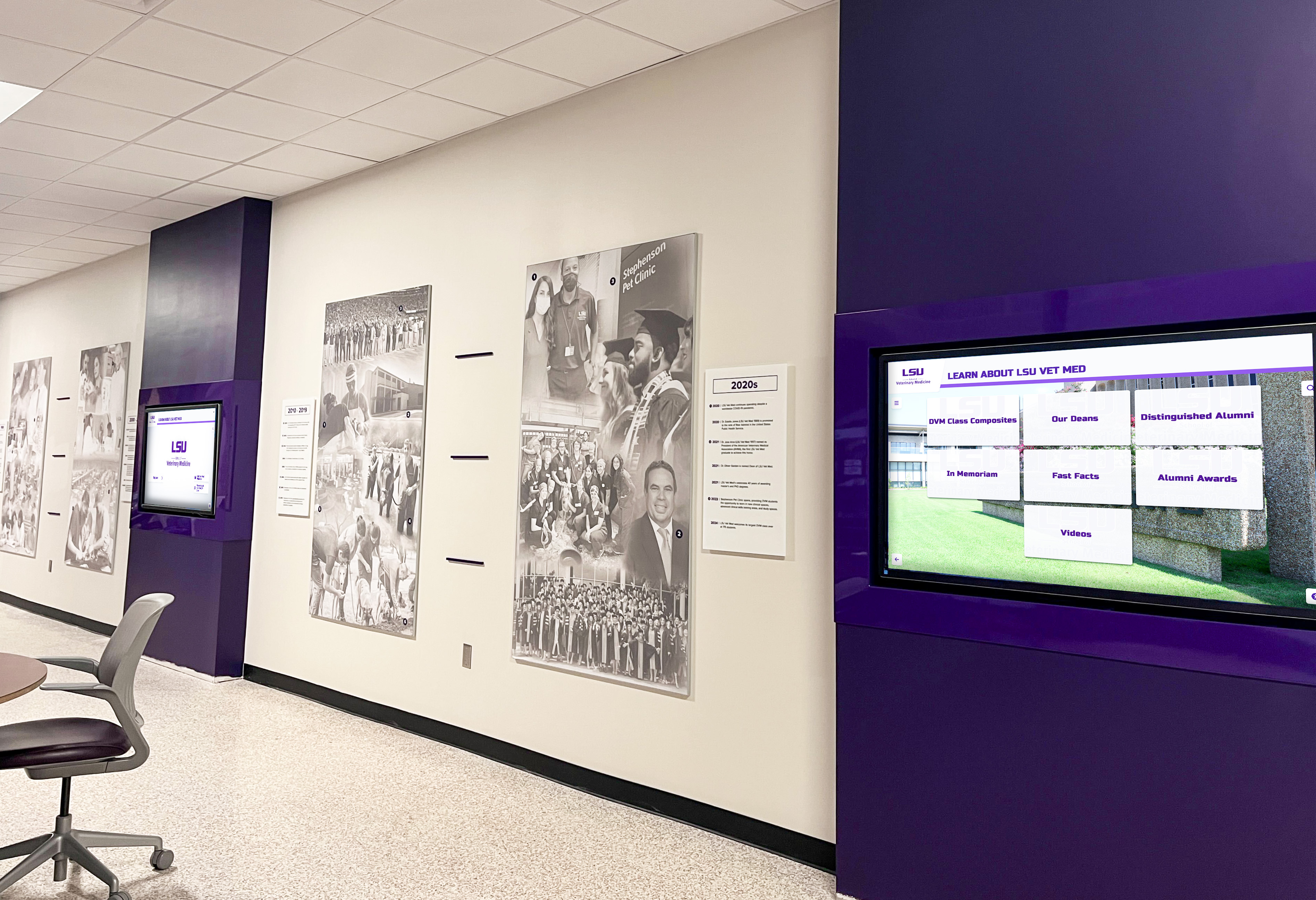
Larger nonprofits benefit from coordinated displays throughout facilities, ensuring recognition reaches community members in multiple locations
Measuring Success and Demonstrating Value
Digital displays represent significant investments requiring demonstration of value to stakeholders. Establishing success metrics helps nonprofits evaluate impact and justify continued support.
Quantitative Metrics
Usage Analytics: Modern platforms track display interaction:
- Number of daily/weekly/monthly interactions
- Average time visitors spend with display
- Most-viewed content sections
- Search queries revealing visitor interests
- Peak usage times showing optimal display activity periods
These metrics demonstrate community engagement levels and help optimize content based on what generates most interest.
Program Participation: Track whether displays correlate with program impact:
- Event attendance before and after display implementation
- Volunteer inquiry and application rates
- Partnership inquiries from businesses or organizations
- Donor acquisition and retention rates
While multiple factors influence these outcomes, sustained improvements following display launch suggest positive impact.
Community Feedback: Collect qualitative feedback systematically:
- Brief surveys asking visitors about display experience
- Comment cards inviting suggestions and reactions
- Social media monitoring for community discussion about displays
- Anecdotal feedback from staff who observe visitor interactions
Combine quantitative metrics with qualitative community response for comprehensive understanding of display impact.
Demonstrating Return on Investment
Present display value to boards and funders through concrete examples:
Donor Stewardship: Calculate donor retention improvements’ financial impact. If 50 donors who might have lapsed at 45% average retention rate instead retained at 55% due to recognition, the organization retains five additional donors annually. With average gifts of $500, that’s $2,500 annually—$12,500 over typical 5-year display lifespan. This represents measurable return before accounting for gift increases or major gift prospects.
Volunteer Value: Quantify volunteer time recruited through recognition inspiration. If displays help recruit five additional regular volunteers contributing 10 hours monthly, that’s 600 volunteer hours annually. At standard volunteer time valuations ($25-$30/hour), displays generate $15,000-$18,000 in annual volunteer contribution value.
Operational Efficiency: Compare staff time required to manage displays versus previous approaches. If digital displays save 10 hours monthly compared to printing and updating bulletin boards, that’s 120 hours annually. At effective staff cost of $30-$40/hour, displays save $3,600-$4,800 annually in operational efficiency.
These concrete calculations demonstrate value beyond subjective aesthetic improvements, helping stakeholders understand displays as strategic investments generating measurable returns.
For nonprofits interested in comprehensive recognition strategies, explore donor recognition examples and community partnerships showcase ideas.
Taking the Next Steps: Getting Started with Your Digital Display
For nonprofits ready to move forward, systematic planning ensures successful implementation aligned with organizational needs and constraints.
Planning Phase
Define Primary Purposes: Clarify what you want displays to accomplish:
- Recognition (veterans, donors, volunteers, partners) as primary focus?
- Event promotion and community calendar as key function?
- Organizational storytelling and history as central purpose?
- Combination of these purposes in what priority order?
Understanding purpose hierarchy guides appropriate platform selection and content planning.
Establish Budget Reality: Determine available resources:
- Capital budget for initial hardware and implementation
- Operating budget for ongoing platform subscriptions and maintenance
- Staff time available for content management
- Technical support resources for troubleshooting and updates
Honest budget assessment prevents selecting solutions that prove unsustainable despite initial enthusiasm.
Identify Content Sources: Determine where initial content will come from:
- Existing databases with veteran, donor, or volunteer information
- Photo archives containing usable images
- Staff capacity for biographical writing and content development
- Potential for community submission of information
- Professional content development services needed
Starting with realistic content inventories prevents launch delays while gathering materials.
Vendor Selection and Evaluation
Request Demonstrations: See platforms in action:
- Watch content management demonstrations
- Try interactive features from visitor perspective
- Ask specific questions about nonprofit-relevant capabilities
- Request references from similar organizations
- Understand support and training included in pricing
Evaluate Proposals Comprehensively: Compare vendors on factors beyond price:
- Ease of content management for staff with varying technical skills
- Recognition-specific features versus generic digital signage
- Quality and relevance of customer support
- Financial stability and platform longevity
- Customer satisfaction among nonprofit organizations
Clarify Terms and Expectations: Understand commitments fully:
- Contract length and cancellation policies
- Price increase schedules (annual CPI adjustments are typical)
- What happens to content if you change platforms
- Included versus additional-cost services
- Support response time guarantees
Implementation and Launch
Phased Rollout: Consider gradual implementation:
- Begin with pilot display in primary location
- Limit initial content to most important categories
- Expand content and locations as comfort and confidence grow
- Evaluate pilot success before major expansion
Phased approaches reduce risk and allow learning from initial experience before major commitment.
Community Launch Event: Create visibility for new displays:
- Invite featured veterans, donors, and community partners to launch celebration
- Generate local media coverage about recognition initiative
- Encourage social media sharing by attendees
- Collect community feedback about display experience
- Build excitement and awareness about new resource
Launch events transform displays from simple technology installations into community celebrations generating enthusiasm and engagement.
Ongoing Management Commitment: Establish sustainable practices:
- Document content management procedures
- Train multiple staff members avoiding single-person dependency
- Schedule regular content reviews ensuring currency
- Monitor usage analytics adjusting content based on community interest
- Continuously collect content expanding recognition breadth
Displays succeed long-term when organizations commit to sustained attention rather than treating them as one-time projects requiring no ongoing management.
Ready to Transform Your Nonprofit's Recognition and Communication?
Rocket Alumni Solutions offers purpose-built recognition platforms designed specifically for nonprofits, making it simple to honor veterans, celebrate community partnerships, recognize donors, and keep your community engaged with dynamic event information. From content development to ongoing support, we provide everything you need to create meaningful digital experiences within nonprofit budgets.
Explore Recognition SolutionsDigital wall mount displays offer nonprofits practical solutions for persistent communication challenges—how to honor supporters meaningfully, keep the community informed about programs and events, highlight collaborative partnerships, and create professional presences that build confidence and trust. With realistic pricing understanding, clear feature priorities, and systematic implementation planning, even small community organizations can deploy effective digital displays that serve missions for years to come.
The nonprofit organizations that benefit most from digital displays are those that view them not as technology projects but as strategic communication tools advancing missions through improved community engagement, donor stewardship, and partnership recognition. When approached thoughtfully with clear purposes and sustainable management commitments, digital displays become valuable assets that strengthen community connections and organizational capacity far beyond their hardware costs.
Whether your nonprofit focuses on veteran services, youth development, community health, arts and culture, environmental conservation, or any other mission, digital recognition displays help you celebrate the community support making your work possible while inspiring continued engagement from supporters who make impact real.































