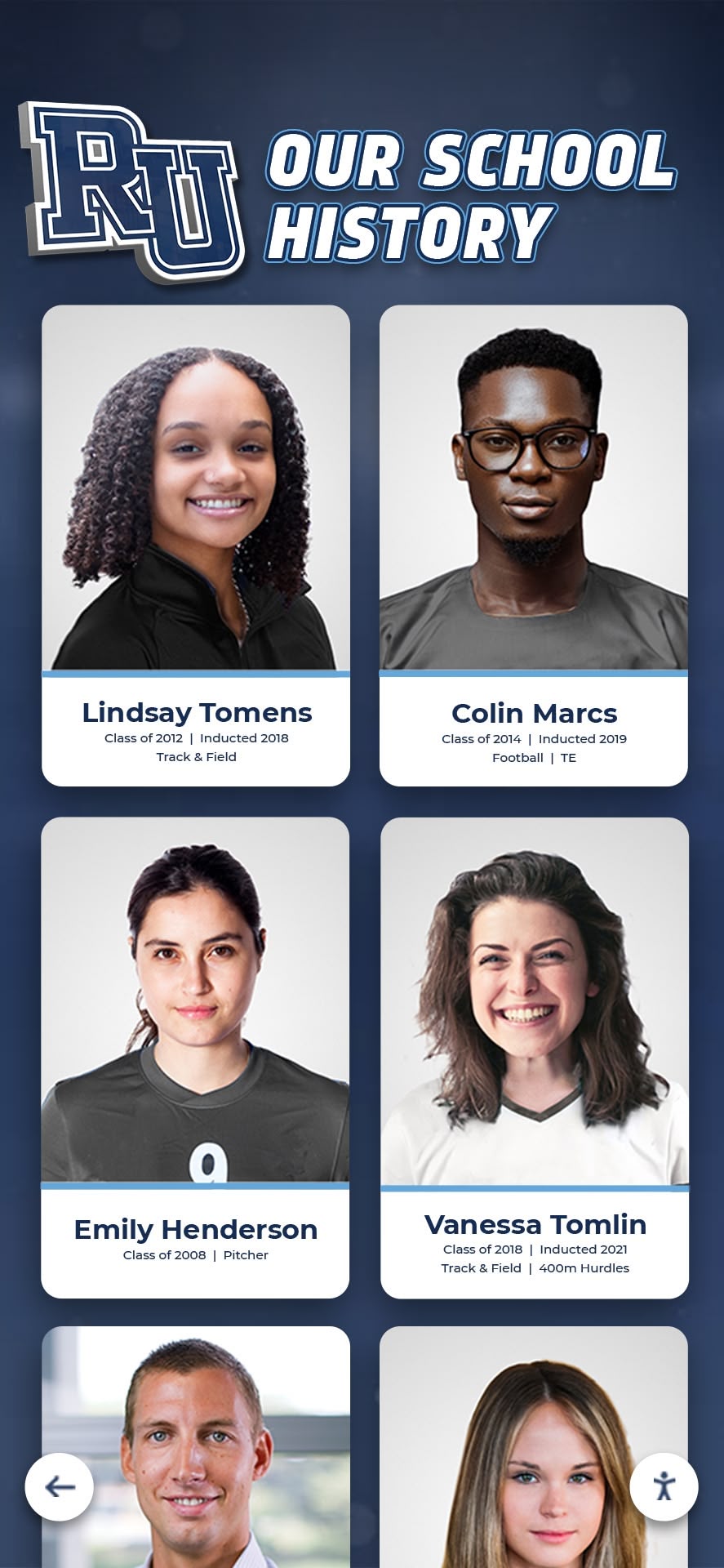




Intent: Demonstrate safe, practical methods to digitize vintage yearbooks and transform historical photos into engaging hall of fame touchscreen experiences without compromising book preservation.
Schools, universities, and organizations face a common challenge: decades of yearbooks contain invaluable historical photos and biographical information, but the books themselves are fragile, space-constrained, and inaccessible to modern audiences. Traditional trophy cases can display perhaps one or two open yearbooks behind glass, forcing visitors to squint at tiny photos while risking exposure damage to irreplaceable volumes. Digital recognition displays solve this dilemma by preserving the physical books while making every photo, caption, and memory accessible through interactive touchscreens.
Many institutions hold yearbook collections spanning 50, 75, or even 100+ years—thousands of alumni portraits, team photos, and candid moments documenting institutional heritage. Yet these archives remain largely hidden in storage rooms or locked in display cases where only a handful of pages can be shown at any given time. The question isn’t whether to digitize these collections, but how to do so without damaging the original books while creating a hall of fame experience that honors the past and engages modern visitors.
The Yearbook Preservation Challenge
Physical yearbooks deteriorate over time regardless of display decisions. Older volumes, particularly those printed before the 1980s, often suffer from brittle paper, cracked spines, and fading photographs. Displaying them in traditional trophy cases exposes books to light damage, temperature fluctuations, and humidity changes that accelerate degradation. Opening the same yearbook to the same page for months or years places mechanical stress on bindings that were never designed for permanent display.
Libraries and archives have long recognized this challenge. According to the American Library Association, proper archival storage requires climate-controlled environments with minimal light exposure—conditions incompatible with public display. The Library of Congress recommends handling fragile books no more than necessary and never forcing bindings open beyond their natural range of motion.
Why Traditional Trophy Case Display Fails
Standard trophy case yearbook display creates several problems:
Limited Access: Even a large trophy case can show only 3-4 yearbooks at once, representing less than 5% of most collections.
Static Content: Once positioned, yearbooks remain open to the same pages for months, showing the same dozen faces while thousands of other alumni remain invisible.
Physical Damage Risk: Continuous display under lighting accelerates fading, while forcing books to stay open damages bindings and causes pages to crack.
Poor Visibility: Visitors must press close to glass to read small text and identify faces in group photos, creating accessibility barriers.
No Context: Open yearbooks show isolated pages without narrative connection to broader institutional history or individual achievement stories.
Digital hall of fame solutions address all these limitations by separating preservation from presentation. Physical yearbooks remain safely stored while digital copies provide unlimited access through interactive touchscreen displays.
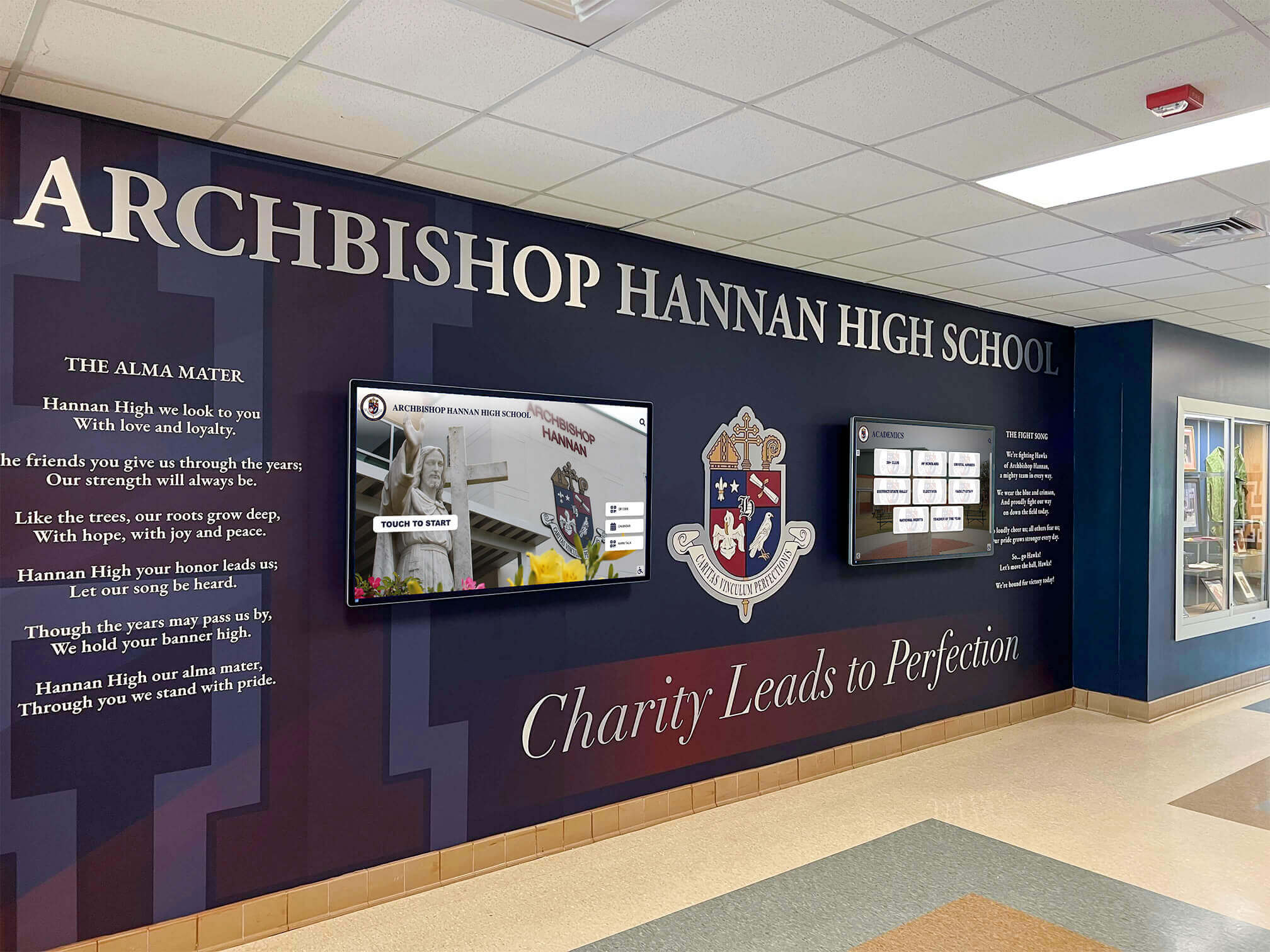
Safe Digitization Methods: Protecting Books During Scanning
Digitizing yearbooks requires balancing thoroughness with preservation. The scanning process must capture high-quality images without damaging fragile bindings, brittle pages, or vintage photographs.
Professional Scanning Options
Overhead Book Scanners: Professional archival scanners use overhead cameras and V-shaped cradles that support books at their natural opening angle. Models from Zeutschel, Atiz, and Fujitsu provide high-resolution scanning (400-600 DPI) without forcing spines flat. These scanners work particularly well for bound volumes and eliminate the need to press books against glass.
Many university libraries and regional archives offer scanning services using overhead book scanners. Typical costs range from $0.50 to $2.00 per page, depending on resolution requirements and volume. For institutions with extensive collections, some vendors offer on-site scanning services that eliminate transportation risks.
Flatbed Scanning Considerations: Consumer flatbed scanners can digitize yearbooks, but require careful technique to avoid damage. Never force book spines flat against scanner glass. Instead:
- Use a soft support (foam wedge or rolled towel) under the book’s spine to minimize strain
- Scan only the pages that lie naturally flat
- Accept slightly curved or shadowed scans near the binding rather than forcing pages
- Limit scanning sessions to 30-60 minutes to reduce handling time
- Work on clean, soft surfaces to prevent scratches and tears
The Northeast Document Conservation Center recommends scanning at 400 DPI for text documents and 600 DPI for photographs, providing sufficient resolution for both digital display and archival preservation.
DIY Digitization Setup
Schools and organizations with limited budgets can create effective scanning stations using readily available equipment:
Camera-Based Digitization: Modern smartphones and digital cameras capture sufficient resolution for most hall of fame applications. A simple setup includes:
- Smartphone or camera with 12+ megapixel sensor
- Copy stand or book cradle (available from Manfrotto, Neewer, and others for $40-150)
- Two adjustable LED lights positioned at 45-degree angles to eliminate glare
- Remote shutter trigger or timer to eliminate camera shake
- Consistent background (black or white mat board)
This method allows photographing yearbook pages without pressing them flat, significantly reducing physical stress on bindings.
Lighting Configuration: Proper lighting eliminates glare from glossy pages while revealing photo details. Position two LED panels (5000K-6500K color temperature) at 45-degree angles to the book. Adjust brightness until reflections disappear from the viewfinder. Avoid using flash, which creates harsh shadows and increases light exposure to sensitive materials.
Image Capture Best Practices
Regardless of scanning method, consistent capture techniques ensure usable results:
Resolution Requirements:
- Full yearbook pages: 300-400 DPI minimum
- Individual portrait extraction: 600 DPI preferred
- Team photos for cropping: 600 DPI minimum
Color Accuracy: Use a color reference card (X-Rite ColorChecker or similar) in the first shot of each session. This allows color correction during post-processing to compensate for aging or fading in vintage photos.
File Formats: Capture in RAW format when possible (smartphone users can enable RAW capture through apps like Lightroom Mobile). RAW files preserve maximum image data for correction and enhancement. Export finished scans as TIFF (archival master) and JPEG (web display).
Metadata Recording: Document each scan with:
- Year and volume information
- Page numbers
- Date of scanning
- Scanner/camera settings
- Any damage or condition notes
This metadata proves invaluable when organizing thousands of photos for hall of fame displays.
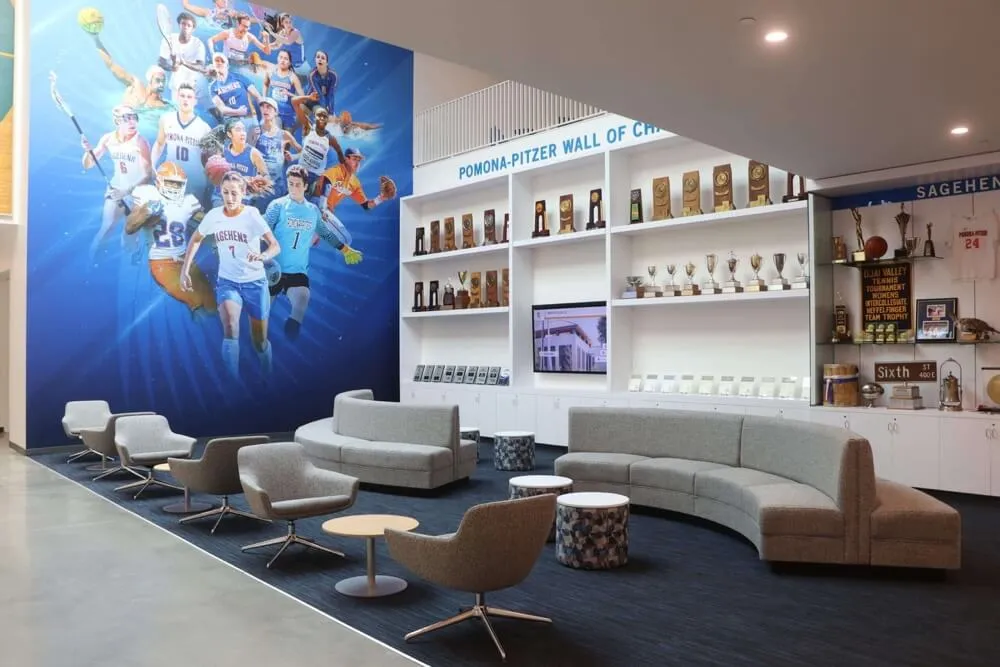
From Scans to Individual Photos: Extraction and Enhancement
Once yearbook pages are digitized, individual photos must be extracted, enhanced, and organized for hall of fame presentation. This process transforms static page scans into dynamic, searchable portrait databases.
Photo Extraction Techniques
Manual Extraction: Photo editing software (Photoshop, GIMP, Affinity Photo) allows precise selection of individual portraits from yearbook layouts. For institutions with smaller collections (fewer than 10 yearbooks), manual extraction provides the highest quality control.
Process for manual extraction:
- Open yearbook page scan in editing software
- Use selection tools to isolate individual portraits
- Crop with 10-20 pixel margins to avoid clipping edges
- Export each photo as a separate file with descriptive naming (Year_LastName_FirstName.jpg)
- Maintain a spreadsheet linking photos to biographical information
Automated Extraction: For larger collections, automated tools can significantly reduce processing time. Software like Adobe Photoshop’s batch processing, Python scripts using OpenCV, or specialized solutions can detect and extract portraits based on consistent yearbook layouts.
Community detection algorithms work particularly well for yearbooks where portraits appear in uniform grids. These tools identify face positions, crop with consistent margins, and export individual files—reducing manual labor from hours to minutes per page.
Photo Enhancement and Restoration
Vintage yearbook photos often require enhancement before display:
Basic Corrections:
- Brightness and contrast adjustment to compensate for aging
- Color balance correction for yellowed or faded prints
- Sharpening to improve digital display clarity
- Dust and scratch removal using healing brushes
Advanced Restoration: Photos from yearbooks printed before 1970 may show significant deterioration. Professional restoration services can:
- Remove stains, tears, and water damage
- Reconstruct missing portions of damaged photos
- Convert faded color photos to stable black-and-white
- Enhance extremely low-contrast vintage prints
For institutions with historical significance, investing in professional restoration for key photos (founders, major donors, championship teams) creates showcase content while preserving less critical images at basic enhancement levels.
Organizing Your Digital Photo Archive
A well-organized archive enables efficient hall of fame display creation. Recommended folder structure:
/Yearbooks_Digital_Archive/
  /Master_TIFF_Files/
    /1950s/
    /1960s/
    [organized by decade]
  /Web_JPEG_Files/
    /Portraits/
      /1950/
      /1951/
      [organized by year]
    /Team_Photos/
    /Candids/
  /Metadata/
    yearbook_database.xlsx
    caption_text.docx
Digital recognition platforms like those from Rocket Alumni Solutions can ingest organized photo libraries with accompanying metadata spreadsheets, automatically creating searchable, interactive displays without requiring manual layout design for each inductee or class.
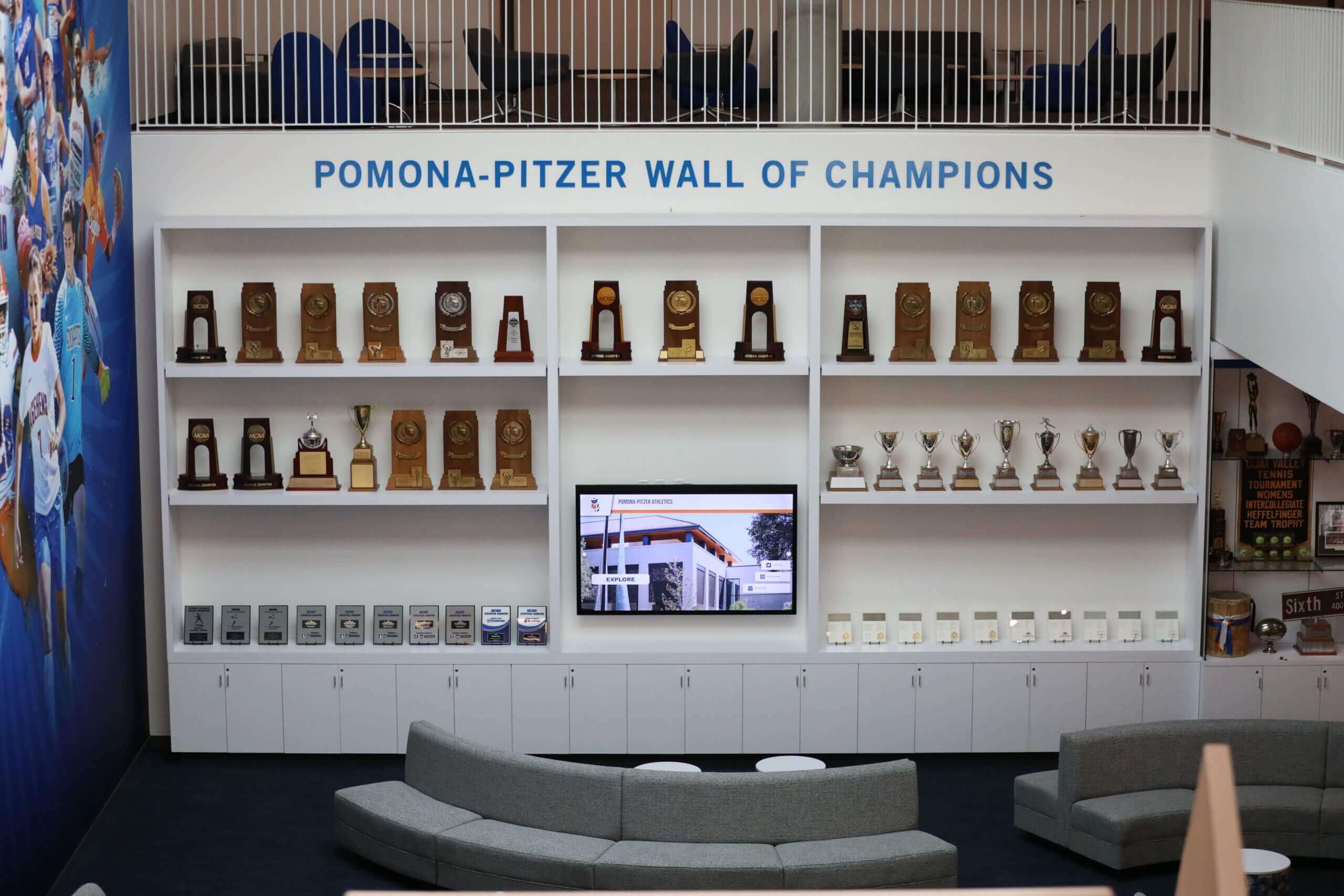
Experience Layout: Designing Yearbook-Based Hall of Fame Displays
Digitized yearbook photos become truly valuable when integrated into thoughtful hall of fame experiences. Layout design determines whether visitors simply browse isolated photos or engage with rich institutional narratives.
Core Layout Zones
Effective digital hall of fame displays organize yearbook content into distinct functional zones:
Hero Zone (top 20% of screen):
- Rotating featured portraits from different eras
- “Class of [Year]” navigation tiles
- Decade-based browsing options
- Search functionality
Main Content Area (center 60% of screen):
- Grid or carousel of portraits from selected year/decade
- Individual profile view with enlarged photo, biography, and achievements
- Timeline visualization showing institutional history alongside class years
Navigation & Discovery (bottom 20% of screen):
- Alphabetical browsing
- Sport/activity/major filters
- “On This Day” highlighting alumni with current birthdays or anniversaries
- QR code for mobile access
This three-zone structure provides multiple entry points while maintaining visual clarity. Visitors can browse chronologically, search for specific names, or explore themed collections (championship teams, distinguished alumni, etc.).
Yearbook-Specific Content Modules
Transform static scans into dynamic content through specialized modules:
Class Composite Flip-Through: Display entire yearbook pages as swipeable carousels, allowing visitors to experience the original layout while enabling individual portrait selection for detailed views. This preserves the contextual richness of yearbook design while adding modern interactivity.
“Then and Now” Comparisons: For recent alumni, pair yearbook portraits with current professional headshots. This module particularly engages young alumni and demonstrates ongoing institutional connection.
Achievement Timelines: Link yearbook photos to chronological achievement records. A visitor browsing the Class of 1985 basketball team can tap individual players to see their scoring records, championships, and post-graduation accomplishments—information that enriches the simple yearbook photo.
Social Memory Sharing: QR codes on individual profiles allow alumni to submit stories, additional photos, or corrections. This crowdsourced content gradually transforms basic yearbook data into rich multimedia archives.
Solutions like interactive touchscreen kiosk displays provide the technical foundation for these content modules, handling high-resolution photo display, smooth navigation, and real-time content updates without requiring custom programming for each feature.
Motion and Interaction Patterns
Static displays fail to capture attention; thoughtful motion creates engagement without distraction:
Attract Loop: When inactive, the display cycles through featured portraits from different decades at 8-10 second intervals. Gentle fade transitions maintain elegance while showing content diversity.
Touch Response: Portrait selections expand with 0.3-second animations, creating satisfying tactile feedback. Card-flip animations when revealing detailed biographies add visual interest.
Scroll Behavior: Long lists (entire class composites) use momentum scrolling with visible scrollbar indicators, matching smartphone interaction patterns that visitors understand intuitively.
Return to Home: After 60 seconds of inactivity, the display gracefully transitions back to the attract loop, ensuring the next visitor sees fresh content.
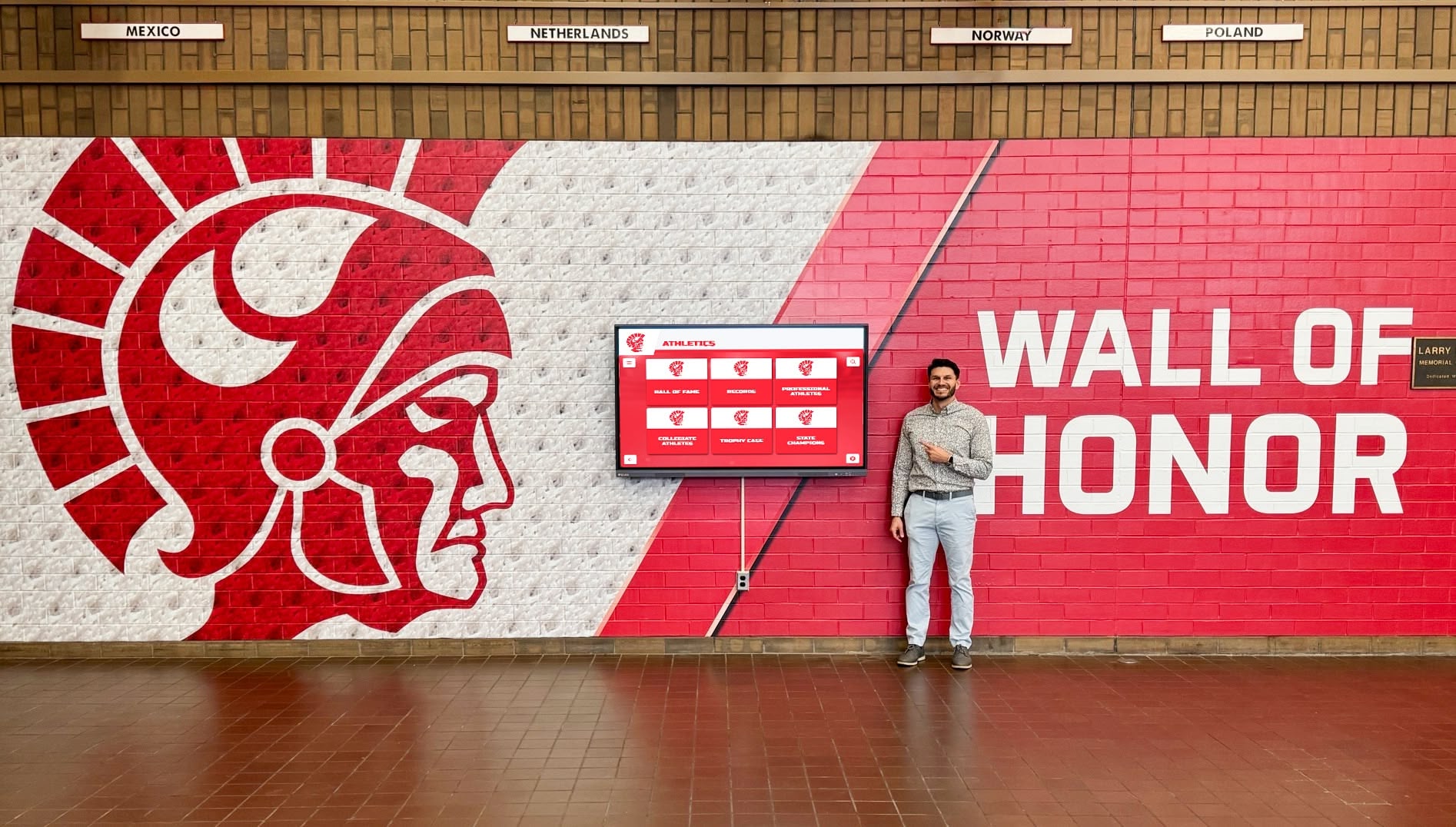
These patterns, common in digital trophy case implementations, balance discovery with usability.
Accessibility & User Experience Checklist
Hall of fame displays must serve all visitors, regardless of physical ability, age, or technical familiarity. Accessibility compliance isn’t optional—it’s legally required under ADA guidelines and enhances the experience for everyone.
WCAG 2.1 AA Compliance Requirements
Color Contrast: All text must maintain 4.5:1 contrast ratio against backgrounds (7:1 for large text). This ensures readability for visitors with low vision and in varying ambient lighting conditions common in lobbies and hallways.
Text Sizing: Base text size should be 18pt minimum, with heading text at 24pt+. All interface elements must support browser-level zoom to 200% without loss of functionality or content overflow.
Touch Target Size: Interactive elements (portrait cards, buttons, navigation) require minimum 44x44 pixel touch targets with 8-pixel spacing. This accommodates users with limited dexterity and reduces mistouch frustration.
Alternative Text: Every photo must include descriptive alt text for screen reader users. Format: “Portrait of [Name], Class of [Year], [Sport/Activity].” This creates inclusive experiences and improves search functionality.
Keyboard Navigation: Though primarily touchscreen-driven, displays should support keyboard navigation (tab, arrow keys, enter) for accessibility controller compatibility.
Platforms like Rocket Alumni Solutions build WCAG 2.1 AA compliance into their core architecture, ensuring accessibility without requiring specialized development knowledge from school administrators.
Physical Accessibility Considerations
Display Height: Position touchscreen centers 36-48 inches from the floor, accommodating both standing visitors and wheelchair users. Angled mounting (10-15 degrees) improves viewing angles and reduces glare.
Clear Floor Space: Maintain 30x48 inch clear floor space in front of displays for wheelchair approach. Avoid placement near door swings or high-traffic intersections.
Audio Accessibility: Consider optional audio narration for visitor-activated portrait profiles. Short biographical recordings (30-60 seconds) create richer experiences while serving vision-impaired visitors.
Multi-Modal Access: Provide QR codes linking to mobile-accessible versions of the hall of fame. Visitors can browse on personal devices with their preferred accessibility settings (screen readers, voice control, custom text sizing).
Intuitive Design Patterns
Accessibility extends beyond compliance to intuitive design that serves all users:
Familiar Patterns: Use conventions from smartphone apps—swipe to browse, tap to select, pinch to zoom. These learned behaviors reduce cognitive load and eliminate instruction requirements.
Visual Hierarchy: Clear heading sizes, consistent spacing, and grouped related content help visitors scan and understand information architecture quickly.
Progressive Disclosure: Show summary information (name, year, photo) initially, with detailed biographies, achievements, and media revealed on selection. This prevents overwhelming visitors with dense information while keeping depth available.
Generous Tap Targets: Make portrait cards large enough (200x250 pixels minimum) that even casual taps reliably select intended profiles.
Well-designed digital yearbook displays feel effortless to use because accessibility and usability considerations inform every design decision from initial wireframes through final deployment.
Brand Integration & Content Enhancement Opportunities
Yearbook digitization projects create opportunities to extend institutional brand identity and deepen storytelling beyond simple photo display.
Visual Brand Consistency
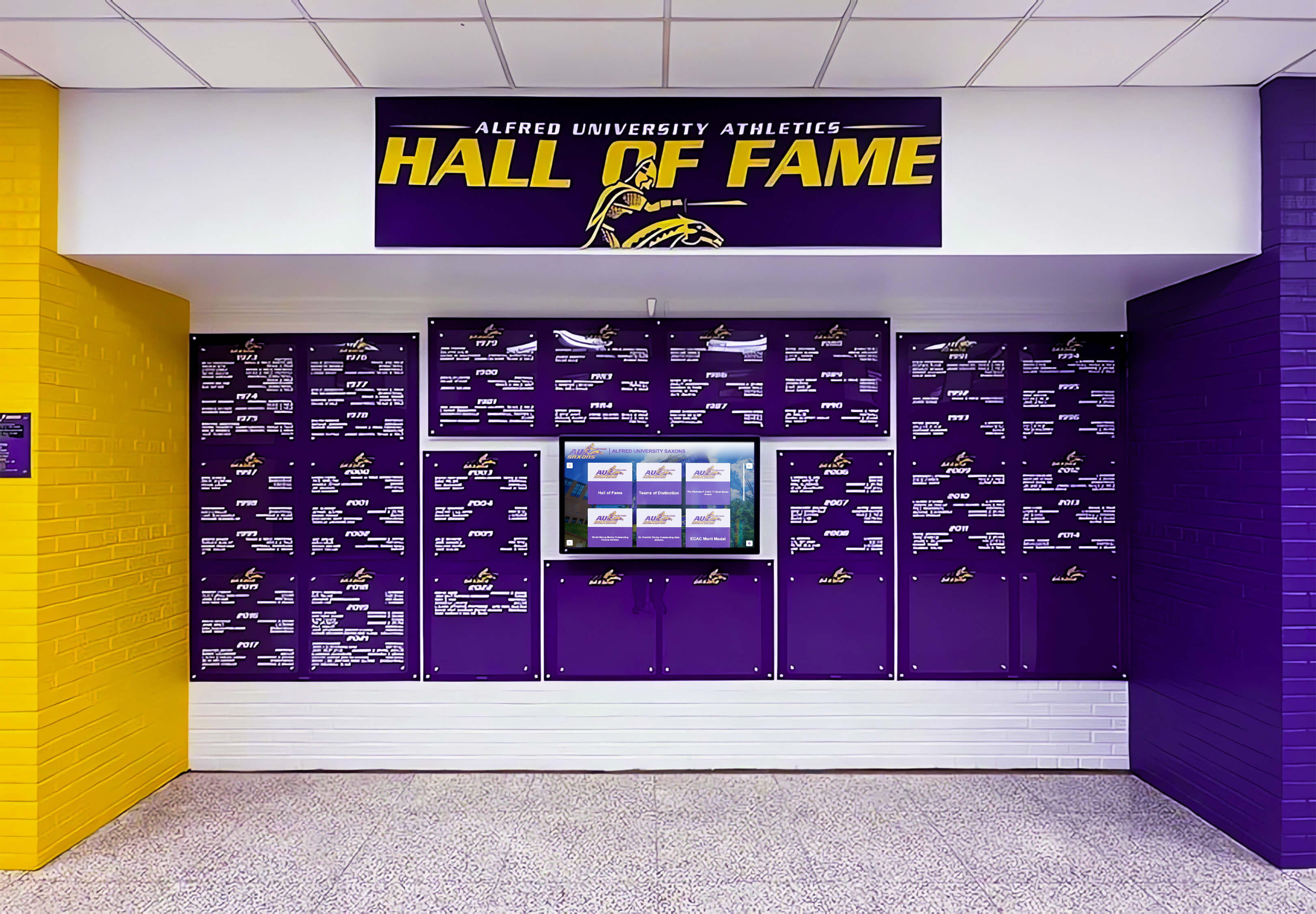
Color Systems: Apply institutional colors through interface elements, background treatments, and accent details. Purple and gold team colors can theme navigation bars, portrait card borders, and typography—creating immediate visual connection to school identity.
Typography Pairing: Select font families that complement institutional branding. A school with traditional serif logotype might use classic serif headings (Garamond, Baskerville) paired with clean sans-serif body text (Open Sans, Lato) for optimal screen readability.
Logo Integration: Tastefully incorporate institutional logos in:
- Header/footer positions
- Background watermarks (10-15% opacity)
- Profile card templates
- Printed alumni cards generated from display content
Custom Backgrounds: Replace generic backgrounds with:
- Vintage yearbook page textures
- Campus landmark photography
- Subtle patterns derived from school seals or mascots
- Seasonal themes tied to homecoming or reunion events
Multimedia Content Enhancement
While yearbook photos provide the foundation, complementary content creates comprehensive alumni experiences:
Video Interludes: Integrate short video clips (15-30 seconds) showing:
- Historic game footage from championship years
- Vintage student life footage from school archives
- Recent alumni video messages for reunion campaigns
Audio Layers: Add optional background audio:
- School fight songs or alma mater (low volume, 20-30% max)
- Ambient sounds from the era (for historical context installations)
- Brief audio captions recorded by alumni or historians
Supplementary Photos: Expand beyond formal portraits with:
- Team photos showing full squads
- Candid activity shots from yearbook spreads
- Event photography from dances, assemblies, and traditions
- Campus evolution photos showing buildings and grounds through decades
Social Media Galleries: For recent alumni (2000s onward), embed social sharing functionality allowing visitors to post photos directly to Twitter, Facebook, or Instagram with pre-populated hashtags (#ClassOf2010Reunion, #AlumniHallOfFame).
These features transform simple digital history archive displays into immersive experiences that celebrate institutional heritage.
Sponsorship and Donor Recognition Zones
Hall of fame installations often receive funding from donors, boosters, or corporate sponsors. Digital displays accommodate recognition without compromising primary content:
Rotating Donor Ribbon: A narrow horizontal strip (10% of screen height) at top or bottom can cycle through donor names, major gift acknowledgments, or sponsor logos at 10-second intervals.
Dedicated Recognition Screens: For major installations with multiple displays, dedicate one screen to donor walls while others focus on alumni portraits and achievements.
Branded Splash Screens: During inactive periods, alternate between alumni attract loops and sponsor acknowledgment screens (80/20 ratio preserving primary purpose).
Digital formats allow updating sponsor recognition as new gifts arrive or campaigns conclude—flexibility impossible with engraved plaques or printed donor walls.
Activation Plan: From Digitization to Live Display
Successful hall of fame implementations require coordinated project planning spanning digitization, content preparation, hardware installation, and ongoing content management.
Phase 1: Collection Assessment & Planning (Weeks 1-2)
Inventory Assessment: Document all yearbook volumes:
- Publication years and gaps
- Physical condition (excellent, good, fair, poor, unusable)
- Current storage location and accessibility
- Special features (color sections, fold-outs, unique layouts)
Priority Setting: Not all yearbooks require immediate digitization. Focus initial efforts on:
- Years with upcoming reunion events (plan 6-12 months ahead)
- Historic milestone years (founding year, centennials, major anniversaries)
- Volumes in poorest condition (digitize before further deterioration)
- Championship seasons or notable achievement years
Budget Development: Calculate realistic costs:
- Scanning equipment or services ($500-5,000 depending on method)
- Photo enhancement and processing ($15-40 per hour if outsourced)
- Display hardware (touchscreen, mounting, cabling: $2,500-8,000)
- Software platform subscription ($1,200-3,600 annually)
- Installation and configuration ($500-2,000)
Team Assembly: Identify project stakeholders:
- Project sponsor (principal, advancement director, athletic director)
- Digitization coordinator (librarian, archivist, volunteer committee)
- Content manager (responsible for biographical data, achievement records)
- Technical liaison (IT coordinator for display installation)
Phase 2: Digitization Execution (Weeks 3-12)
Scanning Schedule: Establish realistic production targets based on chosen method:
- Professional scanner services: 50-100 pages per hour
- DIY flatbed scanning: 15-25 pages per hour
- Camera-based capture: 20-35 pages per hour
A typical yearbook contains 150-250 pages. Budget 3-8 hours of scanning time per volume plus breaks to prevent fatigue and errors.
Quality Control: Implement review checkpoints:
- Random sampling of scans (every 10th page) to verify focus, lighting, and positioning
- End-of-session review for missed pages or poor captures
- Weekly backup of all digital files to multiple locations (local drive, cloud storage, external backup)
Volunteer Coordination: Alumni digitization projects often rely on volunteer labor. Structure volunteer sessions:
- 2-3 hour maximum scanning sessions to prevent burnout
- Paired teams (one person handles books, one operates scanner) reduce errors
- Training documentation with photos showing proper book handling
- Social elements (refreshments, storytelling breaks) maintain engagement
Data Entry: As photos are extracted, compile biographical metadata:
- Spreadsheet template: Year, First Name, Last Name, Sport/Activity, Graduation Status, Notable Achievements
- Delegate data entry to student workers, alumni volunteers, or part-time staff
- Verify spelling against official records (transcripts, diploma lists) to prevent errors
Phase 3: Display Design & Installation (Weeks 10-14)
Hardware Selection: Choose appropriate display hardware based on:
- Installation location (wall-mount, freestanding kiosk, built-in millwork)
- Screen size (43", 55", 65", 75" typical options)
- Viewing distance and traffic patterns
- Budget constraints
Professional installations typically use commercial-grade touchscreens with 50,000+ hour lifespan and robust construction suitable for high-traffic public spaces.
Software Configuration: Modern platforms require minimal technical expertise. Administrators typically:
- Upload photo libraries and metadata spreadsheets
- Select visual theme (colors, fonts, backgrounds)
- Configure navigation options and content modules
- Preview and test on staging environment
- Launch to production display
Solutions like Rocket Alumni Solutions provide unlimited layouts, meaning multiple displays throughout campus can show different content perspectives (athletics-focused in gymnasium, comprehensive alumni in main lobby, academic achievers in library) from the same underlying photo database.
Location Strategy: Place displays where they serve specific audiences:
- Main lobby: Comprehensive alumni hall of fame (all years, all activities)
- Athletic facility: Sports-focused view with team photos and records
- Performing arts center: Music, theater, and arts alumni
- Library: Academic achievers and distinguished scholars
This distributed approach maximizes engagement by contextualizing content for location-specific audiences.
Phase 4: Launch & Promotion (Week 15+)
Soft Launch: Test displays with small groups before public announcement:
- Staff and faculty preview sessions gather feedback
- Student government or ambassador tours identify usability issues
- Alumni council members verify biographical accuracy
Public Announcement: Coordinate launch with high-visibility events:
- Homecoming weekend (maximum alumni attendance)
- Athletic hall of fame induction ceremonies
- Reunion weekends (particularly multi-year reunions)
- Open house or prospective student visit days
Media Coverage: Leverage local press and alumni communications:
- Press release to local newspapers highlighting heritage preservation
- Alumni magazine feature article with installation photos
- Social media campaign encouraging alumni to find their yearbook photos
- Email campaign to specific class years as their photos go live
Ongoing Promotion: Maintain long-term engagement:
- Monthly “Featured Class” spotlights on social media
- Alumni challenge campaigns (“How many classmates can you name?”)
- Birthday spotlights highlighting alumni born on current date
- Anniversary celebrations for notable achievements shown in display
Successful launches create momentum that drives ongoing alumni engagement and positions the institution as forward-thinking while honoring tradition.

Ongoing Content Management & Archive Growth
Hall of fame displays remain valuable only with regular content updates and expansion. Plan for sustainable long-term management.
Annual Refresh Cycle
Establish predictable update schedules:
Spring: Add current year’s graduating class portraits and senior awards Summer: Process recent reunion photos and testimonials from returning alumni Fall: Feature historic championship teams corresponding to current season (football season = historic football teams) Winter: Update achievement records with current statistics and new inductees
This quarterly rhythm keeps content fresh while distributing workload across the year.
Alumni Contribution Systems
Enable alumni to enrich their own profiles:
Update Request Forms: Simple web forms allow alumni to submit:
- Current professional photos
- Career accomplishments and milestones
- Family information (class year of children attending)
- Contact information for reunion planning
- “Where I Am Now” testimonials
Photo Contributions: Crowdsource additional historical photos:
- Alumni upload candid shots from their yearbook era
- Event photos from dances, games, and traditions not captured in official yearbooks
- Newspaper clippings and press coverage from historic achievements
Story Collection: Record oral histories and written memories:
- Video interviews with distinguished alumni
- Written recollections of historic events or traditions
- Tributes for deceased classmates and faculty
These contributions transform static archives into living, growing collections that deepen over time.
Multi-Generational Content Expansion
Mature hall of fame installations often expand to include:
Faculty and Staff: Recognize educators alongside students:
- Teacher portraits from yearbook pages
- Retirement tributes and career summaries
- Department histories showing faculty evolution
Institutional Milestones: Document school history beyond individuals:
- Building construction and campus development
- Program founding and expansion (when athletics started, fine arts programs launched, etc.)
- Accreditation achievements and rankings
- Distinguished visitor appearances and notable speakers
Community Context: Connect institutional history to broader historical events:
- Timeline overlays showing world/national events alongside school years
- Local history integration (community founding, major employers, demographic changes)
- Comparative costs (tuition then vs. now, adjusted for inflation)
These expansions, common in comprehensive digital recognition wall installations, create increasingly valuable resources that serve research, advancement, and community engagement.
Technical Maintenance Requirements
Digital displays require minimal but essential ongoing care:
Software Updates: Cloud-based platforms handle updates automatically, but administrators should:
- Review monthly update notes for new features
- Test major updates on staging displays before production rollout
- Maintain current browser/OS versions on display hardware
Hardware Cleaning: Monthly physical maintenance:
- Clean touchscreens with microfiber cloths and approved screen cleaners
- Vacuum ventilation ports to prevent dust accumulation
- Check cable connections and mounting security
- Verify ambient lighting hasn’t changed (no new glare sources)
Content Backup: Automated systems should backup all content weekly:
- Photo libraries to cloud storage
- Metadata databases exported monthly
- Custom configuration settings documented
Performance Monitoring: Watch for technical issues:
- Touch responsiveness degradation
- Image loading delays or failures
- Software crashes or freezing
- Display brightness fading
Professional platforms include monitoring dashboards alerting administrators to issues before visitors encounter problems, with technical support handling troubleshooting remotely.
Creating Your Yearbook Hall of Fame Experience
Digitizing vintage yearbooks and transforming them into engaging hall of fame displays preserves institutional heritage while making historical content accessible to modern audiences. The process—from safe scanning methods through thoughtful experience design to sustainable content management—requires planning and coordination but delivers lasting value.
Schools, universities, and organizations that successfully implement these projects report:
- Increased alumni engagement and reunion attendance
- Enhanced campus culture as current students discover institutional history
- Improved advancement outcomes as alumni feel more connected to alma mater
- Preservation of irreplaceable historical materials before further deterioration
- Accessibility improvements serving visitors of all abilities
Solutions like Rocket Alumni Solutions provide the technical foundation for these experiences, handling complex functionality—searchable databases, responsive touchscreen interfaces, accessibility compliance, unlimited content capacity, and remote content management—while allowing institutions to focus on digitization and storytelling rather than software development.
Whether your institution holds five yearbooks or five hundred, digitization creates opportunities to honor the past while engaging the future. The physical books return to climate-controlled preservation storage, protected from display damage, while digital copies bring every portrait, every achievement, and every memory to life through interactive displays that inspire visitors for generations to come.
Ready to transform your yearbook archives into an interactive hall of fame experience? Book a demo to see how digital recognition displays preserve heritage while creating engaging visitor experiences.































