




Donor recognition screens represent the convergence of thoughtful design, intuitive user experience, and powerful technology—creating interactive displays that honor supporters while inspiring continued generosity. Traditional donor plaques and static walls have long served institutions, yet they can’t deliver the dynamic storytelling, unlimited capacity, or engaging exploration that modern touchscreen recognition provides.
Designing effective donor recognition screens requires balancing multiple objectives: celebrating every contributor appropriately, creating intuitive navigation enabling discovery, presenting content with dignity befitting institutional brand, demonstrating impact transparency that builds trust, and providing pathways inspiring prospective donors to give. Poor design creates confusing experiences that frustrate visitors and diminish recognition value, while thoughtful design transforms acknowledgment into memorable engagement that strengthens donor relationships.
This complete guide explores donor recognition screen design from concept through implementation. You’ll discover experience layout frameworks, UX principles ensuring accessibility and engagement, content strategies maximizing storytelling impact, technical specifications for reliable operation, and best practices from institutions creating recognition displays that truly resonate with communities.
Well-designed donor recognition screens don’t simply list names—they create immersive experiences inviting exploration, emotional connection, and action. When visitors spend 8-12 minutes discovering donor stories, searching for friends and family, and learning about mission impact rather than glancing briefly at static plaques, recognition achieves its full potential as cultivation tool and stewardship demonstration.

Purpose-built donor recognition kiosks combine commercial-grade touchscreens with carefully designed experiences optimizing engagement and accessibility
Understanding Donor Recognition Screen Fundamentals
Before diving into design specifics, establish foundational understanding of what makes recognition screens effective and how they differ from generic digital signage.
The Recognition Experience Goal
Every donor recognition screen serves dual purposes simultaneously:
Primary Function: Meaningful Acknowledgment
Screens must honor supporters in ways that feel genuine, dignified, and proportionate to contributions. This requires comprehensive profiles celebrating not just what donors gave but why they gave—connecting philanthropy to personal motivations, institutional connections, and mission impact. Recognition should make donors feel valued as partners advancing shared purposes rather than simply funding sources.
Secondary Function: Cultivation and Inspiration
Beyond honoring current donors, effective screens inspire prospective supporters through compelling social proof demonstrating community generosity, transparent impact accountability showing how gifts advance missions, aspirational recognition tiers creating clear pathways for increased engagement, and integrated giving opportunities reducing friction between inspiration and action.
Solutions like Rocket Alumni Solutions enable institutions to balance these dual purposes through platforms designed specifically for recognition rather than adapting generic digital signage systems for donor acknowledgment.
Design Principles That Drive Engagement
Research on interactive touchscreen engagement reveals specific principles distinguishing successful recognition displays from those visitors ignore:
Discoverability Through Progressive Disclosure
Effective interfaces reveal content progressively rather than overwhelming visitors immediately. Entry screens provide clear starting points—featured donors, search functionality, browse options—inviting exploration without demanding decisions. As visitors engage, additional details progressively disclose themselves, maintaining interest through staged revelation rather than front-loading all information.
Intuitive Navigation Without Instruction
The best recognition screens require no explanation or signage directing usage. Touch targets prove obviously interactive through visual treatment, navigation patterns follow conventions users understand instinctively from smartphone and tablet experiences, and wayfinding remains clear throughout exploration as visitors always know where they are and how to return to previous screens.
Visual Hierarchy Directing Attention
Thoughtful typography, spacing, and composition guide eyes toward most important information first. Donor names achieve prominence appropriate to recognition tiers, impact metrics receive visual emphasis demonstrating outcomes, photography creates emotional engagement impossible with text alone, and clear calls-to-action position giving opportunities without feeling intrusive.
Accessibility Ensuring Inclusive Experience
Recognition should celebrate all community members while remaining accessible to visitors regardless of ability. This requires sufficient contrast ratios meeting WCAG 2.1 AA standards (minimum 4.5:1 for text), text sizing enabling comfortable reading from standing distance without squinting, touch target sizes accommodating diverse motor abilities (minimum 44x44 pixels), wheelchair-accessible mounting heights and reach zones, and optional text-to-speech for vision-impaired visitors when budget permits.
Learn more about designing touch screen experiences that truly engage users through human-centered UX principles.

Strategic placement in high-traffic areas ensures maximum visibility while creating natural opportunities for giving conversations
Experience Layout Framework
Effective donor recognition screens follow systematic layout patterns organizing content intuitively while maintaining visual consistency.
Screen Hierarchy and Information Architecture
Structure recognition content through clear hierarchical relationships:
Entry Experience (Home Screen)
The initial screen visitors encounter establishes tone and provides exploration pathways:
- Hero Zone (Top Third): Campaign branding, institutional identity, welcoming message establishing recognition purpose
- Featured Content (Middle Third): Rotating spotlight donors, recent contributors, milestone achievements creating immediate engagement
- Navigation Zone (Bottom Third): Clear pathways offering “Search by Name,” “Browse by Circle,” “View Impact Stories,” and “Give Now” options
- Persistent Elements: Return home button, search icon, giving opportunity access maintained across all screens
Browse Experience (Category Screens)
When visitors select exploration pathways, category screens organize donors logically:
- Category Header: Recognition circle name, giving level description, participation statistics
- Grid Layout: Donor cards arranged in consistent grid (3x4 or 4x4) balancing information density with comfortable target sizing
- Card Content: Profile photo, donor name, giving level indicator, years of support, optional quote or connection statement
- Pagination Controls: Clear previous/next navigation when donor volume exceeds single screen capacity
Profile Experience (Individual Donor Screens)
Detailed donor profiles reveal comprehensive stories:
- Profile Header (Left Third): Large professional photo, prominent name display, recognition society badges, giving tenure
- Biographical Content (Right Two-Thirds): Personal testimony or institutional connection narrative (200-400 words), impact metrics showing specific outcomes gifts enabled, family legacy context for multi-generational donors
- Supporting Media (Below Main Content): Photo gallery showing donor engagement with programs, video testimonial when available, related donor connections
- Action Footer: “Return to Browse,” “Search Again,” “Learn About Giving” options
This three-tier hierarchy—entry, browse, profile—creates intuitive exploration patterns visitors understand instinctively while maintaining clear wayfinding throughout experience.
Content Zones and Module Allocation
Organize screen real estate systematically using grid-based layouts:
12-Column Responsive Grid
Structure content using flexible 12-column grids adapting to various screen orientations:
- Portrait Orientation (9:16): Emphasizes vertical scrolling, stacks content in 12-column spans, suits detailed profile reading
- Landscape Orientation (16:9): Enables side-by-side layouts, splits content into 6-6 or 8-4 column arrangements, optimizes for browsing multiple donors
- Square Displays (1:1): Balances content quadrants, suits symmetrical layouts, works well for featured donor rotations
Module Types and Spacing
Define reusable content modules maintaining consistency:
- Donor Card Module: Consistent 280x360px (portrait) or 360x280px (landscape) cards with 24px gutters ensuring comfortable separation
- Featured Spotlight Module: Full-width hero presentations cycling every 15 seconds showcasing leadership donors
- Impact Metric Module: Data visualizations showing campaign progress, dollars raised, donors participating, beneficiaries served
- Navigation Module: Persistent bottom navigation bar (88px height) maintaining access to search, home, and giving functions
- Call-to-Action Module: Prominent giving buttons integrating QR codes enabling mobile device access
Consistent module sizing and spacing creates visual rhythm guiding eyes naturally while maintaining professional presentation quality.
Explore comprehensive digital donor wall implementation strategies that apply these layout principles at institutional scale.
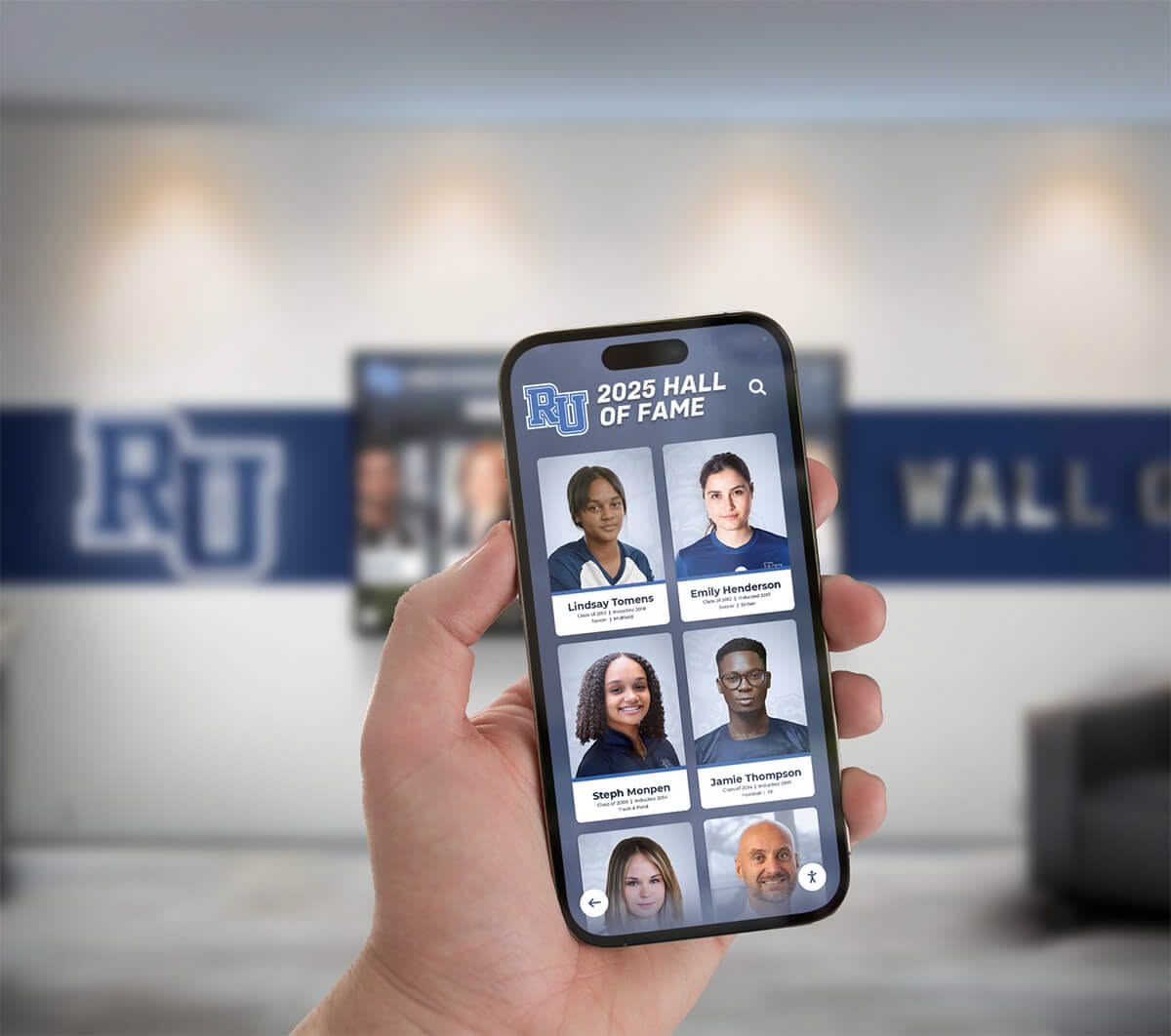
Cloud-based recognition platforms enable consistent experiences across touchscreen kiosks, mobile devices, and web browsers
Content Strategy for Recognition Screens
Compelling content transforms technology platforms into meaningful experiences that honor donors while inspiring continued engagement.
Donor Profile Content Development
Create acknowledgment appropriate to giving levels while maintaining dignity across all tiers:
Tiered Recognition Structure
Most institutions implement differentiated recognition based on contribution significance:
- Transformational Circle ($100,000+): Comprehensive 600-800 word biographical narratives, professional photography (3-5 images), video testimonials (90-180 seconds), detailed impact stories with beneficiary connections, family legacy context
- Leadership Circle ($50,000-$99,999): Enhanced 400-600 word profiles, professional photography (2-3 images), impact metrics connecting gifts to outcomes, personal testimonies explaining motivations
- Principal Circle ($25,000-$49,999): Standard 250-400 word profiles, professional photo, brief impact connection, giving tenure recognition
- Benefactor Circle ($10,000-$24,999): Concise 150-250 word acknowledgment, professional photo, recognition society membership indication
- Patron Circle ($5,000-$9,999): Basic profiles with photo, name, giving level, years of support
- Supporter Circle ($1,000-$4,999): Name recognition, giving designation, participation acknowledgment
- Friend Circle ($100-$999): Collective acknowledgment celebrating broad community participation
This tiered approach creates aspiration pathways encouraging gift progression while ensuring all contributors receive visible appreciation regardless of capacity.
Essential Profile Components
Every donor entry should include:
- Accurate Name Formatting: Proper titles, preferred names, family designations respecting donor preferences
- High-Quality Photography: Professional headshots or candid photos showing donors engaged with institutional communities (minimum 800x1000px resolution)
- Giving Context: Designation details connecting contributions to specific programs, facilities, scholarships, or mission priorities
- Tenure Recognition: Years of consecutive support, first-time donor identification, multi-generational family giving
- Personal Connection Statements: Brief explanations of institutional relationships—graduation years, family legacies, program involvement, volunteer service
- Optional Testimonial Content: Authentic donor voices explaining what inspired giving and why missions matter to them
Gathering Profile Content Systematically
Implement processes ensuring regular content flow:
- Post-gift surveys requesting biographical information and permission to feature donors prominently
- Scheduled interviews with leadership circle supporters developing comprehensive profiles
- Annual photo sessions at cultivation events capturing professional portraits
- Social media monitoring discovering donor posts celebrating giving participation
- Development officer relationship notes identifying compelling personal stories
- Family submissions honoring memorial giving and multi-generational legacies
Organizations implementing systematic content gathering report 65-75% of donors willingly provide information when asked thoughtfully during stewardship conversations—far higher than many expect based on privacy assumptions.
Impact Storytelling That Demonstrates Transparency
Connect recognition to concrete outcomes that contributions enabled:
Quantitative Impact Metrics
Incorporate measurable results demonstrating accountability:
- Financial Metrics: Total campaign dollars raised, donor participation rates, average gift sizes, year-over-year growth
- Beneficiary Metrics: Scholarships awarded with recipient counts, students served through programs, facilities accessed by community members
- Program Metrics: Research papers published, performances attended, athletic championships won, technology deployed
- Outcome Metrics: Graduation rates improved, career placements achieved, community partnerships established
Present metrics visually through charts, progress bars, and infographics maintaining engagement while communicating accountability clearly.
Qualitative Beneficiary Stories
Balance numbers with human narratives showing real-world impact:
- Scholarship Recipient Profiles: Student testimonials explaining how financial support enabled educational dreams, career outcomes achieved through institutional access
- Program Participant Voices: Community members describing transformational experiences programs provided
- Faculty Perspectives: Educators discussing how resources enhanced teaching capabilities and student success
- Alumni Reflections: Graduates connecting past support to current accomplishments and continuing engagement
These stories create emotional resonance that pure statistics cannot match—helping donors understand precisely what their generosity enabled while providing compelling narratives inspiring prospective supporters.
Discover donor recognition wall content strategies that maximize engagement through strategic storytelling.

Intuitive touch interactions enable visitors to explore donor stories, view photos, and discover connections at their own pace
User Experience and Interaction Design
Thoughtful UX ensures recognition screens remain engaging and accessible rather than frustrating or confusing.
Touch Interaction Patterns
Design interactions following conventions users understand from smartphone and tablet experiences:
Gesture Support and Expectations
Modern users expect familiar touch patterns:
- Tap: Primary interaction selecting items, opening profiles, activating buttons (minimum 44x44px target size)
- Swipe: Horizontal swiping navigating between donors in same category, vertical scrolling through extended content
- Pinch-to-Zoom: Optional magnification for photography and detailed content (implement carefully to avoid disorienting navigation)
- Press-and-Hold: Optional advanced feature revealing additional options or actions (use sparingly to avoid complexity)
Visual Feedback and Responsiveness
Every interaction should provide immediate visual confirmation:
- Touch Feedback: Subtle highlight or scale animation acknowledging touch input (100-150ms duration)
- Loading States: Progress indicators when fetching content preventing confusion during brief delays
- Transition Animations: Smooth screen transitions (250-350ms) creating spatial awareness of navigation
- Error States: Clear messaging when searches return no results or content fails to load
Poor interaction feedback creates uncertainty undermining confidence, while clear responsive design builds trust encouraging continued exploration.
Navigation and Wayfinding Systems
Enable intuitive movement through potentially hundreds or thousands of donor profiles:
Primary Navigation Patterns
Provide multiple discovery pathways accommodating different user preferences:
- Search Function: Prominent search enabling direct donor name lookup, auto-suggest improving success rates, fuzzy matching accommodating spelling variations
- Category Browse: Organized exploration by recognition circle, giving level, designation, or participation year
- Featured Rotation: Automatic cycling through spotlight donors creating passive engagement for casual observers
- Random Discovery: “Meet a Donor” option presenting random profiles encouraging serendipitous connection
Persistent Navigation Elements
Maintain orientation throughout experience:
- Home Button: Persistent return pathway to entry screen (top-left corner following convention)
- Breadcrumb Trail: Current location indication showing navigation path (when appropriate for complex hierarchies)
- Search Icon: Always-accessible search function (top-right corner)
- Giving Access: Persistent CTA button maintaining pathway to contribution (bottom navigation bar)
Timeout and Attraction States
Balance engagement with visitor turnover:
- Active Session Duration: 5-minute interaction window before automatic return to home screen
- Inactivity Warning: 30-second countdown appearing after 4:30 of inactivity allowing session extension
- Attraction Loop: Engaging animation cycling featured donors and impact metrics when idle, inviting interaction from passing visitors
These timeout mechanisms ensure displays remain accessible for subsequent visitors while providing adequate exploration time for engaged users.
Learn about touchscreen software design principles that create consistently excellent recognition experiences.
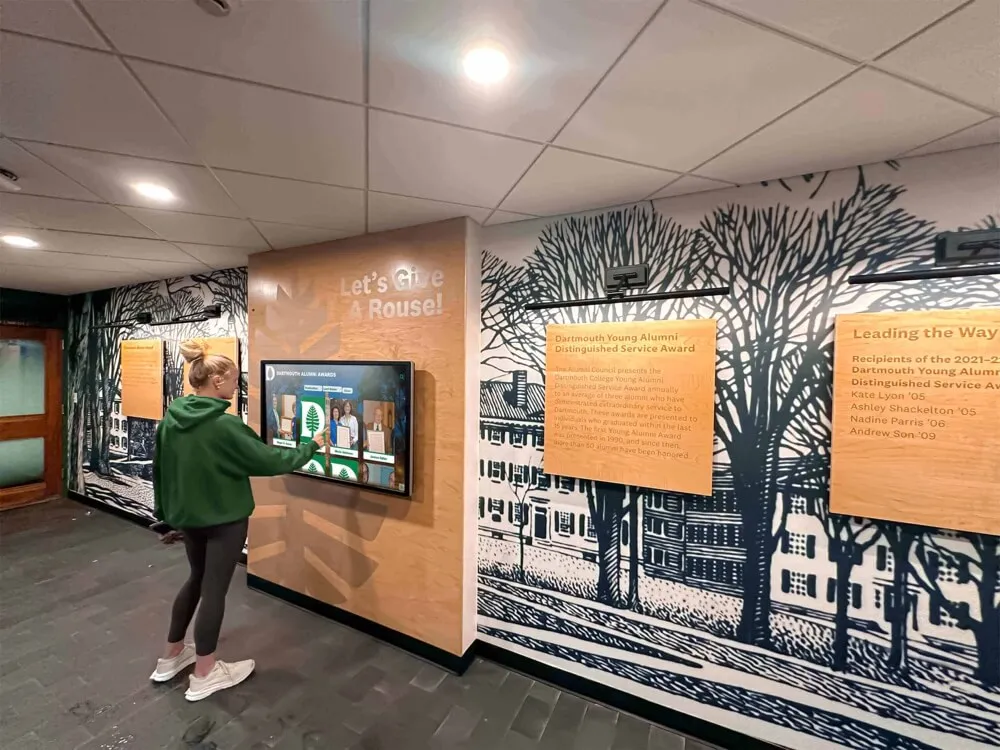
Strategic corridor placement with comfortable viewing space encourages extended engagement during high-traffic periods
Visual Design and Brand Integration
Align recognition screen aesthetics with institutional identity while maintaining professional dignity befitting donor acknowledgment.
Typography and Readability Standards
Text remains the primary communication medium requiring careful typographic treatment:
Font Selection and Hierarchy
Choose typefaces balancing elegibility with brand personality:
- Heading Typography: Sans-serif fonts optimizing on-screen readability (Helvetica, Proxima Nova, Gotham, Avenir)—48-72pt for primary headings, 32-42pt for secondary headings
- Body Typography: Highly-legible typefaces suitable for extended reading (same sans-serif family as headings maintaining consistency)—24-28pt minimum for comfortable standing-distance reading
- Accent Typography: Optional serif or script typefaces for donor quotes or testimonial callouts (use sparingly, never for primary content)
Size and Spacing for Distance Viewing
Accommodate viewing distances of 2-5 feet from screens:
- Minimum Body Text: 24pt for readable standing distance viewing
- Optimal Body Text: 28-32pt providing comfortable reading without straining
- Line Spacing: 1.4-1.6x leading creating adequate vertical breathing room
- Paragraph Spacing: 1.5-2x line height separating content blocks clearly
- Character Limits: 50-75 characters per line optimizing readability rhythm
Contrast and Accessibility
Ensure text remains legible across viewing conditions:
- Contrast Ratios: Minimum 4.5:1 for body text, 3:1 for large text (18pt+), meeting WCAG 2.1 AA standards
- Background Selection: Light backgrounds (white, light gray, soft institutional colors) optimizing readability
- Avoid Patterns: Solid backgrounds preventing visual competition with text content
- Glare Consideration: Matte screen protectors reducing reflection in brightly-lit institutional lobbies
Color Systems and Brand Alignment
Integrate institutional identity while maintaining recognition appropriateness:
Color Palette Development
Build recognition color systems from institutional brand guidelines:
- Primary Brand Colors: Institutional signature colors for headers, navigation elements, CTA buttons maintaining brand consistency
- Secondary Accent Colors: Complementary palette for recognition tiers, category differentiation, visual interest
- Neutral Foundation: Extensive use of whites, light grays, and subtle tones ensuring content legibility and professional presentation
- Strategic Color Usage: 60% neutral, 30% primary brand, 10% accent creating balanced, sophisticated compositions
Recognition Tier Visual Differentiation
Use color, iconography, and styling distinguishing giving levels:
- Tier Badge System: Consistent iconography indicating recognition circles (laurel wreaths, stars, shields)
- Subtle Color Coding: Discrete color accents differentiating tiers without creating garishness
- Metallic Treatments: Optional gold, silver, bronze visual treatments for top tiers (use thoughtfully to avoid dated appearance)
- Typography Weight: Varied font weights creating hierarchy without relying solely on color
Brand Integration Checklist
Ensure recognition displays honor institutional identity:
- Institutional logo placement consistent with brand guidelines
- Official color palette application throughout all screens
- Approved photography styles and treatments
- Signature graphic elements and patterns when appropriate
- Consistent voice and messaging tone
- Integration with broader wayfinding and signage systems
Comprehensive donor recognition complete guides provide additional frameworks for brand-consistent implementation.
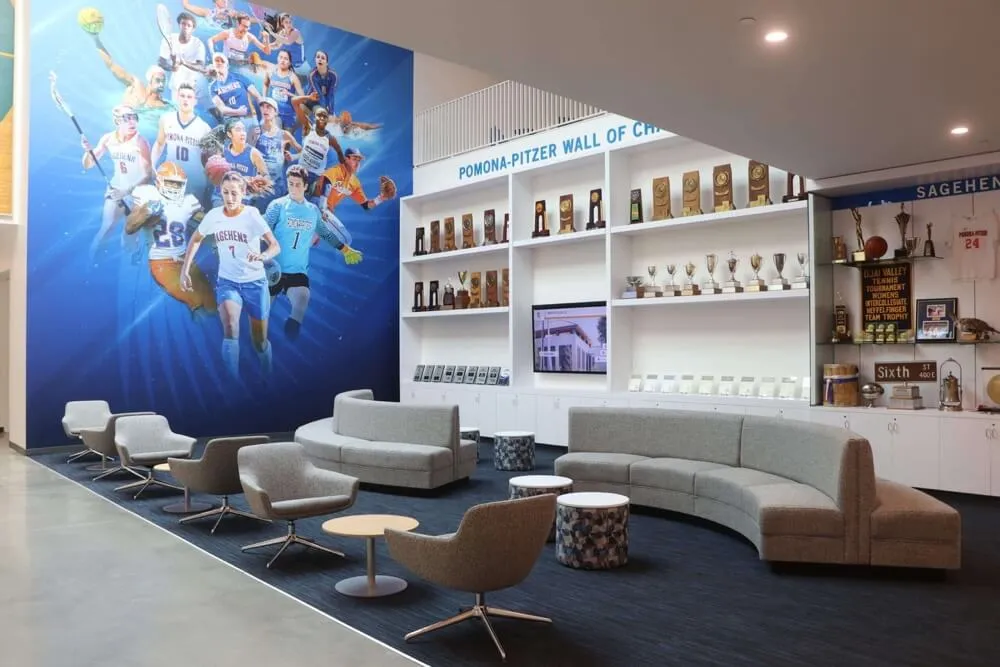
Creating comfortable recognition spaces with seating encourages extended engagement and contemplation of donor impact
Technical Implementation and Hardware Selection
Reliable recognition displays require commercial-grade equipment and thoughtful technical planning.
Display Hardware Specifications
Consumer equipment fails under continuous institutional usage—specify commercial solutions:
Commercial Touchscreen Requirements
Purpose-built displays for public space deployment:
- Operating Hours: Rated 16-24 hours daily supporting continuous operation (50,000-70,000 hour lifespans)
- Screen Size: 43-55 inch displays providing comfortable viewing in lobby environments (larger for high-ceiling spaces)
- Resolution: Minimum 1080p with 4K preferred ensuring crisp text and images
- Brightness: 350-450 nits maintaining visibility in typical institutional lighting (avoid consumer displays at 250-300 nits)
- Touch Technology: Capacitive multi-touch (10+ point) enabling gesture support and simultaneous users
- Durability: Hardened glass surfaces resisting scratches and impacts common in public environments
- Warranty: Minimum 3-year commercial protection with on-site service ensuring prompt support
Mounting and Installation Considerations
Professional presentation protecting investments:
- Wall Mount Options: Low-profile mounts positioning screens 42-48 inches from floor (wheelchair accessible)
- Floor Kiosk Solutions: Free-standing enclosures providing flexible placement, integrated computing, security features
- Cable Management: Professional routing eliminating visible wiring creating clean presentations
- Security Features: Anti-theft mounting, tamper-resistant fasteners, protective enclosures for high-risk locations
- Accessibility Compliance: ADA-compliant mounting heights, reach zones, and clearances
Computing and Connectivity
Adequate processing ensuring smooth, responsive experiences:
- Processor: Minimum Intel i5 or AMD Ryzen 5 (i7/Ryzen 7 preferred for 4K content)
- Memory: 8GB RAM minimum, 16GB preferred for complex multimedia
- Storage: 256GB+ SSD enabling fast content loading and system responsiveness
- Graphics: Dedicated GPU for 4K displays and video playback
- Connectivity: Gigabit ethernet strongly preferred over WiFi for reliability and security
- Operating System: Windows 10/11 Pro or Linux distributions supporting commercial deployment
Software Platform Capabilities
Recognition software fundamentally determines long-term value and usability:
Content Management Requirements
Look for platforms enabling development teams to maintain recognition independently:
- Intuitive CMS: Web-based interfaces requiring no technical expertise or coding knowledge
- Drag-and-Drop Media: Simplified photo and video upload workflows
- Template Systems: Consistent donor profile creation ensuring professional presentation
- Bulk Import: CSV data import handling hundreds or thousands of donors efficiently
- User Permissions: Role-based access controlling who can edit, approve, and publish content
- Scheduled Publishing: Automated content updates coordinating with campaign milestones
- Multi-Display Management: Centralized control of distributed recognition installations across campuses
Interactive Experience Features
Purpose-built recognition platforms should provide:
- Responsive Touch Interface: Gesture support, smooth animations, immediate feedback
- Comprehensive Search: Name lookup with auto-suggest and fuzzy matching
- Advanced Filtering: Multiple discovery pathways by category, level, designation, year
- Multimedia Support: Photos, videos, documents, audio testimonials
- Analytics Dashboard: Engagement metrics tracking interactions, popular content, usage patterns
- Web Extensions: Responsive browser access extending recognition beyond physical displays
- Mobile Optimization: Smartphone and tablet support enabling anytime access
- QR Integration: Generated codes linking physical and digital experiences
Solutions like Rocket Alumni Solutions provide specialized platforms designed specifically for institutional recognition rather than generic digital signage systems, delivering superior functionality addressing unique donor acknowledgment requirements.
Explore best digital signage software options evaluating platforms for recognition deployment.
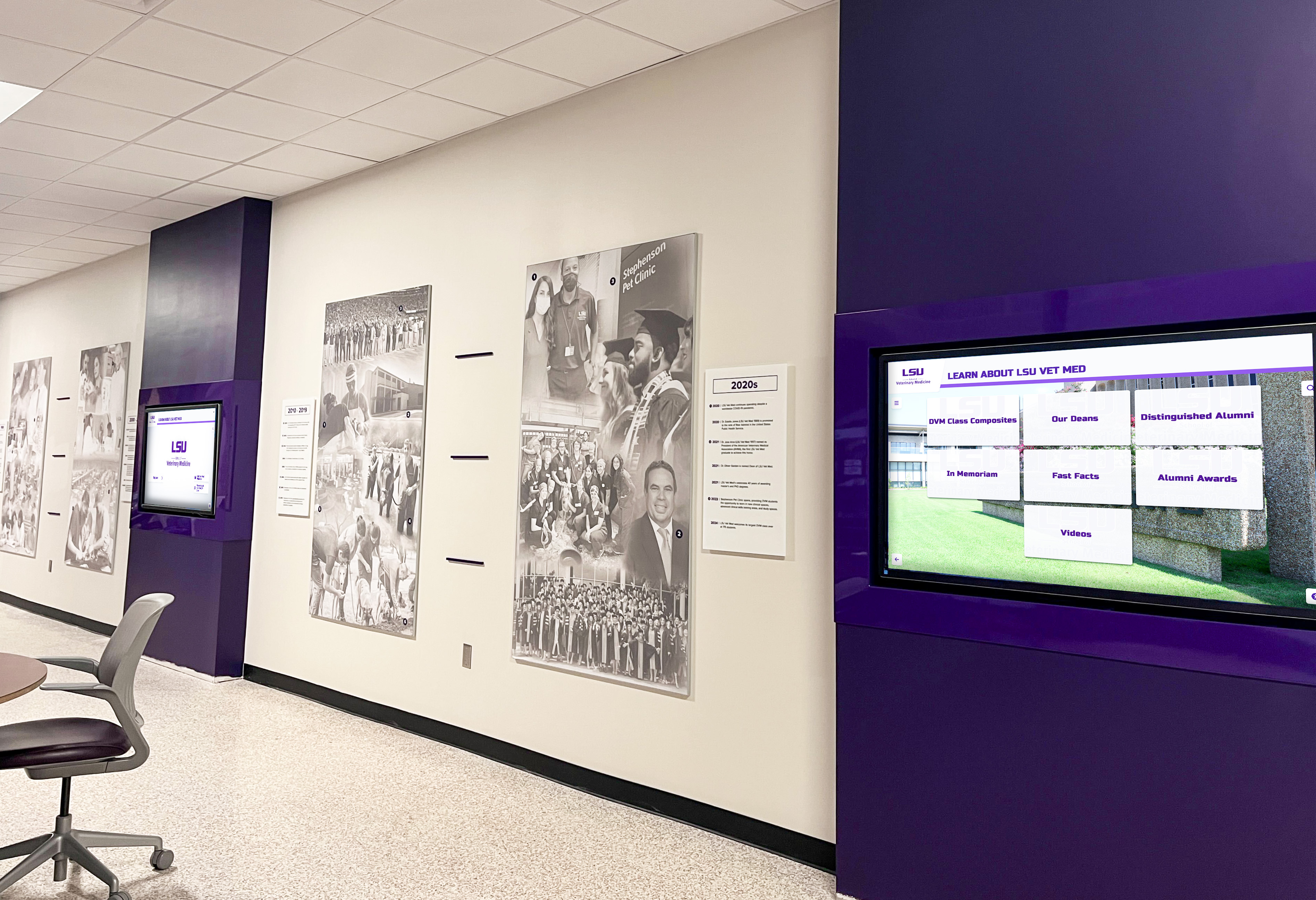
Large institutions often implement multiple coordinated displays across facilities ensuring recognition reaches diverse audiences
Integration and Advanced Features
Sophisticated recognition screens connect seamlessly with existing institutional systems and provide enhanced functionality.
Advancement Database Integration
Eliminate duplicate data entry through system connectivity:
CRM Connection Benefits
Purpose-built platforms integrate with advancement databases:
- Automated Donor Synchronization: Recognition updates automatically as gifts process eliminating manual entry
- Accurate Information Maintenance: Name changes, address updates, preference modifications sync continuously
- Privacy Preference Respect: Recognition visibility governed by documented donor preferences
- Giving History Access: Cumulative contribution data enabling lifetime recognition approaches
- Relationship Intelligence: Development officer notes and interaction history informing profile content
Common Integration Patterns
Technical approaches connecting recognition to advancement systems:
- API Connectivity: Real-time data synchronization through secure application programming interfaces
- Scheduled Data Exports: Automated CSV file transfers updating recognition nightly or weekly
- Single Sign-On: Unified authentication enabling development teams to manage content using existing credentials
- Webhook Triggers: Event-based updates pushing donor additions immediately after gift processing
These integrations ensure recognition remains current while reducing staff burden managing disconnected systems.
Giving Platform Integration
Connect recognition viewing directly to contribution actions:
Seamless Donation Pathways
Effective integration creates frictionless giving experiences:
- Embedded Giving Forms: Native donation interfaces within recognition screens
- QR Code Generation: Dynamic codes linking to mobile-optimized giving pages with pre-selected designations
- Pre-Populated Forms: Donor recognition level pre-selection simplifying contribution decisions
- Real-Time Acknowledgment: Immediate recognition screen addition celebrating new gifts
- Social Sharing Integration: Built-in tools enabling donors to amplify recognition through personal networks
Conversion Optimization
Reduce friction between inspiration and action:
- One-Touch Access: Persistent giving buttons throughout navigation maintaining pathway visibility
- Context-Appropriate Prompts: Giving invitations positioned naturally within impact stories and donor testimonials
- Multiple Entry Points: QR codes, touch buttons, verbal prompts providing pathway choice
- Mobile Continuity: Seamless transition from touchscreen exploration to smartphone completion
Organizations implementing recognition with integrated giving functionality report 28-35% higher conversion rates from recognition viewing to completed donations compared to displays requiring separate navigation—demonstrating power of reducing friction.
Analytics and Optimization
Data-driven improvement ensures recognition delivers maximum value:
Engagement Metrics Tracking
Monitor how visitors interact with recognition:
- Usage Volume: Daily interactions, unique visitors, peak traffic times
- Session Depth: Average duration (target: 6-10 minutes), screens viewed per session (target: 12-18)
- Navigation Patterns: Most common exploration pathways, search versus browse preferences
- Content Performance: Most-viewed donor profiles, popular search terms, frequently accessed categories
- Conversion Tracking: Recognition viewing to donation completion rates
Continuous Improvement Frameworks
Use data informing systematic optimization:
- A/B Testing: Experimental content variations revealing what resonates most powerfully
- Heatmap Analysis: Touch interaction mapping showing where visitors engage (when supported by platform)
- Content Gap Identification: Underperforming profiles requiring enhancement
- Feature Utilization: Capability usage rates indicating valued functionality
- User Feedback Collection: Optional satisfaction surveys gathering qualitative insights
These analytics guide content refinement, inform feature prioritization, and demonstrate program value to institutional leadership through objective metrics.
Learn about college advancement donor recognition strategies that leverage analytics for continuous improvement.
Implementation Best Practices and Common Pitfalls
Organizations achieving exceptional results follow proven approaches while avoiding frequent mistakes.
Pre-Launch Planning Essentials
Thorough planning prevents costly post-deployment corrections:
Stakeholder Alignment Process
Ensure institutional consensus before implementation:
- Development Leadership: Confirm recognition philosophy, giving tier structure, privacy policies
- Marketing/Communications: Align visual identity, messaging tone, brand integration
- Facilities Management: Coordinate placement, electrical requirements, network connectivity
- IT Department: Address security policies, network access, technical support responsibilities
- Legal/Compliance: Review donor agreements, naming rights policies, data privacy regulations
Content Preparation Workflows
Gather materials systematically before launch:
- Donor Data Compilation: Export accurate lists from advancement databases including names, giving levels, designations, tenure
- Photography Collection: Organize existing donor photos, schedule new portrait sessions, establish image specifications
- Profile Content Development: Draft biographical narratives, collect testimonials, document impact stories
- Media Production: Create or commission videos, develop infographics, design visual assets
- Quality Assurance: Proofread all content, verify donor name accuracy, confirm preference compliance
Launching with incomplete content creates poor first impressions diminishing recognition impact—invest adequately in preparation ensuring professional presentation from day one.
Launch and Promotion Strategies
Maximize recognition visibility and engagement:
Soft Launch Approach
Phased deployment reducing risk:
- Internal Preview: Limited access enabling staff testing and content refinement before public exposure
- Donor Preview Event: Exclusive reception inviting recognized supporters to explore displays first
- Feedback Collection: Systematic gathering of initial user observations informing rapid iteration
- Refinement Period: Two-week adjustment window addressing identified issues before broad promotion
Promotional Campaign Integration
Drive traffic to recognition installations:
- Campus Tours: Incorporate recognition viewing into admissions, donor cultivation, and community event routes
- Social Media Features: Regular posts highlighting compelling donor stories with calls-to-action encouraging in-person exploration
- Newsletter Coverage: Monthly spotlight content driving awareness and engagement
- Event Integration: Display recognition during fundraising programs, cultivation gatherings, and community celebrations
- Website Prominence: Featured links on institutional and development websites
Sustained promotion maintains recognition visibility rather than limiting awareness to brief launch periods.
Ongoing Maintenance and Content Refresh
Recognition requires continuous attention maintaining relevance:
Regular Update Cadence
Establish systematic refresh schedules:
- Weekly Updates: New donor additions from recent gift processing
- Monthly Features: Rotating spotlight donors, updated campaign progress metrics
- Quarterly Refreshes: New impact stories, beneficiary testimonials, program updates
- Annual Reviews: Comprehensive content audits identifying outdated information requiring revision
Technical Maintenance Requirements
Protect hardware investments through proper care:
- Daily Cleaning: Gentle touchscreen surface cleaning removing fingerprints and smudges
- Weekly Inspections: Check for software updates, verify network connectivity, confirm proper operation
- Monthly Deep Maintenance: Screen calibration, performance optimization, backup verification
- Annual Professional Service: Comprehensive hardware inspection, component testing, preventive maintenance
Organizations implementing systematic maintenance report 85-90% uptime rates compared to 60-70% for installations receiving reactive attention only—demonstrating value of proactive care.
Common Implementation Pitfalls to Avoid
Learn from frequent mistakes undermining recognition effectiveness:
Poor Content Quality
Recognition deserves professional presentation:
- Low-Resolution Images: Pixelated photos appearing unprofessional (minimum 800x1000px for portraits)
- Inconsistent Styling: Varying layouts and treatments creating disjointed experiences
- Typos and Errors: Misspelled names or inaccurate information devastating donor relationships
- Outdated Content: Stale impact stories or obsolete campaign information undermining credibility
Inadequate Hardware Specifications
Consumer equipment failing under institutional usage:
- Residential Displays: Consumer TVs rated 8-12 hours daily failing within 18-24 months under continuous operation
- Insufficient Computing: Underpowered systems creating sluggish, frustrating interactions
- Poor Mounting: Unstable installations or inappropriate heights limiting accessibility
- Network Limitations: WiFi connectivity creating unreliable experiences versus ethernet stability
Insufficient Planning
Rushing implementation without adequate preparation:
- Incomplete Stakeholder Alignment: Disagreements about recognition philosophy emerging post-deployment
- Limited Content at Launch: Sparse donor profiles failing to demonstrate platform capabilities
- No Maintenance Plan: Recognition deteriorating without ongoing content updates and technical care
- Unrealistic Expectations: Assuming recognition succeeds without promotion, integration, and sustained attention
Avoid these pitfalls through thorough planning, adequate resource allocation, and commitment to excellence throughout implementation and ongoing operation.
Conclusion: Creating Recognition Screens That Truly Engage
Donor recognition screens represent powerful opportunities to celebrate supporters while inspiring continued generosity—when designed thoughtfully with user experience, content strategy, and technical excellence as priorities. Poor implementations create confusing, forgettable experiences that diminish rather than enhance donor relationships, while well-crafted recognition displays engage visitors for extended periods, strengthen emotional connections to missions, and drive measurable increases in giving participation.
The most successful donor recognition screens share common characteristics: intuitive navigation requiring no instruction or signage, compelling content balancing donor acknowledgment with impact storytelling, accessible design ensuring inclusive experiences regardless of visitor ability, professional visual presentation befitting institutional brand and donor dignity, reliable commercial-grade hardware supporting continuous operation, integrated giving pathways reducing friction between inspiration and action, and systematic maintenance ensuring recognition remains current and operational.
Organizations implementing comprehensive recognition screens following these design principles consistently report remarkable outcomes: engagement durations of 8-12 minutes versus 30-60 seconds for traditional plaques, donor satisfaction improvements exceeding 40% when supporters feel genuinely valued through rich storytelling, first-time giving increases of 25-35% through compelling social proof, and retention rate improvements of 20-30 percentage points transforming fundraising economics.
Transform Your Donor Recognition Experience
Discover how purpose-built recognition screens can help you create engaging, beautiful displays that celebrate every supporter while inspiring continued generosity through thoughtful design and powerful storytelling.
Explore Recognition SolutionsWhether you’re implementing donor recognition screens for the first time or enhancing existing displays, the frameworks and best practices explored in this guide provide actionable approaches for creating acknowledgment that donors genuinely value—recognition that strengthens relationships, demonstrates transparency, and advances organizational missions for generations.
Your donors’ generosity enables everything your institution accomplishes. They deserve thoughtful, meaningful recognition that honors their commitment while deepening connections to your mission. With strategic design planning, compelling content development, appropriate technology selection, and sustained commitment to excellence, you can create recognition experiences that transform one-time supporters into lifelong mission champions whose sustained philanthropy advances your cause for decades.
Ready to elevate your donor recognition design? Explore interactive digital donor wall strategies providing comprehensive implementation frameworks. Discover Giving Tuesday donor page approaches that drive sustained engagement beyond single campaigns. Learn about gala fundraiser recognition displays celebrating major gifts through compelling design.































