



When caring for two family members with dementia—a mother and a wife—the daily challenge of providing consistent, compassionate support while managing memory loss, confusion, and anxiety can feel overwhelming for a single caregiver. Traditional photo albums get misplaced, paper calendars require constant updating, and verbal reminders often fade from memory within minutes. The emotional and practical demands of dual caregiving require tools that work continuously, reliably, and affordably without adding complexity to already stressful days.
Interactive touchscreen memory displays offer family caregivers an accessible, cost-effective solution for creating digital environments that support loved ones with dementia through familiar photos, gentle reminders, comforting routines, and engaging memory-focused content. Unlike expensive specialized medical equipment or complex smart home systems requiring technical expertise, modern touchscreen kiosks adapted for memory care provide straightforward interfaces that caregivers can set up independently and customize for multiple family members sharing a home.
This comprehensive guide explores affordable touchscreen memory display options for family caregivers managing dementia care at home. You’ll discover what memory displays are and how they work, understand the specific ways they support individuals with dementia and reduce caregiver stress, learn practical approaches to selecting budget-friendly equipment, explore content strategies for creating effective memory displays serving multiple people, and gain implementation frameworks for setting up systems that genuinely help rather than adding technological burden.
The goal involves creating familiar, comforting digital spaces where both family members can see photos of people they love, receive gentle orientation reminders about day and time, engage with content from eras they remember clearly, and maintain connection to family members unable to visit daily—all through interfaces simple enough that caregivers without technical backgrounds can manage confidently while balancing countless other responsibilities.

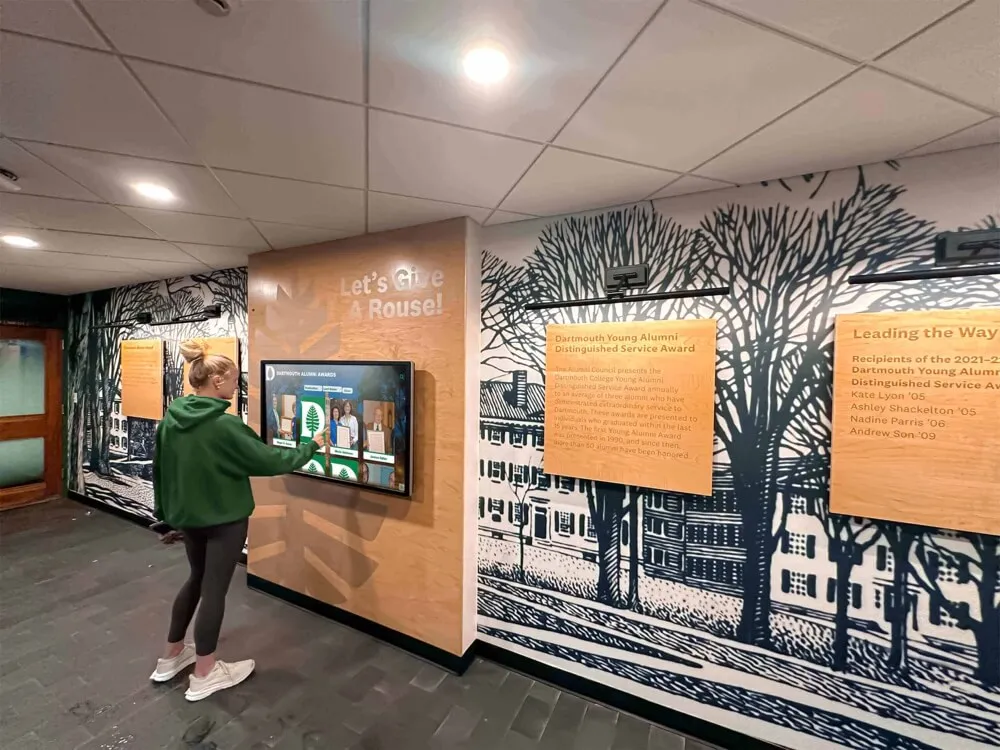
Touchscreen displays enable family members with dementia to view familiar photos and content at their own pace
Understanding Memory Displays for Dementia Care
Before exploring specific products and implementation approaches, understanding what touchscreen memory displays are and how they differ from generic digital photo frames helps family caregivers make informed decisions matching actual needs rather than purchasing technology that proves frustrating or ineffective.
What Is a Touchscreen Memory Display?
A touchscreen memory display consists of a screen—typically ranging from 10 to 24 inches diagonal—mounted in a common living area where family members spend time throughout the day. The display shows a rotation of familiar photos, important reminders, calendar information, weather updates, and other content selected specifically to support individuals experiencing memory loss and cognitive changes.
Unlike passive digital photo frames that simply cycle through images automatically, touchscreen memory displays enable interaction. Family members can touch photos to see them larger, pause on images they enjoy, and navigate between different content types at their own pace. This interactive element provides engaging activity while supporting autonomy and choice even as cognitive abilities decline.
Key Components of Home Memory Display Systems
Effective systems combine several elements creating comprehensive support. A touchscreen display forms the hardware foundation—either a tablet mounted on a stand or wall, or a small touchscreen monitor placed on furniture. Specialized memory care software or carefully configured commercial applications provide the content management framework, enabling caregivers to upload photos, set reminders, create routines, and customize displays for individual needs. Cloud connectivity allows remote content updates from smartphones or computers, enabling family members who don’t live in the home to contribute photos and updates. Simple mounting solutions ensure displays remain visible and accessible in primary living areas without complicated installation requiring professional help.
This integrated approach ensures displays genuinely serve dementia care needs rather than becoming expensive decorations gathering dust because they’re too difficult to use or maintain.
How Memory Displays Differ from Regular Digital Devices
Many families already own tablets, smart displays, or digital photo frames. However, these general-purpose devices often fail when adapted for dementia care because they lack critical features and include confusing elements that create frustration rather than providing support.
Standard Tablets and Smart Displays
Consumer tablets and smart speakers with screens excel at general computing tasks but create challenges for dementia care. Complex interfaces with constantly changing apps and notifications confuse users experiencing cognitive decline. Default settings prioritize productivity features rather than memory support. Power and sleep settings mean screens turn off automatically, requiring technical knowledge to wake them. Software updates change familiar interfaces without warning, creating disorientation for users who learned specific interaction patterns.
While tablets can be configured for memory care with significant technical effort, maintaining appropriate settings requires ongoing attention as automatic updates often reset carefully configured options.

Purpose-built displays eliminate unnecessary features that create confusion
Purpose-Configured Memory Care Displays
Systems designed specifically for dementia support or carefully configured for this purpose eliminate distracting elements that cause confusion. Simplified interfaces show only relevant content without competing notifications and alerts. Always-on displays eliminate the need to understand wake functions or power buttons. Locked-down settings prevent accidental changes that disrupt familiar routines. Large, clear text and high-contrast visuals accommodate vision changes common in older adults. Content specifically selected to support memory, orientation, and emotional wellbeing rather than generic entertainment or productivity functions.
The difference matters significantly. Families attempting to use standard consumer electronics for dementia care typically abandon devices within weeks after repeated frustration with complexity, inappropriate content appearing unexpectedly, and systems requiring constant technical troubleshooting beyond most caregivers’ abilities or available time.
How Memory Displays Support People with Dementia
Understanding the specific ways touchscreen displays address dementia care challenges helps caregivers maximize benefit while setting realistic expectations about what technology can and cannot accomplish.
Memory Reinforcement Through Visual Recognition
As dementia progresses, short-term memory fails while long-term recognition of familiar faces, places, and experiences often remains relatively intact. Memory displays leverage this pattern by presenting visual content triggering preserved recognition pathways.
Familiar Face Recognition
Displaying photos of family members provides ongoing reminders about important relationships that individuals may struggle to recall independently. Images of children, grandchildren, siblings, and lifelong friends offer visual cues helping maintain awareness of social connections. For caregivers managing two family members with different stages of cognitive decline, displays can rotate photos relevant to both individuals—showing each person’s children, parents, and extended family in turn.
Include labels with names and relationships on photos when helpful, using large, clear text. “Your daughter Susan and granddaughter Emma” provides context that pure images alone may not communicate once name recall becomes difficult.
Place and Time Orientation
Dementia commonly causes disorientation regarding time, place, and situation. Memory displays address this through gentle, continuous orientation information presented visually rather than requiring repeated verbal reminders that may feel patronizing or create frustration when forgotten immediately.
Displays can show current day and date in large, clear fonts, with simple language avoiding abbreviations. “Tuesday, January 28, 2026” proves more helpful than “Tue 1/28/26” for individuals with cognitive processing challenges. Current time displayed prominently helps maintain daily rhythm awareness. Simple weather information including temperature and conditions supports appropriate clothing choices and understanding whether it’s appropriate to go outside. Recent photos from family activities provide temporal context about what happened yesterday or last week, helping ground individuals in the recent past even when specific memory fails.

Touch capability allows users to select photos they want to see rather than passively viewing rotation
Reducing Anxiety and Agitation
Anxiety, confusion, and agitation represent common behavioral symptoms in dementia care. Memory displays address underlying causes of distress through multiple pathways.
Routine and Predictability
Dementia creates a frightening experience of constant confusion where nothing makes sense and nothing can be remembered. Predictable routines provide psychological safety through familiarity even when specific memories fail. Memory displays reinforce routines by showing daily schedules in simple visual formats, with morning, afternoon, and evening routines presented as photo sequences. Images might show breakfast time, indicating it’s morning and breakfast comes next. Activity reminders appear at appropriate times—displaying “Time for a walk” at the usual walking hour, accompanied by photos of previous walks.
This visual structure provides external scaffolding supporting daily life when internal memory structures have deteriorated.
Sundowning Management
Many individuals with dementia experience increased confusion, anxiety, and agitation during late afternoon and evening—a phenomenon called sundowning. Memory displays can help manage this challenging period through calming content specifically selected for evening hours.
Evening content might emphasize soothing nature scenes, familiar music from eras individuals remember (displayed as album covers with associated music playing), photos from peaceful, happy times rather than busy, stimulating images, and gentle reminders that evening is a time for winding down, watching favorite shows, or preparing for bed.
While displays cannot eliminate sundowning, they can be part of comprehensive environmental approaches helping reduce its severity and duration.
Reduced Repetitive Questioning
Individuals with dementia often ask the same questions repeatedly because they cannot retain answers provided verbally moments earlier. This creates exhaustion for caregivers who must respond patiently to identical questions dozens of times daily. Memory displays partially address this by presenting answers to common questions visibly and continuously.
When displays show the date, time, and current location prominently, questions like “What day is it?” and “Where am I?” may decrease somewhat because visual answers remain continuously available. When displays show photos of family members with names, questions about “Who is that?” directed at people in photos can be answered through displayed labels rather than requiring caregiver repetition.
Realistic expectations matter here—displays do not eliminate repetitive questions entirely because the underlying memory impairment remains. However, they can reduce frequency and provide caregivers with visual references to point toward rather than repeating verbal information that’s forgotten immediately.
Supporting Caregiver Wellbeing
While dementia care technology primarily serves the individual with cognitive impairment, practical benefits for family caregivers prove equally important in determining whether solutions work long-term.
Remote Family Connection
When caring for two family members with dementia alone, isolation becomes common as social activities become difficult to coordinate and time away from home feels impossible to manage. Memory displays with cloud connectivity enable distant family members to participate in care through photo sharing and updates.
Adult children living in other cities can upload recent photos of grandchildren, keeping their parents connected to family life. Siblings can share vacation photos and updates. Extended family can contribute photos from family gatherings or holidays, even when the primary caregiver and care recipients cannot attend in person.
This remote connection reduces caregiver isolation while enriching the environment for individuals with dementia, providing fresh content and maintaining awareness of broader family networks.
Simplified Communication
For caregivers managing two individuals with different cognitive levels and different life histories, creating personalized content for each person can feel overwhelming. Memory displays enable creation of different photo collections, with content tagged or organized by person. Rotation schedules can emphasize content relevant to each individual during times they’re most likely to be near the display, or systems can be configured to show mixed content relevant to both family members.
Some approaches similar to methods used in senior living facilities managing resident recognition can be adapted for home settings, where displays need to serve multiple individuals with different preferences and needs within shared spaces.

Touchscreen interaction enables pointing, gesturing, and shared viewing experiences
Affordable Equipment Options for Home Memory Displays
Family caregivers often operate on limited fixed incomes while managing significant medical and care expenses. Affordable solutions that deliver genuine functionality without requiring large upfront investments or ongoing subscription costs matter enormously in determining whether technology becomes part of long-term care approaches.
Budget-Friendly Hardware Solutions
Creating effective memory displays does not require expensive specialized medical equipment. Several affordable consumer technology options work well when configured appropriately.
Tablet-Based Solutions ($150-400)
Standard consumer tablets provide the most flexible and affordable foundation for memory displays. Amazon Fire HD tablets in 10-inch size currently retail between $150-200 and offer adequate screen size, touchscreen capability, Wi-Fi connectivity for content updates, and simple mounting options through aftermarket stands or wall mounts. Apple iPads in older generations (8th or 9th generation standard iPad) typically cost $250-350 refurbished or on sale and provide larger ecosystem of memory care specific apps, excellent screen quality and reliability, and familiar interfaces many family members already understand. Budget Android tablets from manufacturers like Samsung, Lenovo, or Walmart’s Onn brand sometimes available for $100-150 provide basic functionality but require more technical knowledge to configure appropriately.
For families managing tight budgets, Amazon Fire tablets represent the best balance of cost, capability, and ease of use. The Fire operating system includes parental controls that can be repurposed to lock displays into specific apps and prevent accidental changes—critical for dementia care contexts.
Small Monitor Solutions ($200-350)
An alternative approach uses small computer monitors with touchscreen capability, connected to inexpensive mini computers or streaming devices. Portable touchscreen monitors in 15-17 inch sizes cost $200-300 from computer retailers and provide larger displays easier to see from across rooms. These connect to Raspberry Pi mini computers ($35-75) running specialized memory care software, Amazon Fire TV Stick or Chromecast devices ($30-50) displaying photo slideshows or web-based applications, or refurbished small form factor desktop computers ($150-250) running full Windows or Linux operating systems with greater application flexibility.
This approach requires more technical comfort for initial setup but can provide larger displays at comparable or lower total cost than tablets while offering greater customization options for families with specific needs.
Digital Photo Frame Adaptation ($80-200)
Large digital photo frames in 10-15 inch sizes represent the simplest technical option. Modern frames include Wi-Fi connectivity for remote photo uploads, touchscreen capability on higher-end models enabling interaction, simple mounting options typically included, and minimal setup and configuration requirements.
However, limitations include reduced flexibility compared to tablets or monitors, often limited memory capacity restricting photo library size, less sophisticated scheduling and reminder capabilities, and occasional difficulty supporting multiple users with different photo sets. These work best for simpler needs focused primarily on photo display with minimal reminder or orientation features.
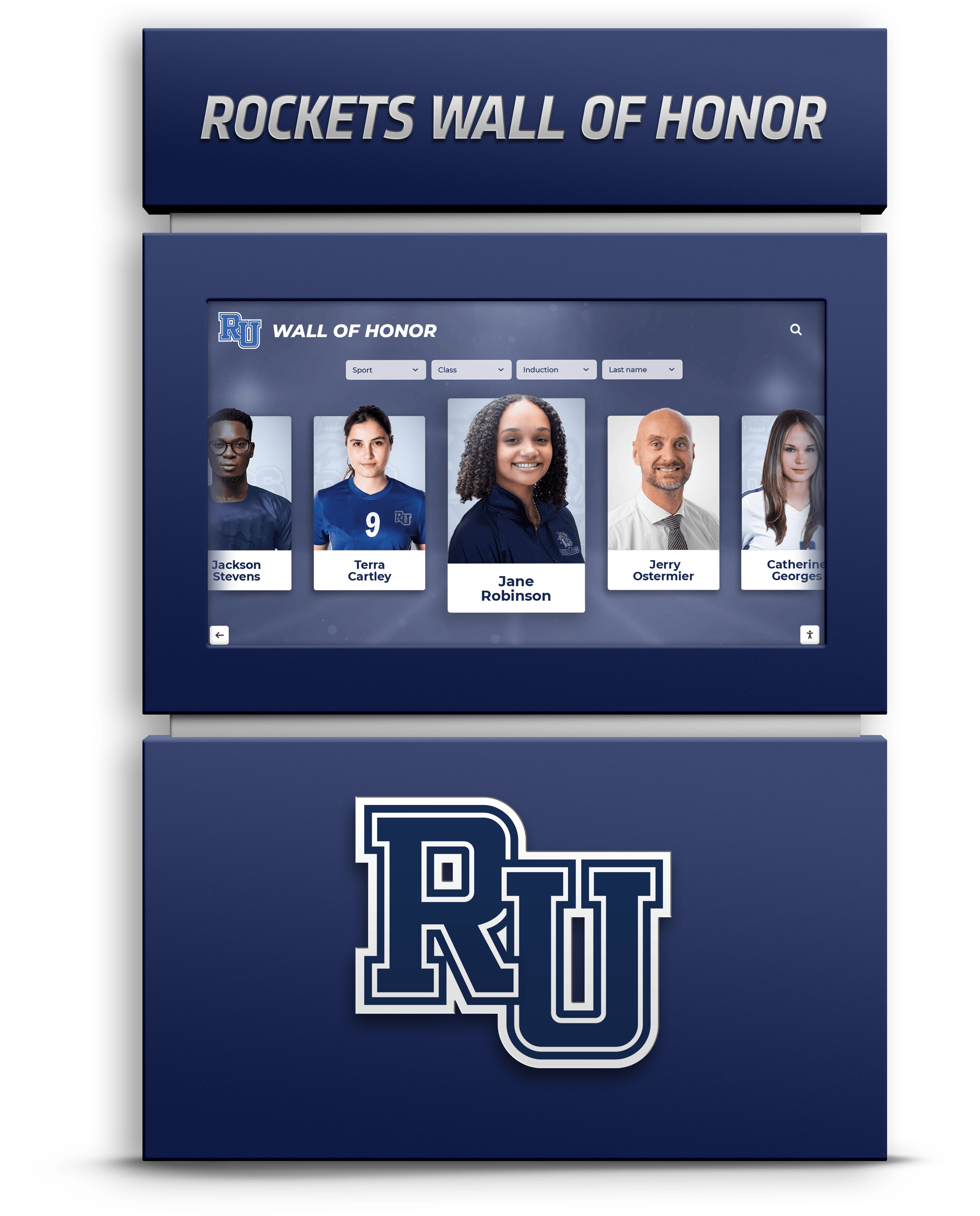
Portrait orientation works well for family photos and enables vertical placement on walls or stands
Free and Low-Cost Software Options
Hardware represents only half the solution. Accessible software for creating and managing memory display content proves equally important and need not require expensive specialized applications.
General-Purpose Photo Display Apps
Free or low-cost applications available on tablets and streaming devices provide solid foundations for memory displays. Google Photos (free) offers unlimited photo storage with automatic backup, simple slideshow creation with music, sharing capabilities enabling family members to contribute photos, and Chromecast support for displaying on TV screens. Amazon Photos (free with Prime membership) provides similar capabilities optimized for Fire tablets and Fire TV devices, simple interface appropriate for caregivers without technical backgrounds, and integration with Alexa voice commands when helpful.
Skylight Frame app (hardware requires purchase but app is included) creates particularly easy setup designed specifically for family photo sharing, with email photo submission requiring no app installation by family members, and automatic display on connected Skylight frames.
Simple Reminder and Calendar Applications
For orientation and reminder features, free calendar and display apps work well. Dakboard (free basic tier, $5/month premium) enables customization of displays combining photos, calendars, weather, news, and reminders, works through web browsers requiring only tablet and internet connection, and offers family sharing where multiple people can add content. Digital Clock & Weather (free Android app) provides large, clear time and date displays, weather information and forecasts, and customizable colors and fonts for visibility.
Family calendar apps like Cozi (free basic version) enable sharing schedules between caregiver and distant family members, simple interface appropriate for non-technical users, and display on tablets for visual reference.
Memory Care Specific Applications
Several applications designed specifically for dementia care offer free or low-cost versions worth exploring. Memory Lane Games (free and paid tiers) provides memory-focused activities and games designed for cognitive decline, reminiscence therapy features using historical photos and music, and customization with personal photos and family content. MindMate (free basic features) offers cognitive exercises designed by dementia specialists, mood and behavior tracking useful for caregivers, and personalized content recommendations.
While these specialized apps sometimes include subscription costs for full features, free versions typically provide sufficient functionality for family caregivers exploring whether applications genuinely help before committing to paid plans.
Multi-User Configuration Strategies
When creating displays serving two family members with different needs, preferences, and cognitive levels, thoughtful configuration ensures both benefit without creating confusion.
Separate Photo Collections
Organize photos into distinct folders or albums for each person—“Mom’s Photos” and “Wife’s Photos”—enabling selective display based on who is nearby or using scheduled rotation showing each person’s collection during times they typically occupy the space. Include shared family photos meaningful to both individuals in common collections displayed regularly.
This organization enables personalization while acknowledging that some content resonates with both individuals.
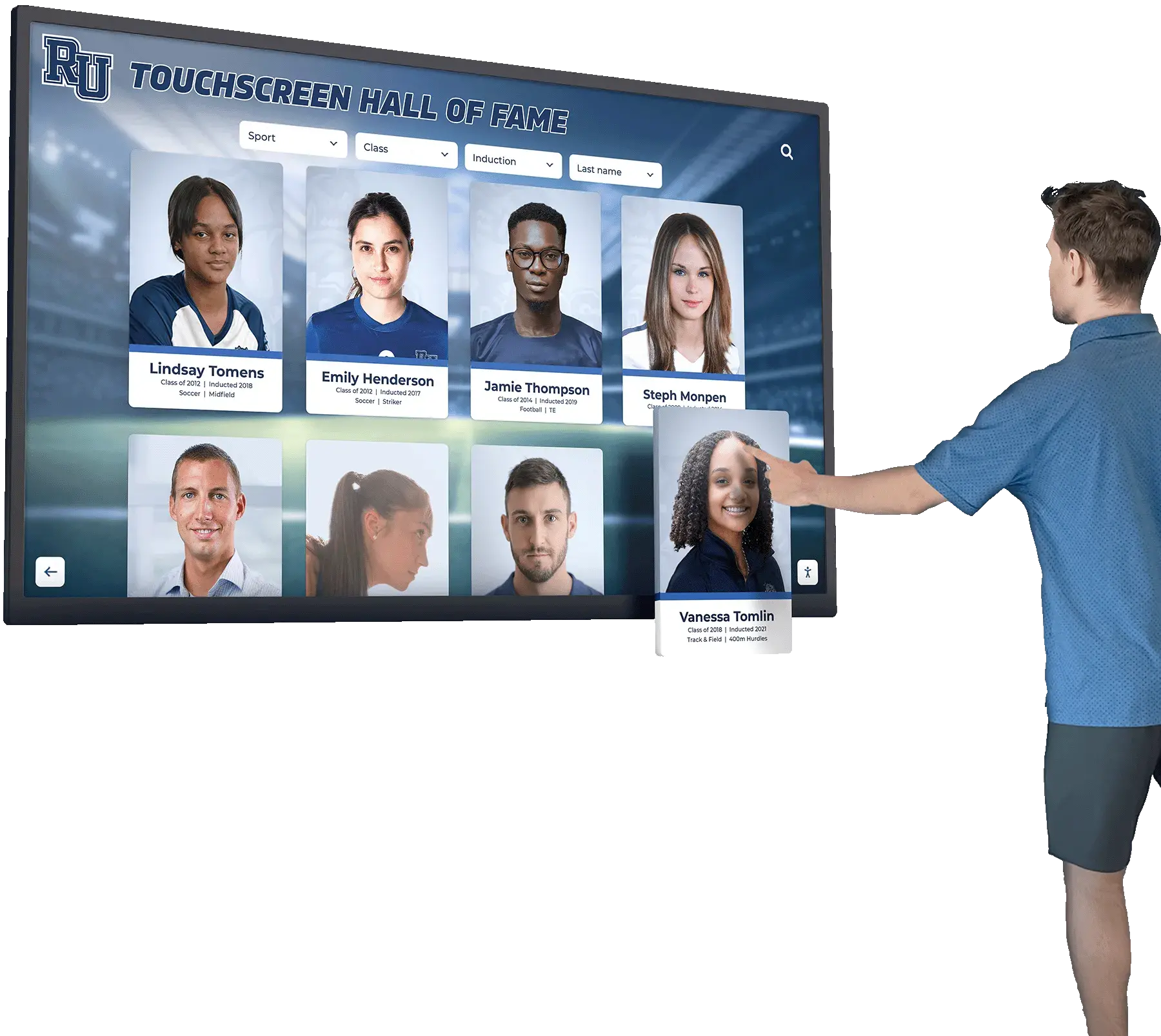
Simple, uncluttered interfaces reduce confusion
Scheduled Content Rotation
Memory display software often enables scheduling, showing morning content emphasizing day, date, and today’s activities in early hours, afternoon content with activity reminders and photos during mid-day, and evening content focusing on calming images and bedtime routines as night approaches. This schedule provides appropriate content throughout the day while addressing different needs at different times.
Simplified Mixed Displays
Alternatively, simpler approaches create single displays incorporating content for both individuals without complex scheduling. Show photos labeled clearly with names and relationships, use orientation information relevant to everyone—date, time, weather—and include reminders about shared activities and routines. This approach works well when both individuals have similar cognitive levels and benefit from the same types of support.
Practical Implementation: Setting Up Your Memory Display
Moving from concept to functioning system requires practical steps families can accomplish without technical expertise or professional installation services.
Initial Setup Process
Creating effective memory displays involves systematic preparation ensuring displays work reliably from the start.
Step 1: Hardware Selection and Placement
Choose the display option matching your budget and technical comfort level—tablet, monitor, or digital frame. Consider placement in common living areas where family members spend significant time—living room walls, kitchen counters, or hallway locations—ensuring displays are visible from seating areas where individuals spend time, positioned at comfortable viewing height for seated or standing viewing, placed where ambient lighting doesn’t create excessive glare, and secure if users might attempt to move or remove devices.
Wall mounting provides more permanent, secure installation but requires basic tools and comfort making small holes in walls. Tabletop stands offer flexibility to relocate displays but may be disturbed or knocked over more easily.
Step 2: Device Configuration
Configure hardware with settings appropriate for dementia care contexts. Disable sleep and standby modes keeping displays continuously on, remove unnecessary apps and notifications preventing confusion from irrelevant popups, enable parental controls or kiosk modes limiting accidental changes, adjust brightness, contrast, and text size for comfortable viewing, and connect to Wi-Fi networks for content updates and remote management.
For Fire tablets, creating child profiles with Parental Controls activated works well, selecting the specific photo display or memory app as the only accessible application. For iPads, Guided Access mode locks devices into single apps, preventing accidental exits or app switching.
Step 3: Content Collection and Organization
Gather photos and content for initial display. Digital photos often stored on smartphones can be uploaded directly, while physical photos may require scanning using smartphone scanning apps or flatbed scanners. Organize photos into logical folders by person, time period, or theme, making future management easier. Start with 50-100 photos rather than attempting to digitize entire lifetime photo collections immediately, creating functional displays quickly while planning gradual expansion.
Include photos from various life stages and experiences—childhood and youth, wedding and early marriage, children and grandchildren at various ages, holidays and celebrations, beloved pets, and familiar places and homes. Label photos when helpful, especially for individuals with more advanced memory loss where recognition may be fading.
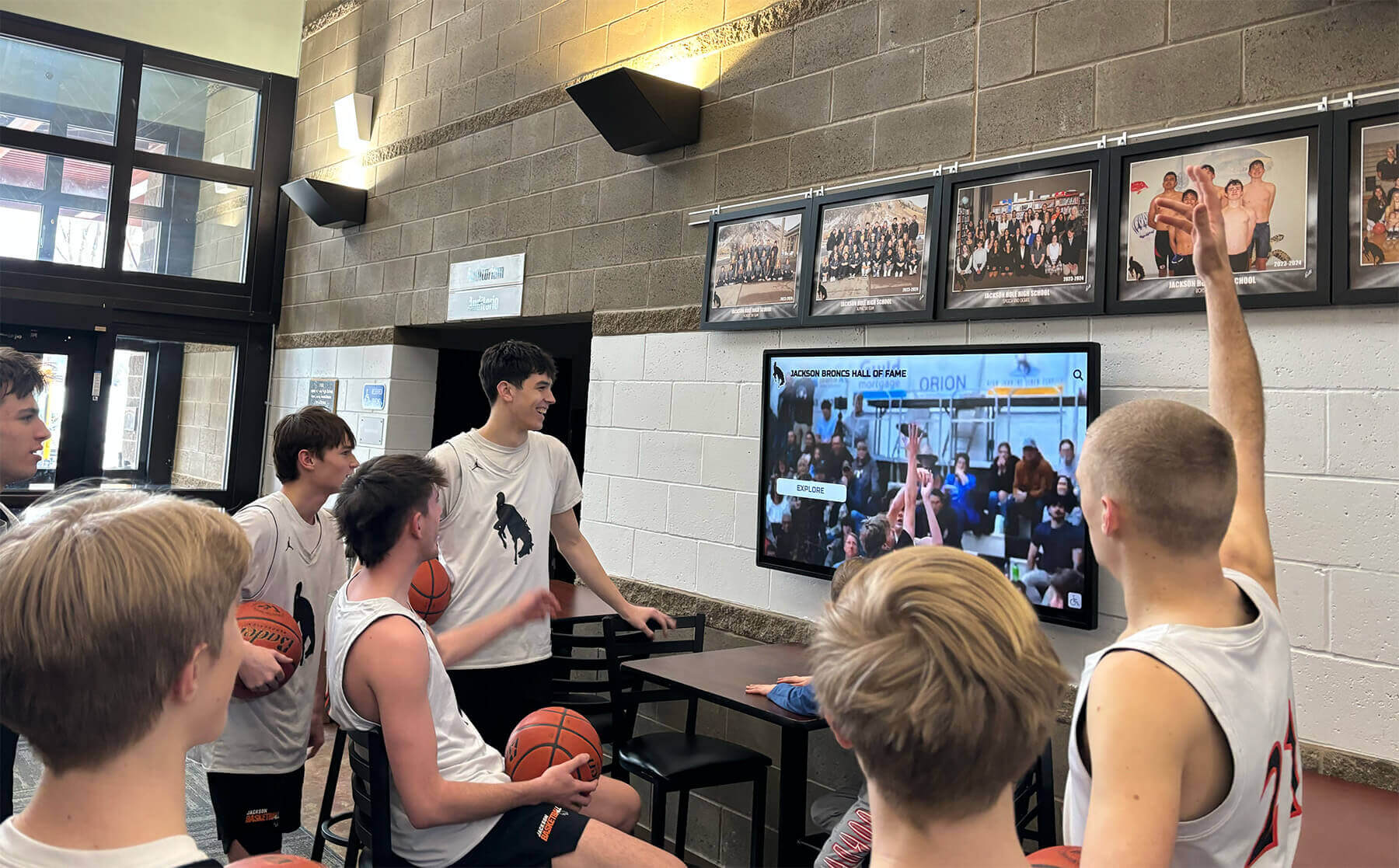
Shared viewing creates opportunities for conversation and connection
Content Strategy for Multiple Family Members
Creating content serving two individuals with dementia requires balancing distinct needs while maintaining simplicity that prevents confusion and overwhelming complexity.
Individual-Focused Content Categories
Create separate content sections for each person reflecting their unique life histories. For your mother, include photos of her parents and siblings, images from her childhood hometown, photos of her own children at various ages, and memories from her career and hobbies. For your wife, include photos of her parents and family, images from her childhood and youth, photos of your life together over the years, and memories from her interests and activities.
This personalization acknowledges that each person’s identity and meaningful memories differ significantly, ensuring displays support individual needs rather than treating dementia care as one-size-fits-all.
Shared Family Content
Beyond individual content, include shared photos meaningful to both women—family gatherings with both sides of the family, holidays and celebrations you’ve shared together, photos of children or grandchildren they both love, and images of your shared home and familiar spaces. This shared content reinforces family connections and common experiences while reducing the complexity of completely separate display systems.
Temporal Organization for Memory Support
Dementia often causes confusion about time—individuals may believe they’re in earlier life stages, not recognizing current photos. Organize content to accommodate this pattern by including significant photos from the eras each person remembers most clearly, mixing historical and current photos rather than showing only recent images, and labeling photos with years when helpful for temporal orientation.
For individuals in moderate to advanced stages, emphasizing photos from earlier life stages they remember clearly often proves more comforting than current photos they may not recognize or understand.
Ongoing Management and Updates
Memory displays require regular maintenance ensuring content remains appropriate, fresh, and technically functional.
Weekly and Monthly Tasks
Establish sustainable routines for display management. Upload 3-5 new photos weekly from recent family activities or contributed by distant relatives, rotate seasonal content matching current holidays and weather, update orientation information if schedules or routines change, and review displayed content for appropriateness as cognitive levels change.
These modest weekly commitments maintain fresh, relevant content without creating overwhelming obligations for already stretched caregivers.
Quarterly Reviews
Several times yearly, conduct more comprehensive reviews. Remove photos that create confusion or distress—sometimes images trigger unexpected negative reactions requiring removal. Assess whether display location and timing remain optimal as daily routines evolve. Evaluate whether chosen apps and software continue meeting needs or whether alternatives might work better. Gather feedback from other family members about content preferences and suggestions.
This periodic assessment ensures displays continue genuinely helping rather than becoming static fixtures losing effectiveness as needs change.
Technical Maintenance
Periodically address technical upkeep including software updates on tablets and apps, cleaning screens that become smudged or dusty, verifying displays remain securely mounted or positioned, and testing touch sensitivity if interaction becomes less responsive. These basic maintenance tasks prevent small technical issues from accumulating into larger problems requiring troubleshooting or outside assistance.
Many approaches used in senior living facility digital displays can be adapted for home contexts, where sustainable content management requires simple processes family caregivers can maintain independently without technical support staff.

Touch interaction enables users to explore content at their own pace
Maximizing Benefit: Best Practices for Memory Displays
Creating technically functional displays represents only the starting point. Maximizing therapeutic benefit requires understanding how to use displays most effectively within daily care routines.
Content Selection Principles
Not all photos and content work equally well for dementia care. Thoughtful selection amplifies positive impact while avoiding inadvertent distress.
Emphasize Positive, Calm Content
Select photos showing happy moments, celebrations, and peaceful experiences rather than chaotic, busy, or potentially distressing images. Avoid photos of deceased family members who might be confused with living relatives, images from funerals or hospitals, or photos from stressful life periods. Use clear, well-lit photos where faces are easily recognizable rather than dark or distant shots.
The goal involves creating soothing, pleasant viewing experiences that support emotional wellbeing rather than neutral documentation of life events including difficult moments.
Match Content to Cognitive Level
As dementia progresses, appropriate content evolves. In early stages, current photos including recent grandchildren pictures work well and complex activity reminders can be understood. In moderate stages, emphasize photos from eras individuals remember clearly (often young adulthood) while maintaining some current family photos and simplified reminders. In advanced stages, focus on deeply familiar content from childhood through middle age with very simple orientation information and minimal text.
Adjusting content as needs change ensures displays continue providing benefit through different disease stages rather than becoming confusing when content no longer matches cognitive capacity.
Integration with Daily Care Routines
Memory displays work best when thoughtfully integrated into broader care approaches rather than operating as isolated technological additions.
Morning Orientation Routine
Use displays as part of morning routines by viewing the display together while discussing date, weather, and today’s plans. This combines visual information with personal connection, reinforcing orientation through both visual and social channels. Point to photos of family members expected to visit or call today, creating anticipation and context for future events.
This active morning routine establishes display relevance, demonstrating it’s a useful tool rather than ignored background furniture.
Distraction and Redirection Tool
When anxiety or agitation occurs, displays can serve as gentle redirection tools. Guide family members to the display when distress begins, encourage them to choose photos they want to view, and discuss happy memories associated with displayed images. This redirects attention from distress toward positive content while providing engaging activity.
While displays cannot solve all behavioral challenges, they can be part of comprehensive approaches including environmental modification, routine maintenance, and compassionate engagement.
Evening Calming Ritual
Use displays as part of wind-down routines by switching to calming content in evening hours, viewing favorite photos together as part of bedtime preparation, playing familiar music from eras individuals remember, and including simple visual reminders about evening routines—“Time to get ready for bed.”
This ritualized evening use supports healthy sleep patterns by establishing predictable calming routines signaling the day’s end.
Similar principles used in interactive museum displays for engaging visitors through meaningful content apply equally to home memory displays, where thoughtful content selection and display design create environments supporting wellbeing rather than passive technology installations.
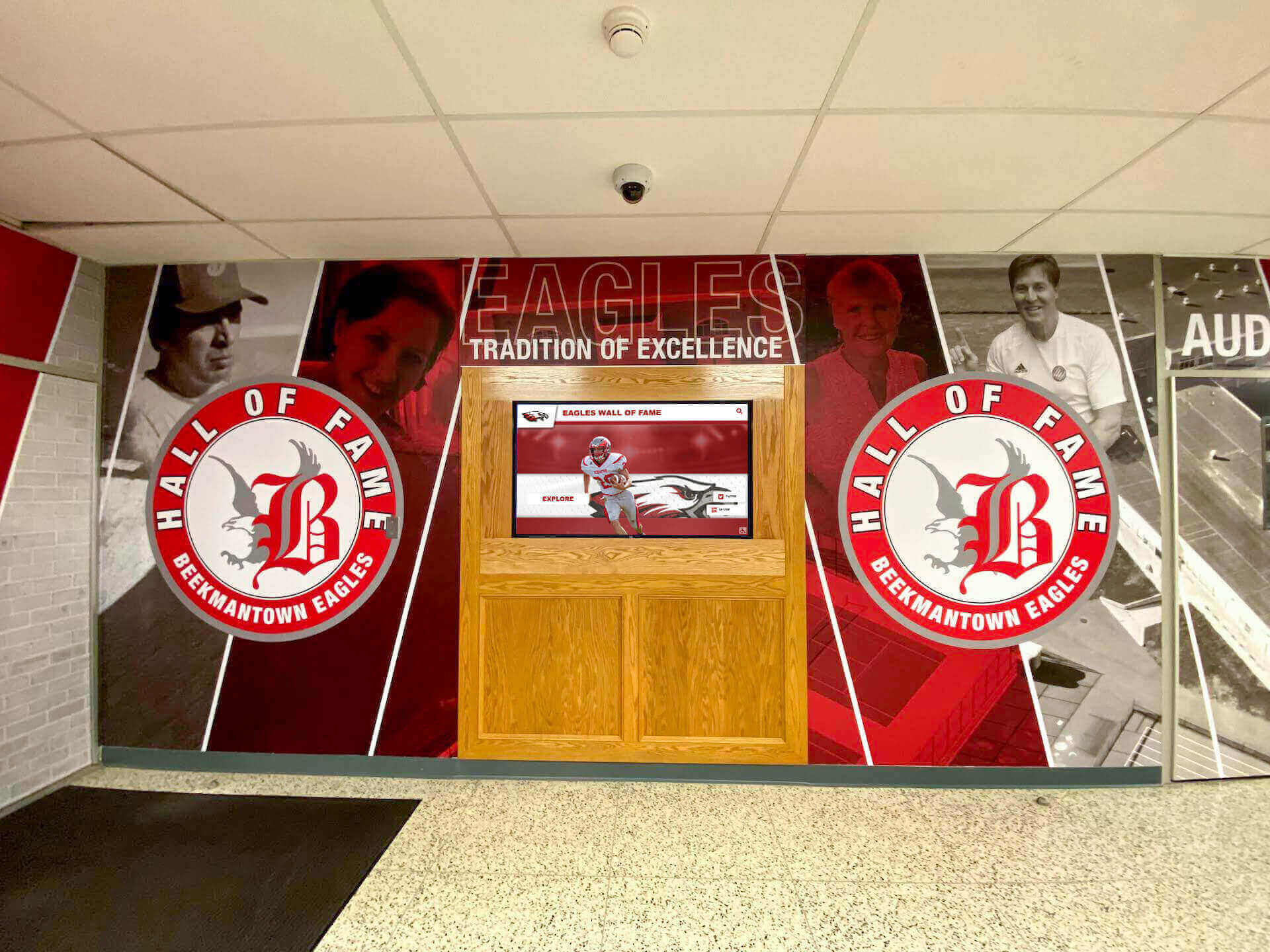
Strategic placement in common areas ensures displays integrate naturally into daily life
Additional Support Resources and Considerations
While memory displays provide valuable support, they represent one tool within comprehensive dementia care approaches. Understanding broader resources and realistic limitations helps families set appropriate expectations.
When Memory Displays Work Best
Technology proves most beneficial in specific contexts and situations, while other circumstances require different approaches.
Optimal Use Cases
Displays work particularly well for early to moderate-stage dementia where recognition and comprehension remain relatively intact, individuals who enjoyed photos and visual content before cognitive decline, living situations where displays can remain in consistent locations becoming familiar fixtures, and families with caregivers comfortable performing basic technical tasks like uploading photos and adjusting settings.
They also work well as supplements to human engagement rather than replacements for personal interaction, tools for extending family connection between in-person visits, and methods for reducing repetitive questions about time, date, and familiar people.
Limitations to Acknowledge
Displays cannot stop disease progression or restore lost cognitive function. They will not eliminate all challenging behaviors or anxiety. They cannot replace professional medical care, support services, or human companionship. They may prove frustrating for individuals in very advanced stages where even simple visual content creates confusion.
Realistic expectations prevent disappointment when displays help with specific challenges but don’t solve all difficulties inherent in dementia care.
Professional Resources for Dementia Caregivers
Family caregivers managing two individuals with dementia alone face extraordinary demands requiring support beyond what any technology can provide. Professional resources and support services prove essential.
Local Support Services
Explore resources in your community including adult day programs providing structured activities and socialization several days weekly, respite care services enabling caregivers to take necessary breaks, support groups connecting family caregivers facing similar challenges, home health services providing professional nursing and personal care assistance, and meal delivery programs reducing daily cooking demands.
Many communities offer these services on sliding scale fees based on income, making professional support more accessible than many family caregivers realize.
Educational Resources
Organizations providing free caregiver education and support include the Alzheimer’s Association (alz.org) with 24/7 helpline, local chapters, and extensive online resources, Family Caregiver Alliance (caregiver.org) offering webinars, guides, and support tools, and local Area Agencies on Aging connecting families to community-specific resources and benefits.
These organizations provide evidence-based guidance on managing behavioral symptoms, adapting home environments, planning for disease progression, and protecting caregiver health during long care journeys.
Financial Assistance for Care Technology
For families managing tight budgets, several resources may help fund supportive technology like memory displays.
Potential Funding Sources
Explore whether programs in your area provide assistance, including Medicaid waiver programs sometimes covering assistive technology in certain states, Veterans benefits for qualifying former service members and spouses, nonprofit grants from local Alzheimer’s or aging service organizations, crowdfunding campaigns through platforms like GoFundMe where friends and family can contribute, and tax deductions for medical expenses in some circumstances.
While not all families will qualify for financial assistance, researching available programs prevents missing helpful resources that reduce out-of-pocket costs.
Creating Your Economical Solution for Dementia Care
For a family caregiver supporting two loved ones with dementia alone, creating an affordable, manageable memory display system represents a realistic goal requiring modest investment and sustainable maintenance rather than expensive specialized equipment or overwhelming technical complexity.
Explore Professional Memory Display Solutions
While home solutions work well for many families, professional platforms offer enhanced capabilities including remote family contribution, sophisticated scheduling, and technical support. Organizations like Rocket Alumni Solutions provide touchscreen systems originally designed for educational settings that adapt well to memory care contexts with appropriate content customization.
Explore Interactive Display PlatformsRecommended Starting Approach
For most family caregivers, a practical starting point involves purchasing a 10-inch Amazon Fire HD tablet ($150-200), adding a simple tabletop stand or wall mount ($15-30), setting up free Google Photos or Amazon Photos for content management, collecting 50-100 meaningful family photos initially, and configuring the tablet with appropriate settings and parental controls.
This basic setup provides functional memory display capability for under $250 total investment—accessible for many families managing fixed incomes while still providing genuine therapeutic benefit. As comfort grows and benefits become evident, gradual expansion might include adding a second display for a different room, exploring specialized memory care apps, implementing more sophisticated scheduling, or upgrading to larger screens.
The most economical solution combines affordable consumer technology with thoughtful, personalized content and realistic understanding that displays support—but do not replace—the compassion, patience, and loving care you provide daily. Technology serves as a tool amplifying human connection rather than substituting for the irreplaceable presence and engagement that family caregivers offer.
For caregivers exploring broader approaches to creating supportive home environments, resources on digital signage content for healthcare settings provide additional ideas, while information about visitor digital displays in senior care demonstrates how similar technologies work in professional settings. Frameworks from interactive display design offer principles applicable to home memory care contexts.
Memory displays represent one element within comprehensive, compassionate dementia care—a tool that, when implemented thoughtfully and maintained sustainably, can reduce stress, improve quality of life for individuals with cognitive decline, and extend family connection in ways that support both the people you’re caring for and your own wellbeing during a challenging caregiving journey. For families willing to invest modest time learning basic technology skills and curating meaningful content, these displays deliver genuine value far exceeding their affordable cost.
Ready to explore how interactive touchscreen platforms can support memory care at home? Consider solutions developed for community engagement and recognition that adapt well to family care contexts with appropriate customization. Talk to our team about creating displays serving multiple family members within shared living spaces while respecting individual needs and maintaining the simplicity essential for dementia care applications.































