




Every school’s hall of fame represents decades of irreplaceable work—athlete profiles assembled by boosters and alumni directors, historical photographs scanned from printed collections, record boards updated through generations of coaches, and digital display content refined through countless recognition cycles. A hall of fame data backup policy is the formal commitment that none of that work disappears because of a hard drive failure, a ransomware incident, an accidental deletion, or a vendor contract ending unexpectedly.
Yet most schools treat hall of fame data as an afterthought in their broader technology backup planning—if they consider it at all. Athletic directors assume the IT department has it covered. IT staff assume the hall of fame vendor manages it. Hall of fame committees assume someone else is responsible. This shared assumption frequently means that when something goes wrong—and at some point, something always goes wrong—the school discovers the actual backup situation only after data has been lost.
This guide walks school administrators, athletic directors, hall-of-fame committees, archives staff, facilities coordinators, and booster-club leaders through every component of a comprehensive hall of fame backup strategy: what data must be protected, how the 3-2-1 backup rule applies to recognition programs, what your written policy should include, and how to run recovery tests that confirm your backups actually work when you need them.
Building a hall of fame data backup policy does not require a dedicated IT team or enterprise-grade infrastructure. It requires clear ownership, a documented schedule, tested procedures, and the discipline to treat recognition data with the same seriousness your school applies to student records and financial archives. The athletes, coaches, and community members honored in your hall of fame earned their recognition—your institution’s obligation is to ensure it endures.

Digital hall of fame systems store years of athlete profiles, photos, record boards, and multimedia content that require deliberate backup policies to protect against loss
What Hall of Fame Data Actually Needs Protecting
Before writing a backup policy, you need a precise inventory of everything your hall of fame produces and stores. Most schools underestimate the scope until they sit down and list it explicitly.
Inductee and Honoree Profiles
Individual profiles form the core of any hall of fame database. These records typically include biographical information, graduation years, sport or activity categories, position details, career achievements, honors received, and narrative descriptions of why each individual merited induction. Many programs have profiles for hundreds or thousands of individuals developed over years of volunteer effort.
Profile data usually lives in three places simultaneously: the hall of fame software platform, any local spreadsheets or documents used to draft content before upload, and the source materials (handwritten notes, printed programs, old yearbooks) used to research each inductee. Your backup policy should address all three, not just the software database.
Historical Photographs and Media Files
Photographs are among the most irreplaceable assets in any recognition program. Many schools have digitized images from printed collections—action shots from decades-old newspapers, portrait photographs from the 1970s and 1980s, team photos scanned from yearbooks. The originals may no longer exist or may have deteriorated significantly. The digital copies are the only usable versions.
Video content presents additional complexity. Interview recordings of inductees, highlight reels from historic seasons, ceremony footage from past induction events—these files are often large, stored in inconsistent locations across multiple devices, and never formally entered into any content management system.
Record Boards and Statistical Archives
Record boards display the benchmark achievements that define a program’s competitive history. These include single-game, single-season, and career records across every statistical category, often accompanied by the athlete’s name, year, and notes on context. When record boards exist only inside a single platform with no export, a vendor transition or platform failure can make years of statistical curation difficult to reconstruct.
Schools should maintain record data in at least one format outside their display software—a spreadsheet, a PDF export, or a structured document that belongs entirely to the institution regardless of any vendor relationship.
Display Content and Design Assets
Digital recognition displays involve content beyond the inductee database itself. Background images, mascot graphics, color theme files, layout templates, sponsor logos, and seasonal content collections all contribute to the visual experience. If you have invested in custom design work—professional photography, branded overlays, custom video loops—those files carry real replacement cost.
For schools using touchscreen recognition displays, the display software configuration often represents significant setup time as well. Theme settings, navigation structures, category hierarchies, and access credentials are recoverable if documented and backed up, and time-consuming to reconstruct from scratch if not.
Administrative Records and Ceremony Documentation
Nomination forms, committee notes, selection criteria documents, induction ceremony programs, and correspondence with honorees and their families represent the institutional record of how recognition decisions were made. This documentation matters for historical accuracy, for responding to future inquiries about past honorees, and for maintaining consistent standards as committee membership changes over years.
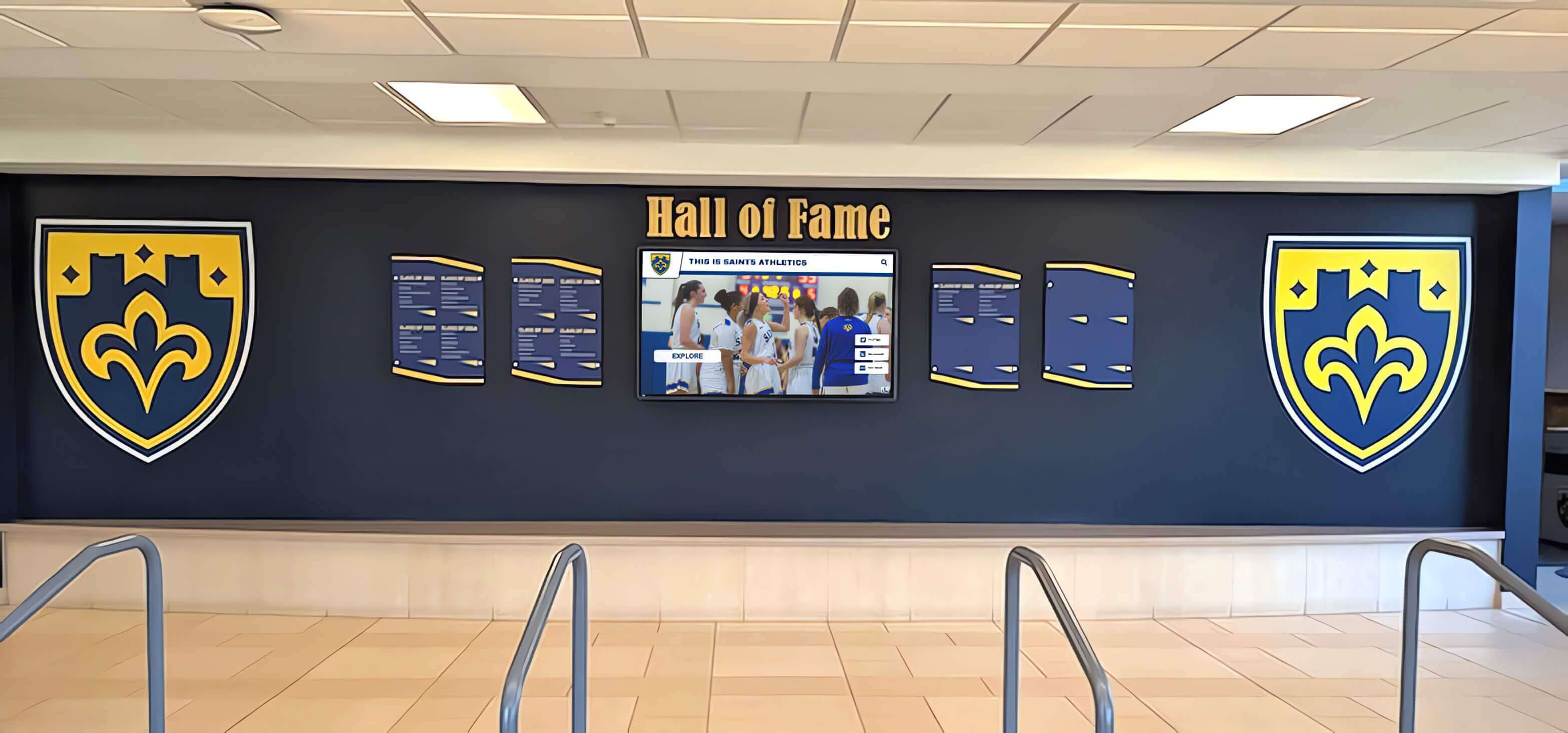
Physical hall of fame installations often pair with digital content systems—both the physical records and the digital database require deliberate backup coverage
The 3-2-1 Backup Rule Applied to Hall of Fame Data
The 3-2-1 backup rule is the most widely adopted data protection standard in information technology. It is straightforward, technology-agnostic, and directly applicable to school hall of fame programs regardless of size or technical sophistication. The rule states: maintain 3 copies of your data, on 2 different types of storage media, with 1 copy stored off-site.
Three Copies of Your Data
The three-copy requirement exists because any single storage medium can fail, and any two copies stored together can be lost to the same event—a building fire, a flood, a theft, or a ransomware attack that encrypts everything connected to a local network.
Copy 1: The Live System Your working hall of fame database and content as it exists in your display software platform or content management system. This is the version actively used for updates, additions, and display. It is also the version most vulnerable to accidental deletion, software errors, and platform issues.
Copy 2: A Local Backup An exported copy of your data stored on hardware the school directly controls—an external hard drive, a school server, or a NAS (network-attached storage) device. Local backups provide fast recovery when problems are discovered quickly, because you can restore from local storage without waiting for data transfer over internet connections. Local backups should be kept disconnected from your primary network when not actively syncing, which limits exposure to ransomware.
Copy 3: An Off-Site or Cloud Backup A copy stored in a physically separate location from your primary facility. Cloud storage services (Google Drive, Microsoft OneDrive, Backblaze, Amazon S3, or similar) accomplish this for most schools at low cost. The off-site requirement is non-negotiable—a disaster affecting your building will not touch a cloud copy stored in a geographically separate data center.
Two Different Types of Storage Media
Using two different storage types reduces the probability that both fail for the same reason. Hard drive failures, software corruption, and physical damage affect different media differently. A practical combination for most schools:
- Cloud storage (for the off-site copy and ongoing automated backups)
- External hard drive or USB drive (for periodic local backups that remain offline between sync cycles)
- School server or NAS (for the local network copy if IT infrastructure supports it)
Schools without dedicated IT infrastructure can satisfy the two-media requirement simply by combining cloud backup with a locally stored external drive kept in a secure location such as the athletic director’s office or the school safe.
One Copy Stored Off-Site
Off-site storage means the copy exists at a location that would not be affected by whatever affects your primary location. Cloud storage satisfies this requirement definitively. Schools that prefer physical off-site storage—an external drive kept at the superintendent’s office, a staff member’s home, or a district data center—should formalize that arrangement in writing with a clear transport schedule and a named responsible party.
The off-site requirement is what most school hall of fame programs are missing. Content may exist on the platform server and on a local drive in the same building, but when the building has a problem, both copies are at risk simultaneously.
Writing Your Hall of Fame Data Backup Policy
A backup policy is not a technical document—it is an institutional commitment that survives staff turnover, vendor changes, and technology upgrades. Written policies also enable accountability: when roles change or questions arise, the policy answers who does what, how often, and how to verify it is working.
Define Scope and Ownership
The policy should open by naming exactly what data it covers and who is responsible. Vague responsibility is the most common reason backup policies fail in practice.
Scope statement example: This policy covers all digital data associated with the school’s hall of fame and recognition programs, including inductee profiles, biographical narratives, historical photographs, video recordings, statistical record boards, display configuration files, design assets, nomination documents, and ceremony records.
Ownership assignment: Name a primary backup owner by role (not by individual name, since individuals leave). Typical assignments include the athletic director for sports hall of fame data, the activities director for academic and activity recognition, the IT coordinator for technical execution, and a committee chair for nomination and administrative records. Each owner should have a documented backup.
Establish Backup Frequency
Backup frequency should match how often data changes. Hall of fame data typically changes in concentrated bursts—before and after induction ceremonies, during record board updates, and during seasonal content refreshes—rather than continuously. A practical frequency schedule:
Daily automated backups for any system where content changes happen regularly. Most cloud-based hall of fame platforms run their own backup routines at this frequency. Confirm with your vendor what their backup schedule covers and how long they retain backup history.
Weekly manual exports performed by the designated backup owner. Exporting inductee data as a CSV or JSON file, downloading the current photo library as a ZIP archive, and saving any recently updated documents to cloud storage creates a documented, institution-controlled checkpoint that does not depend on vendor infrastructure.
Monthly full backups that capture the complete current state of all hall of fame data across all storage categories. Monthly backups should include everything: the database export, all media files, all design assets, all administrative documents, and all display configuration files. Monthly backups go to both local and off-site storage.
Pre-event backups immediately before every induction ceremony, record board update session, or major content migration. These point-in-time snapshots protect against errors introduced during high-activity periods and allow precise rollback if something goes wrong during updates.
Document Retention Periods
How long should backups be kept? Hall of fame data is historical by nature, and the answer for most categories is: indefinitely, or at least as long as any living person might make an inquiry about it.
A practical retention framework:
- Daily/automated backups: Retain for 30-90 days
- Weekly manual exports: Retain for 12 months
- Monthly full backups: Retain for 5 years minimum
- Pre-event snapshots: Retain for 5 years minimum, or permanently if storage permits
- Original source materials (scanned documents, original digital files): Permanent retention
Permanent retention for original source files is not burdensome—photograph libraries and document archives at the quality levels used for display are typically measured in gigabytes, manageable on consumer-grade cloud storage at very low annual cost.

Athletic record displays contain statistical histories that can be difficult to reconstruct if lost—structured backup policies protect this institutional knowledge
Understanding Vendor Backup Responsibilities vs. School Responsibilities
A common and dangerous assumption is that the hall of fame software vendor handles all backup needs. Vendors do take responsibility for certain data protection functions, but their scope is rarely as comprehensive as schools assume, and vendor relationships change in ways that affect access to data.
What Vendors Typically Cover
Reputable digital recognition platforms maintain infrastructure-level backups of their hosted databases. This protects against server failures, data center incidents, and software bugs that corrupt platform data. Vendor backups allow the platform to restore your data within their system if something goes wrong on their end.
When evaluating or reviewing your current vendor relationship, ask specifically: How frequently do you back up customer data? How long do you retain backup history? What is your recovery time objective if platform data is lost? What data formats can you export, and can we receive a complete data export on request? Understanding the scope of data integrity practices in digital hall of fame systems is an important part of responsible platform selection.
What Vendors Do Not Cover
Vendor backups do not protect against:
Accidental deletions made through the admin interface. If an authorized user deletes profiles, photos, or records, vendor systems often treat this as intentional and replicate the deletion across their backups within hours. Recovery windows for accidental deletions are typically short.
Content you created outside the platform. Spreadsheets, Word documents, original photograph files, video recordings, and nomination forms that live on school devices are not in vendor systems at all.
Access after contract termination. When schools switch vendors or discontinue a contract, access to data in the platform ends. Some vendors provide data export assistance as a courtesy; others do not. Without your own copy of the data, a vendor transition can mean starting over.
Regional or catastrophic vendor failures. Small vendors serving educational markets can face business continuity events—acquisition, bankruptcy, or operational disruption—that affect customer data access. Your own off-site copy is the only protection that is entirely within your control.
Building a Vendor Data Agreement
Your policy should include language governing what you expect from your vendor and what your school commits to doing independently. At a minimum, request a full data export from your vendor at least once per year and store it as part of your monthly backup routine. This export should include all inductee data in a portable format (CSV, JSON, or XML), all uploaded media files (photos, videos, documents), and all configuration data that would be necessary to migrate to another platform.
Recovery Testing: Confirming Your Backups Actually Work
A backup that has never been tested is not a backup—it is an assumption. Recovery testing is the process of deliberately restoring data from backup copies to confirm they are complete, readable, and recoverable within an acceptable time frame. Untested backups fail at the worst moments, and the failure is often discovered only when recovery is urgently needed.
The Recovery Test Schedule
Hall of fame backup programs should include recovery tests at defined intervals. The schedule below is practical for school programs without dedicated IT staff:
Quarterly recovery test (every 3 months): Select a subset of backup data—at minimum, 10-20 inductee profiles including associated photos, one statistical record board export, and one set of administrative documents. Attempt to restore these to a staging environment or a local folder and verify that all files open correctly, all data is complete, and all images display properly. Document the date, the tester’s name, what was tested, and the result.
Semi-annual platform restoration test (every 6 months): Work with your vendor to verify that a full platform restore from their backups is possible and document the process. If your platform supports sandbox or staging environments, test importing your local backup export into a test instance. This confirms that your data exports are in a format that can actually be used for recovery, not just stored.
Annual full recovery exercise (once per year): Simulate a complete loss scenario: assume your primary platform is unavailable and your local storage is inaccessible. Using only your off-site backup copy, how long would it take to restore meaningful functionality? What would you do first? What would be lost or delayed? The answers reveal gaps in your policy and procedures before they matter in a real event.
Post-major-event verification (after any induction ceremony or large content update): Following any session where significant new data was entered, verify that the new content appears in your backup copies. This catches cases where new data was added between backup cycles and provides assurance that the most recent recognition cycle is protected.
Documenting Recovery Test Results
Every recovery test should produce a brief written record: what was tested, what was found, whether recovery succeeded, how long recovery took, and what needs to be addressed. These records serve as evidence that your backup policy is being executed, and they identify accumulating issues before they compound into larger problems.
A simple log format works well—a shared spreadsheet or document accessible to everyone with backup responsibility, with one row per test event. Committees that rotate membership particularly benefit from written test logs because they preserve institutional knowledge about backup procedures independent of any individual’s memory.
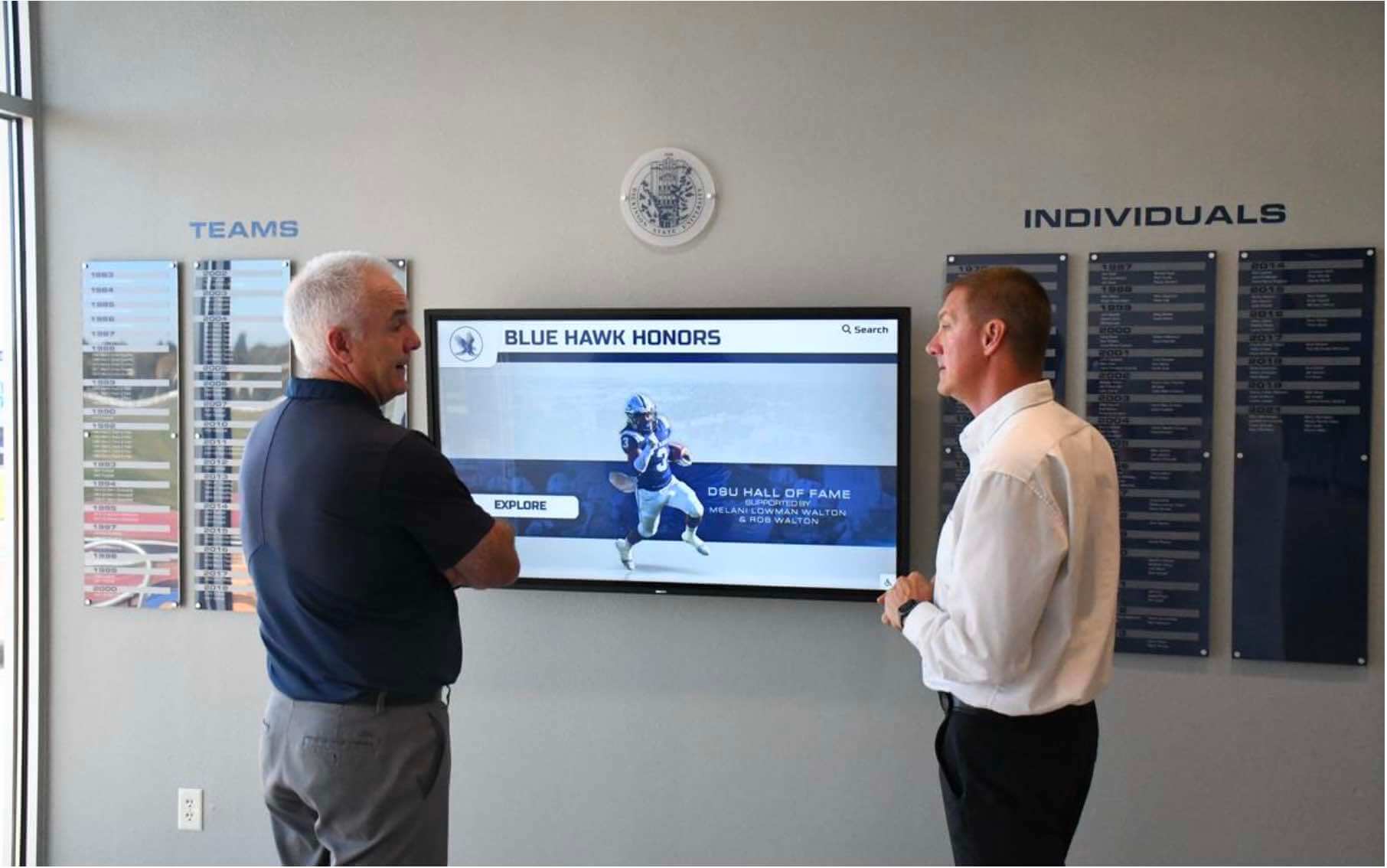
Administrators and committee members reviewing hall of fame content depend on reliable data protection to ensure recognition programs survive technology changes and vendor transitions
Special Considerations for Digital Touchscreen Display Systems
Schools using interactive touchscreen displays for hall of fame recognition face some data protection considerations that differ from traditional database-only programs.
Display Configuration and Theme Files
Modern recognition displays involve layered content—inductee data, visual themes, navigation configurations, and sometimes locally cached media files that allow displays to function without continuous internet connectivity. The configuration layer is often underestimated in backup planning.
If your display requires re-provisioning after hardware replacement, and no backup of the configuration exists, the process of restoring the display to its previous state can take days of coordination with vendor support staff. Documenting your display configuration settings—or requesting a configuration export file from your vendor—adds minimal effort and substantial protection.
Hardware-Resident Content
Some display systems cache content locally on the display hardware itself. When a display is replaced due to hardware failure, locally cached content that was never uploaded to the central platform may be lost. Understanding exactly where your content lives—cloud platform, local display cache, or both—is foundational to knowing what needs independent backup.
For schools with athletic wall of honor installations or multi-display recognition networks, each display unit may have its own content state. A backup policy for a multi-display environment should identify which unit is authoritative for each content category and confirm that authoritative content reaches off-site backup.
Social Media and Web Portal Content
Many hall of fame programs include web portals or social media embeds that extend recognition to online audiences. If your web portal contains content that does not originate from the core platform—blog posts about inductees, alumni reunion materials, supplementary historical content—this content needs its own backup coverage within the policy.
Schools that have developed rich alumni engagement content alongside their hall of fame programs—including digital tools that bring school history to life—should ensure that supplementary content is explicitly included in backup scope, not assumed to be covered by platform backups.
Practical Implementation Steps for School Programs
Translating backup policy principles into school practice requires a realistic implementation plan that accounts for limited staff time, varying technical comfort levels, and the academic-year rhythms that govern school administration.
Start with a Data Audit
Before implementing any backup system, spend one focused session inventorying what data your program currently has and where it lives. Walk through:
- Log into your hall of fame platform and export your complete inductee database. Note what fields are included and whether the export captures everything you would need to reconstruct profiles.
- Check every folder on every school-owned device that anyone has ever used to manage hall of fame content. Old laptops, shared drives, and retired hard drives often hold irreplaceable content that predates your current platform.
- Ask committee members and previous administrators whether they have content on personal devices or personal cloud accounts. Content managed informally by volunteers often exists only in personal storage.
- Locate your original photograph source files. Identify which photos exist only in digital form and which retain printable originals in physical archives.
The audit typically reveals that your program’s data is more dispersed and less systematically managed than assumed. That discovery is the starting point for building a policy that closes those gaps.
Establish a Backup Calendar
Hall of fame committees work seasonally, and backup execution needs to fit that rhythm. Map your backup schedule onto your annual calendar:
- August/September: Pre-season configuration backup; verify all summer updates are captured in off-site storage before the fall athletics season begins.
- Before each induction ceremony: Pre-event backup capturing all nominations, profiles, and media before ceremony-week updates begin.
- After each induction ceremony: Post-event backup capturing all content added during ceremony preparation and execution.
- January: Mid-year full backup; review retention policy for backups reaching scheduled expiration.
- Spring: Annual recovery exercise; test full restoration scenario before year-end transition in staff or committee membership.
A calendar-anchored approach ensures backup events happen at natural workflow transition points rather than requiring staff to monitor a rolling schedule throughout the year.
Assign and Document Backup Roles
Every backup task in your policy should have a named role and a backup person. For most schools:
Primary backup executor: The person who actually runs backup procedures—typically someone with regular system access, such as an athletic director’s assistant, a technology coordinator, or an experienced committee chair.
Backup verifier: A different person who reviews the backup log quarterly and confirms recovery tests are being run. Separation of executor and verifier prevents the common failure mode where one person confirms their own work without genuinely checking it.
Off-site custody holder: The person responsible for managing cloud storage credentials or physically transporting local backup media off-site. This role is often overlooked but is critical because off-site storage is the backup copy that protects against catastrophic local loss.
Policy owner: The administrator responsible for reviewing the backup policy annually, updating it when systems change, and escalating unresolved backup failures. This is typically the athletic director, activities director, or principal depending on how the hall of fame is organizationally structured.

Athlete profile cards on touchscreen recognition displays represent hours of research and data entry that need deliberate backup coverage to protect against loss
Integrating Backup Policy with Vendor Selection
If your school is evaluating hall of fame software or planning to transition platforms, backup and data portability considerations should be explicit criteria in your selection process. A vendor that makes it difficult to export your data or that provides limited transparency about their own backup practices represents a continuity risk.
Questions to Ask Vendors Before Signing
When evaluating any recognition software platform, ask directly:
- What is your backup frequency, and how long do you retain backup history?
- Can we export our complete data—inductee records, media files, and configuration—at any time without additional cost?
- In what formats is exported data provided, and is that format documented well enough for us to import it into another system?
- What is your recovery time objective in the event of platform-level data loss?
- What happens to our data if we choose not to renew our contract?
- Do you have SOC 2 certification or equivalent third-party verification of your data security practices?
Vendors with strong data stewardship practices will answer these questions clearly and completely. Evasive or vague answers to data portability questions are meaningful signals.
Platform Transitions and Data Migration
Schools transitioning between hall of fame platforms face a specific backup risk: the window between exporting data from the old system and successfully importing it into the new system. Before terminating any vendor contract, confirm that:
- You have received and verified a complete data export in a format you can actually use
- That export has been successfully imported into the new platform (or tested in a staging environment)
- All media files associated with inductee profiles have transferred correctly and display properly
- Your historical record board data is preserved in the new system in an accurate and queryable format
For schools with large libraries of historical content—programs that have tracked recognition across decades and managed alumni reunion content alongside their hall of fame programs—platform migration without thorough data verification creates the risk of discovering gaps only after the old system is decommissioned.
Policy Review and Maintenance
A backup policy written once and never revisited will drift out of alignment with actual practice. Technology changes, vendors change, staff changes, and the policy must change with them.
Annual Policy Review
Review your backup policy at minimum once per year. Check:
- Has any component of your hall of fame system changed in a way that affects where data lives or how it is accessed?
- Have staff or committee changes left backup roles without clear owners?
- Have you added new categories of content—video archives, social content, new display modules—that are not yet covered by your backup scope?
- Did your recovery test results identify any gaps or failures that require policy updates?
- Are backup retention periods still appropriate given storage costs and institutional needs?
Connecting Backup Policy to Broader School Technology Governance
Hall of fame backup policy should align with your school’s broader technology governance—IT acceptable use policies, data retention schedules, and any district-level data management requirements. If your district IT department has existing backup infrastructure that can accommodate hall of fame data, integrating into that infrastructure is typically more sustainable than maintaining a completely separate program.
Involving IT staff in the annual policy review catches technical changes—network configuration updates, storage system changes, cloud storage account modifications—that might affect backup execution without the hall of fame committee’s awareness.
For schools that use touchscreen recognition as part of broader campus engagement programs—including digital content that connects with college ambassador and community engagement initiatives—aligning recognition data backup with the broader digital experience governance framework helps ensure that all interconnected content receives appropriate protection.
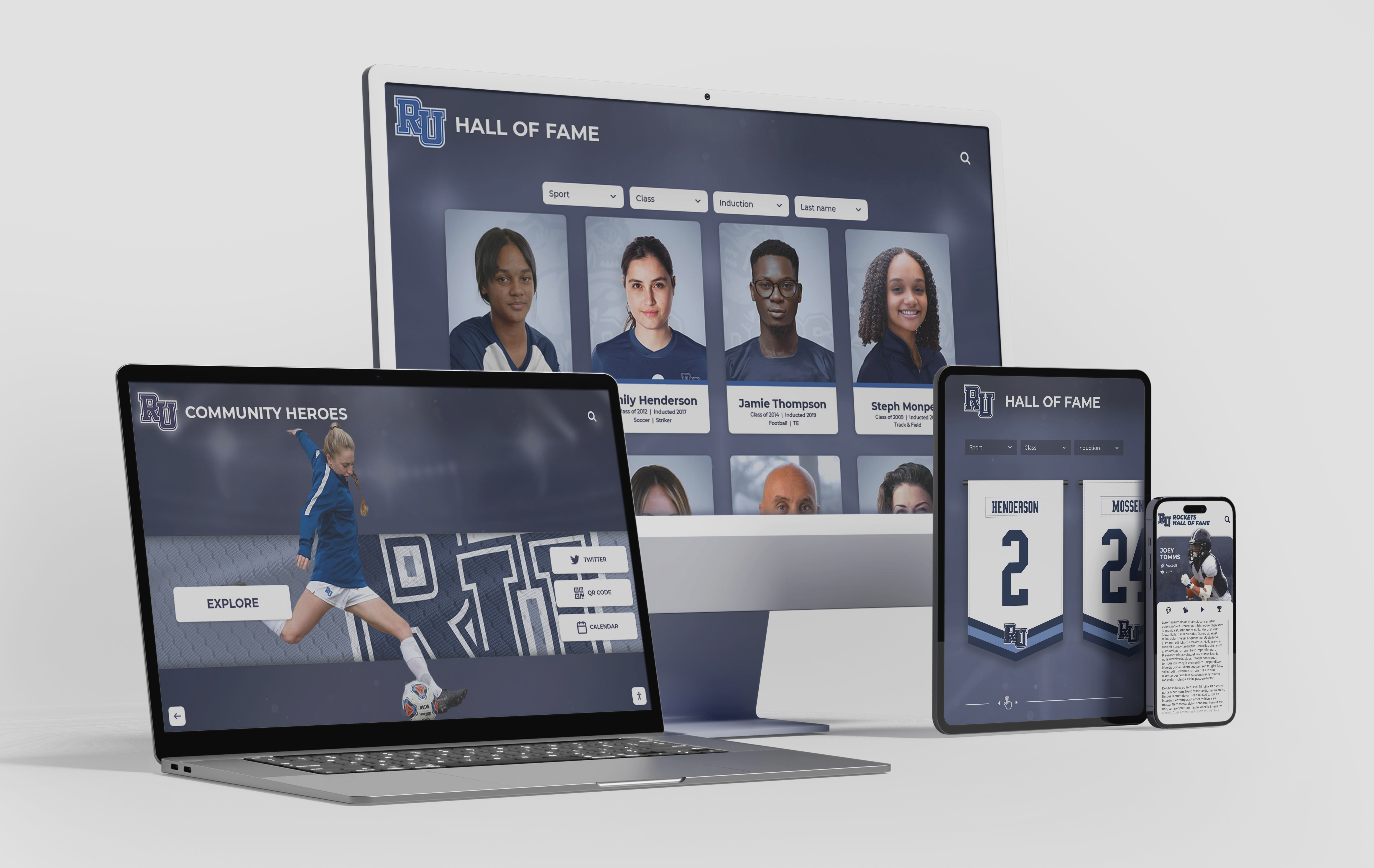
Hall of fame content that reaches alumni and families through web portals and mobile interfaces introduces additional data locations that need coverage in a comprehensive backup policy
Summary: Your Hall of Fame Backup Policy Checklist
A complete hall of fame data backup policy addresses every item below. Use this checklist to assess your current program and identify gaps.
Scope and inventory:
- All data categories are explicitly named (profiles, photos, records, display config, administrative documents)
- The location of every data category is documented
- Content held outside the platform (on staff devices, in personal cloud accounts, in physical archives) is inventoried
Backup structure:
- Three copies of critical data exist at all times
- Two different storage media types are in use
- At least one copy is stored off-site or in geographically separate cloud storage
Schedule:
- Daily or automated backups configured for live platform data
- Weekly manual exports scheduled and executed by a named role
- Monthly full backups confirmed in both local and off-site storage
- Pre-event backups scheduled before every induction ceremony or major update session
Recovery testing:
- Quarterly subset recovery tests with written documentation
- Semi-annual platform restoration test verified with vendor
- Annual full recovery exercise simulating complete loss scenario
- Post-event verification after every major content update
Roles and responsibility:
- Primary backup executor identified by role (not just by name)
- Backup verifier is a different person from the executor
- Off-site custody holder is named and has current access credentials
- Policy owner is an identified administrator with authority to escalate issues
Vendor relationship:
- Vendor backup practices are documented and periodically re-confirmed
- Full data export has been received from the vendor within the past 12 months
- Data export has been verified as complete and usable for restoration
- Contract terms address data access and export rights upon termination
Policy maintenance:
- Annual review is scheduled and documented
- Recovery test results feed into annual review
- Policy aligns with broader school or district technology governance
Schools that complete this checklist have done more than most programs accomplish—and they have done it for content that represents the institutional memory of their recognition programs. Inductees, record holders, coaches, and community members who earned their place in your hall of fame trusted your institution to preserve that recognition. A thoughtful backup policy honors that trust.
For programs looking to build recognition systems that include built-in data management support, version history, and professional content infrastructure—connecting with a platform that understands the long-term continuity needs of school recognition is a natural next step.
Ready to Protect Your Hall of Fame Content for the Long Term?
Rocket Alumni Solutions builds digital hall of fame platforms designed with school continuity in mind—including data export tools, content management infrastructure, and recognition systems that protect your program's history across technology generations. Request a demo to see how a purpose-built platform supports your backup and data governance goals.
Request a DemoHall of fame recognition programs are long-term institutional commitments. A hall of fame recognition program that invests in honoring achievement deserves data protection practices that match that commitment. The backup policy work you do this year protects the recognition work done by every predecessor committee and staff member who contributed to your program—and it ensures the work done this year remains accessible to every successor who follows.































