



Perfect attendance digital showcase walls represent modern solutions for celebrating students who demonstrate exceptional commitment through consistent school attendance. While traditional bulletin boards and paper certificates struggle to create lasting impact, digital showcase systems transform attendance recognition into engaging visual experiences that inspire all students while honoring those who achieve perfect attendance milestones.
Many schools face persistent challenges recognizing perfect attendance meaningfully: static bulletin boards become outdated quickly, paper certificates get lost or damaged, recognition reaches only students present during morning announcements, limited space forces schools to choose which achievements receive display, and temporary recognition disappears after brief acknowledgment periods. These limitations matter because perfect attendance represents significant student dedication deserving celebration that motivates continued commitment while inspiring peers.
This comprehensive guide explores how to design effective perfect attendance digital showcase walls that combine strategic layout, engaging content modules, accessibility features, and recognition frameworks creating lasting celebration of student dedication throughout school communities.
Perfect attendance recognition communicates powerful messages that consistent participation matters, dedication receives acknowledgment, and commitment to education deserves celebration equal to academic and athletic achievements.

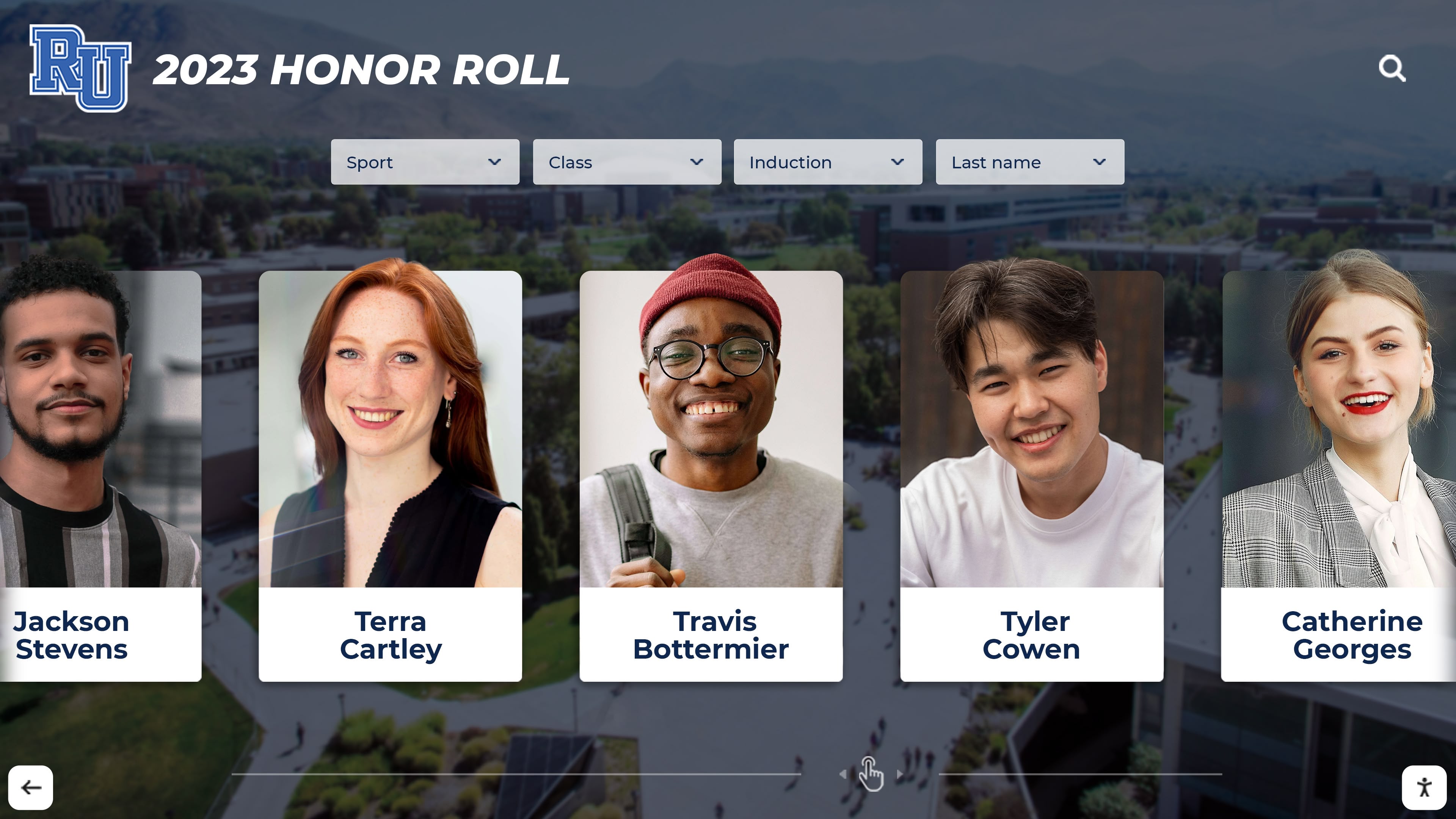
Modern digital recognition systems showcase individual student achievements through professional profile cards
Experience Goal: What Perfect Attendance Showcase Walls Accomplish
Before designing showcase wall layouts, understanding the strategic objectives these displays serve ensures design decisions align with recognition goals and audience needs.
Primary Recognition Objectives
Perfect attendance digital showcase walls serve multiple interconnected purposes strengthening school culture:
Individual Student Celebration
Each perfect attendance achiever deserves personalized recognition that:
- Displays student names and photographs prominently
- Acknowledges specific timeframes including semester, year, or cumulative perfect attendance
- Highlights exceptional commitment demonstrated through consistent participation
- Creates lasting digital records preserving achievements beyond temporary paper certificates
- Enables easy discovery allowing families and peers to find and celebrate specific students
Schoolwide Motivation and Culture Building
Visible perfect attendance recognition influences broader student populations by:
- Demonstrating that attendance commitment receives meaningful acknowledgment
- Creating aspirational models inspiring peers toward improved attendance
- Normalizing consistent participation as valued behavior
- Reducing chronic absenteeism through positive recognition rather than punitive approaches
- Building cultures where attendance matters and receives celebration
Research shows that visible recognition programs correlate with improved attendance rates as students understand that consistent participation leads to acknowledgment. Schools implementing comprehensive academic recognition programs report similar motivation benefits across multiple achievement dimensions.
Secondary Strategic Benefits
Perfect attendance showcase walls deliver additional institutional advantages:
Family Engagement
- Provides concrete achievement families can celebrate together
- Creates photo opportunities during school visits strengthening community connections
- Generates positive communication between schools and homes
- Demonstrates institutional investment in recognizing diverse achievements
Administrative Support
- Reduces chronic absenteeism rates improving state funding tied to attendance
- Supports positive behavior intervention systems
- Creates documentation for award ceremonies and recognition events
- Provides data visualization showing attendance program effectiveness

Purpose-built recognition kiosks create dedicated celebration spaces for student achievement
Community Communication
- Demonstrates school commitment to student welfare and education
- Creates positive talking points for prospective families evaluating schools
- Generates content for social media and community communication
- Positions schools as institutions valuing diverse student contributions
Understanding these objectives helps designers create showcase walls that accomplish recognition goals while serving broader strategic institutional purposes.
Layout Blueprint: Designing Effective Showcase Wall Experiences
Successful perfect attendance showcase walls follow intentional design frameworks balancing recognition functionality with visual engagement and user experience.
Core Layout Zones and Content Modules
Effective showcase layouts organize content into distinct zones serving specific purposes:
Zone 1: Hero Section and Program Overview
The display opening should immediately communicate purpose and create visual impact:
- Program Title Treatment: Large, readable typography clearly identifying “Perfect Attendance Recognition” or similar program naming
- Recognition Period Identifier: Prominent date ranges showing current semester, year, or cumulative recognition period
- Motivational Messaging: Brief inspiring copy celebrating commitment and encouraging continued participation
- Visual Branding: School colors, logos, and graphic elements creating immediate institutional connection
- Entry Point Clarity: Clear visual hierarchy directing visitors toward interaction or content exploration
This hero zone should occupy approximately 20% of initial screen real estate, creating immediate context before visitors encounter detailed student recognition.
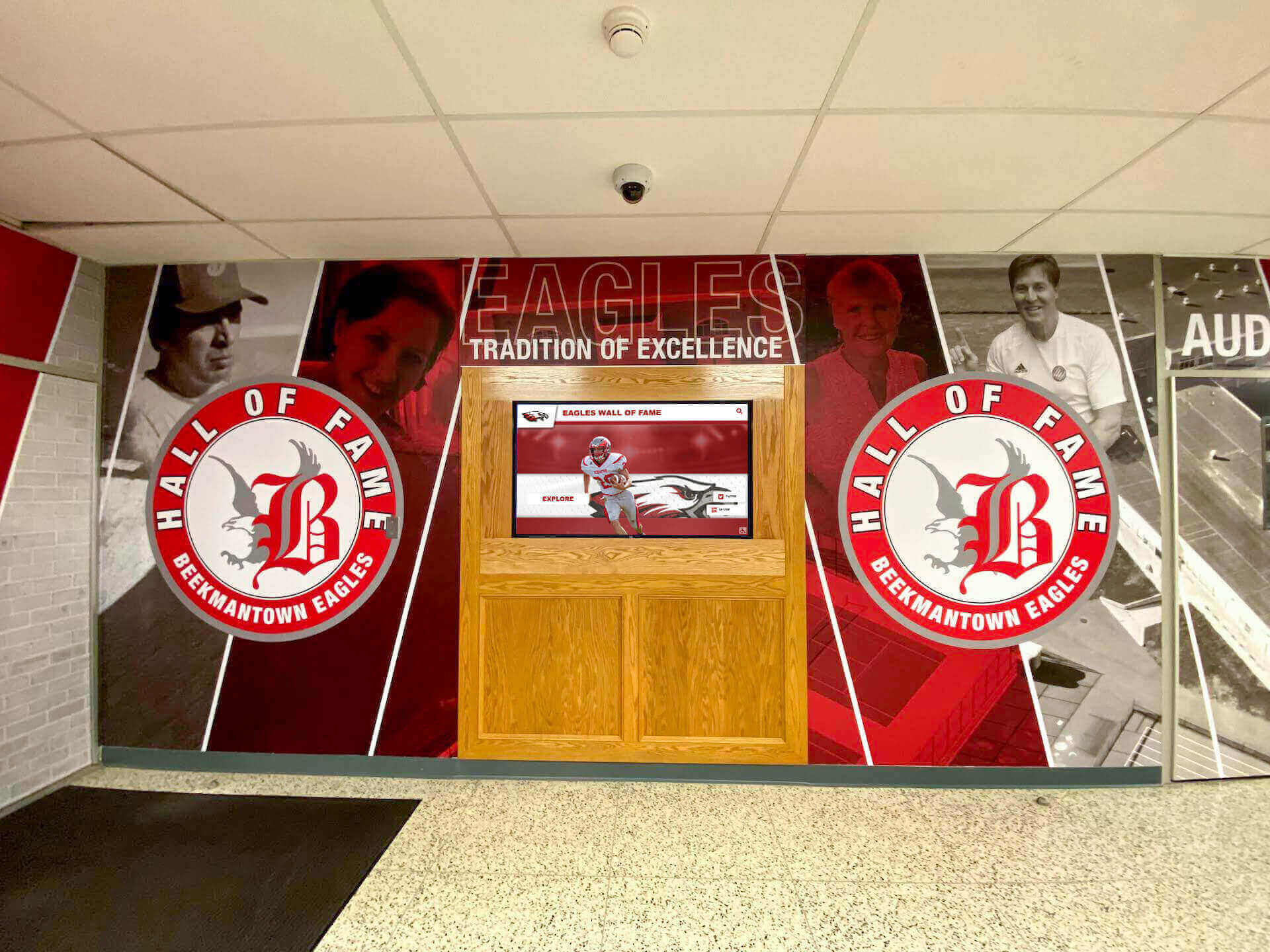
Strategic entrance placement ensures recognition reaches entire school communities
Zone 2: Featured Recognition Spotlight
Rotating featured content creates dynamic interest:
- Student of the Moment: Large profile card highlighting individual perfect attendance achievers on rotation
- Milestone Achievements: Special recognition for multi-year perfect attendance or exceptional commitment
- Recent Additions: Newest students joining perfect attendance recognition
- Class Leader Highlights: Students representing grade levels or homerooms with strongest attendance
- Personal Narratives: Brief quotes from students about what perfect attendance means to them
Featured sections should rotate automatically every 10-15 seconds maintaining engagement during passive viewing while remaining stable during active interaction.
Zone 3: Grid-Based Achievement Gallery
The primary recognition interface displaying all perfect attendance students:
- Profile Card Grid: Uniform cards showing student photographs, names, grade levels, and attendance details
- Visual Consistency: Standardized design ensuring equal prominence for all recognized students
- Touch Target Sizing: Minimum 100x100 pixel cards enabling accurate touchscreen selection
- Responsive Layout: Dynamic grid adjusting to accommodate growing numbers of recognized students
- Sort and Filter Controls: Interface elements enabling browsing by grade, homeroom, timeframe, or alphabetical order
This gallery zone typically occupies 60-70% of content area, functioning as the core recognition database.
Zone 4: Interactive Navigation and Search
User control features enabling efficient content discovery:
- Search Functionality: Text input allowing visitors to locate specific students quickly
- Filter Controls: Buttons or dropdowns enabling grade level, class, or timeframe filtering
- Sort Options: Alphabetical, chronological, or grade-based organization choices
- Clear Selection Indicators: Visual feedback showing active filters or search parameters
- Reset Controls: Simple return to default view options
Navigation should remain persistently accessible without requiring users to hunt for control elements.
Schools implementing similar recognition systems should examine senior class awards display approaches demonstrating comprehensive student achievement celebration frameworks.
Zone 5: Program Information and Context
Supporting content providing recognition program details:
- Qualification Criteria: Clear explanation of perfect attendance definition and earning requirements
- Recognition Benefits: Description of awards, certificates, or recognition students receive
- Historical Context: Statistics about program participation rates or year-over-year trends
- Motivational Resources: Tips for maintaining attendance or overcoming barriers
- Contact Information: Details for families with questions about attendance programs

Intuitive touchscreen interfaces enable easy exploration of recognition content
Zone 6: Call-to-Action and Recognition Request
Final engagement prompts encouraging action:
- Nomination Processes: Information about how students achieve recognition
- Upcoming Ceremonies: Details about recognition events celebrating perfect attendance
- Social Sharing Options: QR codes or instructions for accessing recognition online
- Feedback Collection: Simple mechanisms gathering input about recognition programs
- Alumni Connection: Links to historical perfect attendance recognition or program legacy
This comprehensive zone structure ensures showcase walls serve recognition, motivation, information, and engagement functions simultaneously.
Content Blocks & Motion: Module Behavior and Interactions
Static layouts fail to maintain engagement or communicate information effectively. Thoughtful animation, transition, and interaction design creates dynamic experiences while maintaining accessibility.
Animation and Motion Strategies
Attract Loop Sequences
When displays sit idle without user interaction, attract loops maintain visual interest:
- Slow Ken Burns Effects: Gentle zooming and panning across student photo galleries creating subtle movement
- Crossfade Transitions: Smooth blending between featured student profiles every 10-15 seconds
- Particle Effects: Subtle animated elements like floating sparkles or stars reinforcing celebration themes
- Statistical Counters: Animated numbers showing total students recognized or attendance rate improvements
- Testimonial Rotations: Fading quotes from students, families, or administrators about attendance importance
Motion should remain subtle, avoiding aggressive movement that distracts from recognition content or creates accessibility barriers for users with motion sensitivities.
Interactive State Transitions
User interactions trigger responsive feedback:
- Touch Ripple Effects: Visual confirmation when users tap profile cards or navigation elements
- Smooth Scrolling: Fluid vertical or horizontal movement when browsing extended student lists
- Card Expansion: Selected students enlarging to show detailed achievement information
- Filter Animations: Grid reorganization animating smoothly rather than jumping instantly
- Return Transitions: Gentle animations returning to home state after interaction periods
Solutions like Rocket Alumni Solutions provide pre-optimized motion systems balancing engagement with accessibility, eliminating custom animation development requirements.

Engaging interfaces encourage extended exploration of recognition content
Content Update Strategies and Refresh Cadence
Perfect attendance recognition requires systematic content management maintaining currency:
Real-Time Recognition Approaches
Most engaging systems update continuously throughout recognition periods:
- Daily Additions: New perfect attendance qualifiers appear automatically as students maintain eligibility
- Streak Tracking: Running counts showing consecutive days or marking periods of perfect attendance
- At-Risk Notifications: Encouraging messages for students approaching perfect attendance milestones
- Immediate Celebration: Students achieving perfect attendance see recognition without administrative delays
Periodic Update Models
Alternative approaches batch updates at logical intervals:
- Weekly Refreshes: Monday morning updates reflecting previous week’s attendance achievements
- Monthly Recognition: End-of-month updates celebrating students maintaining perfect attendance
- Marking Period Updates: Quarterly or semester updates aligning with report card periods
- Annual Recognition: Year-end celebration of students achieving full-year perfect attendance
Update frequency should balance recognition immediacy with administrative manageability and system capabilities.
Content Archiving Strategies
Historical perfect attendance data creates valuable program context:
- Cumulative Archives: Complete databases showing all recognized students across multiple years
- Year Filters: Interface enabling visitors to browse current or historical recognition
- Comparative Statistics: Visual displays showing attendance program growth over time
- Alumni Connections: Historical recognition linking current students to program legacy
Schools exploring comprehensive recognition should examine digital archives approaches demonstrating how educational institutions preserve and present historical achievement data.
Accessibility & UX Checklist: Ensuring Universal Access
Effective showcase walls serve all community members regardless of physical abilities, technical literacy, or access circumstances.
Physical Accessibility Requirements
ADA-Compliant Installation Standards
Federal accessibility requirements dictate specific mounting specifications:
- Height Positioning: Touchscreen controls between 15-48 inches from floor enabling wheelchair user access
- Reach Ranges: Interactive elements positioned within forward or side reach zones
- Clear Floor Space: Minimum 30x48 inch unobstructed area enabling wheelchair approach
- Protruding Object Compliance: Wall-mounted displays not projecting more than 4 inches if below 80 inches height
- Mounting Security: Secure installation preventing tipping hazards
Schools should consult digital wall of fame accessibility guides ensuring installations meet all regulatory requirements.
Touchscreen Interaction Accessibility
Interface design must accommodate varying physical abilities:
- Large Touch Targets: Minimum 44x44 pixel clickable areas exceeding minimum accessibility standards
- Adequate Spacing: Sufficient gaps between interactive elements preventing accidental selection
- No Gesture Requirements: Essential functions accessible through simple taps without complex swipes or gestures
- Alternative Access Methods: Keyboard navigation support for displays with connected input devices
- Timeout Considerations: Sufficient interaction time before automatic return to home screen
Visual and Cognitive Accessibility
High Contrast and Color Considerations
Visual accessibility requires careful design choices:
- WCAG AA Compliance: Minimum 4.5:1 contrast ratio between text and backgrounds
- Color Independence: Information communicated through more than color alone
- Adjustable Display: Brightness controls accommodating varying lighting conditions
- Sans-Serif Typography: Clean, readable fonts at appropriate sizes
- Hierarchy Clarity: Visual organization making content structure immediately apparent
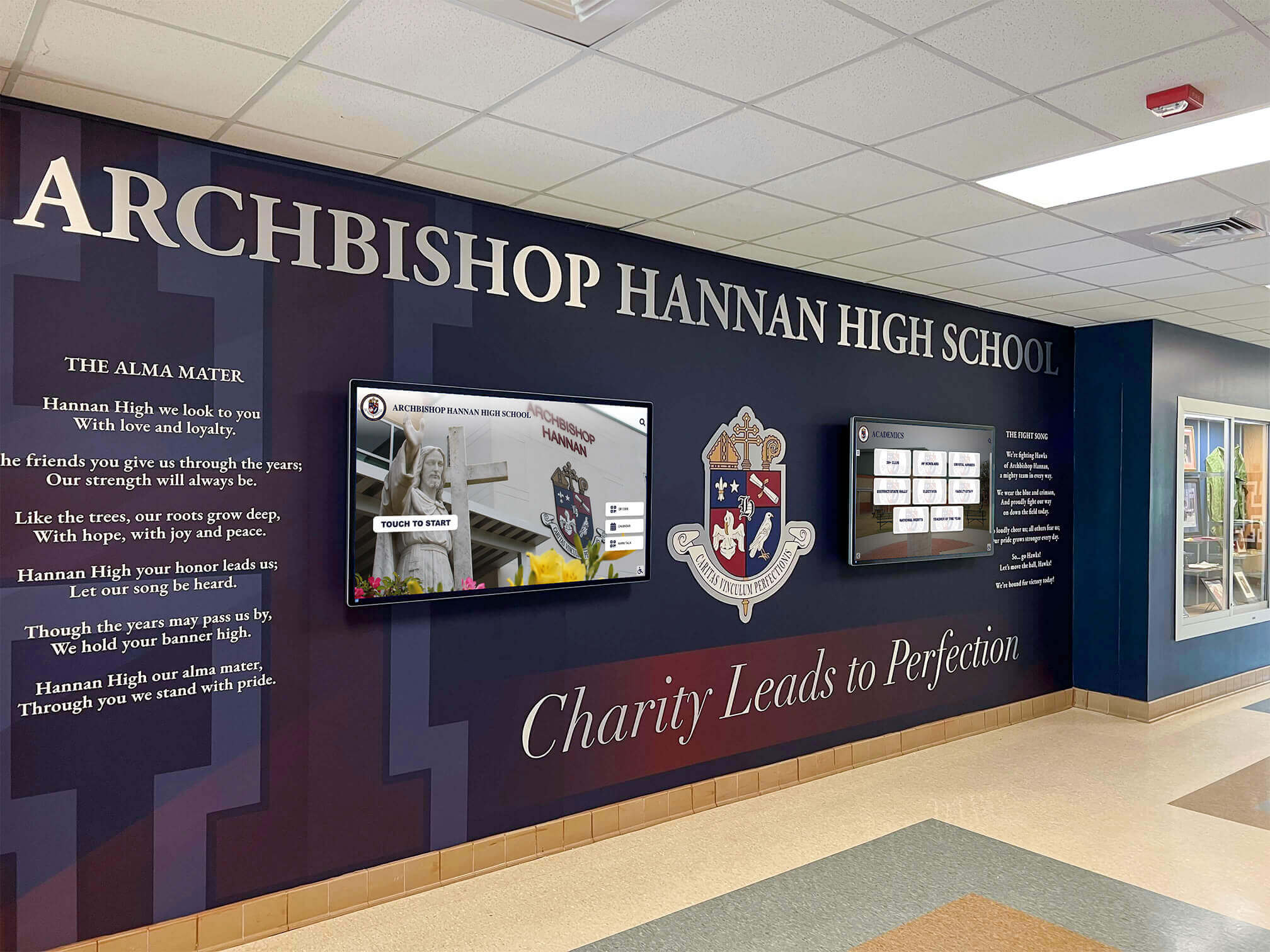
Professional installations blend recognition displays seamlessly with school environments
Cognitive Load Management
Interface complexity impacts usability across user capabilities:
- Clear Purpose Communication: Immediate understanding of display function without reading instructions
- Limited Simultaneous Choices: Focused navigation preventing overwhelming option presentation
- Consistent Interaction Patterns: Uniform behavior across all interface areas
- Recovery Mechanisms: Easy reset to home state if users become lost
- Plain Language: Simple, direct copy avoiding jargon or complex explanations
Multilingual Support Considerations
Schools serving diverse communities should incorporate language access:
- Primary Language Display: Recognition content in primary institutional language
- Translation Capabilities: Optional secondary language display for common community languages
- Language Selection Clarity: Obvious interface for changing display language
- Cultural Sensitivity: Recognition approaches respecting diverse family structures and naming conventions
Digital Access Extensions
QR Code Integration
Physical displays should connect to broader digital access:
- Profile-Specific QR Codes: Individual codes linking directly to student recognition pages
- General Access QR: Master code enabling mobile device access to complete recognition database
- Social Sharing Support: Codes facilitating easy content sharing through family networks
- Print-Friendly Views: Mobile pages optimized for screenshot or print documentation
Web Portal Accessibility
Online extensions must meet accessibility standards:
- Screen Reader Compatibility: Proper semantic HTML and ARIA labels
- Keyboard Navigation: Complete functionality without mouse or touch requirements
- Responsive Design: Functional displays across smartphones, tablets, and desktop computers
- Progressive Enhancement: Core functionality working without JavaScript requirements
Schools implementing comprehensive recognition should examine best platforms for building virtual halls of fame ensuring accessibility across all delivery channels.

Accessible interfaces enable all community members to explore and celebrate student achievements
Brand Integration Checklist: Customization and School Identity
Generic recognition displays fail to create strong institutional connections. Thoughtful customization ensures showcase walls reflect unique school identities.
Visual Identity Integration
School Branding Elements
Effective showcase walls incorporate consistent institutional identity:
- Color Palette Alignment: Primary and secondary school colors throughout interface design
- Logo Integration: School emblems, mascots, or marks positioned prominently without overwhelming recognition content
- Typography Selection: Fonts matching existing school communication materials when possible
- Pattern and Texture: Subtle background elements reflecting school identity or architectural features
- Photography Style: Consistent image treatment matching yearbook or website photography approaches
Custom Background Options
Visual environments enhance recognition impact:
- School Photograph Backgrounds: Subtle imagery showing campus facilities, architecture, or landmarks
- Abstract School Colors: Gradient or geometric treatments using institutional color palettes
- Video Loops: Slow-motion footage of campus life, students learning, or community activities
- Seasonal Adaptations: Background refreshes reflecting academic calendar periods or celebrations
- Achievement Theming: Visual treatments connecting to broader recognition program themes
Solutions like Rocket Alumni Solutions provide unlimited layout customization enabling perfect alignment with institutional branding without design limitations.
Recognition Program Customization
Flexible Criteria Configuration
Schools define perfect attendance standards differently:
- Timeframe Definition: Daily, weekly, monthly, semester, or annual perfect attendance tracking
- Excused Absence Handling: Clear policies about medical appointments, family emergencies, or school activities
- Tardiness Consideration: Whether late arrivals impact perfect attendance qualification
- Partial Credit Options: Recognition for improved attendance or near-perfect achievement
- Special Circumstances: Accommodations for documented medical conditions or family situations
Display systems must accommodate institutional attendance definitions rather than forcing standardized criteria.
Award Level Configuration
Recognition programs often include tiered achievement:
- Perfect Attendance: Zero absences during recognition period
- Excellent Attendance: Minimal absences meeting specific thresholds
- Improved Attendance: Significant reduction in absences compared to previous periods
- Milestone Recognition: Multi-year consecutive perfect attendance achievement
- Class Achievement: Homeroom or grade level collective attendance goals
Showcase walls should visually distinguish achievement levels while celebrating all attendance commitment.
Schools implementing comprehensive student recognition should examine student of the month recognition programs demonstrating systematic approaches honoring diverse student achievements.
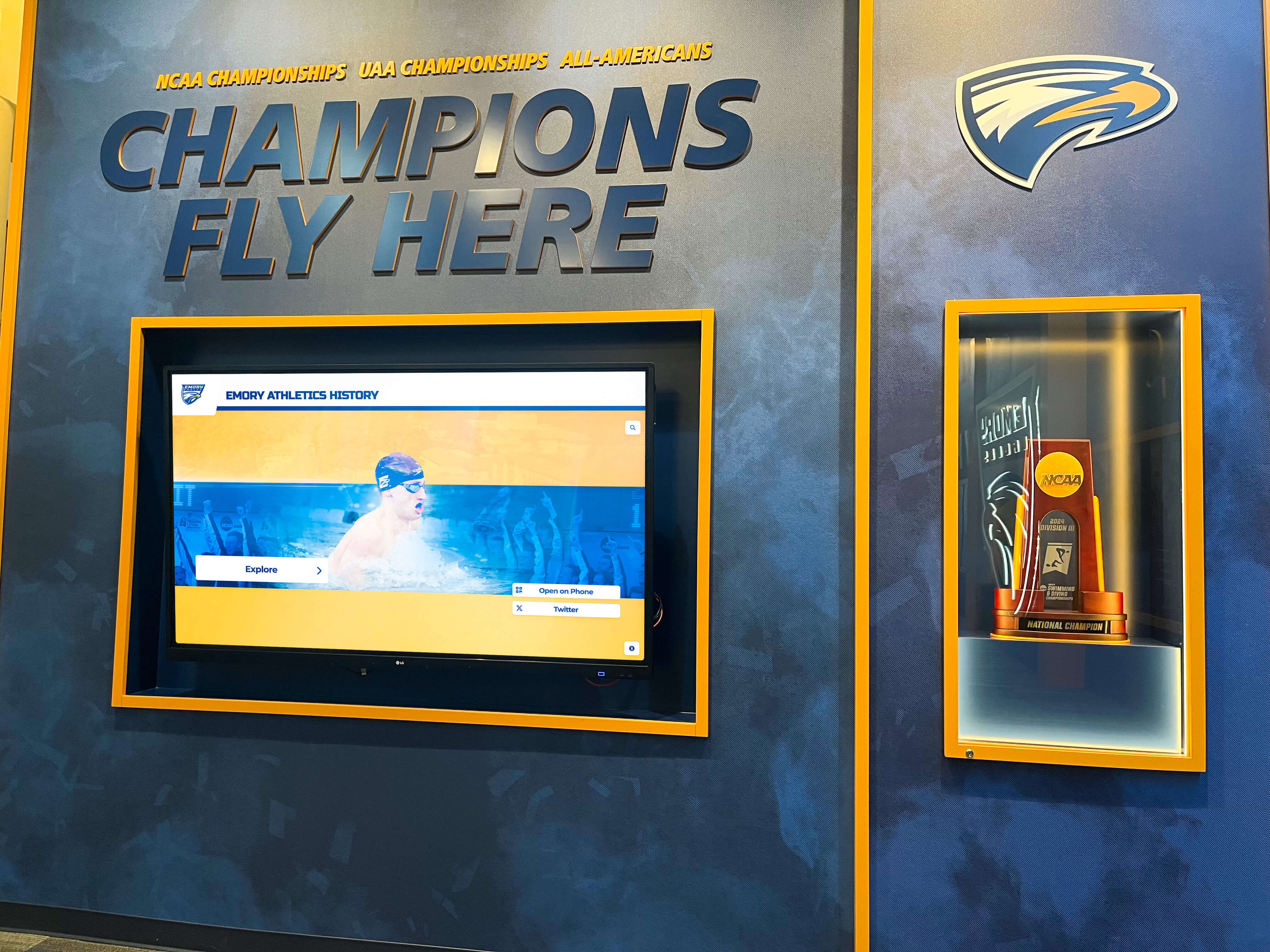
Professional recognition displays celebrate excellence while preserving program traditions
Social Media and Sponsor Integration
Social Gallery Features
Modern recognition extends beyond static content:
- Instagram Feed Integration: Live social media posts tagged with attendance recognition hashtags
- Student Celebration Posts: Family-submitted photos celebrating perfect attendance achievements
- Community Congratulations: Messages from local businesses, community organizations, or civic leaders
- Historical Comparison: Current perfect attendance recognition alongside historical program photos
- Ceremony Documentation: Photos and videos from recognition events and award ceremonies
Sponsorship Recognition Options
Perfect attendance programs often receive community support:
- Sponsor Logo Display: Acknowledgment of businesses or organizations funding recognition programs
- Rotating Sponsor Messages: Congratulatory content from program supporters
- Scholarship Connections: Information about attendance-based scholarship opportunities
- Community Partnership Highlights: Recognition of organizations supporting student success
- Funding Transparency: Display showing how community support enables recognition programs
Proper sponsorship integration maintains focus on student recognition while acknowledging support enabling programs.
Activation Plan: Implementation and Ongoing Management
Successful showcase walls require systematic planning ensuring smooth launches and sustainable maintenance.
Pre-Launch Implementation Phases
Phase 1: Planning and Design (Weeks 1-4)
Initial project definition establishes foundation:
- Stakeholder Identification: Define decision-makers, content managers, and key stakeholders
- Objective Clarification: Document specific goals showcase wall should accomplish
- Location Selection: Identify optimal physical placement maximizing visibility and access
- Budget Allocation: Determine available resources for hardware, software, and installation
- Timeline Development: Create realistic implementation schedule with milestone dates
- Success Metrics Definition: Establish how program effectiveness will be measured
Phase 2: Content Development (Weeks 5-8)
Recognition content creation enables launch:
- Student Data Collection: Gather current perfect attendance achiever information
- Photography Procurement: Obtain student photographs through existing sources or new photo sessions
- Copy Development: Write welcome messages, program descriptions, and recognition copy
- Historical Data Compilation: Collect previous year recognition data if creating archives
- Quality Assurance: Verify accuracy of student names, grade levels, and achievement data
Schools should examine high school graduate display approaches demonstrating systematic data collection and presentation strategies.
Phase 3: Technical Setup (Weeks 7-10)
Platform configuration and installation preparation:
- Hardware Procurement: Order touchscreen displays, mounting equipment, and necessary accessories
- Software Configuration: Set up content management systems and configure recognition platforms
- Network Integration: Ensure displays connect reliably to institutional networks
- Content Upload: Transfer recognition data into display systems
- Testing Procedures: Conduct comprehensive functionality testing before public launch

Intuitive kiosk designs encourage community interaction with recognition content
Phase 4: Launch and Promotion (Weeks 11-12)
Public introduction creates recognition program momentum:
- Soft Launch Testing: Limited access period identifying final adjustments needed
- Staff Training: Ensure administrators, teachers, and relevant staff understand system operation
- Student Introduction: Assembly or announcement explaining new recognition showcase
- Family Communication: Newsletter or email informing families about recognition system
- Media Outreach: Local press releases celebrating school investment in student recognition
- Social Media Promotion: Posts highlighting showcase wall and encouraging community engagement
Ongoing Maintenance and Refresh Strategies
Weekly Maintenance Tasks
Regular attention maintains showcase quality:
- Content Review: Verify recently added students appear correctly with accurate information
- Display Cleaning: Physical screen cleaning maintaining touchscreen responsiveness and visual clarity
- Interaction Testing: Confirm touch functionality and navigation features work properly
- Error Monitoring: Check for software issues, broken features, or display problems
Monthly Enhancement Activities
Regular refreshes maintain engagement:
- Featured Content Updates: Rotate highlighted students or milestone achievements
- Statistics Refresh: Update program participation numbers and achievement metrics
- Visual Adjustments: Seasonal background updates or recognition theme modifications
- Content Additions: Add new qualifying students as marking periods progress
Quarterly Strategic Reviews
Periodic assessment ensures continued effectiveness:
- Usage Analytics Review: Examine interaction data identifying popular features and improvement opportunities
- Stakeholder Feedback: Survey students, families, and staff about recognition program effectiveness
- Technical Updates: Install software updates, security patches, or feature enhancements
- Content Audit: Verify accuracy of cumulative recognition database
- Goal Progress Assessment: Evaluate attendance trends and recognition program impact
Schools should explore year-round content calendar approaches ensuring recognition displays remain fresh and engaging throughout academic years.
Annual Major Updates
Yearly refreshes maintain relevance:
- Year-End Recognition: Celebrate annual perfect attendance achievers prominently
- Historical Archiving: Move completed year recognition into historical databases
- Visual Refresh: Major design updates maintaining contemporary appearance
- Program Evaluation: Comprehensive assessment of recognition impact on attendance and culture
- Technology Assessment: Determine if hardware upgrades or platform migrations are needed
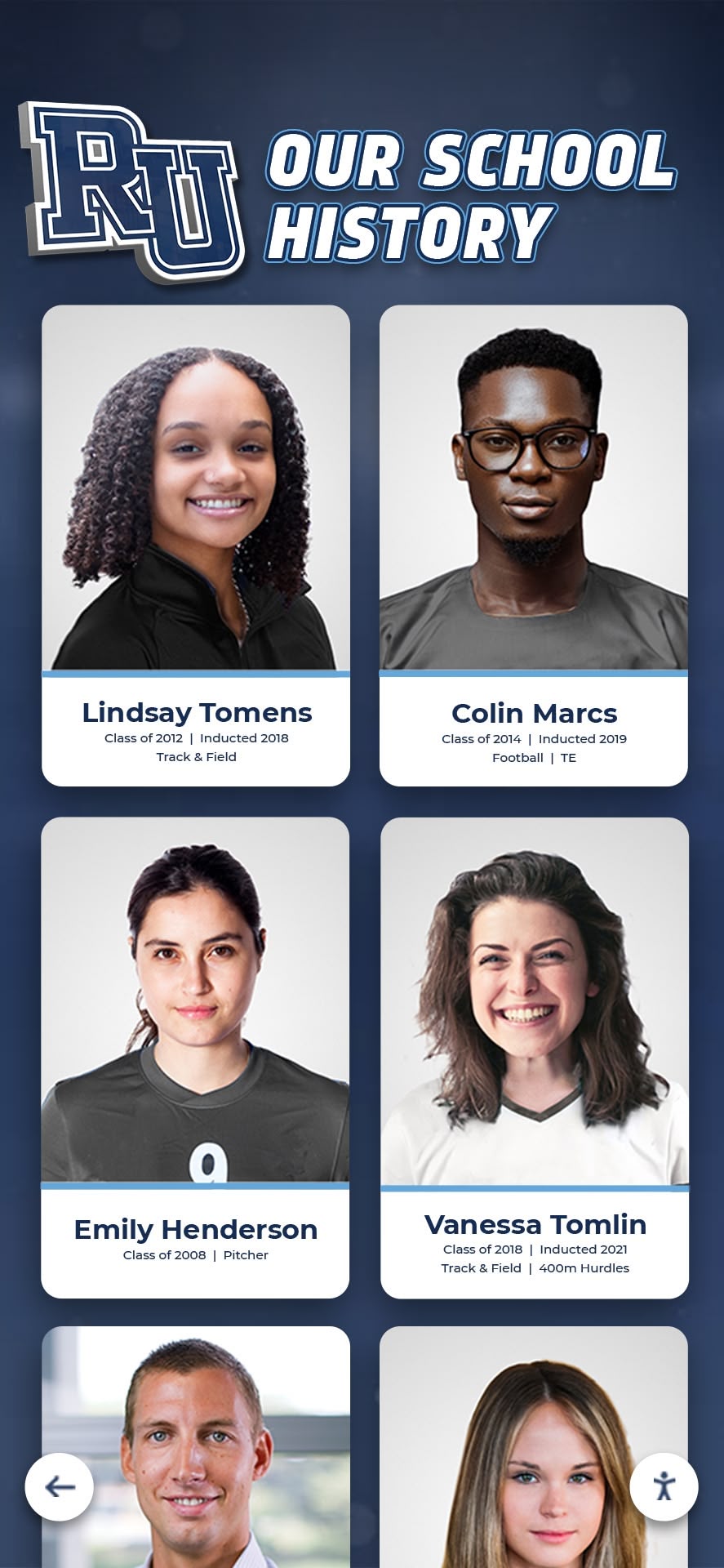
Comprehensive systems preserve complete recognition histories while celebrating current achievements
Measuring Showcase Wall Success and Impact
Regular assessment demonstrates recognition value while identifying improvement opportunities.
Quantitative Success Metrics
Direct Engagement Indicators
Display analytics reveal usage patterns:
- Interaction Sessions: Total number of users engaging with touchscreen functionality
- Average Session Duration: Time users spend exploring recognition content
- Most-Viewed Students: Popular profiles receiving highest view counts
- Search Utilization Rates: Percentage of sessions including search functionality
- Return Visitor Patterns: Frequency of repeated engagement by same users
- Peak Usage Times: Periods experiencing highest display interaction
Attendance Outcome Tracking
Recognition programs should impact underlying attendance:
- Perfect Attendance Rates: Percentage of students achieving recognition criteria
- Chronic Absenteeism Reduction: Decrease in students missing significant school time
- Attendance Improvement Trends: Overall attendance rate changes following showcase implementation
- Participation Growth: Year-over-year increases in students achieving perfect attendance
- Demographic Equity: Recognition distribution across student populations
Qualitative Assessment Approaches
Stakeholder Feedback Collection
Multiple perspectives inform program effectiveness:
- Student Surveys: Questionnaires gathering student perspectives about recognition meaningfulness
- Family Interviews: Conversations with families of recognized students about program impact
- Staff Observations: Teacher and administrator insights about recognition influence on culture
- Community Response: Feedback from visitors encountering displays during school visits
Cultural Impact Indicators
Recognition success extends beyond measurable metrics:
- Student Motivation Reports: Anecdotal evidence of recognition inspiring attendance improvement
- Peer Influence: Observations of students encouraging classmates toward better attendance
- Family Engagement: Increased family communication about attendance importance
- Institutional Pride: Enhanced community perception of school commitment to student success
Schools implementing comprehensive recognition should examine outstanding students honor wall approaches demonstrating evaluation frameworks measuring recognition program effectiveness.
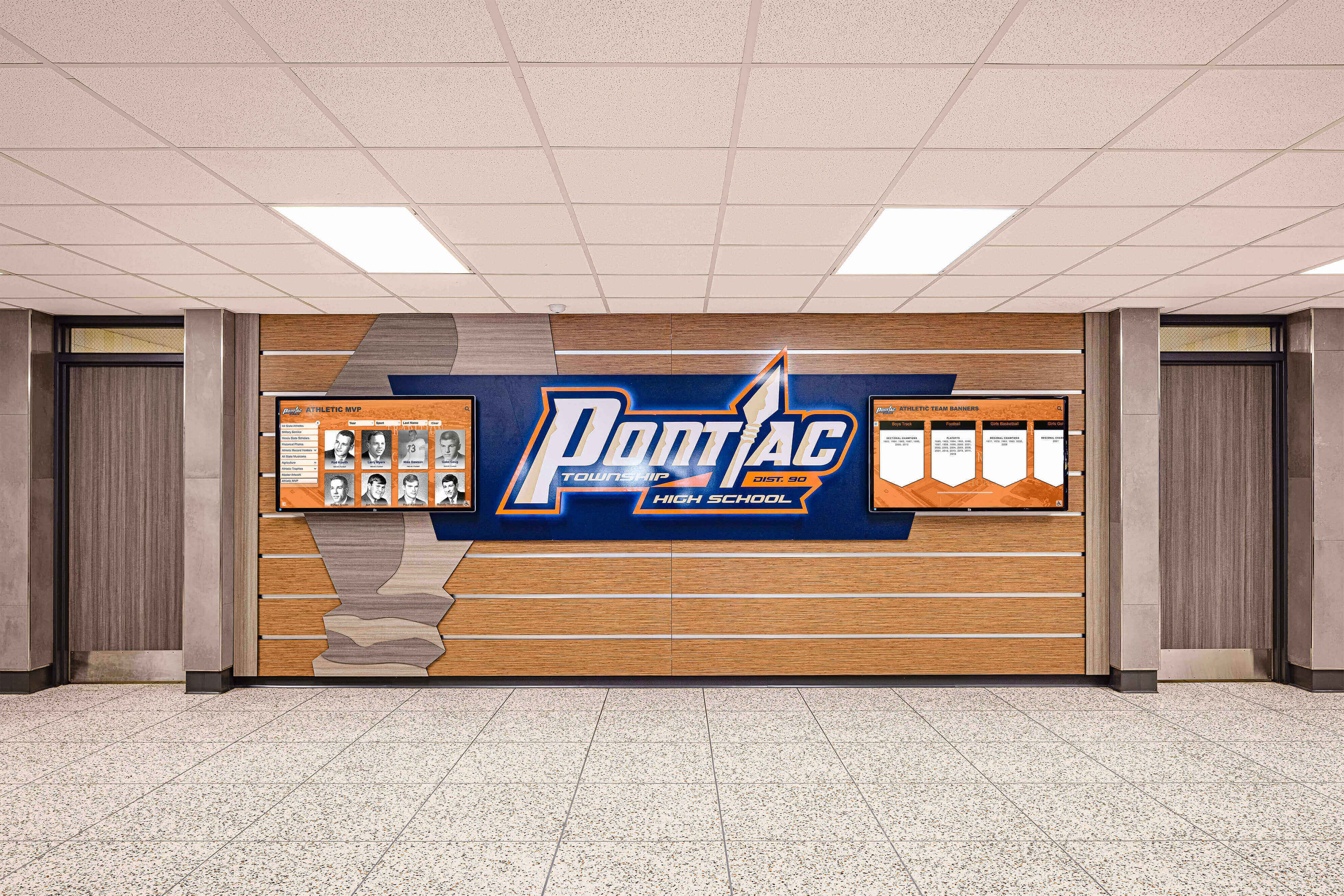
Strategic placement in high-traffic areas ensures recognition reaches entire school communities
Advanced Features Enhancing Showcase Wall Impact
Innovative capabilities extend basic recognition into transformative experiences.
Gamification and Progressive Recognition
Achievement Level Systems
Tiered recognition creates motivation for sustained attendance:
- Bronze Level: First semester perfect attendance recognition
- Silver Level: Full academic year perfect attendance achievement
- Gold Level: Multi-year consecutive perfect attendance
- Platinum Level: Elementary through high school cumulative perfect attendance
- Diamond Level: Extended family perfect attendance legacies
Visual progression systems communicate achievement pathways while celebrating current accomplishments.
Streak Tracking and Milestones
Running counts create ongoing engagement:
- Consecutive Day Counters: Real-time displays showing current perfect attendance streaks
- Personal Best Tracking: Historical comparison showing individual improvement
- Class Competition Boards: Grade level or homeroom attendance comparisons
- Milestone Celebrations: Special recognition for 50, 100, 500, or 1,000 consecutive days
- Countdown Features: Days remaining until qualification for next recognition level
Multimedia Enhancement Options
Video Integration
Dynamic content amplifies recognition impact:
- Student Testimonials: Brief clips explaining what perfect attendance means personally
- Principal Messages: Leadership acknowledgment of attendance importance and student achievement
- Parent Reflections: Family perspectives on student commitment and support strategies
- Recognition Ceremonies: Footage from attendance award events and celebrations
- Motivational Content: Inspiring messages encouraging continued attendance commitment
Audio Elements
Sound enhances certain showcase experiences:
- Interaction Feedback: Subtle confirmation sounds acknowledging user selections
- Celebration Effects: Brief musical or sound effects when students achieve milestones
- Ambient Audio: Optional background music during attract loop sequences
- Voice Descriptions: Audio accessibility alternatives describing visual content
- Language Options: Audio content available in multiple languages supporting diverse communities
Schools exploring multimedia recognition should examine digital storytelling athletic programs approaches demonstrating effective video and audio integration strategies.
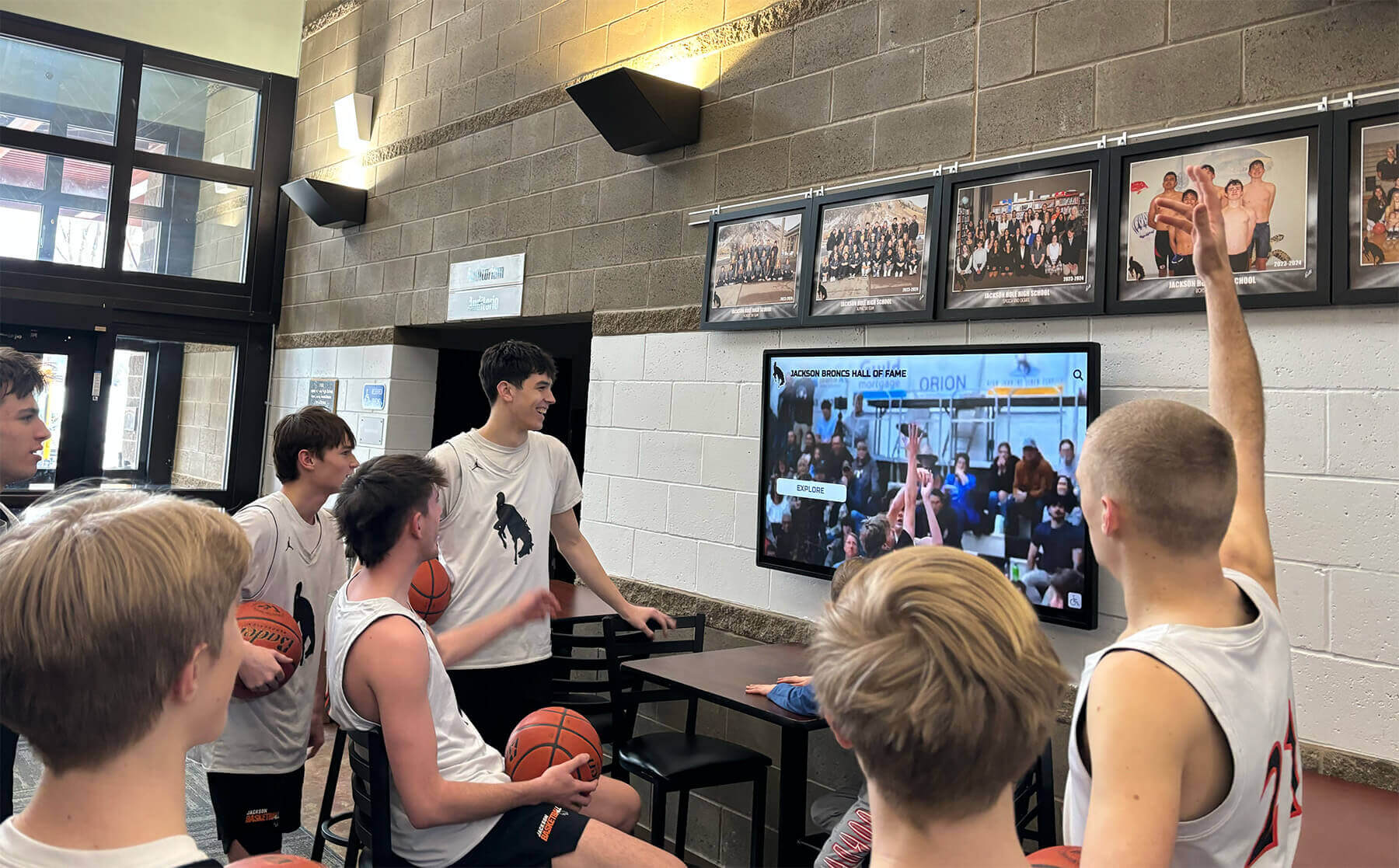
Engaging content encourages students to explore recognition displays regularly
Mobile and Remote Access Extensions
Companion Mobile Experiences
Smartphone access extends recognition reach:
- QR Code Access: Simple scanning providing instant mobile device access to recognition database
- Dedicated Mobile Views: Optimized interfaces designed specifically for smartphone screens
- Personal Notifications: Optional alerts when students achieve recognition milestones
- Social Sharing Tools: Easy posting of recognition achievements to family social media
- Remote Family Access: Relatives worldwide viewing student perfect attendance recognition
Integration with School Communication Platforms
Recognition should connect to existing systems:
- Learning Management Systems: Recognition appearing in student portals or dashboards
- School App Integration: Attendance achievements displayed in institutional mobile applications
- Parent Portal Connections: Recognition visible when families access student information
- Email Notifications: Automated messages informing families when students achieve perfect attendance
- Calendar Integration: Recognition ceremony dates appearing in school event calendars
Addressing Common Implementation Challenges
Schools implementing showcase walls encounter predictable obstacles requiring thoughtful solutions.
Challenge: Limited Budget for Hardware Investment
Many schools struggle to fund quality display systems.
Solution Strategies:
- Prioritize single high-quality display over multiple low-quality screens
- Seek parent-teacher organization funding specifically for recognition investments
- Apply for educational technology grants supporting student success initiatives
- Pursue local business sponsorships providing hardware in exchange for recognition
- Implement phased approaches starting with basic displays then expanding capabilities
- Explore Rocket Alumni Solutions providing cost-effective recognition platforms specifically designed for educational budgets
Challenge: Privacy Concerns About Student Information
Families may worry about public display of student names and photographs.
Solution Strategies:
- Include clear opt-out mechanisms in recognition program communications
- Obtain explicit parental permission before displaying student information
- Provide alternative recognition for families declining public display
- Limit displayed information to names, grade levels, and achievements only
- Implement security features preventing unauthorized data export or copying
- Consult district policies and legal guidance about student information display
Challenge: Maintaining Accurate and Current Content
Keeping recognition data updated proves administratively burdensome.
Solution Strategies:
- Integrate showcase systems with existing attendance tracking databases enabling automatic updates
- Assign specific staff responsibilities with adequate time allocation
- Create simple data import processes requiring minimal technical knowledge
- Implement batch update schedules reducing continuous maintenance requirements
- Choose platforms with intuitive content management eliminating technical barriers
- Document clear procedures enabling multiple staff members to manage content
Schools should examine best school history software approaches demonstrating systematic content management frameworks.
Challenge: Ensuring Equitable Recognition Distribution
Perfect attendance standards may disadvantage students facing health issues, transportation barriers, or family responsibilities.
Solution Strategies:
- Implement multiple recognition tiers celebrating improved attendance alongside perfect achievement
- Create accommodations for documented medical conditions or legitimate absences
- Recognize effort and commitment regardless of perfect attendance achievement
- Highlight class or grade-level collective attendance achievements
- Supplement perfect attendance recognition with other attendance-based acknowledgments
- Examine systemic barriers preventing student attendance and address root causes

Custom branding creates strong institutional identity connections throughout recognition displays
Conclusion: Creating Recognition Experiences That Matter
Perfect attendance digital showcase walls represent strategic investments communicating that consistent student participation matters while creating visible celebration motivating continued commitment. When schools move beyond temporary bulletin boards and paper certificates toward comprehensive digital recognition systems, they transform attendance acknowledgment from brief announcements into ongoing celebration woven throughout school culture.
The design frameworks, layout strategies, accessibility practices, and content approaches explored in this guide provide comprehensive foundations for creating showcase walls that genuinely resonate with students while serving broader institutional goals including improved attendance rates, enhanced family engagement, and stronger school cultures valuing consistent participation.
Design Your Perfect Attendance Showcase Wall
Discover how professional digital recognition solutions can help you create engaging perfect attendance displays that celebrate student commitment while building cultures where attendance matters.
Get Your Custom Design Mock-UpSuccessful implementation requires balancing recognition objectives with accessibility requirements, institutional branding with student focus, administrative sustainability with recognition immediacy, and technical capability with design aspiration. Solutions like Rocket Alumni Solutions address these balance points through purpose-built platforms specifically designed for educational recognition enabling schools to create professional showcase experiences without custom development complexity.
Schools consistently report that visible perfect attendance recognition creates measurable cultural impacts including reduced chronic absenteeism as students understand attendance receives acknowledgment, improved family engagement as parents see institutions value consistent participation, enhanced student motivation through aspirational peer models, stronger attendance advocacy as recognized students encourage classmates, and increased institutional pride demonstrating commitment to student success across all achievement dimensions.
The most effective showcase walls position perfect attendance recognition within comprehensive student celebration systems honoring diverse achievements from academic excellence to leadership development. By creating environments where attendance recognition receives visibility equal to athletic championships and academic awards, schools communicate powerful messages that every form of student commitment deserves meaningful acknowledgment.
Ready to transform your perfect attendance recognition? Explore approaches for teacher staff recognition programs demonstrating professional acknowledgment systems, discover outstanding students honor wall frameworks showing comprehensive achievement celebration, learn about student of the month implementation strategies, and understand how digital recognition solutions eliminate traditional recognition limitations while creating engaging experiences celebrating every student demonstrating commitment to education through consistent attendance.
Your students’ dedication deserves recognition creating lasting impact. With strategic design, thoughtful implementation, and modern recognition technology, you can create perfect attendance showcase walls that participants value while building school cultures where consistent participation receives celebration strengthening student success for years to come.































