




School lobbies represent prime real estate for community engagement, visitor orientation, and institutional storytelling—yet many schools install expensive touchscreen hardware only to struggle with inflexible software platforms that complicate content updates, limit design possibilities, and fail to deliver the interactive experiences these investments promise. The lobby touchscreen sitting dormant with outdated information or generic templates wastes both financial resources and opportunities to engage students, celebrate achievements, orient visitors, and strengthen school identity.
The challenge facing administrators, technology directors, and marketing teams involves identifying interactive display software that balances powerful features with practical usability, enabling non-technical staff to create compelling content without constant vendor dependence or technical support requests. Platform selection determines whether your lobby touchscreen becomes an active engagement tool updated regularly with fresh content or an expensive digital bulletin board displaying the same stale slides month after month.
This comprehensive guide walks through the critical evaluation factors, essential features, common pitfalls, and strategic questions that inform smart interactive display software decisions for school lobby touchscreens. Whether launching your first installation or replacing underperforming legacy systems, you’ll gain the framework needed to select platforms that maximize community engagement while minimizing ongoing management burden.

Strategic software selection transforms lobby touchscreens from passive displays into active engagement platforms that welcome visitors, celebrate achievements, and communicate school identity
Understanding Interactive Display Software Categories: Matching Platform Types to School Needs
Before evaluating specific features or vendors, schools must understand the fundamental software categories available for lobby touchscreens, as platform architecture determines content capabilities, update workflows, and long-term flexibility.
Content Management System (CMS) Platforms
CMS-based interactive display software provides centralized cloud dashboards where authorized users create, schedule, and publish content to one or multiple displays across campus. These platforms separate content creation from display hardware, enabling updates from any computer or mobile device without requiring physical access to touchscreens.
The primary advantage involves workflow efficiency—multiple staff members can prepare content simultaneously while scheduling systems automate rotations between morning announcements, afternoon event promotions, and evening community programming information. Disadvantages include recurring subscription costs, internet dependency for content delivery, and learning curves associated with each platform’s specific interface conventions.
Schools operating multiple displays across buildings find CMS platforms essential for maintaining consistent branding, coordinating message timing, and distributing update responsibilities across departments without creating version control chaos or duplicate work.
Standalone Interactive Applications
Standalone software runs directly on touchscreen hardware without requiring cloud connectivity or external content management dashboards. These applications focus on specific use cases like wayfinding, donor recognition, athletic achievement showcases, or student directory systems with content stored locally on each display device.
Standalone applications eliminate ongoing subscription costs and internet dependency while providing focused functionality optimized for particular purposes. However, content updates typically require physical access to each display, coordination becomes more difficult across multiple installations, and feature expansion depends entirely on vendor development roadmaps rather than flexible content creation tools.
Organizations implementing interactive touchscreen software for specialized recognition applications often prefer standalone solutions when the defined content scope doesn’t require frequent updates or complex multi-screen coordination.
Hybrid Platforms Combining Local and Cloud Capabilities
Hybrid platforms store content locally on touchscreen devices while providing optional cloud-based management dashboards for remote updates. This architecture balances the reliability advantages of local storage with the convenience of remote management, ensuring displays continue functioning even during network outages while still enabling efficient updates from central locations.
The hybrid approach particularly benefits schools in areas with inconsistent internet connectivity or those prioritizing system resilience during network disruptions. Content continues displaying from local cache while administrators prepare updates that synchronize automatically when connectivity restores.
Modern purpose-built solutions like Rocket Alumni Solutions combine local application performance with cloud-based content management, enabling non-technical staff to update recognition displays, achievement showcases, and school information from any device while maintaining display functionality independent of network status.
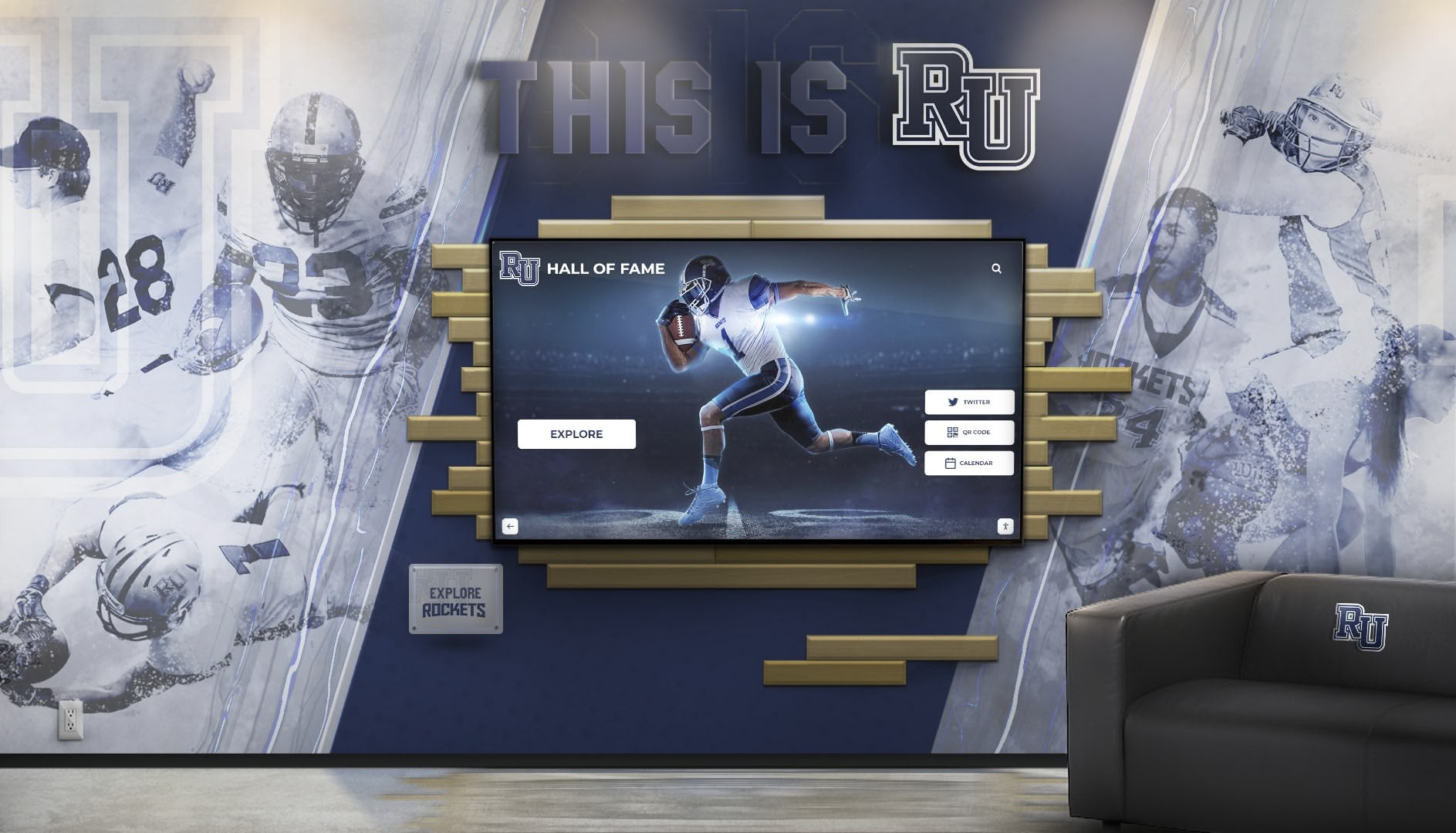
Platform flexibility enables custom branding integration, ensuring lobby touchscreens reinforce rather than compete with existing school identity and design elements
Essential Features for School Lobby Touchscreen Software: The Non-Negotiable Capabilities
Effective interactive display software for school lobbies must deliver specific core capabilities regardless of vendor, pricing model, or platform category. These essential features separate functional solutions from frustrating investments that promise engagement but deliver limitations.
Intuitive Content Management for Non-Technical Users
The best interactive display platform becomes worthless if updating content requires technical expertise, vendor support calls, or lengthy training programs that prevent regular updates. School staff managing lobby touchscreens typically include front office administrators, athletic directors, development coordinators, and communication specialists—professionals with limited time and varying technical comfort levels.
Essential usability features include drag-and-drop content builders requiring no coding knowledge, visual editors showing exactly how content will appear before publishing, template libraries providing starting points for common content types, bulk upload tools for adding multiple items simultaneously, and scheduling systems using calendar interfaces rather than complex rule configurations.
Platforms requiring HTML knowledge, custom scripting, or vendor support for basic updates fail the practical usability test regardless of their theoretical capability claims. Before committing to any platform, request demonstration accounts enabling actual staff members who will manage content to complete realistic update scenarios—not just watching vendor demonstrations where experts make complex tasks appear deceptively simple.
Multi-Purpose Content Flexibility
School lobby touchscreens serve diverse functions throughout the day, year, and institutional calendar. Software platforms must accommodate this variety without requiring separate applications for each content type or forcing schools into restrictive templates that limit creative expression.
Critical flexibility requirements include recognition and achievement showcases displaying hall of fame inductees, championship teams, academic honors, and student excellence; wayfinding and visitor information providing campus maps, building directories, department locations, and event room assignments; event promotion and community calendars highlighting upcoming performances, athletic competitions, parent meetings, and community events; emergency messaging capabilities for lockdown notifications, weather closures, safety instructions, and time-sensitive announcements; and media galleries featuring photos and videos from school events, student projects, performing arts showcases, and community celebrations.
Schools implementing digital display content strategies find that platform versatility directly correlates with display utilization—flexible platforms enable fresh content rotations that keep displays relevant while specialized applications become static installations displaying the same information indefinitely.
Accessibility Compliance and Universal Design
Interactive displays in school lobbies serve diverse audiences including students, families, visitors, and community members with varying abilities. Software platforms must support accessibility standards ensuring all users can access information regardless of physical, visual, or cognitive limitations.
Essential accessibility features include WCAG 2.1 AA compliance for visual contrast ratios, text sizing, and color usage; text-to-speech capabilities reading screen content aloud for users with visual impairments; adjustable text sizing enabling users to increase font sizes without breaking layouts; keyboard and button navigation alternatives for users unable to use touchscreens; and simple, consistent navigation structures reducing cognitive load for all users.
Organizations committed to accessible touchscreen design recognize that accessibility features benefit everyone—larger text improves readability from distance, clear navigation helps hurried users find information quickly, and consistent layouts reduce learning curves across diverse user populations.
Analytics and Engagement Measurement
Schools investing thousands of dollars in lobby touchscreen hardware and software subscriptions deserve quantifiable data demonstrating whether these systems actually engage audiences or simply consume budgets without measurable impact. Effective platforms provide analytics showing which content receives attention and which sits ignored.
Valuable metrics include total interaction counts tracking daily, weekly, and monthly usage; session duration measurements showing how long users engage with displays; content popularity data identifying which sections, profiles, or pages receive the most views; time-of-day usage patterns revealing peak engagement periods and dead zones; and search query logs showing what information users actively seek.
These analytics inform content strategy decisions—sections with high engagement deserve expansion while ignored content needs refreshing or removal. Usage patterns guide scheduling decisions, ensuring high-value content displays during peak traffic periods while specialized content targets specific audience windows.

Scalable software platforms support multiple displays across campus while maintaining centralized content management and consistent branding standards
Platform Evaluation Criteria: Questions to Ask Before Committing
Moving from feature checklists to actual vendor selection requires systematic evaluation using strategic questions that reveal platform limitations before contracts are signed and hardware is installed.
Total Cost of Ownership Analysis
Initial software licensing costs represent only a fraction of the total long-term investment in interactive display platforms. Comprehensive cost analysis must include initial licensing or purchase costs for the software platform, annual subscription fees or maintenance contracts, per-display licensing if charges scale with installation count, content creation costs including staff time, design services, or professional content development, training expenses for onboarding staff across multiple school years as personnel changes, technical support fees for troubleshooting, updates, and assistance requests, and integration costs connecting the platform to existing student information systems, athletic databases, or communication tools.
Platforms with deceptively low initial costs often compensate through expensive ongoing fees, costly professional services requirements, or per-display pricing that becomes prohibitively expensive as schools expand installations across multiple buildings. Request detailed five-year cost projections showing all fees, anticipated price increases, and additional costs for features currently included in competitor platforms.
Vendor Stability and Longevity Considerations
Selecting interactive display software creates multi-year dependencies on vendor organizations whose viability determines your platform’s future. Unlike hardware that continues functioning regardless of manufacturer status, software platforms require ongoing vendor support for updates, security patches, feature enhancements, and technical assistance.
Critical vendor evaluation questions include company operational history and financial stability, customer base size and composition showing market traction, product development roadmap demonstrating ongoing investment, technical support structure including response times and availability, and data portability provisions enabling content migration if platform changes become necessary.
Small vendors may offer attractive pricing and personalized attention but carry higher abandonment risk if products fail to achieve sustainable market adoption. Larger vendors provide stability but may neglect smaller educational customers while prioritizing enterprise clients. Balance size considerations against product fit, feature alignment, and demonstrated commitment to the education market specifically.
Content Ownership and Data Portability
Schools investing hundreds of hours creating profiles, uploading photos, writing descriptions, and organizing content deserve clarity about ownership rights and export capabilities before platform lock-in makes switching prohibitively expensive.
Essential contract provisions include explicit content ownership confirming schools retain rights to all uploaded materials, comprehensive export capabilities providing standard formats (CSV, JSON, XML) for all content including text, images, and metadata, post-cancellation access periods allowing content retrieval after subscription termination, and API availability enabling programmatic content access for integration with other systems.
Platforms without clear data portability create vendor lock-in where accumulated content investment makes switching platforms so costly that schools accept subpar performance, outdated features, and escalating pricing rather than losing years of content development work.
Integration Capabilities with Existing School Systems
Lobby touchscreens displaying student achievements, athletic statistics, honor roll recognition, or event schedules benefit enormously from automated data connections with existing school databases rather than requiring manual duplication of information already maintained elsewhere.
Evaluate integration capabilities including student information system (SIS) connections for automatic honor roll updates, achievement imports, and demographic data; athletic management platform links for automatic statistics updates, roster information, and season schedules; event calendar integrations automatically promoting upcoming school activities; content management system connections enabling website-to-display content sharing; and single sign-on authentication using existing school credentials rather than creating separate login systems.
Schools implementing digital recognition programs find that platforms integrating with existing data sources dramatically reduce content management workload while ensuring displayed information remains current and accurate across all systems simultaneously.
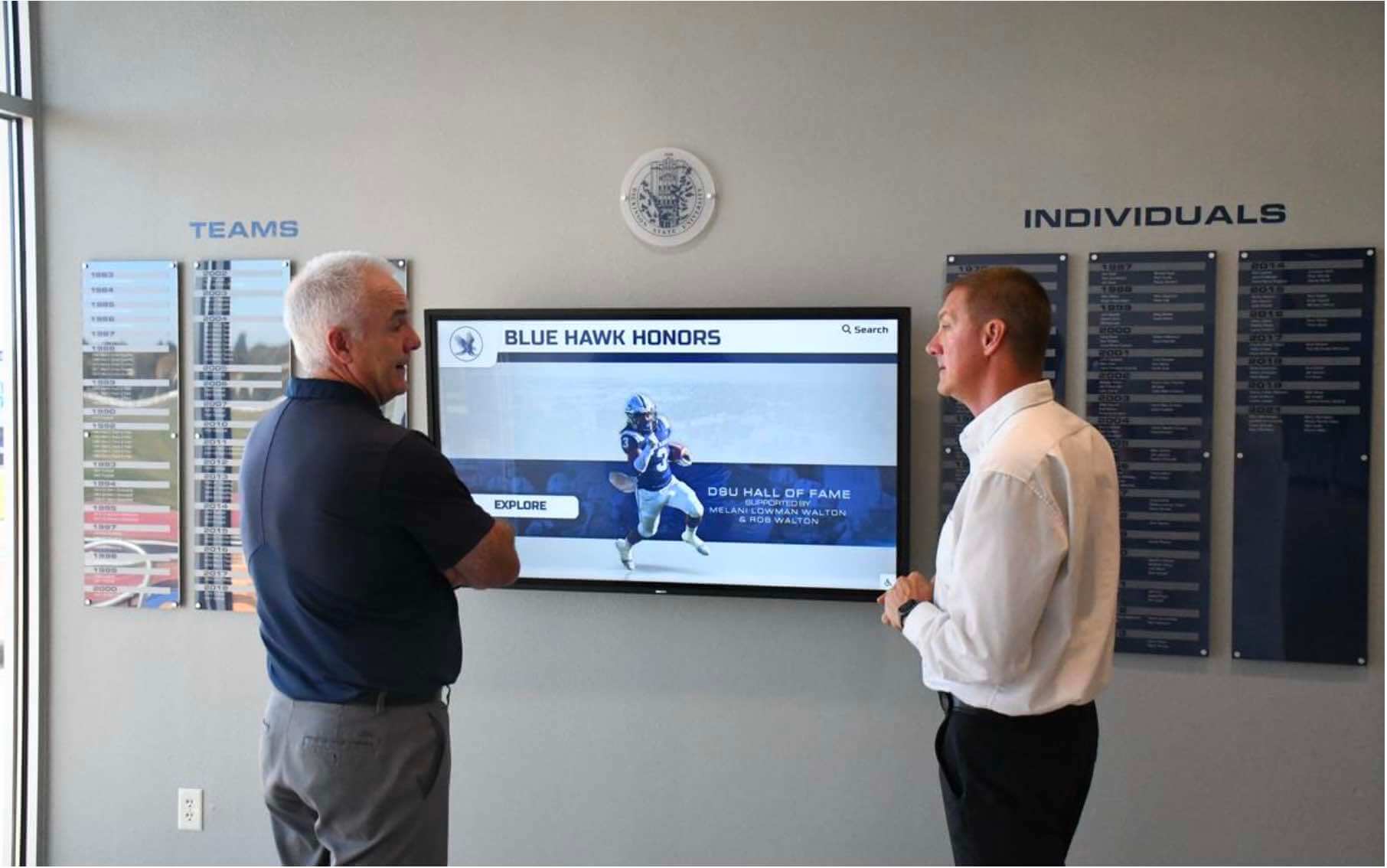
Effective training programs and intuitive interfaces enable diverse staff members to manage content independently without requiring technical expertise or vendor support
Common Software Platform Pitfalls: Avoiding Expensive Mistakes
Understanding what to seek in interactive display software matters less than recognizing what to avoid—the seemingly attractive features, pricing structures, and vendor promises that create problems only discovered after implementation when switching costs make escape difficult.
Template Limitations Disguised as Design Options
Many interactive display platforms advertise “customizable templates” and “flexible design options” while imposing rigid structural constraints that prevent schools from creating displays reflecting their unique brand identity, content priorities, and aesthetic preferences.
Warning signs include template libraries where every design looks fundamentally similar despite color variations, customization options limited to logo placement and color scheme changes, rigid content hierarchies forcing unnatural information organization, predetermined screen layouts preventing custom spatial arrangements, and media restrictions limiting image dimensions, video lengths, or file format options.
Schools discover these limitations only after committing to platforms and investing hours in content creation, at which point the accumulated work makes starting over with different software prohibitively expensive. During evaluation, request the ability to create mockups matching your specific vision rather than adapting to vendor templates—platforms that can’t accommodate your design preferences during sales demonstrations certainly won’t provide flexibility after contracts are signed.
Hidden Per-Feature Costs and Upgrade Tiers
Platform pricing advertised during initial sales conversations often represents minimal baseline functionality with essential capabilities hidden behind expensive upgrade tiers or per-feature charges that transform seemingly affordable solutions into budget-breaking investments.
Common hidden costs include unlocking additional displays beyond initial hardware, enabling multimedia content including videos or audio, accessing analytics and engagement reporting, utilizing mobile access or remote management, integrating with external data sources, and receiving technical support beyond basic troubleshooting.
Before committing to any platform, request detailed feature matrices showing exactly which capabilities are included at each pricing tier, identify must-have features for your use case, and calculate total costs including all required capabilities rather than comparing baseline pricing alone. Schools implementing touchscreen kiosk solutions often find that transparent all-inclusive pricing ultimately costs less than tiered platforms requiring constant upgrade purchases.
Inadequate Training and Onboarding Support
Interactive display software effectiveness depends entirely on whether staff members responsible for content updates actually understand how to use the platform. Vendors offering minimal training create situations where expensive software sits underutilized because the few staff members trained initially have since departed, leaving current personnel unable to make updates without costly professional service requests.
Evaluate training provisions including initial onboarding session duration and comprehensiveness, documentation quality with searchable help systems, video tutorials, and written guides, ongoing training availability for new staff members hired after initial implementation, technical support responsiveness and availability during content creation work, and user community resources including forums, example galleries, and peer support opportunities.
Platforms with strong training ecosystems enable content management responsibility to transfer smoothly across staff transitions, preventing the common scenario where lobby touchscreens become static installations displaying outdated content because no current employee understands how to update them.
Vendor Lock-In Through Proprietary Hardware Requirements
Some interactive display software platforms restrict usage to specific hardware manufacturers or vendors, creating dependencies that limit upgrade options, inflate hardware costs, and prevent competitive bidding for future equipment purchases.
Warning signs include required hardware purchase through the software vendor rather than independent selection, incompatibility with standard commercial displays requiring proprietary equipment, software-hardware bundling preventing separate procurement, and limited hardware vendor options restricting competitive pricing.
Schools benefit from software platforms that function on standard commercial touchscreen hardware from any manufacturer, enabling competitive procurement processes, hardware upgrade flexibility as technology improves, and vendor diversification reducing dependency risk. Platforms married to specific hardware create expensive, inflexible ecosystems that become increasingly costly as schools expand installations across multiple locations.
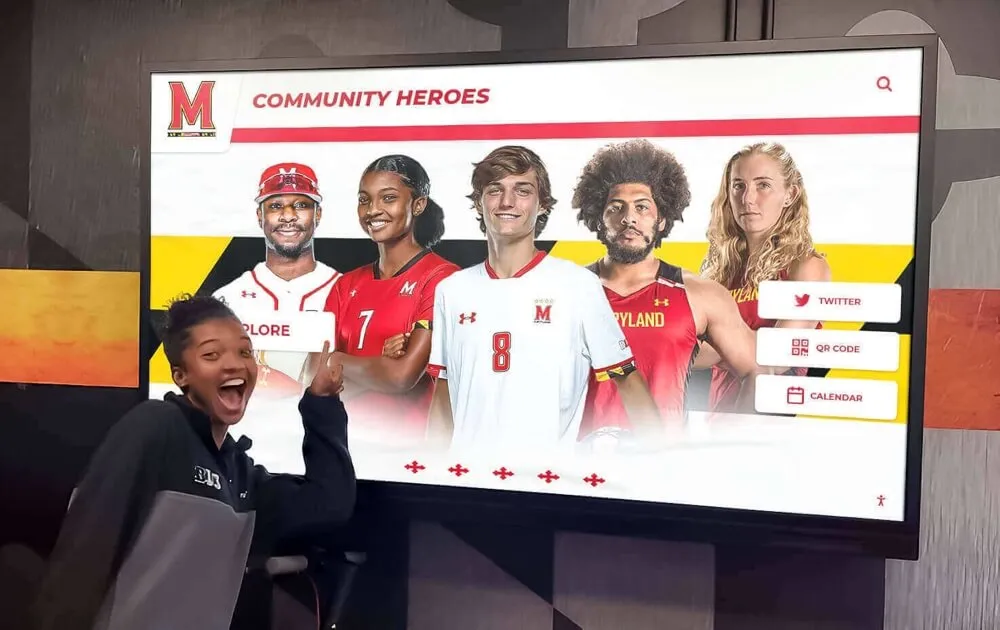
Student-friendly interfaces encourage organic exploration and self-directed learning, transforming lobby displays from administrator communication tools into student engagement platforms
Specialized Software for Recognition and Achievement Displays
While general-purpose digital signage platforms serve basic announcement and wayfinding needs, schools prioritizing recognition and achievement celebration benefit from purpose-built software designed specifically for hall of fame, donor recognition, athletic achievement, and academic honor applications.
Purpose-Built Recognition Platforms vs. Generic Digital Signage
Generic digital signage software treats all content types identically—whether displaying lunch menus, event calendars, or hall of fame inductees, the same slideshow templates and static layout tools apply. This one-size-fits-all approach fails to accommodate the unique requirements of recognition content including individual profile pages with biographical narratives and achievement details, searchable databases enabling visitors to locate specific inductees instantly, filter and sort capabilities organizing content by year, sport, achievement type, or other criteria, unlimited capacity scaling accommodating decades of honorees without storage constraints, and interactive navigation encouraging exploration rather than passive viewing.
Purpose-built recognition platforms like Rocket Alumni Solutions provide specialized features including automatic athlete statistic imports, championship team rosters with individual player profiles, searchable alumni directories with career accomplishment tracking, donor recognition galleries with contribution history and impact statements, and academic achievement showcases celebrating intellectual excellence alongside athletic success.
Schools implementing comprehensive academic recognition programs find that specialized software designed explicitly for recognition applications delivers engagement levels impossible with generic slideshow platforms treating hall of fame inductees as identical to lunch menu announcements.
Features Specific to Recognition Applications
Recognition-focused interactive display software requires capabilities beyond standard digital signage including comprehensive profile management supporting unlimited inductees with rich biographical content, photo galleries for each individual showing career progression and memorable moments, achievement categorization enabling visitors to browse by sport, activity, year, or recognition type, search functionality allowing quick location of specific individuals without endless scrolling, championship team documentation preserving entire rosters with season narratives and playoff progression, record board tracking with automatic leader updates as current athletes approach historical marks, donor contribution displays organizing supporters by giving level with tasteful privacy controls, and alumni career tracking showcasing post-graduation professional, civic, and creative accomplishments.
These specialized features transform lobby touchscreens from static announcement boards into interactive institutional memory systems where current students discover inspiring role models, visitors learn organizational history, and communities celebrate the cumulative excellence spanning decades of achievement. Organizations implementing digital donor recognition solutions report that interactive platforms generate significantly higher engagement than traditional plaques while accommodating unlimited supporters without physical space constraints.
Content Volume Considerations and Unlimited Capacity
Schools with rich athletic traditions, extensive academic honor programs, significant alumni accomplishment histories, or comprehensive donor recognition needs quickly exceed the capacity limitations of platforms designed for basic digital signage applications. Profile databases with hundreds or thousands of individuals require software architecture optimized for large-scale content management and performant search functionality rather than simple slideshow rotation.
Critical scalability features include unlimited profile capacity without per-inductee charges or artificial caps, performant search and filter functions handling thousands of entries instantly, batch import tools uploading hundreds of profiles simultaneously rather than requiring individual entry, media storage supporting thousands of photos and videos without expensive storage upgrades, and responsive interfaces maintaining performance as content libraries grow across decades of additions.
Schools implementing lobby touchscreens should project content needs not just for initial launch but for 10-20 years of continuous additions, ensuring selected platforms accommodate long-term growth without requiring expensive migrations when databases exceed initial expectations. Platforms advertising “unlimited” capacity should demonstrate actual implementations with thousands of profiles rather than theoretical claims untested by real-world use.
Implementation Planning: Setting Up for Long-Term Success
Selecting appropriate interactive display software represents only the first step toward effective lobby touchscreen implementation. Strategic planning for content creation, staff training, update workflows, and ongoing management determines whether installations deliver sustained value or become neglected displays showing stale information.
Defining Content Strategy Before Platform Selection
Schools often approach interactive display software selection by evaluating features and pricing without first defining what content they actually want to display, how frequently updates will occur, who will manage content, and what success looks like for their specific installation. This backwards approach leads to platforms that technically function but fail to serve actual organizational needs.
Effective implementation planning begins with strategic questions including what primary purposes should the lobby touchscreen serve (recognition, wayfinding, event promotion, visitor orientation), what specific content types will display (hall of fame profiles, championship teams, event calendars, campus maps, emergency alerts), how frequently different content sections require updates (daily event changes versus static historical content), which staff members or departments will create and manage content, what design standards and branding guidelines must the display reflect, and what metrics will indicate successful implementation versus wasted investment.
Answering these questions first enables platform evaluation focused on actual requirements rather than being dazzled by impressive features you’ll never use while missing essential capabilities your specific use case demands. Organizations planning comprehensive display solutions for schools discover that clear functional requirements dramatically improve software selection outcomes compared to feature-based evaluation without strategic context.
Building Content Libraries and Launch Preparation
Interactive display effectiveness correlates directly with content depth and quality at launch. Touchscreens displaying sparse information with placeholder graphics and “coming soon” sections create poor first impressions that discourage engagement and establish patterns of neglect difficult to overcome even after content improves.
Successful implementation requires dedicated preparation periods where teams build comprehensive content libraries before hardware installation, including complete initial sets of hall of fame profiles, achievement showcases, or recognition content; professional-quality photography for all individuals, teams, and featured content; written narratives, biographical information, and achievement descriptions for context; organizational frameworks including categories, tags, and navigation structures; and scheduled content rotations ensuring displays show fresh information without requiring constant emergency updates.
Schools should allocate 2-4 months for content preparation before lobby touchscreen installation, enabling launches with rich, engaging displays rather than minimal content promising future additions that may never materialize as staff attention shifts to other priorities.
Establishing Sustainable Update Workflows
The most common failure mode for lobby touchscreens involves initial launches with comprehensive content followed by gradual neglect as busy staff struggle to maintain updates alongside competing priorities. Sustainable success requires established workflows assigning clear responsibilities and realistic update cadences.
Effective update workflows include designated content coordinators for each section or department, scheduled review periods (quarterly for static content, weekly for event information) ensuring regular freshness checks, standardized templates and style guides enabling multiple contributors to maintain consistent quality, streamlined approval processes preventing bureaucratic bottlenecks, and automated content feeds reducing manual update requirements wherever possible.
Organizations implementing staff recognition programs find that clear workflows and distributed responsibility prevent individual staff burnout while ensuring accountability for keeping displays current across all content sections.
Making the Final Decision: Evaluating Interactive Display Software Options
Equipped with evaluation frameworks, essential feature understanding, pitfall awareness, and implementation planning foundations, schools can now systematically evaluate specific interactive display software platforms using structured comparison approaches rather than relying on sales presentations and feature checklists alone.
Conducting Meaningful Product Demonstrations
Vendor demonstrations often showcase ideal scenarios using polished demo content that masks real-world complexity, training requirements, and workflow friction. Effective product evaluation requires hands-on experience with platforms using your actual content, your staff members, and your specific use cases.
Request demonstration approaches including extended trial periods where designated staff members use platforms independently, opportunities to upload sample content matching your specific needs rather than viewing generic demos, access for multiple team members revealing learning curves and usability across skill levels, creation of specific content types you plan to implement (hall of fame profiles, championship team displays, event calendars), and simulation of common update scenarios (adding new inductees, changing event information, updating photos).
These realistic trials reveal platform limitations, training requirements, and workflow friction invisible during polished vendor presentations. Schools evaluating trophy case display solutions discover that actual hands-on experience provides dramatically more insight than watching vendor experts demonstrate their own platforms.
Checking References and Existing Implementations
Current customers provide invaluable perspectives on real-world platform performance, vendor support quality, hidden costs, and long-term satisfaction unavailable from marketing materials and sales conversations. Reference checks should explore not just initial implementation but sustained multi-year experience.
Critical reference questions include how long they’ve used the platform and whether they’re satisfied enough to renew, what unexpected challenges emerged during implementation or ongoing use, whether actual costs matched initial projections or grew through additional fees, how responsive and helpful vendor support has been when issues arise, what features they wish the platform included or what limitations they’ve encountered, how staff training and transition has worked as personnel changed, and whether they would select the same platform if making the decision again today.
References selected by vendors naturally skew positive, so seek opportunities to speak with customers beyond the provided reference list, explore user forums and online reviews, and identify schools with similar sizes, needs, and use cases to your own situation.
Balancing Cost Against Long-Term Value
Interactive display software purchasing decisions often focus excessively on minimizing initial costs without adequately weighing long-term value delivered through staff time savings, engagement outcomes, content flexibility, and vendor support quality. The cheapest platform frequently becomes the most expensive choice when ongoing professional services, frustrated staff, stale content, and eventual replacement costs are factored across multi-year implementations.
Comprehensive value analysis considers total cost of ownership including all fees across 5+ years, staff time requirements for content creation and updates, training needs for initial implementation and ongoing personnel transitions, engagement quality and audience reach delivered, flexibility for expanding to additional displays or new content types, and vendor support quality reducing internal IT support burden.
Platform investments should align with institutional priorities—schools emphasizing recognition and community engagement justify premium purpose-built solutions while organizations with basic wayfinding needs may find simpler platforms adequate. Neither cheap nor expensive platforms inherently represent better value without context of specific requirements and strategic priorities.
Conclusion: Transforming Lobby Touchscreens Through Strategic Software Selection
Interactive display software determines whether school lobby touchscreens become vibrant engagement platforms celebrating achievement, orienting visitors, and strengthening community identity or expensive hardware showing stale slides that everyone ignores. Platform selection deserves the same strategic rigor applied to other major technology investments, balancing features, costs, usability, vendor stability, and long-term flexibility against specific institutional needs rather than accepting the first plausible option or defaulting to the cheapest price.
Schools beginning software evaluation should start by defining clear content strategies, identifying specific use cases, establishing realistic update workflows, and determining success metrics before exploring platform options. This strategic foundation enables evaluation focused on actual requirements rather than being distracted by impressive capabilities you’ll never use while missing essential features your situation demands.
Effective interactive display software delivers intuitive content management enabling non-technical staff to maintain fresh, engaging content independently; flexible design capabilities reflecting your unique brand identity rather than forcing generic templates; scalable architecture accommodating growth from single installations to multi-display campus networks; comprehensive analytics measuring actual engagement rather than assuming value; and transparent, predictable pricing without hidden fees or forced upgrades.
Purpose-built recognition platforms like Rocket Alumni Solutions provide specialized capabilities for schools prioritizing hall of fame, athletic achievement, academic honor, and donor recognition applications, offering unlimited profile capacity, advanced search functionality, automatic data imports, and interactive exploration features impossible with generic digital signage platforms treating all content types identically.
Strategic software selection transforms lobby touchscreens from passive displays into active engagement platforms that welcome visitors, inspire students, celebrate achievements, orient families, recognize supporters, and communicate institutional identity with every interaction. The platform you choose today will shape these experiences for years to come—invest the time to choose wisely.
Ready to transform your school lobby with interactive display software designed specifically for recognition and engagement? Explore Rocket Alumni Solutions to discover purpose-built platforms that celebrate achievement while simplifying content management for busy school staff.































