




Budget transparency remains the single biggest frustration school administrators face when researching interactive touchscreen kiosks. Vendors frequently require scheduled sales calls before revealing pricing, published estimates omit critical cost components like installation and ongoing licensing, and educational technology budgets lack clear benchmarks for what districts should actually expect to spend on comprehensive kiosk implementations.
This pricing opacity creates serious problems for school technology directors and administrative teams planning capital expenditures or technology refreshes. Without accurate cost information, districts struggle to determine whether interactive kiosks fit current budgets, how many displays specific allocations support, what features various price points enable, and whether quoted proposals represent fair market value or inflated pricing capitalizing on buyer information gaps. The result is delayed decision-making, missed budget cycle opportunities, or worse—purchasing decisions based on incomplete cost understanding leading to surprise expenses after commitments are made.
This comprehensive guide provides transparent interactive school touchscreen kiosk pricing for 2026 covering hardware costs across different display types and sizes, software licensing models and ongoing subscription expenses, installation and infrastructure requirements, total cost of ownership calculations, budget planning frameworks, and cost-reduction strategies helping districts maximize value from kiosk investments. Whether evaluating initial proposals, comparing vendor quotes, or building multi-year technology budgets, you’ll gain clear pricing benchmarks supporting informed purchasing decisions aligned with actual institutional needs and financial constraints.
Districts that conduct thorough pricing research before vendor engagement report negotiating 15-30 percent better pricing than those entering conversations without market knowledge. Understanding typical cost structures, questioning line items that exceed benchmarks, and recognizing when quoted pricing includes unnecessary premium features transforms the purchasing process from opaque sales presentations into transparent value assessments.

Interactive touchscreen kiosks represent significant investments requiring careful budget planning and total cost of ownership analysis
Understanding Interactive Touchscreen Kiosk Cost Components
Before examining specific pricing, understanding what drives total costs helps districts evaluate proposals accurately and identify hidden expenses that surface after purchase decisions are finalized.
Hardware Costs: Displays, Enclosures, and Mounting
Hardware represents the most visible cost component and varies dramatically based on specifications matching intended applications and installation environments.
Touchscreen Display Panels
Commercial-grade touchscreen displays suitable for educational environments range from $800-$4,500 depending on size, resolution, touch technology, and durability specifications. Standard 32-inch displays with basic capacitive touch cost approximately $800-$1,200, while 43-inch displays with commercial-grade panels run $1,400-$2,200. Large-format 55-inch touchscreens with enhanced brightness for high-ambient-light locations cost $2,500-$3,500, and premium 65-inch displays with ruggedized touch surfaces designed for heavy-use educational applications reach $3,500-$4,500.
Display longevity directly affects total cost of ownership. Consumer-grade panels rated for 8-12 hours daily use fail prematurely in school environments operating 12-16 hours daily, requiring premature replacement that eliminates any initial savings from lower purchase prices. Commercial displays rated for 16-18 hours continuous operation provide appropriate durability for educational installations.
Kiosk Enclosures and Mounting Solutions
Protective enclosures and mounting systems add $400-$2,500 to hardware costs depending on complexity and security requirements. Wall-mount brackets for displays in protected indoor locations cost $200-$500 including installation hardware. Protective enclosures with tamper-resistant fasteners and cable management for hallway installations run $600-$1,200. Freestanding floor kiosks with weighted bases, integrated cable routing, and ADA-compliant height adjustment cost $1,200-$2,000. Premium custom-fabricated enclosures matching architectural finishes or school branding elements reach $2,000-$3,500.
Schools installing displays in high-traffic areas without adequate protection experience higher vandalism rates and accidental damage requiring expensive repairs. Investing in appropriate enclosures during initial installation proves more cost-effective than addressing damage claims after deployment.

Freestanding kiosk enclosures provide flexibility for placement in various locations while protecting expensive touchscreen hardware
Computing Hardware and Media Players
Interactive kiosks require dedicated computing devices running display software and managing touch interactions. Budget options include Android-based media players costing $150-$400 suitable for basic content display and simple interactive navigation. Mid-range Windows mini PCs priced at $400-$800 support more sophisticated applications including database integration and advanced interactive features. High-performance commercial-grade computers costing $800-$1,500 provide capabilities for demanding applications like real-time data visualization or resource-intensive multimedia presentations.
Computing specifications should match software requirements and intended applications. Underpowered devices create frustrating user experiences with slow touch responses and laggy navigation undermining kiosk effectiveness, while over-specified computers waste budget on unnecessary performance capabilities.
Peripheral Devices and Accessories
Additional hardware components supporting specific use cases add incremental costs. Barcode scanners for visitor check-in applications cost $80-$250. Badge printers producing visitor identification cards run $200-$600 plus ongoing consumable costs for badge stock and ribbons. Contactless card readers for student authentication cost $100-$350. External speakers for audio content in noisy environments add $50-$200. Webcams supporting video conferencing or wayfinding features cost $60-$180.
Schools should budget for peripherals supporting planned applications rather than purchasing base kiosks requiring expensive retrofits when additional capabilities become necessary later.
Software Licensing and Subscription Costs
Software costs represent ongoing expenses requiring annual budget allocation rather than one-time capital expenditures.
Per-Display Licensing Models
Many interactive kiosk software platforms charge monthly or annual fees per active display ranging from $40-$180 monthly per screen depending on feature sophistication, content management capabilities, and support inclusions. Basic digital signage software with simple content rotation costs approximately $40-$70 monthly per display. Mid-tier platforms supporting interactive touch navigation, content management systems, and basic analytics run $70-$120 monthly per screen. Comprehensive solutions with advanced content management, database integration, multi-site administration, and premium support cost $120-$180 monthly per display.
Per-display pricing scales linearly with deployment size potentially creating substantial ongoing costs for districts implementing comprehensive multi-building kiosk networks. A school deploying 10 interactive kiosks pays $400-$1,800 monthly ($4,800-$21,600 annually) in software subscriptions under typical per-display licensing structures. Districts managing tight athletic budgets find these recurring costs challenging when software fees consume budget otherwise allocated to program operations.
Institution-Wide Platform Fees
Alternative providers offer flat institutional licensing regardless of display quantity, typically charging $2,400-$8,000 annually based on school enrollment size and feature requirements. This pricing structure benefits districts planning multi-location deployments since per-display costs decrease substantially as kiosk quantities increase. A high school purchasing unlimited-display software for $4,800 annually across 10 kiosks pays only $480 annually per display—significantly less than typical $840-$2,160 per-screen costs under per-display licensing models.
Unlimited display licensing removes budget disincentives against expanding successful pilot programs to additional locations when initial deployments demonstrate value. Schools can add kiosks strategically without incurring proportional software cost increases, encouraging comprehensive implementations serving more students and community members. Understanding different pricing structures helps districts select models matching deployment scale and budget constraints.
One-Time Perpetual Licensing Options
Some educational technology vendors offer perpetual software licenses with one-time purchase fees ranging from $2,000-$6,000 per installation plus optional annual support and update contracts costing 15-25 percent of initial license fees. While perpetual licensing eliminates recurring subscription expenses, schools should carefully evaluate whether included features match long-term needs, what happens when software support ends, whether platforms continue receiving security updates, and how perpetual licenses restrict future flexibility if requirements change.
Technology evolution cycles typically render perpetual software licenses obsolete within 5-7 years as platforms supporting current operating systems, security standards, and integration requirements emerge. Schools purchasing perpetual licenses should calculate whether 5-7 year total costs actually prove lower than equivalent subscription periods before committing to one-time purchases.

Intuitive software interfaces encourage community engagement with school recognition content, making software quality essential for ROI
Installation and Infrastructure Expenses
Professional installation and necessary infrastructure upgrades represent often-underestimated cost components that surface after hardware and software decisions are finalized.
Professional Installation Labor
Qualified A/V integrators charge $800-$2,500 per kiosk installation depending on complexity, mounting requirements, and facility conditions. Basic wall mounting for displays in locations with existing electrical outlets and convenient cable routing costs approximately $800-$1,200 per unit. Standard installations requiring moderate electrical work, in-wall cable concealment, and basic enclosure assembly run $1,200-$1,800 per display. Complex installations in challenging locations requiring extensive electrical upgrades, structural mounting reinforcement, or specialized weatherproofing for outdoor applications cost $1,800-$2,500 per kiosk.
Attempting DIY installation to reduce costs frequently creates problems including improper mounting creating safety hazards, inadequate cable management producing unprofessional appearances, inefficient power configurations causing electrical issues, and voided hardware warranties when unauthorized installation damages equipment. Professional installation costs represent sound investments protecting expensive hardware while ensuring safe, code-compliant deployments.
Electrical Infrastructure and Network Connectivity
Each interactive kiosk requires dedicated electrical service and network connectivity that may not exist in desired installation locations. Running new electrical circuits costs $200-$800 per location depending on distance from electrical panels and construction complexity. Network cable installation for wired Ethernet connections adds $150-$500 per location based on distance and pathway accessibility. Fiber optic runs for locations distant from network infrastructure can reach $800-$2,000 per connection in challenging installations.
Schools with robust existing infrastructure face lower installation costs than those requiring extensive electrical and network upgrades to support kiosk deployments. Site surveys identifying infrastructure gaps before purchasing hardware prevent surprise expenses derailing project budgets.
Permits, Inspections, and Compliance Costs
Many jurisdictions require electrical permits for new circuit installations, inspections verifying code compliance, and accessibility reviews ensuring ADA conformance. Permit fees typically range from $50-$300 per installation depending on local requirements. Electrical inspection costs add $100-$400 per project. Accessibility consultants reviewing kiosk height, reach ranges, and interaction patterns charge $400-$1,200 for comprehensive project reviews.
Failing to budget for required permits and inspections creates project delays when installations cannot proceed legally, or worse—liability exposure if non-compliant installations cause injuries or discrimination complaints from users with disabilities.
Content Creation and Management Costs
Interactive kiosks require compelling content delivering value justifying installation investments—content creation represents often-overlooked budget requirements.
Initial Content Development
Launching new interactive kiosks requires developing initial content libraries including achievement databases for recognition applications costing $1,500-$5,000 depending on historical depth and data cleanup requirements, professional photography and videography running $800-$3,000 for comprehensive session coverage, graphic design for templates and branded elements adding $600-$2,500, wayfinding map creation costing $400-$1,500 for interactive campus navigation, and copywriting for informational content adding $300-$1,200 for comprehensive messaging development.
Schools often underestimate content development work required to populate new kiosks, launching displays with placeholder content promising “more coming soon” that never materializes. Budget adequate content development resources during implementation ensuring kiosks provide immediate value from deployment rather than sitting empty while content creation catches up.
Ongoing Content Management Resources
Maintaining current, engaging kiosk content requires dedicated staff time or contracted services. Schools typically allocate 5-15 hours monthly for content management depending on kiosk quantities and content complexity. Internal staffing costs vary by personnel salary levels but typically represent $400-$1,200 monthly in labor allocation. Contracted content management services cost $300-$1,500 monthly based on update frequency and content volume.
Neglecting ongoing content management allows kiosks to display stale information undermining user trust and engagement. Budget sustainable content management approaches matching institutional capacity before implementing interactive displays requiring regular attention.
2026 Interactive Touchscreen Kiosk Pricing Benchmarks by Configuration
Understanding typical pricing for complete kiosk packages helps districts evaluate vendor proposals and identify fair market pricing.
Basic Recognition Kiosk (Entry-Level Configuration)
Hardware Components:
- 32-inch commercial touchscreen display: $1,000
- Wall-mount bracket and cables: $300
- Android media player: $250
- Installation labor: $900
- Electrical work (minimal): $200
Software:
- Recognition platform (annual subscription): $960
- Initial content setup: $1,500
First-Year Total Cost: $5,110 Year 2+ Annual Cost: $960 (software subscription only)
This entry configuration suits schools testing interactive recognition concepts, supplementing existing trophy cases with digital enhancements, or operating under severe budget constraints. Limited screen size restricts group viewing, but functionality proves adequate for individual browsing of achievement databases.
Standard Interactive Kiosk (Mid-Range Configuration)
Hardware Components:
- 43-inch commercial touchscreen display: $1,800
- Protective wall-mount enclosure: $800
- Windows mini PC: $600
- Professional speakers: $120
- Installation labor: $1,400
- Electrical and network infrastructure: $500
Software:
- Comprehensive interactive platform (annual unlimited displays): $4,800
- Content development and photography: $2,500
First-Year Total Cost: $12,520 Year 2+ Annual Cost: $4,800 (software subscription only)
Standard configurations represent the most common school deployment serving multiple applications including recognition, wayfinding, announcements, and event information. Screen size accommodates small group viewing while comprehensive software supports diverse content types and interactive features. Exploring complete buying guides helps districts understand full capability expectations at this price point.

Mid-range kiosk installations balance functionality with budget constraints while providing professional appearances matching school aesthetics
Premium Freestanding Kiosk (High-End Configuration)
Hardware Components:
- 55-inch commercial touchscreen display: $3,200
- Custom freestanding enclosure with branding: $2,400
- High-performance Windows PC: $1,200
- Integrated audio system: $300
- Professional installation: $2,000
- Infrastructure upgrades: $800
Software:
- Enterprise interactive platform (annual): $4,800
- Custom content development: $4,000
- Annual content management service: $6,000
First-Year Total Cost: $24,700 Year 2+ Annual Cost: $10,800 (software + content management)
Premium configurations serve flagship installations in main entrances, athletic lobbies, or performing arts centers where kiosks create first impressions for visitors while serving as focal recognition elements. Large display sizes support group viewing, custom enclosures match architectural finishes, and comprehensive content management ensures consistently fresh, engaging information. Districts comparing turnkey pricing options find premium configurations include full-service content management reducing internal staff burden.
Multi-Kiosk Network (5-Display Implementation)
Hardware Components (per kiosk average):
- 43-inch displays with protective enclosures: $2,400
- Computing hardware and peripherals: $650
- Installation labor (volume pricing): $1,100
- Infrastructure per location: $400
Per-Kiosk Hardware Cost: $4,550 5-Kiosk Hardware Total: $22,750
Software (covering all 5 displays):
- Unlimited-display platform (annual): $4,800
- Central content management: $8,000
- Initial content development: $3,500
First-Year Total Cost: $39,050 Per-Kiosk First-Year Cost: $7,810 Year 2+ Annual Cost: $12,800 (all 5 displays) Per-Kiosk Year 2+ Cost: $2,560
Multi-kiosk implementations achieve economies of scale through volume installation pricing, shared software costs across displays, and centralized content management spreading fixed costs across multiple installations. Per-display costs decrease substantially compared to single-kiosk deployments making comprehensive networks more budget-feasible than incremental single-unit purchases suggest. Understanding school-specific pricing structures helps districts plan realistic multi-location budgets.
Total Cost of Ownership: Beyond Purchase Price
Accurately budgeting for interactive kiosks requires calculating comprehensive 5-year total cost of ownership rather than focusing solely on initial acquisition expenses.
Five-Year TCO Calculation for Standard Configuration
Initial Investment (Year 1):
- Hardware and installation: $5,220
- Software subscription (Year 1): $4,800
- Content development: $2,500
- Year 1 Total: $12,520
Ongoing Costs (Years 2-5):
- Software subscription (annual): $4,800
- Content management (annual): $1,200
- Minor maintenance (annual average): $200
- Annual Years 2-5: $6,200
- 4-Year Total: $24,800
5-Year Total Cost of Ownership: $37,320 Annualized Cost: $7,464
This TCO analysis reveals that initial hardware represents only 14% of five-year costs, while software subscriptions constitute 64% and content management 16% of total expenditures. Districts focusing exclusively on minimizing hardware costs while overlooking software and content expenses make poor value decisions optimizing the smallest cost component while ignoring the largest.
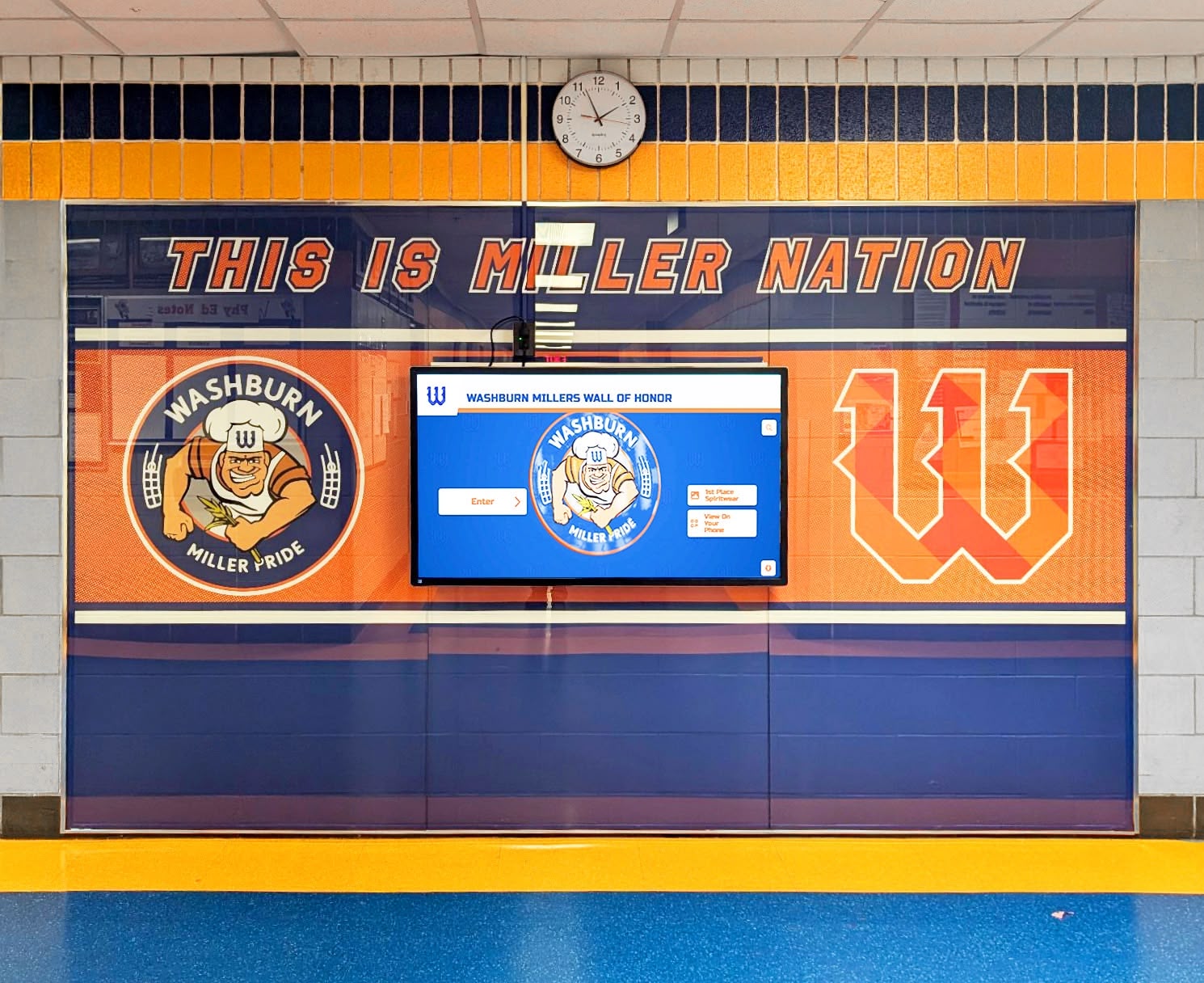
Professional installations integrated with existing décor provide lasting value across multi-year ownership periods
Hidden Costs Frequently Overlooked
Technology Refresh Requirements
Commercial touchscreen displays provide 5-8 year useful lifespans before requiring replacement due to normal component degradation, technological obsolescence, or physical wear from continuous student interaction. Districts should budget $700-$1,200 annually (10-15% of hardware cost) for eventual replacement reserves ensuring funds availability when hardware refreshes become necessary.
Failing to plan for technology refresh creates crisis situations when aging displays fail, forcing reactive emergency purchases at unfavorable pricing rather than strategic planned replacements negotiated during budget-favorable periods.
Software Version Upgrades and Migration Costs
Platforms occasionally require major version upgrades involving data migration, content reformatting, additional training, or temporary service interruptions. Budget $800-$2,000 every 2-3 years for upgrade-related expenses including potential consulting assistance, temporary content services during transitions, and staff training on new features or revised interfaces.
Support and Troubleshooting Costs
While many software subscriptions include basic support, on-site hardware troubleshooting, urgent after-hours assistance, or specialized integration support may require additional service contracts costing $600-$1,500 annually or individual incident fees ranging from $150-$400 per call for non-routine support requests.
Content Storage and Bandwidth Costs
Interactive kiosks displaying rich multimedia content including high-resolution photos, videos, and dynamic data feeds consume substantial storage and network bandwidth. Cloud storage expenses for large media libraries cost $200-$800 annually depending on volume. Bandwidth charges for kiosks streaming video content can add $100-$500 annually in locations with metered connectivity.
Accessibility Compliance Consultations
Periodic accessibility audits ensuring continued ADA compliance as content and features evolve cost $400-$1,200 every 2-3 years. Remediation work addressing identified gaps adds incremental expenses ensuring all community members can access kiosk information and services regardless of disabilities.
Budget Planning Strategies for School Districts
Strategic budget approaches help districts implement interactive kiosks despite fiscal constraints while maximizing value from limited technology allocations.
Phased Implementation Approaches
Rather than attempting comprehensive installations beyond current budget capacity, districts can implement strategic phased deployments spreading costs across multiple budget cycles while building institutional knowledge and user engagement gradually.
Year 1: Pilot and Proof of Concept
Initial deployments focus on single flagship installations in highest-visibility locations like main entrances or athletic lobbies. Budget $10,000-$15,000 for premium configurations demonstrating full capabilities while gathering usage data, user feedback, and engagement metrics supporting future expansion funding requests. Successful pilots showing measurable engagement and positive community response provide compelling evidence for subsequent budget allocations.
Year 2: Targeted Expansion
Second-year budgets adding 2-3 additional kiosks in strategic secondary locations cost approximately $15,000-$25,000 leveraging existing content libraries and institutional expertise from pilot deployments reducing per-unit costs. Expansion focuses on locations serving different user populations or applications validating versatility while building comprehensive usage data.
Year 3+: Systematic Coverage
Subsequent years systematically extend kiosk networks across all buildings, grade levels, and key decision points creating comprehensive coverage. Annual expansion budgets of $20,000-$40,000 add 3-6 displays annually achieving 15-25 total kiosks over 5-year implementation periods transforming institutional communication infrastructure comprehensively.
Phased approaches match available budget while demonstrating value incrementally, building stakeholder support, and preventing over-investment in unproven technologies before institutional fit and user acceptance are validated through real-world deployments.
Funding Source Diversification
School technology budgets rarely provide complete funding for comprehensive kiosk implementations, but creative source diversification enables projects exceeding annual technology allocations.
Capital Technology Budgets
Annual capital technology budgets typically fund hardware purchases and installation costs while excluding ongoing software subscriptions. Structuring kiosk proposals with hardware funded through capital budgets and software through operational technology budgets spreads costs across different funding streams improving approval likelihood. First-year capital requests of $5,000-$8,000 per kiosk cover hardware and installation while annual operational increases of $5,000-$7,000 support software and content management across institutional deployments.
Athletic Department Contributions
When kiosks serve primarily athletic recognition and program promotion functions, athletic departments or booster clubs may fund partial or complete implementation costs. Recognition displays celebrating athletic excellence, promoting team achievements, and engaging alumni create direct value for athletic programs justifying budget allocations or fundraising campaigns specifically supporting digital recognition installations.
Alumni Association Partnerships
Alumni associations benefit significantly from interactive alumni recognition displays enhancing campus visits, strengthening alumni connections, and providing visible acknowledgment of distinguished graduates. Many associations contribute funding for kiosks featuring alumni content, with typical contributions ranging from $5,000-$20,000 for comprehensive recognition implementations. Schools implementing donor recognition displays find development offices often support projects enhancing donor visibility and engagement.
Development Office and Major Gift Opportunities
Interactive kiosks recognizing donors, capital campaign contributors, or named facility sponsors create visible acknowledgment opportunities attractive to major gift prospects. Development offices may fully fund kiosks serving donor recognition functions with costs absorbed as fundraising expenses rather than institutional technology budgets. Donor-funded kiosks typically range from $15,000-$35,000 for premium installations providing prominent, permanent recognition.
Grant Funding and Educational Technology Initiatives
Federal education technology grants, state technology modernization programs, and private foundation grants supporting innovative educational technology occasionally fund interactive kiosk implementations demonstrating clear educational value. Successful grant proposals emphasize student engagement, digital literacy skill development, accessible information delivery, and measurable communication improvements rather than focusing solely on recognition applications. Grant-funded implementations typically require detailed outcome metrics and assessment plans demonstrating educational impact beyond basic information display.
Cost Reduction Strategies Without Compromising Quality
Strategic purchasing approaches reduce total costs while maintaining functionality and avoiding false economies that increase long-term expenses.
Volume Purchasing and Multi-District Collaborations
Regional purchasing cooperatives combining requirements from multiple school districts achieve volume pricing discounts of 10-25 percent on both hardware and software compared to individual school negotiations. Consortiums purchasing 15-30 kiosks collectively negotiate significantly better per-unit pricing than districts buying 3-5 units independently. Collaborative purchasing requires coordination overhead but provides substantial savings justifying administrative efforts for districts with constrained budgets.
Strategic Timing and Budget Cycle Alignment
Technology vendors frequently offer aggressive year-end discounting clearing inventory and meeting annual sales targets. Districts with budget flexibility to commit purchases during Q4 (October-December) or fiscal year-end periods often negotiate 15-20 percent discounts on standard pricing. Similarly, purchasing during summer months when school technology demand temporarily declines creates negotiating leverage absent during peak budget cycle periods when vendor order books fill quickly.
Bundling with Existing Technology Refreshes
Schools conducting broader technology initiatives like digital signage upgrades, classroom display replacements, or campus network improvements should bundle interactive kiosk purchases into comprehensive projects. Vendors bidding on larger contracts provide better per-component pricing than when quoting standalone kiosk projects. Administrative efficiencies from consolidated purchasing, installation, and training further reduce total project costs.
Leveraging Existing Infrastructure and Equipment
Schools already owning commercial displays or computing equipment from previous installations can repurpose hardware for kiosk applications reducing capital requirements to primarily software and installation costs. A district with spare 43-inch displays from a classroom upgrade can implement recognition kiosks for approximately $3,000-$5,000 per location (software, enclosure, installation) rather than $8,000-$12,000 for complete new systems. Ensure existing hardware meets commercial-grade specifications before repurposing to avoid premature failure from inappropriate equipment.
Internal Installation for Simple Deployments
Districts employing qualified facilities staff with electrical and low-voltage wiring expertise can perform basic wall-mount installations internally reducing third-party installation costs by 50-75 percent. Simple installations in locations with existing electrical and network infrastructure prove suitable for internal labor, while complex installations requiring significant infrastructure work, custom enclosures, or challenging mounting locations should still utilize professional integrators ensuring proper execution. Facilities directors should realistically assess internal capabilities before committing to DIY installation avoiding false savings when inadequate expertise causes installation failures.
E-Rate Funding Opportunities
Schools participating in the E-Rate program providing discounted telecommunications and internet services may fund interactive kiosk network infrastructure and potentially hardware through E-Rate Category 1 (connectivity) and Category 2 (internal connections) allowances.
Eligible Kiosk Components Under E-Rate
Network infrastructure supporting kiosk connectivity including switches, wireless access points, cabling, and network equipment qualifies for E-Rate Category 1 funding with discount rates of 20-90 percent based on school poverty levels and urban/rural location. While kiosk display hardware typically doesn’t qualify, networking infrastructure expenses reducing installation costs by $300-$800 per kiosk are eligible.
Some wayfinding and communication kiosks may qualify as internal connections under Category 2 when serving essential network access or communication functions rather than purely informational purposes. E-Rate eligibility determinations require careful consultation with program administrators and experienced consultants ensuring claimed expenses meet program requirements and survive audits.
Strategic E-Rate Planning for Kiosk Networks
Districts planning kiosk implementations should consult E-Rate specialists during project design identifying maximum eligible expense components and structuring proposals to optimize allowable funding. Multi-year E-Rate budget planning allows strategic timing of kiosk infrastructure expenses during years with available Category 2 budget when previous initiatives haven’t exhausted five-year caps.

Modern kiosk solutions provide comprehensive functionality supporting recognition, wayfinding, and communication applications
Return on Investment and Value Justification
Interactive kiosk budgets require justification demonstrating measurable value beyond subjective improvement claims.
Quantifiable ROI Metrics for School Kiosks
Staff Time Savings from Self-Service Information Access
Interactive kiosks providing event information, campus directories, and wayfinding reduce staff time spent answering repetitive visitor questions. Schools estimate front office staff save 2-5 hours weekly redirecting common inquiries to self-service kiosks. At typical administrative salary rates of $25-$35 hourly, weekly savings of $50-$175 ($2,600-$9,100 annually) partially offset kiosk operational costs while improving staff capacity for more complex assistance requiring human expertise.
Enhanced Fundraising and Development Outcomes
Development offices report donor recognition displays increase subsequent giving from recognized donors by 15-25 percent compared to static plaque recognition alone. Digital visibility, multimedia storytelling, and accessible long-term acknowledgment strengthen donor relationships encouraging continued support. A kiosk generating $10,000-$25,000 in incremental annual giving provides clear ROI justifying $7,000-$12,000 annual operational costs while supporting development program objectives.
Improved Event Efficiency and Communication Effectiveness
Schools hosting athletics events, performing arts programs, and community functions report interactive wayfinding kiosks reduce visitor confusion, parking challenges, and facility orientation difficulties improving event experiences. Better visitor experiences translate to improved attendance, enhanced community relationships, and increased auxiliary revenue from concessions and merchandise. Understanding event planning applications helps districts identify kiosk value beyond daily operations.
Alumni Engagement and Connection Strengthening
Interactive alumni recognition generates measurable engagement through increased campus visits from recognized alumni, higher reunion attendance when digital recognition creates emotional connections to institutions, improved alumni directory participation when recognition visibility motivates profile completion, and enhanced alumni giving when visible acknowledgment strengthens institutional relationships. Alumni offices tracking these metrics before and after recognition kiosk implementation document engagement improvements of 20-40 percent among recognized alumni populations justifying recognition investments.
Intangible Value Considerations
Beyond quantifiable metrics, interactive kiosks provide significant intangible benefits challenging to measure but contributing real institutional value.
Enhanced Institutional Pride and School Culture
Comprehensive achievement recognition celebrating students, faculty, alumni, and supporters across academic, athletic, and service domains creates institutional pride strengthening school culture. Current students exposed to achievement celebrations develop higher aspirations, deeper institutional connections, and greater motivation toward excellence. These cultural benefits prove difficult to quantify precisely but contribute meaningfully to educational environments and student development.
Improved First Impressions for Prospective Families
Modern, well-designed interactive kiosks in school entrances create positive first impressions for prospective families evaluating schools during open houses and campus tours. Professional digital recognition demonstrating comprehensive achievement celebration and contemporary technology integration signals institutional quality and forward-thinking leadership. While challenging to measure enrollment impacts directly, consistent testimonials from prospective families cite impressive technology and recognition approaches among enrollment decision factors.
Community Connection and Stakeholder Engagement
Interactive displays strengthen community bonds by providing accessible platforms for celebrating diverse achievements, honoring contributions across stakeholder groups, and creating interactive engagement opportunities during campus visits. Communities with deeper institutional connections provide stronger volunteer support, higher fundraising participation, and more robust program advocacy. These relationship benefits compound over time creating sustainable institutional advantages beyond initial kiosk investments.
Common Budget Mistakes to Avoid
Understanding frequent budgeting errors helps districts prevent costly mistakes undermining kiosk success and value realization.
Underestimating Total Cost of Ownership
The most common budget mistake involves focusing exclusively on hardware acquisition costs while overlooking software subscriptions, ongoing content management, and technical support expenses that ultimately represent majority cost components across multi-year ownership periods. Districts budgeting only for first-year expenses without securing sustainable funding for ongoing subscriptions create situations where kiosks stop functioning when year-two software renewal invoices arrive without budget coverage.
Comprehensive budget planning accounts for minimum 5-year ownership periods including hardware replacement reserves ensuring complete lifecycle costs are funded before deployment commitments are finalized.
Selecting Lowest-Bid Vendors Without Quality Assessment
Purchasing decisions based purely on lowest initial pricing frequently result in poor long-term value when cheap hardware fails prematurely, inadequate software frustrates users with poor functionality, or vendors provide insufficient support creating ongoing operational problems. The lowest hardware bid may use consumer-grade displays failing within 2-3 years rather than commercial panels lasting 6-8 years. The cheapest software often lacks critical features requiring expensive platform migrations later when limitations become apparent.
Quality assessments evaluating total value rather than minimum initial cost identify solutions providing sustainable long-term performance justifying moderately higher acquisition pricing.
Inadequate Content Development Budgeting
Many schools budget comprehensively for hardware and software but inadequately for content development and ongoing management. Launching kiosks with minimal placeholder content creates poor user experiences undermining adoption and value realization. Insufficient content management budgets result in stale information remaining displayed for months after relevance expires, degrading user trust and engagement.
Successful implementations budget content development resources proportional to kiosk investments ensuring compelling initial content and sustainable ongoing management maintaining long-term value.
Ignoring Accessibility Requirements Until Problems Emerge
Failing to address accessibility during initial kiosk design and deployment creates expensive remediation requirements when compliance gaps are identified through complaints or audits. Retrofitting poorly-positioned kiosks, modifying interaction patterns, or replacing inadequate hardware costs substantially more than proactive accessibility planning during initial implementation.
Accessibility consultations during project planning ensure compliant deployments avoiding subsequent remediation expenses and potential legal liability from discrimination complaints.
Over-Investing in Unproven Concepts Before Validation
Some districts invest heavily in comprehensive multi-kiosk implementations before validating whether institutional culture, user behavior, and operational workflows actually support successful adoption. Large-scale deployments proving unpopular or underutilized represent sunk costs without corresponding value realization.
Strategic pilot deployments testing concepts, gathering usage data, and validating institutional fit before scaling reduce risk of over-investment in solutions ultimately proving inappropriate for specific contexts or user populations.
2026-Specific Pricing Considerations and Market Trends
Several factors specific to 2026 affect interactive kiosk pricing and purchasing considerations.
Component Cost Increases from Supply Chain Pressures
Global semiconductor shortages and manufacturing capacity constraints continue affecting touchscreen display and computing component pricing in 2026. Commercial-grade displays cost approximately 8-15 percent more than equivalent 2024 pricing, while computing hardware prices remain elevated 5-10 percent above pre-pandemic levels. Lead times for commercial touchscreens extended to 6-12 weeks for some specifications requiring earlier ordering during budget planning cycles.
Districts should budget conservatively using current market pricing rather than historical costs, and plan purchase timing accounting for extended lead times ensuring installations complete within desired timeframes.
Software Subscription Price Evolution
Interactive kiosk software vendors increasingly shift toward unlimited-display institutional licensing rather than per-screen pricing recognizing educational market preferences for predictable costs and scaled deployments. This trend benefits districts planning comprehensive implementations while potentially increasing costs for schools deploying only 1-2 displays losing per-screen economies.
Negotiation leverage exists for multi-year commitments with many vendors offering 10-20 percent discounts for 3-5 year software agreements providing budget predictability while reducing vendor sales costs.
Enhanced Accessibility Features Driving Premium Software Costs
Strengthened accessibility regulations and increased institutional focus on inclusive design drive software development investments in enhanced accessibility features including improved screen reader compatibility, better keyboard navigation alternatives to touch interaction, adjustable interface sizing, and multilingual support. These development costs contribute to software price increases of 5-8 percent in premium platforms with comprehensive accessibility features compared to basic solutions with minimal compliance.
Districts serving diverse populations with significant accessibility needs should budget for premium software providing robust inclusive design rather than minimum-compliance basic platforms requiring expensive customization later.
Cloud-Based Platforms Reducing Hardware Requirements
Advancement in cloud-based content management and display platforms enables kiosk operation on less powerful, more affordable computing hardware compared to previous on-premises software requiring high-performance local servers. Schools can potentially reduce computing hardware costs by 20-35 percent leveraging cloud platforms while gaining benefits of automatic software updates, remote management, and centralized content administration.
Cloud platform adoption requires adequate network bandwidth and reliable internet connectivity—schools with constrained connectivity may face infrastructure upgrade costs offsetting cloud-enabled hardware savings.
Integration Capabilities Commanding Premium Pricing
Platforms offering robust integration with student information systems, authentication services, content management platforms, and calendar systems command 15-25 percent price premiums over standalone solutions lacking integration capabilities. While premium pricing seems expensive initially, integration capabilities dramatically reduce ongoing content management labor through automated data synchronization.
Districts operating kiosks displaying frequently-changing data like student recognition, event schedules, or directory information realize strong value from integration-enabled automation justifying premium software costs through reduced manual updating labor.
Strategic Vendor Selection and Proposal Evaluation
Effective vendor selection maximizes value realization from kiosk investments while avoiding common purchasing pitfalls.
Critical Questions During Vendor Evaluation
Total Cost Clarification Questions
- What specific components does quoted pricing include and exclude?
- Are software subscriptions annual or multi-year commitments?
- What happens to software access if subscriptions lapse?
- Does installation pricing include all necessary electrical and network work?
- Are there setup fees, activation charges, or other one-time costs beyond stated pricing?
- What ongoing costs should we budget beyond quoted expenses?
Capability and Limitation Questions
- How many content items can the system accommodate?
- Are there file size limits for photos and videos?
- Can content be scheduled to display during specific timeframes?
- Does the platform support offline operation during network outages?
- What analytics and usage tracking does the system provide?
- Can the software integrate with our existing student information systems?
Support and Service Questions
- What technical support is included in subscription pricing?
- Are support hours limited or available 24/7?
- How are support requests submitted and tracked?
- What are typical response times for urgent issues?
- Is on-site hardware support available and at what cost?
- What training and onboarding assistance is provided?
Accessibility and Compliance Questions
- How does the platform address ADA accessibility requirements?
- Can users navigate without touch interaction for motor disability accommodation?
- Does the software support screen readers for vision-impaired users?
- Are adjustable text sizes available?
- What color contrast ratios does the interface maintain?
- Does the platform comply with FERPA student privacy requirements?
Proposal Red Flags Indicating Potential Problems
Certain proposal characteristics signal vendors prioritizing sales over sustainable customer success:
Vague or Incomplete Pricing Information
Proposals listing only base hardware costs without clear software subscription pricing, installation expense details, or ongoing support costs suggest vendors hiding total ownership expenses until after purchase commitments. Legitimate vendors provide comprehensive cost breakdowns enabling accurate total ownership budgeting.
Pressure Tactics and Artificial Urgency
Claims that promotional pricing expires imminently, limited inventory requires immediate decisions, or competing schools are considering the same equipment suggest manipulative sales tactics rather than customer-focused consultative selling. Reputable vendors provide adequate time for thorough evaluation and internal approval processes.
Resistance to Reference Checks and Site Visits
Vendors reluctant to provide current customer references or facilitate site visits to existing installations may hide implementation problems, customer dissatisfaction, or performance limitations becoming apparent in real-world deployments. Quality vendors enthusiastically connect prospects with satisfied customers demonstrating successful installations.
Proprietary Lock-In Without Migration Options
Some platforms use proprietary content formats, non-standard hardware, or closed systems preventing customers from migrating to alternative solutions if requirements change or vendor relationships deteriorate. Proposals emphasizing “proprietary technology” and “exclusive partnerships” often signal concerning vendor lock-in limiting future flexibility.
Inadequate Training and Implementation Support
Vendors proposing equipment delivery without comprehensive training, implementation planning, or onboarding assistance set customers up for failure. Successful kiosk implementations require staff training, content development support, and launch planning—proposals treating deployment as mere equipment drop-off indicate vendors inexperienced with educational implementations.
Funding Interactive Kiosks Through Strategic Fundraising
When district technology budgets prove insufficient for comprehensive kiosk implementations, strategic fundraising campaigns bridge funding gaps while building community engagement. Schools exploring fundraising strategies find recognition kiosks create compelling donor appeals.
Recognition Kiosk Sponsorship Programs
Individual kiosks priced at $10,000-$15,000 represent accessible major gift opportunities for alumni, businesses, or community donors. Schools create named sponsorship programs where donors fund specific kiosks receiving permanent digital acknowledgment on sponsored displays. Thirty-year athletic department booster contributing $12,000 to fund the “Johnson Family Athletic Recognition Kiosk” receives lasting visible acknowledgment while supporting desired technology implementation.
Sponsorship programs work best when donor recognition appears prominently but tastefully on sponsored kiosks, donor naming continues throughout system lifetime, and development offices cultivate sponsor relationships encouraging additional support as implementations expand.
Capital Campaign Integration
Major capital campaigns funding facility construction or renovation should include interactive kiosk components as recognized giving opportunities within overall facility packages. New athletic facility campaign budgets might include $40,000-$75,000 for comprehensive interactive recognition and wayfinding kiosks serving completed facilities. Donors funding broader facility needs appreciate technology components enhancing facility functionality and user experience.
Campaign materials should clearly articulate kiosk purposes, capabilities, and benefits helping donors understand how interactive technology enhances supported facilities beyond basic construction alone.
Corporate Partnership Opportunities
Local businesses benefit from school partnerships providing community visibility and positive brand associations. Corporate partners fund kiosks displaying recognition of business sponsorship alongside school achievement content creating win-win relationships. Technology companies particularly value associations with educational innovation positioning corporate funding of interactive kiosk networks as supporting both schools and company missions around educational technology advancement.
Corporate partnerships typically involve 3-5 year commitments funding initial implementation plus ongoing software subscriptions ensuring sustainable support throughout useful equipment lifetimes.
Conclusion: Planning Realistic Kiosk Budgets for Successful Implementation
Interactive touchscreen kiosk investments ranging from $5,000-$25,000 per installation with ongoing annual costs of $1,000-$7,000 require careful budget planning, comprehensive total cost of ownership analysis, and strategic funding source identification ensuring successful implementations delivering sustained value across multi-year ownership periods.
Districts approaching kiosk budgeting comprehensively—understanding complete cost structures, planning phased implementations matching available funding, diversifying financial sources, avoiding common budget mistakes, and selecting quality vendors offering sustainable value—create successful programs enhancing communication, strengthening community connections, and celebrating institutional achievements. Schools treating kiosks as strategic communication and engagement infrastructure rather than mere technology purchases realize greatest long-term value from investments while avoiding common pitfalls undermining less thoughtfully planned implementations.
As 2026 pricing pressures from component costs, enhanced software capabilities, and accessibility requirements drive moderate cost increases, districts benefit from early planning and strategic vendor engagement securing favorable pricing before further market pressures affect budgets. The most successful implementations begin with clear needs assessment identifying specific problems kiosks will solve, realistic budget development accounting for complete multi-year costs, and phased execution plans building stakeholder support while managing financial commitments sustainably.
Whether implementing single flagship installations testing concepts or comprehensive multi-building networks transforming institutional communication, transparent pricing understanding and strategic budget planning ensure interactive touchscreen kiosks deliver measurable value justifying investments through enhanced engagement, improved operations, and strengthened community connections that benefit schools for years beyond initial deployment.
Ready to explore comprehensive interactive touchscreen kiosk solutions designed specifically for educational institutions with transparent pricing, unlimited display licensing, and complete implementation support? Rocket Alumni Solutions provides turnkey recognition and wayfinding kiosk platforms helping schools celebrate achievements, engage communities, and maximize technology investments through sustainable, budget-friendly solutions supporting schools nationwide.































