




School administrators exploring interactive touch screen rental options face complex decisions balancing immediate technology needs against long-term budget planning. Whether planning a temporary alumni weekend display, testing interactive recognition before permanent installation, covering gaps during facility renovations, or managing unpredictable budget constraints, rental arrangements offer flexibility that outright purchases cannot match—yet rental costs accumulate quickly when short-term solutions extend into multi-year arrangements.
Athletic directors, advancement officers, and technology coordinators consistently ask fundamental questions: When does renting make financial sense compared to purchasing? What hidden costs emerge beyond quoted rental rates? How do rental terms, equipment quality, and support services vary across providers? Can rental arrangements transition to ownership, or do rental payments represent pure expense with no equity building? Most importantly, how should schools structure technology acquisition strategies when capital budgets fluctuate while recognition needs remain constant?
This comprehensive guide examines interactive touchscreen rental scenarios from school budget perspectives, comparing rental versus purchase economics across different timelines, exploring legitimate rental use cases versus situations where purchasing delivers superior value, and providing decision frameworks that align technology acquisition strategies with institutional priorities and financial realities.
Schools implementing strategic technology planning consistently find that rental arrangements serve specific short-term needs excellently while permanent installations require ownership approaches—the key lies in matching acquisition strategy to deployment timeline, budget structure, and institutional objectives rather than defaulting to rental or purchase based solely on immediate cash flow considerations.

Interactive touchscreens engage visitors through direct interaction, whether deployed as temporary rentals or permanent installations
Understanding Interactive Touchscreen Rental Economics
Before evaluating specific scenarios, understanding the complete cost structure and economic implications of rental versus purchase provides essential context for informed decision-making.
Typical Rental Rates and Pricing Models
Interactive touchscreen rental costs vary significantly based on equipment specifications, rental duration, geographic location, and service requirements.
Standard Daily and Weekly Rates
Short-term event rentals for basic interactive displays (43-55 inch touchscreens with simple content playback) typically range from $200-500 per day or $800-1,500 per week. These rates generally include delivery, basic setup, and pickup but rarely incorporate custom content creation, advanced interactivity programming, or dedicated technical support during events.
Premium displays (65-75 inch commercial-grade touchscreens with high brightness, advanced touch technology, and robust mounting) command $500-900 daily or $1,500-2,500 weekly. Specialized applications requiring custom software, database integration, or complex interactive experiences add $1,000-5,000 in programming costs regardless of rental duration.
Schools planning alumni homecoming weekend displays or athletic hall of fame dedication events using basic rental equipment for 3-4 days face typical costs of $1,200-2,000 including delivery and setup—manageable one-time expenses that avoid capital equipment purchases for infrequent needs.
Monthly Rental Arrangements
Longer-term rentals follow different pricing structures. Monthly rates for standard interactive touchscreens range from $300-800 per month depending on equipment quality and lease terms. Six-month or annual commitments often secure reduced monthly rates ($250-600) but create financial obligations extending beyond initial needs.
The crucial calculation: A $400 monthly rental accumulates to $4,800 annually or $14,400 over three years. Comparable permanent touchscreen systems cost $3,500-8,000 for complete installations including display hardware, mounting solutions, content management software, and professional installation. The economic crossover point where cumulative rental costs exceed purchase investment typically occurs between 12-18 months for standard displays.
Schools considering “temporary” rental solutions extending beyond one year should carefully evaluate whether purchase alternatives deliver superior long-term value despite higher initial outlays.

Permanent touchscreen installations in high-traffic hallways provide year-round engagement impossible to cost-justify through continuous rental arrangements
Hidden Costs Beyond Base Rental Rates
Quoted rental rates rarely reflect complete deployment costs. Understanding supplementary expenses prevents budget surprises.
Delivery, Installation, and Technical Support
Delivery and pickup fees for local rentals typically add $100-300 per occurrence. Schools renting equipment for single weekend events pay these fees once, but monthly rental arrangements requiring equipment swaps or relocations incur repeated delivery charges.
Professional installation services including mounting, cable management, network configuration, and testing add $200-600 depending on complexity. Basic tabletop displays require minimal setup, while wall-mounted installations or custom kiosk enclosures demand professional expertise—costs that recur with each new rental period if equipment changes.
On-site technical support during events costs $50-150 per hour with typical 4-hour minimums. Schools hosting major alumni events or dedication ceremonies where technology must function flawlessly often budget $500-1,000 for dedicated technical coverage—insurance against equipment failures embarrassing institutions during high-visibility occasions.
Content Creation and Software Licensing
Interactive touchscreens require content—and content creation represents substantial hidden costs. Basic photo slideshow content might cost $200-500 for design and programming, while sophisticated interactive experiences featuring database integration, video content, search functionality, and complex navigation systems easily exceed $3,000-10,000.
Rental agreements rarely include content creation. Schools assume these costs separately, often discovering that content expenses exceed equipment rental fees. Furthermore, content created for specific rental equipment may not transfer to different hardware if rental providers change or schools eventually purchase permanent systems—creating duplicative content development costs.
Software licensing presents additional complications. Specialized touchscreen kiosk software platforms enabling content management, interactive features, and remote updates often require annual subscriptions ($500-2,500) separate from equipment rental fees. Some rental providers bundle software access into rental rates while others charge separately—a critical distinction affecting true deployment costs.
Insurance and Damage Protection
Rental agreements typically hold renters responsible for equipment damage, theft, or loss. Optional damage waiver insurance costs 10-15% of rental value, adding $80-200 for week-long event rentals or $30-120 monthly for longer arrangements.
Schools deploying rental touchscreens in unsupervised public spaces face genuine risk of damage from vandalism, accidents, or theft. Waiving insurance coverage to reduce costs creates budget risk exceeding initial savings if equipment damage occurs. Schools should calculate insurance as mandatory expense rather than optional add-on when evaluating rental economics.

Integrated installations blend touchscreen technology with existing architectural features—customization impossible through standard rental equipment
When Renting Makes Strategic Sense
Despite long-term economics favoring purchase, specific scenarios legitimately warrant rental approaches.
Special Events and Temporary Installations
Short-duration events represent rental’s strongest use case where economics clearly favor temporary equipment access over permanent investment.
Alumni Weekends and Homecoming Celebrations
Schools hosting annual homecoming weekends or major reunion events lasting 2-4 days benefit from rental touchscreens displaying alumni photo archives, athletic highlight videos, historical timelines, and interactive class composites. A $1,500 rental for homecoming weekend providing engaging interactive experiences during peak alumni visits delivers event value impossible to achieve through static displays—while avoiding capital expenditure for equipment used three days annually.
Advancement offices coordinating reunion weekends for milestone anniversary classes (25th, 50th reunions) deploy rental touchscreens showcasing class-specific yearbook pages, athletic team photos, and historical school content personalized for attendees. The emotional impact of alumni discovering their own high school photos on modern interactive displays creates powerful reconnection experiences justifying event rental costs many times over.
Schools implementing digital photo galleries for special events through temporary rental arrangements successfully test interactive technology before committing to permanent installations—valuable proof-of-concept opportunities informing future technology planning.
Athletic Hall of Fame Induction Ceremonies
Hall of fame induction events honoring legendary athletes, coaches, and contributors create ideal rental scenarios. Ceremonies occurring annually or biannually lasting single evenings benefit from rental touchscreens displaying inductee profiles, career statistics, game highlights, and historical context enhancing formal recognition programs.
A $2,000 rental budget provides premium 75-inch touchscreen, professional content development featuring inductee videos and photos, delivery and professional installation, and on-site technical support ensuring flawless operation during ceremonies. The technology elevates recognition experiences beyond traditional plaques and speeches while remaining cost-effective for annual events.
Some schools coordinate hall of fame rentals with broader homecoming weekend activities, amortizing rental costs across multiple events while maximizing technology utilization during condensed timeframes.
Facility Dedication and Capital Campaign Events
Capital campaign kickoff events, building dedication ceremonies, and major donor recognition occasions warrant premium presentation technology. Rental touchscreens displaying architectural renderings, campaign progress visualizations, donor recognition displays, and project timelines create sophisticated presentations befitting major institutional moments without permanent technology commitments to temporary venues.
Schools renovating facilities often host dedication events in temporary locations before construction completes—scenarios where rental equipment provides necessary technology without permanent installation in transitional spaces. A $3,000 rental budget including premium displays, custom campaign content, and technical support represents insignificant expense within multi-million-dollar capital projects while substantially enhancing donor cultivation events.
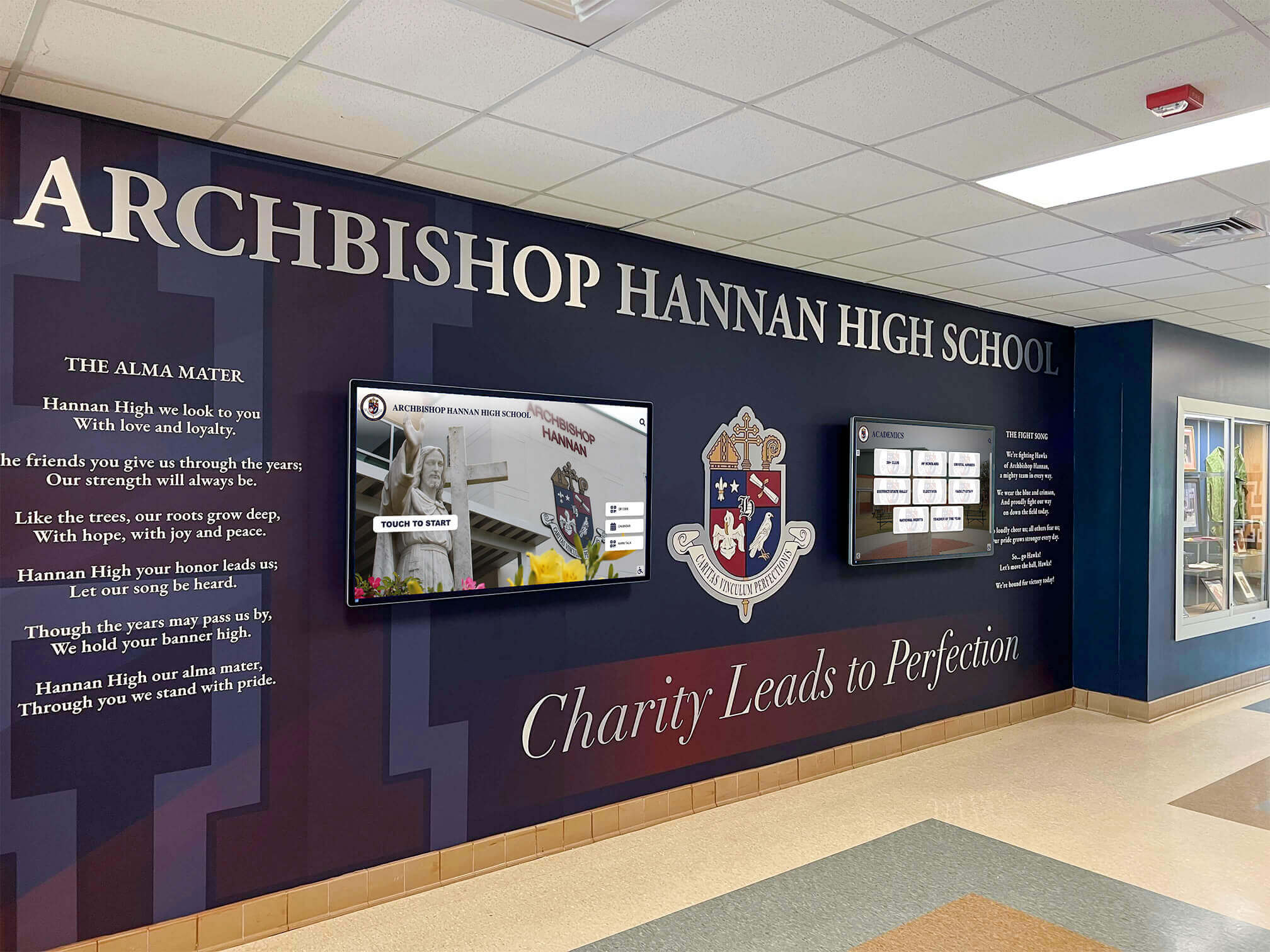
Permanent lobby installations create lasting impressions impossible through temporary rental arrangements—yet special events may justify short-term technology access
Proof-of-Concept Testing Before Purchase
Schools uncertain about interactive technology value, optimal placement locations, content strategies, or visitor engagement levels benefit from trial rental periods informing permanent installation planning.
Testing Visitor Engagement and Usage Patterns
Athletic directors considering permanent hall of fame touchscreen installations but uncertain whether students, visitors, and alumni will actually engage with interactive displays can deploy trial rental systems for 1-3 months documenting actual usage. Observation reveals which content categories attract interaction, which features users ignore, optimal screen heights and orientations, and whether placement locations receive sufficient traffic justifying permanent investment.
This proof-of-concept approach invests $1,200-2,400 in rental costs providing data that prevents $6,000-12,000 mistakes purchasing permanent systems for unsuitable locations or applications. Schools discovering that initial placement assumptions were incorrect avoid expensive reinstallation costs by testing through temporary deployments first.
Technology coordinators implementing broader interactive display strategies across multiple locations use rental equipment rotating between candidate sites collecting comparative engagement data before finalizing permanent installation specifications.
Evaluating Content Management Approaches
Different touchscreen platforms offer varying content management capabilities, ease of updating, remote administration features, and staff training requirements. Schools uncertain which approach best fits institutional workflows can test different systems through sequential rental arrangements—trying simpler slideshow-based approaches versus sophisticated database-driven platforms before committing to permanent software ecosystems.
A phased testing strategy might include 3-month rental of basic content management system followed by 3-month trial of advanced platform, comparing staff update frequency, content freshness, maintenance burden, and visitor engagement differences. The $2,400-3,600 invested in testing prevents multi-year commitments to suboptimal platforms requiring expensive migrations later.
Building Internal Stakeholder Support
Technology initiatives requiring capital budget allocations benefit from demonstrated success before requesting funding. Advancement officers proposing permanent donor recognition touchscreens costing $15,000-25,000 face less resistance when presenting budget requests accompanied by data from successful rental pilots proving concept viability and stakeholder enthusiasm.
A strategic approach rents equipment for high-visibility homecoming weekend, documents alumni engagement and positive feedback, photographs crowds interacting with displays, and presents compelling proof-of-concept documentation supporting capital funding requests. The $2,000 rental investment generates persuasive evidence transforming speculative proposals into demonstrated successes warranting permanent funding.
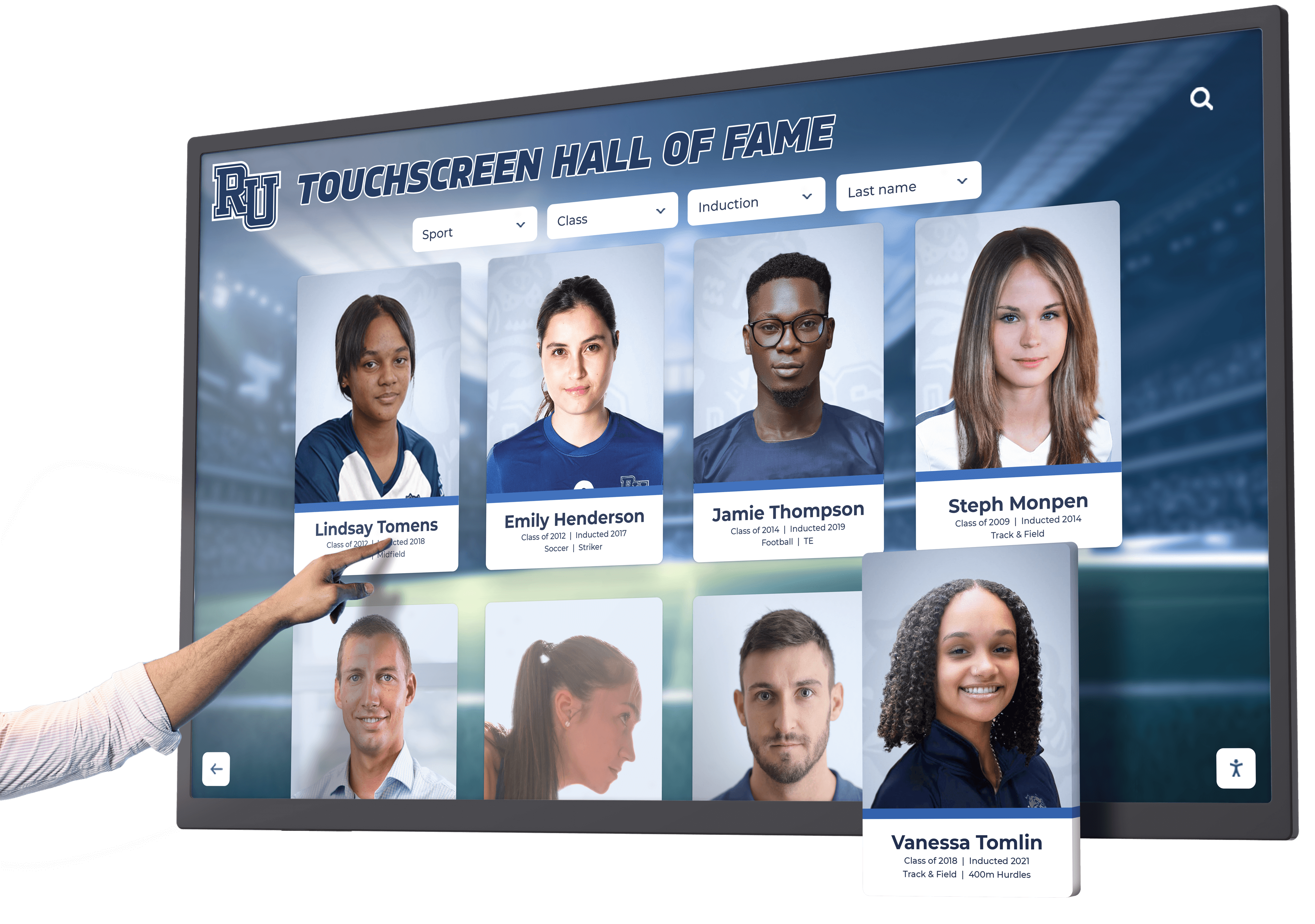
User interaction data from rental pilots informs permanent installation planning—testing what works before major capital commitments
Budget Constraint and Capital Planning Scenarios
Institutional budget realities sometimes favor rental approaches despite less favorable long-term economics.
Bridging Capital Budget Cycles
Schools recognizing need for permanent touchscreen installations during fiscal years when capital budgets are fully committed face timing dilemmas. Waiting 12-18 months for next budget cycle delays recognition initiatives and misses near-term opportunities like upcoming reunion events or facility dedications.
Short-term rental arrangements (6-12 months) bridge timing gaps between immediate needs and future capital availability. A school planning permanent $8,000 installation in next fiscal year’s capital budget can deploy $400 monthly rental immediately, capturing near-term opportunities while working toward preferred permanent solution.
This approach works when rental duration aligns with known capital planning timelines. It fails when uncertain funding extends “temporary” rentals into multi-year arrangements where cumulative costs exceed avoided purchase investment.
Grant Funding Restrictions and Procurement Rules
Some grant programs, booster club donations, or restricted funds permit operational expense rental payments while prohibiting capital equipment purchases. Schools receiving annual alumni association grants designated for programming expenses but not capital acquisitions can fund touchscreen rentals supporting reunion events without violating grant restrictions—even though purchase would deliver better long-term value.
Similarly, certain public procurement rules require formal bidding processes, board approvals, or extended timelines for capital equipment exceeding specified thresholds while permitting operational rental expenses through streamlined processes. When administrative burden of capital procurement outweighs economic advantages, rental approaches may prove more practical despite less favorable economics.
Testing Demand Before Capital Commitment
Schools implementing new recognition program initiatives uncertain about long-term sustainability can deploy rental technology supporting pilot programs without capital commitment. If programs gain traction and demonstrate lasting value, permanent installations follow. If initiatives fail to generate expected engagement, rental arrangements terminate without stranded capital investments.
An athletic department launching scholarship donor recognition program might rent touchscreen for initial 18 months while building donor database, testing content strategies, and evaluating whether recognition features actually motivate continued giving. Proven success justifies permanent installation capital request backed by demonstrated results.
When Purchasing Delivers Superior Value
Most permanent or recurring interactive touchscreen needs favor ownership despite higher initial costs.
Permanent Installation Requirements
Recognition displays, wayfinding systems, or information kiosks intended for continuous multi-year operation almost always justify purchase over rental.
Long-Term Recognition and Engagement Goals
Schools implementing permanent athletic halls of fame, alumni legacy walls, donor recognition displays, or historical timeline installations planning continuous indefinite operation should purchase equipment rather than rent. Even premium systems costing $8,000-12,000 prove more economical than rental arrangements exceeding 18-24 months.
The economic calculation is straightforward: $500 monthly rental costs $6,000 annually or $30,000 over five years versus $8,000 one-time purchase. Schools planning recognition displays operating for 5-10 years save $20,000-70,000 through purchase—savings that fund expanded content development, additional displays, or other recognition initiatives.
Furthermore, owned systems avoid ongoing rental negotiations, potential rate increases, equipment availability issues, or provider discontinuations disrupting established recognition programs. Ownership provides operational stability and budget predictability impossible with rental dependencies.
Athletic departments implementing comprehensive digital hall of fame displays documenting program history and inspiring current athletes require permanent installations that rental arrangements cannot satisfy economically or operationally.
Integration with Facility Architecture and Design
Custom installations integrating touchscreens with architectural millwork, donor walls, trophy displays, or branded environments require permanent equipment specified for exact installation conditions. Rental equipment designed for portable flexibility cannot accommodate custom mounting, specialized enclosures, or integrated power and networking matching facility finishes.
Schools implementing lobby recognition walls combining physical donor plaques with integrated touchscreen displays require purchased equipment specified during design phases, coordinated with construction timelines, and permanently installed as architectural elements. Attempting such integration with rental equipment creates irresolvable specification and timing conflicts.
Similarly, outdoor installations requiring weatherproof enclosures, high-brightness displays for sunlight visibility, and specialized mounting systems demand permanent equipment purchased and installed to exact specifications impossible with generic rental inventory.
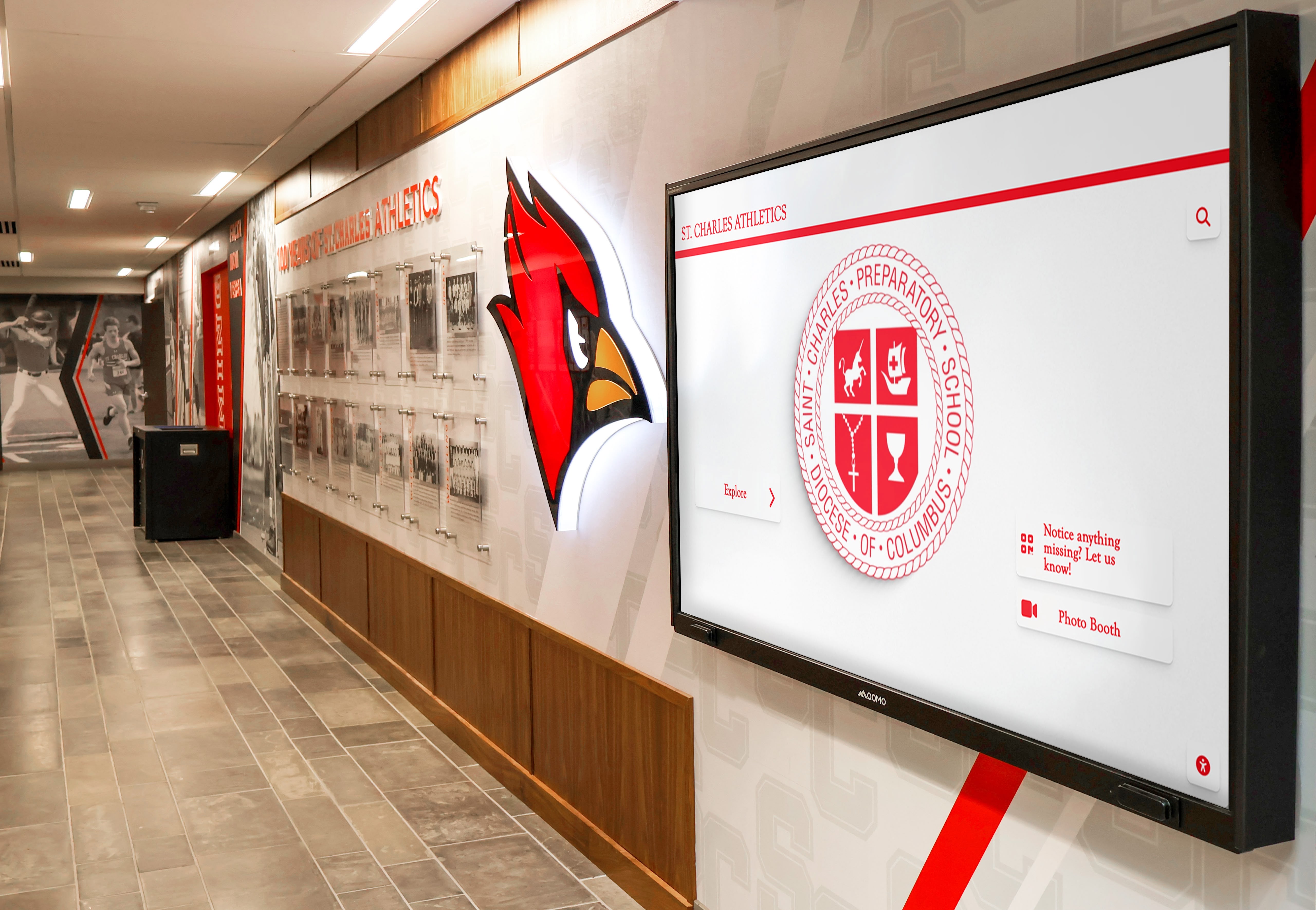
Custom installations integrate technology with facility branding and architecture—permanent solutions requiring ownership rather than rental
Control Over Content and Software Ecosystems
Ownership provides content management flexibility and long-term platform control that rental arrangements constrain.
Building Institutional Digital Archives
Schools investing in comprehensive digital archive initiatives scanning historical yearbooks, digitizing athletic photos, preserving historical documents, and building searchable databases benefit from owned display systems that integrate seamlessly with archive platforms without rental provider restrictions.
Advancement offices implementing digital yearbook archives providing alumni access to digitized historical content require permanent touchscreen systems under institutional control, enabling content updates, database expansions, and feature additions without rental provider dependencies or restrictions.
Rental arrangements often limit content management to specific platforms, prohibit custom software integration, or charge premium fees for content updates beyond included service levels. These restrictions frustrate institutions building long-term digital engagement strategies requiring content flexibility and evolutionary development.
Staff Training and Operational Efficiency
Permanent owned systems allow staff to develop deep expertise with specific platforms, streamline content update workflows, and build institutional knowledge that improves operational efficiency over time. Rental arrangements subject to equipment changes disrupt established workflows, require repeated staff retraining, and prevent optimization impossible without consistency.
Athletic department staff updating hall of fame content monthly with new achievements, statistics, and photos benefit from working within consistent content management systems where expertise accumulates. Rental arrangements rotating equipment or software platforms force staff to relearn procedures repeatedly—inefficiency that wastes staff time and degrades content freshness.
Avoiding Platform Lock-In and Vendor Dependencies
Owned systems provide freedom to migrate between content platforms, integrate with different software vendors, or develop custom solutions as institutional needs evolve. Rental provider dependencies create lock-in where switching providers requires complete content redevelopment, operational disruption, and learning curve resets.
Schools implementing technology strategies valuing long-term flexibility, platform independence, and vendor optionality should purchase equipment enabling platform migrations without hardware constraints. Rental arrangements where hardware specifications limit software choices create dependencies undermining strategic flexibility.
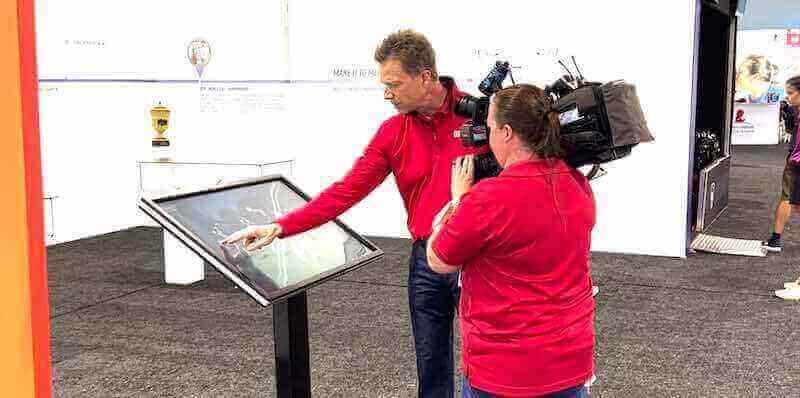
Event rentals serve temporary needs excellently, but recurring use cases justify permanent owned installations
Hybrid Approaches and Rent-to-Own Arrangements
Some providers offer flexible models balancing rental advantages with eventual ownership benefits.
Lease-to-Purchase Programs
Certain AV equipment providers and technology vendors offer lease-to-purchase arrangements allowing monthly payments eventually transferring ownership after specified periods.
Typical Lease-to-Own Terms
Standard programs structure 24-36 month payment schedules where monthly installments total purchase price plus financing premium (typically 15-30% above cash purchase cost). A $6,000 touchscreen system might lease at $200-250 monthly for 30 months, totaling $6,000-7,500 with ownership transferring after final payment.
These arrangements provide immediate equipment access without capital outlays while building toward ownership—advantages compared to perpetual rentals where payments never generate equity. However, financing premiums mean schools ultimately pay $1,000-2,500 more than cash purchases for same equipment.
The economic trade-off: spread costs across multiple budget years accepting financing premium versus capital budget allocation enabling immediate ownership at lower total cost. Schools with capital budget availability should purchase outright when possible. Those facing capital constraints but planning permanent installations may find lease-to-own preferable to perpetual rental despite financing costs.
Early Buyout and Upgrade Options
Some lease arrangements permit early buyout at discounted rates, allowing schools to accelerate ownership when capital budgets improve or grant funding becomes available. Others include periodic upgrade options where lessees can exchange equipment for newer models with adjusted payment terms—valuable flexibility for institutions where technology evolution matters.
Athletic departments implementing building directory systems or wayfinding touchscreens in high-traffic areas benefit from upgrade provisions ensuring technology remains current without complete system replacement investments.
Combining Owned and Rental Equipment
Strategic approaches deploy owned equipment for permanent primary installations while supplementing with rental equipment for special events or peak demand periods.
Core Permanent Installation Plus Event Rentals
Schools installing permanent touchscreen in main athletic lobby for year-round operation supplement with rental equipment during homecoming weekend when multiple simultaneous displays throughout campus enhance visitor experiences. The permanent installation serves daily needs economically through ownership while targeted event rentals provide temporary expansion capacity cost-effectively.
This hybrid approach optimizes economics—purchasing equipment for continuous use while renting only for genuine short-term needs. A school might invest $7,000 in permanent lobby touchscreen used daily while renting additional $1,500 weekend displays twice annually for special events—total annual cost of $3,000 in year one and $3,000 in event rentals annually thereafter versus $6,000-9,000 annually renting all equipment continuously.
Testing New Content or Features Before Permanent Expansion
Institutions with established owned touchscreen systems use temporary rental equipment to pilot new content categories, test additional placement locations, or evaluate enhanced interactivity features before investing in permanent expansion. An athletic department with successful existing hall of fame display might rent second touchscreen for 3-6 months testing whether coaches’ hall of fame content justifies permanent second display investment.
This approach leverages existing content, software platforms, and operational expertise while testing expansion hypotheses through time-limited rental commitments. Positive results justify permanent expansion purchases while negative findings avoid stranded capital investments—informed decision-making reducing technology deployment risk.
Decision Framework: Should Your School Rent or Buy?
Evaluating specific school scenarios against structured decision criteria produces better technology acquisition choices.
Key Decision Factors and Evaluation Questions
Deployment Timeline and Duration
- Rent: Events lasting days or weeks, temporary installations under 6 months, undefined timeline with potential early termination
- Buy: Permanent installations planning 3+ years continuous operation, recurring annual needs, indefinite ongoing deployment
Ask: “How long will this touchscreen operate?” Equipment used over 18 months almost always favors purchase. Under 6 months clearly favors rental. The 6-18 month middle range requires careful analysis of other factors.
Budget Structure and Capital Availability
- Rent: Limited capital budgets but available operational funds, grant restrictions prohibiting capital purchases, need to spread costs across multiple fiscal years
- Buy: Capital budget availability or allocation capability, preference minimizing long-term total cost, ability to fund upfront investment
Ask: “Can we allocate capital budget now versus only operational funds over time?” Economic advantage favors purchase when capital is available, but budget realities may necessitate rental despite higher total cost.
Content and Software Requirements
- Rent: Simple content needs without custom development, temporary content with no future reuse value, provider-supplied content sufficient
- Buy: Custom content development representing significant investment, integration with institutional databases or archives, evolving content requiring long-term management
Ask: “Are we building content infrastructure with ongoing value beyond immediate deployment?” Substantial content investment argues for owned hardware preventing provider lock-in and enabling content reuse.
Technical Support and Maintenance Considerations
- Rent: Limited internal technical expertise, preference for vendor-managed support, short deployment not justifying staff training
- Buy: Internal staff capable of routine maintenance, desire for operational control, long-term deployment amortizing training investment
Ask: “Do we have staff capable of managing owned equipment, or do vendor support dependencies make rental attractive?” Schools with strong technology departments favor ownership while those lacking technical resources may prefer rental support bundles.
Sample Scenarios and Recommended Approaches
Scenario 1: Annual Homecoming Weekend Alumni Display
A high school hosts homecoming weekend annually with 1,000+ alumni visitors. Advancement office wants interactive touchscreen displaying historical photos, athletic highlights, and yearbook archives during weekend events.
Recommended Approach: Rent. Annual 3-day usage clearly favors rental ($1,200-1,800 annually) versus owned equipment sitting unused 362 days yearly. Rental provides fresh equipment annually without obsolescence concerns.
Scenario 2: Permanent Athletic Hall of Fame Installation
Athletic department plans permanent touchscreen hall of fame in gymnasium lobby operating continuously for 5+ years, displaying inductee profiles, records, and team achievements updated regularly.
Recommended Approach: Purchase. Continuous long-term operation over 5+ years makes purchase economically superior ($6,000-8,000 one-time versus $24,000-48,000 cumulative rental over 5 years). Ownership enables unlimited content updates and platform control.
Scenario 3: Testing Interactive Recognition Concept
School considers permanent donor recognition touchscreen but wants 6-month pilot testing visitor engagement, content strategies, and placement location before capital commitment.
Recommended Approach: Rent with purchase option. Six-month rental ($2,400-4,000) provides valuable proof-of-concept data justifying permanent installation decision while remaining economically reasonable. Negotiate rental credits toward purchase if pilot succeeds.
Scenario 4: Facility Renovation Temporary Displacement
School renovating athletic lobby requires temporary recognition display during 18-month construction period, then needs permanent solution in new lobby.
Recommended Approach: Rent for renovation period, purchase for permanent installation. Temporary rental ($6,000-10,000 over 18 months) serves interim needs without capital investment in temporary location. Purchase new equipment specified for renovated space.
Scenario 5: Budget-Constrained Permanent Need
Athletic department requires permanent touchscreen but has no capital budget availability for 24 months. Operational budget permits $300-400 monthly expense.
Recommended Approach: Lease-to-own if available, otherwise delay if possible. Lease-to-own enables immediate deployment with eventual ownership despite financing premium. If not available, 24 months of rental ($7,200-9,600) approaching purchase cost argues for delaying deployment until capital available.

Whether rented or owned, interactive touchscreens transform recognition experiences—the key is matching acquisition strategy to deployment needs and budget realities
Maximizing Value from Interactive Touchscreen Investments
Whether renting or purchasing, schools should optimize technology deployment for maximum engagement and return on investment.
Content Strategy and Visitor Engagement
Hardware represents only partial investment—compelling content determines whether touchscreens engage visitors or become ignored expense.
Building Sustainable Content Pipelines
Successful permanent installations establish processes ensuring content remains fresh, relevant, and engaging long-term. Assign clear staff responsibility for content updates with defined frequency expectations (monthly minimum for active programs), create content submission workflows allowing coaches, teachers, and administrators contributing new achievements easily, leverage existing content sources like yearbooks, athletic archives, and institutional photography reducing custom production burden, and schedule quarterly content audits identifying outdated information requiring refresh or removal.
Schools implementing volunteer recognition programs through touchscreen displays maintain engagement by regularly featuring different contributors, updating service hour achievements, and showcasing current volunteer initiatives—content freshness that makes displays worth visiting repeatedly rather than static presentations viewed once and ignored thereafter.
Designing for Multiple Audience Types
School touchscreens serve diverse audiences: students exploring program history during lunch periods, visiting athletes and families during recruitment tours, alumni reminiscing during reunion visits, and community members attending school events. Effective content strategies provide pathways serving each audience’s distinct interests.
Design navigation enabling quick access to content categories rather than forcing linear progression: current season highlights for students, historical records for alumni, program overviews for recruits, and achievement archives for historians. When users find desired content quickly, engagement deepens and return visits increase.
Vendor Selection and Service Evaluation
Choosing rental providers or equipment vendors significantly impacts deployment success and total cost of ownership.
Evaluating Rental Provider Capabilities
Not all AV rental companies understand educational environments or interactive display requirements. Evaluate providers on equipment quality and specifications matching school needs (commercial-grade displays, not consumer models), content management platform capabilities and ease of updates, technical support responsiveness and event coverage availability, installation and setup expertise preventing amateur-looking deployments, insurance and damage protection terms, delivery reliability and equipment condition, and contract flexibility for changing dates, equipment, or terms.
Request references from other schools and review equipment before committing. Rental agreements locking schools into unsuitable equipment or poor service create problems beyond economics.
Permanent Installation Vendor Evaluation
Schools purchasing permanent systems should prioritize vendors understanding educational recognition applications beyond generic AV installation expertise. Look for proven experience in school athletic and alumni recognition environments, content management platforms designed for education rather than retail, training and ongoing support enabling staff independence, warranty terms protecting investments (3-5 years minimum), integration capabilities with existing school systems and databases, and local service availability for maintenance and support needs.
Some providers specialize in turnkey digital hall of fame solutions packaging hardware, software, content development, installation, and training into comprehensive offerings that reduce coordination burden and ensure component compatibility—valuable approaches for schools lacking internal expertise managing complex technology projects.
Protecting Technology Investments
Whether rented or owned, protecting equipment investments maximizes value and prevents costly damage.
Physical Protection and Placement Strategy
Interactive touchscreens in unsupervised public spaces face vandalism, accidental damage, and theft risks. Strategic placement in high-visibility supervised areas like main lobbies visible from administrative offices, athletic department areas with regular staff presence, media centers and libraries with adult supervision, and monitored hallways with security camera coverage reduces risk substantially compared to isolated locations.
Physical protection through commercial-grade enclosures, tamper-resistant mounting, and protective glass prevents common damage modes. For high-risk environments, consider models specifically designed for public space durability rather than standard commercial displays.
Maintenance and Longevity Planning
Owned systems benefit from routine maintenance extending operational life. Establish cleaning schedules preventing dust accumulation affecting cooling and display quality, monitor software updates maintaining security and functionality, inspect mounting hardware ensuring stability, and budget for eventual component replacement (displays typically last 50,000+ hours, approximately 7-10 years of typical school usage).
Proper maintenance extends display life from 7-8 years to 10+ years—economic benefit worth thousands in delayed replacement costs. Schools treating touchscreens as install-and-forget technology discover premature failures and expensive emergency replacements disrupting budgets and recognition programs.
Conclusion: Strategic Technology Acquisition for School Recognition
Interactive touchscreen rental decisions require balancing immediate needs against long-term value, budget realities against economic optimization, and flexibility advantages against total cost implications. While rental clearly serves short-term event needs and proof-of-concept testing, most permanent recognition applications favor ownership despite higher initial investment—the cumulative economics simply cannot justify perpetual rental for continuous long-term operation.
The most strategic approach aligns acquisition method with deployment reality: rent for genuine short-term needs under 6 months, purchase for permanent installations over 18 months, evaluate lease-to-own for situations between these extremes, and maintain flexibility to evolve strategies as needs and budgets change. Schools making deliberate rent-versus-buy decisions based on deployment timelines, total cost calculations, content strategies, and budget structures maximize technology value while avoiding expensive acquisition mismatches.
Whether deploying rental equipment for special events or installing permanent recognition systems, interactive touchscreens transform school engagement when implemented thoughtfully—creating inspiring experiences that honor achievement, connect generations, and build community pride in ways that static recognition never achieves.
Ready to explore interactive touchscreen solutions for your school’s recognition needs? Rocket Alumni Solutions specializes in permanent digital recognition systems designed specifically for educational institutions, offering complete solutions including hardware, software, content development, installation, and training. Our team helps schools navigate rent-versus-buy decisions, design optimal recognition experiences, and implement technology serving students, alumni, and communities for years to come.































