




Intent: Demonstrate how interactive touchscreen displays revolutionize realtor agency operations, property showcasing, and client engagement through modern digital technology that transforms traditional real estate presentation approaches.
Interactive touchscreen displays for realtor agencies represent a fundamental shift in how properties are showcased, clients are engaged, and real estate businesses differentiate themselves in competitive markets. As homebuyers increasingly expect digital-first experiences matching their smartphone-driven lifestyles, forward-thinking realtor agencies are deploying sophisticated touchscreen solutions that enable clients to explore listings, compare properties, and access comprehensive information through intuitive, visually compelling interfaces that elevate the entire property search experience.
Yet many real estate offices continue relying on outdated methods—printed listing sheets, static window displays, and agent-dependent information access that creates friction in the client journey while limiting operational efficiency. Prospective buyers walk past offices after hours when agents aren’t available, miss properties that meet their criteria but weren’t prominently featured, and struggle to efficiently compare multiple listings without consuming significant agent time for basic information gathering.
This comprehensive guide explores how interactive touchscreen technology specifically designed for realtor agency applications solves these persistent challenges while delivering measurable benefits across client engagement, operational efficiency, brand positioning, and competitive differentiation. From 24/7 window displays and office lobby kiosks to interactive listing walls and virtual tour stations, you’ll discover practical design frameworks and implementation strategies for creating touchscreen experiences that genuinely enhance your real estate business while supporting client expectations for modern, accessible property information.
According to research on real estate technology trends, agencies implementing strategic interactive display solutions report substantial improvements in client engagement, lead generation, and property exposure—demonstrating that thoughtfully designed touchscreen systems deliver returns far exceeding technology costs through enhanced marketing effectiveness and operational efficiency that directly impact sales performance.

Modern interactive displays create immediate engagement opportunities while providing comprehensive property information clients seek
The Modern Real Estate Client Experience Challenge
Understanding the evolving expectations of today’s property buyers and sellers helps realtor agencies appreciate why interactive display technology delivers exceptional value for client satisfaction and business growth.
Digital-First Expectations in Property Search
Today’s homebuyers—predominantly millennials and Gen Z entering their prime homebuying years—have fundamentally different expectations for property search compared to previous generations. Having grown up with smartphones, on-demand information access, and visual-first digital platforms like Instagram and Pinterest, modern buyers expect real estate experiences that match the sophisticated, user-friendly interfaces they encounter in every other aspect of their digital lives.
Traditional Real Estate Methods Falling Short
Conventional approaches to property showcasing increasingly frustrate digitally-savvy clients:
- Limited access to information requiring agent availability for basic property details clients should access independently
- Static printed materials that become outdated immediately when properties sell or new listings arrive
- After-hours accessibility gaps when prospective buyers walk past offices outside business hours with no way to explore available properties
- Inefficient comparison processes requiring clients to juggle multiple listing sheets or remember details from various properties
- Generic presentation approaches failing to leverage visual storytelling and immersive content that drives emotional connection
- Passive window displays showing only a handful of featured properties rather than entire portfolios
According to National Association of Realtors research, 97% of homebuyers use online resources during their home search, with visual content—high-quality photos, virtual tours, and video walkthroughs—ranking as the most influential factors in property consideration decisions.
The 24/7 Access Imperative
Real estate operates in a market where prospective buyers don’t limit their property search to traditional business hours. Weekend house hunting, evening property research, and impulse browsing when walking through neighborhoods mean that significant opportunities exist beyond the 9-5 window when most realtor offices are staffed.
After-Hours Opportunity Costs
Traditional real estate offices miss substantial engagement opportunities:
- Prospective buyers walking past offices on evenings and weekends with no access to current listings
- Lost lead generation from interested clients who move on to competitors offering 24/7 information access
- Reduced property exposure for listings that could attract attention during high-traffic pedestrian hours
- Missed brand positioning opportunities when offices go “dark” outside business hours
- Inability to serve clients whose schedules don’t align with standard office availability
Interactive window displays and lobby kiosks solve these accessibility challenges by providing continuous property showcasing and information access regardless of agent availability—transforming real estate offices from limited-hours operations into 24/7 marketing platforms that work around the clock to attract and engage prospective clients.

Professional kiosk installations provide accessible, always-available property information that works beyond business hours
Competitive Differentiation in Crowded Markets
Real estate markets—particularly in desirable neighborhoods and metropolitan areas—feature intense competition with multiple agencies vying for both property listings and client relationships. In this environment, agencies must differentiate themselves through service quality, market expertise, and client experience rather than competing solely on price or market access.
How Interactive Technology Creates Distinction
Modern touchscreen displays signal innovation and client focus that differentiates forward-thinking agencies:
- Technological sophistication demonstrating investment in client experience and modern business practices
- Visual prominence with eye-catching displays that attract attention from pedestrians and passing traffic
- Enhanced property presentation showcasing listings with professional polish that elevates perceived value
- Improved client service providing convenient, self-service information access that respects client time and autonomy
- Brand modernization positioning agencies as contemporary, innovative businesses rather than traditional, old-fashioned operations
Similar to how digital recognition displays transform traditional trophy cases in educational and institutional settings, interactive touchscreens revolutionize conventional real estate presentation by replacing static materials with dynamic, engaging experiences that capture attention and drive meaningful interaction.
Core Benefits of Interactive Displays for Realtor Agencies
Interactive touchscreen technology delivers multiple interconnected benefits that enhance client experience while supporting agency objectives for lead generation, property exposure, and operational efficiency.
Enhanced Property Showcasing and Marketing
The fundamental value of interactive displays lies in their ability to present properties more effectively than traditional methods, creating compelling visual experiences that drive client interest and engagement.
Comprehensive Listing Access
Rather than featuring only a handful of select properties in window displays, interactive systems enable clients to explore entire portfolios:
- Complete inventory browsing allowing clients to discover all available properties rather than only featured listings
- Advanced filtering capabilities enabling searches by price range, bedrooms, bathrooms, square footage, neighborhood, property type, and other relevant criteria
- Detailed property information including comprehensive descriptions, full photo galleries, floor plans, virtual tours, and neighborhood data
- Comparison functionality letting clients view multiple properties side-by-side to evaluate options systematically
- Saved favorites allowing clients to bookmark properties and email themselves details for later review
This comprehensive access ensures that clients discover all relevant properties matching their criteria—not just those that happened to be featured in limited window space or mentioned by agents during initial conversations.
Rich Visual Content Presentation
Interactive platforms leverage high-quality visual content that creates emotional connections driving purchase decisions:
- High-resolution photo galleries showcasing properties with professional photography optimized for large displays
- 360-degree virtual tours enabling immersive exploration of property interiors from multiple vantage points
- Video walkthroughs providing guided property tours narrated by agents or professionally produced
- Aerial drone footage showing properties from dramatic perspectives impossible in traditional media
- Neighborhood context with maps, points of interest, school information, and community features
- Floor plan diagrams helping clients understand spatial layouts and room relationships
According to real estate marketing research, listings with video receive 403% more inquiries than those without, while properties with high-quality photos sell 32% faster than those with substandard imagery—demonstrating the substantial impact of rich visual presentation on property marketing effectiveness.

Card-based interfaces enable intuitive property browsing matching smartphone interaction patterns familiar to modern clients
24/7 Lead Generation and Client Engagement
Interactive displays transform real estate offices from limited-availability operations into continuous marketing platforms that generate leads and engage prospective clients around the clock.
After-Hours Window Displays
Window-mounted touchscreen systems enable property showcasing when offices are closed:
- Pedestrian engagement capturing attention from evening and weekend foot traffic in high-visibility locations
- Self-service property exploration allowing interested buyers to browse listings without agent availability requirements
- Lead capture functionality enabling clients to request information, schedule showings, or register for property alerts directly from displays
- QR code integration letting clients instantly transfer property details to smartphones for follow-up
- Email capability allowing clients to send themselves property information, photos, and agent contact details
Research from retail and hospitality industries demonstrates that 24/7 information access increases customer engagement by 35-50% compared to business-hours-only availability—benefits that translate directly to real estate contexts where prospective buyers actively search for properties outside traditional office schedules.
In-Office Lobby Experiences
Interior touchscreen installations enhance experiences for clients visiting offices:
- Self-directed browsing enabling clients to explore properties independently before meeting with agents
- Efficient pre-qualification allowing clients to narrow options and identify priorities before consuming agent time
- Wait time engagement providing productive activities for clients who arrive early for appointments
- Visual presentation tools that agents can use during client meetings to showcase properties collaboratively
- Brand impression creating modern, technology-forward first impressions that signal agency sophistication
Operational Efficiency and Agent Productivity
Beyond client-facing benefits, interactive displays deliver substantial operational advantages that improve agency efficiency while freeing agents to focus on high-value activities requiring human expertise.
Reduced Time on Basic Information Requests
Self-service property information access dramatically reduces agent time spent answering routine questions:
- Eliminating repetitive phone calls asking about property availability, pricing, or basic features
- Reducing email volume requesting listing details that clients can access independently
- Decreasing walk-in interruptions from clients seeking preliminary property information
- Minimizing time spent printing and distributing listing sheets and property materials
- Freeing agents to focus on consultative activities like market analysis, negotiation strategy, and relationship building
Agencies report 30-40% reductions in time spent on basic information distribution after implementing comprehensive self-service interactive systems—time that agents can redirect toward revenue-generating activities like client cultivation, showing properties, and closing transactions.
Streamlined Property Updates and Marketing
Digital display platforms provide centralized management that simplifies property marketing across channels:
- Single-source updates that automatically propagate across window displays, lobby kiosks, and digital platforms
- Instant listing additions when new properties come to market without waiting for printed materials
- Immediate removals when properties sell, preventing embarrassing displays of unavailable listings
- Consistent presentation ensuring all properties receive professional treatment regardless of agent familiarity
- Analytics tracking showing which properties receive most attention and engagement
Solutions like Rocket Alumni Solutions provide cloud-based content management enabling real estate teams to update displays from any device—eliminating technical barriers that prevent frequent updates when platforms require specialized skills or physical display access.
Intuitive navigation enables clients of all technical comfort levels to explore property information independently
Experience Layout: Designing Effective Real Estate Displays
Creating interactive displays that genuinely serve realtor agency needs requires systematic design approaches balancing multiple objectives within thoughtful information architecture that enables efficient property discovery.
Layout Blueprint for Real Estate Applications
Well-designed real estate displays organize content into functional zones serving specific client needs and agency objectives relevant to property showcasing contexts.
Zone 1: Hero Area with Agency Branding (Top 15-20%)
The hero zone establishes immediate brand recognition and professional credibility through:
- Agency name, logo, and tagline creating instant identity recognition
- Contact information including phone, email, website, and social media
- Operating hours and location details for office visits
- Agent team photos and credentials building personal connection
- Rotating hero images showcasing featured properties with compelling photography
This prominent branding ensures clients immediately recognize displays as belonging to your specific agency rather than generic real estate information systems—building brand equity with every interaction while providing essential contact information for follow-up.
Zone 2: Property Search and Filter Interface (Prominent Left or Top)
The primary navigation zone enables efficient property discovery:
- Search by address, neighborhood, ZIP code, or property type
- Filter controls for price range, bedrooms, bathrooms, square footage
- Property status indicators (active, pending, recently sold)
- Sort options by price, date listed, square footage, or featured status
- Quick links to popular searches or featured collections
Zone 3: Main Content Area - Property Cards and Details (Center, 60-70%)
The core display area presents properties in engaging, browsable format:
- Grid or carousel view showing multiple properties simultaneously
- Large property cards with hero photos, key details, and pricing
- Detailed property pages with full photo galleries, descriptions, and virtual tours
- Comparison view enabling side-by-side evaluation of multiple listings
- Map integration showing property locations and neighborhood context
Zone 4: Featured Listings and Promotions (Sidebar or Rotating, 15-20%)
Dedicated space highlighting priority properties and agency services:
- Just Listed spotlights for newest market arrivals
- Price Reduced promotions driving attention to strategic listings
- Open House announcements with dates, times, and registration options
- Luxury Property showcases for high-value listings
- Coming Soon teasers building anticipation for upcoming listings
Zone 5: Engagement and Action Prompts (Footer, 10-15%)
Persistent calls-to-action enabling client follow-up:
- “Email Me This Property” functionality
- “Schedule a Showing” appointment booking
- “Get More Information” lead capture forms
- QR codes linking to mobile app or detailed web property pages
- Social media sharing options for Facebook, Instagram, Pinterest
Guidance on designing touchscreen experiences for user engagement provides detailed frameworks for creating intuitive interfaces that maximize usability and property discovery effectiveness.
Content Blocks and Interactive Features
Beyond static layout, interactive elements enhance utility and engagement through features specifically valuable for real estate contexts.
Attraction Loop for Unattended Display
When not actively used, displays should run engaging attraction content:
- Rotating featured property highlights with stunning photography and key selling points
- Video snippets from property virtual tours showcasing interiors
- Neighborhood spotlights highlighting community features and lifestyle benefits
- Client testimonials about agency service and successful transactions
- Market statistics and trends positioning agency expertise
- Clear touch prompts encouraging interaction with “Touch to Browse Properties” messaging
Interactive Property Exploration
Enable clients to engage deeply with listings that interest them:
- Full photo galleries with swipe navigation and zoom functionality
- 360-degree virtual tours enabling immersive property exploration
- Floor plan viewing with room dimensions and layout understanding
- Video walkthroughs providing comprehensive property overviews
- Neighborhood maps showing schools, parks, shopping, and transportation
- Property history including previous sales, price changes, and days on market
Advanced Search and Filtering
Sophisticated search capabilities help clients find exactly what they need:
- Multi-criteria filtering combining price, size, location, and features
- Map-based search showing all properties in specific neighborhoods
- School district filtering for families prioritizing educational quality
- Lifestyle searches for waterfront properties, golf course homes, or urban condos
- New construction versus resale property differentiation
- Investment property filtering based on rental potential and ROI metrics
Lead Capture and Follow-Up Integration
Convert display engagement into actionable business leads:
- Required contact information for accessing detailed property information
- Optional registration creating profiles for personalized property recommendations
- Showing request forms that immediately notify appropriate agents
- Saved property collections clients can access from home via email links
- Newsletter signup for market updates and new listing alerts
- Instant valuation tools capturing seller leads from current homeowners
Resources on interactive digital displays demonstrate approaches for creating engaging interfaces that maintain user attention while serving diverse information needs.

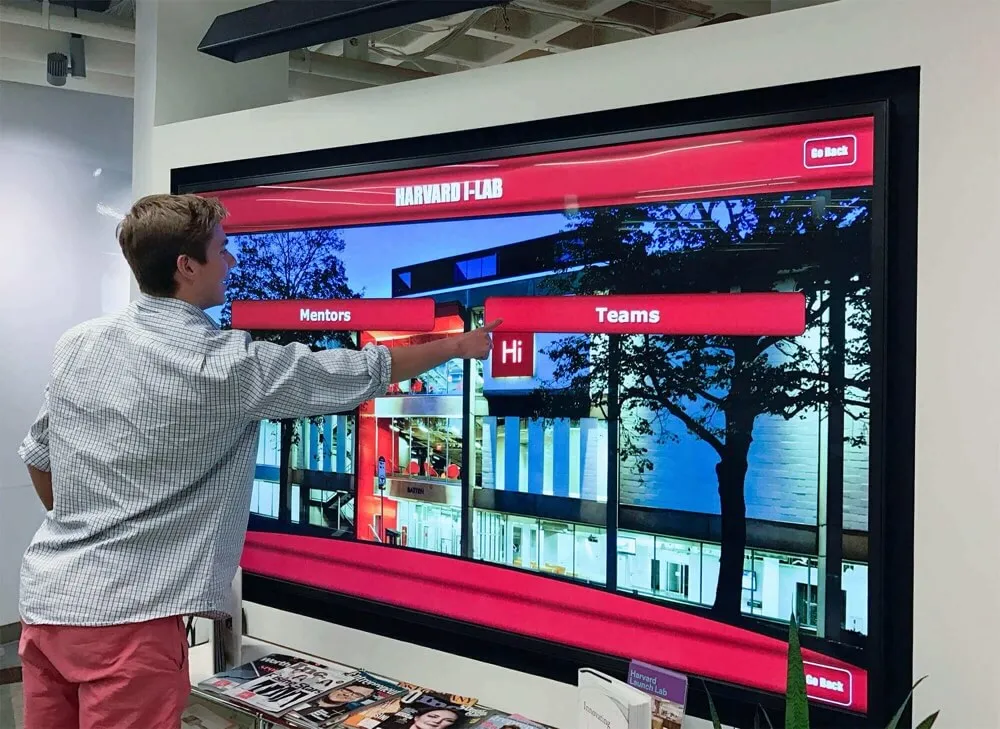
Modern touchscreen interfaces invite exploration and extended engagement through intuitive, responsive design
Accessibility and Inclusive Design Considerations
Real estate displays must serve diverse client populations including those with disabilities, international buyers, and users with varying technical comfort levels.
ADA WCAG 2.1 AA Compliance Standards
- Text contrast ratios minimum 4.5:1 for body text, 3:1 for large text and interface elements
- Touch targets minimum 44x44 pixels with adequate spacing preventing accidental activation
- Font sizes supporting readability from 3-6 feet viewing distances (minimum 18pt for body text)
- Alternative text for images when screen reader compatibility needed
- Audio descriptions available for video content
- Keyboard navigation alternatives for touchscreen interactions
Physical Accessibility Requirements
- Display mounting height placing primary interactive areas 15-48 inches above floor for wheelchair accessibility
- Kiosk designs providing knee and toe clearance when floor-standing units used
- Sufficient clear floor space around displays enabling wheelchair approach and maneuvering
- Volume controls for audio content respecting public space environments
- Optional high-contrast modes for users with visual impairments
Multilingual Support for Diverse Markets
Many real estate markets serve diverse populations requiring communication in multiple languages:
- Prominent language selection enabling interface translation
- Complete property information translation for descriptions, amenities, and details
- Culturally appropriate imagery and examples respecting diverse backgrounds
- Language-specific agent contact information when multilingual agents available
Approaches to designing accessible interactive experiences provide comprehensive frameworks ensuring displays serve all prospective clients effectively regardless of abilities or backgrounds.
Essential Display Types for Real Estate Applications
Realtor agencies benefit from strategic deployment of different display types serving specific functions and locations within comprehensive property marketing strategies.
Window-Mounted After-Hours Displays
Storefront window installations maximize visibility and accessibility for 24/7 property showcasing in high-traffic pedestrian areas.
Window Display Advantages
Window-mounted systems deliver unique benefits:
- Maximum street visibility attracting attention from passing pedestrians and vehicle traffic
- 24/7 operation enabling property showcasing when offices are closed
- Weather protection with displays positioned inside windows safe from elements
- Minimal interior space requirements utilizing otherwise-empty window areas
- Passerby engagement converting casual browsers into interested prospects
Window Display Content Strategies
Optimize window displays for external viewing and spontaneous engagement:
- Featured property carousels automatically rotating through highlighted listings
- Large, bold text and high-contrast imagery readable from street distances
- Clear touch prompts visible from outside encouraging interaction
- QR codes enabling smartphone access for clients who prefer not to touch public displays
- Agency branding prominently displayed creating continuous brand exposure
- Operating hours and contact information always visible
Technical Considerations
Window installations require specific technical accommodations:
- High-brightness displays (1000-2000 nits) remaining visible in direct sunlight
- Anti-glare coatings reducing reflections from windows and outdoor lighting
- Touchscreen functionality working through window glass if externally-mounted
- Thermal management preventing overheating in sun-exposed locations
- Secure mounting protecting valuable displays from theft or vandalism
Office Lobby Kiosks and Stations
Interior interactive stations enhance client experiences during office visits while providing productive engagement during wait times.
Lobby Kiosk Functions
Interior installations serve clients already engaged with your agency:
- Pre-meeting property research enabling clients to explore options before agent consultations
- Self-directed browsing for walk-in clients who arrive without appointments
- Visual presentation tools agents can use collaboratively during client meetings
- Wait time engagement providing productive activities before scheduled appointments
- Privacy for preliminary budget discussions and criteria identification
- Brand impression creating modern, sophisticated office atmospheres
Optimal Lobby Placement
Strategic positioning maximizes usage and impact:
- Near reception areas where clients naturally wait for agent availability
- In conference room lobbies providing activities before meetings begin
- Adjacent to seating areas creating natural stopping points
- Visible from entrance doors immediately establishing technological sophistication
- Near refreshment stations where clients gather informally

Freestanding kiosks provide flexible placement options without requiring wall mounting or architectural modification
Interactive Listing Walls and Feature Displays
Large-format displays create dramatic visual impact while showcasing property portfolios comprehensively.
Listing Wall Advantages
Wall-mounted or built-in large displays create impressive presentations:
- Visual impact with 55-85 inch displays commanding attention in office spaces
- Comprehensive portfolio presentation showing many properties simultaneously in grid layouts
- Group viewing enabling multiple clients or family members to explore together
- Professional staging for open houses and client events showcasing agency capabilities
- Social media opportunities creating photogenic installations clients share online
Content Strategies for Large Format
Leverage substantial screen real estate effectively:
- Grid layouts showing 6-12 property cards simultaneously enabling easy comparison
- Split-screen presentations comparing two properties side-by-side in detail
- Neighborhood maps with property pins showing portfolio concentration in specific areas
- Scrolling carousels continuously rotating through entire listing inventory
- Featured showcase mode highlighting luxury or strategic properties with full-screen presentations
Similar to approaches used in digital hall of fame displays, large-format real estate installations create signature experiences that clients remember and associate with agency sophistication and innovation.
Strategic Implementation for Maximum Impact
Technology selection and content development represent only part of successful implementation—strategic planning ensures displays effectively serve agency objectives while delivering returns justifying investment.
Selecting the Right Display Type for Your Agency
Different agency sizes, locations, and business models benefit from different display approaches requiring careful evaluation of specific needs and objectives.
Small Boutique Agencies
Agencies with single offices and limited listings benefit from:
- Single window display showcasing full portfolio in high-traffic storefronts
- Modest lobby kiosk (32-43 inches) providing client self-service without dominating small spaces
- Cloud-based management enabling owner/broker to update content easily without technical expertise
- Budget-conscious implementation focusing on essential features rather than advanced capabilities
- Emphasis on featured property highlighting given smaller inventory sizes
Mid-Size Regional Firms
Agencies with multiple offices and substantial listings need:
- Window displays in each office location maintaining consistent brand presentation
- Larger lobby installations (50-55 inches) accommodating higher client volumes
- Centralized management enabling marketing teams to update all locations simultaneously
- Advanced filtering and search given larger property portfolios requiring sophisticated discovery
- Integration with existing CRM and listing management systems reducing duplicate data entry
Large Brokerages and Franchises
Enterprise-scale agencies require:
- Comprehensive display networks across dozens or hundreds of office locations
- Enterprise content management with role-based permissions and approval workflows
- White-label branding customization for franchise locations maintaining brand standards
- Analytics and reporting demonstrating ROI across locations supporting technology investment justification
- Integration with multiple listing services (MLS) and syndication platforms
Content Management and Update Workflows
Display value depends entirely on current, accurate property information requiring systematic processes ensuring consistent updates.
Establishing Content Governance
Successful long-term display management requires clear organizational structure:
- Assign primary content manager (typically marketing director or operations manager)
- Distribute listing update responsibilities across agents with clear accountability
- Establish approval workflows for featured property selection and promotional content
- Create update schedules ensuring new listings appear immediately and sold properties disappear promptly
- Document procedures supporting continuity during staff transitions
Integration with Existing Systems
Maximize efficiency through connections with current technology platforms:
- MLS feed integration automatically pulling property data, photos, and status updates
- CRM synchronization connecting display leads with client relationship management
- Website coordination ensuring consistent property information across all client touchpoints
- Email marketing alignment using display analytics to inform broader campaign strategies
- Social media integration sharing featured properties across Instagram, Facebook, and LinkedIn
Quality Control and Accuracy
Maintain credibility through meticulous information management:
- Daily listing status checks ensuring sold properties are removed immediately
- Photo quality review confirming all imagery meets professional standards
- Description proofreading catching errors and improving marketing copy
- Price accuracy verification catching listing modifications and price adjustments
- Link testing ensuring virtual tours, floor plans, and external resources function properly
Platforms like Rocket Alumni Solutions provide intuitive content management systems designed for non-technical users—enabling real estate teams to update displays confidently without requiring dedicated IT support or specialized technical training.

Coordinated multi-display networks create comprehensive property showcasing environments across office locations
Measuring Display Impact and Demonstrating Value
Establishing metrics connecting display implementation to concrete business outcomes helps justify technology investment while supporting continuous improvement.
Direct Engagement Analytics
Quality display platforms provide comprehensive analytics quantifying usage patterns that demonstrate client interest and engagement.
Quantifiable Engagement Data
Critical metrics include:
- Total interaction sessions showing display usage frequency across days and weeks
- Average session duration indicating depth of property exploration
- Most-viewed properties revealing which listings generate strongest client interest
- Search patterns showing what features and criteria clients prioritize
- Peak usage times informing when to feature strategic properties
- Return usage tracking clients who repeatedly reference displays
This engagement data enables data-driven decisions about property promotion, pricing strategy, and marketing focus—providing insights that justify display investment through improved marketing intelligence.
Lead Capture Effectiveness
Track conversion of display engagement into business leads:
- Contact form submissions requesting additional property information
- Showing requests scheduled directly through display interfaces
- Email captures for property alerts and newsletter subscriptions
- QR code scans transferring property details to client smartphones
- Phone inquiries originating from display-provided contact information
Calculate cost-per-lead from display interactions compared to other marketing channels, typically finding that display-generated leads cost 40-60% less than paid advertising while representing highly qualified prospects who have already engaged extensively with property information.
Business Outcome Assessment
Beyond usage metrics, assess whether displays contribute to core agency objectives justifying investment.
Property Exposure and Marketing Reach
Measure increased visibility for listed properties:
- Impressions (number of people exposed to listings through displays)
- Property view counts comparing displayed listings versus non-displayed inventory
- Client awareness of full portfolio rather than only featured properties
- After-hours engagement capturing opportunities missed with traditional business hours
- Geographic reach analyzing client origins showing display effectiveness attracting from target neighborhoods
Lead Generation and Client Acquisition
Track business development impact:
- New client acquisition attributed to display engagement
- Lead quality assessment comparing display-sourced leads to other channels
- Conversion rates from display interaction to showing to offer to closing
- Average deal size for transactions originating from display engagement
- Return on investment calculating revenue generated versus display costs
Competitive Positioning Benefits
Assess broader market perception advantages:
- Client feedback during interviews mentioning displays as positive differentiators
- Recruitment advantage attracting agents who value technology and innovation
- Listing acquisition success with sellers impressed by sophisticated marketing
- Media attention and press coverage highlighting technological leadership
- Social media engagement and sharing of display installations
Approaches to measuring digital display effectiveness provide frameworks applicable across recognition and presentation applications including real estate property showcasing.
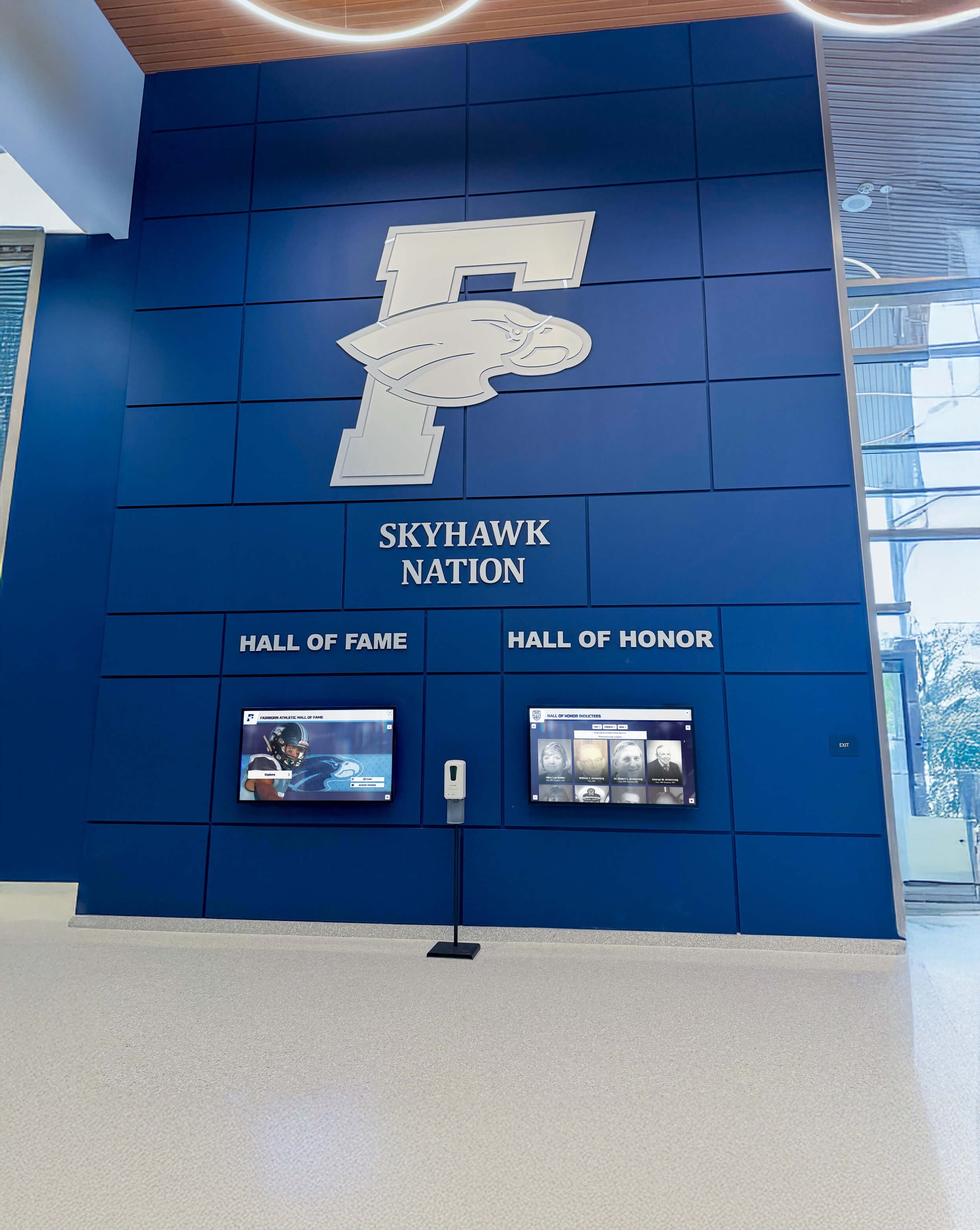
Fully integrated display systems create signature agency experiences that clients remember and appreciate
Advanced Features Enhancing Real Estate Displays
Beyond basic property showcasing, sophisticated implementations incorporate advanced capabilities that multiply display value and competitive advantage.
Virtual Reality and Immersive Tour Integration
Cutting-edge displays incorporate virtual reality capabilities enabling truly immersive property exploration:
- VR headset stations enabling full 360-degree property walkthroughs
- 3D architectural visualization for new construction and pre-sale properties
- Renovation visualization showing potential transformations of existing spaces
- Neighborhood exploration with street-level panoramic views
- Virtual staging adding furniture and decor to empty spaces digitally
These immersive experiences create memorable interactions that differentiate innovative agencies from traditional competitors while enabling clients to explore properties more thoroughly than possible through conventional means—particularly valuable for out-of-town buyers or properties not yet constructed.
Mortgage Calculator and Financial Tools
Integrated financial tools help clients understand affordability and budget decisions:
- Interactive mortgage calculators showing monthly payments based on down payment and interest rates
- Affordability analysis estimating maximum purchase price based on income and debt ratios
- Closing cost estimators preparing buyers for complete transaction expenses
- Tax benefit calculators showing potential deductions from mortgage interest and property taxes
- Refinancing analysis for current homeowners considering property upgrades
These practical tools provide genuine utility beyond property browsing—positioning agencies as comprehensive advisors supporting entire homebuying process rather than merely transaction facilitators.
Neighborhood Information and Lifestyle Context
Comprehensive community information helps clients envision life beyond property walls:
- School ratings and performance data with district boundaries and enrollment details
- Commute time calculators showing drive times to major employment centers
- Walk scores and transit accessibility ratings for urban properties
- Crime statistics and safety data with neighborhood-level granularity
- Restaurant, shopping, and entertainment directories highlighting nearby amenities
- Parks, recreation, and outdoor activity information showcasing lifestyle opportunities
This contextual information addresses critical location decisions influencing property selection—particularly for relocating buyers unfamiliar with areas and neighborhoods under consideration.
Integration with Smart Home Technology
Forward-thinking displays showcase smart home capabilities increasingly expected by modern buyers:
- Smart home feature highlights for properties with integrated technology
- Video demonstrations of smart thermostats, security systems, and lighting controls
- Energy efficiency data showing potential utility savings from smart technology
- Smart home consultant connections for buyers interested in technology integration
- Partnership opportunities with smart home vendors creating revenue and value-add services
This technology integration positions agencies as knowledgeable about modern home features while addressing questions about increasingly common smart home systems.
Resources on interactive digital displays for community engagement demonstrate advanced feature implementation strategies applicable across various interactive display applications.
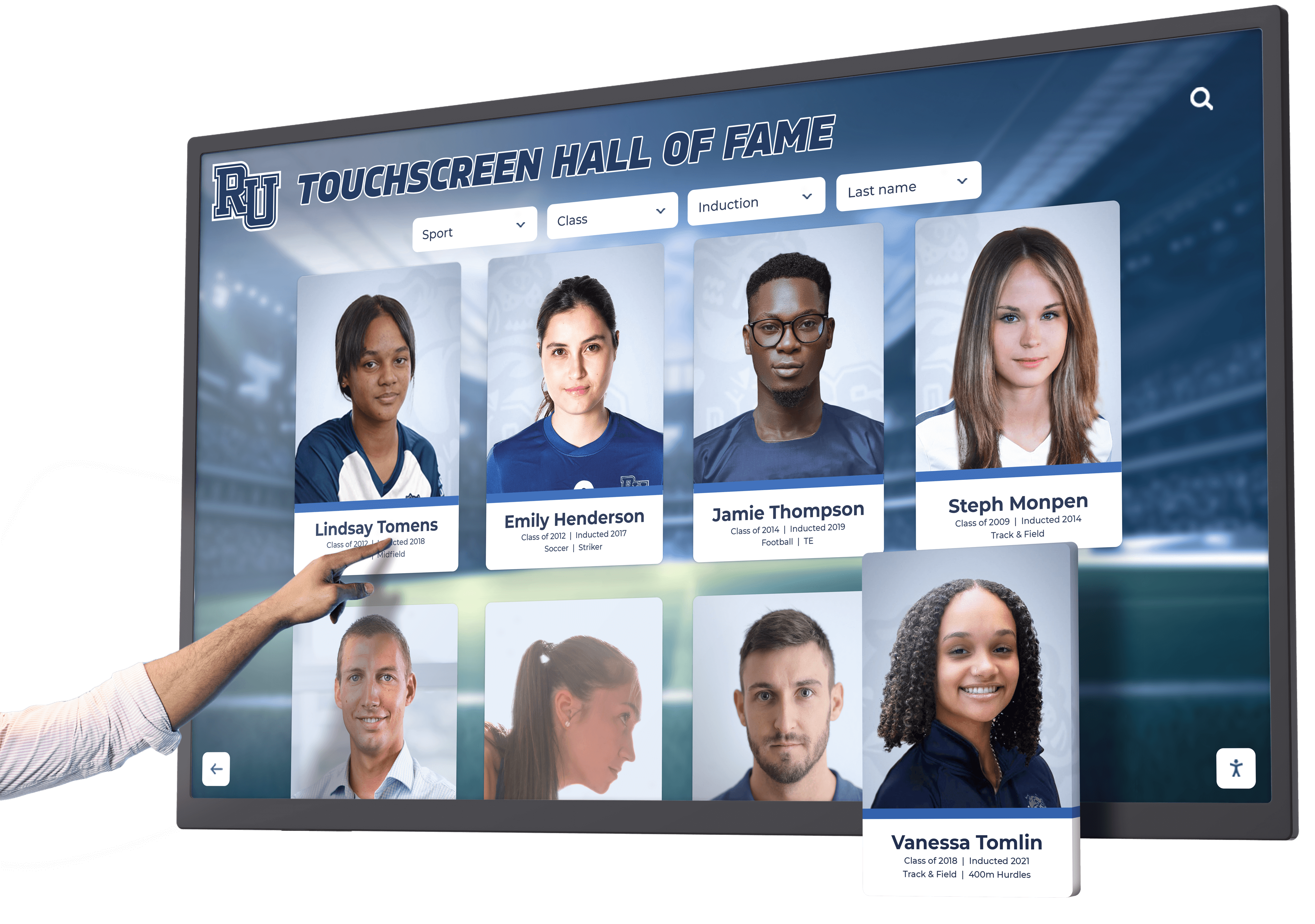
Responsive touch interfaces provide immediate feedback and intuitive control matching smartphone interaction patterns
Future Trends in Real Estate Interactive Displays
Emerging technologies and evolving client expectations shape future display evolution in real estate contexts, helping forward-thinking agencies anticipate coming developments.
Artificial Intelligence and Personalization
AI-powered systems will increasingly customize property recommendations for individual clients:
- Preference learning adapting property suggestions based on browsing patterns and interaction history
- Predictive recommendations anticipating client needs based on similar buyer profiles
- Natural language search enabling conversational property queries rather than structured filtering
- Automated property matching identifying perfect-fit listings based on stated criteria and demonstrated preferences
- Dynamic content optimization automatically featuring properties most likely to interest specific client segments
While raising privacy considerations requiring careful policy development, AI personalization promises dramatically enhanced relevance and efficiency in property discovery processes.
Augmented Reality Property Visualization
AR capabilities will transform how clients evaluate and envision properties:
- AR-enhanced property viewing overlaying property information and features on real-world views
- Renovation visualization showing potential remodeling outcomes superimposed on existing spaces
- Furniture placement enabling clients to visualize their belongings in properties under consideration
- Historical views showing property evolution and neighborhood development over time
- Future development visualization revealing planned community improvements and construction projects
This AR integration creates bridge between digital property information and physical spaces—helping clients make confident decisions by seeing properties in comprehensive context.
Blockchain and Transaction Transparency
Emerging blockchain technology may integrate with display systems:
- Property history verification providing tamper-proof records of ownership, improvements, and transactions
- Smart contract integration streamlining offer and closing processes through automated execution
- Transparent transaction tracking showing all parties exactly where deals stand in real-time
- Reduced fraud risk through cryptographic verification of property information and ownership
- Faster closings eliminating paperwork delays through digital verification and execution
While mainstream adoption remains emerging, forward-thinking agencies should monitor blockchain development anticipating eventual integration with property transaction processes.
Voice Control and Hands-Free Interaction
Voice interfaces will supplement or replace touch interactions:
- Voice-activated search enabling clients to speak property criteria rather than typing or selecting filters
- Hands-free browsing particularly valuable during pandemic concerns or accessibility needs
- Multi-language voice supporting diverse client populations in their preferred languages
- Agent assistance answering common questions about properties, processes, and agency services
- Accessibility enhancement for clients with mobility limitations or visual impairments limiting touch interaction
Conclusion: Transforming Real Estate Client Experiences Through Interactive Technology
Interactive touchscreen displays represent strategic investments in client experience, operational efficiency, and competitive positioning that deliver measurable returns substantially exceeding technology costs. When realtor agencies systematically deploy thoughtfully designed display solutions throughout offices and storefronts, they transform property showcasing from limited, agent-dependent information access into comprehensive, 24/7 client-driven exploration that genuinely enhances the property search experience while supporting agency growth objectives.
The design frameworks and implementation strategies explored in this guide provide comprehensive blueprints for creating real estate displays that effectively serve client needs while supporting broader business objectives for lead generation, property exposure, and market differentiation. From after-hours window displays capturing passerby attention to sophisticated lobby kiosks enabling detailed property exploration, modern interactive platforms deliver interconnected benefits that multiply investment value while positioning agencies as innovative, client-focused businesses committed to exceptional service.
Transform Your Real Estate Property Showcasing
Discover how modern interactive display solutions can help you engage clients, showcase properties effectively, and differentiate your agency with cutting-edge touchscreen technology designed for real estate applications.
Schedule Your Design ConsultationImplementation success requires moving beyond assumptions that printed listing sheets and traditional window cards adequately serve modern clients with fundamentally different expectations for property information access than previous generations. Today’s homebuyers—smartphone-dependent, visually-oriented, expecting on-demand information—deserve modern presentation technology meeting contemporary user experience standards while demonstrating agency investment in client service excellence.
Start where you are with single display installations demonstrating concept and value, then systematically expand to create comprehensive networks across all agency locations and client touchpoints. Every missed opportunity from clients walking past closed offices, every property that never received adequate exposure, every prospect who chose competitors offering more accessible information—these represent missed business development that strategic display implementation prevents while creating the engaging, informative client experiences that drive preference, trust, and ultimately, successful transactions.
Your clients deserve property showcasing systems that genuinely serve their needs through technology they naturally use and interfaces they intuitively understand. With thoughtful planning, appropriate technology selection, and systematic implementation, you can create display systems that transform real estate offices from traditional, limited-availability operations into modern, 24/7 marketing platforms where clients discover perfect properties, agents work efficiently, and agencies differentiate themselves through innovation and client-focus that directly impacts market success.
Ready to explore interactive display solutions for your realtor agency? Learn about comprehensive interactive display systems, discover touchscreen interface design best practices, explore digital communication strategies for public-facing environments, and when you’re ready to discuss your specific real estate technology needs, connect with Rocket Alumni Solutions for comprehensive platforms supporting property showcasing, client engagement, and modern real estate presentation through integrated touchscreen technology designed for creating exceptional client experiences that drive business growth.
Sources:































