




Intent: Demonstrate how to design and implement interactive touchscreen displays that elevate law firm client experiences, streamline attorney directories, and create sophisticated professional environments through modern digital technology.
Law firm touchscreen displays represent a transformative approach to client engagement and professional presentation in legal environments, fundamentally reshaping how firms welcome visitors, showcase attorney expertise, and communicate their brand values through sophisticated interactive technology. As legal practices face increasing competition for high-value clients and recognize that first impressions directly impact client acquisition and retention, creating modern, technology-forward office environments has emerged as a strategic priority for firms seeking competitive advantage in crowded legal markets.
Yet many law firms continue relying on outdated lobby presentations that fail to convey the innovation and sophistication clients expect from premium legal service providers. Traditional static directories confuse visitors seeking specific attorneys, printed brochures go unread, and opportunities to showcase firm accomplishments and expertise remain untapped—creating missed opportunities for differentiation during the critical moments when prospective clients form initial impressions that influence engagement decisions.
This comprehensive guide explores how interactive touchscreen displays specifically designed for legal professional environments solve these persistent challenges while delivering measurable benefits across client experience, operational efficiency, and brand positioning. From dynamic attorney directories and practice area showcases to client engagement content and sophisticated wayfinding, you’ll discover practical design frameworks and implementation strategies for creating displays that genuinely enhance the client experience while supporting firm objectives for growth, reputation, and competitive positioning.
According to research on professional services marketing, first impressions formed within the initial 30 seconds of facility arrival significantly influence client perceptions of competence, innovation, and service quality—demonstrating that thoughtfully designed lobby technology delivers returns far exceeding implementation costs through enhanced client acquisition and retention supporting firm growth.

Professional kiosk installations create immediate impact while providing practical navigation assistance clients need in complex legal office environments
The Modern Law Firm Client Experience Challenge
Understanding the unique demands facing today’s legal practices helps firm leaders appreciate why interactive display technology delivers exceptional value for client engagement and professional positioning.
The Critical Importance of Lobby First Impressions
Clients visiting law firm offices arrive during high-stakes moments—initial consultations, case reviews, settlement negotiations, or trial preparation meetings—when their stress levels run high and their evaluation of firm competence intensifies. The lobby environment encountered during these crucial visits communicates powerful messages about firm values, capabilities, and commitment to client service that influence trust, confidence, and engagement decisions.
Traditional law firm lobbies designed decades ago no longer align with contemporary client expectations shaped by experiences in retail, hospitality, and technology sectors where digital interfaces and interactive systems create seamless, personalized service encounters. Today’s clients—accustomed to smartphone apps providing instant information access and intuitive digital navigation—expect similar sophistication from professional service providers commanding premium fees for legal expertise.
Common Client Frustrations with Traditional Law Firm Lobbies
Research on professional services environments identifies persistent client pain points:
- Difficulty finding specific attorneys or departments in multi-floor facilities without clear navigation assistance
- Confusion about practice areas and attorney specializations when initial consultations occur with unfamiliar legal professionals
- Lack of information about firm accomplishments and credentials creating uncertainty about capability and expertise
- Anxiety during wait times without engaging content or information about appointment status
- Inaccessible firm information requiring staff interruption for basic wayfinding or attorney contact details
- Outdated presentation with worn directories and faded materials suggesting lack of investment in client experience
Rising Client Expectations for Modern Professional Environments
The legal industry faces increasing client sophistication as businesses and individuals compare service experiences across industries and expect technology-enabled convenience regardless of sector. According to research from Crown TV on digital signage for law offices, interactive displays help law firms show commitment to innovation while providing an effortless way for clients to access key information, creating lasting impressions that differentiate firms in competitive markets.
Technology as Competitive Differentiator
Modern clients increasingly view technology adoption as proxy for overall firm competence and forward-thinking approach. Law firms demonstrating sophisticated use of client-facing technology signal broader capabilities:
- Investment in efficiency and client service excellence
- Understanding of contemporary business practices and digital transformation
- Willingness to innovate beyond traditional legal service delivery models
- Commitment to accessibility and transparency in client relationships
- Alignment with corporate clients’ own technology expectations
Firms that fail to modernize lobby experiences risk perception as outdated organizations potentially lacking innovation in legal service delivery—damaging competitive positioning regardless of actual attorney expertise and case outcomes.
Operational Inefficiencies of Traditional Directories and Materials
Beyond client perception issues, traditional lobby materials create ongoing operational burdens consuming firm resources:
Administrative Burden of Static Directories
Maintaining accurate building directories requires constant coordination:
- Updating printed directories whenever attorneys join, depart, or change offices
- Replacing outdated materials across multiple building locations
- Coordinating with building management for lobby directory updates
- Printing and distributing updated firm brochures and materials
- Managing inconsistencies between different information sources
These recurring tasks consume administrative time while inevitable delays between updates create inaccurate information frustrating clients and visitors.
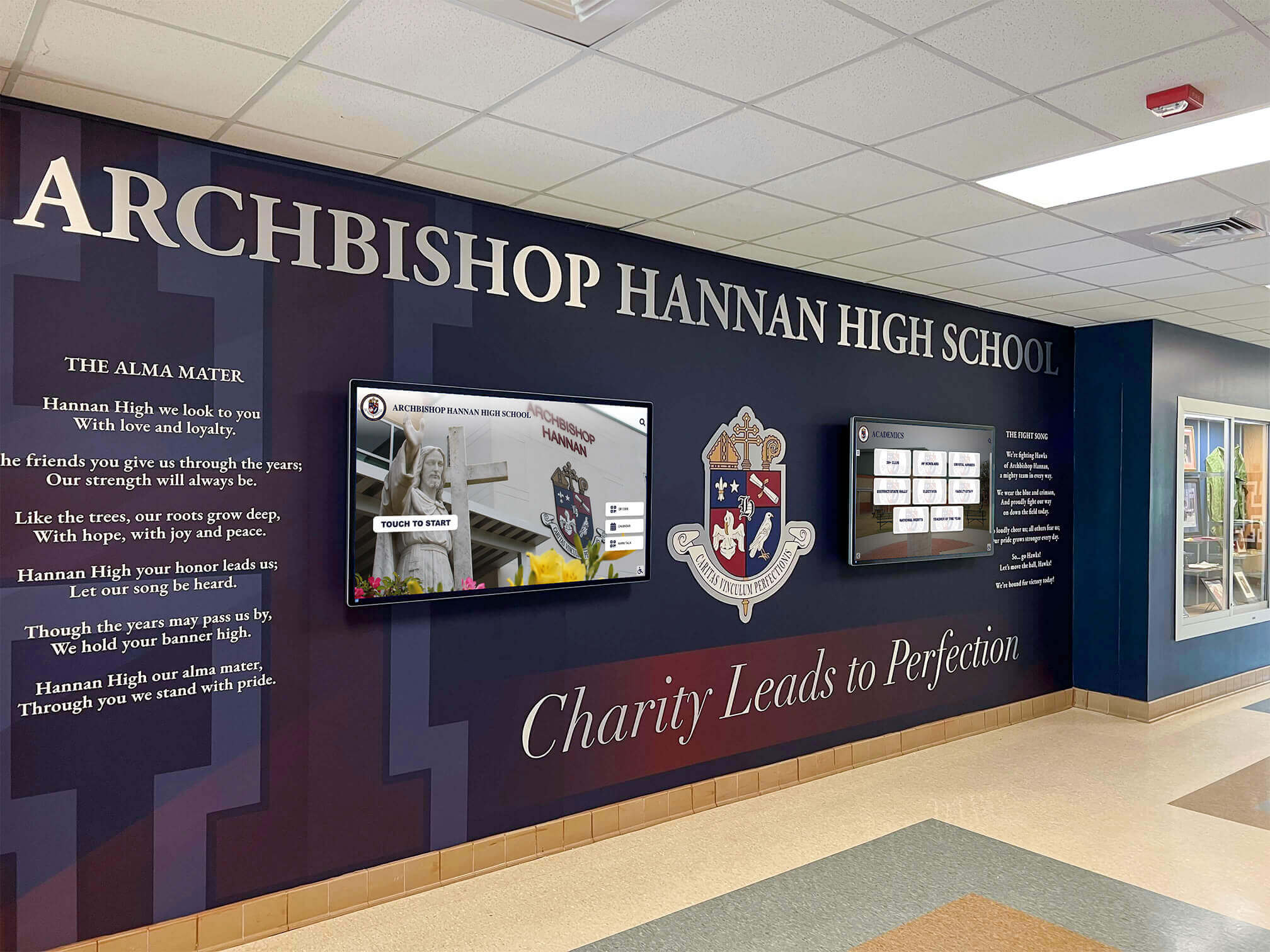
Sophisticated installations create cohesive professional environments blending technology seamlessly with traditional design elements
Core Benefits of Interactive Displays for Law Firm Environments
Interactive touchscreen technology delivers multiple interconnected benefits enhancing client experience while supporting operational efficiency and brand positioning objectives.
Enhanced Attorney Directory and Wayfinding Navigation
The most fundamental benefit involves replacing confusing static directories with intuitive interactive navigation enabling instant attorney location and contact information access.
Comprehensive Attorney Search and Filtering
Modern directory platforms provide multiple discovery paths accommodating different search behaviors:
- Alphabetical attorney listings with photographs creating recognition
- Practice area filtering connecting clients with relevant specialization
- Office location sorting for multi-floor or multi-building facilities
- Direct name search enabling instant specific attorney location
- Department or team browsing for organizational structure navigation
Solutions like those from Rocket Alumni Solutions enable unlimited attorney profiles with photos, contact information, office locations, practice area details, and professional credentials—ensuring clients can independently find necessary information without requiring reception desk assistance.
Interactive Building and Floor Navigation
Beyond attorney directories, comprehensive wayfinding includes:
- Interactive floor plans showing office locations and navigation routes
- Meeting room and conference center locators with booking status
- Amenity locations including restrooms, elevators, and parking
- Accessibility information for visitors with mobility requirements
- QR codes enabling mobile map transfer for ongoing navigation
This comprehensive navigation reduces client anxiety while decreasing reception desk interruptions freeing administrative staff for higher-value client service activities.
According to Pickcel’s research on law firm lobby digital signage, digital directories help with navigation by listing all attorneys, departments, and their corresponding floors, with creative teams using design tools to display attorney directories, announcement banners, and news feeds.
Sophisticated Practice Area and Service Showcases
Interactive displays enable rich content showcasing firm capabilities far beyond what printed materials can achieve.
Detailed Practice Area Presentations
Rather than generic brochures listing practice areas without context, interactive platforms provide:
- Comprehensive practice area descriptions explaining specialization depth
- Attorney team profiles showing credentials and experience in specific areas
- Case type examples illustrating the matters firms regularly handle
- Success metrics and representative accomplishments demonstrating capability
- Related service connections helping clients discover complementary expertise
Thought Leadership and Expertise Demonstration
Position attorneys as industry experts through:
- Recent publication and article showcases highlighting intellectual contributions
- Speaking engagement calendars demonstrating industry recognition
- Legal alert summaries showing firm responsiveness to regulatory changes
- Award and recognition displays celebrating professional excellence
- Professional association leadership highlighting industry involvement
This expertise showcase helps justify premium fee structures while building client confidence in firm capabilities during the critical initial impression formation period.
Approaches to professional digital recognition displays provide frameworks for sophisticated credential and accomplishment presentation applicable to legal environments celebrating attorney excellence.

Intuitive card-based interfaces enable natural exploration matching smartphone interaction patterns familiar to all clients
Engaging Client Waiting Area Content
Transform potentially stressful waiting times into engaging experiences through dynamic content maintaining client attention while reinforcing firm values.
Educational Legal Content and Updates
Provide value during wait times through:
- Legal news summaries keeping clients informed about relevant developments
- Educational content explaining common legal processes and procedures
- FAQ libraries addressing frequent client questions
- Video content featuring attorney introductions and practice area overviews
- Industry-specific updates relevant to client business sectors
This educational content positions firm as trusted advisor while demonstrating commitment to client education and transparency.
Firm Culture and Community Involvement
Humanize the firm through authentic storytelling:
- Attorney spotlight profiles sharing professional backgrounds and personal interests
- Community involvement showcases highlighting pro bono work and charitable activities
- Firm history timelines celebrating heritage and evolution
- Office culture glimpses showing workplace environment and values
- Client testimonials and success stories (with appropriate confidentiality protection)
Resources on digital storytelling approaches demonstrate frameworks for compelling narrative presentation that builds emotional connection with audiences.
Brand Consistency and Professional Presentation
Interactive displays enable sophisticated brand presentation impossible with traditional static materials.
Complete Visual Brand Control
Digital platforms provide:
- Consistent color palette implementation matching firm brand guidelines
- Typography systems reflecting brand personality and professionalism
- Logo presentation following corporate identity standards
- Photography and imagery aligned with brand positioning
- Motion and animation matching brand sophistication level
Customized Branded Experiences
Solutions like Rocket Alumni Solutions provide unlimited custom layouts enabling firms to create branded experiences perfectly aligned with visual identity—from conservative traditional presentation for established practices to modern minimalist designs for boutique firms targeting technology sector clients.
This complete brand control ensures lobby technology reinforces rather than conflicts with carefully developed firm identity cultivated through years of marketing investment.
Immediate Update Capability for Brand Consistency
When firms rebrand, merge, or update visual identity, digital displays enable instant systemwide updates:
- No reprinting costs for outdated materials
- No coordination delays updating multiple locations
- Immediate consistency across all client touchpoints
- Seamless integration of acquired firm branding during mergers
- Responsive updates reflecting seasonal or campaign-specific messaging

Coordinated multi-display networks create comprehensive information environments throughout professional facilities
Experience Layout: Designing Effective Law Firm Displays
Creating interactive displays that genuinely serve legal professional needs requires systematic design approaches balancing sophistication with intuitive usability for diverse client populations.
Layout Blueprint for Legal Professional Applications
Well-designed law firm displays organize content into functional zones serving specific client service and navigation purposes.
Zone 1: Hero Area with Firm Identity (Top 15-20%)
The hero zone establishes immediate professional presence through:
- Firm name and logo creating instant brand recognition
- Tagline or positioning statement communicating firm values
- Date and time information providing temporal orientation
- Optional welcome message personalizing client arrival experience
- Subtle motion elements (animated logo, gentle gradients) suggesting sophistication
This prominent branding ensures clients immediately recognize displays as official firm communication rather than generic building information—increasing perceived relevance and engagement likelihood.
Zone 2: Primary Content Area - Attorney Directory & Navigation (Center, 50-60%)
The main display zone presents core navigation and discovery functionality:
- Search bar with predictive text enabling direct attorney lookup
- Alphabetical attorney list with thumbnails supporting recognition
- Practice area category cards organizing attorneys by specialization
- Featured attorney spotlights highlighting leadership or specialized expertise
- Office floor directory showing location-based organization
- Meeting room locators for clients seeking specific conference locations
Zone 3: Practice Area and Service Information (Side Panel or Rotation, 20-25%)
Dedicated space showcasing firm capabilities and expertise:
- Practice area descriptions with team member listings
- Service line overviews explaining specialized legal offerings
- Industry focus highlights for sector-specific expertise
- Representative matter examples illustrating typical case types
- Related services connections helping clients discover complementary capabilities
Zone 4: Engagement Content and Updates (Footer or Rotation, 15-20%)
Dynamic content maintaining interest and demonstrating thought leadership:
- Legal news and regulatory update summaries
- Upcoming firm events, webinars, or speaking engagements
- Recent publications and thought leadership content
- Award and recognition announcements
- Community involvement and pro bono highlights
Zone 5: Navigation and Action Area (Footer, 10-15%)
Persistent access to essential functions and next steps:
- Building floor plans and wayfinding tools
- Reception desk contact options for assistance requests
- QR codes linking to mobile-optimized resources and firm website
- Social media feeds showing firm LinkedIn or Twitter content
- Language selection for international client bases
Guidance on designing touchscreen experiences provides detailed frameworks for creating intuitive interfaces that maximize usability and professional impression.
Content Blocks and Interactive Features
Beyond static layout, interactive elements enhance utility and engagement through features specifically valuable for legal professional contexts.
Attraction Loop for Unattended Display
When not actively used, displays should run engaging attraction content:
- Rotating featured attorney profiles with credentials and expertise
- Practice area highlights showcasing firm capabilities
- Firm achievement statistics and professional recognition
- Community involvement and pro bono impact metrics
- Clear touch prompts encouraging interaction and exploration
Interactive Attorney Discovery and Contact
Enable clients to explore attorney expertise matching their needs:
- Searchable attorney database with practice area filtering
- Detailed attorney pages with education, experience, and publications
- Direct contact options including email, phone, or assistant contact
- Calendar integration showing availability for consultation scheduling (when appropriate)
- Related attorney recommendations based on practice area or industry focus
Practice Area Deep Dives
Help clients understand firm service offerings comprehensively:
- Detailed practice area descriptions explaining service scope
- Team member listings with relevant attorney credentials
- Representative matter examples (maintaining client confidentiality)
- Related services highlighting complementary capabilities
- Downloadable resources or QR codes for detailed information access
Building Navigation and Wayfinding
Provide practical navigation assistance clients need:
- Interactive floor plans with touch-based room selection
- Turn-by-turn directions from current location to destinations
- Elevator bank and stairwell location indicators
- Parking and building entry information for first-time visitors
- Accessibility route options for visitors with mobility considerations
Resources on interactive campus directory displays demonstrate navigation approaches applicable to professional office environments requiring comprehensive wayfinding solutions.

Professional interfaces support intuitive exploration enabling clients to independently access needed information
Accessibility and Professional Design Considerations
Law firm displays must serve diverse client populations including those with disabilities, international clients, and visitors with varying technical comfort levels.
ADA WCAG 2.1 AA Compliance Standards
Legal professionals face particular accessibility obligations requiring:
- Text contrast ratios minimum 4.5:1 for body text, 3:1 for large text and UI elements
- Touch targets minimum 44x44 pixels with adequate spacing preventing accidental activation
- Font sizes supporting readability from 3-6 feet viewing distances (minimum 18pt for body text)
- Alternative text support for images when screen reader compatibility enabled
- Closed captions for any video content featuring attorney introductions or educational materials
Physical Accessibility Requirements
- Display mounting height placing primary interactive areas 15-48 inches above floor for wheelchair accessibility
- Kiosk designs providing knee and toe clearance when floor-standing units used
- Sufficient clear floor space around displays enabling wheelchair approach and maneuvering
- Volume controls for audio content respecting quiet professional environments
- Optional high-contrast modes for clients with visual impairments
Multilingual Support for International Client Bases
Many law firms serve diverse international client populations requiring communication in multiple languages:
- Prominent language selection enabling complete interface translation
- Full content translation for attorney directories, practice area descriptions, and navigation
- Culturally appropriate imagery respecting diverse client backgrounds
- Language-specific firm contact information and resource directories
Approaches to designing inclusive digital experiences provide comprehensive accessibility frameworks ensuring displays serve all client populations effectively regardless of ability or language.
Essential Content Categories for Law Firm Displays
Effective law firm displays balance multiple content types serving diverse client information needs while maintaining clear organization enabling quick information access.
Comprehensive Attorney Directory and Credentials
The foundation of any law firm display involves comprehensive attorney information enabling client discovery and confidence building.
Core Attorney Profile Information
Each attorney profile should include:
- Professional headshot photograph creating personal connection and recognition
- Full name with proper credentials (Esq., partner designation, etc.)
- Office location with floor and room number
- Direct contact information including phone and email
- Practice areas with primary specialization emphasis
- Educational background including law school and undergraduate institutions
- Bar admissions listing all jurisdictions where licensed
- Years of experience and firm tenure
Enhanced Credential and Accomplishment Details
For deeper engagement, expanded profiles include:
- Professional biography highlighting career trajectory and key experience
- Representative matters or case types regularly handled
- Published articles, books, and thought leadership contributions
- Speaking engagements and industry conference presentations
- Professional association memberships and leadership roles
- Awards and recognition from industry organizations and legal publications
- Pro bono and community involvement activities
- Languages spoken serving international client needs
This comprehensive information helps clients evaluate attorney fit while building confidence in firm expertise—particularly valuable during initial consultations when clients make critical decisions about legal representation.
Practice Area and Service Line Showcases
Detailed practice area content helps clients understand firm capabilities while enabling discovery of services beyond their immediate needs.
Practice Area Essential Information
Effective practice area content includes:
- Clear description of legal services provided within specialization
- Common client scenarios and typical matter types
- Team member listings with relevant attorney credentials
- Service delivery approach and client collaboration process
- Related practice areas highlighting complementary capabilities
- Industry-specific expertise for sector-focused practices
- Representative accomplishments demonstrating success (maintaining client confidentiality)
Specialized Expertise and Niche Capabilities
Differentiate firm positioning through:
- Emerging legal areas where firm has developed early expertise
- Cross-practice capabilities combining multiple specializations
- Industry-specific teams serving particular business sectors
- Regulatory and compliance expertise in complex legal frameworks
- International capabilities for cross-border matters
- Technology and innovation in legal service delivery
Frameworks for creating recognition programs provide structures for systematic capability presentation celebrating attorney and firm excellence across dimensions.
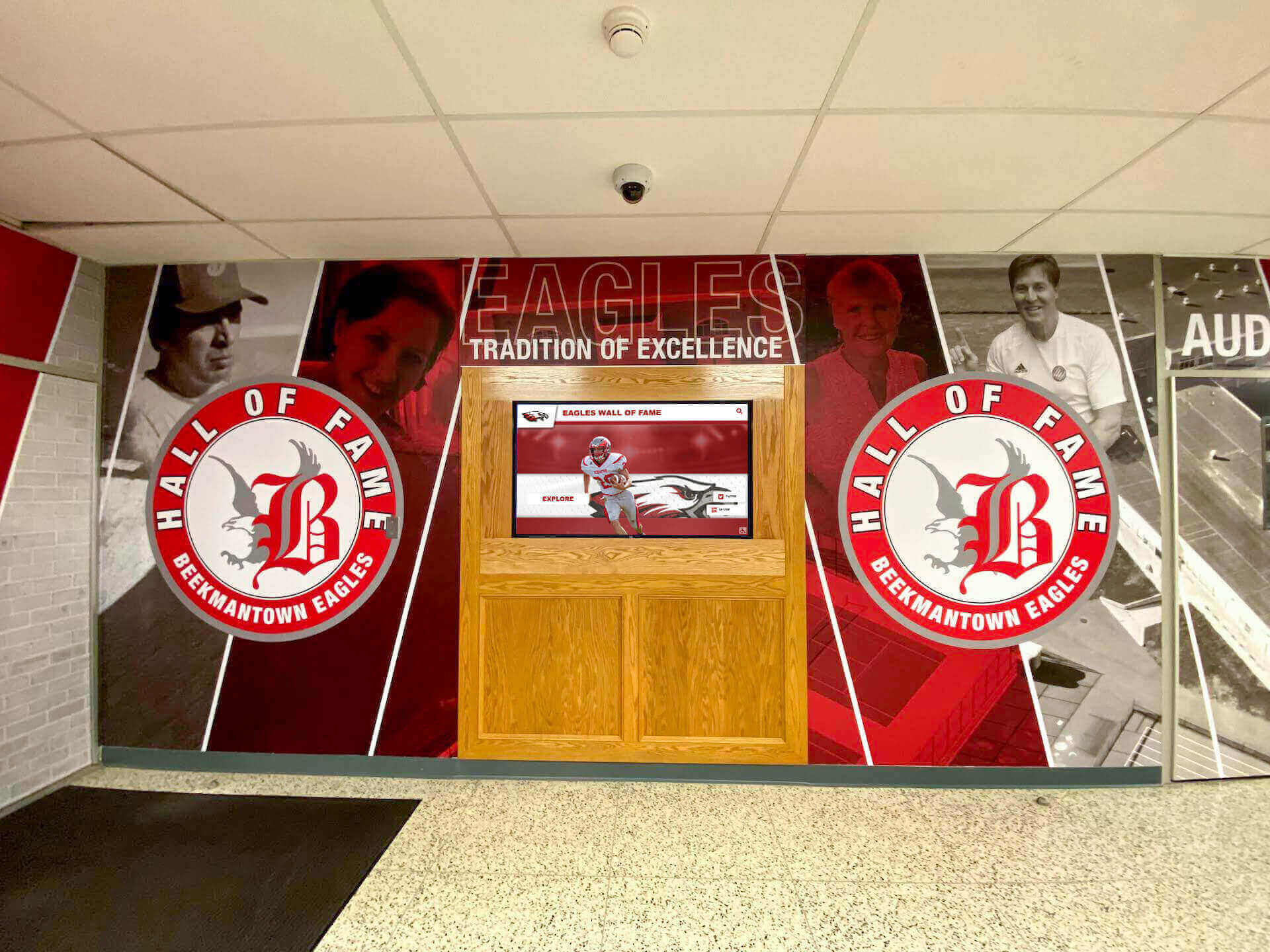
Integrated installations combining digital displays with traditional architectural elements create comprehensive professional communication environments
Thought Leadership and Firm Accomplishments
Position attorneys and firm as industry leaders through systematic thought leadership showcase.
Publications and Intellectual Contributions
- Recent articles and legal commentary with summaries and full-text access
- White papers and practice guides providing client education
- Case law updates and regulatory analysis demonstrating expertise
- Industry newsletter contributions and blog content
- Book authorship and chapter contributions in legal publications
Speaking Engagements and Industry Recognition
- Upcoming speaking engagements at legal and industry conferences
- Webinar schedules and registration information for client attendance
- CLE course instruction demonstrating teaching credentials
- Podcast appearances and media interviews
- Award and recognition announcements from industry publications
Community and Pro Bono Impact
- Pro bono legal services statistics and community impact
- Charitable organization board service and leadership
- Legal aid partnerships and access to justice initiatives
- Diversity, equity, and inclusion program leadership
- Environmental and social responsibility commitments
This thought leadership showcase helps justify premium positioning while building client confidence during the critical moments when initial firm impressions form.
Client Education and Legal Process Information
Provide value through educational content helping clients understand legal processes and procedures relevant to their needs.
Educational Content Topics
- Common legal process overviews for typical client matters
- FAQ libraries addressing frequent client questions by practice area
- Glossary of legal terms demystifying complex terminology
- Timeline expectations for different matter types
- Client responsibility overviews explaining collaboration requirements
- Document checklists helping clients prepare for consultations
Regulatory and Industry Updates
- Recent legal developments affecting client industries
- Regulatory changes requiring business response or compliance
- Court decision summaries with practical implications
- Legislative updates tracking relevant proposed or enacted laws
- Industry-specific compliance alerts and guidance
Resources on digital tools bringing information to life demonstrate approaches for engaging content presentation transforming potentially dry legal information into compelling client education.
Strategic Implementation for Maximum Impact
Technology selection and content development represent only part of successful implementation—strategic planning ensures displays effectively serve client populations while delivering returns justifying investment.
Optimal Placement for Client Journey Integration
Display location fundamentally determines utilization and impact regardless of hardware quality or content excellence.
Primary Lobby Reception Areas
The most critical display locations include:
- Main building entrance lobbies where all clients arrive
- Reception desk areas creating natural stopping points during check-in
- Elevator banks where clients wait with time for content consumption
- Main staircase landings in low-rise buildings where stairs serve as primary circulation
- Parking garage entrance areas providing information before building entry
These high-visibility positions ensure every client encounters displays during arrival—maximizing opportunity for wayfinding assistance, firm information discovery, and positive impression formation during critical first-contact moments.
Conference Floor Common Areas
Secondary display locations serve clients beyond initial arrival:
- Conference floor reception areas where clients wait before meetings
- Refreshment stations and waiting lounges on meeting floors
- Attorney wing entrances organizing large floor plates by practice area
- Training and seminar rooms used for client education events
- Multi-purpose spaces hosting firm events and gatherings
Branch Office and Satellite Location Lobbies
Maintain consistency across firm footprint:
- Regional office lobbies ensuring brand consistency regardless of location
- Satellite office reception areas in smaller markets
- Court annexes or specialized practice location common areas
- International office lobbies serving global client base
This distributed approach ensures consistent brand presentation and client experience regardless of which firm location clients visit—particularly important for multi-office practices where clients may interact with different geographic teams throughout matter lifecycles.

Freestanding kiosk installations provide flexibility for lobby placements without architectural modification requirements
Content Development and Management Workflows
Display value depends entirely on quality content clients find relevant, useful, and current—requiring systematic workflows ensuring consistent updates throughout firm operations.
Establishing Content Governance and Responsibilities
Successful long-term display management requires clear organizational structure:
- Assign primary content manager (typically marketing director or communications specialist)
- Distribute category responsibilities across relevant teams (attorney profiles managed by legal recruiting or HR, practice area content by practice group leaders, thought leadership by marketing)
- Establish approval workflows for sensitive content requiring management committee review
- Create attorney profile update protocols ensuring currency during arrivals, departures, and promotions
- Document procedures supporting continuity during staff transitions
Content Creation Resources and Templates
Reduce content development burden through systematic resources:
- Template libraries for attorney profiles ensuring consistent presentation
- Brand guidelines ensuring visual presentation matches firm identity
- Photography specifications for professional headshots and office imagery
- Content calendars planning thought leadership and accomplishment showcases
- Style guides for writing tone, language, and messaging consistency
Update Schedules and Refresh Cadence
Maintain currency preventing stale content through systematic reviews:
- Real-time updates for attorney arrivals, departures, and office changes
- Weekly refreshes for thought leadership and firm accomplishment content
- Monthly reviews removing outdated information and adding new capabilities
- Quarterly comprehensive audits verifying all attorney and practice information accuracy
- Annual strategic reviews ensuring content aligns with evolving firm positioning
Platforms like Rocket Alumni Solutions provide centralized management enabling firm marketing staff to update content in minutes from any device—eliminating technical barriers preventing frequent updates when platforms require specialized skills or physical display access.
Integration with Broader Firm Technology Infrastructure
Maximum display value requires coordination with existing firm systems rather than creating isolated information silos.
Practice Management and Attorney Database Integration
Connect displays with core firm systems:
- Automatic attorney roster updates from HR and practice management systems
- Practice area synchronization ensuring consistency with website and marketing materials
- Contact information integration maintaining current phone and email details
- Matter team updates reflecting current case staffing (where appropriate for client visibility)
- Calendar integration showing attorney availability for consultation scheduling
Website and Digital Marketing Coordination
Maintain consistency across client touchpoints:
- Content synchronization ensuring lobby displays match website information
- Thought leadership showcases pulling from firm blog and publication databases
- Social media integration displaying LinkedIn and Twitter content
- Event calendar coordination showing consistent upcoming program information
- QR code linking enabling seamless transition from display to mobile website access
Building Management and Wayfinding Integration
Coordinate with building systems for comprehensive navigation:
- Floor plan synchronization with building management databases
- Conference room availability integration with meeting scheduling systems
- Tenant directory coordination for multi-tenant professional buildings
- Parking and transportation information linked to building amenities
- Emergency notification integration for building-wide alerts and evacuations
This multi-system integration ensures displays provide accurate, current information while minimizing administrative burden through automated data synchronization rather than requiring manual content entry across disconnected platforms.
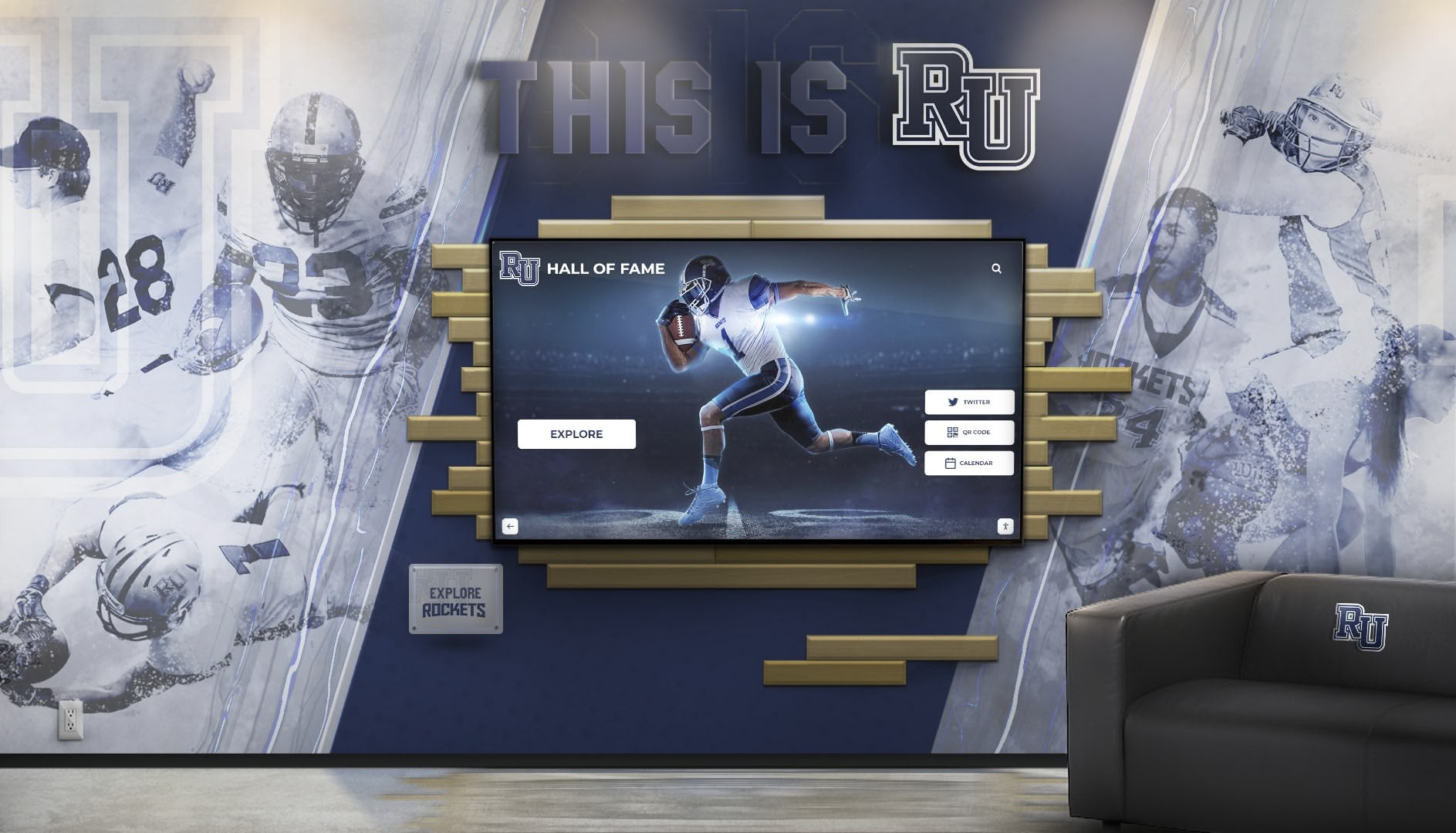
Blending interactive displays with traditional design elements creates sophisticated professional environments
Measuring Display Impact and Demonstrating Value
Establishing metrics connecting display implementation to concrete outcomes helps justify technology investment while supporting continuous improvement ensuring systems evolve to serve changing client needs effectively.
Direct Usage Analytics and Engagement Metrics
Quality display platforms provide comprehensive analytics quantifying usage patterns demonstrating value to firm leadership.
Quantifiable Engagement Data
Critical metrics include:
- Total interaction sessions showing display usage frequency across days and weeks
- Average session duration indicating depth of client content engagement
- Most-viewed attorney profiles revealing client search patterns
- Popular practice area content demonstrating client interest areas
- Peak usage times informing when clients most frequently arrive
- Search query analysis showing what information clients seek
Analysis reveals content effectiveness and client behavior patterns enabling data-driven decisions about display investment and content strategy rather than relying on assumptions about what clients value.
Comparative Performance Across Locations
Firms managing multiple offices can benchmark performance:
- Usage rate variations by location suggesting placement or content optimization opportunities
- Engagement differences between practice-focused offices informing content customization
- Client population differences between urban headquarters and suburban branches
- Content type preferences revealing what information different client populations prioritize
Client Experience and Satisfaction Assessment
Beyond direct usage metrics, assess whether displays contribute to broader client service and satisfaction objectives justifying investment.
Reception Efficiency and Client Self-Service
Measure operational impact through:
- Reduction in reception desk navigation inquiries after display implementation
- Decreased wait times for check-in and attorney notification
- Client arrival self-sufficiency enabling independent navigation
- Administrative time savings freed for higher-value client service activities
Client Feedback and Satisfaction Surveys
The most direct outcome measurement involves client perception:
- Post-visit satisfaction surveys including lobby experience questions
- Focus groups with clients exploring impressions and suggestions
- Informal feedback collection through client relationship partners
- Net promoter score correlations with lobby technology implementation
- Competitive positioning assessment comparing firm to peer offices
New Client Acquisition and Pitch Success
Assess impact on business development:
- Prospective client facility tour feedback mentioning lobby technology
- Win rate improvements for engagements involving office visits
- Competitive differentiation in client selection processes
- Marketing material effectiveness featuring lobby technology
- Recruitment success for lateral attorney candidates evaluating firm modernity
Resources on implementing digital recognition effectively provide measurement frameworks applicable across recognition and communication applications including professional service environments.
Overcoming Common Implementation Challenges
While benefits substantially outweigh difficulties, firm leaders should anticipate and proactively address common challenges complicating display implementation and adoption.
Budget Constraints and Investment Justification
Comprehensive lobby display systems require substantial initial investment—typically $8,000-15,000 per display installation including hardware, software, installation, and first-year licensing—amounts that may exceed available marketing or facilities budgets.
Investment Justification Strategies
Firm leadership facing resource constraints can pursue several approaches:
- Client acquisition value calculation estimating the value of even small improvements in conversion rates for high-value engagements
- Operational efficiency returns quantifying administrative time savings from reduced navigation inquiries
- Competitive positioning benefits comparing investment to peer firm office presentation standards
- Recruitment and retention impact evaluating technology’s role in attorney and staff attraction
- Phased implementation starting with flagship office demonstrating value before expansion
- Capital improvement budgets treating displays as permanent infrastructure rather than annual operating expenses
The key involves demonstrating that display investment delivers measurable returns through improved client acquisition, enhanced firm reputation, and operational efficiencies generating value exceeding technology costs—positioning systems as strategic infrastructure supporting core firm growth objectives rather than optional technology competing with other priorities.
Attorney Profile Content Development Capacity
Comprehensive attorney profiles require significant content development effort potentially overwhelming marketing departments.
Resource Strategies
Firms successfully managing content development typically:
- Start with leadership and partner profiles before expanding to all attorneys
- Create standard profile templates reducing customization burden
- Implement attorney self-service profile management with editorial oversight
- Leverage existing website and marketing material content for efficiency
- Establish annual profile update cycles during attorney review processes
- Assign paralegal or administrative support for basic profile maintenance
- Use professional photography services for systematic headshot updates
Launch with achievable content scope demonstrating value, then systematically expand coverage as workflows mature and efficiency improves.
Technical Support and Ongoing Maintenance
Firms without dedicated IT staff worry about long-term support requirements and potential technical failures during critical client visits.
Support Strategies
Organizations successfully navigating technical considerations typically:
- Select platforms with comprehensive vendor support and response guarantees
- Prioritize cloud-based systems requiring minimal local IT infrastructure
- Choose commercial-grade hardware with extended warranties and support contracts
- Establish clear vendor relationships with escalation procedures
- Train multiple marketing staff members preventing single-person dependencies
- Document procedures supporting continuity during staff transitions
- Schedule regular maintenance during off-hours minimizing client disruption
Quality vendors like Rocket Alumni Solutions understand that law firms need reliable, low-maintenance solutions rather than complex systems requiring constant technical intervention—offering purpose-built platforms specifically designed for professional service applications with appropriate security, accessibility, and integration capabilities.
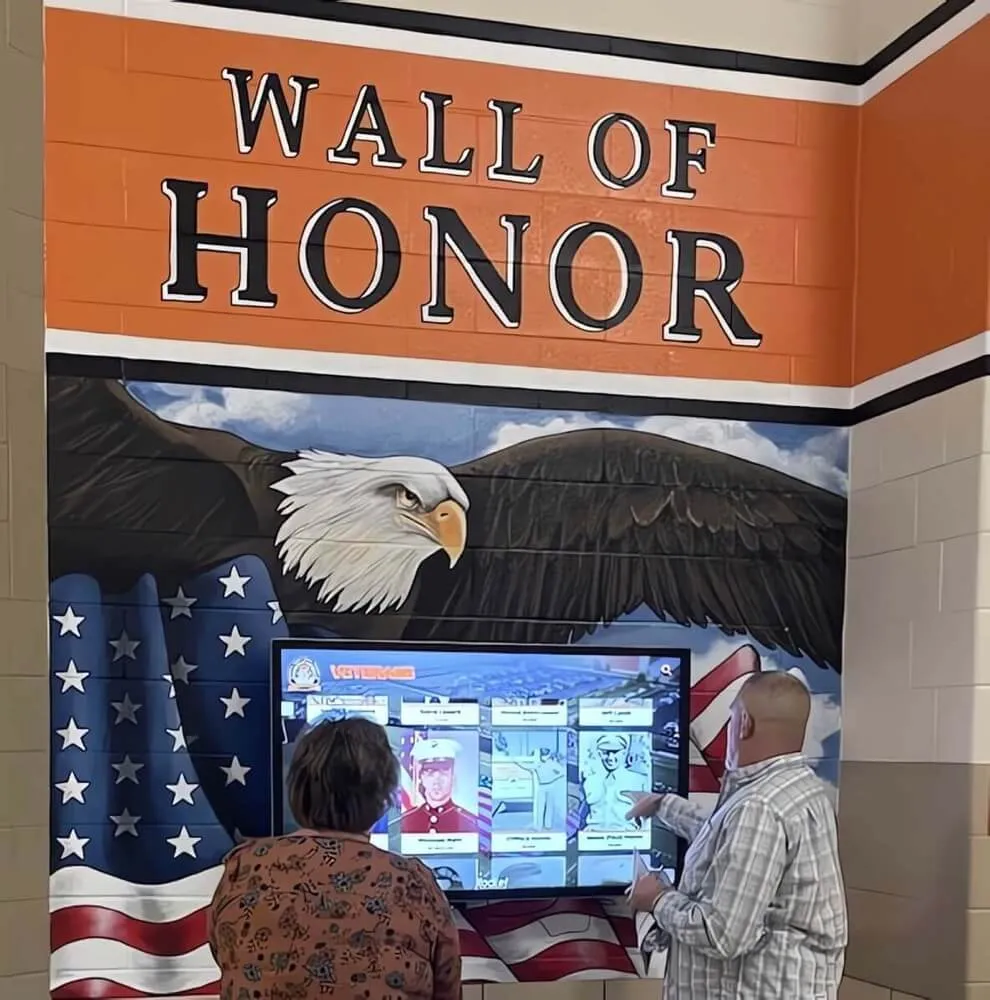
Integrated lobby installations create welcoming professional environments communicating firm values and commitment to client experience
Advanced Applications Beyond Basic Directory Functions
While attorney directories and navigation represent primary display functions, sophisticated implementations extend capabilities to serve additional firm objectives multiplying investment returns.
Event Promotion and CLE Programming
Transform displays into dynamic promotion channels for firm events and client education programs.
Client Event and Seminar Promotion
- Upcoming CLE program schedules with registration information
- Industry-specific client education events and webinars
- Networking reception and social event announcements
- Commemorative events celebrating firm milestones or achievements
- Community involvement activities welcoming client participation
Event Recaps and Thought Leadership Showcase
- Photography galleries from recent successful programs
- Attendance metrics and client engagement statistics
- Speaker highlights featuring attorney presentations
- Upcoming related programming building participation momentum
- On-demand access to recorded presentations and materials
Recruitment and Talent Attraction
Leverage displays for attorney and staff recruitment supporting talent acquisition objectives.
Firm Culture and Career Opportunity Showcase
- Attorney career path stories highlighting advancement opportunities
- Practice group overviews explaining different specialization options
- Professional development and training program highlights
- Work-life balance and flexibility benefits
- Diversity, equity, and inclusion initiatives and commitments
- Summer associate program information for law school recruiting
Employee Recognition and Celebration
- Promotion and advancement announcements celebrating attorney success
- Work anniversary milestones recognizing firm tenure
- Bar admission celebrations welcoming newly licensed attorneys
- Community involvement recognition highlighting pro bono contributions
- Awards and external recognition celebrating professional achievement
Approaches to professional recognition programs demonstrate frameworks for systematic achievement celebration building cultures of excellence.
Real-Time Information and Dynamic Updates
Enable immediate communication for time-sensitive information and emergency situations.
Emergency and Safety Communication
- Building evacuation instructions during fire alarms or emergencies
- Weather alerts for severe conditions affecting client travel
- Security notifications about building incidents or threats
- Facility closures and schedule changes due to unexpected circumstances
- Health and safety protocols during public health situations
Real-Time Operational Information
- Attorney in/out status showing availability for unscheduled matters (when appropriate)
- Conference room availability for impromptu client meetings
- Parking status and alternative options during full conditions
- Building amenity information including dining and service options
- Transportation alerts affecting client arrival planning
Conclusion: Creating Client-Centered Law Firm Experiences Through Interactive Technology
Law firm touchscreen displays represent strategic investments in client service excellence, professional brand positioning, and operational efficiency that deliver measurable returns far exceeding technology costs. When firms systematically deploy thoughtfully designed display systems throughout facilities, they transform client arrival experiences from potentially confusing and anxiety-inducing encounters into confident, informed interactions supporting positive impressions that influence engagement decisions and long-term client relationships.
The design frameworks and implementation strategies explored in this guide provide comprehensive blueprints for creating law firm displays that effectively serve client navigation needs while supporting broader firm objectives for growth, competitive positioning, and talent acquisition. From intuitive attorney directories enabling instant navigation to practice area showcases demonstrating firm expertise to thought leadership displays building confidence in attorney capabilities, modern interactive platforms deliver interconnected benefits multiplying investment value while positioning firms as innovative organizations committed to client experience excellence.
Transform Your Law Firm Client Experience
Discover how purpose-built interactive display solutions create sophisticated professional environments while streamlining client service through modern touchscreen technology designed specifically for legal practice settings.
Schedule Your Design ConsultationImplementation success requires moving beyond assumptions that traditional static directories adequately serve contemporary client populations with fundamentally different expectations shaped by consumer technology experiences and digital service delivery across industries. Today’s clients—smartphone-dependent, information-access-expecting, evaluating firms through every interaction—deserve modern communication technology meeting contemporary user experience standards while demonstrating firm investment in client service excellence and professional innovation.
Start where you are with display installations in highest-visibility locations demonstrating concept and value, then systematically expand to create comprehensive networks your clients and attorneys deserve. Every confused client searching for attorney offices, every missed opportunity to showcase firm expertise, every outdated directory suggesting lack of investment in client experience—these represent missed opportunities for differentiation, confidence building, and competitive positioning that strategic display implementation prevents while creating the sophisticated, client-centered professional environments where exceptional legal service delivery begins.
Your clients deserve navigation systems that genuinely serve their needs through intuitive interfaces they naturally understand. With thoughtful planning, appropriate technology selection, and systematic implementation, you can create display systems that transform law firm lobbies from merely functional waiting areas into strategic client engagement environments demonstrating firm values, showcasing attorney excellence, and building the confidence and trust that research consistently identifies as essential to client acquisition, satisfaction, and long-term relationship development supporting sustainable firm growth.
Ready to explore law firm display solutions? Learn about interactive directory applications, discover approaches to digital recognition in professional environments, explore touchscreen software solutions, and when you’re ready to discuss your specific client experience needs, connect with Rocket Alumni Solutions for comprehensive platforms supporting both client service and professional brand presentation through integrated touchscreen technology designed specifically for creating the sophisticated legal environments where today’s demanding clients expect to receive premium professional services.
Sources:































