Digital Hall of Fame Blog | Insights & Best Practices
- Home /
- Digital Hall of Fame Blog | Insights & Best Practices
Recognition Display Local Dimming Test for Sports Photos and Video
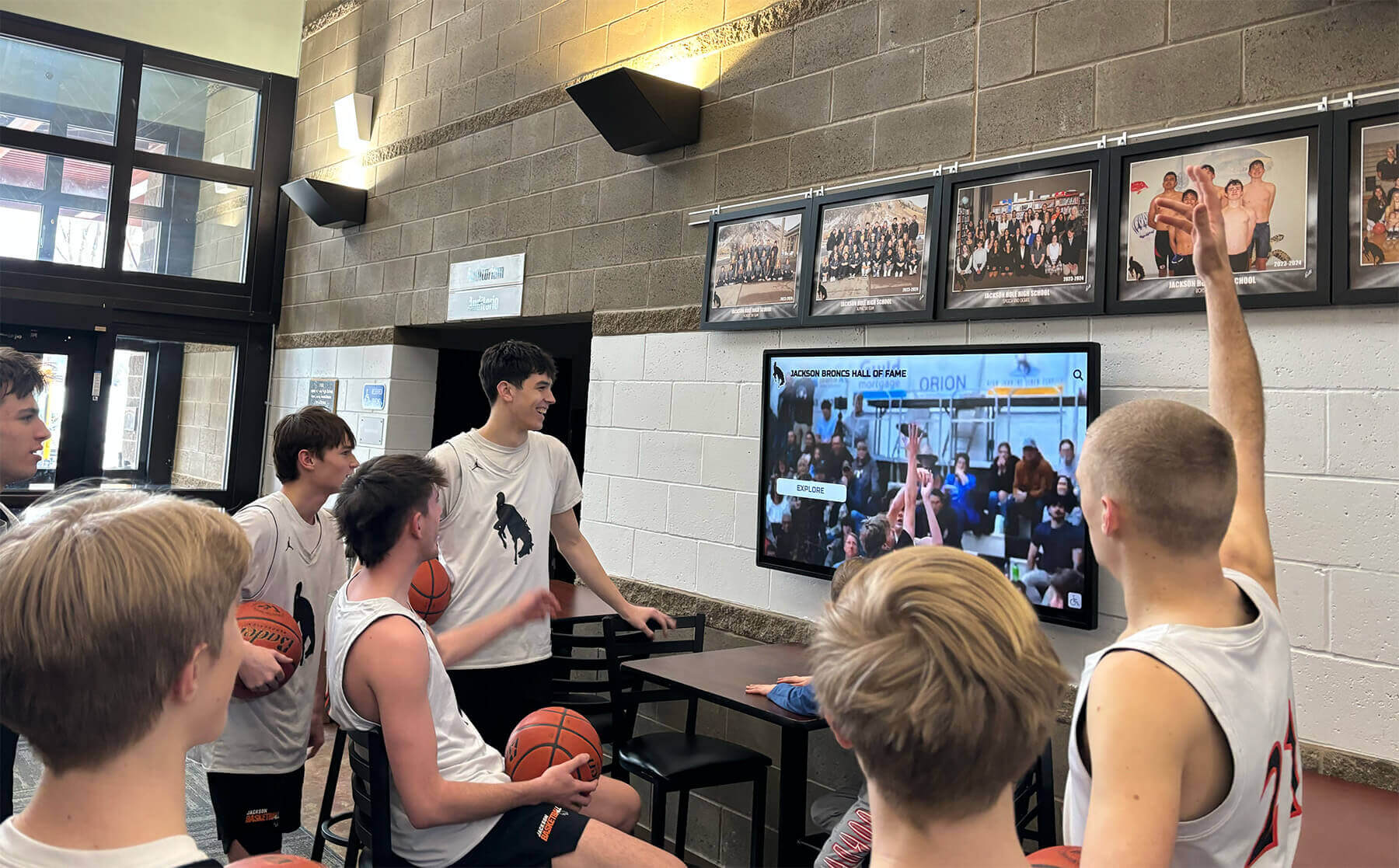
A recognition display local dimming test is a structured pre-acceptance check that school IT staff, athletic directors, facilities teams, and AV technicians run on newly installed or repositioned touchscreens before those panels go live in hallways, athletic lobbies, and hall-of-fame installations. Local dimming is a backlight control technology—present in many commercial LCD displays—that divides the panel into independent dimming zones and adjusts each zone’s brightness separately based on the content it is currently showing. When it works correctly, local dimming delivers deeper perceived blacks alongside bright highlights in the same frame: a stadium scoreboard blazing white above a dark crowd, an athlete emerging from a shadowed tunnel, or a championship trophy under a spotlight against a rich navy background. When it misfires—as it frequently does at factory defaults or when misconfigured—local dimming introduces three specific failure modes: blooming (a halo of unwanted brightness bleeding from a bright object into surrounding dark areas), crushed highlights (detail disappearing in the brightest zones of an image because the corresponding zone is driven too hard), and uneven dark scenes (zones dimming at different rates so that a large dark area—a gymnasium floor, a black trophy base—appears as a patchwork of subtly different gray tones).
Read More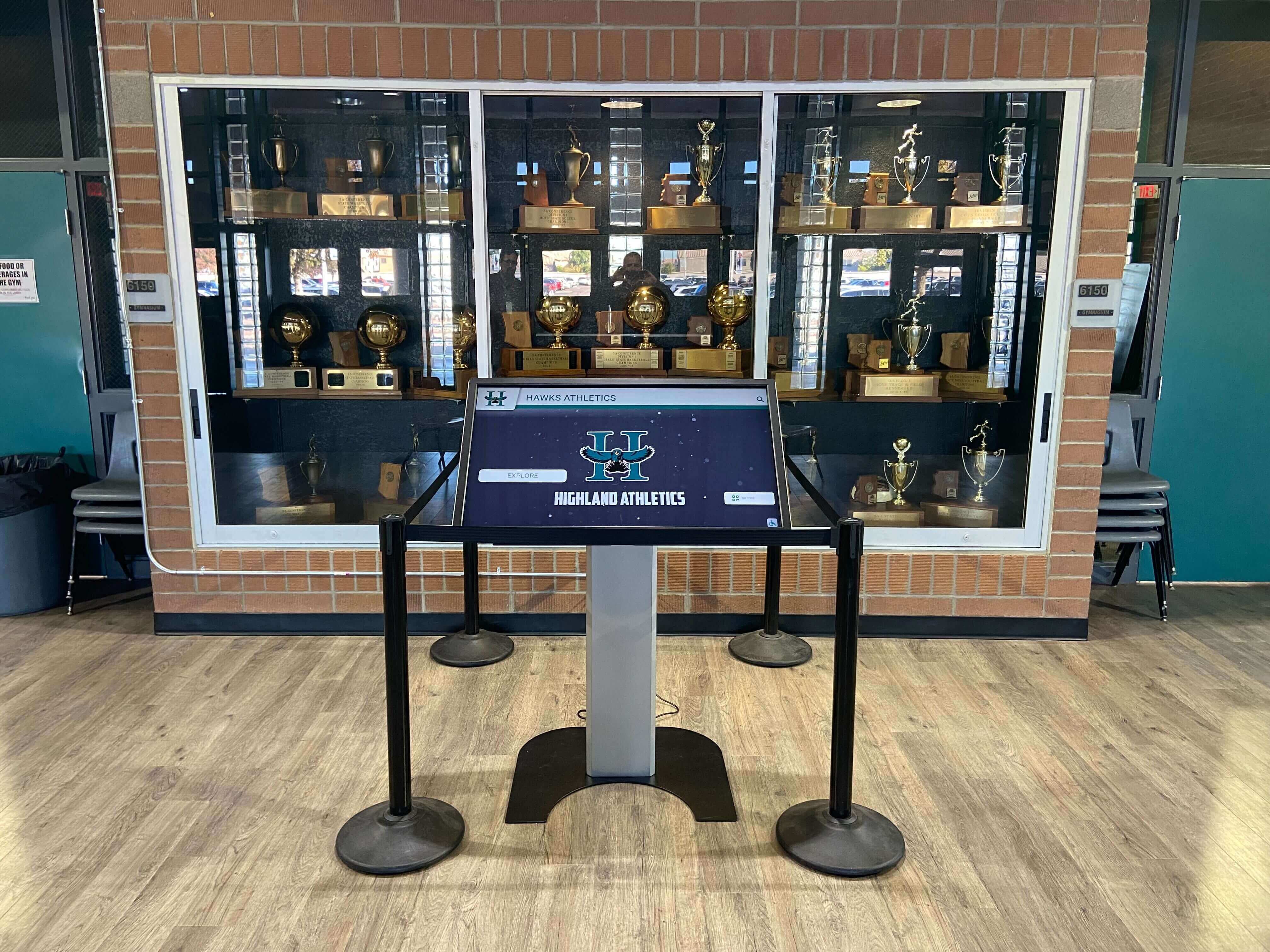
Recognition Display Multi-Touch Accuracy Test for Shared School Kiosks
A recognition display multi-touch accuracy test is a structured procedure that school IT staff, AV technicians, and athletic directors run on interactive recognition kiosks before deploying them in shared hallways, lobbies, and athletic facilities. Multi-touch accuracy measures two related properties: whether the display correctly registers multiple simultaneous touch inputs — from two students exploring at the same time, for example — and whether each individual touch is detected at the coordinate where the finger actually landed, not offset by several millimeters into an adjacent interactive element. On a recognition kiosk presenting athlete profiles, award records, and hall-of-fame inductees, a touch-accuracy failure produces the wrong profile when a student taps a portrait, activates the wrong navigation control, or prevents two visitors from browsing simultaneously. None of these failures are visible until the kiosk is in use, which is why systematic acceptance testing before deployment is essential.
Read More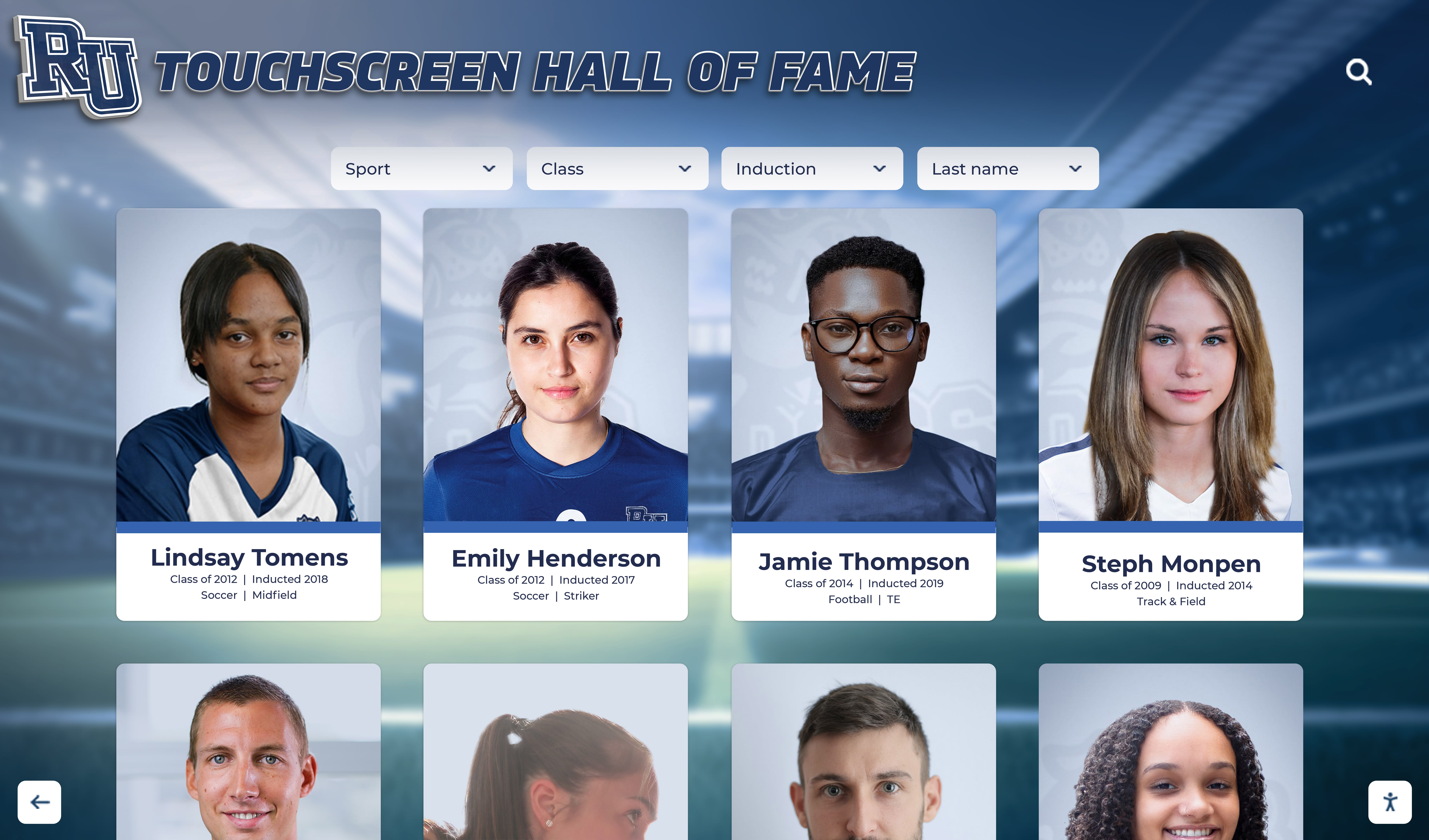
Recognition Display Moiré Pattern Test for Photos, Textures, and LED Backgrounds
A recognition display moiré pattern test is a structured visual check that school administrators, AV teams, IT staff, and athletic directors run on touchscreens, LED walls, and digital signage panels before accepting them for recognition program use. Moiré is an interference pattern — a rippling, shimmering, or banding artifact — that emerges when two regular grids or dot patterns interact at a mismatched frequency or angle. On a recognition display, moiré appears most visibly in photographs of athletes wearing striped, checkered, or fine-weave uniforms; in scanned newspaper clippings and halftone-printed award certificates; in fine texture backgrounds used in graphic layouts; and against the regular dot pitch of direct-view LED panels. The artifact makes content look amateurish, distracts from the honored individual, and cannot be corrected by the recognition software — it is a display hardware and content-preparation issue that must be caught before the program goes live.
Read MoreRecognition Display Black Level Test for School Lobbies and Gyms
A recognition display black level test is a structured pre-acceptance check that school administrators, IT staff, athletic directors, and facilities teams run on newly installed or repositioned touchscreens to confirm the panel renders dark areas of recognition content accurately. Black level describes the darkest tone a display can produce: when it is set too high, shadow regions in athlete portraits, gymnasium trophy photography, and archival sports footage appear washed out and gray rather than deep and defined. When it is set too low on certain panel types, fine shadow detail in dark uniforms or low-lit award ceremony photographs collapses into an undifferentiated black mass that destroys visual information. Either failure makes your school’s recognition program look careless, and it is almost always avoidable with a five-minute test before the display goes live.
Read More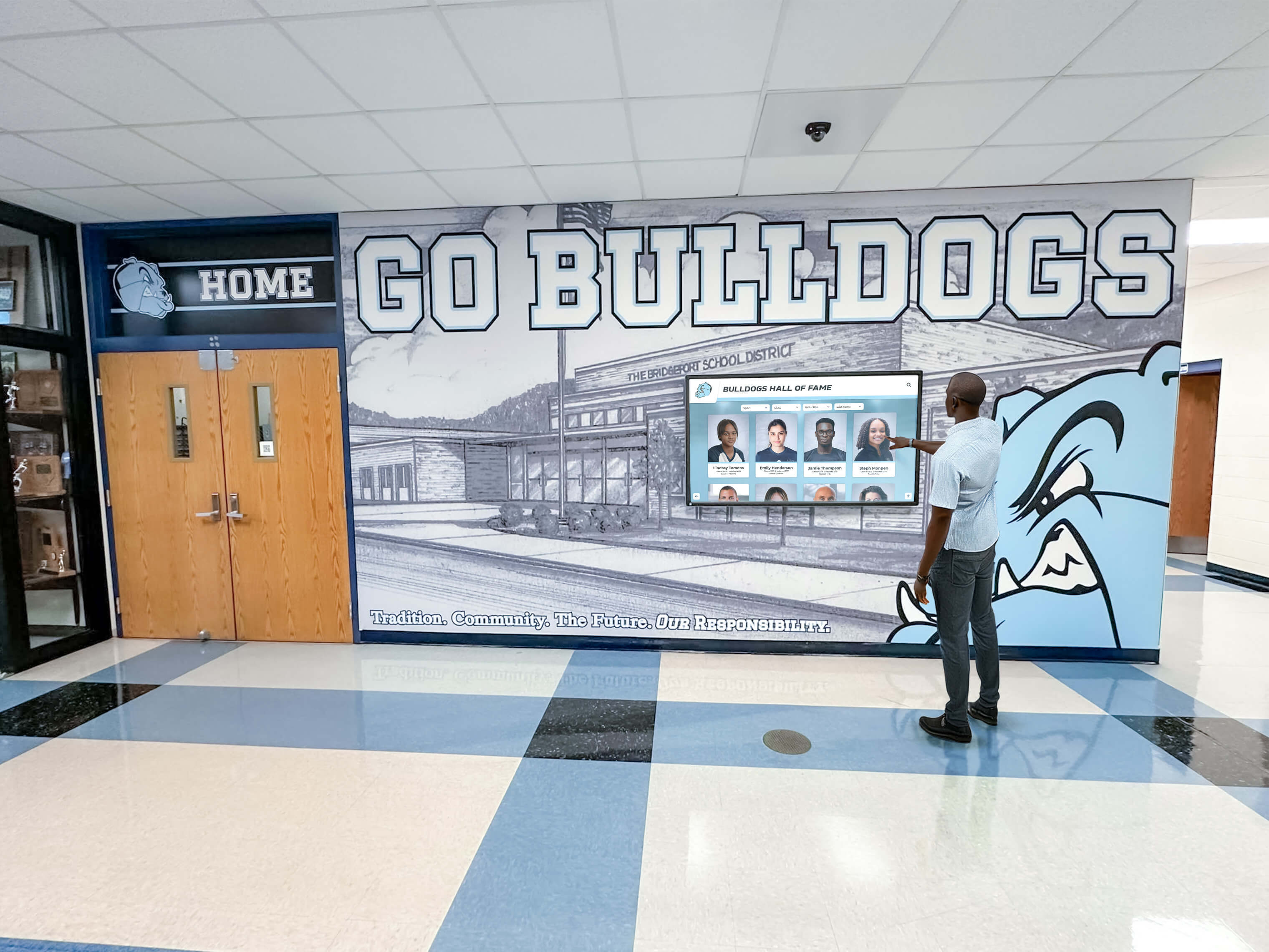
Recognition Display Gamma Calibration: A School Acceptance Checklist
A recognition display gamma calibration checklist is a structured pre-acceptance test that school administrators, IT staff, and facilities teams use to confirm that a newly installed or repositioned touchscreen renders recognition content—athlete portraits, championship trophy photographs, award ceremony images, and archival sports footage—with accurate tonal gradation from deep shadows through bright highlights. Gamma is the mathematical relationship between the electrical signal a display receives and the brightness it actually produces on screen. When gamma is misconfigured, shadow areas of photographs become indistinguishable black regions, highlight detail clips to featureless white, and skin tones appear either washed out or underexposed. On a lobby hall-of-fame screen or an athletics hallway kiosk, that tonal distortion means portraits of honored athletes look unrecognizable and decades of carefully preserved imagery lose the visual detail that makes recognition meaningful.
Read MoreRecognition Display Cache Invalidation Checklist: Publish Updated School Content Reliably
A recognition display cache invalidation checklist gives content administrators, athletic directors, and IT staff a repeatable procedure for confirming that updates to your school’s touchscreen hall-of-fame platform—corrected inductee records, newly added award winners, revised event dates, or fixed photo credits—actually appear on every public-facing screen rather than serving visitors a stale version of your content. Caching is built into virtually every modern web-based recognition platform because it dramatically speeds up page loads on lobby kiosks and hallway touchscreens. That same caching mechanism can trap outdated content for hours or days after you’ve made changes in the content management system, creating an embarrassing mismatch between what administrators see in the back end and what visitors experience in the hallway.
Read MoreRecognition Display Image Retention Test: Prevent Persistent School Graphics
A recognition display image retention test checks whether static graphics—school logos, navigation menus, award category headers, and hall-of-fame frames—have begun to ghost permanently onto your panel before you launch the display for daily public use. Image retention occurs when the same bright or high-contrast element occupies the same pixel region for extended periods; the affected pixels degrade faster than surrounding areas and leave a faint visible imprint even when the screen shows different content. For always-on school recognition screens, the risk is real: a lobby kiosk that runs the same branded home screen from 6 a.m. to 10 p.m. without content rotation can develop visible ghosting within weeks on consumer-grade panels and within months on commercial panels that lack proper content management settings.
Read MoreSchool Touchscreen Idle Timeout Policy for Public Recognition Displays: Complete IT Guide
A school touchscreen idle timeout policy defines how long a public recognition display waits before resetting to its home screen when no visitor is actively interacting with it. Without a deliberate policy, kiosks either stay frozen on a previous visitor’s browsing session—exposing the last-viewed content unintentionally—or burn energy displaying a static frame for hours. With a thoughtful policy, the display returns promptly to a looping home screen, conserves energy, protects privacy, and always presents a polished first impression to the next visitor.
Read MoreSchool Recognition Display HDCP Troubleshooting Checklist: Fix Protected-Content Black Screens
A black screen on your school’s recognition display the morning of an awards ceremony is one of those problems that demands an immediate answer—and HDCP handshake failures are a leading cause that catch AV and IT teams off guard. HDCP (High-bandwidth Digital Content Protection) is a copy-protection protocol built into virtually every modern HDMI and DisplayPort connection. When the source device, switcher, extender, and display all successfully complete their authentication exchange, video appears normally. When any link in that chain stumbles—mismatched firmware, an aging cable, a switcher that silently drops the handshake—the screen goes dark with no obvious error message telling you why.
Read More
Digital Signage for Schools: Unlimited Displays, MDM Management, and $50-a-Year Pricing
School districts reviewing digital signage contracts often hit the same problem: per-screen pricing that grows with every display added, device management that falls to an already-thin IT team, and software that either exceeds what a school actually needs or falls short of what administrators expected. What works for a retail chain or corporate campus doesn’t map cleanly onto a school environment where a single IT coordinator may oversee hundreds of devices across multiple buildings.
Read More
School Recognition Display Electrical Grounding Inspection: A Pre-Launch Safety Checklist
A school recognition display electrical grounding inspection gives facilities coordinators, IT teams, and athletic directors a documented pre-launch process to confirm that the grounding path serving a touchscreen hall of fame, digital award board, or interactive recognition display has been verified before the system goes live in a school environment. Grounding is the foundational layer of electrical safety: it gives fault current a controlled path back to the source, keeps display enclosures at earth potential so a wiring fault does not make the display chassis energized, and ensures that downstream surge protection—however well-specified—actually has a reference point to divert energy toward.
Read More
School Recognition Display Surge Protection Checklist: Protect Screens and Players
A school recognition display surge protection checklist gives athletic directors, facilities coordinators, and IT teams a structured process for verifying that every touchscreen hall of fame, digital award board, or interactive record display is electrically protected before a voltage event—not after one—turns a $12,000 recognition screen into an expensive repair ticket. Surge events at schools arrive from multiple directions: lightning coupling through utility lines, motor loads from HVAC compressors and kitchen equipment cycling on and off, and utility switching during peak demand. Each event can deliver a transient voltage spike lasting microseconds but carrying enough energy to degrade display electronics, corrupt media player storage, or trigger immediate hardware failure.
Read More
Recognition Display Cable Strain Relief Inspection for Safer School Installations
A recognition display cable strain relief inspection gives school facilities coordinators and IT teams a structured walk-through to confirm that every power cord, network cable, and AV connection on a touchscreen hall of fame or athletic recognition display is mechanically protected against the pulling, bending, and vibration that accumulate across a full school year. Strain relief—the hardware and routing practice that prevents cable conductors from bearing tension at their termination points—is required by the National Electrical Code (NFPA 70, Section 400.10) for power cords and is a best practice enforced by structured cabling standards (TIA-568) for data connections. When it fails, the consequences range from intermittent display dropouts and data errors to exposed conductors that present a safety hazard in a busy school corridor.
Read MoreTouchscreen Recognition Display Packet Loss Monitoring Checklist
A touchscreen recognition display packet loss monitoring checklist gives school IT coordinators, athletic directors, and facilities managers the structured process to detect network problems before they interrupt video playback, break cloud content synchronization, or block remote support access on interactive recognition hardware. Packet loss is one of the most common yet least-visible causes of recognition display degradation: a display can appear to function while silently dropping enough network traffic to stall video buffers, delay inductee record updates, and prevent the vendor’s remote diagnostic session from connecting.
Read MoreTouchscreen Recognition Display Asset Tagging Policy: Labels, Ownership, and Records
A clear touchscreen recognition display asset tagging policy is one of the most overlooked—yet most practical—steps a school can take after installing interactive athletic recognition hardware. When a display stops responding, a technician needs to know exactly which unit it is, who owns the support contract, and what software version is running. Without physical labels tied to organized records, that information gets scattered across emails, spreadsheets, and institutional memory that walks out the door every time a staff member changes roles.
Read More
Touchscreen Recognition Display Captive Portal Compatibility Checklist
A touchscreen recognition display captive portal compatibility checklist is the structured pre-installation and ongoing verification process that school IT teams use to confirm an unattended recognition kiosk can reach its cloud platform — and reconnect automatically after any credential refresh — without a human clicking through a browser-based login page. Captive portals are ubiquitous on school guest networks, cafeteria segments, and shared athletic-wing WiFi; they are also one of the most common reasons a newly installed hall of fame kiosk works perfectly on installation day and then fails silently when the display restarts overnight and the portal session expires.
Read MoreTouchscreen Recognition Display Synthetic Monitoring Plan: Catch Outages Before School Events
A touchscreen recognition display synthetic monitoring plan is a documented schedule of automated tests that simulate real visitor interactions — checking that inductee profiles load, media plays, search returns results, and call-to-action paths complete — on a recurring basis so school IT teams learn about failures before families, donors, and guests do. Without one, the first indication that a hall of fame kiosk is broken is often a blank screen at the start of a homecoming reception or an induction ceremony, when there is no time to diagnose the problem and stakeholders are already in the building.
Read MoreTouchscreen Recognition Display Energy Management Policy: Schedules, Power, and Uptime
A touchscreen recognition display energy management policy is the documented set of operating schedules, power modes, and exception rules that school IT and facilities teams use to reduce unnecessary electricity consumption while keeping hall of fame kiosks, athletic record boards, and donor recognition screens fully available during building hours and events. Without a written policy, displays often run at full brightness around the clock — including weekends, holidays, and overnight hours when no one is present — wasting energy and shortening hardware lifespan without delivering recognition value to any visitor.
Read MoreTouchscreen Recognition Display Network Failover Checklist: Keep Recognition Content Available
A touchscreen recognition display network failover checklist is the structured test plan and response procedure that school IT teams, athletic directors, and facilities managers use to confirm recognition content stays visible to visitors when the primary network connection fails. Without one, a fiber cut on the morning of a homecoming game, a router failure during an alumni event, or a campus-wide ISP outage leaves lobby kiosks showing error screens or blank panels at exactly the moment families and guests expect to find induction records, championship histories, and donor acknowledgments on display.
Read MoreTouchscreen Recognition Display Hardware Warranty Tracker: Coverage, Serial Numbers, and Renewal Dates
A touchscreen recognition display hardware warranty tracker is the structured record-keeping system that school administrators, IT coordinators, and facilities managers use to document every warranty covering a recognition display installation — including coverage terms, serial numbers, purchase dates, vendor contacts, and renewal deadlines. Without one, a screen failure during homecoming week can turn into a multi-day outage because the person who purchased the display three years ago has left the district, the serial number is buried in a purchase order no one can locate, and the warranty vendor requires that number before opening a support ticket.
Read MoreCategories
- Academic Achievement ( 1 )
- Academic Excellence ( 8 )
- Academic Programs ( 1 )
- Academic Recognition ( 29 )
- Accessibility ( 2 )
- Admissions ( 1 )
- Admissions Technology ( 1 )
- Alumni Engagement ( 19 )
- Alumni Recognition ( 12 )
- Arena Technology ( 1 )
- Arts Education ( 2 )
- Athletic Administration ( 3 )
- Athletic Awards ( 1 )
- Athletic Events ( 1 )
- Athletic Excellence ( 2 )
- Athletic Facilities ( 4 )
- Athletic Leadership ( 1 )
- Athletic Programs ( 14 )
- Athletic Recognition ( 114 )
- Athletic Technology ( 1 )
- Athletic Training ( 1 )
- Athletics ( 1 )
- Aviation Safety ( 1 )
- Award Display ( 1 )
- Awards & Trophies ( 1 )
- Basketball ( 3 )
- Basketball Awards ( 2 )
- Basketball Programs ( 3 )
- Basketball Recognition ( 1 )
- Basketball Records ( 1 )
- Basketball Training ( 1 )
- Budget Management ( 1 )
- Budget Planning ( 2 )
- Business Education ( 1 )
- Business Solutions ( 1 )
- Buyer's Guide ( 9 )
- Buying Guide ( 1 )
- Campus Design ( 2 )
- Campus Engagement ( 1 )
- Campus Experience Design ( 1 )
- Campus Navigation ( 1 )
- Campus Solutions ( 1 )
- Campus Wayfinding ( 1 )
- Career Development ( 1 )
- Career Education ( 1 )
- Championship Celebrations ( 1 )
- Championship Display ( 1 )
- Championship Displays ( 1 )
- Championships ( 1 )
- Character Development ( 1 )
- Church Programs ( 1 )
- Church Technology ( 2 )
- Club Activities ( 1 )
- Club Sports ( 2 )
- Coach Recognition ( 3 )
- Coaching ( 4 )
- Coaching Resources ( 4 )
- College Athletics ( 1 )
- College Preparation ( 1 )
- College Recognition ( 1 )
- College Sports ( 1 )
- College Technology ( 1 )
- Community Engagement ( 4 )
- Community Events ( 2 )
- Community Programs ( 1 )
- Community Recognition ( 3 )
- Community Technology ( 1 )
- Content Management ( 1 )
- Content Strategy ( 1 )
- Corporate Recognition ( 1 )
- Cultural Recognition ( 1 )
- Customer Support ( 1 )
- Data Management ( 6 )
- Design & UX ( 1 )
- Design Innovation ( 1 )
- Design Inspiration ( 5 )
- Design Strategy ( 2 )
- Digital Archives ( 6 )
- Digital Content ( 1 )
- Digital Design ( 1 )
- Digital Display Design ( 1 )
- Digital Displays ( 29 )
- Digital Innovation ( 3 )
- Digital Preservation ( 2 )
- Digital Recognition ( 126 )
- Digital Signage ( 7 )
- Digital Solutions ( 3 )
- Diseño Interactivo ( 1 )
- Display Design ( 8 )
- Display Solutions ( 1 )
- Display Technology ( 7 )
- Diversity and Inclusion ( 1 )
- Donor Appreciation ( 8 )
- Donor Recognition ( 6 )
- E-Sports ( 1 )
- E-Sports Recognition ( 1 )
- Educational Ceremonies ( 1 )
- Educational Heritage ( 1 )
- Educational Leadership ( 3 )
- Educational Solutions ( 1 )
- Educational Technology ( 3 )
- Elementary Education ( 1 )
- Elite Sports ( 1 )
- Employee Recognition ( 3 )
- Esports ( 1 )
- Event Engagement ( 1 )
- Event Management ( 1 )
- Event Planning ( 7 )
- Event Recognition ( 1 )
- Event Technology ( 1 )
- Excellence Programs ( 1 )
- Facilities Management ( 1 )
- Facility Design ( 1 )
- Facility Management ( 1 )
- Football Strategy ( 1 )
- Fundraising ( 2 )
- Golf Programs ( 1 )
- Golf Recognition ( 2 )
- Graduation Programs ( 3 )
- Greek Life ( 3 )
- Hall of Fame ( 1 )
- Hall of Fame Design ( 1 )
- Hall of Fame Tools ( 1 )
- Healthcare Design ( 1 )
- Healthcare Technology ( 2 )
- Heritage Preservation ( 1 )
- High School Football ( 2 )
- High School Sports ( 7 )
- High School Technology ( 2 )
- Historical Archives ( 2 )
- Historical Displays ( 2 )
- Historical Recognition ( 1 )
- Hospitality Technology ( 1 )
- Implementation Guide ( 2 )
- Installation Planning ( 6 )
- Interactive Design ( 43 )
- Interactive Display Design ( 3 )
- Interactive Displays ( 18 )
- Interactive Kiosks ( 1 )
- Interactive Technology ( 20 )
- Junior College Sports ( 1 )
- Kiosk Design ( 2 )
- Kiosk Software ( 1 )
- Lacrosse Training ( 1 )
- Leadership Development ( 7 )
- Mac Software ( 1 )
- Marketing Strategy ( 2 )
- Member Experience ( 1 )
- Memorial Programs ( 1 )
- Memorial Recognition ( 2 )
- Memory Care ( 1 )
- Museum Technology ( 4 )
- Music Recognition ( 5 )
- Network Setup ( 13 )
- Nonprofit Technology ( 2 )
- Performance Arts ( 1 )
- Performing Arts ( 4 )
- Professional Athletics ( 6 )
- Professional Recognition ( 1 )
- Professional Services ( 1 )
- Professional Solutions ( 1 )
- Recognition Design ( 4 )
- Recognition Displays ( 1 )
- Recognition Events ( 7 )
- Recognition Programs ( 4 )
- Recognition Software ( 1 )
- Recognition Solutions ( 2 )
- Recognition Technology ( 1 )
- Reconocimiento Digital ( 1 )
- Recreation ( 1 )
- Retail Technology ( 1 )
- Sales Performance ( 1 )
- School Administration ( 14 )
- School Athletics ( 3 )
- School Awards ( 1 )
- School Branding ( 1 )
- School Celebrations ( 1 )
- School Ceremonies ( 2 )
- School Communication ( 1 )
- School Communications ( 4 )
- School Culture ( 9 )
- School Design ( 5 )
- School Equity ( 1 )
- School Events ( 8 )
- School Fundraising ( 2 )
- School History ( 1 )
- School IT ( 11 )
- School Operations ( 1 )
- School Partnerships ( 1 )
- School Pride ( 1 )
- School Programs ( 3 )
- School Recognition ( 29 )
- School Solutions ( 1 )
- School Spirit ( 6 )
- School Sports ( 1 )
- School Technology ( 23 )
- School Traditions ( 3 )
- School Websites ( 1 )
- Senior Living ( 1 )
- Senior Recognition ( 1 )
- Soccer Awards ( 1 )
- Soccer Programs ( 1 )
- Social Media Tools ( 1 )
- Software Comparison ( 3 )
- Software Pricing ( 1 )
- Software Solutions ( 4 )
- Sports Awards ( 1 )
- Sports History ( 2 )
- Sports Recognition ( 16 )
- Sports Records ( 1 )
- Sports Standards ( 1 )
- Staff Appreciation ( 1 )
- Staff Recognition ( 3 )
- STEM Education ( 1 )
- Student Achievement ( 35 )
- Student Athletes ( 1 )
- Student Celebrations ( 2 )
- Student Engagement ( 9 )
- Student Housing ( 1 )
- Student Recognition ( 46 )
- Student Success ( 2 )
- Student Wellness ( 2 )
- Swim Team ( 1 )
- Swimming Programs ( 1 )
- Teacher Recognition ( 5 )
- Team Celebrations ( 1 )
- Team Recognition ( 1 )
- Team Selection ( 1 )
- Technology ( 3 )
- Technology History ( 1 )
- Technology Planning ( 1 )
- Touchscreen Design ( 4 )
- Touchscreen Software ( 1 )
- Tournament Awards ( 1 )
- Track and Field ( 2 )
- Trophy Display ( 4 )
- University Engagement ( 1 )
- University Recreation ( 1 )
- University Technology ( 1 )
- University Traditions ( 1 )
- User Experience ( 2 )
- Venue Technology ( 1 )
- Veterans Recognition ( 2 )
- Volleyball Training ( 1 )
- Volunteer Appreciation ( 1 )
- Volunteer Programs ( 1 )
- Women's Sports ( 2 )
- Workplace Culture ( 1 )
- Wrestling ( 1 )
- Youth Soccer ( 1 )
- Youth Sports ( 4 )
- Youth Sports Recognition ( 1 )
Tags
- 1000 Points Club
- 3-4 Defense
- 4-3 Defense
- 4-3-3 Formation
- 4-4-2 Formation
- 5K Race
- 802.1X Authentication
- AAU Basketball
- AAU Teams
- Academic Achievement
- Academic All State
- Academic All-Americans
- Academic Archives
- Academic Awards
- Academic Competition
- Academic Excellence
- Academic Honors
- Academic Leaderboard
- Academic Recognition
- Academic Scholarships
- Academic Success
- Acceptance Testing
- Accessibility
- Achievement Board
- Achievement Celebration
- Achievement Displays
- Achievement Recognition
- ACT Recognition
- ACT Scores
- ADA Compliance
- Address Lifetime
- Admissions Strategy
- Admissions Tours
- Advanced Placement
- After School Activities
- Agricultural Education
- AI Content
- AI Data Integrity
- AI Design Tools
- AI Procurement
- AI Research
- Air Traffic Controllers
- All-American Athlete
- All-Conference
- All-Region Recognition
- All-Star Programs
- All-State Musicians
- All-Time Stats
- All-Tournament Team
- Alumni Advice
- Alumni Center
- Alumni CRM Software
- Alumni Database
- Alumni Engagement
- Alumni Events
- Alumni Gathering Area
- Alumni Golf
- Alumni Management
- Alumni Management Software
- Alumni Mentoring
- Alumni Network
- Alumni of the Month
- Alumni Pages
- Alumni Portal Website
- Alumni Profiles
- Alumni Programming
- Alumni Programs
- Alumni Recognition
- Alumni Relations
- Alumni Spotlight
- Alumni Spotlights
- Alumni Tracking
- Alumni Welcome Area
- Alzheimer's Support
- America 250
- Android Kiosk
- Annual Giving
- AP Scholar
- Apartment Digital Displays
- API Key Rotation
- Aquatic Programs
- Aquatics Technology
- AR Display
- AR Interface Design
- Archival Systems
- Archive Design
- Arena Technology
- Army ROTC Scholarship
- ARP
- Art Education
- Art Gallery Display
- Arts Education
- Arts Recognition
- Asset Tagging
- Assisted Living
- Assistive Technology
- Athlete Development
- Athlete Photos
- Athlete Profile Template
- Athlete Recognition
- Athlete Recovery
- Athlete Safety
- Athletic Achievement
- Athletic Administration
- Athletic Awards
- Athletic Banquet
- Athletic Banquet Checklist
- Athletic Booster Club
- Athletic Booster Clubs
- Athletic Building
- Athletic Calendar
- Athletic Ceremonies
- Athletic Character
- Athletic Clearance
- Athletic Clubs
- Athletic Communications Plan
- Athletic Compliance
- Athletic Department Management Software
- Athletic Department Social Media Calendar
- Athletic Department Strategic Plan
- Athletic Department Website
- Athletic Development
- Athletic Director
- Athletic Director Evaluation Form
- Athletic Director Resources
- Athletic Director Tools
- Athletic Directors
- Athletic Display
- Athletic Display Ideas
- Athletic Displays
- Athletic Events
- Athletic Excellence
- Athletic Facilities
- Athletic Fundraising
- Athletic Graphics
- Athletic Hall of Fame
- Athletic History
- Athletic Honors
- Athletic Information
- Athletic Lobby
- Athletic Management Software
- Athletic Milestones
- Athletic Performance
- Athletic Programs
- Athletic Recognition
- Athletic Record Book
- Athletic Records
- Athletic Records Board
- Athletic Schedule Display
- Athletic Support Programs
- Athletic Technology
- Athletic Training
- Athletic Tryouts
- Athletic Website Content
- Athletics Equity
- Attendance Awards
- Attorney Directory
- Augmented Reality
- Automated Access
- AV Checklist
- AV Management
- AV Setup
- AV Testing
- AV Troubleshooting
- Aviation Safety
- Award Ceremonies
- Award Display
- Award Ideas
- Award Plaques
- Award Recognition
- Awards Ceremony
- Awards Recognition
- Awards Touchscreen
- Back to School Events
- Backup Connectivity
- Backup Restoration Test
- Ballpark Village
- Band Recognition
- Band Senior Night
- Banner Alternatives
- Banner Design
- Banquet Attire
- Banquet Themes
- Baseball
- Baseball Hall of Fame
- Baseball Recognition
- Basketball
- Basketball Awards
- Basketball Box Out Drills
- Basketball Coach Gifts
- Basketball Excellence
- Basketball Fundamentals
- Basketball Hall of Fame
- Basketball Hoop Height
- Basketball Programs
- Basketball Recognition
- Basketball Records
- Basketball Standards
- Basketball Tournaments
- Basketball Tradition
- Basketball Training
- Big Brother Big Sister
- Big Ten Basketball
- BIOS Settings
- Birthday Recognition
- Black Level
- Black Screen Fix
- Booster Club
- Booster Club Letters
- Booster Club Management
- Booster Club Membership
- Booster Club Software
- Booster Club Sponsorship Letter
- Booster Club Website
- Booster Clubs
- Brand Consistency
- Brand Management
- Brand Strategy
- Budget Planning
- Budget Solutions
- Budget-Friendly Solutions
- Building Directory
- Bulletin Boards
- Business Education
- Business Recognition
- Buyer's Guide
- Buying Guide
- Cable Inspection
- Cable Strain Relief
- Cache Invalidation
- Campus Activities
- Campus Communication
- Campus Design
- Campus Directory
- Campus Engagement
- Campus Experience
- Campus History
- Campus Navigation
- Campus Recreation
- Campus Tours
- Campus Wayfinding
- Capacitive Touch
- Capital Campaign
- Capital Campaigns
- Captain Recognition
- Captive Portal
- Cardinals Museum
- Career Development
- Career Guide
- Career Technical Education
- Carousel Alternative
- Catholic Church
- Catholic School Recognition
- Catholic Values
- Celebration Ideas
- Ceremony Planning
- Certificate Lifecycle Management
- Certificate Management
- Certificate Renewal
- Certificate Validation
- Championship Awards
- Championship Banners
- Championship Brackets
- Championship Celebration
- Championship Celebrations
- Championship Competition
- Championship Display
- Championship Displays
- Championship Recognition
- Championship Rings
- Championship Traditions
- Chapter Awards
- Chapter House
- Chapter Records
- Character Development
- Character Education
- Cheer Banquet Ideas
- Cheer Tryouts
- Cheerleading Programs
- Cheerleading Recognition
- Cheerleading Tryout Ideas
- Chess Club
- Children's Hospitals
- Church Communication
- Church Displays
- Church Donations
- Church Donor Recognition
- Church Events
- Church Fundraising
- Church Sports
- Church Technology
- Class Composites
- Class Officers
- Class Photos
- Class Presentations
- Class President
- Class Recognition
- Class Reunion
- Classroom Display
- Classroom Technology
- Client Engagement
- Client Experience
- Club History
- Club Leadership
- Club Recognition
- Club Sports
- Coach Appreciation
- Coach Bio Template
- Coach Recognition
- Coaches Appreciation Day
- Coaching
- Coaching Awards
- Coaching Basketball
- Coaching Career
- Coaching Drills
- Coaching Excellence
- Coaching Strategy
- Coaching Tips
- College Admissions
- College Alumni
- College Athletics
- College Basketball
- College Board
- College Commitment
- College Commitment Day
- College Decision Display
- College Football
- College Heritage
- College Preparation
- College Readiness
- College Recognition
- College Recreation
- College Scholarship
- College Scholarships
- College Signing
- College Signing Day
- College Sports
- College Technology
- College Tours
- Collegiate Experience
- Color Accuracy
- Color Calibration
- Color Guard
- Color Guard Rifle
- Commencement
- Commencement Address
- Commercial Displays
- Community Building
- Community College Sports
- Community Engagement
- Community Events
- Community Identity
- Community Impact
- Community Partnerships
- Community Projects
- Community Recognition
- Community Space
- Community Sports
- Community Support
- Community Walls
- Competitive Analysis
- Competitive Events
- Competitive Gaming
- Concert Band
- Conference Awards
- Conference Championships
- Conference Excellence
- Conference Selection
- Configuration Management
- Consent
- Construction Planning
- Content Checklist
- Content Ideas
- Content Management
- Content Organization
- Content Publishing
- Content Setup
- Content Widgets
- Corporate Sponsors
- Corporate Sponsorship
- Country Club Recognition
- Courtroom Technology
- Cover 2 Defense
- Creative Arts
- Creative Design
- Creative Freedom
- Creative Showcase
- Credential Management
- Credential Rotation
- Cross Country
- CTE Programs
- Cultural Diversity
- Cultural Institutions
- Cum Laude
- Custom Championship Banner
- Custom Layouts
- Customer Engagement
- Customer Success
- CYO Programs
- D3 Sports
- DAM Systems
- Dance Team
- Dance Team Recognition
- Data Backup
- Data Entry Support
- Data Governance
- Data Management
- Data Privacy
- Data Protection
- Data Recovery
- Data Security
- DDC/CI
- Debate Team
- Deceased Staff Recognition
- Dedication Ceremony
- Defensive Drills
- Defensive Strategy
- Delta E
- Delta Gamma
- Dementia Care
- Dental Office Technology
- Design Systems
- Development
- DHCP Snooping
- Digital Archives
- Digital Archiving
- Digital Art Gallery
- Digital Asset Management
- Digital Banners
- Digital Boards
- Digital Collections
- Digital Content
- Digital Curation
- Digital Directories
- Digital Display
- Digital Display Design
- Digital Displays
- Digital Donor Walls
- Digital Giving
- Digital Hall of Fame
- Digital Heritage
- Digital High School Yearbook
- Digital History
- Digital History Archive
- Digital History Tools
- Digital Honor Roll
- Digital Innovation
- Digital Learning
- Digital Library
- Digital Memorials
- Digital Memory Board
- Digital Optical Monitoring
- Digital Plaque Display
- Digital Plaques
- Digital Playbills
- Digital Preservation
- Digital Recognition
- Digital Recognition Board
- Digital Recognition Tools
- Digital Record Board
- Digital Record Boards
- Digital Record Tracking
- Digital Showcase
- Digital Signage
- Digital Signage 2026
- Digital Signage Content
- Digital Signage for Schools
- Digital Signage Pricing
- Digital Signage Software
- Digital Storytelling
- Digital Timeline
- Digital Touchscreen
- Digital Trophy Case
- Digital Trophy Display
- Digital Trophy Wall
- Digital Wall of Fame
- Digital Wayfinding
- Digitization
- Discus Throw
- Diseño Interactivo
- Display Board Ideas
- Display Cases
- Display Design
- Display Ideas
- Display Management
- Display Mounting
- Display Setup
- Display Technology
- Display Testing
- Display UX
- Distinguished Graduates
- District Mergers
- District Qualifying
- Division I Athletics
- Division II Athletics
- Division III Athletics
- Donor Appreciation
- Donor Management
- Donor Recognition
- Donor Recognition Displays
- Donor Recognition Ideas
- Donor Records
- Donor Retention
- Donor Stewardship
- Donor Wall
- Donor Wall Tree
- Donor Walls
- Dress Code
- Dual Purpose Recognition
- Duplex Mismatch
- Dynamic ARP Inspection
- E-Sports Championships
- E-Sports Hall of Fame
- EAP
- Easescreen
- ECNL Soccer
- Edge Port
- Education Leadership
- Education Technology
- Educational Administration
- Educational Archives
- Educational Awards
- Educational Excellence
- Educational Facilities
- Educational Heritage
- Educational Leadership
- Educational Legacy
- Educational Technology
- Educator Recognition
- Electrical Grounding
- Electrical Safety
- Elementary Education
- Elementary School
- Elementary School Recognition
- Elite Athletics
- Elite Club National League
- Elite Sports Facilities
- Elite Sports Recognition
- Emotional Marketing
- Employee Appreciation
- Employee Engagement
- Employee Recognition
- End of Season Recognition
- End of Year
- End of Year Awards
- Energy Management
- Engagement
- Engineering Competitions
- Enterprise Network
- Entrance Signage
- Equipment Guide
- Equipment Manufacturing
- Esports League
- EtherChannel
- Ethernet Troubleshooting
- Event Engagement
- Event Management
- Event Organization
- Event Planning
- Event Recognition
- Event Technology
- Evidence Presentation
- Excellence Awards
- Exhibition Design
- Exhibition Technology
- Experiencia De Usuario
- Facilities
- Facilities Management
- Facility Dedication
- Facility Design
- Facility Management
- Facility Opening
- Faculty Memorial
- Faculty Recognition
- Fair Recognition
- Faith Communities
- Faith Community
- Faith-Based Education
- Faith-Based Sports
- Fall Sports
- Fallen Heroes
- Family Caregiving
- Famous Alumni
- Fan Engagement
- Fan Experience
- FBLA Awards
- FBLA Recognition
- Fenway Park
- FERPA
- FFA Awards
- Fiber Uplink
- Field Events
- First Responder Memorials
- Football Awards
- Football Championships
- Football Coaching
- Football Defensive Schemes
- Football Playoff Awards
- Football Rivalries
- Forensics Recognition
- Fraternity Composites
- Fraternity History
- Free Design Tools
- Freshmen Transition
- Full Service
- Full-Duplex
- Fully Kiosk Alternative
- Fundraising
- Fundraising Recognition
- Fundraising Software
- Gala Fundraiser
- Gallery Displays
- Game Day Experience
- Game-Day Design
- Gaming Recognition
- Gamma Calibration
- Gatorade Award
- Gatorade Player of the Year
- Gipper Alternative
- Giving Tuesday
- Goalie Awards
- Goaltending Excellence
- Golf
- Golf Awards
- Golf Club Displays
- Golf Club Management
- Golf Course Technology
- Golf Hall of Fame
- Golf Program
- Golf Programs
- Golf Recognition
- Golf Team Recognition
- Golf Teams
- Golf Tournament
- Golf Tournament Awards
- GPA Leaderboard
- GPA Requirements
- Graduate Celebration
- Graduate Connections
- Graduate Engagement
- Graduate Recognition
- Graduate Success
- Graduation
- Graduation Celebration
- Graduation Ceremonies
- Graduation Ceremony
- Graduation Cords
- Graduation Honors
- Graduation Honors Cords
- Graduation Party
- Graduation Recognition
- Graduation Speech
- Grand Opening
- Greek Life
- Greek Traditions
- Group Recognition
- Gym Banners
- Gym Design
- Gym Digital Displays
- Gym Entrances
- Gym Equipment
- Gym Lobby
- Gymnasium Design
- Gymnasium Lighting
- Gymnasium Technology
- Gymnasium Wall Padding
- Half-Duplex
- Hall of Fame
- Hall of Fame Committees
- Hall of Fame Design
- Hall of Fame Display
- Hall of Fame Layout
- Hall of Fame Locations
- Hall of Fame Programs
- Hall of Fame Software
- Hall of Fame Technology
- Hallway Displays
- Hardware Support
- Hardware Warranty
- HDBaseT
- HDCP Troubleshooting
- Healthcare Design
- Healthcare Technology
- Heraldry
- Heritage Display
- Heritage Displays
- Heritage Months
- Heritage Preservation
- HID Compatibility
- High Honor Roll
- High School
- High School Alumni
- High School Athletes
- High School Athletics
- High School Basketball
- High School Color Guard
- High School Esports Program
- High School Football
- High School Football Playoffs
- High School Graduation
- High School Gym
- High School Hockey
- High School Playoffs
- High School Reunion
- High School Running
- High School Senior
- High School Spirit
- High School Sports
- High School Swimming
- High School Technology
- High School Theater
- High School Wall of Fame
- High School Wrestling
- Higher Education
- Higher Education Technology
- Hilton Hotels
- Hispanic Students
- Historical Archives
- Historical Collections
- Historical Photos
- Historical Preservation
- Historical Records
- Historical Timeline
- Historical Timelines
- History Archives
- Hockey Hall of Fame
- Hockey Heritage
- Hockey Recognition
- Home Care Technology
- Homecoming
- Homecoming Activities
- Homecoming Ideas
- Homecoming Parade
- Honor Cords
- Honor Roll
- Honor Roll Award
- Honor Roll Display
- Honor Societies
- Honor Society
- Honor Wall
- Horse Racing Recognition
- Hospitality Technology
- Hotel Kiosks
- Hotel Lobby Technology
- HTTPS
- Idle Timeout
- IEEE 802.1AE
- Image Retention
- Implementation
- Implementation Guide
- In Memoriam
- Inclusion Programs
- Inclusive Design
- Installation Safety
- Installation Services
- Institutional Advancement
- Institutional Memory
- Interactive Announcements
- Interactive Awards
- Interactive Bulletin Board
- Interactive Design
- Interactive Display
- Interactive Display Software
- Interactive Displays
- Interactive Exhibits
- Interactive Experiences
- Interactive History
- Interactive Kiosk
- Interactive Kiosk Pricing
- Interactive Kiosk Software
- Interactive Kiosks
- Interactive Learning
- Interactive Recognition
- Interactive School
- Interactive Storytelling
- Interactive Technology
- Interactive Timelines
- Interactive Touch Screen
- Interactive Touch Screen Rental
- Interactive Touch Screen Wall
- Interactive Touch Screens
- Interactive Touchscreen
- Interactive Touchscreens
- Interactive Wayfinding
- Interactive Yearbooks
- Interface Design
- Interior Design
- Intramural Sports
- Iowa Basketball
- IP Source Guard
- IP Spoofing
- IPv6
- IT Administration
- IT Checklist
- IT Operations
- IT Policy
- IT Solutions
- IT Support
- Journalism Recognition
- JuCo Athletics
- Junior College Recognition
- Junior Varsity Sports
- JV Hockey
- K-12 Technology
- Kids Activities
- Kiosk App
- Kiosk Applications
- Kiosk Browser
- Kiosk Design
- Kiosk Hardware
- Kiosk Mode
- Kiosk Settings
- Kiosk Software
- Kiosk Solutions
- Kiosk Startup
- Kitchen Rule
- LACP
- Lacrosse
- Lacrosse Attack Drills
- Lacrosse Coaching
- Lacrosse Offense Drills
- Lacrosse Shooting Drills
- Lacrosse Training
- Language Recognition
- Latin Honors
- Law Firm Technology
- LCD Screens
- Leaderboard Display
- Leadership Development
- Leadership Honor Society
- Leadership Programs
- Leadership Recognition
- Least Privilege
- LED Displays
- LED Lighting
- Legal Office Design
- Legal Technology
- Letter Jackets
- Letter Winners
- Letterman Jacket Patches
- Library Catalog
- Library Innovation
- Library Technology
- Library Touchscreen
- Link Aggregation
- Link-Layer Encryption
- LLDP
- Lobby Recognition
- Lobby Touchscreens
- Local Dimming
- Locked Down Browser
- Long-Term Care
- MAC Address Flapping
- Mac Apps
- Mac Kiosk
- Mac Software
- Mac Touchscreen Software
- MACsec
- Madison Square Garden
- Magna Cum Laude
- Maintenance Planning
- Maintenance Window Policy
- Major Gifts
- Marching Band
- Marching Bands
- Mascot Ideas
- McDonald's All-American
- MDM Device Management
- Media Player Protection
- Medical Gaming
- Meet Management
- Meet Our Team
- Member Engagement
- Member Lists
- Member Recognition
- Memorial Displays
- Memorial Planning
- Memorial Programs
- Memory Display
- Memory Wall
- Mental Health
- Mentor Recognition
- Mentoring Programs
- Mentorship Programs
- Mentorship Recognition
- Merit Scholarships
- Military Artifacts
- Military Recognition
- Military Scholarship
- Military Service
- Military Wall of Honor
- Ministry Technology
- Missouri Football
- MLB
- Moiré Pattern
- Monitor Control
- MSHSAA
- Multi-Screen Licensing
- Multi-Screen Management
- Multi-Screen Software
- Multi-Touch
- Multi-Year Agreements
- Multifamily Housing
- Museum Design
- Museum Displays
- Museum Kiosks
- Museum Technology
- Museum Touchscreens
- Music Achievement
- Music Education
- Music Programs
- Music Recognition
- Music Videos
- Musical Wall of Honor
- MVP Awards
- MWE-QIXZOCV
- Naming Ceremony
- Naming Rights
- National Championship
- National Hispanic Recognition Program
- National Honor Society
- National Merit Scholar
- National Selection Games
- National Signing Day
- National Society of Leadership and Success
- National Student Athlete Day
- National Volunteer Month
- Native Apps
- NBA Arenas
- NBA Recognition
- NC Football Playoffs
- NCAA Programs
- NCAA Wrestling
- Network Access Control
- Network Baseline
- Network Compatibility
- Network Configuration
- Network Diagnosis
- Network Diagnostics
- Network Discovery
- Network Failover
- Network Failover Checklist
- Network Health Check
- Network Inventory
- Network Monitoring
- Network Performance
- Network Redundancy
- Network Security
- Network Setup
- Network Troubleshooting
- Network Uplink
- Network Validation
- Networking Events
- NFHS Esports
- NFL Recognition
- NFL Stadiums
- NHL Recognition
- NHRP
- NHS Induction
- NHS Recognition
- NHS Students
- Nickel Defense
- NJCAA
- No-Code Solutions
- Nonprofit Displays
- Nonprofit Management
- Nonprofit Technology
- Nostalgia Marketing
- NSLS
- OCSP Stapling
- Oldtimers Recognition
- OLED
- Olympic Athletes
- Olympic Programs
- Olympic Training
- Olympic Training Centers
- Operating Schedule
- Outage Communication Plan
- Outage Prevention
- Outage Recovery
- Outlet Malls
- Outstanding Students
- Packet Loss
- Padel
- Pantallas Táctiles
- Parent Groups
- Parent Messages
- Parent Organizations
- Parent Volunteers
- Parish Technology
- Party Planning
- Patient Experience
- Pediatric Care
- Pediatric Healthcare
- Peer Leadership
- Peer Mentorship
- Pennsylvania AAU
- Pep Rally Games
- Perfect Attendance
- Perfect Score
- Performance Arts
- Performance Displays
- Performance Recognition
- Performing Arts Recognition
- Photo Archives
- Photo Booth Software
- Photo Digitization
- Photo Galleries
- Photo Management
- Photo Preservation
- Photo Quality
- Photo Scanning
- Photography Class
- Pickleball
- Pickleball Rules
- Pickleball Scoring
- Pickleball Serve
- Plaque Trophy
- Platform Evaluation
- Platform Selection
- Player Development
- Player of the Year
- Player Recognition
- Playoff Recognition
- PlayVS
- Pool Records
- Port Channel
- PortFast
- Powder Puff Football
- Power 4 Universities
- Power Management
- Power Policy
- Power Protection
- Practice Management
- Pre-Launch Checklist
- Pre-Participation Physical
- Preferred Lifetime
- Pricing Models
- Principal Appreciation
- Principal's List
- Privacy Impact Assessment
- Private Schools
- Procurement
- Product Displays
- Professional Displays
- Professional Installation
- Professional Recognition
- Professional Services
- Professional Sports
- Program Celebration
- Project Showcase
- Project-Based Learning
- Property Management
- Property Showcasing
- Public Displays
- Public High Schools
- Public Library Archives
- Public Speaking
- Public Use Software
- Qualifying Standards
- Racing Museum
- Racquet Sports
- RADIUS
- Rankings
- Real Estate Technology
- Real-Time Results
- Realtor Tools
- Rebounding Drills
- Recognition Awards
- Recognition Board
- Recognition Boards
- Recognition Categories
- Recognition Design
- Recognition Display
- Recognition Display Costs
- Recognition Displays
- Recognition Events
- Recognition Gifts
- Recognition Ideas
- Recognition Programs
- Recognition Quotes
- Recognition Software
- Recognition Space
- Recognition Spaces
- Recognition Systems
- Recognition Technology
- Recognition Wall
- Recognition Walls
- Reconocimiento Institucional
- Record Boards
- Record Book Standards
- Record Display
- Record Tracking
- Records Board
- Recreation Management
- Religious Technology
- Remote Access
- Residence Hall Displays
- Resident Celebration
- Resident Communication
- Residential Life
- Resistive Touch
- Retail Technology
- Retirement Celebration
- Reunion Display Board
- Reunion Ideas
- Reunion Planning
- Reunion Technology
- Reunion Themes
- RFP Solutions
- Ribbon Cutting Ceremony
- Rivalry Games
- Robotics Competitions
- Rocket Alumni Solutions
- Rocket Graphics
- Rocket Recognition
- Roster Management
- ROTC
- Router Advertisement
- Rugby Programs
- Run of Show
- Rural Schools
- Russ Houk
- Ryan Center
- SaaS
- SAE Recognition
- Safety Standards
- Sales Leaderboards
- Sales Recognition
- Sales Team Motivation
- Salón De La Fama Digital
- San Jose Sharks
- SAP Arena
- SAP Center
- Saratoga Race Track
- SAT Scores
- Scheduled Startup
- Scholar Athletes
- Scholarship Application
- Scholarship Requirements
- School Activities
- School Administration
- School Alumni Website
- School Appreciation
- School Archives
- School Athletic Recognition
- School Athletics
- School AV Equipment
- School Awards
- School Branding
- School Budgeting
- School Building
- School Celebrations
- School Ceremonies
- School Communications
- School Community
- School Consolidation
- School Construction
- School Crest Design
- School Culture
- School Data Privacy
- School Design
- School Digital Displays
- School Digital Signage
- School Display Cases
- School Display Software
- School Displays
- School Elections
- School Environment
- School Events
- School Facilities
- School Fundraiser
- School Fundraising
- School Galas
- School Graphics
- School Gyms
- School Hall of Fame
- School Heritage
- School History
- School History Software
- School Honor Wall
- School Identity
- School IT
- School IT Checklist
- School Kiosk
- School Leadership
- School Legacy
- School Lobbies
- School Lobby
- School Lobby Kiosk
- School Marketing
- School Music Programs
- School Operations
- School Organizations
- School Partnerships
- School Pricing
- School Pride
- School Programs
- School Publications
- School Recognition
- School Recognition Policy
- School Recognition Programs
- School Record Board
- School Records
- School Recruitment
- School Renovation
- School Rivalries
- School Signage
- School Software
- School Spirit
- School Spirit Week
- School Sports
- School Sports Display
- School Sports Records
- School Technology
- School Technology Investment
- School Theater
- School Traditions
- School Trophies
- School Trophy Case
- School Volunteers
- School Wayfinding
- School Wayfinding Kiosk
- School Website Examples
- School Website Planning
- School Yearbook Ideas
- Science Fair Recognition
- Scoring Records
- Screen Burn-In
- Seasonal Sports
- Secure Connection
- Secure Integrations
- Selection Criteria
- Self-Service Check-In
- Self-Service Kiosks
- Self-Service Technology
- Semester Recognition
- Semiquincentennial
- Senior Awards
- Senior Care Technology
- Senior Celebrations
- Senior Class Display
- Senior Class Photos
- Senior Composites
- Senior Display
- Senior Living Recognition
- Senior Mentors
- Senior Night
- Senior Night Banners
- Senior Night Ideas
- Senior Night Posters
- Senior Recognition
- Senior Tributes
- Serial Number Tracking
- Serve Mechanics
- Service Account Policy
- Service Member Memorabilia
- Session Tickets
- SFP DOM
- Shooting Accuracy
- Shopping Centers
- Show-Me Bowl
- Signal Integrity
- Signing Day
- Skills Training
- SLAAC
- Slow Media Loads
- Small Schools
- Smart Board
- Soccer Awards
- Soccer Drills
- Soccer Excellence
- Soccer Formations
- Soccer Programs
- Soccer Recognition
- Soccer Senior Night
- Soccer Tactics
- Soccer Training
- Social Media
- Social Media Graphics
- Social Media Strategy
- Softball
- Software Comparison
- Software Selection
- Sorority Archives
- Sorority Composites
- Sorority Recognition
- Spanish Honor Society
- Spanning Tree
- Spatial Computing
- Speech and Debate
- Speech Writing
- Spike Approach
- Spirit Week
- Spirit Week Themes
- Split Screen Display
- Sponsor Recognition
- Sponsorship Recognition
- Sponsorship Templates
- Sports Achievement
- Sports Achievements
- Sports Administration
- Sports Archives
- Sports Arena
- Sports Awards
- Sports Banquet
- Sports Banquet Agenda
- Sports Banquet Checklist
- Sports Celebrations
- Sports Championship Banners
- Sports Communication
- Sports Communications
- Sports Department Communications
- Sports Display Ideas
- Sports Displays
- Sports Facilities
- Sports Fundraising
- Sports Graphics Software
- Sports Halls of Fame
- Sports Heritage
- Sports History
- Sports Honors
- Sports Injury Prevention
- Sports Lighting
- Sports Management
- Sports Marketing
- Sports Medicine
- Sports Ministry
- Sports Museum
- Sports Museums
- Sports Organizations
- Sports Performance
- Sports Photography
- Sports Physical Form
- Sports Programs
- Sports Recognition
- Sports Records
- Sports Roster Template
- Sports Selection
- Sports Team Roster Template
- Sports Team Website Template
- Sports Technology
- Sports Traditions
- Sports Update Board
- Sports Venue Recognition
- Sports Venues
- Sportsmanship Award
- Spring Sports
- Squad Celebrations
- Squad Selection
- St. Louis High Schools
- Stadium Recognition
- Stadium Technology
- Staff Appreciation
- Staff Recognition
- Staff Training
- State Championship
- State Championships
- State Tournament
- State Track Meet
- STEM Achievement
- STEM Projects
- Stewardship
- Stick Skills Lacrosse
- Storytelling
- STP
- Student Achievement
- Student Activities
- Student Art
- Student Art Exhibition
- Student Athlete Code of Conduct
- Student Athletes
- Student Awards
- Student Celebrations
- Student Council
- Student Data
- Student Engagement
- Student Events
- Student Government
- Student Honors
- Student Housing Technology
- Student Innovation
- Student Leaders
- Student Leadership
- Student Media
- Student Mentors
- Student Mentorship
- Student Motivation
- Student Musicians
- Student Officers
- Student Organizations
- Student Recognition
- Student Recruitment
- Student Spotlight
- Student Success
- Student Traits
- Student Work Display
- Student-Athlete Recognition
- Student-Athlete Wellness
- Subscription Benefits
- Successful Students
- Summa Cum Laude
- Surge Protection
- Sustainable Operations
- Swim Meet Duration
- Swim Meet Guide
- Swim Team
- Swim Team Recognition
- Swimming
- Swimming Events
- Swimming Parents
- Switch Compatibility
- Switch Configuration
- Switch Port Documentation
- Switch Uplink
- Synthetic Monitoring
- Talent Show Ideas
- TCP Retransmission
- TD Garden
- Teacher Appreciation
- Teacher Appreciation Week
- Teacher Awards
- Teacher Gifts
- Teacher Memorial
- Teacher of the Year
- Teacher Recognition
- Teacher Retirement
- Teacher Thank You
- Teacher Themes
- Team Appreciation
- Team Awards
- Team Banquets
- Team Bio Template
- Team Building
- Team Celebration
- Team Celebrations
- Team Culture
- Team Defense
- Team Development
- Team History
- Team Identity
- Team Leadership
- Team Motivation
- Team Pages
- Team Recognition
- Team Records
- Team Roster Template
- Technical Support
- Technology Evolution
- Tecnología Educativa
- Template Design
- Tennis
- Tennis Court Resurfacing
- Tennis Recognition
- Tennis Serve Technique
- Tennis Training
- Test Scores
- Testing Excellence
- Thanksgiving Football
- Thanksgiving Parades
- Theater Excellence
- Theater Programs
- Therapeutic Gaming
- Therapeutic Technology
- Thoroughbred Racing
- Throwing Technique
- Timeline Displays
- Timing Systems
- Title IX
- TLS
- TLS 1.3
- TLS Certificates
- TLS Session Resumption
- Touch Board
- Touch Interface
- Touch Screen
- Touch Screen Digital Signage
- Touch Wall
- Touch-Base
- Touchscreen
- Touchscreen Accuracy
- Touchscreen Awards
- Touchscreen Compliance
- Touchscreen Content Management
- Touchscreen Costs
- Touchscreen Design
- Touchscreen Display
- Touchscreen Displays
- Touchscreen Driver
- Touchscreen Games
- Touchscreen Hall of Fame
- Touchscreen History
- Touchscreen Input
- Touchscreen Kiosk
- Touchscreen Kiosk Software
- Touchscreen Kiosks
- Touchscreen Layout
- Touchscreen Licensing
- Touchscreen Platforms
- Touchscreen Policy
- Touchscreen Recognition
- Touchscreen Recognition Display
- Touchscreen Software
- Touchscreen Support
- Touchscreen Technology
- Touchscreen Timeline
- Touchscreen TV
- Touchstone Digital Solutions
- Toughness Training
- Tournament Displays
- Tournament History
- Tournament Recognition
- Tournament Seeding
- Track and Field
- Trade Shows
- Traditional Plaques
- Training Facilities
- Training Programs
- Transceiver Diagnostics
- Transparent Pricing
- Tree of Life Displays
- Tribute Design
- Trophy Case
- Trophy Cases
- Trophy Display
- Trophy Display Case
- Trophy Display Design
- Trophy Displays
- Trophy Ideas
- Trophy Recognition
- Trophy Showcase
- Trophy Storage
- Turkey Bowl
- Turnkey Solutions
- U.S. Open
- UDA National Championship
- Unattended Kiosk
- Uniform Design
- University Alumni
- University Collections
- University Events
- University History
- University Notable Alumni
- University of Rhode Island
- University Programs
- University Technology
- University Traditions
- Unlimited Digital Signage
- Unlimited Screens
- Update Management
- UPDD Touch Software
- UPS Battery Maintenance
- UPS Maintenance Checklist
- URI
- USB HID
- User Experience
- User Interface History
- USTA
- UX Design
- Valedictorian
- Valedictorian Speech
- Valid Lifetime
- Values in Athletics
- Varsity Letters
- Vendor Comparison
- Vendor Evaluation
- Veteran Member Recognition
- Veterans
- Veterans Day
- Veterans Recognition
- Video Content
- Video Quality
- Video Storage
- Video Walls
- Virtual Hall of Fame
- Visitor Experience
- Visitor Kiosks
- Visitor Management
- Visual Design
- Vocational Education
- Volleyball Attack
- Volleyball Coaching
- Volleyball Hitting
- Volleyball Offense
- Volleyball Recognition
- Volleyball Senior Night
- Volleyball Spike Technique
- Volleyball Training
- Volunteer Appreciation
- Volunteer Gifts
- Volunteer Management
- Volunteer Recognition
- Wake-on-LAN
- Wall of Fame Ideas
- Wall of Honor
- Wall Wraps
- Warranty Tracker
- Wayfinding
- Wayfinding Systems
- WCAG 2.2
- WCAG Compliance
- Web-Based Apps
- Where Are They Now
- White Glove Service
- WiFi Captive Portal
- Winter Concerts
- Women's Athletics
- Women's Rugby
- Women's Soccer
- Workplace Culture
- Workplace Recognition
- World Languages
- Worship Centers
- Wrestling Brackets
- Wrestling Camp History
- Wrestling Championships
- Wrestling Hall of Fame
- Wrestling Legacy
- Wrestling Recognition
- WV Football Playoffs
- WVSSAC
- Yearbook Ads
- Yearbook Alternatives
- Yearbook Design
- Yearbook Digitization
- Yearbook Ideas
- Yearbook Pages
- Yearbook Platforms
- Yearbook Projects
- Yearbook Technology
- Yearbook Themes
- Yearbooks
- Youth Athletics
- Youth Basketball
- Youth Development
- Youth Soccer
- Youth Soccer All-Stars
- Youth Soccer Coaching
- Youth Sports
- Youth Sports Awards































