



Intent: Demonstrate how public libraries can design and implement interactive touchscreen displays that transform traditional archive collections into dynamic, engaging digital experiences celebrating community heritage while making historical materials accessible to modern patrons expecting intuitive, searchable interfaces.
Public library digital archive collections represent the evolution of community preservation—moving beyond restricted-access storage rooms and card catalog systems to create searchable, visually compelling touchscreen experiences that honor local heritage while engaging patrons who expect the same digital sophistication they encounter in every other aspect of modern life. Traditional library archives confined to climate-controlled back rooms, accessible only during limited hours with staff assistance, fail to serve the broader communities that value local historical materials. Historical photographs fade in storage drawers, local newspaper collections deteriorate on microfilm, community documents remain catalogued but essentially invisible, and significant moments in regional history stay hidden from the very people who would treasure these connections to their hometown heritage.
The challenge facing public libraries extends beyond simple preservation. How do libraries showcase decades or centuries of community history when public space remains constrained and patron expectations favor digital interaction? How do archivists make specialized collections engaging for casual visitors who lack research training but possess genuine curiosity about local heritage? How do institutions balance professional preservation standards with accessibility goals while operating within perpetually tight municipal budgets and limited technical resources?
This comprehensive guide explores interactive display design for public library digital archive collections—covering touchscreen layout architecture, content organization strategies, wayfinding integration, accessibility considerations, and implementation approaches that transform traditional archives into community engagement destinations. Whether planning your first digital archive installation or enhancing existing collections, you’ll discover actionable frameworks for creating archive displays that preserve heritage while inspiring exploration through purposeful, patron-centered design.
According to industry research, the library interactive kiosks market is valued at approximately $150 million in 2025 and is projected to grow at a 12% CAGR through 2033, driven by increasing demand for self-service access to digital collections. Public libraries implementing well-designed interactive archive displays report dramatic improvements in community engagement, with patrons spending significantly more time exploring local historical content through touchscreens compared to traditional display cases or catalog-only access.

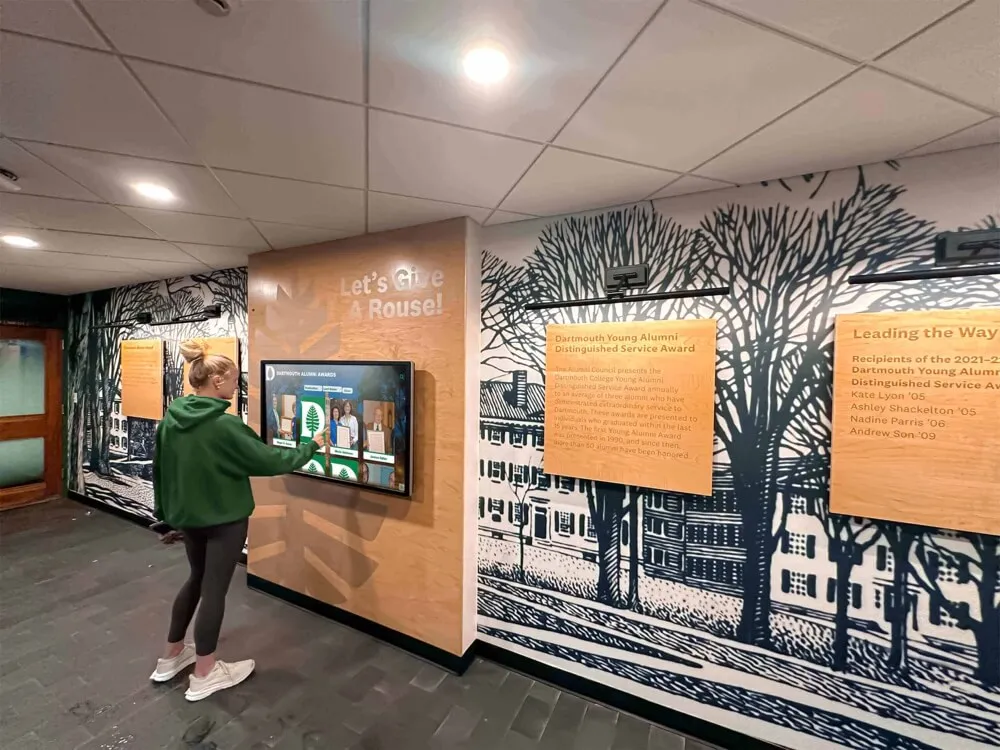
Interactive touchscreen displays transform passive archive viewing into active community exploration, making local heritage accessible and engaging for modern patrons
Understanding Public Library Digital Archives and Their Community Impact
Before designing specific interactive experiences, understanding what makes public library digital archives valuable to communities provides essential context for creating meaningful preservation and engagement systems.
The Critical Role of Public Libraries in Community Heritage Preservation
Public libraries serve as democratic memory institutions preserving local history accessible to all community members regardless of economic status, educational background, or research credentials. Unlike university archives serving primarily academic researchers or historical societies charging membership fees, public library archives fulfill unique missions providing universal access to community heritage materials documenting local people, events, and institutions that shaped regional development.
Traditional Archive Limitations
Physical library archives face inherent constraints including limited accessibility restricted to those who can visit during business hours, complex navigation requiring specialized knowledge of archival finding aids and catalog systems, minimal engagement as static collections fail to inspire casual exploration by patrons without research training, space constraints limiting what can be displayed from comprehensive collections, and handling restrictions protecting fragile materials by severely limiting patron interaction.
According to the Digital Public Library of America, digital preservation of cultural heritage has never been more pressing, with institutions racing to digitize materials before physical deterioration makes recovery impossible.
Digital Archive Transformation Benefits
Modern digital systems with interactive touchscreen interfaces address traditional limitations comprehensively through unlimited accessibility enabling exploration during all library hours without staff mediation, intuitive navigation using familiar touchscreen gestures and visual browsing patterns matching smartphone expectations, engaging interfaces that invite discovery through compelling visual presentation and interactive features, unlimited display capacity accommodating comprehensive collections within single touchscreen installations, and enhanced preservation as digitization protects originals while creating backup copies ensuring survival.
The New York Public Library’s Digital Collections demonstrates this transformation dramatically—what was once a research-only collection accessible to select scholars now reaches over 1 million digitized objects available to worldwide audiences through intuitive search interfaces.
Key Archive Categories in Public Library Collections
Effective digital archive systems integrate diverse materials documenting complete community histories:
Local History Photograph Collections
Historical photographs form the most visually compelling archive category including main street business documentation showing commercial district evolution, community event coverage capturing celebrations, parades, and gatherings across decades, family and individual portraits documenting residents through multiple generations, facility and infrastructure documentation showing public buildings, bridges, and civic improvements, and aerial photography revealing dramatic landscape and development changes over time.
Quality photographic archives benefit from systematic digitization following professional standards ensuring materials survive for future generations. Approaches to digitizing school historical photos provide frameworks applicable to broader community collections.
Newspaper and Periodical Archives
Local newspapers provide comprehensive community documentation through daily reporting of significant events, obituaries documenting generations of residents, business advertisements revealing commercial evolution, editorial commentary capturing community debates and perspectives, and classified sections showing housing patterns, employment trends, and economic conditions across time periods.
Many libraries have digitized historical newspaper collections previously accessible only through difficult-to-use microfilm systems. Interactive displays enable full-text search and browsing impossible with physical formats.
Manuscript and Document Collections
Written materials provide detailed insight into community development including government records documenting municipal decisions and civic evolution, organizational archives from clubs, churches, and civic associations, personal papers and diaries offering intimate perspectives on local life, business records showing commercial development and economic patterns, and architectural drawings documenting building design and urban planning decisions.
Digital archive systems make these traditionally underutilized materials discoverable through keyword search and visual browsing interfaces that reduce barriers to access.
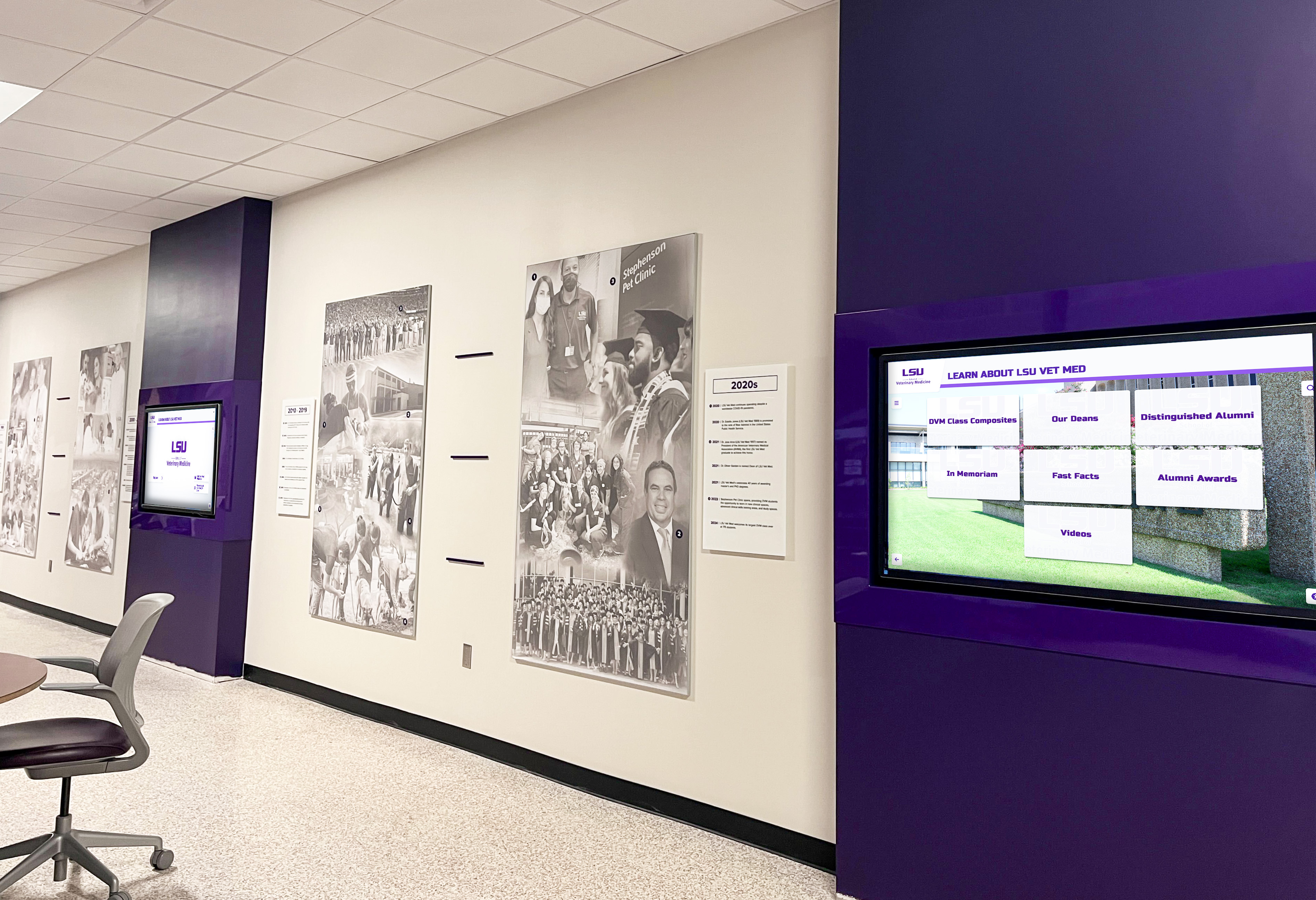
Strategic placement of multiple coordinated displays creates immersive archive environments throughout library facilities while maintaining institutional branding
Multimedia and Born-Digital Collections
Contemporary archives increasingly include digital-native materials such as oral history recordings capturing personal memories and community perspectives, video documentation of events and interviews, audio recordings from radio stations and community programs, digital photographs from local events and activities, and social media documentation preserving community conversations and responses to contemporary events.
Modern archive platforms must accommodate diverse media types beyond traditional photographs and documents.
Experience Layout: Designing Interactive Archive Touchscreen Displays
Creating compelling digital archive experiences requires systematic design approaches balancing aesthetic appeal with functional usability across diverse patron groups from children through seniors with varying technical comfort levels.
Layout Blueprint for Library Archive Touchscreens
Well-designed archive displays organize screen real estate into functional zones serving specific purposes while maintaining visual coherence and intuitive navigation:
Zone 1: Hero/Masthead Area (Top 12-18%)
The hero zone establishes context and institutional identity through library branding including logos and community name, clear titles identifying the archive focus (Local History Collection, Community Heritage Archive, etc.), optional taglines emphasizing discovery themes like “Explore Our Shared Story” or “Your Community, Your History”, and subtle animated elements cycling through featured archival images drawing attention without overwhelming.
For public libraries, this area should communicate both the significance of preserved heritage and the accessibility of exploration—honoring history while signaling that discovery requires no special expertise or research credentials.
Zone 2: Primary Navigation Strip (Below Hero, 15-20%)
Navigation enables intuitive content discovery through large touch-friendly buttons using clear iconography and descriptive labels including browse options organized by decade, topic, or collection type, powerful search supporting name-based or keyword queries, featured collections highlighting curated thematic exhibitions developed by staff, popular content surfacing frequently viewed materials, and visual timeline showing archive content distribution across community history.
Navigation should use patterns familiar from consumer applications rather than specialized archival interfaces. Consider implementing approaches from successful digital hall of fame touchscreen designs that prioritize user-friendly exploration over technical complexity.
Zone 3: Content Display Area (Center, 45-55%)
The main content zone presents archival materials through flexible layouts adapting to content type including grid views showing multiple thumbnail images with essential metadata, list views providing detailed records with sorting and filtering capabilities, full-screen displays for examining individual photographs or documents with zoom functionality, media players for audio and video materials with standard playback controls, and document viewers supporting zoom and pan for detailed text examination.
This zone should dynamically adjust based on selected content—photographic materials benefit from larger visual presentation emphasizing imagery, while document records may require more text space for descriptions and transcriptions.
Zone 4: Context and Information Panel (Side or Bottom, 15-20%)
Supporting panels provide enrichment and discovery aids including detailed metadata describing displayed items with date, location, subject, and source information, related materials suggesting connections across collections enabling serendipitous discovery, historical context explaining significance and background for materials unfamiliar to general audiences, sharing options enabling social distribution or personal bookmarking through QR codes, and citation information supporting academic or personal research usage.
This contextual information transforms isolated archival items into meaningful elements of larger historical narratives while supporting various patron needs from casual interest through serious research.

Card-based grid interfaces enable natural visual browsing with clear touch targets and immediate feedback familiar from smartphone experiences
Zone 5: Action and Navigation Area (Bottom, 8-12%)
Footer zones enable essential interactions through home button returning to main menu, back navigation supporting easy movement through browsing history, breadcrumb trails showing current location within archive hierarchy, QR codes linking to mobile-accessible web versions of collections, accessibility controls adjusting text size, contrast, or enabling audio description modes, and language selection when serving multilingual communities.
Clear, persistent navigation prevents patrons from feeling lost within large collections while ensuring all can easily return to starting points or explore alternative paths through materials.
Content Blocks and Motion Design for Archive Engagement
Beyond static layouts, thoughtful motion design and interactive elements enhance usability while creating engaging experiences that draw patron attention:
Attraction Loop (Idle State)
When not actively used, displays should run attraction sequences demonstrating capabilities and drawing passersby to engage through rotating visual highlights showing compelling historical photographs that capture attention, short video clips if multimedia archives include video materials, animated timeline visualizations showing community evolution across decades, and clear touch prompts inviting interaction with simple instructions like “Touch to Explore Local History.”
According to library digital signage research, effective attraction loops increase initial engagement by making purposes obvious while demonstrating interaction methods to hesitant patrons unfamiliar with touchscreen technology.
Attraction loops should balance visual interest with display longevity concerns—avoiding completely static elements that cause screen burn-in while maintaining subtle motion that draws attention from library visitors passing through nearby spaces.
Transition Animations and Visual Feedback
Smooth transitions guide patron attention and enhance perceived quality through fade effects for content changes maintaining visual continuity, slide animations indicating directional movement through chronological materials or related content, zoom transitions moving from thumbnail overview to detailed full-screen views, elastic easing creating natural, responsive feeling interactions, and clear touch feedback highlighting selected elements confirming interaction registration.
Professional motion design dramatically improves user experience especially for patrons less familiar with touchscreen interactions who benefit from clear visual confirmation that system registered their touches and is responding appropriately.
Progressive Disclosure Patterns
Manage information density effectively through summary cards showing essential information at glance level including image thumbnail, title, date, and basic description, expand-on-touch revealing additional metadata and contextual information without leaving current view, and dedicated detail views presenting comprehensive information in focused full-screen interfaces for patrons seeking deeper engagement.
This layered approach prevents overwhelming visitors with excessive detail during initial browsing while ensuring comprehensive information remains accessible to those seeking deeper engagement—mirroring best practices from interactive museum kiosk designs balancing casual and serious visitor needs.

Freestanding kiosk installations provide flexible placement options throughout library facilities while delivering professional presentation of digital archive collections
Accessibility and UX Checklist for Public Library Archive Displays
Creating inclusive archive experiences requires deliberate accessibility consideration ensuring all community members can engage with local heritage regardless of physical capabilities or technical comfort:
ADA WCAG 2.1 AA Compliance Standards
- Text contrast ratios minimum 4.5:1 for body text, 3:1 for large text ensuring readability for patrons with visual impairments
- Touch targets minimum 44×44 pixels with adequate spacing preventing accidental activation by patrons with limited dexterity
- Text scaling supporting user-controlled enlargement without horizontal scrolling
- Alternative text descriptions for images when accessibility modes enabled supporting screen readers
- Captions and transcripts for all audio and video materials ensuring access for patrons with hearing impairments
- Keyboard navigation support for patrons unable to use touchscreen interfaces
Physical Accessibility Considerations
- Mounting height placing primary interactive elements 15-48 inches above floor level for wheelchair access compliance
- Angled displays (10-15 degree tilt) reducing glare and accommodating varied viewing positions including standing and seated patrons
- Adequate approach space allowing wheelchair positioning without obstacles
- Volume controls for multimedia with visual indicators respecting quiet library environments
- Adjustable screen brightness accommodating varying ambient light conditions
Cognitive Accessibility Features
- Clear, simple navigation patterns requiring minimal learning and matching familiar consumer technology conventions
- Consistent interface elements and interaction patterns throughout experience reducing cognitive load
- Obvious home and back navigation enabling recovery from any point without staff assistance
- Search suggestions helping patrons articulate queries effectively especially for historical terminology or proper names
- Generous timeout warnings before returning to attraction loop giving adequate time for reading and decision-making
- Plain language descriptions avoiding archival jargon and technical terminology that alienates general audiences
Public libraries should conduct user testing with diverse patron groups including seniors, children, individuals with various disabilities, and non-native language speakers before finalizing touchscreen archive designs.
Brand Integration and Community Identity in Library Archive Displays
Digital archive displays should reflect community character and library identity while maintaining professional presentation that honors the significance of preserved local heritage materials.
Visual Identity Implementation
Color Systems Reflecting Community and Institution
Apply library and community colors systematically throughout archive experiences including primary institutional colors for hero areas and key navigation elements establishing clear library affiliation, secondary colors for backgrounds and supporting interface elements, accent colors for interactive elements and content highlights, and neutral colors for content display areas ensuring focus remains on archival materials rather than interface design.
For libraries with strong local identity, consider incorporating colors associated with community geography—coastal palettes for waterfront communities, agricultural tones for rural areas, or industrial colors for manufacturing heritage communities. These subtle connections strengthen sense of place while maintaining professional appearance.
Typography Hierarchy Supporting Legibility
Establish clear type systems supporting both branding and accessibility through headline fonts reflecting institutional character for titles and featured text, body fonts optimizing legibility across age ranges for descriptions and metadata, consistent size scales creating clear information hierarchy from headlines through supporting details, and appropriate weight variations emphasizing key information without excessive styling that reduces readability.
Typography choices should convey appropriate gravitas for archival materials while remaining approachable and accessible—avoiding either academic stuffiness that intimidates casual patrons or excessive casualness that undermines preservation significance and institutional authority.

Consistent branding creates professional archive presentations reflecting institutional identity while making clear these resources belong to the community library
Logo and Institutional Marks
Integrate library branding appropriately including primary library logo in masthead establishing institutional ownership and authority, municipal seals or community symbols connecting archives to broader civic identity, and partner organization marks when collaborating with historical societies, genealogical groups, or other heritage organizations contributing content or funding.
Branding should be present but not overwhelming—the focus remains on archival content rather than library marketing, with institutional identity providing context and credibility rather than dominating visual presentation.
Custom Backgrounds and Environmental Integration
Photographic Backgrounds Reflecting Local Character
Incorporate location-specific imagery creating immediate connection to place through recognizable local landmarks establishing instant community recognition, historical facility photographs showing beloved buildings across time, architectural details from heritage structures throughout community, landscape photography connecting to regional geography and natural features, and seasonal imagery reflecting local climate and vegetation patterns.
Background imagery should enhance rather than compete with archival content—using subtle opacity treatments, soft blur effects, or duotone processing ensuring primary focus remains on displayed materials while environmental imagery provides supportive context.
Environmental Coordination Within Library Spaces
Archive displays work most effectively when thoughtfully integrated with physical library environments through coordinated mounting and framing echoing architectural details and existing display systems, complementary color palettes harmonizing with surrounding interior spaces and existing library branding, scaled installations matching room proportions and typical viewing distances, and lighting design ensuring visibility without screen glare or reflection issues common in library settings with large windows.
Consider how library wayfinding systems can be enhanced through coordinated physical signage and digital display elements creating comprehensive navigation experiences helping patrons locate both physical collections and digital archive access points throughout facilities.
Content Development Strategy for Public Library Digital Archives
Archive value depends entirely on content quality—both the underlying digitized materials and the metadata, descriptions, and contextual information making collections discoverable and meaningful to general audiences.
Systematic Digitization Workflows for Library Collections
Professional digitization ensures archived materials serve both preservation and access needs while meeting recognized standards:
Technical Standards Following Established Guidelines
According to the Library of Congress preservation guidelines, archival materials require minimum specifications including 600 DPI resolution for photographic materials ensuring adequate detail capture, 24-bit RGB color depth preserving accurate tones and subtle color variations, TIFF format for preservation master files ensuring maximum quality without compression artifacts, JPEG derivatives in multiple resolutions optimized for touchscreen display, and consistent color calibration across scanning equipment ensuring accurate reproduction.
These specifications ensure digital surrogates meet professional preservation requirements while supporting various display and reproduction purposes from large touchscreen installations to web viewing and printed reproductions.
Metadata Frameworks Enabling Discovery
Implement systematic information capture transforming image files into discoverable archive resources through descriptive metadata identifying who, what, when, where, and why for each item, administrative metadata tracking digitization details, permissions, and rights information, structural metadata documenting relationships between items and collections, preservation metadata recording conservation actions and technical details, and subject indexing using both controlled vocabularies and natural language tags supporting diverse search approaches.
Quality metadata represents the difference between simple image collections and functional searchable archives enabling the sophisticated discovery features that make digital systems valuable compared to physical materials organized through traditional catalog-only approaches.
Quality control processes should verify resolution adequacy, color accuracy, complete content capture without cropping, absence of artifacts requiring correction, appropriate file naming following consistent conventions, and complete required metadata for all digitized items before adding to production archive systems.

Systematic digitization and metadata creation transforms scattered physical collections into organized, searchable digital archives accessible through intuitive touchscreen interfaces
Organizing Collections for Intuitive Discovery and Community Engagement
Thoughtful organization dramatically impacts whether patrons can find meaningful connections to local heritage materials:
Chronological Organization Aligned With Community History
Time-based structures align naturally with how people understand local history through decade-based browsing enabling exploration from founding eras through contemporary times, era-specific collections defined by significant community transitions like industrial development, wartime periods, or demographic shifts, and interactive timeline visualizations showing content distribution across community history with visual density indicating collection strength for different periods.
Chronological approaches work particularly well for comprehensive community archives serving diverse patron groups with varying interests and connections to different historical periods.
Thematic Collections Highlighting Community Aspects
Subject-based organization emphasizes specific dimensions of local life including business and commerce documenting commercial district evolution and economic development, education materials showing school histories and academic institutions, civic life capturing government, politics, and public service, cultural heritage documenting ethnic communities, traditions, and celebrations, and built environment showing architectural development and infrastructure projects.
Thematic organization enables targeted exploration by patrons interested in specific community dimensions while supporting curated exhibitions telling compelling stories about particular aspects of local heritage—similar to approaches used in museum interactive displays balancing comprehensive collections with featured narratives.
Person-Centric Approaches for Genealogical Research
Individual-focused structures serve genealogists and family historians seeking personal connections through comprehensive profiles aggregating all materials related to specific individuals, surname-based search enabling family research, relationship mapping showing documented connections between individuals across generations, and biographical context drawn from multiple source materials providing fuller life stories than single documents reveal.
This approach transforms archives from abstract historical collections into personal discovery tools where community members rediscover ancestors’ participation in local life while exploring broader heritage contexts.
Implementation Planning and Strategic Deployment for Library Archives
Moving from concept to operational digital archive systems requires systematic planning addressing technology selection, physical placement, content priorities, and organizational considerations unique to public library environments.
Technology Selection and Platform Evaluation
Choose solutions aligned with library needs, patron expectations, and technical capabilities:
Archive Platform Requirements
- Purpose-built archival display systems designed specifically for heritage collections vs. generic digital signage platforms lacking essential archive functionality
- Cloud-based content management enabling authorized staff to update displays from any location without requiring on-site technical intervention
- Sophisticated search supporting full-text queries, metadata filtering, faceted browsing, and visual similarity searching
- Multimedia support handling photographs, documents, audio, video, and mixed-media items through unified interfaces
- Web portal integration extending access beyond physical touchscreens to patron personal devices and remote access
- Analytics demonstrating engagement patterns and informing continuous improvement decisions
- Integration capabilities connecting to existing library catalog systems and digital asset management platforms
Organizations should prioritize platforms specifically designed for cultural heritage rather than attempting to adapt generic signage systems. Solutions like Rocket Alumni Solutions provide integrated systems understanding public library requirements including privacy controls, community content organization, and patron engagement features that generic platforms cannot accommodate effectively.
Hardware Considerations for Library Environments
- Screen size based on typical viewing distances and available space (43-55" for close viewing in compact areas, 65-75" for lobby installations with greater viewing distances)
- Commercial-grade displays rated for continuous operation in public environments
- Capacitive touch technology providing responsive consumer-device-like experience familiar to patrons
- Mounting solutions appropriate for library architecture without damaging historic interiors
- Network connectivity ensuring reliable content delivery and update capabilities
- Accessibility compliance including appropriate height placement and approach clearances
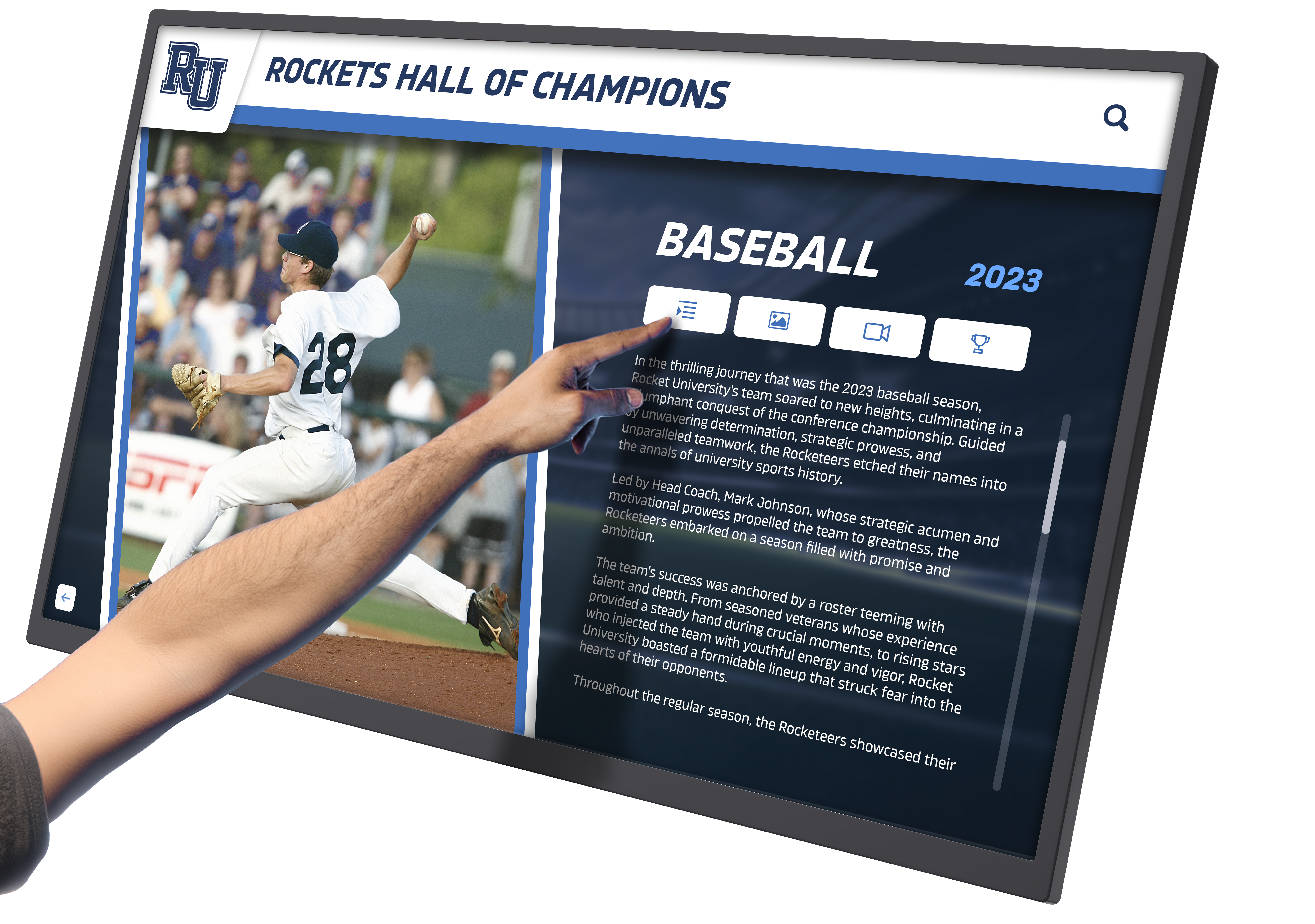
Professional-grade hardware ensures reliable operation in busy public library environments with diverse patron groups using displays throughout operating hours
Vendor Evaluation Criteria
- Demonstrated experience with library or cultural heritage implementations rather than purely commercial digital signage background
- Quality of reference installations and detailed client feedback from similar institutions
- Comprehensive support including staff training, content development assistance, and ongoing technical help
- Total cost of ownership including hardware, software licensing, content development support, and long-term maintenance
- Scalability accommodating future growth from single display to multi-location networks
Strategic Placement and Installation Approaches
Display effectiveness depends significantly on thoughtful location selection integrating archive access into natural patron flow:
Optimal Installation Locations in Library Facilities
- Main entrance lobbies welcoming all visitors with immediate heritage connections and establishing archives as central library offerings
- Genealogy and local history rooms where researchers already gather creating natural discovery points for enhanced digital resources
- Community meeting areas where civic groups gather exposing archives to diverse community organizations
- Children’s areas with age-appropriate interfaces introducing young patrons to local heritage and research skills
- Quiet reading areas offering contemplative exploration of historical materials
According to research from Bibliotheca, strategic placement of interactive displays significantly impacts usage rates, with lobby installations receiving 3-4 times more engagement than displays in back rooms or specialized departments.
Phased Deployment Strategies Spreading Investment
Many libraries implement archives progressively including Phase 1 establishing flagship installation in highest-visibility location with priority content demonstrating value, Phase 2 adding specialized displays in relevant departments showcasing specific collection strengths, and Phase 3 creating comprehensive networks covering all major facility spaces and complementary content on different displays.
Phased approaches spread costs across multiple budget cycles while demonstrating engagement metrics that justify expansion investment—similar to successful implementations of interactive library systems that grow from pilot projects to comprehensive networks.
Content Population and Collection Development Priorities
Launch archives with achievable content scope demonstrating immediate value while establishing workflows supporting systematic expansion:
Minimum Viable Archive for Initial Launch
Initial implementations should include focused content enabling quality execution through complete digitization of one significant collection area (e.g., main street photographs), comprehensive coverage of one historical period (e.g., founding decade or significant era like wartime), priority materials at greatest physical deterioration risk requiring immediate preservation, or materials most frequently requested by patrons and researchers indicating high community interest.
Starting focused enables professional-quality execution creating positive first impressions while establishing sustainable workflows and content standards supporting systematic expansion over subsequent years.
Ongoing Collection Development Approaches
Establish processes for continuous growth through scheduled digitization campaigns completing additional collection areas and historical periods, community contribution systems enabling patron submissions of personal materials expanding institutional holdings, event-triggered additions following community anniversaries or heritage celebrations, and systematic backlog processing working through accumulated materials methodically.
Consider implementing approaches from successful educational digitization programs that balance immediate visibility with long-term comprehensive coverage through sustainable multi-year development plans.
Measuring Success and Demonstrating Archive Value to Stakeholders
Regular assessment demonstrates digital archive impact while identifying improvement opportunities and justifying continued resource allocation in competitive municipal budget environments:
Engagement Analytics and Usage Metrics
Modern platforms provide comprehensive tracking revealing how communities interact with archival materials:
Quantitative Metrics Demonstrating Patron Usage
- Total interaction sessions showing overall engagement levels and display utilization rates
- Average session duration indicating depth of exploration and content resonance
- Most-viewed materials revealing content attracting greatest community interest
- Search query analysis demonstrating what subjects and individuals patrons seek
- Peak usage times informing staffing decisions and content update scheduling
- Return visitor rates when technically trackable showing sustained rather than one-time engagement
- Social sharing counts demonstrating content reaching beyond physical library through patron networks
Libraries implementing touchscreen archive displays typically see 30% increases in patron interaction with local history materials within the first year compared to catalog-only access, with highest engagement among previously underserved patron segments including youth and casual visitors without formal research training.
These metrics provide concrete evidence of archive value supporting budget justification and technology investment decisions while revealing which content categories warrant additional development resources.
Behavioral Analysis Informing Optimization
Analytics reveal patterns guiding continuous improvement including navigation paths showing how patrons explore collections and which entry points prove most effective, search failures highlighting missing content or metadata gaps requiring attention, category popularity guiding content development priorities and digitization scheduling, device distribution showing how patrons access collections through various interfaces, and time-of-day patterns enabling staffing optimization and program scheduling.

Analytics from touchscreen displays reveal engagement patterns across diverse patron demographics informing continuous improvement and content development priorities
Qualitative Outcomes and Community Impact Assessment
Beyond quantitative data, archive success appears in broader community outcomes and institutional achievements:
Enhanced Community Engagement and Identity
Do archives strengthen community connections? Success indicators include increased attendance at library heritage programs and presentations, greater volunteer participation in collection development and oral history projects, enhanced social media engagement with historical content shared by library, patron feedback expressing appreciation for accessible local heritage, and community organization partnerships leveraging archives for programming and projects.
Research indicates that 62% of library users feel more connected to their community when engaging with interactive historical displays compared to traditional catalog-only research approaches.
Research Support and Educational Impact
Do archives enhance patron research capabilities? Positive markers include increased reference questions demonstrating archive awareness and exploration, teacher integration of local history materials into curriculum units, student project usage incorporating primary source research, genealogical society engagement with enhanced discovery tools, and published research citing library collections made more discoverable through digital systems.
Preservation Achievement and Collection Security
Has the initiative successfully protected endangered materials? Accomplishments include completion of high-priority digitization before further deterioration, rescue of materials previously stored in inadequate conditions risking loss, recovery of contextual information through crowdsourced identification and documentation, establishment of sustainable preservation infrastructure ensuring ongoing protection, and backup systems preventing catastrophic loss from disasters affecting physical materials.
Budget Planning and Funding Strategies for Library Digital Archives
Understanding financial requirements and exploring diverse funding options enables libraries to implement archives sustainably within constrained municipal budgets:
Cost Components and Investment Considerations
Digital archive expenses vary based on scope, collection characteristics, and technical approach:
Initial Implementation Costs
- Digitization equipment and services ($3,000-$12,000 depending on whether using in-house scanning or professional services)
- Archive platform software including setup and configuration ($4,000-$18,000 depending on sophistication and vendor)
- Interactive touchscreen display hardware for library installations ($8,000-$15,000 per unit including commercial-grade screen and mounting)
- Storage infrastructure including local servers or cloud service subscriptions ($2,000-$6,000 initial setup)
- Project staffing for digitization, metadata creation, and quality control
- Professional consultation for preservation standards, metadata frameworks, and technology planning
Ongoing Operational Expenses
- Software licensing and platform subscriptions ($2,000-$5,000 annually depending on scale)
- Cloud storage or server maintenance ($1,000-$3,000 annually)
- Staff time for continued digitization, collection expansion, and patron support
- Technology updates and eventual equipment replacement
- Marketing materials and promotional efforts generating community awareness
- Program costs for heritage events and educational activities leveraging archives
Many libraries implement archives in phases spreading costs across multiple fiscal years while demonstrating engagement metrics justifying continued investment to municipal funding authorities.
Alternative Funding Sources Beyond Operating Budgets
Libraries can pursue multiple funding strategies supporting archive initiatives:
Grant Opportunities From Foundation and Government Sources
Various foundations and government programs support library heritage preservation including state library grants specifically designated for digitization and technology projects, state humanities councils funding cultural heritage and community history initiatives, federal Library Services and Technology Act (LSTA) grants supporting innovation and access, corporate foundation grants particularly from technology companies, and local community foundations supporting educational and cultural institutions.
Successful grant applications emphasize community benefit, preservation urgency, access improvements, and educational programming leveraging digital collections while demonstrating institutional commitment through matching funds or in-kind contributions.
Community Fundraising Campaigns
Digital archives prove popular community fundraising targets connecting directly with resident interests in local heritage through “adopt a decade” campaigns dividing collections into fundable units, memorial giving opportunities honoring deceased community members through archive support, service club partnerships where civic organizations collectively fund digitization projects, and major donor recognition through naming opportunities for archive platforms or featured collections.
Collaborative Approaches Reducing Individual Institution Costs
Partnership models can reduce expenses through shared digitization services with regional library systems or historical societies, volunteer programs providing staffing for scanning and metadata creation, student partnerships with local universities providing practicum experiences or service-learning projects, and consortial technology approaches sharing infrastructure across multiple institutions reducing per-library costs.
Understanding approaches to library technology implementation helps institutions develop sustainable funding models recognizing both immediate launch needs and long-term operational requirements.
Integration With Broader Library Services and Community Programming
Digital archives deliver maximum value when integrated thoughtfully into comprehensive library services and community engagement initiatives rather than operating as isolated technology installations:
Connecting Archives to Library Catalog and Discovery Systems
Unified Search Across Physical and Digital Collections
Patrons benefit from seamless discovery integrating archive content with traditional library catalogs through federated search spanning circulating collections and digitized archives, linked records connecting catalog items to related archival materials, contextual recommendations surfacing relevant archives during catalog searches, and unified interfaces avoiding separate systems requiring different skills.
This integration positions archives as core library resources rather than specialized collections requiring separate discovery skills and awareness.
Wayfinding Integration Connecting Physical and Digital Spaces
Interactive archive displays can serve dual purposes as heritage access points and wayfinding tools through facility maps showing locations of related physical collections and services, departmental information directing patrons to staff with specialized expertise, program calendars promoting heritage-related events and workshops, and catalog terminals enabling seamless transition from archive exploration to traditional research.
Mobile and Remote Access Extensions
Touchscreen displays work most effectively when complemented by web-based access enabling patrons to continue exploration from personal devices through responsive web portals accessible on smartphones, tablets, and computers, mobile applications for on-the-go discovery, QR code connections allowing immediate transition from touchscreen to personal device, and social sharing enabling patrons to distribute discoveries through personal networks expanding archive awareness.
Programming and Educational Initiatives Leveraging Digital Collections
Community Heritage Events and Celebrations
Digital archives support diverse programming including historical lecture series drawing on visual materials for presentations, community memory nights where residents share personal connections to displayed images, genealogy workshops teaching research skills using digital collections, anniversary celebrations marking community milestones, and school field trips introducing students to local history primary sources.
These programs activate archives beyond self-directed exploration while building constituencies advocating for continued support and expansion.
Educational Partnerships and Curriculum Integration
Collaborate with local schools integrating archives into teaching through lesson plan development connecting state standards to local primary sources, teacher training workshops demonstrating archive research with students, student digitization projects where classes contribute to collection development, and contest programs encouraging creative historical projects using library materials.
Educational integration builds long-term archive awareness while developing information literacy skills in younger generations.

Integration with broader library services and community programming ensures archives serve diverse patron needs from casual exploration through serious research and educational applications
Conclusion: Transforming Library Archives Into Community Engagement Destinations
Public library digital archive collections represent strategic investments in community memory, cultural heritage preservation, and civic engagement that collectively determine whether institutions merely store historical materials or create living connections inspiring residents to explore shared stories defining local identity.
Traditional approaches to library archive access—restricted back rooms, staff-mediated research requiring appointments, catalog-only discovery demanding specialized skills, physical materials accessible to limited audiences during business hours—all fail to create meaningful engagement serving broader communities who value local heritage but lack research training or time for traditional archival investigation.
Get Your Touchscreen Mock-Up
Transform your library's digital archive collections into engaging interactive experiences celebrating community heritage. Rocket Alumni Solutions specializes in intuitive touchscreen displays designed specifically for public libraries balancing professional preservation standards with accessible patron-centered design.
Schedule Your Design ConsultationPurpose-built interactive archive systems address traditional limitations comprehensively by preserving endangered materials through professional digitization before irreplaceable deterioration, organizing collections for intuitive discovery through sophisticated search and visual browsing matching patron technology expectations, providing universal access serving all library visitors equally without requiring research expertise or staff mediation, creating engaging touchscreen experiences encouraging extended exploration especially among previously underserved patron segments, and supporting continued growth as collections expand through sustainable content management workflows and scalable infrastructure.
The most successful digital archive implementations share common characteristics including systematic planning defining clear content priorities aligned with community interests and collection strengths, professional standards ensuring appropriate technical quality and metadata supporting meaningful discovery, engaging touchscreen access through both library installations and complementary web platforms, integration with broader library services connecting archives to catalogs and programming, ongoing content development treating archives as living resources requiring continued attention, and community involvement engaging diverse stakeholders as contributors, researchers, and advocates.
Public libraries implementing comprehensive interactive digital archives consistently report remarkable outcomes including rescued materials previously facing deterioration and potential loss, increased community engagement across demographic groups previously underserved by traditional research-only access, strengthened local identity from accessible heritage demonstrating community evolution and shared traditions, enhanced educational programming leveraging primary sources for teaching, improved volunteer recruitment from residents passionate about heritage preservation, and sustainable preservation infrastructure protecting irreplaceable community documentation for future generations.
Ready to explore digital archive options for your public library? Discover comprehensive approaches to digitizing historical collections applying similar preservation principles across institutional types, learn about developing community timelines creating engaging narrative frameworks, explore interactive display design strategies balancing functionality with aesthetics, understand wayfinding integration approaches connecting archive access to broader library navigation, and consider specialized platforms from Rocket Alumni Solutions designed specifically for cultural heritage institutions prioritizing community engagement through intuitive, professionally supported interactive systems.
Your community’s heritage deserves recognition through thoughtfully developed digital systems making abstract history tangible and inspiring for all who encounter it. Decades or centuries of local photographs, newspaper accounts, personal documents, and multimedia materials documenting community evolution—these remarkable collections deserve preservation and access through purposefully designed archives ensuring your library’s irreplaceable local heritage thrives as living community resource inspiring current and future generations.
Sources:
- Library Interactive Kiosks Market to Grow by CAGR XX to 2033 | Archive Market Research
- Digital Public Library of America
- NYPL Digital Collections - The New York Public Library
- Digital Collections | The Library of Congress
- Enhancing Experience with Library Interactive Displays | Shining Ltd
- Library Interactive Kiosks Enhance Learning and Accessibility | Shining Ltd
- Interactive Information Kiosks for Modern Libraries | CTI
- The Ultimate Guide to Museum Kiosks in 2025 | STQRY
- Interactive Library Displays | Bibliotheca
- Best Library Digital Signage of 2025 | AIScreen































