




School networks that have deployed Dynamic ARP Inspection (DAI) on their managed switches gain meaningful protection against ARP spoofing attacks—but that same protection can silently break a newly installed recognition display, digital hall-of-fame kiosk, or athletic lobby touchscreen if the IT team does not complete a compatibility test before the device goes live. DAI validates every ARP packet against a trusted binding table. A recognition display that has not been properly provisioned—or that holds a static IP address without a corresponding DHCP snooping binding entry—will have its ARP traffic dropped at the switch port, leaving the device unable to communicate with content update servers, the school’s DNS resolver, or the management platform that keeps athlete records current.
This guide gives school technology coordinators, network administrators, and IT staff a structured recognition display dynamic ARP inspection test they can run before any new display installation goes live on a DAI-protected network. It covers the DHCP snooping prerequisites that DAI depends on, how to read and interpret the binding table, how to validate port trust states, and how to confirm that the display’s ARP traffic is passing through the switch correctly—with numbered test steps and troubleshooting procedures for each failure mode.
Quick answer: A recognition display is compatible with Dynamic ARP Inspection when three conditions are satisfied simultaneously. First, DHCP snooping must be enabled on the display’s VLAN so the switch can build a binding table of authorized IP-to-MAC-to-port mappings. Second, the display must either obtain its IP address through DHCP (so the switch records the binding automatically) or have a static ARP ACL entry or manual snooping binding added for its IP address and MAC address. Third, the switch port connecting the display must be configured as an untrusted DAI port (the default for access ports) with DHCP snooping recording its binding. Validation is complete when show ip arp inspection statistics on the switch shows zero dropped packets for the display’s VLAN after the display has communicated on the network.

A school lobby recognition display is a managed network device that must pass Dynamic ARP Inspection validation before it can reliably reach content update servers and management platforms
What Dynamic ARP Inspection Is and Why School Networks Enable It
Dynamic ARP Inspection (DAI) is a security feature available on enterprise-grade managed switches from Cisco, HP/Aruba, Juniper, and other vendors. It intercepts all ARP packets on untrusted switch ports and compares the sender’s IP address and MAC address against a trusted binding table before forwarding or dropping the packet. ARP packets that match a binding table entry are forwarded normally. ARP packets that have no matching entry—or that claim a different IP-to-MAC relationship than the binding table records—are dropped and logged.
The attack that DAI prevents is ARP poisoning (also called ARP spoofing or ARP cache poisoning). In a school network context, ARP poisoning allows a device on the same VLAN to send fraudulent ARP replies claiming that its MAC address is associated with another device’s IP—typically a default gateway. Devices that accept the poisoned ARP cache entry route traffic through the attacker’s machine rather than the legitimate gateway, enabling credential interception, session hijacking, and man-in-the-middle attacks. School networks that host student devices, staff workstations, and sensitive data systems (gradebooks, student information systems, financial records) have genuine exposure to ARP-based attacks from any device connected to the network.
DAI is increasingly common in K-12 and higher education networks because:
- Shared VLANs create lateral exposure. When multiple device types—student Chromebooks, staff laptops, media players, recognition displays, IP phones—share a VLAN, any compromised device can attack other devices on the same segment. DAI limits that exposure by validating ARP at the port level.
- Unmanaged devices are an attack vector. Wired switch ports in school hallways and common areas are accessible to unauthorized devices. DAI prevents an unauthorized device plugged into an accessible port from poisoning the ARP caches of legitimate devices on the VLAN.
- Regulatory and compliance requirements. Some state education technology security frameworks and cyber insurance policy requirements now reference ARP-layer security controls as part of baseline network hardening. DAI satisfies those requirements at minimal cost on switches that already support it.
For recognition displays specifically—devices that connect to cloud content platforms, receive software updates, and often operate in publicly accessible lobbies and hallways—DAI is part of a broader network security posture that also includes VLAN segmentation, 802.1X authentication, and port security. Interactive touchscreen displays that reach cloud platforms for athlete profile updates and award records need those network security layers to function reliably on a hardened school network.
The DAI Trust Model
DAI divides switch ports into two categories:
| Port Type | DAI Behavior | Typical Use |
|---|---|---|
| Trusted | ARP packets forwarded without validation | Uplink ports, router-facing ports, inter-switch links, DHCP server ports |
| Untrusted | ARP packets validated against binding table; non-matching packets dropped | All access ports where end devices (including recognition displays) connect |
All switch access ports default to untrusted in DAI implementations. Trusted ports are configured explicitly by the network administrator. The risk of misconfiguring a port as trusted is significant: a trusted port bypasses DAI entirely, negating the security value for any device on a segment reachable through that port. Access ports where recognition displays, kiosks, and other end devices connect should always remain untrusted.
DHCP Snooping: The Required DAI Prerequisite
DAI does not maintain its own binding table. It reads from the DHCP snooping binding table, which is built automatically by the DHCP snooping feature as devices on the network obtain IP addresses through DHCP. DHCP snooping intercepts DHCP exchanges on untrusted ports, records the IP address, MAC address, VLAN, and switch port for each successful DHCP lease, and stores that mapping as a binding entry. When DAI receives an ARP packet on an untrusted port, it looks up the sender’s IP address in the DHCP snooping binding table and checks that the MAC address in the ARP packet matches.
This dependency has a critical implication: DHCP snooping must be enabled on the same VLAN as the recognition display for DAI to function correctly on that VLAN. If DHCP snooping is not enabled, the binding table has no entries, and DAI will drop all ARP traffic from untrusted ports on that VLAN. In some switch implementations, DAI will not activate on a VLAN unless DHCP snooping is also enabled for that VLAN.
The table below summarizes the dependency relationship and what happens in each configuration state:
| DHCP Snooping Status | DAI Status | Binding Table State | ARP Behavior for Display |
|---|---|---|---|
| Enabled on VLAN | Enabled on VLAN | Populated by DHCP leases | DHCP-assigned display: ARP validated and forwarded; Static IP display: ARP dropped (no binding) |
| Enabled on VLAN | Enabled on VLAN | Populated + ARP ACL added | DHCP-assigned display: validated; Static IP display: validated against ACL |
| Enabled on VLAN | Disabled on VLAN | Populated (DHCP snooping still runs) | All ARP forwarded without DAI validation (DAI not active) |
| Disabled on VLAN | Enabled on VLAN | Empty (no snooping data) | All ARP on untrusted ports dropped (DAI active but no bindings) |
| Disabled on VLAN | Disabled on VLAN | Empty | All ARP forwarded without validation (neither feature active) |
For most school recognition display deployments, the goal state is the first row: both features enabled on the display’s VLAN, with the display using DHCP or having an ARP ACL entry for its static IP.
Static IP Recognition Displays and the Binding Gap
Many school IT teams assign static IP addresses to recognition displays to simplify DNS, firewall rule management, and remote access. A static IP is operationally desirable—it stays consistent across reboots, never expires, and does not depend on the DHCP server being reachable for the display to communicate. However, a static IP display never completes a DHCP exchange, so DHCP snooping never records a binding for it. DAI sees ARP packets from a MAC address claiming an IP address with no corresponding binding table entry and drops them.
This is the most common DAI compatibility failure for school recognition displays. The display appears to have a working Ethernet connection—the port is up, Windows shows the adapter as connected—but no traffic reaches any destination because every ARP response from the display is silently dropped at the switch.
There are two standard resolutions for static IP displays, which the validation procedure below will guide you to implement:
Static DHCP snooping binding: Add a manual entry to the binding table with the display’s IP address, MAC address, VLAN, and interface using the switch’s
ip dhcp snooping bindingcommand. This entry persists across switch reloads when written to the startup configuration.ARP ACL: Create a named ARP access control list that explicitly permits the display’s IP-to-MAC mapping, and apply the ACL to the VLAN’s DAI configuration. ARP ACLs take precedence over the DHCP snooping binding table for the entries they contain.
Both approaches require the switch administrator to know the display’s MAC address and the interface it connects to before adding the entry—which is part of the pre-test preparation covered in the next section.

Recognition displays mounted in athletic hallways often receive static IP assignments for management consistency — confirming that static IP before the display arrives on-site is the first step in DAI compatibility planning
How Recognition Displays Interact with Dynamic ARP Inspection
A recognition display communicates on the school network using the same ARP mechanisms as any other networked device. When the display host boots, the operating system sends ARP requests to resolve the IP addresses of the default gateway and any immediately contacted services (DNS, NTP, the recognition platform’s update endpoint). For each ARP request, the display broadcasts to the VLAN asking which device holds a given IP address; the device holding that IP replies with its MAC address so the display can build its local ARP cache and begin routing traffic.
Under DAI, each of those ARP replies—both the display’s own ARP announcements (gratuitous ARPs) and the replies it sends when other devices ask for its MAC address—is inspected at the switch port. The display’s ARP traffic will be forwarded only if:
- DHCP snooping has a binding entry for the display’s IP and MAC, or
- An ARP ACL exists that explicitly permits the display’s IP-to-MAC mapping, or
- The display’s switch port is configured as DAI-trusted (not recommended for access ports)
Recognition displays that reach cloud management platforms for team celebration highlights and athletic achievement recognition content depend on consistent network communication. An ARP drop at the switch port produces no error message visible to the display operator—the screen shows whatever content is cached locally, the management platform reports a stale connection, and the IT team receives a “display not updating” complaint that, without DAI-awareness, can waste significant diagnostic time tracing the wrong layers.
What a DAI Drop Looks Like from the Display Side
A recognition display whose ARP traffic is being dropped by DAI typically shows one or more of the following symptoms:
- The display’s content is frozen at the last successful update and does not reflect new athlete inductions, updated records, or scheduled content changes.
- The recognition platform’s status dashboard shows the display as offline or disconnected, with the last check-in timestamp corresponding to the last time the display successfully communicated before DAI was enforced.
- Ping tests from the display host to the default gateway fail or show 100% packet loss, even though the Ethernet link-state indicator shows connected.
arp -aon the display host shows incomplete or missing entries for the default gateway—the display sent ARP requests but received no responses, or its own ARP responses to gateway queries are being dropped.- DNS resolution fails, producing name resolution errors in the recognition platform’s event log.
The key distinguishing characteristic: these symptoms appear after a network change (DAI enabled, VLAN reassignment, port security policy update) on a display that was previously working correctly.
ARP Inspection Logging as a Diagnostic Signal
When DAI drops an ARP packet, most managed switches record the event in the DAI log with the source MAC, source IP, destination MAC, destination IP, VLAN, and interface. Accessing this log—either through the switch CLI (show ip arp inspection log on Cisco IOS/IOS-XE, show arp-inspection statistics on HP/Aruba, equivalent commands on other vendors)—is the fastest way to confirm that DAI is the cause of a recognition display connectivity failure. The display’s MAC address in the drop log is the confirmation.
Planning a recognition display deployment on a school network with DAI or other security controls? Rocket Alumni Solutions works with school IT teams on network compatibility requirements and can provide deployment documentation that aligns with your security policies.
See how Rocket Alumni Solutions handles school network deployment
Pre-Test Preparation Checklist
Before running the validation steps, collect the following information. The test procedure uses these values in switch CLI commands, so having them documented before you start eliminates the need to pause mid-test.
| Information | Description | How to Collect |
|---|---|---|
| Display MAC address (wired NIC) | Ethernet adapter physical address | ipconfig /all in Command Prompt on the display host; look for Physical Address under the Ethernet adapter section |
| Display IP address | Static IP or expected DHCP-assigned IP | Check static IP configuration in Windows network adapter settings, or check DHCP server lease table for the display’s hostname or MAC |
| Display VLAN | VLAN ID the display’s switch port is assigned to | Check with network administrator; show interfaces switchport on the connecting switch port |
| Switch port identifier | Interface name connecting the display (e.g., GigabitEthernet1/0/12) | Physical inspection of the cable run to the switch, or trace with show mac address-table address <MAC> on the switch |
| Switch management access | SSH or console access to the switch, with read access to show commands and write access to add bindings or ACL entries | Confirm with network administrator before starting |
| DHCP snooping VLAN list | Which VLANs have DHCP snooping enabled | show ip dhcp snooping (Cisco) or equivalent on your switch vendor |
| DAI VLAN list | Which VLANs have DAI enabled | show ip arp inspection (Cisco) or equivalent |
| Existing ARP ACLs | Named ARP ACLs already configured on the switch | show arp access-lists (Cisco) or equivalent |
Collect all values before proceeding. If the display host is not yet on-site, you can still prepare the ACL or static binding entry in advance using the MAC address from the vendor’s device information sheet—just confirm the actual MAC address matches when the hardware arrives.
Validation Step 1: Confirm DHCP Snooping Is Enabled on the Display’s VLAN
DHCP snooping must be active on the display’s VLAN before DAI can function correctly. Verify both the global DHCP snooping enable state and the per-VLAN enable state.
On Cisco IOS / IOS-XE:
show ip dhcp snooping
The output shows global status (enabled or disabled) and the list of VLANs where DHCP snooping is active. Confirm the display’s VLAN number appears in the “Insertion of option 82 is enabled” section’s VLAN list, or in the dhcp-snooping vlan output line.
Example output section to look for:
DHCP snooping is configured on the following VLANs:
10,20,30,50
If the display’s VLAN is not in the list, DHCP snooping is not enabled for that VLAN. Contact the network administrator to enable it: ip dhcp snooping vlan <vlan-id> in global configuration mode.
On HP ProCurve / Aruba:
show dhcp-snooping
Confirms which VLANs have DHCP snooping active and whether the feature is globally enabled.
On Juniper EX:
show dhcp-security
Lists VLAN binding tables and the global DHCP security (snooping) configuration state.
What to record: Whether DHCP snooping is enabled for the display’s VLAN. If not, note it as a prerequisite finding that must be resolved before the DAI test can proceed.
Validation Step 2: Check the DHCP Snooping Binding Table for the Display
After confirming DHCP snooping is enabled, check whether the binding table already contains an entry for the recognition display. A display that uses DHCP should have its binding recorded automatically after it completes a DHCP lease. A display with a static IP will not have an automatic entry.
On Cisco IOS / IOS-XE:
show ip dhcp snooping binding
The output lists all known bindings in the format:
MacAddress          IpAddress        Lease(sec)  Type           VLAN  Interface
------------------  ---------------  ----------  -------------  ----  --------------------
aa:bb:cc:dd:ee:ff   192.168.30.45    86112       dhcp-snooping  30    GigabitEthernet1/0/12
Search for the display’s MAC address in the MacAddress column. If the display uses DHCP and the entry is present, DHCP snooping is recording the binding correctly and DAI should validate the display’s ARP traffic.
If the display uses DHCP and the entry is absent, the display has not completed a DHCP exchange since DHCP snooping was enabled (or the lease has not yet been obtained). Power-cycle the display to trigger a fresh DHCP request, wait for the display to fully boot, and re-run the show command.
If the display uses a static IP and the entry is absent (expected), proceed to the ARP ACL configuration in Step 3.
Adding a Static Binding for a Static IP Display:
ip dhcp snooping binding <MAC> vlan <vlan-id> <IP-address> interface <interface> expiry <seconds>
Example:
ip dhcp snooping binding aabb.ccdd.eeff vlan 30 192.168.30.45 interface GigabitEthernet1/0/12 expiry 86400
Use an expiry value of 86400 (24 hours) or higher, or configure the entry as infinite if your switch version supports it. Write the binding to non-volatile memory: write memory. Without writing to memory, the binding is lost on switch reload.
On HP/Aruba and Juniper platforms, equivalent static binding commands exist in the DHCP security or DHCP snooping configuration context—consult your vendor’s documentation for the platform-specific syntax.
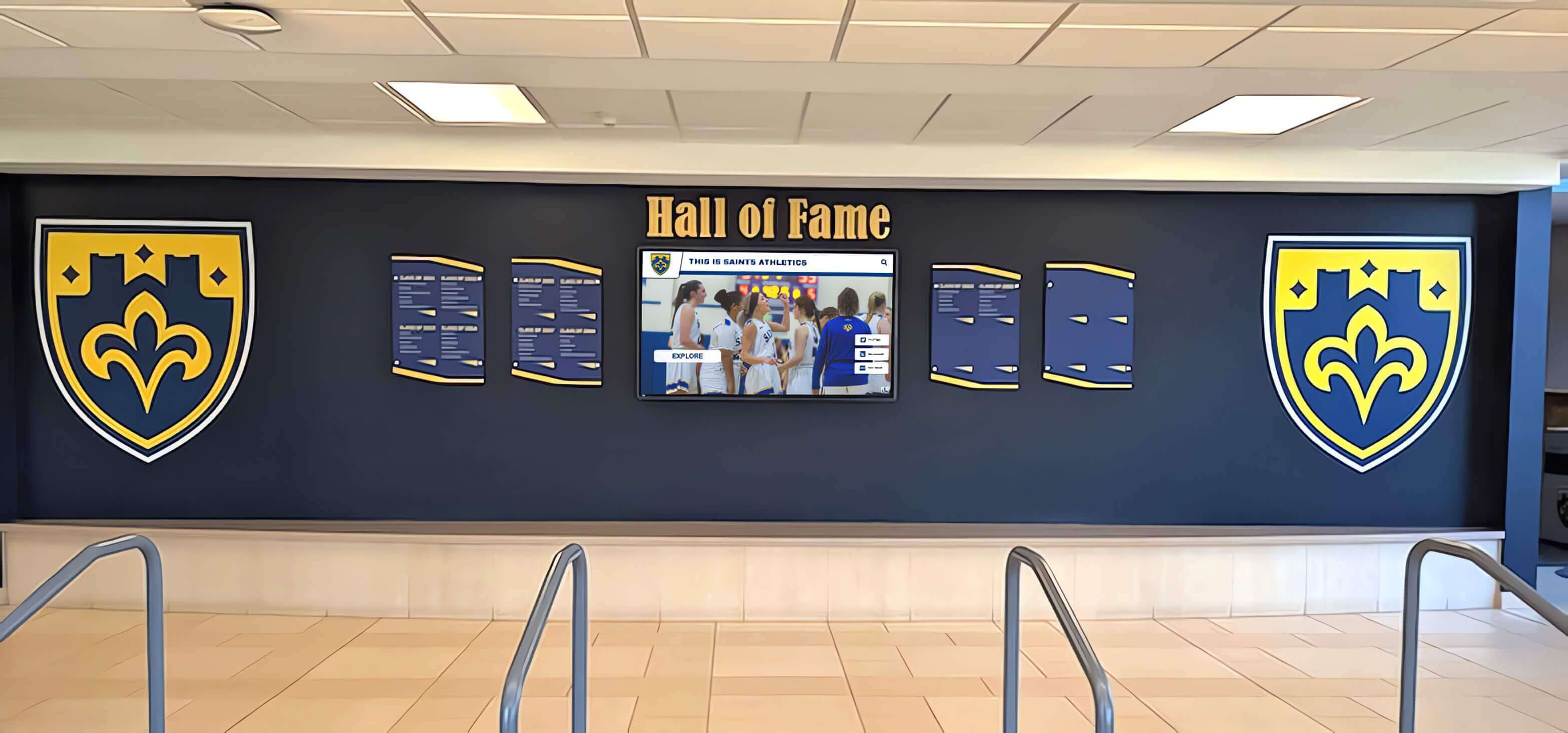
Before a recognition display lobby installation goes live, confirming the display's IP and MAC address appear in the DHCP snooping binding table takes less than two minutes at the switch CLI and prevents the most common DAI compatibility failure
Validation Step 3: Verify the Display’s Switch Port Trust State
The switch port connecting the recognition display should be configured as a DAI untrusted port (the secure default for access ports). Verify the trust state and confirm it is appropriate. Avoid setting access ports to trusted unless there is a documented specific reason—such as the port connecting an in-line network appliance that validates ARP itself.
On Cisco IOS / IOS-XE:
show ip arp inspection interfaces
The output lists every interface with its trust state and rate-limit settings:
Interface        Trust State  Rate (pps)
---------------  -----------  ----------
Gi1/0/1          Trusted      None
Gi1/0/12         Untrusted    100
Gi1/0/24         Untrusted    100
Uplink ports (listed as Trusted) should connect to routers, other switches, or DHCP servers—not to end devices. Confirm the display’s interface (e.g., Gi1/0/12) shows Untrusted. If it shows Trusted, confirm with the network administrator why it was set to trusted before changing it—a port set to trusted for a specific technical reason should not be changed without understanding the implication.
Rate Limits on Untrusted Ports
DAI supports ARP rate limiting on untrusted ports, measured in ARP packets per second (pps). The default rate limit varies by switch platform but is commonly 100 pps. Rate limiting prevents ARP flood attacks but can also affect legitimate devices that generate elevated ARP traffic during startup. A recognition display host booting Windows generates a burst of ARP requests in the first 30–60 seconds of network initialization—if the burst exceeds the configured rate limit, the switch will erroneously drop legitimate packets and log a rate-limit violation.
Check the current rate limit:
show ip arp inspection interfaces GigabitEthernet1/0/12
If the display shows rate-limit drops during boot (visible in the statistics in Step 5), consider increasing the rate limit on the display’s port from the default to 200–500 pps, or configuring a burst interval:
interface GigabitEthernet1/0/12
 ip arp inspection limit rate 200
Validation Step 4: Test ARP Resolution from the Display Host
With the switch-side configuration in place (DHCP snooping enabled, binding table entry present, port in untrusted state), test ARP resolution from the display host itself. This step confirms that the switch is forwarding the display’s ARP traffic and that the display can resolve the MAC addresses it needs.
On the recognition display host (Windows), open Command Prompt as administrator and run:
arp -d *
This clears the display’s ARP cache, forcing it to re-resolve all MAC addresses from scratch rather than relying on cached entries that may predate the current switch configuration.
Then immediately ping the default gateway:
ping <gateway-IP> -n 4
Observe the result:
- Successful ping (0% packet loss): ARP resolution is working. The display can communicate with the gateway, which means DAI is forwarding the display’s ARP traffic and the gateway is resolving the display’s ARP correctly in return.
- Failed ping with “Request timed out” or “General failure”: ARP resolution is failing. Run
arp -ato see the display’s current ARP cache. If the gateway’s entry shows as incomplete (Windows) or is missing entirely, the display’s ARP request did not receive a reply—likely because DAI dropped the display’s ARP or dropped the gateway’s ARP reply.
If the ping fails, also run this on the display host to verify the Ethernet link layer is up:
ipconfig /all
Confirm the adapter shows Media State: Media connected and has an IP address. A media-connected adapter with a valid IP that cannot ping the gateway confirms the failure is at Layer 2 or Layer 3, not at the physical layer—pointing directly to DAI or DHCP-related issues.
Additional connectivity tests after gateway ping succeeds:
ping 8.8.8.8 -n 4
Tests routing through the gateway to the internet. Success confirms the gateway is accepting the display’s traffic.
nslookup <recognition-platform-hostname>
Tests DNS resolution, which the recognition platform requires to reach its update endpoints. If DNS fails after the gateway ping succeeds, DAI is not the issue—look at DNS server configuration or firewall rules.
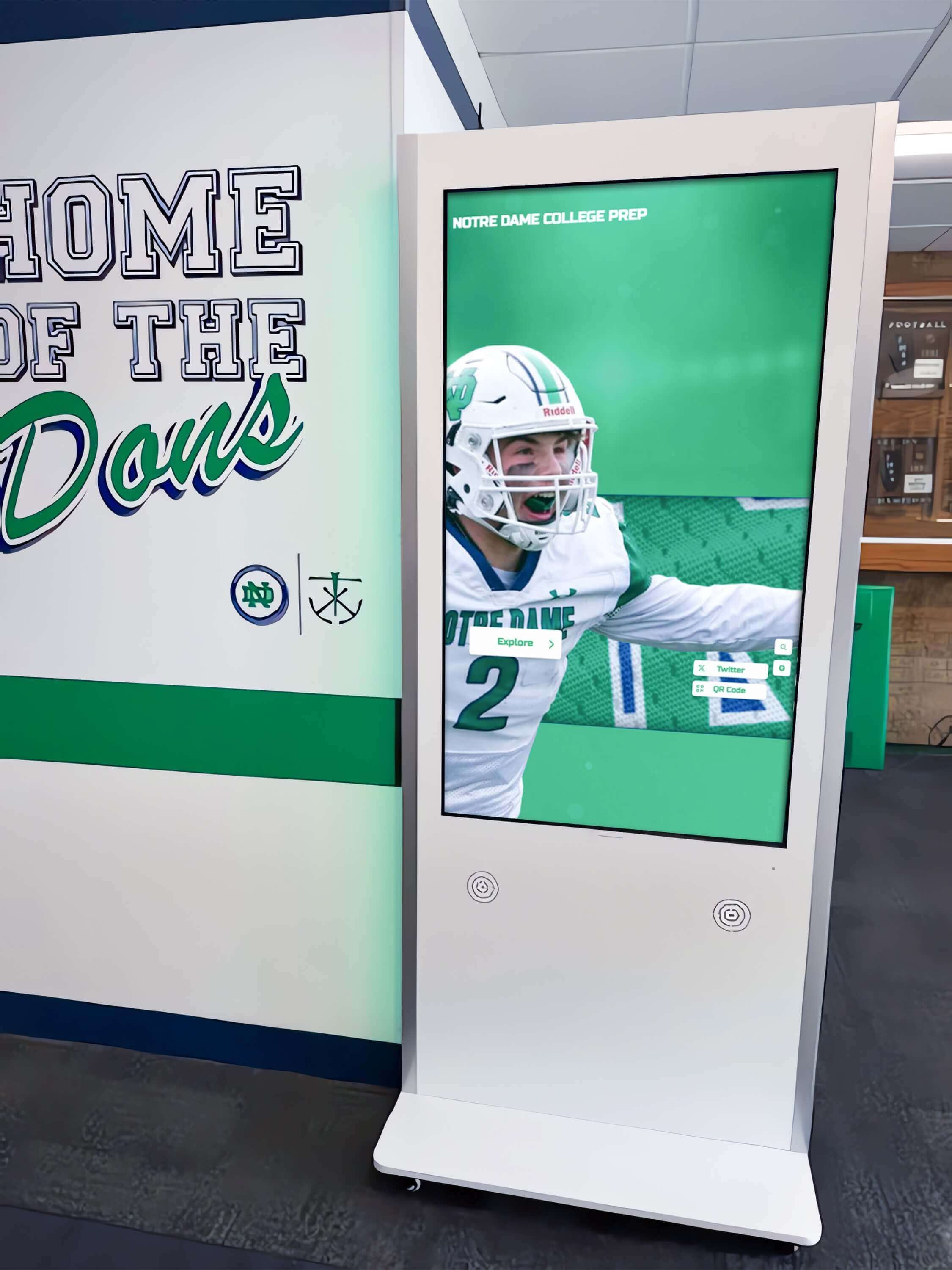
Testing ARP resolution and connectivity from the display host itself is the fastest way to confirm the switch is forwarding the display's network traffic after DAI configuration changes
Validation Step 5: Inspect DAI Statistics for Drop Counts
After running the ARP and connectivity tests from the display host, check the switch’s DAI drop statistics for the display’s VLAN. This is the definitive confirmation step: zero drops on the VLAN after the display has communicated means DAI is passing all ARP traffic from the display correctly.
On Cisco IOS / IOS-XE:
show ip arp inspection statistics vlan <vlan-id>
Example output:
Vlan      Forwarded        Dropped     DHCP Drops      ACL Drops
----      ---------        -------     ----------      ---------
  30           1247              0              0              0
The Dropped column should show 0 after the display has been powered on and has completed its ARP resolution. If the count shows non-zero drops:
- DHCP Drops: ARP packets dropped because the source IP/MAC did not match the DHCP snooping binding table. This is the failure mode for static IP displays without a binding entry.
- ACL Drops: ARP packets dropped because an ARP ACL explicitly denied them. Review any ARP ACLs applied to the VLAN.
For a more granular view of which device is generating drops, check the DAI log:
show ip arp inspection log
The log records recent drop events with the MAC address, IP address, VLAN, and port for each dropped packet. If the recognition display’s MAC address appears in the log, the binding entry or ACL configuration needs adjustment.
To clear the statistics counters before running a clean test (so you can distinguish new drops from historical drops):
clear ip arp inspection statistics vlan <vlan-id>
Power-cycle the recognition display after clearing statistics, then wait for the display to fully boot and re-run show ip arp inspection statistics to see only the drops (if any) from the current test session.
On HP ProCurve / Aruba:
show arp-inspection statistics
On Juniper EX:
show arp inspection statistics
Consult your switch vendor’s documentation for the equivalent command if using a different platform.
Interpreting Drop Counts with Multiple Devices on the VLAN
The VLAN-level statistics aggregate drops from all devices on the VLAN, not only the recognition display. If the drop count is non-zero but the display passed its connectivity test, check whether another device on the VLAN is generating the drops. Use show ip arp inspection log to identify the MAC address generating the drops before drawing conclusions about the display’s compatibility.
Validation Step 6: Confirm Content Platform Connectivity
The final validation step moves beyond network-layer testing to confirm that the recognition display can reach the cloud content management platform that keeps its athlete profiles, award records, and hall-of-fame entries current. A display that passes ARP inspection at the network layer but cannot reach the content platform’s HTTPS endpoint will show outdated content regardless of the network-layer test results.
On the display host, open a web browser or use curl/Invoke-WebRequest in PowerShell to attempt a connection to the recognition platform’s update endpoint. For Rocket Alumni Solutions displays, the platform dashboard provides the current sync endpoint URL; confirm with the vendor’s support documentation for the exact address.
If the content platform reports a successful sync in its management dashboard within a few minutes of the display coming online, the full chain is confirmed: DAI is passing ARP, routing is working, DNS is resolving, and HTTPS is reaching the platform.
Schools managing recognition programs that span multiple locations—athletic hallways, entrance lobbies, trophy corridors, and dedicated honor society and academic recognition areas—should run this six-step validation for each display location individually, since VLAN assignments, switch port configurations, and binding table entries are specific to each physical location.
Common DAI Compatibility Failures and Fixes
Display Uses Static IP with No Binding Entry (Most Common)
Symptom: Ping from display host to gateway fails; show ip arp inspection log shows drops with the display’s MAC and IP.
Fix: Add a static DHCP snooping binding entry for the display’s IP and MAC:
ip dhcp snooping binding <MAC> vlan <vlan-id> <IP> interface <interface> expiry 86400
write memory
Alternatively, create an ARP ACL:
arp access-list RECOGNITION-DISPLAYS
 permit ip host <IP> mac host <MAC>
!
ip arp inspection filter RECOGNITION-DISPLAYS vlan <vlan-id>
The ARP ACL approach is preferable when multiple recognition displays on the same VLAN share a static IP assignment scheme, since it allows adding all display entries to a single named ACL rather than adding multiple static binding entries.
DHCP Snooping Not Enabled on the Display’s VLAN
Symptom: show ip arp inspection statistics shows drops on the VLAN; show ip dhcp snooping does not list the display’s VLAN.
Fix: Enable DHCP snooping on the VLAN:
ip dhcp snooping vlan <vlan-id>
write memory
If DHCP snooping was just enabled, the binding table is empty until devices renew their DHCP leases. DHCP-assigned displays will populate the table on their next DHCP renewal or after a power-cycle. Static IP displays still need manual binding entries.
Display Port Incorrectly Set to Trusted
Symptom: DAI statistics show no drops, but the display has no binding entry and the port is configured as trusted—meaning DAI is bypassed entirely for this port.
Fix: This is not a break in service but is a security gap. If the display was set to trusted as a workaround for a static IP binding issue, add the correct static binding or ARP ACL entry and then revert the port to untrusted:
interface <interface>
 no ip arp inspection trust
Leaving an access port set to DAI-trusted when the real fix is a missing binding entry exposes the network segment to ARP-based attacks from that port.
ARP Rate Limit Drops During Display Boot
Symptom: Display connectivity works after boot completes, but intermittent failures occur in the first 60 seconds after startup; DAI statistics show drops that correlate with boot timing.
Fix: Increase the ARP rate limit on the display’s port:
interface <interface>
 ip arp inspection limit rate 300
A rate of 200–500 pps accommodates the ARP burst during Windows initialization without meaningfully reducing the effectiveness of rate-limit protection against ARP flood attacks.
Display Moves to a New Port or VLAN
Symptom: A display that was working stops communicating after a physical move or VLAN reassignment.
Fix: The DHCP snooping binding entry is port-specific and VLAN-specific. After moving a display, either wait for it to renew its DHCP lease on the new port/VLAN (which creates a new binding automatically for DHCP-assigned displays), or manually update the static binding entry to reflect the new interface and VLAN. Static binding entries left pointing to old interfaces do not transfer automatically.
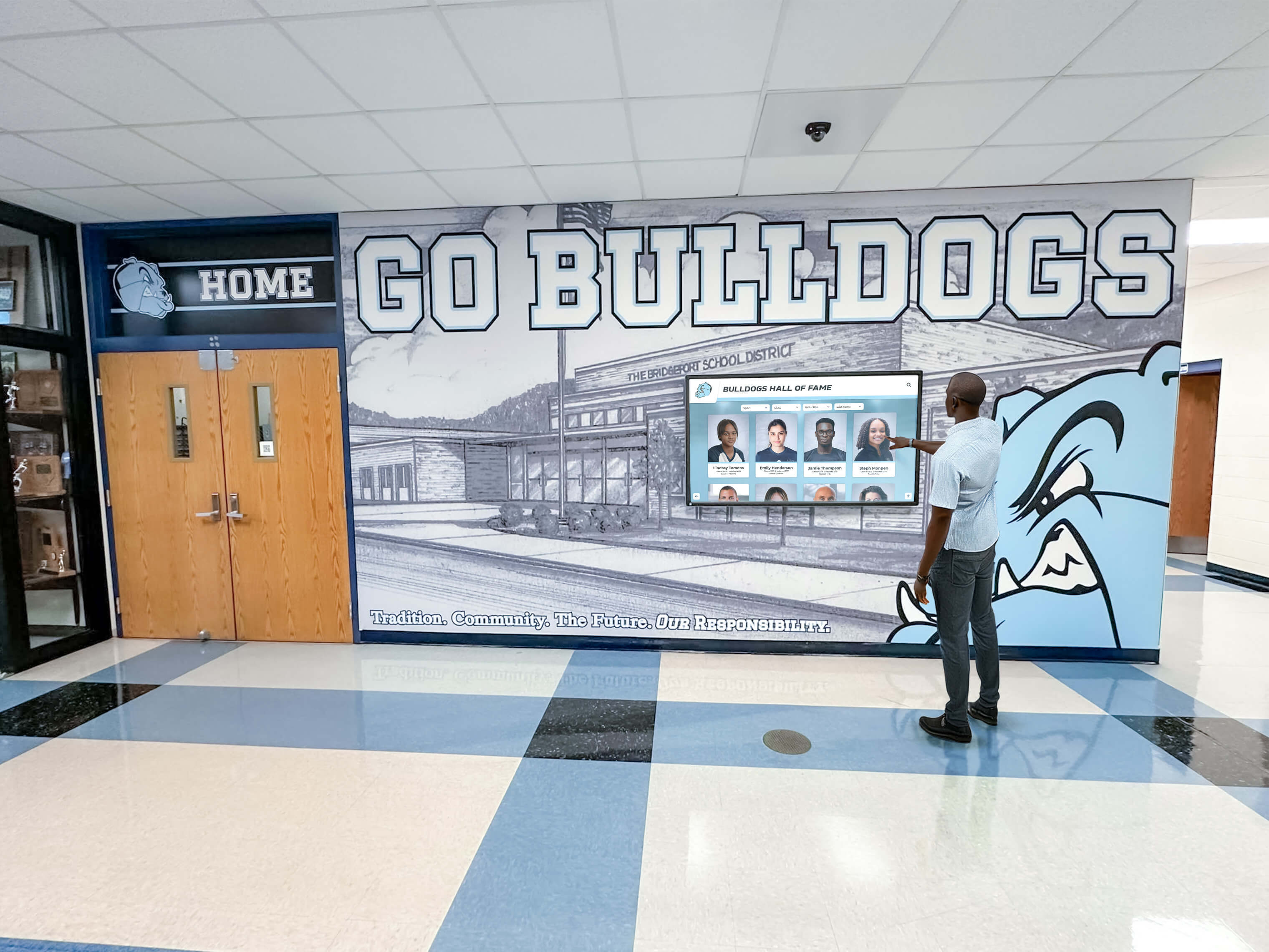
A hall-of-fame kiosk that passes the DAI compatibility test delivers updated athlete profiles and recognition records consistently — without the silent connectivity failures that make platforms appear stale when ARP traffic is being dropped
Long-Term Monitoring and Maintenance
Completing the validation test before going live is the critical step, but DAI compatibility also requires ongoing attention as the network changes over time.
DHCP Lease Renewals and Binding Table Refresh
For recognition displays that use DHCP, the DHCP snooping binding table entry is renewed automatically each time the display renews its DHCP lease. The binding entry’s expiry value in the table reflects the remaining DHCP lease time. No manual action is required as long as the DHCP server is reachable and the display renews its lease before expiry.
However, if the recognition display is powered off for an extended period—over a school break, for example—and its DHCP lease expires before it powers back on, the switch’s binding table entry will also expire. When the display powers on after the break, it obtains a new DHCP lease and the binding is re-created. The first ARP traffic from the display may be dropped in the brief window between power-on and DHCP lease completion if the switch enforces DAI strictly. This brief window is typically resolved within seconds as the DHCP exchange completes, but it can produce timeout errors in the recognition platform’s first connection attempt.
For displays with static IPs, the manually added static binding entry does not expire if the expiry was set to a large value or written to memory correctly. Confirm these bindings persist after switch reloads during maintenance windows.
Impact of Network Changes on Existing Displays
Several routine network changes can break a previously validated DAI configuration:
| Network Change | Potential DAI Impact | Mitigation |
|---|---|---|
| Switch firmware upgrade | Binding table entries may or may not persist (platform-dependent); verify post-upgrade | Export binding table before upgrade; re-add static entries after upgrade if needed |
| VLAN reassignment for display | Binding entry is VLAN-specific; old entry no longer matches | Add new binding entry for new VLAN; remove old entry |
| Switch replacement | New switch has empty binding table | Re-add static bindings for all static IP displays; DHCP displays re-populate on next boot |
| DHCP snooping newly enabled on existing VLAN | Existing DHCP devices need to renew leases for entries to populate | Power-cycle displays to trigger DHCP renewal; add static bindings for static IP displays immediately |
| DAI rate limit changed globally | Access port rate limits may affect displays during high-ARP periods | Test rate limit against display boot behavior; adjust per-interface limits if needed |
| New firewall policy blocking DHCP broadcast | Display cannot obtain DHCP lease; binding table entry not created | Verify DHCP relay or DHCP server reachability from display VLAN |
Including recognition display DAI compatibility in the standard change-management checklist for network modifications prevents these routine changes from causing display outages that appear unrelated to the network change.
Periodic Validation Schedule
For schools managing recognition displays that support ongoing athletic programs, donor recognition walls, and academic honor boards, a quarterly DAI compatibility review is reasonable maintenance practice. The review takes fewer than 15 minutes per display:
show ip dhcp snooping binding— confirm binding entry present and currentshow ip arp inspection statistics vlan <vlan-id>— confirm zero or minimal drops- Ping test from display host to gateway — confirm ARP resolution working
- Confirm content platform last-sync timestamp is current
For displays supporting school gym digital signage and athletic lobby displays that rotate event content on a fixed schedule, the review should align with the start of each athletic season—when displays are powered on after breaks—to catch any binding table expiry or switch configuration drift before the first event.
DAI in Broader School Network Security Context
Dynamic ARP Inspection is one layer of a multi-layer network security posture for school recognition displays. Schools that have implemented DAI typically also have, or are considering, several complementary controls:
- 802.1X authentication validates device identity at the port level before granting VLAN access; a recognition display that authenticates through 802.1X receives a DHCP lease within its authorized VLAN, which DHCP snooping then records for DAI validation.
- DHCP Option 82 (Circuit ID insertion) allows the DHCP server to see which switch port requested the lease, enabling IP assignment policies based on physical location—which also enriches the DHCP snooping binding table.
- Port security restricts the number of MAC addresses permitted on a given switch port, preventing MAC flooding attacks that DAI alone does not address.
- VLAN segmentation separates recognition displays from student devices and administrative systems, limiting the blast radius of any ARP-based attack to the recognition VLAN alone.
Schools planning multi-display recognition deployments—digital hall-of-fame walls, athletic kiosk networks, and academic achievement display systems—benefit from documenting the full network security posture for each display location. Budget planning for recognition display programs that includes IT infrastructure requirements alongside the display hardware and software costs produces more accurate project estimates and avoids discovering network security integration work late in the deployment timeline.
Frequently Asked Questions
Can Dynamic ARP Inspection be applied selectively to only some VLANs on a switch?
Yes. DAI is configured per-VLAN in Cisco IOS and equivalent platforms. You can enable DAI on the student device VLAN and the recognition display VLAN while leaving it disabled on a VLAN where only trusted infrastructure devices reside. Most schools enable DAI broadly and configure per-port trust exceptions for infrastructure uplinks, rather than selectively enabling it per-VLAN, but per-VLAN targeting is fully supported.
Will a recognition display’s ARP traffic generate DAI log entries even if the display is correctly configured?
Forwarded ARP packets are typically not logged—only dropped packets generate log entries in DAI. A correctly configured display whose ARP traffic passes validation should produce no DAI log entries under normal operation. If you see the display’s MAC in the log even after completing the validation steps, the binding entry or ARP ACL may not match the exact IP-MAC combination the display is using—confirm the display’s actual IP and MAC with ipconfig /all on the display host.
How does DAI interact with gratuitous ARP announcements from the recognition display?
Gratuitous ARP (GARP) is an ARP packet a device sends to announce its IP-to-MAC mapping without receiving a prior ARP request—commonly sent during network initialization. DAI applies the same validation to GARP packets as to standard ARP: the IP and MAC in the GARP must match a DHCP snooping binding table entry or an ARP ACL permit entry. A correctly configured display’s GARP will be forwarded; a display with a missing or incorrect binding will have its GARP dropped.
Does enabling DAI affect display performance or network throughput?
DAI operates on control-plane traffic (ARP), not data-plane traffic (TCP/UDP/IP). ARP exchanges happen at device startup and at periodic intervals to refresh the ARP cache; they do not generate continuous traffic during normal operation. The performance impact of DAI inspection on a recognition display’s throughput is negligible. The only performance consideration is the ARP rate limit on untrusted ports, which can affect the display’s boot-time ARP burst if set lower than the display generates during Windows initialization.
What happens if the DHCP server is unreachable when a DHCP-assigned recognition display boots?
The display will be unable to obtain an IP address through DHCP. It will fall back to an APIPA address (169.254.x.x) if no static IP is configured. DHCP snooping will have no binding entry for the display on the correct IP range, and any ARP from the APIPA address will not match any configured ACL or binding entry—DAI will drop it. This is a DHCP availability issue, not a DAI configuration issue, but the symptom (display offline) is identical. Always confirm DHCP server reachability from the display’s VLAN before blaming DAI.
Can the DAI validation test be run before the recognition display hardware arrives on-site?
The switch-side portions of the test (verifying DHCP snooping is enabled, checking binding table structure, confirming DAI is active on the VLAN, pre-creating static binding entries or ARP ACL entries) can all be completed before the display hardware arrives if the display’s MAC address and intended IP address are known. The display-side test (ping test, ARP cache verification, content platform sync confirmation) requires the hardware to be connected. Pre-staging the switch configuration is good practice—it means the display can be tested for full connectivity immediately after physical installation rather than requiring a second visit to resolve binding issues.

A school lobby recognition display that passes every step of the DAI compatibility test is ready for live operation—no surprise connectivity failures when students, families, and visitors arrive for induction ceremonies and athletic events
Recognition displays in school hallways and athletic lobbies preserve the achievements of student-athletes, scholars, and award recipients for decades—but only if the network delivers the content updates that keep those records current and accurate. Dynamic ARP Inspection is a network security control that benefits the school’s entire connected infrastructure, and a recognition display that is properly provisioned in the DHCP snooping binding table or ARP ACL coexists with DAI without friction. The six-step validation procedure in this guide—confirming DHCP snooping is active, verifying the binding table entry, checking port trust states, testing ARP resolution from the host, inspecting drop statistics, and confirming content platform connectivity—gives school IT teams the systematic path to DAI-compatible display operation that prevents the “display not updating” complaints that otherwise emerge weeks after installation.
Rocket Alumni Solutions builds school recognition displays designed for enterprise network environments—with IT-friendly deployment documentation, support for managed network configurations, and platform updates that keep athletic records, hall-of-fame inductees, and award histories current without manual IT intervention.































