




Every time a visitor opens the web-accessible version of a school’s digital hall of fame, or every time a lobby kiosk re-establishes its HTTPS connection after a power cycle, the browser or content agent must confirm that the server’s TLS certificate has not been revoked. Without OCSP stapling, that check requires a separate HTTP request to the certificate authority’s Online Certificate Status Protocol responder—a round trip that can add 100 to 300 milliseconds to every connection, depending on the CA’s infrastructure location and the school network’s latency to it. At 7 a.m. before a tournament, when a dozen recognition kiosks are booting simultaneously and a gymnasium scoreboard display is establishing its connection alongside them, that added latency multiplies across every device.
OCSP stapling eliminates that extra round trip by having the recognition platform’s server pre-fetch the certificate status response from the CA responder, attach it cryptographically to the TLS handshake, and deliver it directly to the connecting client. The client receives a time-stamped, CA-signed status proof in the same handshake that delivers the server certificate—no separate lookup required. Recognition display OCSP stapling validation is the process school IT teams use to confirm that this optimization is active and functioning correctly on the recognition platform endpoint, so displays connect as quickly as possible without sacrificing the certificate trustworthiness that keeps content pipelines reliable.
Quick answer: A recognition display passes OCSP stapling validation when the platform’s HTTPS endpoint delivers a valid, non-expired CertificateStatus message during the TLS handshake. Confirm this by running openssl s_client -connect <platform-host>:443 -status and checking that the output contains OCSP Response Status: successful with a This Update timestamp within the staple’s validity window (typically no older than 24–48 hours). If the output shows OCSP response: no response sent, stapling is absent and clients are falling back to real-time OCSP lookups, adding latency to every connection.

A school recognition display kiosk re-establishes its HTTPS connection on every boot and network reconnect — OCSP stapling validation ensures that certificate status is delivered inline, eliminating a separate round trip to the certificate authority
What OCSP Stapling Is and Why It Matters for School Recognition Displays
Online Certificate Status Protocol (OCSP) is the mechanism by which a browser or TLS client checks whether a server’s certificate has been revoked before trusting it. A revoked certificate—one that was compromised or retired before its expiration date—should not be trusted even if it is technically not yet expired. Without a revocation check, a client has no way to distinguish a valid certificate from one the issuing CA has invalidated.
The original OCSP model requires the client to query the CA’s OCSP responder independently during the TLS handshake. That query is a separate HTTP request to an external server, and its latency depends on factors outside the school’s control: the CA’s infrastructure, internet routing, and whether the responder is geographically close to the school’s network path. For recognition displays on campus wireless or guest networks with filtered internet access, OCSP responder connections may be slow or blocked entirely, causing browsers to soft-fail the check and connect anyway—or, in stricter configurations, refuse the connection.
OCSP stapling (RFC 6066, section 8) moves that lookup to the server side. The recognition platform’s web server periodically queries the CA’s OCSP responder, caches the signed response, and attaches it to the TLS handshake as a CertificateStatus extension message. Connecting clients receive the status proof directly from the platform—trusted because it carries the CA’s cryptographic signature—without needing to reach the responder themselves. The cached staple is valid for a time window defined in the response (typically 24–48 hours), and a well-configured server refreshes it before it expires.
For school IT teams managing digital recognition displays and athletic hall of fame systems, OCSP stapling offers three concrete benefits beyond raw speed:
- Consistent boot performance. Kiosks that power on before school hours can complete HTTPS connections without waiting for a real-time CA responder query, which may be slower during peak morning internet usage.
- Privacy protection. Without stapling, every display connection causes the CA’s responder to log the client IP address and the certificate being checked. Stapling removes that per-client disclosure since only the server queries the responder.
- Resilience to responder outages. If the CA’s OCSP responder is temporarily unavailable, a stapled response already cached on the server prevents connection failures during that window.
How OCSP Stapling Fits into a Recognition Display HTTPS Session
Understanding where OCSP stapling occurs within the TLS handshake helps IT staff interpret validation output correctly. The table below maps the handshake sequence for a kiosk connecting to a recognition platform with stapling enabled.
| Handshake Step | Without OCSP Stapling | With OCSP Stapling |
|---|---|---|
Client sends ClientHello | Includes status_request TLS extension (client signals stapling support) | Same — client signals support |
Server sends ServerHello + Certificate | Certificate chain delivered; no status included | Certificate chain delivered |
Server sends CertificateStatus | Absent — no staple configured | CA-signed OCSP response included inline |
| Client performs revocation check | Client queries CA OCSP responder separately (100–300 ms added) | Client trusts the stapled response — no separate query |
| Handshake completes | After OCSP responder reply or soft-fail timeout | Immediately after CertificateStatus verification |
| Display begins content fetch | Delayed by external lookup | Full speed from handshake completion |
The status_request TLS extension in ClientHello is how the client tells the server it can accept a stapled response. All modern browsers and TLS libraries send this extension by default. If the server has stapling configured, it includes the CertificateStatus message. If stapling is absent or the cached staple has expired, the server omits the message—and browsers that implement OCSP hard-fail policies or OCSP Must-Staple will either refuse the connection or treat it as degraded.
Pre-Validation Checklist
Collect the following before running OCSP stapling validation commands. Gaps in this information lead to inconclusive test results or wasted troubleshooting time.
| Item | Why It Matters | How to Collect |
|---|---|---|
| Recognition platform HTTPS endpoint (hostname) | Validation commands connect to this host on port 443 | Platform documentation or device network inspector |
| OpenSSL version on test workstation | openssl s_client -status requires OpenSSL 1.0.2+ for OCSP stapling output | Run openssl version — upgrade if below 1.0.2 |
| Certificate issuing CA and OCSP responder URL | Needed to manually query the responder for comparison | Run `openssl s_client -connect |
| Whether TLS inspection is active on school network | Inspection proxies strip CertificateStatus messages, making stapling invisible to display devices | Confirm with network admin or test from outside proxy path |
| Platform server software (Nginx, Apache, IIS, CDN) | Stapling configuration syntax differs by server; affects troubleshooting guidance | Platform vendor documentation or curl -I https://<host> for Server: header |
| Staple refresh interval from CA | CA OCSP responses include a Next Update time — server must refresh before this | Inspect OCSP response Next Update field in validation output |
| Whether OCSP Must-Staple is set on the certificate | If the certificate includes the Must-Staple extension, missing staple = connection failure | Run `openssl x509 -in cert.pem -text |
The TLS inspection item deserves emphasis. Many school networks route all HTTPS traffic through a security appliance that terminates TLS, inspects content, and re-encrypts to the client. That appliance presents its own certificate rather than the platform’s, and it may not propagate the CertificateStatus message from the upstream connection. Test from a machine that connects to the platform directly—such as a development workstation behind a standard firewall without inspection—before drawing conclusions about the platform’s stapling behavior.
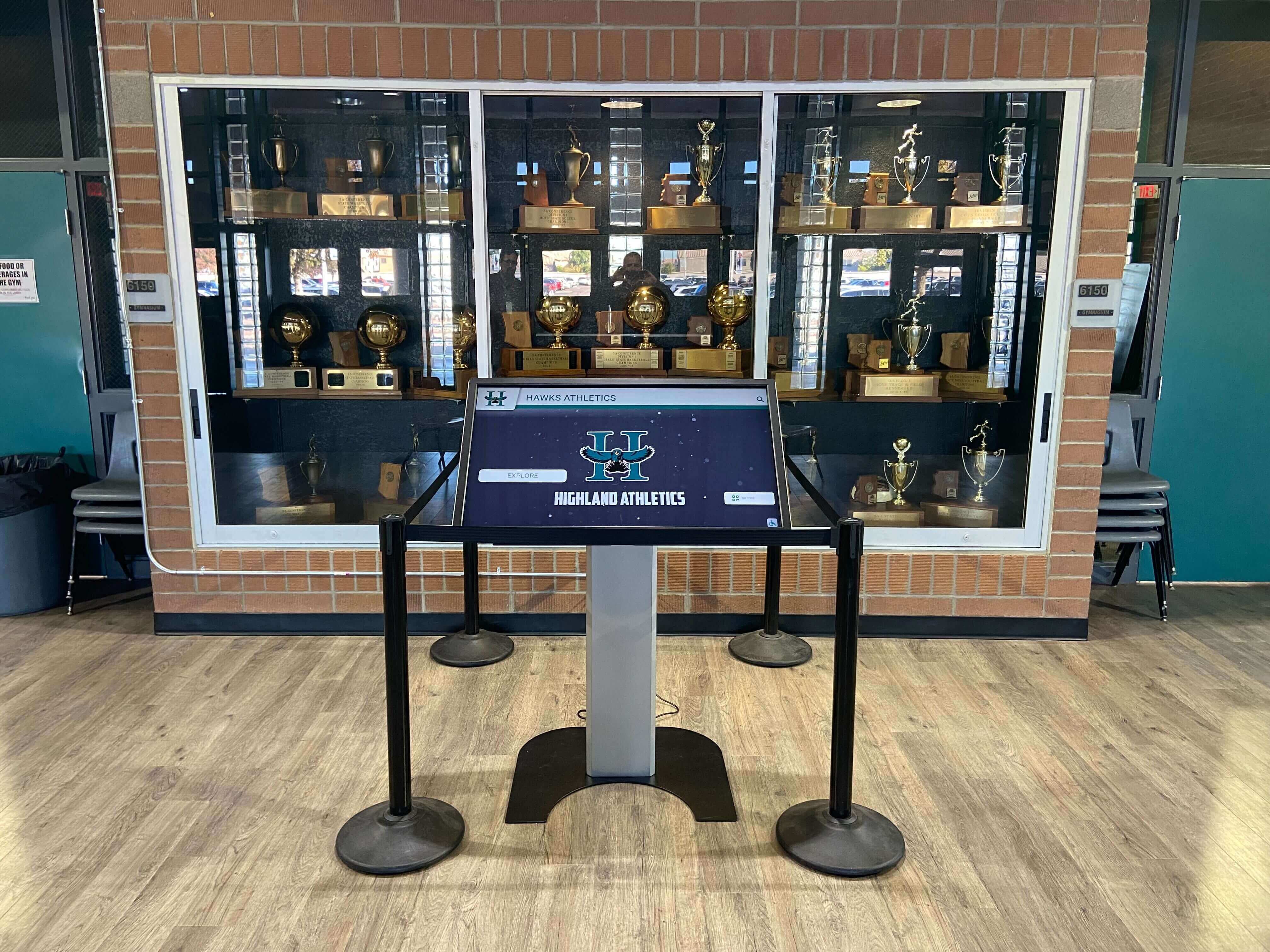
Digital recognition kiosks in trophy cases and athletic lobbies establish HTTPS connections on every boot — validating OCSP stapling removes the separate certificate-status lookup that would otherwise add latency to that startup sequence
Step-by-Step Recognition Display OCSP Stapling Validation Procedure
Step 1: Probe the Platform Endpoint for a Stapled OCSP Response
Run the following from a test workstation with direct access to the recognition platform’s endpoint. The -status flag instructs OpenSSL to request and display any stapled OCSP response included in the handshake.
openssl s_client -connect <platform-host>:443 -status -servername <platform-host>
Include -servername to send the correct SNI field, which is required on CDN-hosted platforms where multiple domains share a single IP address.
Expected output if stapling is active:
OCSP response:
======================================
OCSP Response Data:
    OCSP Response Status: successful (0x0)
    Response Type: Basic OCSP Response
    Version: 1 (0x0)
    Responder Id: ...
    Produced At: Sep 18 14:22:31 2026 GMT
    Responses:
    Certificate ID:
      ...
    Cert Status: good
    This Update: Sep 18 14:22:31 2026 GMT
    Next Update: Sep 19 14:22:31 2026 GMT
Expected output if stapling is absent:
OCSP response: no response sent
If you receive no response sent, the server is not delivering a stapled response. This does not necessarily mean the certificate is revoked—it means the client must perform its own OCSP lookup, and the added latency applies to every connection from every display device.
Step 2: Verify the Stapled Response Is Current
A stapled response that has passed its Next Update time is expired and will be rejected by strict clients. Check that This Update is recent and that Next Update has not passed.
openssl s_client -connect <platform-host>:443 -status -servername <platform-host> 2>/dev/null | openssl ocsp -respin /dev/stdin -noverify -text 2>/dev/null | grep -E "This Update|Next Update|Cert Status"
Alternatively, pipe the stapling output to a file and inspect it manually. Confirm:
Cert Status: good— the certificate is valid according to the CAThis Updateis within the last 24–48 hoursNext Updateis in the future (at minimum several hours remaining)
If Next Update has passed, the server’s staple refresh mechanism has failed. The server is delivering an expired staple, which modern browsers may reject or ignore—falling back to a live OCSP query or refusing the connection.
Step 3: Verify the Stapled Response Signature Against the CA
A well-formed staple must be signed by the issuing CA or a CA-authorized OCSP signing certificate. An unsigned or self-signed staple provides no security benefit and will be rejected.
Extract the server certificate and issuer certificate, then verify the staple against the issuer:
# Save the server certificate chain
openssl s_client -connect <platform-host>:443 -servername <platform-host> -showcerts 2>/dev/null | \
  awk '/BEGIN CERTIFICATE/,/END CERTIFICATE/' > chain.pem

# Extract the first certificate (server cert) and the issuer cert
csplit -z chain.pem '/BEGIN CERTIFICATE/' '{*}'
mv xx00 server.pem
mv xx01 issuer.pem

# Get the OCSP responder URL from the server certificate
OCSP_URI=$(openssl x509 -in server.pem -noout -ocsp_uri)
echo "OCSP URI: $OCSP_URI"

# Verify the staple against the CA
openssl ocsp -issuer issuer.pem -cert server.pem -url "$OCSP_URI" -text -nonce
A valid response returns server.pem: good and Response verify OK. An error here means either the staple on the server is malformed, the issuer certificate is incorrect, or the OCSP responder itself is unavailable—a separate issue from the staple configuration.
Step 4: Simulate a Display Device Connection
After confirming stapling from a workstation, simulate the connection as a display device would make it. Use curl with verbose TLS output and OCSP stapling requested:
curl -v --cert-status https://<platform-host>/ 2>&1 | grep -iE "ocsp|certificate|tls|ssl|staple"
The --cert-status flag causes curl to request and verify the OCSP staple. If the staple is present and valid, curl connects normally. If absent, you see a warning but typically not a hard failure (unless the certificate includes Must-Staple). If curl returns an error about certificate status, stapling may be providing an invalid or expired response that strict validation rejects.
Step 5: Confirm Staple Refresh Is Automated
OCSP staples expire. A platform that delivered a valid staple today will fail displays next week if the server’s staple refresh job stops running. Confirm with the platform vendor that staple refresh is automated and monitored, and ask:
- What is the staple refresh interval? (Should be at least 50% before
Next Update) - Is there an alert if refresh fails?
- What is the server behavior if the CA responder is temporarily unavailable? (Good practice: serve the last valid staple until it expires rather than dropping the staple immediately)
For schools managing athletic award archives and digital recognition systems alongside live recognition displays, unexpected certificate connection errors during content pushes are disruptive—especially before events. A monitored staple refresh process prevents the silent degradation that occurs when a staple expires on a weekend and is not noticed until Monday morning.
Validating OCSP stapling on a recognition display platform involves network access, certificate chain inspection, and CA verification steps that vary by hosting environment. Rocket Alumni Solutions can provide platform endpoint documentation and assist school IT teams with pre-deployment connection validation.
Schedule a technical walkthrough with Rocket Alumni Solutions
Interpreting OCSP Stapling Validation Results
Use this table to match your validation output to the correct interpretation and next action.
| Validation Output | Interpretation | Recommended Action |
|---|---|---|
OCSP Response Status: successful, Cert Status: good, Next Update in the future | Stapling is active, valid, and current | No action required; add to monitoring schedule |
OCSP response: no response sent | Server has stapling disabled or not configured | Contact platform vendor to enable and configure stapling |
OCSP Response Status: successful, Next Update in the past | Staple is expired; server refresh has failed | Contact platform vendor to investigate staple refresh mechanism |
OCSP Response Status: successful, Cert Status: revoked | Certificate is revoked — staple correctly reports revocation | Contact platform vendor immediately; certificate must be replaced |
Response verify FAILED | Staple signature is invalid — CA mismatch or corrupted response | Contact platform vendor; may indicate misconfiguration of staple signing chain |
curl --cert-status returns error on Must-Staple cert | Missing or invalid staple on a certificate that requires it | Must fix staple configuration; clients will refuse connections |
OCSP response: no response sent only from campus network | TLS inspection is stripping the staple | Work with network team to bypass inspection for platform domain |
Troubleshooting Common OCSP Stapling Failures
No staple on a CDN-hosted recognition platform. Many recognition platforms use CDN or cloud load balancer infrastructure where OCSP stapling is configured at the edge, not at the origin server. Some CDN configurations disable stapling by default or require explicit activation in the CDN’s TLS settings. If the platform uses a CDN, the fix lies with CDN configuration rather than the origin server.
Staple present but Next Update expires within a few hours. The server is likely refreshing the staple too infrequently relative to the CA’s Next Update window. Some CA OCSP responders issue responses valid for only 8–12 hours, which requires hourly refresh jobs rather than daily ones. Platform vendors should configure their server’s OCSP staple fetch interval to be no more than half the CA’s validity window.
Validation succeeds from workstation but display devices show HTTPS errors. This is the clearest indicator that TLS inspection is involved. Inspection appliances strip or regenerate TLS extensions including CertificateStatus. Confirm with the network team that the recognition platform’s domain is on the inspection bypass list. Schools maintaining comprehensive athletic records and alumni archives typically have well-documented bypass lists for trusted SaaS platforms; the recognition system endpoint should be added to that list.
OCSP responder unreachable from test workstation. If your school network has restrictive egress filtering, the OCSP responder URL may be blocked. Test from outside the campus network to isolate whether the issue is network egress or server configuration. Most CA OCSP responders operate over port 80 (plain HTTP) on a distinct subdomain from the certificate’s domain, and some school firewalls block outbound HTTP to unfamiliar destinations.
Must-Staple extension present but staple missing. The OCSP Must-Staple certificate extension (RFC 7633) instructs compliant TLS clients to reject the connection if no staple is delivered. If the recognition platform certificate includes Must-Staple and the server is not delivering a staple, all modern browsers will refuse the connection entirely. This is a critical configuration error requiring immediate action from the platform vendor. Check for Must-Staple with:
openssl x509 -in server.pem -text | grep -A3 "TLS Feature"
Output containing status_request confirms Must-Staple is asserted.
School lobbies where students gather around recognition displays benefit directly from OCSP stapling — faster HTTPS connections mean content appears without perceptible delay, even on hardware that reboots on a daily schedule
OCSP Stapling Validation in the Context of Broader School Certificate Management
OCSP stapling validation is one component of a complete certificate health picture for a school’s recognition system. Schools that have already worked through a structured touchscreen recognition display certificate renewal checklist or invested in academic achievement award high school recognition programs will find stapling validation integrates naturally into their existing IT workflows.
The table below shows how OCSP stapling validation relates to adjacent certificate and TLS checks that school IT teams typically run on recognition display infrastructure.
| Check | Purpose | Relationship to OCSP Stapling |
|---|---|---|
| Certificate expiration monitoring | Prevent expired certificates from blocking connections | Expired certificates make OCSP stapling irrelevant — fix expiry first |
| TLS session resumption validation | Confirm abbreviated handshakes work after power cycles | Runs after OCSP stapling; a valid staple is a prerequisite for a clean handshake |
| Certificate chain completeness | Ensure intermediate certificates are served | OCSP staple signature chain must match the served certificate chain |
| HSTS header presence | Prevent HTTP downgrade attacks | Complements stapling — HSTS ensures browsers always request HTTPS |
| TLS version and cipher negotiation | Confirm modern TLS 1.2/1.3 is used | OCSP stapling is available in both TLS 1.2 and TLS 1.3 |
| Pinning / HPKP status | Restrict which CAs can issue for the domain | Relevant if the recognition platform rotates CA providers |
Schools that manage digital recognition alongside basketball awards and athletic recognition programs for youth know that the technical infrastructure behind recognition displays must be as reliable as the recognition programs themselves. An inductee display that goes blank because of a certificate status failure during a ceremony is a visible failure that reflects on the program, not just the IT team.
Monitoring OCSP Stapling Continuously
A one-time validation confirms that stapling was working at the moment of the test. Continuous monitoring confirms it stays working.
Monitoring options for school IT teams:
- Scripted daily check. Schedule a cron job on a management workstation or monitoring server that runs the
openssl s_client -connect -statuscommand against the recognition platform endpoint and alerts if the output does not containOCSP Response Status: successfulor ifNext Updateis within 2 hours of expiry. - External monitoring services. SSL monitoring tools (many offer free tiers sufficient for a single endpoint) check OCSP stapling status alongside certificate expiry and alert by email or webhook. Add the recognition platform endpoint to an existing monitoring account if the school already uses one.
- Platform vendor alerts. Ask the recognition platform vendor whether their status page or management dashboard includes HTTPS endpoint health checks. Some vendors proactively notify school IT contacts when TLS configuration issues are detected.
Schools building long-term digital recognition archives—including athletic archive digitization efforts that span decades of history—have particular reason to keep certificate infrastructure solid. Content that took years to digitize is only accessible when the HTTPS connection is healthy.

School hall of fame touchscreens in hallways and athletic lobbies are used by visitors, students, and families — OCSP stapling validation ensures the HTTPS session supporting the display resolves certificate status inline, without noticeable delay
OCSP Stapling and School Network Edge Devices
School networks often include edge devices—firewalls, content filters, wireless controllers, and proxy servers—that interact with TLS traffic in ways that can affect OCSP stapling behavior. Understanding how each device class affects stapling helps IT teams isolate the correct layer when validation fails.
| Device Type | Effect on OCSP Stapling | Mitigation |
|---|---|---|
| TLS inspection / SSL decryption appliance | Strips CertificateStatus messages — staple never reaches display | Add recognition platform domain to inspection bypass list |
| HTTP proxy (non-TLS-terminating) | No effect on TLS-layer messages; CONNECT tunnels traffic transparently | No action needed for properly configured tunnel |
| DNS sinkhole / web filter | May block access to CA OCSP responder URL, preventing server staple refresh | Whitelist CA OCSP responder domains in DNS/web filter |
| Wireless controller with client isolation | No direct effect on OCSP; may affect display connectivity generally | Ensure displays can reach platform endpoint on required ports |
| CDN in front of platform | CDN must have stapling enabled; edge nodes cache staple independently | Confirm stapling is enabled in CDN TLS configuration |
The DNS sinkhole scenario is particularly relevant for schools using network-level ad blocking or content filtering that operates at the DNS layer. CA OCSP responder domains (such as ocsp.digicert.com, ocsp.sectigo.com, or r3.o.lencr.org for Let’s Encrypt) are not advertising or content domains—they are certificate infrastructure. Blocking them prevents the recognition platform’s server from refreshing its staple, causing the staple to expire and degrade to the no-staple state. Add all CA OCSP responder domains to DNS whitelist exceptions alongside the recognition platform domain.
Summary: Recognition Display OCSP Stapling Validation Procedure
The complete recognition display OCSP stapling validation procedure, in order:
- Identify the platform endpoint — hostname and port 443
- Confirm no TLS inspection on the network path between test workstation and platform
- Run
openssl s_client -connect <host>:443 -status -servername <host>and check forOCSP Response Status: successful - Verify
Cert Status: goodand confirmNext Updateis in the future - Verify staple signature against the issuer certificate using
openssl ocsp - Simulate a display device connection with
curl --cert-status - Check for Must-Staple extension on the server certificate
- Confirm staple refresh is automated with the platform vendor
- Add endpoint to continuous monitoring
A recognition display that passes all nine steps is delivering certificate status validation inline with every TLS handshake. Visitors to your school’s digital hall of fame, families checking the athletic honor board before a game, and the kiosks that cycle through inductee profiles in your trophy corridor all benefit from the faster, more private, more resilient connection that OCSP stapling provides.
For schools managing alumni management software and recognition systems that depend on continuous HTTPS connectivity, this validation is a repeatable procedure worth running after any platform update, certificate renewal, or CDN configuration change.
School hallway recognition kiosks like this one connect to their content platform on every boot — OCSP stapling validation ensures that connection completes certificate status checks without a round trip to the certificate authority
School IT staff who complete this OCSP stapling validation alongside a full TLS and certificate health review give their recognition displays the fastest, most reliable HTTPS foundation available. If your school is planning a new digital hall of fame installation, upgrading an existing athletic recognition kiosk network, or expanding an alumni recognition archive to more display locations, reviewing OCSP stapling configuration with your platform vendor early in the deployment process avoids the connection-latency issues that become harder to diagnose once hardware is mounted and cabling is complete.
See how Rocket Alumni Solutions supports school recognition display deployments — request a demo































