



The best school digital signage ideas for athletics are not about filling screen space — they are about making the right information appear in the right location for the right audience. A parent walking through the main entrance before a Friday night game has different information needs than a recruit sitting in the gym during a visit, or a student-athlete passing through the athletic hallway between classes. Matching content to location and audience is what separates a high-performing digital signage program from a collection of televisions running slide shows nobody watches.
This guide is written for athletic directors, school administrators, communications teams, and facilities staff who want a practical content strategy — not just hardware specs. Every idea below is organized by physical location and content category so you can plan what goes where before you commit to a display layout.
Across schools that have built cohesive athletic signage programs, a few patterns consistently emerge: recognition content draws the longest dwell time, schedule and score information gets the most repeated glances, and sponsor content performs best when it is integrated into recognition displays rather than siloed on dedicated screens. The digital signage examples from lobbies, gyms, hallways, and events at digitalwarming.net illustrate how well-executed content strategy across locations creates a cohesive campus experience rather than disconnected information kiosks.

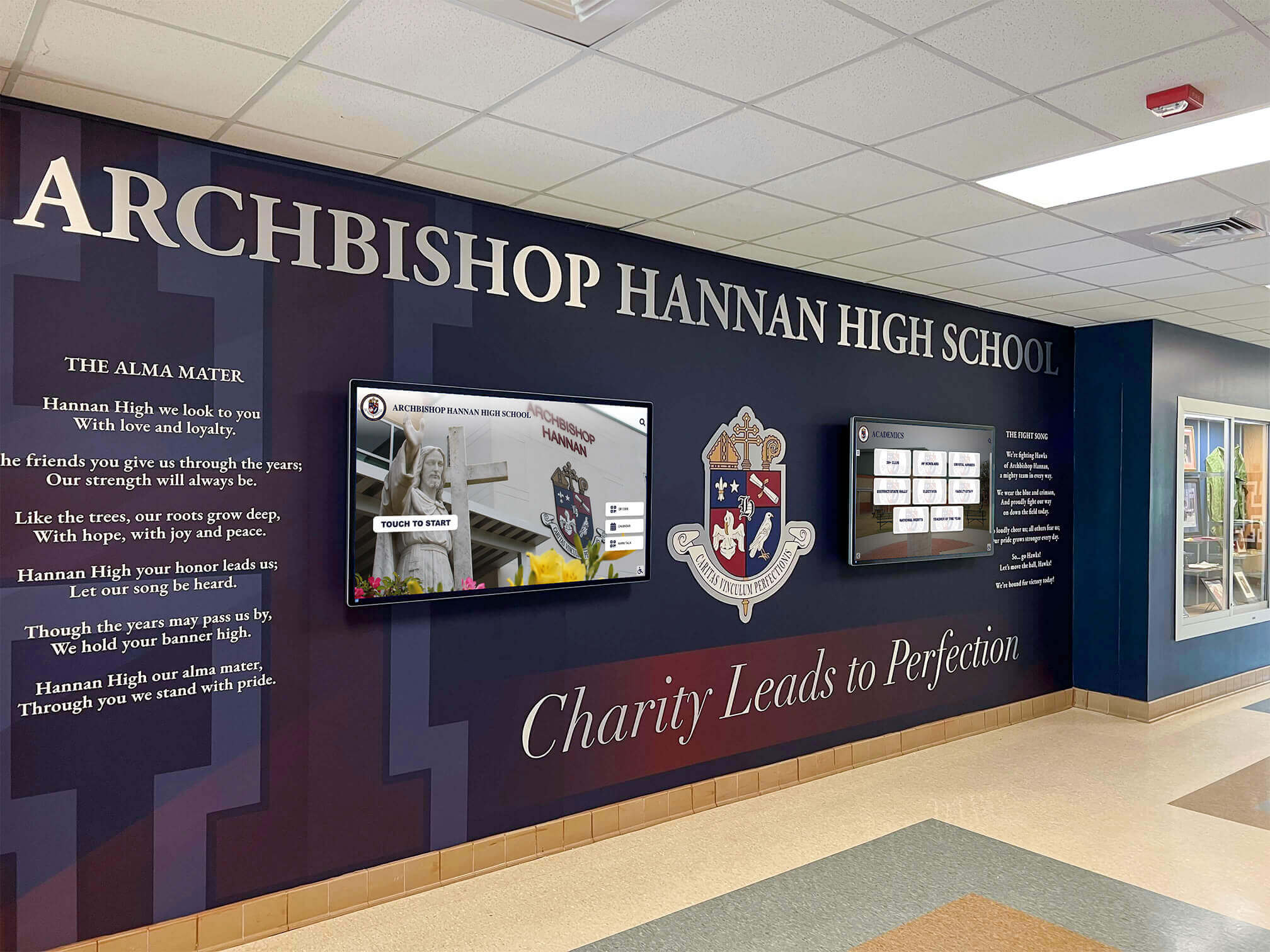
A school lobby combining physical mural elements with integrated digital screens creates a high-impact entrance experience that serves multiple content needs simultaneously
Display-Location Content Matrix
Before diving into individual ideas, here is a reference table mapping content categories to the three primary athletic display locations — gym, lobby, and entrance — along with the audience most likely to engage with each combination.
| Content Type | Gym | Lobby | Entrance | Primary Audience |
|---|---|---|---|---|
| Upcoming game and event schedules | ✓ | ✓ | ✓ | Current students, parents, fans |
| Live score updates and results | ✓ | ✓ | — | Athletes, coaches, fans |
| All-time athletic records | ✓ | ✓ | — | Athletes, recruits, alumni |
| Hall of fame inductee profiles | — | ✓ | — | Alumni, donors, prospective families |
| Team photos and roster displays | ✓ | ✓ | — | Athletes, recruits, parents |
| Championship history and banners | ✓ | ✓ | — | Athletes, recruits, alumni |
| Season and year-in-review highlights | ✓ | ✓ | — | Athletes, parents, alumni |
| Sponsor and booster recognition | — | ✓ | ✓ | Sponsors, community members |
| Award and honor roll rotations | — | ✓ | ✓ | Students, parents, donors |
| School spirit and mascot content | ✓ | — | ✓ | Students, visitors, fans |
| Wayfinding and event information | — | — | ✓ | First-time visitors, guests |
| Alumni spotlights and where-are-they-now | — | ✓ | — | Alumni, donors |
| Safety and emergency announcements | ✓ | ✓ | ✓ | All audiences |
| Recruiting and program highlights | ✓ | ✓ | — | Recruits, prospective families |
Use this table as a starting point when planning screen placement and content playlists. Each row is addressed in the sections below with specific ideas and implementation notes.
Gym Digital Signage Ideas
The gym is a high-energy environment with a varied audience — current athletes using the space for practice, teams warming up before competition, fans filling bleachers for events, and coaches and officials moving through the facility. Signage here needs to work under variable lighting conditions, across distances, and often without audio.
1. Live Scoring and Scoreboard Integration
The most functional gym display content is real-time scoring during home events. Schools that have invested in digital scoreboards have often added secondary screens — on the baseline walls, in team corridors, or in adjacent warm-up areas — that mirror or supplement the main scoreboard with additional statistics, game clocks, or team graphics. Even without scoreboard integration, a dedicated display running event graphics during home games elevates the atmosphere significantly.
2. Rotating Athletic Records Board
An all-time records display gives current athletes a visual target. Seeing that the school record in the 100-meter dash was set by someone who graduated fifteen years ago creates a specific, visible goal in a way that a coach’s verbal encouragement cannot replicate. Digital record board platforms reviewed at digitalrecordboard.com show how software built specifically for athletic records handles auto-ranking and real-time updates so records stay current as they are broken during the season.
Content to include on a gym record board:
- Individual sport records by event or statistical category
- Season records by team
- Records holder name, graduation year, and performance date
- Color coding or visual indicators when records are recently set
3. Upcoming Game and Practice Schedules
A schedule display in the gym serves athletes checking practice times and fans confirming event dates. For facilities used by multiple sports simultaneously, a schedule board organized by sport and time slot reduces scheduling confusion and visitor questions that staff must field repeatedly. Keep the format simple: sport, opponent, date, time, location (home or away).
4. Team Photos and Roster Displays
Rotating through current-season team photos — official team portraits, action shots from recent games, senior recognition graphics — gives the gym space an identity beyond its functional role. For facilities that host multiple sports across different seasons, a dynamic team photo display ensures every program sees itself represented in the space. This content is easy to update seasonally and requires minimal ongoing management after the initial season photo collection.
5. Recruiting and Program Highlights
Gyms that regularly host recruits benefit from content that makes a strong first impression during unofficial and official visits. A display running championship history, alumni who went on to play at the next level, coaching staff profiles, and program philosophy points gives recruits additional visual context without requiring a dedicated staff member to narrate. For recruiting content strategy ideas, the athletic displays guide at touchwall.us provides a structured framework for organizing recruitment-facing display content.
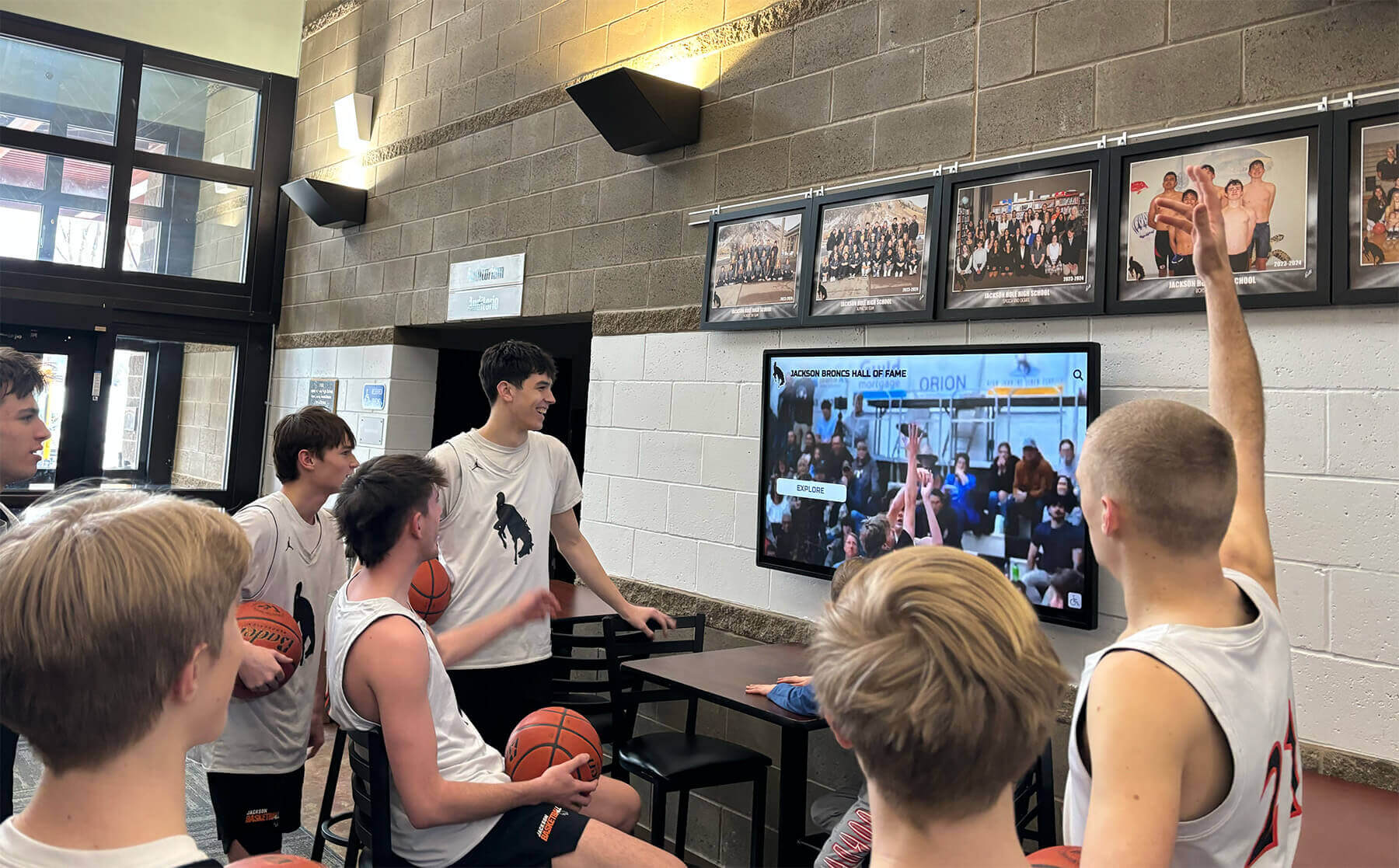
Screens in athletic areas keep current student-athletes connected to program history and upcoming events without requiring staff involvement
Lobby Digital Signage Ideas
The school lobby — whether the main building entrance or the athletic building atrium — is where the full range of stakeholders converges: current students, parents, visiting teams, alumni returning for events, prospective families on tours, and community members attending programs. It is the display environment that makes the strongest first impression and the one that justifies the highest investment in content depth.
For a comprehensive overview of how to plan display placement and content strategy for school lobbies specifically, the digital display board guide for school lobbies at digitalwarming.net covers hardware placement, content scheduling, and audience considerations that apply across facility types.
6. Hall of Fame Inductee Profiles
The lobby is the natural home for hall of fame content because it reaches the widest audience — including alumni visiting for the first time in years. A hall of fame display in the lobby lets inductees explore their own profiles during visits, allows new students to discover the program’s history, and signals to prospective families and donors that the institution takes athletic legacy seriously.
Interactive touchscreen displays go further than passive slide shows: a visitor can search by sport, browse by decade, or pull up a specific inductee’s biography and statistics. For alumni whose names appear in the database, that moment of discovery creates a lasting emotional impression that no physical plaque can replicate at the same depth.
Rocket Alumni Solutions specializes in this category — providing interactive touchscreen hall of fame platforms built specifically for school athletic programs, with content management that allows athletic department staff to update inductee profiles, records, and award histories without vendor involvement.
7. Championship History and Banner Archives
Schools with deep championship histories often have more history than physical wall space can display. A digital archive accessible through a lobby screen can include every championship team — with rosters, coaches, and season records — from the program’s history, while physical banners remain reserved for the most recent or most significant titles. This approach honors more history than a physical-only system allows.
For ideas on organizing and presenting championship history content, the digital signage for schools guide at digital-trophy-case.com addresses how schools have structured comprehensive historical archives in digital formats.
8. Alumni Spotlights and Where-Are-They-Now Features
Alumni spotlights running on lobby screens turn passive recognition into active storytelling. A rotating series of profiles featuring what former athletes have achieved since graduation — professional careers, community contributions, athletic accomplishments at the next level — gives current students aspirational models while giving alumni a reason to engage when they return.
Content for alumni spotlights:
- Professional and career highlights since graduation
- Athletic career at the collegiate or professional level
- Community leadership and public service
- Personal milestones connected to the school program
- A direct quote from the alumnus about their experience
9. Sponsor and Booster Recognition Rotations
Donors and sponsors who support athletic programs deserve acknowledgment that is visible to the community they are helping. Lobby screens offer a high-visibility location for sponsor recognition that can be updated as partnerships change — without the expense and permanence of physical donor walls that become outdated.
Effective sponsor recognition on lobby displays includes:
- Business logo with brief description of partnership contribution
- Acknowledgment of specific programs or facilities supported
- Multi-tier recognition (platinum/gold/silver equivalents) displayed with clear visual differentiation
- Rotating acknowledgment so all sponsors receive equal screen time per cycle
For larger donor recognition within athletic displays, the athletic displays and recognition guide at touchwall.us includes approaches for integrating donor recognition into spirit-focused content environments.
10. Award and Honor Roll Rotations
Season-end award recipients, all-conference selections, academic-athletic honorees, and scholarship winners are natural candidates for lobby display content. These rotations serve multiple purposes: they give award recipients visible public recognition, they signal the program’s values to visiting families, and they create content that changes seasonally so the display always feels current.
For comprehensive content planning across 100+ signage ideas applicable to school lobbies, this digital signage content ideas resource at digital-trophy-case.com is a practical reference when building out a full content calendar.

Interactive lobby displays let visitors explore athletic history independently — browsing inductee profiles, championship archives, and records without staff assistance
Entrance Digital Signage Ideas
School entrances — the main vestibule, the athletic wing door, the stadium gate — serve a specific audience: people arriving. They are often in motion, under time pressure, and need either directional information or a high-impact welcome moment. Content here should be immediate, visually strong, and readable at a glance.
11. Wayfinding and Event Information
The most practical entrance display content is also the most often overlooked: where do I go? During events, visitors who are unfamiliar with the facility need to locate the gym, the field, the ticket window, the concession stand, and the restrooms. A digital wayfinding display at the entrance handles these questions before they become staff interruptions and gives first-time visitors a confident start to their visit.
Content for entrance wayfinding displays:
- Facility map with key locations labeled
- Event-specific directions (home team entrance, visitor section, press box)
- Parking information for large events
- Contact information for facility management
12. School Spirit and Welcome Messaging
An entrance display showing the school mascot, colors, and a welcome message sets tone before visitors even reach the main facility. For home game nights, entrance displays running animated school spirit content — mascot graphics, team motto, current season record — build energy as fans arrive and create a memorable visual impression for visiting teams and officials.
For inspiration on how entrance and hallway spirit displays have been executed across different school types and facility configurations, the school spirit display ideas guide at touchwall.us covers both aesthetic and functional approaches.
13. Upcoming Events and Schedule Previews
Entrance screens visible from the parking lot or front walkway are an opportunity to promote upcoming events to community members who may not have checked the school calendar. A schedule display at the entrance — rotating through the next two to four weeks of athletic events — reaches people who are already on campus for other reasons and may decide to attend games they would otherwise miss.
14. Sponsor Recognition at Entry Points
For schools with presenting sponsors or facility naming rights partners, the entrance is the highest-visibility placement for sponsor acknowledgment. A digital display at the entrance presenting the sponsor’s name and logo alongside the facility name or event reaches every arriving visitor, which is the metric sponsors use to evaluate recognition value.
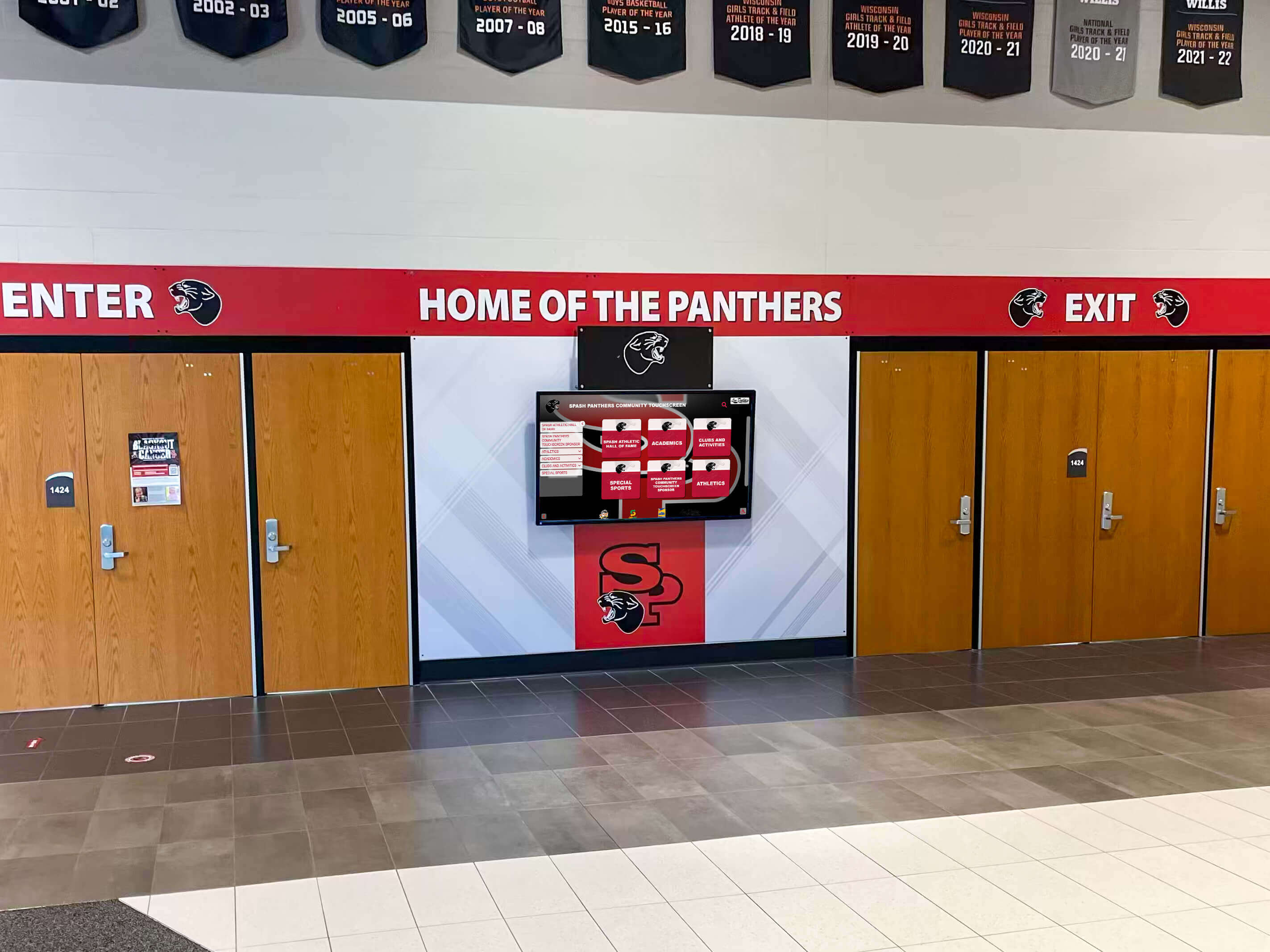
Entrance displays that combine school identity with current event information make an immediate impression on arriving visitors and serve as a welcoming first touchpoint
Hallway and Corridor Digital Signage Ideas
Athletic hallways — the corridors connecting locker rooms, weight rooms, and team meeting spaces — are a secondary display environment that reaches primarily current student-athletes and coaches. Content here can be more program-specific and internally focused than lobby or entrance content.
15. Sport-Specific Record Boards per Hallway
A cross-country hallway or a swimming corridor can display records specific to that program — without the visual clutter of displaying all 20 sports in one place. Sport-specific record boards feel more personally relevant to the athletes who see them daily and create a stronger motivational effect than a general all-sport display. For schools evaluating software options for managing sport-specific record content, this comparison of digital signage software for schools at best-touchscreen.com covers key platform features to evaluate.
16. Team History and Archive Displays
Hallways leading to team facilities are natural locations for that sport’s complete history: championship seasons, notable alumni, coaching milestones, and program evolution over decades. A basketball hallway leading to the team locker room showing the program’s 40-year championship history makes that walk meaningful for current players in a way a blank corridor never could.
17. Motivational and Program Culture Content
Hallways used primarily by athletes and coaching staff can carry content that reinforces program values: coach quotes, team mottos, practice or competition philosophy statements, and visuals of the program in action. This type of content is best kept to display zones where the general public is not the primary audience, as it is more internally focused than recognition or schedule content.

Hallway screens dedicated to sport-specific team histories give current athletes daily visual connection to the program legacy they are contributing to
Content Management: Making Digital Signage Sustainable
The most common failure mode for school digital signage is not hardware breakdown — it is content neglect. Screens that showed current schedules in September still show September’s schedule in February because nobody was assigned to update them. Addressing this before deployment is as important as choosing the right hardware.
Assign Content Ownership per Display Zone
Every display zone — gym, lobby, entrance, hallway — should have a named owner responsible for content currency. This does not need to be a technical role: content management systems designed for school use allow athletic department staff to update schedules, add award recipients, and upload photos without technical training. The digital signage ideas resource at digitalrecordboard.com includes a content refresh calendar framework useful for building update cadence into staff workflows.
Build a Seasonal Content Calendar
Athletic content follows predictable seasonal cycles — fall sports, winter sports, spring sports, off-season. A content calendar aligned to that cycle ensures displays stay relevant through each season without requiring ad hoc decisions about what to show. Build the calendar before the school year starts, assign update triggers to season start dates, and schedule award content publication to follow season-end ceremonies.
Evaluate Platforms Built for Athletics
General-purpose digital signage platforms handle schedules and slides. Platforms built specifically for school athletic recognition — like Rocket Alumni Solutions — add capabilities that general tools lack: inductee management, sport-specific record boards that auto-rank as records are broken, alumni profile depth, interactive browsing, and integration with hall of fame nomination workflows. For a structured evaluation framework, this overview of 120 digital signage ideas for school screens and kiosks at best-touchscreen.com helps clarify the full content potential schools should expect from a platform investment.
Frequently Asked Questions
How many screens does a typical high school athletic facility need?
There is no universal answer, but a baseline configuration for a mid-sized high school athletic program typically includes: one large display in the main lobby (32–65 inches), one or two screens in the gym (often paired with or integrated into scoreboards), one entrance display, and sport-specific hallway screens where budget allows. Prioritize the lobby first — it reaches the widest audience and justifies the most content investment.
What is the difference between passive digital signage and interactive digital signage in school athletics?
Passive signage displays content on a loop without visitor interaction — schedules, records, award rotations. Interactive signage allows visitors to navigate content themselves — searching for a specific inductee, browsing records by sport, pulling up a team’s championship history. Interactive displays have higher upfront cost but significantly higher engagement, particularly for hall of fame and alumni recognition content where visitors want to find specific individuals rather than wait for a slide to appear.
How often should athletic signage content be updated?
At minimum: schedules should update weekly during the season, records should update within 48 hours of being broken, and award content should publish within one week of official announcement. Hall of fame profiles are updated annually after induction. Sponsor content should be refreshed when partnerships change. A platform that allows non-technical staff to make these updates independently is essential for maintaining that cadence.
Can digital signage replace physical trophy cases and championship banners?
Not as a direct replacement — physical displays carry a permanence and gravitas that digital screens do not replicate. The stronger approach is to use digital displays to extend what physical displays cannot do: add depth to every inductee profile, show the full roster behind every championship banner, surface records that would not fit on a physical board. Physical and digital displays are more effective together than either is alone.
What content performs best for recruiting purposes?
Recruits consistently respond to content that shows them what it feels like to be part of the program: team culture videos, championship history with rosters, coaching staff philosophy, and alumni success stories at the next level. A display that shows a recruit three current team members who went on to play college ball — with their stats and current school — makes a more convincing program case than any printed brochure.
Bringing It Together with the Right Platform
Planning school digital signage ideas for athletics is the straightforward part. Executing them consistently — with content that stays current, recognizes the right people, and tells the program’s story to the right audience in each location — requires a platform built for the specific demands of school athletic recognition.
Rocket Alumni Solutions provides interactive touchscreen displays, hall of fame management software, digital record boards, and content tools designed specifically for school athletic programs. The platform handles the management complexity — so athletic department staff can update records, add inductees, and publish award content without vendor involvement — and the display technology handles the visitor experience, with interactive browsing that engages alumni, recruits, and community members across gym, lobby, and hallway installations.
Whether your program is planning a first-ever digital display investment or upgrading from a basic slide show to a comprehensive recognition platform, the right starting point is seeing what the technology can do in an environment similar to yours. Request a demo to explore how Rocket’s platform fits your facility, your recognition goals, and the audiences you are trying to serve across gyms, lobbies, and entrances.































