



Walk into any modern school building and you’ll immediately notice the shift from static bulletin boards to dynamic digital displays showcasing everything from daily announcements to student achievements. School digital signage has evolved from simple slideshow screens into sophisticated interactive communication systems that engage students, inform families, celebrate accomplishments, and strengthen campus culture in ways traditional communication methods simply cannot match.
Yet many schools struggle to leverage their digital signage investments fully. Displays cycle through generic announcements that students ignore, content becomes outdated within weeks of installation, and administrators lack systems to maintain fresh, engaging material. Meanwhile, the most effective school digital signage implementations create magnetic gathering points where students actively explore content, parents access important information during campus visits, and entire communities connect with institutional culture and values.
This comprehensive guide explores how interactive displays transform campus communication across K-12 schools and universities. You’ll discover strategic implementation approaches, content frameworks that maintain engagement, technical considerations for successful deployment, and real-world applications demonstrating how modern educational institutions leverage digital signage to enhance communication, celebrate achievement, and build stronger school communities.
Effective school digital signage extends far beyond simply digitizing paper announcements—it creates dynamic communication ecosystems that inform, engage, inspire, and connect while addressing the diverse communication needs of modern educational communities operating in increasingly complex environments.

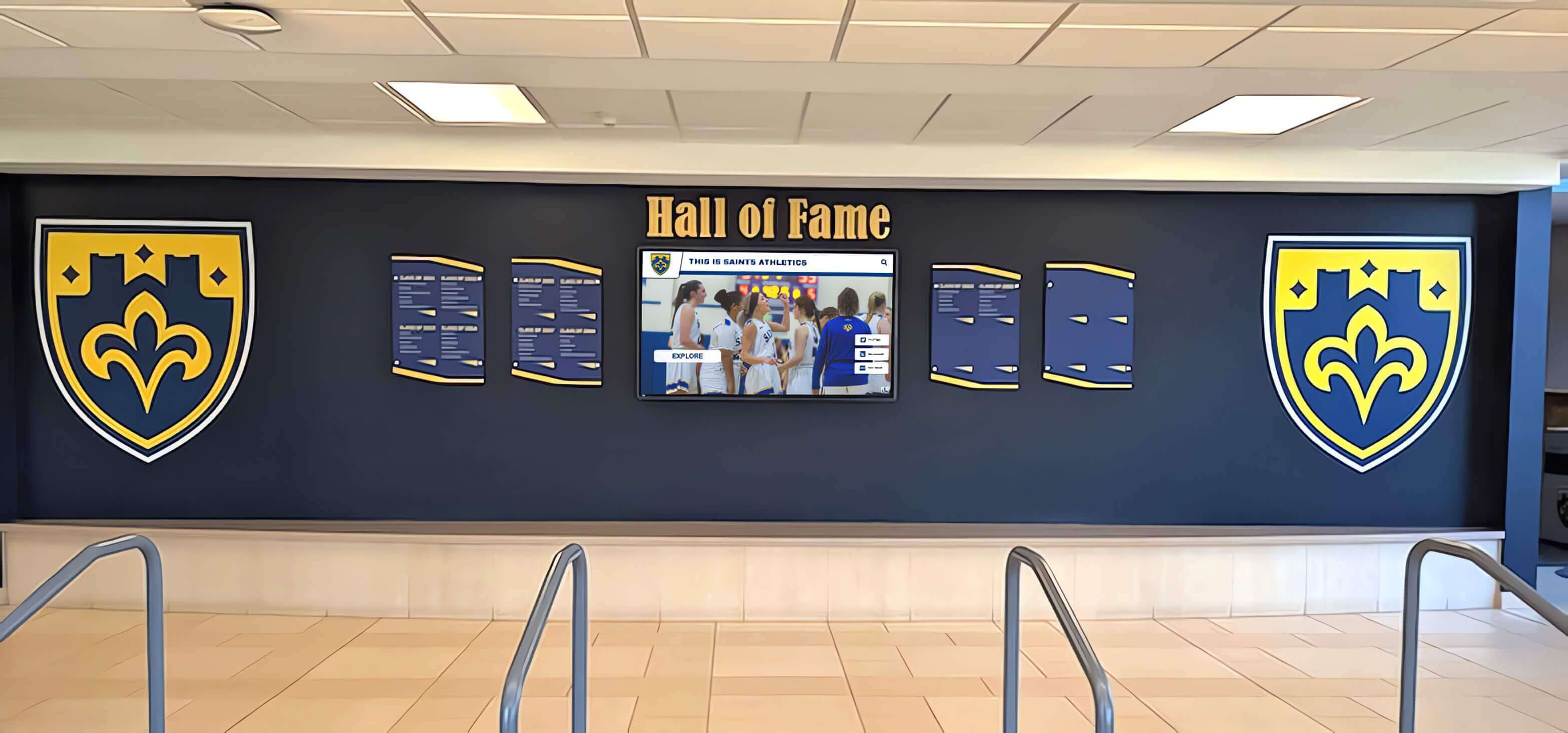
Modern school digital signage blends seamlessly with architectural elements, creating engaging communication centers in high-traffic areas
The Evolution of School Communication Technology
Understanding how school communication has evolved helps institutions design digital signage strategies that address contemporary needs while avoiding limitations of traditional approaches.
From Bulletin Boards to Interactive Displays
Educational communication has transformed dramatically across recent decades:
Traditional Communication Methods
- Paper announcements posted on hallway bulletin boards reaching only those passing specific locations
- Morning PA announcements competing with arriving students’ conversations and distractions
- Printed newsletters sent home in backpacks frequently never reaching parents
- Static trophy cases showcasing limited achievements with no context or engagement
- Event flyers requiring constant printing, posting, and removal cycles
These traditional approaches served schools adequately when information moved slowly and communication expectations remained modest. However, modern educational communities require dynamic, immediate, accessible communication that static methods cannot provide.
Digital Signage Benefits School digital signage addresses traditional communication limitations through several key advantages:
- Immediate updates enabling real-time communication of schedule changes, emergency information, and time-sensitive announcements
- Unlimited content capacity eliminating physical space constraints determining what information receives visibility
- Scheduled programming automatically displaying relevant content based on time, date, location, and audience
- Visual richness incorporating photos, videos, animations, and graphics creating engagement impossible with text-only communication
- Centralized management allowing administrators to update multiple displays across campus from single interfaces
Research from educational technology studies indicates schools implementing effective digital signage systems report 65-75% reduction in printed communication costs, 40-50% improvement in student awareness of activities and opportunities, and measurable increases in family engagement with school information and events.
The Interactive Advantage
The most significant advancement comes through interactive capability transforming passive viewing into active exploration:
Touch-Enabled Engagement
- Students searching directories finding specific information relevant to their interests
- Visitors exploring campus maps and facility guides independently
- Families browsing achievement galleries during campus events
- Alumni reconnecting with historical content during reunions and visits

Interactive touchscreen capability transforms digital signage from passive displays into engaging exploration experiences
Web-Accessible Extensions Modern systems extend beyond physical displays through responsive web portals enabling remote access to recognition content, event information, achievement archives, and campus resources from any device—creating truly comprehensive communication ecosystems rather than location-limited display networks.
Solutions like Rocket Alumni Solutions combine physical interactive displays with web accessibility, creating seamless experiences whether stakeholders engage on campus or remotely. This integrated approach ensures information reaches all audiences regardless of physical access to campus locations.
Strategic Applications for School Digital Signage
Different display purposes require distinct content approaches and technical considerations for maximum effectiveness.
Daily Operations and Announcements
The most fundamental school digital signage application involves routine campus communication:
Morning Announcements Enhancement Traditional PA announcements compete with student conversations, arriving buses, and general morning activity. Digital displays complement audio announcements through:
- Synchronized visual content reinforcing audio messages for visual learners
- Text versions ensuring comprehension for students with hearing challenges
- Extended display duration allowing students arriving after announcements to access information
- Archived content enabling staff and families to reference previous announcements
- Multilingual displays supporting diverse school communities
Schedule and Calendar Communication Schools manage complex scheduling with multiple activities, modified schedules, and frequent changes:
- Daily schedules with bell time adjustments for assemblies, early dismissals, or weather modifications
- Room location information for substitute teachers, visiting families, and new students
- Event calendars highlighting athletics, performances, parent meetings, and deadlines
- Countdown timers building anticipation for homecoming, spirit week, or major school events
- Menu displays for cafeterias with dietary information and daily offerings
Emergency Communication Integration Digital signage becomes critical infrastructure during emergencies or urgent situations:
- Immediate campus-wide alerts for weather, security, or health emergencies
- Lockdown or evacuation instructions with clear visual guidance
- All-clear confirmations when emergencies conclude
- Scheduled testing displays explaining emergency communication drills
- Multi-language emergency information ensuring all community members understand critical communications

Strategic hallway placement ensures digital signage reaches students during passing periods when engagement opportunity peaks
Recognition and Achievement Celebration
Perhaps the most impactful school digital signage application involves systematically celebrating student, staff, and community accomplishments:
Academic Excellence Showcasing Schools report academic recognition programs significantly boost motivation when achievements receive visible, lasting celebration:
- Honor roll recognition with photos and achievement details beyond simple name lists
- Advanced Placement and academic competition success highlighting intellectual achievement
- Perfect attendance and improvement recognition celebrating diverse accomplishments
- Scholarship recipients with college destinations inspiring younger students
- National Merit Scholars and other prestigious designation holders
Athletic Achievement Recognition Traditional trophy cases quickly exhaust physical space while limiting context and engagement. Digital athletic recognition overcomes these limitations through unlimited capacity and rich multimedia content:
- Season highlights with statistics, photos, and video clips from memorable games
- Championship team rosters with individual athlete profiles and contributions
- Records and milestone achievements with historical context and comparisons
- Recruiting celebrations when athletes sign collegiate commitments
- Career achievement documentation for multi-sport athletes across multiple years
Arts and Activities Recognition Academic and athletic achievement often overshadow recognition for arts, service, and specialized accomplishments. Comprehensive digital signage ensures equitable visibility:
- Theater production promotions with cast photos and performance schedules
- Concert and recital announcements featuring music program participants
- Art show displays featuring student work and artist statements
- Service project documentation highlighting community engagement
- Club achievement celebration for academic teams, student government, and special interest groups
Interactive systems enable students to explore their interests—theater students browsing production archives, musicians discovering performance opportunities, and artists viewing digital galleries of peer work creating engagement traditional displays cannot generate.
Wayfinding and Campus Navigation
Larger campuses benefit enormously from digital wayfinding systems:
Visitor Experience Enhancement
- Interactive campus maps with search functionality finding specific rooms, offices, and facilities
- Event directions during performances, athletics, and parent conferences
- Parking information guiding visitors to appropriate lots
- Accessibility information identifying elevators, ramps, and accessible restrooms
- Staff directories with photos helping visitors identify appropriate contacts

Interactive wayfinding displays help visitors navigate complex campuses independently, reducing office staff burden
Student Navigation Support
- Building directories helping new students locate classrooms and facilities
- Department locations for large high schools and college campuses
- Guidance office queuing systems managing student appointments
- Library wayfinding guiding students to specific book sections or study spaces
- Cafeteria displays showing serving lines and menu options
Donor and Community Recognition
Schools depend on community financial support requiring systematic appreciation. Digital donor recognition creates engaging, sustainable appreciation systems:
Capital Campaign Acknowledgment
- Donor walls recognizing major gifts supporting building projects or renovations
- Giving level displays showing contribution tiers and associated recognition
- Campaign progress visualization demonstrating community support momentum
- Naming opportunities for facilities, programs, or endowments
- Historical fundraising achievements preserving institutional memory
Annual Fund Recognition
- Yearly donor lists acknowledging consistent supporters
- Giving circle membership displays recognizing sustained philanthropy
- Parent participation metrics celebrating family engagement
- Business partner acknowledgment for corporate sponsors
- Legacy society recognition honoring planned giving commitments
Digital systems overcome traditional donor wall limitations—accommodating unlimited donors without fabrication costs, updating instantly when new contributions arrive, and providing detailed profiles explaining how support creates impact rather than simple name lists lacking context.
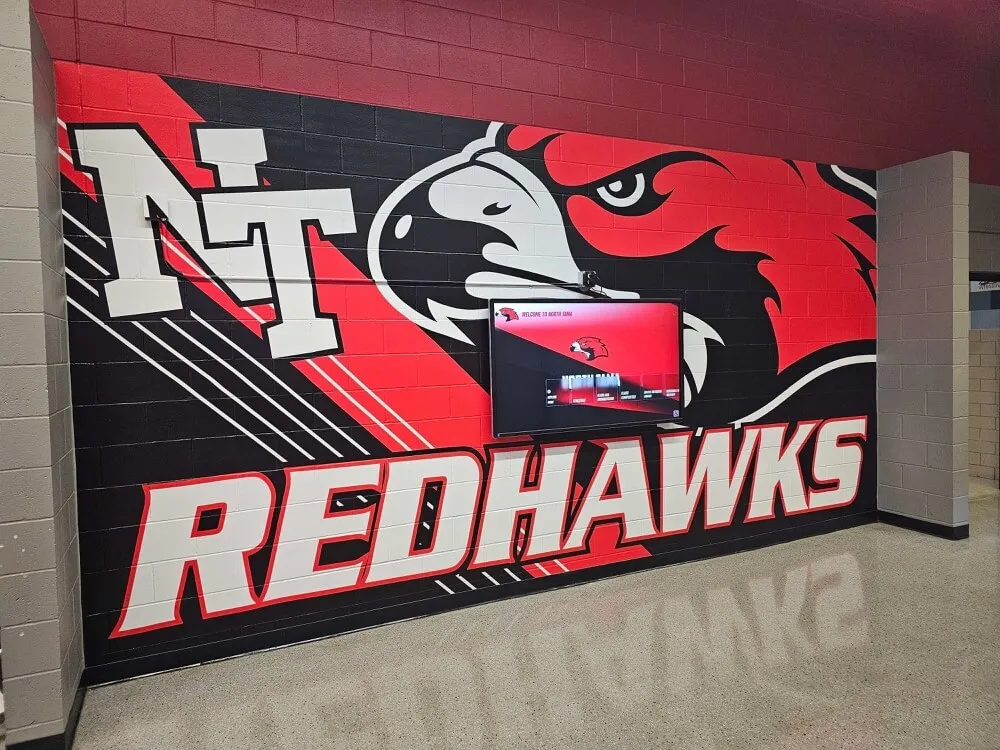
Digital displays integrate beautifully with school branding and architectural design, creating cohesive environments rather than isolated technology installations
Content Strategy for Sustained Engagement
Technical capability means nothing without compelling content that maintains audience attention and delivers genuine value.
The Content Lifecycle Challenge
Most school digital signage implementations experience predictable engagement decline:
Initial Launch Success
- High engagement during first weeks as novelty attracts attention
- Strong content curation as administrators invest time launching systems
- Positive feedback from students, families, and staff experiencing new capabilities
- Regular content updates maintaining fresh, relevant information
Gradual Content Decay
- Updates slow as initial enthusiasm wanes and daily responsibilities dominate
- Content becomes stale as administrators struggle finding time for regular refreshment
- Technical difficulties go unresolved as institutional knowledge about systems fades
- Displays eventually show outdated information undermining credibility and engagement
Schools must design sustainable content strategies anticipating inevitable competing demands on staff time rather than assuming launch-phase enthusiasm will continue indefinitely.
Building Sustainable Content Systems
Effective long-term digital signage requires systematic approaches:
Content Calendar Development Create structured planning preventing reactive, last-minute content scrambling:
- Yearly calendar identifying major events, recognition cycles, and seasonal content themes
- Monthly planning establishing content focus and required asset collection
- Weekly update schedules assigning specific responsibilities and deadlines
- Daily monitoring protocols ensuring technical functionality and appropriate content display
- Quarterly reviews assessing engagement data and refining approaches based on evidence
Distributed Content Creation Avoid bottlenecking all content creation through single administrators:
- Department ownership where coaches submit athletic updates, arts teachers provide performance content, and counselors share college information
- Student content teams creating announcements, filming segments, and designing graphics
- Parent volunteer support photographing events and compiling recognition information
- Automated content feeds pulling from existing sources like websites, social media, and information systems
- Template systems enabling non-technical staff to create professional content without design expertise
Engagement-Driven Content Mix Balance different content types maintaining diverse appeal:
- 40% recognition content celebrating achievements that inspire pride and aspiration
- 30% informational content communicating schedules, events, and practical information
- 20% engagement content like polls, trivia, spirit activities creating interaction
- 10% inspirational content including quotes, historical photos, and values reinforcement
This ratio ensures displays serve both practical communication needs while creating emotional connections through celebration and engagement that purely informational content cannot generate.

Detailed individual profiles enable storytelling depth impossible with traditional recognition approaches, creating genuine engagement rather than passive viewing
Content Best Practices
Specific design and messaging approaches maximize effectiveness:
Visual Design Principles
- High contrast text ensuring readability from typical viewing distances
- Limited text per screen respecting attention spans and reading speeds
- Professional photography and graphics maintaining quality standards
- Brand-consistent colors, fonts, and visual elements reinforcing institutional identity
- Animation and motion used purposefully for emphasis rather than distraction
Message Effectiveness
- Clear hierarchies emphasizing most important information prominently
- Concise language respecting limited viewing time during passing periods
- Action-oriented messaging including dates, locations, and next-step instructions
- Inclusive language reflecting diverse school communities and backgrounds
- Positive framing celebrating accomplishments and opportunities rather than emphasizing deficits or problems
Accessibility Considerations ADA-compliant digital signage ensures all community members can engage with content:
- Readable font sizes from appropriate viewing distances
- Color combinations providing sufficient contrast for visual impairments
- Touchscreen mounting heights accommodating wheelchair users
- Alternative access through web platforms for those unable to physically visit displays
- Multilingual content options supporting non-English speaking families
Technical Implementation Considerations
Successful school digital signage requires thoughtful technical planning ensuring reliable, sustainable operation.
Hardware Selection
Different applications require specific hardware capabilities:
Display Technology Options
- Commercial-grade LCD panels: Industry standard balancing cost, quality, and longevity for most school applications
- LED displays: Outdoor installations, large athletic facilities, or high-ambient-light locations requiring exceptional brightness
- Interactive touchscreens: Recognition displays, wayfinding applications, and engagement-focused installations where user interaction creates value
- Video walls: Large-format displays for gymnasiums, auditoriums, or prominent entrance areas creating major visual impact
Critical Hardware Specifications Schools should evaluate displays based on:
- Operating hours rating: Commercial displays designed for 16+ hour daily operation versus consumer TVs failing under continuous use
- Brightness levels: Measured in nits, with 500+ suitable for typical indoor locations and 2,500+ necessary for outdoor installations
- Resolution: Minimum 1080p HD for professional appearance, with 4K providing superior clarity for close-viewing applications
- Viewing angles: IPS panels maintaining image quality from wide angles important for hallway installations
- Connectivity: HDMI, DisplayPort, and network connectivity supporting various content sources
- Warranty coverage: Minimum 3-year commercial warranties protecting significant investments

Professional commercial displays maintain image quality and reliability through years of continuous operation in demanding school environments
Content Management Systems
Hardware represents only half the equation—effective content management determines long-term success:
Cloud-Based vs. Local Management Modern schools typically benefit from cloud-based systems offering:
- Remote updates from any internet-connected device enabling off-campus management
- Automatic backups preventing content loss from hardware failures
- Multi-user access with role-based permissions enabling distributed content creation
- Centralized control managing multiple displays across campus from unified interfaces
- Automatic updates ensuring latest features and security patches without manual intervention
Essential CMS Features Evaluate content management platforms based on:
- Intuitive interfaces enabling non-technical staff to create and publish content independently
- Scheduling capabilities programming content to display at specific times, dates, or triggered by external events
- Template systems providing professional design frameworks for consistent visual quality
- Media management organizing photos, videos, and graphics for easy content creation
- Analytics and reporting tracking engagement and display performance for continuous improvement
- Integration capabilities pulling content from existing sources like student information systems, websites, and social media
Specialized Recognition Platforms For schools prioritizing recognition and engagement applications, purpose-built systems like Rocket Alumni Solutions provide advantages over generic digital signage platforms:
- Pre-designed recognition templates specifically for student achievements, athletic success, and donor appreciation
- Automatic profile generation from uploaded data eliminating manual page creation
- Interactive touchscreen optimization creating engaging exploration experiences
- Web accessibility extending recognition beyond physical display locations
- Unlimited content capacity unconstrained by physical display limitations
- Built-in archival systems preserving institutional memory across decades
Schools implementing comprehensive recognition approaches report significant engagement advantages using specialized platforms versus attempting to force general digital signage systems into recognition roles they weren’t designed to fulfill.
Network Infrastructure Requirements
Digital signage places specific demands on school network infrastructure:
Bandwidth Considerations
- Video content streaming requiring adequate bandwidth preventing buffering or quality degradation
- Multiple displays simultaneously pulling content from central servers
- Peak usage periods when many users access interactive displays simultaneously
- Sufficient upload capacity for remote content management and monitoring
Network Security
- Segmented networks isolating signage from student networks and critical systems
- Secure content management preventing unauthorized access or inappropriate content display
- Encrypted communications protecting sensitive information transmitted to displays
- Regular security updates addressing vulnerabilities in display operating systems and management platforms
Reliability Requirements Schools should implement:
- Redundant internet connections preventing outages from single provider failures
- Uninterruptible power supplies maintaining operation during brief outages
- Remote monitoring alerting administrators to display malfunctions or connectivity issues
- Local content caching enabling continued operation during network interruptions
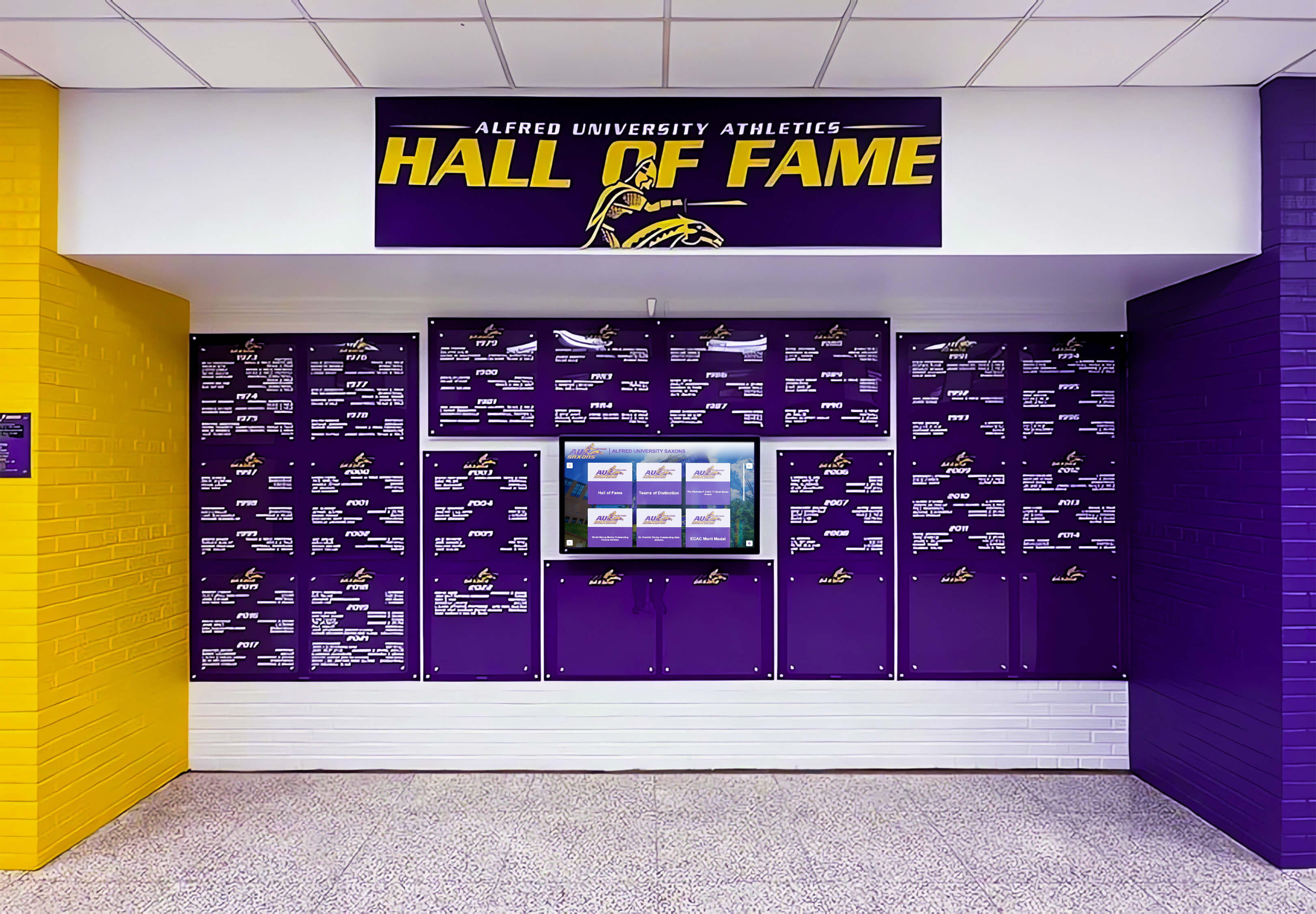
Reliable network infrastructure ensures displays maintain consistent operation during entire school days without disruption or technical failures
Location Strategy and Physical Installation
Display placement dramatically impacts effectiveness regardless of hardware quality or content excellence.
High-Impact Location Identification
Strategic placement requires understanding traffic patterns and viewing opportunities:
Primary Locations
- Main entrances and lobbies: Welcoming visitors while communicating school pride through achievement celebration and important information
- Cafeterias and commons areas: Captive audiences during lunch periods with extended viewing time enabling detailed content consumption
- Main hallways and corridors: High-traffic areas where students pass multiple times daily during class transitions
- Athletic facilities: Gymnasiums, field houses, and locker rooms celebrating team achievements and motivating current athletes
- Administrative areas: Counseling offices, main offices, and parent waiting areas informing families during campus visits
Secondary Locations
- Library and media centers: Quiet study areas where digital displays communicate resources and opportunities
- Performing arts spaces: Theater lobbies and band rooms promoting programs and recognizing participants
- Athletic locker rooms: Team-specific displays creating motivational environments and documenting program histories
- Alumni gathering spaces: Areas where returning graduates naturally congregate during campus visits
- Outdoor locations: Weather-resistant displays at athletic fields, parking areas, or outdoor gathering spaces
Installation Considerations
Professional installation ensures safety, longevity, and optimal viewing:
Mounting Requirements
- Secure wall mounting with proper anchoring supporting display weight plus safety factor
- Theft-deterrent hardware preventing easy removal in accessible locations
- Cable management concealing wiring for professional appearance
- Ventilation allowing adequate airflow preventing overheating
- Access panels enabling maintenance without complete removal
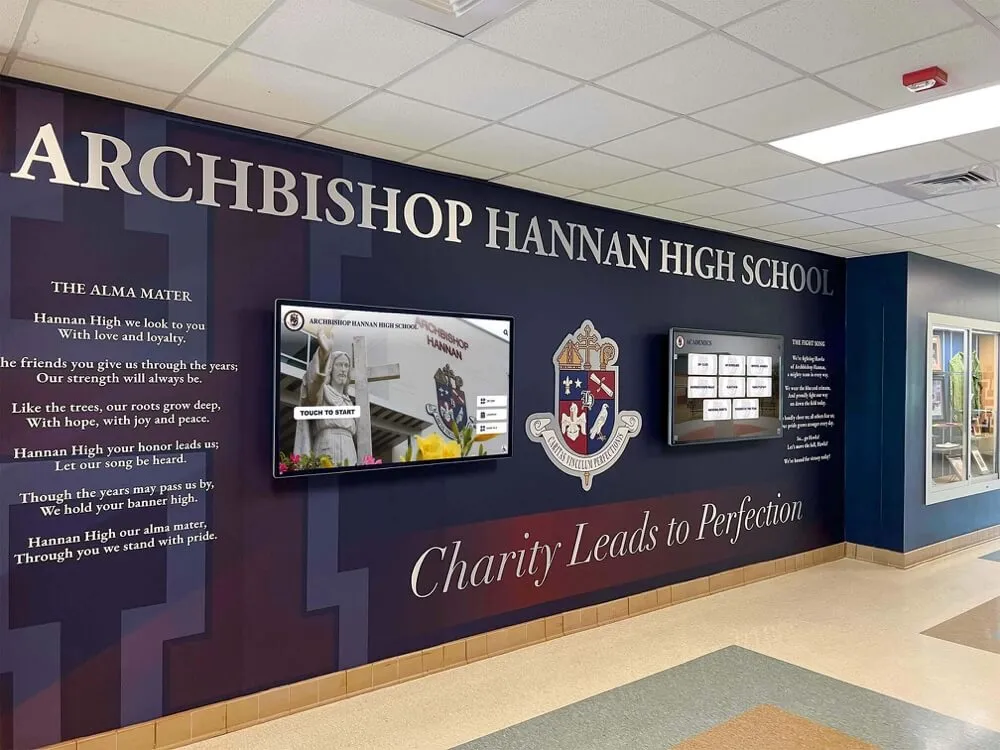
Professional installation integrates displays architecturally while ensuring secure mounting and clean appearance
Viewing Height and Angles
- Eye-level mounting typically 48-60 inches to center for standing viewers
- Lower mounting for touchscreen interactivity accommodating all users including those using wheelchairs
- Tilt angles accounting for typical viewing positions from standing, seated, or moving positions
- Distance considerations ensuring readable text from expected viewing positions
- Ambient light assessment avoiding glare from windows or lighting fixtures
Americans with Disabilities Act Compliance Schools must ensure accessibility for all community members:
- Interactive displays mounted at appropriate heights with clear floor space for wheelchair approach
- Controls positioned within ADA-compliant reach ranges
- Alternative access through web platforms for those unable to engage with physical displays
- Sufficient contrast for users with visual impairments
- Audio options or text alternatives for video content supporting users with hearing challenges
Measuring Digital Signage Effectiveness
Systematic assessment ensures investments deliver intended benefits while identifying improvement opportunities.
Quantitative Metrics
Engagement Data Modern interactive systems provide detailed analytics:
- Session counts tracking how many users engage with displays
- Average interaction duration indicating content appeal and usability
- Popular content identification showing what information users find most valuable
- Time-based usage patterns revealing peak engagement periods
- Search query analysis understanding what information users seek
Operational Metrics Track system performance ensuring reliability:
- Display uptime percentages measuring technical reliability
- Content update frequency ensuring freshness and relevance
- Response time for interactive features assessing user experience quality
- Error rates identifying technical issues requiring resolution
- Staff time investment understanding resource requirements for sustainable management
Communication Effectiveness Assess whether digital signage improves outcomes:
- Event attendance increases after implementing promotion through digital signage
- Reduction in directional questions as wayfinding displays improve campus navigation
- Decreased printed communication costs as digital channels replace paper
- Student awareness surveys measuring information retention from digital displays
- Family engagement metrics showing remote access to achievement and information content

Engagement analytics reveal which content resonates most strongly with audiences, informing continuous improvement strategies
Qualitative Assessment
Numbers alone miss important dimensions requiring direct feedback:
Stakeholder Surveys
- Student perception of digital signage usefulness and engagement
- Family assessment of information accessibility and achievement celebration quality
- Staff evaluation of content creation burden and communication effectiveness
- Administrator perspective on return on investment and strategic value
- Visitor experience during campus events and college recruitment activities
Observation and Ethnography Direct observation reveals natural usage patterns:
- Student behavior around displays during passing periods and lunch
- Family engagement during parent conferences and athletic events
- Visitor interaction during campus tours and prospective student visits
- Community member usage during evening activities and weekend events
- Staff reference patterns when directing visitors or answering questions
Regular assessment enables continuous improvement ensuring digital signage delivers maximum value rather than assuming initial implementation automatically generates sustained benefits without ongoing refinement.
Advanced Applications and Future Trends
Leading schools push beyond basic digital signage into sophisticated communication ecosystems:
Personalization and Dynamic Content
Emerging technologies enable audience-specific content:
Context-Aware Displays
- Sensors detecting viewer presence activating displays when audiences approach and conserving energy when hallways empty
- Time-based content showing schedules during morning arrival, lunch menus during cafeteria hours, and event information during dismissal
- Location-specific content with academic information near classrooms, athletic content in gymnasiums, and arts content in performance spaces
- Audience targeting displaying elementary-appropriate content in lower-grade areas and college information in upper-grade spaces
Integration with School Information Systems Advanced implementations connect digital signage with existing databases:
- Automated recognition content pulling honor roll data directly from grading systems
- Athletic scores and statistics feeding automatically from competition management platforms
- Calendar synchronization showing events from master school calendars without manual duplication
- Attendance data driving participation recognition and improvement celebration
- Library integration showing new arrivals, popular books, and resource availability
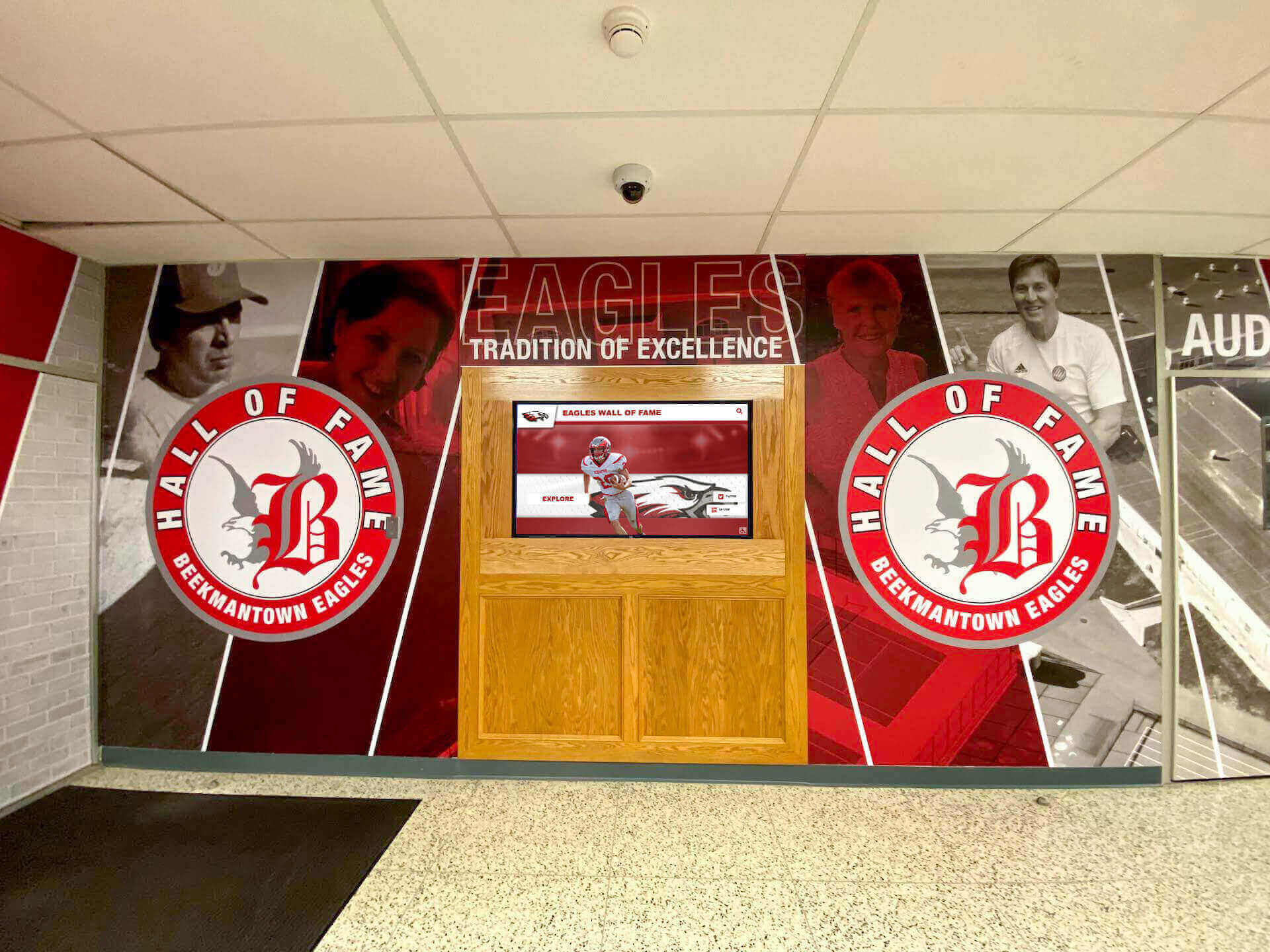
Integrated systems connect digital signage with existing school data sources, automating content updates while reducing administrative burden
Mobile Integration
Smartphones and tablets extend digital signage reach beyond fixed displays:
QR Code Connections Physical displays incorporate QR codes enabling:
- Detailed information access on personal devices for content requiring extended reading
- Calendar event additions syncing school activities to family calendars
- Social sharing allowing students to share achievements with broader networks
- Form submissions for activity signups, permission slips, or information requests
- Continued exploration after leaving physical display locations
Mobile Apps and Web Portals Complementary digital platforms create comprehensive ecosystems:
- Push notifications alerting families to important announcements and emergency information
- Achievement subscriptions sending updates when specific students receive recognition
- Event reminders with directions and parking information before family activities
- Staff communication tools enabling teachers and administrators to share information instantly
- Alumni access preserving connections to institutional achievements and historical content
Schools implementing comprehensive digital recognition ecosystems report families value remote access as much as physical displays—extending communication impact far beyond those physically present on campus.
Social Media Integration
Digital signage bridges physical and digital school communities:
Live Social Feeds
- Twitter and Instagram feeds showing school accounts and relevant hashtags
- Student-generated content from authorized accounts celebrating daily activities
- Moderated submissions enabling appropriate student voice and participation
- Alumni engagement showing how graduates maintain connections with schools
- Community partner recognition featuring business supporters and local organizations
Content Amplification Physical displays drive digital engagement through:
- Recognition content automatically posting to social channels when published to displays
- Event promotions coordinating physical and digital visibility
- Achievement announcements celebrating students through multiple channels simultaneously
- Hashtag campaigns encouraging families to share experiences and achievements
- User-generated content invitations bringing community voice into school communication
Addressing Common Implementation Challenges
Anticipating typical obstacles enables proactive solutions ensuring successful digital signage deployments:
Budget Constraints
Schools operating with limited resources can still implement effective digital signage:
Phased Implementation
- Begin with single high-impact display in main lobby demonstrating value before expanding
- Prioritize locations with maximum visibility and traffic
- Add displays gradually as budget permits and organizational capacity grows
- Leverage successful initial implementations building support for expanded investment
Cost-Effective Approaches
- Commercial displays rather than unnecessarily expensive specialized options
- Cloud-based management eliminating server infrastructure costs
- Open-source or low-cost content management platforms for basic applications
- Volunteer or student support supplementing staff capacity for content creation
- Community partnerships where local businesses sponsor displays in exchange for recognition
Schools should explore budget-conscious recognition approaches that deliver value without excessive expense.
Staff Capacity and Technical Expertise
Digital signage adds responsibilities to already-overburdened school staff:
Sustainable Management Models
- Student media teams creating content developing career skills while reducing staff burden
- Parent volunteer committees supporting content creation and system management
- Distributed ownership where departments manage relevant content independently
- Template systems enabling non-technical staff to create professional content easily
- Automated content feeds reducing manual input requirements
Training and Support
- Comprehensive initial training ensuring key staff understand systems fully
- Documentation providing reference resources for occasional tasks
- Vendor support contracts when available preventing technical difficulties from halting operations
- Peer networks connecting schools implementing similar systems for shared learning
- Regular skill development as staff members change and new features emerge
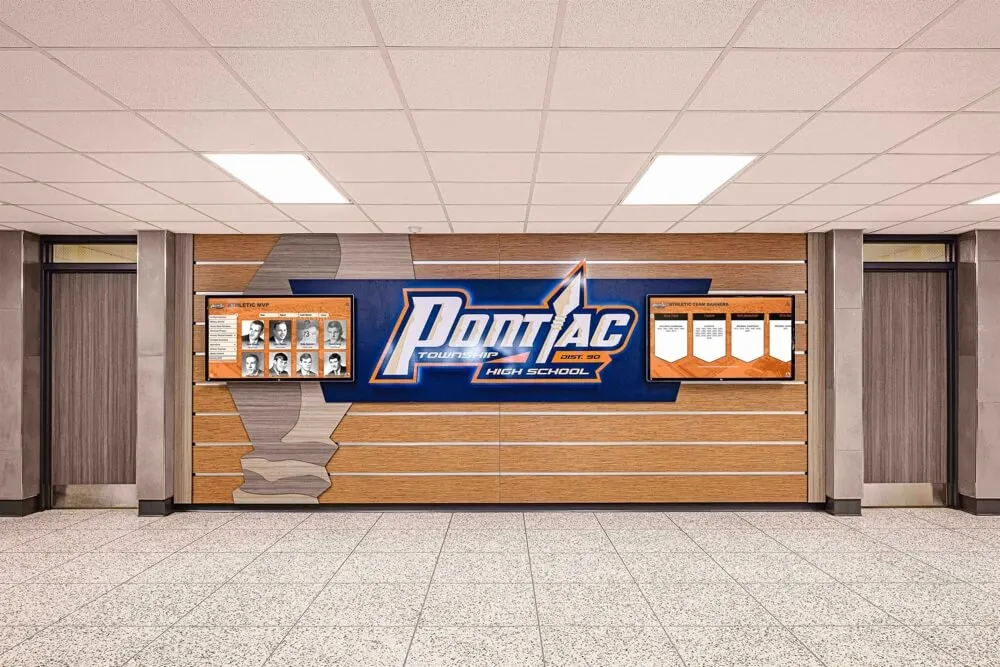
Systematic content management approaches prevent digital signage from becoming unsustainable burdens on already-limited staff time and capacity
Content Quality and Consistency
Maintaining professional standards as numerous contributors create content:
Style Guides and Standards
- Visual brand guidelines ensuring consistent fonts, colors, and design elements
- Content templates providing professional frameworks requiring only information entry
- Approval workflows where designated reviewers check content before publication
- Editorial calendars coordinating content across contributors preventing conflicts or redundancy
- Quality checklists ensuring basic standards like spell-checking and proper photo resolution
Content Moderation Schools must balance student voice with appropriate oversight:
- Clear policies defining acceptable content and submission processes
- Designated moderators reviewing student-submitted content before display
- Rapid response protocols addressing inappropriate content if it appears
- Educational approaches teaching students professional communication standards
- Recognition of exemplary student-created content encouraging continued quality contributions
Creating School Digital Signage Implementation Plans
Systematic planning increases implementation success while reducing typical challenges:
Needs Assessment Phase
Stakeholder Consultation
- Survey students about information needs and communication preferences
- Interview staff regarding operational communication challenges
- Engage families understanding their information access priorities
- Consult administrators about strategic communication goals
- Include facilities teams addressing technical and physical installation considerations
Current State Analysis
- Document existing communication methods and their limitations
- Map traffic patterns identifying optimal display locations
- Assess network infrastructure capacity supporting digital signage
- Inventory available budget and potential funding sources
- Evaluate staff capacity for content creation and system management
Planning and Design
Goal Definition Establish clear objectives against which success can be measured:
- Specific communication improvements sought through digital signage
- Recognition priorities for students, staff, donors, and community
- Engagement targets for interactive display usage
- Budget parameters and return on investment expectations
- Timeline for implementation phases
System Architecture
- Number and type of displays required for comprehensive coverage
- Content management platform selection based on needs and capacity
- Network infrastructure upgrades necessary for reliable operation
- Physical installation approach and vendor selection
- Maintenance and support arrangements ensuring long-term sustainability
Transform Your School Communication
Discover how modern interactive displays can help your school celebrate every achievement, improve campus communication, and build stronger community connections through engaging digital signage solutions.
Explore Digital Signage SolutionsImplementation and Launch
Pilot Testing
- Initial display deployment in limited location testing systems before full rollout
- Content creation workflows ensuring sustainable processes
- User testing with students, staff, and families gathering feedback
- Technical validation confirming reliable operation under real conditions
- Refinement based on pilot learning before expanding implementation
Full Deployment
- Phased installation minimizing disruption to school operations
- Staff training ensuring key personnel can manage systems effectively
- Student involvement creating engagement and distributed support capacity
- Communication campaign building awareness and encouraging usage
- Grand opening or launch event celebrating new capabilities
Ongoing Operations
Maintenance and Support
- Regular technical checks ensuring displays operate properly
- Content freshness standards preventing stale information display
- Periodic training for new staff members and system updates
- Vendor relationship management for technical support needs
- Hardware refresh planning for eventual display replacements
Continuous Improvement
- Regular assessment using quantitative metrics and qualitative feedback
- Content strategy refinement based on engagement data and stakeholder input
- Feature additions and capability expansion as budgets and needs evolve
- Best practice sharing with peer schools and professional networks
- Innovation exploration investigating emerging technologies and approaches
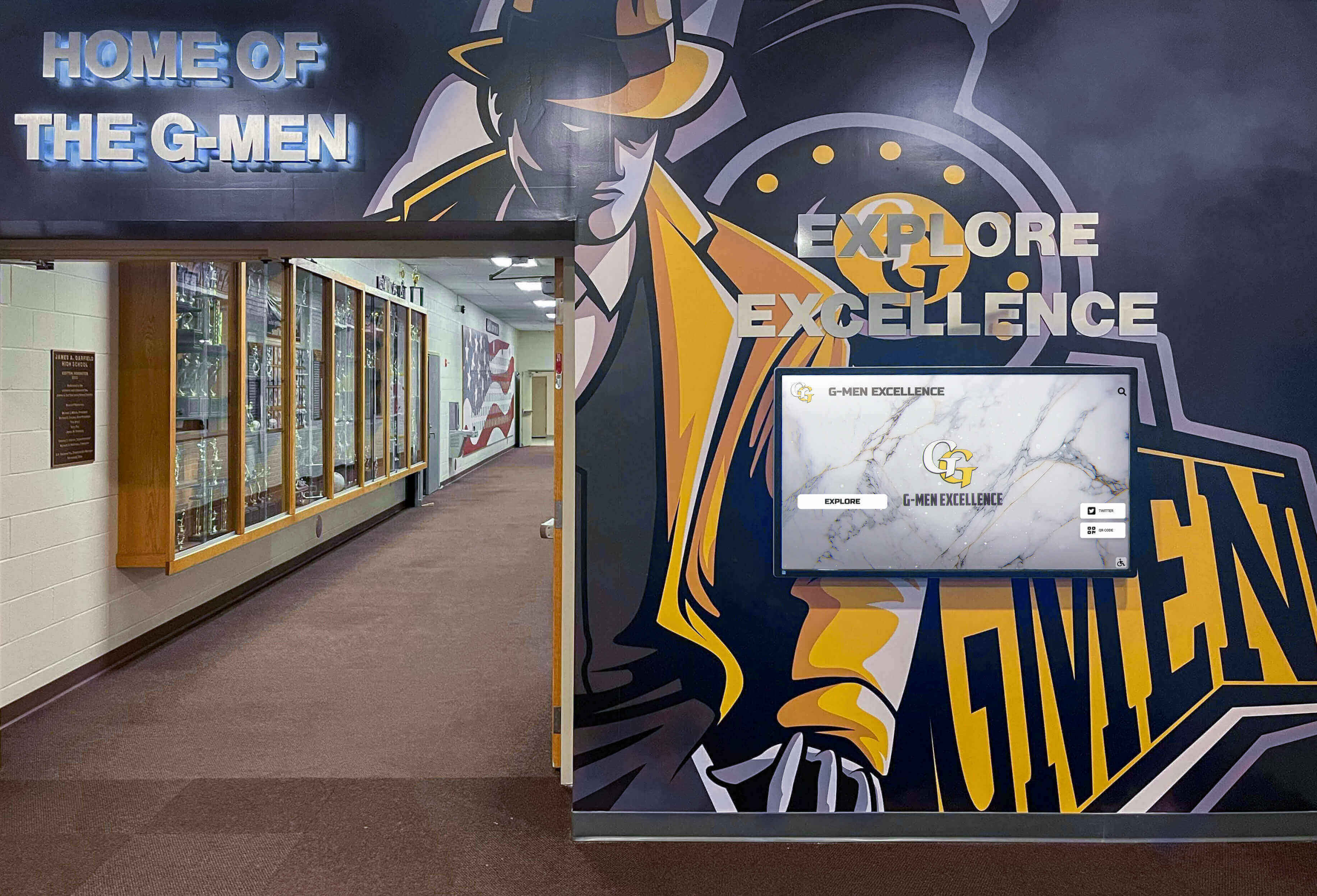
Long-term success requires systematic approaches to content management, technical maintenance, and continuous improvement based on measured effectiveness
Special Considerations for Different Educational Levels
Digital signage strategies should adapt to institutional contexts and audience characteristics:
K-8 Elementary and Middle Schools
Younger students require specific content approaches:
Age-Appropriate Content
- Simpler language and larger text accommodating developing literacy
- Bright colors and engaging graphics capturing attention
- Limited text with visual emphasis suitable for quick comprehension
- Character recognition celebrating effort and behavior alongside academics
- Fun elements like birthdays, achievements, and positive reinforcement
Elementary School Priorities Schools with younger students typically emphasize:
- Daily schedules helping students understand routines and transitions
- Cafeteria menus with appealing food photos
- Birthday celebrations and student-of-the-week recognition
- Character education themes reinforcing school values
- Parent communication since elementary families visit campus more frequently
High Schools
Secondary schools require sophisticated content serving diverse audiences:
College and Career Focus
- College acceptances and scholarship recipients inspiring underclassmen
- Athletic recruiting announcements celebrating signed athletes
- Career pathway information for vocational and technical programs
- Advanced Placement and academic competition recognition
- Alumni success stories demonstrating post-graduation possibilities
Student Voice and Engagement High schoolers respond to:
- Student-created content reflecting peer perspectives and interests
- Social media integration connecting digital and physical school communities
- Interactive polling and engagement features requiring participation
- Club and organization information promoting involvement opportunities
- Spirit campaigns building school pride and participation
Learn about comprehensive high school recognition approaches celebrating diverse student accomplishments.
Colleges and Universities
Higher education institutions face unique communication challenges:
Campus Wayfinding Large campuses require sophisticated navigation support:
- Interactive maps with search functionality finding buildings, departments, and offices
- Event directories during parents’ weekends, commencement, and special events
- Parking information guiding visitors to appropriate lots
- Accessibility information identifying elevators, ramps, and accessible routes
- Building directories showing office locations and hours
Alumni Engagement Universities maintain lifelong relationships requiring sustained communication:
- Recognition content preserving institutional memory accessible to returning alumni
- Event promotion for reunions, homecoming, and alumni activities
- Fundraising campaign acknowledgment appreciating donor support
- Historical archives showcasing institutional tradition and evolution
- Achievement celebration documenting distinguished alumni accomplishments
Schools implementing comprehensive alumni engagement strategies leverage digital signage as crucial infrastructure connecting current and former students with ongoing institutional life.
Conclusion: Building Connected School Communities Through Digital Signage
School digital signage represents far more than upgraded bulletin boards or modernized announcement systems. When implemented thoughtfully with strategic planning, appropriate technology, sustainable content approaches, and continuous refinement, interactive displays transform campus communication—creating engaging environments that inform, celebrate, connect, and inspire while addressing diverse stakeholder needs across complex educational communities.
The strategies explored throughout this guide—from recognition applications to wayfinding systems, content management approaches to technical considerations—provide comprehensive frameworks ensuring digital signage investments deliver sustained value rather than becoming underutilized technology purchases gathering dust in storage closets alongside previous well-intentioned but ultimately abandoned communication initiatives.
Modern schools operate in increasingly complex environments requiring sophisticated communication strategies that traditional methods simply cannot support. Digital signage rises to these challenges through immediate updates, unlimited capacity, rich multimedia content, interactive engagement, and web accessibility creating truly comprehensive communication ecosystems serving students, families, staff, and broader communities throughout entire school years and across generations.
Whether celebrating academic excellence through recognition displays, honoring athletic achievements through interactive sports walls, appreciating donor generosity through permanent recognition, or simply improving daily operational communication, school digital signage offers proven approaches addressing real institutional needs while building stronger school communities united through shared information, celebrated accomplishments, and authentic connection.
Begin by assessing your current communication challenges and opportunities. Which stakeholder groups struggle accessing important information? What achievements deserve greater visibility and celebration? Where do communication bottlenecks create frustration for students, families, or staff? These questions guide strategic planning ensuring digital signage addresses genuine needs rather than implementing technology for technology’s sake.
Your school community deserves communication systems matching their sophistication, diverse needs, and reasonable expectations for immediate, accessible, engaging information. Whether starting with modest single-display implementations or planning comprehensive campus-wide networks, every step toward effective school digital signage strengthens your institution’s ability to inform, celebrate, and connect—creating educational environments where all community members feel welcomed, informed, valued, and inspired to contribute to shared success.
The transformation from static bulletin boards to dynamic interactive communication ecosystems requires investment, planning, and sustained effort. But schools successfully implementing modern digital signage consistently report the journey delivers value far exceeding initial expectations—creating campus environments where communication truly serves rather than frustrates, where every achievement receives appropriate celebration, and where entire communities connect through shared information and authentic engagement with institutional life, culture, and values defining what makes your school special.
Ready to explore how digital signage can transform your campus communication? Learn more about school recognition systems and interactive display solutions designed specifically for educational institutions seeking to celebrate achievement, improve communication, and build stronger school communities through engaging technology serving genuine institutional needs and stakeholder priorities.































