




A school recognition display — the interactive kiosk in the gymnasium lobby that shows the athletic hall of fame, or the touchscreen in the trophy corridor where visitors browse championship records and inductee portraits — typically loads its content from a hosted recognition platform. That platform has two distinct sign-in surfaces: the public-facing display session that runs continuously and shows hall-of-fame content without user interaction, and the staff sign-in portal where athletic directors and administrators log in to add inductees, update records, and publish new award classes. When that staff portal is embedded inside a top-level school website or CMS, a category of authentication failure arises that has nothing to do with passwords, LDAP, or SSO configuration: SameSite cookie restrictions can silently block the sign-in cookie from being returned to the embedded portal, leaving administrators unable to access the content management interface even though their credentials are accepted by the server.
This guide gives school athletic recognition program owners, IT coordinators, and facilities specialists a structured school recognition display SameSite cookie audit — the procedure for diagnosing whether embedded sign-in failures are caused by cookie attribute mismatches, understanding the difference between schemeful same-site and origin, correctly applying SameSite=None with Secure only where it is genuinely required, and treating the public display session as a separate authentication context that must not be modified to solve a staff sign-in problem.
Quick answer: A school recognition display embedded sign-in passes the SameSite cookie audit when three conditions are simultaneously true. First, any session or authentication cookie set by the embedded sign-in portal carries a SameSite attribute value that matches how the portal is loaded — SameSite=None; Secure if the portal is embedded in a page at a different registrable domain, or SameSite=Lax if the portal and top-level page share the same registrable domain. Second, every cookie that carries SameSite=None also carries the Secure attribute, because browsers reject SameSite=None cookies served without Secure regardless of any other server configuration. Third, the public display session token — the credential the display hardware uses to load hall-of-fame content for visitors — is managed in a completely separate cookie scope and is not touched when resolving staff sign-in failures.

A school recognition display kiosk serves two distinct authentication contexts: a continuous public display session for visitor-facing hall-of-fame content and a separate staff sign-in portal for content management — the SameSite cookie audit addresses each independently
What SameSite Cookies Are and Why They Matter for School Recognition Portals
Every time a browser loads a web page, it may receive Set-Cookie headers from the server. Those headers instruct the browser to store a cookie and attach it to future requests — but the SameSite attribute controls which future requests qualify. According to the MDN Web Docs reference for the Set-Cookie header, the SameSite attribute accepts three values:
Strict— the cookie is sent only when the request originates from the same site that set it. A link from an external school website that navigates into the recognition portal will not include aStrictcookie on that first request.Lax— the cookie is sent for same-site requests and for top-level cross-site navigations using safe HTTP methods (GET, HEAD, OPTIONS). Clicking a link that opens the portal in the address bar sends aLaxcookie; an<iframe>embedding the portal does not.None— the cookie is sent with all requests, cross-site and same-site alike. This value requires theSecureattribute to be present on the same cookie header; a browser that receivesSameSite=NonewithoutSecurewill reject the cookie silently.
Many browsers now default to Lax when a cookie is issued without any SameSite attribute. This default, intended to reduce cross-site request forgery (CSRF) exposure, is the single most common reason that a school recognition portal’s embedded sign-in starts failing after a browser update. The portal’s session cookie was previously sent in all request contexts by default; the updated browser default silently stops sending it from within an <iframe>.
For a school athletic recognition program, the practical consequence appears before the technical cause is identified: an administrator opens the school’s website, navigates to the embedded recognition management portal, enters valid credentials, and is immediately returned to the login screen. The server accepted the credentials and issued a session cookie, but on the next request from inside the iframe, the browser did not include that cookie — so the server sees an unauthenticated request and redirects to login again.
The awards and honors recognition guide at touchhalloffame.us describes the full scope of recognition categories that school platforms need to manage — athletic, academic, and community honors — all of which depend on staff being able to reliably access content management interfaces.
Site vs. Origin: Schemeful Same-Site Explained
The terms site and origin are frequently used interchangeably in general conversation, but they carry distinct technical meanings in SameSite cookie evaluation, and conflating them leads to incorrect audit conclusions.
Origin is the combination of scheme (the protocol: http or https), host (the full domain, including all subdomain labels), and port. Two URLs share an origin only when all three components match exactly. https://portal.district.edu and https://www.district.edu are different origins because the host differs. https://www.district.edu and http://www.district.edu are different origins because the scheme differs.
Site, as used in SameSite evaluation, is a broader concept. A site is defined by the scheme and the registrable domain — the combination of the public suffix (.edu, .com, .org, and similar) and the label immediately preceding it. So https://portal.district.edu, https://admin.district.edu, and https://www.district.edu are all the same site: they share the registrable domain district.edu and the same scheme. A request between any two of these subdomains is a same-site request even though it is a cross-origin request.
The word schemeful matters specifically here. Modern browsers apply schemeful same-site evaluation, which means the scheme is part of the site definition. A request from https://www.district.edu to an embedded portal at http://portal.district.edu (plain HTTP rather than HTTPS) is treated as cross-site — not same-site — because the schemes differ. This is a common source of confusion: IT teams observe the same registrable domain on both sides and assume the request is same-site, but a mixed HTTP/HTTPS deployment causes the browser to evaluate it as cross-site. When auditing an embedded recognition portal, verify that both the top-level page and the embedded portal are served over https — not only for security, but because schemeful same-site evaluation requires matching schemes to treat subdomains as same-site.
| URL Pair | Origin Relationship | Schemeful Same-Site? |
|---|---|---|
https://district.edu ↔ https://recognition.district.edu | Cross-origin | Yes — same registrable domain and scheme |
https://district.edu ↔ http://recognition.district.edu | Cross-origin | No — scheme mismatch makes this cross-site |
https://district.edu ↔ https://recognitionplatform.com | Cross-origin | No — different registrable domains |
https://district.edu ↔ https://district.edu | Same-origin | Yes |
http://district.edu ↔ https://district.edu | Cross-origin | No — scheme mismatch |
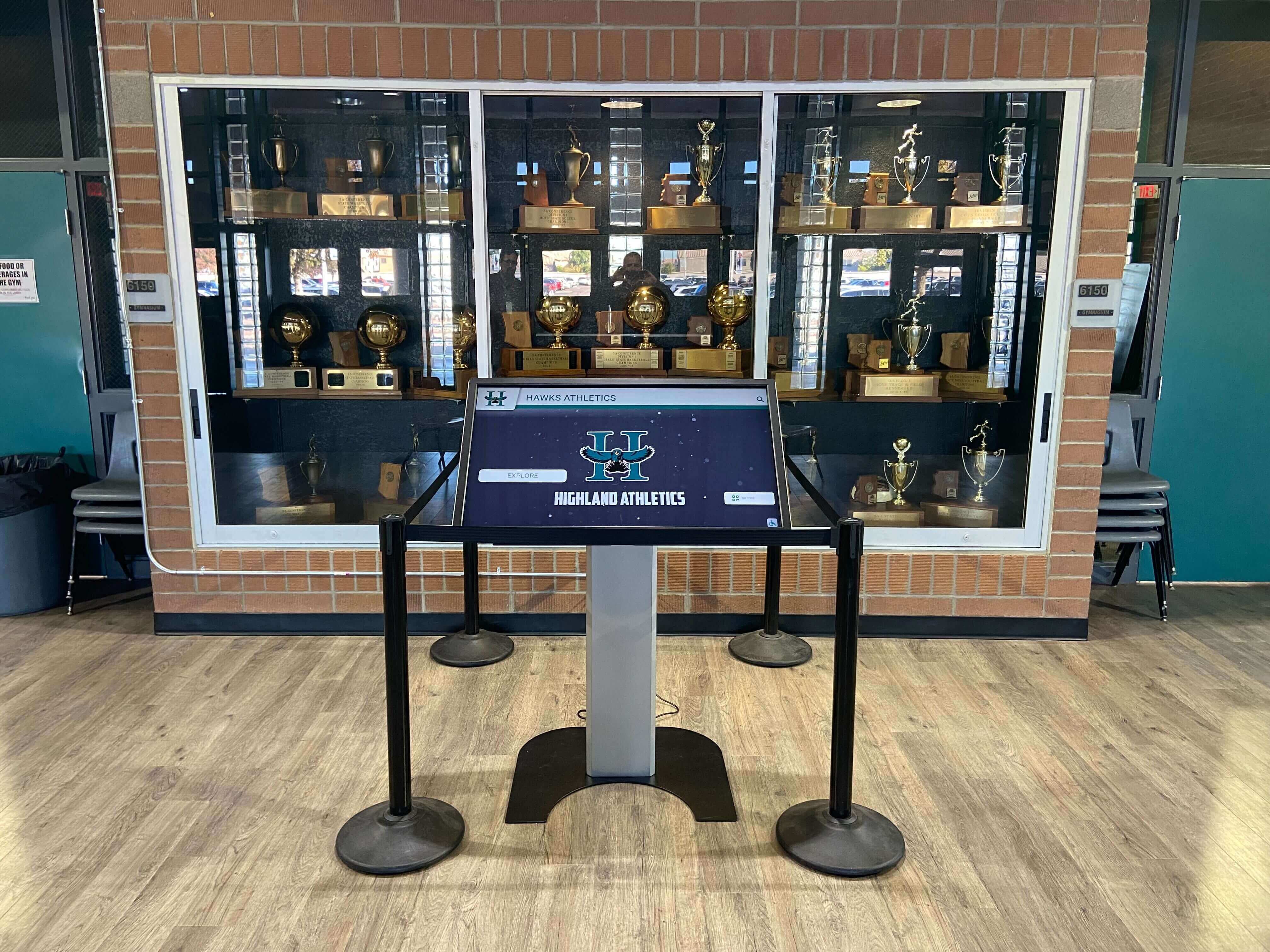
A recognition display kiosk loaded inside a school trophy display environment may embed its content management portal within a top-level school domain — the schemeful same-site relationship between those two domains determines which SameSite values allow authentication cookies to flow
The Embedded Sign-In Problem: How Portal Authentication Creates SameSite Friction
A school recognition program typically involves two separately hosted systems. The display platform — the service that stores inductee records, championship histories, award categories, and athlete profiles — is hosted by a recognition platform vendor at its own domain (for example, recognitionplatform.com). The school website or CMS — the parent site where administrators may access an embedded management interface — is hosted at the school’s own domain (for example, district.edu).
When the school embeds the recognition platform’s sign-in portal inside its own website using an <iframe>, two things happen from the browser’s perspective. First, the top-level URL in the browser’s address bar belongs to district.edu. Second, the embedded content inside the <iframe> is loaded from recognitionplatform.com. Because district.edu and recognitionplatform.com have different registrable domains, every request from the iframe to recognitionplatform.com is a cross-site request.
When the administrator submits credentials into the embedded sign-in form, the recognition platform server validates them and responds with a Set-Cookie header containing a session token. But that session cookie only travels back to the recognition platform server on the next request if the browser’s SameSite rules permit it. With SameSite=Lax or SameSite=Strict on the cookie — or the browser’s implicit Lax default for cookies issued without any SameSite attribute — the next request from inside the iframe does not include the session cookie. The platform server receives an unauthenticated request, issues a redirect to the login page, and the administrator sees the login screen again with no error message explaining what happened.
This failure is invisible in server logs without specific knowledge of what to look for: the server received valid credentials, issued a session cookie, and then received an unauthenticated follow-up request. Nothing in the server log explains that the browser discarded the session cookie before the follow-up request was sent. Diagnosing it requires inspecting the browser’s cookie store in developer tools — not the server logs.
SameSite=None with Secure: When Cross-Site Cookies Are Legitimately Needed
When the school’s top-level domain and the recognition platform’s domain are genuinely different registrable domains, and the embedded sign-in cannot be replaced by a top-level navigation flow, then SameSite=None; Secure is the technically appropriate attribute combination for the authentication cookie. The None value instructs the browser to include the cookie with cross-site requests — including requests from inside iframes — and the Secure attribute restricts the cookie to HTTPS connections only.
The Secure requirement is not optional. Per the Set-Cookie header specification documented at MDN, browsers reject SameSite=None cookies that do not also carry the Secure attribute. A server response such as:
Set-Cookie: session=abc123; SameSite=None
…will be silently discarded by modern browsers even when the connection is already HTTPS. The correct form is:
Set-Cookie: session=abc123; SameSite=None; Secure
If the recognition platform’s server is configured to emit SameSite=None but the development or staging environment serves over plain HTTP, the Secure attribute will prevent the cookie from being stored at all in that environment — which is another reason to run embedded portals exclusively over HTTPS in every environment, not only production.
When SameSite=None; Secure is appropriate for a school recognition portal:
The embedded sign-in portal is served from a different registrable domain than the top-level school page, the embedding is intentional and will not be replaced by a redirect or top-level navigation, and the staff authentication flow requires an authenticated browser session (rather than a stateless API token) for subsequent management requests from inside the iframe.
When SameSite=None; Secure is not the right solution:
- The embedded portal and the top-level page share the same registrable domain (for example, both under
district.edusubdomains). In this case,SameSite=Laxis appropriate and more restrictive. - The embedded portal is being used for the public display session rather than staff authentication. The display session token should not use
SameSite=Noneunless the display hardware’s browser is genuinely making authenticated cross-site requests — and even then, the display session and staff session must remain separate cookie names with separate scopes. - The sign-in failure is caused by browser-level third-party cookie blocking rather than by
SameSiterestrictions. ChangingSameSiteattributes does not resolve failures caused by a different mechanism.
Third-Party Cookie Blocking and Why Changing Flags Blindly Is Wrong
Browsers are progressively restricting cookies issued in third-party contexts — requests where the top-level URL and the resource URL have different registrable domains. The specific implementation varies by browser and version: some apply per-site storage partitioning to third-party cookies, others phase in restrictions incrementally, and some allow users to configure their own blocking level. The practical effect for school recognition portals with embedded sign-in is that SameSite=None; Secure alone may not be sufficient when the user’s browser applies additional third-party cookie blocking beyond what the SameSite attribute addresses.
This situation creates a temptation to “fix” the problem by changing cookie flags — setting everything to None, removing Secure, or experimenting with the Domain attribute — without first identifying which specific restriction is causing the observed failure. Doing so without a diagnostic-first approach causes several problems:
CSRF exposure. Weakening
SameSitefromStrictorLaxtoNoneon cookies that should never travel in cross-site contexts removes a meaningful CSRF defense. If the staff authentication cookie is set toNoneglobally rather than scoped to the embedded context, it will also travel with requests initiated by unrelated third-party pages.Collateral breakage. Adding or changing
SameSitevalues on cookies used for purposes other than embedded staff sign-in — such as analytics, CSRF tokens, or user preferences — can break features that depend on those cookies behaving as currently configured.Misdiagnosis. Third-party cookie blocking, browser storage partitioning, and
SameSiterestrictions are distinct mechanisms. ASameSiteattribute change will not resolve a failure caused by browser-level third-party blocking. Changing flags without identifying the mechanism produces a configuration that is more permissive than necessary while leaving the actual problem unresolved.
The correct approach is to audit which cookies are being blocked and identify which mechanism is responsible before making any changes. The checklist in the next section provides that diagnostic sequence.
The native VLAN mismatch audit guide at best-touchscreen.com and the BPDU filter safety check at touchwall.tv both illustrate the same principle applied to network-layer audits: identify the specific failure mechanism precisely before reconfiguring anything.

A recognition display that shows athletic hall-of-fame content to visitors relies on a separate authentication pathway from the staff portal — auditing SameSite attributes confirms these two contexts are correctly isolated before any remediation is applied
Public Display Sessions vs. Staff Authentication: Treating Them Separately
The most important principle in a school recognition display SameSite cookie audit is the separation of two fundamentally different authentication contexts.
The public display session is the credential the display hardware uses to continuously load and render hall-of-fame content — inductee portraits, championship records, award banners, and record boards — for visitors who approach the kiosk. This session is typically long-lived, non-interactive, and does not involve a user entering credentials at the display. The browser on the display hardware holds an API token, a long-lived session cookie, or a device credential that allows the recognition platform to serve content without user input. This session needs to remain stable and uninterrupted; a content outage on the display disrupts the visitor experience and can make a recognition program appear non-functional during events, alumni gatherings, and game days when community visibility is highest.
The staff authentication session is the credential an athletic director, registrar, or program administrator uses to access the content management interface — publishing new inductees, updating records, managing award categories, and reviewing the academic awards categories that recognition programs track alongside athletic achievements. This session is interactive, shorter-lived, and subject to the SameSite friction described in the preceding sections when the management interface is embedded in a school CMS at a different domain.
These two contexts must not share cookie names, session tokens, or authentication scopes. Modifying a cookie attribute to resolve a staff sign-in failure can break the public display session if both contexts use the same cookie. Before making any changes, confirm:
| Attribute | Public Display Session | Staff Authentication Session |
|---|---|---|
| Cookie name | Distinct (for example, display_session) | Distinct (for example, admin_session) |
| SameSite value | Appropriate for how the display browser makes requests | Appropriate for how the CMS iframe makes requests |
| Secure | Yes | Yes |
| HttpOnly | Yes — no JavaScript access required | Yes |
| Path | Scoped to the display content endpoint | Scoped to the admin or management path |
| Expiry / Max-Age | Long-lived (days to weeks) | Short-lived (hours) |
If the recognition platform uses a single session cookie for both display and staff access, that is a platform architecture concern to raise with the vendor before proceeding with any cookie attribute changes. The audit steps below assume — and verify — that the two contexts use separate cookies.
A school wall-of-fame display carries the legacy of every recognized athlete and scholar — its public display session must remain stable while staff sign-in issues are resolved in a completely separate cookie scope
SameSite Cookie Audit Checklist for School Recognition Displays
Work through the following steps in order. Each step identifies a specific failure mode and confirms whether it is present before the next step becomes necessary.
Open browser developer tools and reproduce the failure. Load the school’s top-level CMS page that embeds the recognition portal sign-in. Open developer tools (F12 in most browsers) and navigate to the Application tab (Chrome/Edge) or Storage tab (Firefox), then to Cookies. Clear all cookies for both the school’s domain and the recognition platform’s domain. Attempt to sign in to the embedded portal and observe the result.
Identify all cookies set during sign-in. After submitting credentials, examine the cookies stored for the recognition platform’s domain. Record the name,
SameSiteattribute,Secureflag,HttpOnlyflag,Path, and expiry for each cookie set during the sign-in response. Omit sensitive cookie values from written documentation.Confirm whether the session cookie is included on follow-up requests. In the Network tab, filter requests to the recognition platform’s domain. Find the follow-up request made after the credential response (typically a redirect or authenticated page load). Examine the Request Headers for a
Cookieheader. If theCookieheader is absent or does not contain the session token, the browser is not sending the cookie — proceed to step 4.Identify the SameSite value on the blocked cookie. In the Application or Storage panel, locate the session cookie set in step 2. If its
SameSitevalue isStrict,Lax, or absent (which modern browsers treat asLax), and the embedded portal is loaded from a different registrable domain than the top-level school page, theSameSiterestriction is the cause of the failure. Note the exact domain relationship for the decision table below.Confirm Secure flag status. Check whether the session cookie carries the
Secureflag. IfSameSite=Noneis already set on the cookie butSecureis absent, the browser is rejecting it silently. Both attributes must appear together —SameSite=None; Secure— on the sameSet-Cookieresponse header.Check for browser-level third-party cookie blocking. Open the browser’s privacy settings and determine whether third-party cookies are blocked at the browser level independently of
SameSite. In Chrome: Settings → Privacy and Security → Cookies and other site data. In Firefox: Settings → Privacy & Security → Enhanced Tracking Protection. If third-party cookies are blocked globally,SameSite=None; Securealone will not be sufficient; the recognition platform domain may need to be added to an allowlist, or the embedded portal should be replaced with a redirect-based flow.Verify the public display session is unaffected. On the display hardware or a device configured to match the display’s browser state, confirm that hall-of-fame content loads correctly and that the display session cookie is present and unchanged. The display session cookie should not appear in the embedded CMS sign-in flow at all. If it does, flag this as a session isolation issue before proceeding.
Verify the fix is minimal and targeted. If changing a
SameSiteattribute value is the correct remediation, confirm the change applies only to the specific staff authentication cookie — not to analytics cookies, CSRF tokens, preference cookies, or the public display session token. Review the complete cookie inventory for the recognition platform’s domain and document each cookie, its currentSameSitevalue, and whether it requires a change.Test across browsers. After any cookie attribute change, test the embedded sign-in in Chrome, Firefox, and Safari. Safari applies additional intelligent tracking prevention (ITP) restrictions that can block cookies in contexts that Chrome and Firefox allow, even with
SameSite=None; Securecorrectly set.Document the final cookie configuration. Record the confirmed
SameSite,Secure,HttpOnly,Path, and expiry settings for both the public display session cookie and the staff authentication session cookie. Include this documentation in the school’s recognition display technical records alongside network configuration documentation.
Decision Table: Which SameSite Value to Use
| Deployment Configuration | Domain Relationship | Correct SameSite Value | Notes |
|---|---|---|---|
Staff portal embedded in CMS at same registrable domain (for example, admin.district.edu inside www.district.edu) | Same-site, same scheme | Lax | No cross-site value needed; Lax sends cookie on top-level navigations and covers the same-site iframe case |
Staff portal embedded in CMS at different registrable domain (for example, recognitionplatform.com inside district.edu) | Cross-site | None; Secure | Both attributes required together; also test for browser-level third-party blocking |
| Staff portal accessed via direct top-level navigation, not embedded | Same-site at top level | Lax or Strict | No iframe; stricter value provides stronger CSRF protection |
| Staff portal embedded but served over plain HTTP | Cross-site with scheme mismatch | Resolve HTTPS first | SameSite=None; Secure requires HTTPS; mixed-scheme embedding also fails schemeful same-site evaluation |
| Public display session (kiosk browser loading content continuously) | Confirm separately from staff cookies | Do not modify as part of staff sign-in work | If the display session is cross-site, confirm separately; do not change it as collateral to a staff sign-in fix |
| Portal and CMS on different subdomains with scheme mismatch (one HTTP, one HTTPS) | Cross-site under schemeful same-site | Resolve scheme mismatch first | Both endpoints must be HTTPS for the subdomains to be treated as same-site by modern browsers |
Frequently Asked Questions
Q: The embedded sign-in worked until a recent browser update. Why did it break?
Modern browsers changed the implied default SameSite value for cookies issued without an explicit attribute — from the previous behavior of sending in all request contexts to Lax, which blocks cookies from traveling inside cross-site iframes. If the recognition platform’s session cookie was issued without a SameSite attribute, a browser update applying this default change stops it from being sent on cross-site iframe requests. The fix is to have the platform server explicitly set the appropriate SameSite attribute on the cookie.
Q: Can we allowlist the recognition platform domain in the browser to bypass the restriction?
Browser-level allowlists are a workaround rather than a fix. They must be applied individually on every staff member’s browser, do not survive browser reinstallation or profile reset, and do not correct the underlying server-side cookie configuration. The appropriate fix is to configure the correct SameSite attribute on the server that issues the cookie.
Q: Will changing the staff authentication cookie’s SameSite value affect the kiosk display session?
Only if the kiosk uses the same cookie for its display session and for staff authentication — which indicates a session isolation problem that should be addressed first. If the public display session and the staff sign-in use separate, distinctly named cookies (as they should), changing the SameSite attribute on the staff authentication cookie will have no effect on what the kiosk loads and displays.
Q: The recognition platform is behind a reverse proxy. Does that change the audit?
Yes. A reverse proxy that terminates TLS and rewrites cookie headers — stripping or adding Secure, modifying the Domain attribute, or altering SameSite — means that the cookie attributes configured in the application server may not be what the browser actually receives. Always capture cookie headers using browser developer tools, which show the cookies the browser received, rather than reading only the application server’s configuration.
Q: Is there a way to avoid the embedded sign-in problem entirely?
Yes. Opening the staff sign-in portal via a top-level navigation — a link that opens the portal in a new tab or navigates the main browser window — eliminates the cross-site iframe restriction entirely. With a top-level navigation, SameSite=Lax is sufficient for session cookies, CSRF protection is stronger, and browser third-party cookie blocking does not apply. Many school recognition programs use this pattern: the school website links to the recognition platform’s management interface rather than embedding it inline, preserving a clean separation between the public-facing school site and the platform’s administrative tools.
Q: What is the relationship between SameSite and CSRF protection?
SameSite=Strict and SameSite=Lax both help mitigate CSRF attacks by blocking the session cookie from traveling with requests initiated by external sites. SameSite=None removes this protection for the affected cookie, which is why it should be applied only to the specific cookie that genuinely needs cross-site access — not applied broadly across all cookies. When SameSite=None is used on a staff authentication cookie, confirm with the platform vendor that a separate CSRF mitigation mechanism (such as a CSRF token in request headers) is in place for state-changing operations.
Q: How does any of this relate to the ceremony and recognition content on the display?
Cookie scoping affects only the authentication infrastructure — the mechanism by which staff sign in and maintain an authorized session for content management. The inductee records, award histories, championship data, and the inspiration for recognition and award programs that schools work hard to curate are stored in the platform’s database and are unaffected by cookie attribute configuration. The audit is about ensuring that the staff who maintain that content can reliably reach the tools they need to do so.

A school hall-of-fame lobby display combining physical honor boards with a digital screen reflects years of athletic and academic achievement — staff must be able to sign in reliably to keep those records current as each new class is recognized
Preserving School Athletic Legacy Through Reliable Platform Access
A school’s recognition display is more than a technology installation — it is the ongoing record of every athlete who reached a milestone, every team that won a championship, and every scholar who earned distinction in a subject or competition. When embedded sign-in fails because of a SameSite cookie misconfiguration, the immediate consequence is an administrator who cannot update records. Over time, if the issue persists, the display shows outdated information: missing recent inductees, reflecting last year’s record board, or failing to publish a new award class on schedule. Families visiting on game days, alumni returning for reunions, and recruits touring the campus all encounter a record that does not reflect the school’s full history.
A SameSite cookie audit, completed before staff sign-in problems accumulate, is part of the same stewardship that makes a recognition program trustworthy and enduring. It does not require deep web-security expertise — it requires the systematic diagnostic steps in this guide, an understanding of which cookies serve which purpose, and the discipline to change only what needs to change rather than adjusting flags until the failure disappears.
See How Rocket Supports School Recognition Display Deployments
Rocket Alumni Solutions builds recognition display platforms for school athletic and alumni programs, with deployment documentation that covers authentication architecture, embedded portal access, and public display session management. Request a guided demo to see how the platform approaches sign-in for content managers and continuous display for visitors.
Request a Recognition Platform Demo






























