




A school’s digital hall of fame display relies on a sustained, working network connection to receive updated athlete profiles, championship records, and award rosters from its cloud management platform. When the display runs IPv6 with Stateless Address Autoconfiguration (SLAAC), it self-assigns a global unicast address using information it receives from periodic Router Advertisement (RA) messages broadcast by the campus router or Layer 3 switch. That address is not permanent — every SLAAC address carries two embedded timers, the preferred lifetime and the valid lifetime, that govern when the address transitions from fully usable to deprecated to expired. If those timers are shorter than expected, or if a router configuration change silently reduces them, the recognition display’s IPv6 address can expire without the device rebooting, without a visible error on the screen, and without any alert in the cloud management platform until the next content-update request times out.
School IT teams managing recognition kiosks, digital trophy cases, interactive hall-of-fame walls, and lobby award displays in IPv6-enabled environments need a repeatable process for confirming that SLAAC address lifetimes are configured correctly and that the display will maintain connectivity across address renewals and router-advertisement changes. This guide explains how SLAAC address lifetimes work, what happens to recognition display connectivity when they expire or shorten unexpectedly, and the step-by-step commands that verify the complete address-lifetime configuration before and after any router or prefix change.
Quick answer: On a Linux-based recognition display, run ip -6 addr show and look for the preferred_lft and valid_lft values on the global unicast address. Both should be non-zero; a preferred_lft of 0sec means the address is deprecated and the OS will not use it for new outbound connections. To read the RA parameters the router is advertising, run rdisc6 <interface> or ndisc6 -v <interface> and check the Prefix valid time and Prefix preferred time fields. If either value is shorter than your expected renewal window, trace the RA configuration on the upstream router or Layer 3 switch and restore the correct lifetimes — for a display that must stay connected around the clock, a valid lifetime of at least 86400 seconds (24 hours) with a preferred lifetime of at least 43200 seconds (12 hours) provides a safe margin.

A recognition display that operates on an IPv6 SLAAC network must have its address lifetimes validated after any router or prefix change — silent address expiry produces connectivity loss that is indistinguishable from hardware failure without examining the address state
How SLAAC Address Lifetimes Work
SLAAC is defined in RFC 4862 as the mechanism by which an IPv6-capable host automatically configures its own global unicast address without a DHCPv6 server. The process begins when the host sends a Router Solicitation (RS) on the link and the router responds with a Router Advertisement (RA) that includes one or more Prefix Information Options (PIOs). Each PIO specifies a 64-bit network prefix, a valid lifetime, and a preferred lifetime — all measured in seconds.
The host combines the 64-bit prefix from the RA with a 64-bit interface identifier derived from its MAC address (or a privacy-stable IID under RFC 7217) to form a complete 128-bit global unicast address. It then starts two countdown timers anchored to the lifetimes in the PIO:
- Preferred lifetime: While this timer has not expired, the address is in the “preferred” state. The operating system will use it for new outbound connections and will advertise it as a valid source address to applications.
- Valid lifetime: This is always equal to or longer than the preferred lifetime. When the preferred timer expires but the valid timer has not, the address enters the “deprecated” state — existing connections can continue on that address, but the OS will not select it for new connections. When the valid timer also expires, the address is removed entirely and any connection using it drops.
Routers send RAs periodically (typically every 200 seconds, though this is configurable) and also in response to RS messages from hosts. Each RA refreshes the timers on existing addresses if the new RA advertises the same prefix. This means a properly configured router that sends RAs at regular intervals will refresh the address lifetimes before they expire, keeping the recognition display’s address permanently in the preferred state.
Problems arise when:
- The router’s RA interval is longer than expected, and a single missed RA causes the address to deprecate before the next RA refreshes it.
- A router configuration change reduces the valid or preferred lifetime to a value shorter than the interval between RAs.
- A new router or Layer 3 switch is deployed with factory-default RA lifetimes that differ from the previous device’s settings.
- A prefix change — such as a WAN prefix delegation change from the ISP — causes the router to advertise a new prefix with a fresh lifetime while allowing the old prefix to expire under a reduced valid lifetime.
For a recognition display that connects to a cloud content platform over IPv6, any of these scenarios can produce intermittent or sustained connectivity loss without generating an obvious error. The display’s Ethernet link remains up, the DHCP lease (if dual-stacked) remains valid, and the management dashboard may continue to show the device as reachable over IPv4 while IPv6 connectivity has silently failed.
How SLAAC Lifetime Expiry Disrupts Recognition Display Connectivity
Recognition displays built on cloud-connected platforms regularly contact external endpoints for content updates: new inductee data, updated athlete records, championship announcements, award roster changes, and media files. Many modern content delivery networks and cloud management platforms are reachable over both IPv4 and IPv6. On dual-stack networks, the OS follows the RFC 6724 source-address selection algorithm to choose between its IPv4 and IPv6 addresses for each outbound connection. When a SLAAC address is in the preferred state, the OS typically selects it for IPv6-capable destinations. When the address deprecates or expires, the OS falls back to IPv4 or selects a new preferred IPv6 address if one is available from a different prefix.
This fallback is not always seamless:
- Existing TCP connections drop immediately when the IPv6 address moves from deprecated to expired (valid lifetime reaches zero). Any in-flight content download or API session using that source address terminates abruptly.
- New connection attempts may fail during the window between the preferred lifetime expiry and the next RA refresh if no fallback IPv4 path exists or if the fallback path has higher latency and the application’s connection timeout is not long enough.
- Platform dashboard status becomes unreliable — a display whose IPv6 address has deprecated may show as online via an IPv4 heartbeat while its primary content-fetch path has failed.
- Content freezes silently — the display shows the last successfully fetched content and does not update, which athletic directors and administrators observe as stale records, missing new inductees, or outdated award rosters without any visible error message on the display screen.
Schools managing recognition programs that include AP Scholar awards boards, hall-of-fame inductee walls, and athletic record displays expect content to update reliably. A silent IPv6 address expiry that prevents content updates for hours or days can mean new inductees, record holders, and honorees are not displayed — undermining the program’s purpose without anyone knowing the technical reason.
Pre-Validation Checklist
Before running diagnostic commands, collect the following information. Having these details ready eliminates the most common source of wasted time during SLAAC validation: discovering mid-investigation that the necessary switch or router credentials are unavailable.
| Item | Why It Matters | How to Collect |
|---|---|---|
| Recognition display OS and IPv6 address | Determines which commands to run; identifies the specific SLAAC address to validate | ip -6 addr show (Linux) or netsh interface ipv6 show addresses (Windows) on the display |
| Interface name on the display | Required for RA capture commands | ip link show (Linux) or ipconfig /all (Windows) |
| Router or Layer 3 switch hostname and management IP | You need CLI access to verify the RA prefix lifetimes configured on the upstream device | Network diagram or ip -6 neigh show to identify the default gateway, then trace to the managing device |
| IPv6 prefix and prefix length advertised to the display segment | Needed to compare what the display has configured against what the router is advertising | Router CLI: show ipv6 interface <interface> (Cisco) or equivalent |
| RA interval configured on the upstream router | Determines the expected maximum gap between lifetime refreshes | Router CLI: `show ipv6 interface |
| Whether the display uses privacy extensions (RFC 4941) | Privacy addresses regenerate periodically; a privacy address expiry is expected behavior, not a misconfiguration | ip -6 addr show — look for the temporary flag on any address |
| Recent network changes (new router, prefix change, VLAN reconfiguration) | Most SLAAC lifetime problems follow a deliberate or accidental RA configuration change | IT change log |
| Whether the display is dual-stack (IPv4 + IPv6) | Determines whether IPv4 fallback masks IPv6 expiry symptoms | Display network configuration |
The most important preliminary question is whether IPv6 is intentional on the recognition display segment. In some school networks, IPv6 is enabled by default on modern routers and switches without a deliberate decision to support it. If IPv6 is not intentionally managed on the segment, the simplest resolution may be to disable IPv6 SLAAC on the display’s network interface and route exclusively over IPv4. If IPv6 is intentionally used — as it increasingly is in modernized school district networks — the validation steps below confirm that the lifetime configuration is correct and stable.

Recognition displays installed in hallways and athletic corridors must maintain continuous IPv6 connectivity — validating SLAAC address lifetimes prevents silent outages that staff discover only when content stops updating
Step-by-Step School Recognition Display SLAAC Address Lifetime Validation
Step 1: Check the Current SLAAC Address and Its Lifetime State on the Display
Access the recognition display’s OS directly or via SSH. Run the address show command and identify the global unicast address and its current lifetime values.
Linux (Ubuntu, Debian, or custom kiosk OS):
ip -6 addr show
Locate the address with scope global. The output for a SLAAC address in the preferred state looks like:
2: eth0: <BROADCAST,MULTICAST,UP,LOWER_UP>
    inet6 2001:db8:abcd:1234:a1b2:c3d4:e5f6:7890/64 scope global dynamic mngtmpaddr
       valid_lft 86370sec preferred_lft 14370sec
Key fields to record:
valid_lft: Seconds remaining before the address is removed. If this shows0secor is missing, the address has already expired.preferred_lft: Seconds remaining before the address deprecates. If this shows0secbutvalid_lftis nonzero, the address is deprecated — the OS will not use it for new connections.dynamic: Confirms this address was acquired via SLAAC (as opposed to a static assignment).mngtmpaddr: Indicates the address was formed with Stateless Address Autoconfiguration from an RA prefix.
Windows-based recognition displays:
netsh interface ipv6 show addresses
Look for addresses under the Global scope section. Windows does not display raw lifetime values directly in this output, but the address state column shows Preferred, Deprecated, or Invalid.
If the address shows as deprecated or is absent from the output, the valid lifetime has expired or is imminent. Proceed to Step 2 to determine the current RA lifetime values being advertised by the router.
Step 2: Capture a Router Advertisement and Read the Prefix Lifetimes
Rather than relying solely on the address state on the display — which reflects the last RA received, not necessarily the current router configuration — capture a live RA to confirm what the router is currently advertising.
Using rdisc6 (Linux — part of ndisc6 package):
rdisc6 eth0
The output includes a section for each Prefix Information Option:
Prefix                 : 2001:db8:abcd:1234::/64
  Valid time           : 86400 (0:24:00:00)
  Pref. time           : 43200 (0:12:00:00)
Using ndisc6 (verbose mode):
ndisc6 -v eth0
Sending a Router Solicitation to force an immediate RA response:
rdisc6 --single eth0
This forces the router to send an RA immediately rather than waiting for the next periodic broadcast, which is useful when you need to confirm the current configuration without waiting up to 200 seconds for the next scheduled RA.
Interpreting the results:
| Prefix Valid Time | Prefix Pref. Time | Assessment |
|---|---|---|
| ≥ 86400 (24 hours) | ≥ 43200 (12 hours) | Healthy — display retains preferred address for at least 12 hours between potential missed RAs |
| 7200–86400 | 3600–43200 | Marginal — acceptable if the RA interval is 200 seconds or less and the display is unlikely to miss multiple consecutive RAs |
| < 7200 | < 3600 | Problematic — address can deprecate within an hour; a handful of missed RAs will disrupt connectivity |
| 0 or absent | 0 or absent | Critical — address is not being refreshed; router may have removed the prefix from advertisements |
Record both values. If the valid lifetime on the display (from Step 1) is shorter than the valid time in the current RA (from Step 2), the display received a more recent RA with a longer lifetime that has not yet refreshed its existing timers — or the timers are counting down correctly from the last RA. If the values match (within the elapsed time since the last RA), the configuration is consistent.
Step 3: Check Address State — Preferred, Deprecated, or Expired
With the lifetime values in hand, determine whether the display’s IPv6 address is in a state that supports reliable outbound connections.
Linux: Check address state and flags:
ip -6 addr show dev eth0 scope global
Look for the dynamic flag and the lifetime values. An address in preferred state has both valid_lft and preferred_lft greater than zero. An address in deprecated state has preferred_lft 0sec and valid_lft still counting down.
Confirm which address the OS selects for new outbound connections:
ip -6 route get 2001:4860:4860::8888
The src field in the output shows the source address the OS would select for a connection to that destination. If the SLAAC address appears as the source, it is in preferred state and is being used for new connections. If a different address (or no result) appears, the SLAAC address is deprecated or expired.
Linux: Check for deprecated addresses explicitly:
ip -6 addr show dev eth0 | grep -i "deprecated\|0sec"
Any address with preferred_lft 0sec is deprecated and will not be selected for new connections until the next RA refreshes the preferred lifetime — or until the interface cycles.
Windows: View address state:
netsh interface ipv6 show addresses level=verbose
Addresses with status Preferred are fully operational. Addresses with status Deprecated are in the deprecated state. Addresses with status Invalid have expired.
For recognition displays serving virtual hall-of-fame platforms that update inductee data on a scheduled basis, a deprecated address means that the next scheduled content fetch — which initiates a new connection — will either fail or fall back to IPv4. Detecting and correcting this before the next fetch cycle prevents a visible content gap.
Step 4: Validate RA Interval and Prefix Consistency on the Upstream Router
Log into the upstream router or Layer 3 switch that serves the recognition display’s segment. Verify that the RA prefix configuration matches expectations.
Cisco IOS / IOS-XE:
show ipv6 interface GigabitEthernet0/1
Look for the following fields:
ND reachable time is 30000 milliseconds
ND advertised reachable time is 0 (unspecified)
ND advertised retransmit interval is 0 (unspecified)
ND router advertisements are sent every 200 seconds
ND router advertisements live for 1800 seconds
ND advertised default router preference is Medium
Hosts use stateless autoconfig for addresses.
The sent every 200 seconds value is the RA interval. This is the maximum time between periodic RAs — the actual interval includes a randomization factor, but 200 seconds is the configured ceiling.
Verify the prefix lifetime configured in the RA:
show running-config interface GigabitEthernet0/1
Look for the ipv6 nd prefix statement:
ipv6 nd prefix 2001:db8:abcd:1234::/64 86400 43200
The two numbers are the valid lifetime and preferred lifetime in seconds. If this line is absent, the router uses default lifetimes — typically 2592000 seconds (30 days) for valid and 604800 seconds (7 days) for preferred, which are the RFC 4861 defaults. If explicit lifetimes are configured and shorter than expected, this is the source of the problem.
Cisco NX-OS:
show ipv6 nd interface ethernet 1/1
Aruba/HPE:
show ipv6 nd interface
If the router’s configured lifetimes differ from what the display received (per Step 2), verify that you are connected to the correct router interface and that no additional router or Layer 3 switch between the router and the display is sending competing RAs with different lifetimes. Multiple RA sources on the same segment — a common occurrence when two Layer 3 devices are both configured for IPv6 on a shared VLAN — can produce inconsistent lifetime values seen by different devices on the segment.
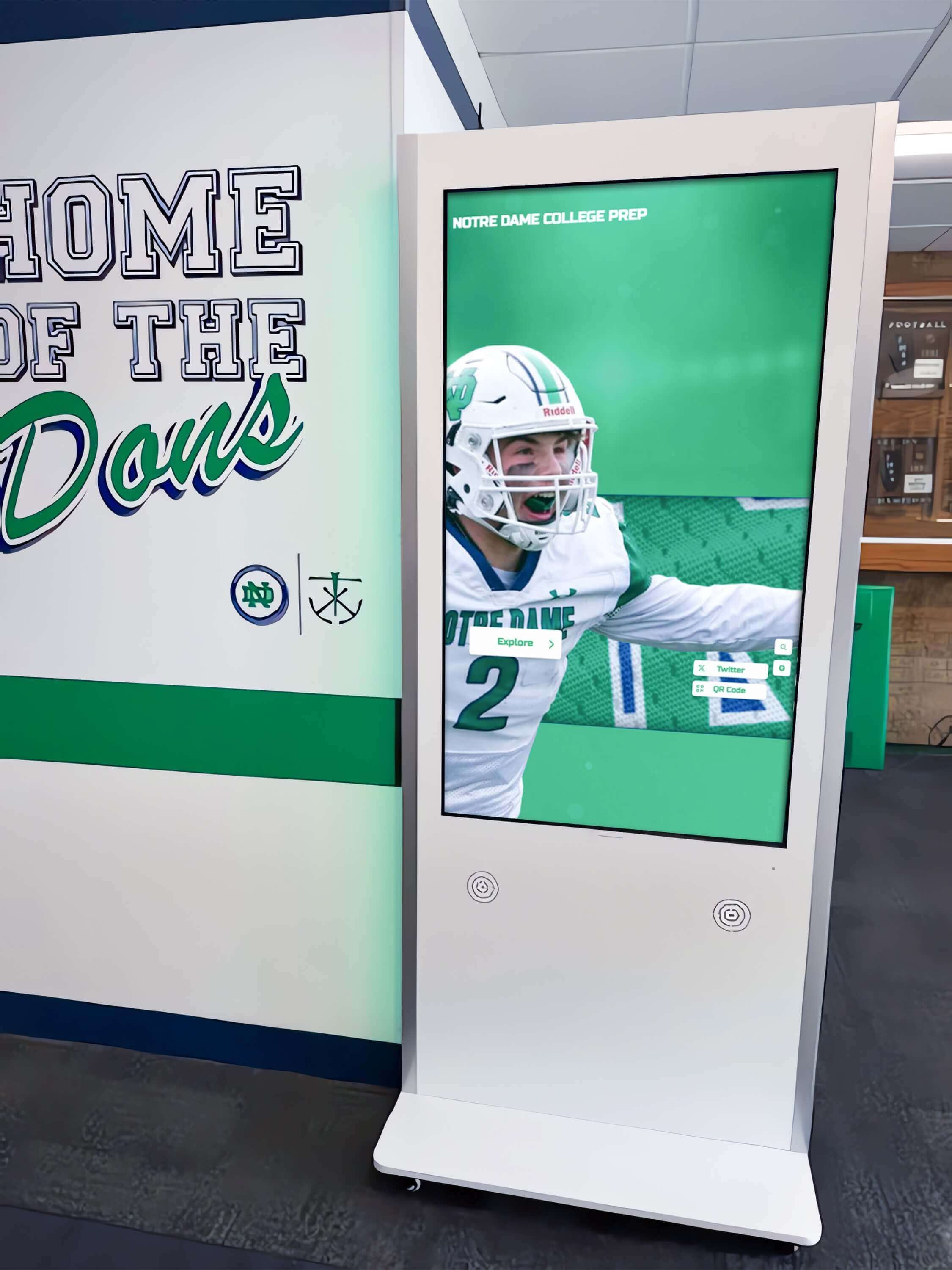
Step 4 of SLAAC lifetime validation traces the prefix configuration to the upstream router CLI — inconsistencies between what the router is configured to advertise and what the display receives often indicate a competing RA source or a misconfigured interface
Step 5: Test Connectivity During Address Renewal
After confirming that lifetimes are correctly configured, test whether the display maintains connectivity through an address renewal cycle — the moment when the router sends an RA that refreshes the lifetimes on the display’s existing SLAAC address.
Simulate an address refresh by sending a Router Solicitation:
rdisc6 --single eth0
Immediately after sending, re-check the address lifetimes:
ip -6 addr show dev eth0 scope global
The valid_lft and preferred_lft values should reset to the values advertised in the RA (within a few seconds of the RS/RA exchange). If the lifetimes do not reset — or if they reset to a shorter value than expected — the RA the display is receiving does not match the router’s configured values.
Test active connectivity through a renewal cycle:
While monitoring the address state with a continuous watch command, run a connectivity test to a known IPv6 destination:
watch -n 5 ip -6 addr show dev eth0 scope global
In a second terminal:
ping6 -i 2 2001:4860:4860::8888 &
Watch for any interruption in ping responses that correlates with the lifetime refresh. A correctly configured SLAAC deployment refreshes the timers in place — the address never enters deprecated state during normal operation because each periodic RA resets the timers before they expire. If you observe ping failures during an RA refresh, the renewal process is not working correctly: either the display is not receiving the RA, the RA is arriving with lifetimes shorter than the RA interval, or a competing RA source is interfering.
Step 6: Verify Reboot Behavior Under Address Expiry Conditions
Recognition displays often run continuously without rebooting for weeks or months. However, planned maintenance reboots, power events, or network equipment restarts can force the display to acquire a new SLAAC address from scratch. Verify that the post-reboot address acquisition completes correctly and within an acceptable time window.
Simulate a full SLAAC acquisition cycle without rebooting (Linux):
Bring the interface down and up (requires root or sudo):
ip link set eth0 down && ip link set eth0 up
Time the acquisition:
time rdisc6 eth0
The recognition display should acquire a preferred global unicast address within the RA interval (at most 200 seconds for a standard configuration, typically within a few seconds if the router responds quickly to the RS). If address acquisition takes longer than the RA interval, the display is missing RS responses or the router’s RA interval is unexpectedly long.
Check acquisition after a network interface reset on Windows:
netsh interface ipv6 set interface "Ethernet" routerdiscovery=enabled
Then check the address state:
netsh interface ipv6 show addresses
For schools whose digital hall-of-fame composite display or athlete-record board is installed in a location subject to occasional power interruptions — a gymnasium with a generator cutover, or a lobby with an older UPS — confirming that IPv6 address acquisition completes quickly after a power event prevents prolonged offline periods at unpredictable times.
Step 7: Confirm Recognition Platform Connectivity After Validation
After validating and correcting the SLAAC address lifetime configuration, confirm end-to-end connectivity from the recognition display to the cloud platform endpoints.
Test DNS resolution over IPv6:
dig AAAA platform.example.com @<ipv6-dns-server>
Test HTTPS connectivity to the platform endpoint over IPv6:
curl -6 -v https://platform.example.com/healthcheck
The -6 flag forces curl to use IPv6. Confirm that the connection uses the SLAAC address (visible in the * Connected to line in the verbose output) and that the HTTP response is 200 or the expected platform status code.
Verify from the cloud management platform dashboard:
After confirming command-line connectivity, log into the recognition platform’s management dashboard and confirm that the display shows a sustained online status. Content updates from the platform — inductee profile changes, award roster updates, new record entries — should appear on the display within the platform’s normal update window.
For IT teams managing player-of-the-week recognition boards and other regularly updated recognition content, confirming platform connectivity after SLAAC validation closes the loop: the network-layer fix has restored the path the platform uses to push content to the display.
Deploying recognition displays across multiple school buildings and want to ensure network compatibility before installation? Rocket Alumni Solutions works with school IT teams on IPv6 configuration requirements, VLAN planning, and display network prerequisites.
Common SLAAC Lifetime Issues and Fixes
| Issue | Symptoms | Root Cause | Fix |
|---|---|---|---|
| Preferred lifetime shorter than RA interval | Address deprecates between RAs; new connections fail or fall to IPv4 | ipv6 nd prefix configured with a preferred lifetime shorter than the RA interval | Increase preferred lifetime to at least 2× the RA interval; for a 200-second interval, set preferred lifetime ≥ 400 seconds — in practice, use 43200 or higher |
| Valid lifetime set to zero in RA | Address disappears from interface; all IPv6 connectivity drops | Router configured to expire the prefix (valid lifetime = 0 in PIO means withdraw prefix) | Correct the ipv6 nd prefix configuration on the router to restore a nonzero valid lifetime |
| Competing RA sources advertising shorter lifetimes | Display receives inconsistent lifetime values; address state oscillates | Two Layer 3 devices both enabled for IPv6 on the same VLAN, advertising different PIOs | Disable IPv6 routing on the secondary device or move the display’s port to a VLAN with a single RA source |
| RA interval longer than valid lifetime | Address expires before the next RA arrives | RA interval (e.g., 3600 seconds) longer than valid lifetime (e.g., 1800 seconds) | Reduce the RA interval so it is well below the valid lifetime, or increase the valid lifetime above the RA interval |
| Prefix delegation change from ISP | Old prefix expires and new prefix requires fresh SLAAC acquisition | ISP changes the delegated prefix; router advertises new prefix with short withdrawal lifetime on old prefix | Validate after any ISP prefix change; confirm new prefix has full lifetimes; verify display acquires new address within one RA interval |
| Privacy extensions generating expired temporary addresses | Multiple addresses visible on interface; deprecated addresses accumulate | RFC 4941 temporary addresses expire by design after their preferred lifetime | Confirm that the non-temporary SLAAC address (without temporary flag) is in preferred state; deprecated temporary addresses are expected and do not indicate a misconfiguration |
| Display not receiving RAs | No global unicast address on interface; rdisc6 command times out | Multicast filtering on the switch blocking RA multicast group (ff02::2) | Check switch configuration for multicast snooping settings that may block IPv6 ND traffic; ensure the display’s port passes the IPv6 all-routers multicast group |
Preventing Silent Connectivity Loss on Recognition Display Segments
After resolving any SLAAC lifetime issue, apply the following practices to prevent recurrence on the recognition display’s network segment.
Configure explicit, generous RA prefix lifetimes. Do not rely on router default lifetimes, which vary by vendor and OS version. Explicitly configure ipv6 nd prefix on the router interface serving the display’s segment with a valid lifetime of 86400 seconds and a preferred lifetime of 43200 seconds. This ensures the configuration is visible in show running-config and is not changed by a software upgrade that resets default values.
Set the RA interval to 60–200 seconds. The default 200-second maximum RA interval is acceptable, but many administrators reduce it to 60 seconds on segments serving always-on displays. A shorter interval means a single missed RA has a smaller impact on lifetime countdown. On Cisco IOS:
interface GigabitEthernet0/1
 ipv6 nd ra interval 60
Disable IPv6 on interfaces where it is not intentionally used. If the recognition display segment is intended to operate over IPv4 only, disable IPv6 on both the display’s network interface and the upstream switch or router interface. Unintentional IPv6 with unmanaged RA lifetimes is a common source of silent connectivity problems in school environments where IPv6 was enabled by default but not deliberately configured.
Monitor SLAAC address state in your network management system. Many network monitoring platforms support IPv6 address tracking. Configuring an alert for when the recognition display’s SLAAC address enters a deprecated state — or when no global unicast address is present on the display — provides advance warning before connectivity impacts content updates. For IT teams responsible for school memorabilia and display cabinet technology, integrating this monitoring into the same dashboard that tracks display health reduces the time from failure to detection.
Document the IPv6 prefix and RA lifetime configuration. Record the prefix, valid lifetime, preferred lifetime, and RA interval in the same device inventory that tracks the display’s MAC address, IP assignment, switch port, and VLAN. When a router is replaced or reconfigured, this documentation ensures the new device is configured to match the previous RA parameters without relying on institutional memory.
Test SLAAC lifetime validation after any router or Layer 3 switch change. Add SLAAC validation (Steps 1–3 above) to the post-change verification checklist for any network equipment change on segments serving recognition displays. A router software upgrade, a configuration template push, or a VLAN reconfiguration can silently alter RA lifetime parameters. Running the validation commands after the change takes under five minutes and catches problems before users notice frozen content. This same discipline applies to the DHCP relay configuration verification that IT teams perform after gateway changes on segments serving dual-stack displays.
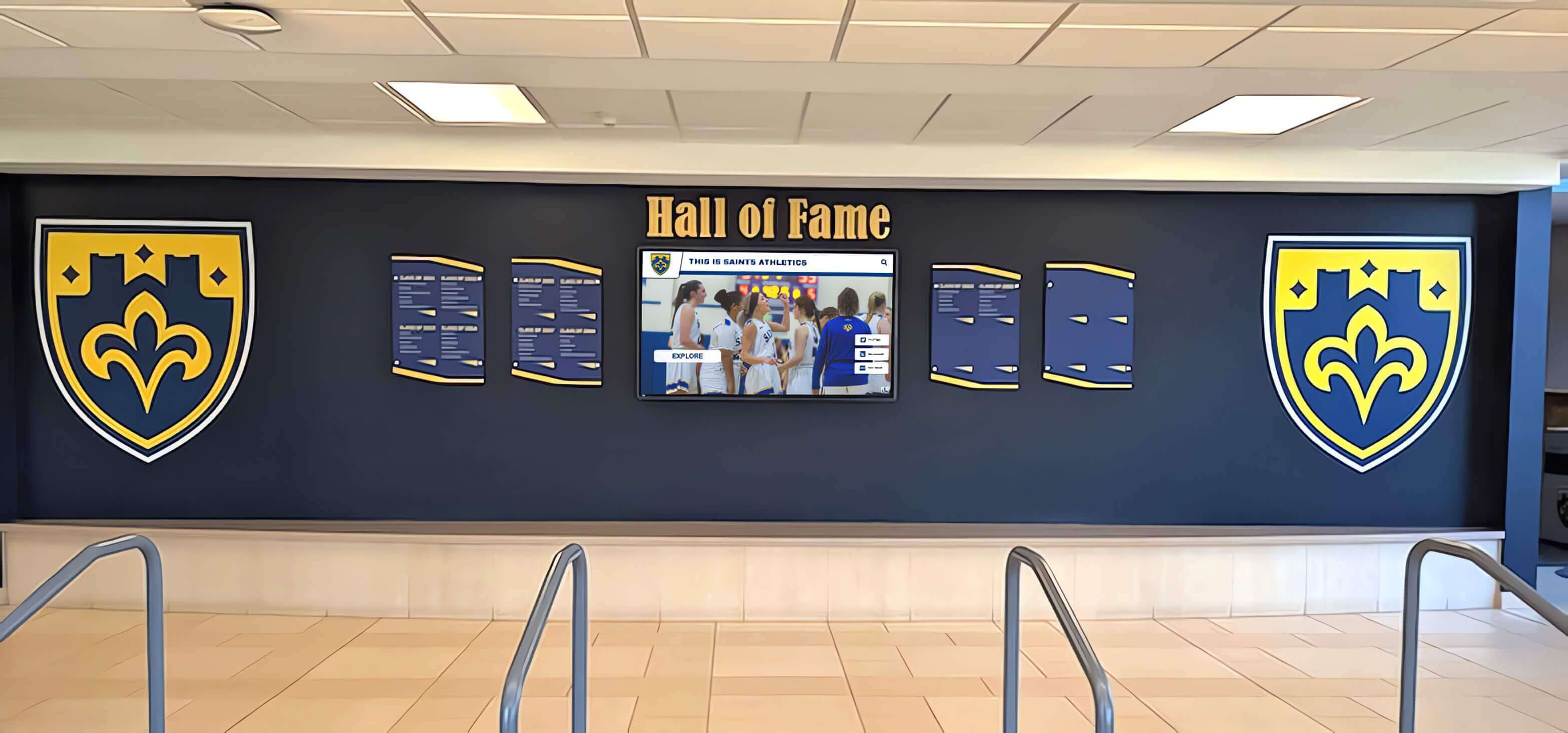
Recognition displays in institutional lobbies operate around the clock — configuring generous SLAAC address lifetimes and monitoring address state prevents silent IPv6 outages that undermine the continuity of recognition programs
Frequently Asked Questions
Q: What is the difference between preferred lifetime and valid lifetime in SLAAC?
A: The preferred lifetime is the time during which the address is in the “preferred” state and can be used for new outbound connections. When the preferred lifetime expires, the address enters the “deprecated” state — existing connections on that address continue, but the operating system will not choose it for new connections. The valid lifetime is always equal to or longer than the preferred lifetime. When the valid lifetime expires, the address is removed from the interface entirely, and any remaining connections using that address are dropped immediately. For a recognition display, the key risk is a preferred lifetime expiry that causes new content-update connections to fail while the display appears to be online.
Q: How often does a SLAAC address renew its lifetime?
A: Every time the display receives a Router Advertisement containing a Prefix Information Option for the same prefix, the operating system resets the address’s lifetime timers to the values in the PIO (subject to a minimum: RFC 4862 states that the new preferred lifetime cannot be set to less than two hours if the existing address has more than two hours remaining, to prevent routers from prematurely expiring addresses). On a router configured with a 200-second RA interval, the display should receive a lifetime refresh approximately every 200 seconds under normal conditions. Missed RAs — due to network congestion, multicast filtering, or brief connectivity gaps — cause the countdown to continue without a reset, making the time-to-deprecation unpredictable if lifetimes are short.
Q: Does rebooting the recognition display fix a SLAAC lifetime problem?
A: Rebooting forces the display to send a Router Solicitation and receive a fresh RA, which resets the address lifetime timers from their current values. This provides a temporary fix if the router is configured correctly — the address will be in preferred state immediately after reboot and will remain so as long as periodic RAs continue refreshing the timers. However, if the root cause is a misconfigured short lifetime or a competing RA source, the address will deprecate or expire again within the configured lifetime window. A reboot does not fix the underlying RA configuration.
Q: Can SLAAC lifetime issues affect a display that also has a static IPv4 address?
A: Yes. On a dual-stack display with a static IPv4 address and a SLAAC IPv6 address, connectivity over IPv4 remains unaffected by SLAAC lifetime problems. However, if the recognition platform or its CDN is reached over IPv6 by default (because the OS’s source-address selection algorithm prefers IPv6 for dual-stack destinations), a SLAAC address expiry will disrupt those connections. The display may continue to reach IPv4-only endpoints normally while failing to reach IPv6-preferred endpoints. This asymmetric failure is one reason SLAAC lifetime problems are difficult to diagnose without specifically examining the IPv6 address state.
Q: How do I disable SLAAC on a recognition display that should use only IPv4?
A: On Linux, set net.ipv6.conf.eth0.accept_ra=0 in /etc/sysctl.conf and reload with sysctl -p. This prevents the interface from processing Router Advertisements and autoconfiguring an IPv6 address. You may also set net.ipv6.conf.eth0.autoconf=0 to disable SLAAC specifically while still allowing manually assigned IPv6 addresses. On Windows, run netsh interface ipv6 set interface "Ethernet" routerdiscovery=disabled. If IPv6 is not used on the display segment at all, disabling it on both the display’s interface and the router interface eliminates the source of potential SLAAC lifetime problems entirely. This is a valid and often preferable choice for school networks that have not yet made a deliberate decision to manage IPv6 on display segments.
Q: What causes multiple global IPv6 addresses to appear on the recognition display’s interface?
A: Multiple global IPv6 addresses typically appear for one of three reasons. First, RFC 4941 privacy extensions generate temporary addresses alongside the stable SLAAC address — these are expected and cycle through preferred and deprecated states by design. Second, if the router changes its advertised prefix, the display will retain the old-prefix address until its valid lifetime expires while simultaneously forming a new address for the new prefix — two addresses from two different prefixes. Third, if the display has been connected to multiple networks (wired and wireless simultaneously), each interface may have its own SLAAC address. Identify the stable SLAAC address (the one without the temporary flag) for the primary interface and validate its lifetime state; temporary addresses cycling through deprecation are not a connectivity concern if the stable address remains preferred.
Recognition displays carry the names, records, and achievements of students and alumni who have earned their place in a school’s history. A silent IPv6 address expiry that prevents content updates for hours or days means new inductees are not displayed and new records are not reflected — a gap that is invisible to the IT team monitoring the network but visible to every student, staff member, and visitor who passes the display. A structured school recognition display SLAAC address lifetime validation process takes under fifteen minutes on a correctly configured network, and it is the first check to run after any router or Layer 3 switch change on a segment serving IPv6-connected displays.
For schools building or expanding recognition programs — from digital athletic hall of fame installations with searchable inductee archives to interactive lobby kiosks honoring decades of academic and athletic achievement — Rocket Alumni Solutions provides content platforms designed to integrate reliably with the network environments that school IT teams manage.































