



A school recognition display surge protection checklist gives athletic directors, facilities coordinators, and IT teams a structured process for verifying that every touchscreen hall of fame, digital award board, or interactive record display is electrically protected before a voltage event—not after one—turns a $12,000 recognition screen into an expensive repair ticket. Surge events at schools arrive from multiple directions: lightning coupling through utility lines, motor loads from HVAC compressors and kitchen equipment cycling on and off, and utility switching during peak demand. Each event can deliver a transient voltage spike lasting microseconds but carrying enough energy to degrade display electronics, corrupt media player storage, or trigger immediate hardware failure.
The checklist below covers the full electrical protection stack for school recognition displays: panel-level protection, point-of-use surge protectors, uninterruptible power supplies for graceful shutdown, grounding verification, and the inspection and replacement schedule that keeps protection current year after year. It is written for the team member who owns facilities or IT for the display installation—not the electrician who wired the building—so every item is actionable without reading an electrical code manual.
A complete school recognition display surge protection checklist has five layers: whole-building panel protection, dedicated circuit protection, point-of-use surge suppressors for displays and media players, UPS protection for graceful shutdown, and an annual test-and-replace maintenance cycle. Work through all five layers before a display goes live; revisit the checklist each summer before the school year begins.

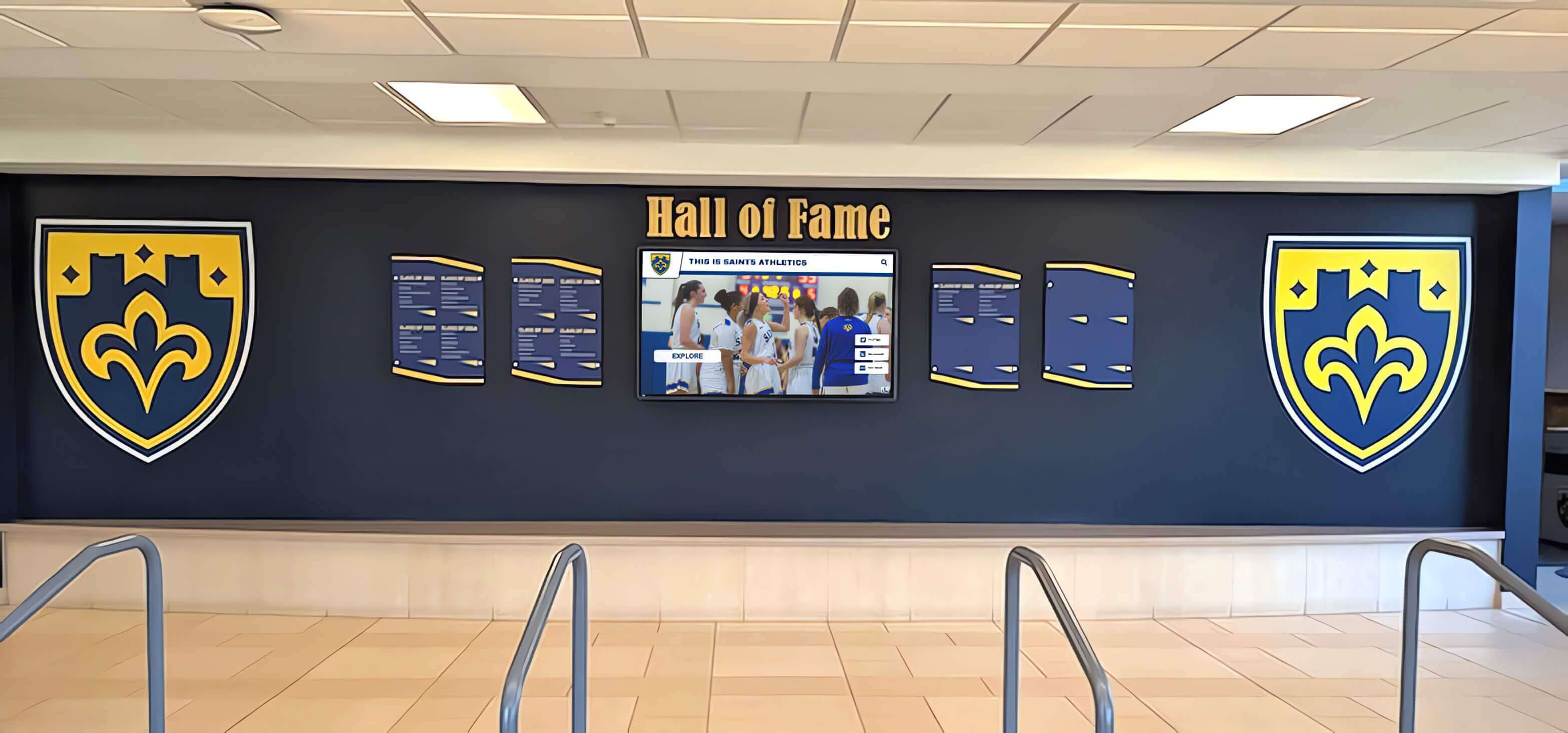
A lobby recognition display running induction records, championship histories, and athletic archives represents a significant investment that a single unprotected surge event can damage or destroy.
Why Surge Events Target School Recognition Displays
School buildings are not benign electrical environments. Large HVAC systems, commercial kitchen equipment, gymnasium lighting banks, and athletic scoreboard controllers all share utility feeds and internal distribution panels with the circuits powering recognition displays. Each of those loads creates internal transient voltages when it switches. A rooftop air handler starting its compressor motor can generate a transient that travels back through a shared circuit to a display mounted in the lobby forty feet away.
External surge paths are equally significant. A lightning strike within a half-mile of a school can couple energy through utility distribution lines, telephone infrastructure, and even building ground systems simultaneously. Schools in regions with frequent summer thunderstorms—common across the South, Midwest, and Mid-Atlantic—face elevated seasonal risk precisely during summer break, when display circuits may sit powered but unmonitored.
Recognition displays compound this vulnerability in two ways. First, modern LED touchscreens and the media players driving them contain sensitive logic boards and flash storage that tolerate far less voltage variation than older CRT or lamp-based equipment. Second, these displays often run continuously on a scheduled power cycle rather than being shut down at the end of the school day, which means they accumulate surge exposure around the clock. Schools that have built searchable athletic archives and hall of fame records into their recognition displays have even more at stake: a hardware failure mid-season can take inductee profiles, championship documentation, and decades of archived records offline at exactly the moment the community expects to find them.
Common Surge Sources in School Buildings
Internal (Building) Surge Sources
- • HVAC compressor motor starts and stops
- • Commercial refrigeration and kitchen equipment
- • Gymnasium lighting ballasts (especially metal halide)
- • Athletic scoreboard and field lighting controllers
- • Elevator and lift motor switching
- • Copy machines, laser printers, and large AV amplifiers
External Surge Sources
- • Direct or nearby lightning strikes
- • Utility switching during load balancing
- • Power restoration after outages (voltage overshoot)
- • Grid faults and fallen line events
- • Neighboring facility demand spikes on shared distribution
The Complete School Recognition Display Surge Protection Checklist
Work through this checklist in order. Each layer of protection handles a different part of the surge threat; skipping a layer leaves a gap that the remaining layers cannot fully cover.
Layer 1 — Whole-Building Panel Protection
Panel-level surge protection addresses the highest-energy surge events, including direct lightning coupling, before they can reach branch circuits serving recognition displays.
Panel Protection Checklist
- ☐Install a UL Listed Type 1 or Type 2 surge protective device (SPD) at the main electrical panel. Type 1 devices mount ahead of the main breaker and handle direct lightning coupling; Type 2 devices install on the load side. Many school buildings qualify for Type 2 unless a lightning protection system is present. Confirm current panel capacity and breaker compatibility with a licensed electrician before purchasing.
- ☐Verify the SPD's surge current rating meets the building's exposure category. IEEE C62.41 defines Location Categories A (outlets, branch circuits), B (distribution panels, feeders), and C (service entrance). A building in a high-lightning area with overhead utility service feeding a large campus should carry a service-entrance SPD rated for Category C exposure—typically 100 kA per phase minimum.
- ☐Check that the SPD includes a visual or audible status indicator. Panel SPDs degrade silently after absorbing large surges. A green LED "protected" indicator, or a diagnostic port readable by your building management system, lets facilities staff confirm protection remains active without pulling the panel cover.
- ☐Log the panel SPD installation date and rated joule capacity in your display maintenance record. Most panel SPDs carry a 10-year service expectation under normal conditions but should be inspected after any confirmed lightning event on campus.
- ☐Confirm the SPD is bonded to the same grounding electrode as the main panel. A panel SPD that diverts surge current to a ground rod separate from the building's grounding electrode system can create a dangerous ground potential rise rather than safely dissipating the event.
Layer 2 — Dedicated Circuit Protection at the Subpanel or Branch Circuit
Recognition display circuits benefit from point-of-distribution protection that catches residual surge energy passing through the panel SPD and internal transients generated within the building.
Branch Circuit Checklist
- ☐Assign each recognition display to a dedicated 20-amp circuit, not a shared general-purpose branch circuit. Sharing a circuit with HVAC thermostats, classroom computers, or copiers introduces the very internal transients you are trying to exclude. A dedicated circuit also makes it easier to install a circuit-level SPD or AFCI/GFCI combination device without affecting other loads.
- ☐Verify outlet grounding at each display location with a plug-in outlet tester before connecting any equipment. A missing or reversed ground wire renders downstream surge protectors partially or completely ineffective. An ungrounded outlet in an older school wing is a common finding; correct it at the outlet or at the panel before installing the display.
- ☐Consider installing a UL Listed Type 3 SPD at the outlet closest to the display. Type 3 devices—the designation for outlet- and cord-connected suppressors—complement panel protection by catching the residual surge energy that panel devices leave behind. They are most effective when the distance from the panel SPD to the display circuit is 30 feet or longer.
- ☐Document circuit breaker location, rating, and amperage on the display's installation record. Facilities staff responding to a tripped breaker at 6 a.m. before a morning recognition event should not need to search the building for the right panel. Post the circuit location on or near the display enclosure where only authorized staff can see it.

Hallway recognition displays near high-traffic areas often share wall space with HVAC registers and lighting circuits — a dedicated branch circuit separates the display's power path from those transient sources.
Layer 3 — Point-of-Use Surge Suppressors for Displays and Media Players
Point-of-use surge protectors are the most visible part of any protection plan and the layer most often implemented incorrectly. A consumer power strip from a big-box store is not a surge protector suitable for a commercial display installation.
Point-of-Use Suppressor Checklist
- ☐Select a UL 1449 4th Edition listed surge protector with a minimum 2,000-joule energy rating for each display location. The joule rating represents the cumulative energy absorption capacity before the suppressor's metal oxide varistors (MOVs) degrade. Commercial-grade suppressors for AV equipment typically carry 2,000–4,000 joule ratings; residential strips frequently list 900 joules or less, which is inadequate for continuous-duty display installations.
- ☐Choose a suppressor with a let-through voltage (clamping voltage) at or below 400 V at the L-N mode. UL 1449 lists clamping voltage as the Suppression Voltage Rating (SVR). A lower SVR means the suppressor clamps sooner and passes less surge energy through to connected equipment. For sensitive display logic boards, a 330–400 V SVR provides meaningful protection over a higher-SVR unit.
- ☐Verify the suppressor includes EMI/RFI noise filtering rated in decibels (dB) across the frequency range 100 kHz–10 MHz. Touchscreen displays and their media players are susceptible to electromagnetic noise from building lighting systems, wireless radios, and adjacent wiring. Surge protectors with integrated EMI/RFI filtering reduce display artifacts, touchscreen false-trigger events, and network connectivity dropouts traceable to electrical noise rather than surge events.
- ☐Install a separate point-of-use suppressor for each media player, network switch, and auxiliary device connected to the recognition display—do not daisy-chain suppressors. Each device has its own surge entry path. A media player plugged into a USB hub plugged into an unprotected outlet can deliver a surge directly to the display through its HDMI or USB connection even when the display's power inlet is on a protected circuit. Daisy-chaining one suppressor into another is prohibited by UL 1449 and creates a fire hazard.
- ☐Confirm the suppressor has a working "protected" indicator light and automatic shutoff. Suppressors with failed MOVs continue to pass power to equipment but provide zero surge protection. A suppressor that automatically disconnects load power when its MOVs are exhausted prevents unprotected operation without requiring staff to interpret an indicator light status.
- ☐Record the suppressor's brand, model, joule rating, and installation date on the display maintenance log. This data drives the replacement schedule in Layer 5.
Schools that invest in multi-athlete recognition archives and sport-by-sport award histories via touchscreen displays have built institutional knowledge into hardware that runs continuously. Protecting that hardware at the point of use is a facilities responsibility with a direct impact on recognition program uptime.
Layer 4 — UPS Protection for Graceful Shutdown and Power Conditioning
An uninterruptible power supply (UPS) addresses the failure modes that a surge protector cannot: momentary power outages, brownouts, and the voltage overshoot that occurs when utility power restores after an interruption.
UPS Selection and Configuration Checklist
- ☐Size the UPS at 125–150% of the combined watt load of the display, media player, and any powered speakers or network switch connected to the display circuit. A 55-inch commercial touchscreen typically draws 120–180 W; a media player adds 15–35 W. A 300 VA UPS is marginally adequate; a 500–750 VA unit gives runtime buffer and allows the media player to write any open files to storage before shutdown.
- ☐Select a UPS with line-interactive or online double-conversion topology, not standby (offline) topology, for continuous-duty display applications. Standby UPS units pass utility power directly to equipment under normal conditions and switch to battery only when power fails—a transition that can take 4–12 milliseconds. Many commercial displays and media players tolerate this, but recognition display systems with solid-state storage are safer on line-interactive units that continuously regulate output voltage and switch to battery in under 2 milliseconds.
- ☐Enable automatic graceful shutdown software on the media player so the operating system shuts down cleanly before the UPS battery exhausts. Most UPS units include USB or network management cards that communicate remaining runtime to the connected computer. Configure the threshold so the media player initiates shutdown with at least 60 seconds of battery remaining.
- ☐Test the UPS transfer to battery annually by simulating a power interruption during a scheduled maintenance window. Verify the display remains active during transfer, the battery runtime meets the configured shutdown threshold, and the graceful shutdown sequence completes before battery exhaustion. Document results in the maintenance log.
- ☐Replace UPS batteries on the manufacturer's recommended schedule—typically every 3–5 years—regardless of observed performance. UPS batteries degrade gradually. A battery that appears functional during a routine check may fail to deliver rated runtime during an actual extended outage. Schools in high-heat environments (display enclosures near exterior walls with limited climate control) may need to replace batteries closer to the 3-year end of the range.
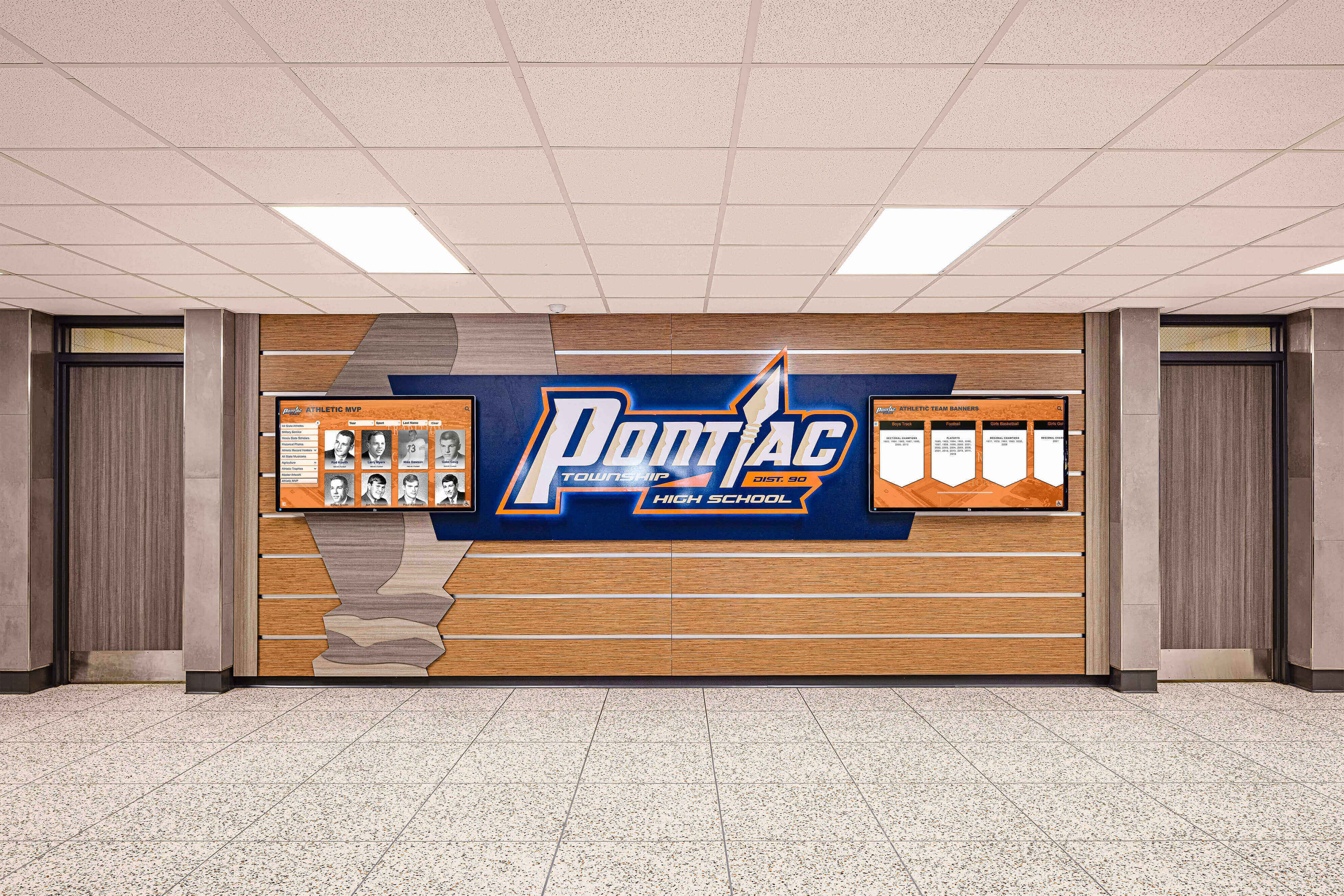
Multi-panel hallway recognition installations benefit from UPS units sized for each display cluster, ensuring that a brief campus power interruption does not corrupt media player storage or force a manual restart sequence.
Layer 5 — Inspection, Testing, and Replacement Schedule
Surge protection is not a one-time installation task. Every component in the protection stack has a finite service life, and the protection silently degrades between replacements.
Maintenance and Replacement Schedule Checklist
- ☐Inspect all point-of-use surge protector indicator lights monthly during routine display maintenance visits. Any suppressor showing a "fault," "unprotected," or amber/red indicator should be replaced immediately regardless of how recently it was installed.
- ☐Replace point-of-use surge protectors on a 2–3 year cycle or immediately after any confirmed lightning event or significant power disturbance on campus. MOVs absorb surge energy cumulatively; their capacity to protect diminishes with each event even when the indicator light remains green. A 2-year replacement cycle is conservative for high-exposure buildings; 3 years is acceptable for buildings with panel-level protection, dedicated circuits, and no recorded major events.
- ☐Inspect the panel-level SPD status indicator at the start of each school year and log the result. Panel devices degrade more slowly than point-of-use suppressors but should be replaced after absorbing large events (visible damage, burned odor, failed indicator) or on the manufacturer's service life schedule.
- ☐Conduct a full outlet grounding recheck annually, especially in older buildings where electrical work or renovation may have disturbed grounding conductors. Use a three-light outlet tester at each display outlet; a single amber light indicating a missing or open ground requires immediate correction before the display operates.
- ☐Keep a surge protection maintenance log for each display location documenting: panel SPD installation date and model, branch circuit SPD installation date and model, point-of-use suppressor installation date, model, and joule rating, UPS model, battery installation date, and last battery test result, and any surge events or power disturbances affecting the display circuit.
- ☐Cross-reference surge protection maintenance with the display vendor's warranty terms. Some display and media player warranties are voided by confirmed surge damage, but manufacturers may require documentation showing appropriate surge protection was in place to deny warranty claims for component failure. A maintained protection log supports warranty coverage disputes.
Choosing the Right Surge Protector Type for Your Display Setup
Not all surge protectors are appropriate for commercial school display environments. The table below summarizes the main options along with their appropriate use cases:
| Suppressor Type | Appropriate Use | Minimum Spec for Displays | Not Appropriate For |
|---|---|---|---|
| UL 1449 Type 1 Panel SPD | Main electrical panel, service entrance | 100 kA surge current, Category C exposure | Replacing point-of-use protection |
| UL 1449 Type 2 Panel SPD | Distribution panels, subpanels | 40–80 kA surge current rating | Buildings without Type 1 at service entrance on high-exposure sites |
| UL 1449 Type 3 Point-of-Use SPD | Display outlet, media player outlet | 2,000+ joules, SVR ≤ 400 V, EMI/RFI filtering | Replacement for panel-level protection |
| Consumer Power Strip (no UL 1449) | Desk lamps, phone chargers | Not applicable | Any commercial display installation |
| Line-Interactive UPS | Display + media player circuits | 500–1,500 VA, includes surge suppression | Replacing external surge protectors at panel level |
Schools planning interactive kiosk installations for athletic archives and alumni outreach should build the suppressor specification into the display procurement process rather than selecting a protector from whatever is available at the time of installation. Specifying the minimum joule rating, SVR, and EMI filtering requirements in the facilities RFP ensures the winning vendor delivers appropriate equipment.
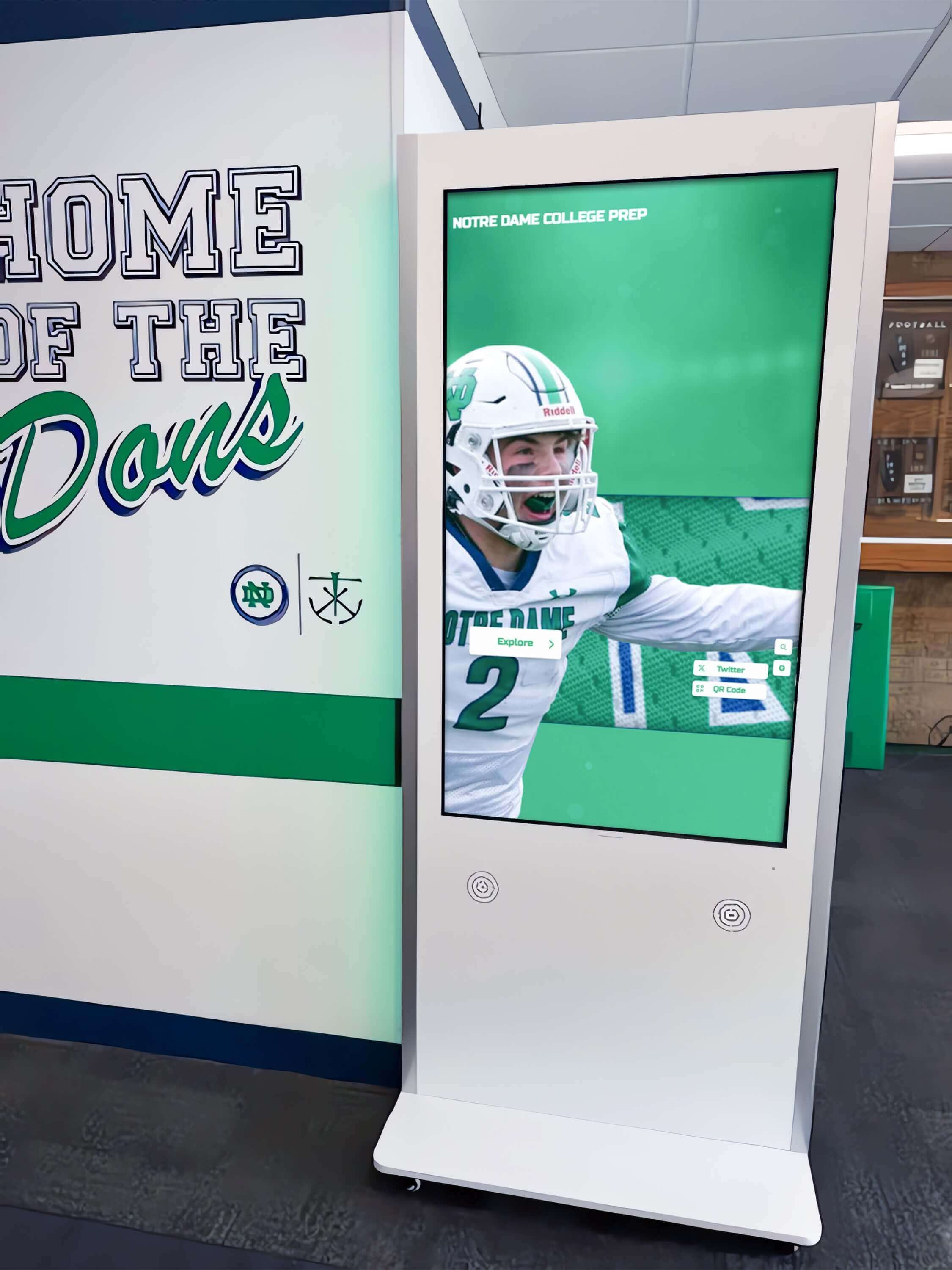
Freestanding recognition kiosks present a unique surge protection challenge: the power supply is enclosed inside the kiosk cabinet, which means the surge protector must be installed at the outlet the kiosk plugs into or inside the kiosk enclosure at the power supply input.
Protecting Media Players and Connected Equipment Specifically
The display screen itself is often the most visible concern, but the media player driving the display carries equal or greater risk. Most commercial recognition display systems rely on a small-form-factor PC, an embedded Android or ChromeOS device, or a dedicated media player appliance to manage content, maintain the cloud connection, and run the recognition software. These devices contain flash storage holding cached inductee profiles, award histories, and video content that can be corrupted or lost in a surge or an uncontrolled shutdown.
Surge entry paths for media players include:
- The power inlet (addressed by point-of-use suppressor and UPS)
- The HDMI or DisplayPort cable connecting to the display (surge can enter through display panel electronics and travel to the media player through the video cable)
- The Ethernet port (data lines carry surge energy from exterior network infrastructure or from other equipment on the LAN)
- USB ports connected to external storage or input devices
Schools that have invested in building out academic honor archives and searchable inductee databases through their recognition platforms should protect the media player’s Ethernet connection specifically. A network-rated surge protector or a surge-suppressing Ethernet coupler installed at the point where the network cable enters the display enclosure provides protection that a power-only suppressor cannot.
Media Player Surge Protection Additions
- →Install a surge-suppressing Ethernet inline adapter between the wall data port and the media player's Ethernet jack. These inline devices, rated per IEEE C62.41 Category A, clamp transient voltages on the data lines without introducing noticeable latency or throughput reduction.
- →Verify the HDMI cable routing does not pass through wall cavities with unprotected power wiring. Parallel HDMI and line-voltage cable runs in the same wall cavity can cause capacitive coupling that introduces electrical noise into the video signal. Use a cable pathway at least 6 inches away from power runs, or use shielded HDMI cables designed for in-wall installation.
- →Configure the media player's cloud sync settings to run an incremental content backup before the UPS automatic shutdown threshold. Most recognition platforms sync content from cloud storage; confirming local cache is current before shutdown means the display restores to full content on restart without requiring a full re-sync.
- →Keep a spare media player unit in IT storage for the recognition display. A media player replacement takes 15 minutes; ordering a replacement after a failure takes days. Schools with active recognition programs—especially those running [booster club and donor recognition tiers](https://digital-trophy-case.com/blog/donor-stewardship-matrix-template-gift-levels-recognition/) prominently displayed during fundraising season—cannot afford extended outages.
Environmental and Installation Factors That Increase Surge Risk
Surge protection effectiveness depends on installation context. Several common school installation scenarios increase exposure and require additional attention in the checklist:
Exterior-facing walls. Displays mounted on exterior lobby walls or in athletic fieldhouse entries have shorter physical distances to building ground entry points. Lightning coupling tends to be stronger closer to the service entrance. Exterior wall outlets are also more likely to be on circuits that were extended during construction without adding conduit to protect against induced currents from nearby strikes.
Older buildings with aluminum wiring or knob-and-tube remnants. Some school buildings constructed before 1970 retain portions of older wiring infrastructure. Aluminum wiring oxidizes at connections, increasing resistance and the likelihood of transient voltage generation at connection points. A licensed electrician should inspect circuits serving recognition displays in pre-1970 buildings before installation.
Facilities near athletic fields with metal lighting poles. Metal light pole systems extend the building’s effective capture area for lightning. Schools hosting evening athletic events during thunderstorm season should ensure that recognition displays powering down during weather delays follow an organized shutdown sequence rather than experiencing sudden loss of power when lighting control panels cut field lights.
Displays in gymnasiums or fieldhouses with variable large loads. Gymnasium lighting banks, scoreboard controllers, and public address amplifiers create repeated internal transient events whenever they switch. Recognition displays in gymnasium lobbies sharing distribution panels with these loads need robust point-of-use suppression even if the building has panel-level protection installed.
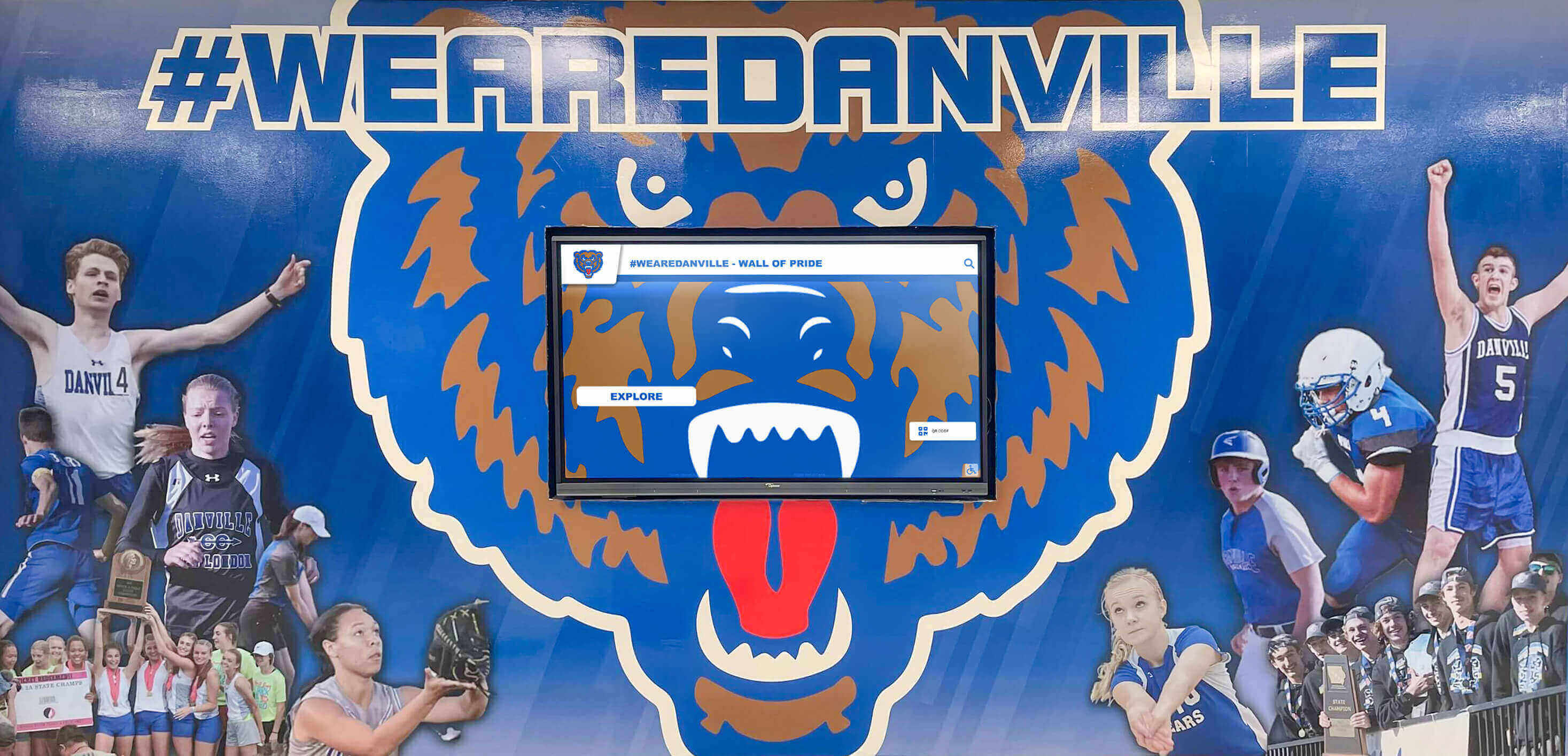
Gymnasium lobby recognition displays are exposed to internal transients from scoreboard electronics, HVAC units, and public address equipment — Layer 3 point-of-use protection with EMI/RFI filtering is especially important in these locations.
Surge Protection Planning for Multi-Display Recognition Installations
Schools adding recognition displays across multiple locations—an athletic hall of fame in the gym lobby, an academic honor board in the main hallway, and a donor recognition wall near the auditorium—face a surge protection planning challenge that goes beyond the single-display checklist. Each display circuit needs individual protection, and the installation sequence should address each location as a discrete project with its own documentation.
For multi-display campuses, extend the checklist to include:
- A campus surge protection map showing which circuits serve which displays, which panel or subpanel each circuit originates from, and where panel-level SPDs are installed
- A unified maintenance log template covering all display locations with columns for each protection layer at each site
- A priority ranking for spare surge protector and UPS battery inventory based on which displays carry the highest program visibility (inductee ceremonies, donor recognition events, athletic banquets)
- Annual coordination with the school’s electrical maintenance contractor to inspect panel SPDs across all distribution points serving recognition displays
Schools planning wrestling hall of fame installations and sport-specific recognition programs that include touchscreen kiosks in multiple athletic spaces should treat each kiosk location as its own installation with its own surge protection documentation.
Schools that have established booster organizations funding recognition programs should also brief booster club leaders on the infrastructure investment supporting the displays they help fund. When boosters understand that surge protection is a recurring line item—not a one-time purchase—they can include replacement costs in multi-year fundraising plans rather than leaving facilities teams to absorb replacement expenses out of maintenance budgets.
Get Expert Guidance on Recognition Display Infrastructure
Rocket Alumni Solutions works with school athletic directors, facilities teams, and IT coordinators to plan recognition display installations that include appropriate electrical protection specifications. See how your school's recognition program could look—and what infrastructure it needs to run reliably for years.
Request a DemoField Day and Event Season: Elevated Surge Risk Windows
School recognition displays face higher surge exposure during specific windows of the academic calendar. Athletic event seasons bring unpredictable weather, higher facility electrical loads from event lighting and sound systems, and periods when displays are most visible to families and community members—which is precisely when an outage is most damaging to the recognition program.
Schools running field day events and end-of-year recognition activities through the late spring often operate displays during the same weeks when afternoon thunderstorm activity peaks. A pre-event surge protection check—verifying indicator lights, confirming UPS battery charge, and testing the graceful shutdown sequence—takes under 10 minutes and provides meaningful risk reduction during the highest-exposure period.
The same logic applies to fall sports season. A homecoming weekend recognition display running inductee profiles and championship banners during a Friday night game is operating during peak campus electrical load and at a time when weather-related power disturbances are common. Adding a surge protection status check to the pre-homecoming facilities walkthrough costs nothing; an unprotected surge that destroys a media player’s storage during homecoming ceremonies costs the recognition program significantly more than a replacement device.
Coordinating Surge Protection with Your Recognition Platform Vendor
Many schools select cloud-managed recognition display platforms—software that maintains inductee content remotely, pushes updates automatically, and allows administrative staff to make content changes without physical access to the display. This architecture changes the recovery calculus after a surge event.
A cloud-managed platform stores canonical content remotely, which means a media player replacement after a surge event restores full content from the cloud without manual re-entry of biographical information, statistics, or award records. However, the display hardware and media player still require replacement, and the circuit still needs a protection audit before reconnecting new equipment.
When evaluating recognition display platforms, ask vendors specifically about:
- Recovery time after a media player replacement (how long to full content restoration from cloud)
- Any on-device storage that is not backed up to the cloud (custom configuration files, downloaded video assets)
- Whether the platform includes remote monitoring that can detect a display going offline and alert administrators—which may indicate a power event at the display location
Schools building institutional history archives across generations through their recognition platforms have built irreplaceable content into these systems. A surge protection strategy combined with cloud-managed content architecture provides two independent layers of content protection: electrical protection for the hardware and remote backup for the content.
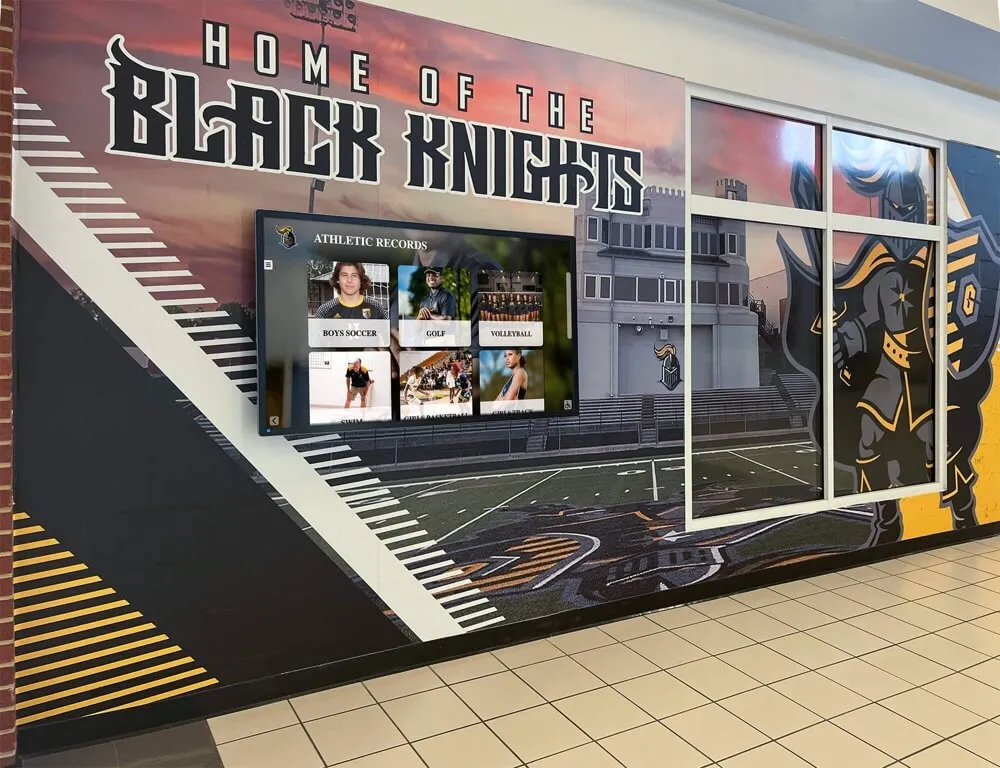
A recognition display pairing cloud-managed content with proper surge protection provides double protection: hardware survives electrical events, and content survives hardware failures through remote backup.
Summary: The Five-Layer Protection Stack
Every school recognition display—whether a single lobby screen, a gymnasium interactive kiosk, or a multi-panel hallway installation—benefits from all five protection layers working together. Panel protection handles the largest external events. Branch circuit protection isolates internal transients. Point-of-use suppressors catch residual surge energy and EMI. UPS protection handles outages and brownouts with graceful shutdown. And a documented maintenance schedule ensures protection remains active year after year rather than degrading silently while staff assume the equipment is still covered.
The checklist items in each layer are independent action items any facilities coordinator or IT staff member can work through systematically. None of them require specialized electrical expertise to verify, though Layer 1 panel installation and Layer 2 circuit work do require a licensed electrician to perform if they are not already in place.
Running through this checklist once before a display goes live, and again each summer before the school year begins, is the most cost-effective insurance available for a recognition investment that represents years of athletic history, donor contributions, and community identity.
See How Rocket Alumni Solutions Supports Safe, Maintainable Recognition Installations
Rocket Alumni Solutions helps schools plan recognition display installations from initial site assessment through electrical protection specifications, content strategy, and long-term platform support. Request a demo to see what your school's recognition program could look like—and what it takes to keep it running reliably.
Request Your Demo






























