




Smart board interactive displays have revolutionized how educators teach, trainers instruct, and institutions engage their communities. These large-format touchscreen systems transform static presentation walls into dynamic, collaborative learning environments where content comes alive through direct manipulation, multimedia integration, and instant annotation capabilities that traditional whiteboards and projectors simply cannot match.
Educational institutions and training facilities face mounting pressure to deliver engaging, technology-enhanced experiences that resonate with digital-native learners while accommodating diverse learning styles and accessibility requirements. Traditional presentation methods—whether chalk boards, dry-erase surfaces, or projection systems—create one-way communication flows where instructors present and audiences passively receive information with limited opportunities for interaction or hands-on exploration.
This comprehensive guide explores smart board interactive display technology from strategic planning through daily operation, covering essential capabilities that define modern systems, implementation considerations for educational and training environments, content strategies maximizing engagement and learning outcomes, accessibility features ensuring inclusive experiences, and proven approaches for sustainable long-term operation that delivers ongoing value rather than becoming expensive unused equipment gathering dust.
Smart board interactive displays represent more than upgraded presentation tools—they fundamentally reshape instructional dynamics by enabling collaborative interaction where multiple participants simultaneously contribute, supporting varied learning modalities through visual, auditory, and kinesthetic engagement, facilitating instant content capture preserving annotations and work for future reference, connecting seamlessly with personal devices extending participation beyond the display itself, and adapting flexibly across subjects and disciplines from mathematics through arts and humanities.

Modern interactive displays integrate seamlessly into educational environments, creating technology-enhanced spaces that support both instruction and independent student exploration
Understanding Smart Board Interactive Display Technology
Before evaluating specific products or planning implementations, understanding the core technologies and capabilities distinguishing modern smart board systems from traditional presentation tools provides essential context for informed decision-making.
Core Technology Components and Capabilities
Smart board interactive displays combine multiple integrated technologies creating unified systems exceeding the sum of individual components.
Touch-Responsive Display Surfaces
Modern smart boards utilize advanced touchscreen technology—typically capacitive or infrared sensing systems—detecting precise finger and stylus positions across large display surfaces ranging from 55 inches through 98+ inches diagonal. Unlike resistive touchscreens requiring physical pressure that degrades over time, contemporary capacitive and infrared systems support light-touch interaction, simultaneous multi-user input with 10-20+ touch points, palm rejection enabling natural writing without accidental marks, and exceptional durability through millions of touch cycles without performance degradation.
This responsive surface transforms displays from passive viewing screens into active workspaces where instructors and learners directly manipulate content, annotate materials, demonstrate concepts through gesture and drawing, and collaborate simultaneously on shared digital canvases.
Integrated Computing Power
Professional smart board systems incorporate built-in computing platforms running specialized interactive software, eliminating dependence on external computers and simplifying operation. Integrated systems provide instant-on operation without boot delays, dedicated resources ensuring smooth performance during intensive tasks, simplified cable management reducing installation complexity, unified support from single vendors rather than coordinating multiple suppliers, and often lower total cost of ownership compared to separate display and computer purchases.
Computing specifications matter significantly for performance—modern interactive displays benefit from minimum Intel i5 or equivalent processors, 8GB+ RAM supporting multimedia and multiple applications, solid-state storage providing fast content access and reliability, and robust graphics capabilities ensuring fluid annotation and video playback.
Collaborative Software Ecosystems
The software defining smart board experiences determines functionality, usability, and long-term value more than hardware specifications alone. Leading platforms provide interactive whiteboarding with infinite canvas spaces, multi-user collaboration supporting simultaneous contributors, content libraries offering subject-specific templates and resources, screen capture and recording documenting sessions for review, cloud integration enabling content access across devices, and compatibility with popular educational and productivity applications.
Solutions like Rocket Alumni Solutions demonstrate similar integrated approaches for institutional recognition and engagement applications—combining purpose-built hardware with specialized software creating comprehensive systems optimized for specific educational and organizational needs rather than generic consumer displays repurposed for professional use.
Smart Boards vs. Traditional Presentation Technology
Understanding how interactive displays compare with established alternatives clarifies value propositions and appropriate use cases.
Beyond Projector-Based Interactive Whiteboards
Earlier “smart board” generations relied on projectors displaying onto touch-sensitive surfaces. While interactive, these systems suffered from critical limitations including projector bulb maintenance requiring periodic replacement, shadow casting when users stood before displays, ambient light sensitivity reducing visibility in bright rooms, lower image quality compared to direct display technologies, and separate component complexity increasing installation and support requirements.
Modern flat-panel interactive displays eliminate these compromises through brilliant direct LED or OLED display panels visible even in bright environments, no consumable components requiring replacement, shadow-free interaction regardless of user positioning, ultra-high-definition 4K resolution supporting detailed content, and integrated all-in-one construction simplifying installation and operation.

Purpose-built interactive displays deliver reliability and performance that consumer displays cannot match in demanding educational environments
Advantages Over Traditional Whiteboards
While dry-erase boards remain ubiquitous in educational and training settings, smart board interactive displays offer compelling advantages including unlimited digital “writing” space through scrollable infinite canvases, perfect content preservation saving all work automatically, instant sharing distributing materials to all participants digitally, rich multimedia integration combining text, images, video, and audio, searchable archives enabling retrieval of past sessions, and environmental benefits eliminating marker waste and chemical cleaners.
Organizations exploring modern display technologies benefit from understanding types of screens used for digital signage to make informed technology selections matching specific requirements and environments.
Strategic Applications in Educational Settings
Educational institutions from elementary schools through universities implement smart board interactive displays across diverse applications beyond classroom instruction alone.
Primary and Secondary Education Classrooms
K-12 environments benefit enormously from interactive display technology supporting varied instructional approaches and learning needs.
Interactive Lesson Delivery
Smart boards transform traditional lecture-based instruction into participatory experiences where students directly engage with content. Science teachers overlay animations demonstrating cellular processes atop static diagrams. Mathematics instructors work problems collaboratively with students contributing steps at the board. History educators annotate timelines and maps building contextual understanding. And language arts classes analyze texts together highlighting passages and noting observations visible to all.
This direct content manipulation creates stronger learning connections compared to passive viewing—research consistently demonstrates that kinesthetic interaction enhances retention and comprehension, particularly for visual and tactile learners who struggle with purely verbal or text-based instruction.
Differentiated Instruction Support
Diverse classroom populations include students with varied learning speeds, prior knowledge, abilities, and engagement preferences. Interactive displays support differentiation through multi-level content presentations addressing different ability levels, visual and multimedia alternatives serving varied learning styles, collaborative activities enabling peer learning and support, instant formative assessment through interactive quizzes and polls, and screen recording capabilities allowing students to review lessons at their own pace.
Teachers implementing library touchscreen interactive displays and classroom smart boards report that technology integration particularly benefits students who previously disengaged from traditional instruction methods.
Intuitive touch interfaces enable natural interaction patterns that even young students master quickly without extensive training
Higher Education and University Applications
College and university environments leverage interactive display technology across instruction, collaboration, and institutional engagement functions.
Lecture Hall and Seminar Room Integration
University instruction spans intimate seminar discussions through large lecture halls with hundreds of students. Smart board systems scale across these contexts through appropriately sized displays matching room dimensions, wireless presentation capabilities enabling instructor mobility, student device integration supporting bring-your-own-device participation, lecture capture recording sessions for remote and asynchronous learners, and collaborative tools facilitating group work and peer instruction methodologies.
Advanced implementations support hybrid and remote learning models where in-person and online students participate simultaneously—interactive displays become shared workspaces visible to both audiences through video conferencing integration and real-time digital collaboration.
Research Collaboration and Innovation Spaces
Beyond traditional classrooms, universities establish collaborative innovation labs, maker spaces, and research centers where interdisciplinary teams develop projects requiring visual collaboration. Interactive displays in these environments support design thinking workflows through digital whiteboarding brainstorming sessions, project management visualization tracking complex initiatives, data visualization enabling collaborative analysis, prototype demonstration and review, and documentation capturing design evolution across project lifecycles.
Institutions implementing campus directory touchscreen displays often discover additional applications for interactive technology across campus environments, creating comprehensive digital engagement ecosystems.
Training Facilities and Corporate Learning Environments
Professional development and corporate training contexts utilize smart board technology enhancing adult learning experiences and organizational effectiveness.
Skills Development and Certification Training
Technical training programs teaching specialized skills—from healthcare procedures through industrial operations—benefit from interactive visual instruction. Trainers display detailed process diagrams that trainees annotate with notes. Video demonstrations pause for discussion and replay of critical steps. Assessment quizzes provide immediate feedback on comprehension. And simulation software runs directly on integrated displays eliminating equipment switching and complexity.
This multimedia, interactive approach accelerates skill acquisition compared to traditional classroom lectures supplemented with separate hands-on practice—learners engage visual, auditory, and kinesthetic learning modalities simultaneously rather than sequentially.
Meeting and Collaboration Spaces
Corporate meeting rooms equipped with smart board interactive displays transform routine discussions into productive collaborative sessions. Teams brainstorm on shared digital whiteboards preserving all contributions. Project planning maps visually on large canvases everyone simultaneously edits. Data presentations become interactive explorations where participants drill into details. And remote participants join seamlessly through screen sharing and video conferencing integration.
Organizations modernizing facilities often coordinate interactive display installations with complementary improvements like school lobby furniture creating cohesive technology-enhanced environments that support varied activities from instruction through social gathering.

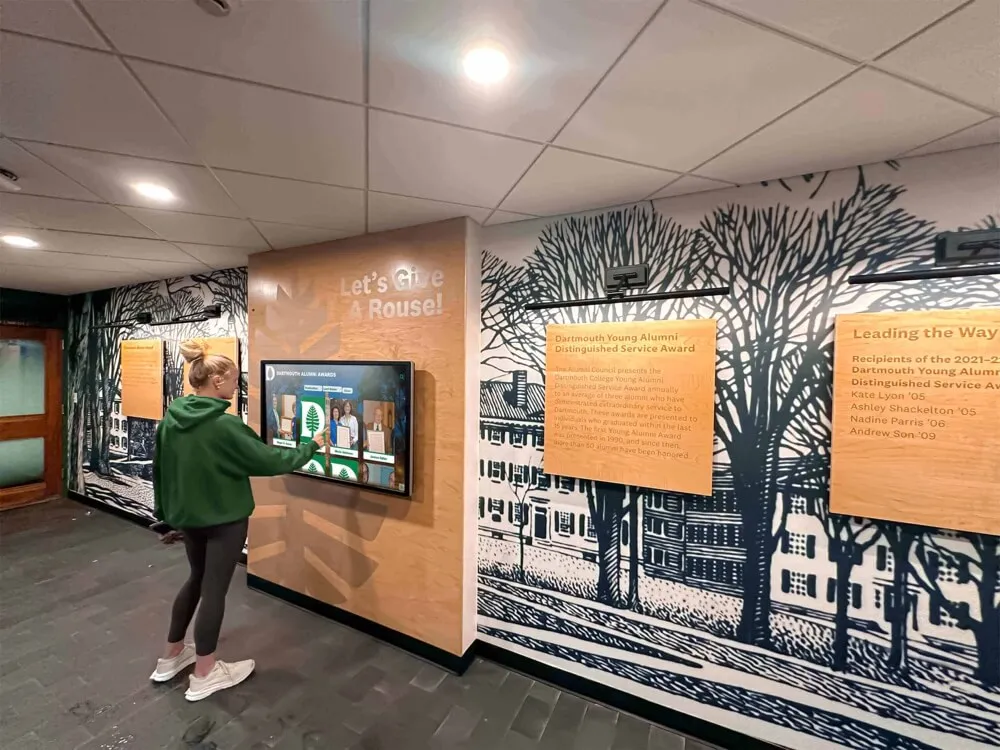
Interactive displays extend beyond classrooms into common areas, creating institutional engagement opportunities throughout facilities
Beyond Instruction: Institutional Engagement Applications
Smart board technology serves purposes extending beyond direct teaching and training activities.
Recognition and Community Building
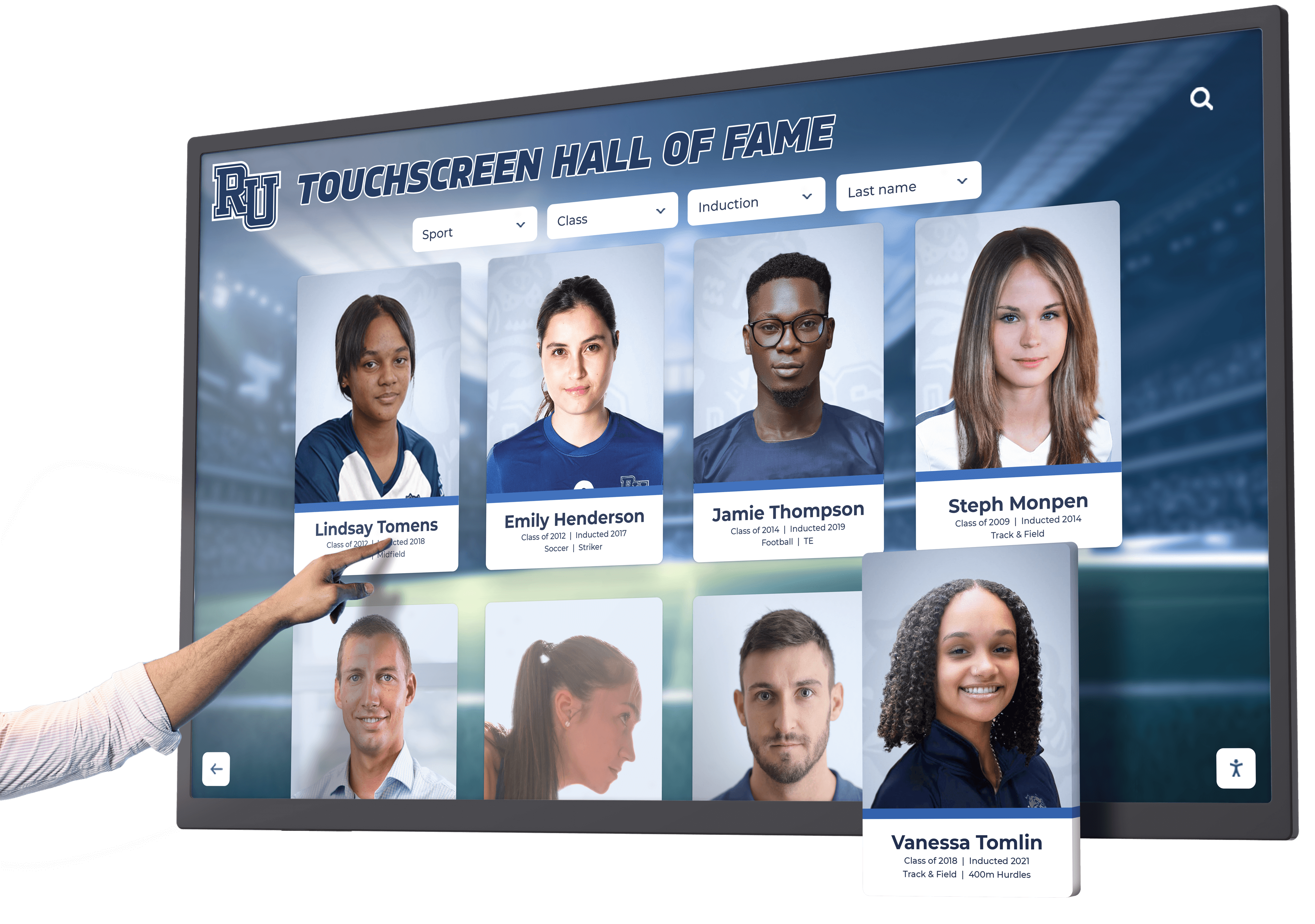
Educational institutions and training organizations use interactive displays celebrating achievements and building community identity. Digital halls of fame showcase student accomplishments, athletic records, academic honors, and alumni success stories. Interactive timelines document institutional history creating connections to heritage and tradition. And recognition displays highlight current student work from art portfolios through research projects.
These applications leverage similar technology as instructional smart boards but serve fundamentally different purposes—building pride, preserving memory, and engaging broader communities including families, alumni, and visitors beyond daily students and staff.
Organizations implementing comprehensive recognition programs discover that solutions like digital class composite displays create lasting engagement extending far beyond traditional trophy cases and static plaques.
Essential Features and Capabilities
When evaluating smart board interactive display systems, several key capabilities distinguish professional solutions from basic touchscreens repurposed for educational use.
Display Quality and Viewing Experience
Visual presentation quality directly impacts instructional effectiveness and user experience.
Resolution and Screen Size Considerations
Modern smart boards should provide 4K Ultra HD resolution (3840 × 2160 pixels) delivering exceptional clarity for detailed content visibility from anywhere in rooms. Screen size selection depends on viewing distance and room dimensions—55-65 inch displays suit small seminar rooms and collaboration spaces, 75-86 inch systems serve standard classrooms accommodating 20-30 students, and 98+ inch displays support large lecture halls and auditoriums where rear-seated viewers require maximum visibility.
Anti-glare and anti-reflective coatings prove essential for installations in rooms with windows or bright overhead lighting. Without proper optical treatment, glare creates viewing difficulties and forces room darkening that many educational environments cannot accommodate.
Color Accuracy and Brightness
Professional displays provide calibrated color reproduction ensuring accurate presentation of images, video, and design work. Brightness specifications of 350+ nits ensure visibility even in well-lit environments without requiring dimmed lighting that causes drowsiness and disengagement.
Wide viewing angles—178 degrees horizontal and vertical—prevent color shifting and contrast reduction for students seated off-center from displays, ensuring equivalent experiences regardless of seating position.
Touch Technology and Interaction Capabilities
Touch responsiveness determines whether interactions feel natural and fluid or frustrating and imprecise.
Multi-Touch and Simultaneous User Support
Modern capacitive and infrared touch systems should support minimum 10 simultaneous touch points enabling multiple users to write, draw, and manipulate content concurrently. Advanced systems recognize 20-40+ touch points supporting entire small groups working together at displays.
Palm rejection technology distinguishes intentional finger and stylus touches from incidental contact with palms and forearms resting on screens during writing—essential for natural annotation that mirrors traditional whiteboard experiences without requiring awkward hand positioning.
Stylus and Writing Experience
Dedicated active styluses provide precision writing and drawing capabilities exceeding finger-based input. Quality systems offer sub-millimeter accuracy approaching natural pen-on-paper precision, pressure sensitivity enabling variable line weights and artistic expression, tilt recognition for shading and calligraphic effects, and minimal latency with ink appearing instantly without perceptible lag.
Some implementations support passive styluses or ordinary objects as writing tools, though active stylus systems typically deliver superior writing experiences approaching traditional pen quality.
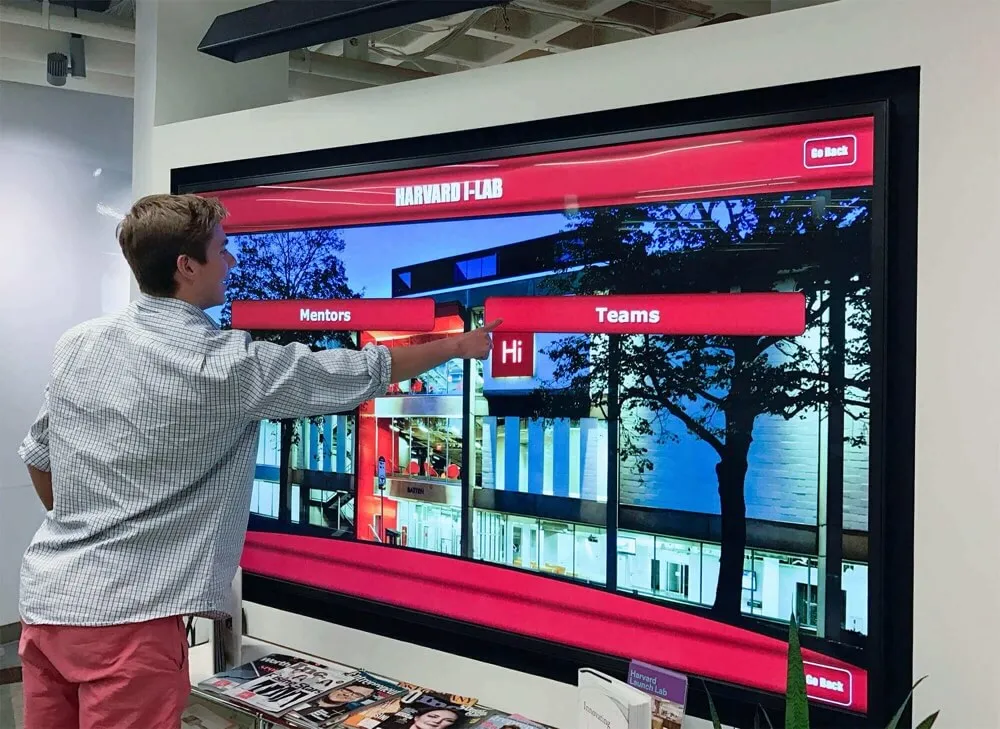
Natural, responsive touch interaction eliminates barriers between users and digital content, creating intuitive experiences requiring minimal training
Software Capabilities and Integration
Hardware quality matters little without robust, capable software driving experiences and enabling productive workflows.
Whiteboarding and Annotation Tools
Core smart board software provides infinite canvas whiteboarding with unlimited space for brainstorming and planning, rich annotation tools including pens, highlighters, shapes, and text, object manipulation through move, resize, rotate, and layer operations, templates and backgrounds supporting varied subjects and activities, and advanced tools like rulers, protractors, and graphing systems for mathematics and sciences.
The best platforms balance feature richness with interface simplicity—powerful capabilities remain accessible through intuitive controls rather than requiring complex menu navigation or extensive training.
Content Library and Resource Access
Professional educational platforms include curated content libraries offering subject-specific lesson templates and activities, interactive simulations and manipulatives particularly valuable for mathematics and sciences, assessment tools including quizzes and polls, multimedia resources from images through video, and searchable repositories enabling quick location of materials across vast collections.
Integration with educational content providers and curriculum platforms extends available resources beyond built-in libraries, ensuring access to comprehensive materials aligned with standards and learning objectives.
Organizations managing content across multiple displays and applications benefit from understanding school history software approaches that enable systematic content management and consistent experiences.
Connectivity and Device Integration
Modern learning environments include diverse devices requiring seamless connectivity and collaboration.
Wireless Screen Sharing and Mirroring
Smart boards should support wireless connection from student and instructor devices including laptops, tablets, and smartphones across platforms—Windows, macOS, iOS, Android, and ChromeOS. Wireless presentation eliminates cable dependency enabling instructor mobility and student-led presentations without physical connection requirements.
Advanced systems support simultaneous multi-device display showing content from several sources concurrently—valuable for comparison activities and collaborative presentations where teams present work side-by-side.
Cloud Integration and Content Synchronization
Cloud-connected smart board systems enable seamless workflows where content created on displays automatically syncs to cloud storage accessible from any device, annotations and notes made during sessions distribute to all participants, work begun on classroom displays continues on personal devices outside class, and institutional content libraries update automatically ensuring access to current materials.
This cross-device continuity extends learning beyond fixed classroom times and locations, supporting flipped classroom models, hybrid learning, and anywhere-anytime access to materials.
Implementation Planning and Best Practices
Successful smart board deployments require thoughtful planning addressing technical, pedagogical, and operational considerations beyond simply purchasing equipment.
Needs Assessment and Technology Selection
Different institutions have unique requirements demanding customized rather than one-size-fits-all approaches.
Defining Primary Use Cases and Requirements
Begin by clearly articulating intended applications—will displays primarily support whole-class instruction, small group collaboration, student presentations, institutional engagement, or multiple purposes? Different use cases prioritize different capabilities. Instruction-focused implementations emphasize annotation tools and curriculum integration. Collaboration applications prioritize multi-user interaction and wireless device connectivity. Recognition applications require content management systems and attractive template designs.
Involving stakeholders representing varied perspectives—teachers, students, IT staff, administrators, facilities managers—ensures requirements capture actual needs rather than assumed specifications that prove misaligned with real usage patterns.
Room-by-Room Requirements Analysis
Within single institutions, different spaces often warrant different technology solutions. Large lecture halls require massive displays with powerful audio systems. Standard classrooms need versatile systems supporting varied subjects. Collaboration spaces prioritize multi-user capabilities and flexible furniture arrangements. And common areas hosting recognition displays demand attractive designs complementing architectural aesthetics.
Room-by-room analysis considers viewing distances determining optimal screen sizes, ambient lighting conditions affecting display specifications, acoustic characteristics influencing audio requirements, existing technology requiring integration or replacement, and physical constraints including wall construction, power availability, and network connectivity.
Installation and Infrastructure Considerations
Proper installation ensures optimal performance, longevity, and user experience quality.
Mounting Height and Viewing Angles
Display positioning dramatically impacts usability and accessibility. Optimal mounting positions primary viewing area—typically the center third of screen height—at seated eye level for students, generally 42-48 inches from floor to center screen. Lower mounting better serves elementary students and wheelchair users while higher positions suit secondary and higher education where most students are taller.
Tilting displays 5-10 degrees downward improves viewing from rear seats and reduces ceiling light reflection into screens. Excessive tilt creates awkward writing angles, so balance visibility and interaction ergonomics.
Strategic display positioning ensures comfortable viewing and interaction for all users regardless of height or seating location
Network Infrastructure and Bandwidth Requirements
Smart boards with cloud integration, wireless presentation, and video conferencing capabilities demand robust network connectivity. Wired gigabit Ethernet provides most reliable performance for primary connectivity. Wireless access points should deliver 802.11ac or 802.11ax (Wi-Fi 6) speeds supporting multiple simultaneous device connections without congestion.
Adequate bandwidth proves essential when displays simultaneously stream video content, sync to cloud services, support wireless presentation from multiple devices, and participate in video conferences. Plan for minimum 100 Mbps dedicated bandwidth per display with gigabit connectivity for installations supporting bandwidth-intensive applications.
Power and Cable Management
Professional installations conceal cables and power connections creating clean aesthetics while preventing damage and safety hazards. In-wall conduit routing from display mounting locations to equipment closets provides optimal cable protection and concealment. Surface-mounted cable raceways offer retrofit solutions where in-wall routing proves impractical.
Dedicated electrical circuits prevent displays from overloading general-purpose outlets shared with other classroom equipment. Surge protection safeguards expensive equipment from power fluctuations and lightning damage.
Professional Development and Adoption Support
Technology alone doesn’t transform education—effective implementation requires instructor capability and confidence using new tools productively.
Structured Training Programs
Comprehensive professional development spans basic operation through advanced pedagogical integration. Initial training covers hardware operation including power on/off, input selection, and basic touch interaction, core software features like whiteboarding and annotation, wireless device connection and screen sharing, content saving and retrieval, and troubleshooting common issues without IT support.
Advanced training explores subject-specific applications demonstrating how technology enhances particular disciplines, collaborative learning strategies leveraging multi-user capabilities, formative assessment integration using polling and quiz features, flipped classroom models combining in-class and remote learning, and accessibility features supporting diverse learner needs.
Ongoing Support and Community Building
Beyond initial training, sustained adoption requires ongoing support through dedicated help desk resources for technical issues, peer mentorship programs connecting experienced users with novices, collaborative planning time for teachers to develop lessons together, demonstration lessons showcasing effective practices, and regular professional learning communities sharing successes and troubleshooting challenges.
Institutions successfully implementing technology-enhanced learning discover that approaches similar to teacher appreciation week ideas that celebrate educator innovation help build cultures of experimentation and continuous improvement.
Accessibility and Inclusive Design
Smart board interactive displays should serve all learners including those with varied abilities, ensuring technology enhances rather than limits educational access.
Physical Accessibility Standards
Installations must accommodate users with diverse physical capabilities and mobility needs.
ADA Compliance and Universal Design
The Americans with Disabilities Act establishes accessibility standards for educational technology. Interactive displays should position primary controls and interaction areas within reach ranges—maximum 48 inches high for side approach, 44 inches for front approach. Lower portions of interactive surfaces should remain above 15 inches accommodating wheelchair users unable to reach very low positions.
Clear floor space of minimum 30 × 48 inches enables wheelchair approach without obstruction. And displays should avoid placement requiring reaching across tables or other barriers preventing close approach.
Alternative Input Methods
While touch interaction provides primary control, inclusive designs offer alternatives for users unable to use touchscreens effectively. Bluetooth keyboard and mouse support accommodates users with motor control challenges. Voice control integration assists users with limited mobility. And wireless device connectivity enables students to interact through personal devices configured with assistive technologies.
Sensory and Cognitive Accessibility
Beyond physical access, inclusive designs support varied sensory and cognitive needs.
Visual Accessibility Features
Smart boards should support interface customization including high-contrast color schemes benefiting users with low vision, adjustable text sizing ensuring readability for varied visual capabilities, screen magnification enabling detailed examination, and color independence ensuring information isn’t conveyed through color alone for users with color blindness.
Text-to-speech capabilities help students with reading difficulties by converting displayed text to audio narration. And compatibility with screen reader software ensures that visually impaired students using assistive technology can access content independently.
Cognitive and Learning Accessibility
Clear, consistent interfaces benefit all users but prove essential for students with cognitive disabilities or learning differences. Simplified navigation with obvious affordances reduces confusion. Consistent interaction patterns across applications prevent disorientation. And undo/redo capabilities enable confident exploration without fear of irreversible mistakes.
Multi-modal content presentation serving varied learning styles—combining visual, auditory, and interactive elements—helps students with learning differences engage through modalities matching their strengths rather than struggling with approaches emphasizing their challenges.
Organizations implementing accessible technology often coordinate efforts across multiple applications, applying insights from digital wall mount displays for nonprofits and other inclusive design implementations.
Content Strategy and Engagement Optimization
Hardware and software capabilities alone don’t ensure effective learning experiences—thoughtful content design and instructional strategies determine whether technology enhances or merely decorates education.
Designing Interactive Learning Activities
Effective smart board activities leverage technology capabilities that traditional instruction cannot replicate.
Collaborative Problem-Solving Exercises
Multi-user touch capabilities enable genuinely collaborative activities where small groups simultaneously contribute to shared digital workspaces. Mathematics problems work out collectively with different students solving different steps. Science diagrams get labeled by multiple participants identifying components. And writing activities develop collaboratively with students contributing sentences building shared compositions.
This simultaneous collaboration differs fundamentally from traditional turn-taking where students work individually or wait for opportunities to participate—everyone engages continuously rather than watching others work.
Interactive Simulations and Manipulatives
Digital manipulatives provide hands-on learning without physical materials requiring storage, distribution, and cleanup. Fraction bars resize and combine demonstrating equivalent values. Geometric shapes rotate and arrange exploring spatial relationships. Virtual laboratory equipment conducts experiments impossible or dangerous with real materials. And historical timelines reorganize examining cause-and-effect relationships.
These interactive tools particularly benefit subjects where physical manipulatives prove expensive, fragile, hazardous, or impractical for whole-class simultaneous use.
Organizations creating engaging interactive experiences across contexts discover that principles from elementary school assembly ideas that capture attention and maintain interest apply equally to classroom instruction and institutional engagement applications.
Multimedia Integration Best Practices
Smart boards excel at combining varied media types creating rich, multisensory learning experiences.
Effective Use of Video Content
Video engages students and provides access to experiences beyond classroom walls—virtual field trips, expert interviews, historical footage, and process demonstrations. Effective integration positions videos purposefully within lessons rather than consuming entire periods with passive viewing. Brief clips (2-5 minutes) illustrate specific concepts. Pause and discuss features enable active viewing with periodic reflection. And annotation capabilities allow highlighting key moments and adding notes directly onto video frames.
Balancing Media Richness and Cognitive Load
While multimedia capabilities tempt overloading presentations with simultaneous animations, sounds, images, and text, research on cognitive load demonstrates that excessive stimulation impairs rather than enhances learning. Effective presentations introduce elements sequentially building complexity gradually rather than overwhelming with everything simultaneously. Animations illustrate specific concepts then pause rather than running continuously creating distraction. And audio narration complements rather than duplicating displayed text.
Maintenance and Long-Term Operation
Smart board investments require sustained attention ensuring continued reliable operation and value delivery across multi-year service lives.
Routine Care and Maintenance
Proper care extends equipment lifespans while maintaining optimal performance and appearance.
Screen Cleaning and Surface Care
Interactive display screens accumulate fingerprints, dust, and smudges degrading visual quality and potentially affecting touch sensitivity. Regular cleaning using microfiber cloths slightly dampened with water or display-safe cleaning solutions maintains clarity and responsiveness. Avoid harsh chemicals, abrasive materials, or excessive moisture that damage anti-glare coatings and electronic components.
Establish cleaning schedules—daily light cleaning removing fresh fingerprints and weekly thorough cleaning addressing accumulated residue—rather than waiting until screens become noticeably dirty requiring aggressive cleaning potentially damaging surfaces.
Software Updates and Security
Smart board operating systems and applications require regular updates providing security patches, bug fixes, new features, and performance improvements. Enable automatic updates where feasible ensuring systems remain current without requiring manual intervention. Where manual updates prove necessary, establish scheduled maintenance windows performing updates during breaks or non-instructional periods avoiding disruption.
Security updates deserve particular attention for network-connected devices potentially vulnerable to malware and unauthorized access. Work with IT departments ensuring smart boards integrate into institutional security and patch management programs rather than operating as neglected endpoints.
Troubleshooting Common Issues
Despite quality equipment and proper care, occasional problems inevitably arise requiring systematic troubleshooting.
Touch Responsiveness Problems
If touch sensitivity degrades—either failing to register touches or registering inaccurate positions—first attempt touchscreen recalibration through display settings or calibration utilities. Accumulated dirt or damage to screen surfaces can cause touch detection failures requiring cleaning or in severe cases screen replacement. And software conflicts or driver issues may require reinstallation or system updates.
Connectivity and Integration Failures
Wireless presentation problems often stem from network issues rather than display defects. Verify that access points provide adequate signal strength and bandwidth. Ensure wireless presentation software remains current on both displays and connecting devices. And confirm that network configurations allow required protocols and ports rather than blocking connections through overly restrictive security policies.
Get Your Touchscreen Mock-Up
Discover how interactive display technology can transform your educational or training facility. Request a custom design preview showing exactly how modern touchscreen solutions engage your community while celebrating achievements and institutional heritage.
Book a DemoConclusion: Transforming Education Through Interactive Technology
Smart board interactive displays represent far more than expensive substitutes for traditional whiteboards and projectors—when thoughtfully selected, professionally implemented, and effectively integrated into instructional practices, these systems fundamentally transform teaching and learning dynamics creating engaging, collaborative, accessible experiences impossible through conventional approaches.
Success requires attention spanning technology selection matching specific needs and environments, professional installation ensuring optimal positioning and infrastructure support, comprehensive training building educator confidence and capability, inclusive design serving all learners regardless of abilities, thoughtful content strategies leveraging unique interactive capabilities, and sustained maintenance preserving long-term value and reliability.
Educational institutions and training facilities implementing smart board technology report measurable improvements in student engagement metrics, learning outcome assessments, instructor satisfaction surveys, and institutional culture indicators. These improvements translate directly to core mission advancement—better educated students, more effective training programs, stronger community connections, and enhanced institutional reputations attracting students, families, and support.
Whether equipping single classrooms, upgrading entire buildings, or planning comprehensive technology transformations across multi-campus organizations, smart board interactive displays deserve serious consideration as foundational educational technology investments delivering value measured in years if not decades of enhanced teaching and learning experiences.
Beyond instructional applications, organizations discover that interactive display technology serves broader institutional engagement purposes. Solutions like Rocket Alumni Solutions demonstrate how similar touchscreen platforms celebrate achievements through digital trophy case alternatives, preserve heritage through interactive archives, recognize community contributions through digital donor walls, and build pride connecting current community members with institutional traditions and legacies.
Ready to explore interactive display possibilities for your institution? Discover comprehensive solutions combining professional hardware, purpose-built software, expert implementation support, and ongoing content management assistance ensuring successful deployments that deliver lasting value rather than becoming expensive unused equipment gathering dust in storage closets.































