



Every school athletic program faces the same creative crunch: the Friday night game arrives, and the social feed, scoreboard graphics, lobby screens, and broadcast overlays all need fresh visuals built around this week’s roster. Sports graphics software has become as essential to the athletic communications toolkit as a camera bag or a PA system—yet most schools treat it as a standalone production tool rather than the front end of a year-round recognition pipeline.
The schools getting the most value from their graphics investments have figured out a smarter workflow. The player spotlight card created for the Thursday preview post becomes the seed of a hall-of-fame profile. The record-breaking game stat formatted for a halftime slide feeds directly into the athletic record board displayed in the lobby. The sponsor rotation running on the gymnasium Jumbotron maps to the same sponsor recognition module on the touchscreen wall of fame. Game-day content and permanent recognition content aren’t two separate projects—they share the same visual DNA and the same underlying data.
This guide explores what schools genuinely need from sports graphics software, how to evaluate the options on the market, and how to design a workflow where every asset you create at tipoff ends up earning its keep on a recognition display long after the final buzzer.
Athletic departments that build intentional connections between their game-day production pipeline and their permanent recognition infrastructure report a measurable payoff: content creation labor drops because assets are designed once and reused across contexts, and recognition displays stay fresher because the game-day workflow naturally generates updated material. The investment in good sports graphics and school game-day visuals pays dividends far beyond Friday night.

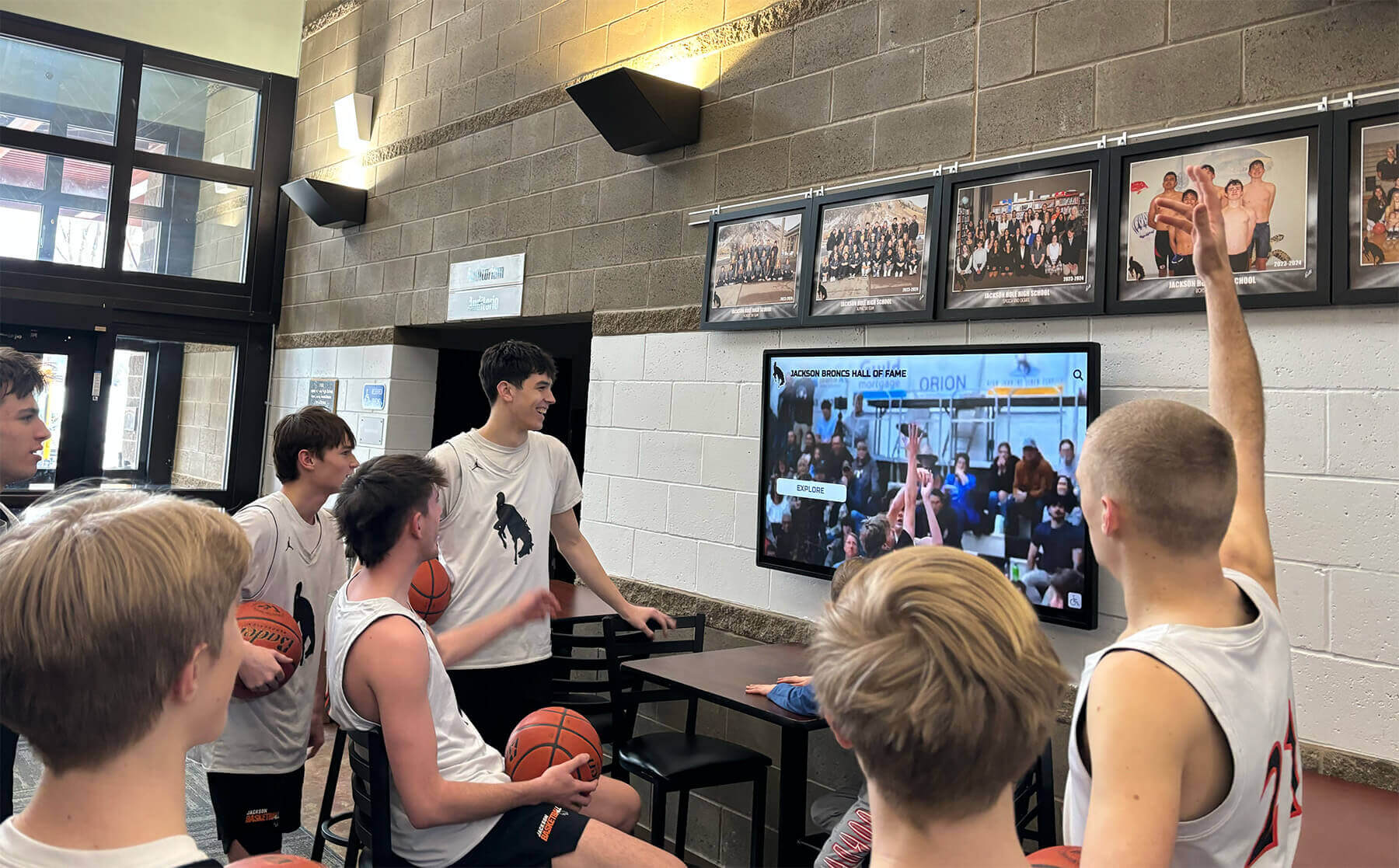
Game-day highlight graphics displayed in the lobby extend the life of in-season content by connecting it to the permanent recognition environment students pass every day
What Schools Actually Need from Sports Graphics Software
Before comparing specific tools or subscription tiers, it helps to map out the four distinct content categories that school athletic programs create graphics for—because the best software for your situation depends on which categories dominate your workflow.
Game-Day Presentation Graphics
These are the assets that live on screens during competitions: starting lineup cards, player introductions, stat overlays, score graphics, timeout slides, and senior night tributes. They’re time-sensitive, they need to match your school’s branding precisely, and they’re typically produced by a student media team or a single athletic communications staffer under real deadline pressure.
Good sports graphics software for this category provides sport-specific template libraries, drag-and-drop roster population, and export formats compatible with the software driving your scoreboard, streaming overlay, or presentation display. Resolution flexibility matters here—a graphic that looks sharp on a 1080p scoreboard may need to scale up for a 4K lobby display or down for a social story without manual rework.
Athlete Spotlight Cards
Spotlight graphics serve double duty: they fire on social media during the week leading up to competition and they anchor the recognition story for each athlete throughout the season. A well-designed spotlight template includes the athlete’s photo, number, position, stats, and a brief achievement callout—and that structure happens to be identical to what a digital hall of fame profile needs.
Schools that standardize their spotlight card format early in the season find they’ve essentially pre-built their end-of-year recognition content. The sports picture day workflow that produces the season’s headshots becomes the same photo library that populates recognition displays at the year-end banquet and, eventually, the permanent touchscreen wall of fame.
Sponsor Slides and Partner Recognition
Sponsor rotation is often treated as a graphic design afterthought, but it’s actually one of the most strategically important things a school displays on game day. Partners who see their logos displayed professionally are far more likely to renew. Schools that can demonstrate sponsor visibility across multiple touchpoints—scoreboard rotations, lobby screens, digital program inserts, and post-season recognition displays—command higher partnership values.
This means your sports graphics software needs to handle a clean, customizable sponsor template that can be updated quickly when partners change, and that exports in the aspect ratios your various display surfaces require.
Reusable Record and Achievement Assets
Record boards, championship banners, and cumulative stat graphics don’t change after every game, but they do need periodic updates—when a new record falls, when a team wins a title, when a senior completes a career milestone. These assets are the bridge between game-day production and permanent recognition infrastructure. They’re the graphics most likely to appear both on a game-night presentation screen and on a lobby display running 365 days a year.
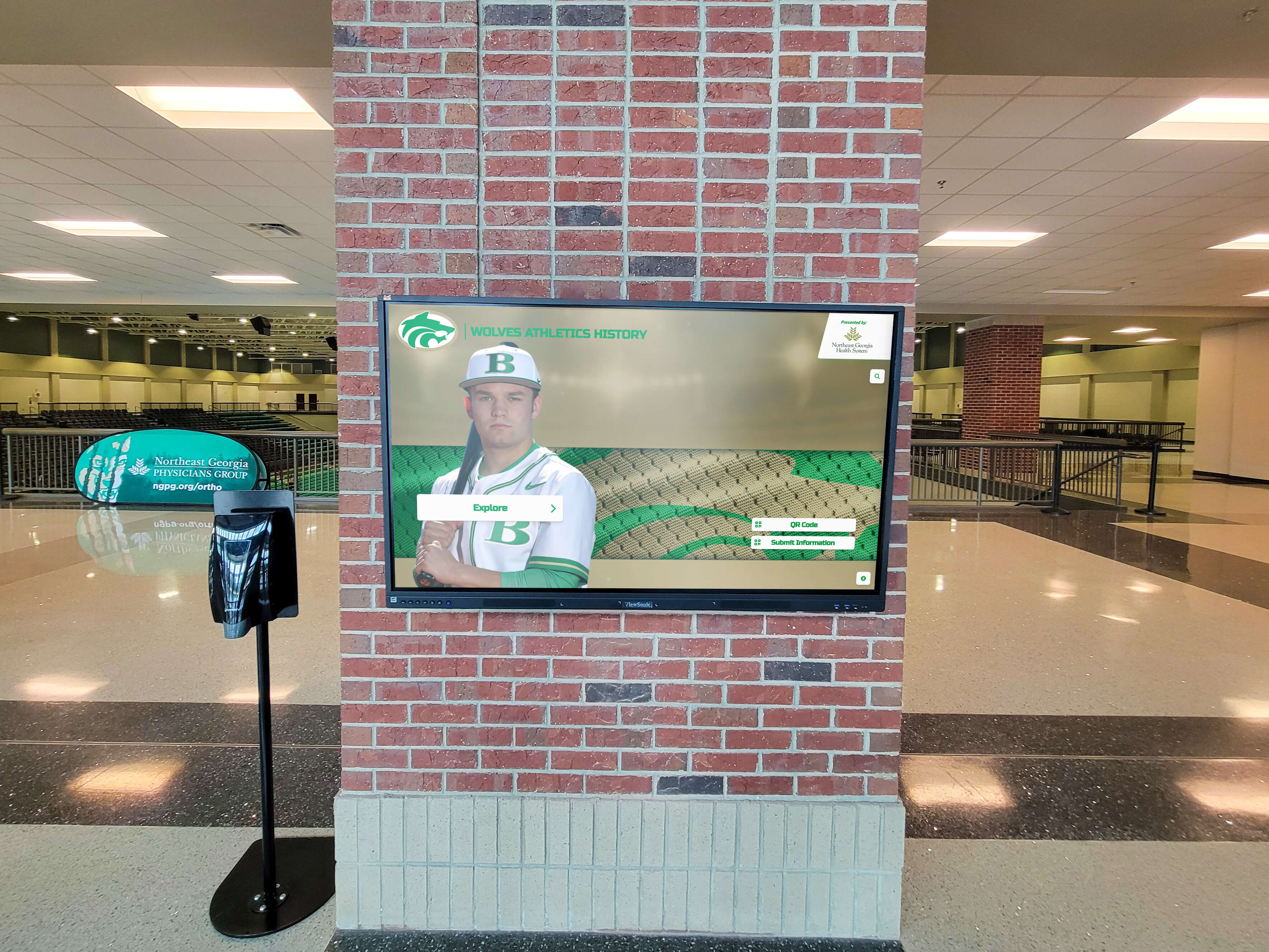
Record and achievement graphics designed for game-night presentation translate directly to year-round lobby recognition displays when built with reuse in mind
Evaluating Sports Graphics Software: Key Features for Schools
Not every tool marketed as “sports graphics software” is actually designed for the school environment. Here are the features that separate genuinely useful platforms from general-purpose design apps with a sports template pack bolted on.
Sport-Specific Template Libraries
Templates should reflect the design conventions of the actual sport—soccer graphics use different stat hierarchies than basketball, and wrestling recognition looks different from swimming. A platform with fifty sport-specific templates will serve an athletic department better than one with hundreds of generic layouts that need to be reverse-engineered for athletic applications.
Look for templates that cover the full season lifecycle: preseason preview graphics, weekly matchup previews, in-game presentation slides, post-game recap cards, season-end award graphics, and record-achievement announcements.
Brand Customization Depth
School colors, logos, mascots, and typography are non-negotiable. The best platforms let you save a brand kit—primary and secondary colors, approved fonts, logo files—and apply it globally across all templates. This prevents the common problem where a student staffer creates a graphic in slightly off-brand colors because they didn’t know the exact hex codes.
Brand consistency matters more for schools than for most users of these tools, because graphics appear side by side across the lobby screen, the social feed, and the recognition wall. Inconsistency is more visible when the same audience sees the same brand across multiple surfaces in the same week.
Export Flexibility and Aspect Ratio Control
A school’s display ecosystem typically includes multiple screen formats: 16:9 presentation screens, 9:16 vertical lobby displays, square social posts, and potentially 32:9 ultra-wide scoreboard surfaces. Software that exports only to standard social dimensions will create rework when the same asset needs to fill a landscape recognition display.
Look for platforms that let you design once and resize to multiple aspect ratios, with intelligent reflow rather than just scaling that cuts off content.
Ease of Use for Non-Designers
Most school sports graphics are produced by student media staffers, athletic communications coordinators wearing multiple hats, or coaches who volunteered for social media duty. Professional-grade tools with steep learning curves often go underused. The best sports graphics software for schools finds the balance between design quality and accessibility—it should be possible for a student to produce a broadcast-quality lineup card in under ten minutes without a tutorial.
Data Integration and Roster Management
At the school level, manually entering athlete names, numbers, and stats for every graphic represents a significant time tax. Platforms that allow roster import from a CSV or integrate with athletic management software eliminate double-entry and reduce errors. Some tools support season-long stat tracking that automatically updates templates as the season progresses.
This integration capability becomes particularly valuable when the same athlete data also needs to populate a recognition display—entering the data once and having it flow to both game-day graphics and the permanent recognition system is the workflow efficiency most schools are looking for.
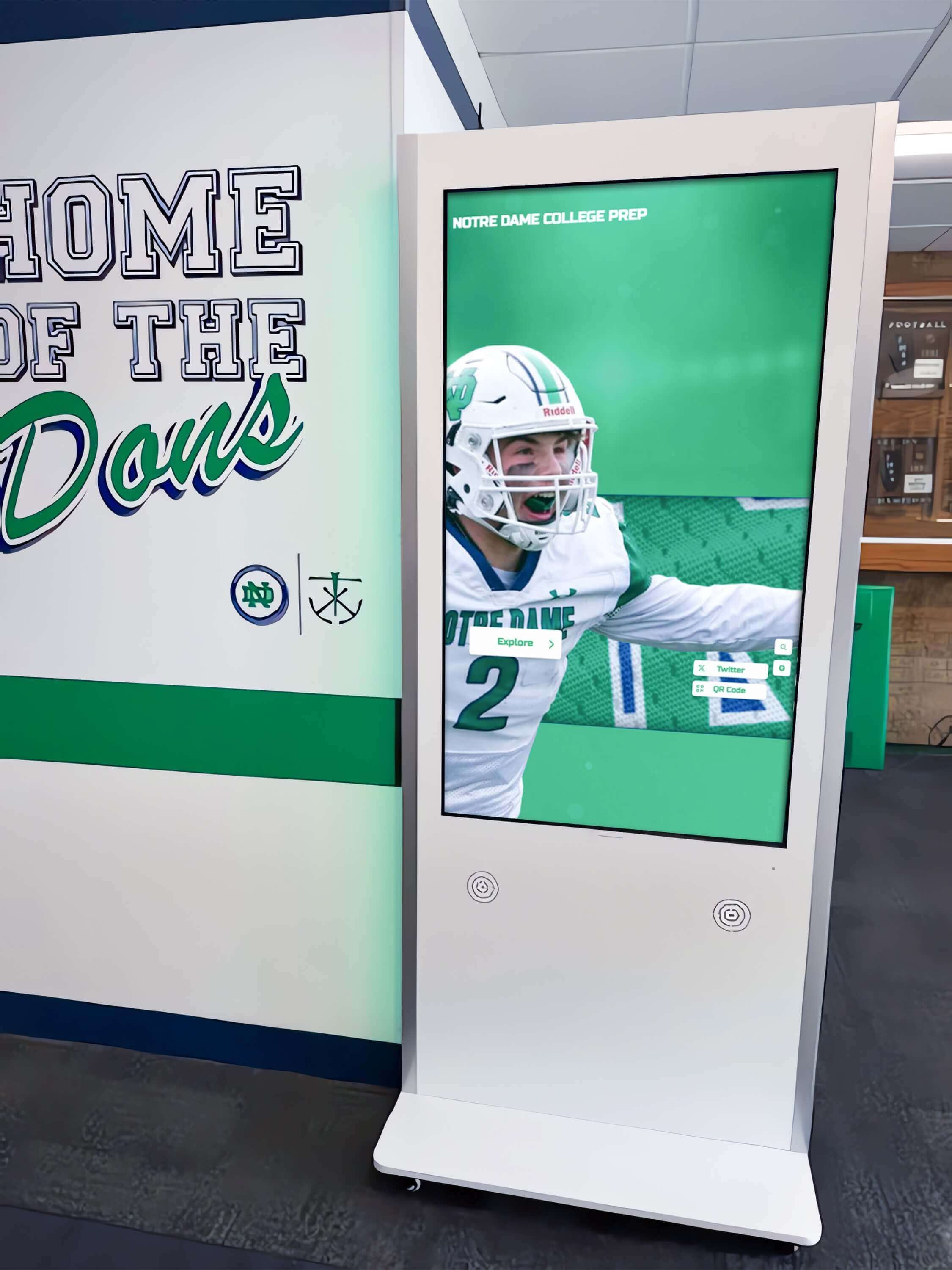
Interactive hallway kiosks extend the reach of athletic recognition content created during the season into a permanent, browsable display
The Game-Day to Recognition Display Pipeline
The most efficient athletic communications programs have stopped thinking about game-day graphics and recognition displays as separate workflows. They’ve built a pipeline where content created for Friday night automatically migrates—with minimal rework—into the recognition systems that run year-round.
Stage One: Template Design
The pipeline starts with standardized templates built to serve both purposes. When designing an athlete spotlight card, build it to the same proportions and information architecture as your hall-of-fame profile template. Use the same photo crop ratio, the same stat categories, and the same typographic hierarchy. Game-day production creates the assets; the recognition system inherits them.
Schools that invest a few hours at the start of each season to align their game-day templates with their recognition display templates save dozens of hours of rework at year-end and during induction events. This upfront alignment also makes the recognition display feel genuinely continuous with the in-season experience—because it is.
Stage Two: Systematic Photo and Asset Collection
The sports media day workflow at the start of the season is the best opportunity to capture the standardized headshots, action photos, and team imagery that will serve both game-day graphics and recognition displays for the entire year. A one-day investment in organized photography with consistent backgrounds, lighting, and cropping standards pays dividends across every piece of content the team produces.
Store assets in a folder structure that mirrors the recognition system’s organization—by sport, by season, by individual athlete. When a record falls in November, the photo and stats needed to build the recognition entry should already be in the right folder, ready to upload.
Stage Three: Record and Milestone Monitoring
Build a habit of updating record-board graphics immediately when milestones are reached, rather than waiting for end-of-season cleanup. Each in-season record update creates a publishable announcement graphic (for the social feed and the scoreboard), and that same updated record immediately populates the lobby display.
Gymnasium wall graphics and athletic space recognition benefit from this same in-season update discipline—the recognition environment should reflect current achievement, not just historical archives.
Stage Four: End-of-Season Migration
At season end, the pipeline delivers a recognition-ready asset package: standardized athlete profiles with updated photos and stats, a complete record board, championship documentation, and a season highlight graphic. What would otherwise require several days of retroactive content production is already done.
This migration stage is where tools like Rocket Alumni Solutions step in—not as a graphics production platform, but as the permanent repository and display system that presents the season’s documented achievements to the school community year-round.
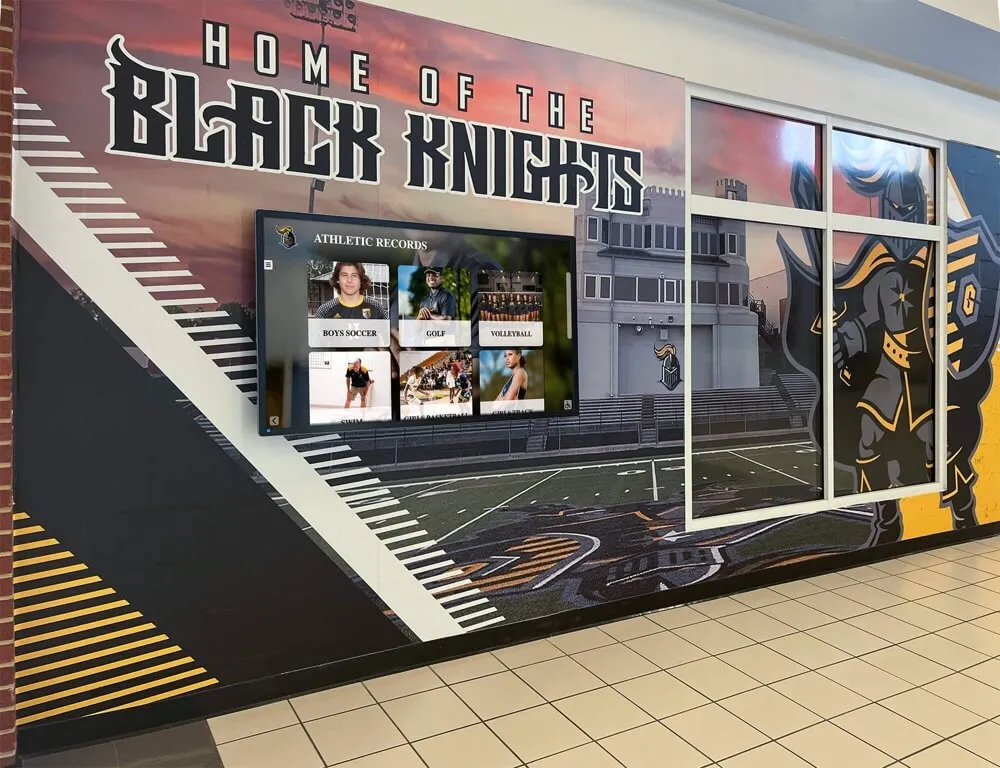
Permanent athletic record displays in school hallways capture the season's achievements and preserve them for the community year-round
Comparing Sports Graphics Software Options for Schools
The market includes a range of tools at different price points and specialization levels. Here’s an honest look at how the main categories compare for school athletic programs.
General-Purpose Design Platforms (Canva, Adobe Express)
Strengths: Low cost, large template libraries, easy to learn, accessible on any device. Social media export is seamless. Good for organizations that already use these tools for other school communications.
Limitations for athletics: Sports templates are generic and may not reflect actual sport conventions. No roster management or stat integration. Brand kits help with consistency but don’t prevent off-brand choices. Export formats are optimized for digital social, not for broadcast overlays or recognition display aspect ratios. No pathway from game-day content to recognition display—that bridge has to be built manually.
Best for: Programs with limited budgets that need acceptable social graphics quickly and can accept some manual rework for display applications.
Broadcast Sports Graphics Platforms (Singular.live, Grafik)
Strengths: Professional-grade overlay tools designed for live broadcast, real-time data integration, high-quality animation. Used by professional and collegiate programs for broadcast-quality presentations.
Limitations for K-12 schools: Pricing and complexity typically exceed what a high school program needs or can support. Learning curve requires dedicated technical training. These platforms are built for live broadcast production, not for the static export formats that recognition displays need.
Best for: College programs with dedicated broadcast operations staff and a genuine live-stream production workflow.
Dedicated School Sports Graphics Tools (ScoreVision, FeverHead, PrestoSports)
Strengths: Built specifically for scholastic and collegiate athletic communications. Sport-specific templates, scoreboard integration, season management features. Better alignment between game-day and recognition content than general-purpose tools.
Limitations: Cost varies significantly; some platforms are priced for collegiate programs rather than K-12 budgets. Recognition display integration still typically requires a separate platform for the permanent lobby or trophy case displays.
Best for: Programs with active media teams, dedicated communications staff, and budgets that support subscription-level tools. Particularly strong for schools with in-house scoreboards and streaming setups.
Rocket Alumni Solutions: Recognition-First Platform
Rocket Alumni Solutions approaches the content challenge from the other direction—instead of starting with game-day graphics and finding ways to export to recognition displays, it starts with the permanent recognition system and provides the tools to populate it with in-season content.
For athletic departments, this means a platform built around athlete profiles, team histories, record boards, championship archives, and donor/sponsor recognition—all displayed on touchscreen walls that visitors can browse interactively in the lobby or trophy case area. The athlete spotlight and recognition display workflow is native to the platform rather than bolted on.
Rocket’s system supports unlimited athlete profiles with photos, stats, and biographical content; searchable databases visitors can explore by sport, year, or achievement; digital record boards that update as records fall; and sponsor recognition modules that mirror the sponsorship rotation running on game-day displays. Schools using Rocket for their permanent recognition infrastructure often find the platform also simplifies year-end content production because the upload workflow is designed around the same asset categories their game-day graphics tool produces.
The key differentiator is permanence and accessibility: a game-day graphics tool produces content that lives for 48 hours. Rocket Alumni Solutions preserves that content in a browsable, searchable recognition system that still shows a visitor who graduated in 1987 the same respect it shows a current freshman.
Athletic departments ready to connect their game-day content to a year-round recognition pipeline can see how Rocket Alumni Solutions works with a live demonstration of the touchscreen recognition platform.
Sponsor Slides: Designing for Both Game Night and Year-Round Display
Sponsor recognition is the content category most consistently underinvested by school athletic programs—and the one with the clearest return on investment when done well. Partners who see professional treatment of their brand are significantly more likely to renew and increase their commitment.
Game-Night Sponsor Rotation Design
Game-night sponsor slides should follow the same visual hierarchy as your other game-day graphics: school branding primary, sponsor logo prominent, brief partnership acknowledgment text. Resist the temptation to cram multiple sponsors into a single slide—each sponsor deserves a dedicated moment.
Build sponsor slides in the same template system as your other game-day content so the visual language stays consistent. A sponsor slide that looks like it belongs to a different production than your lineup cards signals a lower-tier sponsor experience, even if the sponsors themselves don’t explicitly identify why something feels off.
Migrating Sponsors to Recognition Displays
The same sponsors supporting your athletic program deserve visibility beyond the 90 minutes of game night. A well-designed recognition display system includes a sponsor acknowledgment zone that runs as part of the ambient display loop between interactive sessions—essentially a digital donor/sponsor wall that complements the athletic recognition content.
Sports fundraising and digital recognition displays benefit from this year-round exposure model: sponsors see consistent visibility across the school year, not just during competition season. This visibility can be documented and reported to sponsors as part of partnership renewal conversations, demonstrating reach that a game-night slide rotation alone cannot claim.
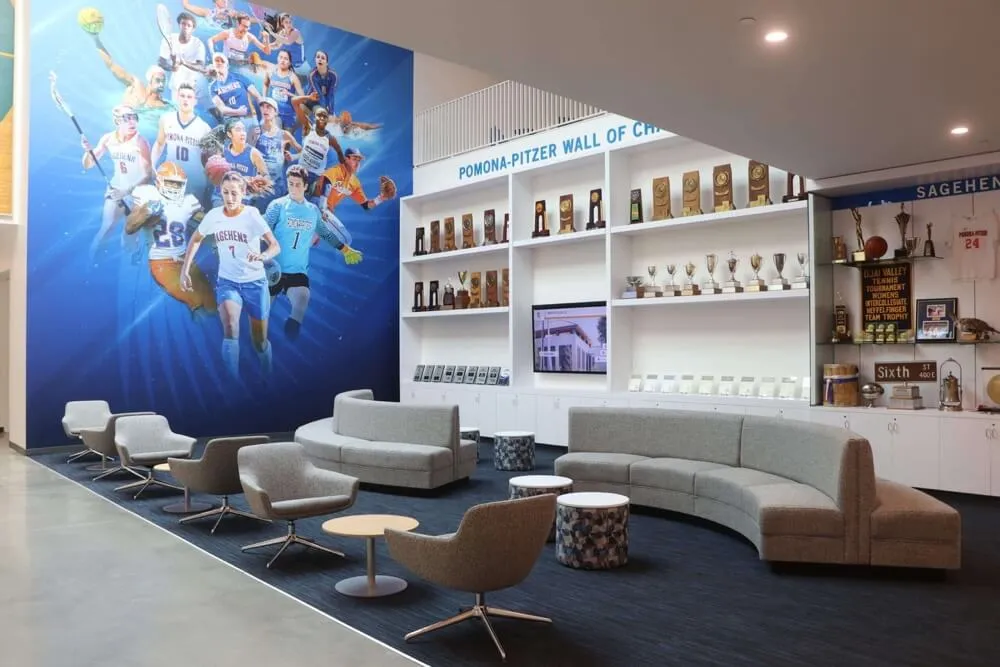
Athletic spaces that integrate sponsor recognition with achievement displays create environments that honor both institutional history and current support partnerships
Athlete Spotlight Workflows That Scale
Individual athlete spotlights are the content category where the game-day to recognition pipeline pays off most directly. A well-designed spotlight workflow produces the same profile whether it’s feeding a game-week social post or a permanent hall-of-fame inductee page.
Standardize Early, Benefit All Season
At the start of the season, establish the standard elements for every athlete spotlight:
- Action photo (full color, consistent crop)
- Headshot (for recognition display profile cards)
- Name, number, position, class year
- Key stats (pick 3-4 that define performance in this sport)
- One sentence achievement callout
These five elements should appear identically organized whether the spotlight is a 9:16 Instagram story, a 16:9 pre-game presentation slide, or a touchscreen profile card. The recognition system inherits the data structure the game-day workflow established.
Senior Recognition as Recognition Pipeline Proof of Concept
Senior recognition events—senior nights, signing day celebrations, year-end banquets—are the clearest proof of concept for a connected game-day to recognition pipeline. The content needed for a national signing day recognition display is nearly identical to the content you’ve been building in athlete spotlight graphics all season: current photo, achievements summary, destination school announcement, and career stats.
Schools that have maintained a systematic spotlight workflow all season can assemble signing day and senior night content in hours rather than days because the assets already exist in the right formats. Programs that haven’t built this habit spend the week before senior night scrambling to collect headshots and dig up career statistics.
Connecting Spotlights to Game-Day Community Experience
Student section themes and game-day recognition increasingly incorporate digital content elements—QR codes linking to athlete profiles, lobby screens showing the spotlight graphic as fans enter, and social campaigns that amplify individual recognition to the wider community. When the athlete spotlight created for game week also populates the lobby display and the recognition wall, the community sees a coherent, invested program rather than disconnected content fragments.
Building a Reusable Display Asset Library
The highest-leverage investment a school athletic program can make in its graphics workflow is building a properly organized, format-standardized asset library that serves both production contexts.
Library Structure
Organize by sport, then by season, then by asset type:
Athletics/
├── Football/
│   ├── 2025-2026/
│   │   ├── Headshots/
│   │   ├── Action Photos/
│   │   ├── Spotlight Cards/
│   │   ├── Game-Day Graphics/
│   │   └── Recognition Assets/
│   └── Records/
├── Basketball/
│   ├── Womens/
│   └── Mens/
└── [Other Sports]
This structure makes it straightforward to find assets when populating a recognition display, and it mirrors the folder organization that platforms like Rocket Alumni Solutions expect when batch-uploading season content.
Format Standards
Establish two standard export formats: game-day (typically 1920×1080 PNG or MP4 for presentation and streaming) and recognition-display (typically 1080×1080 or 1080×1920 for touchscreen interfaces). Build every graphic in both formats from the start using the aspect ratio export feature of your graphics platform—the labor to export a second size is negligible when done at creation time and substantial when done retroactively for a hundred graphics at season end.
Record Board as Living Document
The athletic record board is the recognition asset that updates most frequently and matters most for the connection between game-day content and permanent displays. Every time a record falls, the announcement graphic created for social media should automatically update the record board graphic used in the lobby display.
Sports plaques and custom recognition awards represent the physical-display equivalent of this record board—but unlike physical plaques, a digital record board updates instantly and without fabrication cost. Treating the record board as a living document rather than a year-end production project keeps the lobby display relevant all season and reduces the end-of-year workload significantly.
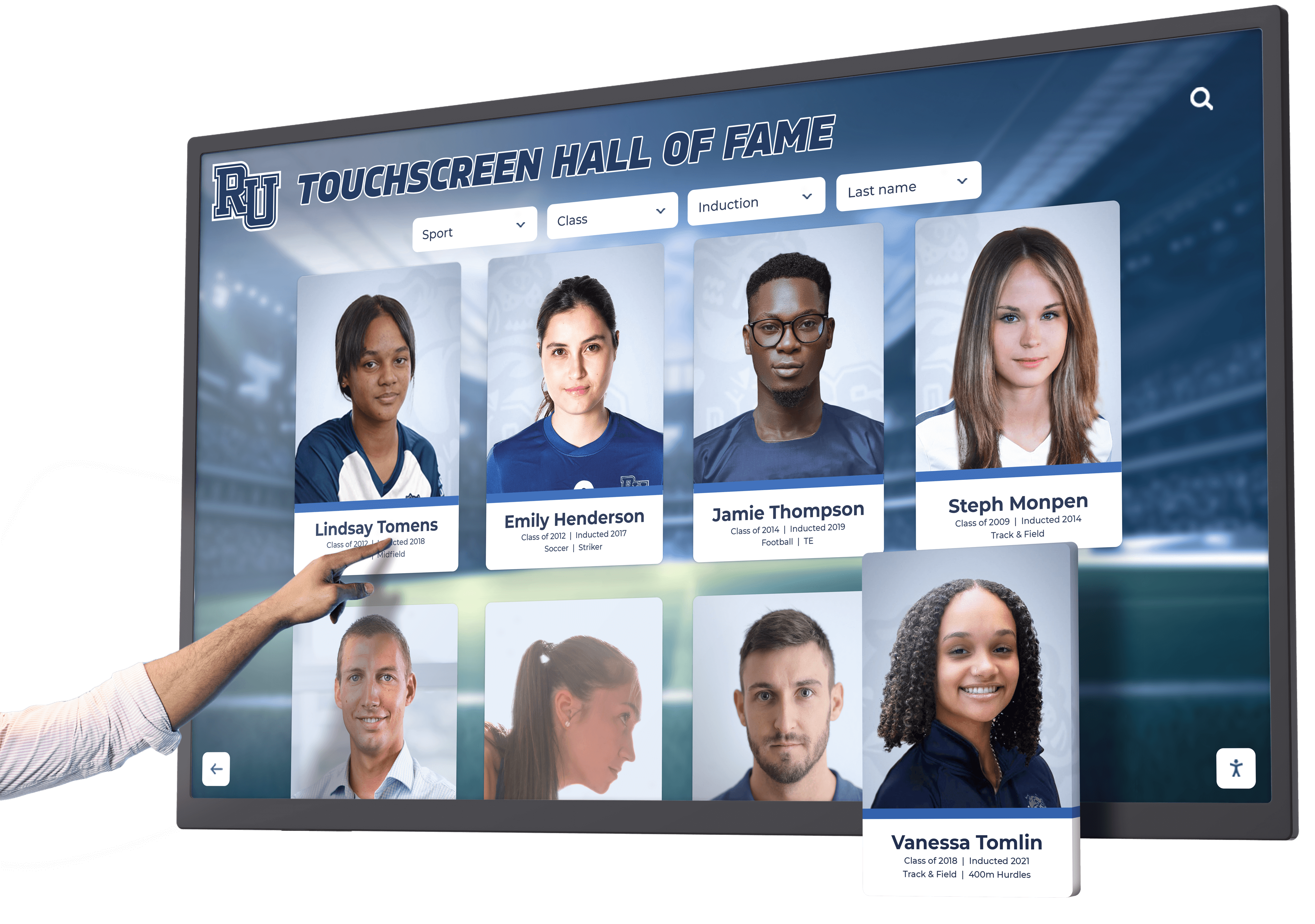
Interactive touchscreen recognition systems make the connection between game-day athlete content and permanent institutional recognition tangible for every visitor
Design Principles for Recognition-Ready Game-Day Graphics
Graphics built with recognition display compatibility in mind share a few consistent design characteristics that distinguish them from purely ephemeral social content.
High Contrast and Legibility at Distance
Recognition displays are read from across a lobby, not a phone screen held at arm’s length. Design game-day graphics at a minimum contrast ratio of 4.5:1 between text and background—the WCAG AA standard for web accessibility, which also happens to be the right threshold for lobby-distance readability. Minimum readable font size for lobby displays is approximately 24pt at 1080p, significantly larger than what reads fine on a social post.
Photo Quality Investment
The photos in your game-day graphics are the same photos that will represent athletes in permanent recognition displays for years or decades. A blurry action shot cropped from a smartphone is appropriate for a throwaway Instagram story; it’s not appropriate for a hall-of-fame profile. Budget for a dedicated photographer for at least the home games of each major sport, and establish that recognition-quality photos are produced for every senior.
Typography Consistency with School Identity
School recognition displays and game-day graphics coexist in the same visual environment—the lobby, the gymnasium, the athletic hallway. Typography choices that feel contemporary on social media but don’t match the school’s established typographic identity create visual friction when the game-day and permanent recognition assets appear side by side. Choose fonts that work across both contexts, defaulting to the school’s established identity typefaces rather than whatever the current design trend suggests.
Color System Fidelity
This is the single most common quality problem in school athletic graphics: close-but-wrong colors. Establish exact hex codes, Pantone references, and CMYK breakdowns for your school’s primary and secondary colors at the start of the year. Enter them into the brand kit of every graphics tool used by anyone in your athletic communications workflow. The recognition display that runs year-round reflects on the school’s brand identity—it should look identical to the game-day graphics visitors saw last Friday.
From Game-Day Graphics to a Recognition Legacy
The shift from treating sports graphics software as a production tool to treating it as the front end of a recognition pipeline requires a modest investment in workflow design at the start of each season. The payoff is a recognition infrastructure that stays current, reduces end-of-year production labor, and builds a permanent institutional archive that honors athlete achievement long after the season ends.
Schools that connect their in-season graphics workflow to a permanent recognition system report that the recognition wall itself becomes a game-day asset—athletes warming up in the lobby before a game walk past their own profiles and those of the alumni who set the records they’re competing to break. Field day activities and spirit-building programs that incorporate recognition display elements tap into this same motivational dynamic: seeing your achievement reflected in a permanent institutional record changes how athletes relate to their own performance.
The best sports graphics software for schools is the one that fits into this larger recognition strategy—producing game-day content that’s worthy of permanent display and doing it efficiently enough that the workflow remains sustainable for a staff of one or two. Rocket Alumni Solutions provides the permanent recognition layer that gives all of that game-day content its lasting home: searchable, interactive, brand-consistent, and accessible to everyone from the freshman exploring the hall-of-fame wall before practice to the alumni who drove back for Homecoming weekend to see how their record holds up.
See How Recognition Displays Complete Your Game-Day Workflow
Rocket Alumni Solutions builds the permanent recognition system that transforms your in-season sports graphics into a year-round display—athlete profiles, record boards, championship archives, and sponsor recognition, all on interactive touchscreen displays designed for schools.
Request a demo






























