



Walk into most school athletic offices and you’ll find the same scattered puzzle: a laminated roster on the wall, a binder of coaching credentials in a drawer, a championship year that one longtime secretary has memorized, and an athletic website with a “Meet Our Team” page that hasn’t been updated since last season. The information exists—it just isn’t organized anywhere useful.
A structured team bio template solves this by giving every program a consistent set of fields that works for the current roster, historical records, recognition displays, and digital platforms simultaneously. When every player and coach profile follows the same format, athletic departments spend less time hunting down data and more time celebrating the people who earned it.
This guide provides complete team bio templates for school athletics—covering player profiles, coach bios, athletic records, and recognition fields—and explains how those templates translate directly into hall of fame plaques, digital record boards, and touchscreen recognition experiences that keep athletic history visible long after graduation.
A well-designed team bio template does double duty: it populates today’s “Meet Our Team” page and seeds tomorrow’s hall of fame profile with information that becomes difficult to reconstruct years later.

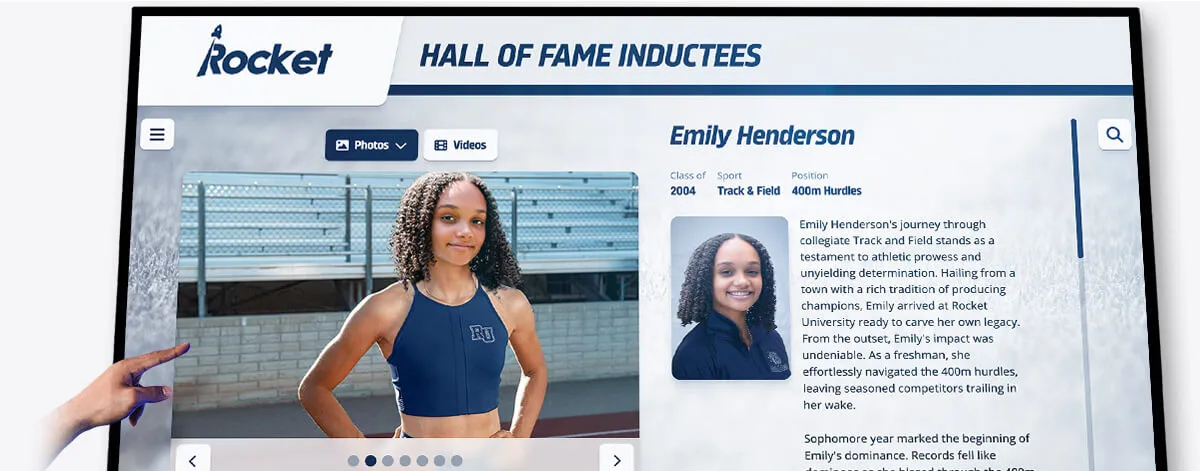
Athlete profile cards on recognition displays draw directly from the same bio fields collected when athletes are active—no reconstruction required
What Belongs in a Team Bio for School Athletics?
At minimum, an effective school athletics team bio should include all of the following:
- Identity fields: full name, class year, sport(s), position, jersey number
- Biographical context: hometown, previous school or club, family athletic background
- Athletic statistics: season-by-season records, career totals, personal bests
- Academic standing: GPA range, honor roll years, academic all-conference honors
- Recognition: team awards, individual honors, all-conference and all-state selections
- A photograph: headshot or action photo in uniform
- Coach or staff attribution: name, title, years with the program
When programs also capture a short narrative paragraph—something the athlete or coach provides themselves—those profiles become compelling stories, not data tables. That narrative is precisely what distinguishes a memorable hall of fame induction bio from a stats-only roster entry. The fields above serve multiple audiences: current students and parents who want to know who is on the team, recruits evaluating a program’s depth and success, alumni donors who track former athletes, and advancement staff building recognition displays from profile data that already exists.
Player Bio Template: Complete Field List
Below is a comprehensive athlete profile template schools can adapt for rosters, athletic websites, program booklets, and recognition displays. Collecting every field from the start prevents the frustrating reconstruction work that happens when a program wants to induct someone years later and can no longer locate accurate season statistics.
Identity and Roster Fields
Full Legal Name — Use for official records; a preferred display name or nickname can be added separately.
Preferred Display Name / Nickname — What appears on the website and scoreboard.
Jersey Number — Current season and any retired numbers deserve separate fields.
Primary Sport — Specify the sport and competitive level (varsity, JV, junior high).
Additional Sports Played — Many student-athletes compete in two or three sports per year; capturing this prevents the common undercount of multi-sport athletes in program histories.
Class / Graduation Year — Enables sorting profiles by cohort for alumni records.
Position(s) — Include all positions played, not just the primary one.
Years on Varsity — Critical for longitudinal records and senior recognition ceremonies.
Personal Background
Hometown / City of Residence — Relevant for regional recruiting profiles and community connection narratives.
Previous Club or Travel Team — Documents the developmental pathway before high school and provides context for statistical jump years.
Siblings in the Program — Family athletic traditions matter to alumni communities and booster organizations.
Parent/Guardian Names — Required for banquet programs, senior night ceremonies, and scholarship correspondence.
Intended College Major or Career Interest — Supports recruiting storytelling and helps alumni offices track post-graduation outcomes.
Athletic Statistics and Records
This section requires sport-specific customization, but every player bio should include:
- Season-by-season statistics table (points, goals, batting average, times, distances—whatever the sport measures)
- Career totals and averages
- Personal records (PRs) or personal bests
- School records held or broken — critical for direct population of record boards
- Conference records held
- State or national rankings if applicable
For guidance on how schools display statistical records publicly, athletic stats display ideas for schools shows how raw bio data translates from profile templates to recognition walls without reformatting.
Awards and Recognition
- Team awards received (MVP, Defensive Player of the Year, Captain’s Award, Most Improved)
- Individual honors (all-conference, all-district, all-state, all-American)
- Academic awards (academic all-conference, scholar-athlete designation, honor roll appearances)
- Community and character awards (sportsmanship recognition, leadership awards, service honors)
- Scholarship awards — institutional and external
- Post-secondary destination — where the athlete committed to compete or attend after graduation
Media and Profile Assets
- Headshot photograph (uniform or professional portrait, minimum 800×800px)
- Action photograph (game or competition image for display use)
- Video highlight reel link (YouTube or Hudl reference for digital profiles)
- Social media handles (optional, relevant only for current season roster pages)
- Personal bio statement (150–250 words written by the athlete or family—the single most valuable field for future hall of fame use)
Senior Recognition Fields
Senior athletes deserve additional fields that support banquet programs, recognition nights, and long-term archive entries:
- Favorite memory from the program
- Most influential coach or teammate
- Message to incoming freshmen
- Post-graduation plans
- Defining career moment or turning point
These narrative fields transform a stats profile into a graduation document worth preserving—and they provide exactly the content that makes a hall of fame induction bio compelling decades after the fact. The athletic banquet recognition guide covers how end-of-season ceremonies can incorporate these full profiles effectively.
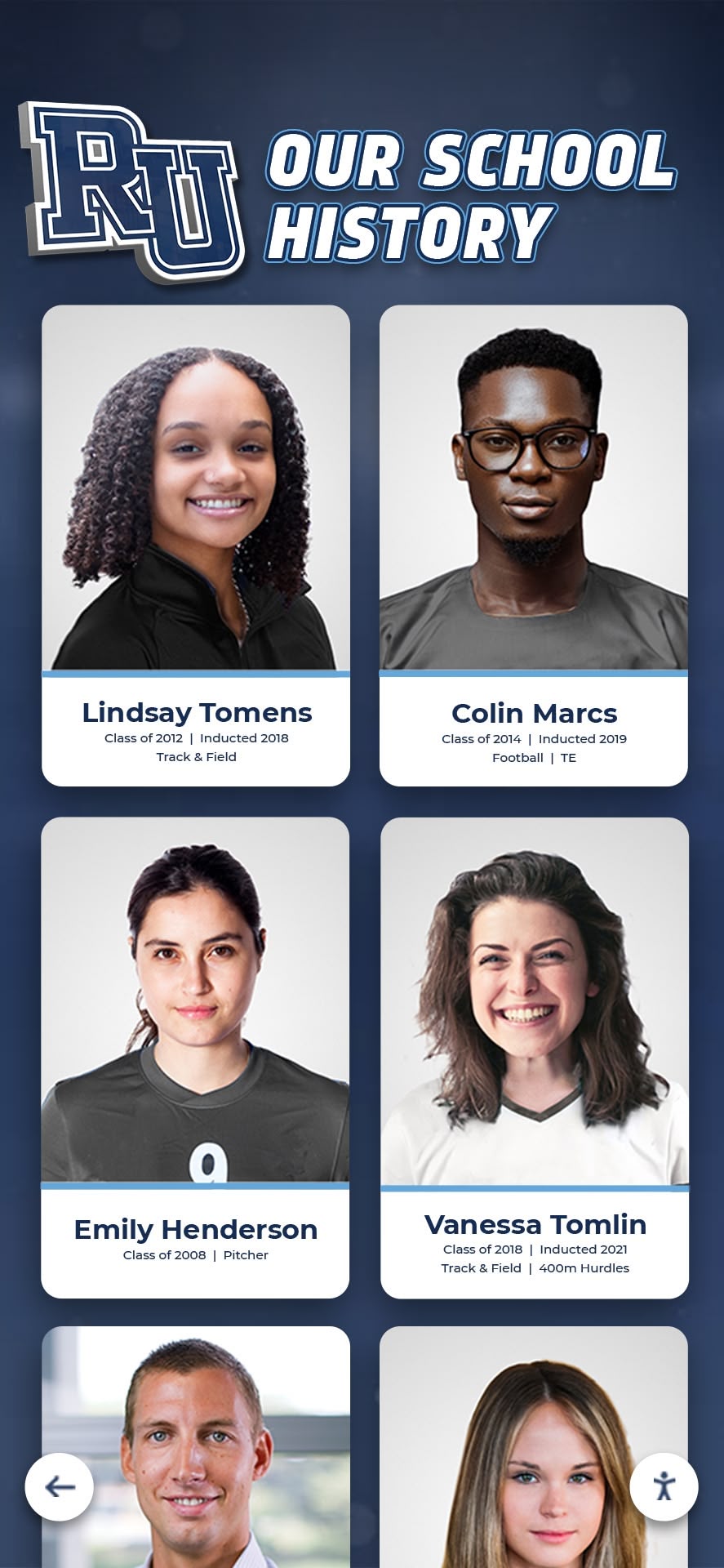
Portrait card collections organized by graduation class make historical profiles searchable and displayable in alumni recognition contexts
Coach Bio Template: Essential Fields for Athletic Staff Profiles
Coach profiles often receive less attention than player bios, but they matter enormously for recruiting, community trust, program history, and the eventual recognition of long-tenured staff. A coach bio template should be as structured as the player version.
Professional Identity
Full Name and Title — Head Coach, Assistant Coach, Volunteer Coach, Athletic Trainer, Strength and Conditioning Coordinator.
Primary Sport / Program — Include all programs if the coach serves multiple teams.
Years at This School — Foundational for program history records and milestone recognition.
Total Years Coaching — Provides career context for prospective families and recruiting audiences.
Previous Coaching Positions — School name, program, years, and notable achievements at each stop.
Credentials and Education
- Playing background — College, high school, club history as an athlete
- Undergraduate institution and degree
- Graduate degrees or certifications relevant to coaching and education roles
- Coaching certifications — NFHS course completions, sport-specific certifications, first aid and CPR
- Awards and recognition received — Coach of the Year, district or state coaching honors, national recognition
Program Record and Achievements
- Career win-loss record by season
- Championship titles — conference, district, regional, state, national
- Consecutive playoff appearances
- Athletes coached who went on to college competition
- School records set under their coaching tenure
- Program milestones — first winning season, program rebuild benchmarks, facility improvements driven by the program
Coaches who plan end-of-season recognition understand that the program record section isn’t self-promotion—it documents institutional investment in a way families and alumni evaluate when assessing program culture and stability.
Personal Statement and Philosophy
- Coaching philosophy (150–250 words)
- What the program emphasizes beyond wins (academic standards, character development, life skills focus)
- Notable alumni connections — former players who return as mentors, volunteers, or donors
- Community involvement beyond the program
- Professional headshot photograph for display use
Athletic Records Template: Documenting Program Benchmarks
A team bio template isn’t complete without a structured records section that tracks program-wide benchmarks alongside individual profiles. These fields enable direct population of digital record boards without manual reformatting each season.
School Records Fields
For each record-worthy category, document:
- Sport and event category
- Record type (single-game, single-season, career)
- Record holder full name
- Graduation class or years attended
- Record value (score, time, distance, or statistic)
- Date record was set
- Previous record holder (for historical continuity—the chain of record holders is program history)
- Official verification status — note whether the record was verified by game officials, state association, or internal review
Maintaining structured records fields connects directly to the athletic building digital touchscreen records guide, which explains how schools link profile databases to live display systems so records update automatically when new ones are broken.
Team Season Records
In addition to individual records, capture program benchmarks:
- Best single-season win total by sport
- Longest winning streak in program history
- Championship count by sport and level
- Consecutive playoff appearances
- Most athletes advancing to college competition in a single graduating class
- Academic achievement records — team GPA, highest academic all-conference count in a single season
Building records into the same template system as player and coach bios means the athletic director checklist for recognition and records updates becomes a structured workflow rather than a seasonal scramble.
“Meet Our Team” Page Structure for School Athletics Websites
Once individual bio templates are complete, the “Meet Our Team” page organizes profiles into a browsable experience for current families, recruits, and community members.
Recommended Page Organization
Section 1: Coaching Staff — Lead with coaches because parents and recruits evaluate program leadership first. Each coaching bio gets a photo, title, years in program, and a two-sentence philosophy excerpt with a “Read Full Bio” expansion.
Section 2: Varsity Roster — Filter and sort by position, class year, and jersey number. Each player card shows photo, name, number, position, and class year—with a profile page for full stats and bio.
Section 3: JV and Sub-Varsity Rosters — Separate sections acknowledge all athletes and build anticipation for varsity advancement. These profiles also become future varsity records.
Section 4: Athletic Records and Milestones — A summary table of top all-time records links to full record board pages or display systems. This section doubles as a recruiting tool and an alumni re-engagement point.
Section 5: Program Alumni — A growing list of former athletes—where they competed collegiately, what they accomplished, and how to reconnect—builds community investment. The athletic alumni recognition wall guide covers how alumni profiles extend naturally from active roster bios into permanent recognition displays.

Interactive touchscreen systems let visitors browse athlete profiles the same way they navigate a digital "Meet Our Team" page
Template Formats for Different Program Sizes
Small programs (one team per sport, single athletic director): A shared Google Form or spreadsheet collecting all template fields enables consistent data collection without complex software. Export to PDF for banquet programs and import to the website CMS manually each season.
Mid-size programs (multiple sports, dedicated athletic department staff): A lightweight athletic management platform with custom fields for each template section enables better version control, faster website updates, and simpler display population.
Large programs (multiple varsity sports, full athletic staff): Purpose-built recognition platforms with structured bio fields, automatic record board integration, and touchscreen display compatibility justify the investment. The athletic team room design guide illustrates how large programs use team bio data to create immersive recruiting environments.
From Active Roster to Hall of Fame: How Bio Templates Support Long-Term Recognition
The highest-value use of a structured team bio template emerges years after athletes graduate. When programs maintain consistent profile fields across decades, creating hall of fame induction bios becomes straightforward research rather than fragmentary reconstruction.
Fields That Matter Most for Future Recognition
When planning a template specifically with hall of fame use in mind, prioritize:
- Career statistics by season — avoids reliance on fading memory or incomplete record books
- School and conference records held — provides permanent documentation of individual impact on the program
- College or professional destination — documents post-program achievement for induction narratives
- Awards received at each level — creates a complete recognition timeline across a career
- Photographs from multiple seasons — enables visual storytelling across a career arc on display cards
- A personal statement from the active years — the most compelling element for induction ceremonies decades later
Building recognition infrastructure at the program level—from active roster bios through alumni profiles to hall of fame inductions—reflects a culture of team recognition and appreciation that athletes carry throughout their lives.
Digital Hall of Fame Integration
Modern athletic recognition platforms bridge active roster bios and permanent hall of fame profiles through shared data architecture. A player’s current “Meet Our Team” card becomes the foundation of their hall of fame profile. As records are broken, awards accumulate, and post-graduation achievements stack up, the profile expands without starting over.
Rocket Alumni Solutions builds touchscreen walls of fame and interactive athletic recognition displays for schools specifically designed around this bio-to-induction pipeline. When profile data is structured consistently from the start, populating a digital record board, hall of fame touchscreen, or alumni recognition wall becomes a configuration step rather than a reconstruction project. Schools interested in building this kind of long-term recognition infrastructure can request a custom demo to see how structured bio templates connect directly to display systems.
Special Recognition Profile Template: Retired Numbers, Milestone Honorees, and Distinguished Alumni
Some athletes and coaches warrant a profile built for permanent recognition rather than current roster browsing. These fields extend the standard bio template for induction, retirement, and milestone honor contexts.
Hall of Fame and Retired Number Profile Fields
- Name and years of participation
- Sport(s) and position(s)
- Career statistics summary (season-by-season table plus career totals)
- School records held or broken during career
- Awards and honors received at each level
- Post-graduation athletic achievement — college, professional, coaching career
- Community and professional impact beyond sports
- Induction year and induction class
- Nominator name or nomination committee
- Induction bio statement (300–500 words for plaque text or display card)
- Photographs — headshot, action image, and a photo with the current program if available
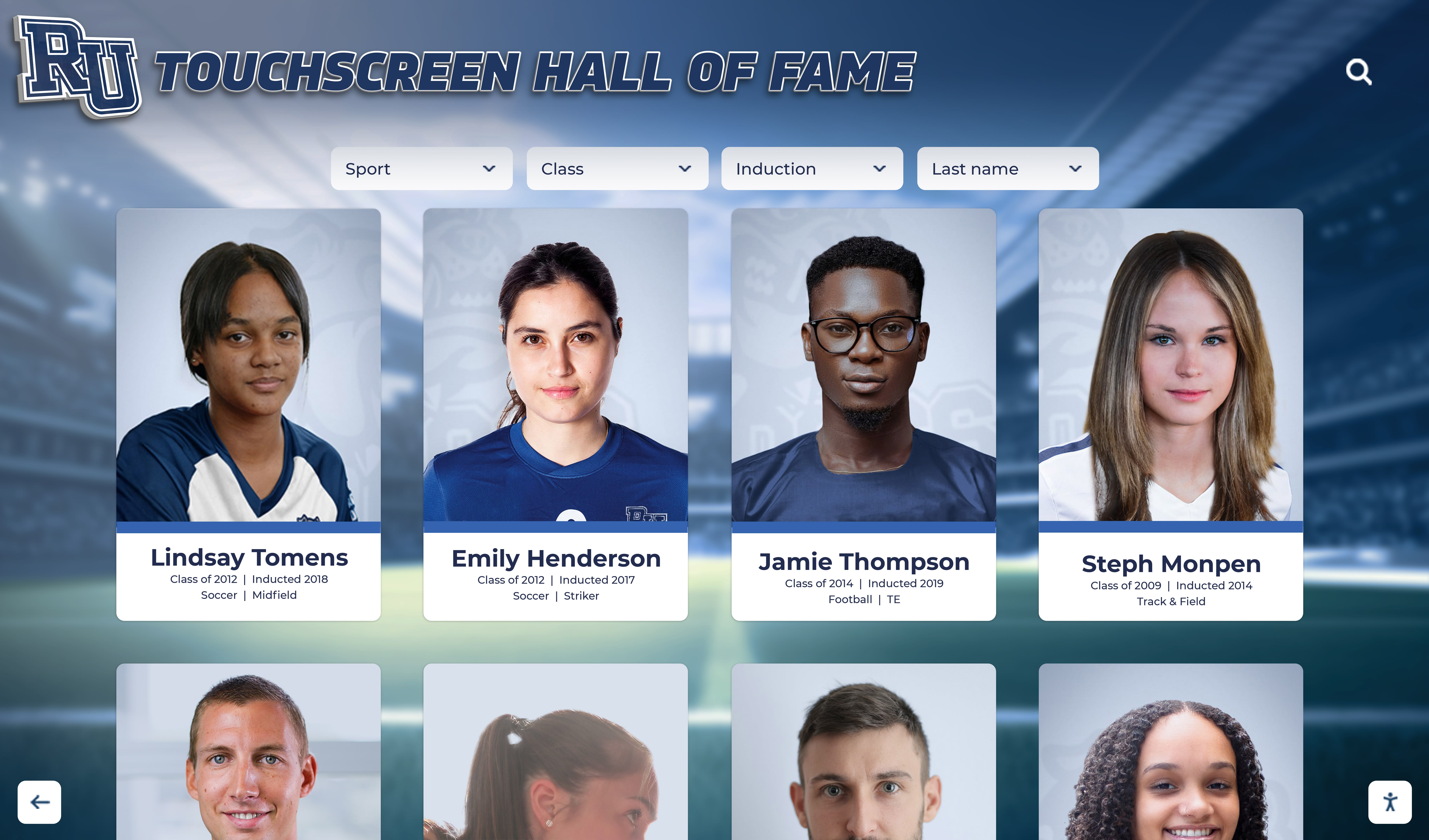
Hall of fame portrait cards pull directly from structured bio templates, making induction profile creation efficient and visually consistent across inductee classes
This extended template works equally well for coach hall of fame inductions, distinguished alumni recognition programs, and milestone achievement boards—1,000-point clubs, 100-win coaches, or consecutive championship seasons—that schools maintain separately from traditional hall of fame programs.
Implementation Checklist: Getting Your Template System Running
Setting up a consistent bio template system requires a brief upfront investment that pays dividends in every future recognition effort.
Phase 1: Template Design
- Finalize field lists for players, coaches, and records based on the templates above
- Create a data collection form (paper sign-in sheet, Google Form, or dedicated platform)
- Define photo submission requirements: resolution, file format, naming convention
- Assign collection responsibility to coaching staff, athletic director, or a student manager each season
Phase 2: Current Roster Collection
- Distribute bio templates to all athletes and coaches at the start of each season
- Set a hard deadline aligned with media guide production or website update cycles
- Photograph athletes during the first week of official practice when equipment is available
- Enter completed data into the centralized system within two weeks of collection
Phase 3: Historical Reconstruction
- Prioritize longest-tenured coaches and most recent graduating classes first
- Use yearbooks, program booklets, and local newspaper archives to fill statistical gaps
- Contact retired athletes and coaches directly for personal statement fields
- Flag incomplete records so future research efforts can be targeted efficiently
Phase 4: Display and Publication
- Populate the school athletic website’s “Meet Our Team” section from the template data
- Feed record board displays—physical or digital—from the structured records fields
- Use bio data in banquet programs, senior night materials, and annual awards ceremonies
- Review and update annually at season end; archive each year’s roster as a historical class
Connecting Profiles to Physical and Digital Recognition Displays
The ultimate purpose of a well-maintained team bio template isn’t the database itself—it’s the visible, accessible recognition that motivates current athletes and honors those who came before.
Physical plaques, championship banners, and painted record boards translate template fields into permanent wall-mounted recognition. Digital displays extend that visibility to touchscreens in athletic buildings, online athletics portals, and alumni platforms accessible without a physical visit to campus.
When a program maintains consistent bio templates from the day athletes step on the field to the day they’re inducted into the hall of fame, the recognition infrastructure runs continuously. There are no data gaps, no emergency archiving projects before a ceremony, and no inductees whose profiles read thinner than their achievements deserve.

Digital recognition displays mounted in athletic buildings keep profile-based recognition continuously visible to current athletes, families, visitors, and recruits
Structured bio data eliminates the common scenario where programs cannot build a hall of fame because they cannot find the records—and it transforms recognition from a one-time end-of-year ceremony into an ongoing institutional commitment that compounds in value with every graduating class.































