




Touchscreen augmented reality displays represent the convergence of tactile interaction and spatial computing, creating immersive experiences that layer digital content over physical environments through responsive touch interfaces. Educational institutions, museums, corporate facilities, and public spaces increasingly implement AR-enhanced touchscreens to transform static recognition into dynamic storytelling, convert passive viewing into active exploration, and bridge physical heritage with digital innovation.
The challenge facing organizations exploring AR touchscreen technology involves moving beyond basic digital signage to design truly immersive experiences that balance technological capability with intuitive interaction. Many installations fail because they prioritize technical sophistication over user comprehension, creating confusing interfaces that frustrate visitors rather than engaging them. Others underutilize AR capabilities, implementing expensive technology for effects achievable through standard displays at fraction of the cost.
This comprehensive guide explores touchscreen augmented reality display design—understanding the technology landscape, planning effective spatial experiences, designing intuitive AR interactions, selecting appropriate hardware and software platforms, and implementing recognition systems that honor achievement while delivering compelling experiences impossible through traditional approaches. Whether planning first AR installation or enhancing existing digital displays, you’ll discover actionable frameworks for creating touchscreen AR experiences that genuinely engage modern audiences.
Organizations implementing well-designed touchscreen AR displays report dramatic engagement improvements, with visitors spending four to seven times longer exploring AR-enhanced content compared to standard digital displays. This sustained engagement translates to stronger emotional connections, improved information retention, and measurable outcomes across recognition, education, and visitor experience applications.

AR-enhanced touchscreen installations combine physical display hardware with spatial computing capabilities creating immersive recognition experiences
Understanding Touchscreen Augmented Reality Display Technology
Before implementing AR touchscreen systems, understanding fundamental technology components and how they integrate provides essential context for informed design decisions.
What Distinguishes AR Displays from Standard Touchscreens
Augmented reality displays differ fundamentally from traditional touchscreen interfaces through spatial awareness, environmental understanding, and contextual content overlay capabilities.
Core AR Display Characteristics
Standard touchscreen displays present flat, two-dimensional content users navigate through taps, swipes, and gestures. Content exists entirely within screen boundaries with no relationship to physical environment. AR-enhanced touchscreen displays maintain traditional touch interaction while adding spatial computing capabilities that understand physical environment, track user position and viewing angle, overlay contextual digital content on physical objects, respond to environmental triggers and markers, and create illusion of depth extending beyond screen surface.
This spatial awareness enables experiences impossible with standard displays. Recognition profiles can appear to “emerge” from physical plaques when users approach. Historical photographs overlay precisely on current facility views showing how spaces evolved. Achievement statistics float in three-dimensional space users explore through natural movement and touch.
Optical See-Through vs. Video See-Through AR
AR displays implement environmental awareness through two distinct approaches. Optical see-through systems use transparent displays or glasses where users directly view physical environment while digital content overlays their natural vision. Video see-through systems capture physical environment through cameras, then display combined view of real environment plus digital overlays on opaque screens.
For institutional touchscreen installations, video see-through implementations dominate because they work with standard display hardware, provide consistent experiences across varying lighting conditions, enable precise content positioning through digital composition, and avoid optical alignment challenges inherent in see-through displays. Solutions like those from Rocket Alumni Solutions utilize video see-through approaches delivering reliable AR experiences through commercial touchscreen hardware without requiring specialized optical components.
Essential Technology Components
Touchscreen AR systems integrate multiple hardware and software elements working together seamlessly.
Hardware Foundation
Complete AR touchscreen installations require commercial-grade touchscreen displays rated for continuous operation, typically 43-75 inches diagonal with 4K resolution ensuring visual clarity for both standard content and AR overlays. Depth-sensing cameras track users’ positions and movements enabling responsive content that adapts to viewing angle. High-performance processing units execute real-time AR rendering, environmental tracking, and gesture recognition. Specialized mounting hardware positions displays and cameras at optimal heights and angles for user interaction.
Environmental sensors including ambient light detection and proximity sensing enable adaptive experiences responding to changing conditions. Network connectivity supports cloud-based content management and analytics collection. And commercial-grade enclosures protect components in public environments while maintaining aesthetic integration with architectural surroundings.
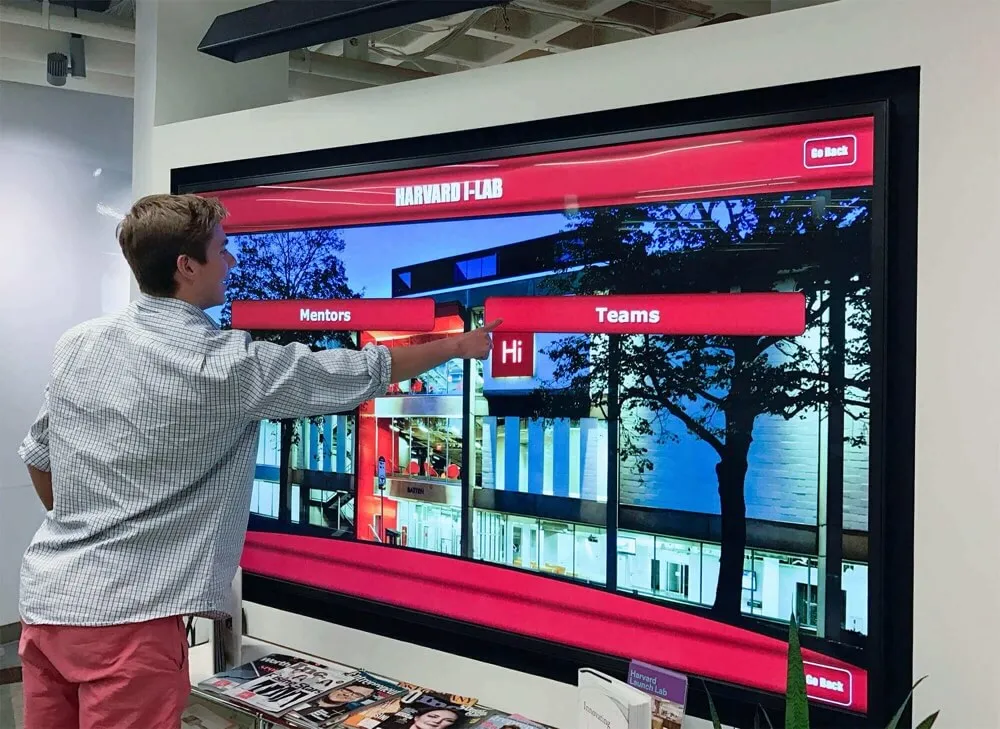
AR installations require careful integration of display, sensing, and processing components within cohesive physical designs
Software Architecture
AR touchscreen platforms integrate several software layers creating complete experiences. Operating systems provide foundational device management and resource allocation. AR frameworks including ARCore, ARKit, or Unity-based solutions handle spatial tracking, environmental understanding, and digital overlay rendering. Content management systems enable non-technical staff to update recognition profiles, achievement data, and multimedia assets. Custom application software implements organization-specific user interfaces, navigation patterns, and data integrations. Analytics platforms track usage patterns, engagement metrics, and content performance informing continuous improvement.
Quality platforms abstract technical complexity behind intuitive administrative interfaces. Staff update content through familiar web forms without touching AR rendering code. Organizations customize experiences through configuration rather than programming. And robust offline capabilities ensure reliable operation even during network interruptions common in educational facilities.
How AR Enhances Recognition and Storytelling
Understanding specific capabilities AR technology adds to recognition displays helps organizations evaluate whether enhanced experiences justify increased complexity and cost.
Spatial Depth and Dimensional Content
Traditional flat displays present photos and text in two dimensions. AR enables genuine three-dimensional content visualization where achievement statistics appear as floating data visualization users examine from multiple angles, historical timeline content layers in spatial depth showing progression across decades, athlete performance comparisons present side-by-side in virtual space enabling direct evaluation, and architectural reconstructions show how facilities evolved with overlays on current views.
This dimensional presentation creates stronger visual impact and improved information comprehension compared to flat equivalents. Research on spatial cognition consistently demonstrates humans process and remember three-dimensional information more effectively than two-dimensional representations of equivalent content.
Contextual Content Triggering
AR systems detect physical markers, environmental features, or user positions triggering contextual content automatically. Trophy cases activate related achievement stories when users approach. Physical plaques trigger comprehensive digital profiles when scanned. Facility locations display historical photos and information about events that occurred in specific spaces. And recognition displays adapt content based on user demographics, time of day, or special events.
This contextual intelligence creates personalized experiences where identical physical installations deliver varied content to different users based on their interests, relationships to organization, or exploration patterns. Students see current team rosters and statistics while alumni view historical content from their attendance eras. Prospective families encounter campus tour information while donors access recognition showing philanthropic impact.

AR enhancement transforms static hallway displays into interactive exploration experiences revealing layered achievement narratives
Experience Design Framework for AR Touchscreens
Effective AR touchscreen design requires systematic approaches balancing technological capability with intuitive interaction and meaningful content.
Defining Experience Goals and User Journeys
Before designing interfaces or selecting technology, establishing clear objectives and understanding user needs provides essential foundation.
Recognition and Celebration Applications
Organizations implementing AR touchscreens for recognition face unique design considerations. Users include honored individuals revisiting their own recognition, families viewing relatives’ achievements, current community members seeking inspiration from past excellence, prospective members evaluating organizational heritage, and casual visitors discovering institutional history through exploration.
These varied audiences require flexible experiences supporting both goal-directed searches and casual browsing. Search functionality enables instant location of specific individuals by name, graduation year, sport, or achievement category. Browse experiences present engaging discovery through timeline visualizations, category explorations, related content suggestions, and featured collections highlighting noteworthy achievements or historical themes.
Comprehensive approaches to interactive board design for student achievement demonstrate systematic frameworks for organizing recognition content maximizing both findability and serendipitous discovery across diverse user populations.
Educational and Interpretive Experiences
Museums, visitor centers, and educational institutions implement AR touchscreens for interpretive experiences with distinct requirements from recognition applications. Users seek learning, discovery, and contextual understanding rather than specific information retrieval. Experiences should support open-ended exploration where curiosity drives navigation, accommodate varying knowledge levels from novice to expert, enable group interaction with content visible to multiple viewers simultaneously, and balance information depth with accessible presentation preventing cognitive overload.
Educational AR experiences benefit from progressive disclosure revealing basic information immediately while offering optional depth for motivated learners. Initial views present compelling visuals and essential facts. Touch interactions reveal layers of additional detail, multimedia content, and related information enabling self-directed learning matching individual interest and available time.
Layout Blueprint and Spatial Content Organization
AR interfaces require three-dimensional thinking about content arrangement extending beyond flat screen boundaries.
Zone-Based Content Architecture
Effective AR touchscreen layouts organize content into distinct spatial zones users navigate naturally. Primary hero zones occupy central screen space presenting featured content, calls-to-action, and navigation entry points. Secondary content zones surround hero areas with supporting information, related items, and contextual details. Tertiary zones at screen periphery contain persistent navigation, status information, and utility functions users access occasionally.
Depth Layering Strategy
AR enables content stacking in apparent depth beyond physical screen surface. Background layers establish context through environmental imagery, brand elements, and atmospheric content. Mid-ground layers present primary information including honoree profiles, achievement details, and media galleries. Foreground layers display interactive controls, navigation elements, and user-selected detail views. And floating overlay layers provide contextual information, tooltips, and feedback elements appearing on demand.
This depth organization creates visual hierarchy through spatial positioning rather than relying solely on size, color, and contrast—though those traditional techniques remain important within AR contexts. Content appearing “closer” to users naturally draws attention while recessed elements provide context without demanding immediate focus.
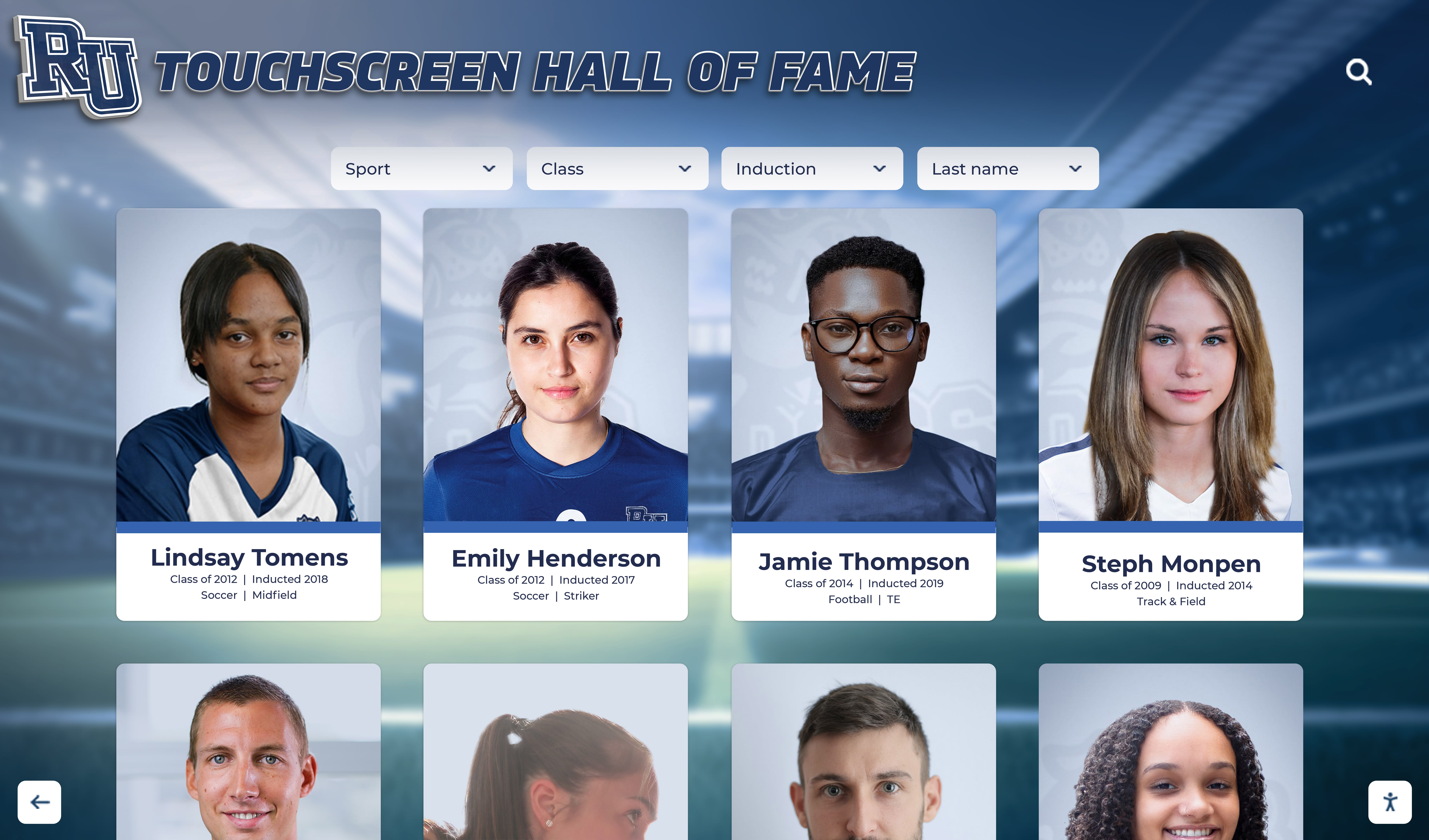
Grid layouts organize large recognition collections while AR depth cues enhance visual hierarchy and content relationships
Navigation Pattern Design
AR touchscreen navigation combines familiar two-dimensional patterns users understand from smartphones with spatial movements unique to AR environments. Horizontal swipes scroll content within current view maintaining continuity with standard touchscreen expectations. Vertical navigation moves between hierarchical levels—swiping up reveals detail views while swiping down returns to overview. Pinch gestures control depth—pinching in brings content forward for detailed examination while pinching out recedes content into broader context. And physical movement—where displays track user position—enables parallax effects and perspective-appropriate content presentation.
Successful navigation design embraces conventions users already understand while introducing spatial capabilities gradually through obvious visual cues and responsive feedback. Systems never require novel gestures without clear instruction and practice opportunities. Resources on designing engaging touchscreen experiences provide fundamental interaction patterns applicable to both standard and AR-enhanced displays.
Motion, Behavior, and Interactive Responsiveness
How content moves, responds to interaction, and behaves across time significantly impacts engagement quality.
Entrance Animations and Attention Direction
Content appearing suddenly creates jarring experiences while overly slow introductions frustrate users wanting immediate access. Effective AR interfaces use purposeful entrance animations that establish spatial relationships through parallax movement during content appearance, direct attention to primary elements through subtle motion contrast, maintain consistency across similar content types creating predictable patterns, and complete within 300-500 milliseconds preventing perceived delays.
Motion serves functional purpose, not decoration. Content entering from apparent depth conveys hierarchical position. Items sliding horizontally suggest lateral relationships within categories. And elements fading in without directional movement indicate status or contextual information rather than primary content.
Touch Feedback and Confirmation
Every touch interaction must generate immediate visible response confirming system registered input. AR interfaces provide feedback through multiple channels including visual state changes showing touched elements, spatial responses where content moves in apparent depth, haptic vibration confirming activation when hardware supports it, and audio cues for significant actions when appropriate to environment.
Research on interaction design establishes 100 milliseconds as threshold for feeling instantaneous. Delays exceeding 200 milliseconds generate noticeable friction. AR systems must meet these standards despite additional computational requirements for spatial rendering—achieved through pre-loading assets, optimizing rendering performance, and prioritizing interaction response over visual fidelity when resource constraints force trade-offs.
Idle State Attractions and Content Cycling
Unlike personal devices users actively control, public AR touchscreens spend considerable time idle between user sessions. Effective idle states serve dual purposes—attracting potential users and showcasing content breadth. Attract loops cycle featured content, achievement highlights, and compelling visuals capturing attention of passing traffic. Motion and depth effects demonstrate AR capabilities non-verbally communicating that displays offer more than static signage. And clear interaction prompts invite engagement through simple instructions and obvious touch targets.
Attract content should showcase best material without overwhelming viewers who need time to observe and decide whether to engage. Loops of 30-90 seconds provide sufficient variety without requiring extended watching before content repeats.

Effective attract loops showcase AR capabilities and content variety drawing visitors into active exploration
Content Development for AR Touchscreen Experiences
Technology enables possibilities but content quality determines whether implementations succeed or fail at engaging audiences meaningfully.
Multimedia Asset Requirements and Specifications
AR experiences demand higher quality assets than standard displays due to spatial presentation and close examination opportunities.
Photography Standards for Spatial Presentation
Standard recognition displays often use yearbook-quality photos adequate for small presentation sizes. AR contexts where users virtually “step closer” to examine details require higher standards. Portrait photography should use consistent lighting revealing facial features clearly, neutral or brand-appropriate backgrounds minimizing distraction, minimum 2000-pixel resolution supporting enlargement without quality degradation, proper color calibration maintaining consistency across collections, and professional composition with appropriate headroom and centering.
Action photography capturing athletic performance, artistic achievement, or event moments requires even higher resolution—minimum 3000 pixels on long edge—enabling users to examine details when content expands in AR space. Blurry or poorly exposed photos create negative impressions magnified by AR presentation making quality deficiencies more apparent than flat displays.
3D Content and Spatial Media
While traditional touchscreens present exclusively two-dimensional content, AR enables genuine three-dimensional visualization. Organizations can incorporate 3D-scanned trophy and award objects users examine from multiple angles, architectural models showing facility evolution across decades, data visualizations presenting statistics in explorable dimensional space, and volumetric video capturing performances or events in true three dimensions.
Creating quality 3D content requires specialized expertise and tools most organizations lack internally. Practical AR implementations focus on achievable 2.5D effects—flat content arranged in spatial depth—rather than requiring extensive custom 3D modeling. This approach delivers compelling spatial experiences using existing photo and video assets enhanced through thoughtful depth arrangement.
Video Integration and Performance Considerations
Video content engages powerfully but creates technical challenges in AR contexts requiring significant processing resources. Effective video integration requires aggressive compression maintaining quality while minimizing file sizes, strategic placement ensuring video doesn’t compete with essential UI elements, user-initiated playback rather than auto-play preserving bandwidth and battery life, and fallback strategies gracefully handling video failure or slow loading without breaking entire experiences.
Short video clips—15-45 seconds—work better than lengthy footage. Brief highlight reels maintain attention while extended videos feel inappropriate for standing public interaction. Users seeking comprehensive content can access it through web portals referenced via QR codes or takehome links rather than consuming everything at physical displays.
Historical Content and Archival Material Integration
Institutions implementing AR touchscreens often possess rich archival material deserving broader visibility than traditional displays enable.
Digitizing Physical Archives
Historical photographs, newspaper clippings, programs, and documents require careful digitization preserving quality while creating usable digital assets. Scanning standards for AR contexts include minimum 600 DPI for printed materials supporting close examination, color-accurate reproduction preserving original appearance, careful exposure preventing detail loss in shadows and highlights, and appropriate format selection balancing quality against file size.
Organizations lacking internal scanning capability can partner with local libraries, historical societies, or universities often possessing professional digitization equipment and expertise. Many archives eagerly support preservation projects expanding access to collections beyond physical facilities. Guidance on digital archives for schools and universities provides frameworks for systematic digitization initiatives.

Digitized historical content becomes accessible to current and future generations through searchable AR-enhanced archives
Contextualizing Historical Material
Raw archival materials require contextual information helping modern audiences understand significance. Effective historical content includes dates and locations providing temporal and spatial context, explanatory captions translating period terminology or references, connections to contemporary equivalents relating past to present, and broader historical context situating specific items within organizational or societal developments.
AR presentation enables powerful historical comparisons overlaying past photos on current views, presenting “then and now” comparisons through spatial alignment, and creating temporal timelines users navigate watching how spaces, traditions, or achievements evolved across decades.
Accessible Content Design for Diverse Audiences
AR touchscreen experiences must serve diverse populations including users with varying abilities, technological familiarity, and relationship to organizations.
Multi-Sensory Content Delivery
Different users process information through different cognitive channels. Comprehensive AR experiences provide multiple representation modes including visual content through images, video, and spatial graphics, textual descriptions for users preferring reading or requiring screen reader access, audio narration supplementing visual presentation, and tactile feedback through haptic responses when hardware supports it.
Redundant presentation across multiple modes ensures all users can access equivalent information through their preferred channels while also improving comprehension for everyone through reinforced messaging. Resources on touchscreen kiosk software accessibility detail specific implementation approaches ensuring inclusive design.
Language Support and Cultural Sensitivity
Organizations serving diverse populations should consider multi-language content delivery through language selection controls accessible from all screens, professional translation maintaining meaning and tone across languages, cultural adaptation addressing varying conventions and sensitivities, and inclusive imagery representing community diversity rather than narrow demographics.
AR technology enables powerful language support where same physical installation delivers content in viewers’ preferred languages without requiring duplicate physical displays. Text overlays translate automatically while maintaining spatial positioning appropriate to language-specific reading patterns.
Cognitive Accessibility and Clear Communication
Users with cognitive disabilities, learning differences, or limited technological experience benefit from ruthless consistency where similar actions always produce similar results, clear visual hierarchy preventing confusion about content organization, generous touch targets requiring less precise motor control, forgiving interfaces enabling easy error recovery, and optional simplified modes reducing complexity for users wanting streamlined experiences.
Plain language guidelines recommend writing at sixth-grade reading level for general audiences. Avoid jargon, acronyms, and institutional terminology without clear explanation. Focus on active voice, short sentences, and logical organization. These practices benefit all users, not just those with diagnosed disabilities.

Accessible AR installations accommodate diverse users through thoughtful positioning, clear interfaces, and multi-modal content delivery
Technical Implementation and Platform Selection
Translating design concepts into functional installations requires informed decisions about hardware, software, and system architecture.
Hardware Selection and Specifications
AR touchscreen hardware varies significantly in capabilities, reliability, and cost—choices directly impacting user experience and operational sustainability.
Display Technology and Specifications
Commercial-grade displays rated for continuous public operation provide essential reliability foundation. Key specifications include screen size matching viewing distances and content density—typically 50-65 inches for lobby installations, resolution minimum 4K (3840 x 2160) ensuring clarity for both overview and detail views, brightness minimum 500 nits handling ambient lighting in public spaces, and viewing angle performance maintaining color and contrast from 45-degree angles accommodating multiple simultaneous viewers.
Touch technology selection matters significantly. Capacitive multi-touch supports natural gesture interaction matching smartphone experiences users expect. Projected capacitive (PCAP) technology specifically provides excellent responsiveness, durability resisting public use wear, and true multi-user support enabling collaborative exploration. Resist optical touch technology despite lower cost due to inferior responsiveness and multi-touch limitations.
Depth Sensing and Tracking Hardware
AR capabilities require environmental awareness through depth-sensing cameras. RGB-D cameras combining color and depth capture provide position tracking, gesture recognition, and spatial mapping. Infrared structured light sensors work reliably across varying lighting conditions. Time-of-flight (ToF) sensors offer longer range suitable for larger installations. And stereo camera pairs enable depth perception through parallax similar to human binocular vision.
Sensor selection depends on installation size, lighting conditions, and required tracking accuracy. Lobby installations with 6-10 foot viewing distances need different sensors than intimate kiosks with 2-3 foot interaction ranges. Quality vendors specify appropriate hardware configurations for intended applications rather than offering one-size-fits-all solutions.
Processing Requirements and Performance
AR rendering demands significant computational resources. Minimum specifications include dedicated graphics processing units (GPUs) from NVIDIA or AMD current-generation, minimum 16GB RAM supporting simultaneous content loading and rendering, solid-state storage (SSD) enabling fast asset loading, and modern multi-core CPUs handling tracking calculations and application logic.
Under-specification here creates frustrating lag and responsiveness issues undermining user experience regardless of design quality. Organizations should prioritize processing power over cosmetic factors when budget constraints force trade-offs. Users never see internal components but immediately notice poor performance.
Software Platforms and Development Approaches
AR touchscreen software ranges from turnkey solutions through completely custom development—each approach offering distinct advantages and limitations.
Purpose-Built Recognition Platforms
Specialized AR recognition platforms designed specifically for celebrating achievements and institutional heritage offer significant advantages for organizations without extensive technical resources. Solutions like Rocket Alumni Solutions provide pre-built AR-enhanced interfaces optimized for hall of fame and recognition applications, cloud-based content management accessible to non-technical staff, proven interaction patterns requiring no custom design, comprehensive support including training and ongoing assistance, and demonstrated reliability across hundreds of institutional installations.
Purpose-built platforms enable organizations to focus on content—gathering photos, achievement data, and biographical information—rather than solving technical AR challenges. Implementations typically deploy within weeks rather than months required for custom development. And ongoing operation remains manageable for staff without technical backgrounds through intuitive administrative interfaces.
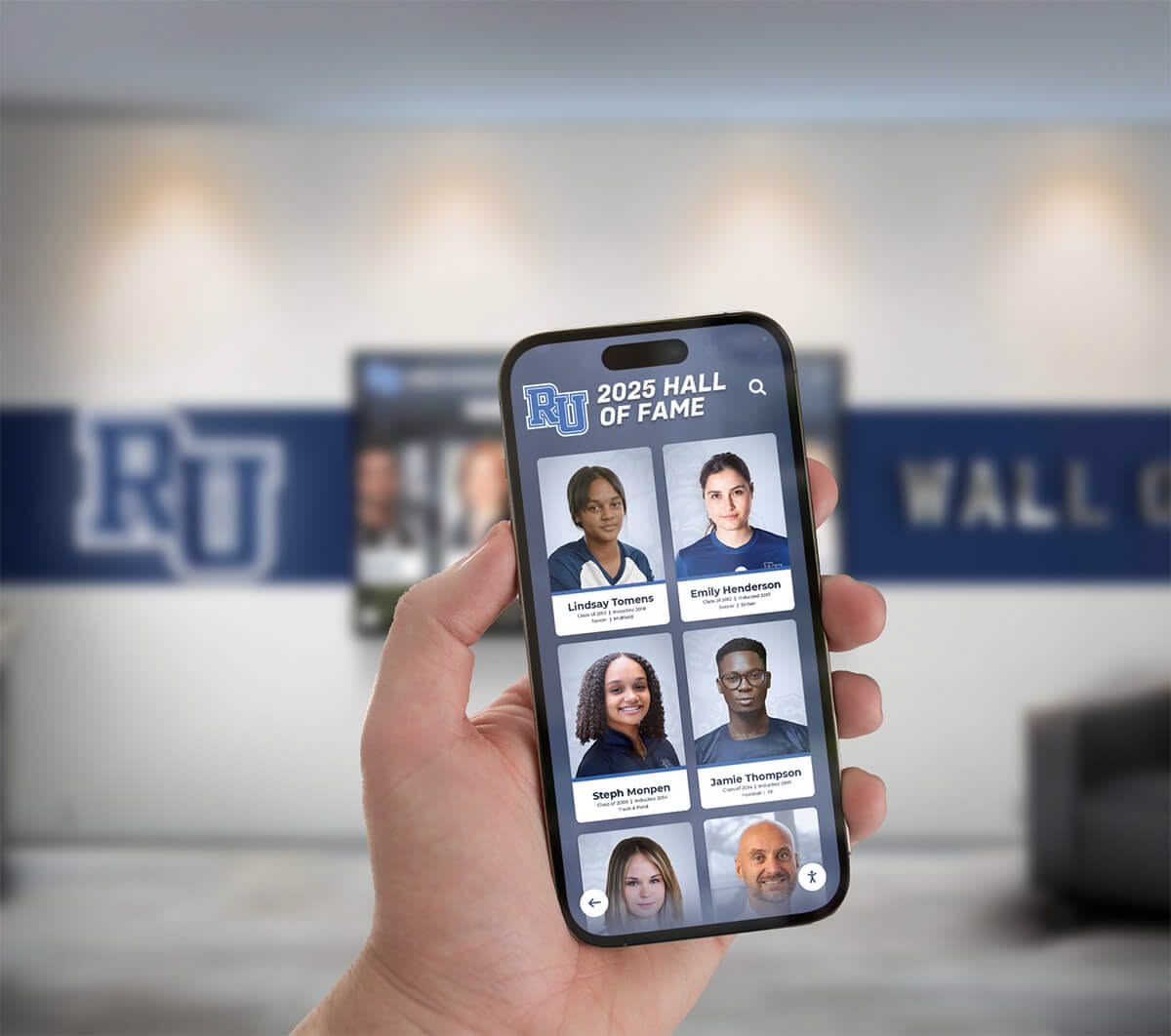
Cloud-based content management enables staff to maintain AR experiences from any device without technical expertise
Custom Development Considerations
Organizations with unique requirements or existing technical capabilities may pursue custom AR development using frameworks including Unity with AR Foundation for cross-platform development, Unreal Engine for high-fidelity graphics and realistic rendering, native platform SDKs (ARCore, ARKit) for platform-specific optimization, or web-based AR using WebXR standards for device-agnostic deployment.
Custom development offers unlimited flexibility but requires substantial investment in development talent with specialized AR expertise, months of design and implementation time, ongoing maintenance and updates as AR platforms evolve, and internal operational capability supporting technical systems long-term.
Most educational institutions and organizations achieve better outcomes through purpose-built platforms unless they possess substantial technical teams and genuinely unique requirements not addressable through configurable commercial solutions.
Integration with Existing Systems
AR touchscreens often complement rather than replace existing digital infrastructure. Quality platforms provide integration capabilities including content import from existing databases and content management systems, single sign-on (SSO) authentication with institutional identity management, analytics export to enterprise business intelligence platforms, and API access enabling custom extensions when needed.
Integration requirements should inform platform selection conversations. Vendors with experience in educational and institutional contexts understand common integration needs and provide proven connectors for widely-used systems.
Installation and Physical Integration
Even excellent digital systems fail without thoughtful physical installation integrating with architectural context.
Strategic Placement and Sightlines
AR touchscreen effectiveness depends significantly on location selection within facilities. Optimal positions include main entrance lobbies where all visitors encounter displays immediately, common areas where community members gather during events and daily activities, hallways connecting high-traffic zones capturing movement throughout facilities, and specialized spaces like athletic facilities or academic buildings serving targeted populations.
Consider sightlines ensuring displays remain visible from key approach angles, avoiding positions where bright windows behind screens create glare, selecting locations with adequate electrical power and network connectivity, and ensuring comfortable standing zones in front of displays without blocking building circulation.
Mounting and Ergonomic Considerations
Physical mounting substantially impacts accessibility and user comfort. Freestanding floor kiosks offer flexibility positioning anywhere while maintaining professional appearance. Wall-mounted installations integrate cleanly with architecture but require structural support and careful positioning. And recessed installations creating seamless architectural integration require early coordination with construction or renovation projects.
Americans with Disabilities Act (ADA) guidelines specify maximum 48-inch reach height for side approaches and 44 inches for front approaches ensuring wheelchair accessibility. Primary interactive areas should fall within 36-42 inch range serving both standing adults and seated users comfortably. Detailed guidance on hall of fame wall design and installation addresses physical integration considerations.
Environmental Factors and Protection
Public installations face environmental challenges including dust accumulation on screens and sensors, temperature variations affecting hardware performance, ambient noise interfering with audio content, and physical contact from curious users. Quality installations address these through commercial-grade enclosures protecting components, thermal management systems maintaining appropriate operating temperatures, and impact-resistant screen protection preventing damage while maintaining touch sensitivity and visual clarity.

Professional installations integrate AR touchscreens seamlessly into existing spaces complementing rather than competing with traditional recognition elements
Measuring Success and Optimizing AR Experiences
Understanding how users interact with AR touchscreens enables data-driven improvement and demonstrates value to stakeholders.
Analytics and Engagement Metrics
Quality AR platforms provide comprehensive analytics revealing usage patterns and engagement quality.
Essential Engagement Indicators
Several key metrics illuminate AR experience effectiveness. Session duration shows average time users actively interact—longer durations typically indicate engaging content though excessive time may signal confusing navigation. Interaction depth measures average screens or content items accessed per session revealing whether users explore beyond initial views or abandon quickly. Content popularity rankings identify most-viewed profiles or collections informing content strategy. Search queries demonstrate what users seek, potentially revealing gaps in content or navigation. And return visit rates—when technically trackable—indicate sustained interest beyond initial exposure.
Touch heatmaps visualize where users physically interact revealing whether assumed primary controls receive expected attention or users focus unexpectedly on peripheral elements. Gesture usage patterns show which AR-specific interactions users discover and employ versus overlooked capabilities requiring better instruction or abandonment. And error rates including failed searches or dead-end navigation identify friction points requiring interface refinement.
Spatial Interaction Patterns
AR-specific analytics capture spatial behaviors impossible in standard displays. User positioning heatmaps show optimal viewing distances and angles informing future installation planning. Movement patterns reveal whether users naturally shift positions to examine depth content or remain stationary treating AR displays like flat screens. Gesture recognition rates demonstrate what percentage of intended gesture interactions successfully register versus failures requiring repeated attempts. And depth engagement metrics show whether users actively explore spatial content layers or predominantly interact with foreground elements.
These spatial analytics guide optimization of AR-specific features distinguishing experiences from standard touchscreens. If depth exploration remains low, either content lacks compelling three-dimensional presentation or users need clearer instruction about spatial capabilities.
Iterative Refinement Based on Real Usage
Initial AR designs rarely prove optimal—effective development embraces continuous improvement based on observed behavior.
A/B Testing for Design Decisions
When design decisions involve uncertainty between alternatives, A/B testing provides data-driven resolution. Should navigation use spatial gestures or traditional touch controls? Test both measuring completion rates and user satisfaction. Would biographical narratives or statistical achievements better engage visitors? Implement both, randomize assignment, compare viewing duration and content sharing rates.
Small interface modifications often yield surprisingly large engagement impacts. Entrance animation timing changes alter first-impression ratings significantly. Touch target size increases improve success rates while reducing user frustration. And content organization refinements double discovery of valuable material previously buried in poor navigation structures.
User Observation and Qualitative Feedback
Quantitative analytics reveal what happens but not why users behave certain ways. Complementary qualitative research through user observation provides crucial context. Watching real users interact with AR touchscreens often surfaces issues analytics miss including confusion about ambiguous instructions or labels, uncertainty about which elements support touch interaction, frustration with unresponsive areas or failed gesture recognition, and abandonment during specific task flows preventing successful goal completion.
Brief intercept interviews asking users about experiences gather direct feedback on satisfaction, ease of use, content relevance, and improvement suggestions providing actionable insights for iterative refinement. Organizations implementing digital hall of fame touchscreen systems should plan for ongoing user research informing continuous enhancement rather than treating initial launch as final product.
Performance Monitoring and Technical Optimization
AR experiences require more computational resources than standard displays—continuous performance monitoring ensures responsive experiences. Key metrics include frame rate consistency maintaining minimum 30fps for acceptable smoothness, touch response latency keeping below 100ms threshold for feeling instantaneous, content loading times minimizing delays before requested information displays, and system stability tracking crashes or freezes requiring intervention.
Performance issues often emerge over time as content collections grow and systems age. Regular monitoring enables proactive optimization before degradation becomes noticeable to users, and systematic testing after content updates prevents deployment of changes inadvertently impacting performance.
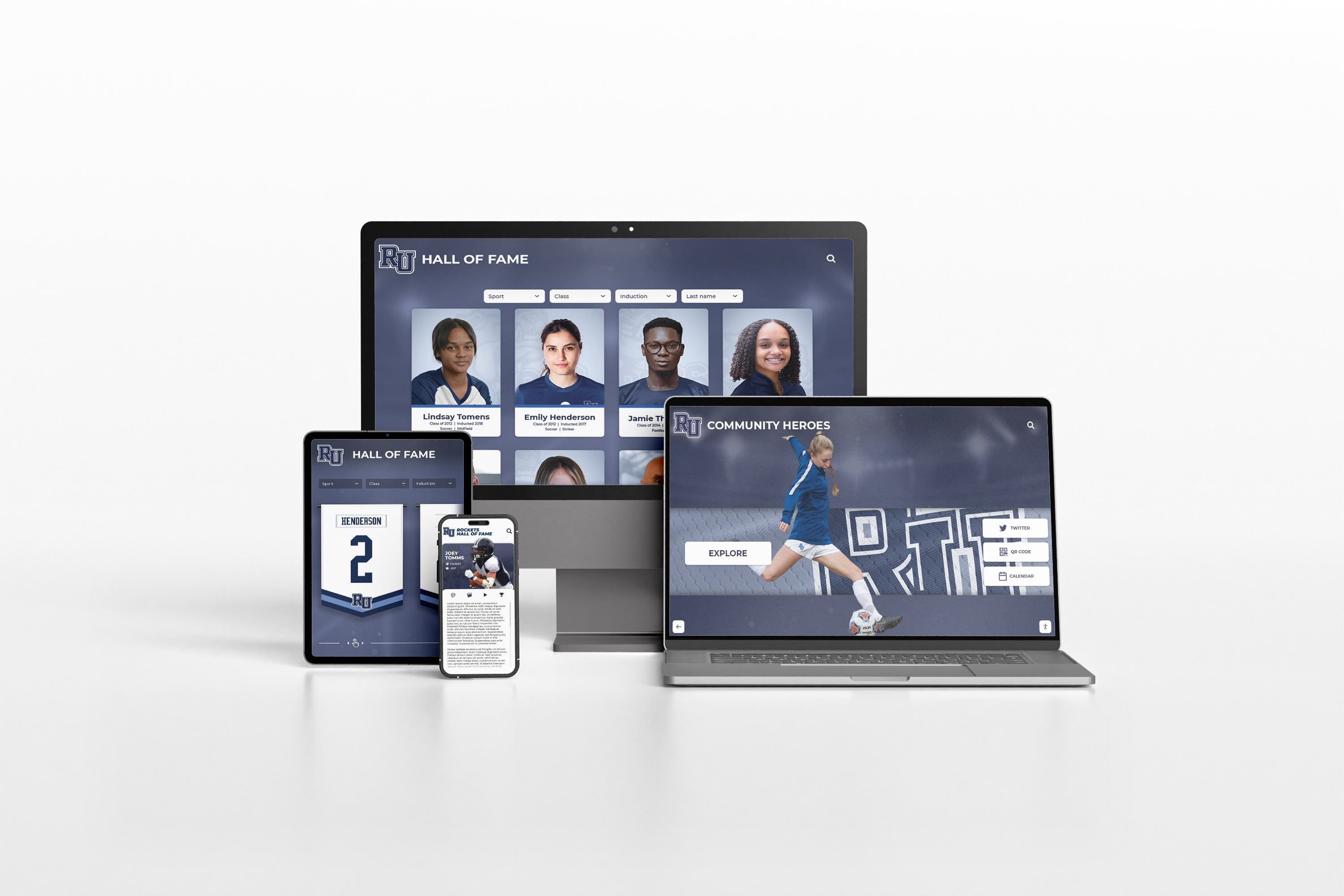
Comprehensive analytics demonstrate AR touchscreen value while guiding optimization decisions based on actual user behavior
Practical Applications and Implementation Strategies
Understanding how organizations successfully implement AR touchscreens across specific contexts provides actionable models applicable to varied situations.
Athletic Recognition and Hall of Fame Applications
Sports programs represent ideal AR touchscreen applications where spatial presentation enhances achievement celebration.
Immersive Athlete Profile Experiences
AR enables athlete recognition extending far beyond name and statistics. Three-dimensional achievement visualization presents career progression across seasons, performance statistics appear as interactive data objects users examine from multiple angles, championship seasons display through temporal timelines with spatial depth showing progression, and career highlight videos integrate seamlessly with biographical narratives creating complete stories. Related athlete connections surface naturally—teammates, competitors, successor athletes at same positions—enabling discovery beyond individual profiles. Resources on basketball hall of fame recognition demonstrate comprehensive athlete celebration approaches applicable across all sports.
Interactive Championship Team Recognition
Championship achievements deserve comprehensive documentation beyond simple trophy displays. AR presentations enable complete roster exploration with individual athlete profile access from team views, season highlight videos triggered by trophy case proximity, game-by-game progression showing path to championships, and historical context comparing championship teams across different eras. Users virtually “step into” championship moments through immersive presentations impossible with static plaques.
Record Board and Achievement Tracking
Athletic records change frequently requiring continuous updates. AR touchscreen record boards display current records with instant access to complete performance histories, enable filtering by sport, gender, or time period showing how records evolved, present record progression timelines visualizing how standards advanced, and celebrate record-setting performances through integrated photos and video documentation. Comprehensive approaches to digital record boards for high schools provide systematic frameworks for achievement tracking across all athletic programs.
Academic and Alumni Recognition Systems
Beyond athletics, AR touchscreens transform how institutions celebrate intellectual achievement and distinguished graduates.
Distinguished Alumni Hall of Fame
Alumni achieving notable success in professional, creative, service, or community dimensions deserve recognition inspiring current students while demonstrating institutional impact. AR presentations enable career journey visualization showing professional progression spatially, industry context connecting alumni working in similar fields, geographical distribution displaying where graduates build careers worldwide, and testimonial videos capturing personal reflections about educational experiences influencing success. Spatial presentation communicates that success takes many forms and paths rather than following single templates.
Academic Achievement Recognition
Academic excellence deserves visibility equal to athletic achievement. AR platforms enable comprehensive academic recognition including valedictorians and academic honor society members across graduating classes, National Merit Scholars and academic competition winners with achievement details, students achieving perfect standardized test scores with contextual comparison, subject-specific achievement in STEM, humanities, and arts disciplines, and prestigious scholarship recipients with award information and selection criteria. Guidance on academic recognition programs demonstrates systematic approaches honoring diverse intellectual excellence through engaging digital displays.
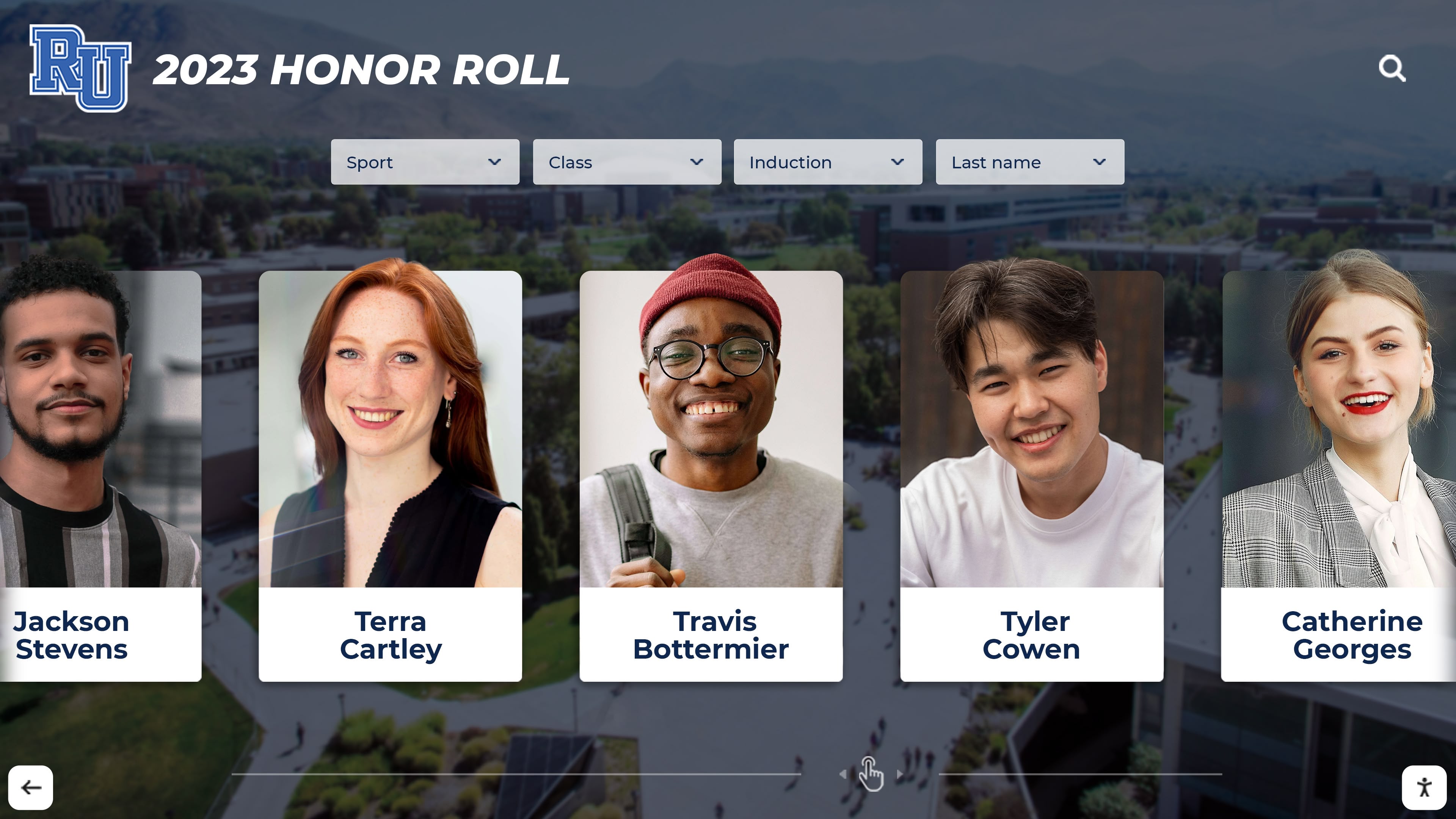
Academic recognition through AR displays communicates that intellectual achievement receives institutional priority equal to athletic success
Museum and Cultural Institution Exhibits
Museums, visitor centers, and heritage sites leverage AR touchscreens creating educational experiences impossible through traditional approaches.
Historical Timeline and Artifact Exploration
AR enables powerful historical presentation where artifacts appear in three-dimensional virtual space users examine from all angles, historical photographs overlay on current locations showing site evolution, temporal timelines present spatial depth enabling intuitive chronological navigation, and related artifacts surface through proximity suggesting exploration paths. This immersive presentation creates stronger emotional connections to historical material compared to flat display presentations.
Interactive Educational Content
Educational institutions implement AR touchscreens for science demonstrations, anatomical education, engineering concepts, and artistic techniques where spatial visualization enhances comprehension. Complex concepts difficult to explain through text become intuitive through three-dimensional interactive models users manipulate directly.
Resources on digital tools that bring history to life demonstrate how interactive technology transforms passive learning into active exploration improving information retention and engagement.
Overcoming Common Implementation Challenges
While AR touchscreens deliver significant benefits, organizations should anticipate and proactively address common challenges potentially derailing projects or limiting effectiveness.
Budget Constraints and ROI Justification
AR touchscreen implementation requires substantial initial investment—typically $15,000-30,000 per display including hardware, software, installation, and initial content development depending on size, capability, and customization requirements.
Phased Implementation Strategies
Organizations facing budget constraints can pursue phased approaches starting with single flagship installation in highest-impact location demonstrating value, expanding to secondary locations as budgets allow and initial installation proves successful, beginning with standard touchscreen displays upgradable to full AR capabilities later, and focusing initial content on highest-priority recognition categories before expanding comprehensively.
Phased approaches enable learning and refinement through initial implementations informing later deployments while distributing costs across multiple budget cycles. Many successful institutions deploy complete AR networks over three to five years rather than attempting comprehensive implementations immediately.
Demonstrating Value to Stakeholders
Administrators justifying AR investments to budget authorities, boards, or stakeholders should demonstrate value across multiple dimensions including dramatically increased engagement measured through usage analytics, eliminated recurring costs for physical plaque production and installation, enhanced recruitment effectiveness through professional modern presentation, improved alumni engagement reflected in event attendance and giving patterns, and expanded accessibility serving community members unable to visit physical facilities.
Many organizations conduct pre-implementation and post-implementation surveys measuring awareness, engagement, and satisfaction with recognition programs, documenting improvements justifying technology investment through quantifiable community impact rather than anecdotal impressions alone.
Content Development Capacity and Expertise Gaps
Creating quality AR content requires expertise many organizations lack internally including 3D modeling and spatial content design, AR interaction design and user experience, professional photography and videography, content writing and biographical research, and ongoing content management and system administration.
Partnering for Content Development
Organizations can address capability gaps through several approaches including engaging specialized AR content development firms for initial creation, partnering with local universities where students gain real-world experience while organizations receive capable assistance, training internal staff through vendor-provided resources and guidance, and utilizing purpose-built platforms with content templates and examples reducing custom development requirements.
The key involves realistic assessment of internal capabilities and honest evaluation whether custom content creation represents best use of limited resources compared to configurable commercial solutions enabling focus on institutional knowledge rather than technical expertise.
Technology Evolution and Future-Proofing
AR technology evolves rapidly creating concerns about investing in platforms becoming obsolete within years.
Selecting Future-Ready Platforms
Organizations can mitigate obsolescence risk through several strategies including choosing cloud-based platforms where vendors continuously update capabilities, selecting hardware with upgrade paths enabling component replacement without complete reinstallation, prioritizing open standards over proprietary approaches limiting vendor lock-in, and establishing vendor relationships with providers demonstrating long-term institutional market commitment.
Quality vendors recognize educational institutions and organizations require decade-scale thinking rather than consumer product cycles. Effective partnerships include clear upgrade paths, backwards compatibility commitments, and transparent roadmaps showing platform evolution directions.

Future-ready installations use modular architectures enabling component upgrades as technology evolves without requiring complete replacement
The Future of Touchscreen AR Experiences
AR touchscreen technology and user expectations continue evolving with several emerging trends shaping future interactive experiences.
Advanced Interaction Modalities
Beyond traditional touch input, emerging technologies expand interaction possibilities while creating new design opportunities.
Voice Integration and Multi-Modal Interfaces
Voice control increasingly supplements touch interaction particularly for search functions and accessibility applications. Multi-modal interfaces accepting touch, voice, and gesture input provide flexibility where users might browse visually but search vocally, or explore verbally but select through touch. However, voice integration requires acoustic design considering ambient noise levels in public environments, privacy concerns about voice recording, and clear feedback indicating voice recognition states and system responses.
Gesture Recognition and Touchless Interaction
Computer vision systems detecting hand gestures without physical contact gained prominence during pandemic concerns about shared surface contact. While completely touchless interaction faces discoverability challenges—users don’t spontaneously attempt gestures without instruction—hybrid approaches combining touch with optional touchless capabilities provide flexibility for users preferring either interaction mode while maintaining intuitive experiences.
Spatial Computing Convergence
AR touchscreens represent early steps toward broader spatial computing where digital content integrates seamlessly with physical environments.
Persistent AR and Location-Based Content
Emerging AR platforms enable persistent digital content anchored to physical locations visible across multiple devices and viewing sessions. Recognition content could extend beyond dedicated touchscreen displays to users’ personal smartphones when they visit facilities. QR codes or Bluetooth beacons trigger AR content overlay on personal devices creating hybrid experiences combining public displays with private exploration.
This multi-device continuity enables users to begin exploration at touchscreen installations then continue on personal devices reviewing content at their own pace or sharing with distant family members unable to visit physically.
Integration with Physical Recognition Elements
Rather than replacing traditional recognition, AR touchscreens increasingly complement physical plaques and trophy cases through hybrid approaches. Physical elements maintain ceremonial significance and tangible presence while AR adds depth, multimedia, and unlimited capacity impossible through physical approaches alone. QR codes on traditional plaques link to comprehensive AR profiles. Trophy cases trigger related AR content when users approach with personal devices. And physical induction ceremonies integrate with AR displays showcasing new honorees.
Solutions like Rocket Alumni Solutions provide integrated ecosystems where physical touchscreen installations, web-based portals, and mobile AR experiences work together seamlessly ensuring recognition content remains accessible to entire communities through their preferred platforms and devices.
Conclusion: Designing AR Experiences That Honor Achievement
Touchscreen augmented reality displays represent significant advancement in how organizations celebrate achievement, educate audiences, and create memorable interactive experiences. By combining intuitive touch interaction familiar from smartphones with spatial computing capabilities unique to AR technology, these systems deliver engaging experiences impossible through either traditional static displays or standard flat touchscreens alone.
Success requires systematic design approaches balancing technological capability with user comprehension, prioritizing content quality over technical sophistication for its own sake, embracing spatial interaction while maintaining familiar conventions users already understand, and implementing measurement frameworks enabling continuous improvement based on actual usage rather than assumptions about preferences.
Transform Your Recognition Program with AR-Enhanced Touchscreen Displays
Discover how AR-enhanced digital recognition platforms deliver superior engagement experiences that honor achievement while captivating modern audiences. Rocket Alumni Solutions offers comprehensive AR-ready systems designed specifically for educational institutions and organizations.
Get Your Touchscreen Mock-UpOrganizations implementing AR touchscreen displays demonstrate commitment to celebrating all deserving individuals through modern technology while honoring heritage and tradition that make recognition meaningful. Whether implementing athletic recognition inspiring current competitors with program excellence, academic displays celebrating intellectual achievement across performance levels, alumni halls of fame demonstrating institutional impact through graduate success, or museum exhibits educating visitors through immersive exploration, AR-enhanced touchscreen technology provides proven solutions strengthening community culture while engaging audiences in ways traditional approaches cannot match.
The most successful implementations start with clear recognition goals understanding what achievement deserves celebration and what stories matter most to communities. They select appropriate technology matching organizational needs and capabilities rather than pursuing sophistication for its own sake. They develop thoughtful content strategies honoring individuals through comprehensive profiles rather than minimal documentation. They design intuitive interfaces requiring no instruction while delivering impressive experiences. And they position installations strategically in locations where target audiences naturally encounter recognition throughout daily activities and special events.
Ready to explore AR touchscreen options for your institution or organization? Learn more about designing engaging touchscreen experiences, discover digital hall of fame touchscreen approaches, explore comprehensive digital recognition display strategies, and understand interactive display technology selection that positions your organization at forefront of recognition innovation through thoughtfully designed AR experiences celebrating achievement while engaging modern audiences through spatial computing technology built specifically for institutional applications.































