




Touchscreen building directories have become essential navigation and information tools in modern institutional environments, replacing static wall directories with interactive systems that help visitors find destinations quickly, access building information instantly, and connect with services efficiently. From university campuses with hundreds of faculty offices to hospital complexes with multiple departments, from corporate headquarters with diverse divisions to school buildings serving thousands of students and visitors daily, interactive wayfinding technology addresses the fundamental challenge every large facility faces: helping people navigate spaces and locate resources without constant staff assistance.
Yet many institutions continue relying on outdated directory approaches that frustrate visitors and burden staff. Static printed directories become obsolete immediately when personnel change offices, departments reorganize, or services relocate. Wall-mounted acrylic boards require manual updates that lag weeks behind actual changes. Visitors struggle to find destinations in complex buildings, creating bottlenecks at reception desks where staff spend hours daily answering basic directional questions. Meanwhile, institutions miss opportunities to share important information, highlight programs, recognize achievements, and create engaging experiences that transform functional wayfinding into meaningful first impressions.
This comprehensive guide explores touchscreen building directory solutions for schools, universities, hospitals, corporate offices, and institutional facilities, examining interactive wayfinding technology options, implementation strategies, design considerations, content management approaches, and best practices that create effective navigation systems serving both daily users and first-time visitors.
Effective building directories serve multiple purposes beyond simple navigation. They reduce reception desk workload by enabling self-service information access, create positive first impressions demonstrating institutional investment in visitor experience, provide 24/7 access to building information without staffing requirements, accommodate accessibility needs through adjustable interfaces and multilingual support, and deliver consistent information that remains current as organizational changes occur.

Modern touchscreen directories enable visitors to navigate buildings independently while accessing comprehensive information about services, personnel, and resources
Understanding Touchscreen Building Directory Technology
Before selecting directory solutions, institutions benefit from understanding the technology options available, how interactive directories function, and what distinguishes effective systems from basic digital signage.
Core Directory Functionality
Touchscreen building directories provide interactive access to information through intuitive touch interfaces that enable searching, browsing, and navigation.
Essential Directory Features
Effective building directories include several core capabilities:
- Personnel Search: Alphabetical listing and search functionality enabling visitors to locate specific individuals by name, department, or role
- Department Navigation: Organized access to institutional divisions, academic departments, administrative services, or business units with location information
- Room and Office Locator: Search by room number, office designation, or suite identification with visual wayfinding guidance
- Service Directory: Access to available services, facilities, amenities, and resources with hours, contact information, and locations
- Interactive Maps: Visual floor plans and building layouts with highlighted destinations, navigation paths, and landmark references
- Search Functionality: Text input enabling visitors to find destinations using natural language queries and partial information
According to research on wayfinding systems, effective directories reduce directional inquiries at reception desks by 60-80%, allowing staff to focus on complex visitor needs rather than answering repetitive location questions.
Advanced Directory Capabilities
Modern touchscreen directories extend beyond basic wayfinding to provide comprehensive information access:
- Event Calendars: Real-time display of meetings, classes, programs, and activities with locations, times, and registration information
- Emergency Information: Immediate access to safety procedures, emergency contacts, evacuation routes, and alert messaging
- Accessibility Features: Language selection, adjustable text size, audio guidance, and high-contrast display modes accommodating diverse visitor needs
- Integration Capabilities: Connections to scheduling systems, personnel databases, facility management software, and institutional information systems
- Analytics Tracking: Usage data revealing common searches, popular destinations, peak traffic times, and navigation patterns informing facility improvements
These advanced features transform basic directories into comprehensive information access points that serve diverse visitor needs while providing institutional insights.
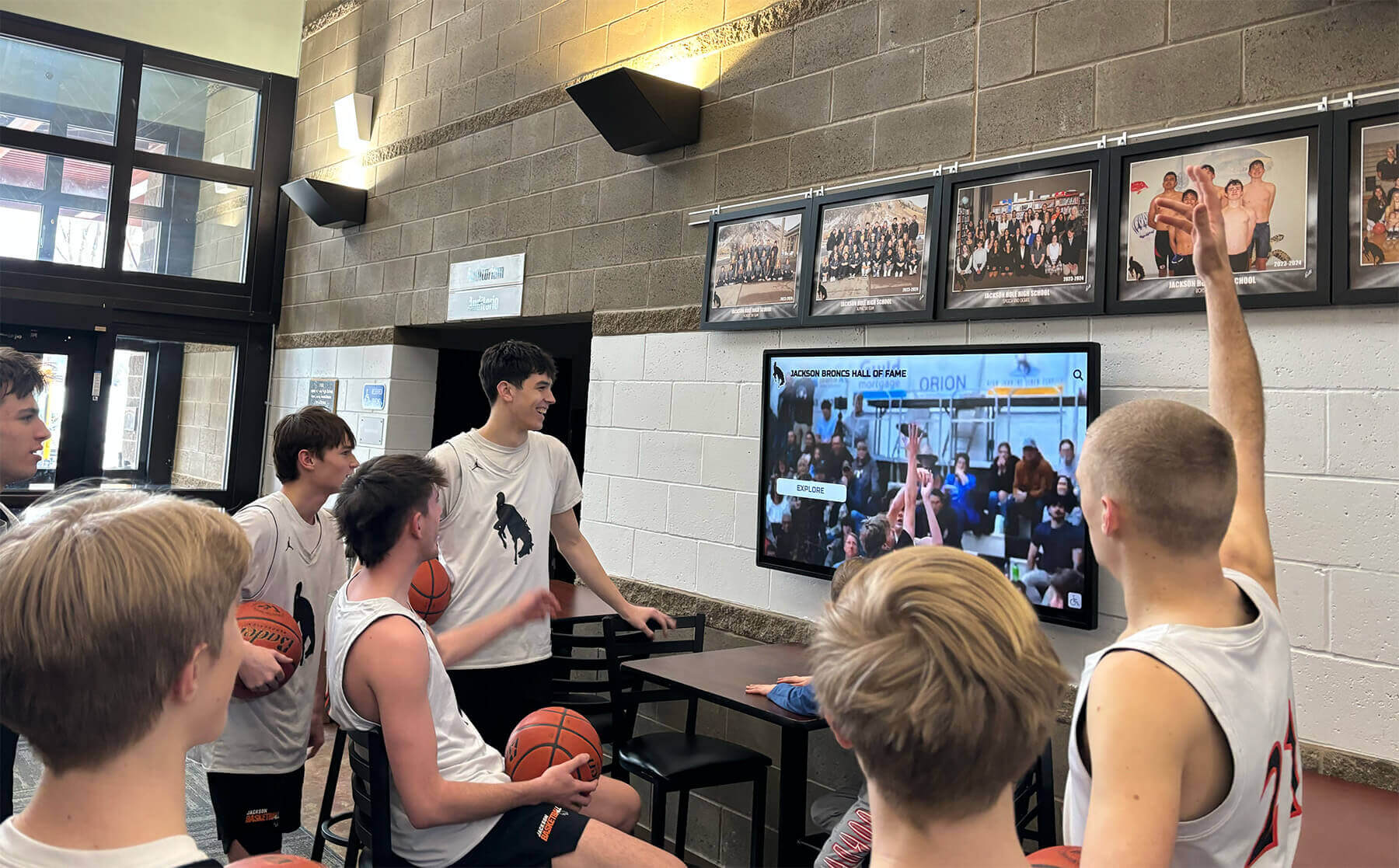
Interactive touchscreens create engaging information access points that serve multiple purposes beyond wayfinding alone
Kiosk vs. Wall-Mounted Directory Systems
Institutions choosing touchscreen directories face fundamental decisions about physical form factors that significantly impact functionality, placement flexibility, and user experience.
Freestanding Kiosk Directories
Self-contained floor-mounted units provide several advantages:
- Flexible Placement: Position kiosks anywhere without wall mounting or permanent installation requirements
- Easy Relocation: Move directories to different locations as building uses change or traffic patterns evolve
- Integrated Components: Built-in speakers, printers, payment systems, or additional peripherals within single enclosures
- Accessible Design: Height adjustments and angled displays accommodating wheelchair users and diverse physical needs
- Standalone Operation: Complete systems including all necessary technology, power management, and security within kiosk enclosures
- Branded Enclosures: Custom cabinet designs reinforcing institutional identity through colors, logos, and aesthetic choices
Freestanding kiosks work well in open lobby areas, building entrances, hallway intersections, and spaces where wall mounting proves impractical or undesirable.
Wall-Mounted Directory Displays
Displays mounted directly to walls offer distinct benefits:
- Space Efficiency: Minimal floor space consumption in crowded lobbies or narrow corridors
- Clean Aesthetics: Streamlined appearance integrating seamlessly with architectural elements
- Permanent Installation: Fixed positioning providing consistent directory location visitors learn over time
- Security Advantages: Reduced vandalism risk compared to freestanding units in some environments
- Cost Efficiency: Simpler enclosures and mounting systems reducing hardware investment
- Multiple Display Options: Ability to install several smaller displays rather than single large kiosks
Wall-mounted directories excel in reception areas, main corridors, elevator lobbies, and locations where architectural integration matters.
The choice between kiosk and wall-mounted systems depends on facility layout, traffic patterns, aesthetic priorities, accessibility requirements, and planned content complexity. Many institutions deploy both formats strategically throughout buildings.

Freestanding directory kiosks provide flexible positioning while maintaining professional appearance and comprehensive functionality
Hardware Considerations for Directory Systems
Selecting appropriate hardware determines directory reliability, user experience quality, and long-term operational success.
Display Technology and Size
Screen specifications significantly impact directory usability:
- Display Size: 32-inch to 55-inch screens for kiosks, 42-inch to 55-inch for wall-mounted displays provide comfortable viewing and interaction
- Resolution: Full HD (1920x1080) minimum, with 4K (3840x2160) preferred for crisp text and detailed maps
- Touch Technology: Capacitive touch sensors offering smartphone-like responsiveness and multi-touch capability
- Brightness: 300-500 nits for indoor installations with higher brightness near windows or in naturally lit spaces
- Viewing Angles: IPS or similar panel technology ensuring consistent appearance from various approach angles
- Anti-Glare Treatment: Coatings reducing reflection and maintaining visibility in diverse lighting conditions
Display quality directly affects user satisfaction, with poor visibility or unresponsive touch interfaces creating frustration rather than assistance.
Durability and Protection
Institutional environments demand robust construction:
- Tempered Glass: Strengthened screen protection resisting impact, scratching, and vandalism
- Commercial-Grade Displays: Industrial-rated components designed for continuous operation rather than consumer TV panels
- Sealed Enclosures: Protection from dust, moisture, and environmental factors extending operational life
- Thermal Management: Adequate cooling preventing overheating during extended operation
- Security Mounting: Tamper-resistant hardware preventing unauthorized removal or access to components
- Cable Management: Organized, protected wiring reducing trip hazards and maintaining professional appearance
According to industry data on commercial touchscreen installations, properly specified hardware maintains operational reliability exceeding 95% with minimal maintenance requirements when designed for institutional use.
Connectivity and Integration
Directory systems require appropriate networking capabilities:
- Wired Ethernet: Stable, secure connectivity for data synchronization and content updates
- WiFi Options: Wireless networking where cabling proves impractical, with adequate security protocols
- API Integration: Connections to institutional databases, scheduling systems, and information sources
- Content Management: Remote update capabilities enabling centralized management across multiple directories
- Analytics Output: Data collection and reporting integration with institutional systems
- Emergency Systems: Connection to alert networks enabling immediate safety message distribution
Comprehensive integration capabilities ensure directories remain current, accurate, and aligned with institutional information systems.
Understanding campus directory touchscreen display implementation approaches demonstrates successful strategies institutions employ for navigation and information access.
Applications Across Different Institutional Environments
Touchscreen building directories serve diverse needs across various organizational types, with each environment presenting unique requirements and opportunities.
Educational Institution Directories
Schools, colleges, and universities face particular wayfinding challenges that interactive directories effectively address.
K-12 School Building Directories
Elementary, middle, and high schools benefit from directories serving multiple audiences:
- Visitor Navigation: Parents, volunteers, vendors, and guests locating offices, classrooms, and facilities during business hours
- Event Support: Athletic competitions, performances, conferences, and community programs bringing large visitor volumes requiring wayfinding
- Staff Directory: Faculty and administrator contact information accessible to parents and community members
- Department Locations: Guidance offices, nurse stations, main offices, media centers, and specialized program spaces
- Safety Information: Emergency procedures, evacuation routes, and shelter locations accessible during crisis situations
- Building Hours: Access schedules, office hours, and facility availability for community use planning
Schools implementing directories in main lobbies, near auditoriums, at gymnasium entrances, and at community access points reduce office interruptions while improving visitor experience.
University Campus Building Directories
Higher education facilities serve larger populations with more complex organizational structures:
- Faculty Offices: Searchable listings of professors, instructors, and researchers with office locations, contact information, and office hours
- Academic Departments: Navigation to departmental offices, program areas, laboratories, and specialized facilities
- Administrative Services: Registrar offices, financial aid, advising centers, career services, and student support locations
- Campus Resources: Libraries, computer labs, study spaces, food services, and recreational facilities
- Classroom Locators: Real-time information about classroom availability, current class schedules, and room capacities
- Building Information: Historical details, naming dedications, architectural features, and campus landmarks
Many universities deploy directories at building entrances, central campus locations, parking areas, and residential zones, creating comprehensive wayfinding networks spanning entire campuses.
Exploring digital school tour interactive campus experience implementation reveals how institutions extend wayfinding into broader engagement strategies.
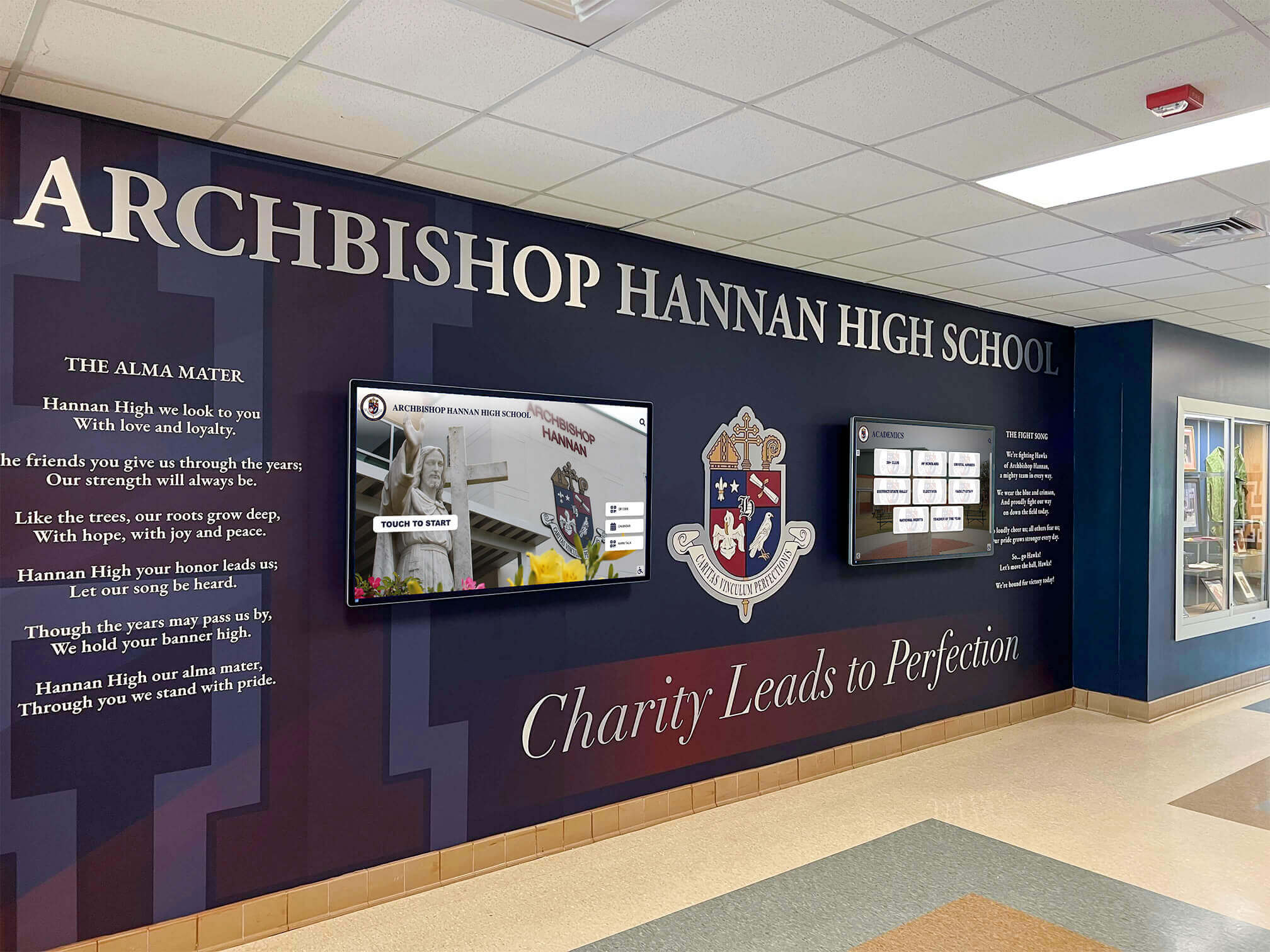
Educational institutions integrate directory technology with architectural elements and branding to create welcoming, informative entrance environments
Healthcare Facility Directories
Hospitals, medical centers, and healthcare facilities rely on directories for patient navigation and stress reduction.
Hospital Building Directories
Medical facilities address unique wayfinding needs:
- Department Navigation: Emergency departments, specialty clinics, imaging centers, surgical units, and outpatient services
- Physician Directories: Searchable listings by specialty, name, or condition treated with clinic locations and appointment information
- Patient Room Lookup: Privacy-conscious systems enabling visitors to locate patient rooms with appropriate security controls
- Service Locations: Cafeterias, gift shops, chapels, family waiting areas, and visitor amenities
- Parking Integration: Connections between parking structures and building entrances with navigation guidance
- Multilingual Support: Language options accommodating diverse patient populations and reducing communication barriers
According to research on healthcare wayfinding, effective directory systems reduce patient stress levels and late arrivals while improving satisfaction scores, with wayfinding challenges cited as significant frustration sources in healthcare settings.
Clinic and Outpatient Facility Directories
Smaller medical facilities benefit from focused directory solutions:
- Practice Locations: Individual physician practices, specialty clinics, and therapeutic service providers within medical buildings
- Suite Navigation: Floor-by-floor directories for multi-tenant medical office buildings
- Appointment Information: Integration with scheduling systems providing personalized wayfinding for registered patients
- Service Descriptions: Information about available procedures, testing services, and treatment options
- Insurance and Administrative Details: Billing offices, insurance verification, medical records, and patient services
Healthcare directories prioritize clarity, reduce anxiety, and accommodate users experiencing stress or medical concerns through simplified interfaces and clear guidance.
Corporate and Business Facility Directories
Office buildings, corporate campuses, and business facilities use directories for professional environments.
Corporate Office Directories
Business headquarters and regional offices require directories addressing:
- Employee Directories: Searchable staff listings with names, titles, departments, office locations, and contact information
- Departmental Navigation: Finance, human resources, marketing, operations, engineering, and functional division locations
- Conference Room Locators: Meeting space reservations, real-time availability, and navigation to scheduled appointments
- Visitor Management: Integration with check-in systems guiding guests to appointments and providing host notification
- Amenities Information: Cafeterias, break rooms, fitness centers, and employee services
- Company Information: Mission statements, values, organizational history, and brand messaging
Corporate directories emphasize professionalism, efficiency, and brand consistency while supporting workplace productivity through reduced time spent locating colleagues and resources.
Multi-Tenant Building Directories
Shared office buildings require directories serving diverse organizations:
- Tenant Listings: Company names, suite numbers, and floor locations for building occupants
- Professional Services: Legal practices, accounting firms, consultancies, and specialized services available within buildings
- Building Management: Leasing information, property management contacts, and facility services
- Shared Amenities: Conference centers, building cafeterias, fitness facilities, and common spaces
- Parking Guidance: Tenant parking assignments, visitor parking locations, and access instructions
Multi-tenant directories balance comprehensive information with simplified navigation appropriate for visitors unfamiliar with building layouts.

Corporate and institutional directories balance functional wayfinding with brand presentation and professional aesthetics
Government and Public Facility Directories
Municipal buildings, libraries, community centers, and government offices serve public populations requiring accessible information systems.
Government Building Directories
Public facilities address civic service needs:
- Department Directories: Permits, licensing, tax offices, clerk services, and administrative departments
- Elected Officials: Council members, commissioners, and public officials with office locations and contact methods
- Public Services: Social services, health departments, veterans services, and citizen assistance programs
- Meeting Spaces: Public hearing rooms, council chambers, and community meeting facilities
- Accessibility Information: Elevator locations, accessible entrances, parking accommodations, and assistance services
- Operating Hours: Department schedules, holiday closures, and service availability
Government directories prioritize accessibility compliance, multilingual support, and universal design principles ensuring all community members can access information regardless of language, literacy level, or physical abilities.
Library and Cultural Institution Directories
Public libraries, museums, and cultural centers benefit from directories providing:
- Collection Navigation: Location of book sections, media collections, archives, and specialized resources
- Program Information: Classes, events, exhibitions, and activities with schedules and registration details
- Facility Spaces: Study rooms, meeting spaces, computer labs, and specialized areas
- Staff Assistance: Reference desk locations, specialist availability, and service contacts
- Museum Exhibitions: Current and upcoming exhibits with gallery locations and featured content
- Historical Information: Building history, architectural features, and institutional background
Cultural institution directories extend beyond wayfinding to provide educational content, exhibition previews, and engagement opportunities that enhance visitor experiences.
Reviewing interactive touchscreens museums galleries applications reveals content strategies cultural institutions employ for visitor engagement.
Design Principles for Effective Building Directories
Creating directories that serve users effectively requires attention to interface design, information architecture, and user experience principles.
User Interface Design for Wayfinding
Directory interfaces must accommodate diverse users with varying technical abilities, time constraints, and stress levels.
Visual Hierarchy and Layout
Effective directory interfaces employ clear organizational principles:
- Prominent Search: Large search bars with clear labels enabling immediate text-based lookups
- Organized Browse Options: Categorized buttons or menus providing intuitive navigation paths for users preferring structured exploration
- Clear Typography: Large, readable fonts with high contrast enabling quick scanning and comprehension
- Generous Touch Targets: Buttons sized appropriately for finger interaction, typically 44x44 pixels minimum
- Consistent Navigation: Standardized controls, back buttons, and menu access maintaining orientation throughout sessions
- Visual Maps: Floor plans and building layouts providing spatial context for directional guidance
Research on touchscreen interface design indicates that first-time users should accomplish common tasks within 30 seconds without instructions, requiring intuitive layouts and obvious interaction patterns.
Color, Contrast, and Accessibility
Directories must serve users with diverse visual abilities:
- High Contrast: Text and background combinations meeting WCAG 2.1 AA standards (4.5:1 contrast ratio minimum)
- Color Independence: Information conveyed through multiple visual channels, not color alone
- Adjustable Text Size: User-controlled font scaling accommodating vision variations
- Screen Reader Compatibility: Proper labeling enabling audio output for users with visual impairments
- Simplified Modes: Optional high-contrast or simplified interfaces reducing visual complexity
- Consistent Color Coding: Standardized use of institutional colors reinforcing branding while maintaining readability
Accessibility considerations ensure directories serve entire community populations, meeting both legal compliance requirements and ethical obligations for universal access.
Content Strategy and Information Architecture
Organizing directory information determines how easily users locate destinations and access resources.
Search Optimization
Effective directory search accommodates natural language queries:
- Name Variations: Recognition of nicknames, maiden names, preferred names, and common misspellings
- Partial Matches: Results appearing as users type rather than requiring complete entries
- Synonym Recognition: Understanding alternative terms for departments, services, or locations
- Room Number Flexibility: Accepting various formats like “Room 205”, “205”, “R205”, or “Suite 205”
- Phonetic Matching: Approximate matching assisting with spelling uncertainty
- Recent Search History: Quick access to commonly sought destinations
Well-implemented search reduces user frustration and time spent navigating directory structures.

Intuitive interfaces enable users to navigate complex buildings quickly through search, browse, or map-based wayfinding
Browse Organization
Structured navigation supports users uncertain about specific searches:
- Alphabetical Listings: Complete personnel directories with letter-based jumping
- Departmental Groupings: Organizational hierarchies reflecting institutional structures
- Service Categories: Functional groupings like “Student Services”, “Administrative Offices”, or “Medical Specialties”
- Floor-Based Navigation: Building level selection with visual floor plans
- Featured Destinations: Quick access to commonly sought locations like main offices, restrooms, or emergency exits
- Custom Categories: Specialized groupings reflecting unique institutional needs
Effective browse structures accommodate both knowledgeable users seeking specific destinations and exploratory users learning about available resources.
Map Design and Visual Wayfinding
Interactive maps transform abstract directions into intuitive visual guidance.
Floor Plan Visualization
Effective building maps balance detail with clarity:
- Simplified Layouts: Removing unnecessary architectural detail while preserving navigation landmarks
- Clear Destination Highlighting: Visual emphasis on target locations using color, animation, or icons
- You Are Here Markers: Prominent indication of current directory location providing orientation reference
- Path Illustration: Route visualization from directory location to destinations
- Landmark References: Inclusion of recognizable features like staircases, elevators, entrances, and distinctive spaces
- Distance and Time Estimates: Approximate walking times helping users plan navigation
According to wayfinding research, users prefer simple maps showing only navigation-relevant information over architecturally complete floor plans containing excessive detail that complicates interpretation.
Multi-Floor Navigation
Buildings with multiple levels require special consideration:
- 3D Building Visualization: Optional isometric or perspective views showing vertical relationships between floors
- Vertical Navigation Indicators: Clear identification of stairs, elevators, and escalators
- Cross-Floor Paths: Route visualization spanning multiple levels with transition point identification
- Floor Selector: Prominent controls switching between level views
- Consistent Orientation: Maintaining north direction or entrance reference across floor views
Complex buildings benefit from progressive disclosure—showing overview maps initially, then detailed floor plans as users narrow searches.
Understanding new school building touchscreen display installation timing demonstrates planning considerations for directory implementation in construction and renovation projects.
Content Management and Maintenance Strategies
Directories remain effective only when content stays current, accurate, and relevant—requiring sustainable management approaches.
Data Integration and Synchronization
Connecting directories to authoritative information sources ensures accuracy while reducing manual update requirements.
Database Integration
Effective directories pull information from existing systems:
- HR Systems: Employee names, titles, departments, and office assignments updated automatically as personnel changes occur
- Scheduling Software: Room reservations, event calendars, and facility availability reflected in real-time
- Student Information Systems: Faculty rosters, course schedules, and academic department information for educational institutions
- Practice Management Systems: Physician schedules, clinic availability, and service offerings in healthcare settings
- Property Management: Tenant directories, lease information, and suite assignments in commercial buildings
According to facilities management data, automated synchronization reduces directory errors by 85% compared to manual update processes while eliminating staff workload for routine changes.
Update Frequency and Workflows
Establishing appropriate update schedules maintains accuracy:
- Real-Time Integration: Immediate reflection of schedule changes, room availability, and event information
- Daily Synchronization: Personnel updates, new employee additions, and departmental changes
- Weekly Reviews: Content validation, map accuracy verification, and issue resolution
- Seasonal Updates: Academic calendars, operational hour changes, and program information
- Emergency Overrides: Immediate messaging capabilities for safety alerts, closures, or urgent notifications
Systematic update workflows prevent information decay that undermines directory value and user trust.
Multi-Location Management
Institutions with multiple directories across buildings or campuses require centralized management capabilities.
Content Management Systems
Centralized platforms enable efficient directory management:
- Template-Based Design: Consistent interface layouts across locations with localized content
- Remote Updates: Centralized content management enabling simultaneous updates across all directories
- Role-Based Access: Permissions allowing departmental staff to update relevant information while maintaining institutional control
- Version Control: Change tracking, approval workflows, and rollback capabilities
- Analytics Dashboards: Usage metrics, popular searches, and performance monitoring across directory networks
- Asset Management: Centralized storage of maps, graphics, and media used across multiple directories
Cloud-based content management systems enable institutions to maintain consistency while distributing update responsibilities appropriately across organizational structures.
Location-Specific Customization
While maintaining consistency, directories accommodate building-specific needs:
- Building-Specific Maps: Unique floor plans, layouts, and architectural features
- Local Contact Information: Building-specific reception, security, and emergency contacts
- Facility Hours: Variable operating schedules across different locations
- Specialized Services: Building-specific amenities, resources, and features
- Contextual Content: Location-appropriate messaging, announcements, and information
Balancing standardization with customization creates directory networks that feel consistent yet relevant to each location’s unique characteristics and user needs.
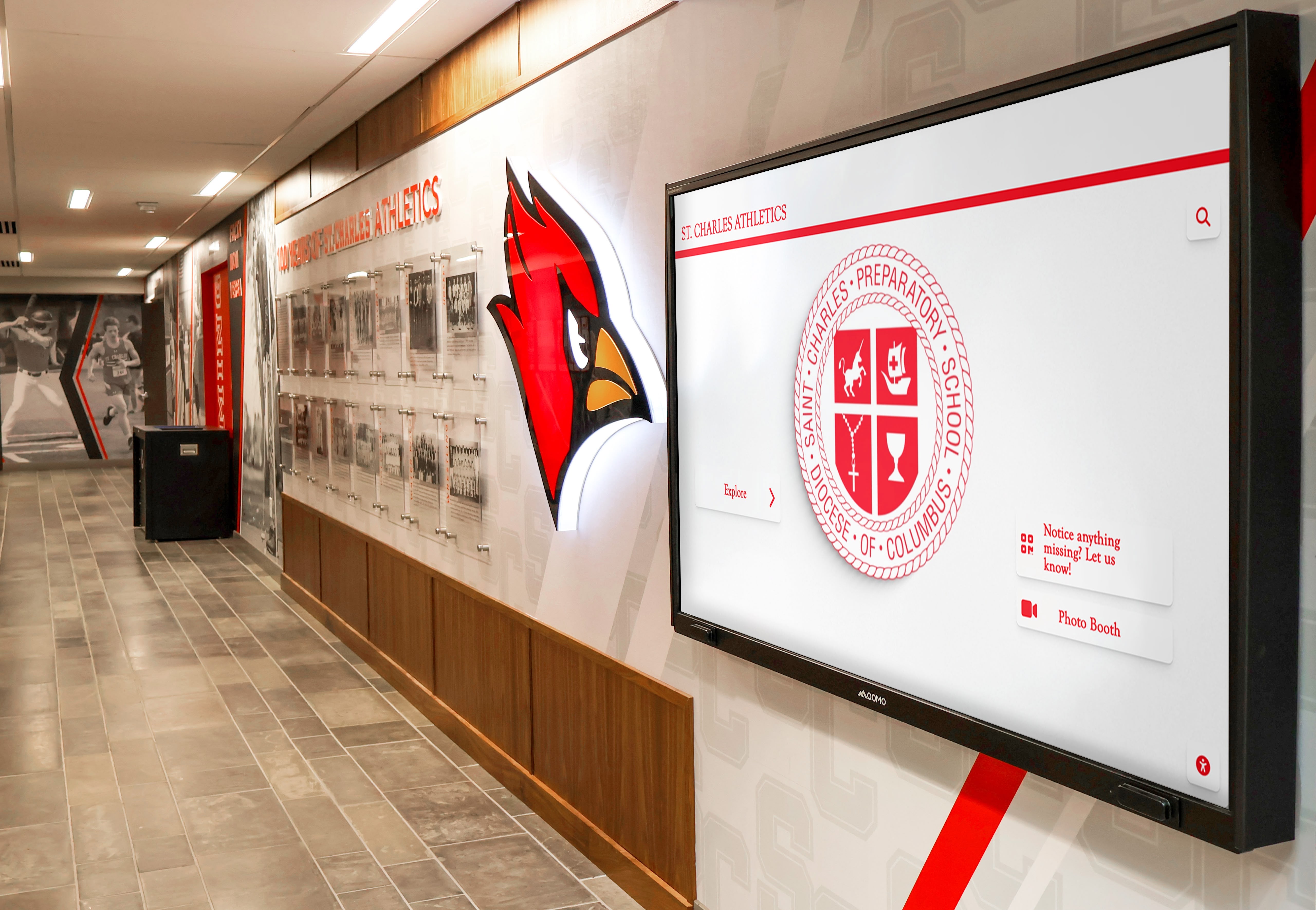
Institutional facilities benefit from directory networks that maintain consistent interfaces while accommodating location-specific content and branding
Implementation Best Practices and Success Strategies
Deploying effective building directories requires attention to planning, placement, training, and continuous improvement.
Strategic Placement and Installation
Directory location significantly impacts usage and effectiveness.
High-Traffic Location Selection
Position directories where visitors naturally seek information:
- Main Entrances: Primary building access points where most visitors enter
- Reception Areas: Near check-in desks supporting self-service while reducing staff burden
- Elevator Lobbies: Decision points where visitors determine vertical navigation
- Parking Structure Connections: Transitions from parking to building interiors
- Corridor Intersections: Navigation choice points within building interiors
- Public Spaces: Lobbies, atriums, and gathering areas with sustained visitor presence
Usage analytics reveal that directories positioned within 20 feet of main entrances receive 300-400% more interaction than those located in secondary corridors, emphasizing placement importance.
Accessibility Compliance
Directory installations must accommodate all users:
- Mounting Heights: Screen centers positioned 36-48 inches from floor for wheelchair users and children
- Clear Floor Space: 30x48 inch clearance in front of directories enabling wheelchair approach
- Reach Range Compliance: Interactive elements within 48-inch maximum reach height
- Glare Management: Positioning avoiding direct sunlight or bright overhead lighting creating screen wash
- Audio Access: Speakers or audio jacks enabling non-visual navigation for users with vision impairments
- Signage: Accessible wayfinding directing visitors to directory locations
ADA compliance ensures directories serve entire populations while protecting institutions from accessibility complaints and litigation.
User Education and Adoption
Even intuitive directories benefit from introduction strategies that encourage usage.
Initial Rollout Strategies
Launch activities build awareness and adoption:
- Staff Training: Educating reception personnel, security staff, and employees about directory capabilities
- Directional Signage: Physical signs directing visitors to directory locations
- Demonstration Sessions: Guided sessions during open houses, orientations, or community events
- Promotional Materials: Brochures, website content, and communications highlighting directory features
- Ambassador Programs: Training volunteers or staff who encourage directory use and assist confused users
- Feedback Collection: Surveys, observation, and usage analytics identifying improvement opportunities
Active promotion accelerates adoption, particularly among populations hesitant about technology or unfamiliar with touchscreen interfaces.
Ongoing User Support
Sustained support maintains effectiveness:
- Help Buttons: On-screen assistance connecting users to staff when directories don’t meet needs
- Visual Instructions: Brief on-screen guidance demonstrating basic interactions
- Attract Loops: Screensaver content demonstrating features and inviting interaction
- Routine Content: Regular updates demonstrating directory currency and encouraging repeat use
- Performance Monitoring: Analytics tracking revealing confusion points, search failures, and usability issues
Continuous attention to user experience ensures directories remain effective as populations change and organizational needs evolve.
Exploring library touchscreen interactive displays implementation provides insights into public-facing touchscreen deployment strategies.
Performance Measurement and Optimization
Systematic evaluation ensures directories deliver intended value.
Usage Analytics
Data collection reveals directory effectiveness:
- Interaction Rates: Percentage of visitors engaging with directories versus passing by
- Search Patterns: Most common queries revealing navigation priorities and information needs
- Success Metrics: Task completion rates indicating whether users find sought information
- Session Duration: Time spent interacting suggesting appropriate information complexity
- Popular Destinations: Frequently sought locations informing physical signage and space planning decisions
- Error Tracking: Failed searches highlighting missing information or unclear organization
According to facilities management research, institutions analyzing directory usage data identify operational improvements beyond wayfinding, including space utilization optimization, service accessibility enhancements, and communication strategy refinements.
Continuous Improvement
Regular optimization maintains relevance:
- Content Updates: Adding missing information identified through failed searches
- Interface Refinements: Adjusting navigation based on observed user behavior and confusion points
- Search Enhancement: Expanding synonym recognition, alternate naming, and query matching
- Feature Additions: Introducing capabilities addressing identified needs like QR codes, email directions, or print functionality
- Performance Optimization: Maintaining hardware, updating software, and ensuring technical reliability
Directories improve over time through systematic attention to user needs, operational feedback, and evolving organizational requirements.
Educational Applications: Building Directories in Schools
Educational institutions represent particularly promising environments for touchscreen building directories given complex populations, frequent visitor traffic, and opportunities to extend directories beyond wayfinding alone.
Comprehensive School Directory Solutions
Schools implementing interactive directories often discover opportunities to serve multiple needs through single platforms.
Multi-Purpose Educational Directories
Forward-thinking schools use directory technology for:
- Visitor Navigation: Traditional wayfinding helping parents, volunteers, and guests locate destinations
- Recognition Content: Celebrating student achievements, faculty accomplishments, and school traditions alongside directory information
- Event Information: Promoting athletics, performances, activities, and programs with schedules and locations
- School Information: Sharing history, values, programs, and institutional identity with visitors and prospective families
- Emergency Communication: Delivering safety information, procedure reminders, and alert messaging during incidents
- Donor Recognition: Acknowledging supporters who fund programs, facilities, and opportunities through integrated donor walls
This comprehensive approach maximizes directory value while justifying investment through multiple functional applications.
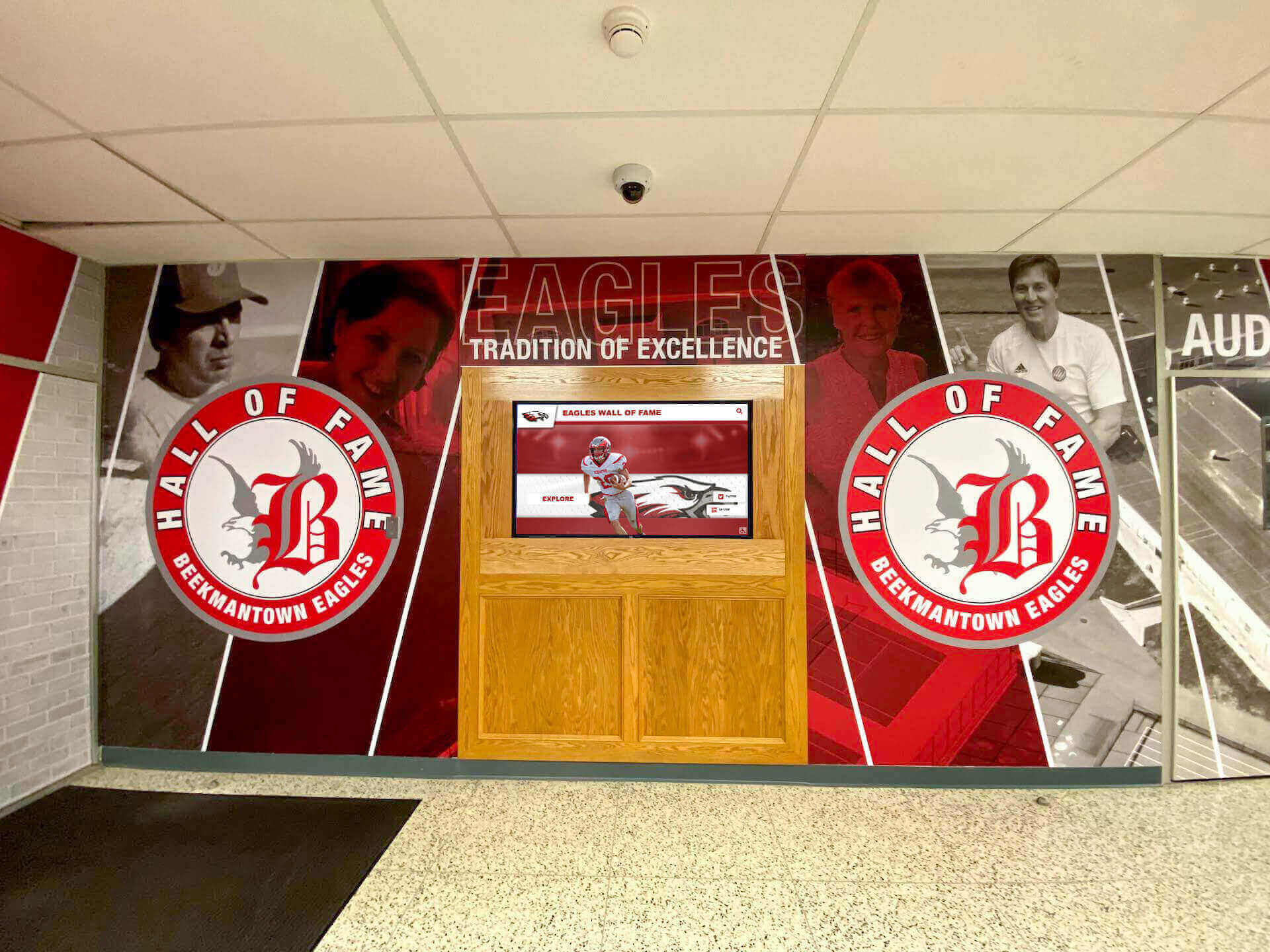
Educational institutions create engaging entrance environments combining functional wayfinding with recognition, information, and school identity presentation
Recognition-Enabled Directory Systems
Solutions like Rocket Alumni Solutions demonstrate how schools can integrate building directories with comprehensive recognition systems that celebrate achievements while providing navigation functionality.
Integrated Recognition and Wayfinding
Modern educational touchscreen systems combine:
- Directory Functionality: Complete personnel listings, room locators, and facility maps helping visitors navigate buildings
- Athletic Recognition: Honoring teams, individual athletes, records, and championship accomplishments
- Academic Celebration: Highlighting honor roll students, scholarship recipients, academic competition participants, and intellectual achievements
- Arts Acknowledgment: Showcasing performing arts participants, visual artists, musical ensembles, and creative accomplishments
- Historical Archives: Preserving school traditions, notable alumni, institutional milestones, and community connections
- Donor Appreciation: Recognizing supporters enabling programs, facilities, and opportunities students enjoy
This integrated approach transforms functional directories into engaging experiences that build school pride while serving practical navigation needs.
Benefits for Educational Environments
Schools implementing recognition-enabled directories experience multiple advantages:
- Space Efficiency: Single touchscreen systems replacing multiple static displays, trophy cases, and recognition walls
- Current Content: Easily updated information remaining accurate as personnel change and students advance
- Engagement: Interactive exploration encouraging extended interaction beyond quick directory lookups
- Accessibility: Searchable content enabling visitors to find information without staff assistance
- Cost-Effectiveness: Multi-purpose systems justifying investment through diverse applications versus single-function directories
- Scalability: Unlimited content capacity accommodating growing recognition needs without physical expansion
Educational institutions particularly benefit from directory solutions extending beyond wayfinding to support school culture, community engagement, and recognition priorities.
Understanding digital signage for schools demonstrates comprehensive approaches educational institutions take toward interactive communication and recognition technology.
Future Trends in Building Directory Technology
Directory technology continues evolving, with emerging capabilities promising enhanced functionality and user experiences.
Personalization and Mobile Integration
Future directories increasingly connect with personal devices and individual preferences.
Mobile Connectivity
Smartphone integration extends directory capabilities:
- Saved Searches: Sending directions, contact information, or location details to personal devices
- QR Code Navigation: Generating scannable codes providing turn-by-turn walking directions on personal phones
- Calendar Integration: Adding events, appointments, or meetings to personal scheduling applications
- Personal Wayfinding: Customized navigation accommodating mobility preferences, accessibility needs, or time constraints
- Digital Business Cards: Transferring contact information from directory listings to personal contact applications
Mobile connections extend directory value beyond physical kiosk interactions while accommodating user preferences for navigation on personal devices.
Artificial Intelligence and Natural Language
Advanced search capabilities improve information access:
- Conversational Queries: Natural language questions like “Where can I find the registrar?” rather than structured searches
- Contextual Understanding: Recognition of relative terms, building landmarks, or informal naming
- Recommendation Systems: Suggestions for related services, nearby amenities, or relevant resources
- Predictive Content: Anticipating user needs based on time of day, visitor patterns, or event schedules
- Voice Interaction: Spoken queries enabling hands-free operation and accessibility for users unable to interact via touch
AI-enhanced directories provide more intuitive, helpful, and accessible experiences approaching human assistance quality.
Enhanced Accessibility and Universal Design
Advancing technology expands directory accessibility for diverse user populations.
Inclusive Design Innovations
Future directories incorporate:
- Adaptive Interfaces: Automatic adjustment to user height, reach range, and interaction preferences
- Augmented Reality Wayfinding: Visual navigation overlays on smartphone cameras showing directional arrows and landmark highlights
- Multilingual Voice Output: Spoken directions and information in user-selected languages
- Simplified Cognitive Modes: Reduced-complexity interfaces accommodating cognitive disabilities, aging populations, or stress conditions
- Sign Language Interpretation: Video-based signed instructions and information for deaf users
- Haptic Feedback: Tactile guidance supporting users with visual impairments
Universal design principles ensure directories serve entire community populations regardless of language, ability, technical skill, or situational constraints.
Understanding WCAG 2.2 AA compliance accessibility standards provides essential context for implementing legally compliant, ethically sound directory accessibility.
Selecting Building Directory Solutions for Your Institution
Choosing appropriate directory technology requires evaluating organizational needs, technical requirements, budget constraints, and long-term sustainability.
Needs Assessment and Requirements Definition
Successful implementations begin with thorough analysis of institutional context.
Understanding User Populations
Consider diverse directory users:
- Visitor Frequency: Daily visitors requiring quick familiar navigation versus infrequent guests needing comprehensive guidance
- Population Diversity: Language needs, accessibility requirements, technical comfort levels, and age ranges
- Information Needs: Basic wayfinding versus comprehensive building information, services, and resources
- Peak Usage Patterns: High-traffic times, event-driven spikes, and routine daily flows
- Staff Support Availability: Reception assistance levels complementing self-service directory access
User analysis ensures directories meet actual needs rather than assumed requirements.
Institutional Priorities
Align directory features with organizational goals:
- Functional Priorities: Core wayfinding versus expanded information access and engagement features
- Brand Alignment: Visual design, institutional identity integration, and professional presentation standards
- Content Complexity: Simple personnel listings versus comprehensive services, events, and institutional information
- Integration Requirements: Connections to existing databases, scheduling systems, or information platforms
- Budget Constraints: Available resources for initial investment and ongoing maintenance
Clear priority definition guides vendor selection and feature specification.
Vendor Evaluation Criteria
Selecting directory providers requires assessment across multiple dimensions.
Technology Evaluation
Assess technical capabilities:
- Hardware Quality: Commercial-grade components, touch responsiveness, display quality, and durability
- Software Flexibility: Customization options, content management capabilities, and interface design control
- Integration Capabilities: Database connections, API availability, and system compatibility
- Reliability Track Record: Vendor experience, client references, and operational uptime data
- Support Services: Training, troubleshooting, content assistance, and technical support availability
- Update Frequency: Software enhancement schedules, security patches, and feature additions
Technical evaluation prevents costly mistakes and ensures long-term satisfaction.
Vendor Partnership Considerations
Evaluate vendor relationships:
- Implementation Support: Installation expertise, configuration assistance, and content migration help
- Training Quality: Staff preparation, user documentation, and ongoing education resources
- Contract Flexibility: Upgrade paths, scalability options, and reasonable terms
- Industry Experience: Sector-specific knowledge particularly in educational, healthcare, or corporate environments
- Innovation Commitment: Ongoing development, emerging technology adoption, and future-focused roadmaps
Strong vendor partnerships contribute significantly to implementation success and long-term value realization.
For educational institutions specifically, solutions like Rocket Alumni Solutions provide directory functionality integrated with recognition capabilities, offering schools multi-purpose platforms serving both practical wayfinding and community-building objectives. Educational environments benefit from vendors understanding school culture, recognition priorities, and the importance of celebrating achievements alongside functional information access.
Book a demo to explore how integrated touchscreen systems can serve both directory and recognition needs in your educational environment.
Conclusion: Building Directories as Strategic Communication Tools
Touchscreen building directories represent more than wayfinding technology—they function as primary visitor interfaces establishing first impressions, reducing operational burden, demonstrating institutional investment in experience quality, and creating opportunities for information sharing extending far beyond simple navigation.
Effective directory implementation requires understanding institutional needs, selecting appropriate technology, designing intuitive user experiences, establishing sustainable content management, measuring performance systematically, and continuously refining systems based on user feedback and evolving organizational requirements.
Educational institutions particularly benefit from directory solutions extending beyond basic wayfinding to support school culture, celebrate achievements, build community pride, and create engaging experiences for visitors, students, and community members alike. As technology advances, building directories increasingly serve as comprehensive information platforms, recognition systems, and engagement tools supporting institutional missions while addressing practical navigation needs that make facilities welcoming, accessible, and easy to use for everyone.































