




Touchscreen content management has transformed how schools maintain recognition displays, digital signage, and interactive kiosks—shifting control from overworked IT departments to the staff members who know the content best. When athletic directors can update game schedules themselves, advancement officers can refresh donor recognition immediately after gift processing, and activities coordinators can showcase student achievements the same day they happen, recognition becomes timely, relevant, and genuinely responsive to school life.
Yet many schools still struggle with outdated content management approaches requiring technical intervention for every update. Recognition displays show last semester’s honor roll students because requesting IT updates feels burdensome, athletic achievements go uncelebrated for weeks while waiting for someone with system access, donor names contain errors that persist for months because corrections require formal IT tickets, and what should be dynamic, engaging displays become static monuments to institutional friction and delayed recognition.
This comprehensive guide explores modern touchscreen content management solutions designed specifically for school environments—systems enabling authorized staff to update content independently through intuitive interfaces requiring zero technical expertise while maintaining professional presentation standards and appropriate access controls.
Schools implementing user-friendly touchscreen content management report dramatic improvements in content freshness, staff satisfaction, and recognition timeliness. When updates that previously required days or weeks of coordination now take minutes, recognition becomes the responsive, meaningful celebration students and donors deserve rather than administrative afterthought delayed by technical bottlenecks.

Modern touchscreen content management enables authorized staff to update recognition displays directly through intuitive interfaces
The Problem with Traditional Digital Signage Management
Understanding why conventional digital signage systems create barriers for school staff reveals why specialized touchscreen content management solutions have become essential for educational environments.
IT Dependency and Bottleneck Challenges
Technical Expertise Requirements
Traditional digital signage platforms were designed for commercial environments with dedicated IT professionals managing content. These systems assume users possess technical knowledge enabling them to navigate complex content management systems, understand file format requirements and resolution specifications, troubleshoot display issues and connectivity problems, and manage media libraries using database-style organizational structures.
For school staff focused on student services, athletics, advancement, or activities coordination, these technical requirements create insurmountable barriers. An athletic director with decades of coaching experience shouldn’t need to understand aspect ratios, file compression, or FTP protocols simply to update a game schedule on a hallway display.
Delayed Recognition and Outdated Content
When every content update requires submitting IT tickets and waiting for technical staff availability, recognition becomes systematically delayed. Athletic achievements that should appear on displays the morning after games get added weeks later when IT staff clear their backlog. Honor roll recognition for the fall semester appears in February because processing updates during December holidays proved impossible. Donor recognition for annual giving campaigns shows outdated information throughout fundraising seasons because requesting updates feels too burdensome.
This systematic delay fundamentally undermines recognition effectiveness—students whose achievements appear months later receive diminished motivation impact, donors whose names contain errors or omissions experience frustration damaging relationships, and staff members responsible for recognition feel helpless watching displays show information they know is incorrect but cannot change themselves.
Schools managing digital asset management systems for recognition content particularly benefit from content management interfaces enabling non-technical staff to access and deploy media assets without IT intervention.
Limited Access and Permission Constraints
Centralized Control Problems
Many digital signage systems implement security through extreme centralization—only IT administrators possess update credentials, treating content management as technical function rather than communication responsibility. This approach ignores organizational reality: the people who know what content should appear—athletic directors, advancement officers, activities coordinators—are rarely the same people with technical system access.
The resulting permission structure forces staff members into supplicant roles, requesting changes rather than making them, communicating through ticket systems rather than updating content directly, and waiting for technical gatekeepers to implement knowledge they don’t possess about what recognition content matters most to school communities.
Lack of Appropriate Delegation
Even systems offering multiple user accounts often lack granular permission structures matching school organizational needs. Athletic directors need the ability to update sports recognition without accessing donor displays, advancement staff should manage donor recognition content without touching student achievement boards, and activities coordinators require access to club and organization displays without broader system privileges.
Without role-based permissions matching actual school structures, organizations face impossible choices between security risks from overly broad access or operational dysfunction from overly restrictive controls.
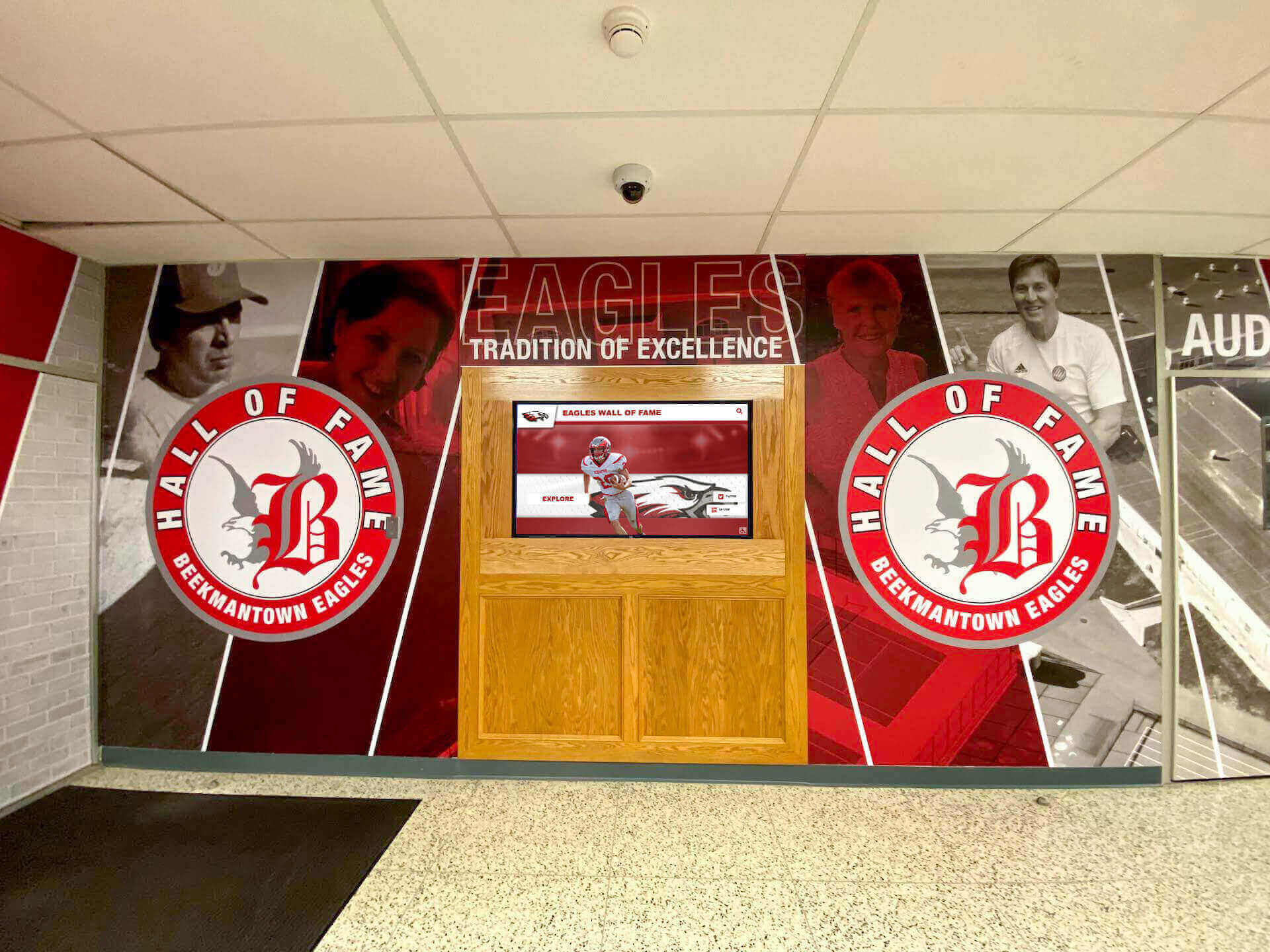
Comprehensive recognition systems require content management approaches enabling multiple departments to update relevant displays independently
Essential Features of School-Friendly Touchscreen Content Management
Effective touchscreen content management systems designed for educational environments share specific characteristics enabling non-technical staff to maintain dynamic, professional recognition displays independently.
Intuitive Web-Based Interfaces
No Software Installation Required
The most accessible content management systems operate entirely through standard web browsers—staff members log in from any computer, tablet, or smartphone connected to the internet without installing specialized software, learning proprietary applications, or maintaining specific hardware configurations.
This browser-based approach eliminates technical barriers while enabling convenient access from wherever staff members work. Athletic directors update game results from coaching offices, advancement officers refresh donor recognition from development offices, and activities coordinators showcase student achievements from any computer in the building without requiring physical access to specific workstations with installed software.
Form-Based Content Updates
Rather than requiring technical knowledge about display specifications or file formats, user-friendly systems present content updates through simple forms resembling familiar tools like email or word processing:
Staff members fill in text fields for names, achievements, dates, and descriptions exactly as they would complete any online form. They select images from organized libraries showing thumbnail previews rather than navigating complex folder structures. They choose design templates from visual galleries showing exactly how content will appear on displays. And they preview updates before publishing to verify appearance and accuracy without requiring understanding of technical display specifications.
This form-based approach abstracts away technical complexity, letting staff focus entirely on content accuracy and messaging rather than technical implementation details they shouldn’t need to understand.
Template-Based Design Systems
Maintaining Professional Consistency
One legitimate concern about empowering non-technical staff involves maintaining visual consistency and professional presentation standards. Touchscreen content management systems address this through template-based design approaches where professional designers create approved templates defining layouts, color schemes, typography, and brand elements, while content editors populate templates with specific text, images, and information without ability to modify underlying design structures.
This template system ensures that displays maintain sophisticated, professional appearance regardless of who updates content—athletic achievement displays follow consistent formats whether updated by head coaches or athletic directors, donor recognition maintains elegant presentation standards across different advancement staff members, and student achievement showcases present uniform visual identity reflecting school brand appropriately.
Pre-Built Recognition Layouts
The best school-focused content management systems include extensive libraries of pre-built templates specifically designed for common recognition scenarios: honor roll and academic achievement displays with systematic formatting for student names and grade levels, athletic recognition templates accommodating team rosters, individual achievements, and championship celebrations, donor recognition layouts featuring giving level categories and recognition society memberships, event announcement templates for athletics, activities, and community programs, and historical archive layouts showcasing institutional heritage and traditions.
Rather than designing each content update from scratch, staff members select appropriate templates and simply fill in specific information—dramatically reducing time requirements while ensuring professional results.

Template-based systems enable consistent presentation across multiple displays while allowing easy content updates
Role-Based Permissions and Access Control
Department-Specific Access
Sophisticated touchscreen content management systems implement granular permission structures matching school organizational charts rather than forcing all-or-nothing access decisions:
Athletic department staff receive permissions for sports recognition displays, schedules, and team achievement content without access to donor or academic systems. Advancement and development professionals manage donor recognition, capital campaign updates, and fundraising progress without touching athletic or student content. Academic administrators control honor roll displays, academic achievement recognition, and scholarship announcements independently from other departments. Activities and student life coordinators update club recognition, event announcements, and student organization showcases within their specific domain.
This role-based approach enables appropriate delegation while maintaining security and preventing accidental modifications to content outside specific staff members’ responsibilities.
Approval Workflows When Needed
For sensitive content or situations requiring oversight, content management systems can implement optional approval workflows: junior staff members draft content updates that senior administrators review before publication, multiple departments coordinate on shared displays through collaborative editing and approval chains, and automated notifications alert relevant supervisors when specific content types receive updates requiring review.
These workflow capabilities provide necessary oversight for sensitive situations while avoiding bureaucratic friction for routine updates that don’t require approval layers.
Mobile-Friendly Management Capabilities
Update From Anywhere
Modern school staff work from diverse locations and situations—coaching from practice fields, attending events in gymnasiums, managing activities from various campus buildings, and traveling to athletic competitions or advancement meetings. Effective touchscreen content management systems accommodate this mobility through fully responsive interfaces functioning equally well on smartphones, tablets, and laptop computers.
Athletic directors capture game results and update displays immediately after competitions using smartphones, advancement officers refresh donor recognition during events using tablets, and activities coordinators showcase student achievements from wherever news reaches them without waiting to return to desktop computers in offices.
This mobile capability transforms content management from scheduled desktop task to responsive communication happening in real-time as recognition-worthy events unfold.
Image Capture and Upload
The best mobile-enabled systems integrate device cameras for immediate media capture and upload: staff members photograph events, achievements, or people requiring recognition and upload images directly from mobile devices to content management systems within seconds. This eliminates the multi-step workflows previously requiring transferring photos from cameras to computers, organizing files in appropriate folders, resizing for display requirements, and finally uploading through desktop interfaces—all barriers preventing timely visual recognition.
When athletic programs celebrate achievements through digital storytelling, mobile content management capabilities enable coaches to share compelling visual narratives immediately rather than weeks after memorable moments occur.
Practical Implementation: Common Update Scenarios
Understanding specific content management workflows for common school recognition scenarios illustrates how user-friendly touchscreen systems transform previously complex technical tasks into simple, immediate updates.
Updating Athletic Recognition Displays
Game Results and Season Statistics
After athletic competitions, updating digital displays with results, standout performances, and season statistics becomes straightforward through sport-specific templates:
Athletic directors or coaches log into content management systems from any device, navigate to the appropriate sport and season, select “Add Game Result” from available templates, and complete simple forms requesting opponent name, final score, standout player performances, and relevant game notes. The system automatically formats this information according to pre-designed templates, updates season statistics based on entered results, and publishes content to relevant displays throughout campus without requiring any technical intervention.
For programs maintaining honor roll touchscreen displays for student-athletes, similar workflows enable easy updates recognizing academic achievement alongside athletic excellence.
Championship and Achievement Recognition
When teams or individual athletes earn championship honors, all-conference selections, or milestone achievements, dedicated recognition templates enable immediate celebration:
Staff members select achievement recognition templates appropriate for the specific honor—team championships, individual all-star selections, record-breaking performances, or milestone accomplishments. They complete forms capturing essential details: athlete names, achievement specifics, dates, and relevant context. They upload celebration photos captured during championship moments or formal portrait sessions. And they publish updates that immediately showcase achievements across recognition displays with professional presentation matching the significance of accomplishments being honored.
This immediate recognition proves particularly meaningful for student-athletes who see their achievements celebrated promptly rather than waiting weeks for IT departments to process update requests.

Athletic recognition kiosks enable immediate content updates celebrating team and individual achievements
Managing Donor Recognition Content
Processing New Gift Acknowledgments
Advancement professionals processing charitable gifts need immediate capability to update donor recognition displays reflecting new contributions without waiting for technical assistance:
After processing gifts through advancement databases, staff members access donor recognition modules within content management systems, navigate to appropriate giving level categories based on contribution amounts, add donor names using simple text entry forms that automatically apply consistent formatting and typography, verify information accuracy through preview interfaces showing exactly how recognition will appear, and publish updates that immediately refresh donor displays throughout campus with current, accurate information.
This streamlined workflow ensures that donors visiting campus see their recognition appear promptly—reinforcing giving decisions and demonstrating organizational responsiveness that strengthens ongoing relationships.
Correcting Recognition Information
Donor names, honorary designations, and recognition preferences occasionally require corrections or updates as advancement offices receive clarification or preference changes:
Rather than submitting IT tickets and waiting days or weeks for corrections, advancement staff access relevant donor records directly within content management interfaces, make necessary corrections to names, titles, or recognition text, preview changes to verify accuracy, and immediately publish corrected information that updates across all relevant displays within minutes rather than weeks.
This self-service correction capability proves essential for maintaining donor relationship quality—when donors notify advancement offices about recognition preferences or name corrections, immediate responsiveness demonstrates respect and attention to detail strengthening philanthropic partnerships.
Schools implementing comprehensive alumni relations software and digital recognition systems particularly benefit from integrated content management enabling advancement teams to maintain accurate, timely recognition across multiple platforms and display systems.
Showcasing Student Achievement and Activities
Honor Roll and Academic Recognition
Academic administrators updating honor roll displays for new grading periods follow systematic workflows matching familiar academic processes:
Staff members access academic recognition modules aligned with school grading periods, upload student achievement data exported from student information systems in standard spreadsheet formats, map data columns to appropriate recognition fields through simple dropdown selections, preview honor roll displays showing how student names and achievements will appear organized by grade level and recognition category, and publish updated content that immediately refreshes academic recognition displays with current semester achievements.
This streamlined process transforms honor roll updates from multi-week IT projects into afternoon tasks completed by academic staff who understand the data best and care most about timely student recognition.
Club, Organization, and Activity Highlights
Activities coordinators and club advisors showcase student involvement, leadership, and accomplishments through content updates celebrating school life beyond academics and athletics:
Advisors photograph student activities, club events, or leadership moments using smartphones, access content management systems from any device, select from activity showcase templates designed for various club types and event formats, upload photos directly from mobile devices, add descriptive text highlighting student leaders and accomplishments, and immediately publish content celebrating student engagement across campus displays.
This capability proves especially valuable for recognizing student activities that historically received less systematic celebration than athletics—debate team achievements, drama productions, service organization projects, academic competition results, and countless other accomplishments deserving visibility equal to traditional athletic recognition.
For schools showcasing National Honor Society students and other academic achievers, user-friendly content management removes barriers that previously prevented regular updates celebrating academic excellence.
Advanced Content Management Features
Beyond basic update capabilities, sophisticated touchscreen content management systems offer advanced features enhancing recognition effectiveness while maintaining ease of use for non-technical staff.
Scheduled Content and Rotation Management
Automated Display Scheduling
Rather than manually updating displays for different contexts, times, or audiences, advanced systems enable scheduled content rotation:
Staff members create multiple content collections for different purposes—morning displays welcoming students with daily announcements, afternoon content highlighting athletic schedules and upcoming events, evening displays targeting parent audiences during activities and athletics, and weekend content showcasing achievements and institutional heritage for community visitors. The content management system automatically rotates between these collections based on time-of-day schedules without requiring any manual intervention or technical configuration.
This scheduling capability enables sophisticated display strategies previously requiring complex technical programming now accessible through simple calendar-based interfaces.
Seasonal and Event-Based Content
Schools can prepare content in advance for predictable seasonal events and automatically activate displays at appropriate times:
Advancement staff prepare capital campaign content weeks before public launch dates and schedule automatic activation coordinating with broader campaign rollout. Athletic departments create championship celebration content templates awaiting activation if teams advance through playoff competitions. Activities coordinators develop event promotion content scheduled to appear in appropriate windows before concerts, performances, or competitions.
This advance preparation prevents last-minute content creation stress while ensuring timely display updates coordinating with important school events and milestones.
Multi-Display Content Distribution
Campus-Wide Content Coordination
Schools with recognition displays distributed across campus locations benefit from content management systems enabling sophisticated distribution strategies:
Staff members create content once and designate which display locations should receive it—athletic achievements appear on gymnasium displays, lobby kiosks, and athletic wing hallways but not in academic buildings, donor recognition appears in advancement office areas, main lobbies, and designated recognition spaces but not in athletic venues, and academic achievement showcases appear in classroom buildings, academic hallways, and main campus areas serving student populations.
This selective distribution ensures that recognition reaches relevant audiences without creating inappropriate content visibility in contexts where different recognition types better serve specific locations.
Location-Specific Content Variations
Advanced systems enable creating content variations tailored for specific display contexts: main lobby displays feature comprehensive recognition with detailed information and extensive visual content, hallway displays show concise highlight versions emphasizing names and key achievements, and small-format displays in specific building areas feature targeted content relevant to those particular spaces and audiences.
Staff members create master content that the system automatically adapts for different display formats and locations, eliminating tedious manual reformatting for each individual screen.
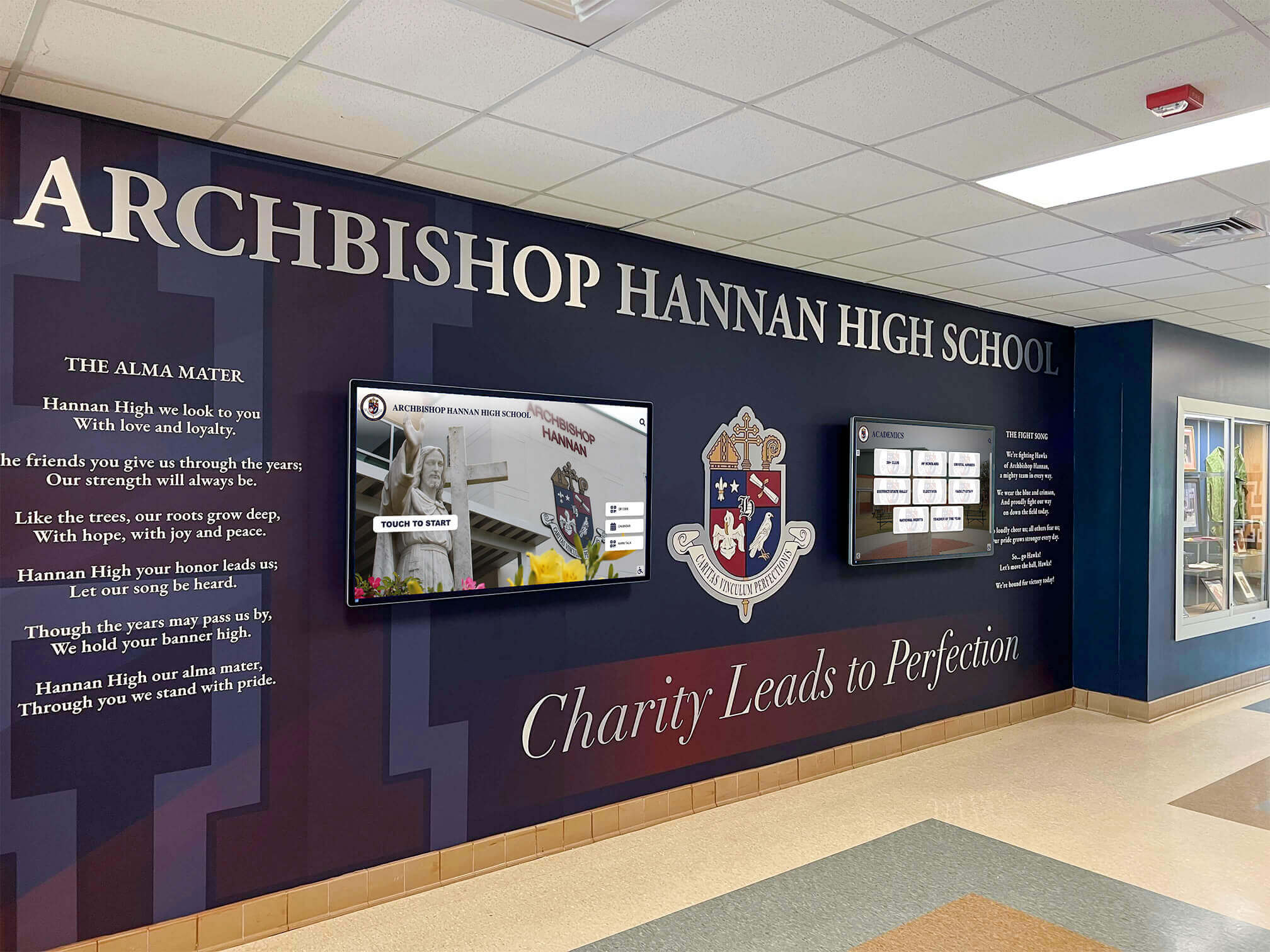
Multi-display systems require content management enabling coordinated updates across numerous screens with location-specific variations
Content Libraries and Asset Management
Organized Media Collections
As schools accumulate photos, videos, graphics, and other media assets for recognition content, effective organization becomes essential:
Content management systems provide structured libraries organizing assets by department, sport or activity type, academic year, and content category. Staff members tag media with searchable keywords enabling quick retrieval—finding specific athlete photos, event images, or historical content in seconds rather than searching through disorganized folders. The system stores appropriate resolution versions automatically, eliminating confusion about which file sizes work for different display formats.
This organized approach prevents the common scenario where valuable photos and media get lost in folder structures nobody can navigate, forcing staff to recreate content or forego valuable visual materials simply because retrieval proves too difficult.
Template Libraries and Content Reuse
Schools developing sophisticated recognition programs build extensive template libraries capturing successful design approaches:
Staff members save frequently-used content layouts as templates enabling quick replication with new information—successful donor recognition formats get reused for new giving campaigns, effective athletic achievement layouts apply across different sports and seasons, and proven academic recognition designs adapt easily for various honor types and student populations.
This template reuse dramatically accelerates content creation while ensuring design consistency and professional quality across years of recognition content.
Training and Support for Non-Technical Users
Even with intuitive interfaces, successful touchscreen content management implementation requires appropriate training and ongoing support enabling staff members to manage displays confidently.
Initial Training Programs
Role-Specific Instruction
Effective training focuses on specific workflows relevant to particular staff roles rather than attempting comprehensive system education:
Athletic department staff learn game result entry, roster management, and achievement recognition workflows without covering donor or academic features irrelevant to their responsibilities. Advancement professionals master donor recognition updates, campaign progress displays, and gift acknowledgment processes without athletic or activities training. And activities coordinators focus on student organization showcases, event promotion, and club recognition without broader system features they won’t use.
This targeted approach respects busy schedules while providing exactly the knowledge necessary for staff members to confidently manage their specific recognition responsibilities.
Hands-On Practice Scenarios
The most effective training moves beyond demonstration to hands-on practice with realistic scenarios:
Trainees actually enter sample game results, create practice donor recognition entries, or build test activity showcases in training environments mirroring real systems. This experiential approach builds genuine competence and confidence rather than passive observation that staff members struggle to replicate when later working independently.
Schools discover that one hour of hands-on practice produces more capability than multiple hours watching demonstrations—people learn content management by actually managing content under supportive instruction.
Documentation and Reference Materials
Visual Quick-Start Guides
Written documentation emphasizing screenshots and step-by-step visual workflows supports staff members managing occasional updates:
Quick-start guides show exactly where to click, what forms to complete, and which buttons to press through numbered screenshots capturing each step in common workflows. This visual approach accommodates diverse learning preferences while providing concrete reference materials that non-technical staff find more accessible than text-heavy manuals.
Video Tutorial Libraries
Short video tutorials demonstrating specific tasks provide on-demand support when staff members need refreshers:
Three-minute videos show how to update honor roll displays, five-minute tutorials demonstrate athletic recognition workflows, and brief clips address common questions about image uploads, content scheduling, or template selection. Staff members access relevant tutorials exactly when needed rather than searching through comprehensive manuals for specific information.
Ongoing Support Systems
Accessible Help Resources
Beyond initial training, staff members need convenient access to assistance when encountering questions or challenges:
Email support channels provide responses within hours rather than days for non-urgent questions. Phone support during business hours enables immediate assistance for time-sensitive updates. And live chat interfaces built into content management systems provide real-time help without leaving the application when staff members get stuck on specific tasks.
Collaborative User Communities
Schools implementing comprehensive touchscreen content management benefit from connecting staff members managing similar responsibilities:
Athletic directors share template designs and workflow approaches with peers at other schools, advancement professionals discuss donor recognition strategies and content approaches, and activities coordinators exchange ideas about showcasing student engagement effectively. These communities accelerate learning while building collective expertise that individual schools couldn’t develop in isolation.
Selecting Touchscreen Content Management Solutions
Schools evaluating content management systems for recognition displays benefit from structured selection processes ensuring chosen solutions genuinely meet accessibility, functionality, and support requirements.
Essential Selection Criteria
User Interface Simplicity
The paramount criterion involves interface accessibility for non-technical users:
Can athletic directors who aren’t particularly tech-savvy update game results confidently without assistance? Will advancement staff in their 60s feel comfortable managing donor recognition independently? Can activities coordinators juggling dozens of responsibilities learn content management workflows without extensive training investments?
Evaluating actual user interfaces with representative staff members during selection processes reveals usability realities that vendor demonstrations often obscure. Schools should insist on hands-on trials enabling real staff members—not just IT professionals—to attempt representative content updates before committing to specific systems.
Template and Design Flexibility
Systems should balance professional design quality with sufficient flexibility for diverse recognition needs:
Evaluate whether provided templates match the types of recognition content your school requires—athletic achievements, donor acknowledgment, academic honors, student activities, historical archives, event promotion, and other specific uses. Assess whether templates feel professionally designed and visually sophisticated or generic and limited. And verify whether systems enable some customization without requiring technical expertise—adjusting colors to match school branding, selecting from different layout options, or incorporating school logos and visual identity elements.
Technical Reliability and Performance
While user-friendly interfaces matter most for daily use, underlying technical reliability determines whether systems prove dependable or frustrating:
Investigate uptime history and service reliability records before committing to cloud-based systems hosting content management in vendor data centers. Evaluate how quickly content updates appear on displays—do changes publish instantly, or do frustrating delays undermine the responsiveness that user-friendly management promises? And assess whether systems handle the volume of content, number of displays, and update frequency your school requires without performance degradation.
Vendor Support and Training
Implementation Assistance
Even user-friendly systems require appropriate implementation support:
What training does the vendor provide during initial deployment—basic overviews or comprehensive hands-on instruction for all staff members managing content? Does implementation include custom template development reflecting your specific school branding and recognition needs? And will vendor technical staff handle initial configuration, display setup, and integration with existing systems rather than expecting school IT departments to manage complex technical deployment?
Schools with limited IT resources particularly benefit from vendors providing comprehensive implementation support rather than simply delivering software requiring extensive internal technical resources for successful deployment.
Ongoing Relationship and Product Development
Long-term success depends on vendor commitment extending beyond initial sales:
Evaluate whether vendors actively develop products with new features, improved capabilities, and enhanced user experiences rather than maintaining static systems unchanged for years. Assess support responsiveness—do current customers report helpful, timely assistance or frustrating delays and unhelpful responses? And investigate whether vendors understand educational environments and design specifically for schools rather than simply adapting commercial systems poorly matched to institutional needs.
When evaluating best touchscreen software options for schools, prioritize solutions designed specifically for educational recognition rather than generic digital signage platforms repurposed for school use.
Overcoming Common Implementation Challenges
Schools transitioning from IT-managed displays to user-friendly content management systems encounter predictable challenges that successful implementations address proactively.
Managing the Transition Period
Parallel Operations During Learning
Rather than immediate cutover creating pressure and anxiety, successful transitions often involve parallel operation periods:
New content management systems operate alongside existing processes while staff members learn workflows and build confidence. IT departments continue providing support during initial weeks as staff members practice with real content in low-stakes situations. And gradual transition timelines allow addressing questions and challenges before staff members assume full content management responsibility.
This patient approach prevents the crisis situations that occur when schools eliminate IT support immediately while staff members still feel uncertain about independently managing content updates.
Celebrating Early Successes
Highlighting positive results from early user-friendly updates builds momentum and confidence:
When athletic directors successfully update game results within minutes after competitions for the first time, acknowledging this achievement reinforces confidence and encourages continued engagement. When advancement staff members correct donor recognition errors immediately rather than waiting weeks for IT assistance, celebrating this responsiveness demonstrates the value of new systems. And when activities coordinators showcase student achievements same-day rather than weeks later, this timely recognition validates the transition to self-service content management.
These early wins overcome natural resistance to change while demonstrating concrete benefits that abstract promises couldn’t achieve.
Addressing Access and Permission Concerns
Balancing Accessibility with Security
IT professionals sometimes resist user-friendly content management from legitimate security concerns:
What prevents unauthorized content from appearing on campus displays? How do schools ensure recognition information maintains appropriate accuracy and quality? And what protects systems from accidental deletions or problematic modifications?
Effective content management systems address these concerns through role-based permissions limiting access appropriately, optional approval workflows for sensitive content, comprehensive activity logging enabling accountability, and version history allowing reverting problematic changes. When IT departments understand these protective mechanisms, security concerns diminish while recognizing the genuine organizational benefits from empowering appropriate staff members to manage relevant content independently.
Defining Appropriate Access Boundaries
Schools should thoughtfully determine which staff members receive content management access and for which display types:
Athletic directors clearly need athletic recognition access, but should head coaches for individual sports also receive direct update capabilities? Advancement directors obviously manage donor content, but what about development officers or alumni relations coordinators? And which academic administrators should control honor roll displays—only academic deans, or also department chairs and registrar staff?
These access decisions balance empowerment benefits against practical concerns about too many people making changes without coordination. Most schools find that relatively broad access within clearly defined domains—all athletic department staff managing sports content, entire advancement teams controlling donor recognition, multiple academic administrators updating student achievement displays—provides optimal balance between responsiveness and coordination.
Maintaining Content Quality Standards
Template Systems as Quality Guardrails
The template-based design approaches discussed earlier serve dual purposes—simplifying content creation while maintaining professional presentation standards:
When staff members populate pre-designed templates rather than creating layouts from scratch, amateur design choices that might compromise professional appearance become impossible. The underlying template structure enforces typography, color schemes, layout balance, and brand consistency regardless of individual content editors’ design sensibilities.
This systematic quality assurance proves particularly valuable for schools where numerous staff members across different departments manage various recognition displays—professional standards remain consistent even with diverse content creators.
Periodic Content Audits and Refreshes
Even with user-friendly management enabling timely updates, periodic content review ensures displays remain accurate and relevant:
Quarterly reviews verify that outdated content gets removed—completed events, concluded campaigns, graduated students, or superseded information no longer warranting display space. Annual audits assess whether overall recognition strategies appropriately balance different constituencies—are athletic, academic, donor, and activity achievements receiving proportional celebration? And ongoing evaluation identifies content gaps where additional recognition would serve institutional objectives—underrepresented student populations, overlooked achievement types, or recognition opportunities not currently implemented.
These systematic reviews prevent the content drift that occurs when immediate updates receive attention while strategic content planning gets neglected.
The Future of Touchscreen Content Management for Schools
Emerging technologies and evolving expectations continue advancing what’s possible with user-friendly content management while making sophisticated recognition increasingly accessible for schools of all sizes and technical sophistication levels.
Artificial Intelligence and Automated Content Generation
Smart Data Integration
Next-generation systems increasingly integrate with school databases to automatically generate recognition content:
Athletic management systems share game results, statistics, and roster information directly with recognition displays, eliminating manual data entry while ensuring accuracy. Student information systems feed honor roll data automatically at grading period conclusions, transforming academic recognition into systematic process rather than manual project. And advancement databases sync donor information continuously, ensuring recognition displays reflect current giving records without manual updates.
This automated integration dramatically reduces content management workload while improving accuracy and timeliness beyond what even excellent user interfaces and manual processes can achieve.
Template Intelligence and Design Assistance
Artificial intelligence is beginning to assist with content design and template selection:
Systems analyze content type, available media, and recognition context to recommend optimal templates matching specific situations. They suggest appropriate image crops and visual compositions enhancing presentation quality without requiring design expertise. And they identify content gaps or improvement opportunities—recognizing that athletic achievement displays haven’t featured certain sports recently or that donor recognition could benefit from additional visual content.
These intelligent assistants amplify the capabilities of non-technical staff members, enabling increasingly sophisticated recognition without proportional increases in complexity or technical demands.
Voice and Natural Language Interfaces
Conversational Content Management
Emerging voice interfaces enable content updates through natural conversation:
“Add game result: Girls Basketball defeated Central 54-48, Emily Rodriguez scored 22 points.” The system captures this spoken instruction, structures it according to appropriate templates, and publishes formatted content to relevant displays—all without traditional form completion or interface navigation.
This conversational approach could prove particularly valuable for busy staff members managing content updates while simultaneously handling other responsibilities—coaching, advising students, managing events, or traveling to competitions and activities.
Enhanced Mobile Capabilities
Progressive Web Applications
Modern web technologies enable content management interfaces functioning increasingly like native mobile applications:
Mobile-optimized systems work offline during connectivity interruptions, upload content automatically when connections restore, send push notifications alerting staff about content requiring updates or approval, and integrate seamlessly with smartphone cameras, photo libraries, and other device capabilities.
These progressive web approaches provide native-app-like experiences without requiring software installation or separate mobile applications—staff members simply access systems through browsers while enjoying sophisticated mobile capabilities.
Conclusion: Empowering Recognition Through Accessible Technology
The transformation from IT-dependent digital signage to user-friendly touchscreen content management represents more than technical evolution—it reflects fundamental shifts in how schools think about recognition, communication, and organizational empowerment.
When the people who know content best—athletic directors understanding which achievements deserve celebration, advancement professionals processing donor gifts and building philanthropic relationships, academic administrators tracking student excellence, and activities coordinators witnessing daily student engagement—when these staff members can directly manage recognition displays without technical intermediaries, recognition becomes what it should be: timely, accurate, meaningful, and genuinely responsive to the moments and achievements that matter most.
The technical barriers that previously required routing every update through overworked IT departments weren’t protecting important systems or ensuring quality—they were simply preventing recognition from happening appropriately. User-friendly content management removes these barriers while maintaining professional standards through intelligent design systems, appropriate access controls, and intuitive interfaces respecting that non-technical staff members possess expertise about what to recognize even if they lack technical knowledge about how displays function.
Schools implementing accessible touchscreen content management consistently report that displays transform from periodic projects requiring extensive coordination into living recognition systems that truly reflect current institutional life. Honor roll displays update within days of grading periods rather than weeks later. Athletic achievements appear the morning after competitions. Donor recognition reflects current information because advancement staff can immediately correct errors or add new gifts. And student activity showcases celebrate engagement as it happens rather than as delayed afterthought.
This responsiveness doesn’t emerge from working harder or investing more hours in content management—it results from removing the friction that made timely recognition impractical under previous systems. When updates that required days of coordination now take minutes, when corrections that involved formal IT tickets now happen immediately, and when staff members who felt helpless watching displays show outdated information now control content directly, recognition effectiveness increases dramatically without proportional resource investments.
The question for schools isn’t whether to implement user-friendly touchscreen content management—it’s how quickly they can transition from outdated approaches preventing the timely recognition their communities deserve. Every week maintaining IT-dependent systems represents another week of delayed recognition, another week of frustrated staff unable to showcase achievements they know deserve celebration, and another week of students, donors, and community members seeing outdated content suggesting that their institutions can’t manage basic communication effectively.
The technology enabling accessible content management exists today—proven, reliable, and specifically designed for educational environments where technical expertise shouldn’t limit recognition excellence. Schools simply need to prioritize this transition and select solutions genuinely delivering on user-friendly promises rather than perpetuating technical barriers under new names.
Ready to Transform Your Recognition Display Management?
Rocket Alumni Solutions provides intuitive touchscreen content management designed specifically for schools—enabling athletic directors, advancement professionals, academic administrators, and activities coordinators to update recognition displays independently without IT assistance.
Our user-friendly platform combines simple web-based interfaces accessible from any device, professional templates maintaining visual quality while eliminating design complexity, role-based permissions matching school organizational structures, comprehensive training and support ensuring confident content management, and proven reliability serving schools nationwide with diverse recognition needs.
Discover how schools are transforming static displays into dynamic recognition systems through accessible content management that empowers staff members to celebrate achievements appropriately—without technical barriers preventing timely recognition.
Explore Rocket Alumni Solutions’ Touchscreen Content Management →
When recognition updates that previously required days of coordination now take minutes, celebration becomes responsive to the moments that matter most—honoring excellence appropriately rather than as delayed administrative afterthought.































