




School lobbies serve as the first impression for every visitor walking through your doors—prospective families evaluating enrollment decisions, alumni returning for events, community members attending performances, and students beginning each school day. Yet most school entrances rely on static trophy cases, outdated bulletin boards, and printed directories that fail to communicate the vibrant achievements, rich history, and dynamic community culture that define exceptional educational institutions.
The opportunity cost runs deeper than aesthetics. Traditional lobby displays freeze recognition in time, limiting visibility to a handful of achievements that fit within physical case dimensions. Static installations require costly updates, discouraging frequent refreshes that keep content relevant. And passive displays generate minimal engagement, with visitors glancing briefly before moving on—missing opportunities to build emotional connections that strengthen community bonds and influence critical enrollment decisions.
This comprehensive buying guide explores how touchscreen kiosks transform school lobby experiences from static decoration into engaging recognition platforms. You’ll discover strategic layout frameworks maximizing limited lobby space, content organization approaches balancing athletic, academic, and community achievements, accessibility standards ensuring inclusive access, technical specifications supporting reliable public operation, and implementation strategies delivering professional installations that honor your community’s excellence.
Modern school lobbies demand more than decorative displays—they require sophisticated recognition systems that celebrate comprehensive achievement while providing intuitive navigation, engaging storytelling, and professional polish reflecting institutional quality. Touchscreen kiosks deliver these capabilities through purposeful design combining visual impact, interactive exploration, and sustainable content management that keeps recognition current across academic years.

Strategic kiosk placement within existing trophy case environments creates cohesive recognition displays combining traditional artifacts with unlimited digital content capacity
Understanding School Lobby Kiosk Design Objectives
Before evaluating specific products or technical specifications, establishing clear strategic objectives ensures your kiosk investment serves institutional priorities rather than simply adding technology for its own sake.
Recognition: Celebrating Achievement Beyond Physical Constraints
Traditional trophy cases impose brutal limitations—showcasing perhaps 20-30 achievements while thousands of deserving students, teams, and accomplishments remain invisible due to simple space constraints. This scarcity forces impossible choices about whose achievements deserve visibility, creating recognition gaps that undermine comprehensive celebration of community excellence.
Unlimited Digital Recognition Capacity
Touchscreen kiosks eliminate physical space constraints entirely. Digital platforms accommodate unlimited inductees, honor roll members, championship teams, academic achievers, performing arts excellence, community service leaders, and distinguished alumni—all accessible through intuitive navigation requiring no more lobby space than a single display installation.
This comprehensive capacity transforms recognition philosophy from scarcity-based selection to inclusive celebration. Rather than choosing between athletic and academic recognition, showcase both completely. Rather than rotating seasonal displays that hide achievements most of the year, maintain permanent accessibility to all recognition content regardless of season or event timing.
Schools implementing academic recognition programs face particular challenges balancing diverse achievement categories—digital kiosks provide infrastructure supporting multifaceted recognition without physical expansion requirements.
Dynamic Content Updates Without Reinstallation
Static displays require professional fabrication and installation for every update—expensive processes limiting how frequently schools refresh recognition content. Touchscreen kiosks separate presentation from content management, enabling staff to update displays through web-based interfaces without vendor coordination, construction schedules, or facility disruption.
Add new honor roll members immediately when grades post. Showcase championship teams the day after victory. Update alumni spotlights monthly rather than waiting for major renovation projects. This sustainable update model keeps recognition current and relevant rather than frozen in outdated presentations that gradually lose meaning as time passes.
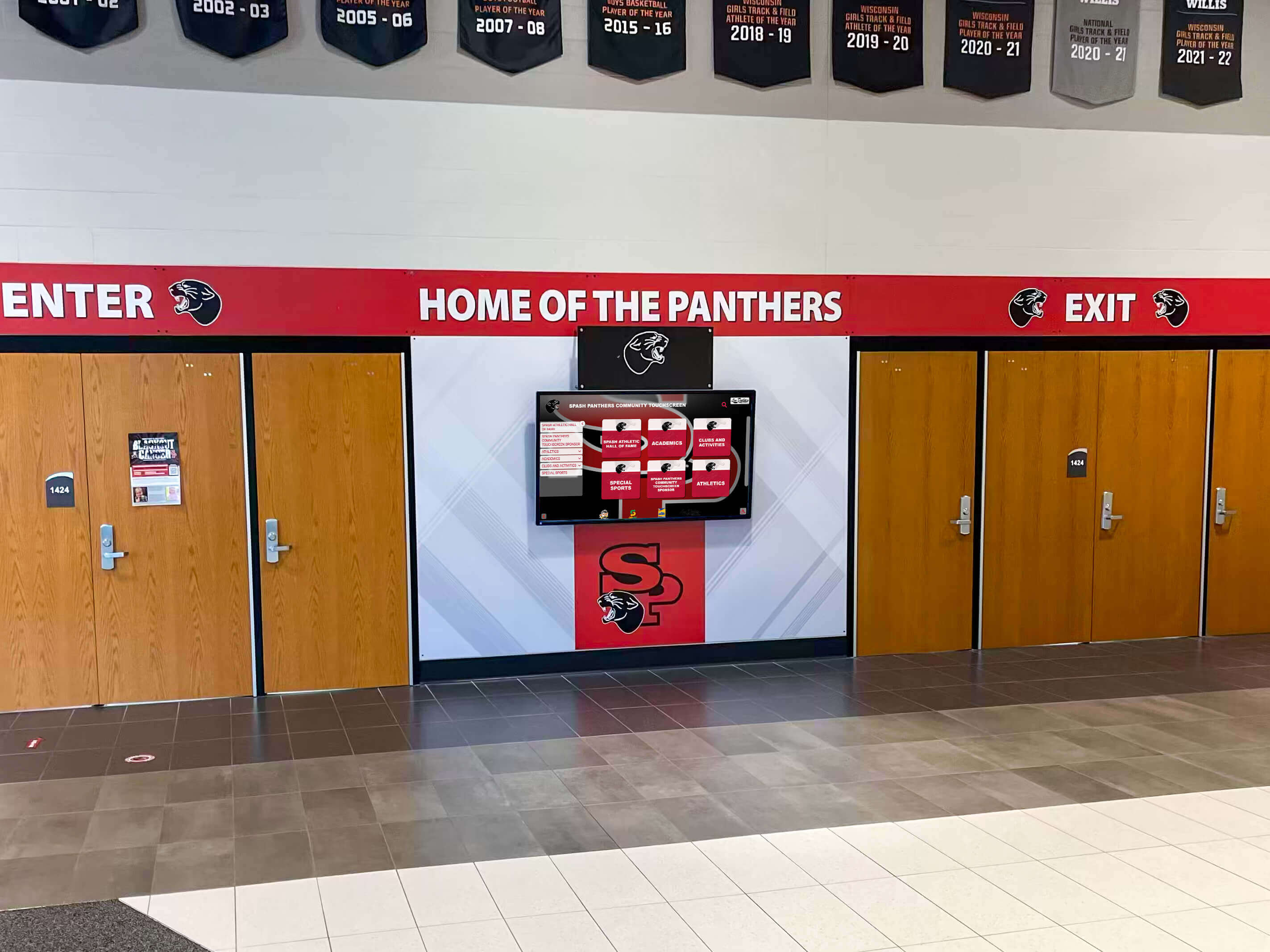
Entrance placement ensures every visitor encounters recognition displays immediately upon arrival, maximizing visibility and engagement
First Impressions: Communicating Institutional Quality Through Design
Prospective families touring schools make enrollment decisions influenced by countless subtle factors including facility quality, organizational polish, and perceived institutional investment in student experience. Lobby displays contribute directly to these impressions—professional installations signal commitment to excellence, while dated displays suggest institutional stagnation regardless of actual educational quality.
Contemporary Design Standards
Modern touchscreen kiosks reflect contemporary design aesthetics through edge-to-edge displays with minimal bezels, intuitive interfaces matching smartphone interaction patterns, high-resolution graphics showcasing institutional branding, smooth animation and transition effects, and professional enclosures complementing architectural finishes.
This visual sophistication creates immediate positive impressions—prospective families unconsciously associate lobby display quality with overall institutional investment, influencing enrollment decisions worth thousands of tuition dollars over student academic careers.
Organizations serving small schools might question whether touchscreen recognition systems represent appropriate investments given budget constraints, but first impression impacts often justify costs through enhanced enrollment outcomes.
Brand Integration and Visual Identity
Effective lobby kiosks reinforce institutional identity through consistent color palettes matching school brand standards, custom backgrounds featuring campus imagery or aerial photography, logo placement in tasteful proportions, typography reflecting institutional communication standards, and mascot or spirit integration celebrating school culture.
This branded experience creates cohesive institutional presence rather than generic technology feeling disconnected from school identity—every interaction reinforces visual brand recognition and emotional school pride connections.
Engagement: Moving Beyond Passive Viewing
Static displays communicate one-way—visitors glance briefly at fixed content then move on with minimal cognitive investment. Interactive touchscreens invite exploration, transforming passive viewing into active discovery that generates sustained attention and deeper emotional engagement.
Interactive Discovery Experiences
Touchscreen interaction encourages genuine exploration through browse-by-year navigation revealing graduating class compositions across decades, sport or activity filtering helping visitors discover specific interests, search functionality enabling alumni to find themselves or family members, detail views showcasing comprehensive individual profiles with statistics and achievements, and media galleries featuring photographs, videos, and historical documentation.
This layered discovery model serves diverse visitor motivations—casual browsers access highlights immediately while curious visitors drill into rich detail, all within the same interface accommodating different engagement levels through progressive disclosure.
Analytics Revealing Engagement Patterns
Digital kiosks generate usage analytics impossible with static displays including total interaction counts measuring overall engagement, most-viewed content revealing what resonates with audiences, average session duration indicating engagement depth, search queries exposing what visitors seek, and time-of-day patterns informing content refresh strategies.
These insights enable continuous improvement—understanding which content generates engagement helps prioritize future recognition additions and content development efforts.

Hallway placement extends recognition visibility beyond lobby entrance areas, creating multiple engagement opportunities throughout facilities
Layout Blueprint: Designing Effective Lobby Kiosk Experiences
Well-designed school lobby kiosks follow proven layout patterns balancing aesthetic appeal with functional usability and compelling content organization.
Experience Layout Zones
Professional touchscreen interfaces organize screen real estate into distinct functional areas serving specific purposes that guide visitor exploration efficiently.
Hero Zone: Institutional Identity and Visual Impact (Top 20-25%)
The hero zone establishes immediate visual presence through prominent school branding including official logos and mascot imagery, compelling hero imagery rotating through achievement highlights, clear recognition messaging (“Celebrating Excellence” / “Hall of Fame” / “Our Champions”), and attract-mode content that cycles when idle drawing attention from passersby.
This zone functions like exhibition entrance signage—communicating purpose and inviting interaction. Effective designs use high-quality imagery, institutional colors, and clear typography creating professional first impressions that encourage visitor engagement.
Primary Navigation Zone: Clear Category Organization
Consistent navigation enables intuitive content discovery through persistent home button returning to main screen from anywhere, clear category organization (Browse by Sport / Academic Honors / Alumni / History), prominent search functionality for directed finding, visual indicators showing current location within content hierarchy, and filter controls enabling year, sport, or achievement-type refinement.
Common navigation patterns include:
- Athletic Recognition (championship teams, record holders, hall of fame inductees)
- Academic Excellence (honor roll, scholarship recipients, distinguished scholars)
- Alumni Spotlights (career achievements, community contributions, historical profiles)
- School History (timeline, traditions, facility evolution, milestone moments)
- Student Leadership (class officers, club leaders, service organizations)
Organizing content into 5-7 major categories reduces cognitive load while ensuring comprehensive recognition remains accessible through clear pathways.

Freestanding kiosk installations provide flexible placement supporting optimal lobby traffic flow and visitor accessibility
Main Content Area: Recognition Profiles and Media (Center 60%)
The primary content zone presents recognition information through layouts adapted to content types:
Grid galleries display multiple inductee portraits enabling visual scanning and selection. List views provide detailed directories with sorting capabilities. Individual profile pages showcase comprehensive information including high-resolution photographs, achievement descriptions and statistics, career highlights and records, embedded video when available, and related content suggestions linking teammates or similar achievements.
Timeline presentations organize chronological narratives showing institutional evolution. Record boards display statistical leaderboards with automatic ranking. And comparison tools enable side-by-side examination of career statistics across different eras.
For schools documenting student leadership program participants, structured profile templates ensure consistent presentation across hundreds of individuals while highlighting unique contributions.
Footer Zone: Secondary Actions and Social Sharing (Bottom 10-15%)
Footer areas support useful secondary functions including social sharing capabilities (Facebook, Twitter, email), QR codes linking to mobile web experiences or online archives, home and back navigation reinforcing primary navigation, accessibility controls for text sizing or contrast, and sponsor acknowledgment when displays receive donor funding.
The footer should remain subtle—supporting valuable actions without competing for attention with primary recognition content.
Content Organization and Information Architecture
How you structure recognition content profoundly impacts whether visitors can discover information efficiently or become frustrated navigating confusing hierarchies.
Hierarchical Organization Frameworks
School recognition naturally organizes into hierarchical categories that visitors understand intuitively:
Chronological organization enables browsing by graduating class year or championship season. Categorical grouping organizes by sport, academic discipline, or activity type. Achievement-level filtering separates hall of fame from all-conference or honors distinctions. And alphabetical directories provide comprehensive browsing when visitors know specific names.
Avoid overly complex hierarchies requiring excessive navigation depth. Aim for maximum three levels—main category, sub-category, individual profile. Deeper structures frustrate visitors who abandon exploration before reaching desired content.
Search and Filter Capabilities
While browsing serves casual exploration, robust search serves visitors seeking specific information. Comprehensive search should cover all metadata fields including individual names, team names, championship years, sports or activities, achievement levels, and graduating class years.
Faceted filtering enables progressive refinement—visitors search broadly then narrow results through checkbox filters for decades, sports, achievement types, or other relevant attributes. Clear result counts for each filter option help visitors understand recognition breadth.
Auto-complete suggestions assist searches by displaying matching results as visitors type, reducing spelling errors and helping visitors discover correct name spellings. Recent search persistence enables visitors to return to previous searches without re-entering terms.
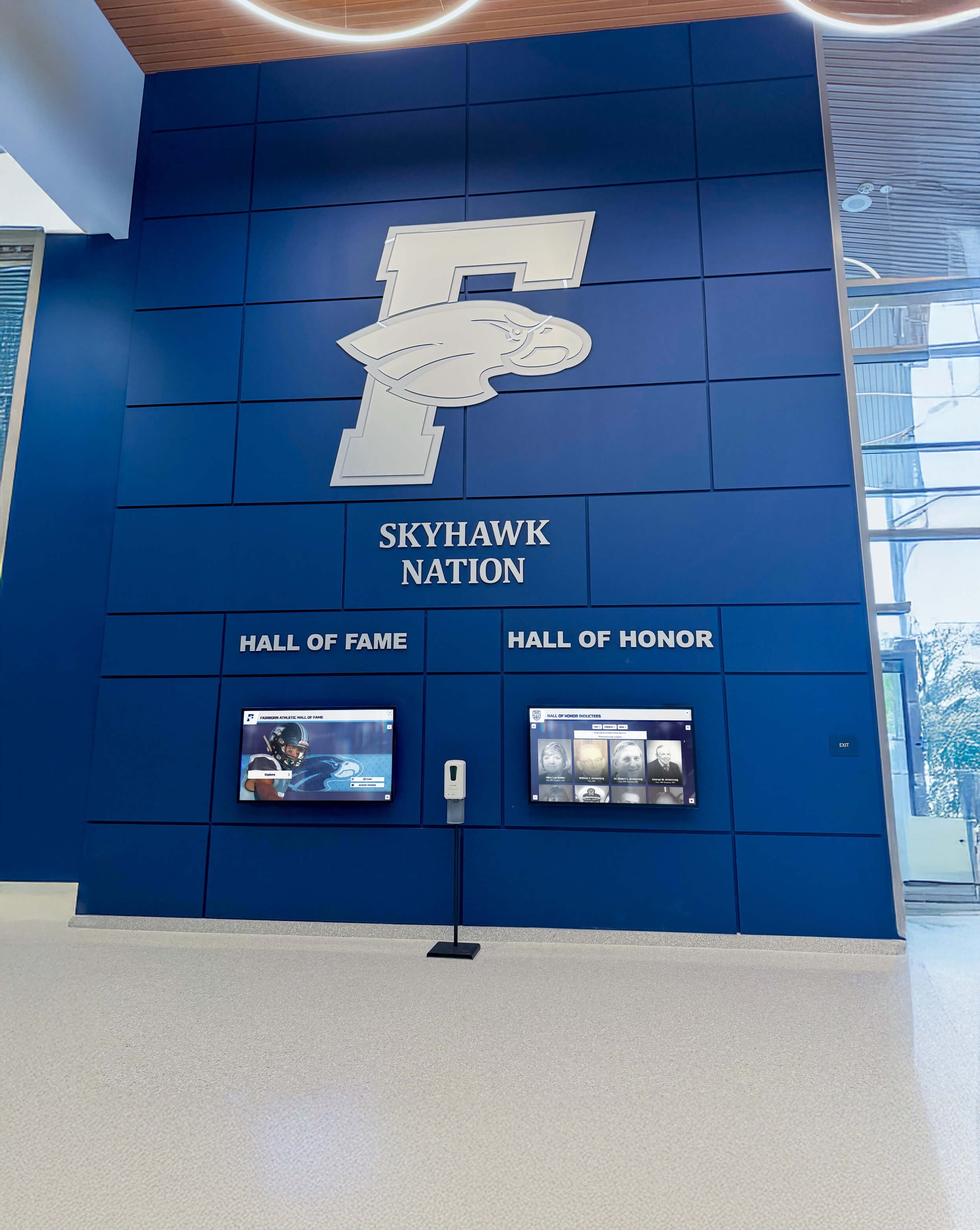
Comprehensive lobby installations combine multiple display elements creating immersive recognition environments celebrating institutional excellence
Technical Specifications: Hardware Requirements for School Environments
School lobbies present demanding operational environments requiring commercial-grade hardware designed specifically for public continuous-use applications.
Display Hardware Specifications
Screen Size and Resolution
Lobby kiosks typically use 43-65 inch displays sized appropriately for viewing distances and available space. Larger screens (55-65") suit spacious entrance areas with generous sightlines, while compact installations work better with 43-50" displays preventing overwhelming proportions in tighter spaces.
Resolution should be minimum 1920×1080 Full HD, with 4K (3840×2160) preferred for installations supporting detailed photograph examination through zoom functionality. Higher resolution enables crisp text rendering and sharp image quality that maintain professional appearance even when viewed closely.
Commercial-Grade Display Panels
Consumer televisions lack durability for public continuous operation. Commercial displays designed specifically for digital signage and kiosk applications provide essential features including rated 16-24 hour daily operation supporting extended school hours, thermal management preventing overheating in enclosed installations, anti-glare coatings maintaining visibility under varied lighting conditions, vandal-resistant protection including reinforced glass and tamper-proof mounting, and extended warranty coverage reflecting industrial duty ratings.
While commercial displays cost more initially than consumer alternatives, reliability and longevity justify premium pricing—failed consumer displays require replacement creating total ownership costs exceeding commercial-grade investments.
Touchscreen Technology
Modern commercial touchscreen displays use capacitive touch technology matching smartphone and tablet interaction patterns that visitors know intuitively. Capacitive screens support multi-touch gestures including pinch-to-zoom, swipe navigation, and smooth scrolling that feels responsive and natural.
Key specifications include 10-point multi-touch support enabling sophisticated gesture recognition, tempered glass surfaces resisting scratches and damage, anti-glare treatment maintaining visibility under ambient lighting, and edge-to-edge coverage ensuring entire screen surface responds to touch input.
Avoid older resistive touchscreen technology requiring pressure-based activation—resistive screens feel dated and unresponsive compared to modern capacitive alternatives, creating poor user experiences undermining professional installations.
Enclosure and Mounting Solutions
Freestanding Kiosk Enclosures
Floor-mounted kiosk enclosures provide flexible placement supporting optimal lobby traffic patterns. Professional enclosures include powder-coated steel or aluminum construction resisting damage and wear, integrated cable management concealing power and network connections, secure lockable access panels enabling service without disrupting installations, ADA-compliant accessibility including appropriate height and approach clearance, and stability features including weighted bases or floor anchoring preventing tipping hazards.
Custom enclosure finishes can match school colors, incorporate branding elements, or complement architectural materials creating cohesive visual integration with lobby environments.
Wall-Mounted Installations
Wall mounting suits lobbies with limited floor space or architectural designs favoring integrated rather than freestanding elements. Wall-mount installations require commercial-grade articulating mounts supporting display weight safely, accessible height positioning ensuring wheelchair user access, adequate ventilation preventing thermal buildup, and secure cable routing protecting connections from accidental disconnection or tampering.
Wall mounting typically costs less than freestanding enclosures but offers less placement flexibility since relocation requires new wall preparation and mounting hardware installation.

Coordinated wall treatments integrating digital displays with painted murals and institutional graphics create immersive branded environments
Computing Hardware and Media Players
Media Player Options
Touchscreen kiosks require computing hardware running display software and managing content. Options include integrated display computers with processing built directly into display units, standalone media players mounted behind displays or within kiosk enclosures, and mini PCs providing computing power in compact form factors.
Minimum specifications should include Intel Core i5 processor or equivalent supporting smooth operation, 8GB RAM enabling responsive performance, 128GB+ SSD storage for operating system and content caching, and dual-band WiFi or Gigabit Ethernet for reliable network connectivity.
Operating System Considerations
School kiosk software typically runs on Windows, Chrome OS, or dedicated Android platforms. Windows offers broadest software compatibility and IT familiarity. Chrome OS provides security and simplified management appealing to schools using Google ecosystem. Android delivers touchscreen-optimized experiences with efficient performance on modest hardware.
Choose platforms aligning with existing IT infrastructure and support capabilities—leveraging established expertise reduces ongoing maintenance complexity.
Software Features: Recognition Content Management
Hardware provides the display platform, but software determines what recognition experiences you can create and how easily staff can maintain content over time.
Core Recognition Features
Individual Profile Management
Effective recognition software provides structured templates for individual profiles including name, photograph, graduating class or participation years, achievement descriptions and honors, career statistics and records, biographical information, and optional media galleries featuring multiple images or video content.
Batch import capabilities enable efficient initial population from existing databases or spreadsheets rather than manual individual entry of hundreds of profiles—critical for realistic implementation timelines.
Solutions designed for campus directory touchscreen displays often provide adaptable frameworks applicable to school recognition applications through flexible content structuring.
Automatic Record Boards and Leaderboards
Athletic recognition benefits from automatic record board generation where software sorts and ranks performances without manual leaderboard maintenance. Features should include multi-sport support covering all athletic programs, gender-separated and combined rankings, all-time and era-specific records, automatic tie handling, and historical record preservation showing progression over time.
When students break records, systems should automatically update leaderboards and highlight new record holders—celebrating achievement immediately without manual intervention.
Team and Group Recognition
Beyond individual achievements, schools recognize team championships, performing arts ensembles, academic competition teams, and student organizations. Software should support group profiles including roster management, season statistics and results, championship documentation, group photographs, and individual member linking connecting groups to personal profiles.
This bidirectional linking enables discovery both ways—visitors viewing individual profiles can explore associated teams, while team pages link to all participant profiles.
Content Management and Publishing Workflows
User-Friendly Content Administration
Non-technical staff must manage recognition content without IT intervention or developer support. Look for web-based administration interfaces accessible from any browser, drag-and-drop media upload supporting photographs and videos, WYSIWYG content editors enabling formatted text without HTML knowledge, preview capabilities showing exactly how content will appear before publishing, and scheduled publishing enabling advance preparation with automatic go-live timing.
Intuitive interfaces empower athletics directors, alumni coordinators, and administrative staff to maintain recognition content independently rather than creating IT bottlenecks that delay updates.
Multi-User Access and Permissions
Schools benefit from distributed content management where different staff members manage relevant recognition areas. Role-based permissions should enable athletic director access to sports content, alumni coordinator management of graduate profiles, activities director oversight of student leadership recognition, and administrator approval workflows for sensitive content before publication.
Audit trails tracking who created or modified content when provide accountability and enable change investigation if questions arise.
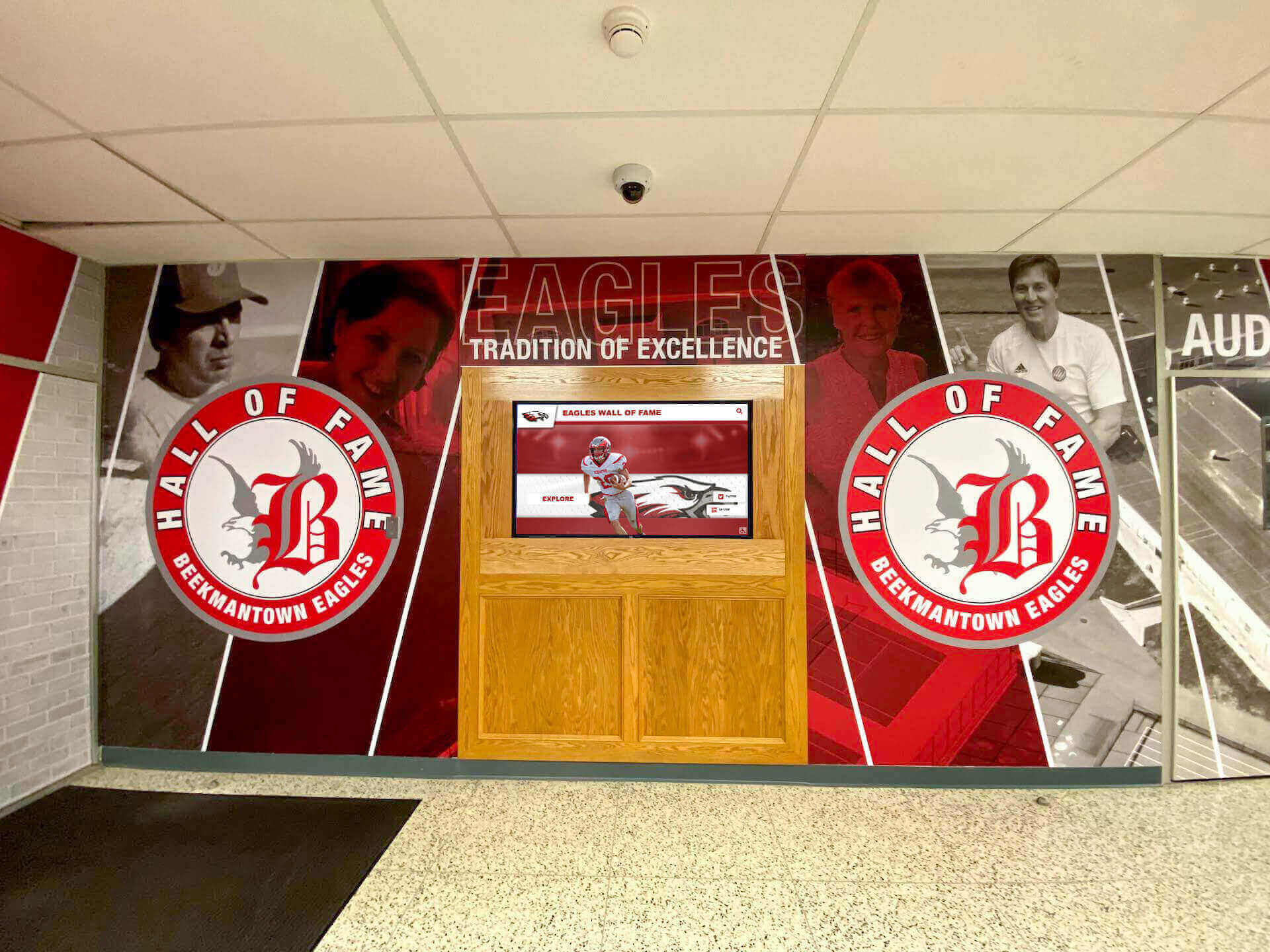
Coordinated physical and digital recognition elements create comprehensive storytelling environments celebrating institutional heritage and achievement
Extended Features and Integration Capabilities
Social Media Integration
Modern recognition displays benefit from social media connectivity including live social feed displays showing recent posts from official school accounts, hashtag aggregation collecting community content shared with school-specific tags, and visitor social sharing enabling kiosk users to share recognition content to personal networks amplifying reach beyond physical lobby visitors.
For schools hosting sports banquets and athletic celebrations, social integration extends event excitement through shared recognition content reaching broader community audiences.
Mobile and Web Companion Experiences
QR codes on kiosks can link to mobile-responsive web versions of recognition content, extending access to personal devices. Web-based recognition galleries enable remote viewing for alumni unable to visit campus physically, support recruiting outreach sharing achievements with prospective families, and provide always-accessible archives supplementing lobby kiosk installations.
Cloud-based platforms unify kiosk and web experiences through shared content management—updates publish simultaneously across all touchpoints maintaining consistent information regardless of access method.
Digital Signage Mode
When kiosks sit idle between interactive sessions, digital signage mode cycles through recognition highlights maintaining visual interest and drawing attention from passersby. Signage content might include recent achievement announcements, upcoming event promotions, historical throwback features, statistical highlights, or motivational messaging reinforcing school values.
This dual-mode operation maximizes kiosk utility—serving interactive discovery when visitors engage while providing passive communication during idle periods.
Accessibility and Inclusive Design Standards
School recognition serves entire communities regardless of physical abilities, requiring thoughtful accessibility consideration throughout design and implementation.
Physical Accessibility Requirements
ADA-Compliant Mounting and Placement
Americans with Disabilities Act compliance requires accessible placement including primary controls positioned 15-48 inches above finished floor, minimum 30" × 48" clear floor space enabling wheelchair approach, and screen angles visible from seated positions typically requiring 10-15 degree downward tilt for wall-mounted installations.
Freestanding kiosks should provide accessible approach from front or side without physical barriers, adequate knee clearance for forward wheelchair approach, and reach-range positioning for controls and interactive elements.
Multiple Height Installations
When budget permits, consider dual-height installations with standard displays serving standing visitors and companion displays mounted at accessible heights accommodating wheelchair users and children. This approach ensures optimal viewing for all users rather than compromise mounting that satisfies no one perfectly.
Digital Accessibility Standards
Visual Accessibility
WCAG 2.1 AA compliance requires color contrast ratios meeting minimum standards—4.5:1 for normal text under 18pt, 3:1 for large text 18pt and above or 14pt bold. Text should support enlargement to 200% without breaking layouts. Information should never convey through color alone, with supplemental icons or text labels providing redundant encoding.
Focus indicators must clearly show keyboard navigation position for visitors unable to use touchscreen input. And flashing or strobing elements must avoid frequencies known to trigger photosensitive epilepsy.
Alternative Access Methods
Touchscreens present challenges for visitors with motor control limitations preventing accurate touch input. Provide alternatives including physical navigation buttons for basic controls, keyboard input support for search functionality, and QR codes linking to mobile-accessible web versions controllable through personal assistive technologies.
Audio descriptions can provide spoken content for visitors with visual impairments, though privacy considerations in public lobby environments may limit practical audio implementation.
Cognitive Accessibility
Clear interfaces serve visitors with cognitive differences through plain language avoiding jargon, consistent navigation patterns minimizing confusion, clear visual hierarchy using size, color, and spacing to communicate importance, minimal steps required to accomplish tasks, and obvious error recovery enabling easy return to known states.
Test interfaces with diverse users including older adults, younger students, and individuals with limited technological experience ensuring broad usability.
Implementation and Deployment Planning
Successful lobby kiosk installations require planning beyond equipment selection—thoughtful deployment ensures reliable operation and sustained community engagement.
Installation Timing and Logistics
Optimal Installation Windows
School calendar considerations affect installation timing including summer break providing extended access without disrupting daily operations, holiday periods offering facility availability when students absent, and weekend installation minimizing weekday disruption though potentially extending project timelines.
Coordinate with facility management addressing electrical work requirements, network infrastructure preparation, structural mounting considerations for weight-bearing capacity, and cosmetic finish work including paint touch-up or trim installation.
Professional Installation Services
While some schools possess internal capacity for technology installation, professional services often deliver superior outcomes through certified mounting ensuring safe secure installation, proper cable routing and management, network configuration and testing, software configuration and content loading, and staff training on operation and content management.
Professional installation typically includes warranty service and support—vendors troubleshoot issues remotely or dispatch technicians when problems arise that school IT staff cannot resolve independently.
Content Launch Strategy
Initial Content Development
Launch with substantial recognition content providing immediate value rather than sparse initial displays promising future additions. Visitors judge kiosks by what they see, not future potential.
Prioritize recent achievements and currently relevant content over comprehensive historical archives—better to showcase 5-10 years of recent recognition excellently than 50 years thinly. Historical content can expand gradually after establishing strong current foundations.
Organizations documenting valedictorian speeches and academic excellence can leverage existing archives for initial content population while planning systematic expansion.
Ongoing Content Refresh Plans
Establish sustainable update schedules including end-of-year recognition additions incorporating new graduating seniors, seasonal updates highlighting relevant sports or activities, monthly featured spotlights rotating through deserving recognition subjects, and responsive additions celebrating achievements as they occur.
Assign clear staff responsibilities for content management avoiding ambiguity that results in neglected displays. Document workflows for common updates ensuring process continuity when personnel changes occur.
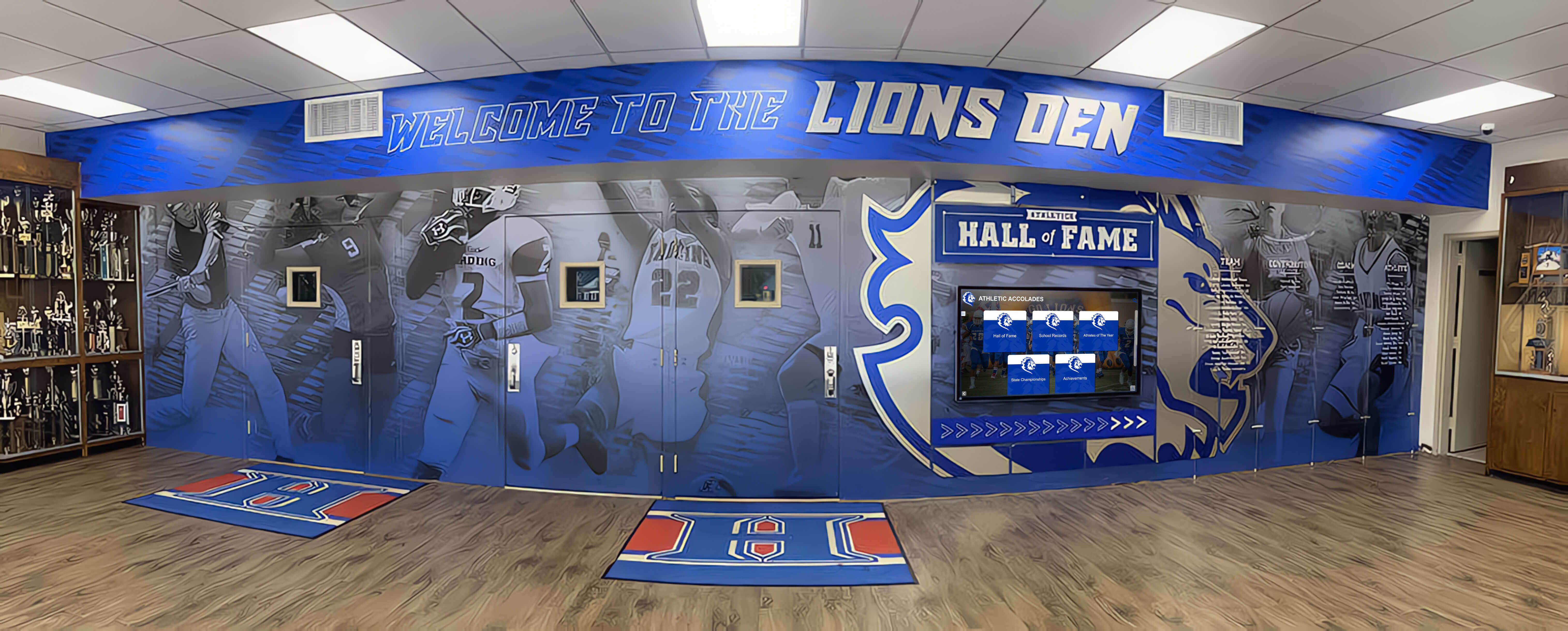
Integrated recognition environments combining traditional trophy cases with digital displays create rich storytelling experiences honoring comprehensive achievement
Stakeholder Communication and Promotion
Launch Communication
Announce kiosk installations to stakeholders including email communications to current families describing features and content, social media promotion highlighting installation and inviting community interaction, alumni newsletter features encouraging campus visits to explore recognition content, and prospective family tour incorporation ensuring admissions guides demonstrate kiosks.
Consider launch events or ribbon cuttings celebrating installation—particularly valuable when donors contributed funding deserving public acknowledgment.
Feedback Collection and Iteration
Gather user feedback through informal observation watching visitors interact with displays, usage analytics revealing engagement patterns and popular content, direct feedback collection via brief surveys or comment mechanisms, and stakeholder input from students, staff, and community members.
Use feedback to guide continuous improvement through content additions addressing gaps, navigation refinements resolving confusion, and feature enhancements responding to expressed needs.
Budget Considerations and ROI Expectations
School technology investments require thoughtful cost consideration balanced against educational and community value delivered.
Cost Components and Investment Ranges
Hardware Investment
Touchscreen kiosk hardware costs vary by size, quality, and configuration:
Entry-level installations (43" commercial display, basic enclosure, standard media player) typically range $4,000-$7,000. Mid-range systems (50-55" high-brightness commercial touchscreen, professional enclosure, robust computing) cost $8,000-$15,000. Premium installations (65" 4K commercial display, custom enclosure, high-performance computing, multi-display configurations) range $15,000-$30,000+.
These ranges include display, enclosure, computing hardware, and basic installation. Extensive electrical work, network infrastructure, or architectural integration may add costs.
Software and Content Management
Recognition software pricing varies by model including perpetual licenses with upfront purchase and optional annual maintenance, subscription models with annual or monthly recurring fees, and enterprise agreements covering multiple displays or district-wide deployments.
Annual software costs typically range $500-$3,000 depending on feature sets, display quantities, and support levels. Cloud-based platforms may include hosting in subscription pricing while on-premise solutions require school server infrastructure.
Implementation and Professional Services
Professional services supporting successful deployment include initial content development and import, custom design and branding integration, staff training and documentation, ongoing content management support, and annual maintenance and technical support.
Budget $2,000-$8,000 for comprehensive implementation services including initial content setup and training. Ongoing annual support contracts typically cost 10-20% of software licensing fees.
Return on Investment Considerations
Enrollment Impact
Prospective family tours represent the highest-ROI kiosk audience. Professional lobby displays create positive first impressions influencing enrollment decisions worth $50,000-$200,000 in tuition revenue per enrolled student over academic career.
Even single-digit percentage enrollment improvements driven by enhanced campus presentation easily justify kiosk investments through increased tuition revenue—making lobby displays among the most cost-effective facilities enhancements schools can implement.
Alumni Engagement and Development
Alumni returning for events or visits engage deeply with recognition content featuring themselves, classmates, and beloved coaches or mentors. This emotional connection strengthens institutional bonds supporting long-term development outcomes including annual fund participation, major gift consideration, volunteer involvement, and legacy enrollment of alumni children.
While difficult to quantify precisely, advancement professionals consistently report that recognition visibility enhances donor cultivation and stewardship efforts—intangible value exceeding direct costs.
Community Pride and Culture Building
Recognition visibility reinforces achievement culture encouraging current students toward excellence—seeing names on halls of fame and record boards motivates competitive students to pursue similar recognition. Public celebration of achievement strengthens community identity and pride benefiting institutional reputation and stakeholder engagement.
These cultural benefits compound over years, building institutional strength through enhanced community connection and shared identity.
Get Your Touchscreen Mock-Up
Transform your school lobby into an engaging recognition destination. Request a custom design preview showing exactly how your achievements will come to life through purposeful touchscreen kiosk design.
Schedule a DemoVendor Selection and Evaluation Criteria
Choosing the right kiosk partner significantly impacts implementation success and long-term satisfaction.
Essential Vendor Capabilities
School-Specific Experience
Prioritize vendors with demonstrated school recognition experience understanding unique educational institution needs. Look for client portfolios featuring comparable schools, recognition-focused rather than generic digital signage implementations, understanding of academic calendar and update workflows, and familiarity with educational stakeholder communication.
Vendors serving primarily corporate or retail clients may lack education-specific insight affecting content structures, user interfaces, and support approaches.
Support and Service Quality
Technical support quality matters enormously for school IT staff managing multiple systems. Evaluate responsive support availability with reasonable response times, remote troubleshooting capabilities resolving issues without site visits, clear escalation processes for critical failures, comprehensive documentation and training resources, and user community forums enabling peer learning.
Request client references and verify support experiences with current customers—vendors may promise excellent service that actual operations don’t deliver.
Software Development Roadmap
Digital platforms should evolve continuously adding features and improving capabilities. Assess vendor commitment to ongoing development including regular software updates and enhancements, responsive feature requests incorporating customer input, mobile and accessibility improvements reflecting changing standards, and security patching maintaining protection against emerging threats.
Stagnant platforms lacking active development represent declining investments—choose vendors demonstrating continuous improvement commitment.
Evaluation Process and Decision Framework
Demonstration and Pilot Opportunities
Request live demonstrations showing actual software rather than marketing presentations. Ideally, visit reference installations experiencing kiosks in real school environments.
Some vendors offer pilot programs enabling trial deployments before full commitment—valuable opportunities to verify capabilities, test staff workflows, and assess community reception before larger investments.
Total Cost of Ownership Analysis
Compare vendors holistically considering upfront hardware and software costs, implementation and professional services fees, annual licensing or subscription costs, ongoing support and maintenance expenses, and anticipated upgrade or replacement timelines.
Lowest initial price rarely represents best value—consider five-year total ownership costs including support quality and feature development affecting long-term utility.
Contract Terms and Flexibility
Review contract terms carefully including licensing durations and renewal terms, content ownership and export rights, termination provisions and transition assistance, service level agreements defining support standards, and pricing lock provisions protecting against excessive increases.
Avoid contracts binding schools to unsatisfactory platforms without reasonable exit provisions—flexibility protects institutional interests if vendor relationships deteriorate.
Conclusion: Creating Recognition Destinations in School Lobbies
Touchscreen kiosks transform school lobbies from static decoration into dynamic recognition platforms—addressing physical space constraints limiting traditional displays, enabling sustainable content management through intuitive interfaces, creating engaging discovery experiences building emotional connections, providing unlimited recognition capacity celebrating comprehensive achievement, and generating professional first impressions influencing enrollment outcomes.
The most successful implementations share common characteristics including clear strategic objectives guiding design toward institutional priorities, thoughtful content organization serving diverse stakeholder interests, accessible interfaces ensuring inclusive community access, reliable commercial-grade hardware supporting public continuous operation, user-friendly content management empowering non-technical staff, and sustained attention ensuring displays remain current across academic years.
Whether implementing new lobby installations, enhancing existing recognition displays, or planning comprehensive campus recognition systems, touchscreen kiosks provide capabilities honoring community excellence while creating welcoming environments for every visitor walking through your doors. Solutions like Rocket Alumni Solutions offer purpose-built platforms specifically designed for educational recognition applications, combining user-friendly content management with engaging visitor experiences optimized for school environments.
School lobbies serve as institutional ambassadors—the first space prospective families encounter, the gathering point for community events, and the daily entry point for hundreds of students beginning each school day. Every visitor forms immediate impressions based on what they see in those critical first moments. Professional recognition displays communicate institutional values clearly: we celebrate achievement, honor excellence, preserve tradition, and invest thoughtfully in experiences that build community pride.
Traditional static displays served these purposes adequately for generations, but contemporary audiences—accustomed to interactive digital experiences in every other aspect of their lives—expect more. Touchscreen kiosks meet modern engagement expectations while delivering practical advantages of unlimited capacity, sustainable updating, and analytics-driven improvement impossible with physical trophy cases and printed plaques.
The decision to implement lobby touchscreen kiosks represents more than technology adoption—it signals commitment to recognition visibility, investment in professional institutional presentation, and dedication to celebrating every deserving community member rather than the limited few that physical space constraints traditionally allowed. This philosophy of inclusive, comprehensive recognition strengthens culture, builds pride, and creates lasting value far exceeding direct costs.
Ready to explore kiosk possibilities for your school lobby? Discover how touchscreen kiosk software creates engaging recognition experiences. Learn about touchscreen building directories serving wayfinding needs. Explore donor recognition approaches acknowledging supporter contributions. And understand how digital hall of fame software celebrates achievement comprehensively.































