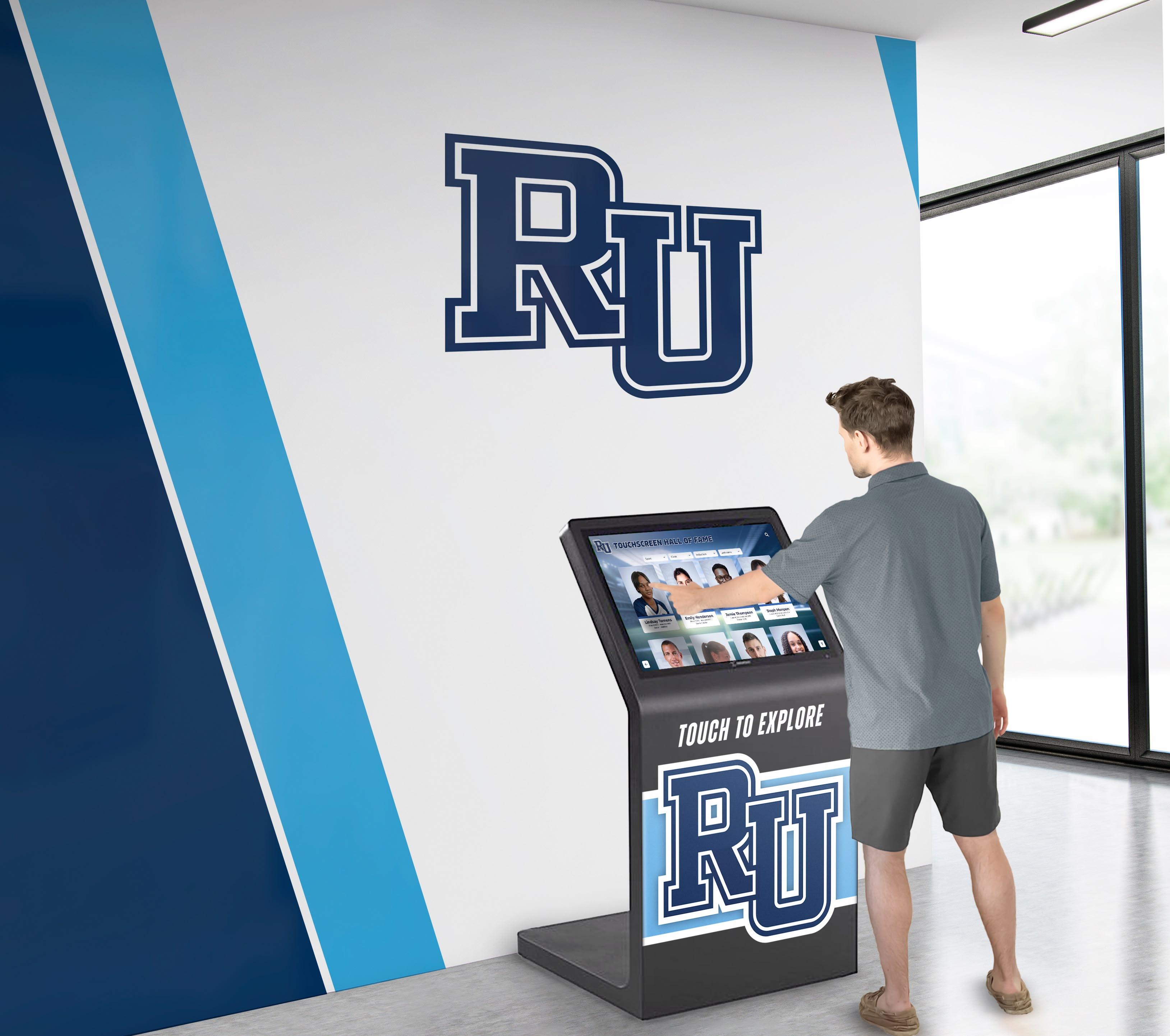




A touchscreen recognition display API key rotation policy is a documented, repeatable procedure that defines which API credentials your school’s interactive recognition system uses, how frequently those credentials must be replaced, who is responsible for each rotation, and how to revoke and replace a compromised key without interrupting the display’s operation. Schools adopt this policy because recognition displays that connect to third-party media services, analytics platforms, donor management integrations, and social media feeds accumulate API credentials over time — and unmanaged credentials are one of the most common sources of unauthorized access to school systems.
Most recognition display deployments start with a handful of integrations and grow. A social media feed is added during a hall of fame launch event. An analytics key gets embedded to track kiosk interactions. A video streaming credential is configured for archival highlight reels. Each integration adds an API key that may never be rotated unless a policy exists that explicitly requires it. This guide gives school IT coordinators, athletic directors, and facilities managers a concrete framework for building and maintaining a rotation policy that keeps recognition display credentials secure throughout the display’s operational life.
A touchscreen recognition display API key rotation policy begins with a complete inventory of every credential your display system uses and ends with a documented schedule, a named owner for each key, and a tested emergency procedure. Without all three components, rotation becomes reactive — triggered by an incident rather than preventing one.

A touchscreen recognition display in a campus lobby may connect to a dozen or more external services, each requiring its own API credential and rotation schedule
Why Recognition Displays Are a Distinct API Security Concern
School IT teams manage credentials across dozens of systems: student information systems, email platforms, financial software, and building management tools. Recognition displays occupy a less obvious place in that landscape, which is precisely why their credentials are often overlooked.
Several characteristics make recognition display API management distinct from other school IT systems:
Long operational cycles without routine maintenance windows. A recognition display installed in a gymnasium lobby may run continuously for five to eight years. Unlike a server operating system that receives regular patch windows, a display’s embedded API credentials may sit unchanged for the entire operational life of the installation — unless a specific policy requires otherwise.
Multiple integration types with different risk profiles. Recognition displays commonly connect to video hosting platforms, social media APIs, analytics services, content management systems, donor database integrations, and cloud storage buckets. Each integration type carries a different consequence profile if its key is compromised: a social media API key may allow unauthorized posting; a donor database integration key may expose contribution records; a cloud storage key may allow unauthorized access to archived photographs and award records.
Shared management between IT and non-IT staff. Content managers, athletic directors, and facilities staff often participate in display administration. API keys configured during installation may be stored in shared documents, embedded in configuration files managed by multiple parties, or held by vendors who support the installation. Rotation policies must account for this distributed ownership rather than assuming a single IT administrator controls all credentials.
Public-facing network position. A lobby kiosk typically sits on a semi-public network segment. Its network position, combined with the software components required to render interactive content — browsers, media players, content management agents — creates a broader attack surface than most back-office systems.
For schools building recognition programs that include alumni engagement content alongside athletic records, credential security is inseparable from data security: the API keys that power the display also govern access to the underlying alumni and achievement data.
Step 1: Build a Complete API Credential Inventory
No rotation policy is executable without a complete list of what credentials exist. Most school IT teams that audit their recognition displays for the first time discover credentials that nobody currently employed at the school configured.
What to Inventory
Walk through every integration your recognition display platform uses. Common credential categories include:
| Credential Type | Typical Use in Recognition Display | Risk if Compromised |
|---|---|---|
| Social media API key (Instagram, X/Twitter, Facebook) | Pull recent posts or athlete photos into display feed | Unauthorized posting to school accounts; feed manipulation |
| Video platform API key (YouTube, Vimeo) | Embed highlight reels, ceremony recordings, alumni interviews | Unauthorized video uploads or content removal |
| Analytics API key (Google Analytics, Mixpanel) | Track kiosk interactions, browse patterns, session data | Exposure of visitor behavioral data; data injection |
| Cloud storage key (AWS S3, Google Cloud Storage) | Host athlete photos, award graphics, archived media | Unauthorized download or deletion of recognition media files |
| Content delivery network (CDN) API key | Accelerate image and video delivery to the display | Service disruption; unauthorized purge of cached assets |
| Donor management integration key (Salesforce, Raiser’s Edge) | Sync donor recognition tiers and names | Exposure of donor financial records; unauthorized record modification |
| Email notification service key (SendGrid, Mailgun) | Alert administrators to content changes or system events | Unauthorized email sending using school domain |
| CMS platform API key | Authenticate content management system access | Unauthorized content modification on all connected displays |
| Map or geolocation API key | Display campus maps or alumni location data | Quota exhaustion; exposure of location queries |
| Weather or external data API key | Show campus conditions on lobby signage | Quota exhaustion |
Inventory all credential types present in your specific deployment. Not every display uses every category listed above.
For each credential, document: the service name, the permission scope granted to the key, where the key is stored (configuration file, environment variable, vendor portal, document), who originally created it, and the date it was last rotated. If the last rotation date is unknown, treat the key as unrotated and schedule immediate rotation.
Schools managing displays that support digital showcase programs that pull content from multiple external platforms often discover that the credential inventory reveals integrations added by vendors or previous staff that current administrators were unaware of.
Step 2: Classify Credentials by Risk Tier
Not every API key carries the same consequence if compromised. Classifying credentials by risk tier lets you allocate rotation frequency and procedural rigor proportionally.
| Risk Tier | Criteria | Examples | Recommended Rotation Frequency |
|---|---|---|---|
| Critical | Access to personal data records; write permissions to school systems; financial data integrations | Donor management API keys; CMS admin credentials; cloud storage keys with delete permission | Every 90 days; immediately upon any staff change with key access |
| High | Write or post permissions to public-facing channels; analytics data access; media hosting with upload rights | Social media API keys; video platform upload keys; email service keys | Every 180 days |
| Medium | Read-only data access; display-only integrations without write-back | Read-only social feed integrations; weather APIs; map display APIs | Annually |
| Low | Third-party data services with no school data connection; public content only | Public CDN pull keys; read-only public content feeds | Annually or at contract renewal |
Apply this classification to every item in your inventory. Keys that provide write access to any system holding student, alumni, donor, or employee records should be treated as Critical regardless of whether those records are visible on the display itself.
Step 3: Assign a Named Owner for Every Credential
A rotation policy without named ownership produces rotation in theory and neglect in practice. For each credential in your inventory, designate a primary owner (the individual responsible for executing the rotation) and a backup owner (who acts when the primary is unavailable).
In school environments, ownership typically follows functional lines rather than job titles:
- IT coordinator or systems administrator: owns CMS platform keys, cloud storage keys, CDN keys, and email service keys
- Athletic director or recognition program manager: owns social media API keys and video platform keys used for athletic content
- Advancement or development office representative: owns donor management integration keys
- Display vendor contact: may serve as backup owner for vendor-configured credentials, but should never be the sole owner of keys that access school data
Document ownership in the same inventory spreadsheet or system used for the credential list. Ownership records should be part of the display system’s formal documentation, not stored only in individual staff members’ personal files. Staff transitions are one of the most common triggers for credential abandonment — when the person who set up an integration leaves, the key they created often stays in place indefinitely.
For schools managing alumni spotlight programs that require ongoing content updates from external sources, a clear ownership model ensures that the integrations powering those updates remain under active management throughout their operational life.
Step 4: Establish the Rotation Procedure
Each credential type has a slightly different rotation procedure because different services handle key replacement differently. Document a specific procedure for each credential, not a generic process that staff must interpret on the fly.
General Rotation Steps
Generate the new key. In the service’s developer portal or API management interface, create a new API key. Do not revoke the old key yet — both keys need to be active simultaneously during the transition.
Update all configuration locations. Before revoking the old key, find every location where the existing key is stored — configuration files, environment variables, vendor portals, connected services — and replace it with the new key. Missing a single location will cause a service failure after revocation.
Test display functionality. After updating all configuration locations, verify that the display operates correctly with the new key in place. Check every integration that uses the key: confirm that social feeds load, that video content plays, that analytics events are recorded, and that any other key-dependent features function normally.
Revoke the old key. Only after confirming that the new key is fully functional and deployed everywhere should you revoke the old key. Revocation is the point of no return — after this step, any location that still holds the old key will fail.
Document the rotation. Update the credential inventory with the new rotation date, the staff member who performed the rotation, and confirmation that testing was completed. For Critical-tier credentials, document this in a formal change log.
Confirm backup owner awareness. Notify the backup owner that the rotation occurred and confirm they have access to the new key or know where to locate it.
Recognition kiosks in active athletic corridors run continuously and may power integrations that need credential management documentation accessible to multiple staff members
Service-Specific Rotation Notes
Different platforms have different constraints that affect the rotation procedure:
Social media platform APIs often require reauthorization through an OAuth flow rather than simple key replacement. For these integrations, “rotation” may mean creating a new connected app or refreshing the authorization token. Check whether the platform supports multiple simultaneous active connections — if it does, you can authorize the new connection before deauthorizing the old one. If not, plan for a brief feed interruption during the transition.
Cloud storage keys with write or delete permissions require particular care. Before revoking an existing key, confirm that no automated backup jobs, media import scripts, or vendor processes are still using it. Many schools discover that cloud storage keys are used by both the display platform and a separate media management workflow — revoking the shared key disrupts both.
Donor management integration keys should be rotated in coordination with the advancement office and the CRM vendor. Some donor systems require keys to be issued through a vendor support ticket rather than a self-service portal. Allow additional lead time for these credentials and confirm with the vendor whether rotation requires any re-configuration on their end.
CMS platform keys that authenticate the display’s content management system should be rotated during a low-traffic period — after school hours or during a break period — to minimize the risk that a content editor encounters a failed authentication during the transition.
Step 5: Define the Emergency Revocation Procedure
Routine rotation reduces the window of exposure for any given credential. Emergency revocation closes that window immediately when a specific key is known or suspected to be compromised. The emergency procedure must be documented, tested, and accessible to staff who may need to execute it outside of normal business hours.
Triggers for Emergency Revocation
- A staff member with key access leaves under circumstances that raise concern about data handling
- A device containing stored API keys is lost, stolen, or accessed by an unauthorized party
- Unexpected API usage patterns appear in service logs (unusual volume, requests from unexpected geographic locations, access at unusual hours)
- A vendor or service provider notifies you of a suspected breach affecting your credentials
- A security audit or penetration test identifies credential exposure
Emergency Revocation Process
Step 1: Revoke immediately. In the service’s developer portal, revoke the compromised key without waiting to have a replacement ready. Stopping the exposure takes priority over maintaining service continuity.
Step 2: Document the incident. Record the time of revocation, the triggering event, and the names of staff involved. This documentation supports any subsequent review or reporting obligations.
Step 3: Generate a new key. Create the replacement credential and deploy it following the standard rotation procedure, with the testing steps conducted under time pressure.
Step 4: Review for unauthorized activity. Check the service’s audit logs for any activity that occurred while the compromised key was active. Depending on what the key permitted, this may include reviewing social media post history, checking cloud storage access logs, or reviewing CMS change logs.
Step 5: Notify relevant parties. Inform school administration, the recognition program manager, and (depending on the integration’s data scope) the district privacy officer. For compromised keys that access donor or alumni data, consult your institution’s incident response protocols.
Step 6: Conduct a post-incident review. After the immediate situation is resolved, review how the credential was exposed and whether the rotation schedule and ownership model prevented earlier detection.
Schools that have established digital signage and recognition display infrastructure across multiple locations should ensure the emergency revocation procedure covers all deployment sites simultaneously, not just the display where the issue was first detected.
Step 6: Integrate Rotation Into the Academic Calendar
Ad hoc rotation is better than none, but calendar-anchored rotation is more reliable because it connects credential maintenance to school rhythms that staff already track. Three natural integration points exist in most school calendars:
Summer transition (June–July). The period between school years typically includes staff transitions, vendor contract renewals, and facilities maintenance. Schedule rotation of all Critical and High-tier credentials before the fall semester begins. This ensures that any credentials touched by departing staff are replaced before new academic content is published.
Winter break. A secondary rotation opportunity for Critical-tier credentials and any credential flagged during the fall semester’s use. Winter break also provides a natural window for extended testing without affecting active users.
End-of-year athletic awards cycle. For schools whose recognition display programs are closely tied to athletic award seasons — including programs connected to athletic department planning and budget cycles — scheduling a credential review before the major awards season ensures that the integrations powering recognition content are current and functional before they receive peak traffic.
An academic-calendar-anchored rotation schedule for a typical school recognition display might look like this:
| Rotation Window | Credentials Included | Owner Action Required |
|---|---|---|
| June (pre-summer) | All Critical-tier; all keys held by departing staff | IT coordinator + recognition program manager |
| August (pre-semester) | Any Critical-tier keys not rotated in June; High-tier review | IT coordinator |
| December (winter break) | All Critical-tier if 90-day interval reached; High-tier if 180-day interval reached | IT coordinator |
| March (spring semester) | Critical-tier if 90-day interval reached | IT coordinator |
| May (end of year) | Full inventory review; Medium and Low-tier credentials | IT coordinator + backup owners |
Step 7: Manage Vendor and Third-Party Credential Relationships
Many school recognition displays are installed and maintained by third-party vendors who configure integrations during the installation process. Vendor credential management introduces specific considerations that an internal rotation policy must address.
Determine who holds which keys. Some vendors configure integrations using credentials they own and manage; others configure integrations using credentials the school provides. The rotation policy must clearly distinguish between credentials the school controls (and is responsible for rotating) and credentials the vendor controls (and is responsible for managing). Both categories should appear in the inventory.
Establish key handoff terms in contracts. When a vendor holds credentials that connect to school data — donor records, CMS administrative access, analytics accounts — the contract should specify what happens to those credentials at contract termination. School-owned data should be accessible through school-owned credentials at all times, not exclusively through vendor-held keys.
Require vendor notification of rotation. If a vendor rotates credentials on your behalf, require written notification of each rotation with the new key’s deployment date and confirmation that it has been tested. Vendor-side rotation that goes undocumented on the school’s side defeats the purpose of the inventory.
Audit vendor access annually. At each contract renewal, review what credentials the vendor currently holds, confirm that access is scoped appropriately to their active service relationship, and revoke any credentials that exceed the current contract scope. Vendors from expired or terminated contracts should have no remaining access to school-integrated APIs.
For recognition programs that feature donor recognition wall content managed through vendor platforms, the vendor credential relationship is particularly important to document: the platform that displays donor names and records connects to the underlying data through credentials that must remain under the school’s governance.

Recognition systems managed in partnership with vendors require clear documentation of which credentials the school controls and which the vendor manages — both categories belong in the rotation policy inventory
Documenting and Storing the Policy
A rotation policy that exists only in a spreadsheet on a single staff member’s computer fails at the first staff transition. The policy document itself must be stored in a location accessible to all primary and backup owners, with version control that records when the policy was last reviewed and who approved the current version.
Policy Document Components
A complete touchscreen recognition display API key rotation policy document should include:
- Scope statement: which display systems and locations the policy covers
- Credential inventory: the complete list of API keys, their service, permission scope, storage location, and risk tier
- Ownership table: primary and backup owner for each credential, by role rather than personal name
- Rotation schedule: the calendar-anchored rotation windows with credentials included in each window
- Rotation procedure: step-by-step instructions for each credential type, including service-specific notes
- Emergency revocation procedure: triggers, steps, and notification responsibilities
- Vendor credential management terms: what vendors hold, what the school controls, and how handoff is managed
- Review and update schedule: when the policy itself is reviewed (at minimum annually) and who is responsible
- Version history: date of each revision and summary of changes
Store the policy in the school’s IT documentation system, share read access with all named owners, and include a reference to it in vendor contracts for recognition display services.
Testing the Policy Before You Need It
A rotation policy that has never been exercised provides less assurance than one that has been tested. Schedule a table-top exercise — walking through the rotation procedure for one credential, step by step, without actually rotating it — at least once before the first scheduled rotation. The exercise typically surfaces missing documentation, access gaps (a staff member who needs access to a service portal but doesn’t have it), and configuration locations that weren’t captured in the inventory.
For the emergency revocation procedure specifically, consider whether the staff members who would need to execute it on a weekend or during a school break can actually access the required service portals and documentation on short notice. If emergency access depends on credentials stored only on a work computer, that is a gap worth closing before an incident occurs.
Schools developing recognition programs that incorporate cross-country and track awards archives alongside other athletic record categories often find that the credential inventory process surfaces integrations tied to specific sports or seasonal content — integrations that may see no traffic for months at a time, making it easy to overlook them in routine audits.
Connecting Credential Security to Display Longevity
A touchscreen recognition display is a long-term institutional investment. The hardware represents a visible commitment to honoring athletes, alumni, donors, and the school’s history — and the software integrations that bring that content to life represent ongoing operational dependencies that must remain healthy throughout the display’s lifecycle.
API key rotation is one component of a broader credential hygiene practice that also includes reviewing user account access, auditing vendor permissions, and confirming that the display platform’s software components are receiving security updates. For schools managing multiple display locations — athletic facilities, lobby installations, award corridors — the rotation policy should address all locations consistently, not only the most recently installed one.
Connecting credential management to the recognition program’s content governance cycle creates a natural rhythm: when content is reviewed for accuracy and consent before an awards season, IT credentials that power that content can be reviewed at the same time. The two reviews reinforce each other and reduce the chance that either is skipped.
For schools whose recognition programs span athletic achievement alongside donor and alumni acknowledgment, the best digital signage software and recognition platforms are ones that support institutional governance throughout their operational life — including clear credential management, data export options, and access controls that let schools maintain ownership of their own integrations.
See a Recognition Display Built for Institutional Governance
Rocket Alumni Solutions works with schools to deploy touchscreen recognition displays designed with IT security and data governance in mind — including transparent integration architecture, defined API credential ownership, and support for schools managing their own credential rotation. Request a demo to see how a well-governed recognition platform supports your IT team’s credential management requirements.
Request a demo to see how a well-governed recognition display works in practice.
Frequently Asked Questions
What is a touchscreen recognition display API key rotation policy?
A touchscreen recognition display API key rotation policy is a documented procedure that specifies which API credentials your school’s interactive recognition system uses, how frequently each credential must be replaced, who is responsible for each rotation, and how to execute an emergency revocation if a credential is compromised. The policy exists because recognition displays that connect to external media, analytics, social media, or donor database services accumulate credentials over time that represent ongoing access to school-affiliated accounts and data.
How often should we rotate API keys for a school recognition display?
Rotation frequency should reflect the risk tier of each credential. Credentials that connect to donor management systems, cloud storage with write permissions, or content management systems warrant rotation every 90 days and immediately upon any relevant staff change. Social media API keys and video platform upload credentials should rotate every 180 days. Read-only integrations with no connection to school data can rotate annually. Apply the rotation schedule consistently rather than waiting for an incident to trigger action.
What happens if we skip rotating an API key?
An unrotated key continues to function, which is why the risk is easy to overlook. However, an unrotated key is a credential that may have been accessed by staff who have since left the institution, stored in documentation that has been shared more broadly than intended, or included in a vendor portal that no longer reflects an active relationship. The longer a key goes without rotation, the more likely it is that its full exposure history is unknown. When a key is eventually rotated — whether on schedule or following an incident — the rotation closes the exposure window and creates a documented baseline.
Do school recognition display vendors handle API key rotation automatically?
This varies by vendor and by credential type. Some recognition platform vendors rotate internal service credentials on their own schedule; others leave all credential management to the school. The critical question is not whether the vendor rotates credentials automatically but whether you have visibility into which credentials they manage, what permissions those credentials carry, and whether you receive notification when rotation occurs. School-controlled data — donor records, alumni profiles, media archives — should be accessible through school-controlled credentials regardless of vendor rotation practices.
How should we handle API keys when a display vendor relationship ends?
At contract termination, revoke all credentials that were issued specifically for the vendor’s access and create new credentials for any integrations that will continue under a replacement platform or internal management. Confirm that the vendor’s systems no longer have active access to any school-affiliated service — including social media accounts, cloud storage buckets, analytics properties, and donor integrations — before considering the transition complete. Document the credential revocation as part of the contract closeout process.
Should the IT team or the athletic department own API key rotation for recognition displays?
In most schools, IT should own the rotation procedure and documentation, while recognition program managers (athletic directors, advancement staff) own awareness of which integrations exist and provide notification when integrations are added or when staff with credential access change. Critical credentials — particularly those connecting to donor records, CMS administration, and cloud storage — should have a named IT owner. Social media and video platform credentials that are managed by athletic communications staff may have a non-IT primary owner, with IT as the backup. The policy should reflect actual organizational responsibility, not an idealized structure that nobody follows.
What should we do if we discover an API key that nobody recognizes?
Treat it as a potential security concern and investigate its origin before deciding how to handle it. Check the service’s audit logs to determine when the key was created, what accounts or activity it is associated with, and whether it has been used recently. If the key cannot be traced to an active, authorized integration within a reasonable investigation period, revoke it and monitor the display for any integration failures that result. Document the revocation and the investigation in the credential inventory. An unrecognized key is not inherently malicious, but it is a credential outside your governance model and should be brought under management or revoked.
How do we handle credentials for seasonal integrations that are only active during award season?
Seasonal integrations — social feeds activated during athletic awards ceremonies, video platforms used for season highlight reels, analytics set up during a recognition event — carry the same rotation requirements as year-round integrations. The rotation schedule should include them regardless of their current activity status. If a seasonal integration’s key has been inactive for months, verify that it is still valid and needed before the next activation season, and rotate it if it has exceeded its scheduled rotation interval. An inactive key that has not been rotated is still an unmanaged credential.































