




A touchscreen recognition display hardware warranty tracker is the structured record-keeping system that school administrators, IT coordinators, and facilities managers use to document every warranty covering a recognition display installation — including coverage terms, serial numbers, purchase dates, vendor contacts, and renewal deadlines. Without one, a screen failure during homecoming week can turn into a multi-day outage because the person who purchased the display three years ago has left the district, the serial number is buried in a purchase order no one can locate, and the warranty vendor requires that number before opening a support ticket.
Recognition displays are long-cycle investments. A school that installs an interactive hall of fame kiosk or an athletic record board expects it to serve the community for five to ten years or longer. Over that horizon, warranties expire and renew, staff turn over, hardware components get replaced, and the original purchase documentation migrates from one filing system to another. A maintained warranty tracker ensures that institutional knowledge about every covered component stays accessible to whoever needs it, regardless of personnel changes.
The core answer: a complete touchscreen recognition display hardware warranty tracker captures six fields for each covered unit — serial number, model and manufacturer, purchase date, warranty coverage type, expiration date, and the vendor’s support contact. Built into a shared document with calendar reminders at 90 days, 60 days, and 30 days before each expiration, the tracker prevents coverage lapses, streamlines claims, and gives school IT teams the documentation they need to make renewal decisions before deadlines arrive.

A touchscreen recognition display represents a multi-year investment in school history and community engagement — a hardware warranty tracker ensures that investment stays protected from purchase through its full service life
Why Warranty Tracking Matters for Recognition Display Hardware
School recognition displays occupy an unusual position in the technology inventory. They are not general-purpose computing devices managed in bulk through a standard IT asset system, and they are not office equipment with a predictable replacement cycle. They are purpose-built installations — often custom-fabricated for a specific lobby or athletic wing — where the hardware, mounting, and embedded software are all tied to a specific vendor relationship and a specific warranty agreement.
That uniqueness creates a documentation gap. Standard IT asset management tools are designed around laptops, workstations, and network equipment. Recognition display hardware — interactive kiosks, large-format commercial panels, embedded media players, touch overlays, and mounting structures — frequently falls outside those tools’ category structures. The result is that warranty records end up scattered: the media player is in the IT asset system, the display panel is in a purchase order folder, the touch overlay is covered by a separate vendor whose contact is in someone’s email archive, and the extended service plan is in a PDF attached to a facilities manager’s inbox three job titles ago.
A purpose-built warranty tracker consolidates that scattered documentation into a single reference that survives staff turnover, budget cycles, and the years-long gaps between major hardware events. For schools that have invested in interactive recognition display platforms for athletics and advancement, maintaining the underlying hardware warranty documentation is as important as maintaining the content itself.
The Complete Hardware Warranty Tracker Template
The table below defines the fields a complete warranty tracker should capture for each hardware unit in a recognition display installation. Adapt the column headers to your preferred tracking tool — a shared spreadsheet, a facilities management platform, or an IT asset management system all work.
| Field | What to Record | Why It Matters |
|---|---|---|
| Unit identifier | Internal name or number (e.g., “Lobby Kiosk 1,” “Gym Hall Display”) | Links hardware events back to a physical location without relying on serial numbers alone |
| Manufacturer | Full manufacturer name | Identifies the entity responsible for warranty claims |
| Model number | Complete model number including revision suffix | Required for parts ordering, replacement unit matching, and support ticket verification |
| Serial number | Full serial number from manufacturer label | The primary identifier for warranty claim initiation — without it, most vendors cannot open a ticket |
| Purchase date | Date of invoice or delivery confirmation | Anchor for all warranty period calculations |
| Vendor / reseller | Company that sold the unit | First contact for warranty claims if purchased through a reseller rather than direct |
| Warranty type | Manufacturer limited, extended service plan, on-site service agreement, or parts-only | Determines what is and is not covered and who dispatches repair service |
| Coverage start date | First day of warranty coverage | Typically the invoice date or the date of commissioning, depending on the vendor’s terms |
| Coverage expiration date | Last day of warranty coverage | Primary calendar trigger for renewal decisions |
| Coverage scope | What is covered: parts, labor, on-site response, advance replacement, software, or combinations | Critical for claims — coverage scope determines whether a repair is covered or out-of-pocket |
| On-site response time | Contractual response time for hardware dispatch (next business day, 48 hours, etc.) | Informs the urgency calculus when hardware fails near a high-visibility event |
| Support contact — phone | Warranty support line | For rapid initiation of claims during events or business hours |
| Support contact — email / portal | Web-based claims portal or email address | For non-urgent claims and documentation submission |
| RMA or claims process notes | Steps specific to this vendor’s claims process | Saves time during a claim — some vendors require photos, others require a pre-authorization number |
| Extended coverage available | Yes/No, and the renewal cost if known | Decision input at 90-day pre-expiration review |
| Renewal deadline | Latest date by which renewal must be purchased to avoid a coverage gap | Not always the same as the expiration date — some plans require renewal 30 days before expiry |
| Last claim date | Date of the most recent warranty claim for this unit | Pattern indicator — multiple claims in a short window may suggest replacement is more cost-effective than renewal |
| Notes | Any additional vendor-specific terms, exclusions, or installation-related conditions | Catch-all for information that doesn’t fit standard fields |
Step-by-Step: Building Your Tracker from Scratch
If your school does not currently maintain a centralized warranty tracker, the following steps build one in order of effort and impact.
Step 1: Inventory every hardware component
Begin with a physical walkthrough of every location where recognition display hardware is installed. For each location, document every discrete hardware component that could be covered by a separate warranty: the display panel itself, the embedded or attached media player, the touch overlay or frame (if separate from the display), the mounting hardware or enclosure, and any peripheral devices such as printers, barcode scanners, or secondary screens that are part of the recognition kiosk.
Schools with multiple display locations — an athletic hall, a lobby kiosk, a donor recognition wall, and a gym entrance display, for example — should create a separate tracker row for each hardware unit at each location. A display panel at the gym entrance and an identical display panel in the main lobby may have different purchase dates and therefore different warranty expiration dates, even if they are the same model.
Step 2: Locate serial numbers for each component
Serial numbers are the most commonly missing data point when warranty claims arise. For most recognition display hardware:
- The display panel serial number is printed on a label affixed to the rear panel. It is also typically accessible through the display’s on-screen settings menu under “Information” or “Device Info.”
- The media player or embedded computer serial number is on a label on the device body. It may also be visible in the operating system’s device information settings.
- The touch overlay serial number (if the touch layer is a separate component from the display) is on a label on the frame.
- The mounting structure or enclosure serial number or product ID may be on a label inside a rear panel access door.
If a component is mounted in a position where the label is inaccessible without tools, photograph the label during installation and store the image in your documentation system alongside the tracker entry. Retrieving a serial number from a wall-mounted display during a hardware failure is far more difficult than having it recorded in advance.
Step 3: Gather purchase documentation
For each component, locate the original purchase order, invoice, or delivery confirmation that establishes the purchase date. The purchase date is the anchor for all warranty calculations — without it, the coverage period cannot be accurately calculated, and some vendors will default to an unfavorable interpretation of the start date during a claim.
Check these locations for purchase documentation: the school’s finance or procurement system, the facilities department’s vendor files, the IT department’s purchase records, and the inbox or file archive of whoever managed the original procurement. For older installations, the school’s auditing records may be the only source.
For schools that purchased recognition display systems through a dedicated platform vendor, that vendor’s customer portal often provides purchase history and warranty registration records. The donor recognition display buying guide from hardware to content stewardship covers what documentation responsible vendors should provide at delivery — use those expectations as a checklist when auditing your own records.
Step 4: Identify warranty types and coverage scopes
Not all warranties covering a recognition display provide the same protection. The most common coverage types and their practical implications:
Manufacturer limited warranty: Standard coverage included with the hardware purchase at no additional cost. Typically covers defects in materials and workmanship for one to three years. Usually requires the buyer to ship the defective unit to the manufacturer for repair or replacement, which means display downtime during transit and repair — potentially weeks.
Extended service plan or service contract: Optional coverage purchased separately, often from the manufacturer or a third-party service provider. Extends the coverage period beyond the standard warranty, may include on-site service dispatch, advance hardware replacement, or reduced response time commitments. These plans carry the renewal obligations that most commonly lapse when documentation is not maintained.
On-site service agreement: Provides for a technician to come to the school location for diagnosis and repair rather than requiring shipment. On-site agreements typically specify a response time commitment — next business day, two business days, or another interval — that determines how quickly display downtime can be resolved.
Parts-only warranty: Covers replacement components but not labor. Common for enclosures, mounting hardware, and structural elements. The school or an A/V integrator handles installation of replacement parts.
Understanding which type of coverage applies to each component determines who to call when something fails and what the coverage actually provides. A claim submitted to the wrong vendor or under the wrong coverage type adds days to resolution time.
Step 5: Set calendar reminders for renewal deadlines
Once the tracker is populated, set three calendar reminders for each warranty with a known expiration date:
- 90 days before expiration: Review reminder. Pull the tracker entry, research renewal options and pricing, and bring the renewal decision to the appropriate budget authority. This window is wide enough to include a purchase order cycle and avoid rush decisions.
- 60 days before expiration: Decision deadline. If renewal is the decision, initiate the purchase order. If replacement is the decision, begin the procurement process for a new unit or service contract.
- 30 days before expiration: Confirmation check. Verify that renewal coverage has been confirmed in writing by the vendor and that the new expiration date has been recorded in the tracker. If a purchase order is still pending, escalate.
Reminders should be set in a shared calendar accessible to both IT and facilities staff — not only in one person’s personal calendar, where they disappear with staff turnover. For recognition display programs with active annual events — hall of fame inductions, athletic banquets, and alumni recognition ceremonies — adding warranty renewal checkpoints to the program planning calendar ensures that hardware reliability is confirmed before high-visibility dates, not discovered to be lapsed during one.
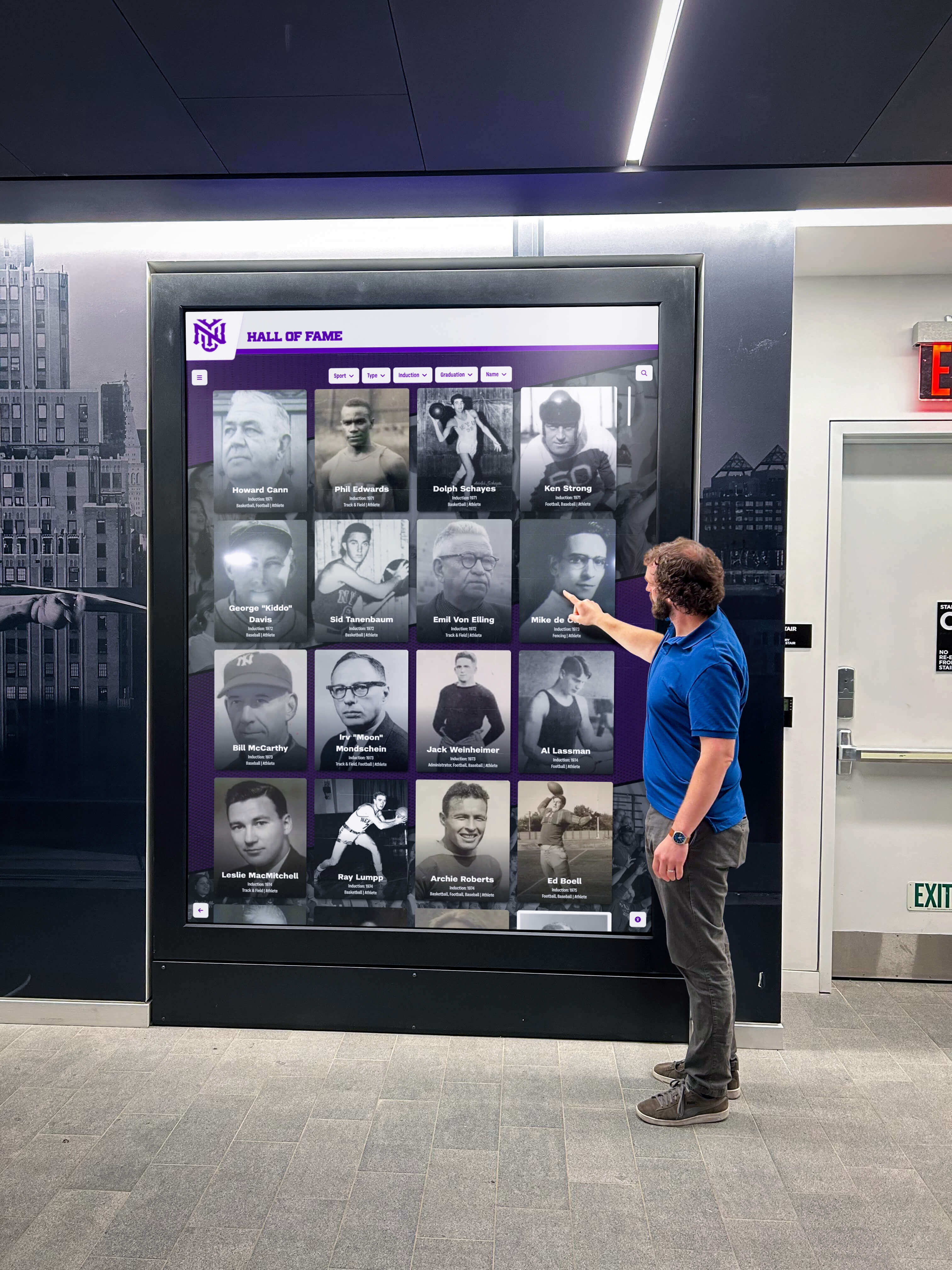
Recognition displays serve families, alumni, and community members who expect them to be operational during visits, events, and ceremonies — warranty documentation minimizes downtime when hardware issues occur
Warranty Coverage by Component: What Schools Typically Encounter
Recognition display installations involve multiple hardware components, and each component often carries a different warranty from a different vendor. The table below maps typical coverage configurations.
| Component | Typical Warranty Duration | Typical Coverage Type | Common Vendor for Claims |
|---|---|---|---|
| Commercial display panel (47"–86") | 3 years limited | Parts and labor; advance replacement on some commercial-grade models | Display manufacturer (Samsung, LG, NEC, Sharp, etc.) |
| Touch overlay or integrated touch panel | 1–3 years limited | Parts and labor | Touch overlay manufacturer or display manufacturer |
| Embedded media player / single-board computer | 1–2 years limited | Parts; advance replacement on some commercial media players | Media player manufacturer |
| Custom kiosk enclosure or mounting structure | 1 year limited | Structural components and fabrication defects | Enclosure fabricator or A/V integrator |
| Recognition platform hardware bundle | As specified in platform agreement | Varies by vendor — some include advance replacement, some repair-only | Platform vendor (e.g., Rocket Alumni Solutions) |
| Power protection (UPS) | 2–3 years limited | Battery and hardware covered; battery replacement terms vary | UPS manufacturer |
| Cabling and installation labor | 90 days to 1 year | Labor warranty on installation workmanship | A/V integrator or systems integrator |
For schools that purchased a complete recognition display system from a single vendor rather than assembling components from multiple sources, confirm whether the vendor’s warranty covers the full system or only specific components. A release readiness checklist for recognition displays should include warranty registration for all components as a pre-launch requirement — if that step was skipped at installation, completing it now is still worthwhile for components still within the registration window.
Warranty Claims Process: A Checklist for When Hardware Fails
When a recognition display component fails, having a documented claims process reduces the time between failure and resolution. The checklist below applies to most hardware warranty claims.
- Identify the failed component and its tracker entry. Pull the warranty tracker and locate the row for the specific component. Confirm the coverage is still active by checking the expiration date against today’s date.
- Document the failure with photos or video. Most vendors require evidence of the failure condition before dispatching a replacement or technician. Photograph the error state on the screen, any physical damage, and the serial number label on the affected component.
- Check the RMA or claims initiation process in the tracker. Some vendors require a pre-authorization number before shipping a replacement. Others require submission through an online portal. The claims process notes field in your tracker should capture this step-specific information so staff do not have to locate it under pressure.
- Initiate the claim with the correct vendor. Use the support contact recorded in the tracker. If the unit was purchased through a reseller, call the reseller first — many service agreements are managed through the reseller rather than directly with the manufacturer.
- Record the claim number and expected resolution timeline. Add both to the tracker’s notes field and to a shared IT incident log. The claim number is required for all follow-up communications.
- Notify stakeholders of the expected display downtime. Alert the athletic director, principal, or advancement office that the display will be offline or degraded. For displays in active recognition areas, a brief note explaining the repair status prevents confusion and communicates that the issue is being addressed.
- Confirm receipt and testing when the replacement or repair arrives. Verify that the replaced component resolves the failure before closing the claim. Document the resolution date and outcome in the tracker.
- Update the tracker with the new serial number if the unit was replaced. Advance replacement programs may ship a refurbished unit with a different serial number. Update the tracker immediately — using the old serial number on a future claim for the replacement unit will delay resolution.
For schools supporting employee and staff recognition programs through touchscreen displays, the same claims workflow applies to those installations. The employee recognition touchscreen display guide covers hardware considerations and vendor selection criteria that feed directly into the warranty documentation practices described here.
Managing Warranties Through Staff Turnover
The most common trigger for warranty documentation loss is staff transition. An IT coordinator who managed a recognition display installation for two years retains institutional knowledge about the vendor relationship, the support contacts, and the coverage details that does not survive in any system unless it was explicitly documented. When that person leaves, the next IT hire has no reliable way to reconstruct it.
A warranty tracker stored in a shared institutional system — not a personal spreadsheet, not a personal email folder, not a cloud document accessible only through one person’s credentials — survives staff transitions intact. Key practices:
- Store the tracker in a directory or platform owned by the school’s IT department, not by an individual user account.
- Include the tracker location in onboarding documentation for IT coordinators and facilities managers.
- Add the tracker URL or file path to the display system’s maintenance documentation so that whoever manages the system operationally can find warranty information without needing to know it was in a specific person’s files.
- When an IT staff member transitions out, include a warranty documentation handoff as a checklist item in their departure process.
For campuses with interactive directory and recognition display systems serving multiple departments, warranty documentation shared between IT and the departments that rely on those displays creates joint ownership — the athletic department, advancement office, and facilities team all have a stake in display availability, and all should have access to the documentation that supports it.
Connecting Warranty Management to the Recognition Program Calendar
Recognition displays are most visible — and most scrutinized — during specific high-stakes calendar moments: induction ceremonies, athletic banquets, homecoming, donor stewardship events, campus tours, and accreditation visits. Hardware failures that occur within two weeks of those dates create disproportionate impact compared to failures that occur during summer or winter break.
A practical way to align warranty management with the recognition program calendar:
- At the start of each academic year, identify the three to five dates in the year when display functionality is most critical. Mark a 30-day pre-event window before each as a no-maintenance, no-risk period for display hardware.
- Complete any pending warranty renewals, extended service plan purchases, and hardware replacements before the first high-stakes event of the year — typically in September for fall athletic programs and induction events.
- If a warranty is expiring within 90 days of a high-stakes event date, accelerate the renewal timeline rather than waiting for the standard 90-day review. A lapsed warranty during homecoming week creates a claims process that runs parallel to event preparation — a manageable situation that the tracker helps you avoid entirely.
Recognition platform vendors that provide strong support documentation make this alignment easier. When evaluating or renewing platform agreements, a school touchscreen platform comparison that includes hardware support terms, warranty handling, and advance replacement policies gives IT and facilities teams the information they need to evaluate real operational risk — not just feature lists.
For law firms, country clubs, and other non-school organizations that use interactive recognition displays, the same warranty tracker structure applies. The law firm touchscreen recognition display guide discusses hardware longevity and support considerations relevant to any professional environment investing in recognition display infrastructure.

Athletics halls featuring both physical and digital recognition infrastructure depend on documented warranty coverage to maintain hardware availability through years of daily use and high-traffic events
Frequently Asked Questions
Where should a school store its hardware warranty tracker?
Store the tracker in a shared institutional platform accessible to multiple roles — a shared drive in your school’s Google Workspace or Microsoft 365 environment, your IT asset management system, or your facilities management platform. Avoid personal cloud accounts or local files that only one person can access. The tracker should be findable by any IT coordinator or facilities manager without needing to know who originally created it.
What is the difference between a manufacturer warranty and an extended service plan?
A manufacturer warranty comes with the hardware purchase at no additional cost. It covers defects in materials and workmanship for a defined period — typically one to three years for commercial display hardware. An extended service plan is purchased separately and extends coverage beyond the standard warranty period, often with enhanced terms such as on-site service, advance replacement, or faster response commitments. Extended service plans have their own renewal obligations and expiration dates that must be tracked separately from the underlying manufacturer warranty.
Do I need to register hardware warranties after purchase?
Many manufacturers require warranty registration within a defined window after purchase — typically 30 to 90 days — as a condition of coverage. Unregistered hardware may still receive warranty service, but registration creates a documented record with the manufacturer that simplifies claims. Review each vendor’s registration requirements when equipment is first installed and add registration confirmation to the tracker’s notes field.
What should I do if a warranty has already lapsed without renewal?
A lapsed warranty can sometimes be reinstated through an extended service plan if the hardware has not yet experienced a failure and is still within a period that the vendor considers eligible for coverage. Contact the vendor or reseller and ask directly about reinstatement options. If reinstatement is not available, evaluate whether the component’s age and condition justify purchasing a replacement unit with a new warranty rather than operating unprotected. Document the lapse and the resolution decision in the tracker.
How do serial numbers factor into warranty claims?
The serial number is the primary identifier a vendor uses to verify warranty eligibility. Without it, most vendors cannot confirm coverage, cannot look up the purchase history, and cannot dispatch a replacement or technician. Some vendors will accept a purchase order number or invoice as an alternative, but this adds steps and delays to the claims process. Recording serial numbers at installation — rather than trying to retrieve them from inaccessible label positions during a hardware failure — is the single most impactful step in building a functional warranty tracker.
How often should the warranty tracker be reviewed?
Review the full tracker at the start of each academic year to identify any expirations occurring in the next 12 months and calendar the renewal review dates. Review it again at mid-year for expirations in the second half. In addition to scheduled reviews, pull the relevant tracker entries any time a hardware failure occurs, a new display component is added to an existing installation, or a hardware component is replaced under warranty with a unit that may have a different serial number or coverage start date.
Should warranty tracking be the responsibility of IT or facilities?
In most schools, the answer is both, with IT owning the technical documentation and facilities owning the physical hardware log. A shared tracker accessible to both departments — with clear ownership of the calendar reminders and renewal decisions — serves the institution better than a tracker maintained by one department without the other’s visibility. When display hardware fails, the facilities team is often the first to notice and report it; when a warranty claim needs to be initiated, IT typically manages the vendor relationship. A shared tracker ensures that whoever identifies the issue can immediately locate the relevant warranty documentation.
Keeping Recognition Hardware Covered Through Every Season
A hardware warranty tracker is not a complex system to build or maintain. A shared spreadsheet with the right fields, a set of calendar reminders, and a consistent process for updating records when hardware changes creates a warranty management system that protects recognition display investments through staff turnover, budget cycles, and the years between major hardware events.
The cost of a lapsed warranty — an uncovered hardware failure during a high-stakes event, a claims process that delays resolution by days because the serial number is missing, or a replacement purchase that could have been avoided with a timely renewal — is far higher than the overhead of maintaining accurate records. For schools running active recognition programs that depend on display hardware being operational on specific dates, warranty documentation is operational infrastructure, not administrative overhead.
Building the tracker is a one-time effort. Keeping it current is a recurring calendar task. Together they protect a multi-year investment in community recognition and ensure that the displays honoring your school’s athletes, alumni, and donors are available every time a family, donor, or community member walks through the door.
Ready to build a recognition display program designed for long-term operational reliability? Request a demo of Rocket Alumni Solutions to see how the platform supports school IT and facilities teams in managing hardware, content, and recognition programming throughout the year.































