




A touchscreen recognition display privacy impact assessment is a structured review that identifies every category of personal information your school’s interactive recognition system collects or displays, evaluates the risks created by showing that data on a public-facing screen, and documents the controls your institution has put in place to manage those risks. Schools conduct this assessment before deploying a new recognition display, before adding a major new data category — such as live social feeds, donor contribution amounts, or alumni photos — and whenever a significant change in scope makes the previous assessment outdated.
Most recognition display projects focus on content and design: which athletes to feature, how to display record boards, where to place sponsor acknowledgments. Privacy implications receive much less attention, partly because recognition displays seem celebratory rather than sensitive, and partly because the data categories involved — names, photographs, achievement records — feel inherently public. That assumption creates real risk. A student’s athletic profile may be appropriate for a gymnasium display visible to enrolled families but inappropriate for an unsecured public lobby screen. An alumnus’s graduation year combined with their photograph may constitute personally identifiable information under applicable law even though neither element seems sensitive in isolation. A donor recognition panel may carry expectations about contribution confidentiality that the institution never explicitly communicated.
This guide walks school administrators, IT directors, athletic department staff, and privacy officers through every stage of a recognition display privacy impact assessment — from initial data inventory to the data-purpose-risk-control matrix that documents your findings — so your institution can launch or expand a recognition program with a clear understanding of its privacy obligations.
Conducting a touchscreen recognition display privacy impact assessment before launch is the responsible alternative to discovering privacy gaps after a parent complaint, a public records request, or a regulatory inquiry surfaces them. The assessment process is not a legal guarantee, and schools should work with qualified legal counsel when navigating specific compliance questions under FERPA, state student privacy laws, or applicable data-protection frameworks. What the assessment provides is a documented, good-faith effort to identify risks and put proportionate controls in place before they become incidents.

A touchscreen recognition display in a public campus lobby reaches a broad and varied audience — faculty, students, families, recruits, visitors, and media — making a pre-launch privacy impact assessment an important planning step
Why Recognition Displays Warrant a Dedicated Privacy Assessment
A general institutional data-privacy review addresses student records systems, financial platforms, and HR data. It does not naturally encompass the specific privacy profile of a recognition display because recognition displays sit at an unusual intersection: they are IT systems that publish personal information as their primary function.
Every other school data system treats personal information as an operational input — an SIS stores student data to support scheduling and grading, not to present it to the public. A recognition display reverses that relationship. Its entire purpose is to surface personal information in a visible, accessible format. That purpose makes privacy risks structurally different from the risks in back-office systems.
Three characteristics make recognition displays a distinct privacy consideration:
Public screen exposure. A recognition display mounted in a school lobby or athletic facility is visible to anyone who enters: current students, alumni, families, prospective families, visiting athletic opponents, media, vendors, and unaffiliated community members. Unlike an administrative database accessible only to credentialed staff, the display surface is by design open. Any data shown on it effectively loses the access control that governs the underlying records.
Aggregation effects. A touchscreen display frequently combines data that, individually, would seem innocuous. A name and photograph are both publicly shared elements. A name, photograph, graduation year, sport, hometown, and performance statistics together create a detailed profile that is searchable, screenshotable, and reproducible without attribution. Aggregation of non-sensitive data can produce a result that carries meaningful privacy implications — particularly for student-athletes who are still enrolled.
Persistence and reach of digital formats. Unlike a printed honor roll in a hallway case, a touchscreen display can be indexed, photographed, shared to social media, and embedded in third-party content. Content published on a school display system may persist in image search results or social posts long after the original entry has been updated or removed.
A dedicated privacy impact assessment accounts for all three characteristics. General IT security reviews typically do not.
Step 1: Data Inventory — What Information Does Your Display Actually Hold?
Before assessing risk or documenting controls, you need a complete inventory of the personal data categories your recognition display system collects, stores, and presents. Most schools underestimate the scope of this inventory until they complete it explicitly.
Student and Current Student-Athlete Data
Current students represented in a recognition display — athletes on active rosters, academic honor roll members, student leaders recognized in a leadership display — remain subject to FERPA protections. Under FERPA, directory information (name, enrollment status, participation in school activities) may be published without consent only if the institution has issued appropriate notice and the student or parent has not opted out.
Schools should identify:
- Whether any represented individuals are currently enrolled (not alumni)
- What specific data fields are displayed for those individuals
- Whether the school’s FERPA directory-information notice covers the specific data fields used in the display
- Whether any enrolled students or parents have submitted directory-information opt-outs that would affect display content
Athletic record boards that display a current student’s name alongside performance statistics require the same FERPA review as any other directory-information publication. Schools that support comprehensive sports award databases for public display should review the FERPA treatment for each active record holder.
Alumni and Former Student Data
Alumni whose recognition appeared when they were students have a distinct data relationship with the institution. Most alumni have no reasonable expectation that their high school athletic records or honor roll listings will be removed — that information has typically been in printed yearbooks, newspaper archives, and school publications for years. However, alumni do have reasonable expectations in certain areas:
- Contact information should never appear in a recognition display, even if it is held in the same database
- Photographs shared with the school under a consent framework that predates the current display system may not have been authorized for use in an interactive touchscreen context
- Sensitive life circumstances — a former student who changed their name, a deceased honoree whose family has requested removal — require accommodation processes that your display system must support
For programs that host alumni reunions or large-scale alumni events where the display serves as a central engagement point, the question of alumni data consent becomes particularly visible. If alumni are attending an event specifically to see themselves recognized, their presence implies at least tacit acceptance. But a standing display available to the general public year-round carries a different set of expectations.
Donor and Supporter Data
Donor recognition panels introduce a distinct category of privacy considerations. Some donors actively seek public acknowledgment; others contribute under an expectation of confidentiality or limited disclosure. Schools should evaluate:
- Whether contribution amounts are displayed (many donors prefer name-only acknowledgment without amounts)
- Whether the donor provided explicit consent for their name to appear on a permanent digital display rather than a printed donor wall
- Whether any donors have requested anonymity or confidential treatment in gift agreements
- How long donor recognition entries remain active and what the removal or update process looks like
Displaying contribution amounts without explicit donor consent is a common gap in donor recognition programs that transitions from physical walls to digital systems. A physical donor wall is replaced relatively rarely; a digital display can be updated continuously, which creates ongoing obligations to review consent status.
Administrator, Coach, and Staff Data
Recognition displays celebrating coaching records and staff contributions include personal data about employees. Employee data carries its own privacy framework under applicable labor and employment law. Schools should confirm that staff who appear in a recognition display — coaches with win-loss records, administrators acknowledged for service milestones — have had an opportunity to review and approve their entries, particularly when performance data appears alongside biographical information.
This category is often overlooked because the people involved are institutional employees rather than students or community donors. However, a coach’s career record combined with their photograph and tenure dates constitutes a personal profile, and accuracy disputes or requests for removal carry practical significance for staff who may have moved to other institutions or who have concerns about specific data points.
Step 2: Purpose Mapping — Why Is Each Data Category Displayed?
For each data category in your inventory, document the specific purpose that display of that information serves. Purpose mapping serves two functions: it helps you identify data that lacks a clear institutional purpose (and can therefore be removed with no program impact), and it creates the documentation necessary to evaluate whether that purpose is proportionate to the privacy risk involved.
Common legitimate purposes for recognition display data include:
- Celebrating athletic achievement: names, sports, years, performance records
- Honoring academic excellence: names, recognition categories, years
- Acknowledging donor contributions: names, recognition tiers or amounts, contribution periods
- Preserving institutional history: archive photographs, milestone records, historical context
- Supporting school community engagement: searchable profiles that help current students connect with the school’s legacy
- Facilitating alumni reconnection: profile browsing that helps returning alumni locate former teammates and classmates
Where you cannot articulate a clear institutional purpose for a specific data field, that field warrants review before inclusion in the display. An inductee’s hometown may be informative context; their current employer or residence is likely outside the scope of any legitimate recognition purpose.
For schools building award walls that span academic, athletic, and team honors, purpose mapping also clarifies which recognition categories involve which data categories — a useful organizing framework for an institution managing a broad recognition program across multiple display zones.
Step 3: The Data-Purpose-Risk-Control Matrix
The core deliverable of a touchscreen recognition display privacy impact assessment is a structured matrix that pairs each data category with its display purpose, the specific risks associated with that combination, and the controls your institution has put in place to manage those risks. This matrix becomes the living record of your assessment and the reference document for future updates.
The following table illustrates the framework structure. Schools should adapt data categories, purposes, risk descriptions, and controls to reflect their specific programs and institutional context. This is an illustrative framework, not a compliance guarantee — consult qualified legal counsel for guidance specific to your jurisdiction and circumstances.
| Data Category | Audiences Affected | Display Purpose | Key Risk | Control |
|---|---|---|---|---|
| Student-athlete name + photo (currently enrolled) | Current students | Athletic recognition | FERPA directory-information exposure if opt-out on file | Sync display roster with SIS opt-out flags; suppress records for opted-out students |
| Student-athlete performance records (current) | Current students | Record board | Aggregation of name + stats creates detailed profile visible to public | Limit public display to record holders; require secondary confirmation for full profile |
| Alumni name + photograph | Alumni | Hall of fame / recognition | Photo consent predates digital display context | Audit consent records; obtain updated authorization for digitization; provide removal request process |
| Alumni biographical data (grad year, sport, position) | Alumni | Hall of fame profile | Aggregation creates searchable personal profile | Publish only data categories covered by original consent or standard directory norms |
| Donor name | Donors | Donor recognition panel | Gift-agreement confidentiality may conflict with display | Review gift agreements for anonymity provisions; default to name-only unless explicit amount consent obtained |
| Donor contribution amount | Donors | Recognition tier display | Disclosure without explicit consent | Require written consent to display amounts; suppress amounts for donors without consent on file |
| Coach / staff name + record | Employees | Coaching records recognition | Accuracy disputes; removal requests from departed staff | Maintain staff review process; document dispute and correction workflow |
| Inductee contact information | Any | N/A — should not appear | Direct contact solicitation risk; privacy exposure | Remove all contact fields from display data model; confirm in pre-launch audit |
| Event photographs (crowd or team) | Multiple | Context / atmosphere | Individuals in background have not consented | Limit event photos to clearly athletic contexts; avoid close-up crowd photography in backgrounds |
This matrix is an illustrative framework for school planning purposes. Schools should develop their own matrices in consultation with legal counsel and relevant institutional stakeholders.
Work through this matrix for every data category your display system uses. The process often surfaces data fields that were included by default — a platform template that imports fields the school never actively chose — as well as consent gaps that accumulated over years of incremental additions to the recognition program.
Step 4: Evaluating Public-Screen Exposure
After mapping data and risks, evaluate the specific exposure profile of each display location. A recognition kiosk in a secured athletic facility used only by enrolled students and staff carries a different exposure profile than a lobby screen visible to prospective families, visiting opponents, media, and unaffiliated community members.
Document for each display location:
- Physical access: Is the display in a secured area (ID required), a semi-public space (open during school hours), or a fully public space (accessible to any visitor at any time)?
- Operating hours: Does the display run continuously, or only during staffed school hours?
- Network access: Is the display accessible remotely (QR code linking to an online version, web-embeddable interface)?
- Recording potential: Is the display positioned where it is routinely photographed or filmed for social media or broadcast coverage?
The network access question is particularly important for schools whose recognition platform offers a companion website or app. If a touchscreen display also has a public URL where the same content can be browsed from anywhere in the world, the exposure profile is functionally that of a public website, not an on-premises display. The privacy assessment should reflect the actual reach of the content, not just the physical device.
For institutions that have developed athletic mission statements and recognition philosophies that extend into digital channels, this evaluation should align with how the broader institution has characterized its commitment to honoring athletes and alumni while managing their personal information responsibly.

Recognition systems that aggregate names, photographs, years, and achievement records create detailed profiles — evaluating exposure against the display's actual audience reach is a core step in the privacy impact assessment
Step 5: Documenting Safeguards
The safeguards section of your privacy impact assessment records the specific technical and administrative controls that reduce the risks identified in your matrix. Controls fall into three categories:
Technical Controls
Data minimization in the display model. Configure the display platform to import only the data fields actually used in the presentation layer. If the underlying database includes contact information, social profiles, or employment history that is not displayed, those fields should not be present in the display system’s data model at all.
Access controls for content management. Define who can add, edit, and remove entries in the display. Uncontrolled write access means that personal information can be added to a public-facing display without any review for consent or accuracy. A defined content approval workflow ensures that each addition is intentional.
Opt-out suppression mechanisms. For student data covered by FERPA opt-outs, document how the display system enforces suppression. If opt-out records live in the SIS and the display platform is separate, identify the synchronization mechanism — manual review, automated feed, or periodic reconciliation — and its frequency.
Removal and correction workflow. Document the process by which an individual can request that their information be corrected or removed from the display. This process should be reachable: a physical contact card near the display, a link in any companion web presence, and a designated institutional contact who owns the request queue.
Administrative Controls
Pre-launch content audit. Before any display goes live, a named individual should review every profile and entry for data fields that exceed what was intended — contact details that imported automatically, photographs from sources with ambiguous consent status, entries for individuals who are currently enrolled rather than alumni.
Consent documentation. Maintain a record of the consent basis for each data category. For alumni photographs digitized from printed yearbooks, the consent basis may be the school’s longstanding practice of publishing yearbooks; document that rationale explicitly. For photographs submitted by inductees or their families during the nomination process, retain the submission records.
Calendar for periodic review. Recognition display content accumulates over time. Build in a scheduled review — annually or at major program milestones — to catch individuals who have requested removal, consent records that have expired, and data categories that have been added without formal assessment.
Physical Controls
Placement relative to recording positions. Where possible, position displays so that broadcast cameras covering athletic events do not frame the recognition display in their background. If a touchscreen kiosk is regularly visible during live broadcasts, the content shown during those broadcasts effectively reaches a broadcast audience without those individuals having consented to broadcast-scale exposure.
Signage indicating data collection. If the display system logs touch interactions, browse histories, or usage analytics that could be associated with individual users, post notice of that collection near the display and ensure the practices described are covered by your institution’s privacy notice.
Step 6: Timing — When to Conduct the Assessment
A touchscreen recognition display privacy impact assessment is not a one-time exercise. Schools should conduct a formal assessment:
Before initial deployment. The assessment should be complete before any display goes live in a publicly accessible space. Retrofitting controls after launch is possible but more disruptive than building them in from the start.
Before adding a major new data category. Adding donor contribution amounts, live social media feeds, current student honor roll entries, or video content to an existing display changes the privacy profile of the system. Each new category warrants at least a targeted review using the matrix framework.
Before a significant change in audience or location. Moving a display from a secured athletic wing to a public lobby, adding a web-accessible companion interface, or making the display available for external broadcast events changes the exposure profile and may make the previous assessment outdated.
After a related incident. A privacy complaint, a records request, a data breach in a related system, or a regulatory communication should trigger a review of whether the display system contributed to or is implicated by the incident.
As part of regular program review. For programs that host large recognition events or make significant annual additions to their recognition record, a lightweight annual review — confirming that controls are still functioning, opt-out records are current, and consent documentation is in order — prevents gradual drift from the assessed state.
Connecting the Assessment to the Recognition Program
A privacy impact assessment is most useful when it is integrated into the broader governance of the recognition program rather than treated as a one-time compliance hurdle. Schools that maintain active sports award databases and update records regularly benefit from embedding a lightweight privacy check into the content update workflow — confirming, for each new entry, that the consent basis is documented and the data fields match the approved scope.
For programs that use recognition displays as part of a broader effort to connect current students with institutional athletic history — supporting student motivation through visible achievement records and the legacy of former athletes — the privacy assessment also serves a strategic purpose: demonstrating to athletes, families, and alumni that the school treats recognition data with the same care it brings to the recognition itself.
Schools managing hall of fame programs that span multiple decades of athlete history should also connect their privacy assessment to their broader records retention and archival practices. Award wall programs that include historical inductees from the 1960s and 1970s may need to address the specific consent question of applying current digital display standards to records created under the norms of a prior era — and consulting qualified legal counsel on the appropriate treatment.
For programs with active alumni communities and team-based award recognition structures that feed recognition display content, the assessment should address the entire data pathway: from nomination form to database entry to display surface, confirming that consent obtained at one stage carries through to the display stage.
Building the Assessment Document
The output of your privacy impact assessment should be a written document — not a spreadsheet that only IT staff can interpret, but a clear record that an administrator, a parent, a board member, or a legal counsel can read and understand. The document should include:
- Scope statement: which display systems, locations, and data categories the assessment covers
- Data inventory: every personal data category in the system and its source
- Purpose mapping: the institutional purpose for each data category
- Data-purpose-risk-control matrix: the structured table linking each category to its risks and controls
- Exposure assessment: the audience and reach profile for each display location
- Safeguard documentation: technical, administrative, and physical controls in place
- Open items: any identified risks for which no control is yet in place, with responsible parties and target resolution dates
- Review date: when the assessment was completed and when it is next scheduled for review
- Responsible parties: who owns the assessment, who owns each control category, and how to escalate a concern
Open items deserve particular attention. A completed assessment that identifies unresolved risks and assigns owners to address them is more defensible than an assessment that simply does not acknowledge those risks. Documented open items with action plans show good-faith effort; undocumented risks that surface later show the opposite.
For schools navigating the intersection of student records requirements and public recognition obligations, the guidance of a qualified attorney familiar with FERPA, applicable state student privacy statutes, and the specific facts of the institution’s program is essential. This guide is a planning framework, not legal advice.
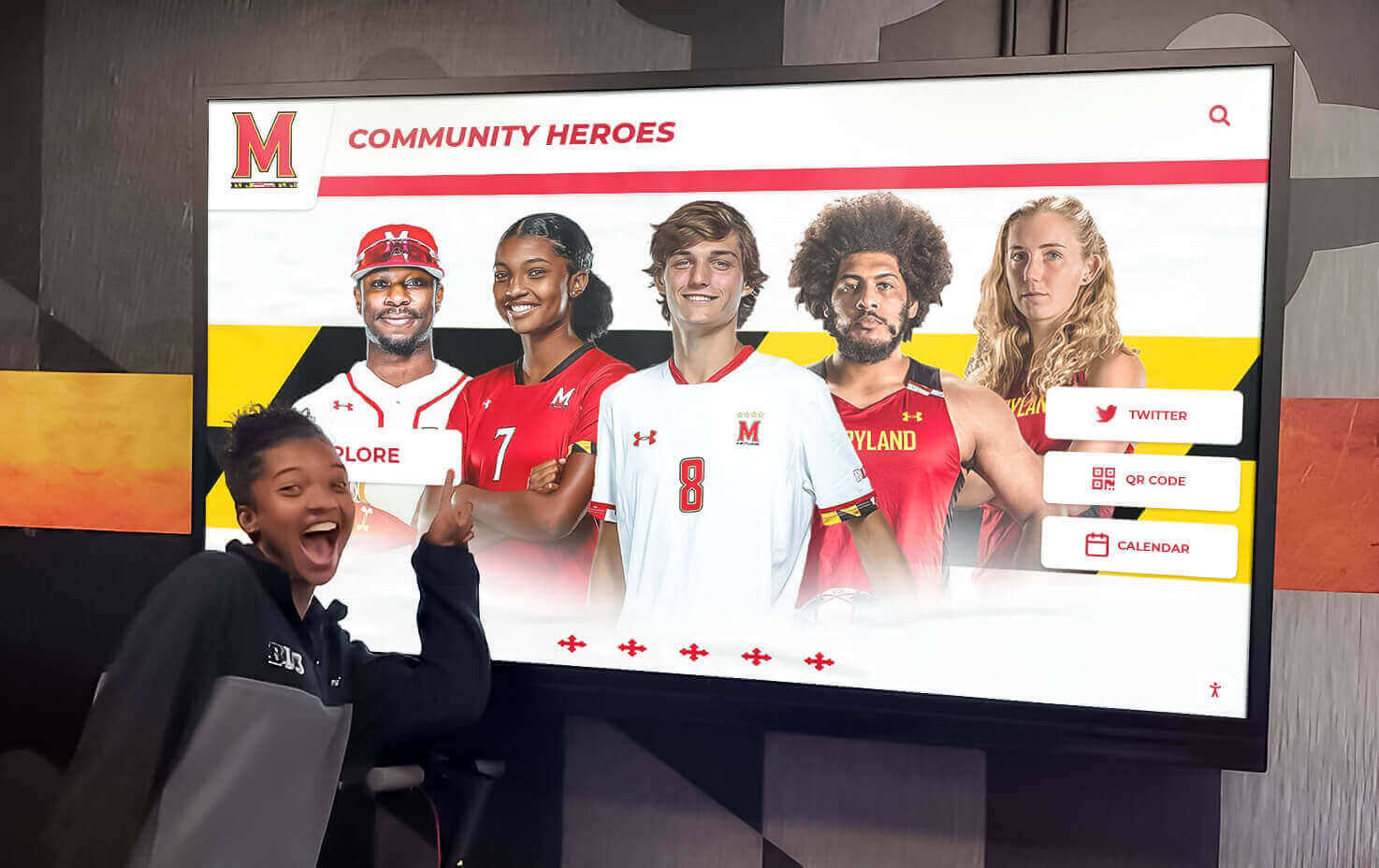
Recognition displays that serve current students alongside alumni and community members require careful data category mapping to ensure that each audience's data is handled under the appropriate framework
Pre-Launch Checklist: Privacy Assessment Readiness
Before activating a new touchscreen recognition display or a major new feature, confirm each of the following:
Data Inventory
- All personal data categories in the display system have been identified and documented
- Data fields imported from external systems (SIS, CRM, donor database) have been reviewed for scope
- No contact information, financial detail beyond approved display fields, or employment data is present in the display data model
Consent and Authorization
- Consent basis for each data category is documented (FERPA directory-information notice, submission consent, gift agreement, employee acknowledgment)
- FERPA opt-out suppression is confirmed for current student data
- Any donor confidentiality provisions in gift agreements have been reviewed against displayed content
Access Controls
- Content management access is restricted to approved roles with documented authorization
- A content review workflow is in place for new entries
- A removal and correction request process is established and reachable
Exposure Assessment
- Physical access profile of each display location is documented
- Network and web-access reach has been evaluated (companion website, QR codes, embeds)
- Broadcast and recording exposure has been considered for high-visibility locations
Documentation
- Written privacy impact assessment is complete and on file
- Open items are documented with owners and target dates
- Review date is scheduled
For schools whose recognition programs connect naturally to broader school club fundraising initiatives — where donor recognition displays and sponsorship acknowledgment panels operate alongside recognition content — the pre-launch checklist should also address the specific data-handling practices for sponsorship and gift records entering the display system through fundraising workflows.
Athletic programs with regional competitive histories, including programs that participate in tournaments like the NJ State Wrestling Tournament, often have decades of record data that predate digital systems. When that data enters a public recognition display for the first time, it warrants the same consent and purpose review as any new data addition.
Start Your Recognition Display with Confidence
A touchscreen recognition display built on a clear privacy foundation serves athletes, alumni, donors, and administrators more effectively than one that accumulates data without documented controls. Rocket Alumni Solutions works with schools to deploy recognition displays designed for institutional governance — with defined data models, configurable access controls, and content management workflows that support responsible program growth.
Request a demo to see how a well-governed recognition display works in practice.
Frequently Asked Questions
Does every school need a formal privacy impact assessment for a recognition display?
Not every jurisdiction mandates a formal privacy impact assessment for recognition displays specifically. However, the exercise of completing one — even informally — surfaces data handling questions that most schools have never explicitly addressed. The value is not primarily in satisfying a specific regulatory requirement; it is in identifying consent gaps, access control weaknesses, and data categories that should not be in the system before they become problems. Schools should consult qualified legal counsel to understand whether any applicable law requires a formal assessment.
How does FERPA apply to a touchscreen recognition display featuring current students?
FERPA applies to education records, including student directory information. If a current student’s name, photograph, or performance statistics are displayed in a public-facing system, the display must be consistent with the institution’s FERPA directory-information notice and the student’s (or parent’s) opt-out status. Schools should treat any display feature that presents currently enrolled student information with the same FERPA review they would apply to a printed honor roll or published roster. This guidance is educational; consult qualified legal counsel for advice specific to your circumstances.
What should schools do when a displayed individual requests removal?
Build a removal request process before the first request arrives. The process should include a designated contact, a response timeline, a technical mechanism for suppressing an entry from the display, and documentation confirming that the removal was completed. For alumni who request removal from a hall of fame display, schools may need to balance the individual’s request against the institutional interest in maintaining historical records — a question worth discussing with legal counsel before establishing your policy.
How often should the privacy impact assessment be reviewed?
At minimum, conduct a substantive review whenever the display system adds a major new data category, when a display is relocated to a more public setting, or when a relevant incident (complaint, regulatory inquiry, breach in a related system) occurs. An annual lightweight review — confirming that controls are functioning, opt-outs are current, and documentation is up to date — is a reasonable baseline for programs with active ongoing content additions.
Can the same assessment cover multiple recognition displays in the same institution?
Yes, if the displays share the same platform, data model, and content governance structure. A single assessment with a location-specific exposure section for each display is more efficient than separate assessments and produces a more coherent institutional record. If different displays serve meaningfully different purposes — a donor wall managed by the advancement office and an athletic hall of fame managed by the athletic department — consider whether they share consent documentation and access controls, and whether a combined or separate assessment better reflects how they are governed.































