



Intent: Demonstrate how museum kiosks create engaging visitor experiences through interactive touchscreen technology, wayfinding solutions, and multimedia storytelling that connects audiences with collections while addressing practical implementation and design considerations.
Museum kiosks have become essential infrastructure for cultural institutions seeking to enhance visitor engagement, provide intuitive navigation, and deliver deeper content experiences beyond what traditional signage and printed materials can offer. As museums adapt to audiences expecting smartphone-level interactivity in public spaces, touchscreen kiosks bridge the gap between physical collections and digital information, creating self-service experiences that accommodate diverse learning styles, languages, and accessibility needs.
In 2026, museum kiosks serve multiple functions simultaneously—wayfinding directories helping visitors locate specific exhibits, educational touchpoints providing multimedia context about artifacts and artworks, collection browsers enabling exploration of items not currently on display, and interactive experiences that transform passive viewing into active discovery. The challenge involves designing kiosk systems that feel intuitive to first-time visitors while offering depth for those seeking comprehensive information, all within interfaces accessible to children, older adults, international visitors, and people with disabilities.
This comprehensive guide explores museum kiosk design, technology selection, content strategy, placement considerations, accessibility requirements, and implementation best practices for cultural institutions from small historical societies to major art museums looking to enhance visitor experiences through thoughtfully designed interactive technology.
Museums implementing well-designed kiosk systems report visitor satisfaction improvements of 30-40% and significant increases in average visit duration, as interactive touchpoints encourage exploration beyond initial intended exhibits while reducing staff burden for directional questions and basic information requests.

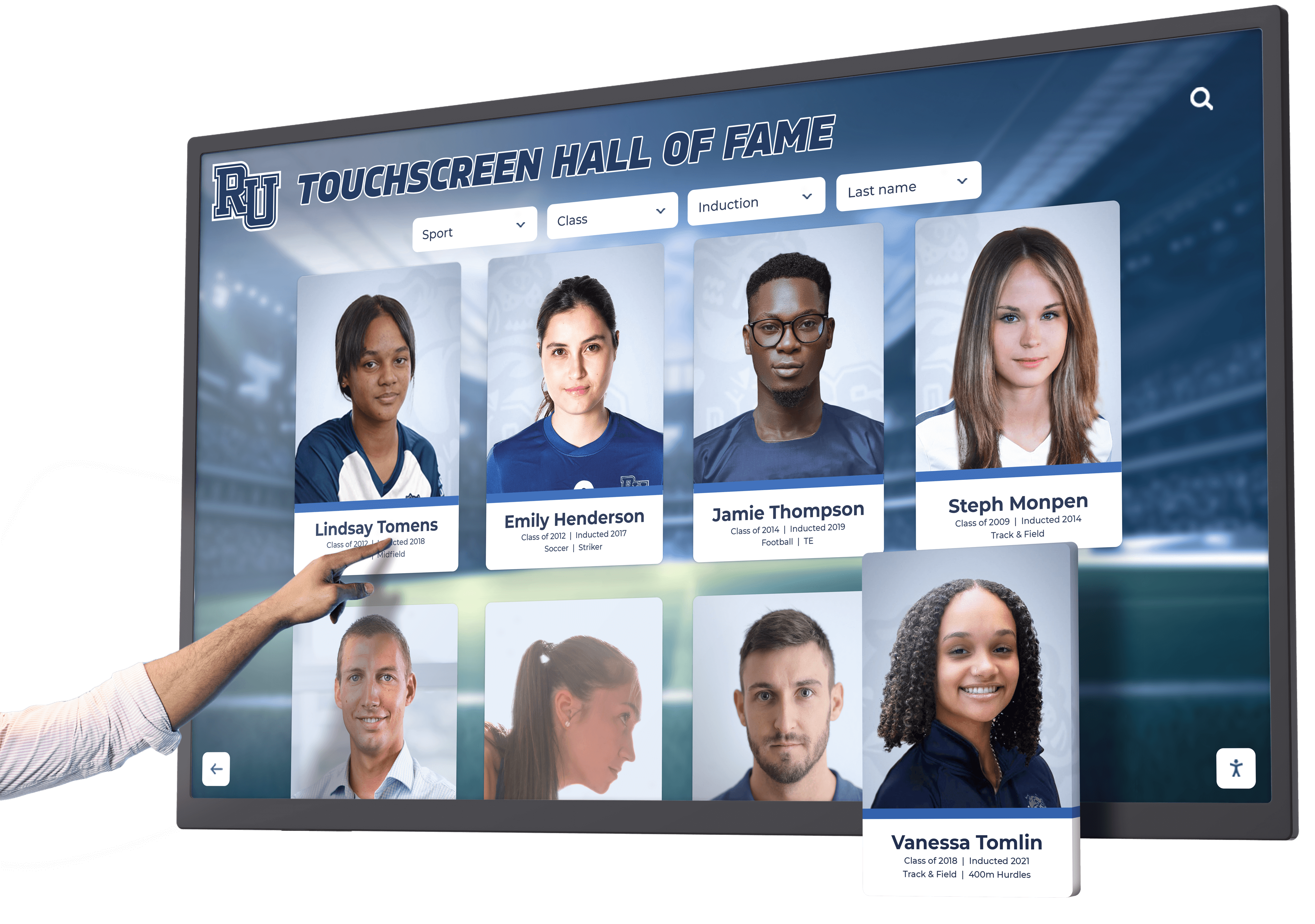
Modern museum kiosks provide intuitive touchscreen interfaces enabling self-guided exploration and discovery
Understanding Museum Kiosk Functions and Applications
Before designing specific implementations, understanding the diverse roles museum kiosks serve helps institutions identify which functions best support their visitor experience goals and operational needs.
Wayfinding and Navigation Systems
The most fundamental kiosk function helps visitors orient themselves within physical museum spaces and locate exhibits, amenities, and services.
Interactive Floor Plans
Digital wayfinding kiosks provide dynamic maps showing visitor location, exhibit locations organized by theme or collection, amenity locations including restrooms, cafes, gift shops, and accessibility features, and optimal routing between multiple destinations considering distance, accessibility requirements, and current crowd levels.
Unlike static posted maps, interactive systems allow visitors to input specific interests—“Show me all impressionist paintings” or “Where are the dinosaur fossils?"—and receive personalized directions. For larger institutions with multiple buildings or floors, three-dimensional navigation views help visitors understand vertical circulation and building relationships that flat maps communicate poorly.
Museums serving diverse audiences benefit from wayfinding kiosks offering multiple languages, with systems automatically detecting language preference based on initial interaction or providing obvious language selection on opening screens. Some advanced implementations incorporate accessibility routing that identifies elevator locations, ramp access, and wheelchair-accessible pathways for visitors with mobility considerations.
Event and Program Scheduling
Beyond static navigation, kiosks display current information about temporary exhibitions, daily tour schedules and availability, special programs and demonstrations, theater presentation times, and facility hours for restaurants and shops.
This dynamic content ensures visitors access current information reflecting last-minute schedule changes or cancellations that static printed materials cannot accommodate, while reducing staff time spent answering routine scheduling questions.
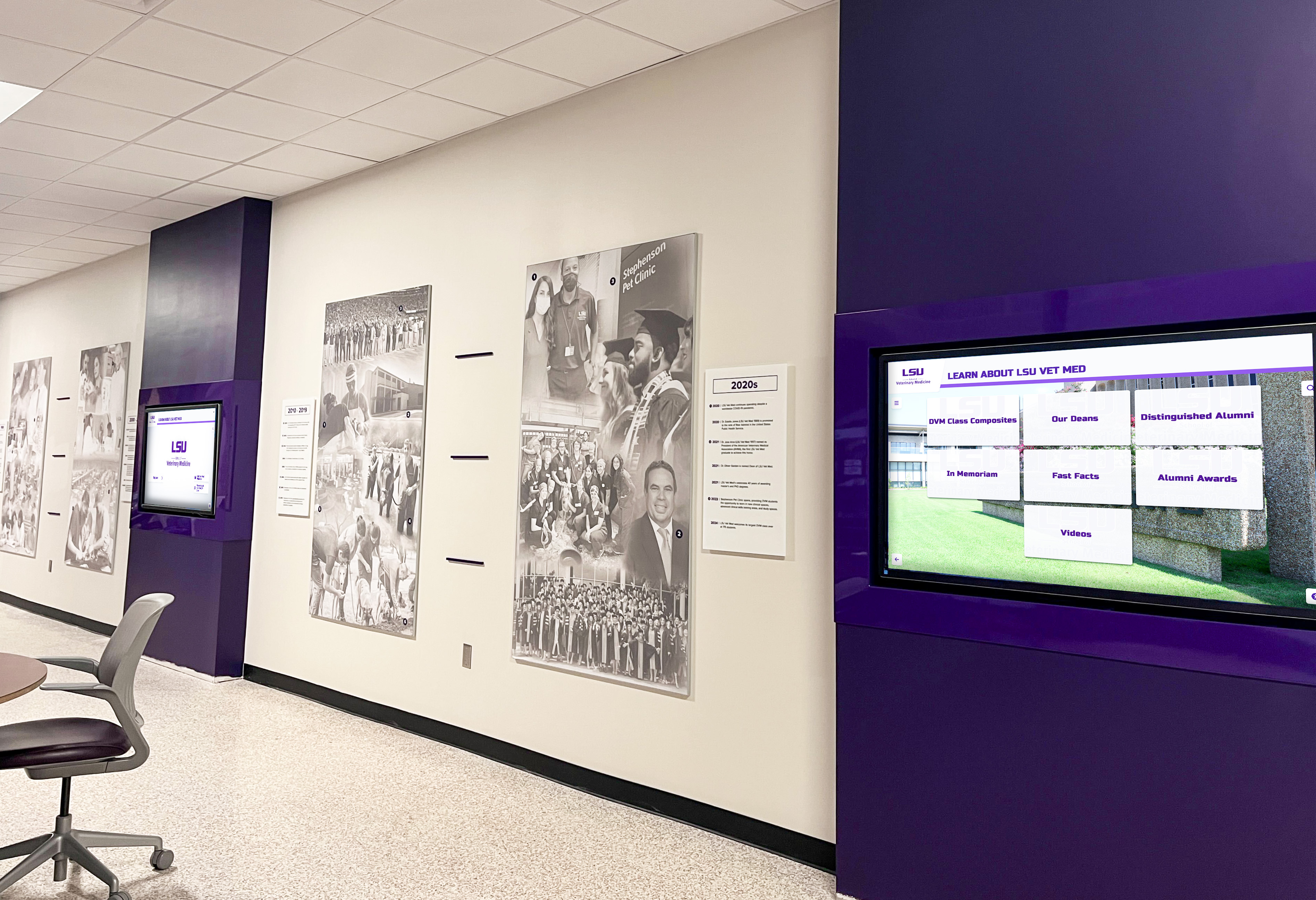
Strategic placement in high-traffic circulation areas ensures wayfinding kiosks serve visitors at decision points
Collection Exploration and Object Discovery
Beyond navigation, museum kiosks enable deeper engagement with collections through searchable databases and interactive browsing experiences.
Searchable Collection Databases
Many museums display only 5-10% of total collections at any time, with vast holdings in storage due to space constraints, conservation requirements, and thematic exhibition rotation. Interactive kiosks provide access to digital representations of storage collections, enabling visitors to browse objects by category, artist, time period, or geographic origin, view high-resolution photographs revealing details invisible in display cases, access curatorial notes and provenance information, and save favorites for later reference or purchase in gift shops.
This virtual access transforms kiosks from wayfinding tools into portals expanding visitor exposure to institutional holdings far beyond what physical gallery space permits. Educational institutions particularly benefit from this capability, as students researching specific topics can locate relevant objects whether currently on display or in storage.
Contextual Information and Storytelling
For items on display, kiosks complement physical labels with multimedia content including high-resolution zoomable images revealing fine details, video demonstrations showing object creation or use, audio interviews with artists, collectors, or curators, comparative images showing similar objects from other collections, and conservation stories explaining restoration and preservation work.
This layered approach accommodates visitors with varying interest levels—those wanting basic identification can read standard labels, while those seeking comprehensive understanding can access extensive multimedia content through nearby kiosks without cluttering gallery spaces with lengthy text panels that many visitors skip.
Similar approaches appear in sports museum implementations where interactive displays enable exploration of athlete careers, statistics, and highlights beyond what static plaques can communicate.
Educational Interactives and Learning Experiences
Museums increasingly use kiosks as active learning platforms rather than passive information delivery systems.
Interactive Timelines
Chronological kiosks help visitors understand historical context, artistic movements, or scientific evolution through visual timelines with clickable events revealing detailed information, comparison views showing parallel developments across regions or disciplines, filtering options focusing on specific themes within broader periods, and biographical connections linking individuals to historical moments.
These interactive chronologies prove particularly valuable for history museums, where understanding temporal relationships and cause-and-effect connections between events requires more than static date labels on artifacts.
Virtual Tours and Behind-the-Scenes Access
Kiosks enable virtual exploration of areas visitors cannot physically access, including conservation laboratories showing restoration work in progress, storage areas revealing collection scale and organization, archaeological sites contextualizing artifact origins, and historical recreations showing how buildings or spaces appeared in different eras.
Video content featuring curators, conservators, and researchers discussing their work humanizes museum operations while demonstrating institutional expertise and care for collections.
Hands-On Learning Activities
Educational kiosks incorporate interactive activities including matching games for younger visitors learning object identification, quizzes testing knowledge retention, artistic creation tools enabling digital experimentation, and scientific simulations demonstrating principles in natural history or science museums.
These interactive elements transform museums from spaces for passive observation into active learning environments, particularly valuable for engaging school groups and families with children who benefit from varied learning modalities.

Freestanding kiosk installations provide flexible placement options for various museum environments
Technology Considerations for Museum Kiosk Hardware
Selecting appropriate hardware ensures reliable operation in public environments while meeting functional requirements for interactivity, visibility, and accessibility.
Touchscreen Display Selection
The primary hardware component determines user experience quality and long-term reliability.
Screen Size and Viewing Distance
Museum kiosks typically use displays ranging from 32 inches for individual use stations to 55+ inches for group viewing or prominent lobby installations. Appropriate sizing depends on expected viewing distances—kiosks for individual use at close range (18-24 inches) can use smaller screens, while those serving groups or placed in large lobbies require larger displays ensuring visibility from several feet away.
Portrait orientation suits wayfinding and directory applications where vertical scrolling presents lengthy lists, while landscape orientation works better for timeline displays, maps, and multimedia content. Some installations use ultra-wide landscape formats for timeline displays or multiple landscape screens arranged in video walls for comprehensive information arrays.
Touch Technology Options
Commercial museum kiosks typically use capacitive touchscreens providing smartphone-like responsiveness and supporting multi-touch gestures like pinch-to-zoom. This technology requires direct finger contact, creating intuitive experiences for visitors accustomed to smartphones and tablets.
Alternative infrared touch technology works through proximity detection without requiring direct contact, enabling use with gloves and offering durability advantages in high-traffic environments. However, infrared systems feel less responsive and may confuse visitors expecting capacitive responsiveness.
Museums should prioritize touch technology providing responsive, intuitive interaction that matches visitor expectations while considering environmental factors like high-traffic volume requiring extra durability.
Display Brightness and Anti-Glare Solutions
Museums present challenging display environments ranging from dark galleries where minimal ambient light ensures artifact preservation to bright lobbies with skylights and extensive natural illumination. Kiosk displays must provide adequate brightness for visibility in various lighting conditions, typically 350-500 nits for interior environments and 700-1000+ nits for areas with direct sunlight exposure.
Anti-glare screen treatments reduce reflection from overhead lighting and windows that can make screens difficult to read. However, some anti-glare coatings reduce perceived image sharpness, requiring balance between glare reduction and image quality.
Museums should evaluate kiosk visibility in actual installation locations under various lighting conditions throughout the day before finalizing hardware selections.
Kiosk Enclosures and Physical Design
Beyond screens, physical enclosures protect technology while supporting accessibility and aesthetic integration.
Mounting Options
Museum kiosks use several mounting approaches depending on architectural constraints and functional requirements. Wall-mounted displays save floor space in narrow corridors while providing stable installations for high-traffic areas. Freestanding kiosks on pedestals or floor stands offer flexible placement and easier relocation for special exhibitions or facility reconfigurations. Built-in installations integrate kiosks into architectural millwork, creating custom appearances blending with museum design.
Each approach presents accessibility considerations—wall mounts require careful height selection accommodating standing adults, children, and wheelchair users, while freestanding units need appropriate base dimensions providing wheelchair approach clearance as specified by ADA requirements.
Protective Enclosures and Vandalism Resistance
Public environments require protective enclosures preventing damage and unauthorized access. Commercial-grade enclosures typically feature tempered glass screen protection, locked access panels concealing computers and cabling, powder-coated steel or aluminum construction resisting impacts, and cooling systems preventing overheating in enclosed installations.
Museums should select enclosures rated for continuous public operation rather than consumer-grade components that fail under heavy use. Reference implementations from institutions with similar visitor volumes provide realistic reliability expectations.
Aesthetic Integration
Museum kiosks should complement architectural environments rather than appearing as technological intrusions. Design considerations include enclosure finishes matching or complementing architectural materials, custom colors coordinating with gallery design, profile minimization reducing visual bulk, and cable management concealing power and data connections.
Some institutions commission custom enclosures from fabricators specializing in museum-quality millwork, creating one-of-a-kind installations matching specific architectural contexts. Others use modular commercial systems offering customization options balancing uniqueness with cost efficiency.
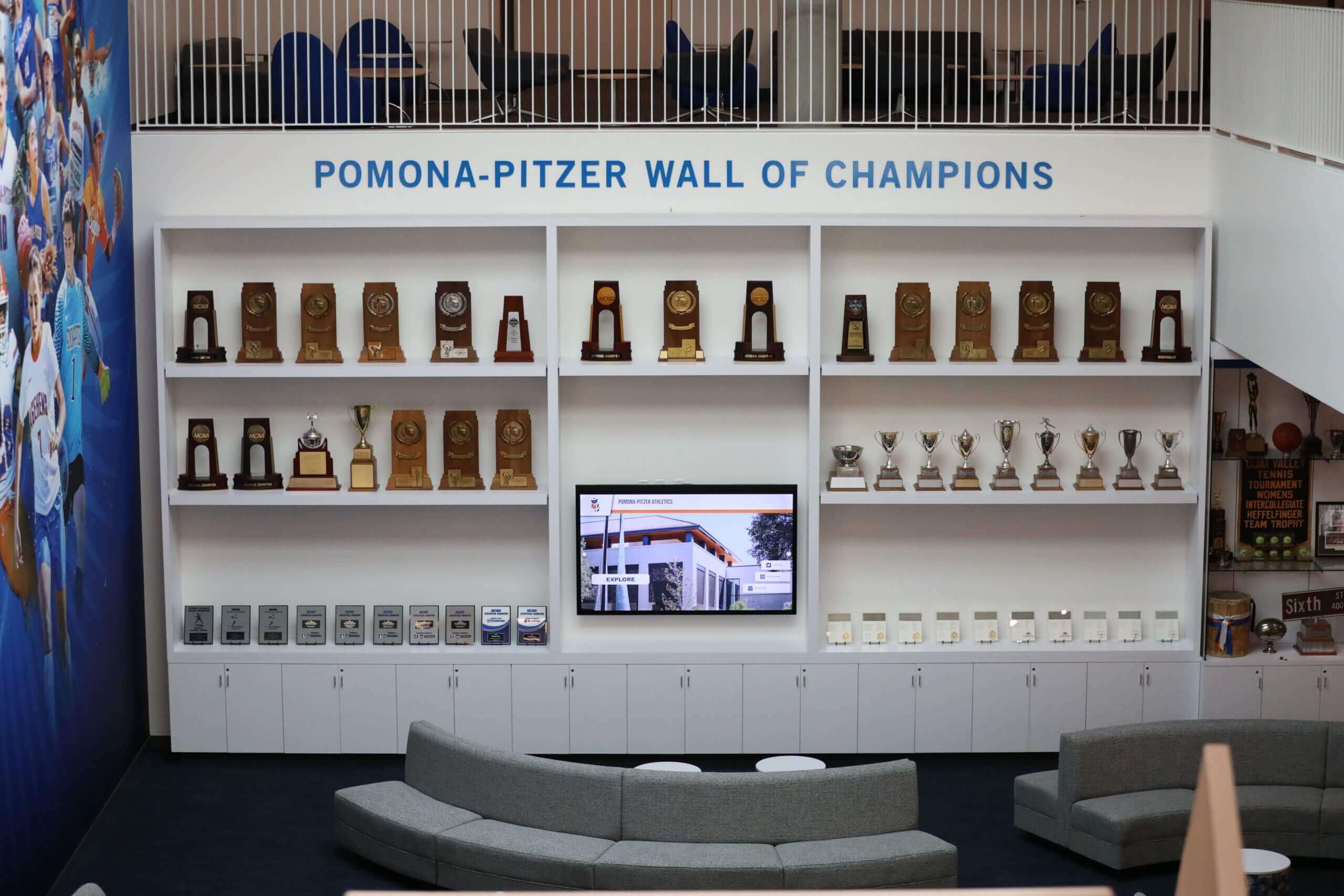
Organizations implementing digital recognition displays demonstrate how thoughtful design integration serves diverse institutional contexts from schools to cultural venues.
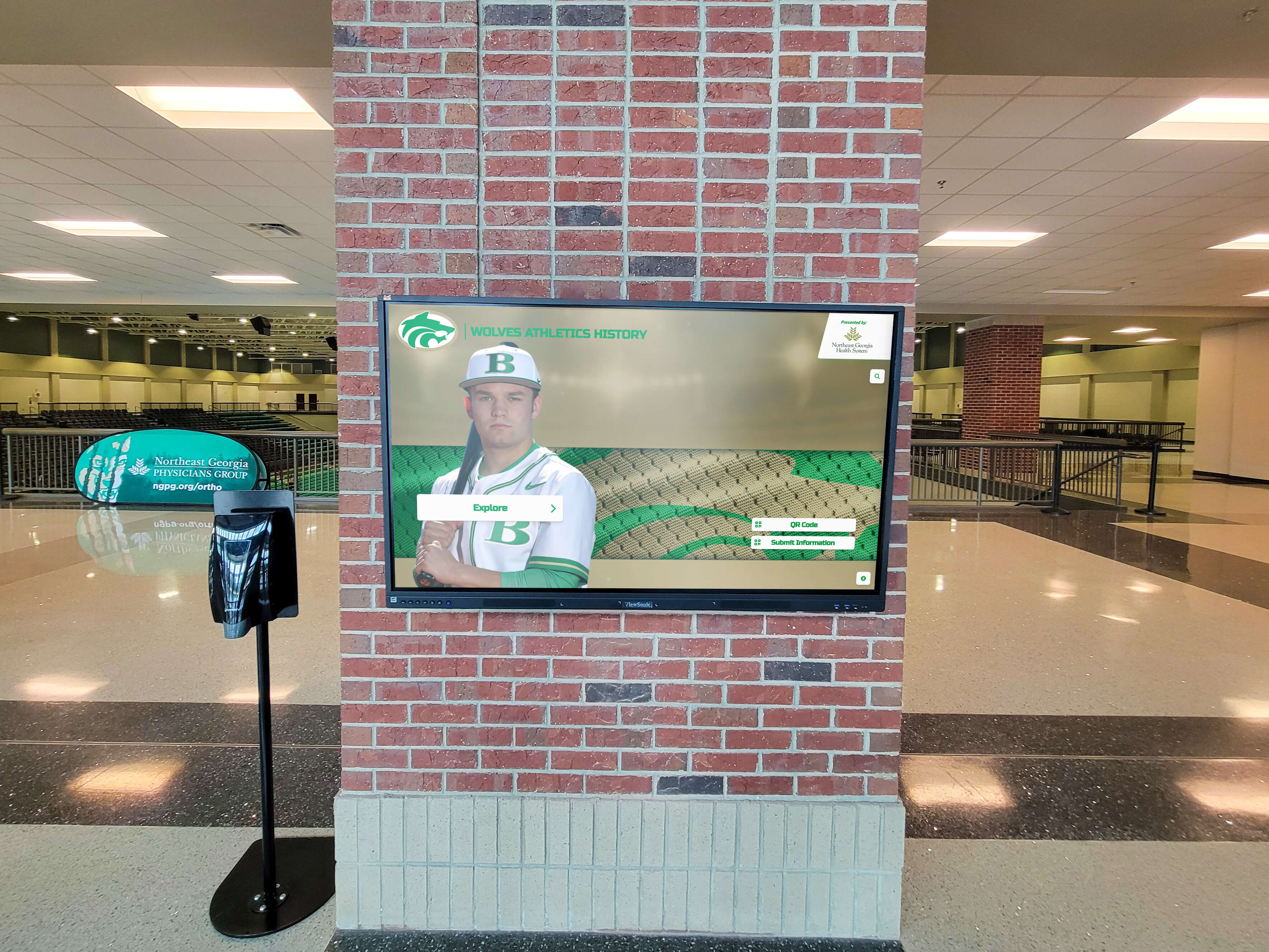
Professional installations integrate digital displays into architectural contexts through thoughtful design and placement
Software Platforms and Content Management
Behind user-facing interfaces, software platforms determine what content kiosks can display, how easily institutions can update information, and whether systems support multilingual access and analytics.
Content Management System Requirements
Museum kiosks require robust content management enabling non-technical staff to maintain current information.
User-Friendly Administrative Interfaces
Effective kiosk content management systems provide intuitive dashboards where curators, educators, and communications staff can add exhibition information, update event schedules, upload multimedia content, and modify navigation without requiring IT department assistance for routine changes.
Cloud-based management systems enable content updates from any internet-connected device rather than requiring physical access to kiosk hardware, particularly valuable for institutions managing multiple locations or kiosks throughout large facilities.
Multilingual Content Support
Museums serving international visitors require systems supporting multiple languages with consistent translation management. Quality implementations provide interface frameworks where content authors create information in primary language, then translation workflows ensure equivalent content exists in all supported languages before publication.
Some systems incorporate machine translation for initial drafts that human translators review and refine, accelerating multilingual content creation while maintaining quality control. Language selection should appear prominently on kiosk home screens with clear flag icons or language names in native scripts reducing confusion.
Scheduled Content and Dynamic Updates
Rather than requiring manual updates when exhibitions open or close, sophisticated systems support scheduled content publication where administrators prepare information in advance, set publication dates and times, and allow systems to automatically activate content when appropriate.
This scheduling capability proves essential for temporary exhibitions, special events, and seasonal programming where information relevance changes frequently. Real-time schedule integration with institutional event management systems ensures kiosks always display current program information without manual synchronization.
Interactive Experience Design
Beyond information display, quality kiosk software supports engaging interactive experiences.
Intuitive Navigation Patterns
Effective kiosk interfaces balance comprehensive information with approachable complexity. Key design principles include clear visual hierarchy emphasizing primary navigation, large touch-friendly buttons accommodating users unfamiliar with precise touch interactions, obvious home buttons enabling recovery from navigation confusion, and consistent interaction patterns throughout the experience reducing learning curves.
Museums should conduct user testing with diverse audiences including older adults, international visitors, and people with various technical comfort levels before finalizing navigation designs.
Multimedia Integration
Modern kiosk platforms support rich media including high-resolution image galleries with zoom capabilities, video content with closed captioning, audio narration providing screen-reader alternatives, and interactive 3D object viewing for collection items digitized through photogrammetry.
This multimedia capability transforms kiosks from digital brochures into immersive learning environments, though museums must balance content richness with load times and storage requirements.
Social Sharing and Takeaway Content
Visitor engagement extends beyond physical museum visits when kiosks enable content sharing and personal collection building. Useful features include email-to-me functions sending exhibit information and images to personal addresses, QR code generation creating smartphone-scanable links to web content, social media sharing posting content to visitor accounts with museum attribution, and personal tour building where visitors assemble customized itineraries based on interests.
These features require careful privacy consideration—museums should avoid collecting more personal information than sharing functions require while clearly communicating data usage policies.
Solutions like Rocket Alumni Solutions provide purpose-built platforms understanding recognition and information display requirements that generic digital signage cannot accommodate effectively.
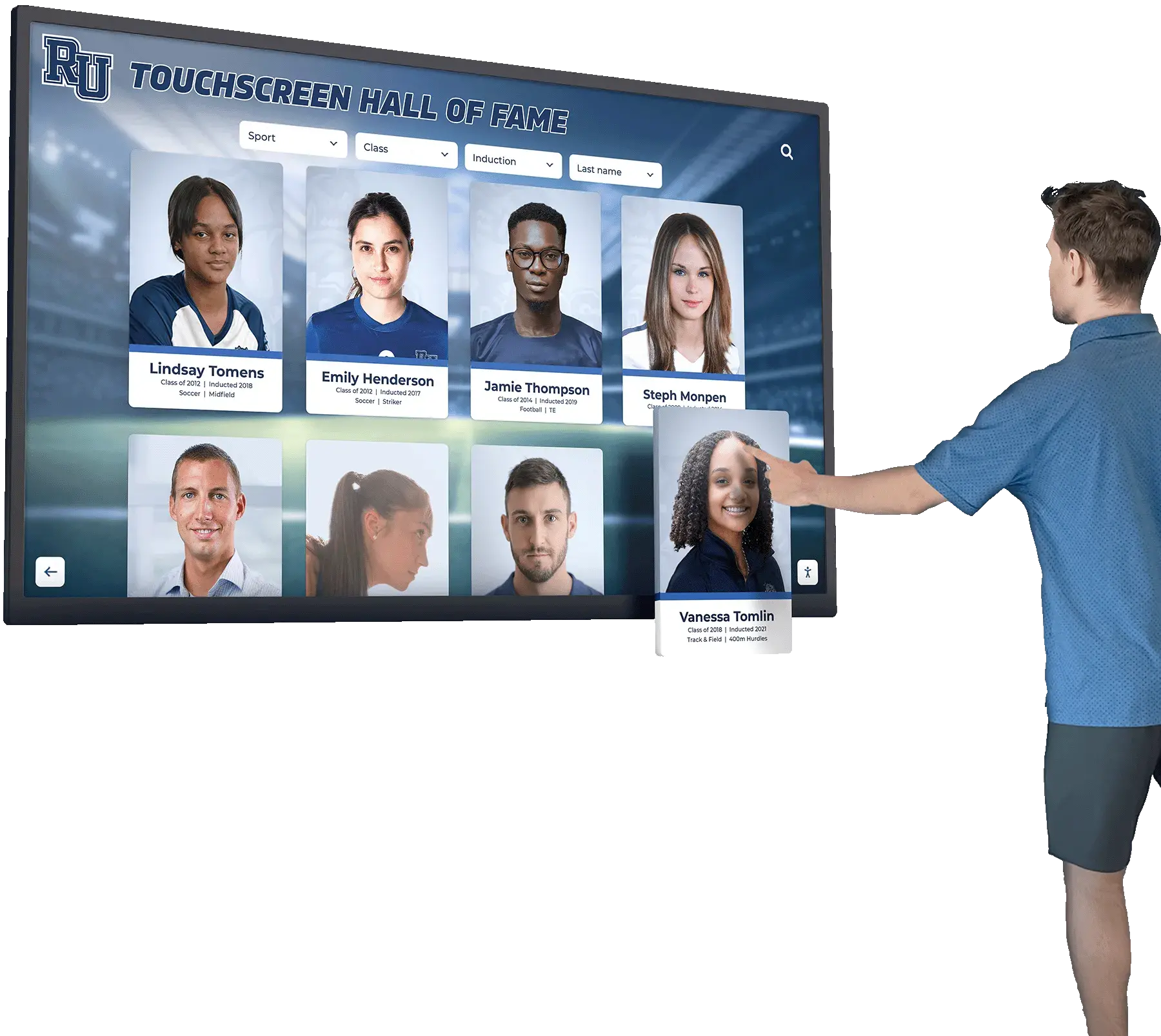
Well-designed interfaces enable visitors of all ages and technical comfort levels to explore content intuitively
Accessibility and Universal Design Principles
Creating inclusive kiosk experiences requires deliberate attention to accessibility for visitors with disabilities, older adults, children, and international audiences.
ADA Compliance and Physical Accessibility
Legal requirements and inclusive design principles ensure kiosks serve all visitors.
Height and Reach Requirements
The Americans with Disabilities Act specifies standards for interactive kiosk placement. Key requirements include operable parts positioned 15-48 inches above finished floor for forward approach, maximum 25-inch reach depth for controls, and clear floor space minimum 30x48 inches for wheelchair positioning.
Museums should position primary touch controls within this accessible range, avoiding designs that place critical buttons or interactive areas only in upper screen portions beyond reach range limits. Some installations incorporate tilted displays angling screens downward, improving visibility and reach for wheelchair users and children.
Knee and Toe Clearance
Freestanding and wall-mounted kiosks must provide clearance underneath allowing wheelchair users to approach closely. ADA standards specify minimum 27-inch high by 30-inch wide knee clearance, with 9-inch minimum toe clearance extending 6 inches beyond forward reach depth.
Museums should verify kiosk specifications include compliant clearances rather than assuming commercial products meet requirements, as some consumer-oriented models lack proper accessible design.
Volume Control and Audio Privacy
Kiosks incorporating audio content require volume controls accessible without vision and headphone jacks enabling private listening that does not disturb other visitors or compromise gallery atmosphere. Some implementations provide inductor loops for visitors using hearing aids with telecoil functionality.
Guidelines on touchscreen software implementation provide detailed technical specifications for accessibility features across various interactive display contexts.
Visual and Cognitive Accessibility
Beyond physical access, inclusive design accommodates visitors with vision limitations and cognitive disabilities.
Text Readability and Contrast
Following WCAG 2.1 AA standards, kiosk interfaces should maintain minimum contrast ratios—4.5:1 for normal text and 3:1 for large text (18pt+) and user interface components. Text should use clear sans-serif fonts at adequate sizes (minimum 16-18pt for body text, larger for navigation elements) with generous line spacing improving readability.
High-contrast modes allowing visitors to switch to white text on black backgrounds or yellow text on blue backgrounds assist visitors with low vision or age-related vision changes common among older museum audiences.
Screen Reader Compatibility
For visitors with significant vision impairment, kiosks should support screen reader modes providing audio descriptions of interface elements and content. This functionality requires semantic HTML markup and ARIA labels describing interactive elements, enabling assistive technology to communicate interface structure and function.
Some museums provide dedicated audio-described kiosk interfaces as alternatives to visual displays, offering equivalent content through audio navigation and narration.
Simplified Navigation Modes
Complex interfaces with numerous options overwhelm visitors with cognitive disabilities or those unfamiliar with interactive technology. Alternative simplified navigation modes providing fewer choices, larger touch targets, and clear sequential paths through content improve accessibility while benefiting all visitors seeking straightforward experiences.
Museums should test interfaces with diverse users including older adults, people with developmental disabilities, and those with limited technology experience, observing where confusion occurs and simplifying accordingly.
Language and Cultural Accessibility
Museums serving diverse communities must accommodate linguistic and cultural differences.
Multilingual Content Strategies
Rather than expecting all visitors to navigate in English, museums should provide content in languages reflecting visitor demographics. Implementation approaches include automatic language detection based on initial interaction, prominent language selection on home screens with flag icons and native language labels, and consistent language availability across all content rather than partial translations that frustrate users.
Museums in international destinations commonly support 5-10 languages, while institutions in linguistically diverse metropolitan areas may require similar variety reflecting local immigrant communities.
Cultural Sensitivity in Design
Interface design elements carry cultural meanings varying across audiences. Considerations include iconography avoiding symbols with negative connotations in some cultures, color associations recognizing that colors carry different meanings internationally, reading patterns accommodating right-to-left languages like Arabic and Hebrew, and content framing using inclusive language avoiding assumptions about visitor background knowledge.
Consulting with community representatives during design ensures interfaces feel welcoming to diverse audiences rather than reflecting narrow cultural perspectives.

Accessible placement and clear visual design ensure kiosks serve diverse visitor populations effectively
Strategic Placement and Facility Integration
Even excellently designed kiosks fail when poorly positioned—strategic placement ensures visitors encounter kiosks at moments when information proves most valuable.
Primary Entrance and Orientation Areas
Main entrances represent critical kiosk placement opportunities where all visitors pass and many experience orientation needs.
Lobby Information Stations
Large-format kiosks in museum lobbies serve arriving visitors seeking facility orientation, exhibition locations, program schedules, and membership information. These high-capacity stations should accommodate multiple simultaneous users through large screens with clearly divided sections or multiple adjacent kiosks reducing wait times during peak attendance.
Lobby kiosks benefit from prominent positioning immediately visible upon entry, adequate space for groups to gather without blocking circulation, and proximity to admission desks where staff can direct visitors needing assistance.
Pre-Security Screening Areas
Museums requiring security screening benefit from pre-screening kiosks where visitors in queues can productively review exhibition information and plan visits while waiting, reducing perceived wait time while priming interest in specific collections.
Gallery and Exhibition Space Kiosks
Within galleries, kiosks provide contextual information and deeper exploration opportunities.
Thematic Context Stations
At exhibition entrances, kiosks introduce themes, provide historical context, and offer overview content framing what visitors will encounter. This frontloading helps visitors approach collections with background knowledge enhancing comprehension and appreciation.
Entrance kiosks work particularly well for temporary exhibitions where rotating content requires flexible information delivery that permanent labels cannot provide.
In-Depth Exploration Stations
Positioned near major works or object clusters, kiosks enable visitors to explore detailed information, comparative images, and multimedia content without cluttering gallery spaces with extensive text panels. These stations work best in gallery areas with seating where visitors can comfortably engage with content for extended periods.
Collection Highlights and “Must-See” Guides
For visitors with limited time, kiosks can suggest itineraries highlighting signature works, provide estimated viewing times, and generate custom tour routes based on available time and stated interests.
This wayfinding assistance proves particularly valuable in large museums where comprehensive viewing requires multiple visits, helping first-time visitors prioritize experiences most aligned with their interests.
Circulation and Transition Spaces
Kiosks in transitional areas serve visitors moving between galleries or taking breaks from viewing.
Hallway and Corridor Stations
Circulation spaces connecting galleries provide natural locations for kiosks offering collection searches, general wayfinding, and amenity location without interrupting gallery atmosphere. These areas typically accommodate larger kiosk installations that might overwhelm smaller gallery spaces.
Rest and Reflection Areas
Seating areas where visitors rest between galleries benefit from kiosks enabling continued engagement during breaks. These stations might offer deeper content exploration, interactive learning activities, or entertainment features keeping families with children engaged between viewing periods.
Comprehensive interactive board applications demonstrate strategic placement principles across various institutional contexts from museums to educational facilities.
Integrated display environments combine traditional exhibits with digital kiosks and comfortable viewing areas
Content Development and Information Architecture
Technical capabilities matter little without compelling content—systematic content development ensures kiosks deliver value supporting institutional missions and visitor needs.
Wayfinding and Navigation Content
Basic orientation information forms the foundation of functional kiosk systems.
Floor Plans and Maps
Digital maps require careful simplification compared to architectural drawings—too much detail overwhelms users while insufficient detail prevents effective wayfinding. Effective museum maps show gallery boundaries and numbers, major circulation paths and stairways, amenity locations including restrooms, cafes, shops, exits, and accessibility features like elevators, ramps, and accessible restrooms.
Interactive maps should highlight visitor current location with clear “you are here” indicators and show selected destinations with visual emphasis and estimated walking distances or times.
Exhibit and Collection Directories
Beyond spatial navigation, kiosks help visitors find content of interest through browseable directories organizing exhibitions by theme, time period, or geographic origin, artist or creator indexes for art and cultural history museums, object-type categories for natural history and science collections, and featured highlights showcasing signature works and must-see items.
Multiple organizational schemes accommodate different visitor search strategies—some know specific artists or objects while others browse thematically or chronologically.
Educational and Interpretive Content
Beyond basic information, quality content engages visitors intellectually and emotionally.
Object Information and Context
For collection items, kiosks can provide identification and basic description, creation dates and origins, artist or maker biographies, material and technique information, provenance and acquisition history, conservation and restoration details, and comparative examples from other collections.
This information should exist in layers—brief summaries satisfy casual interest while progressive disclosure reveals comprehensive detail for those seeking deeper understanding.
Thematic Essays and Interpretive Content
Beyond individual objects, kiosks can present curatorial essays explaining artistic movements, historical periods, and cultural contexts, conservation stories revealing restoration processes and challenges, research findings sharing new scholarship and discoveries, and collecting stories explaining how institutions acquired objects and built collections.
This editorial content demonstrates institutional expertise while providing intellectual frameworks helping visitors understand significance beyond aesthetic appreciation.
Multimedia Enhancements
Rich media transforms kiosks from digital text panels into engaging learning experiences through high-resolution zoomable images revealing fine details, video interviews with curators, artists, and subject experts, time-lapse conservation videos showing restoration processes, audio narratives providing alternative content access, and archival photographs and documents providing historical context.
Production quality matters—poorly recorded audio or low-resolution images undermine content credibility and institutional reputation.
Similar content strategies appear in museum technology implementations serving cultural institutions ranging from museums to libraries and archives.
Interactive and Participatory Content
Beyond information delivery, kiosks can enable visitor contribution and personalization.
Collection Feedback and Visitor Voices
Some museums use kiosks to gather visitor perspectives through interpretive questions prompting reflection, collection voting on favorites or most interesting items, and contribution prompts inviting visitors to share memories or knowledge.
This participatory approach transforms visitors from passive consumers into active contributors, though museums must moderate submissions preventing inappropriate content while ensuring diverse voices receive representation.
Personalized Experience Building
Kiosks enabling visitors to build custom experiences include interest-based tour suggestions adapting to stated preferences, favorite collections saving items for later reference, email-to-me features sending selected content to personal addresses, and social sharing posting content with institutional attribution.
These personalization features increase engagement while extending museum influence beyond physical visits as visitors reference saved content at home and share discoveries with personal networks.
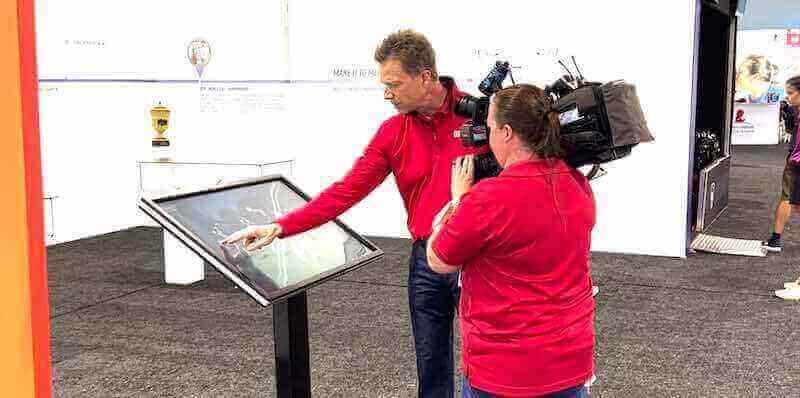
Well-designed interactive experiences attract media attention and visitor engagement beyond traditional exhibits
Implementation Planning and Project Management
Successful kiosk deployments require systematic planning addressing technical, content, and organizational considerations.
Needs Assessment and Requirements Definition
Implementation begins with clear understanding of institutional needs and visitor requirements.
Stakeholder Consultation
Gathering input from diverse institutional perspectives ensures kiosk systems serve multiple needs. Key stakeholders include curatorial staff identifying content priorities and interpretive goals, visitor services teams understanding common questions and wayfinding challenges, education departments seeing opportunities for learning experiences, IT departments assessing technical infrastructure and support capabilities, and facilities management evaluating physical installation requirements and maintenance access.
External input from visitor advisory groups, accessibility advocates, and community representatives ensures designs reflect diverse user perspectives beyond internal institutional viewpoints.
Visitor Research and Needs Analysis
Understanding current visitor behavior and needs informs functional requirements. Useful research approaches include visitor surveys assessing information needs and preferences, observational studies documenting how visitors currently navigate and seek information, entrance/exit interviews gathering satisfaction feedback and identifying pain points, and comparative analysis visiting peer institutions to understand successful implementations and missed opportunities.
This research prevents designing for assumed needs that may not reflect actual visitor priorities and challenges.
Functional Requirements Documentation
Clear requirements specifications guide vendor selection and system design, addressing content management capabilities and ease of use, multilingual support and translation workflows, accessibility features and ADA compliance, integration with existing systems and databases, analytics and reporting requirements, maintenance and support needs, and budget constraints and total cost of ownership.
Comprehensive requirements documents enable accurate vendor proposals and prevent misunderstandings about system capabilities and institutional expectations.
Vendor Selection and Partnership Development
Most museums lack internal expertise for custom kiosk development, making vendor selection critical to success.
Request for Proposals and Vendor Evaluation
Formal RFP processes ensure systematic vendor comparison addressing demonstrated experience with museum or cultural projects, quality of reference installations and client testimonials, technical capabilities meeting functional requirements, content management systems suitable for non-technical staff, accessibility compliance and universal design expertise, ongoing support and maintenance offerings, and total cost including hardware, software, installation, training, and support.
Museums should request live demonstrations with actual museum content rather than generic examples, ensuring vendors understand cultural sector requirements differing from corporate or retail applications.
Partnership Approach vs. Vendor Relationship
Successful implementations often involve partnership approaches where vendors contribute expertise while museums retain creative control and institutional voice. This collaborative model produces better results than purely transactional relationships where museums specify requirements without benefiting from vendor experience across multiple implementations.
Regular communication throughout development, willingness to iterate based on testing and feedback, and shared commitment to visitor experience quality distinguish partnerships from vendor transactions.
Phased Implementation and Pilot Programs
Rather than deploying complete systems immediately, phased approaches reduce risk while enabling learning from early implementations.
Pilot Installation Strategy
Beginning with single kiosk installations in high-traffic locations allows museums to test technology, gather visitor feedback, refine content before broader deployment, train staff on maintenance and updates, and demonstrate value to stakeholders before major investment.
Successful pilots build internal support and funding justification for expanded deployments, while unsuccessful pilots identify issues requiring correction before substantial resource commitment.
Iterative Refinement Process
Following initial deployment, systematic refinement based on usage analytics and visitor feedback includes content adjustment addressing gaps and confusion, navigation simplification reducing friction points, accessibility improvements ensuring inclusive access, performance optimization improving load times and responsiveness, and staff training ensuring sustainable content management.
This iterative approach recognizes that initial implementations represent starting points requiring continuous improvement rather than completed projects.
Organizations implementing interactive touchscreen solutions across various contexts demonstrate phased implementation strategies applicable to museum environments.

Commercial-grade kiosk installations provide reliable operation in high-traffic public environments
Emerging Trends and Future Directions
Museum kiosk technology continues advancing, with emerging capabilities promising enhanced visitor experiences in coming years.
Artificial Intelligence and Personalization
AI capabilities will enable increasingly sophisticated adaptive experiences.
Natural Language Interfaces
Rather than navigating menu hierarchies, visitors will ask questions in natural language—“Show me all van Gogh paintings” or “Where are the dinosaurs?"—with AI systems understanding intent and delivering relevant results. Voice interfaces particularly benefit accessibility for visitors with vision impairments or those uncomfortable with touch navigation.
Personalized Content Recommendations
Machine learning analyzing visitor behavior patterns will suggest content likely to interest specific users based on demonstrated preferences, previous interactions, and similarities to other visitors with comparable interests. This personalization transforms kiosks from static information sources into adaptive guides tailoring experiences to individual visitors.
Real-Time Translation
AI-powered translation will enable museum content availability in dozens of languages without manual translation labor, dramatically expanding accessibility for international visitors. While human oversight remains important for quality and cultural sensitivity, machine translation provides starting points making multilingual access economically feasible for institutions unable to afford professional translation for numerous languages.
Augmented Reality Integration
AR capabilities will blend digital content with physical environments in increasingly sophisticated ways.
Smartphone-Linked Experiences
Rather than standalone systems, future kiosks may serve as anchors for AR experiences visitors access through personal smartphones. Kiosks provide orientation and content overviews while AR delivers location-specific information throughout galleries, reducing kiosk proliferation while extending digital content access throughout museum spaces.
Object Recognition and Context
Computer vision systems will identify specific artworks and artifacts visitors photograph, automatically delivering relevant information to personal devices without requiring QR codes or manual search. This seamless content delivery eliminates friction between physical viewing and digital information access.
Sustainable and Modular Design
Environmental considerations increasingly influence museum technology decisions.
Energy Efficiency and Carbon Footprint
LED display technology, efficient processors, and intelligent power management reduce kiosk energy consumption substantially compared to older systems. Museums committed to sustainability prioritize energy-efficient hardware and evaluate lifecycle environmental impact including manufacturing, operation, and end-of-life disposal.
Modular Upgradeable Systems
Rather than complete replacement when technology advances, modular designs enable component upgrades—replacing computers while retaining displays and enclosures, or updating touchscreens while maintaining structural systems. This approach reduces waste while extending kiosk lifespan beyond typical 5-7 year technology cycles.
Comprehensive digital signage software comparisons explore emerging capabilities across various interactive display platforms relevant to museum contexts.
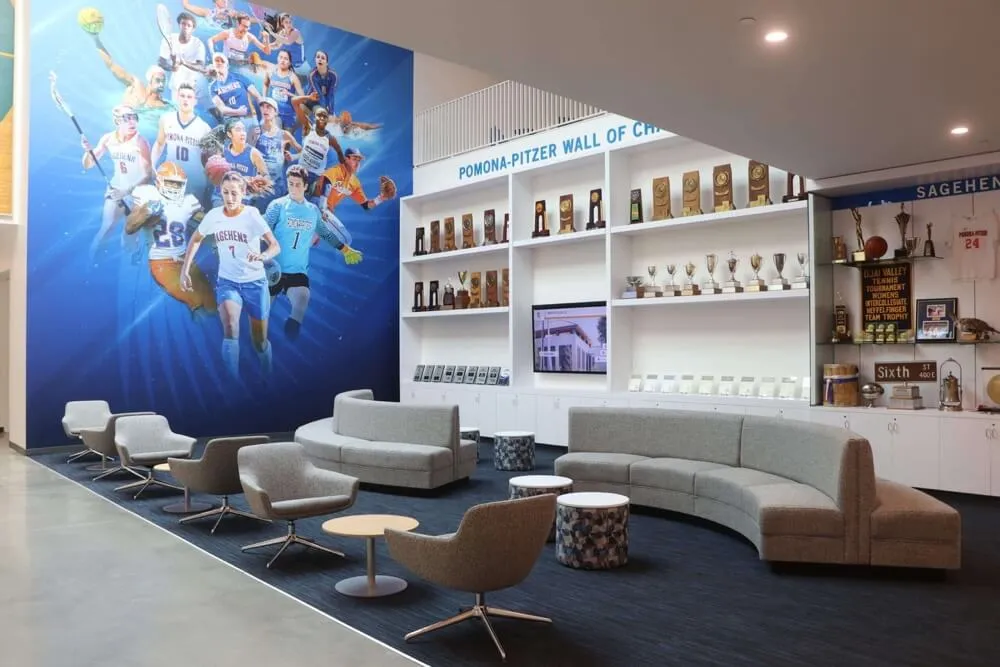
Future museum environments will seamlessly integrate physical exhibits, digital displays, and interactive technologies
Best Practices for Long-Term Success
Learning from successful implementations reveals strategies ensuring kiosk systems deliver sustained value rather than becoming abandoned technology.
Content Management and Maintenance
Sustainable operations require systematic content governance and technical maintenance.
Editorial Workflows and Update Schedules
Clear processes ensure current information through assigned content responsibility for different areas, approval workflows maintaining quality before publication, update schedules coordinating with exhibition calendars and special events, content audits verifying accuracy and relevance, and documentation supporting continuity during staff transitions.
Museums should treat kiosk content management as permanent operational responsibility rather than project-based work, integrating updates into existing communications and curatorial workflows.
Technical Maintenance and Support
Reliable operation requires routine hardware inspection and cleaning, software updates maintaining security and functionality, content backup preventing data loss, network monitoring ensuring connectivity, and responsive troubleshooting addressing issues quickly.
Service contracts with vendors providing ongoing support prove valuable for museums lacking internal technical expertise, ensuring problems receive prompt professional attention rather than leaving kiosks inoperative for extended periods.
Visitor Research and Continuous Improvement
Data-driven evaluation ensures kiosks evolve to better serve visitor needs.
Usage Analytics and Behavioral Tracking
Quality kiosk platforms provide comprehensive analytics revealing total interactions and session counts, average session duration indicating engagement depth, most-accessed content showing visitor interests, search queries revealing information visitors seek, and navigation paths demonstrating how visitors explore content.
Regular analytics review identifies content gaps, confusing navigation, and improvement opportunities, informing iterative refinement that enhances effectiveness over time.
Qualitative Feedback and User Testing
Beyond quantitative data, observational research and visitor interviews provide nuanced understanding of user experience. Museums should periodically watch visitors interact with kiosks noting confusion points, conduct brief interviews asking about usefulness and satisfaction, test new content with diverse users before deployment, and solicit staff feedback based on visitor questions and comments.
This qualitative research reveals context and causation that analytics alone cannot communicate.
Staff Training and Institutional Culture
Technology succeeds only when staff embrace and support visitor use.
Comprehensive Staff Training
All visitor-facing staff should understand kiosk capabilities and content, enabling them to direct visitors to relevant information, assist with basic troubleshooting, and provide support for users uncomfortable with technology. Training should include content navigation and search capabilities, accessibility features and alternative modes, basic troubleshooting for common issues, and when to contact technical support.
Museums should provide ongoing training for new staff and refreshers when content or features change substantially.
Cultural Integration and Visitor Encouragement
Staff attitudes toward technology significantly impact visitor adoption—enthusiastic encouragement increases kiosk use while indifferent or negative attitudes signal technology’s unimportance. Museums should cultivate organizational culture viewing kiosks as valuable visitor service tools rather than optional technical novelties.
Proactive staff suggestions—“Have you checked the kiosk for exhibition information?"—normalize use while helping visitors who might not independently engage with technology feel comfortable trying interactive systems.
Successful digital recognition implementation strategies applicable across various institutional contexts demonstrate sustainable operational approaches ensuring long-term program effectiveness.
Conclusion: Creating Engaging Museum Experiences Through Interactive Technology
Museum kiosks have matured from experimental technology into essential infrastructure enabling institutions to enhance visitor orientation, deepen collection engagement, and provide accessible information serving diverse audiences. By addressing wayfinding needs, enabling exploration beyond what physical displays can accommodate, supporting multiple languages and accessibility requirements, and creating interactive learning experiences, well-designed kiosk systems deliver visitor satisfaction improvements while reducing staff burden for routine information requests.
Transform Your Museum Visitor Experience
Discover how interactive kiosk technology can enhance engagement, improve wayfinding, and create memorable experiences for your museum visitors. Solutions like Rocket Alumni Solutions provide purpose-built platforms specifically designed for cultural institutions seeking professional interactive displays.
Explore Interactive SolutionsSuccessful implementation requires strategic planning addressing stakeholder needs assessment, thoughtful hardware and software selection, accessible and intuitive design, compelling content development, and sustainable operational processes ensuring long-term effectiveness. Museums that view kiosks as integrated components of comprehensive visitor experience strategies rather than isolated technology projects achieve greatest success, creating systems that evolve continuously while supporting institutional missions.
The same technologies serving major museums prove increasingly accessible to smaller institutions, historical societies, and specialized collections previously unable to afford sophisticated interactive systems. Cloud-based platforms, modular hardware, and declining technology costs enable museums of all sizes and budgets to enhance visitor experiences through thoughtfully designed interactive kiosks that inform, engage, and inspire.
Whether implementing first kiosk systems or enhancing existing installations, museums benefit from learning from peer implementations, partnering with experienced vendors understanding cultural sector needs, and maintaining focus on visitor experience quality throughout design and development. The technology exists today to transform museum visits from passive viewing into active exploration—institutions need only commitment to visitor service excellence and willingness to embrace interactive technology as fundamental infrastructure rather than optional enhancement.
Ready to explore interactive kiosk solutions for your museum? Learn about digital art gallery implementations, discover interactive display strategies proven in cultural institutions, understand touchscreen software capabilities, and explore how interactive technology creates engaging experiences celebrating heritage while serving contemporary audiences expecting digital access to institutional knowledge and collections.































