



UPDD Touch Software represents one of the most versatile and powerful universal touchscreen driver solutions available for organizations deploying interactive displays across educational institutions, kiosk environments, digital signage networks, and specialized applications. Developed by Touch-Base Ltd—a company with over 30 years of touch driver expertise—UPDD (Universal Pointer Device Driver) solves critical challenges that native operating system drivers cannot address.
The modern touchscreen landscape presents complex technical challenges. Legacy touch hardware that worked perfectly for years suddenly fails when upgrading to new operating systems. Advanced multi-touch displays underperform when paired with older systems lacking native multi-touch support. Multi-monitor configurations require sophisticated touch mapping that native drivers cannot provide. And cross-platform deployments demand consistent touch functionality across Windows, macOS, and Linux environments—something impossible with manufacturer-specific drivers.
This comprehensive guide explores UPDD Touch Software in depth—what it is, how it works, the problems it solves, key features and capabilities, supported platforms, practical applications, and implementation strategies. Whether you’re managing interactive displays in educational facilities, deploying kiosk systems in public spaces, or developing custom touch-enabled applications, understanding UPDD’s capabilities helps determine if this universal driver solution addresses your specific requirements.
Organizations implementing touchscreen technology often discover that hardware represents only half the solution. The software layer connecting physical touch input to applications determines whether users experience responsive, accurate interaction or encounter frustrating delays, calibration issues, and limited functionality. UPDD Touch Software provides the critical driver foundation enabling reliable touchscreen operation across diverse hardware, operating systems, and deployment scenarios.

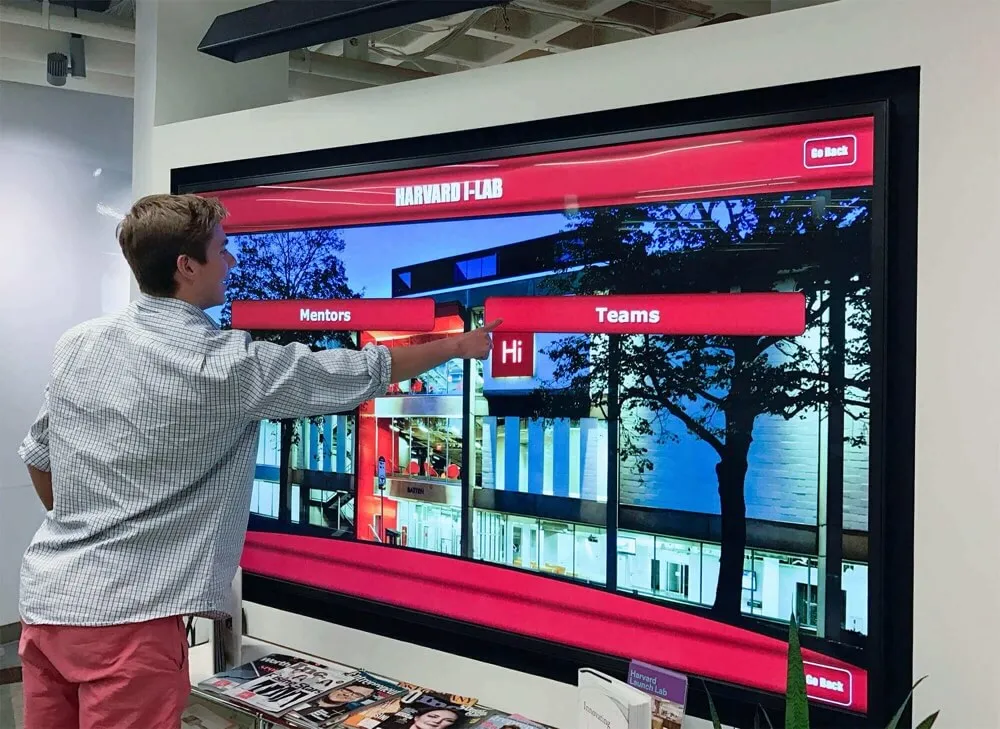
Universal touch drivers like UPDD enable sophisticated interactive experiences across diverse hardware and software environments
Understanding UPDD Touch Software and Its Purpose
Before exploring specific features and capabilities, understanding what UPDD Touch Software is and the fundamental problems it addresses provides essential context for evaluating whether this solution fits your touchscreen deployment needs.
What Is UPDD Touch Software?
UPDD (Universal Pointer Device Driver) is cross-platform touch screen, pen, digitizer, and whiteboard driver software that serves as either an alternative to or enhancement of native operating system touch drivers and manufacturer-supplied driver software. Unlike vendor-specific drivers designed exclusively for particular hardware models, UPDD provides universal driver architecture supporting a wide range of touch devices from multiple manufacturers across different operating systems.
The software consists of several integrated components working together to deliver complete touchscreen functionality. The core UPDD driver handles hardware interface communication and receives incoming touch data from physical devices. UPDD Console provides graphical user interface for configuration, calibration, and settings management. UPDD Commander delivers advanced multi-touch gesture support and application-specific customization. Command-line utilities enable automation and scripting for enterprise deployments. And the comprehensive API allows developers to integrate touch functionality directly into custom applications.
Primary Functions and Capabilities
UPDD Touch Software fills critical gaps where native operating system support proves inadequate or non-existent. The driver enables legacy touch hardware that manufacturers no longer support to function with modern operating systems. It provides enhanced functionality beyond what native touch drivers offer, including sophisticated calibration, multi-monitor configuration, and gesture support. UPDD allows modern multi-touch monitors to work with older operating systems lacking native multi-touch capabilities. And it delivers consistent touch behavior across Windows, macOS, and Linux platforms through unified driver architecture.
According to Touch-Base Ltd, UPDD has been deployed across thousands of installations worldwide, from educational institutions managing interactive whiteboards and classroom displays to corporations deploying self-service kiosks and digital signage networks. The universal nature of the driver means organizations can standardize on a single touch software solution regardless of hardware vendor choices or operating system preferences.
The Touchscreen Driver Challenge
Understanding why universal touch driver solutions like UPDD exist requires recognizing the inherent challenges in the touchscreen technology landscape that native operating system drivers and manufacturer-specific software cannot adequately address.
Operating System Compatibility Issues
Touch hardware manufacturers typically provide drivers optimized for current operating systems at the time of product release. When organizations upgrade to newer operating systems years later, manufacturer support often disappears—particularly for hardware vendors who have exited the market or discontinued specific product lines. Schools and businesses find themselves with perfectly functional touch hardware that suddenly becomes inoperable because drivers aren’t available for Windows 11, the latest macOS version, or modern Linux distributions.
The reverse problem proves equally challenging. Organizations running specialized applications on older operating systems for compatibility reasons discover that new multi-touch hardware doesn’t work properly on Windows XP, Windows 7, or older macOS versions. Manufacturer drivers target current systems, leaving organizations with legacy platform requirements unable to leverage modern touch technology.
UPDD addresses both scenarios through extensive platform support spanning from legacy operating systems through current versions. The same UPDD driver that enables old serial touchscreens to work on Windows 11 also allows modern HID multi-touch displays to function on older systems—providing bi-directional compatibility that manufacturer drivers never provide.
Multi-Monitor Configuration Complexity
Modern interactive display deployments frequently involve multiple monitors in varied configurations—extended desktops, portrait and landscape orientations mixed, or video walls composed of numerous displays. Native touch drivers often struggle with complex multi-monitor scenarios, failing to accurately map touch input on one monitor to the correct screen position when multiple displays are connected.
UPDD was designed specifically to handle any multi-monitor configuration regardless of complexity. The driver accurately maps touch input to screen positions across any number of displays in any orientation, ensuring touches on portrait-mounted displays register correctly alongside landscape monitors in extended desktop configurations. Organizations implementing interactive touchscreen software for multi-display installations benefit significantly from UPDD’s sophisticated monitor mapping capabilities.

Kiosk deployments require reliable touch drivers that work consistently across diverse hardware configurations
Limited Multi-Touch Support
Multi-touch functionality enabling multiple simultaneous touch points remains inconsistent across operating systems and hardware. While modern Windows, macOS, and Linux versions include native multi-touch support, the implementation quality varies significantly. Older operating systems lack multi-touch capabilities entirely, yet the underlying hardware often supports it if proper driver software provides the interface.
UPDD delivers comprehensive multi-touch support across all platforms through multiple implementation paths. On systems with native multi-touch support, UPDD integrates through virtual HID interfaces providing native gesture recognition. On older systems lacking native support, UPDD Commander provides multi-touch gesture processing and application integration through TUIO protocol or direct API interfaces. This multi-layered approach ensures organizations can leverage multi-touch hardware capabilities regardless of operating system limitations.
Cross-Platform Inconsistency
Organizations deploying touchscreen technology across mixed computing environments—Windows workstations, macOS systems, and Linux machines—face the challenge of managing different driver software, configuration tools, and touch behaviors on each platform. Native drivers provide inconsistent feature sets and interfaces across operating systems, complicating standardized deployment and user training.
UPDD solves this through consistent cross-platform architecture. The same driver framework operates across Windows, macOS, and Linux with unified configuration tools, identical feature sets, and consistent API access. Organizations can deploy touchscreens across heterogeneous computing environments while maintaining standardized management, consistent user experience, and unified application development approaches.
Core UPDD Features and Technical Capabilities
UPDD Touch Software provides extensive functionality addressing the diverse requirements of educational institutions, commercial kiosk deployments, digital signage networks, and specialized interactive applications.
Comprehensive Hardware Device Support
One of UPDD’s most significant advantages involves universal hardware compatibility spanning legacy devices through current multi-touch displays from numerous manufacturers. The driver supports HID (Human Interface Device) compliant touchscreens following standardized protocols, non-HID USB devices using vendor-specific communication methods, serial touchscreens connecting through RS-232 ports, i2c HID devices integrated into modern systems, and multi-touch devices supporting up to five or more simultaneous touch points.
This universal hardware support eliminates vendor lock-in while extending the operational life of existing touch hardware investments. Organizations don’t need different drivers for different touch monitor brands—UPDD provides unified driver infrastructure regardless of hardware vendor. Schools implementing digital touchscreen athletic displays can mix hardware from different manufacturers while maintaining consistent touch functionality and centralized driver management.
Legacy Hardware Preservation
Educational institutions and organizations with significant investments in older touch hardware face difficult decisions when manufacturers discontinue driver support. UPDD preserves these hardware investments by supporting legacy devices that manufacturer-supplied drivers abandon. Serial touchscreens from the 1990s and early 2000s, non-HID USB devices predating standardized touch protocols, and discontinued product lines no longer receiving manufacturer updates all continue functioning with UPDD driver support.
This legacy hardware compatibility delivers substantial cost savings compared to complete hardware replacement. Organizations can continue using perfectly functional touch displays for years beyond manufacturer-supported lifecycles, allocating technology budgets to other priorities rather than forced hardware upgrades driven solely by driver availability issues.
Advanced Multi-Touch and Gesture Support
Modern interactive applications increasingly demand multi-touch capabilities enabling intuitive gestures familiar from smartphone and tablet use. UPDD provides comprehensive multi-touch support through multiple implementation approaches optimized for different operating systems and application requirements.
UPDD Commander Multi-Touch Platform
UPDD Commander represents the advanced multi-touch utility component supporting sophisticated gesture recognition and application-specific touch behavior customization. Commander supports default gesture definitions with application-specific customization allowing different touch behaviors for different programs, multi-touch gesture recognition including tap, press, swipe, pinch, rotate, and custom gestures, built-in TUIO server broadcasting touch data to TUIO-compliant applications, pen device support including proximity detection, pressure sensitivity, eraser function, and barrel buttons, and system integration operating as background daemon or service with menu bar or system tray access.
Commander transforms basic touchscreen hardware into sophisticated multi-touch interfaces comparable to trackpad experiences on laptops. Users can pinch to zoom in mapping applications, swipe to navigate between content in photo galleries, and use custom gestures triggering specific actions in educational software—all on standard touchscreen displays when powered by UPDD Commander.
TUIO Protocol Integration
The TUIO (Tangible User Interface Objects) protocol represents an open framework for tangible multi-touch surfaces, tracking the movements of objects placed on or near interactive surfaces. UPDD implements TUIO server functionality enabling touchscreen data broadcasting to TUIO client applications—particularly valuable for specialized multi-touch software, educational interactive displays, museum exhibits, and custom-developed touch applications.
TUIO support positions UPDD as ideal driver infrastructure for organizations developing custom interactive experiences or deploying specialized multi-touch software. The standardized protocol ensures touch data remains accessible to applications regardless of underlying hardware or operating system, facilitating cross-platform interactive application development.

Advanced driver software enables coordinated multi-display installations with accurate touch mapping across all screens
Sophisticated Configuration and Calibration Tools
Accurate touch input requires precise calibration ensuring physical touches correspond exactly to intended screen positions. UPDD provides comprehensive calibration and configuration capabilities through graphical user interface tools and command-line utilities for automated deployment scenarios.
UPDD Console Configuration Interface
UPDD Console serves as the primary configuration utility providing accessible graphical interface for driver settings management. The console enables device configuration and calibration with multi-point calibration supporting up to 25 points for exceptional accuracy, touch interface selection choosing between various system integration methods, monitor mapping configuration for multi-display installations, orientation support for portrait and landscape displays, and comprehensive system diagnostics identifying hardware and driver configuration issues.
The calibration process accommodates display bezels, mounting angles, and physical characteristics ensuring accurate touch registration across the entire active area. This proves particularly important for large-format displays and installations where users approach from varied angles or distances. Organizations implementing touchscreen kiosk software benefit significantly from UPDD’s robust calibration capabilities ensuring accurate touch response in public-facing self-service applications.
Command-Line Interface and Automation
Enterprise deployments and educational institutions managing numerous touchscreen installations require automated configuration and management capabilities beyond manual GUI-based setup. UPDD provides comprehensive command-line interface through the upddutils utility enabling scriptable driver configuration, automated settings deployment across multiple systems, programmatic diagnostics and information retrieval, device management and system control, and integration into system administration and deployment frameworks.
Command-line accessibility allows IT administrators to deploy standardized touch configurations across dozens or hundreds of systems through configuration management tools, login scripts, or deployment automation frameworks. This enterprise-grade management capability distinguishes UPDD from consumer-oriented touch drivers lacking scriptable configuration interfaces.
Comprehensive API for Custom Application Development
Beyond standard touch input for general applications, many organizations require custom interactive software with direct access to touch data and driver control. UPDD provides comprehensive Application Programming Interface enabling developers to integrate advanced touch functionality directly into proprietary applications.
API Capabilities and Access
The UPDD API delivers extensive functionality including direct touch device interface bypassing mouse emulation for maximum performance, access to all touch data including position, pressure, proximity, and device-specific attributes, gesture and multi-touch event information, programmatic driver configuration and control, device capability enumeration and selection, and support for multiple programming languages and development frameworks.
This API access proves essential for specialized applications where touch behaves fundamentally differently than mouse input. Educational software implementing interactive whiteboard functionality, museum exhibit applications enabling multi-user collaborative interaction, and custom kiosk software with specialized touch behaviors all benefit from direct touch data access that the UPDD API provides.
Touch-Base provides API documentation, example source code, and developer support enabling custom application development leveraging full UPDD capabilities. Organizations developing proprietary interactive software gain consistent touch functionality across Windows, macOS, and Linux through the unified cross-platform API architecture.
Operating System and Platform Support
UPDD’s universal nature manifests through comprehensive operating system support spanning current platforms, legacy systems, and specialized environments that manufacturer-supplied drivers rarely address.
Windows Platform Support
Windows represents the dominant operating system in educational and commercial touchscreen deployments, and UPDD provides exceptional Windows support across nearly two decades of operating system versions. UPDD V7—the latest driver version—supports Windows 7 in both 32-bit and 64-bit editions, Windows 10 64-bit across all versions, and Windows 11 64-bit. UPDD V6, the mature previous generation, extends support back to Windows XP for organizations maintaining legacy systems.
The Windows implementation integrates through multiple interface methods optimized for different scenarios. VirtualMouse provides single-touch support through mouse emulation for basic applications. VirtualHID delivers native multi-touch support through virtual Human Interface Device implementation. VirtualPen enables pen and stylus input for applications supporting pen interfaces. And Auto mode intelligently selects appropriate interface based on application requirements and system capabilities.
This flexibility ensures UPDD works effectively across the entire spectrum of Windows applications—from legacy software designed for mouse input through modern multi-touch-optimized programs. Schools deploying touchscreen displays for athletic information or digital recognition can confidently select UPDD knowing Windows support accommodates varied application requirements.
macOS Platform Support
Apple’s macOS presents unique driver development challenges due to evolving security requirements and processor architecture transitions. UPDD demonstrates exceptional macOS support through native universal binary architecture supporting both Intel and ARM processors, compatibility with macOS 10.14 and above in UPDD V7, dark mode support matching modern macOS interface standards, Core Graphics integration for system-level touch input, and seamless UPDD Commander integration for multi-touch gesture support.
The transition to Apple Silicon processors with ARM architecture created compatibility challenges for many touch driver vendors. UPDD addressed this proactively through universal binary implementation providing native performance on both Intel-based Macs and newer ARM-based systems. Organizations deploying touchscreens on Mac platforms benefit from consistent UPDD functionality regardless of processor architecture.
macOS touch support enables sophisticated gesture recognition mimicking trackpad behaviors familiar to Mac users. UPDD Commander on macOS provides pinch, rotate, swipe, and custom gesture support transforming standard touchscreens into intuitive multi-touch interfaces comparable to MacBook trackpad experiences—particularly valuable for educational and creative applications where Mac systems predominate.
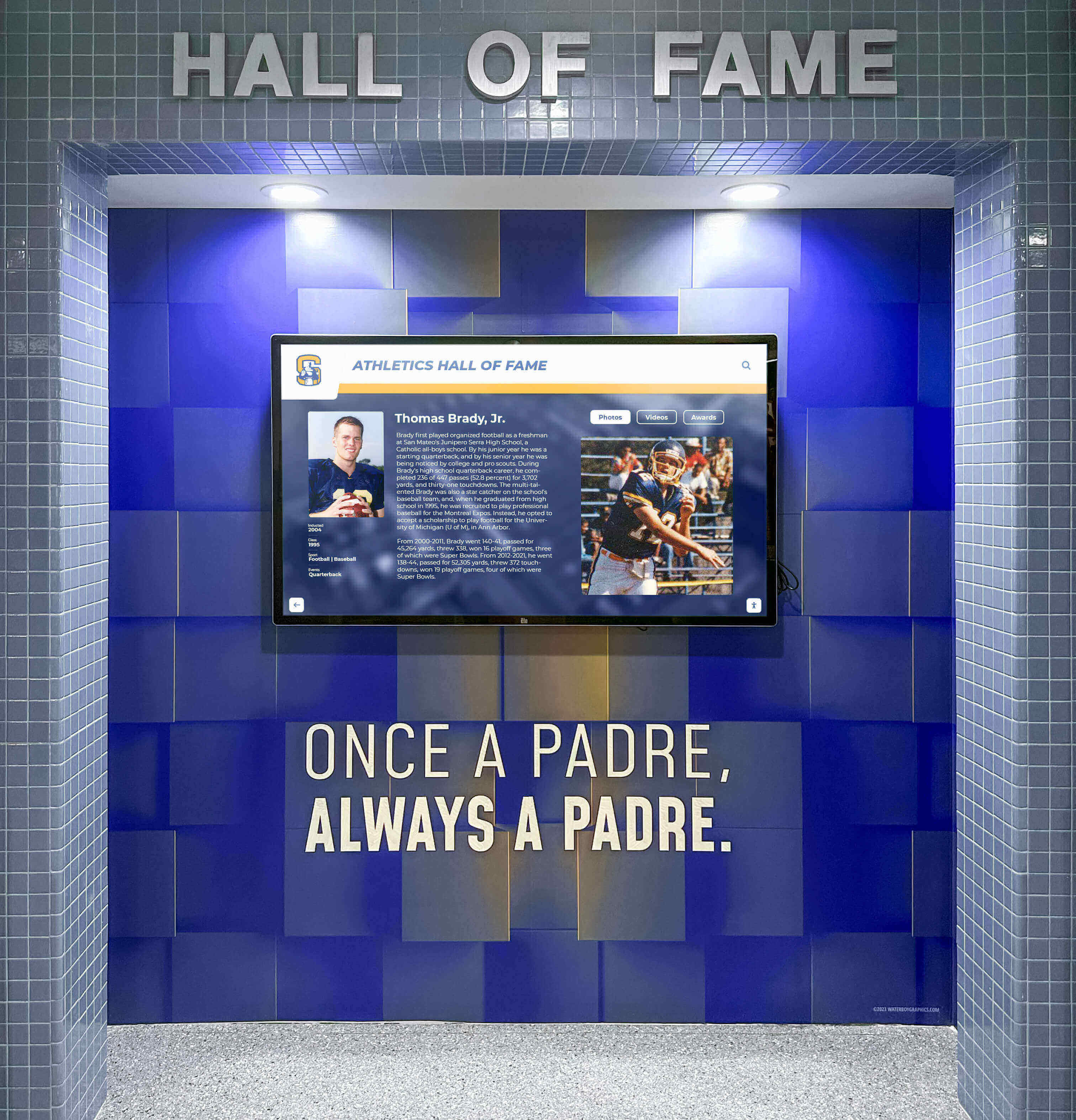
Cross-platform driver support enables consistent touchscreen functionality across diverse computing environments
Linux Platform Support
Linux touchscreen support historically proved challenging due to diverse distributions, varied desktop environments, and limited commercial driver availability from touch hardware vendors. UPDD addresses Linux touch requirements through support for mainstream modern 64-bit distributions, X interface integration using xtest extension for display server compatibility, Uinput component creating virtual input devices for kernel-level integration, consistent functionality across desktop environments including GNOME, KDE, and others, and unified configuration tools matching Windows and macOS feature parity.
Linux UPDD support proves particularly valuable for specialized applications, embedded systems, kiosk deployments running Linux distributions, and educational institutions standardized on Linux desktop environments. The cross-platform API consistency enables application developers to create touch-enabled software for Linux with identical functionality to Windows and macOS versions—facilitating true cross-platform interactive software development.
Legacy and Specialized Platform Support
Beyond current operating systems, UPDD maintains support for legacy and specialized platforms through UPDD V5 and V6 versions serving niche requirements. Supported legacy platforms include Windows CE 5 through 2013 for embedded systems and specialized industrial applications, Windows 95, NT, and 2000 for organizations maintaining critical legacy systems, and Solaris 10 for enterprise Unix environments. Android support through UPDD V6 enables touchscreen functionality for specialized Android deployments requiring enhanced capabilities beyond native Android touch support.
This legacy platform support distinguishes UPDD from modern drivers exclusively targeting current operating systems. Organizations in healthcare, industrial control, and specialized environments often maintain legacy systems for regulatory, compatibility, or operational reasons. UPDD ensures touchscreen functionality remains available even on platforms that commercial touch hardware vendors long ago abandoned.
Practical Applications and Use Cases
UPDD Touch Software delivers value across diverse deployment scenarios where standard manufacturer drivers prove inadequate or where sophisticated touch functionality requirements exceed basic native operating system capabilities.
Educational Institution Deployments
Schools, colleges, and universities represent major touchscreen technology users, deploying interactive displays for classroom instruction, student collaboration, campus information systems, and digital recognition programs. UPDD addresses several critical educational use cases where native drivers fall short.
Interactive Whiteboard and Classroom Display Support
Interactive whiteboards and large-format classroom touchscreens enable modern collaborative learning, but many educational institutions maintain hardware from multiple technology refresh cycles spanning different manufacturers and generations. Native manufacturer drivers create management nightmares with different configuration tools, inconsistent features, and varied calibration procedures for each hardware brand.
UPDD standardizes touch functionality across diverse hardware enabling unified driver management, consistent calibration procedures across all displays, simplified IT support with single driver platform expertise, and reliable functionality regardless of manufacturer hardware choices. Schools can mix hardware from different vendors based on pricing and availability without fragmenting driver support and management processes.
Organizations implementing digital hall of fame touchscreens or interactive recognition displays benefit from UPDD’s reliable cross-platform support and sophisticated calibration ensuring accurate touch response in high-traffic lobby installations where users of different heights and ages interact with displays.
Legacy Equipment Modernization
Educational technology refresh cycles often leave functional interactive whiteboards and touchscreens obsolete not because hardware fails but because manufacturer driver support ends. Schools face pressure to discard perfectly operational equipment and purchase replacements simply because Windows 11 or the latest macOS version lack compatible drivers.
UPDD extends the operational life of educational touch hardware investments by providing modern driver support for legacy equipment. Interactive whiteboards from discontinued product lines, early-generation USB touchscreens, and serial touch displays all continue functioning when supported by UPDD—deferring hardware replacement costs and maximizing return on previous technology investments.
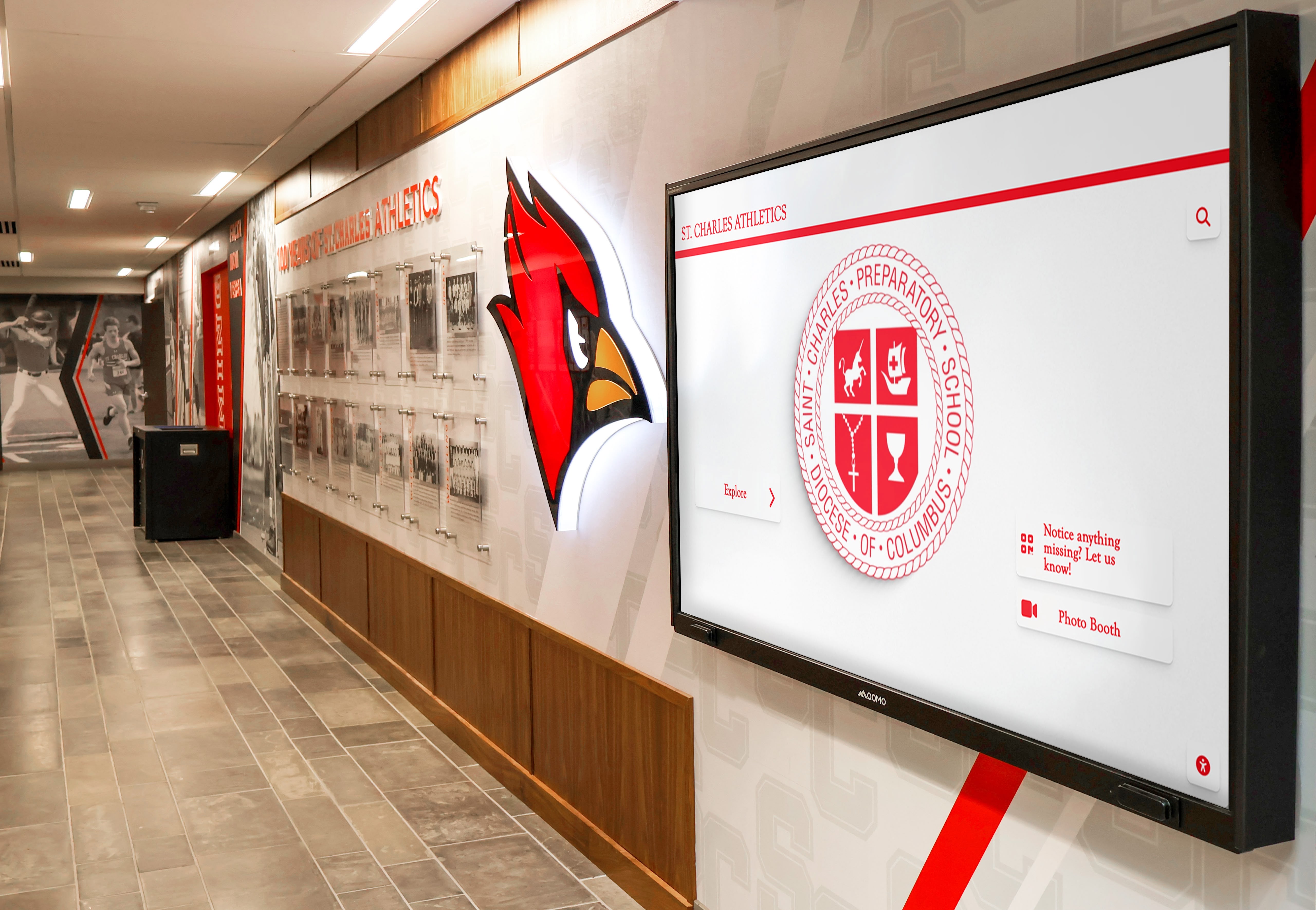
Educational institutions deploy interactive touchscreens for student information, recognition programs, and wayfinding applications
Kiosk and Self-Service Applications
Public-facing kiosks and self-service terminals represent demanding touchscreen environments requiring reliable driver support, accurate calibration, and consistent performance across varied user interaction patterns. UPDD delivers several capabilities particularly valuable for kiosk deployments.
Robust Public-Use Reliability
Kiosk touchscreens experience intensive use from diverse populations including children, elderly users, and individuals unfamiliar with touch interfaces. Touch input accuracy directly impacts user experience and self-service application success. UPDD’s sophisticated calibration and configuration capabilities ensure accurate touch response across the entire active display area, support for varied touch pressure and techniques, reliable operation across temperature variations in non-climate-controlled environments, and consistent performance through hundreds of thousands of touch operations.
The command-line interface enables kiosk deployments to automatically restore touch configuration if settings become corrupted, monitor driver health, and integrate touch driver management into kiosk management platforms. Organizations deploying kiosk interactive software benefit from UPDD’s enterprise-grade reliability and automated management capabilities.
Multi-Monitor Kiosk Configurations
Advanced kiosk applications increasingly incorporate multiple displays—primary touch-enabled screens for user interaction combined with secondary displays showing advertising, supplementary information, or content while kiosks idle. Native touch drivers frequently struggle when multiple monitors connect, particularly when only specific displays include touch functionality.
UPDD excels in mixed monitor configurations through accurate touch mapping to specific displays, support for touch-enabled and non-touch displays in same configuration, reliable operation when displays connect/disconnect dynamically, and proper handling of primary and secondary display relationships. This capability proves essential for sophisticated kiosk applications requiring multiple screens for optimal user experience and operational efficiency.
Digital Signage with Touch Interaction
Interactive digital signage represents growing deployment category combining traditional passive content display with optional touch interaction enabling deeper content exploration. UPDD supports several digital signage scenarios where enhanced driver capabilities deliver measurable benefits.
Wayfinding and Interactive Directory Systems
Corporate campuses, healthcare facilities, and educational institutions deploy interactive wayfinding systems helping visitors navigate complex buildings and locate departments, offices, or amenities. These applications demand accurate touch response, reliable all-day operation, and often involve multiple displays throughout facilities.
UPDD enables centralized driver management across distributed display networks, consistent touch behavior across all installation locations, remote configuration and diagnostics reducing on-site support requirements, and integration with digital signage content management platforms through standard touch interfaces. Facilities implementing comprehensive wayfinding and interactive announcements feeds benefit from UPDD’s enterprise-scale deployment and management capabilities.
Retail and Customer Experience Applications
Retail environments increasingly incorporate interactive touchscreens for product information, inventory checking, self-service ordering, and customer engagement. These deployments require reliable touch response, protection against tampering or misconfiguration, and integration with point-of-sale and inventory management systems.
UPDD supports retail touch applications through kiosk mode configurations preventing unauthorized driver access, API integration enabling custom retail application development, multi-touch support for intuitive product browsing interfaces, and cross-platform consistency when retailers deploy mixed computing environments. The proven reliability and sophisticated feature set position UPDD as professional-grade driver solution for commercial retail technology deployments.
Custom Interactive Application Development
Organizations developing proprietary interactive software for specialized applications benefit significantly from UPDD’s comprehensive API and cross-platform consistency. Several development scenarios particularly leverage UPDD capabilities.
Museum and Exhibit Interactive Displays
Museums and cultural institutions create custom interactive exhibits showcasing collections, providing educational content, and engaging visitors through hands-on exploration. These applications often require sophisticated multi-touch interaction, custom gesture recognition, and multi-user collaborative experiences beyond what standard operating system touch support provides.
UPDD API access enables exhibit developers to implement specialized touch behaviors unique to specific exhibits, capture detailed touch data including pressure and simultaneous points for rich interaction, integrate TUIO protocol support for multi-touch frameworks, and deploy consistent experiences across platforms when exhibits use varied computing hardware. The development flexibility transforms touchscreen displays from basic input devices into sophisticated interactive exhibit platforms.
Multi-User Collaborative Applications
Educational and corporate applications enabling multiple users to interact simultaneously with shared displays require multi-touch data access and sophisticated touch event processing. UPDD Commander and TUIO server functionality provide the infrastructure for multi-user collaborative software supporting multiple simultaneous touches from different users, individual touch point tracking throughout interaction sequences, gesture recognition for each user independently, and application-level processing of collaborative interaction patterns.
Organizations developing custom interactive applications for specialized purposes benefit from UPDD’s developer-friendly architecture, comprehensive documentation, example source code, and professional technical support from Touch-Base’s experienced development team.
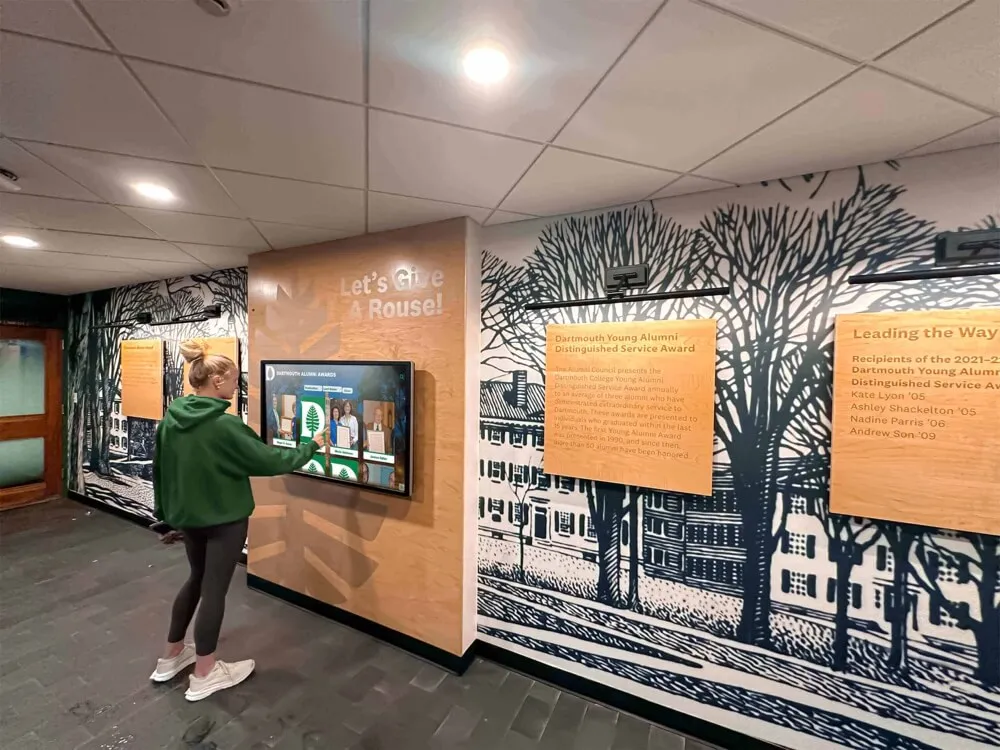
Custom interactive applications leverage UPDD's comprehensive API for specialized touch behaviors and multi-user collaboration
Implementation and Deployment Considerations
Successfully deploying UPDD Touch Software requires understanding licensing, installation procedures, configuration requirements, and ongoing management practices ensuring reliable long-term operation.
Licensing and Acquisition
UPDD Touch Software operates under commercial licensing with evaluation options enabling organizations to verify compatibility and functionality before purchase. Touch-Base provides trial software enabling full functionality testing with time-limited or feature-limited evaluation versions, batch license delivery for enterprise and educational deployments, flexible licensing models accommodating varied organizational requirements, and professional technical support included with licensed deployments.
Organizations should download current UPDD versions from the official Touch-Base website at touch-base.com to ensure authentic software and access to latest features and bug fixes. The licensing process accommodates both small single-display deployments and large-scale installations involving hundreds of touchscreens across distributed locations.
Installation and Initial Configuration
UPDD installation procedures vary by operating system but generally follow straightforward processes designed for IT administrators with standard systems management skills. Windows installation involves downloading appropriate installer for Windows 7, 10, or 11, running installer with administrative privileges, completing hardware detection and driver installation, and configuring initial device settings through UPDD Console. macOS installation requires downloading appropriate universal binary installer, authorizing system extension installation in System Preferences, allowing Touch-Base kernel extension in Security & Privacy settings, and configuring device through UPDD Console. Linux installation may involve package installation from distribution repositories or manual installation from Touch-Base provided packages, driver configuration through command-line utilities or GUI console, and system integration testing.
Initial configuration typically includes hardware device detection and selection, calibration for accurate touch input mapping, monitor configuration for multi-display installations, touch interface selection choosing system integration method, and verification testing ensuring proper touch response. Touch-Base provides comprehensive documentation walking administrators through installation and configuration procedures for all supported platforms.
Multi-Display Configuration and Calibration
Organizations deploying multiple touchscreens or configuring touch-enabled displays in multi-monitor systems require careful configuration ensuring accurate touch mapping. UPDD’s sophisticated multi-monitor support demands attention to display identification ensuring driver maps correct display to touch input device, monitor positioning configuration reflecting physical display arrangement, orientation settings for landscape and portrait displays, extended desktop configuration for displays spanning multiple monitors, and per-monitor calibration for each touch-enabled display.
The UPDD Console provides graphical tools visualizing monitor layout and enabling intuitive touch device assignment to physical displays. This visual configuration approach simplifies multi-display setup compared to text-based configuration files or complex command-line procedures that other driver solutions require.
Calibration procedures involve defining multiple calibration points—typically 5, 9, or 25 points depending on display size and accuracy requirements—and touching precisely at indicated positions establishing the mapping between touch sensor coordinates and screen display positions. Proper calibration ensures touches register accurately across the entire display area including edges and corners where parallax and viewing angle effects create the greatest calibration challenges.
Ongoing Management and Support
After initial deployment, UPDD Touch Software requires minimal ongoing management for typical installations, though several best practices ensure continued reliable operation. Regular driver updates from Touch-Base incorporate bug fixes, feature enhancements, and new hardware support—organizations should periodically check for updates and plan deployment through standard systems management processes. Configuration backups preserve calibration data and settings enabling quick restoration if systems require rebuilding or driver reinstallation. Diagnostic monitoring through UPDD utilities helps identify hardware issues, calibration drift, or configuration problems before they impact user experience. And professional support from Touch-Base provides expert assistance when unusual issues arise or specialized requirements demand custom configuration.
Organizations deploying UPDD at scale benefit from centralized configuration management deploying standard settings across multiple systems through scripting, change management processes ensuring configuration changes deploy consistently, documentation maintaining institutional knowledge about deployment-specific configuration decisions, and staff training ensuring multiple team members understand UPDD management procedures.

Proper driver configuration and calibration ensure reliable touchscreen operation meeting user expectations for responsive interaction
When UPDD Touch Software Makes Sense
While UPDD delivers powerful capabilities, not every touchscreen deployment requires universal driver software. Understanding scenarios where UPDD provides clear advantages helps organizations make informed decisions about driver selection.
Ideal UPDD Deployment Scenarios
Several situations particularly favor UPDD implementation over relying solely on native operating system drivers or manufacturer-supplied software. Legacy hardware requiring continued operation with modern operating systems represents prime UPDD territory—when functional touch displays lack manufacturer driver support for current platforms, UPDD extends hardware viability delivering better return on previous investments. Multi-monitor configurations requiring sophisticated touch mapping across multiple displays benefit significantly from UPDD’s advanced monitor configuration capabilities exceeding native driver functionality.
Cross-platform deployments mixing Windows, macOS, and Linux systems gain substantial value from UPDD’s unified driver architecture enabling consistent management and application development. Organizations requiring enhanced functionality beyond native driver capabilities—sophisticated calibration, gesture support, API access for custom applications—find UPDD delivers capabilities that standard drivers cannot provide. And situations involving diverse hardware from multiple manufacturers benefit from UPDD’s universal compatibility eliminating the need to manage multiple vendor-specific driver solutions.
Educational institutions implementing school historical timelines or academic recognition programs through interactive touchscreens often discover UPDD solves hardware compatibility and multi-monitor challenges that plague recognition display deployments.
Situations Where Native Drivers May Suffice
Conversely, some deployments successfully operate with native operating system touch support without requiring UPDD’s enhanced capabilities. Modern single-display deployments using current hardware on current operating systems where manufacturer provides quality driver support and native OS touch integration works reliably may not require universal driver software. Basic single-touch applications without multi-touch gesture requirements, specialized functionality needs, or complex calibration demands often work adequately with manufacturer-provided drivers.
Organizations should evaluate driver requirements based on specific deployment characteristics, hardware age and compatibility, functionality requirements, management complexity, and long-term platform evolution plans. UPDD trial software enables testing in actual deployment environments verifying whether the enhanced capabilities justify adoption before committing to licensing costs.
How UPDD Relates to Interactive Recognition Solutions
While UPDD Touch Software focuses on driver-level touch functionality, many organizations implementing interactive recognition displays benefit from understanding how universal driver solutions complement purpose-built recognition platforms like Rocket Alumni Solutions.
Driver Infrastructure and Recognition Applications
Interactive touchscreen recognition displays require two distinct software layers working together seamlessly. The driver layer—where UPDD operates—handles hardware communication, touch input capture, and system integration ensuring touches translate to cursor movement or touch events that applications receive. The application layer—where specialized recognition platforms like Rocket Alumni Solutions operate—manages content, enables search and exploration, implements user interface design, and delivers the interactive recognition experience that visitors encounter.
Quality driver infrastructure proves essential but insufficient—even perfectly calibrated, responsive touch input delivers poor user experience if recognition software provides confusing interfaces, limited search capabilities, or minimal content depth. Conversely, sophisticated recognition applications frustrate users when underlying driver problems cause inaccurate touch response, calibration drift, or unreliable operation.
Complementary Technologies for Complete Solutions
Organizations implementing interactive recognition displays serving schools, athletic programs, alumni associations, or community organizations achieve best results by thoughtfully selecting both driver infrastructure and recognition application software suited to specific requirements. UPDD Touch Software provides professional-grade universal driver infrastructure ensuring reliable accurate touch input across diverse hardware and operating system combinations. Solutions like Rocket Alumni Solutions deliver purpose-built recognition platforms designed specifically for celebrating achievements with intuitive content management, unlimited recognition capacity, powerful search and filtering, comprehensive multimedia support, and analytics tracking engagement.
This complementary relationship means organizations benefit from evaluating driver requirements separately from recognition platform selection. Not every recognition display deployment requires UPDD—modern hardware on current operating systems with manufacturer driver support may work reliably with native touch drivers. However, organizations encountering the driver challenges UPDD addresses—legacy hardware, complex multi-monitor configurations, cross-platform requirements—should evaluate universal driver solutions as foundational infrastructure supporting recognition application performance.
Educational institutions implementing digital trophy recognition displays or senior class recognition systems may discover that combining professional driver infrastructure with specialized recognition platforms delivers superior results compared to relying on consumer-grade touch drivers or attempting to build recognition functionality atop generic digital signage software.
Conclusion: Professional Touch Infrastructure for Demanding Applications
UPDD Touch Software from Touch-Base Ltd represents professional-grade universal driver solution addressing critical touchscreen challenges that native operating system drivers and manufacturer-supplied software cannot adequately solve. Through comprehensive hardware support spanning legacy serial devices through modern multi-touch displays, cross-platform consistency delivering unified functionality across Windows, macOS, and Linux, sophisticated configuration and calibration enabling complex multi-monitor installations, powerful API access supporting custom interactive application development, and proven reliability from three decades of touch driver specialization, UPDD delivers enterprise-scale capabilities for educational institutions, commercial kiosk deployments, digital signage networks, and specialized interactive applications.
Build Interactive Recognition on Reliable Touch Infrastructure
Professional touch drivers provide the foundation for exceptional interactive experiences. Discover how purpose-built recognition platforms like Rocket Alumni Solutions combine with reliable driver infrastructure to deliver engaging celebration of achievement that honors individuals while inspiring communities.
Explore Recognition SolutionsOrganizations evaluating UPDD Touch Software should consider several key factors in decision-making. Assess whether current driver solutions adequately meet requirements or whether limitations in hardware compatibility, multi-monitor support, cross-platform consistency, or functionality justify investigating universal driver alternatives. Leverage UPDD trial software testing compatibility and features in actual deployment environments with real hardware and typical use cases. Evaluate total cost of ownership including licensing fees against potential benefits from extended hardware life, simplified management, enhanced functionality, and reduced support complexity. And consider long-term platform strategy—will future operating system upgrades, hardware refresh cycles, or expanding deployments benefit from universal driver infrastructure providing consistency across varied equipment and platforms?
For specialized applications requiring direct touch data access, multi-touch gesture support, or cross-platform application development, UPDD’s comprehensive API and TUIO integration deliver developer-friendly infrastructure that manufacturer-supplied drivers rarely provide. Custom interactive application developers gain significant value from standardized touch data access across diverse hardware and operating systems through UPDD’s unified API architecture.
Ready to explore universal touch driver solutions for your touchscreen deployments? Visit touch-base.com to learn more about UPDD Touch Software, download evaluation versions, and access comprehensive documentation. For organizations implementing interactive recognition displays alongside professional touch infrastructure, explore how digital hall of fame systems and interactive touchscreen software platforms deliver complete solutions celebrating achievement through engaging interactive experiences built on reliable driver foundations.
The evolution of touchscreen technology continues accelerating with ever-larger displays, increasingly sophisticated multi-touch capabilities, and expanding deployment scenarios across educational, commercial, and specialized environments. Universal driver solutions like UPDD Touch Software ensure organizations can leverage these advances while maintaining compatibility with existing hardware investments, consistent management practices, and reliable operation across the diverse platforms that modern institutions deploy. Professional-grade touch infrastructure represents the essential foundation enabling exceptional interactive experiences that native consumer-oriented drivers cannot consistently deliver.































