



When schools decide to install a digital hall of fame display near the front office or main lobby, one of the first practical questions administrators ask is: who actually handles the installation? Unlike traditional trophy cases that school maintenance staff can manage, digital displays require professional expertise spanning multiple trades—from secure mounting and electrical work to network connectivity and ADA-compliant positioning.
The installation process typically involves coordination between display vendors, audiovisual integrators, school IT departments, facilities teams, and sometimes licensed electricians and low-voltage technicians. Understanding who handles what aspects of installation, how to select qualified professionals, and what infrastructure requirements you’ll need to address helps schools plan realistic timelines and budgets while ensuring installations meet both technical specifications and institutional standards.
This complete guide explores digital hall of fame installation services for schools. From understanding vendor installation offerings through coordinating with internal facilities teams, evaluating professional installers, planning infrastructure requirements, and managing the entire process from contract signing through final commissioning, you’ll discover exactly who installs these systems and what successful implementation requires.
Schools typically invest between $8,000 and $35,000 for complete digital hall of fame installations including hardware, software, and professional installation services. Installation costs alone generally range from $1,500 to $8,000 depending on complexity, infrastructure requirements, and whether vendors provide full-service service or schools coordinate separate installation contractors.

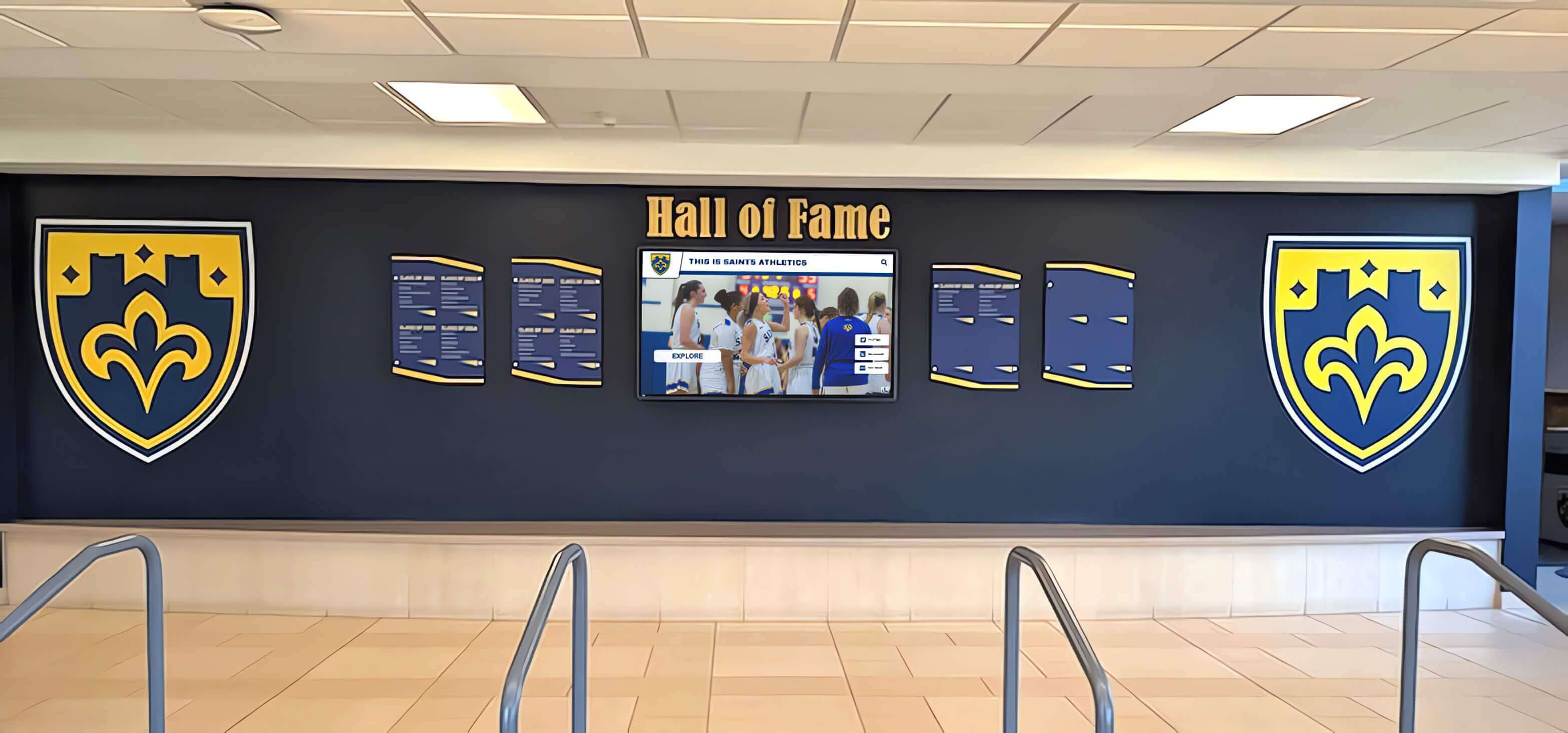
Professional installation ensures digital recognition displays integrate perfectly with school architecture while meeting technical and accessibility requirements
Understanding Installation Service Options for Schools
Before exploring specific installation requirements, understanding the different service models available helps schools select approaches matching their technical capabilities, budget constraints, and project complexity.
Turnkey Vendor Installation Services
Many digital hall of fame vendors offer complete full-service installation where they handle every aspect from initial site survey through final commissioning and staff training.
What Full-Service Installation Includes
Complete vendor installation packages typically encompass site evaluation and installation planning, all mounting hardware and structural anchors, display mounting and alignment, electrical connections and circuit installation (if licensed), network connectivity setup and testing, cable management and concealment, system configuration and software setup, staff training on content management, and post-installation support and warranty service.
Full-service installations provide significant advantages for schools lacking internal technical resources. Single-point accountability means vendors own the entire process without finger-pointing between multiple contractors. Project timelines condense because vendors coordinate all trades directly. And warranty coverage extends across the complete system since one organization installed everything.
Solutions like Rocket Alumni Solutions often provide complete installation services specifically designed for educational environments, handling all technical aspects so administrators focus on content and recognition strategy rather than installation logistics.
Full-Service Installation Costs and Considerations
Complete vendor installation typically adds $2,500 to $6,000 to hardware and software costs depending on installation complexity. While this represents significant expense, the value includes professional expertise, reduced administrative burden, faster implementation, complete warranty coverage, and elimination of coordination challenges managing multiple contractors.
Schools should verify exactly what vendor installation packages include before signing contracts. Some vendors quote “installation included” but limit coverage to basic wall mounting, with electrical work, network connections, custom enclosures, or complex structural modifications requiring additional charges. Clear scope documentation prevents surprise costs during implementation.

Professional installers integrate digital displays with existing architectural elements creating cohesive recognition spaces
Audiovisual Integration Contractors
Schools with existing relationships with audiovisual integration firms often engage these contractors for digital hall of fame installations, particularly when displays connect with broader facility technology systems.
When AV Integrators Make Sense
Audiovisual contractors prove particularly valuable for complex installations involving multiple displays across campuses, integration with existing digital signage systems, connection to centralized content management platforms, coordination with building automation and control systems, and installations requiring advanced networking or broadcast capabilities.
Established AV integrators working regularly with schools understand educational environment requirements including working within academic calendars to minimize disruption, coordinating with facilities and IT departments, meeting strict safety and background check requirements, and navigating district procurement processes and vendor approval lists.
Schools implementing complete digital recognition systems across multiple locations benefit from AV integrator coordination ensuring consistent implementation standards, unified network architecture, and streamlined ongoing support.
AV Integrator Selection Criteria
When evaluating audiovisual contractors for hall of fame installations, schools should verify educational facility experience with references from similar institutions, licensing and insurance including general liability and workers compensation, certified technicians with manufacturer-specific training where applicable, structured project management with defined timelines and deliverables, and documented safety protocols meeting educational environment standards.
In-House Installation by Facilities Teams
Some schools with sophisticated facilities departments handle certain installation aspects internally, particularly when infrastructure already exists and only display mounting remains.
What School Facilities Can Typically Handle
School maintenance and facilities teams often possess capabilities for basic display mounting to existing wall structures with adequate support, running network cables through existing conduit infrastructure, connecting to nearby power outlets when available, and coordinating with external contractors for specialized work beyond internal expertise.
In-house installation works best for straightforward implementations: single displays mounted to solid walls, locations with existing power and network infrastructure nearby, uncomplicated cable routing without significant concealment requirements, and schools with facilities staff experienced in audiovisual equipment installation.
However, most digital hall of fame installations exceed typical facilities department capabilities. Professional installers bring specialized expertise in precise alignment for multi-display installations, structural mounting for very large or heavy displays, cable concealment meeting professional appearance standards, network configuration beyond basic connectivity, ADA compliance verification, and complete system commissioning and testing.
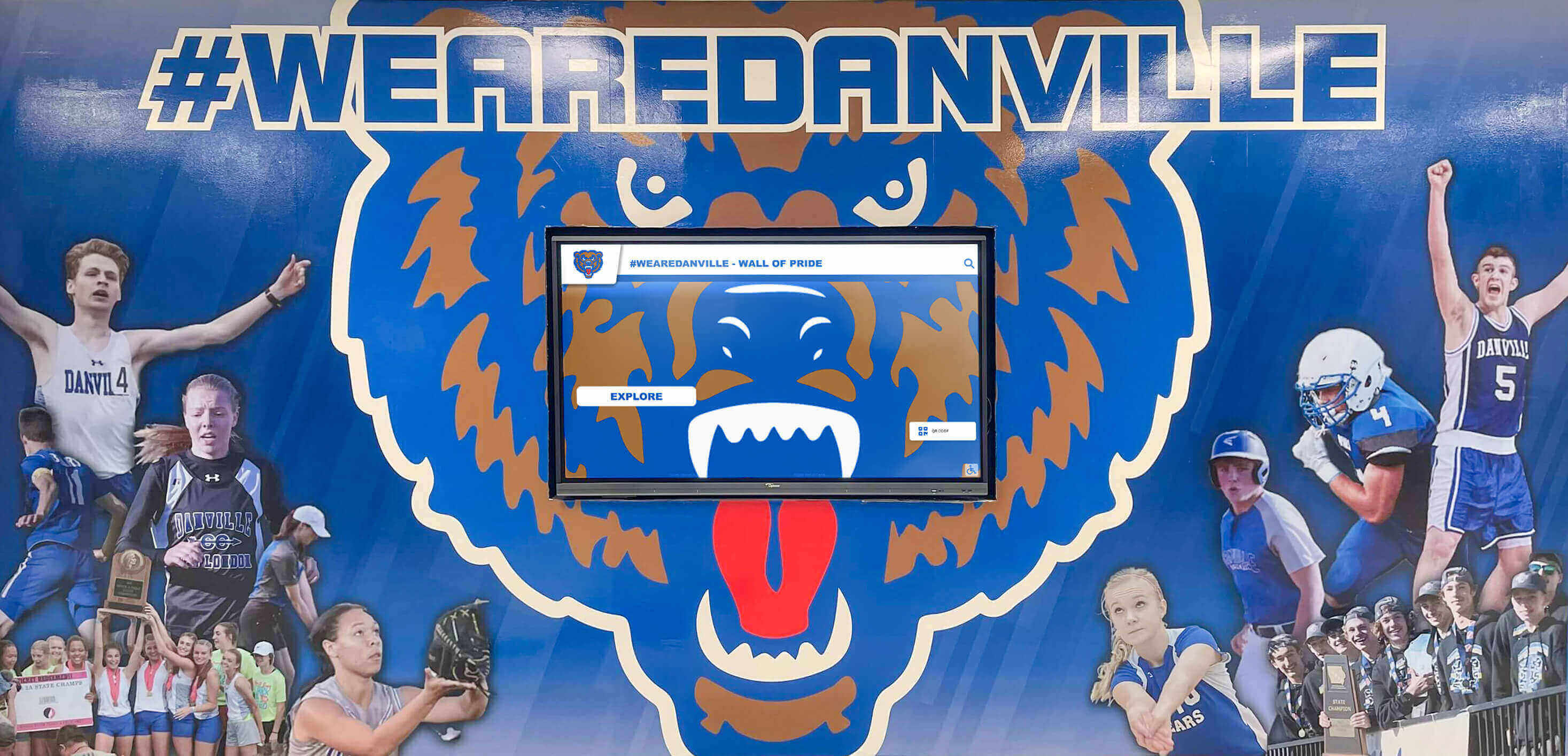
Professional installation ensures displays integrate architecturally with school environments while maintaining technical reliability
Key Installation Components and Who Handles Them
Digital hall of fame installations involve multiple distinct technical disciplines, each typically requiring specific expertise and sometimes specialized licensing.
Display Mounting and Structural Considerations
Properly mounting large touchscreen displays requires understanding both display specifications and building structural capabilities.
Wall Structure Assessment
Installation begins with wall structure evaluation. Displays weighing 75-150 pounds require solid mounting to structural elements—wood studs, steel framing, or concrete/CMU walls. Drywall anchors alone prove inadequate for these loads. Professional installers locate structural members, assess load-bearing capacity, and select appropriate anchors for wall construction.
Solid masonry walls accept concrete anchors directly. Wood-framed drywall construction requires mounting into studs with lag bolts. Steel framing uses specialized fasteners designed for metal studs. And challenging locations without adequate structural support may require supplemental backing or alternative mounting approaches like freestanding kiosks.
Schools planning digital touchscreen installations in high-traffic areas should verify walls can support required loads while maintaining safety standards for student environments where accidental impacts may occur.
Mounting Hardware and Installation Methods
Professional installers use commercial-grade mounting systems designed specifically for display weights and dimensions. Fixed mounts position displays flat against walls for minimal profile. Tilted mounts angle displays downward reducing glare and improving viewing ergonomics for standing viewers. Articulating mounts provide adjustment capabilities though these rarely suit permanent recognition installations.
Proper mounting requires precise leveling—even minor tilt becomes glaringly obvious with large displays. Professional installers use precision levels and laser alignment tools ensuring perfect positioning. They also implement security hardware preventing unauthorized removal, crucial for valuable equipment in accessible public locations.
Electrical Infrastructure and Power Requirements
Digital displays require dedicated electrical service meeting both operational needs and electrical code requirements.
Power Circuit Requirements
Large touchscreen displays typically consume 200-500 watts depending on size and technology. While this fits within standard 15-amp circuit capacity, dedicated circuits prevent power interruptions from circuit overloads when other equipment shares service. Professional installations also provide surge protection defending expensive electronics from voltage spikes that could cause failures.
Licensed Electrician Requirements
Most jurisdictions require licensed electricians perform electrical work beyond simply plugging into existing outlets. Running new circuits, installing outlets, and making modifications to electrical panels fall under electrical code requiring licensed contractors.
Turnkey vendors typically subcontract licensed electricians for electrical work, including these costs in installation packages. Schools coordinating separate installation contractors must ensure electrical work meets local codes and passes required inspections. Many districts require all electrical work performed by electricians on approved vendor lists or holding specific licensing.
When displays mount in locations without nearby power, electrical work becomes significant cost factor. Running circuits from electrical panels through walls, across ceilings, or underground to remote locations can cost $500-2,500 depending on distance and complexity. Early site selection considering power access prevents expensive electrical installations.
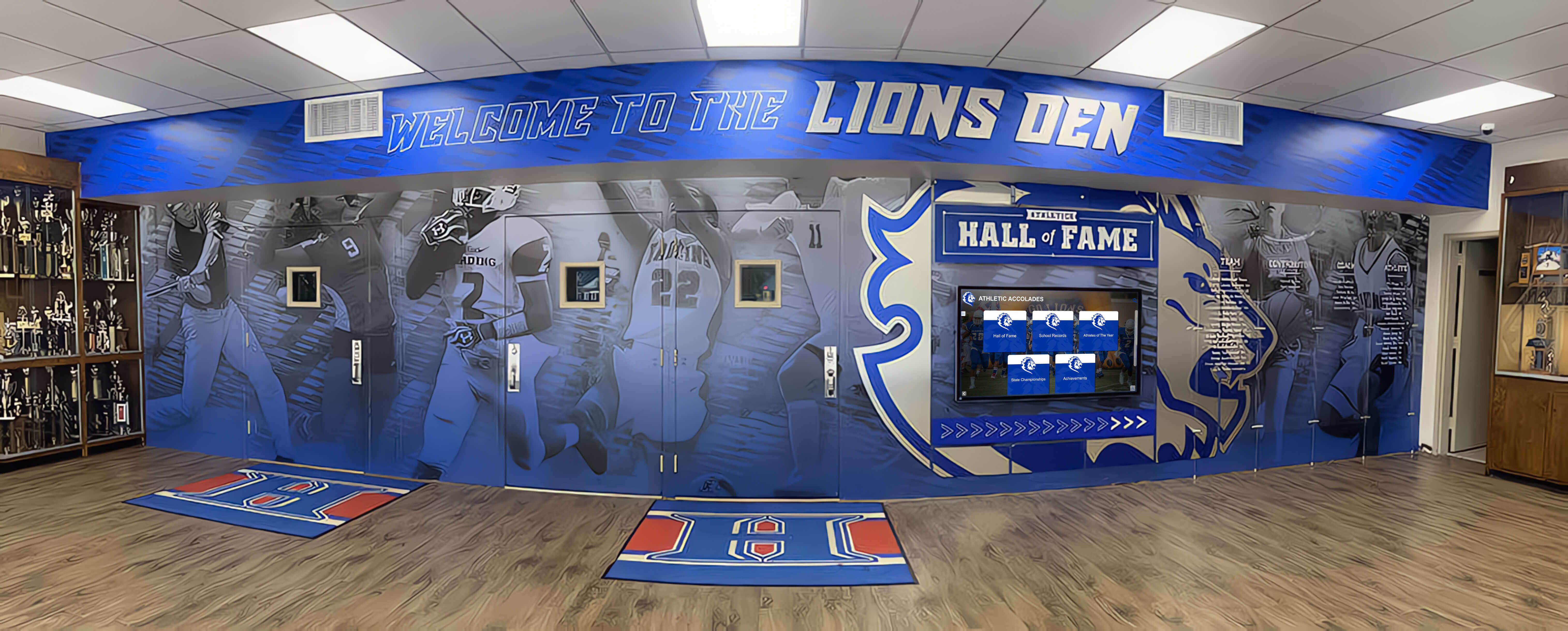
Strategic electrical planning enables displays to mount in ideal visibility locations without visible cable management challenges
Network Connectivity and IT Coordination
Modern digital hall of fame systems rely on network connectivity for content management, remote administration, and software updates, requiring careful IT infrastructure planning.
Network Infrastructure Assessment
Professional installers work with school IT departments assessing network infrastructure at proposed installation locations. Wired Ethernet connections provide most reliable connectivity, requiring network drops within reasonable distance of displays. Wireless connectivity offers flexibility but demands strong WiFi signal strength and adequate bandwidth at installation locations.
IT coordination covers network port assignments and VLAN configuration, firewall rules allowing necessary cloud service connectivity, IP address allocation and network documentation, bandwidth assessment ensuring adequate capacity, and ongoing monitoring and management protocols.
Schools implementing interactive touchscreen displays should involve IT departments early in planning processes. Technology directors need adequate notice to plan network infrastructure, coordinate installation access, and configure systems for proper operation.
Low-Voltage Cabling and Installation
Running network cables from IT closets to display locations requires low-voltage installation expertise. Professional installers route Category 6 Ethernet cables through appropriate pathways—conduit, cable trays, or plenum-rated cables in ceiling spaces meeting fire code requirements.
Low-voltage licensing requirements vary by jurisdiction. Some locations require specific low-voltage installer licenses. Others allow general contractors to perform this work. And some jurisdictions include low-voltage work under electrical licensing. Schools must ensure contractors performing network installations meet local licensing requirements.
Cable management affects both aesthetics and functionality. Professional installations conceal cables completely through in-wall routing, surface-mounted conduit painted to match walls, or cable management channels providing clean appearance. Exposed cables draped across walls appear unprofessional and create trip hazards or damage risks in school environments.
Enclosures, Kiosks, and Custom Millwork
Many installations utilize enclosures or kiosks housing displays and computing equipment while providing branding opportunities and combined appearance.
Freestanding Kiosk Options
Freestanding kiosks eliminate many structural mounting challenges while providing mobility flexibility. Commercial kiosks range from basic floor stands ($800-2,000) through fully branded custom enclosures ($4,000-12,000) incorporating school colors, logos, and architectural details matching facility aesthetics.
Kiosk installations typically proceed faster than wall-mounted implementations since they avoid structural modifications. However, they consume floor space and may face accessibility challenges in narrow hallways. Proper kiosk selection considers traffic patterns, ADA clearance requirements, and long-term space utilization plans.
Organizations seeking complete digital recognition solutions often find kiosks provide fastest implementation while delivering professional appearance and brand connection comparable to custom wall installations.
Wall-Mounted Enclosures and Surrounds
Wall-mounted displays benefit from enclosures or decorative surrounds creating visual frames and providing concealed equipment housing. Simple painted frames cost $300-800. Custom millwork incorporating school branding, mascot imagery, or architectural details matching building design ranges from $1,500-5,000 depending on materials and complexity.
Custom millwork typically requires separate contractors specializing in architectural woodwork or metal fabrication. Coordination becomes critical ensuring millwork dimensions accommodate specific display models while leaving access for maintenance and allowing proper ventilation preventing heat buildup.
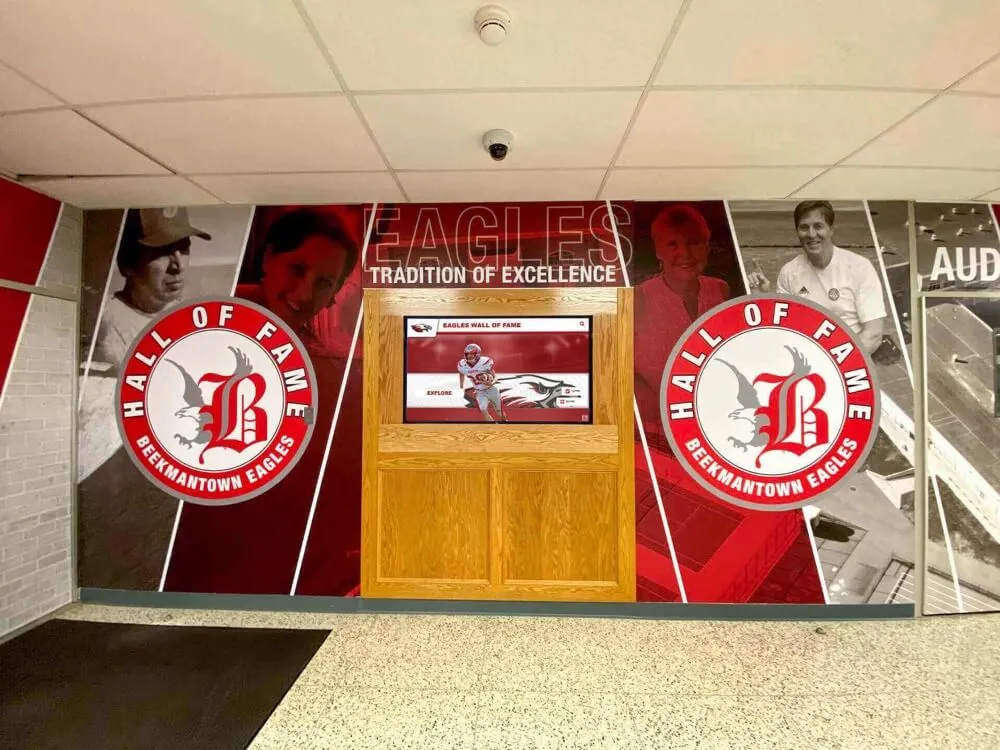
Custom enclosures and architectural surrounds transform functional displays into branded recognition centerpieces
Installation Planning and Site Preparation
Successful installations require careful advance planning addressing site-specific requirements and coordinating multiple stakeholders.
Site Selection and Location Planning
Choosing optimal installation locations balances visibility goals with practical infrastructure and accessibility requirements.
High-Visibility Location Considerations
Schools typically install hall of fame displays in prominent locations: main lobby areas near front offices, athletic facility entrance halls, gymnasium lobbies, cafeteria or commons areas, or main hallway intersections with heavy foot traffic.
Ideal locations provide excellent visibility from main traffic patterns, adequate viewing distance (typically 8-15 feet for 55-65 inch displays), comfortable standing areas without blocking hallway flow, existing or accessible power and network infrastructure, and structural walls capable of supporting display weight and mounting hardware.
Accessibility and ADA Compliance
Installation locations must meet Americans with Disabilities Act requirements ensuring access for all community members. Primary considerations include display height positioning with controls accessible from wheelchair positions (maximum 48 inches), adequate clear floor space for wheelchair maneuvering (minimum 30x48 inches), approach angles not requiring excessive reach, and adequate lighting without glare obscuring screen visibility.
Professional installers experienced with educational facility digital displays understand ADA requirements and verify compliance during site surveys and installation planning.
Pre-Installation Site Surveys and Assessment
Thorough site evaluation before installation prevents surprises and costly modifications during implementation.
What Professional Site Surveys Cover
Installation contractors conduct detailed site surveys documenting wall construction type and structural capacity, existing power outlet locations and circuit capacity, network infrastructure availability and connection points, environmental conditions including lighting and temperature, physical access for equipment delivery and installation, and any building modifications required for clean implementation.
Surveys often reveal issues requiring resolution before installation proceeds. Insufficient power may require electrical upgrades. Lack of network connectivity necessitates IT infrastructure work. Structural deficiencies may demand supplemental support or alternative mounting locations. Identifying these challenges during planning stages prevents project delays and cost overruns.
Coordinating with School Administrators and Facilities
Successful installations require coordination between multiple school stakeholders. Athletic directors or administrators sponsoring recognition programs define program goals and content requirements. Facilities directors approve structural modifications and coordinate building access. Technology directors plan network integration and ongoing IT support. And principals ensure installations align with overall facility aesthetics and school priorities.
Early coordination meetings with all stakeholders present establish clear expectations, identify potential challenges, align on project timelines, and document approval requirements preventing delays during implementation.

Proper installation planning ensures displays mount at appropriate heights for diverse users while integrating with school architecture
The Installation Process: Timeline and Workflow
Understanding typical installation workflows helps schools plan realistic schedules and coordinate necessary resources.
Typical Installation Timeline Phases
Professional digital hall of fame installations generally follow structured timelines spanning several weeks from contract signing through final commissioning.
Phase 1: Planning and Preparation (2-4 weeks)
Initial planning includes site survey and assessment, infrastructure requirement identification, custom design and branding finalization, installation date scheduling and coordination, equipment procurement and delivery, and necessary permit applications and approvals.
Planning timelines extend when displays require custom enclosures, significant electrical work, or complex network infrastructure. Simple installations leveraging existing infrastructure compress planning to one to two weeks.
Phase 2: Infrastructure Preparation (1-3 weeks)
Infrastructure work precedes display installation, including electrical circuit installation by licensed electricians, network cabling and connectivity setup, structural reinforcement if required, custom millwork or enclosure fabrication, and wall preparation including painting or patching.
Schools often coordinate infrastructure work with facilities teams or established contractors already approved through district procurement processes. Early coordination prevents schedule conflicts and ensures work completes before installation teams arrive with displays.
Phase 3: Display Installation and Commissioning (1-2 days)
Actual display installation typically completes quickly once infrastructure preparation finishes. Professional installation teams mount displays and enclosures, connect power and network services, install and configure computing hardware, load and configure software systems, perform complete system testing, provide staff training on content management, and document installation details and support procedures.
Large displays or complex multi-screen installations may extend installation timelines to three to five days depending on scope and customization complexity.
Phase 4: Content Population and Launch (1-4 weeks)
Following technical installation, schools populate recognition content, upload historical photos and biographical information, configure display layouts and branding, test navigation and functionality with actual content, and plan launch events celebrating display activation.
Content preparation often requires more time than physical installation. Schools should begin gathering historical photos, statistics, and biographical details well before installation dates ensuring displays launch with complete content rather than appearing incomplete.
Managing Installation in Occupied School Buildings
Installing technology in active school facilities presents unique logistical challenges requiring careful coordination.
Minimizing Disruption to School Operations
Installation contractors experienced with schools schedule work during periods minimizing student impact—summer breaks, holiday recesses, weekends, or after-school hours. Noisy or dusty work phases occur when buildings sit empty. Final installation and commissioning might proceed during school hours since these activities generate minimal disruption.
Schools should communicate installation schedules to staff and families, particularly when work affects main entry areas or blocks primary pathways. Temporary signage directing visitors around work zones prevents confusion and maintains welcoming appearances during construction phases.
Safety Protocols and Visitor Management
Educational environments require strict safety protocols. Professional installation contractors maintain clean work areas, secure tools and equipment, install temporary barriers preventing student access to work zones, and ensure all personnel undergo required background checks meeting school district policies.
Schools should verify contractors carry appropriate insurance—general liability and workers compensation—and require certificates of insurance before granting facility access. Documentation protects districts from liability should accidents or property damage occur during installation.

Professional installation teams coordinate around school schedules minimizing disruption while delivering complete full-service implementation
Selecting Installation Service Providers
Choosing qualified installation contractors directly impacts project outcomes, from technical reliability through aesthetic results and long-term support.
Evaluating Installation Contractor Qualifications
Several key qualifications distinguish professional installation contractors from less capable providers.
Educational Facility Experience
Contractors regularly installing technology in schools understand unique educational environment requirements including working within academic schedules, meeting stringent safety and background check requirements, coordinating with multiple district stakeholders, navigating district procurement and approval processes, and maintaining minimal disruption to school operations.
Schools should request references from similar institutions verifying contractor experience. Speaking with administrators at reference schools provides insights into contractor responsiveness, professionalism, technical capabilities, and problem-solving approaches when challenges arise.
Technical Certifications and Licensing
Qualified installation contractors maintain relevant technical certifications and business licenses. Electrical work requires licensed electricians meeting state and local requirements. Low-voltage cabling may require telecommunications licensing depending on jurisdiction. And general contractors need appropriate business licenses and contractor registrations.
Manufacturer certifications demonstrate technical proficiency with specific equipment. Major display manufacturers offer installation certification programs training contractors on proper mounting techniques, connection protocols, and system configuration. Certified installers typically deliver higher-quality results with fewer technical issues.
Insurance and Bonding Requirements
Professional contractors carry complete insurance protecting schools from liability. General liability insurance (minimum $1 million coverage) protects against property damage or injuries occurring during installation. Workers compensation covers contractor employees. And some districts require performance bonds guaranteeing project completion for significant installations.
Schools should require certificates of insurance before granting facility access and verify coverage remains current throughout installation periods. District risk management or business offices typically provide guidance on insurance requirements contractors must meet.
Questions to Ask Installation Service Providers
Thorough contractor evaluation requires asking specific questions revealing capabilities and potential concerns.
About Installation Experience
Key questions include how many school digital hall of fame installations has your team completed, can you provide references from schools similar to ours in size and budget, what challenges commonly arise in school installations and how do you address them, do your installers undergo background checks meeting educational facility requirements, and how do you coordinate work schedules minimizing disruption to school operations.
About Technical Capabilities
Important technical questions cover what certifications and licensing do your installers hold, do you perform electrical work in-house or subcontract to licensed electricians, how do you approach network integration and IT coordination, what testing and commissioning procedures ensure reliable operation, and how do you handle unforeseen structural or infrastructure challenges during installation.
About Project Management and Communication
Understanding project management approaches helps set appropriate expectations: who serves as primary point of contact throughout the project, how frequently do you provide progress updates, what documentation do you provide at project completion, how do you handle change orders if scope modifications become necessary, and what training do you provide school staff on system operation and content management.
About Ongoing Support
Long-term support matters beyond initial installation. Questions should address what warranty coverage do you provide on installation workmanship, how do you handle service calls if technical issues arise post-installation, what response time commitments do you provide for support requests, do you offer ongoing maintenance agreements, and are software updates and technical support included or available as additional services.
Professional installation contractors provide clear, detailed answers. Vague responses or reluctance to discuss specifics suggests limited experience or capabilities worth considering carefully.
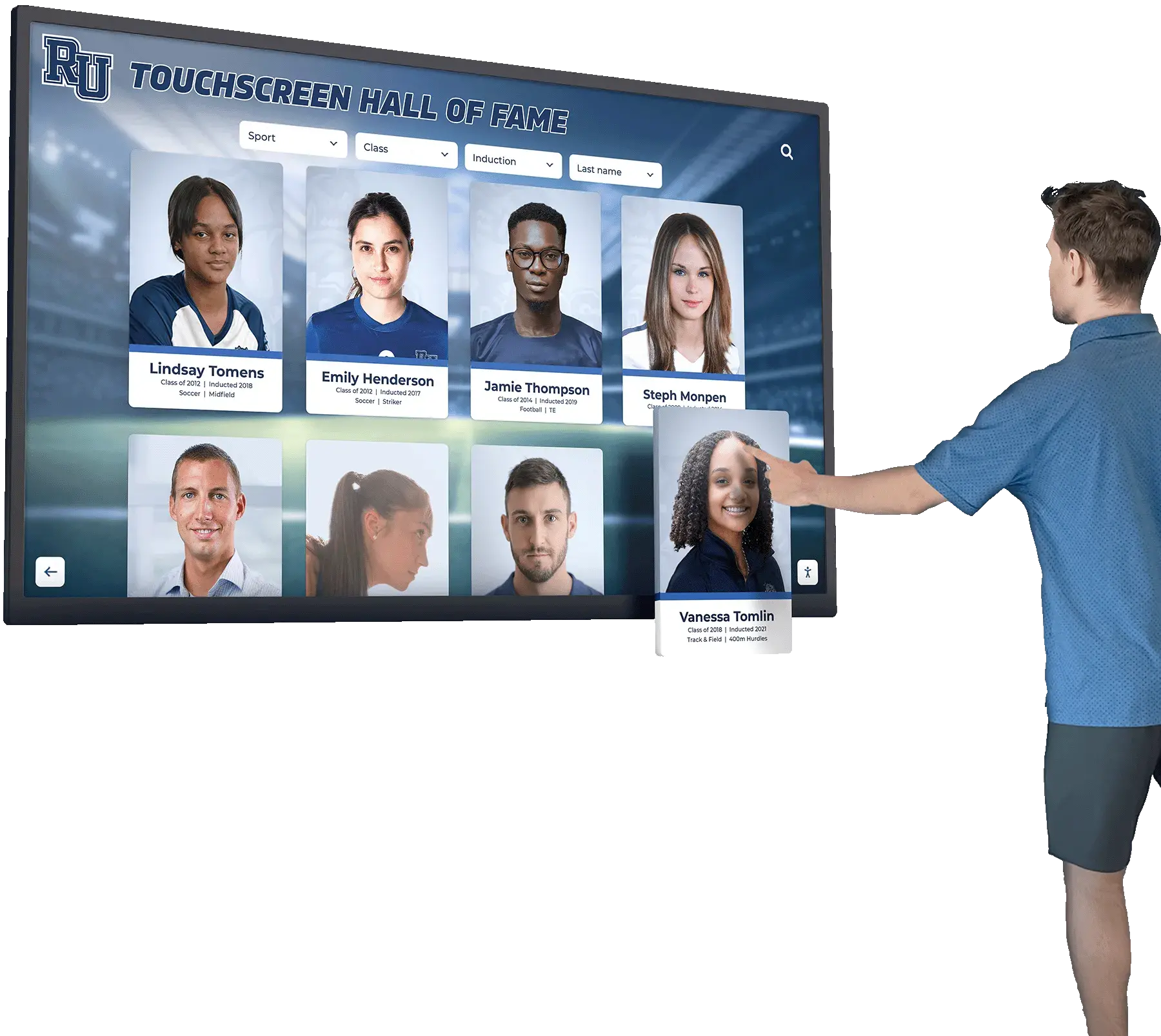
Professional installation services ensure systems operate reliably with complete support helping schools maximize recognition program impact
Cost Factors and Budgeting for Professional Installation
Understanding complete project costs helps schools budget appropriately and avoid surprise expenses during implementation.
Installation Cost Components
Professional installation costs encompass multiple distinct elements, each contributing to total investment requirements.
Labor Costs
Installation labor typically represents $1,200-4,000 of total project costs depending on complexity and duration. Straightforward wall-mounted installations in locations with existing infrastructure complete quickly (four to eight hours) generating lower labor costs. Complex installations requiring extensive cable routing, custom enclosures, or challenging structural conditions extend timelines (two to five days) increasing labor expenses proportionally.
Regional labor rates affect costs significantly. Urban areas with higher costs of living generate 25-40 percent higher installation quotes than rural regions. Schools should obtain multiple competitive quotes when possible to establish realistic local market rates.
Materials and Hardware
Beyond display costs themselves, installation projects require mounting hardware ($150-600), cables and connectors ($100-400), power and surge protection equipment ($75-250), cable management and concealment materials ($100-800), and custom branding or enclosure elements ($500-8,000 depending on complexity).
Professional installation contractors typically provide detailed material breakdowns in proposals showing exactly what components projects require rather than lump-sum pricing obscuring actual costs.
Infrastructure Upgrades
Locations lacking adequate existing infrastructure generate additional costs. New electrical circuits from panels to displays cost $500-2,500 depending on distance and complexity. Network infrastructure—running data cables from IT closets to remote locations—ranges $300-1,500 per connection. Structural reinforcement for challenging wall conditions adds $400-2,000. And building modifications creating clean cable pathways vary widely based on specific requirements.
Early site surveys identifying infrastructure needs enable accurate budgeting. Underestimating these costs creates budget overruns forcing project compromises or delays securing additional funding.
Comparing Vendor-Provided vs. Separate Installation Services
Schools must decide whether vendor-provided full-service installation or separately procured installation services better suit their needs and capabilities.
Advantages of Vendor-Provided Installation
Vendor installation packages offer significant benefits including single point of accountability for entire project, coordinated timelines without managing multiple contractors, warranty coverage spanning complete systems, guaranteed compatibility between displays and installation methods, and typically faster implementation since vendors control all aspects.
Organizations implementing digital recognition displays across facilities often find vendor-provided installation services simplify project management significantly compared to coordinating separate contractors across multiple installation sites.
When Separate Installation Makes Sense
Some schools prefer separately procuring installation through established local contractors particularly when relationships already exist with qualified audiovisual integrators, district procurement policies favor competitive bidding for installation services, internal facilities teams can handle certain aspects reducing costs, or vendors don’t offer installation or quote unreasonably high rates compared to local market.
Separate installation requires more administrative coordination but provides cost flexibility and leverages existing contractor relationships that may offer responsive ongoing support beyond initial installations.
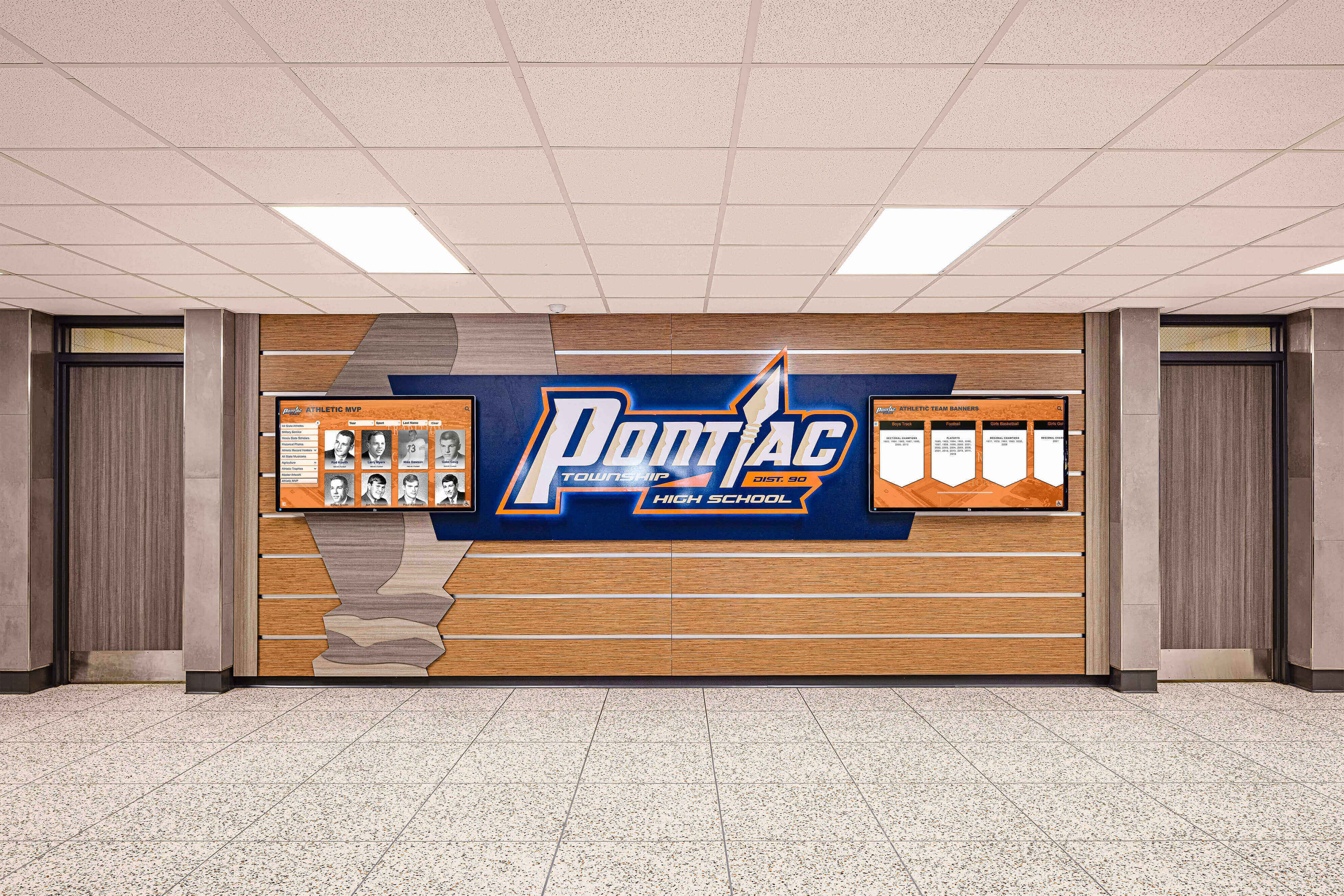
Budget planning should account for all installation components ensuring adequate resources for professional implementation meeting technical and aesthetic standards
Post-Installation Support and Ongoing Maintenance
Professional installation extends beyond initial deployment to encompass commissioning, training, and ongoing support ensuring long-term success.
System Commissioning and Testing
Thorough commissioning processes verify installations meet all technical specifications and operational requirements before contractors depart.
What Comprehensive Commissioning Covers
Professional installation contractors perform systematic testing including display functionality verification across all features, touchscreen responsiveness and accuracy testing, network connectivity confirmation and speed testing, content management system access and operation, software functionality verification, power and surge protection validation, mounting security and stability assessment, and ADA compliance verification for positioning and operation.
Commissioning processes should include school staff participation. Installers demonstrate system operation, explain maintenance requirements, identify potential issues requiring attention, and answer questions ensuring staff understand system capabilities and limitations.
Documentation and Training Delivery
Quality installations conclude with complete documentation including as-built drawings showing exact equipment locations and connections, network configuration details for IT department records, maintenance procedures and schedules, warranty information and coverage details, contact information for technical support, and content management training materials for staff responsible for ongoing updates.
Training sessions ensure appropriate staff members—athletic directors, communications coordinators, or designated technology liaisons—understand content management systems and can confidently maintain current recognition information without requiring vendor support for routine updates.
Warranty Coverage and Support Commitments
Understanding what warranties cover and for how long helps schools plan support budgets and maintenance approaches.
Standard Warranty Periods and Coverage
Installation workmanship typically carries one-year warranties covering mounting security, electrical connections, network infrastructure, and any custom fabrication work. Display hardware warranties vary by manufacturer—typically three to five years for commercial-grade displays covering component failures and defects. Software warranties or subscriptions include technical support, software updates, and cloud hosting services for ongoing operation.
Schools should document exactly what each warranty covers, required notification procedures when issues arise, guaranteed response times for service requests, and any maintenance activities required for maintaining warranty validity. Many warranties become void if unauthorized technicians attempt repairs or if equipment operates outside specified environmental conditions.
Ongoing Support Agreements
Beyond initial warranties, many vendors and installation contractors offer ongoing support agreements providing priority service response, preventive maintenance visits, software updates and improvements, content management assistance, and system monitoring identifying issues before failures occur.
Support agreement value depends on internal technical capabilities. Schools with sophisticated technology departments may need only occasional vendor support for complex issues. Districts with limited IT resources benefit significantly from complete support agreements ensuring responsive assistance when problems arise.
Organizations working with vendors providing white-glove support typically experience fewer operational challenges and higher staff satisfaction since thorough vendor support reduces administrative burden on already stretched school personnel.
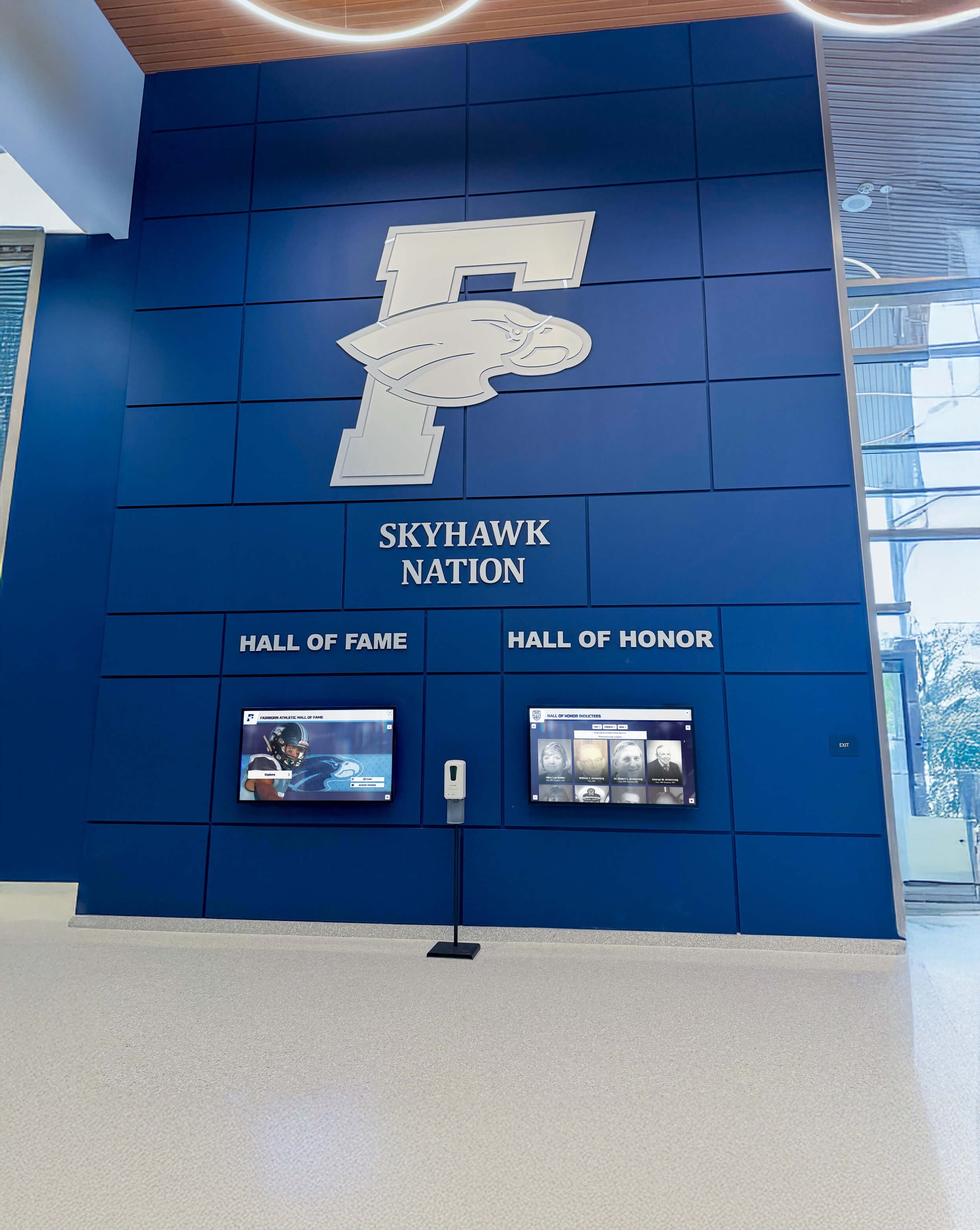
Ongoing support ensures recognition displays operate reliably year after year without becoming technical burdens for school staff
Common Installation Challenges and Solutions
Understanding frequent installation complications helps schools anticipate potential issues and plan appropriate responses.
Structural and Physical Installation Challenges
Building characteristics sometimes complicate installations in ways site surveys don’t fully reveal.
Hollow or Weak Wall Construction
Not all school walls provide adequate structural support for heavy display mounting. Hollow metal partition walls, lightweight drywall over metal studs, or deteriorated plaster may lack load-bearing capacity for 100+ pound displays.
Professional installers address weak wall conditions through several approaches: mounting to structural elements behind finished surfaces (wood blocking, steel studs, or concrete/CMU backup walls), installing supplemental backing or mounting plates distributing loads across larger areas, utilizing freestanding kiosk solutions eliminating wall mounting requirements entirely, or relocating installations to more suitable walls with adequate structural capacity.
Schools should ensure installation contractors assess and guarantee structural adequacy before proceeding with mountings that could fail catastrophically if walls prove inadequate.
Limited Access for Cable Routing
Concealing power and network cables professionally often proves more challenging than anticipated. Existing conduit may be full. Ceilings may lack adequate access. Wall cavities may contain obstacles blocking cable routes. And fire-rated construction may prohibit penetrations without expensive fire-stopping work.
Experienced installers explore alternative routing paths, use surface-mounted conduit or cable management channels painted to match walls when concealment proves impractical, coordinate with facilities teams identifying accessible pathways through building knowledge, and sometimes recommend relocating installations to positions where clean cable management becomes feasible without extraordinary measures.
Technology and Network Integration Issues
Digital displays depend on reliable network connectivity and proper IT integration for successful operation.
Firewall and Network Security Restrictions
School network security policies sometimes prevent display connectivity to cloud-based content management systems or software update services. Firewalls may block required ports. Proxy servers may interfere with connections. And guest network segments may lack adequate bandwidth or reliability for display operation.
Resolution requires early IT department involvement understanding connectivity requirements, configuring firewall rules and network policies appropriately, allocating displays to appropriate network segments, and testing connectivity during installation before contractors depart. Schools should ensure vendors provide clear documentation of network requirements enabling IT departments to prepare infrastructure before installation days.
WiFi Coverage and Reliability Challenges
Displays relying on wireless connectivity sometimes face inadequate signal strength or reliability. Schools may need to install additional wireless access points near display locations, upgrade to dual-band or WiFi 6 infrastructure supporting higher device density, or run wired Ethernet connections when wireless proves inadequate.
Professional installation contractors test wireless connectivity during site surveys and recommend infrastructure improvements when necessary. Schools should address network deficiencies before installation prevents project delays discovering connectivity problems after displays mount.
Coordination and Timeline Complications
Multi-stakeholder projects involving vendors, contractors, school personnel, and sometimes district approval processes face inevitable coordination challenges.
Scheduling Conflicts and Access Delays
Installation schedules often slip due to equipment delivery delays, school schedule conflicts preventing building access, contractor availability changes, infrastructure preparation taking longer than expected, or weather affecting work windows for summer installations.
Flexible scheduling with buffer time between milestones accommodates inevitable delays without missing critical deadlines. Schools planning displays for major events—homecoming celebrations, athletic banquets, or dedication ceremonies—should establish installation target dates several weeks before events providing contingency time if complications arise.
Change Orders and Scope Modifications
Installation projects sometimes require scope changes as issues surface during implementation. Additional electrical circuits become necessary. Network infrastructure proves more complex than anticipated. Or schools decide to expand projects adding features or capabilities beyond original specifications.
Clear change order procedures documented in installation contracts establish how scope modifications are handled including pricing for additional work, timeline impacts from changes, approval requirements before proceeding with additional work, and documentation ensuring all parties agree on modified scope.
Reputable contractors document change requirements in writing before proceeding, obtain written approval from authorized school personnel, and provide detailed invoicing showing original scope and approved additions separately preventing disputes over billing.

Professional installation contractors navigate challenges systematically delivering successful implementations despite inevitable complications
Making Installation Decisions for Your School
Synthesizing all considerations helps schools make informed decisions about who should install their digital hall of fame displays and how to manage implementation successfully.
Creating Installation Requirements Documentation
Before soliciting installation quotes, schools benefit from documenting requirements clearly.
Key Elements to Specify
Comprehensive requirements documents should include preferred installation location with photos, existing power and network infrastructure at location, desired mounting approach (wall-mounted, freestanding kiosk, or custom enclosure), timeline requirements and any critical completion dates, accessibility requirements and ADA compliance needs, school schedule constraints and building access procedures, and internal stakeholder contacts for coordination (facilities, IT, administration).
Detailed requirements enable contractors to provide accurate quotes and identify potential issues during estimation rather than discovering problems after contracts sign.
Selecting Installation Approaches Matching School Capabilities
Different schools have different internal capabilities affecting optimal installation approaches.
For Schools with Limited Technical Resources
Districts with small facilities teams, limited IT departments, or minimal audiovisual expertise benefit most from complete full-service vendor installation services. Single-source accountability, complete project coordination, and included training and support reduce administrative burden significantly making higher installation costs worthwhile investments preventing ongoing operational challenges.
For Schools with Sophisticated Facilities and IT Teams
Larger districts with experienced facilities managers and robust IT departments may prefer coordinating separate installation contractors, particularly when existing relationships with qualified audiovisual integrators exist. Internal teams provide infrastructure preparation, coordinate contractor activities, and manage ongoing maintenance reducing long-term costs while leveraging existing staff expertise.
Making Confident Installation Decisions
Successful installation requires matching service providers to specific project needs and institutional capabilities.
Schools should obtain detailed proposals from multiple qualified providers whether vendor full-service packages, audiovisual integration firms, or local contractors, verify references and previous educational installation experience, confirm licensing, insurance, and certification requirements, establish clear project scope, timeline, and deliverables, document all cost elements including potential infrastructure requirements, and involve all stakeholders—administration, facilities, IT—in selection decisions.
Get Professional Installation Guidance
Rocket Alumni Solutions provides complete installation services specifically designed for educational institutions. Our experienced teams handle every aspect from site survey through final commissioning, delivering professionally installed digital hall of fame displays that work perfectly with your school while meeting all technical and accessibility requirements.
Schedule Installation ConsultationProfessional installation represents a critical investment ensuring digital recognition displays operate reliably, integrate professionally with school environments, and deliver lasting value to communities. Whether schools choose vendor full-service services, engage audiovisual integration contractors, or coordinate installations through internal resources, understanding who handles different installation aspects and what successful implementation requires enables informed decisions that result in recognition displays schools proudly showcase for decades.
The installation professionals you select become partners in bringing recognition visions to reality. Choose contractors with demonstrated educational facility experience, complete technical capabilities, clear communication practices, and commitment to supporting schools beyond initial installations. The extra effort selecting qualified professionals pays dividends through smooth implementation processes, reliable system operation, and ongoing support ensuring your digital hall of fame successfully celebrates achievement while inspiring future generations toward excellence.
Ready to explore installation options for your school? Discover more about professional touchscreen kiosk installations, learn about digital trophy case implementation, explore complete school digital signage solutions, and understand new building installation timing considerations that help schools plan successful digital recognition display implementations.































